EN
PTT CBTALK
Push and talk into CBTalk
CHANGE A CHANNEL ON CBTALK
Channel down
Channel up
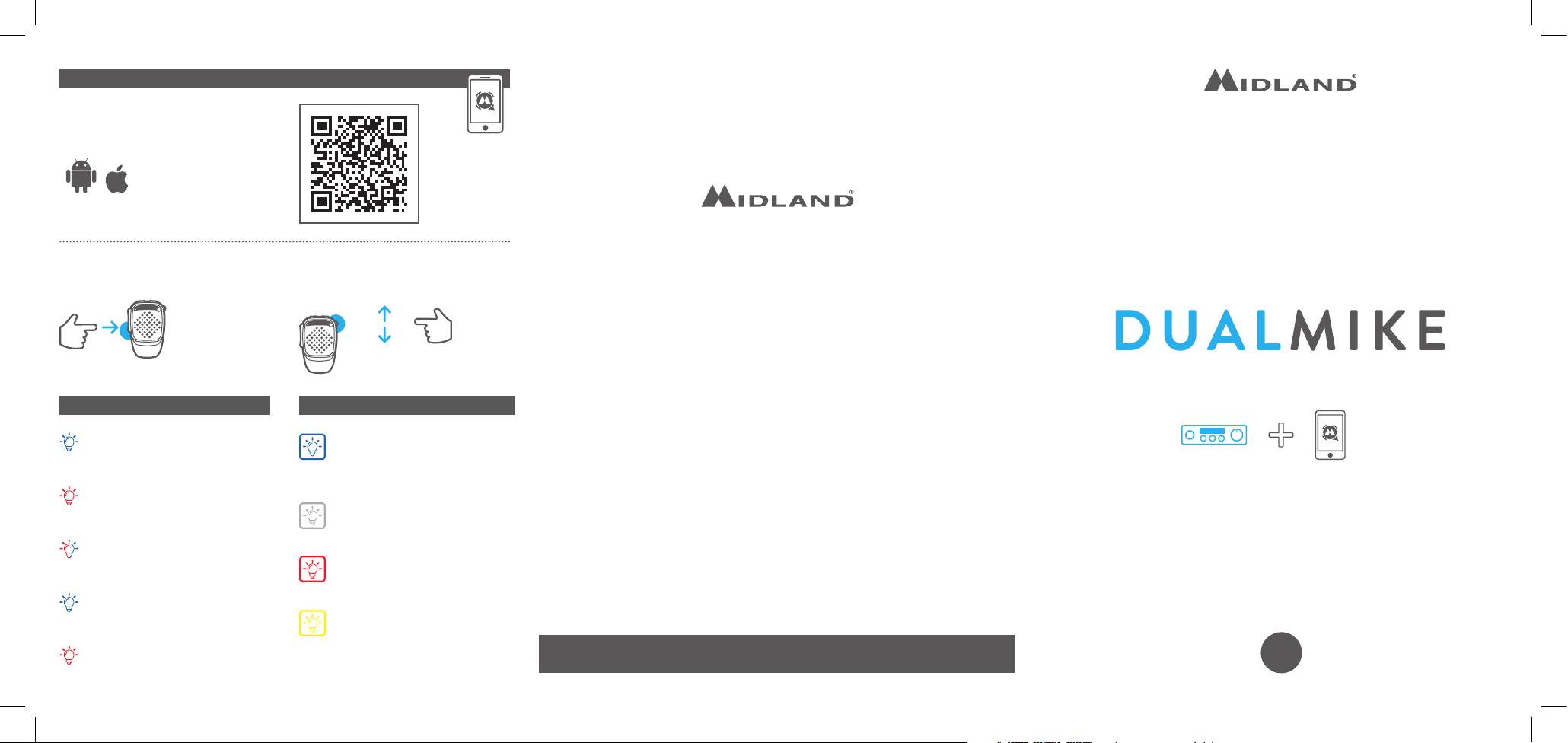
LED LIGHT RING
Turning ON:
Blue led 3 sec.
Turning OFF:
Red led 3 sec.
Pairing:
Red and blue leds alternated
Smartphone paired to Dual Mike:
Blue led blinking
Smartphone’s pairing not
successful: red led blinking
Default color:
Steady blue (it will be set through
the CBTalk APP)
Incoming call:
Steady white
Low battery:
blinking red
PTT CB pressed:
Steady yellow
Download the CBTalk APP
Android/iOs
DUAL MIKE WITH CBTALK APP
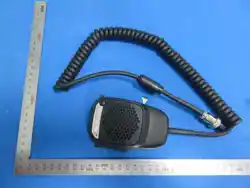
CB MICROPHONE
Per scaricare il manuale completo e per informazioni sulla garanzia visitate il sito www.midlandeuro-
pe.com • To download the complete user manual and for information about the warranty please visit
www.midlandeurope.com • Zum Herunterladen der gesamten Anleitung und allen Informationen über
die Garantie der Artikel, besuchen Sie bitte unsere www.midlandeurope.com • Para descargar el ma-
nual completo y mayor información sobre la garantía, visite la web www.midland.es • Pour télécharger
le manuel d’utilisation complet et des informations sur la garantie, s’il vous plaît visitez le site
www.midlandeurope.com • Para fazer download do manual de utilizador e de informações sobre a garan-
tia, por favor visite o site www.midlandeurope.com
To download the complete user manual and for information about the warranty
please visit www.midlandeurope.com
QUICK GUIDE
Prodotto o importato da:
CTE INTERNATIONAL srl
Via. R.Sevardi 7 42124 Reggio Emilia - Italia.
Prima dell’uso leggere attentamente le istruzioni.
Produced or imported by:
CTE INTERNATIONAL srl
Via. R.Sevardi 7 42124 Reggio Emilia - Italy.
Read the instructions carefully before installation and use.
Vertrieb durch: ALAN ELECTRONICS GmbH
Daimlerstraße 1K - D-63303 Dreieich Deutschland.
Vor Benutzung Bedienungsanleitung beachten.
Importado por: MIDLAND IBERIA, SA
C/Cobalt, 48 - 08940 Cornellà de Llobregat, Barcelona - España.
Antes de utilizar, lea atentamente el manual de uso.
Importé par: ALAN FRANCE S.A.R.L.
5, Rue Ferrie, Zac les Portes du Vexin 95300 Ennery - France.
Avant l’utilisation, lire les instructions.
3
sec.
1 2 3
4
5
6
7
8
11
12
10
9
AL-DUAL
12V
3
sec.
3
sec.
3
sec.
VOL+VOL-
Device A
DualMike_xxx
Device B
3
sec.
13
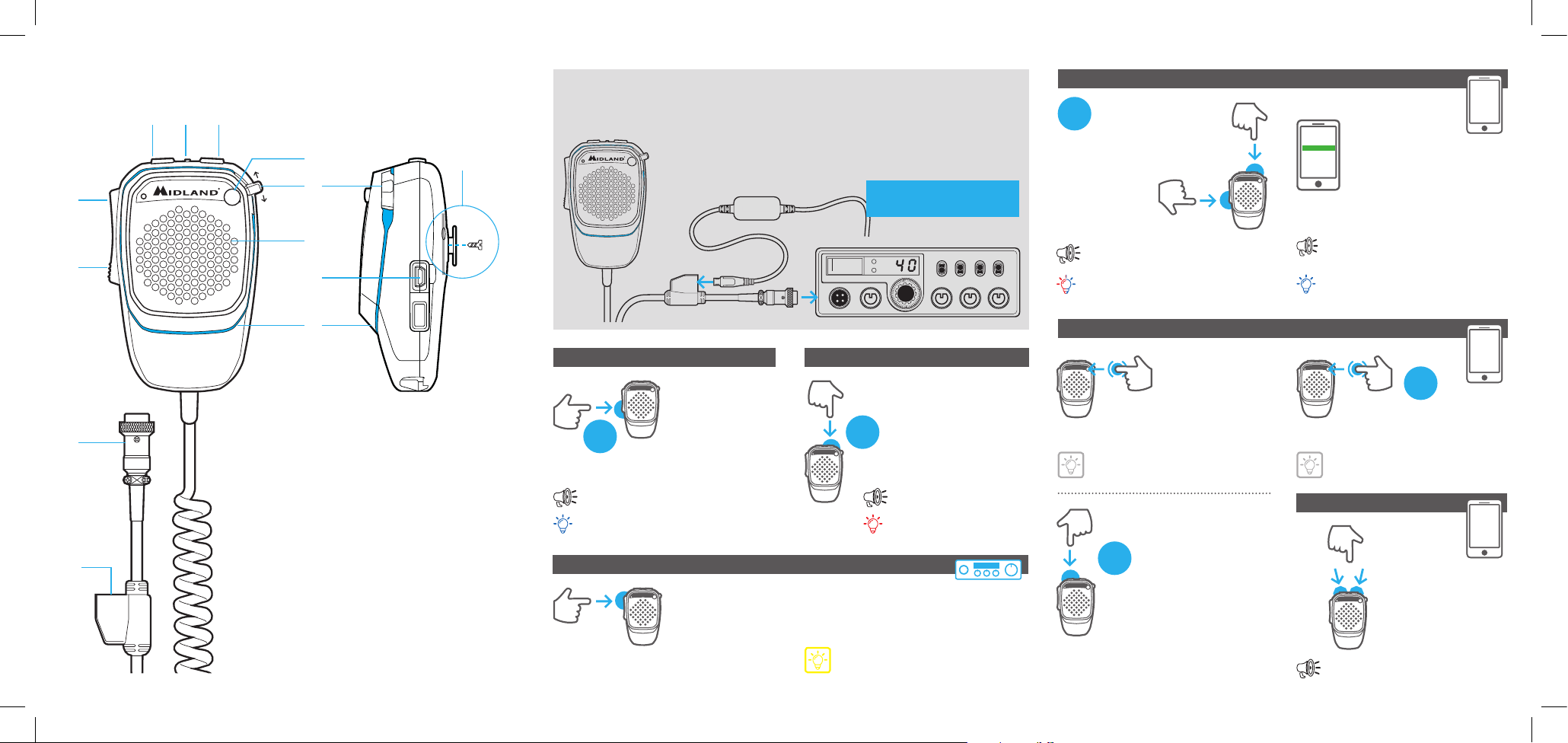
DUALMIKE OVERVIEW
GETTING STARTED
Remove the standard microphone supplied with your transceiver
and plug-in DUALMIKE
AL-DUAL
Cod. C1403 (optional)
POWER ON
PTT CB
Press and talk towards the microphone
Yellow Light ring
Power On
Led steady blue 3 sec.
POWER OFF
Power O
Led steady red 3 sec.
USING DUAL MIKE WITH YOUR CB RADIO
1. Volume -
2. Led
3. Volume + (Power O - 3 sec.)
4. Emergency key (or customizable)
5. Channel up; Channel down (CBTalk)
6. Speaker
7. USB charging port/FW upgrade port
8. Light ring
9. PTT CB
10. PTT CBTalk (Power On - 3 sec.)
11. Pin connector:
4 Pin 48 (C1283)
4 Pin (C1283.01)
6 Pin (C1283.02)
12. USB charge only
13. DUAL MIKE is supplied with a metallic plate
for magnetic fi xing of the microphone. To use
it remove the plastic support fi xed with a screw.
USING DUAL MIKE WITH SMARTPHONES
PAIRING 1
Pairing
Red and blue leds alternately
blink
PRESS
TOGETHER
PAIRING 2
Connected
(Telephone connected)
Blue led blinking 3 sec.
HAND-FREE PHONE CALLS
AUDIO VOLUME
To answer/to end a call
White light ring
To reject an incoming call
White light ring
To make a voice dial Bop (max vol. Beep)