Operation manual
UTX-16
Rechargeable Belt-pack Transmitter
1
UTX-16
Rechargeable Belt-pack Transmitter
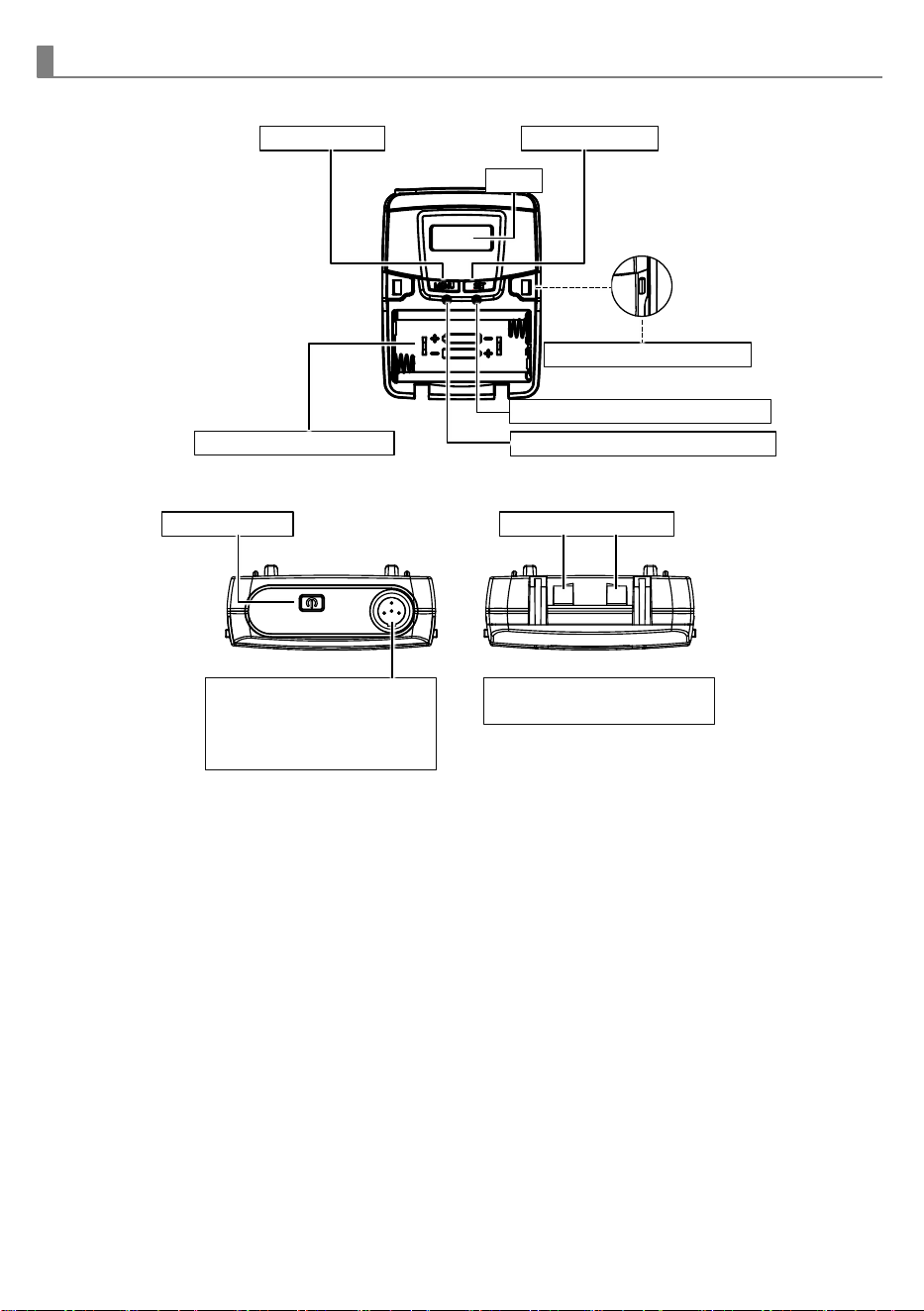
Parts and functions of UTX-16 transmitter
Menu button
Setting button
Battery compartment
Power button
Charging contacts
Audio input connector
for FITNESS AUDIO
headset / lavalier /
earworn microphone.
Charging dock HC24
available separately.
Cover release buttons
LCD
Low-impedance gain control
High-impedance gain control
2
Instructions
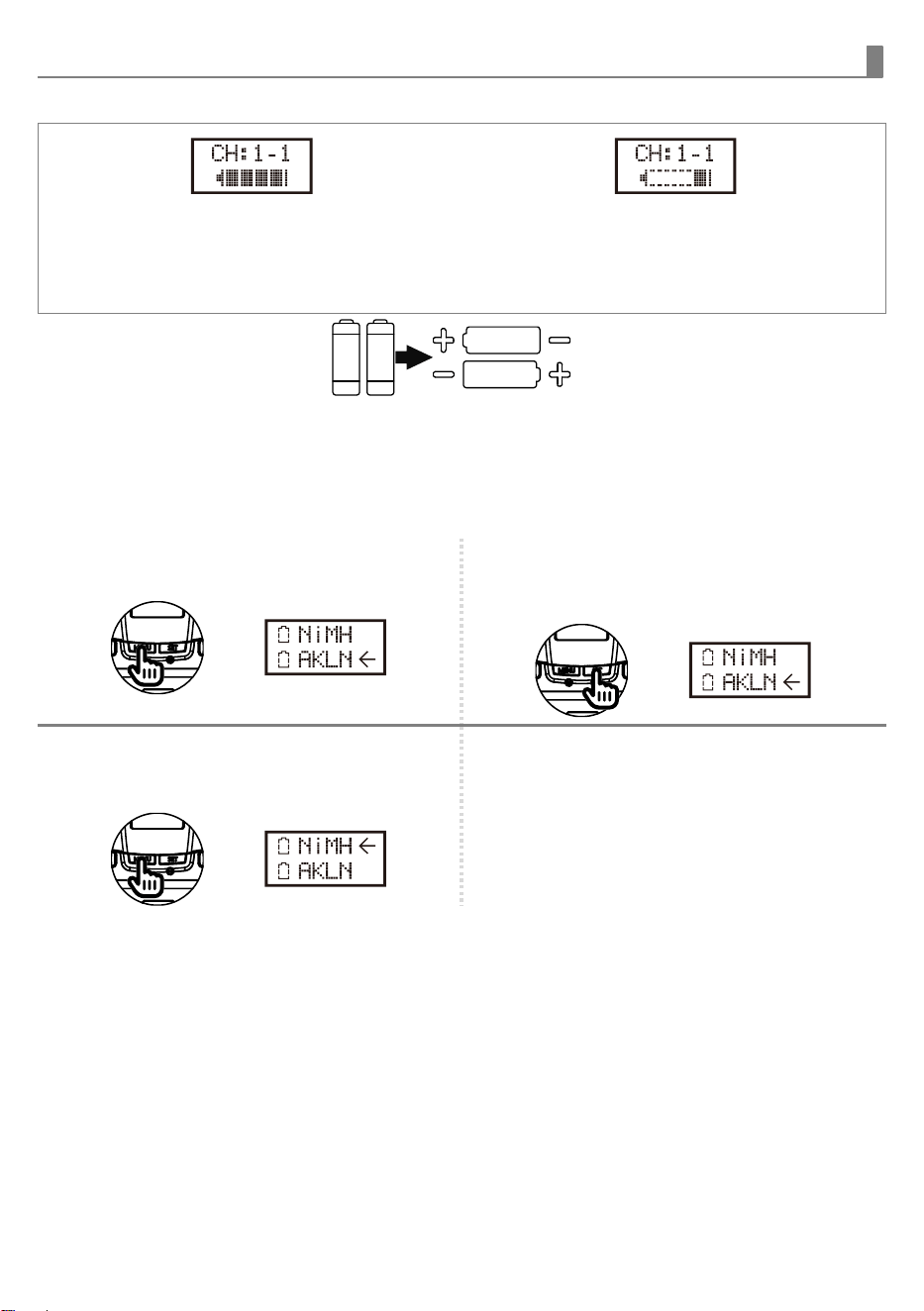
Battery installation & indicator
When the transmitter is switched ON, the
battery meter will display batteries’ condition.
When using rechargeables, be sure to set
battery type to NiMH in the menu.
If displaying only one grid, the batteries are
about to expire and require replacement (or
charging when using NiMH rechargeables).
This transmitter requires two
AA batteries to operate.
To install, open the battery
cover and insert the batteries
into the battery compartment.
Note
:
Batteries contain a corrosive alkaline that may leak and damage the transmitter when storing without
use for more than 4 weeks. Batteries should be removed when storing for long periods without use.
Battery type setting
1 Use MENU button to go to the BATTERY
TYPE page.
2 Press and hold SET button for 3 seconds,
then the cursor will flash to allow
changes to be made.
3 Press SET button to select either NiMH
(rechargeable battery) or AKLN (alkaline
battery).
4 3 seconds after selecting a battery type, it
will be automatically saved.
Important:
◼
The transmitter will automatically shut down when charging in the charging dock (HC24).
◼
Do not charge primary batteries such as zink-carbon and alkaline batteries to avoid risks of
leakage or explosion.
◼
Be sure to install the batteries by correct polarity to prevent device damages due to short
circuit.
◼
Batteries of the same brand offer better quality consistency. Do not use batteries of different
brands if possible.
◼
Do not mix new, old and different-brand batteries to prevent short circuit or malfunction.
◼
If the transmitter will not be used for a long period of time, the batteries should be removed
and kept dry to avoid leakage and damage to the device due to battery self-discharge.
◼
If the battery leaks, cracks or deforms, stop using and take it out immediately and dispose with
due consideration to the environment.
3
UTX-16
Rechargeable Belt-pack Transmitter
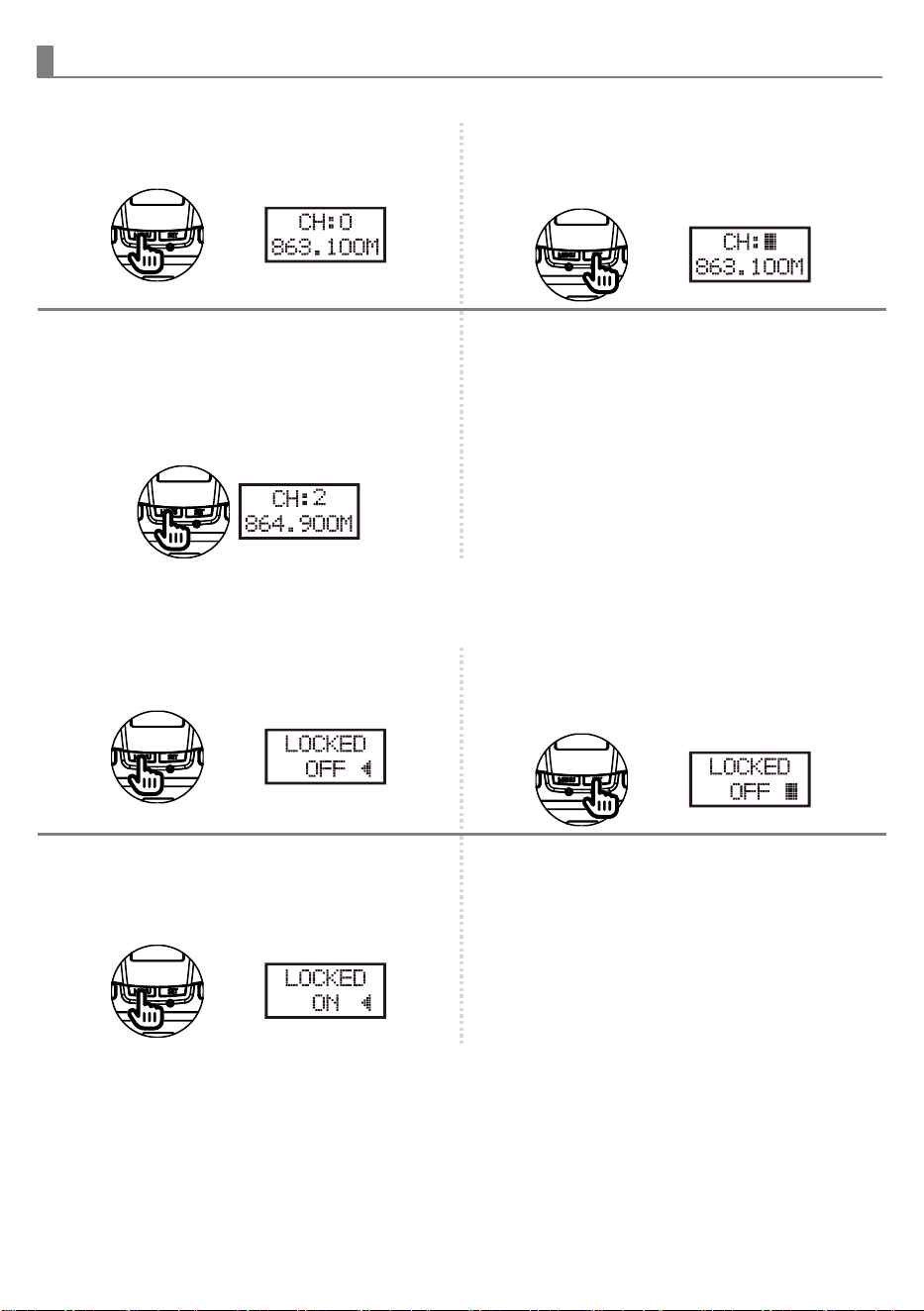
Channel setting
1 Use MENU button to go to the
CHANNEL|FREQUENCY page.
2 Press and hold the SET button for 3
seconds, then the channel block will flash
to allow changes to be made.
3 Press MENU button to increase or SET
button to decrease channel number. The
corresponding frequency will change
accordingly. The system provides 16
channels (0, 1, 2, 3, ... 9, A, B, …,F) for
selection.
4 3 seconds after selecting a group-channel,
it will be automatically saved.
Button lock & unlock
1 Use MENU button to go to the BUTTON
LOCK page.
2 Press and hold SET button for 3 seconds,
then the arrow will flash to allow
changes to be made.
3 Press SET or MENU button to switch
between OFF (unlocked) and ON (locked).
The SET button is disabled under ON
status.
4 3 seconds after selecting a locking mode,
it will be automatically saved. To enable
the SET button, just repeat STEP 3.
4
Instructions
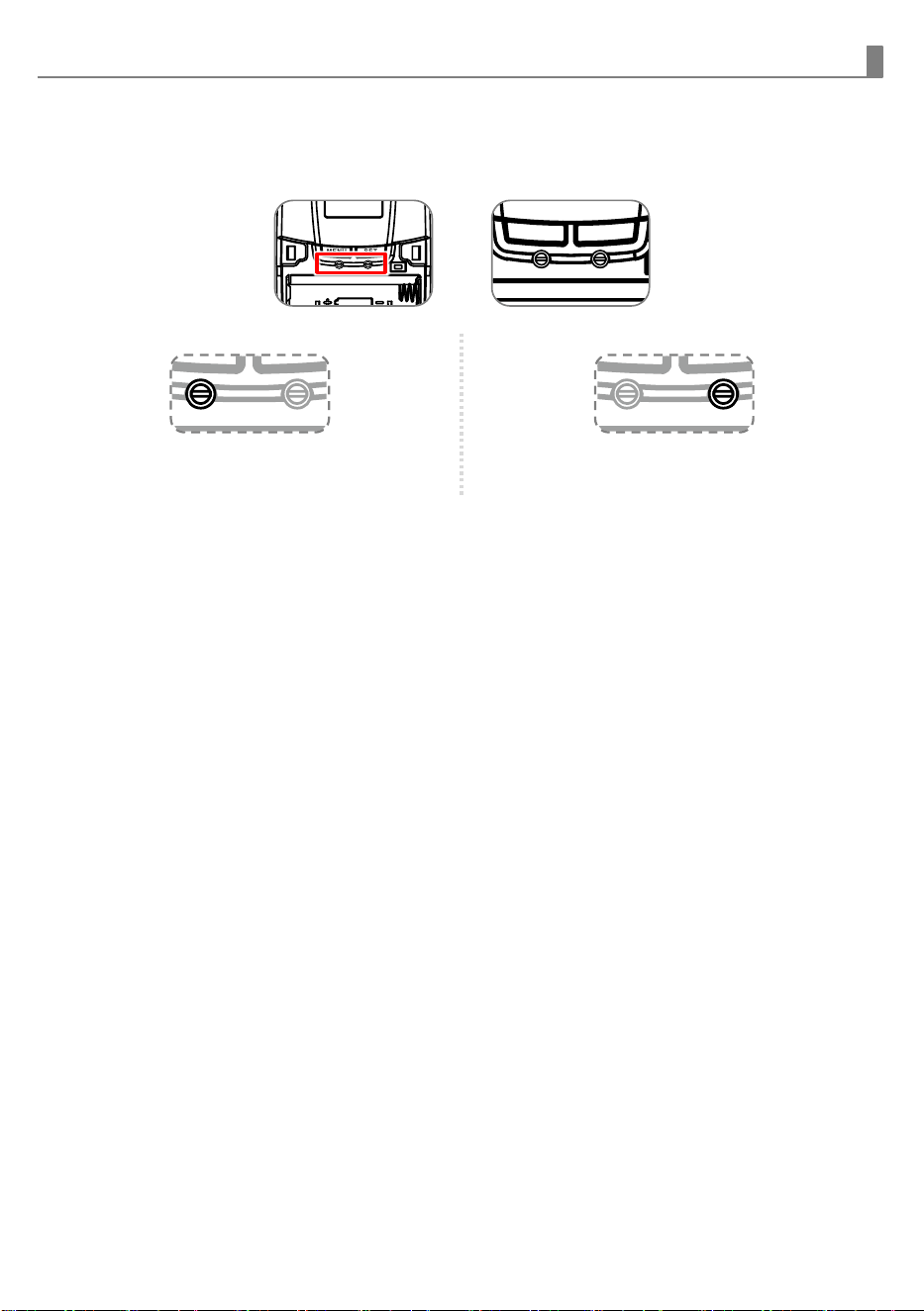
GAIN setting (GT
|
MT)
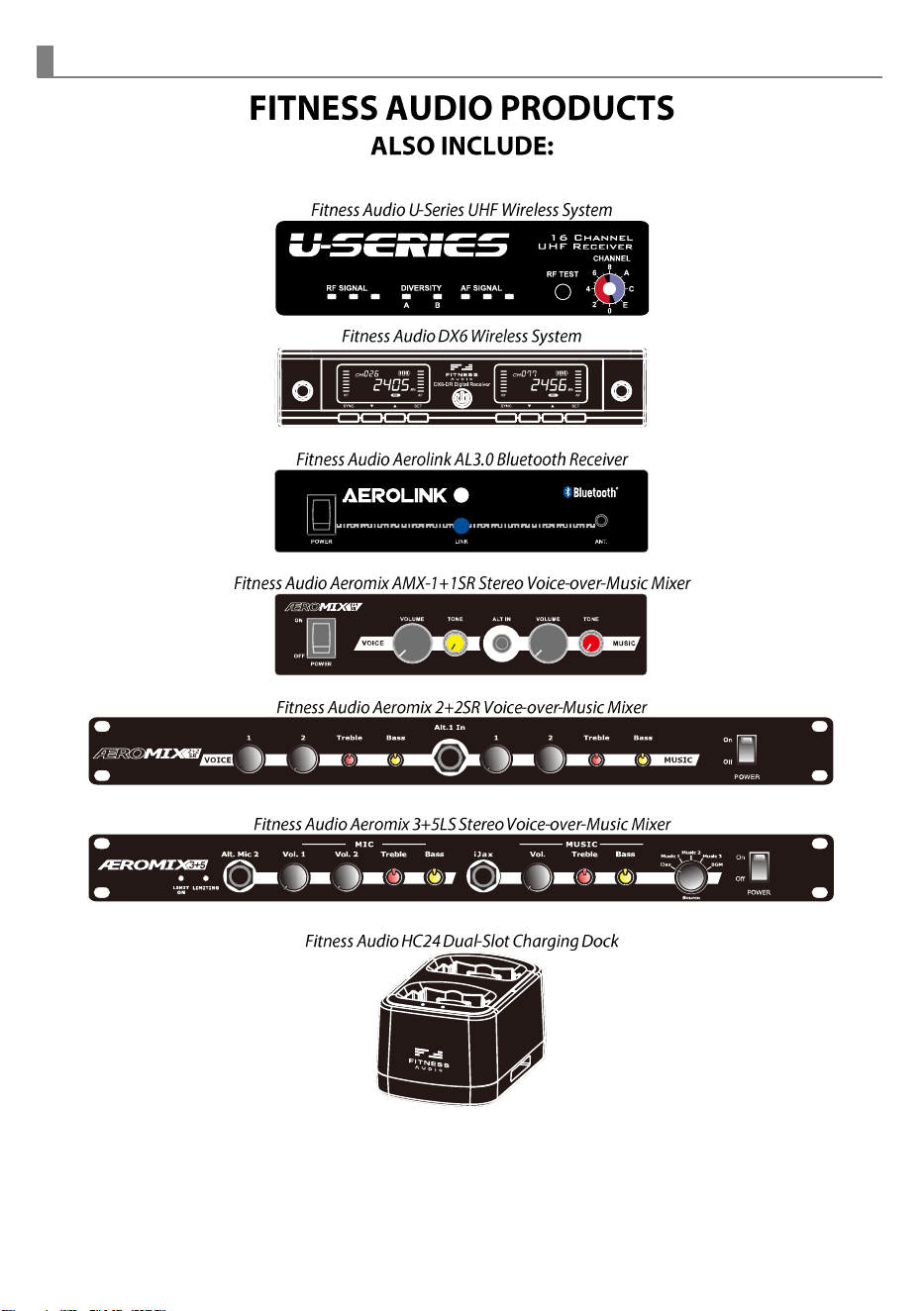
Gain control enables the user to set different output levels.
(Multimics are affected by both.)
GT
(LEFT) is for the use of instrument with high
impedance, such as guitar.
MT
(RIGHT) is for the use of low impedance such as
lapel or headset microphones.
MENU
SET
MENU
SET
5
UTX-16
Rechargeable Belt-pack Transmitter
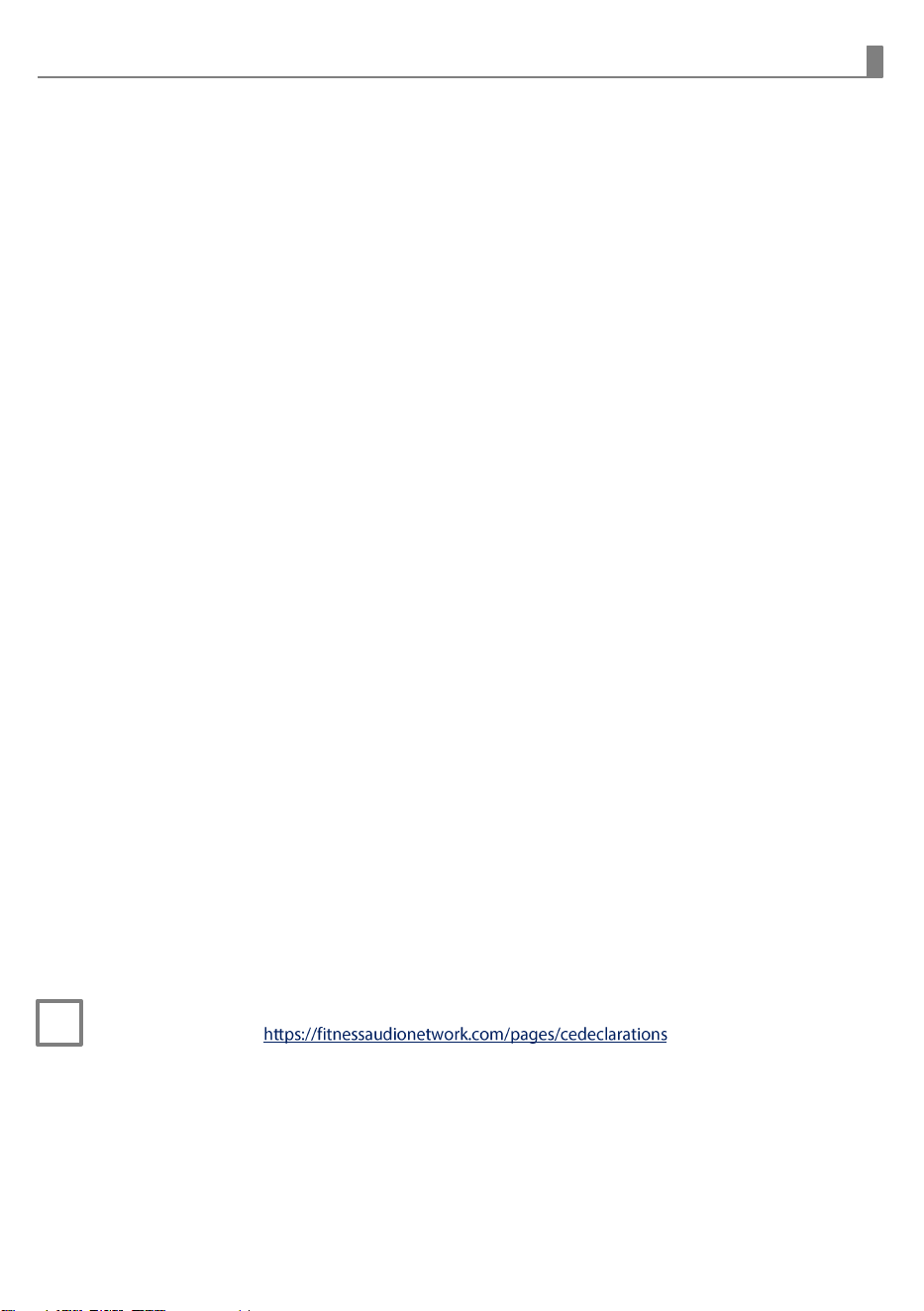
FITNESS AUDIO PRODUCTS
ALSO INCLUDE:
Fitness Audio U-Series UHF Wireless System
Fitness Audio DX6 Wireless System
Fitness Audio Aerolink AL3.0 Bluetooth Receiver
Fitness Audio Aeromix AMX-1+1SR Stereo Voice-over-Music Mixer
Fitness Audio Aeromix 2+2SR Voice-over-Music Mixer
Fitness Audio Aeromix 3+5LS Stereo Voice-over-Music Mixer
Fitness Audio HC24 Dual-Slot Charging Dock
POW ER
LINK ANT.
MUSICRECEIVER
5
6
Instructions
Federal Communication Commission Interference Statement
This equipment has been tested and found to comply with the limits for a Class B digital device, pursuant to
Part 15 of the FCC Rules. These limits are designed to provide reasonable protection against harmful
interference in a residential installation.
This equipment generates, uses and can radiate radio frequency energy and, if not installed and used in
accordance with the instructions, may cause harmful interference to radio communications. However, there
is no guarantee that interference will not occur in a particular installation. If this equipment does cause
harmful interference to radio or television reception, which can be determined by turning the equipment off
and on, the user is encouraged to try to correct the interference by one of the following measures:
⚫
Reorient or relocate the receiving antenna.
⚫
Increase the separation between the equipment and receiver.
⚫
Connect the equipment into an outlet on a circuit different from that to which the receiver is connected.
⚫
Consult the dealer or an experienced radio/TV technician for help.
FCC Caution: To assure continued compliance, any changes or modifications not expressly approved by the
party responsible for compliance could void the user's authority to operate this equipment. (Example - use
only shielded interface cables when connecting to computer or peripheral devices).
FCC Radiation Exposure Statement
This equipment complies with FCC RF radiation exposure limits set forth for an uncontrolled environment.
This equipment should be installed and operated with a minimum distance of 0.5 cm between the radiator
and your body.
This transmitter must not be co-located or operating in conjunction with any other antenna or transmitter.
The antennas used for this transmitter must be installed to provide a separation distance of at least 0.5 cm
from all persons and must not be co-located or operating in conjunction with any other antenna or
transmitter.
This device complies with Part 15 of the FCC Rules. Operation is subject to the following two conditions:
(1) This device may not cause harmful interference, and
(2) This device must accept any interference received, including interference that may cause undesired
operation
ISED
This device contains licence-exempt transmitter(s)/receiver(s) that comply with Innovation, Science and
Economic Development Canada’s licence-exempt RSS(s). Operation is subject to the following two
conditions: (1) this device may not cause interference; and (2) this device must accept any interference,
including interference that may cause undesired operation of the device.
Le présent appareil est conforme aux CNR d’ISDE Canada applicables aux appareils radio exempts de
licence. L’exploitation est autorisée aux deux conditions suivantes : (1) l’appareil ne doit pas produire de
brouillage; et (2) l’appareil doit accepter tout brouillage, y compris tout brouillage susceptible de provoquer
un fonctionnement indésirable de l’appareil.
This equipment complies with ISED RSS-102 radiation exposure limits set forth for an uncontrolled
environment. Use only the supplied or approved accessories. [If applicable: Maintain a minimum separation
distance of 0.5 cm between the radiator and your body.]
Cet équipement est conforme aux limites d’exposition aux radiofréquences établies pour un environnement
non contrôlé selon le CNR-102 d’ISDE. Utilisez uniquement les accessoires fournis ou approuvés. [Le cas
échéant : Maintenez une distance minimale de 0.5 cm entre le radiateur et votre corps.]
CE
◼
Frequency: 470-703/823-832/863-865 MHz , Maximal power: 10 mW E.I.R.P
◼
CE declaration info:
https://fitnessaudionetwork.com/pages/cedeclarations
Fitness Audio products are distributed worldwide by Fitness Audio Network. They are
manufactured to our specifications in Taiwan. Your U-Series is covered against manufacturing
defects by a 12 month warranty commencing from your date of purchase.
Warranty Information
(Please retain for your records)
This product was purchased by:
(Your Business) ...........................................................................................................................................
on (date).../... /... from (Company) ........................................................................................................
of (address) ..................................................................................................................................................
Model Number(s) ......................................................................................................................................
Serial Number(s) ........................................................................................................................................
WARNING
: This product can expose you to chemicals known to the State of California to cause
cancer and birth defects or other reproductive harm. For more information go to
www.P65Warnings.ca.gov .
Fitness Audio
Website: www.fitnessaudionetwork.com
Manufactured for Fitness Audio Network P/L
Unit 17 The Bourke Centre, 110 -116 Bourke Road, ALEXANDRIA, NSW 2015 AUSTRALIA
Made in Taiwan
12I2496