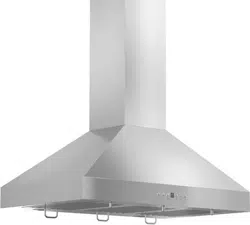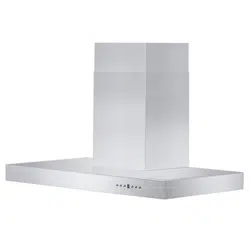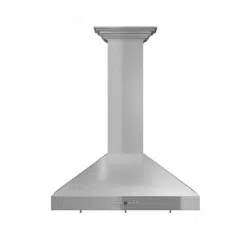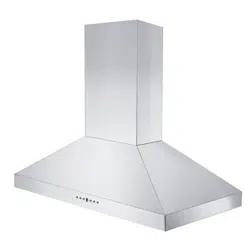

zlinekitchen.com
CROWNSOUND
™
Installation Manual

ZLINE Kitchen and Bath provides Attainable Luxury, where the kitchen and bath of your dreams
is never out of reach. Through our unique designs and unparalleled quality, we’re dedicated to
providing you an elevated experience in the heart of your home. With an endless selection of
features and finishes, our inspiration is your reality.

ZLINE is fueled by a passion for innovation; A relentless pursuit of bringing the
highest end luxury designs and professional features into everyone’s homes.
Because we continually strive to improve our products, we may change
specifications and designs without prior notice.
Scan the QR code to view the most up-to-date version of the Installation
Manual and User Manual.
WARNING: This product can expose you to chemicals including nickel, which is known to the
State of California to cause cancer. For more information, go to www.P65Warnings.ca.gov.

TABLE OF CONTENTS
IMPORTANT SAFETY INSTRUCTIONS . . . . . . . . . . . . . . . . . . . 1
BEFORE INSTALLATION . . . . . . . . . . . . . . . . . . . . . . . . . . . . . . . 2
WALL CROWNSOUND
™
INSTALLATION . . . . . . . . . . . . . . . . 3
ISLAND CROWNSOUND
™
INSTALLATION . . . . . . . . . . . . . . 5
FREQUENTLY ASKED QUESTIONS . . . . . . . . . . . . . . . . . . . . . 7
WARRANTY . . . . . . . . . . . . . . . . . . . . . . . . . . . . . . . . . . . . . . . . . 8

1
General Safety
IMPORTANT SAFETY INSTRUCTIONS
WARNING
If the information in this manual is not followed exactly, a fire or explosion may
result causing property damage, personal injury, or death.
• Before beginning installation, please read and follow these important instructions for the
safety of your home and the people living in it.
• The instructions in this manual are intended for qualified installers and certified service
technicians. Installation and electrical wiring must be completed by qualified professionals
and in accordance with applicable codes and standards.
• DO NOT attempt to install this CrownSound
™
molding onto your range hood yourself.
Injury could result from installing the appliance due to lack of appropriate electrical and
technical background.
• The installer should leave these instructions with the consumer who should retain for local
inspectors’ use and for future reference.
• The manufacturer will not be responsible for any damage to property or to persons
caused by incorrect installation, improper use of the appliance, or failure to heed the
warnings listed.
• The manufacturer reserves the right to make changes to its products when considered
necessary and useful, without affecting the essential safety and operating characteristics.
• When cutting or drilling into a wall or ceiling, be careful not to damage electrical wiring
or other hidden utilities.
• All electrical wiring must be properly installed, insulated, and grounded.
• Electrical installation must be in accordance with the National Electrical Code ANSI/
NPA70-latest edition and/or local codes.
• Take care when cleaning the range hood, chimney, crown molding, and CrownSound
™
molding in spray form: never direct the spray onto the electrical wiring, motor, button
panel, or light bulbs.
• Carefully inspect all items for damages upon delivery. Upon acceptance of items, owner
assumes responsibility for its safe arrival.
• Before installing, test the CrownSound
™
molding for proper functionality by plugging it
in. Do not install if it has missing or broken parts. If the molding arrives damaged, contact
ZLINE Customer Service at 1-614-777-5004 for help.

2
General Safety
BEFORE INSTALLATION
PRODUCT SPECIFICATIONS
• Model: CRN-BT
• Frequency: 120 VAC/60 Hz
• Power: 10 W
• FCC-ID: 2BH7P-CRNBT
This device complies with part 15 of the FCC Rules. Operation is subject to the following
two conditions:
1. This device may not cause harmful interference.
2. This device must accept any interference received, including interference that may cause
undesired operation.
WARNING
WARNING: Any changes or modifications to this unit not expressly approved
by the party responsible for compliance could void the user’s authority to
operate the equipment.
• NOTE: This equipment has been tested and found to comply with the limits for a Class
B digital device, pursuant to part 15 of the FCC Rules. These limits are designed to
provide reasonable protection against harmful interference in a residential installation.
This equipment generates, uses and can radiate radio frequency energy and, if not
installed and used in accordance with the instructions, may cause harmful interference
to radio communications. However, there is no guarantee that interference will not
occur in a particular installation. If this equipment does cause harmful interference to
radio or television reception, which can be determined by turning the equipment off
and on, the user is encouraged to try to correct the interference by one or more of the
following measures:
• Reorient or relocate the receiving antenna.
• Increase the separation between the equipment and receiver.
• Connect the equipment into an outlet on a circuit different from that to which the
receiver is connected.
• Consult the dealer or an experienced radio/TV technician for help.
• MPE caution (if a FCC certified RF module is inserted in & the separation distance is
indicated in the FCC grant of RF module).
• To satisfy FCC / IC RF exposure requirements, a separation distance of 7 7/8"
(200 mm) or more should be maintained between the antenna of this device and persons
during device operation. To ensure compliance, operations at closer than this distance
is not recommended.

3
Wall CrownSound™ Installation
WALL CROWNSOUND
™
INSTALLATION
WALL CROWNSOUND
™
INSTALLATION
NOTE:
Installation Tutorial Video
Recirculating your range hood is not possible with CrownSound™ installation.
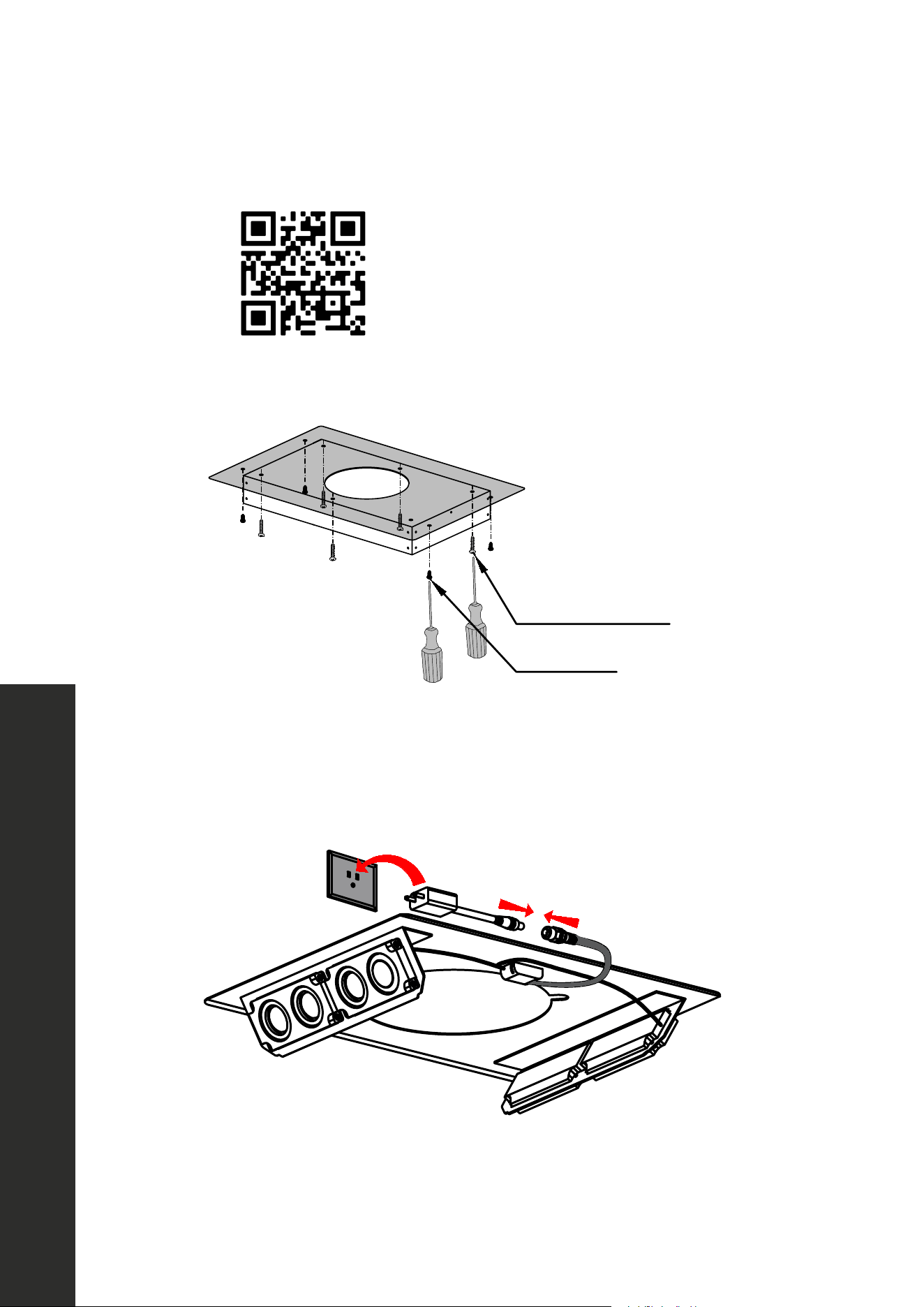
1. Attach crown molding bracket to ceiling using hardware provided. Figure 1
Figure 1
2. Attach ducting and electrical connections. Plug the speakers into an outlet behind the
chimney. When the connection is successful, a chime will sound. Figure 2
Figure 2
4
Wall CrownSound™ Installation
WALL CROWNSOUND
™
INSTALLATION
3. Attach the telescoping chimney bracket to the wall just below the crown mounting plate
section that is against the wall. Extend the chimney and attach it to the chimney bracket.
4. Extend the chimney up to the transformer. Slide the crown molding onto the crown bracket
and secure into place. The crown should cover the gap. Ensure that it installs properly
and is level. Figure 3
Figure 3
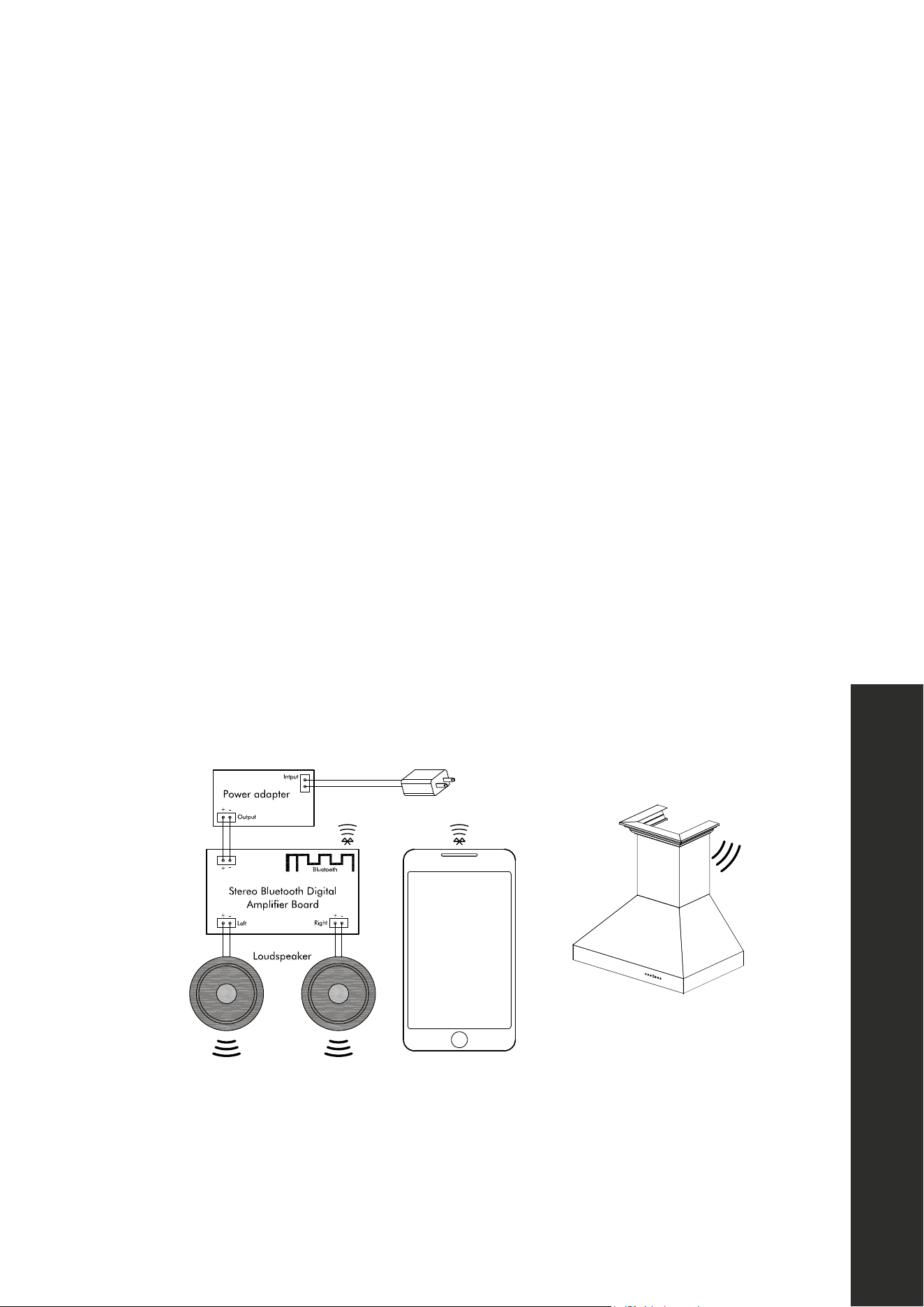
5. Open the phone’s Bluetooth settings and find “ZLINE Audio.“ When the connection is
successful, a chime will sound. Figure 4
Figure 4
110 V / 60 Hz
5 V, 2 A
110 V / 60 Hz
5 V, 2 A
NOTE: CrownSound
™
moldings carry a one-year parts warranty. Replacement speakers
are available from ZLINE’s parts store at www.zlineparts.com, or call 1-614-777-5004 to
speak with a Customer Service representative.
5
Island CrownSound™ Installation
ISLAND CROWNSOUND
™
INSTALLATION
ISLAND CROWNSOUND
™
INSTALLATION
1.
Installation Tutorial Video
Attach crown molding bracket to ceiling using hardware provided. Figure 1
Figure 1
Screw: A/C/D
Screw: E
Screw: H
2. Attach ducting and electrical connections. Plug the speakers into an outlet behind the
chimney. When the connection is successful, a chime will sound. Figure 2
Screw:A/C/D
Screw:E
Screw:H
Figure 2
6
Island CrownSound™ Installation
ISLAND CROWNSOUND
™
INSTALLATION
3. Attach the telescoping chimney sections to the range hood, then connect the chimney to
the crown molding bracket.
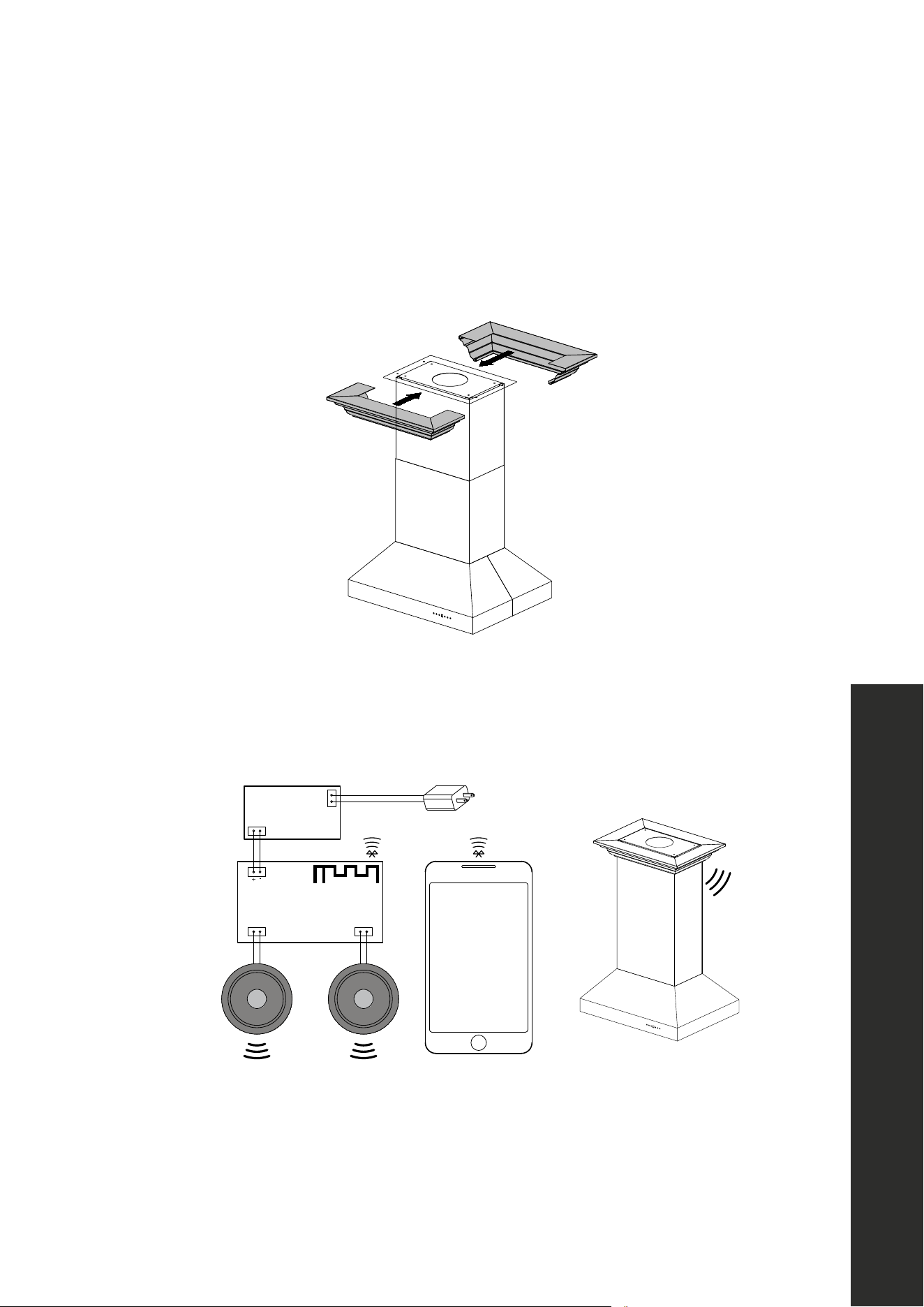
4. Extend the chimney up to the transformer. Slide the crown molding onto the crown bracket
and secure into place. The crown should cover the gap. Ensure that it installs properly
and is level. Figure 3
Screw:A/C/D
Screw:E
Screw:H
Figure 3
5. Open the phone’s Bluetooth settings and find “ZLINE Audio.“ When the connection is
successful, a chime will sound. Figure 4
Figure 4
Power adapter
Stereo Bluetooth Digital
Amplifier Board
+ -
+ -
+ -
Bluetooth
Output
Intput
110 V / 60 Hz
Left
Right
Loudspeaker
5 V, 2 A
Power adapter
Stereo Bluetooth Digital
Amplifier Board
+ -
+ -
+ -
Bluetooth
Output
Intput
110 V / 60 Hz
Left
Right
Loudspeaker
5 V, 2 A
Input
NOTE: CrownSound
™
moldings carry a one-year parts warranty. Replacement speakers
are available from ZLINE’s parts store at www.zlineparts.com, or call 1-614-777-5004 to
speak with a Customer Service representative.

7
FREQUENTLY ASKED QUESTIONS
Frequently Asked Questions
How many devices can the Bluetooth speakers sync to at a time?
Only 1 device can sync at a time.
What is the decibel rating of the Bluetooth speakers?
Up to 100 decibels.
What is the range of the speakers? What’s the maximum distance for the connection to work?
Up to 50'. If the connection is weak, move closer to the speakers or remove obstacles that
are between the device and the speakers.
What do I do if “ZLINE Audio” won’t appear in the Bluetooth settings?
Check if the electrical connections are secure. A chime will sound if the connection
is successful. Turn off and on your smart phone’s Bluetooth settings to allow time for the
CrownSound
™
to pair. If “ZLINE Audio” still will not appear, call ZLINE Customer Service at
1-614-777-5004 for help.

WARRANTY
COVERAGE
ZLINE Kitchen and Bath (“ZLINE”) CrownSound
™
crown molding carries a one-year parts
warranty from the original date of product delivery for the original purchaser of the product.
ZLINE warranty periods begin from the original date of product delivery and solely cover
the original purchaser of the product, delivered new and in its original carton. ZLINE will
provide free-of-charge, non-consumable replacement parts for the components that failed
due to manufacturing defects. It is the responsibility of the customer to install all replacement
parts, as ZLINE does not perform service repairs on its range hood products.
ZLINE’s liability is limited to the original purchase price of the product. Additional injuries,
losses, damages, or other inconveniences caused by product malfunction or defects in
materials are not covered under the terms of this warranty.
TERMS
ZLINE warranties apply only to the original purchaser of a ZLINE product installed for normal
residential use. This is defined as a single-family, residential dwelling in a non-commercial
setting. Any warranty claim stemming from installation, operation, or any other use within a
commercial setting is not covered under this limited warranty. Commercial settings include,
but are not limited to: schools, churches, hotels, restaurants, vacation rentals such as Airbnb,
daycare centers, private clubs, fire stations, common areas in multi-family dwellings, nursing
homes, food service locations, and institutional food service locations such as hospitals or
correctional facilities.
This warranty is non-transferable and will not under any circumstance be extended based
on the date of installation — the warranty period takes effect from the date of delivery and
only covers the original purchaser. The warranty applies only to products installed in the
contiguous United States and the District of Columbia.
Out-of-pocket payments will not be reimbursed for replacement parts unless prior approval is
received from ZLINE. Unapproved out-of-pocket payments for parts will not be reimbursed.
Out-of-pockets for any type of service will not be reimbursed, as ZLINE does not perform
service repairs on its range hood products. All warranty procedures must be followed to
maintain warranty coverage.

WARRANTY
If ZLINE is unable to replace the defective part after a reasonable number of attempts, ZLINE
reserves the right to offer to replace the product or provide the original purchaser a full refund
of the purchase price of the product (not including installation, removal, or other charges that
were not included in the original purchase price).
The original purchaser of the product must provide the original proof of purchase, including
the purchase date, when filing a claim to obtain replacement parts or refunds. Additionally,
the original purchaser of the product must provide the serial number of the product when
filing a claim to obtain replacement parts or refunds.
This warranty shall not apply to any ZLINE product in which the original factory serial
number has been removed, altered, or cannot be readily determined for any reason. Further,
ZLINE is not responsible for damage resulting from, but not limited to: shipment, delivery, or
improper installation; negligence or improper maintenance, misuse, or abuse of the product;
unauthorized alteration, modification, or tampering with the product; accident, fire, floods,
pest infestations, pandemics, natural disasters, or any other unpreventable or unexplained
acts of nature, commonly referred to as “acts of God”; flare-up fires or damages caused
by improper electric supply, electrical line current, voltage, or power surges; and service
to correct installation not in accordance with the instructions contained in ZLINE’s product
manuals and/or with local government codes.
Information contained within ZLINE’s installation and user manuals, in addition to product
information included on ZLINE’s website and all related digital listings, do not cover every
possible condition and situation that may occur during the installation or operation of ZLINE
products. ZLINE reserves the right to make changes at any time to its products when considered
safe, necessary, and useful. Always check the ZLINE website for the most up-to-date version
of its product manuals: www.zlinekitchen.com/pages/manuals.
Do not install or operate any ZLINE product if it has missing or broken parts or if it arrives
damaged due to shipping. If ZLINE products arrive damaged, contact ZLINE Customer
Experience at 1-614-777-5004 for help. Failure to report a damaged appliance prior to
installation or operation may void the warranty. ZLINE disclaims responsibility for damage
or injury caused by improper installation or use of any of its products. ZLINE is under no
obligation, by law or otherwise, to provide concessions, including repairs, prorates, rebates,
discounts, or replacements, once the warranty has expired.

CUSTOMER SERVICE AND PARTS INFORMATION
Please contact ZLINE Customer Service for questions and
troubleshooting help at 1-614-777-5004 or visit
www.zlinekitchen.com/contact to utilize our online Customer
Experience Portal.
Scan the QR code to view the most up-to-date version of ZLINE’s
range hood Installation and User Manuals.
Need to purchase a part or accessory for your ZLINE product?
Visit www.zlineparts.com, ZLINE’s official parts distribution partner.
WARRANTY