INSTRUCTION
MANUAL
RC QUADRA TURBO - R V - TECH
EN
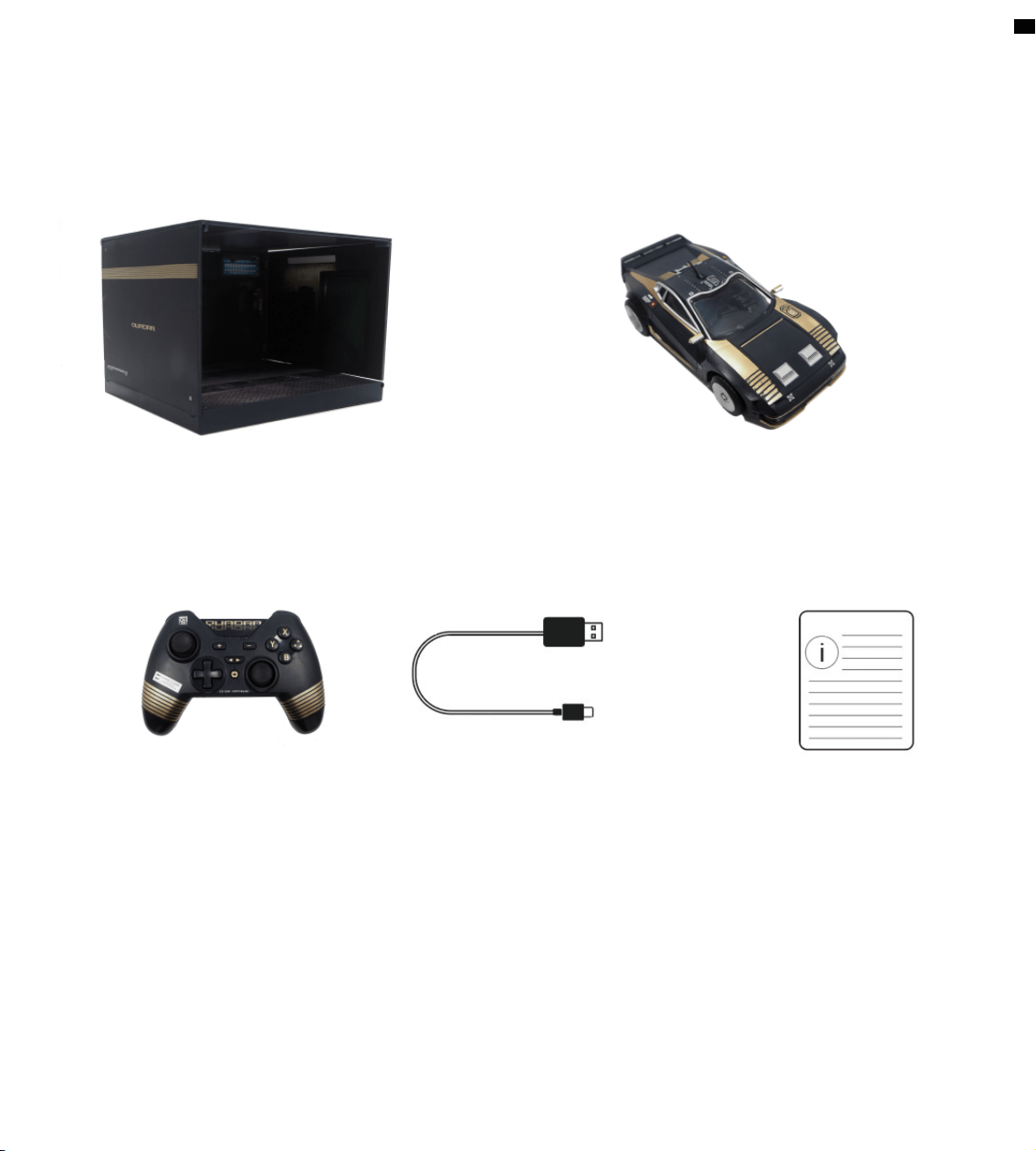
Included in the package
Garage x 1
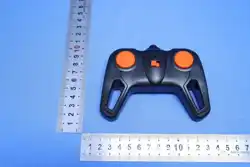
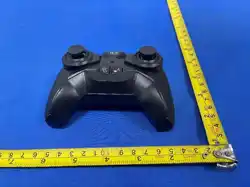
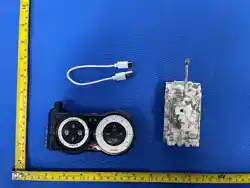
Controller x 1 USB Type C x 1 Instruction Manual x 1
Remote Car x 1
Remarks:
1. If the following information is updated, there will be no notification, please check whether the
data in hand is the latest version before use.
2. We will not be responsible for the consequences caused by mistakes or improper operations.
2

Table of Contents
1. Product description
2. Function description
3. Controller operation
4. Remote Control Car Mode
5. Vibration function
6. Charging
7. Low power alarm
8. Shut down
9. Turbo function settings
10. About the upgrade
11. The controller displays the name
12. Reset function
13. Receiving distance
14. Reference current
15. Controller electrical specifications
16. Charging garage
17. Note charging garage electrical specifications
18. Controller charging
19. Remote control car charging
20. References remote control car electrical specifications
21. Electronic performance standards and compliance
5
5
5
5
6
6
6
6
6
6
6
6
7
7
7
7
8
8
8
8
9
3

Please read the instructions carefully before using the product and keep it safe.
Safety Instructions
• The remote control car/controller contains a lithium battery. Do not disassemble, strike, crush, or
throw it into fire. If severe swelling occurs, stop using immediately. Do not expose to high
temperature environments.
• Due to the special nature of lithium batteries, extreme high or low ambient temperatures will
affect storage performance and battery life. Therefore, do not use or store this product in
environments with high temperature, low temperature, high humidity, or direct sunlight.
• Regularly check the charging cable, plug, casing, and other components for damage. If any damage
is found, stop using until fully repaired.
• Moving parts carry certain risks. Do not place fingers, hair, clothing, or other objects into the gaps
between the tires and the body to avoid being caught by rotating parts.
• Strictly follow the usage scenarios below:
– Do not operate in areas with moving vehicles or near young children to avoid collisions or other
dangers.
– Do not drive on sand, waterlogged surfaces, or dusty areas to prevent malfunctions.
– Do not drive toward people or animals to avoid accidents.
• For functional reasons, this product contains sharp components. Operate according to correct
procedures and methods, paying special attention to eye protection.
• Do not bend, throw, or use this product in other rough ways to avoid accidents.
• Do not place this product into water sources or fire sources (such as stoves or gas burners) to
prevent accidents.
4
1. Product description
The model car is controlled via a controller to move forward, backward, turn left and turn right.
2. Function description
Remote Control Car Function: Switch to remote control car mode using the designated key
combination on the controller to operate the paired remote control car.
3. Controller operation
3.1 Remote Control Car Mode
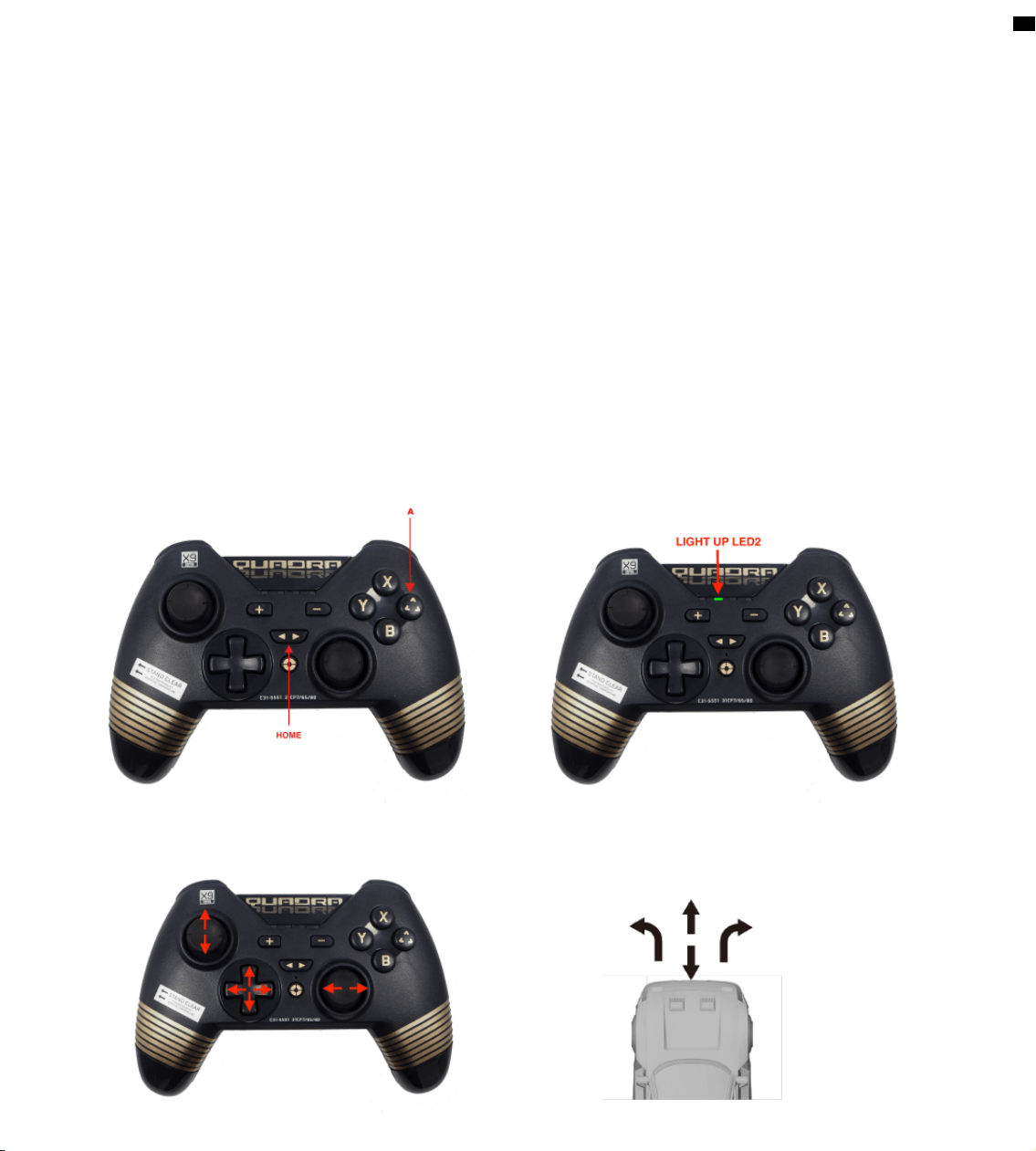
Press A+HOME to turn on and enter remote control car mode. LED2 is always on
To control the front and rear with the left stick, and the left and right with the right stick (or directly
control with the arrow keys)
5

4. Vibration function
This controller is equipped with motors. In Switch mode, vibration intensity can be adjusted using a
key combination: while holding down the Screenshot button, press – or + to increase or decrease
the vibration level.
5. Charging
When the controller is powered off and connected to the adapter, LEDs 1–4 will flash. Once fully
charged, all four LEDs will turn off.
When connected via USB, the corresponding channel indicator will flash slowly depending on the
platform. The light will remain solid once charging is complete.
6. Low power alarm
When the battery voltage of the controller is lower than 3.6V, the low power alarm (according to the
principle of battery characteristics), the corresponding light flashes slowly, indicating that the
controller is low on battery and needs to be charged; Controller will be off in low power when the
controller battery voltage is below 3.45V
7. Shut down
When the controller is powered on, press and hold the HOME button to press and hold the 5S
controller to power off.
When the controller is in the reconnected state, it will automatically shut down when it cannot be
connected after 30 seconds.
When the controller is in the coding state, it will enter the reconnection when it cannot be matched
after 60 seconds, and it will automatically shut down when the controller is connected and there is
no key operation within 5 minutes.
8. TURBO function settings
The controller has a TURBO function, and you can set the TURBO by holding down
the TURBO key and then pressing the corresponding button.
In SWITCH mode, can be set A, B, X, Y, L1, R1, L2, R2
In Windows mode, can be set A, B, X, Y, L1, R1, L2, R2
In Android mode, cab be set A, B, X, Y, L1, R1, L2, R2
9. About the upgrade
The controller can be upgraded driver (PC upgrade) via USB cable in platform
WinXP/Win7/Win8. 1/Win10.
10. The controller displays name
SWITCH: Pro Controller
11. Reset function
When the controller is abnormal, it can be reset by pressing the reset button behind the controller
6
12. Receiving distance
The receiving distance of the controller should reach more than 8M
13. Reference current
Current Value
Dormant current 0
Pair current Less than 30MA
Operating current Less than 30MA
14. Controller electrical specifications
Power supply method: Built-in lithium battery Usage time: 20 hours
Battery capacity: 550MAH Charging time: about 2 hours
Charging method: USB, DC5V Charging current: less than 400MA
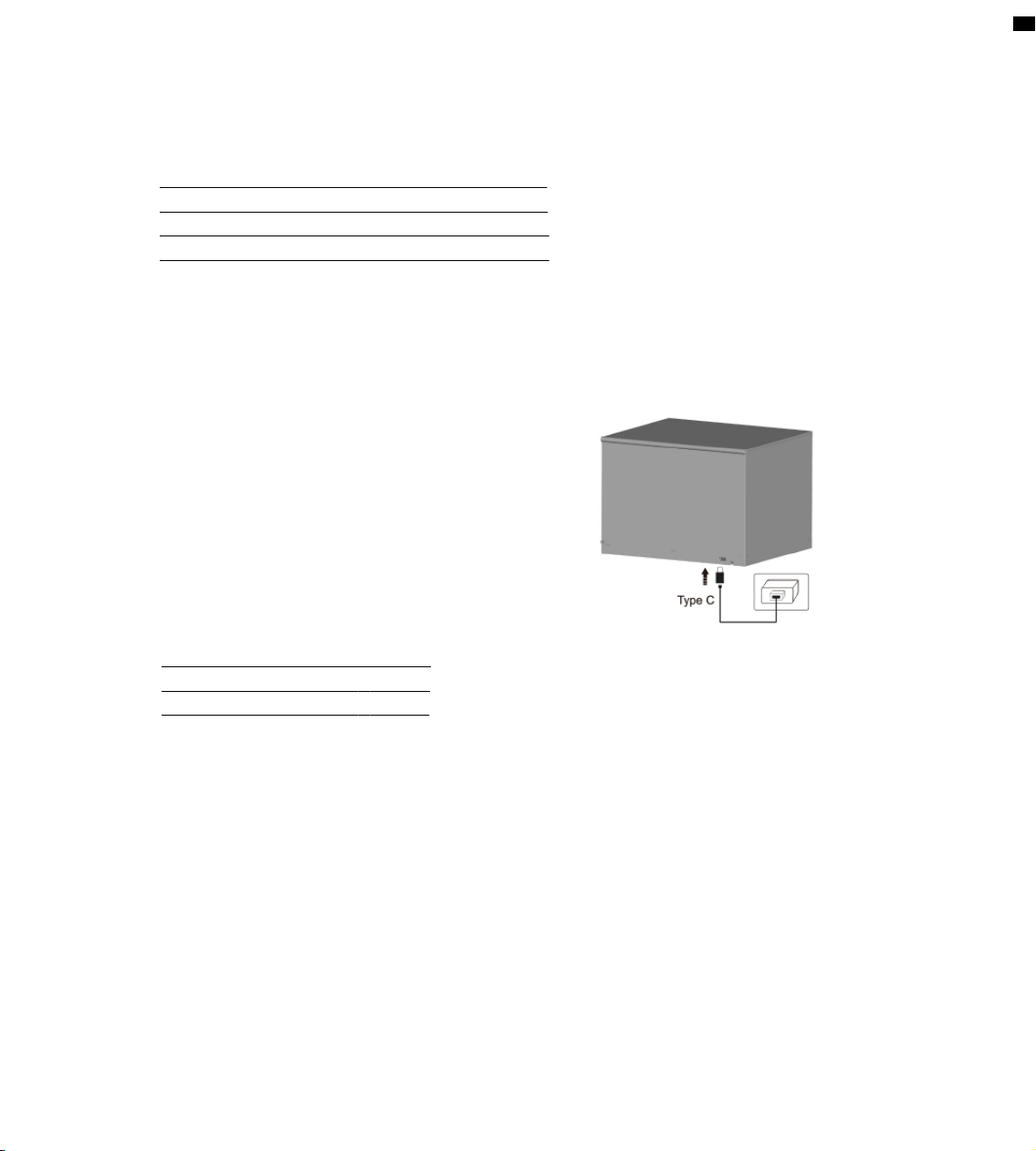
15. Charging Garage
Use the included Type C charging cable to plug
into the garage charging port and.
(As shown in the picture)
16. Refer to the charging garage electrical specifications
Current Value
Dormant current < 20mA
charging current < 600MA
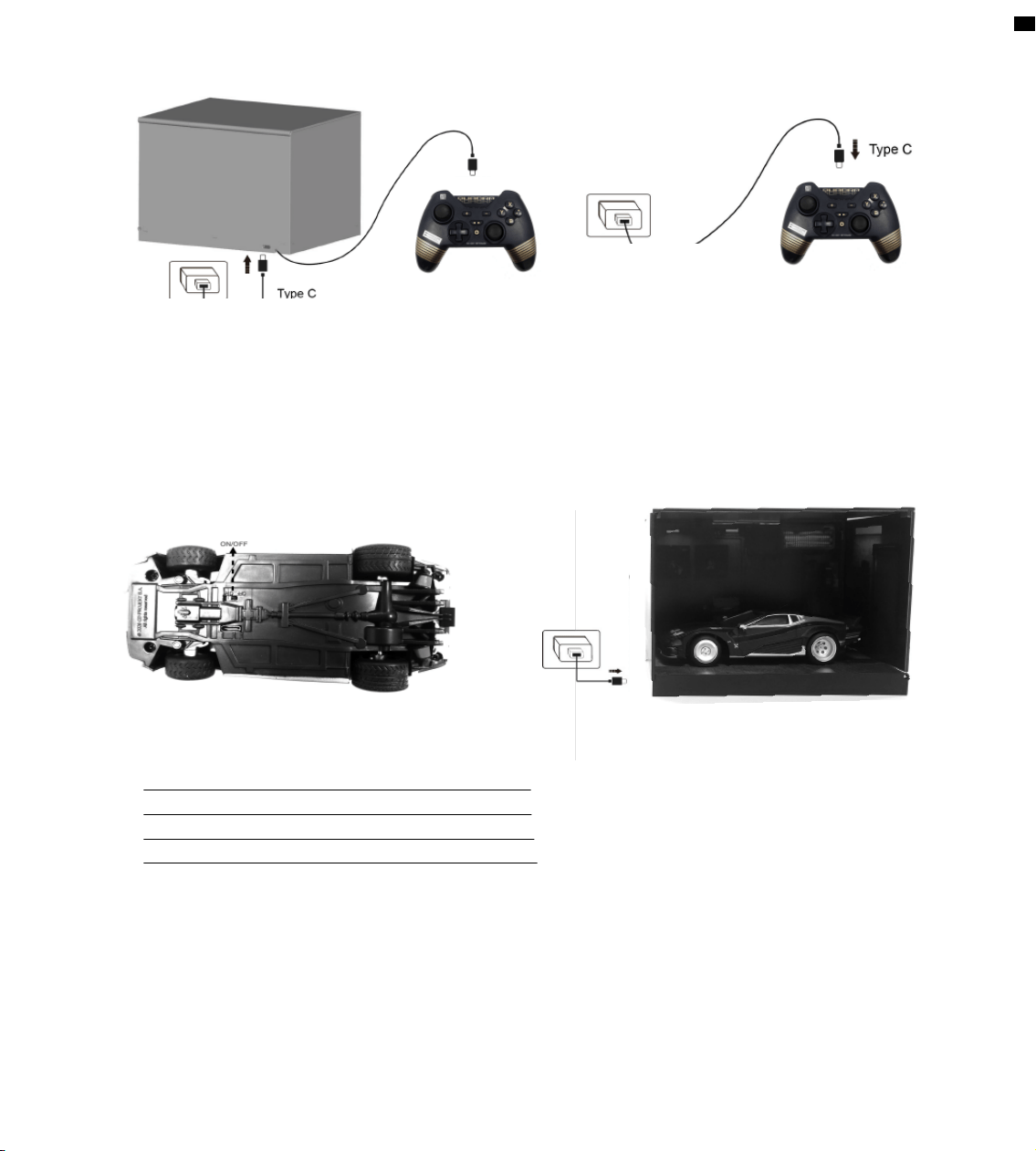
17. Controller charging
Use the Type-C charging cable to connect the Garage to the charger. Then, connect the controller to
the Garage using the charging cable to begin charging as show in the picture below.
When the controller is powered off and connected with the charging cable, LEDs 1–4 will flash. Once
fully charged, all four LEDs will turn off.
When the controller is connected via USB while in use, the corresponding channel indicator will flash
slowly depending on the platform. The light will remain solid once charging is complete.
Or use the Type C charging cable to connect to the general charger for charging.
(as shown in the picture).
7
18. Remote Car charging
Turn off the power of the remote car before charging. Use the provided Type C charging cable to
connect the garage and charger. Place the car onto the platform of the garage for the wireless
charging. During charging, the red light on the car body will remain on. When fully charged, the
green light will turn on.
8
19. Refer to the current specification of the remote control car
Current Value
Dormant current 0
Pair current Less than 30mA
Working current (motor) 500mA~1000mA
20. Remote control car electrical specification
Power supply method: Built-in lithium battery Usage time: 1.5 hours
Battery capacity: 400mAh Charging time: about 1 hour
Charging method: USB, DC5V Charging current: less than 500mA
Remote Control Distance: < 25 meters
9
Supplier’s Declaration of Conformity
47 CFR § 2.1077 Compliance Information
Unique identifiers
Trade name: Cyberpunk 2077 RC Quadra Turbo-R V-tech Remote Control car set
Model No.: 2058
Responsible Party – U.S. Contact Information
Bolt Production & Logistics LLC
22365 El Toro Road, #2016, Lake Forest, California, ZIP Code 92630, United States
www.boltproduction.net
FCC Compliance Statement
This device complies with Part 15 of the FCC Rules. Operation is subject to the
following two conditions: (1) This device may not cause harmful interference, and
(2) this device must accept any interference received, including interference that
may cause undesired operation.
Caution: Changes or modifications not expressly approved by the party responsible
for compliance could void the user’s authority to operate the equipment.
Note: This equipment has been tested and found to comply with the limits for a
Class B digital device, pursuant to part 15 of the FCC Rules. These limits are
designed to provide reasonable protection against harmful interference in a
residential installation. This equipment generates, uses and can radiate radio
frequency energy and, if not installed and used in accordance with the instructions,
may cause harmful interference to radio communications. However, there is no
guarantee that interference will not occur in a particular installation. If this
equipment does cause harmful interference to radio or television reception, which
can be determined by turning the equipment off and on, the user is encouraged to
try to correct the interference by one or more of the following measures:
—Reorient or relocate the receiving antenna.
—Increase the separation between the equipment and receiver.
—Connect the equipment into an outlet on a circuit different from that to which the
receiver is connected.
—Consult the dealer or an experienced radio/TV technician for help.
ISED Compliance Statements
This device contains licence-exempt transmitter(s)/receiver(s) that comply with
Innovation, Science and Economic Development Canada’s licence-exempt RSS(s).
Operation is subject to the following two conditions:
(1) This device may not cause interference.
(2) This device must accept any interference, including interference that may cause
undesired operation of the device.
L’émetteur/récepteur exempt de licence contenu dans le présent appareil est conforme
aux CNR d’Innovation, Sciences et Développement économique Canada applicables aux
appareils radio exempts de licence. L’exploitation est autorisée aux deux conditions suivantes :
(1) L’appareil ne doit pas produire de brouillage;
(2) L’appareil doit accepter tout brouillage radioélectrique subi, même si le brouillage est
susceptible d’en compromettre le fonctionnement.
RF Exposure Compliance Statements
This equipment complies with FCC/IC RSS-102 radiation exposure limits set forth for an
uncontrolled environment. This transmitter must not be co-located or operating in conjunction
with any other antenna or transmitter.
Cet équipement est conforme aux limites d'exposition aux radiations FCC/IC CNR-102 établies
pour un environnement non contrôlé. Cet émetteur ne doit pas être colocalisé ou fonctionner en
conjonction avec une autre antenne ou un autre émetteur.