Welcome to use your F15
F15 will start automatically after
you press and hold the power button for 3 seconds
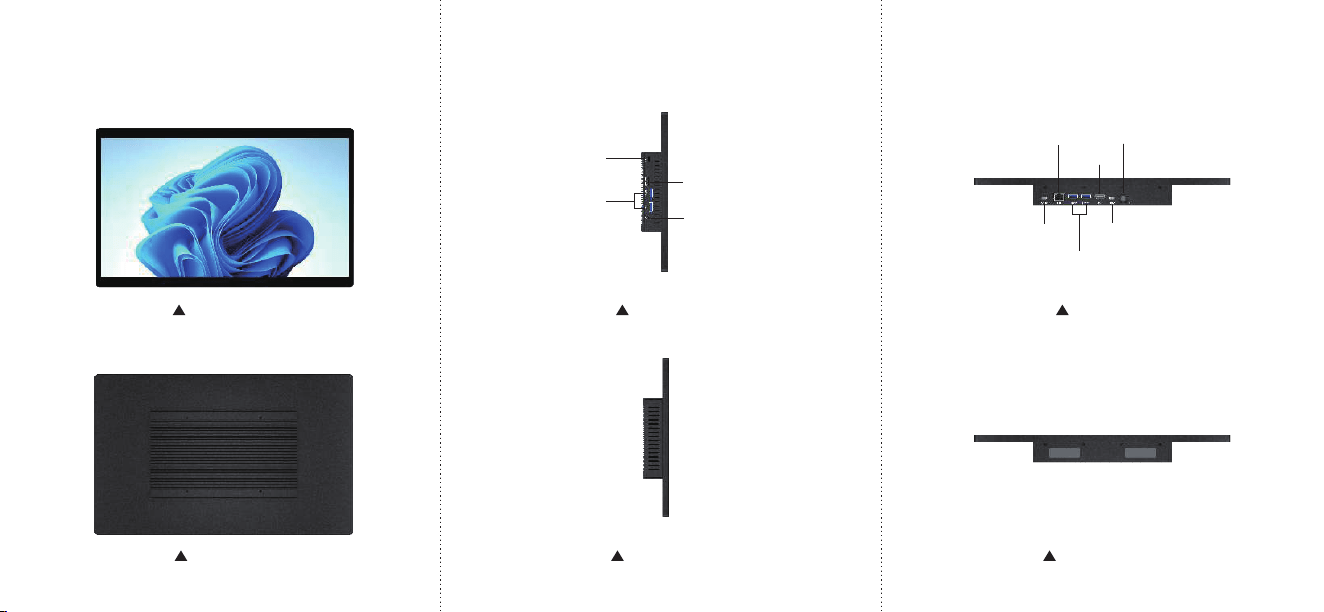
Front Panel
Back Panel
Left Panel
Right Panel
Top Panel
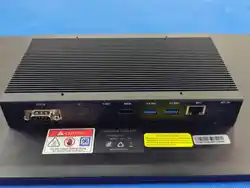
Bottom Panel
LOCK
USB3.0x2
Earphone
Micro SD
DC 12V
HDMI
LAN
Switch
USB3.0x2
USB-C
15.6 Inch Industrial PC
Specification and features(1)
NAME
F15
Form Factor
15.6" touch industrial PC
Dimensions
358.9×222×38.1mm
Weight
1.5kg
Screen Size
15.6"
Screen
Resolution
1920*1200
Touch Module
G+G Multi-Touch
Battery Optional(lithium polymer)
System Version Windows 11
CPU Type
Intel Celeron N5095
CPU Speed 2.0GHz ~ 2.9GHz
GPU Type Intel UHD Graphics
Memory 8GB
Speaker Built-in
WIFI
WiFi 5
Bluetooth
Bluetooth 5.0
Ethernet
Network
1000Mbps Gigabit Lan
USB Interface
USB3.0 x 4
USB-C
USB-C charge x 1
SD card
SD Card reader ×1
Audio Jack
3.5mm headphone
HDMI
HDMI 2.0 ×1
Power On/Off
Supprot
Wake up on Lan
Wake up on Lan by RJ45
PXE
Preboot Execution Environment
CE/FCC
Support
Specification and features(2)
Storage eMMC 128GB
Support Team: [email protected]

FCC Warning
This device complies with part 15 of the FCC Rules. Operation is subject to the following two conditions:
(1) This device may not cause harmful interference, and (2) this device must accept any interference
received, including interference that may cause undesired operation.
Any Changes or modifications not expressly approved by the party responsible for compliance could
void the user's authority to operate the equipment.
Note: This equipment has been tested and found to comply with the limits for a Class B digital device,
pursuant to part 15 of the FCC Rules. These limits are designed to provide reasonable protection
against harmful interference in a residential installation. This equipment generates uses and can radiate
radio frequency energy and, if not installed and used in accordance with the instructions, may cause
harmful interference to radio communications. However, there is no guarantee that interference will not
occur in a particular installation. If this equipment does cause harmful interference to radio or television
reception, which can be determined by turning the equipment off and on, the user is encouraged to try to
correct the interference by one or more of the following measures:
-Reorient or relocate the receiving antenna.
-Increase the separation between the equipment and receiver.
-Connect the equipment into an outlet on a circuit different from that to which the receiver is
connected.
-Consult the dealer or an experienced radio/TV technician for help.
This equipment complies with FCC radiation exposure limits set forth for an uncontrolled environment.
This equipment should be installed and operated with minimum distance 20cm between the radiator &
your body.