INSTRUCTION MANUAL
Congratulations, and thank you for choosing
the Tonal Wireless Headphones.
This manual will help you operate the wireless
headphones, but firstly you should familiarize
yourself with the Bluetooth functionality of your
mobile phone or other devices before using the
Tonal Wireless Headphones.
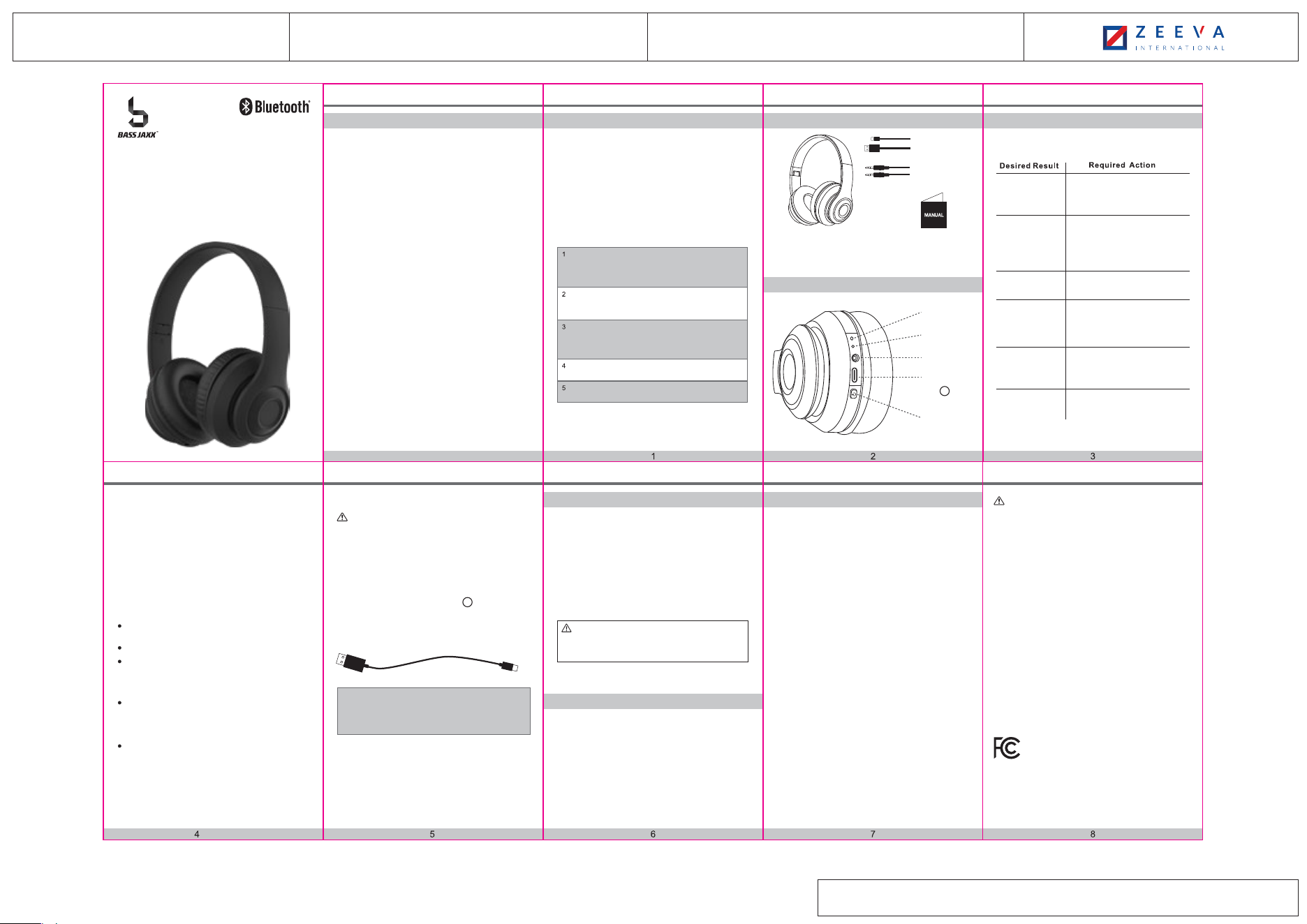
1 X USB Type-C
Charging Cable
1 X 3.5mm
Audio Cable
1 X Instruction Manual
To use your Bluetooth headphones, you must
first pair your headphones with a mobile phone
or other Bluetooth device. Once your Bluetooth
headphones is paired to a specific mobile
phone, they will remain paired and
automatically recognize each other whenever
they are within range.
Use a mobile phone with Bluetooth
function or other Bluetooth devices
to perform necessary pairing action.
After pairing, the LED indicator slowly
blinks with blue.
Plug the USB Type-C Plug to the
USB Type-C port. When charging, the LED
indicator turns red. After full charging,
the LED indicator turns off.
Answering
a Call
5. Product Specification
6. FAQ
Turn on your phone and ensure the Bluetooth
function is activated.
Turn on the headphones, enter the pairing mode.
Search your Bluetooth devices on your phone
by following the phone’s instructions. Refer
to your phone’s user manual for more
information.
After a few seconds the phone will list the
“HP-1006” as a discover device.
Select it and follow your phone’s instructions
to select this pairing.
Your phone will confirm the pairing, and then
press Yes/OK.
Use the USB Type-C charging cable accessory
provided with this headphones. Connect the
USB Type-C plug to the USB Type-C charging port
on the headphones positioned at in headphones
diagram on page 2. Connect the USB plug to a
USB port on wall adapter to activate charging.
For your safety, please always use an
appropriate 5V input charger/Adapter to charge the
product. DO NOT USE Quick Charging USB
Adapter to charge the product, as it might damage
the product.
**Make sure to keep the headphones charging for a
minimum of 2 hours before initial use.
USB Plug USB Type-C Plug
1
1 X Tonal Wireless Headphones
Press and hold the On / Off Button
for 3 seconds. After turning on, the
LED indicator flashes blue.
Press and hold the On / Off Button
for 3 seconds.
Play / Pause
Music
Press On / Off button to play music
and press it again to pause music.
Press On / Off button to answer phone
call, press On / Off button again to end call.
Press and hold 2 seconds to reject call.
Double click to redial last call.
4.2. Pairing to Mobile phone or other device
Plug-in the supplied 3.5mm Audio Cable to the
3.5mm Audio Port on the headphone, and the other
end of the cable to an audio device’s 3.5mm Audio
output port.
4.4. Aux Input Mode
Pairing to a phone and Entertainment:
4.3. Charging your headphones
FCC ID: 2ADM5-HP-1006
7. FCC Statement
Charging
Turn off
Pairing
Turn on &
Enter the pairing
mode
2. Packaging Contents 4. How to use1. Introduction
Table of Contents
1 Introduction································
2 Packaging Contents·····················
3 Connection Diagram·····················
4 How To Use·······························
4.1 General Function···················
4.2 Pairing To Mobile Phone··········
4.3 Charging Your Headphones ·····
4.4 Aux Input Mode ····················
5 Product Specification···················
6 FAQ·········································
7 FCC Statement···························
Battery Statement·······················
1
2
2
3
3
4
5
5
6
7
8
-The input voltage to the product is 5V 1A.
-In order to charge the product in safe manner and reliable
conditions, please only adopt certified appropriate
charger/ adapter for charging the product.
-Only charge the product at ambient temperatures
between 10 °C/ 50 °F
and 40 °C/104 °F.
- Do not heat above 70 °C/158 °F, e.g. Do not expose to
sunlight or throw into fire.
-Switch off the product after use.
-Please note that we won’t take any responsibility for any
wrong operation (e.g. Voltage higher than 5V) as this may
result in severe injury or loss of property, and we cannot
control the operating process during the time the user
using this product.
-In extreme cases, abuse or misuse of Lithium battery
pack can lead to explosion, heat generation, fire
development or smoke development.
Keep All Relevant Information For Future Reference
1
1. Why is there no power even when the headphones
is turned on ?
Ans: Ensure the battery has been charged up to
1 hour for initial use.
2. There is no sound when playback.
Ans: Check the connection between headphones with
phone or computer, if the connection is not established,
please connect again. Make sure the headphones is
paired and connected with your target phone or other
master device.
On / O
Button
USB Type-C
Charging
Port
3.5mm
Audio Port
LED Indicator
Built-in
Microphone
FCC STATEMENT
1. This device complies with Part 15 of the FCC Rules.
Operation is subject to the following two conditions:
(1) This device may not cause harmful interference.
(2) This device must accept any interference received, including
interference that may cause undesired operation.
2. Changes or modifications not expressly approved by the
party responsible for compliance could void the user's authority
to operate the equipment.
NOTE: This equipment has been tested and found to comply
with the limits for a Class B digital device, pursuant to Part 15 of
the FCC Rules. These limits are designed to provide reasonable
protection against harmful interference in a residential
installation. This equipment generates uses and can radiate
radio frequency energy and, if not installed and used in
accordance with the instructions, may cause harmful
interference to radio communications. However, there is no
guarantee that interference will not occur in a particular
installation. If this equipment does cause harmful interference to
radio or television reception, which can be determined by
turning the equipment off and on, the user is encouraged to try
to correct the interference by one or more of the following
measures:
- Reorient or relocate the receiving antenna.
- Increase the separation between the equipment and receiver.
- Connect the equipment into an outlet on a circuit different from
that to which the receiver is connected.
- Consult the dealer or an experienced radio/TV technician for
help.
RF warning statement:
The device has been evaluated to meet general RF exposure
requirement. The device can be used in portable exposure
condition without restriction.
Made in China
Item # HP-1006Distributed by: 1616 Holdings, Inc.
701 Market Street, Suite 200
Philadelphia, PA 19106
Driver Diameter: 40 mm
Impedance: 32 Ohms
Frequency Response: 20 Hz - 20 kHz
Sensitivity: 100 dB +/- 3 dB
Power Supply: Li-ion Battery 3.7V 200 mAh
Playing Time: 8 - 12 Hours
Charging Time: 2 Hours
Bluetooth Range: 32.8 Feet
Bluetooth Version: 5.3
USB Type-C Charging Cable Included
USB Type-C Charging Cable Rating 5V/1A Max.
3. Connection Diagram
TONAL
WIRELESS HEADPHONES
The Bluetooth® word mark and logos are registered trademarks
owned by Bluetooth SIG, Inc. and any use of such marks by
1616 Holdings, Inc. is under license. Other trademarks and
trade names are those of their respective owners.
R
Includes: 1(One) Headphones / 1(One) Charging Cable /
1(One) 3.5mm Audio Cable / 1(One) Instruction Manual
Safety instructions for the lithium battery and charging
the product
CAUTION: The USB Type-C charging cable included
with this item is intended for use with this product. Only
use the included USB Type-C charging cable to charge
this product.
Safety Rules
Please follow the rules depicted in this manual closely to
ensure your safety. Before using this Bluetooth
headphones, we would strongly encourage you to read
through this user manual.
Do not modify, repair or dismantle this Bluetooth
headphones. Doing so may result in fires, electric
shocks, complete breakdown of this Bluetooth
headphones, etc. All are not covered under warranty.
Be more wary of any edges, uneven surfaces, metal
parts, accessories and its packaging so as to prevent
any possible injury or damage.
Do not use an diluent or volatile liquid to clean the
Bluetooth headphones.
Do not use the Bluetooth headphones in a hazardous
location.
4.1. General Functions
Warning:
• You must select a qualified charger from a regular
manufacturer.
• You must charge the Bluetooth headphones if it has
not been used for more than 6 months.
Note: The On/Off button and Microphone on the
headphone will be disabled in Aux Input Mode.
SKU: HP-1006 SIZE: 250mm x 172mm
Approval: Date:
Product: HP-1006 IM
Date: 3 DEC 2024