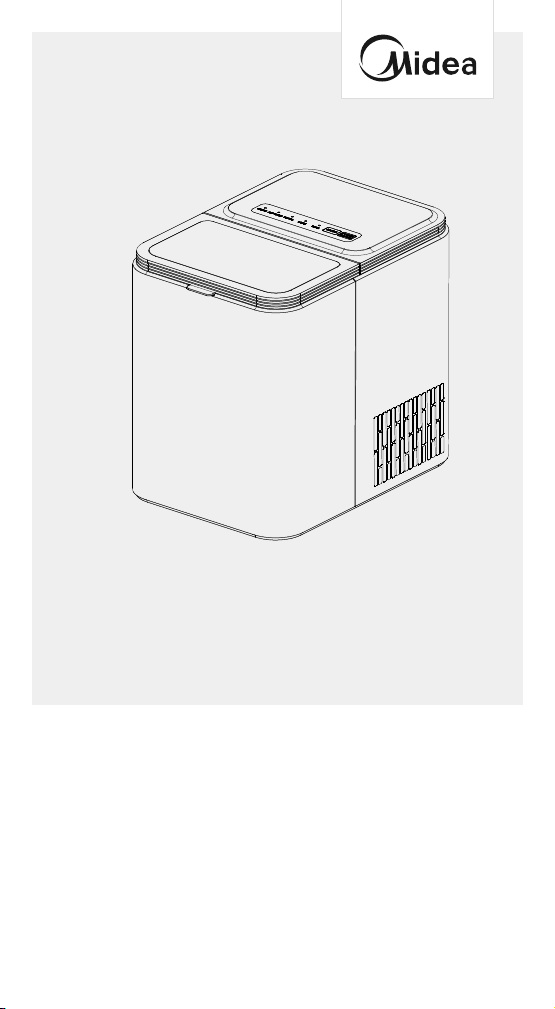
ICE MAKER
Warning notices: Before using this product, please read this manual carefully and keep
it for future reference.The design and specifications are subject to change without prior
notice for product improvement. Consult with your dealer or manufacturer for details.
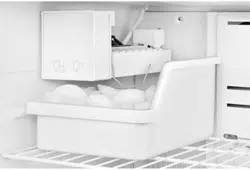
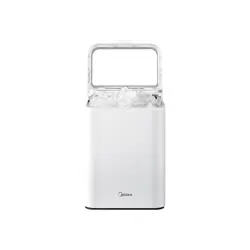
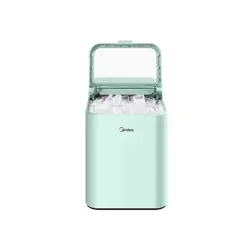
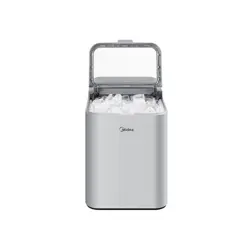
The diagram above is just for reference. Please take the appearance of the actual product
as the standard.
USER MANUAL
MERI26B0AWW

THANK YOU LETTER
Thank you for choosing Midea! Before using your new Midea
product, please read this manual thoroughly to ensure that you
know how to operate the features and functions that your new
appliance oers in a safe way.
CONTENTS
SAFETY INSTRUCTIONS
-------------------------------------1
SPECIFICATIONS
--------------------------------------------- 4
PRODUCT OVERVIEW
---------------------------------------5
OPERATION INSTRUCTIONS
--------------------------------6
CLEANING AND MAINTENANCE
----------------------------9
TROUBLESHOOTING
-----------------------------------------11
1
SAFETY INSTRUCTIONS
Intended use
Before switching on the appliance for the first time read the
following safety information!
This appliance is intended to be used in household and similar
applications such as sta kitchen areas in shops, oces and other
working environments; farm houses and by clients in hotels, motels
and other residential type environments; bed and breakfast type
environments; catering and similar non-retail applications.
If the appliance is used commercially please note that the manufacturer
cannot accept any liability for any damage.
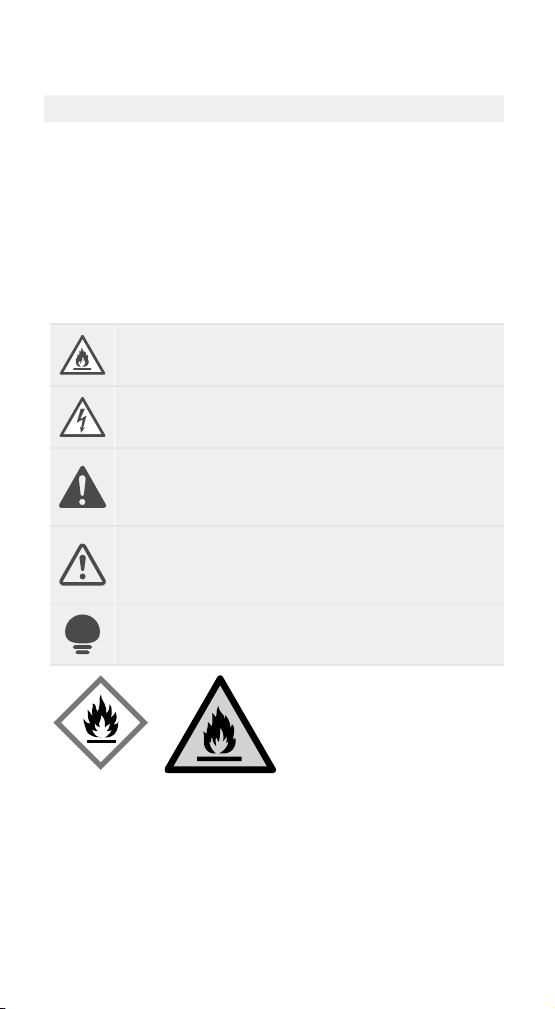
Explanation of symbols
DANGER
This symbol indicates that there are dangers to the life and
health of persons due to extremely flammable gas.
WARNING OF ELECTRICAL VOLTAGE
This symbol indicates that there is a danger to life and
health of persons due to voltage.
WARNING
The signal word indicates a hazard with a medium level of
risk which, if not avoided, may result in death or serious
injury.
CAUTION
The signal word indicates a hazard with a low degree of
risk which, if not avoided, may result in minor or moderate
injury.
ATTENTION
The signal word indicates important information
(e.g.damage to property), but not danger.
WARNING
Risk of fire/Flammable materials
• DANGER Risk of fire or explosion.Flammable refrigerant used. Do
not use mechanical devices to defrost refrigerator.Do not puncture
refrigerant tubing.
• DANGER Risk of fire or explosion.Flammable refrigerant used. To be
repaired only by trained service personnel. Use only manufacturer
authorized service parts. Any repair equipment used must be
designed for flammable refrigerants. Follow all manufacturer repair
instructions. Do not puncture refrigerant tubing.
2
WARNING
General safety
• Install in accordance with the manufacturer’s instructions. The unit is
for indoor house-hold use only.
• This product should not be recessed or built-in an enclosed cabinet.
It is designed for freestanding installation only. Ensure a minimum of
three inches of clearance around the side and back walls of the unit
for proper air circulation.
• Keep ventilation openings, in the product, clear of obstruction.
• Do not install or operate the machine in a sealed space, such as a
closed room.
• Use the machine in a well-ventilated area with a temperature,
between 50°F and 90°F.
• Do not install near any heat sources, such as radiators, heat registers,
stoves, other cooking appliances or in direct sunlight.
• Do not store or use gasoline or any flammable liquids inside or in the
vicinity of this appliance.
• Do not clean the ice machine with flammable liquid. Failure to do so
may result in fire or explosion.
• Do not use mechanical devices or other means to accelerate
the defrosting process, other than those recommended by the
manufacturer.
• Do not damage the refrigerant circuit.
• Do not use if the service life is exceeded.
• Only dispose of the unit according to Federal and Local Regulations.
Used device must be returned to ocial collection point for recycling
of electrical electronic devices. To find these collection systems please
contact to your local authorities or retailer where the product was
purchased.
WARNING
Electrical safety
• Voltage power from outlet must match specifications on appliance
nameplate.
• This appliance must be grounded.
• Do not squeeze or twist the power cord of the ice machine.
• If the power cord is damaged, it must be replaced by a manufacturer,
service agent or similar qualified person to avoid danger.
• Using an extension cord may cause overheating and increase the risk
of fire.
• If an extension cord MUST be used:
Only use an extension cord with grounding plug.
The marked rating of an extension cord or greater than the rating of
this appliance.
3
• Do not operate if any component, including the cord or plug is
damaged.
• Unplug the unit before cleaning by hand.
• Do not touch the evaporator with your hands while the ice maker is
operating.
• Do not plug in or unplug the unit with wet hands.
• Do not immerse any part of the unit in water.
WARNING
Child safety
• This appliance is not intended for use by persons (including children)
with reduced physical, sensory or mental capabilities, or lack of
experience and knowledge, unless they have been given supervision
or instruction concerning use of the appliance by a person responsible
for their safety.
• Do not place the power cord where it could be pulled by children or
pose a tripping hazard.
• Children should not be left unattended near the ice maker during
operation.
• Children should be supervised to ensure that they do not play with
the appliance.
• Destroy carton, plastic bags, and any exterior wrapping material
immediately after the product is unpacked.
WARNING
State of California Proposition 65 Warnings:
• This product can expose you to chemicals including lead, which is
known to the State of California to cause cancer, and bisphenol A
(BPA) and lead which are known to the state of California to cause
birth defects or other reproductive harm. For more information go to
www.P65Warnings.ca.gov.

4
SPECIFICATIONS
Product model MERI26B0AWW
Voltage/Frequency 115V~/60Hz
Working Power 140W
Electric Current 1.6A
Water Reservoir 0.34 gal(1.3L)
Ice Basket Capacity 1 lbs(0.45kg)
Ice-Making Rate 26 lbs per Day
Ice Shape Bullet
Ice Size Small or Large
Material GPPS
,
ABS, PP, HIPS
Net Weight 14.6 lbs(6.6kg)
Unit Size 11.6 x 8.4 x 11.6 inch
(295.7 x 213 x 295mm)
5
PRODUCT OVERVIEW
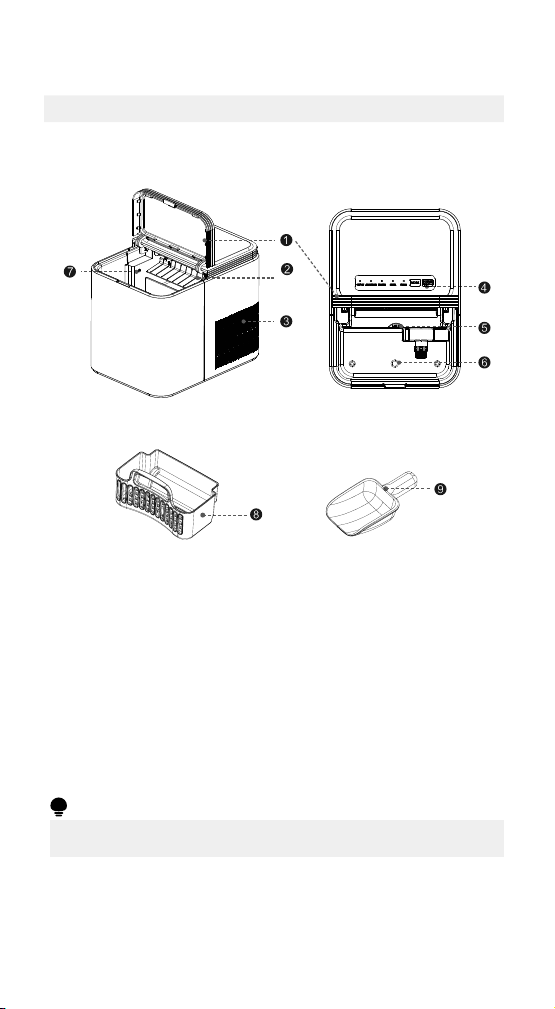
Names of components
1 Large Viewing Window 2 Ice Shovel
3 Air Exhaust Fan 4 Control Panel
5 Maximum Water Fill Line 6 Drain Plug
7 Ice Full Sensor 8 Ice Basket
9 Ice Scoop
ATTENTION
• The picture above is only for reference. The actual configuration will depend
on the physical product or statement by the distributor
6
OPERATION INSTRUCTIONS
Control panel operation
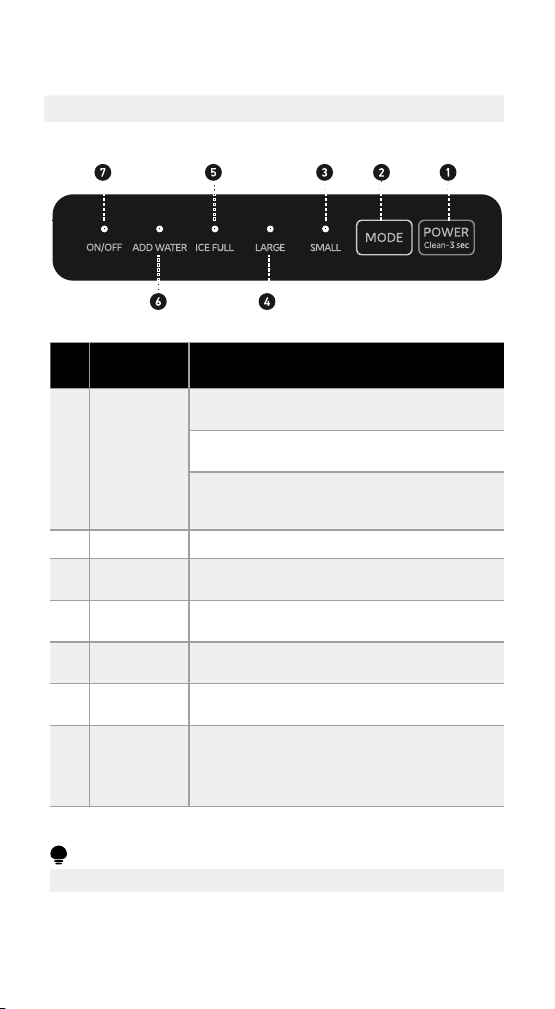
Key (with
indicator)
FunctioN
1
POWER
Clean-3 sec
Short press the POWER/Clean-3 sec button to
turn the ice maker on.
Short press the POWER/Clean-3 sec button to
turn the ice maker off.
In standby mode, press and hold the POWER/
Clean-3 sec button for 3 seconds and the ice
maker will switch to self-cleaning mode.
2
MODE
Confirms large ice mode or small ice mode.
3
SMALL
The indicator light turns white when small ice
mode is selected.
4
LARGE
The indicator light turns white when large ice
mode is selected.
5
ICE FULL
The indicator light turns white when the ice
basket is full.
6
ADD WATER
The indicator light turns white when the water
reservoir low.
7
ON/OFF
The indicator light turns white when the power
button is on.
The indicator light turns off when the power
button is off.
ATTENTION
• The actual control panel may dier from model to model.
7
Before first use
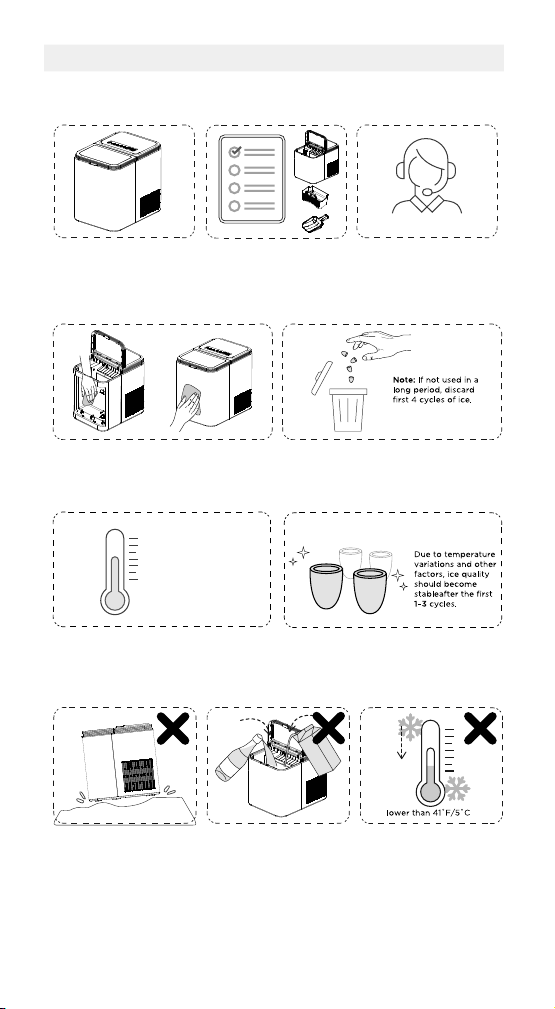
1. Stand upright for
24hrs.
Check for accessories. Missing parts?
Contact us.
24hrs
Customer Service
2. Clean the ice maker thoroughly
before first use.
Discard first 4 cycles of ice.
Use in locations 50°F ~ 90°F. Perfect ice shape.
50˚F ~ 90˚F
(10˚C ~ 32˚C)
More Cycles = Perfect Shape
3. What Not To Do!
Unstable base.
No other liquids
(Drinking water only).
Do not use in high or
low temps.
8
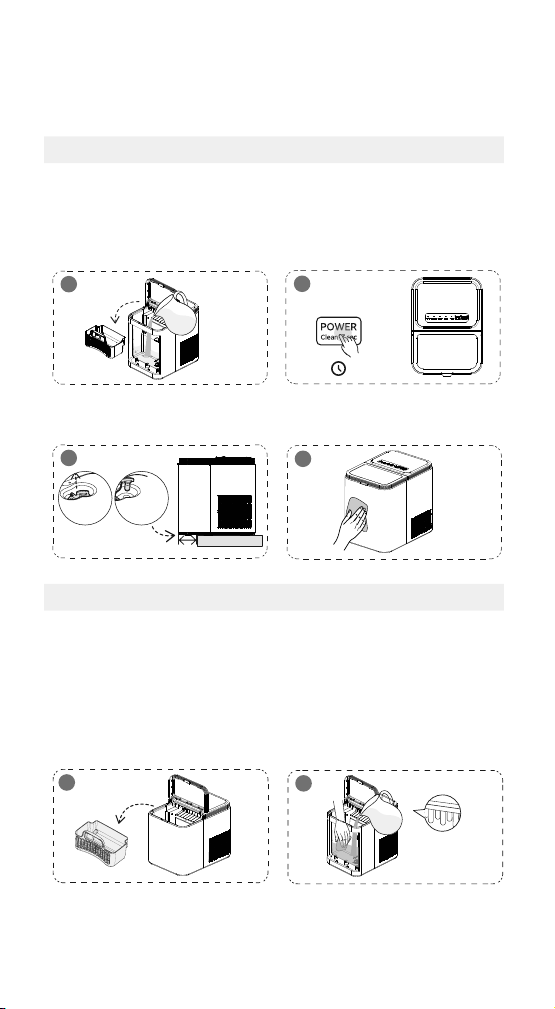
How to use your ice maker
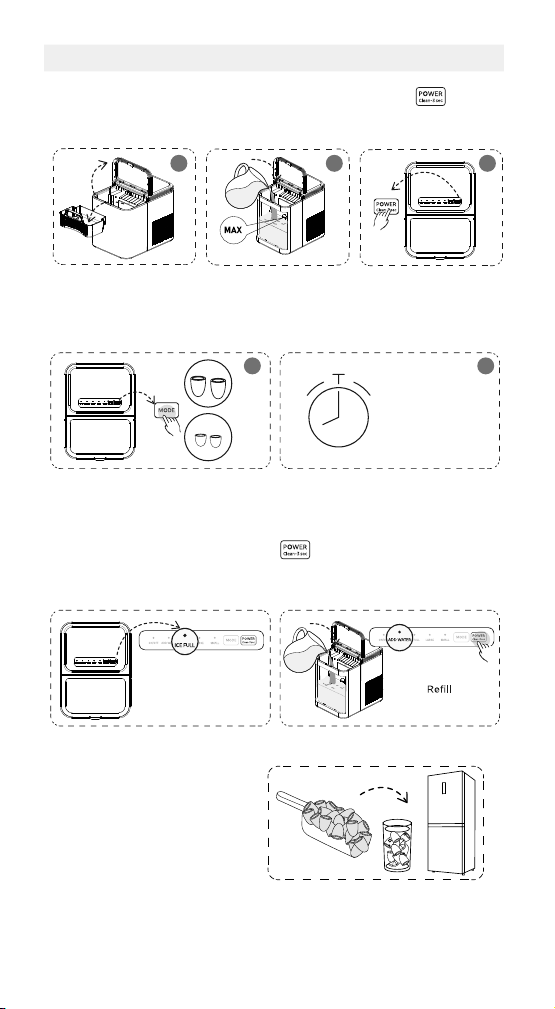
Open cover and
remove basket.
Pour water, do not
exceed the “MAX”
water mark.
Press the button.
31 2
Press
MODE
button to choose ice
cube size..
Wait for 6mins-8mins.
54
LARGE
SMALL
6mins-8mins
Depending on room
temp and ice size.
Ice full and ready when
“ ICE
FULL ”
indicator turns white.
When “ADD WATER” indicator
turns white, add water and press
button.
(The Power button operation
interval should be greater than 3s)
Done
Take ice cubes out in time to
avoid melting.
9
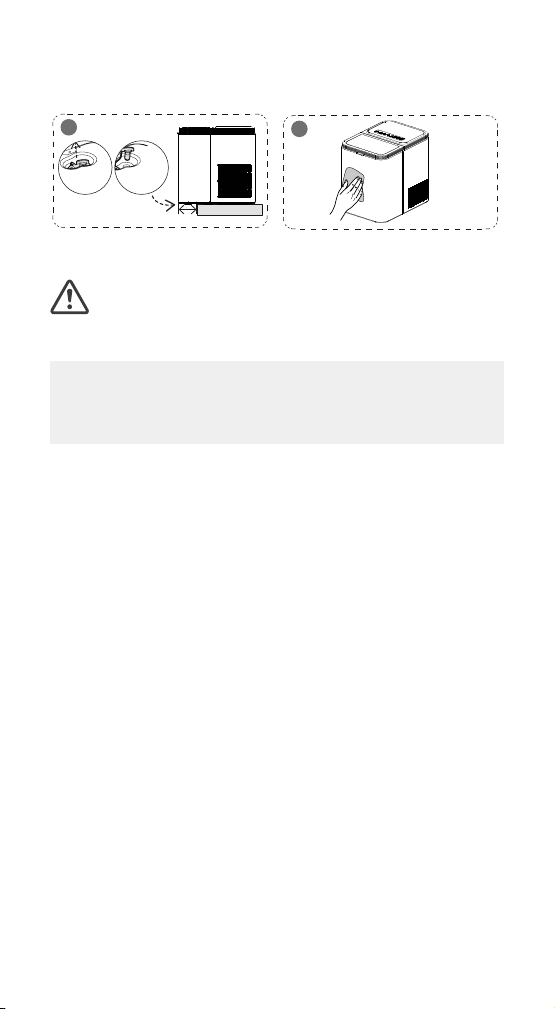
CLEANING AND MAINTENANCE
To keep your ice tasting fresh and the unit looking great, we
recommend cleaning the unit once per week.
Self-cleaning
1. Remove the basket and add
water.
2. Hold for 3 sec to start self-
cleaning.
(Complete flushing after 5
minutes)
1
2
In Standby Mode
=3s
3. Drain water reservoir. 4. Clean exterior with cloth and
mild dishwashing soap.
3
Drain Plug
Drain excess water
over sink.
2.4″(60mm)
Counter
4
Manual cleaning
Turn o the unit and disconnect from power outlet before cleaning.
1. Remove the basket. 2. Clean using a soft cloth with
warm
water and vinegar. Clean
the water filter,ice shovel and
the evaporator to avoid dirt
buildup.
1
2
Evaporator
10
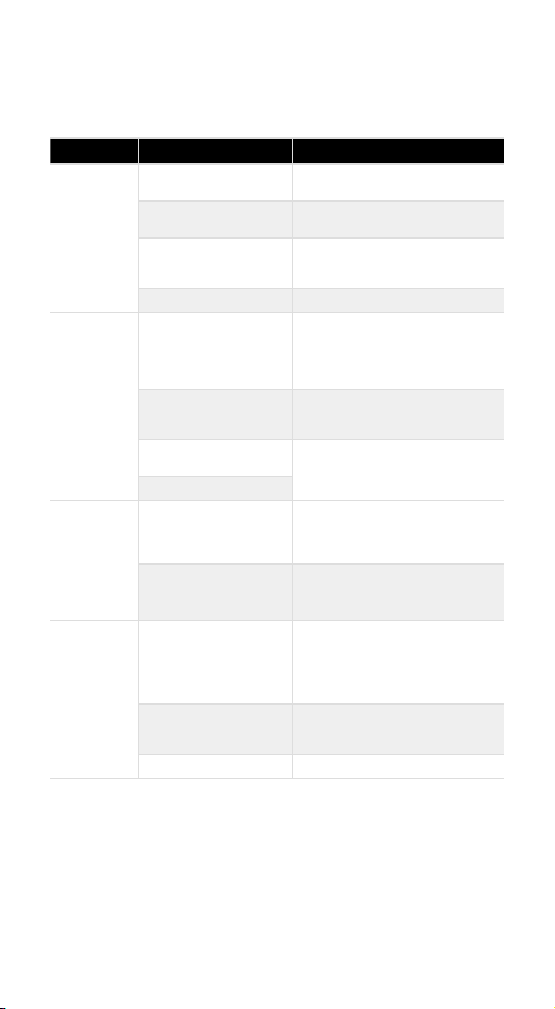
3. Drain water reservoir. 4. Clean exterior with cloth and
mild dishwashing soap.
3
Drain Plug
Drain excess water
over sink.
2.4″(60mm)
Counter
4
CAUTION
DO’s & DON’Ts while cleaning and maintaining
• Do not use organic solvent, boiled water, detergent, strong acid and strong
alkali etc. for cleaning.
• When the unit is not to be used for a long duration, drain the water
completely & dry the interior.
• Store in a well-ventilated area.
11
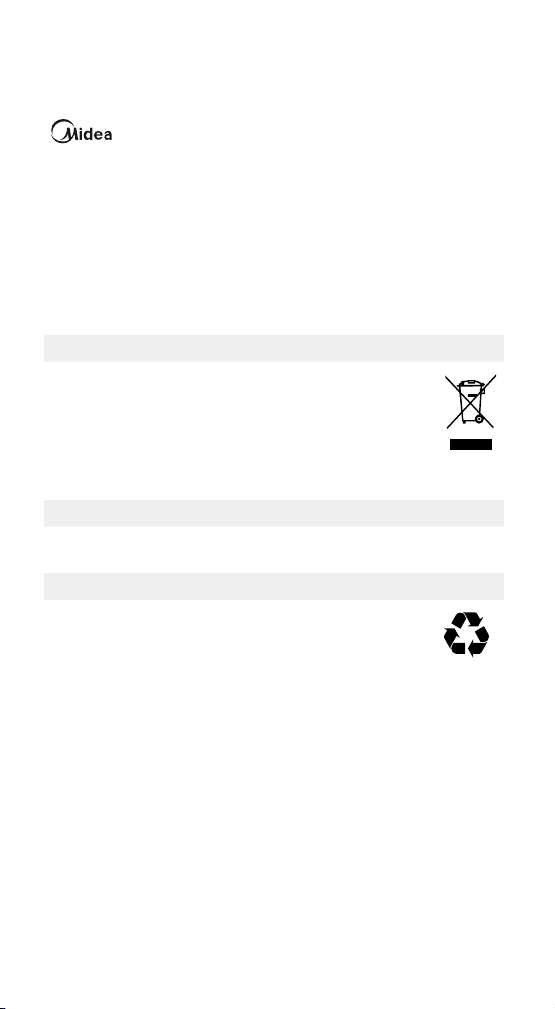
TROUBLESHOOTING
The following simple issues can be handled by the user. Please call the
after-sale service department if the issues are not solved.
Problem Possible Causes Solution
Poor ice shape
or quality.
Poor heat dissipation.
Leave a 3-inch clearance on all sides
of the ice maker for ventilation.
The water temperature is
too high.
Fill with water temperature between
46°F and 77°F.
The water temperature is
too high.
Use the ice maker in room
temperatures between 50°F and
90°F.
Evaporator deformation. Please contact customer service.
Ice maker
creating loud
noise.
Ice maker has not been
cleaned for a long time,
which will form a sticky
substance around the inlet
of the water pump.
Clean every 1 to 2 weeks, using some
neutral cleaning agents (such as mild
vinegar solution and soapy water).
Lack of water to pump
will create noise when
pumping water.
Add more water.
Fan or ice maker is
damaged.
Please contact customer service.
Water pump is damaged.
“ICE FULL“
indicator light
is on.
Ice is blocking the infrared
sensor.
Empty the ice basket.
(After the full ice warning is cleared,
the compressor will restart and ice
making will resume within 2 minutes.)
Infrared sensors do not
work.
1. Wipe the infrared sensors clean.
2. Contact customer service if the
infrared sensors still don’t work.
Ice sticks
together.
Making ice takes too long.
Stop making ice. After the ice melts,
restart and try again.
Check the ice-making mode is set to
“large ice” mode, switch to “small ice”
mode.”
The water temperature or
ambient temperature is too
low.
Fill with water temperatures between
46°F and 77°F.
Evaporator deformation. Please contact customer service.

12
Problem Possible Causes Solution
Not making
ice.
Ambient or water
temperature is too high.
Please contact customer service.
Water pump is damaged.
Refrigerating system
leaking.
Refrigerating system
blocked.
The fan stopped working.
The wires are loose.
The gears in the motor are
broken.
“ADD WATER”
indicator light
is on.
Water tank water level is
too low, cannot start ice
making.
Add water, press the POWER button
to restart the machine, and once the
water shortage prompt is resolved,
the ice-making will begin.
13
TRADEMARKS, COPYRIGHTS AND
LEGAL STATEMENT
logo, word marks, trade name, trade dress and all versions thereof are
valuable assets of Midea Group and/or its affiliates (“Midea”), to which Midea owns
trademarks, copyrights and other intellectual property rights, and all goodwill derived
from using any part of an Midea trademark. Use of Midea trademark for commercial
purposes without the prior written consent of Midea may constitute trademark
infringement or unfair competition in violation of relevant laws.
This manual is created by Midea and Midea reserves all copyrights thereof. No entity
or individual may use, duplicate, modify, distribute in whole or in part this manual, or
bundle or sell with other products without the prior written consent of Midea.
All the described functions and instructions were up to date at the time of printing this
manual. However, the actual product may vary due to improved functions and designs.
DISPOSAL AND RECYCLING
Important instructions for environment
This symbol indicates that this product shall not be disposed with other
household wastes at the end of its service life. Used device must be
returned to official collection point for recycling of electrical electronic
devices. To find these collection systems please contact to your local
authorities or retailer where the product was purchased. Each household
performs important role in recovering and recycling of old appliance.
Appropriate disposal of used appliance helps prevent potential negative
consequences for the environment and human health.
Compliance with RoHS Directive
The product you have purchased complies with EU RoHS Directive (2011/65/EU). It
does not contain harmful and prohibited materials specified in the Directive.
Package information
Packaging materials of the product are manufactured from recyclable
materials in accordance with our National Environment Regulations.
Do not dispose of the packaging materials together with the domestic
or other wastes. Take them to the packaging material collection points
designated by the local authorities.
DATA PROTECTION NOTICE
For the provision of the services agreed with the customer, we agree to comply without
restriction with all stipulations of applicable data protection law, in line with agreed
countries within which services to the customer will be delivered, as well as, where
applicable, the EU General Data Protection Regulation (GDPR).
Generally, our data processing is to fulfil our obligation under contract with you and
for product safety reasons, to safeguard your rights in connection with warranty and
product registration questions. In some cases, but only if appropriate data protection
is ensured, personal data might be transferred to recipients located outside of the
European Economic Area.
Further information are provided on request. You can contact our Data Protection
Officer via [email protected]om. To exercise your rights such as right to object your
personal date being processed for direct marketing purposes, please contact us via
[email protected]. To find further information, please follow the QR Code.
Version 1 2025.01