Nox S2
FCC User Manual
Instructions for FCC equipment authorization
Item
Information
Product
Nox S2
FCC ID
V5A-NOXS2
FCC rule
47 CFR Part 15, Subpart C, § 15.247
Wireless technology
Bluetooth Low Energy (BLE), Bluetooth 5.0
Operating frequency
2402 MHz to 2480 MHz
Antenna
Integral onboard Type-F PCB antenna, non-user-replaceable
Power source
Internal non-replaceable CR2032 lithium coin cell battery, 3 V
Use condition
Single-patient use; worn over clothing during sleep study
1. Purpose
This draft user manual provides installation and operating instructions for the Nox S2 device for FCC equipment
authorization under 47 CFR § 2.1033.
2. Intended Use and Users
The Nox S2 System is a portable system intended for the ambulatory recording of physiological signals during
sleep using patient-applied sensors. The recorded data is transferred to secure cloud storage and made
available for further processing using external sleep study software.
The Nox S2 System allows physiological signals to be recorded during sleep tests conducted to aid Healthcare
Professionals in diagnosing sleep disorders.
The Nox S2 System is intended for patients 18 years of age or older suspected of having sleep-related
breathing disorders. It is intended for use in clinical and home settings. Intended users are lay users and
Healthcare Professionals. Lay users should know how to use a smartphone or mobile app.
3. System Description
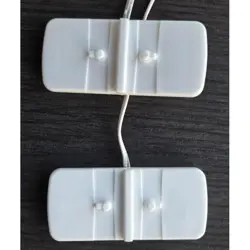
The Nox S2 device is a lightweight, battery-powered, single-patient-use device used to measure breathing effort
during sleep. The Nox S2 is intended to be worn over clothing. The device is used with Nox RIP belts placed
around the chest and abdomen.
During use, the Nox S2 device transmits data to the Nox Sleep Study mobile application using Bluetooth Low
Energy. The mobile application is used to set up and start the sleep study recording and to receive data from the
Nox S2 device.
• The Nox S2 device records thorax and abdomen respiratory effort, body position, and activity.
• The Nox S2 device has no internal storage and sends data to the mobile application.
• The Nox S2 device is single-patient use only and is disposed of after the sleep study is completed.
• The battery is internal and non-replaceable. Do not attempt to open the device or replace the battery.
4. Radio Description
The Nox S2 contains an intentional Bluetooth Low Energy transmitter operating under 47 CFR Part 15, Subpart
C, § 15.247.
Parameter
Specification

Radio chipset
Nordic Semiconductor nRF52832 system on chip
Wireless technology
Bluetooth Low Energy (BLE), Bluetooth 5.0
PHY / data rate
LE 1M PHY and LE 2M PHY; up to 2 Mbps
Modulation
Gaussian Frequency Shift Keying (GFSK), Adaptive Frequency Hopping (AFH)
Operating frequency
2.402 GHz to 2.480 GHz
Tested channels
2402 MHz, 2442 MHz, and 2480 MHz
Rated transmit power
+4 dBm conducted setting
Measured maximum EIRP
Up to approximately 5.916 dBm based on the submitted operational description
Antenna
Internal onboard Type-F PCB antenna, 1.9 dBi gain, non-user-replaceable
User controls
The user cannot adjust frequency, modulation, packet format, antenna, or RF output
power.
5. Installation and Operating Instructions
5.1 Before Use
• Use the Nox S2 only as instructed by a Healthcare Professional.
• Use only Nox Medical-approved accessories and compatible devices.
• Do not use damaged equipment or sensors.
• Do not use the same Nox S2 device on more than one patient.
• Do not clean, maintain, service, open, or modify the Nox S2 device.
5.2 Hook-Up
• Take the elastic belt and attach one end to the back connector on the Nox S2 chest unit. Make sure it is fully
connected.
• Put on a T-shirt before placing the chest belt. Wrap the belt around the chest so it sits flat and feels
comfortable. Attach the free end of the belt to the second connector to make a loop.
• Make sure the cable points downward and that the belt is not twisted.
• Attach the abdomen belt in the same way around the abdomen.
• When setup is complete, press the button on the chest unit to turn on the Nox S2 device.
5.3 Mobile Application Setup
• Open the Nox Sleep Study mobile application on the compatible smartphone or tablet.
• Follow the app instructions to scan the QR code or enter the study details manually.
• Make sure the required devices are connected before starting the recording.
• Keep the smartphone or tablet nearby during the recording so the Bluetooth connection can be maintained.
• To avoid interruptions during the recording, keep the smartphone or tablet connected to a power source.
5.4 Recording
• Tap Start Recording in the mobile application after the required devices are ready.
• The app displays recording time and device connection status during recording.
• When the study is complete, follow the app instructions to stop and upload the recording.
• Make sure the smartphone or tablet is connected to the internet for upload.
5.5 End of Use and Disposal
The Nox S2 device is single-patient use only. After the sleep study is complete, dispose of the Nox S2 device
according to local regulations and recycling rules. The device contains electronic parts and an internal non-
replaceable lithium coin cell battery and should not be disposed of as unsorted household waste where
electronic waste collection is available.

6. Warnings and Cautions
• Do not use damaged equipment or sensors. Damaged parts may cause poor performance or injury.
• Place cables and connections carefully to reduce the risk of tangling or strangulation.
• Do not use the same Nox S2 on more than one patient. This may cause cross-contamination and spread
infection.
• Do not use any part of the Nox S2 System, including RIP belts, in a Magnetic Resonance (MR) Imaging
environment.
• Do not use the Nox S2 near flammable anesthetic gases or mixtures with air, oxygen, or nitrous oxide.
• Remove the Nox S2 before defibrillation.
• Do not use the Nox S2 System or accessories during X-ray or radiography procedures.
• Do not use the Nox S2 with high-frequency (HF) equipment.
• Keep wireless communication equipment at least 30 cm (12 inches) away from the Nox S2 System and its
cables, unless needed for intended Bluetooth operation with the mobile application.
• Do not change the Nox S2 or use unapproved accessories. Use only accessories approved by Nox Medical.
• U.S. federal law restricts this device to sale by, or on the order of, a physician.
7. FCC Compliance Statements
FCC ID: V5A-NOXS2
This device complies with part 15 of the FCC Rules. Operation is subject to the following two conditions: (1) this
device may not cause harmful interference, and (2) this device must accept any interference received, including
interference that may cause undesired operation.
Changes or modifications not expressly approved by Nox Medical could void the user's authority to operate the
equipment.
The Nox S2 device is not a medical implant and is not designed to be used within the human body.
The Nox S2 device does not operate in the 6 GHz band.
8. RF Exposure Information
The Nox S2 is a low-power Bluetooth Low Energy body-worn device intended to be worn over clothing using the
Nox S2 configuration and accessories specified by Nox Medical.
To maintain RF exposure compliance, use the Nox S2 only as described in this manual. Do not modify the
device, antenna, enclosure, firmware, or radio settings. Do not use antenna accessories, external antennas, or
non-approved body-worn accessories with the Nox S2.
The integral onboard antenna is not user replaceable. The user must not attempt to open the device or alter the
antenna.
9. Operating Environment
Condition
Value
Intended environment
Clinical and home settings
Operating temperature
+5°C to +40°C (+41°F to +104°F)
Operating relative humidity
10% to 90% (non-condensing)
Operating atmospheric pressure
700 hPa to 1060 hPa
Transport and storage temperature
-25°C to +70°C (-13°F to +158°F)
Transport and storage relative
humidity
10% to 95% (non-condensing)
Ingress protection
IP22
10. Compatible Devices and Accessories
Use only Nox Medical-approved accessories and compatible devices. The Nox S2 is used with Nox RIP belts
and the Nox Sleep Study mobile application.
11. Troubleshooting
Issue
User action
Bluetooth permissions required
Grant Bluetooth permissions in the mobile device operating system.
Bluetooth is turned off
Turn on Bluetooth to connect to devices.
Device not connected
Keep the Nox S2 close to the mobile device and follow the app instructions to try
again.
Low phone battery
Connect the smartphone or tablet to a power source before or during recording.
Low storage on mobile device
Free up storage on the mobile device and try again.
No internet connection during upload
Connect the mobile device to the internet and follow the app instructions to
upload the recording.
12. Manufacturer
Nox Medical ehf
Katrinartuni 2, 105 Reykjavik, Iceland
Website: www.noxmedical.com.