
User Manual
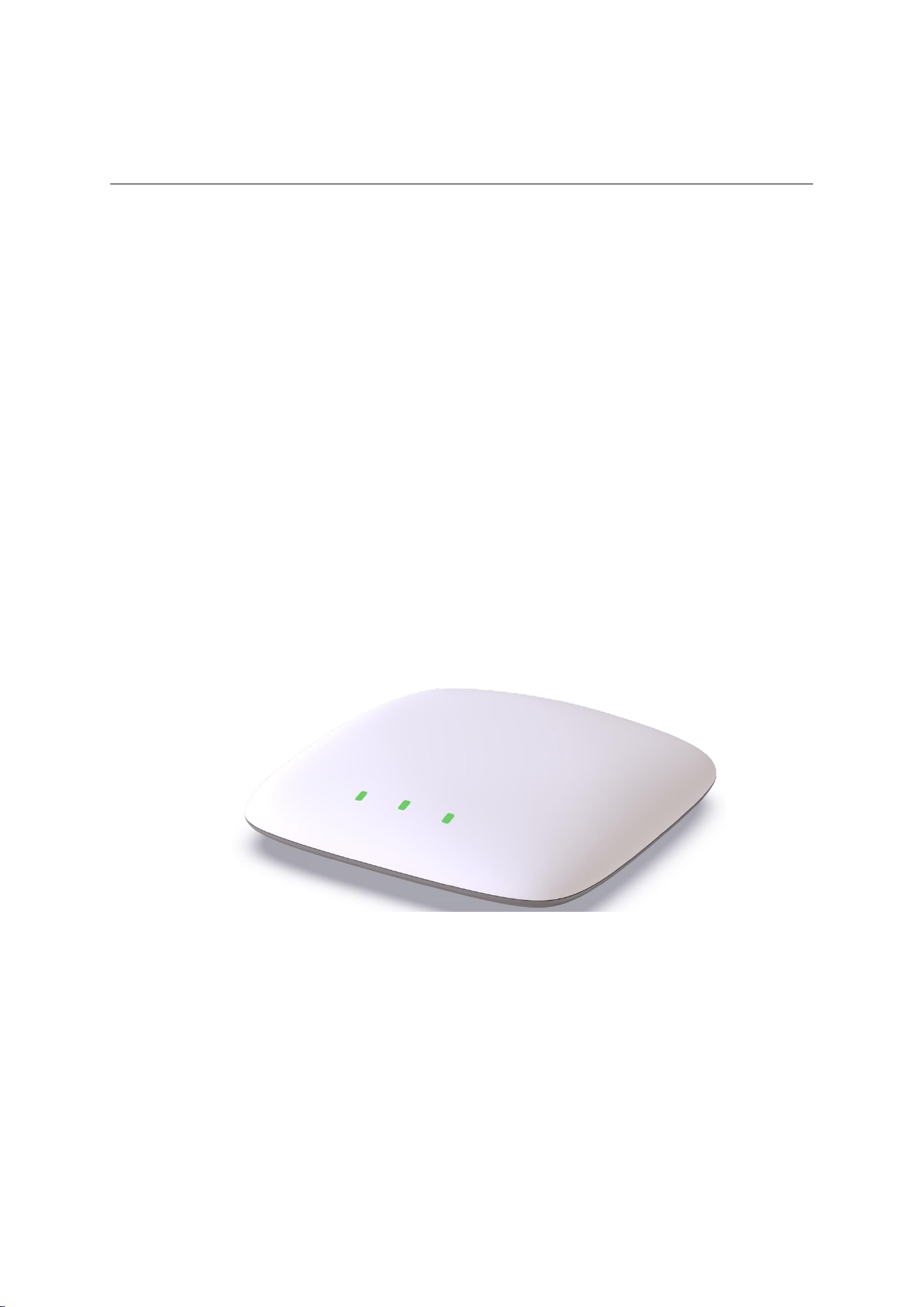
Bluetooth Gateway
UG2000-ID

Blueiot (Beijing) Technology Co., Ltd.
Confidential Information
2
Copyrigh Statement
Copyright ©2020 Blueiot (Beijing) Technology Co., Ltd. All rights reserved.
All content of this manual, including text, images, graphics, etc, is the exclusive property of
Blueiot (Beijing) Technology Co., Ltd. No entity or individual is allowed to extract,
reproduce, translate, or modify this manual, either in whole or in part, by any means without
prior written consent. Unless otherwise agreed, no statements or warranties, explicit or
implicit, are provided for this manual.
Trademark Statement
Blueiot (Beijing) Co., Ltd. is the rightful owner of “Blueiot” and other various registered
trademarks, logos and trademark portfolios.
Disclaimers
◼ Within the legal limits, products in this manual (hardware, software, etc.) are provided in
their current state, potentially with defects, errors or malfunctions. The company gives no
explicit or implicit warranties, and shall not be liable for any special, incidental, or
indirect damages from using the product in this manual or other our company products.
◼ The company reserves the right to modify the product design, features and specifications
without prior notice due to technological advancements.
◼ The “Blueiot” series products (hereinafter referred to as “the device”) provided by the
company act as an auxiliary aid and is not intended to replace safety management
systems, precautions or emergency responses for hazardous tasks, nor regulatory systems
and measures in operational management.
◼ During the use of the device, operators should be reminded that the presence of assistance
tools shall not reduce their safety awareness. Regular device inspections are required. If
you encounter any problems, please don’t hesitate to contact us at [email protected] for
prompt repairs or replacements.

Blueiot (Beijing) Technology Co., Ltd.
Confidential Information
3
Contents
1. Product Introduction ............................................................................................................... 4
1.1.Product Overview ................................................................................................................. 4
1.2. Functional Features ............................................................................................................. 4
2. Instructions for Use ................................................................................................................ 5
2.1.install .................................................................................................................................... 5
2.2.supply electricity .................................................................................................................. 6
2.3. Network Connection ........................................................................................................... 6
2.4 Network Configuration ........................................................................................................ 7
2.5. Server and Backup Server IPs ............................................................................................. 7
3. Maintenance and Care ............................................................................................................ 8
4. Precautions ............................................................................................................................. 8
5. Warranty Details .................................................................................................................... 8
Non-Warranty Regulations: ....................................................................................................... 8
Attachment: Specification Parameters ....................................................................................... 9
Blueiot (Beijing) Technology Co., Ltd.
Confidential Information
4
1. Product Introduction
1.1.Product Overview
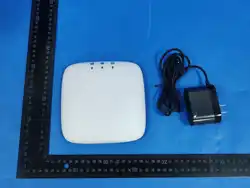
UG2000-ID features continuous monitoring and reporting capabilities for Bluetooth
broadcasts. Specially designed for indoor beacon and tag positioning devices, it uploads
Bluetooth ranging and monitoring data from positioning terminals to the platform server via
wired Ethernet . It boasts extensive coverage, low latency, high concurrency
stability.
The UG2000-ID universal Bluetooth gateway supports dual power supply via PoE/DC,
Suitable for a wide range of indoor environments, it
asset tracking as well as environmental data
industries including healthcare, warehousing,
transportation and manufacturing.
1.2. Functional Features
Wide-area communication, supporting up to 180 meters coverage in open environments
Extremely high label scanning capacity, with single-channel scanning capacity
exceeding 300 broadcast packets per second
The single gateway supports two mainstream Bluetooth positioning methods
simultaneously: Beacon TAG three-point positioning and Bluetooth gateway RSSI
positioning.
and superior
meets the requirements for personnel and
collection. It serves as an ideal solution for
Blueiot (Beijing) Technology Co., Ltd.
Confidential Information
5
Supports label configuration, automatic content deduplication, and batch settings to
facilitate rapid on-site deployment.
2. Instructions for Use
2.1.install
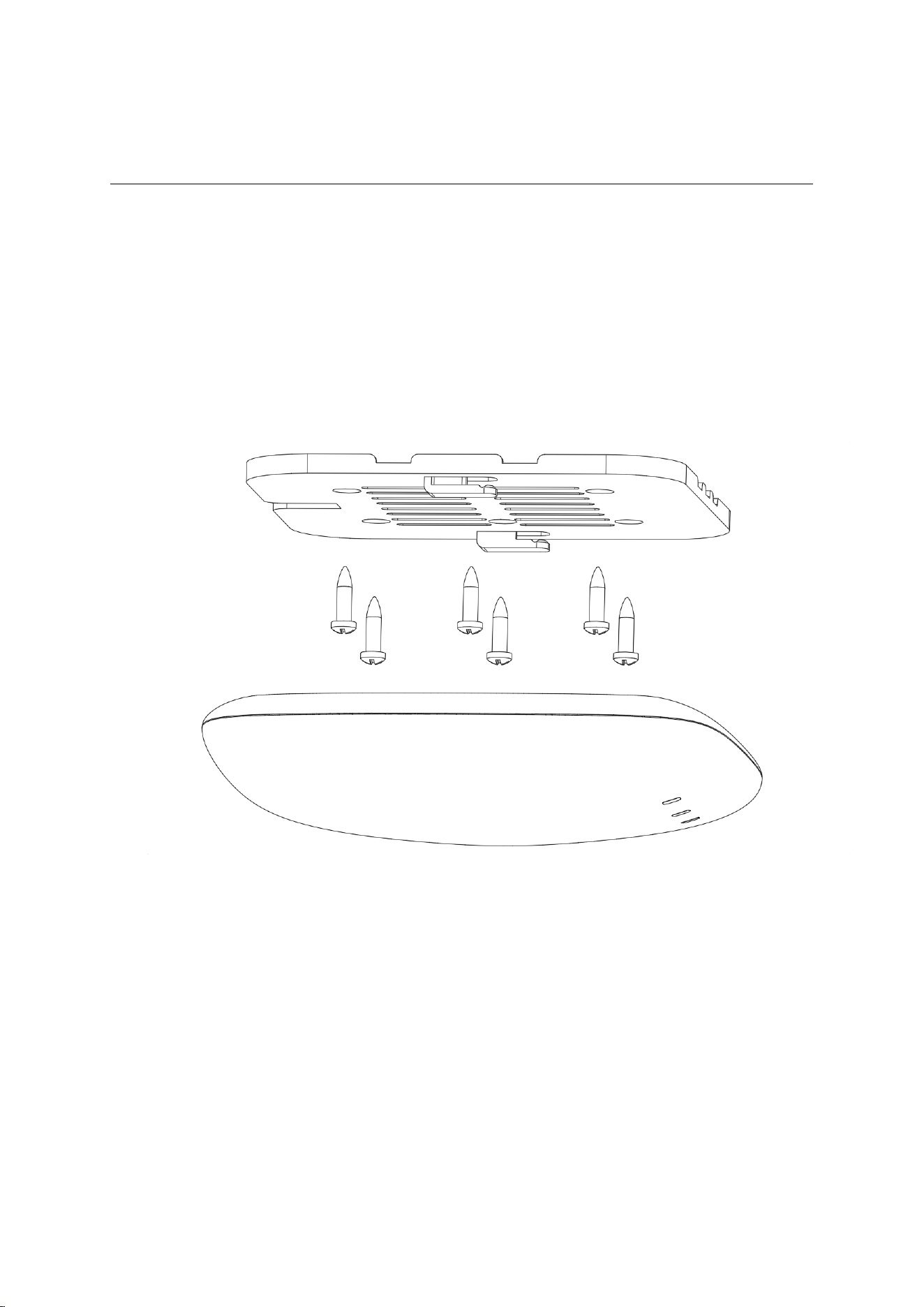
The UG2000-ID gateway is typically installed as a ceiling-mounted unit; alternatively, it
can be mounted using suspension or wall mounting methods depending on the specific
structural characteristics of the buildings ceiling.
The Bluetooth gateway captures Bluetooth signals, so it has strict requirements for
installation location and surrounding environment: the gateway must be installed correctly
with its front facing downward. It should not be installed vertically or at an angle.
The Bluetooth gateway must not be obstructed, and its visible coverage area should be
maximized. It is prohibited to install the Bluetooth gateway above obstructions such as
ceilings (including metal materials like aluminum panels and non-metallic materials like
gypsum boards or glass panels), low-voltage cable trays, fire protection pipelines, air
conditioning ducts, or indoor greenery.
Blueiot (Beijing) Technology Co., Ltd.
Confidential Information
6
The Bluetooth gateway should be positioned away from objects that may cause signal
reflection, such as large metal surfaces or large screens.
2.2.supply electricity
⚫ Supports POE power supply.
⚫ Supports AC 200V~240V input and DC 12V/1.5A output adapter power supply.
⚫ Under both power supply modes, DC power supply takes precedence.
⚫ Note: Always power the device using the provided adapter.
2.3. Network Connection
2.3.1 Wired Network
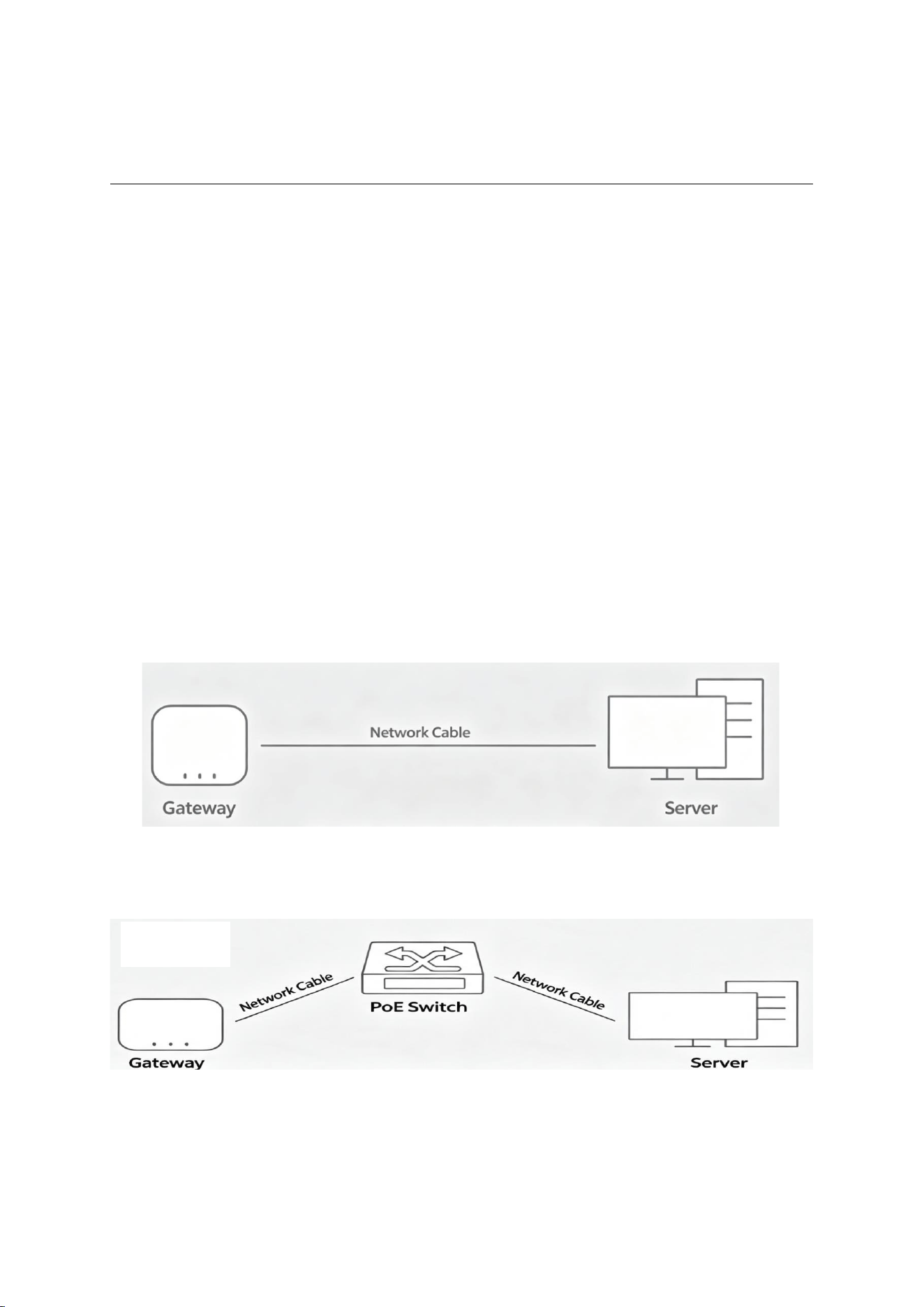
⚫ There are two common wired connections between the anchor and the server, as shown in
figures 2.3.1 and 2.3.2:
Figure 2.3.1 Direct connection via network cable
Figure 2.3.2 Connection via switch or router

Blueiot (Beijing) Technology Co., Ltd.
Confidential Information
7
2.4 Network Configuration
The anchor uses fixed IP address to access the network, and does not support DHCP
function. The default factory IP address of the anchor is “192.168.1.X” and it uses port
“48395” to communicate. The last “X” in the IP address is related to the Anchor ID, which
equals to the remainder of (Anchor ID+11)/256.
For example, the anchor ID is 1272, X=mod[(1272+11)/256]=3, so the IP address of the
anchor is 192.168.1.3.
Before modifying the network settings of the anchor, you should first modify the IP
address of the computer so that it can be in the same network segment as the anchor.It is
recommended that the computer's network be configured as follows:
IP address: 192.168.1.11
Subnet mask: 255.255.255.0
Default gateway: 192.168.1.1
The specific parameter configuration of the anchor network needs to be completed
through the “Location Configuration”- “Anchor Settings” module in the BlueIOT Positioning
Engine Management Software. The specific operation method can be found in the relevant
instructions of the software.Configuration can also be done through BlueIOT Network
Configuration Tool.
2.5. Server and Backup Server IPs
The gateway can upload data to two IP addresses simultaneously and is typically used in
dual-server hot standby systems. The backup servers IP address is determined by subtracting
1 from the last segment of the primary servers IP address. For example, if the primary servers
IP address is 192.168.1.11, the backup servers IP address automatically becomes
192.168.1.10.
Enable the backup server service using the Localsense device configuration tool. As
shown in Figure 2.5.1:
(1) In Zone 1, select the gateway whose settings need to be modified.

Blueiot (Beijing) Technology Co., Ltd.
Confidential Information
8
(2) In Zone 2, select "Enable" in the Backup Server field and click Selected Gateway to
complete the configuration of the selected gateway.
Clicking "All Gateways" will configure all gateways found in Zone 1 in bulk.
3. Maintenance and Care
Avoid placing the product in humid, dusty, extremely hot, extremely cold, strongly
magnetic, or corrosive environments. Do not position the product near other heat sources or
electromagnetic-sensitive equipment.
Do not strike or impact this device forcefully, and avoid using hard objects to pierce or
scratch it.
This product should be transported and stored in its original packaging.
4. Precautions
Do not arbitrarily replace any components or structural elements that may compromise
explosion-proof performance, as this could jeopardize the safety features.
The parameter data are sourced from Blue Creation Laboratory and may vary depending
on product differences, usage habits, and environmental factors. Please refer to actual usage
conditions for accuracy.
If the device is malfunctioning, contact the manufacturer. Do not disassemble or modify
the device yourself in any way.
5. Warranty Details
The product comes with a 1-year warranty from Blue Chuangyuans after-sales service,
covering malfunctions under normal usage conditions starting from the purchase date.
Non-Warranty Regulations:
Unauthorized maintenance, misuse, impact, negligence, abuse, fluid injection, accident,
or modification;

Blueiot (Beijing) Technology Co., Ltd.
Confidential Information
9
Using non-original accessories for this product incorrectly;
Human-induced surface damages, such as scratches, dents, or depressions;
Damages caused by force majeure.
Attachment: Specification Parameters
product size
220mm × 220mm × 32mm
way to install For ceiling-mounted or side-wall installations, the maximum
height is 20 m.
network interface RJ45
power rating 3W
Positioning diameter
≥25m
compatibility Compatible with BLE 4.0 and above devices
Antenna Type Built-in Antenna
Radio Frequency
Range
2.4GHz ~ 2.4835GHz
levels of protection IP65
power supply mode IEEE 802.3af PoE 48V
working temperature
-40℃~80℃
Working Humidity
5%–95% non-coagulating

Blueiot (Beijing) Technology Co., Ltd.
Confidential Information
10
FCC Caution.
This device complies with part 15 of the FCC Rules. Operation is subject to the following two
conditions:
(1) This device may not cause harmful interference, and
(2) this device must accept any interference received, including interference that may cause
undesired operation.
Any Changes or modifications not expressly approved by the party responsible for compliance
could void the user's authority to operate the equipment.
Note: This equipment has been tested and found to comply with the limits for a Class B digital
device, pursuant to part 15 of the FCC Rules. These limits are designed to provide reasonable
protection against harmful interference in a residential installation. This equipment generates
uses and can radiate radio frequency energy and, if not installed and used in accordance with the
instructions, may cause harmful interference to radio communications. However, there is no
guarantee that interference will not occur in a particular installation. If this equipment does
cause harmful interference to radio or television reception, which can be determined by turning
the equipment off and on, the user is encouraged to try to correct the interference by one or
more of the following measures:
-Reorient or relocate the receiving antenna.
-Increase the separation between the equipment and receiver.
-Connect the equipment into an outlet on a circuit different from that to which the receiver is
connected.
-Consult the dealer or an experienced radio/TV technician for help.
FCC Radiation Exposure Statement:
This equipment complies with FCC radiation exposure limits set forth for an uncontrolled
environment. This equipment should be installed and operated with minimum distance 20cm
between the radiator & your body.