MOUSE USER MANUAL
English / 中文简体 / 中文繁體 / Deutsch / Pусский
Français/ Español / Italia / 日本語 / 한국어/ Türkçe
ภาษาไทย / بالعربية / Português (Brasil)
English
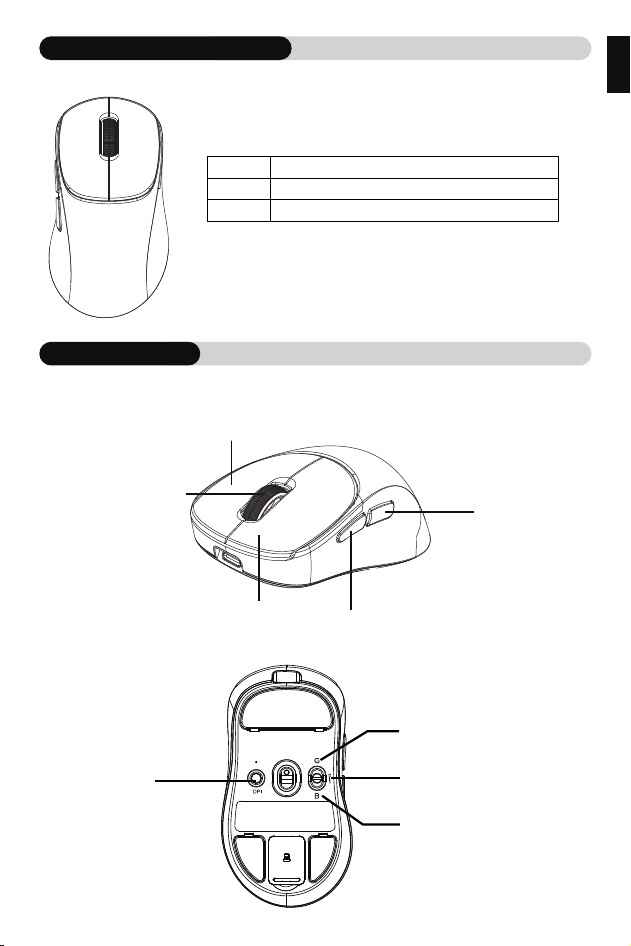
PRODUCT INFORMATION
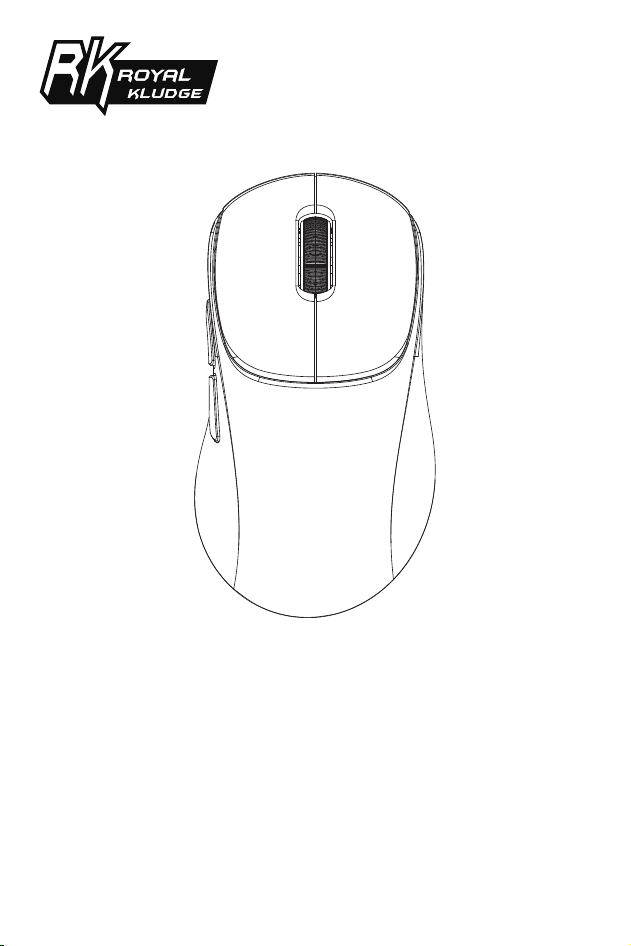
KEY FUNCTION
Sizes
Version
Key
6 Keys
USB/2.4G/BT
119.45(L)×64.8(W)×42(H)±2mm
❈ This product does not support fast charging.
Advance
Retreat
Left switch
Roller wheel
Right switch
2.4G mode
BT mode
Wired mode
DPI regulation
English
CHARGING
Charging: The charging red light is always on, and it goes off when fully charged.
Low battery reminder: When the battery is low, the indicator light flashes red.
WIRED MODE
Toggle switch to the middle position, insert the type-c data cable, and you are now
In wired mode.
BT MODE
Toggle the switch to “B” position,Long press the DPI switch button, and the code
indicator light will flash blue, which is the pairing mode.
The pairing is successfully extinguished, and the slow flashback is connected.
2.4G MODE
Toggle the switch to “G” position,Long press the DPI switch button, and the code
indicator light will flash green, which is the pairing mode.
The pairing is successfully extinguished, and the slow flashback is connected.
(Friendly reminder: Paired at the factory, no need to pair again)
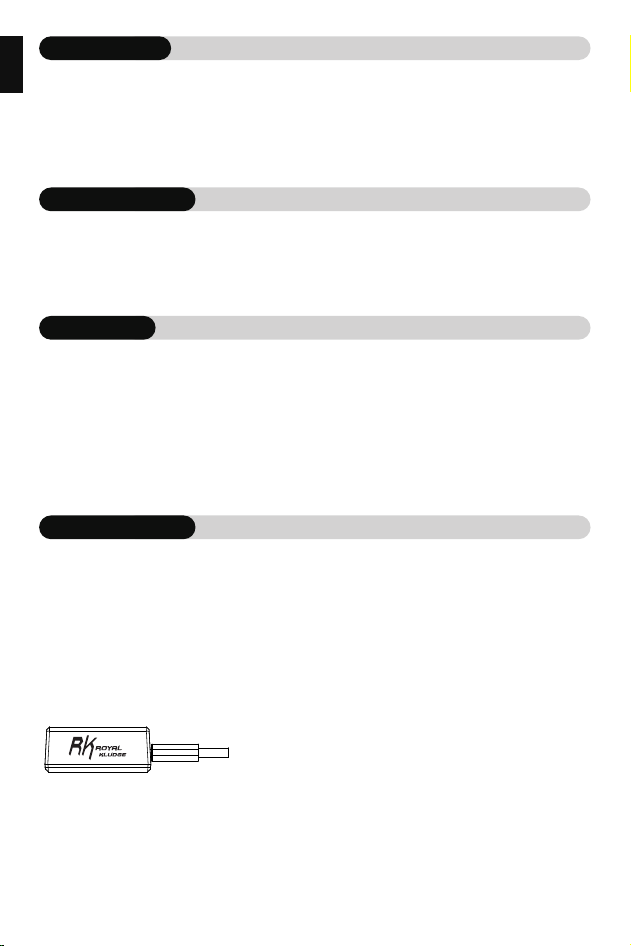
Plug the Type-C data cable into the 8K receiver, the drive is adjustable, and the
return rate can reach up to 8K.

English
DPI VALUE/SWITCH
DPI switch: 800/1600/3200/6400/12800/26000/six gear DPI switch switch.
Long press the DPI switchto enter pairing mode.
Press shortly to switch DPI, and the indicator light will light up for three seconds
to correspond to the gear color, and then return to its original state.
First DPI green light: 800
Second DPI red light: 1600 (default)
Third gear DPI cyan light: 3200
Fourth DPI purple light: 6400
Fifth DPI blue light: 12800
Sixth DPI white light: 26000
中文简体
充电指示灯
充电:充电红灯常亮,充满熄灭。
低电量提醒:低电量时,指示灯红色闪烁。
有线模式
将开关拨动到中间位置,插入Type-C数据线,此时有线模式。
BT模式
将开关拨动到“B”位置,长按DPI切换键,对码指示灯快闪蓝光,为配对模式。
配对成功熄灭,慢闪回连。
2.4G 模式
将开关拨动到“G”位置,长按DPI切换键,对码指示灯快闪绿光,为配对模式。
配对成功熄灭,慢闪回连。
(温馨提示:出厂时已配对好接收器,无需自行再次配对)
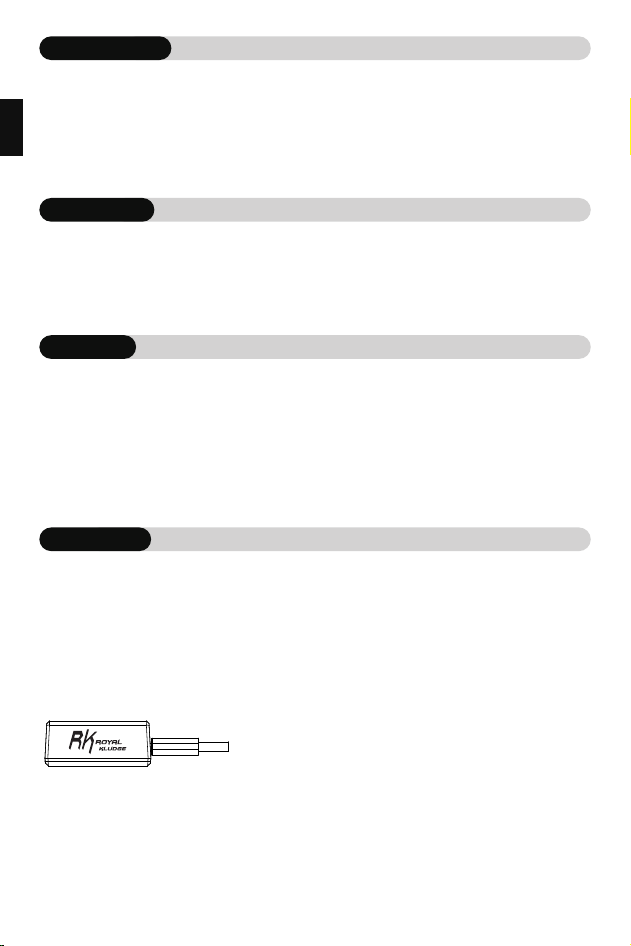
将Type-C数据线线插入8K接收器,驱动可调,回报率最高可达8K。

中文简体
DPI值/切换
DPI按键:800/1600/3200/6400/12800 /26000/六档DPI 按键切换。
长按DPI按键进入对码状态。
短按切换DPI,指示灯灯亮起三秒对应档位颜色,再恢复原来状态。
第一档DPI绿灯:800
第二档DPI红灯:1600(默认)
第三档DPI青灯:3200
第四档DPI紫灯:6400
第五档DPI蓝灯:12800
第六档DPI白灯:26000
中文繁體
充電指示燈
充電:充電紅燈常亮,充滿熄滅。
低電量提醒:低電量時,指示燈紅色閃爍。
有線模式
將開關撥動到中間位置,插入Type-C數據線,此時有線模式。
BT模式
將開關撥動到“B”位置,長按DPI切換鍵,對碼指示燈快閃藍光,為配對模式。
配對成功熄滅,慢閃回連。
2.4G 模式
將開關撥動到“G”位置,長按DPI切換鍵,對碼指示燈快閃綠光,為配對模式。
配對成功熄滅,慢閃回連。
(溫馨提示:出廠時已配對好接收器,無需自行再次配對)
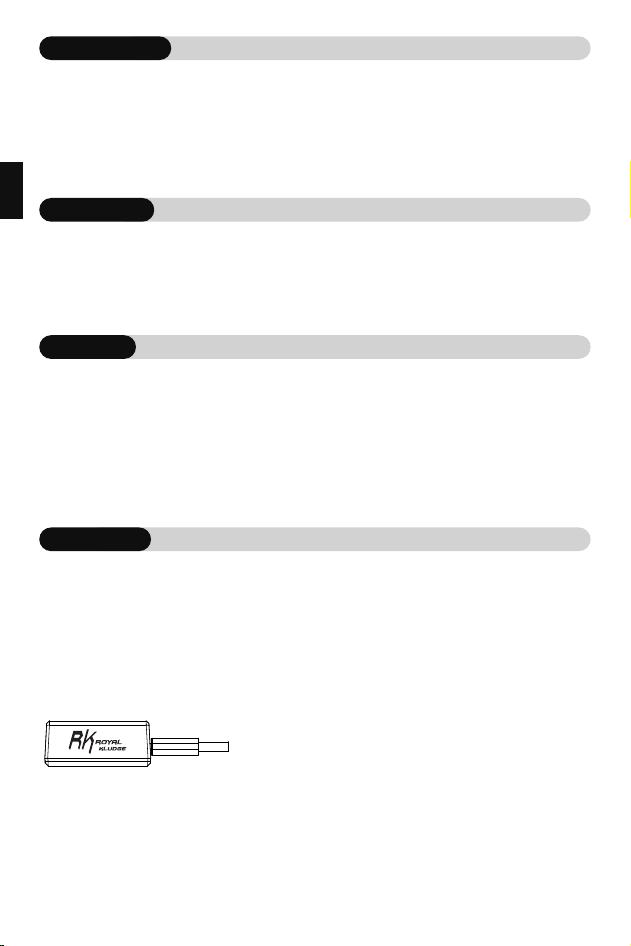
將Type-C數據線線插入8K接收器,驅動可調,回報率最高可達8K。

中文繁體
DPI值/切換
DPI按鍵:800/1600/3200/6400/12800/26000/六檔DPI按鍵切換。
長按DPI按鍵進入對碼狀態。
短按切換DPI,指示燈燈亮起三秒對應檔位顏色,再恢復原來狀態。
第一檔DPI綠燈:800
第二檔DPI紅燈:1600(默認)
第三檔DPI青燈:3200
第四檔DPI紫燈:6400
第五檔DPI藍燈:12800
第六檔DPI白燈:26000
Deutsch
AUFLADEN
Aufladen:Die rote Ladeanzeige leuchtet immer, sie erlischt, wenn der Akku voll ist.
Erinnerung an niedrigen Batteriestand:Die Anzeigeleuchte blinkt rot, wenn der
Batteriestand niedrig ist.
BT-MODUS
Schalten Sie den Schalter in die Position “B”,Drücken Sie lange auf die DPI-Schalter-
taste, die Pairing-Anzeige leuchtet schnell blau für den Pairing-Modus.
Erfolgreiches Pairing aus, langsames Blinken zurück zum Verbinden.
KABELGEBUNDENER MODUS
Schalten Sie den Schalter in die mittlere Position,Stecken Sie das Typ-C-Kabel ein,
dieses Mal im kabelgebundenen Modus.
2.4G-MODUS
Schalten Sie den Schalter auf Position “G” um,Drücken Sie die DPI-Schaltertaste
lange, die Pairing-Code-Anzeige blinkt grün, um den Pairing-Modus zu aktivieren.
Pairing erfolgreich aus, langsames Blinken zurück zur Verbindung.
(Zur Erinnerung: Eine werkseitige Kopplung erfordert keine erneute Kopplung).
Schließen Sie das Type-C-Kabel an den 8K-Empfänger an, der Treiber ist einstellbar,
die Rücklaufrate kann bis zu 8K betragen.

Deutsch
DPI-WERT/UMSCHALTUNG
DPI-Taste: 800/1600/3200/6400/12800 /26000/sechsstufiger DPI Schlüsselschal-
ter.
Halten Sie die DPI-Taste gedrückt, um den Kopplungsmodus aufzurufen.
Kurz drücken, um DPI zu wechseln, die Anzeigelampe leuchtet für drei Sekunden
entsprechend der Farbe des Gangs, und dann wieder den ursprünglichen
Zustand.
Erste DPI Stufe grünes Licht: 800
Zweite DPI Stufe rotes Licht: 1600 (Standard)
Dritte DPI Stufe cyanfarbenes Licht: 3200
Vierte DPI Stufe violettes Licht: 6400
Fünfte DPI Stufe blaues Licht: 12800
Sechste DPI Stufe weißes Licht: 26000
Pусский
Зарядка: Красный индикатор зарядки всегда горит и гаснет при полной
зарядке.
Напоминание о низком заряде батареи:когда батарея разряжена,
индикатор мигает красным цветом.
ЗАРЯДКА
ПРОВОДНОЙ РЕЖИМ
РЕЖИМ BT
Переведите переключатель в положение “B”,Нажмите и удерживайте кнопку
переключения DPI, и индикатор кода начнет мигать синим цветом, что и
является режимом сопряжения.
Сопряжение успешно гасится, и подключается медленный флешбэк.
Переведите переключатель в среднее положение, подключите кабель
Type-C, после чего устройство перейдет в режим проводной связи.
РЕЖИМ 2.4G
Переведите переключатель в положение “G”,нажмите и удерживайте кнопку
переключателя DPI, и индикатор кода будет мигать зеленым цветом, что
означает режим сопряжения.
Сопряжение успешно гасится, и подключается медленный флешбек.
(Примечание: устройство уже было сопряжено на фабрике и нет необходимости в
повторном сопряжении)
Подключите кабель передачи данных Type-C к приемнику 8K, привод
регулируется, а скорость возврата может достигать 8K

Pусский
ЗНАЧЕНИЕ/ПЕРЕКЛЮЧАТЕЛЬ DPI
Переключатель DPI:Переключатель 800/1600/3200/6400/12800/26000/
шестиступенчатый переключатель DPI
Нажмите и удерживайте кнопку DPI, чтобы перейти в режим сопряжения.
Нажмите короткое нажатие, чтобы переключить DPI, и световой индикатор
загорится на три секунды соответствуют цвету шестеренки, а затем
возвращаются в исходное состояние.
Первый зеленый свет DPI: 800
Второй красный индикатор DPI: 1600 (по умолчанию)
Третья передача DPI светло-голубой свет:3200
Четвертый DPI фиолетового света: 6400
Пятое разрешение на синий свет: 12800
Шестой DPI белый свет: 26000
Français
Chargement : Le voyant rouge de chargement est toujours allumé, il s'éteint
lorsque la batterie est pleine.
Rappel de batterie faible : le voyant clignote en rouge lorsque la batterie est
faible.
CHARGEMENT
MODE CÂBLÉ
MODE BT
Basculez l'interrupteur en position “B”,Appuyez longuement sur le bouton du
commutateur DPI, l'indicateur d'appairage clignote rapidement en bleu pour le
mode d'appairage.
Basculez l'interrupteur en position centrale,Branchez le câble Type-C, cette fois
en mode .
MODE 2.4G
Basculer l'interrupteur en position “G”,Appuyez longuement sur la touche du
commutateur DPI, le voyant du code d'appairage clignote en vert, pour le mode
d'appairage.
L'appairage réussi s'éteint, le clignotement lent revient à la connexion.
Rappel amical: l'appareil a été jumelé à la sortie de l'usine, il n'est donc pas nécessaire de le
jumeler à nouveau.
Branchez le fil du câble Type-C dans le récepteur 8K, le pilote est réglable,
le taux de retour peut être jusqu'à 8K.

Français
VALEUR DPI/CHANGEMENT
Bouton DPI : 800/1600/3200/6400/12800 /26000/six vitesses DPI Commutateur à
clé.
Appuyez sur le bouton DPI et maintenez-le enfoncé pour passer en mode
d'appairage.
Appuyer brièvement pour changer de DPI, le témoin lumineux s'allume pendant
trois secondes correspondant à la couleur de l'engrenage, puis revient à l'état
d'origine.
Premier voyant vert DPI : 800
Deuxième feu rouge DPI : 1600 (par défaut)
Troisième DPI feu bleu clair : 3200
Quatrième lumière violette du DPI : 6400
Cinquième lumière bleue du DPI : 12800
Español
Carga:La luz roja de carga está siempre encendida, se apaga cuando está llena.
Recordatorio de batería baja:La luz indicadora parpadea en rojo cuando la
batería está baja.
CARGA
MODO CABLEADO
Coloca el interruptor en la posición central,Enchufa el cable Type-C, esta vez en
modo cableado.
MODO BT
MODO 2.4G
Cambie el interruptor a la posición “G”,Pulse prolongadamente la tecla del
interruptor DPI, la luz indicadora del código de emparejamiento parpadea en
verde, para el modo de emparejamiento.
Emparejamiento con éxito apagado, parpadeo lento de nuevo a la conexión.
(Recordatorio: se ha emparejado cuando sale de fábrica, no es necesario emparejar
nuevamente.)
Enchufe el cable Tipo-C en el receptor 8K, el controlador es ajustable, la tasa de
retorno puede ser de hasta 8K.
Coloque el interruptor en la posición “B”,Mantenga pulsado el botón del
interruptor DPI, la luz indicadora de emparejamiento parpadea rápidamente en
azul para el modo de emparejamiento.
Emparejamiento con éxito apagado, parpadeo lento de nuevo para conectar.

Español
DPI VALOR / CONMUTACIÓN
DPI botón:800/1600/3200/6400/12800 /26000/six-speed DPI interruptor de llave.
Mantenga pulsado el botón DPI para entrar en el modo de emparejamiento.
Pulsación corta para cambiar DPI, la luz indicadora se ilumina durante tres
segundos correspondientes al color de la marcha, y luego restaura el estado
original..
Luz verde do primeiro DPI: 800
Luz vermelha do segundo DPI: 1600 (predefinição)
Tercera luz azul claro DPI: 3200
Quarto DPI luz roxa: 6400
Quinto DPI luz azul: 12800
Sexto DPI luz branca: 26000
Italia
Carica:La spia rossa di carica è sempre accesa, si spegne quando è carica.
Promemoria batteria scarica:la spia lampeggia in rosso quando la batteria è
scarica.
CARICA
MODALITÀ BT
Portare l'interruttore in posizione “B”,Premere a lungo il pulsante dell'interruttore
DPI, la spia di accoppiamento lampeggia velocemente in blu per la modalità di
accoppiamento.
L'accoppiamento si spegne con successo, il lampo lento torna a lampeggiare per
connettersi.
MODALITÀ CABLATA
Portare l'interruttore in posizione centrale,Collegare il cavo Type-C, questa volta in
modalità cablata.
MODALITÀ 2.4G
Portare l'interruttore in posizione “G”, Premere a lungo il tasto dell'interruttore DPI,
la spia del codice di accoppiamento lampeggia in verde per la modalità di
accoppiamento.
L'accoppiamento si spegne con successo, la connessione torna a lampeggiare
lentamente.
(Promemoria: accoppiato in fabbrica, non è necessario accoppiarlo nuovamente)
Collegare il cavo Type-C al ricevitore 8K, il driver è regolabile, la velocità di ritorno
può essere fino a 8K.

Italia
VALORE DPI/COMMUTAZIONE
Pulsante DPI: 800/1600/3200/6400/12800 /26000/sei velocità Interruttore a
chiave DPI.
Tenere premuto il pulsante DPI per accedere alla modalità di accoppiamento.
Premendo brevemente per commutare DPI, la spia si accende per tre secondi in
corrispondenza del colore dell'ingranaggio, quindi ripristina lo stato originale.
Prima luce verde DPI: 800
Seconda marcia DPI luce rossa: 1600 (predefinita)
Terza marcia DPI blu chiaro: 3200
Quarta DPI luce viola: 6400
Quinto DPI luce blu: 12800
Sesto DPI luce bianca: 26000
日本語
充電中: 充電中の赤いライトは常に点灯し、完全に充電されると消えます。
低残量バッテリーの通知: バッテリー 残量が少なくなると、インジケーターライトが赤く点
滅します。
充電表示灯
有線モード
BTモード
スイッチをBの位置に切り替えます。DPI切り替えボタンを長押しすると、インジケーターラ
イトが青色に点滅し、ペアリングモードになります。
ペアリングが正常に終了し、接続されました。
スイッチを中間位置に切り替えて、Type-Cデータケーブルを接続すると、有線モードになり
ます。
2.4Gモード
スイッチをGの位置に切り替える,DPI切り替えボタンを長押しすると、インジケーターライ
トが緑色に点滅し、ペアリングモードになります。
ペアリングが正常に終了し、接続されました。
(親切な注意事項:工場出荷時にペアリングされているため、再度ペアリングする必要はありま
せん。)
Type-Cケーブルのワイヤーを8Kレシーバーに差し込み、ドライバーは調整可能で、リ
ターンレートは8Kまで可能です。

日本語
DPI値/切り替え
DPIボタン:800/1600/3200/6400/12800/26000で6段階切替えができます。
DPIボタンを長押ししてペアリングモードに入ります。
短く押すとDPlが切り替わり、インジケータライトがギアの色に応じて 3秒間点灯し、その後
元の状態 に戻ります。
最初のDPI緑色ランプ: 800
2番目のDPI赤色ランプ: 1600(デフォルト)
3番目のDPI水色ランプ: 3200
4番目のDPI紫色ランプ: 6400
5番目のDPI青色ランプ: 12800
6番目のDPI白色ランプ: 26000
한국어
충전 중 빨간색 표시등이 항상 켜져 있으며 완전히 충전되면 꺼집니다.
배터리 부족 알림: 배터리가 부족하면 표시등이 빨간색으로 깜박입니다.
로드 중
유선 모드
BT 모드
스위치를 B 위치로 전환합니다.DPI 스위치 버튼을 길게 누르면 페어링 표시등이
파란색으로 빠르게 깜박이며 페어링 모드에 들어갑니다.
페어링이 완료되면 표시등이 천천히 깜박입니다.
스위치를 중간 위치로 전환합니다.이번에는 유선 모드인 TYPE-C 케이블을 연결합
니다.
2.4G 모드
스위치를 G 위치로 전환한 후 DPI 스위치 버튼을 길게 눌러주세요. 그러면 코드 표시등이
녹색으로 깜빡이며 페어링 모드가 활성화됩니다.
페어링이 완료되면 표시등이 천천히 깜박입니다.
(참조: 공장에서 페어링되어 있으므로 다시 페어링할 필요가 없습니다)
TYPE-C 케이블 와이어를 8K 수신기에 연결하면 드라이버를 조정할 수 있으며,
반환 속도는 최대 8K까지 가능합니다.

한국어
DPI 값 설정
DPI 버튼: 800/1600/3200/6400/12800 /26000/ 6단 DPI 키 스위치.
DPI 버튼을 길게 눌러 페어링 상태로 진입합니다.
DPI를 짧게 눌러 전환하면 DPI별 하기 표시등이 3초동안 켜진 후 원래 상태로 복원됩니다.
첫 번째 DPI 녹색 표시등: 800
두 번째 DPI 빨간색 표시등: 1600(기본값)
세 번째 DPI 연한 파란색 표시등: 3200
네 번째 DPI 보라색 표시등: 6400
다섯 번째 DPI 파란색 표시등: 12800
여섯 번째 DPI 백색 표시등 : 26000
Türkçe
Şarj:Şarj kırmızı ışığı her zaman yanar, dolduğunda söner.
Düşük pil hatırlatıcısı:Pil zayıfladığında gösterge ışığı kırmızı renkte yanıp söner.
ŞARJ
KABLOLU MOD
Anahtarı orta konuma getirin,Type-C kablosunu bu kez kablolu modda takın.
BT MODU
2.4G MODU
Anahtarı G konumuna getirin,DPI anahtarını basılı tutun, kod eşleştirme
göstergesi yeşil renkte yanıp sönecektir, eşleştirme modundadır.
Eşleştirme başarısı kapalı, bağlantıya yavaşça geri dönün.
(Dostça hatırlatma: Fabrikada eşleştirilmiştir, tekrar eşleştirmeye gerek yoktur)
Type-C kablo telini 8K alıcıya takın, sürücü ayarlanabilir, dönüş oranı 8K'ya kadar
çıkabilir.
Anahtarı B konumuna getirin,DPI anahtar düğmesine uzun basın, eşleştirme
gösterge ışığı eşleştirme modu için mavi renkte hızlı yanıp söner.
Eşleştirme başarıyla kapatıldı, bağlanmak için yavaşça geri yanıp sönüyor.

Türkçe
DPI DEĞERI/DEĞIŞTIRME
DPI düğmesi: 800/1600/3200/6400/12800 /26000/altı hızlı DPI
Anahtar
anahtarı.
Eşleştirme moduna girmek için DPI düğmesini basılı tutun.
DPI'yı değiştirmek için kısa basın, gösterge lambası dişli rengine karşılık gelen üç
saniye boyunca yanar ve ardından orijinal durumuna geri döner.
İİlk DPI yeşil ışığı: 800
İkinci DPI kırmızı ışık: 1600 (varsayılan)
Üçüncü kademe DPI açık mavi ışık: 3200
Dördüncü DPI mor ışık: 6400
Beşinci DPI mavi ışık: 12800
Altıncı DPI beyaz ışık: 26000
ภาษาไทย
การชาร์จไฟ: ไฟสีแดงแบบชาร์จไฟมักจะสว่างขึ้นและเต็มไปดับ
เตือนแบตเตอรี่ต่ำ: เมื่อแบตเตอรี่ต่ำไฟแสดงสถานะจะกะพริบสีแดง
การชาร์จไฟ
โหมด BT
สลับสวิตช์ไปที่ตำแหน่ง B,กดปุ่มสลับ DPI ค้างไว้สักครู่ เมาส์จะเข้าสู่โหมดจับคู่
ไฟแสดงสถานะจะเปลี่ยนเป็นสีฟ้าและกะพริบอย่างรวดเร็ว
เมื่อจับคู่สำ เร็จไฟจะดับลง และเปลี่ยนเป็นกะพริบอย่างช้าๆ
โหมดสาย
ใส่สวิตช์สลับไปที่ตำแหน่งตรงกลางเสียบสายข้อมูล Type-C ในขณะที่โหมดแบบมีสาย
โหมด 2.4G
สลับสวิตช์เป็นตำแหน่ง G กดปุ่มสวิตช์ DPI ยาวและไฟแสดงสถานะรหัสจะกะพริบสีเขียวซึ่ง
เป็นโหมดการจับคู่
เมื่อจับคู่สำ เร็จไฟจะดับลง และเปลี่ยนเป็นกะพริบอย่างช้าๆ
(โปรดทราบ: ตัวรับสัญญาณได้ถูกจับคู่จากทางโรงงานแล้ว ไม่จําเป็นต้องจับคู่อีกครัง)
เสียบสายข้อมูล Type-C เข้ากับตัวรับสัญญาณ 8K
ไดรฟ์สามารถปรับได้และให้ผลตอบแทนสูงสุด 8K

ภาษาไทย
ค่า DPI / การสลับ
ปุ่ม DPI: 800/1600/3200/6400/12800/26000 สลับค่า DPI ได้ 6 ระดับ
กดปุ่ม DPI เป็นเวลานานเพื่อเข้าสู่สถานะการเปรียบเทียบรหัส
กดสั้นๆ เพื่อเปลี่ยนค่า DPI และไฟจะสว่างขึ้น 3 วินาทีตามสีของ DPI แต่ละระดับ
จากนั้นจะกลับสู่สภาวะปกติ
DPI ระดับที่ 1 ไฟสีเขียว:800
DPI ระดับที่ 2 ไฟสีแดง:1600(ค่าเริ่มต้น)
DPI ระดับที่ 3 แสงสีฟ้า: 3200
DPI ระดับที่ 4ไฟสีม่วง: 6400
DPI ระดับที่ 5 ไฟสีฟ้า:12800
DPI ระดับที่ 6 ไฟสีขาว: 26000
بالعربية
الشحن
الشحن: يظل الضوء الأحمر للشحن مضاءً دائمًا، ويختفي عند اكتمال الشحن.
تذكير بانخفاض مستوى البطارية: عندما ينخفض مستوى البطارية، يومض
الضوء الأحمر.
الوضع السلكي
ضع المفتاح في الوضع الأوسط، وأدخل كابل البيانات من النوع C، وستكون
في وضع السلكي.
وضع BT
قم بتبديل المفتاح إلى الوضع ”B“ ، واضغط مطولاً على زر تبديل DPI ،
وسيومض ضوء مؤشر الرمز باللون الأزرق ، وهو وضع الاقتران.
تم إطفاء الاقتران بنجاح ، وتم توصيل الوميض البطيء.
وضع 2.4G
قم بتبديل المفتاح إلى الوضع ”G“ ، واضغط مطولاً على زر تبديل DPI ،
وسيومض ضوء مؤشر الرمز باللون الأخضر ، وهو وضع الاقتران.
تم إطفاء الاقتران بنجاح ، وتم توصيل الوميض البطيء.
(ىرخأ ةرم اهنارقإل ةجاح ال ،عنصملا يف اهنارقإ مت :يدو ريكذت)
قم بتوصيل كابل البيانات من النوع C بجهاز الاستقبال 8K، حيث يمكن
ضبط السرعة ويمكن أن تصل سرعة الإرجاع إلى 8K.

بالعربية
قيمة DPI/التبديل
مفتاح DPI: 800/1600/3200/6400/12800/26000/مفتاح DPI بستة سرعات.
اضغط مع الاستمرار على زر DPI للدخول إلى وضع الاقتران.
اضغط لفترة قصيرة لتبديل DPI، وسيضيء مؤشر الضوء لمدة ثلاث ثوانٍ
ليتوافق مع لون السرعة، ثم يعود إلى حالته الأصلية.
ضوء DPI الأول الأخضر: 800
ضوء DPI الثاني الأحمر: 1600 (افتراضي)
ضوء DPI الثالث الأزرق الفاتح: 3200
ضوء DPI الرابع الأرجواني: 6400
ضوء DPI الخامس الأزرق: 12800
ضوء DPI السادس الأبيض: 26000
POR (ABNT)
CARREGAMENTO
Carregamento: A luz vermelha de carregamento fica sempre acesa e apaga-se
quando a bateria estiver totalmente carregada.
Aviso de bateria fraca: Quando a bateria estiver fraca, a luz indicadora piscará
em vermelho.
MODO COM FIO
Coloque o interruptor na posição central e conecte o cabo de dados Type-C. Agora
você está no modo com fio.
MODO BT
Coloque o interruptor na posição “B”, pressione longamente o botão do
interruptor DPI e a luz indicadora do código piscará em azul, indicando o modo
de emparelhamento.
O emparelhamento foi concluído com sucesso e o flashback lento está
conectado.
MODO 2.4G
Coloque o interruptor na posição “G”, pressione longamente o botão do
interruptor DPI e a luz indicadora do código piscará em verde, indicando o modo
de emparelhamento.
O emparelhamento foi concluído com sucesso e o flashback lento está
conectado.
(Lembrete: emparelhado na fábrica, não é necessário emparelhar novamente)
Conecte o cabo USB Type-C no receiver 8K, o drive é ajustável e a taxa de retorno
pode ancalçar até 8K.

POR (ABNT)
VALOR DPI/INTERRUPTOR
Interruptor DPI: 800/1600/3200/6400/12800/26000/interruptor DPI de seis
velocidades.
Pressione e mantenha pressionado o botão DPI para entrar no modo de
emparelhamento.
Pressione brevemente para alternar o DPI, e a luz indicadora acenderá por três
segundos para corresponder à cor da velocidade e, em seguida, retornará ao seu
estado original.
Primeiro DPI luz verde: 800
Segundo DPI luz vermelha: 1600 (padrão)
Terceira marcha DPI luz azul clara: 3200
Quarto DPI luz roxa: 6400
Quinto DPI luz azul: 12800
Sexto DPI luz branca: 26000

FCC WARNING
This device complies with part 15 of the FCC Rules. Operation is subject to the
following two conditions: (1) This device may not cause harmful interference,
and (2) this device must accept any interference received, including interfer-
ence that may cause undesired operation.
Any changes or modifications not expressly approved by the party responsible
for compliance could void the user's authority to operate the equipment.
This equipment has been tested and found to comply with the limits for a Class
B digital device, pursuant to part 15 of the FCC Rules. These limits are designed
to provide reasonable protection against harmful interference in a residential
installation. This equipment generates, uses and can radiate radio frequency
energy and, if not installed and used in accordance with the instructions, may
cause harmful interference to radio communications. However, there is no
guarantee that interference will not occur in a particular installation. If this
equipment does cause harmful interference to radio or television reception,
which can be determined by turning the equipment off and on, the user is
encouraged to try to correct the interference by one or more of the following
measures:
—Reorient or relocate the receiving antenna.
—Increase the separation between the equipment and receiver.
—Connect the equipment into an outlet on a circuit different from that to which
the receiver is connected.
—Consult the dealer or an experienced radio/TV technician for help.
FCC Radiation Exposure Statement
This equipment complies with FCC radiation exposure limits set forth for an
uncontrolled environment .
This transmitter must not be co‐located or operating in conjunction with any
other antenna or transmitter.

ISED STATEMENT
This device contains licence‐exempt transmitter(s)/receiver(s) that comply
with Innovation, Science and Economic Development Canada's licence‐ex-
empt RSS(s). Operation is
subject to the following two conditions:
(1) This device may not cause interference.
(2) This device must accept any interference, including interference that may
cause undesired operation of the device.
Cet appareil contient des émetteurs/récepteurs sans licence qui sont
conformes aux RSS sans licence d'Innovation, Sciences et Développement
économique Canada. L'exploitation est soumise aux deux conditions suivantes:
(1) Cet appareil ne doit pas causer d'interférences.
(2) Cet appareil doit accepter toute interférence, y compris les interférences qui
pourraient causer un fonctionnement indésirable de l'appareil.
Any changes or modifications not expressly approved by the party responsible
for compliance could void the user’s authority to operate the equipment.
Tous les changements ou modifications non expressément approuvée par le
responsible de la conformité pourrait vider l’utilisateur est habilité à exploiter
l’équipemen.
ISEDC Radiation Exposure Statement:
This equipment complies with ISEDC RF radiation exposure limits set forth for
an uncontrolled environment.
This transmitter must not be co‐located or operating in conjunction with any
other antenna or transmitter.
Cet appareil est
Conforme aux limitesd’exposition de rayonnement RF ISEDC établiespour un
environnement non contrôlé.
Cetémetteur ne doit pas être co‐implanté oufonctionner en onjunction avec
toute autreantenne ou transmetteur.

BATTERIES
A warning that batteries (battery pack or batteries installed) shall not be
exposed to excessive heat such as sunshine, fire or the light.
1) Replacement of a battery with an incorrect type that can defeat a safeguard;
2) Disposal of a battery into fire or a hot oven, or mechanically crushing or
cutting of a battery, that can result in an explosion;
3) Leaving a battery in an extremely high temperature surrounding environ-
ment that can result in an explosion or the leakage of flammable liquid or gas;
4)A battery subjected to extremely low air pressure that may result in an
explosion or the leakage of flammable liquid or gas.

安全にお使いいただくために
本製品を安全にご使用いただくため、以下の事項を必ずお守りください。負傷、
故障、火災等を防止します。
警告:
以下の場合は直ちに使用を中止し、電池を取り出してください
1.異物混入時:水や金属片等の異物が本製品に入った場合。そのまま使用すると、
火災や感電の原因になります。
2.異常発生時:本製品が異常に発熱している、煙や異臭がする場合。火傷防止のた
め、十分に冷えるのを確認してから電池を取り出してください。接続機器も終了
させてください。
3.落下·衝撃·破損時:本製品を落としたり、強い衝撃を与えたり、破損が認めら
れた場合。電源をOFFにしてから電池を取り出してください。
4.分解·改造禁止:分解、改造、自身による修理は行わないでください。火災、感
電、故障の原因となり、保証対象外となります。
5.火中投入禁止:火中に投入しないでください。破裂により火災や負傷の原因にな
ります。
注意:
以下の環境での使用・保管を避けてください
·日のあたる自動車内、直射日光のあたるところ
·暖房器具の周辺など高温になるところ
·多湿なところ、結露をおこすところ
·平坦でないところ、振動が発生するところ
·マグネットの近くなどの磁場が発生するところ
·ほこりの多いところ

その他の注意事項
1.防水性:
本製品は防水構造ではありません。雨、水しぶき、飲料、蒸気、汗等の液体がかか
らない場所で使用・保管してください。液体による故障の原因となります。
2.用途制限:
パソコン、スマホ、タブレット、ゲーム機用マウスとしてのみ使用してください。
誤動作が重大な影響を及ぼす恐れのある機器では使用しないでください。
3.光学センサー関連:
ガラス等の透明面や鏡等の高反射面では、センサーが正しく機能せず、ポインター
の動作が不安定になることがあります。
センサーの光(不可視光線)を直接注視しないでください。目の障害を引き起こす
恐れがあります。

法的対応事項
1. 電波法遵守
本製品は技術適合証明済(技適マーク:)
2. 廃棄処理
本製品及び電池の廃棄は、お住まいの地域の廃棄に関する条例・法令に従って処
分してください。

制造商:京恒腾伟(惠州)电子科技有限公司
地址:广东省惠州博罗县园洲镇民营一路8号
Manufacturer: JingHeng TengWei (HuiZhou)Electronic Technology Co., Ltd.
Address: No.8, Minying 1st road, Yuanzhou Town,Boluo County, Huizhou City,
Guangdong Province.
执行标准:GB/T 26245-2010
Executive standard: GB/T 26245-2010
Feel free to contact us with any product issues or questions.
We will reply as quickly as possible to ensure all your needs are handled.
166-053701-001