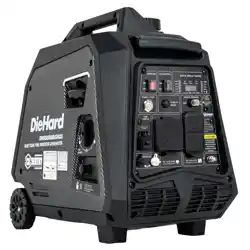
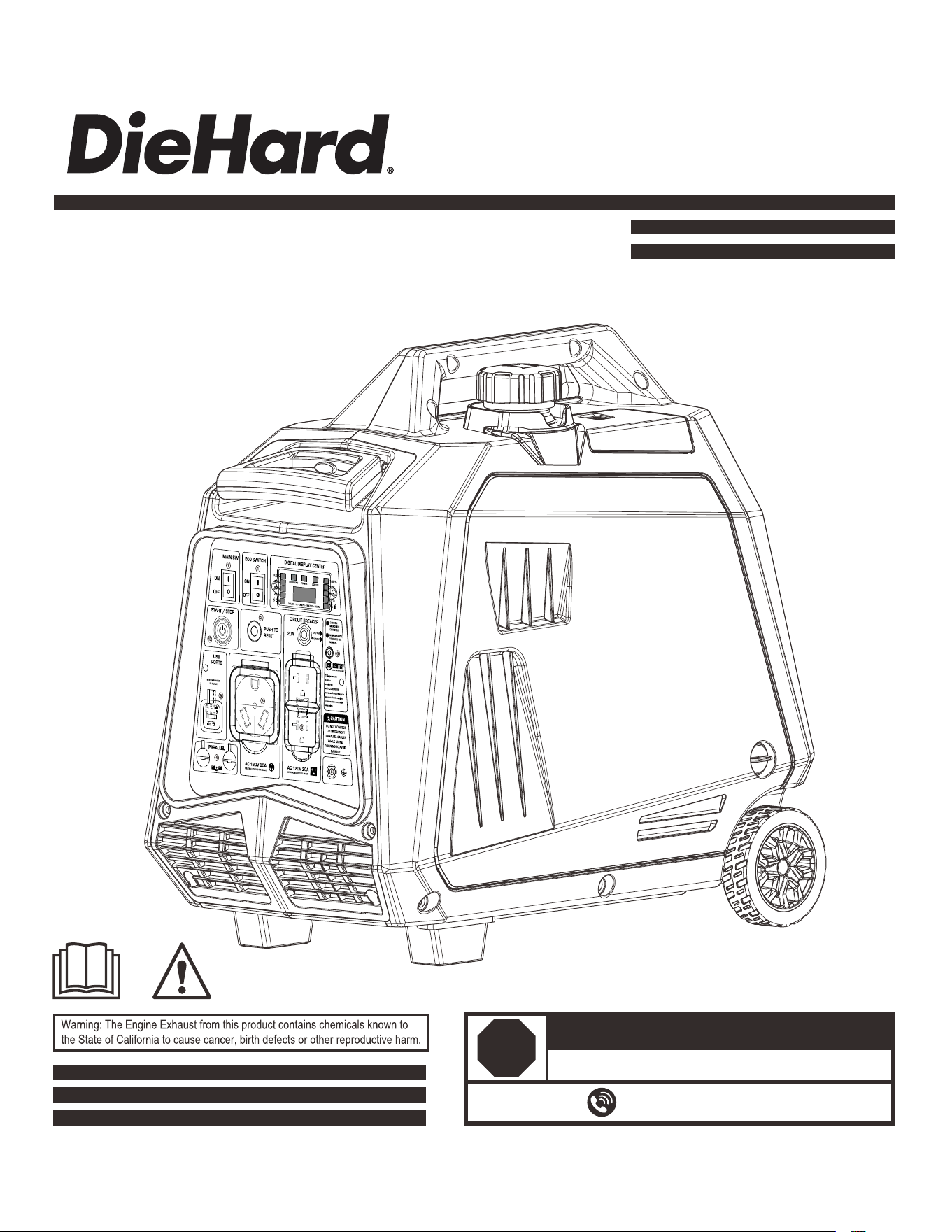
Model No. DHD5000BiSRCO
5000 WATT DUAL FUEL INVERTER
GENERATOR
OPERATOR’S MANUAL
DO NOT RETURN TO STORE!
866-591-8921
HAVE QUESTIONS OR NEED SERVICE?
STOP
1
11
13
14
16
17
18
19
4
5
6
7
9
Table of Contents
Introduction Safety Warnings and Notices
Thank you for choosing DieHard!
This manual provides instruction on how to operate and use your
generator safely and corectly; be sure to read and understand this
manual before using your generator.
If you have ANY questions, please call 866.591.8921 M-F BEFORE
using your generator. All details and images in this manual are
believed to be accurate at the time of publication.
If the generator is resold, kindly include this manual with the
generator
2
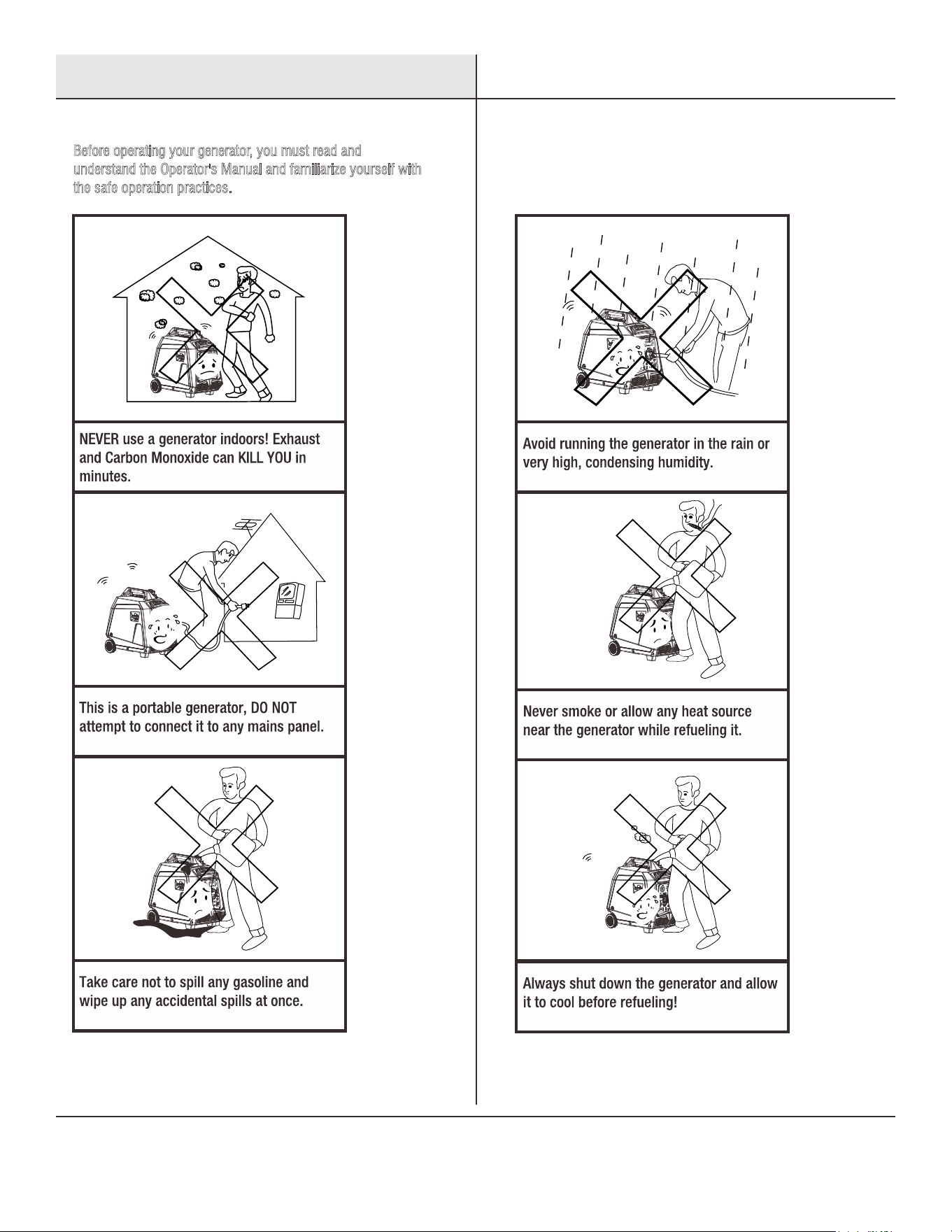
Before operating your generator, you must read and
u
nderstand the Operator's Manual and familiarize yourself with
t
he safe operation practices.
Safety Instructions
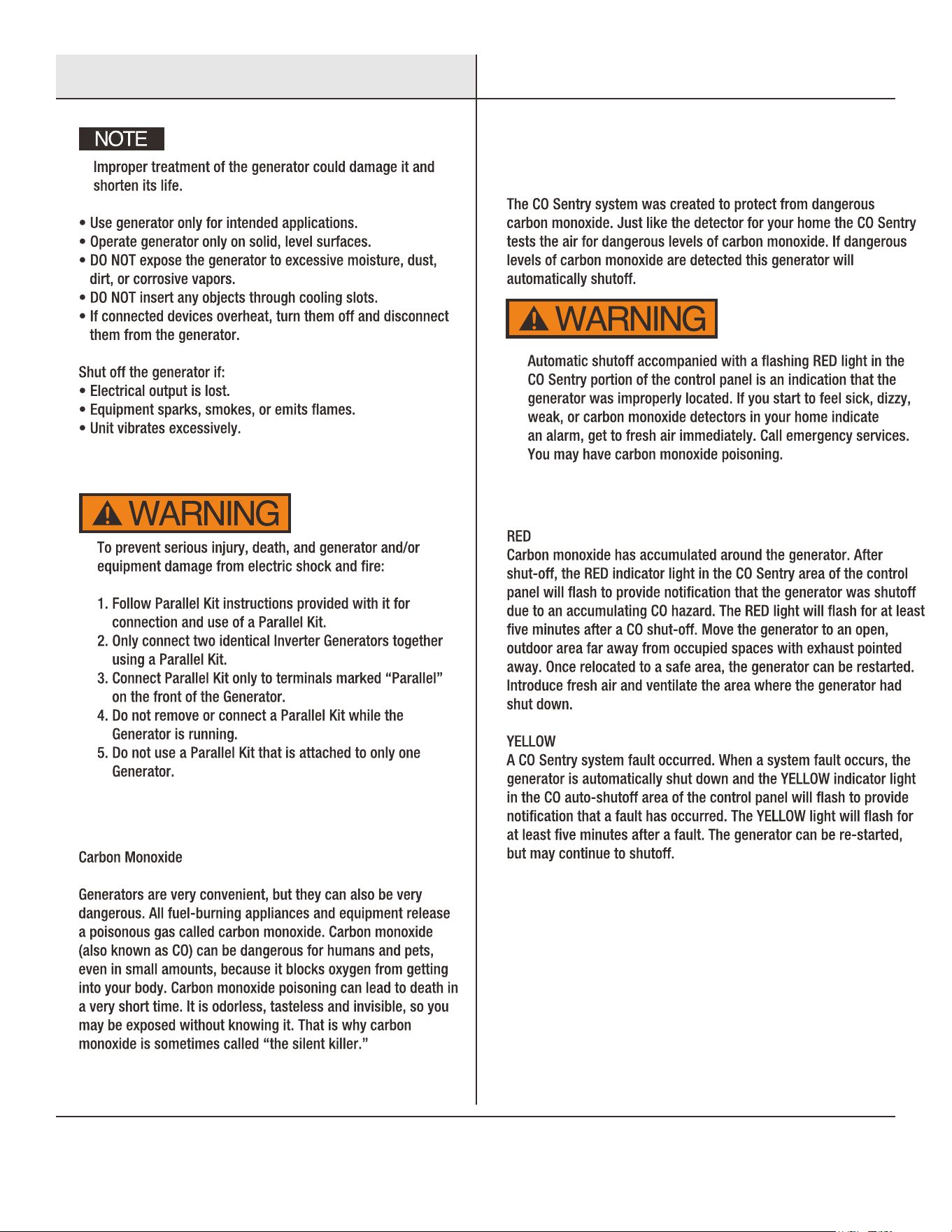
3
Safety Instructions
Parallel Kit Precautions
Carbon Monoxide Safety
CO Sentry Indicator Lights
CO Sentry
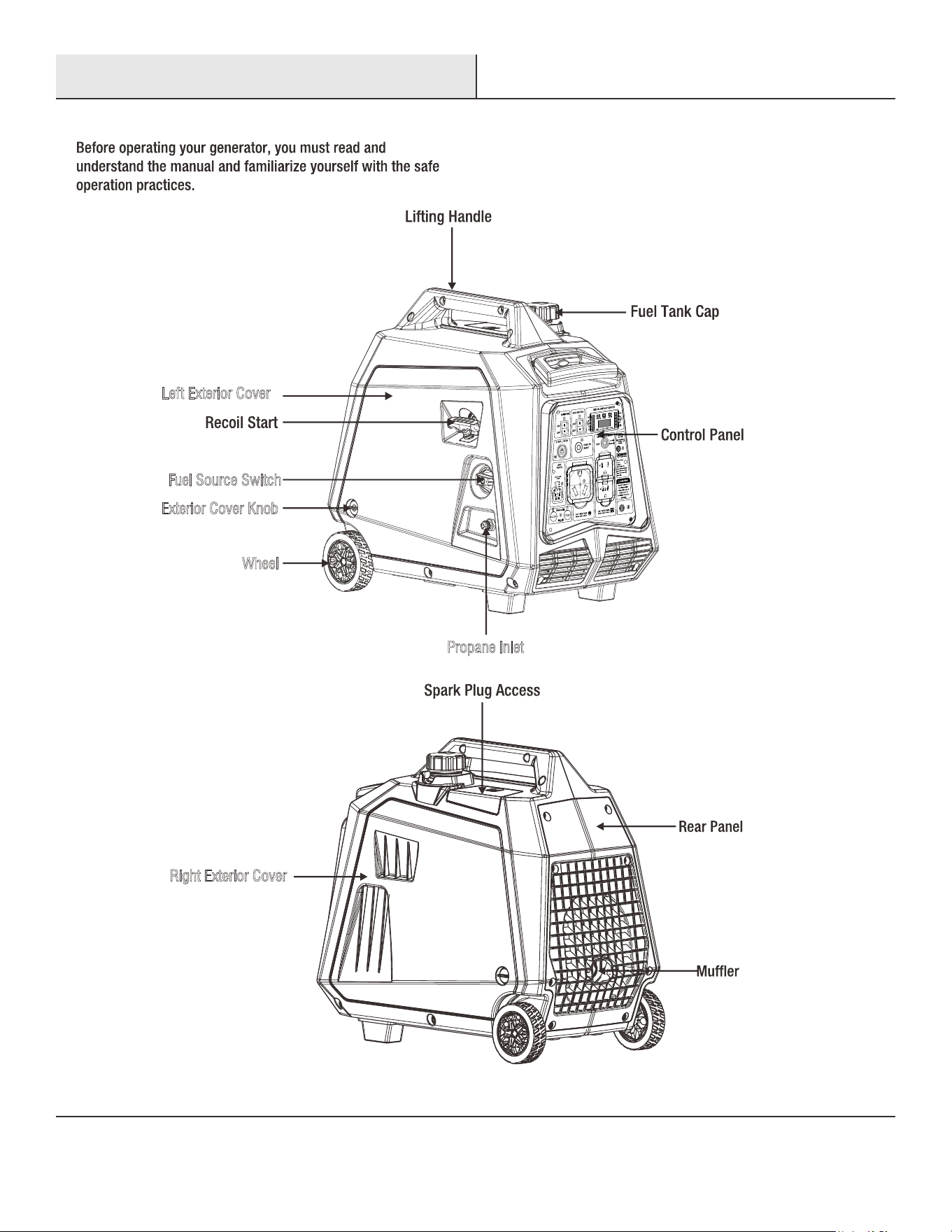
4
Exterior Cover Knob
Wheel
Fuel Source Switch
Propane Inlet
Left Exterior Cover
R
ight Exterior Cover
Names of Components
5
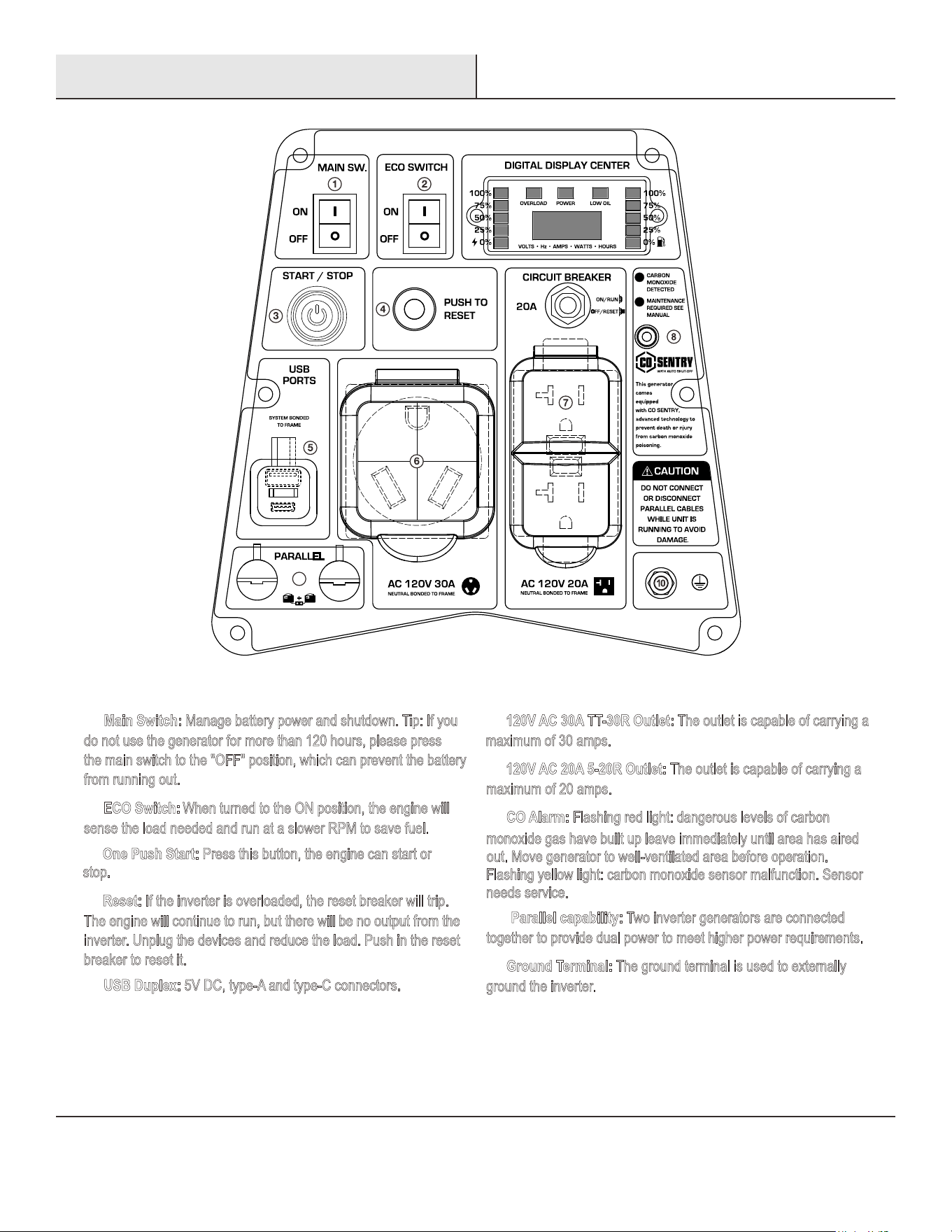
Main Switch: Manage battery power and shutdown. Tip: If you
d
o not use the generator for more than 120 hours, please press
t
he main switch to the "OFF" position, which can prevent the battery
f
rom running out.
①
U
SB Duplex: 5V DC, type-A and type-C connectors.⑤
9
② ECO Switch: When turned to the ON position, the engine will
s
ense the load needed and run at a slower RPM to save fuel.
④
R
eset: If the inverter is overloaded, the reset breaker will trip.
T
he engine will continue to run, but there will be no output from the
i
nverter. Unplug the devices and reduce the load. Push in the reset
b
reaker to reset it.
③
One Push Start: Press this button, the engine can start or
s
top.
120V AC 30A TT-30R Outlet: The outlet is capable of carrying a⑥
m
aximum of 30 amps.
⑦ 120V AC 20A 5-20R Outlet: The outlet is capable of carrying a
m
aximum of 20 amps.
⑧ CO Alarm: Flashing red light: dangerous levels of carbon
m
onoxide gas have built up leave immediately until area has aired
o
ut. Move generator to well-ventilated area before operation.
F
lashing yellow light: carbon monoxide sensor malfunction. Sensor
n
eeds service.
⑨
P
arallel capability: Two inverter generators are connected
t
ogether to provide dual power to meet higher power requirements.
⑩ Ground Terminal: The ground terminal is used to externally
g
round the inverter.
Control Panel
Control Panel Features
6
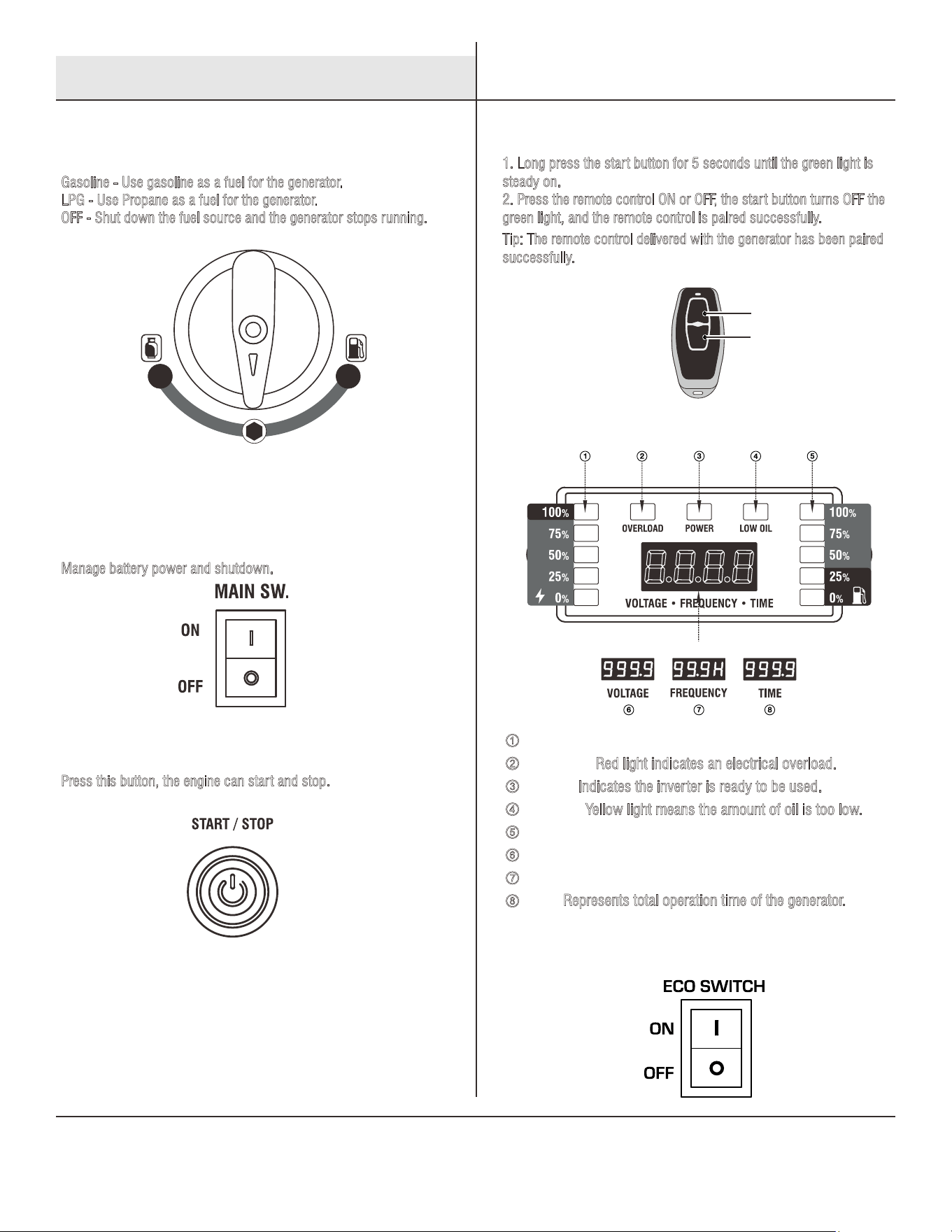
Fuel Source Switch
Fuel Source
Gasoline
LPG
OFF
Press this button, the engine can start and stop.
Gasoline - Use gasoline as a fuel for the generator.
LPG - Use Propane as a fuel for the generator.
OFF - Shut down the fuel source and the generator stops running.
Main Switch
Remote Control
Start Up
Remote Control
ECO Switch
Manage battery power and shutdown.
Remote Control Pairing:
1
. Long press the start button for 5 seconds until the green light is
s
teady on.
2. Press the remote control ON or OFF, the start button turns OFF the
g
reen light, and the remote control is paired successfully.
Tip: The remote control delivered with the generator has been paired
s
uccessfully.
INFORMATION DISPLAY
OFF
ON
OFF
ON
OFF Button
ON Button
①
②
③
④
⑤
POWER OUTPUT
R
ed light indicates an electrical overload.
OVERLOAD:
I
ndicates the inverter is ready to be used.
POWER:
Y
ellow light means the amount of oil is too low.
LOW OIL:
GASOLINE FUEL METER
⑥
VOLTAGE
⑦
FREQUENCY
⑧
Represents total operation time of the generator. TIME:
Control Functions
7
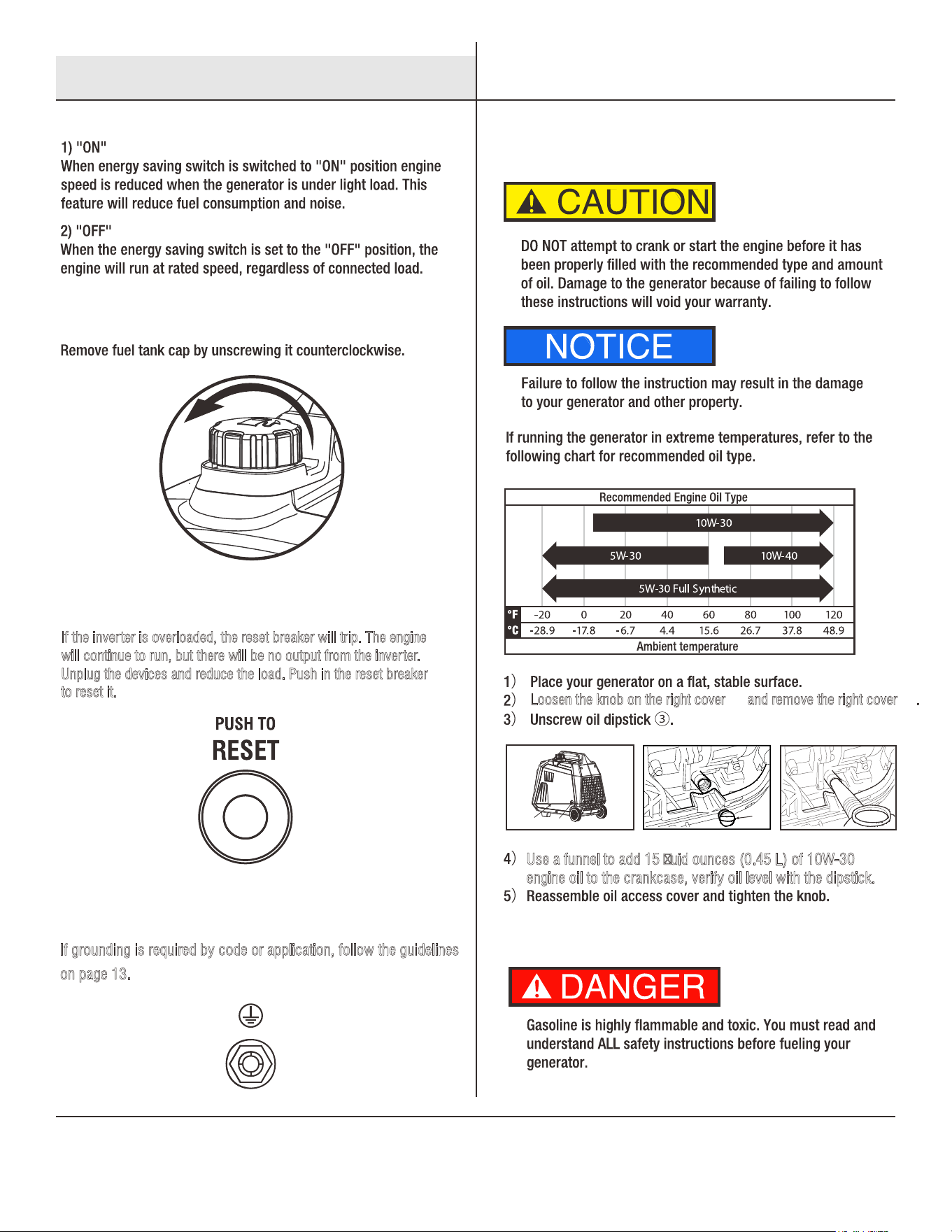
If the inverter is overloaded, the reset breaker will trip. The engine
w
ill continue to run, but there will be no output from the inverter.
U
nplug the devices and reduce the load. Push in the reset breaker
to reset it.
If grounding is required by code or application, follow the guidelines
o
n page 13.
③
②
①
Loosen the knob on the right cover and remove the right cover .① ②
Use a funnel to add 15 uid ounces (0.45 L) of 10W-30
e
ngine oil to the crankcase, verify oil level with the dipstick.
Fuel Tank Cap
Engine Oil
Fuel
Grounding Terminal
Reset
Control Functions Preparing Your Generator
8
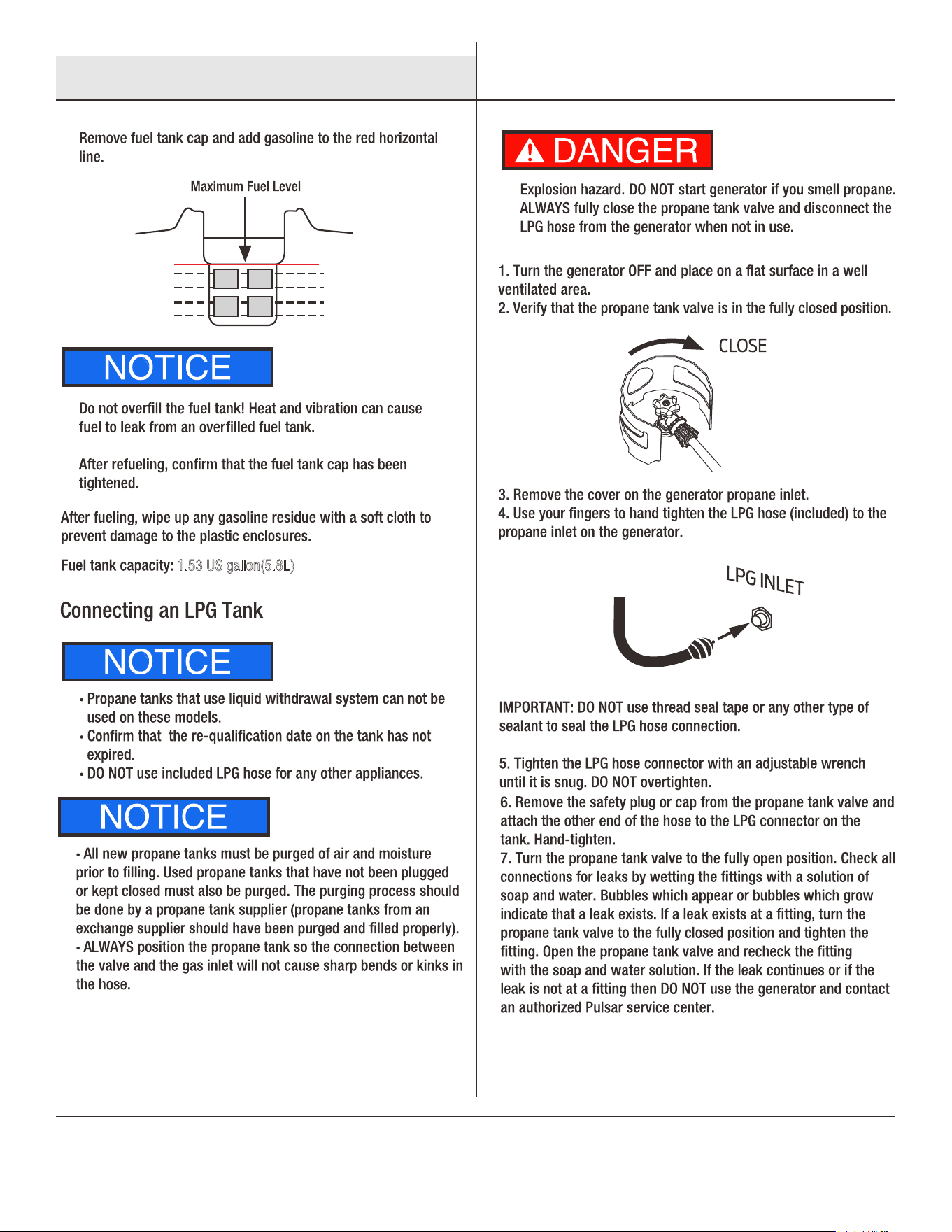
1.53 US gallon(5.8L)
Preparing Your Generator
9
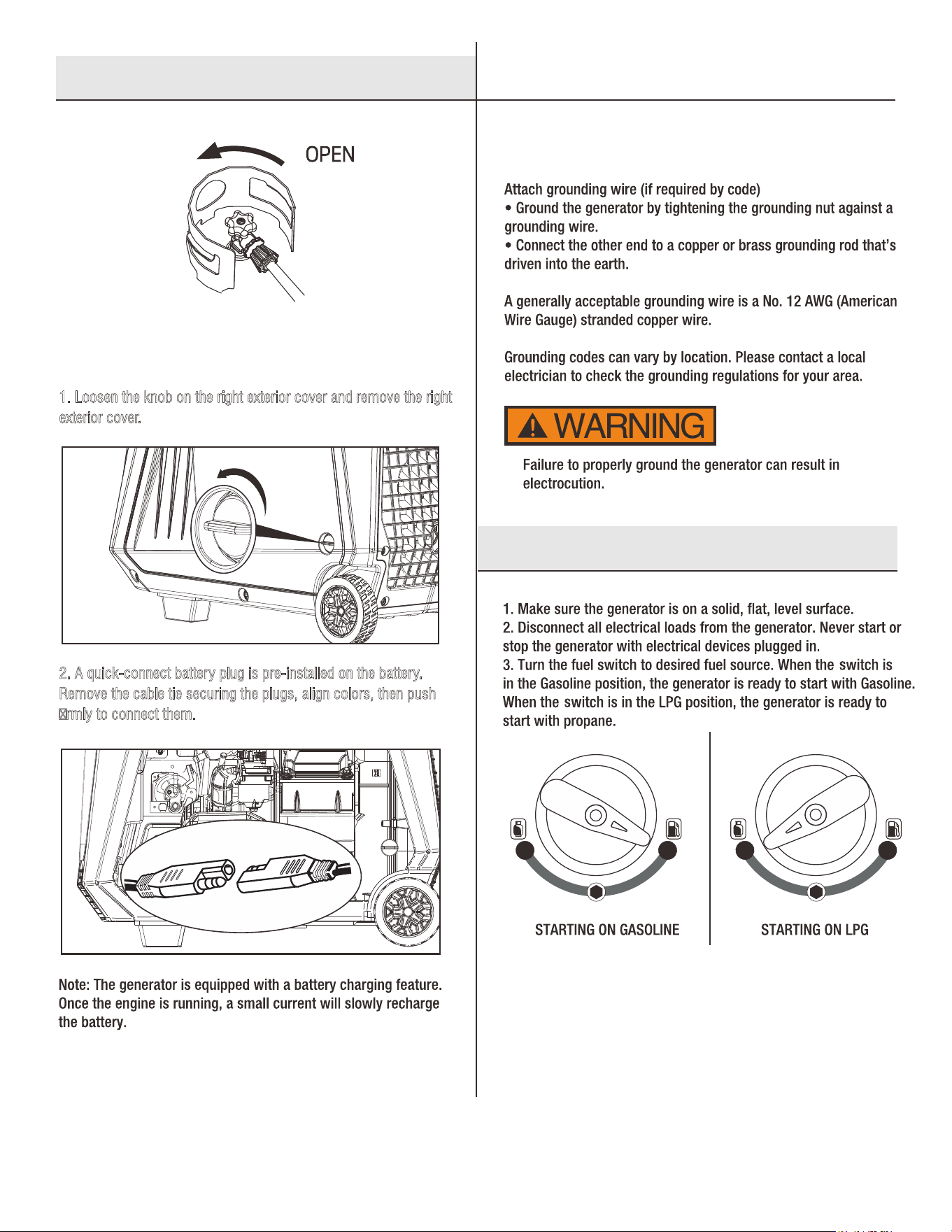
1. Loosen the knob on the right exterior cover and remove the right
e
xterior cover.
2. A quick-connect battery plug is pre-installed on the battery.
R
emove the cable tie securing the plugs, align colors, then push
rmly to connect them.
OPEN
Connecting The Battery
Grounding The Generator
Preparing Your Generator
Starting The Generator
10
OFF
ON
OFF Button
ON Button
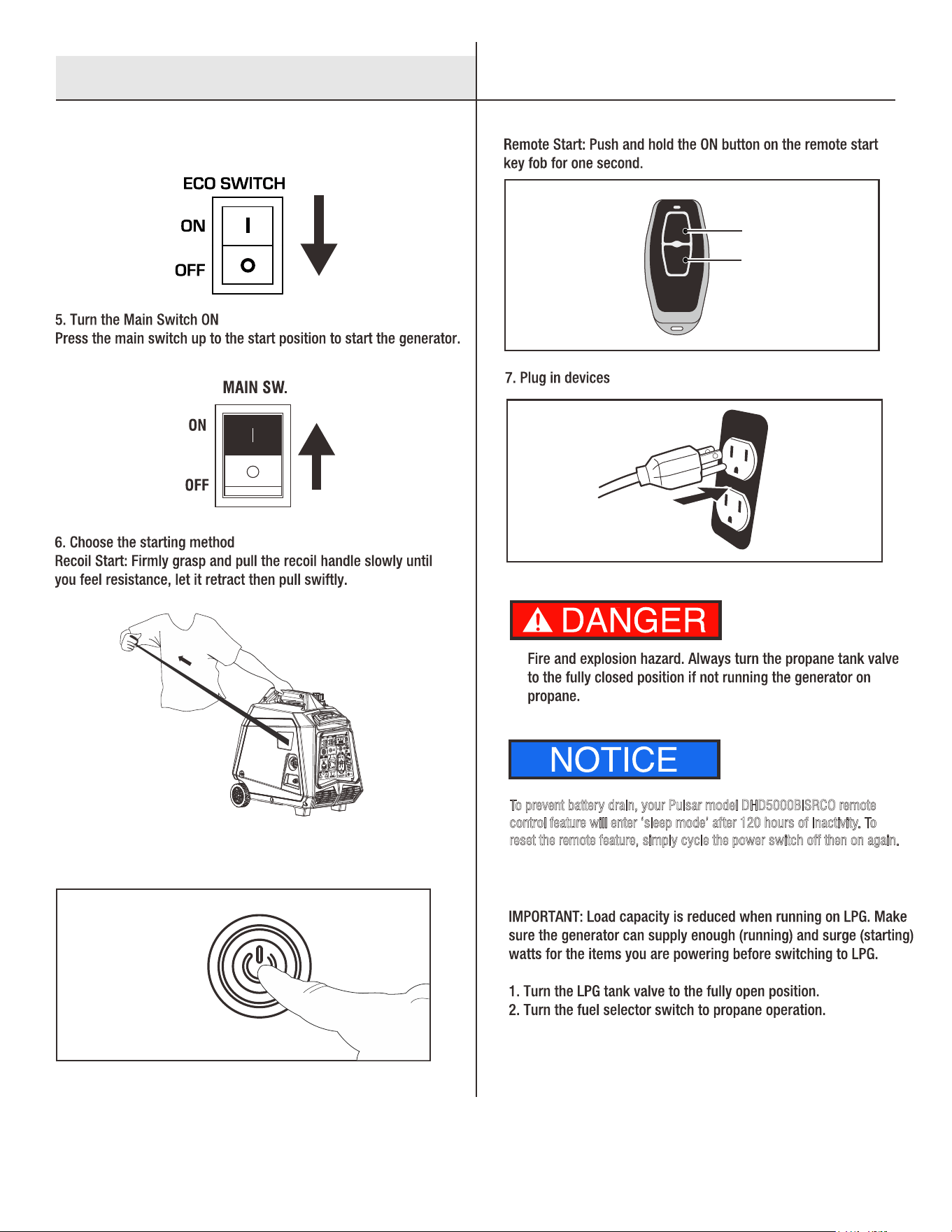
To prevent battery drain, your Pulsar model DHD5000BiSRCO remote
c
ontrol feature will enter ‘sleep mode’ after 120 hours of inactivity. To
r
eset the remote feature, simply cycle the power switch off then on again.
Button Start: Press the start button down for 1-3 seconds, then
release, to start the generator.
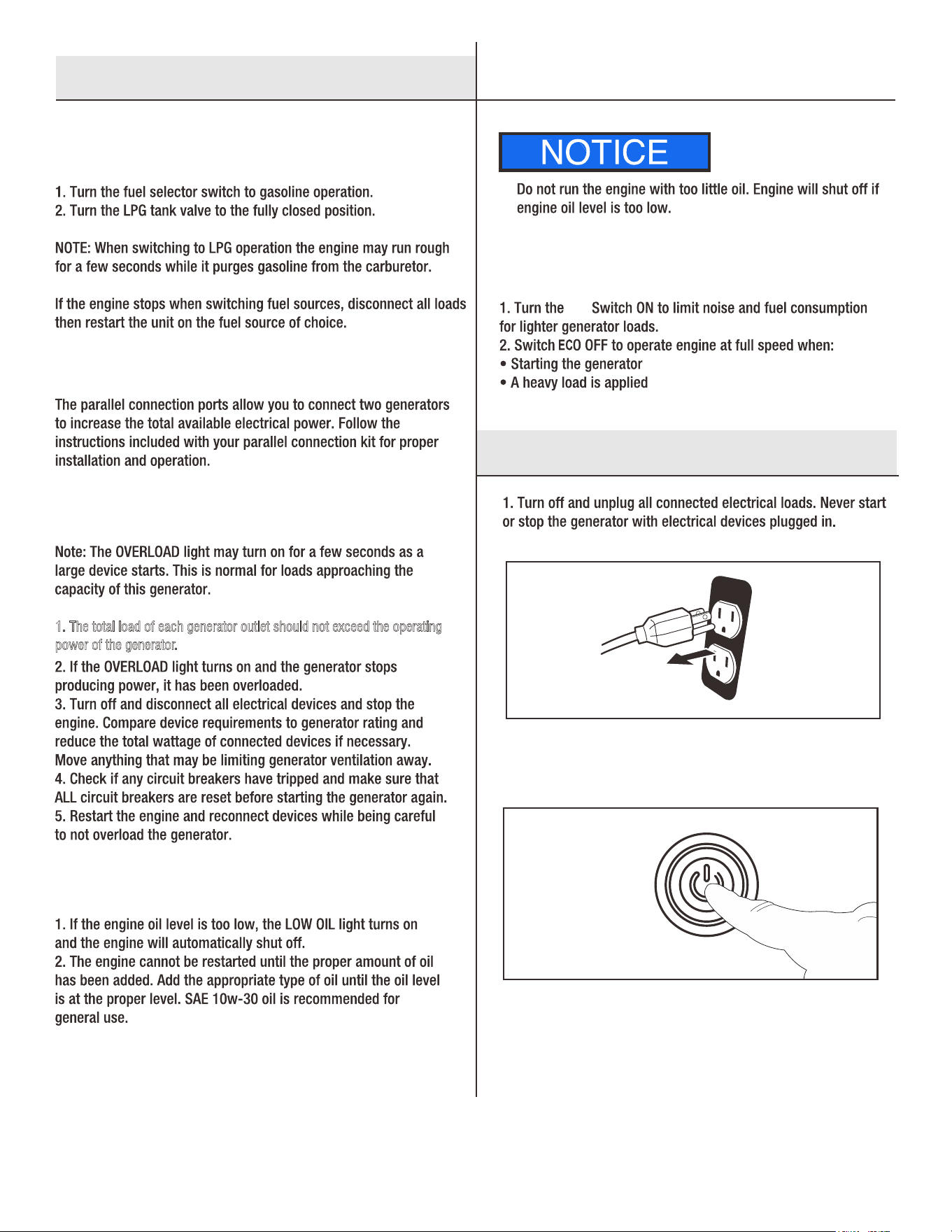
4. Move the switch to "OFF" when starting the generator.
Gasoline To LPG
Starting The Generator
11
2. Stop the generator
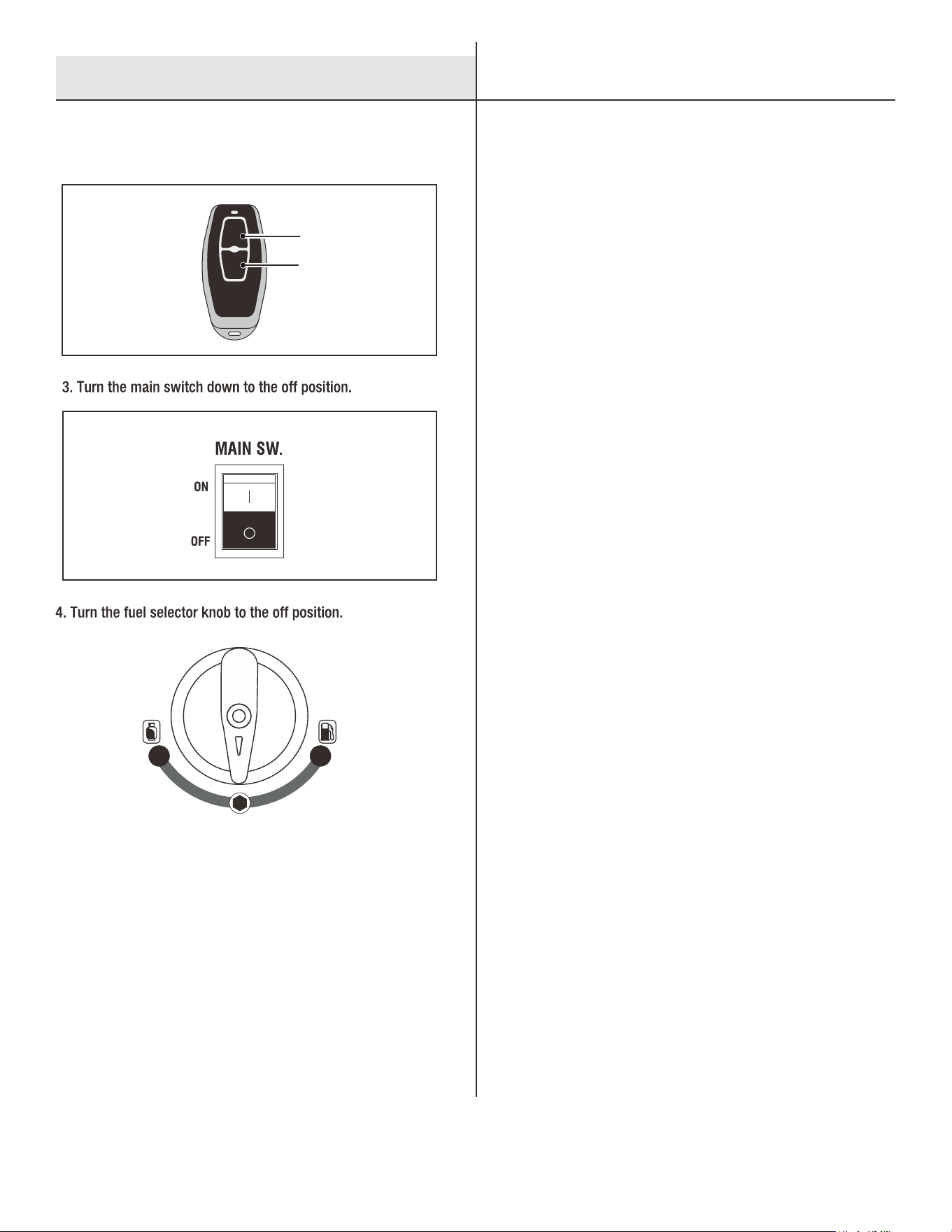
a. Button Stop: Press the button to turn off the generator.
1. The total load of each generator outlet should not exceed the operating
p
ower of the generator.
ECO
ECO Switch
LPG To Gasoline
Parallel Operation
Overload Indicator
Low Oil Indicator
Starting The Generator
Shutting Down The Generator
12
OFF
ON
OFF Button
ON Button
5. After the generator has completely cooled down, remove
propane hose if applicable and store the generator in a cool,
dry, sheltered storage area.
6. Remove or consume all untreated gasoline if you plan to
store the generator longer than 3 months.
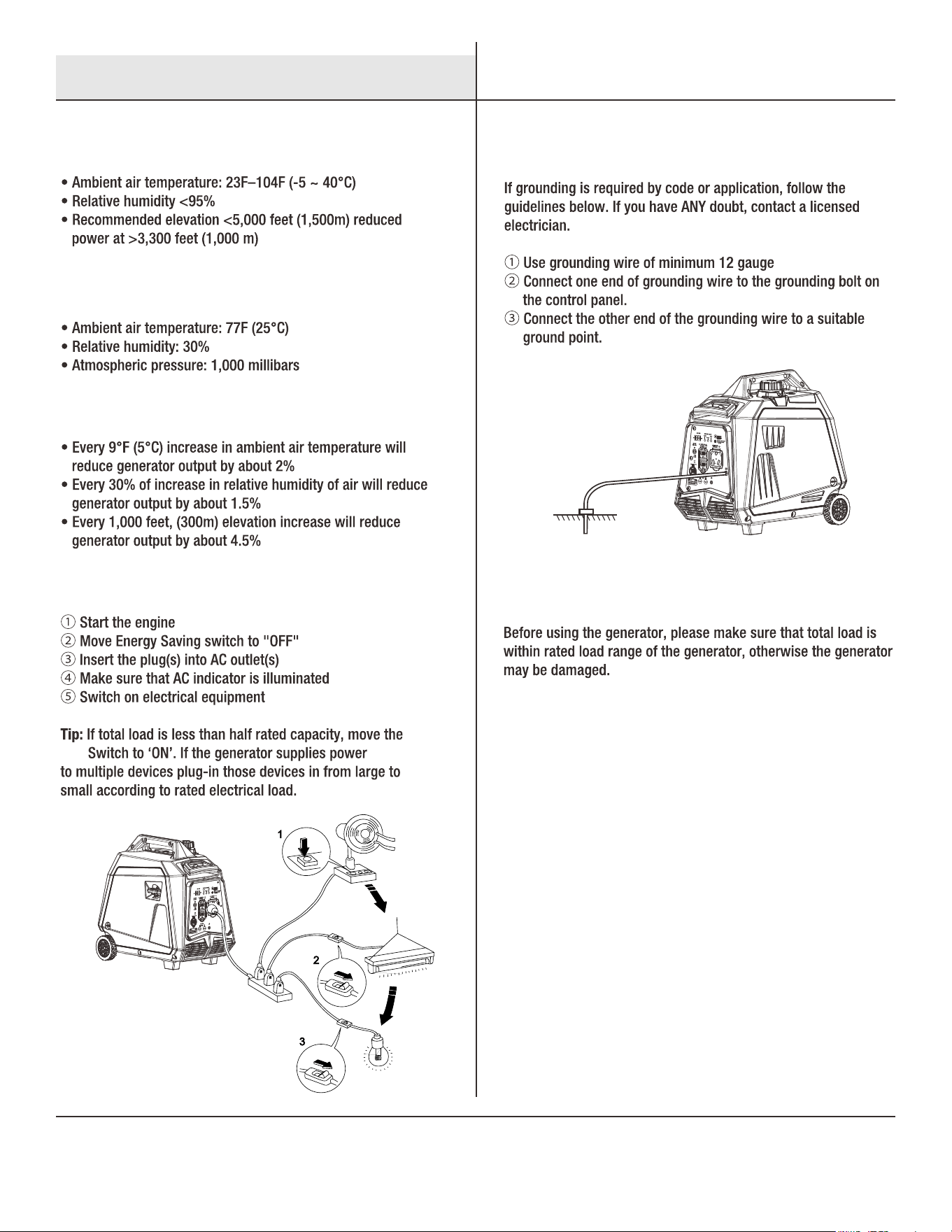
b. Remote Stop: Hold down the OFF button on the remote start
key for one second.
Shutting Down The Generator
13
ECO
Operating Range Of The Generator
Ideal Atmospheric Conditions
Standard Deration:
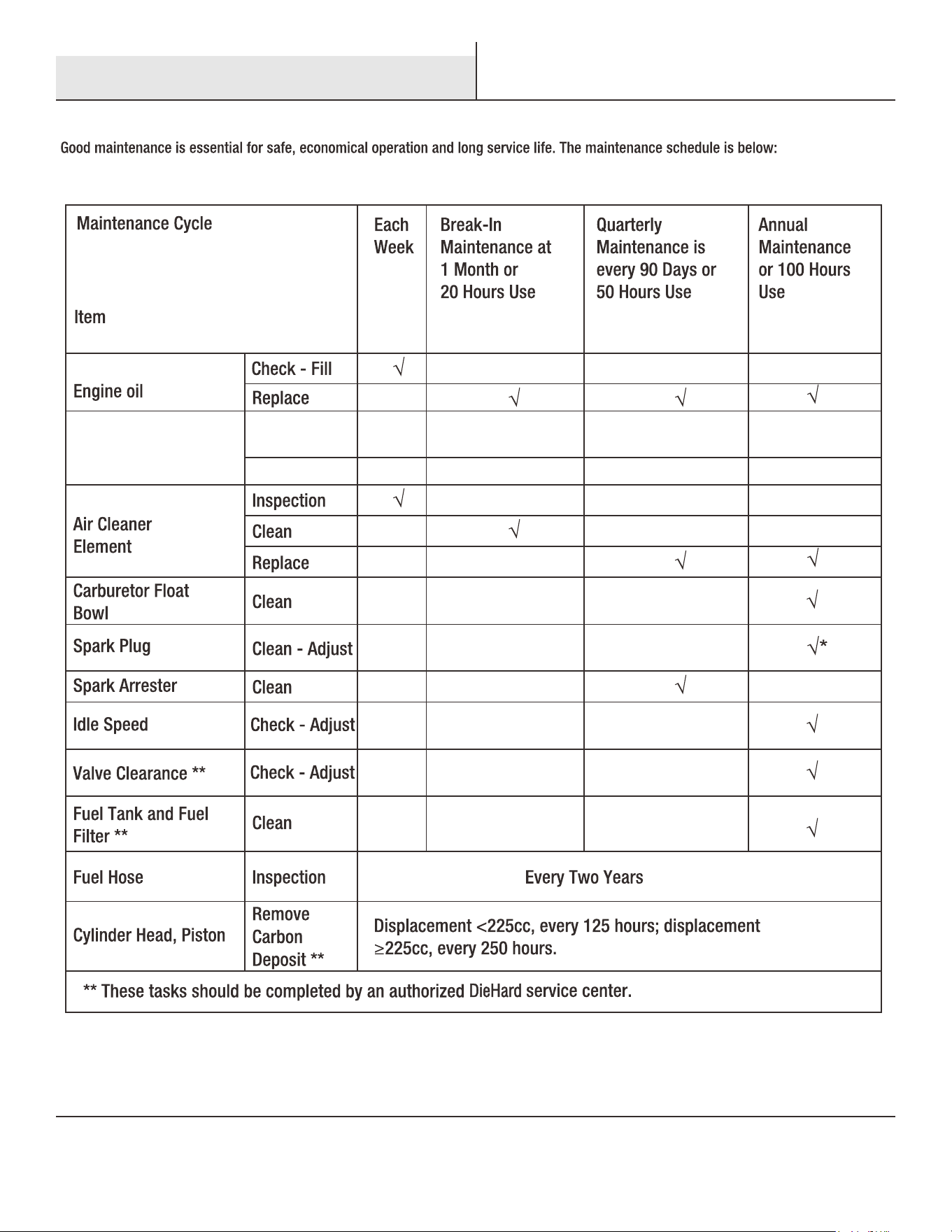
Connecting Loads To The Generator
Connecting Grounding
Range Of Application
Using The Generator
14
Service and Maintenance
15
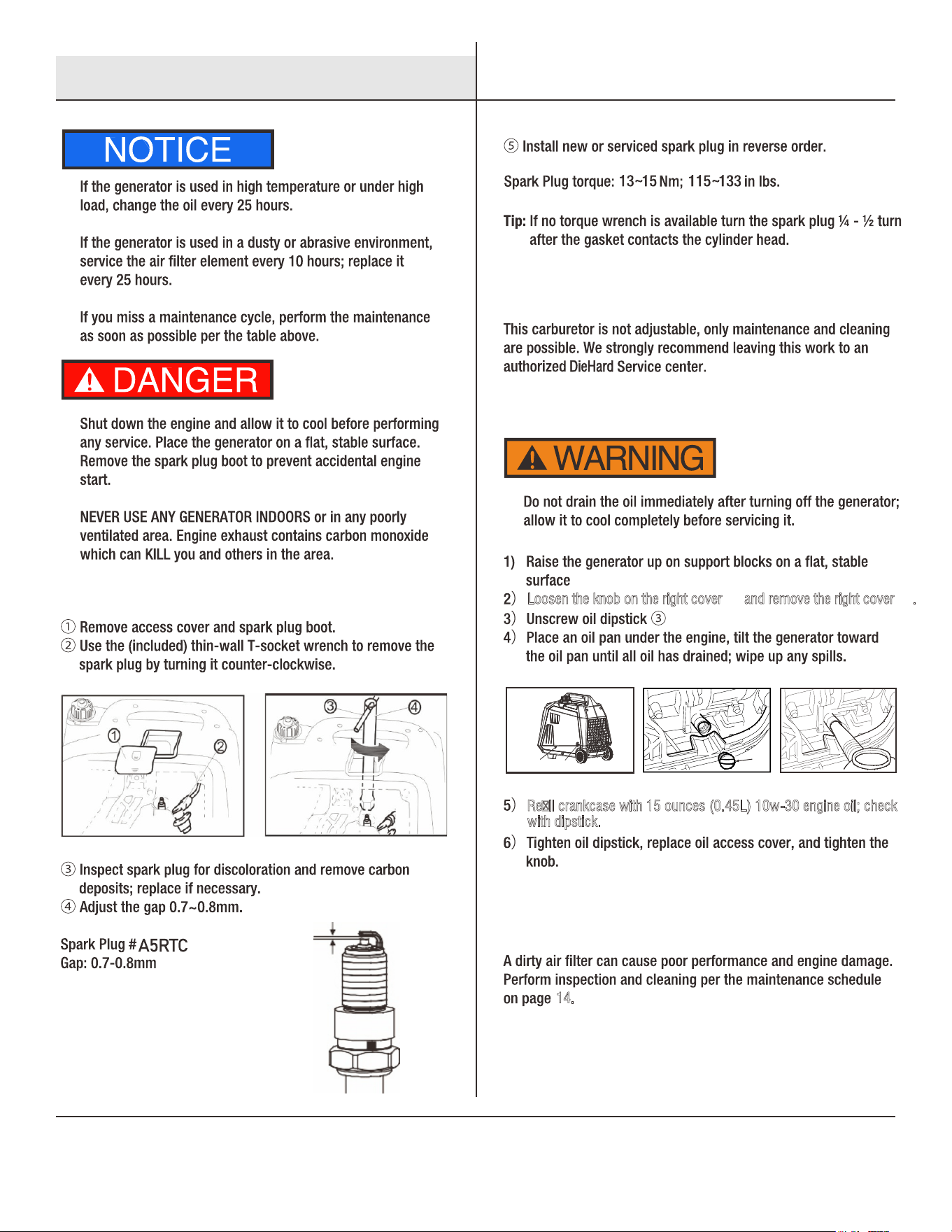
③
Loosen the knob on the right cover and remove the right cover .① ②
②
①
Rell crankcase with 15 ounces (0.45L) 10w-30 engine oil; check
w
ith dipstick.
14.
Spark Plug
Oil Change
Adjustment Of The Carburetor
Air Filter
Service and Maintenance
16
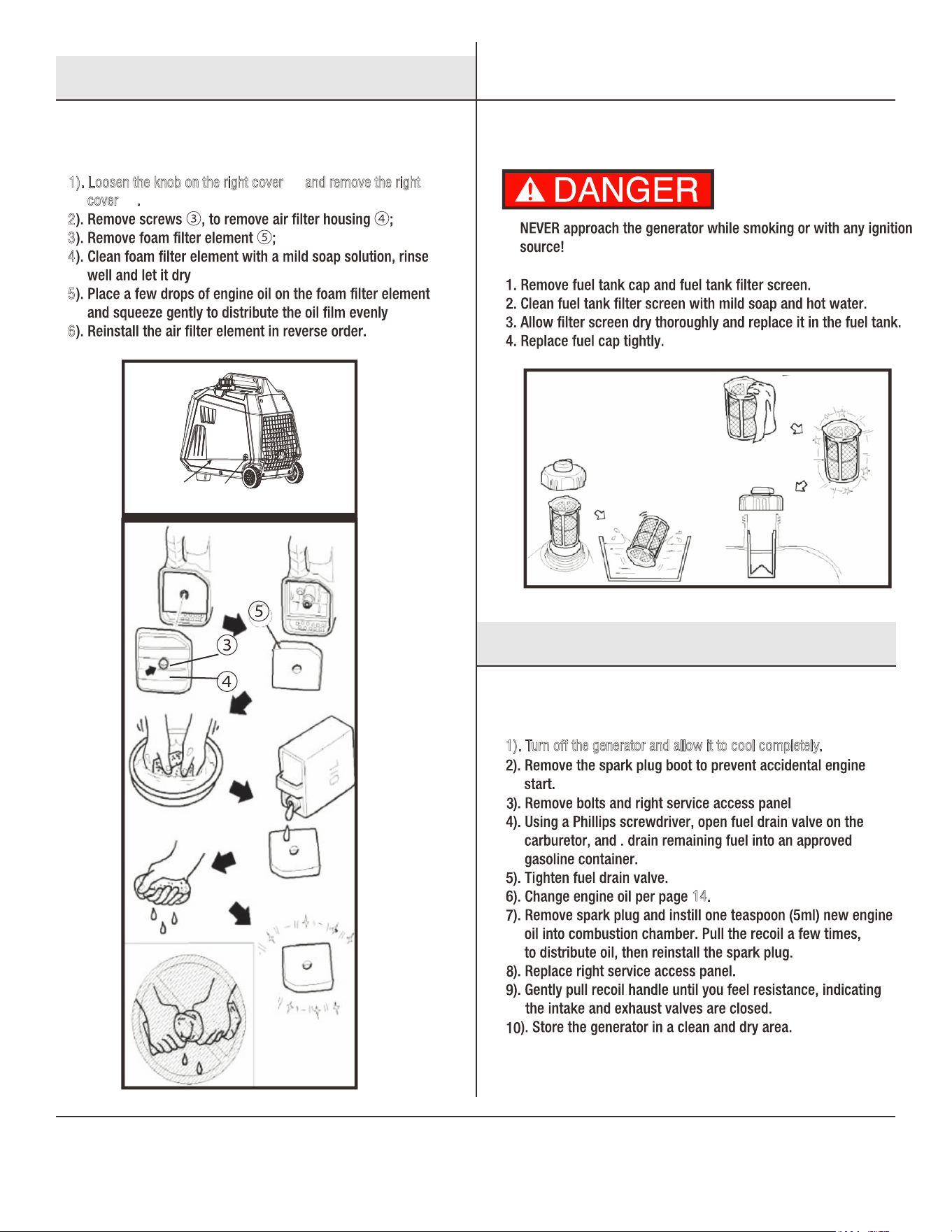
1). Turn off the generator and allow it to cool completely.
2
3
4
5
6
1). Loosen the knob on the right cover and remove the right ①
c
over .②
②
①
14.
Air Filter
Fuel Filter Screen
Generator Long Term Storage
Service and Maintenance
Storage and Transport
17
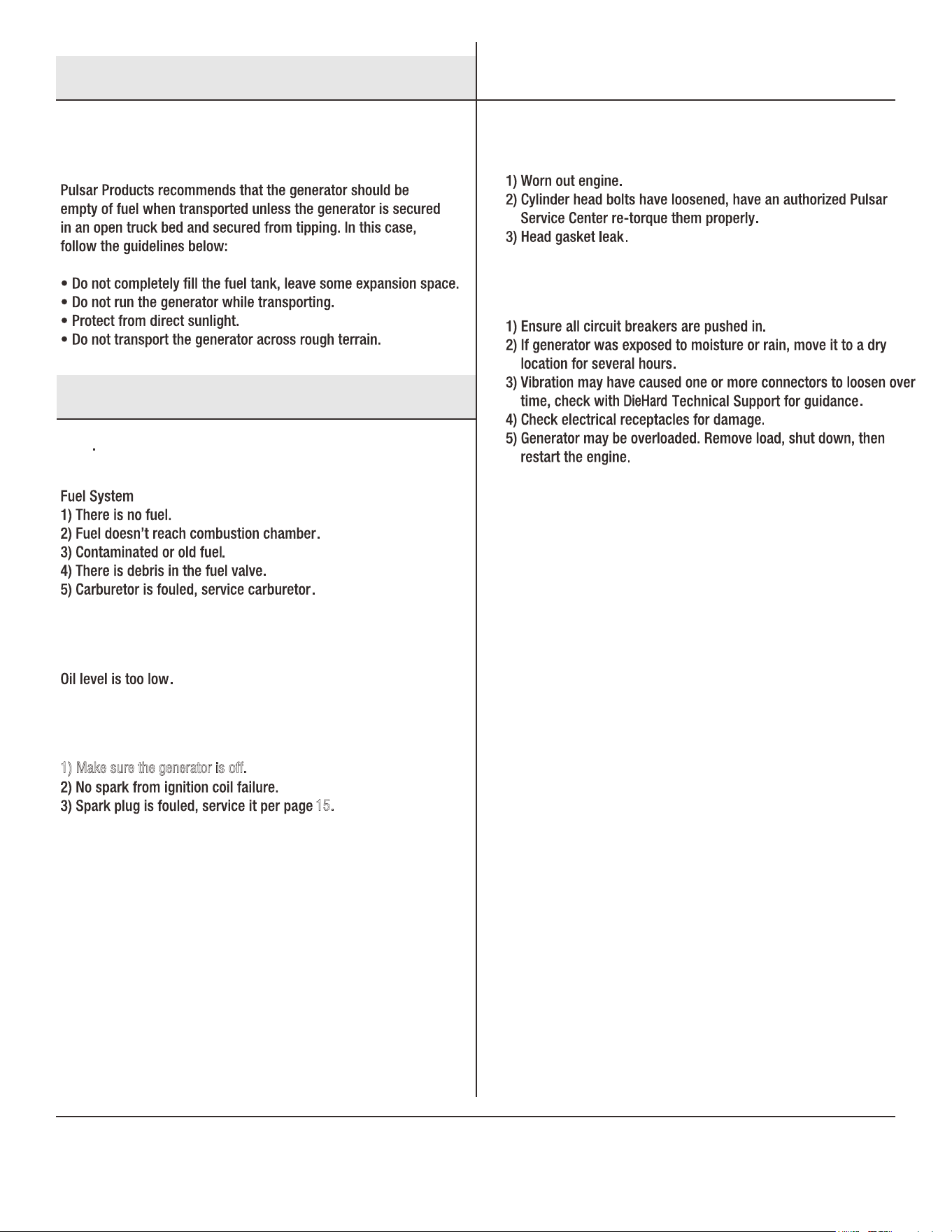
1) Make sure the generator is off.
15.
Generator Transport
Engine No-Start
Insufficient Engine Oil
Ignition System
Low Compression
Engine Runs, No Power Output
Storage and Transport
Troubleshooting
18
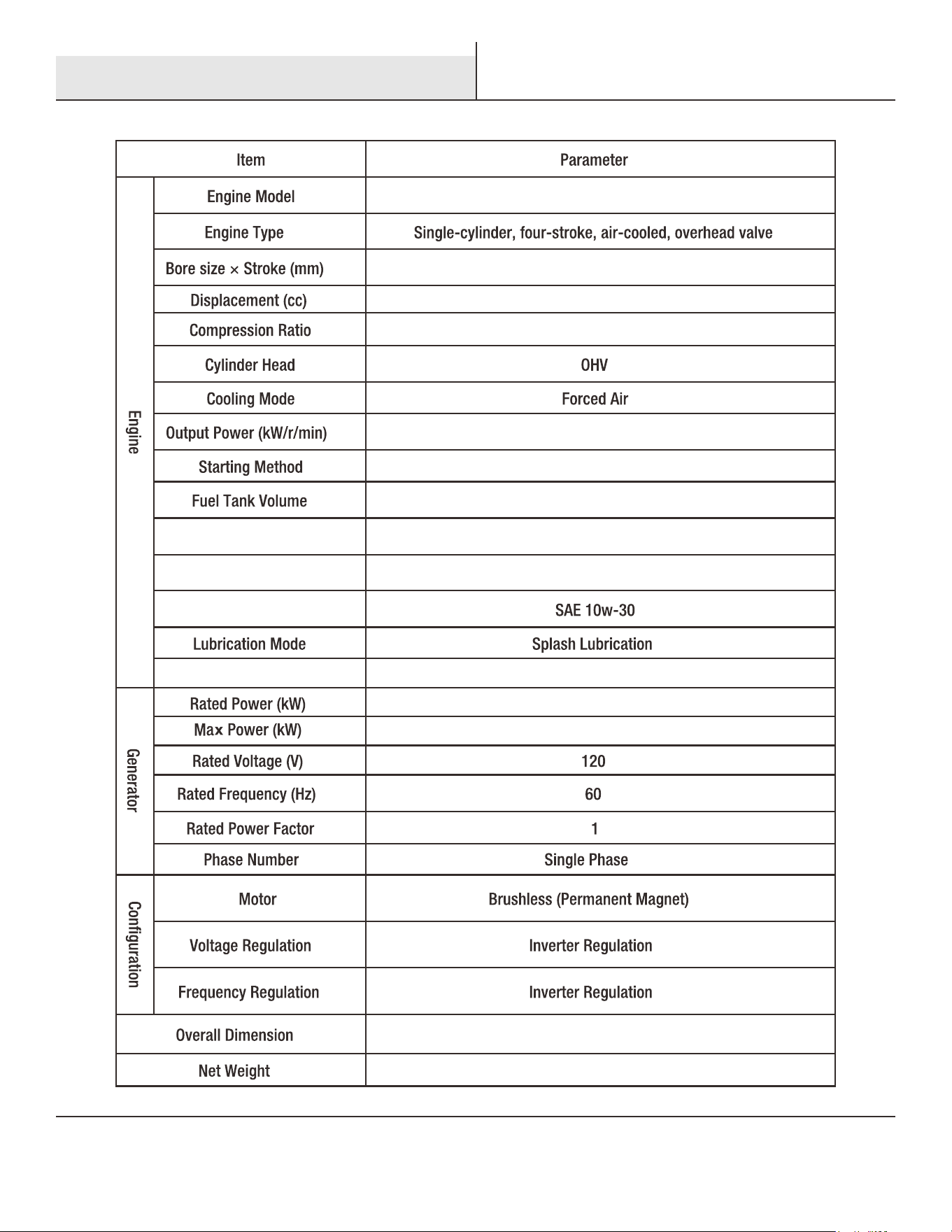
165F/P-1
65×48
160
1.53 Gallon (5.8L)
15 Ounces (0.45L)
4.0(Gasoline)/3.6(Propane)
20.9”x12.2”x19.7”
59.5lbs.(27kg)
60
8.5:1
4.8/4500
Noise dB (@ 7m)(1/4 load)
Electric and Manual Recoil
5.0(Gasoline)/4.5(Propane)
Engine Oil Capacity
Oil Type
Fuel Type Unleaded Gasoline / LPG (Propane)
Technical Parameters
19
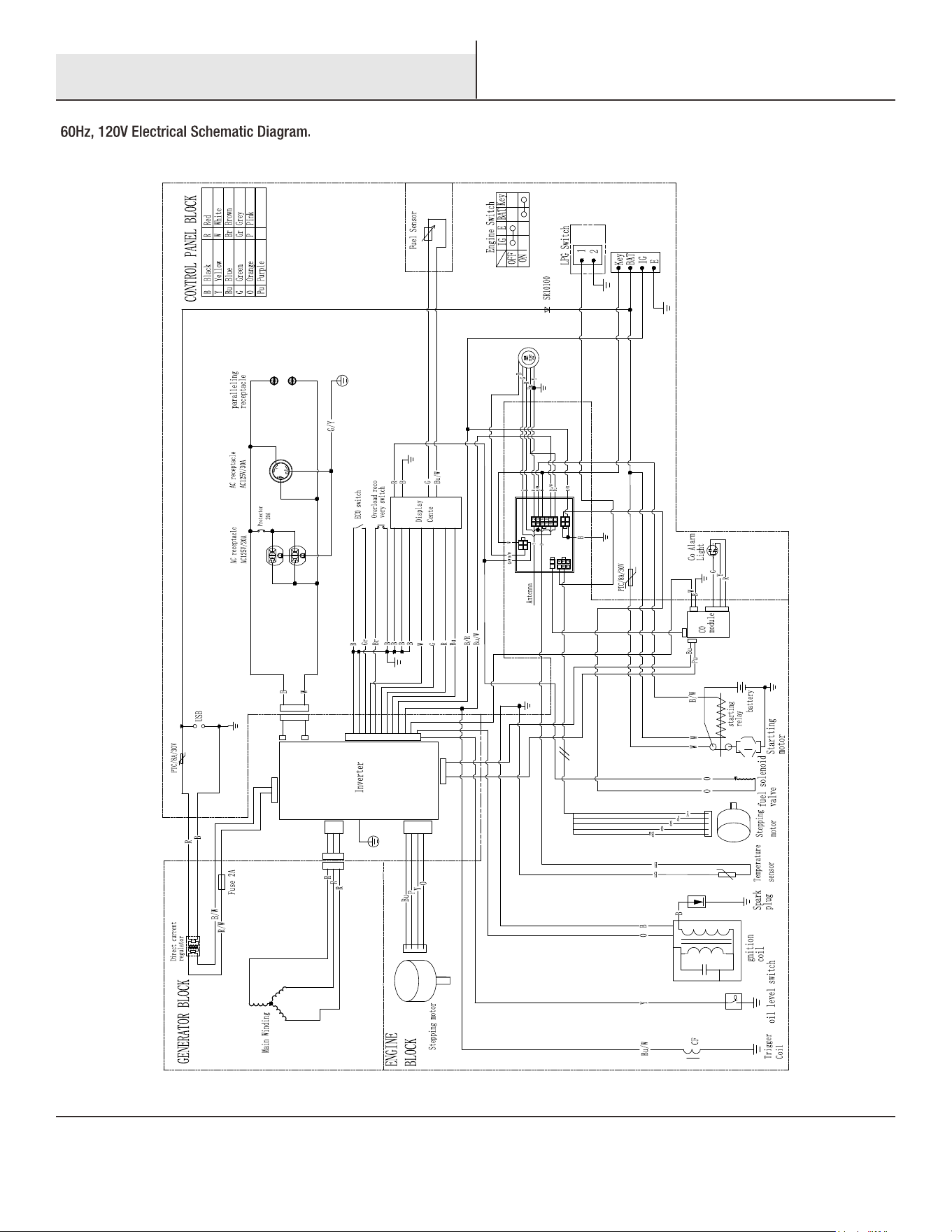
Electrical Schematic

20