中文说明书 English
Dear Users:
Thank you for choosing our product. Please read this manual
carefully before use. To avoid malfunctions, please use original
accessories only.
There may be minor dierences between the manual and the
actual product due to production batches; please refer to the
product itself.
Do not rinse with high-pressure water or immerse the product
in water.
Please abide by trac laws. For your and others' safety, do not
operate or check this product while driving.
This product and its functions are for driving assistance only.
The company shall not be held liable for any accidents caused by
distracted driving.
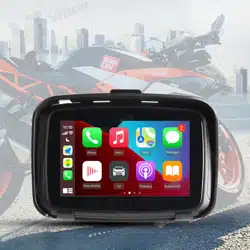
CarPlay Connection Guide
1.An Apple iPhone.
2.Open the Settings app on your phone, select General > CarPlay
to enable this function.
3.Connect via Bluetooth and complete pairing. The rst
connection takes tens of seconds, and the CarPlay inteace will
appear on the screen. (Bluetooth name: Motor-******)
4.After successful connection, you can use various functions on
the CarPlay inteace, such as making calls, using the navigation
system, etc.
Android Auto Connection:
1.Prepare an Android phone. On the unit, select Android Auto
under Mobile Interconnection.
2.The Bluetooth name of this device is “Motor-******”.
3.Phone Settings → Connected devices → New device → Search
and select “Motor-******” → Yes → Allow access to messages →
Setup completed.
4.The phone will automatically enter Android Auto on the next
connection.
CarPlay Turn On and O:
1.How to disconnect CarPlay / Android Auto?
Answer: Turn o Wi-Fi or ignore this Bluetooth connection on your
iPhone or Android phone.
2.How to reconnect after manually disconnecting CarPlay / Android
Auto?
Answer: Tap Bluetooth on your phone again to connect to the device.
3.How to connect CarPlay or Android Auto after the unit is powered
o and restaed?
Answer: It will reconnect automatically after resta.
Deutsch
Sehr geehe Benutzer:
vielen Dank, dass Sie sich für unser Produkt entschieden haben.
Bitte lesen Sie dieses Handbuch vor der Verwendung sorgfältig
durch. Um Störungen zu vermeiden, verwenden Sie
ausschließlich Originalzubehör.Aufgrund von Produktionschargen
können geringfügige Abweichungen zwischen dem Handbuch
und dem tatsächlichen Produkt bestehen; maßgeblich ist das
Pro d u kt se l b st .S pü l en S ie da s Pro d uk t ni c ht m it
Hochdruckwasser ab und tauchen Sie es nicht in Wasser ein.Bitte
halten Sie sich an die Verkehrsregeln. Zu Ihrer Sicherheit und der
Sicherheit anderer Personen düen Sie dieses Produkt während
der Fah nicht bedienen oder prüfen.Dieses Produkt und seine
Funktionen dienen lediglich der Fahrerassistenz. Das
Unternehmen haftet nicht für Unfälle, die durch Ablenkung
während der Fah verursacht werden.
CarPlay Verbindungsanleitung
1.Ein Apple iPhone.
2 Önen Sie die App „Einstellungen“ auf Ihrem Telefon und
wählen Sie Allgemein > CarPlay, um diese Funktion zu aktivieren.
3 Verbinden Sie sich über Bluetooth und schließen Sie die
Kopplung ab. Die erste Verbindung daue einige Dutzend
Sekunden, dann wird die CarPlay-Benutzerobeläche auf dem
Bildschirm angezeigt. (Bluetooth-Name: Motor-******)
4.Nach eolgreicher Verbindung können Sie verschiedene
Funktionen über die CarPlay-Benutzerobeläche nutzen, z. B.
Anrufe tätigen, das Navigationssystem verwenden usw.
Android Auto Verbindung:
1.Bereiten Sie ein Android-Telefon vor. Wählen Sie am Gerät unter
„Mobile Vernetzung“ die Option Android Auto.
2.Der Bluetooth-Name dieses Geräts lautet „Motor-******“.
3.Telefoneinstellungen → Verbundene Geräte → Neues Gerät →
Suchen und „Motor-******“ auswählen → Ja → Zugri
4.auf Nachrichten erlauben → Einrichtung abgeschlossen.
Beim nächsten Mal staet das Telefon automatisch Android Auto.
CarPlay Ein- und Ausschalten:
1.Wie trennt man die Verbindung von CarPlay / Android Auto?
Antwort: Schalten Sie WLAN auf Ihrem iPhone oder Android-Telefon
aus oder ignorieren Sie diese Bluetooth-Verbindung.
2.Wie stellt man die Verbindung wieder her, nachdem Sie CarPlay /
Android Auto manuell getrennt haben?
Antwort: Tippen Sie auf Ihrem Telefon erneut auf Bluetooth, um sich
mit dem Gerät zu verbinden.
3.Wie verbinden Sie CarPlay oder Android Auto, nachdem das Gerät
ausgeschaltet und neu gestartet wurde?
Antwort: Nach dem Neustart erfolgt die automatische
Wiederverbindung.
Italienisch
Gentili utenti:
grazie per aver scelto il nostro prodotto. Leggere attentamente
questo manuale prima dell’uso. Per evitare guasti, utilizzare solo
accessori originali.
A causa dei lotti di produzione, potrebbero esserci piccole
dierenze tra il manuale e il prodotto reale; fare riferimento al
prodotto stesso.
Non sciacquare il prodotto con acqua ad alta pressione né
immergerlo nell’acqua.
Rispettare le norme del traco. Per la vostra sicurezza e quella
degli altri, non utilizzare né controllare questo prodotto durante
la guida.
Questo prodotto e le sue funzioni sono solo un ausilio alla
guida. L’azienda non si assume alcuna responsabilità per
incidenti causati dalla distrazione alla guida.
Guida alla connessione CarPlay
1.Un iPhone Apple.
2.Apri l’app Impostazioni sul telefono e seleziona Generali >
CarPlay per abilitare questa funzione.
3.Connettiti tramite Bluetooth e completa l’associazione. La prima
connessione richiede alcune decine di secondi; l’inteaccia di
CarPlay apparirà sullo schermo. (Nome Bluetooth: Motor-******)
4.Dopo la connessione riuscita, puoi utilizzare varie funzioni
sull’inteaccia CarPlay, come eettuare chiamate, usare il sistema
di navigazione e altro.
Connessione Android Auto:
1.Prepara un telefono Android. Sull’unità seleziona Android Auto
nella voce Interconnessione mobile.
2.Il nome Bluetooth di questo dispositivo è “Motor-******”.
3.Impostazioni telefono → Dispositivi connessi → Nuovo
dispositivo → Cerca e seleziona “Motor-******” → Sì → Consenti
accesso ai messaggi → Congurazione completata.
4.Il telefono avvierà automaticamente Android Auto al prossimo
collegamento.
Accensione e spegnimento di CarPlayf:
1.Come disconnettere CarPlay / Android Auto?
Risposta: Disattiva il Wi-Fi oppure ignora questa connessione Bluetooth
dal tuo iPhone o telefono Android.
2.Come riconnettersi dopo aver disconnesso manualmente CarPlay /
Android Auto?
Risposta: Tocca nuovamente Bluetooth sul telefono per collegai al
dispositivo.
3.Come collegare CarPlay o Android Auto dopo lo spegnimento e il
riavvio dell’unità?
Risposta: Si riconnetterà automaticamente dopo il riavvio.
русский язык
1.Телефон Apple iPhone.
2.Откройте приложение «Настройки» на телефоне, выберите
«Основные» > CarPlay для включения этой функции.
3.Подключитесь по Bluetooth и завершите сопряжение.
Первое подключение занимает несколько десятков секунд,
интерфейс CarPlay отобразится на экране. (Имя Bluetooth:
Motor-******)
4.После успешного подключения вы можете использовать
различные функции в интерфейсе CarPlay, например
совершать звонки, использовать навигационную систему и
т.д.
Подключение Android Auto:
1.Подготовьте телефон Android. На устройстве в разделе
«Мобильное сопряжение» выберите Android Auto.
2.Имя Bluetooth этого устройства: «Motor-******».
3.Настройки телефона → Подключенные устройства → Новое
устройство → Найти и выбрать «Motor-******» → Да →
Разрешить доступ к сообщениям → Настройка завершена.
4.При следующем подключении телефон автоматически
запустит Android Auto.
1.Как отключить CarPlay / Android Auto?
Ответ: Выключите Wi-Fi или проигнорируйте это Bluetooth-
соединение на iPhone или телефоне Android.
2.Как снова подключиться после ручного отключения CarPlay /
Android Auto?
Ответ: Снова нажмите Bluetooth на телефоне для подключения к
устройству.
3.Как подключить CarPlay или Android Auto после выключения и
перезагрузки устройства?
Ответ: После перезагрузки подключение восстановится
автоматически.
português
Prezados usuários:
obrigado por escolher nosso produto. Leia este manual com
atenção antes de usar. Para evitar avarias, utilize apenas
acessórios originais.
Pode haver pequenas diferenças entre o manual e o produto real
devido aos lotes de fabricação; consulte o próprio produto.
Não enxágue o produto com água de alta pressão nem o
submirja em água.
Por favor, respeite as leis de trânsito. Para sua segurança e a de
terceiros, não opere nem verique este produto enquanto estiver
dirigindo.
Este produto e suas funções seem apenas como auxílio à
direção. A empresa não se responsabiliza por quaisquer
acidentes causados por distração ao dirigir.
Guia de Conexão CarPlay
1.Um iPhone Apple.
2.Abra o aplicativo Ajustes no celular e selecione Geral > CarPlay
para ativar essa função.
3.Conecte via Bluetooth e conclua o emparelhamento. A primeira
conexão leva algumas dezenas de segundos e a interface do
CarPlay aparecerá na tela. (Nome Bluetooth: Motor-******)
4.Após a conexão bem-sucedida, você pode usar várias funções
na interface do CarPlay, como fazer chamadas, usar o sistema de
navegação, etc.
Conexão Android Auto:
1.Prepare um celular Android. No aparelho, selecione Android Auto
em Interconexão Móvel.
2.O nome Bluetooth deste dispositivo é “Motor-******”.
3.Ajustes do celular → Dispositivos conectados → Novo
dispositivo → Pesquisar e selecionar “Motor-******” → Sim →
Permitir acesso a mensagens → Conguração concluída.
4.Na próxima vez, o celular entrará automaticamente no Android
Auto.
Ligar e desligar o CarPlay:
1.Como desconectar o CarPlay / Android Auto?
Resposta: Desligue o Wi-Fi ou ignore essa conexão Bluetooth no seu
iPhone ou celular Android.
2.Como reconectar após desconectar manualmente o CarPlay /
Android Auto?
Resposta: Toque novamente em Bluetooth no celular para se conectar
ao aparelho.
3.Como conectar o CarPlay ou Android Auto após desligar e reiniciar
o aparelho?
Resposta: Ele se reconectará automaticamente após a reinicialização.
español
Estimados usuarios:
gracias por elegir nuestro producto. Lea detenidamente este
manual antes del uso. Para evitar averías, utilice únicamente
accesorios originales.
Pueden existir pequeñas diferencias entre el manual y el
producto real debido a los lotes de fabricación; prevalezca el
producto físico.
No enjuague el producto con agua a alta presión ni lo sumerja
en agua.
Cumpla las normas de tráco. Por su seguridad y la de los
demás, no opere ni revise este producto mientras conduce.
Este producto y sus funciones son solo una ayuda a la
conducción. La empresa no se responsabiliza de accidentes
provocados por distracción al volante.
Guía de conexión CarPlay
1.Un iPhone de Apple.
2.Abre la app Ajustes en tu teléfono y selecciona General >
CarPlay para activar esta función.
3.Conéctate mediante Bluetooth y finaliza el emparejamiento. La
primera conexión tarda unas decenas de segundos y la interfaz de
CarPlay aparecerá en la pantalla. (Nombre Bluetooth: Motor-
******)
4.Después de la conexión exitosa, puede usar diversas funciones
en la interfaz de CarPlay, como realizar llamadas, usar el sistema
de navegación, etc.
Conexión Android Auto:
1.Prepara un teléfono Android. En el dispositivo, selecciona
Android Auto en Interconexión móvil.
2.El nombre Bluetooth de este dispositivo es “Motor-******”.
Ajustes del teléfono → Dispositivos conectados → Nuevo
dispositivo → Buscar y seleccionar “Motor-******” → Sí → 3
3.Permitir acceso a mensajes → Conguración nalizada.
4.La próxima vez, el teléfono accederá automáticamente a Android
Auto.
Abrir y cerrar CarPlay:
1.Cómo desconectar CarPlay / Android Auto?
Respuesta: Apaga el Wi-Fi o ignora esta conexión Bluetooth en tu
iPhone o teléfono Android.
2.Cómo volver a conectar tras desconectar manualmente CarPlay /
Android Auto?
Respuesta: Vuelve a pulsar Bluetooth en el teléfono para conectarte al
dispositivo.
3.Cómo conectar CarPlay o Android Auto después de apagar y reiniciar
la unidad?
Respuesta: Se reconectará automáticamente tras el reinicio.
にほんご
1.Apple iPhone をご用意ください。
2.スマホの設定アプリを開き、一般>CarPlay を選択して機能を有
効にします。
3.Bluetooth で接続し、ペアリングを完了させます。初回接続には
数十秒かかり、画面に CarPlay のインターフェースが表示されま
す。(Bluetooth 名:Motor-******)
4.接続完了後、CarPlay 画面で電話発信、ナビゲーションシステム
など各種機能を利用できます。
Android Auto 接続:
1.Android スマホをご用意ください。本体の「スマホ連携」から
Android Autoを選択します。
2.本機器の Bluetooth 名は「Motor-******」です。
3.スマ ホ 設定→接続済みデバイス→新しいデバイ ス→検索し
「Motor-******」を選択→はい→メッセージへのアクセスを許可→
設定完了
4.次回接続時、自動的に Android Auto が起動します。
1.CarPlay / Android Auto を切断するには?
答:iPhone または Android スマホの Wi-Fi をオフにするか、該当
Bluetooth を無視してください。
2.手動で CarPlay / Android Auto を切断した後、再接続するには?
答:スマホ側で Bluetooth を再度タップし、本体と接続してください。
3.本体を電源オフし再起動した後、CarPlay・Android Auto に接続す
るには?
答:再起動後に自動的に再接続されます。
한국어
사용자여러분:
당사제품을선택해주셔서감사합니다사용전본설명서를자세히읽
어주십시오고장방지를위해정품액세서리만사용하십시오
생산배치에따라설명서와실제제품간약간의차이가있을수있으며
실제제품을기준으로하십시오
고압수로제품을세척하거나물에담그지마십시오
교통법규를준수하십시오본인과타인의안전을위하여주행중제품
을조작하거나확인하지마십시오
본제품과그기능은운전보조용일뿐입니다운전중주의분산으로인
한어떤사고에대해회사는책임을지지않습니다
CarPlay연결가이드
1.Apple아이폰이필요합니다
2.휴대폰의설정앱을열고일반>CarPlay를선택하여이기능을활성
화하세요
3.블루투스로연결하고페어링을완료합니다최초연결에는수십초가
소요되며화면에CarPlay 인터페이스가표시됩니다블루투스이름
Motor-******)
4.연결이성공하면CarPlay 인터페이스에서전화걸기내비게이션시
스템사용등다양한기능을이용할수있습니다
AndroidAuto연결:
1.Android 휴대폰을준비하세요기기의「휴대폰연동」에서Android
Auto를선택하세요
2.이기기의블루투스이름은「Motor-******」입니다
3.휴대폰설정→연결된기기→새기기→검색후「Motor-******」선
택→예→메시지접근허용→설정완료
4.다음연결시휴대폰이자동으로AndroidAuto에진입합니다
Ligar e desligar o CarPlay:
1.Como desconectar o CarPlay / Android Auto?
Resposta: Desligue o Wi-Fi ou ignore essa conexão Bluetooth no seu
iPhone ou celular Android.
2.Como reconectar após desconectar manualmente o CarPlay /
Android Auto?
Resposta: Toque novamente em Bluetooth no celular para se conectar
ao aparelho.
3.Como conectar o CarPlay ou Android Auto após desligar e reiniciar
o aparelho?
Resposta: Ele se reconectará automaticamente após a reinicialização.
français
Chers utilisateurs:
merci d’avoir choisi notre produit. Veuillez lire attentivement ce
manuel avant utilisation. Pour éviter tout dysfonctionnement,
utilisez exclusivement des accessoires d’origine.
De légères diérences peuvent exister entre le manuel et le
produit réel en raison des lots de production ; le produit lui-
même fait référence.
Ne rincez pas le produit à l’eau à haute pression et ne
l’immergez pas dans l’eau.
Veuillez respecter le code de la route. Pour votre sécurité et
celle des autres, n’utilisez pas et ne vériez pas ce produit
pendant la conduite.
Ce produit et ses fonctions sont uniquement destinés à
l’assistance à la conduite. L’entreprise décline toute
responsabilité en cas d’accidents causés par une distraction au
volant.
Guide de connexion CarPlay
1.Un iPhone Apple.
2.Ouvrez l’app Réglages sur votre téléphone, puis sélectionnez
Général > CarPlay pour activer cette fonction.
3.Connectez-vous en Bluetooth et terminez l’appairage. La
première connexion prend quelques dizaines de secondes,
l’interface CarPlay s’affichera sur l’écran. (Nom Bluetooth : Motor-
******)
4.Une fois la connexion établie, vous pouvez utiliser diverses
fonctions sur l’interface CarPlay, comme passer des appels,
utiliser le système de navigation, etc.
Connexion Android Auto:
1.Préparez un téléphone Android. Sur l’appareil, sélectionnez
Android Auto dans Interconnexion mobile.
2.Le nom Bluetooth de cet appareil est « Motor-****** ».
3.Réglages du téléphone → Appareils connectés → Nouvel
appareil → Rechercher et sélectionner « Motor-****** » → Oui →
Autoriser l’accès aux messages → Conguration terminée.
4.Le téléphone lancera automatiquement Android Auto lors de la
prochaine connexion.
Activation et désactivation de CarPlay:
1.Comment déconnecter CarPlay / Android Auto ?
Réponse : Désactivez le Wi-Fi ou ignorez cette connexion Bluetooth sur
votre iPhone ou téléphone Android..
2.Comment se reconnecter après une déconnexion manuelle de
CarPlay / Android Auto ?
Réponse : Appuyez à nouveau sur Bluetooth sur votre téléphone pour
vous connecter à l’appareil.
3.Comment connecter CarPlay ou Android Auto après l’arrêt et le
redémarrage de l’appareil ?
Réponse : La reconnexion s’effectue automatiquement après le
redémarrage.
FCC Warning:
This device complies with Pa 15 of the FCC Rules. Operation is
subject to the following two conditions:
(1) This device may not cause harmful inteerence, and
(2) this device must accept any inteerence received, including
inteerence that may cause undesired operation.
NOTE 1:
This equipment has been tested and found to comply with the
limits for a Class B digital device, pursuant to pa 15 of the FCC
Rules. These limits are designed to provide reasonable protection
against harmful inteerence in a residential installation. This
equipment generates, uses and can radiate radio frequency energy
and, if not installed and used in accordance with the instructions,
may cause harmful inteerence to radio communications. However,
there is no guarantee that inteerence will not occur in a paicular
installation. If this equipment does cause harmful inteerence to
radio or television reception, which can be determined by turning
the equipment o and on, the user is encouraged to t to correct
the inteerence by one or more of the following measures:
-Reorient or relocate the receiving antenna.
-Increase the separation between the equipment and receiver.
-Connect the equipment into an outlet on a circuit dierent from
that to which the receiver is connected.
-Consult the dealer or an experienced radio/TV technician for help.
NOTE 2:
Any changes or modications to this unit not expressly approved
by the pay responsible for compliance could void the user's
authority to operate the equipment.
The device has been evaluated to meet general RF exposure
requirement. The device can be used in poable exposure
condition without restriction.