A
B
Setting
Port Toggles
Toggle power output to the
ports and wireless charger
Bluetooth
Toggle Bluetooth on / off
Display Color
Change display color to
WHITE or RED
Display Timer
Set the auto-off display timer
to 10sec., 60sec., or 30min.
Display Flip
Rotate the display 180deg°
Always On
Toggle Always On mode to
keep power delivery active for
low-power draw devices
Battery Data
Check battery vitals
System Info
Check firmware, serial
number, and initiate a factory
reset.
Description
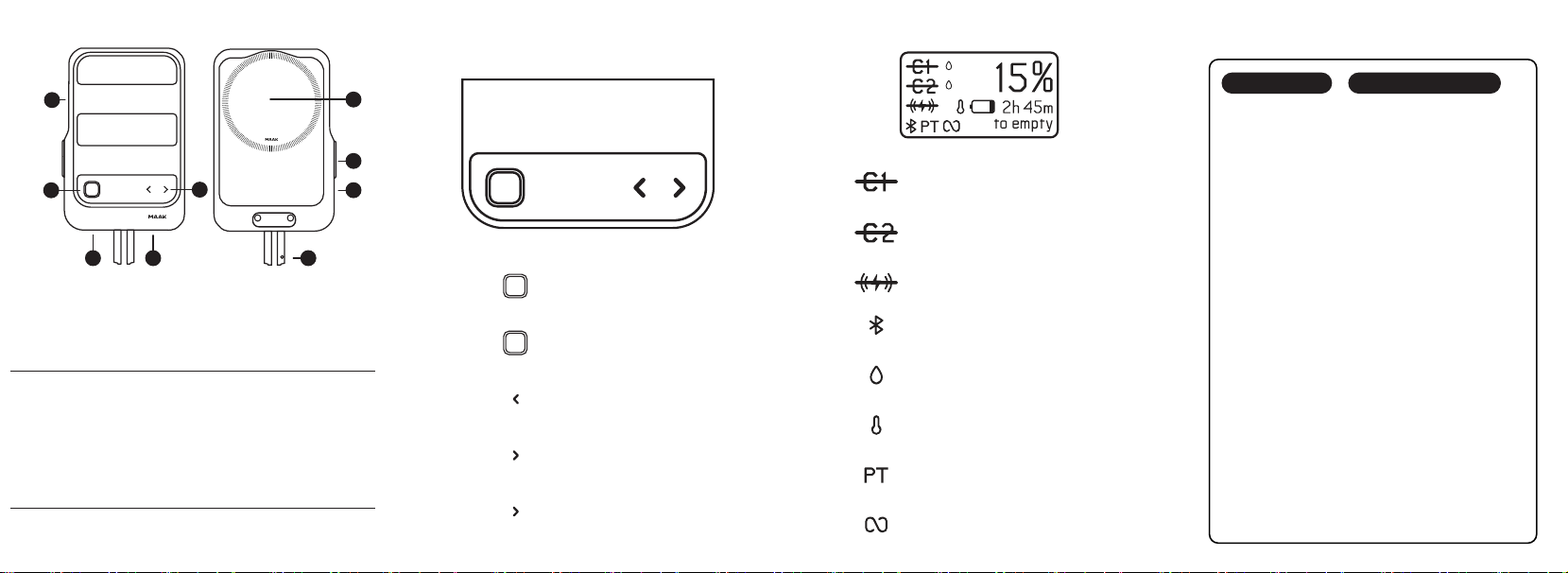
HOME SCREEN
BUTTON FUNCTIONSSCOUT BATTERY SCOUT SETTINGS
A. Mounting Points
B. Enter Button
C. Port C1
Output
D. Port C2 (PD)
Input /Output
E. Up / Down Buttons
F. Port Doors
G. Display
H. Screen Cover
I. Wireless Charger
C D F
E
H
G
I
Display On / O
Single Press on Home Screen
Enter
Single Press on Setting Screens
Menu Navigation
Single Press
Access Settings
Single Press on Home Screen
Menu Navigation
Single Press
Battery Capacity
35.6Wh (3300mAh, 10.8V)
USB-C1 OUTPUT
5V ⎓ 3A
USB-C2 INPUT
5V ⎓ 3A / 9V ⎓ 2.33A / 12V ⎓ 1.75A / 15V ⎓ 1.4A
Wireless Charing
15W
USB-C2 OUTPUT
5V ⎓ 3A / 9V ⎓ 2.33A
Port C2 Disabled
Access settings to toggle.
Wireless Charger Disabled
Access settings to toggle.
Bluetooth
Bluetooth is on and connected.
Moisture Alert
Ports detected moisture and are disabled.
Temperature Alert
Battery operating temperature is unsafe.
Passthrough Charging
Devices are charging without
draining Scout.
Always-On Mode Active
Low current auto shutoff is disabled.
Access settings to toggle.
Port C1 Disabled
Model Numbers: PWR-MAK-A-BTL-G01-X / PWR-MAK-A-BTL-G02-X / PWR-MAK-A-BTL-G03-X
Note: The three models dier only in their external enclosure colors and corresponding model numbers. All electrical
designs, functions, and technical specifications are identical.
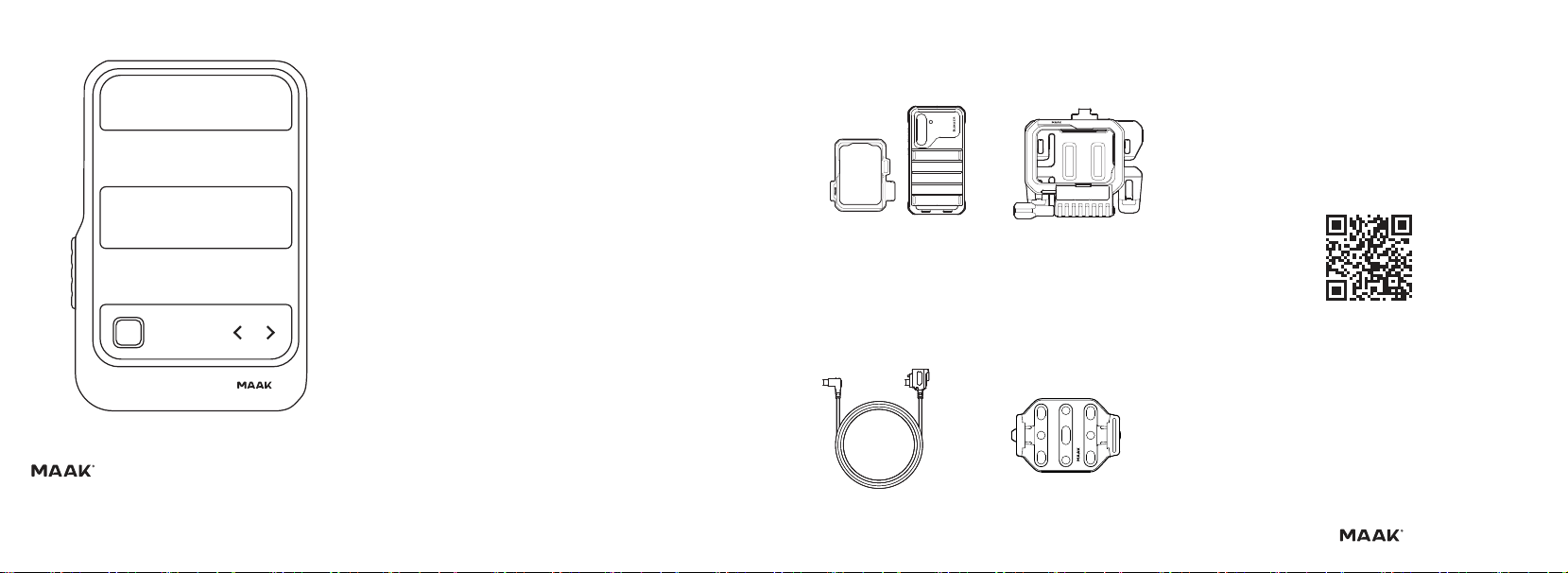
SCOUT BATTERY
QUICK START GUIDE
Scan to Gear Up
Forge Case w/ Scout Adapter
Keep your device with Forge Case charged.
Scout Cable Lock
Secured, IP67 power connection.
Adventure Clip Plate
Universal platform to mount Scout anywhere.
MAAK Chest Mount
Attach Scout to the Chest Mount
w/ Module Mount.
ACCESSORIES
COMPATIBILITY
LEGAL
This battery is meant for use only in conjunction with the appropriate mobile device. Please consult your device
packaging to determine whether this battery is compatible with your particular mobile device. Manufacturer is not
responsible for any damages to any mobile device incurred through the use of this product. Manufacturer shall not in
any way be liable to you or to any third party for any damages you or any third party may suffer as a result of use,
intended or unintended,or misuse of this battery in conjunction with any device or accessory other than the appropriate
mobile device for which this battery is designed. Manufacturer will not be responsible for any damages you or any third
party may suffer as a result of misuse of this battery.
Improper use of this product may result in product damage, excess hear, toxic fumes, fire or explosion, for which
damages you, the purchaser, and not Bunker Supply Co. LLC are responsible.
The power reserve should be operated only in open-air conditions. It should not be operated in an enclosed, unventilated
space such as a carrying bag, pocket, or purse. Do not store the device in a high temperature environment, including
heat caused by intense sunlight. Do not place device in fire or other excessively hot environments.
Do not disassemble this device or attempt to re-purpose or modify it in any manner. If this device is intended by the
purchaser to be used by a minor, the purchasing adult agrees to provide detailed instructions and warnings to any
minor prior to use. Failure to do so is the sole responsibility of the purchaser, who agrees to indemnify the manufacturer
for any unintended use / misuse by a minor. All devices have gone through a thorough quality assurance inspection. If
you find that your device is excessively hot, emitting odor, is deformed, abraded, cut or is experiencing or demonstrating
an abnormal phenomenon, immediately stop all device use and contact the manufacturer.
MAAK® and the MAAK logo are trademarks of Bunker Supply Co., LLC.
FCC STATEMENT
This device complies with Part 15 of the FCC Rules. Operation is subject to the follow two conditions: (1) This device
may not cause harmful interference, and (2) this device must accept any interference received, including interference
that may cause undesired operation.
Note: This equipment has been tested and found to comply with the limits for a Class B digital device, pursuant to part
15 of the FCC Rules. These limits are designed to provide reasonable protection against harmful interference in a
residential installation.
Warning: changes or modifications not expressly approved by the party responsible for compliance could void the user’s
authority to operate the equipment.
This equipment generates, uses, and can radiate radio frequency energy and, if not installed and used in accordance
with the instructions, may cause harmful interference to radio communications. However, there is no guarantee that
interference will not occur in a particular installation.
If this equipment does cause harmful interference to radio or television reception, which can be determined by turning
the equipment on and off, the user is encouraged try to correct the interference by one or more of the following
measures:
-Reorient or relocate the receiving antenna
-Increase the separation between the equipment and receiver
-Connect the equipment an outlet on a circuit different from that to which the receiver is connected
-Consult the dealer or an experience radio/TV technician for help
The RF transmitter on this device has not been tested for FCC compliance for those conditions where client
transmitters are also in operation.