English
Rev 28 - 09/2025
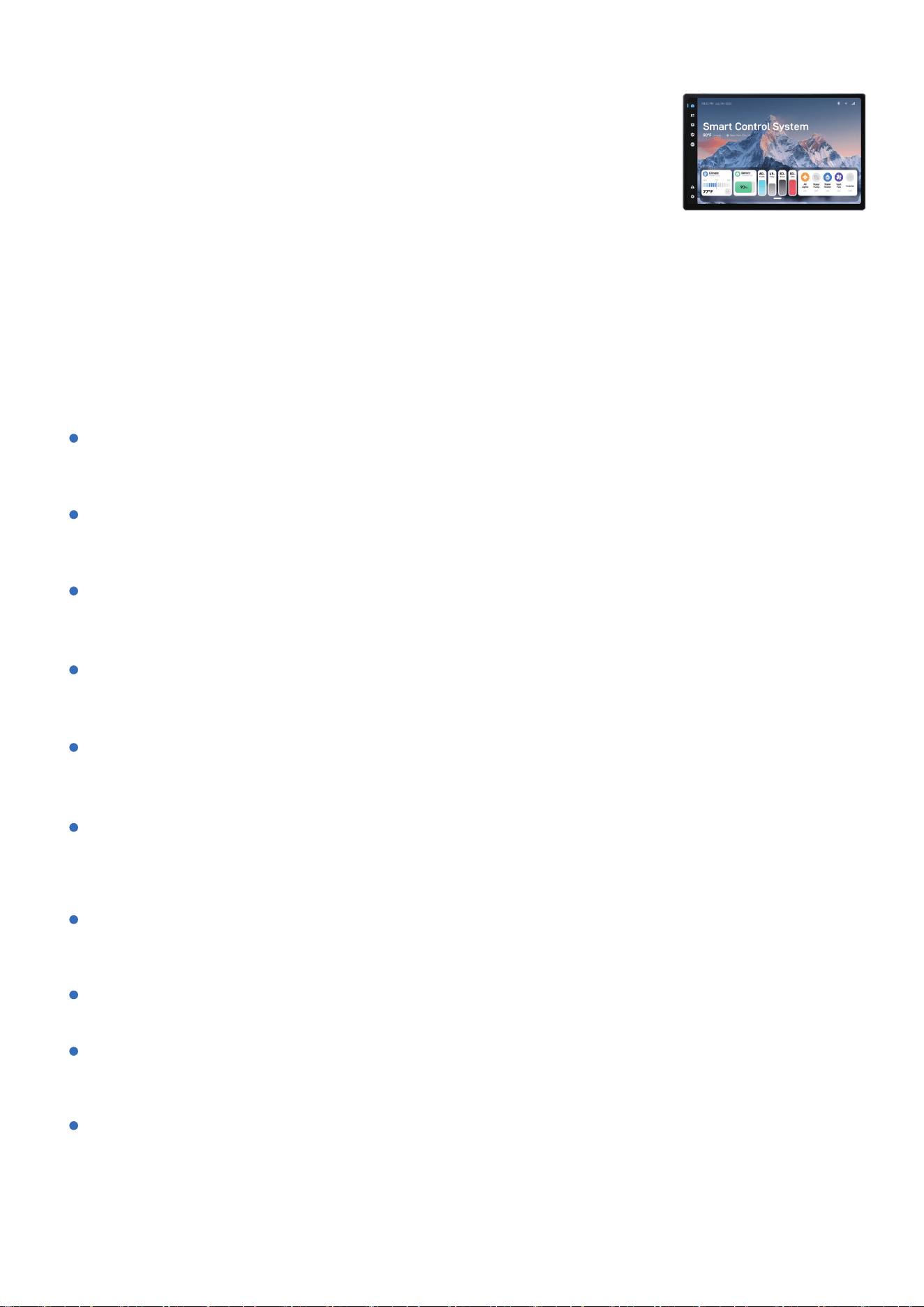
11.5-inch Smart Control &
Infotainment System
PRODUCT INTRODUCTION
Features
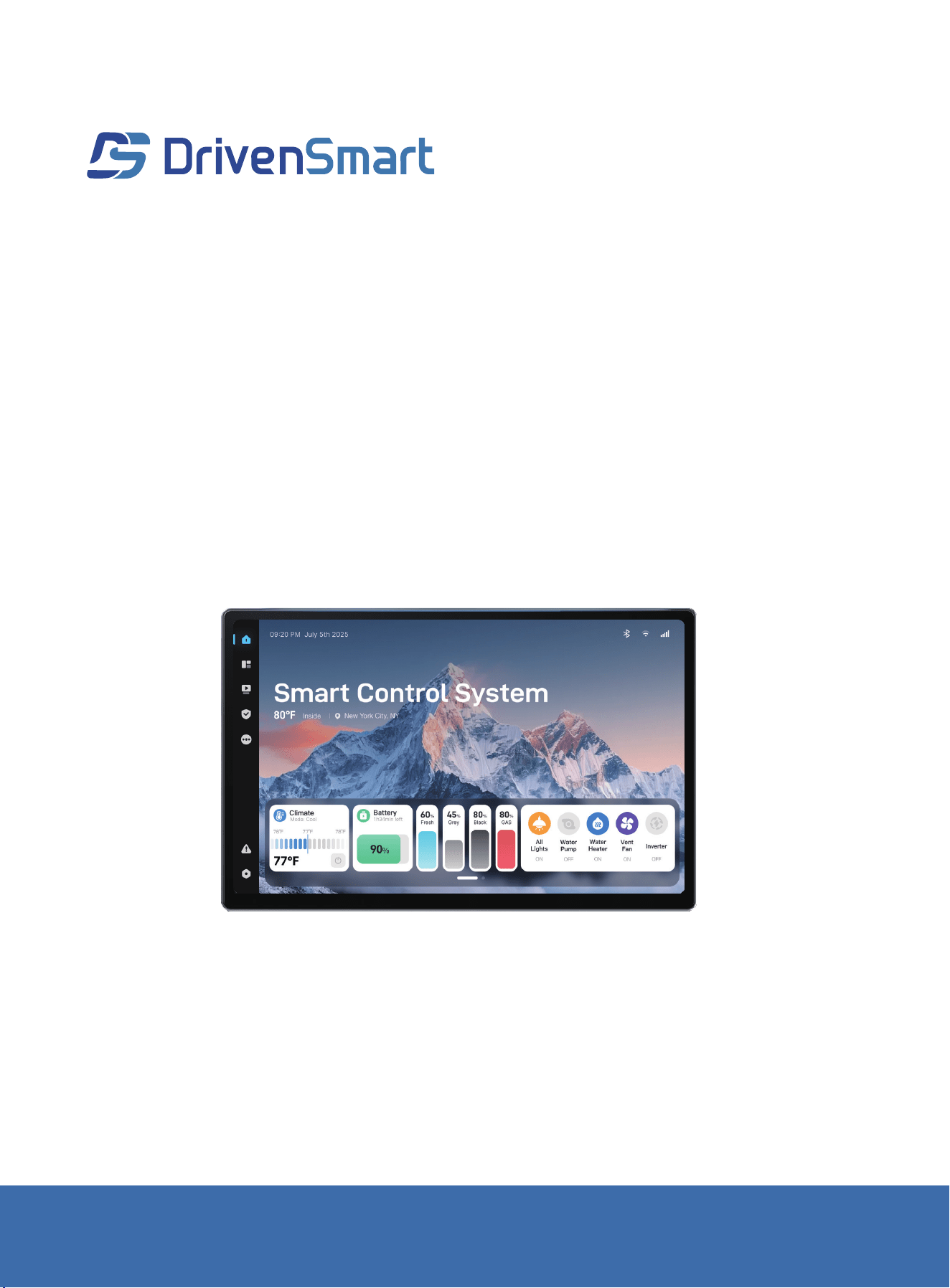
DrivenSmart RVCS-CS-X115 is a high-performance RV Smart Control System powered
by Android 13. It combines advanced smart control with rich infotainment functions,
supports both horizontal and vertical installations, and offers full compatibility with the
Google app ecosystem. Designed for RV users, it seamlessly delivers centralized system
management and an immersive entertainment experience.
11.5-inch Smart Control & Infotainment System
RVCS-CS-X115
Equipped with a 2000×1200 QLED high-resolution screen that delivers vivid colors
and wide viewing angles—clear visibility even under direct sunlight.
QLED Full HD Display
Enhanced compatibility and security with smooth multitasking performance.
Supports OTA firmware updates and custom UI configurations.
Android 13 Operating System
Acts as a central controller for RV systems such as lighting, power supply, water system,
air conditioning, heater, awning, and slide-outs.
Smart Control Hub
Includes Bluetooth music, online video playback, navigation,
and PhoneLink (supports wireless Apple CarPlay and Android Auto).
Infotainment Capabilities
1 × HDMI Output
1 × RCA Audio/Video Input
1 × RCA Audio Output (subwoofer-specific output)
Audio & Video Interface Configuration
Supports AHD/CVBS video input 1 group of 4-channel composite
video input + 1 independent video input.
Compatible with RV Camera Systems
Supports both landscape and portrait orientations to fit various interior layouts.
Flexible Installation Options
Supports Wi-Fi, Bluetooth BLE,
and RV-C communication—enabling easy integration with sensors and control modules.
Strong Communication Compatibility
Designed for use as the main control and infotainment terminal in all types of RVs,
including Class A, Class B, Class C, and travel trailers.
Typical Applications
Pre-installed with Google Play, YouTube, Google Maps,
and more—offering seamless integration with native Android apps and services.
Google Ecosystem Support
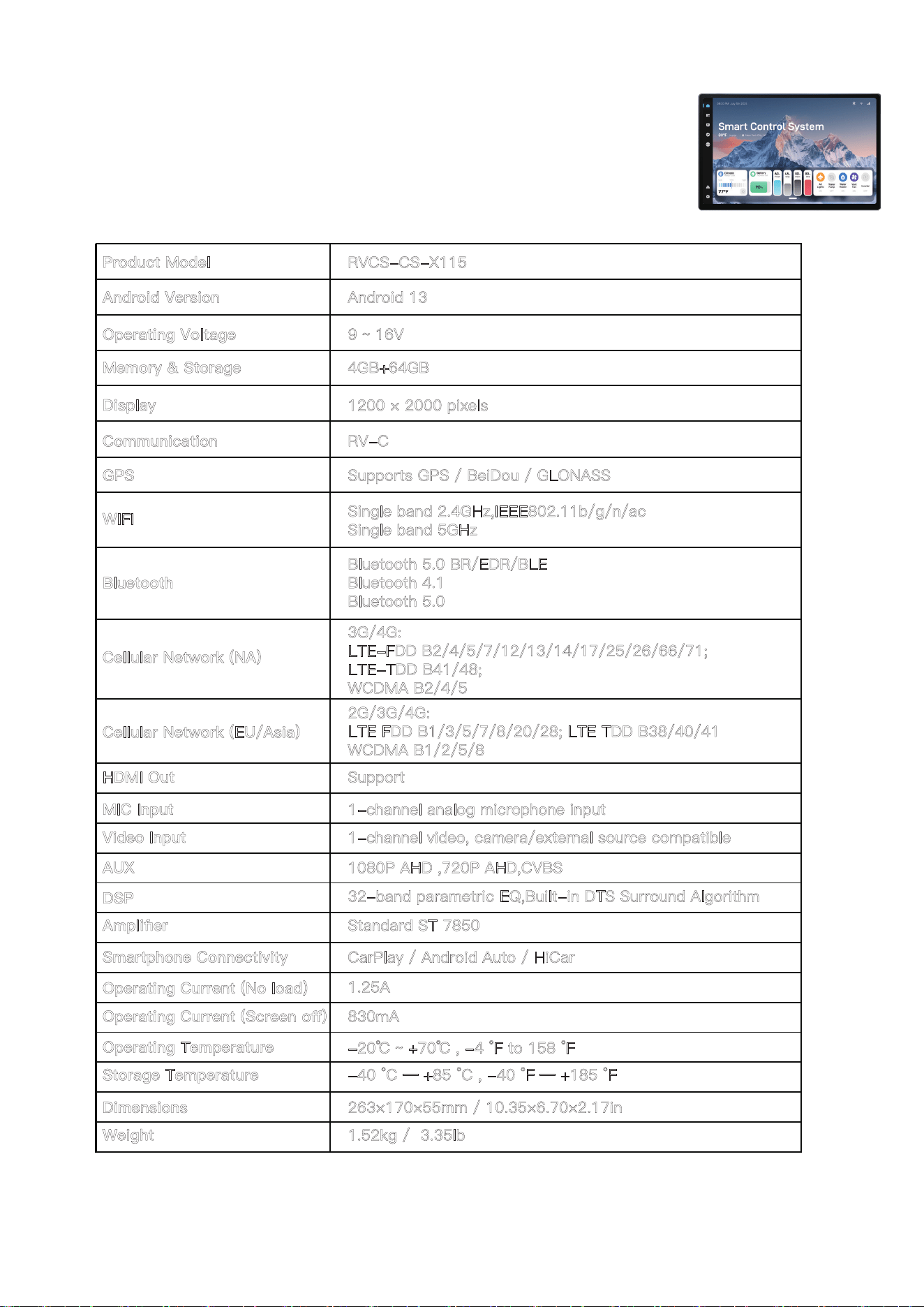
11.5-inch Smart Control & Infotainment System
RVCS-CS-X101
9 ~ 16V
RVCS-CS-X115
-20℃ ~ +70℃ , -4 °F to 158 °F
-40 °C — +85 °C , -40 °F — +185 °F
4GB+64GB
1200 × 2000 pixels
Operating Voltage
Android Version Android 13
Product Model
Operating Temperature
Dimensions
Storage Temperature
Weight
Memory & Storage
Display
Cellular Network (NA)
Cellular Network (EU/Asia)
MIC Input
Video Input
Smartphone Connectivity
Operating Current (No load)
Operating Current (Screen off)
WIFI
Communication
Bluetooth
RV-C
Bluetooth 5.0 BR/EDR/BLE
Bluetooth 4.1
Bluetooth 5.0
GPS
HDMI Out
Single band 2.4GHz,IEEE802.11b/g/n/ac
Single band 5GHz
Supports GPS / BeiDou / GLONASS
Support
3G/4G:
LTE-FDD B2/4/5/7/12/13/14/17/25/26/66/71;
LTE-TDD B41/48;
WCDMA B2/4/5
2G/3G/4G:
LTE FDD B1/3/5/7/8/20/28; LTE TDD B38/40/41
WCDMA B1/2/5/8
1-channel analog microphone input
1-channel video, camera/external source compatible
AUX
1080P AHD ,720P AHD,CVBS
CarPlay / Android Auto / HiCar
Standard ST 7850
DSP
Amplifier
32-band parametric EQ,Built-in DTS Surround Algorithm
1.25A
830mA
263×170×55mm / 10.35×6.70×2.17in
1.52kg / 3.35lb
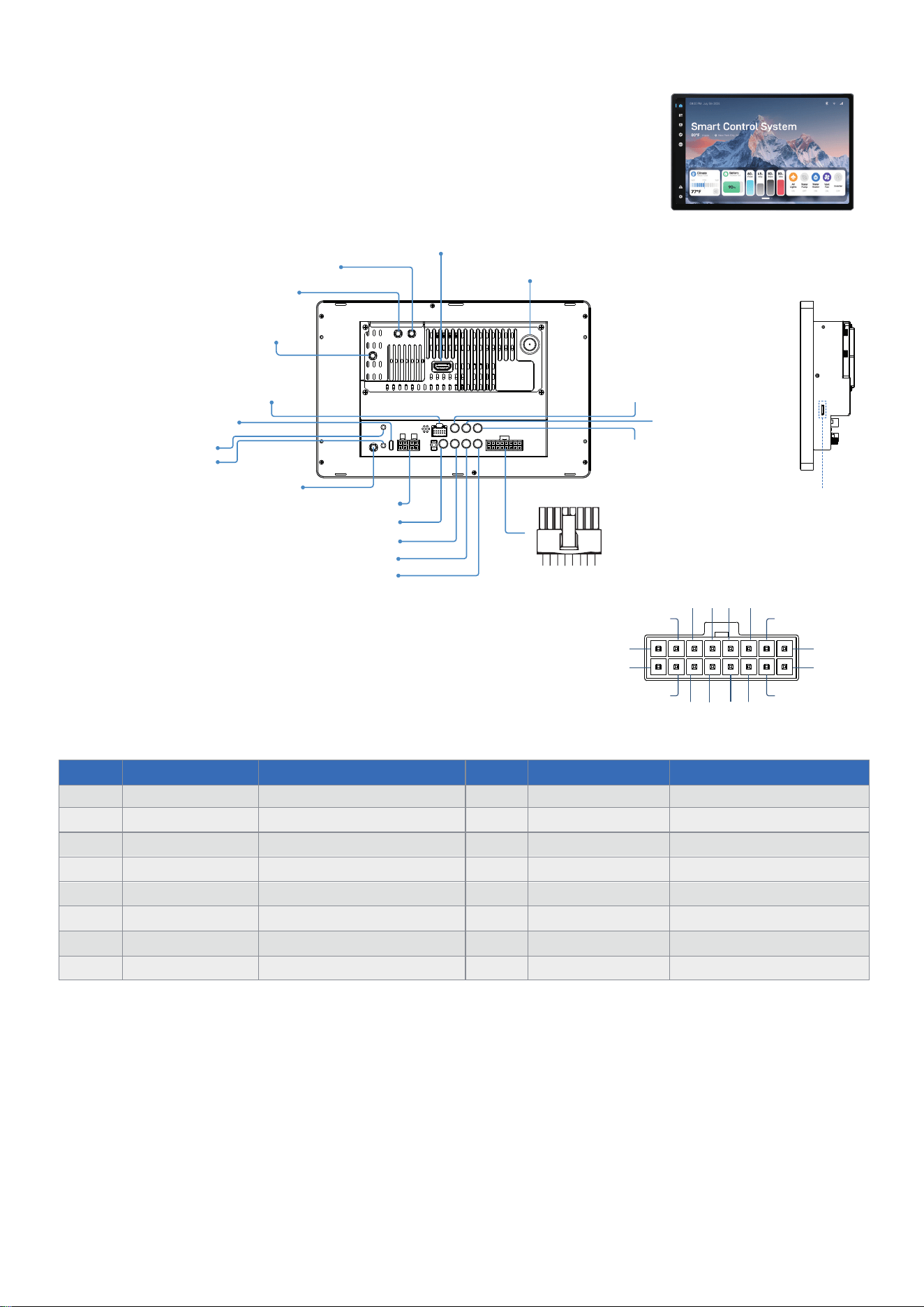
Wiring Diagram
(lf equipped withoptional radio and amplifier capabilities)
2
4
6 8 10 12
14
16
1
3
5
7
9
11
13
15
PIN COLOR FUNCTION PIN COLOR FUNCTION
1
2
3
4
5
6
7
9
11
13
15
8
10
12
14
16
BLACK
GROUND
BATT+12VDC
ACC+12VDC
ILL
BACK
AUTO ANTENNA
KEY-1
KEY-2
ZONE2 LEFT SPEAKEER(-)
ZONE1 RIGHT SPEAKEER(+)
ZONE2 LEFT SPEAKEER(+)
ZONE1 RIGHT SPEAKEER(-)
ZONE1 LEFT SPEAKEER(+)
ZONE1 LEFT SPEAKEER(-)
ZONE2 RIGHT SPEAKEER(+) ZONE2 RIGHT SPEAKEER(-)
YELLOW
RED
ORANGE
PINK
BLUE
BROWN
BROWN/BLACK
GREEN
GREY/BLACK
GREY
GREY
WHITE
WHITE/BLACK
PURPLE
PURPLE/BLACK
4G ANTENNA JACK
GPS ANTENNA JACK
CAMERA CONNECTING SOCKET
MICROPHONE JACK
BLUETOOTH ANTENNA JACK
COMMUNICATION INTERFACE
VIDEO IN
AUX VIDEO IN
AUX AUDIO RIGHT IN
AUX AUDIO LEFT IN
BT / WIFI ANTENNA JACK
HDMI OUT JACK
RADIO ANTENNA JACK
RCA SUBWOOFER OUT
RCA RIGHT OUT
SIM Slot
RCA LEFT OUT
RESET1
RESET2
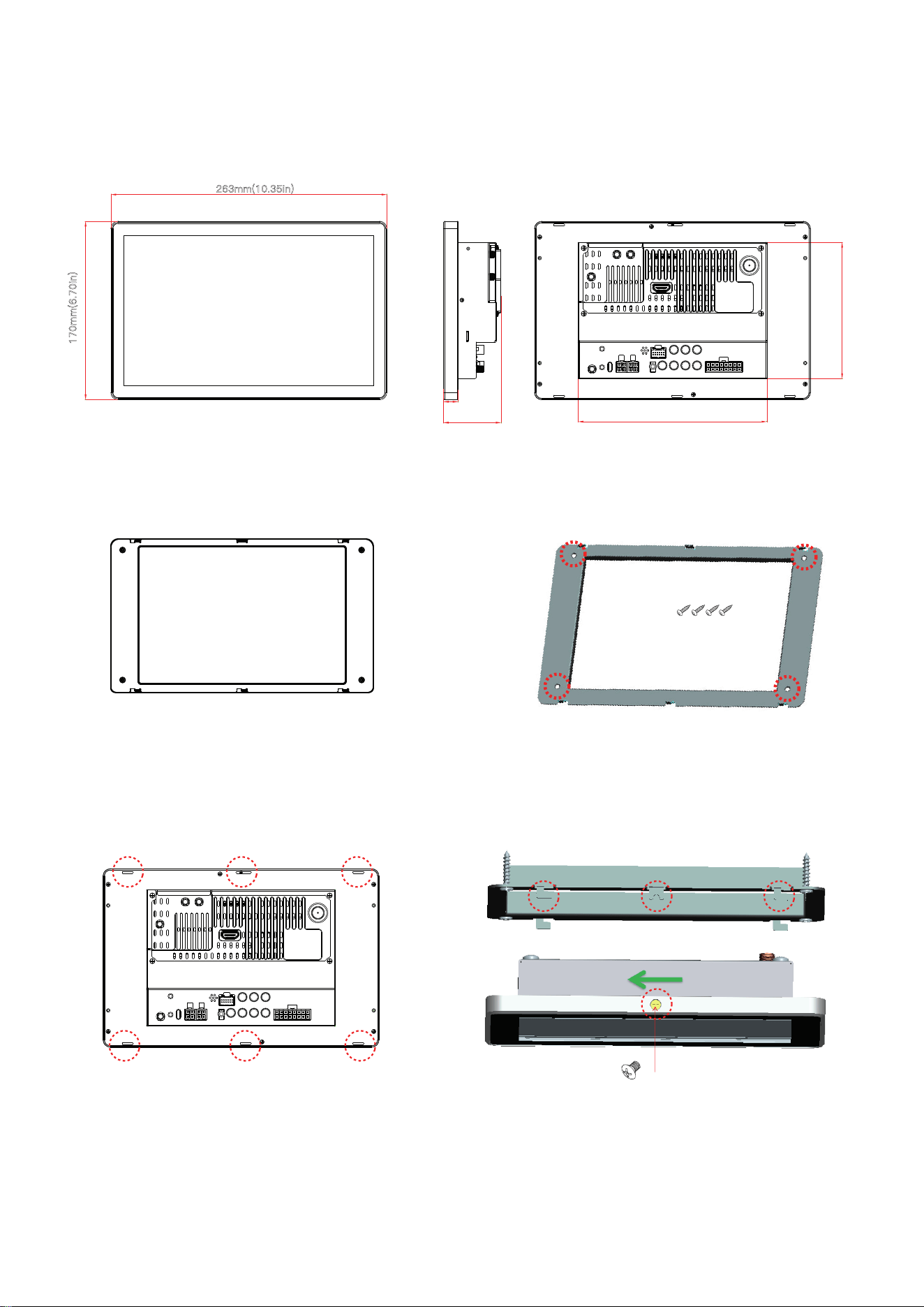
Installation
1. Cut a rectangular area 200mm/7.87in high x 135 mm/5.24in
wide at the centre of the proposed controller position.
2. Position the mounting bracket behind
the cutout and secure it with screws.
4. Fasten the display to the bracket using the supplied screws,
tightening evenly to ensure it sits flush and secure.
3. Align the display’s screw holes with those in the bracket,
then gently Slide the display from right to left until it’s fully seated.
4 ×
#4 × 5/8"
Pan Head Self-tapping Screw
Mounting bracket
1×
#2-56 × 1/4"
Pan Head Machine Screw
263mm(10.35in)
170mm(6.70in)
182mm/7.16in
130mm/5.12mm
55mm/2.17in

FCC COMPLIANCE STATEMENT:
This device complies with part 15 of the FCC Rules.
Operation is subject to the following two conditions: (1) This device may not cause
harmful interference, and (2) this device must accept any interference received,
including interference that may cause undesired operation.
Note: This equipment has been tested and found to comply with the limits for a Class
B digital device, pursuant to Part 15 of the FCC Rules. These limits are designed to
provide reasonable protection against harmful interference in a residential installation.
This equipment generates, uses and can radiate radio frequency energy and, if not
installed and used in accordance with the instructions, may cause harmful interference
to radio communications.
However, there is no guarantee that interference will not occur in a particular installa-
tion. If this equipment does cause harmful interference to radio or television reception,
which can be determined by turning the equipment off and on, the user is encouraged
to try to correct the interference by one or more of the following measures:
Reorient or relocate the receiving antenna.
Increase the separation between the equipment and receiver.
Connect the equipment into an outlet on a circuit different from that to which the
receiver is connected.
Consult the dealer or an experienced radio/TV technician for help.
Warning: Changes or modifications to this unit not expressly approved by the part
responsible for compliance could void the user’s authority to operate the equipment.
FCC Radiation Exposure Statement
This equipment complied with FCC radiation exposure limits set forth for an uncon-
trolled
environment. This equipment should be installed and operated with minimum distance
20cm
between the radiator & your body.