Double press“ ”to
activated Siri
Double press “ ” to switch call
between Mobile and headset
Red light flashe
once
Chinese/English Shift:
Long press the " " and volume " "Simultaneously
for 2 seconds
Long press “ ” to reject calls
*1....
① ② ③
④ ⑤ ⑥ ⑦
Du
Different music effects
(Bass boost,Normal,High
Pitch )have been setu up
inside the headset
*2
EQ Shift :
Double press“ ” button to
choose your favorite sounds effect
when music playing
Headset 1pcs USB charging cable 1pcs
Earplugs 2pcs User Manual 1pcs
Connect with Mobile phone
Note
1.Swith to on headset
auto pairing state
Blue and red light
flashes alternately
2.Turn on your Bluetooth device on
your mobile phone.
3. Find the headset name
of “SX-991” to geting connect
in your list ,headset prompts
“ device connected”
After successful pairing, the device will be automatically
reconnected when used again. If the connection fails,
the headset will automatically enter the pairing state.
Please manually pair the device (operation as shown in
the picture).
SX-991 Bluetooth
Multifunctional Button
① ②
③ ④
⑤ ⑥
⑦
LED indicator
*.....
*1
*1
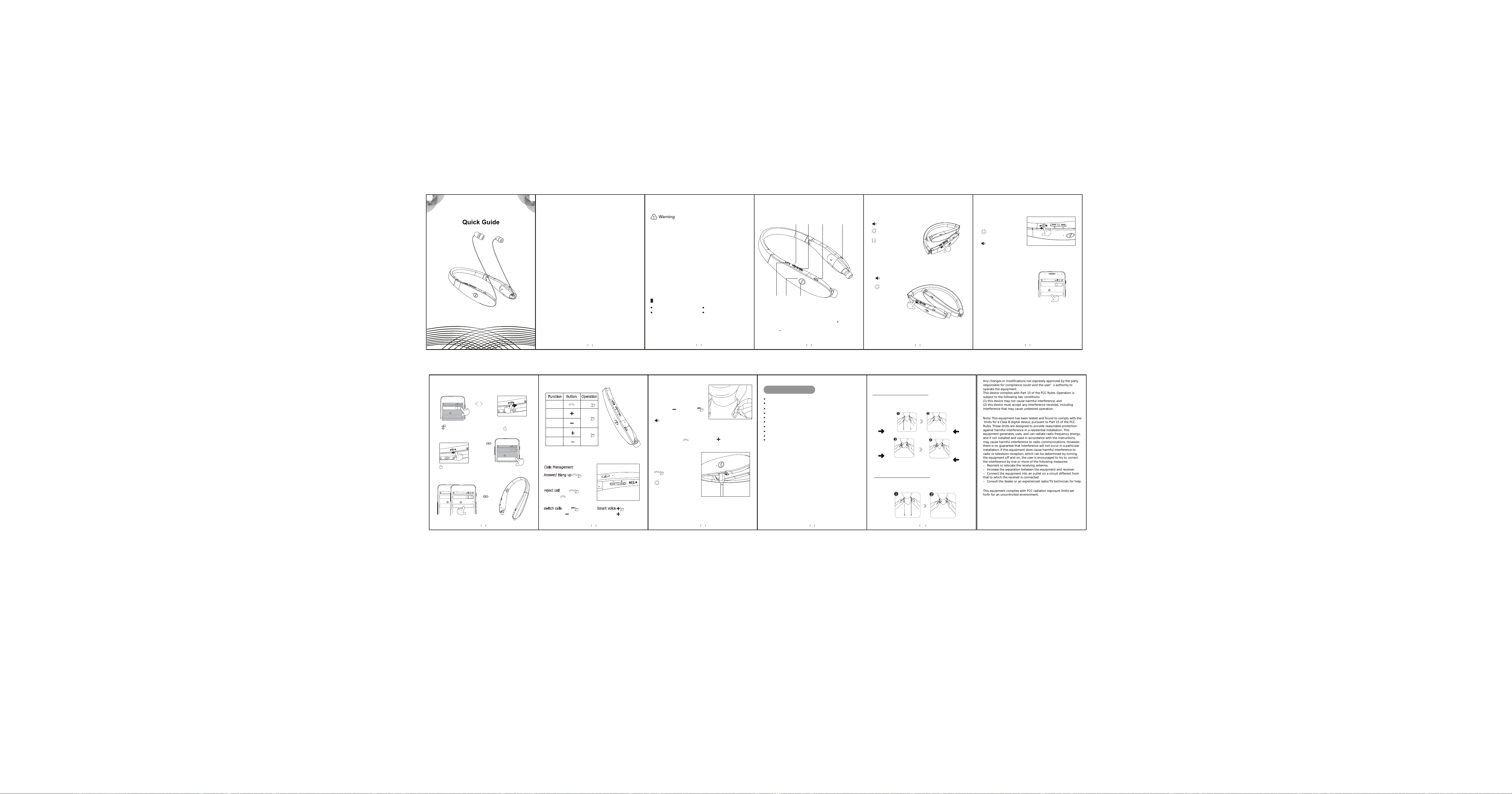
Calls Management
Short press answer and end call
Answer/ Hang up
*1
reject call
*2
switch calls
Smart voice
*2
The red and blue light
flashes 3 times
Factory data reset
Charging instructions
The headset cann't be turned on during the charging process,the red
light goes off when fully charged
In charging state
to compate factory setting
The battery warning
Caution: Do not disassemble, bump, crush or throw
into fire. Do not continue to use if severe swelling
occurs. Do not place in a high temperature
environment.
1.Power On: Swith to "On" headset
ativated with voice remind
Power on
Vibration once
Blue light is on
2.Power off: Swith to “OFF”
power off
1. Turn off Bluetooth on mobile and headset
3.Turn on phone 1 Bluetooth and
select SX-991 gets connected
Turn on the headset
SX-991
SX-991
SX-991
Choice SX-991
gets connected
SX-991
For user’s safety, please read this manual
before using the headset.
The following matters should be paid attention
to when using headphones :
Please avoid under the high volume mode, because that
will leads to hearing loss caused by noise.
If you are in bad condition of potentially dangerous,
please stop using headphones, in order to ensure
safety.
Users should be reasonable control volume and time
when listening to the headphones.
The volume should not be too high, cause you can't
hear the voice around the volume,if volume is too
high that may appear tinnitus, please lower down the
volume.
Don't recommend to listening music while driving.
With dry soft cloth to clean the headset! Should avoid
the headphone into the water,that will cause headset
damage.
If you feel obvious discomfort, stimulation, or other
adverse reaction when use the headset, should
immediately stop using it.
The headphones should not be stored or used in
temperature below
-15°C (5°F) or higher than 55°C ( 131°F ), otherwise
will reduce headphones or battery life.
Charging and Battery:
Please charge the headsets with original charging cable,
it may damage the battery or the headset if you are
using improper charging cable.
This headset has built-in rechargeable battery, so do
not attempt to remove the battery from the headset to
avoid damaging it.
The battery (battery pack or combination) shall not be
exposed to such conditions as sunshine, fire roasting,
or similar overheating.
If not properly change the battey, there will be danger
of explosion. Should only use the same type of battery.
The power adapter for charging the product is 5V/1A,
if use high voltage power adapter for charging the
machine, there is the risk of burning machine!
Details of products :
ON/OFF
Volume /Previous
Volume /Next
Earbud
Retract Button(R)
Earbud
Retract Button(L)
Power On/Off
Connect with two phones
Turn off Bluetooth
device on mobile
Turn off headset
2.Connect with second mobile phone
Music/Volume Control
Function Button Operation
Short
press
Short
press
Long press
Long press
Play/Pause
Previous
song
Next song
Volume up
Volume
down
Correspond With :V6.0
Support :HSP . HFP . A2DP . AVRCP
Transmitting Power : Class 2
Working Distance : ≤10m
Frequency Range : 2.402GHz-2.480GHz
Charging time : ≤2.5 hours
Talk time : ≥35 hours
Music Time: ≥30 hours
standby time : ≥300 hours
USB power supply :≤5V/1A
Technical lndex
Tips:
Wrong way of setting back the wire
Press the Earbud Retract Button
directly. In this way, the earbuds
will hit the headset aggressively.
Correct way of setting back the wire
In order to prolong the working life of the headset,
please setback the wire slowly, and follow the steps
shown below.
Hook the wire
by your hands.
Press the Earbud
Retract Button to
let the Earbuds
setback in your
hands.
Let go of your
curved fingers.
Press the Earbud
Retract Button to
allow the rest of
the earbuds to
retract inside
headset.
Phone 1
Phone 1
Phone 2
Phone 2
Package content:
1 2 3 4 5
6 7 8
9 10
Bluetooth
Bluetooth
Bluetooth
Bluetooth
Bluetooth
Bluetooth
Bluetooth
Bluetooth
Device
Device
Device
Device
Device
Pairing
SX-991
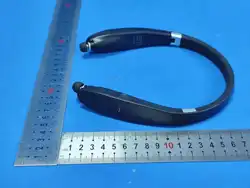
Neckband headphones
Any changes or modifications not expressly approved by the party
responsible for compliance could void the user’s authority to
operate the equipment.
This device complies with Part 15 of the FCC Rules. Operation is
subject to the following two conditions:
(1) this device may not cause harmful interference, and
(2) this device must accept any interference received, including
interference that may cause undesired operation.
Note: This equipment has been tested and found to comply with the
limits for a Class B digital device, pursuant to Part 15 of the FCC
Rules. These limits are designed to provide reasonable protection
against harmful interference in a residential installation. This
equipment generates, uses, and can radiate radio frequency energy,
and if not installed and used in accordance with the instructions,
may cause harmful interference to radio communications. However,
there is no guarantee that interference will not occur in a particular
installation. If this equipment does cause harmful interference to
radio or television reception, which can be determined by turning
the equipment off and on, the user is encouraged to try to correct
the interference by one or more of the following measures:
– Reorient or relocate the receiving antenna.
– Increase the separation between the equipment and receiver.
– Connect the equipment into an outlet on a circuit different from
that to which the receiver is connected.
– Consult the dealer or an experienced radio/TV technician for help.
This equipment complies with FCC radiation exposure limits set
forth for an uncontrolled environment.

