The
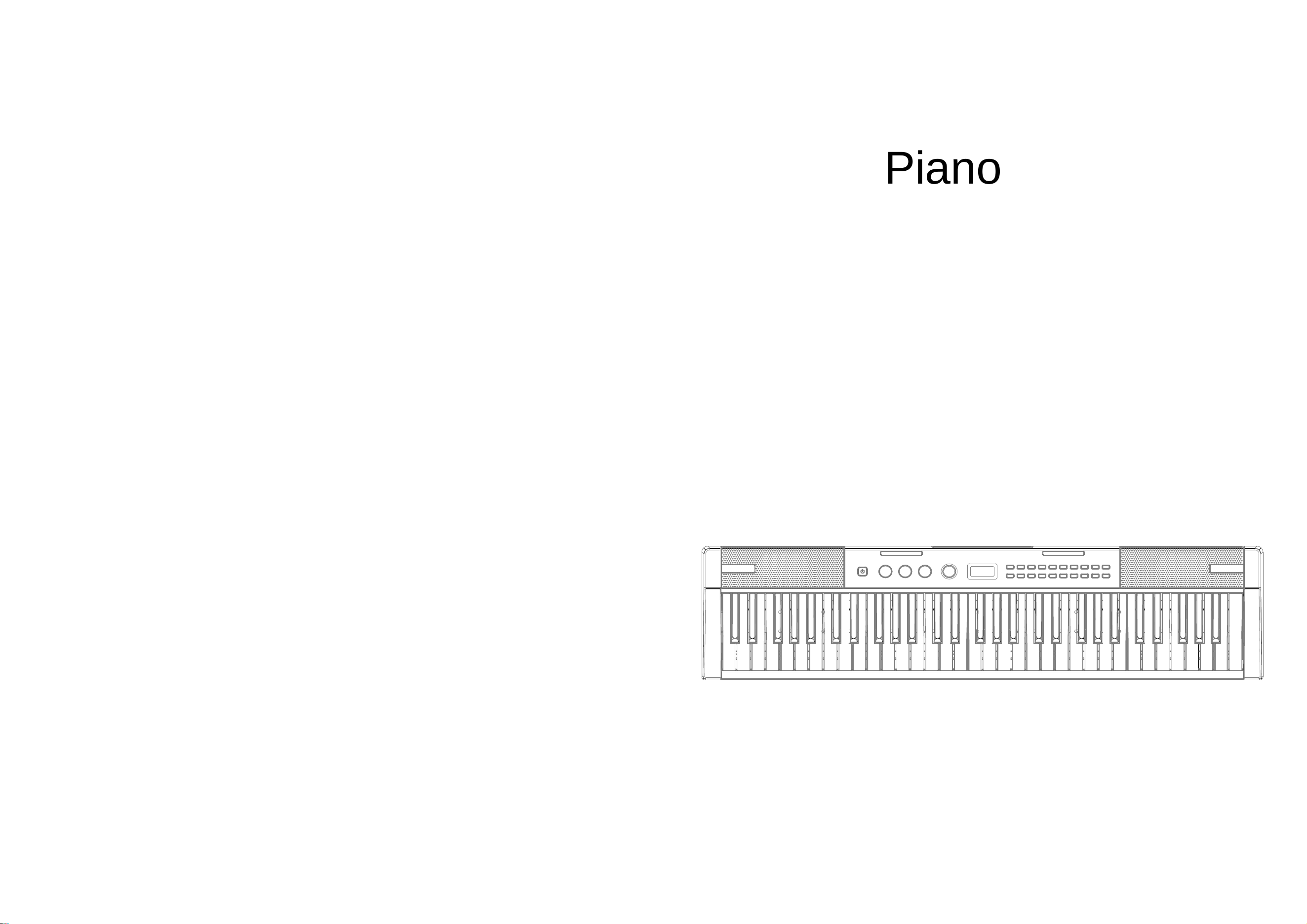
NM-8609 functional operation manual
Piano
Quick guide to electronic organ
操作说明
NM-8609
产品说明
23
06
02
03
04
01
05
07
08
09
10
06
12
11
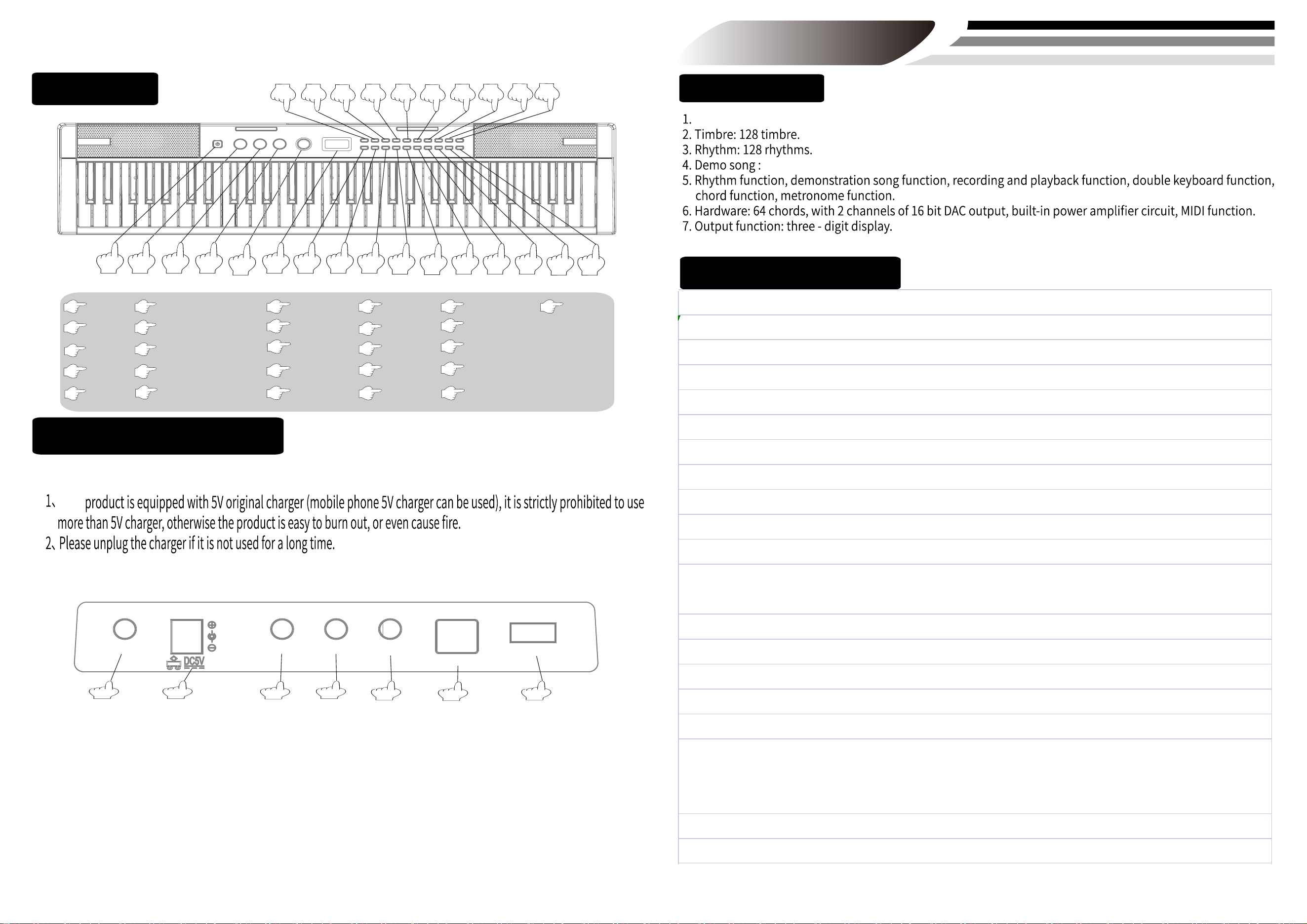
POWER
START/STOP
SELECT
DIGITAL SCREEN
VOLUME
OKON
DEMO
13
The Product Description
TONE
TRANS+
14
15
16
MP3-
17
PLAY/STOP
MP3+
RHYTHM
25
07
09
11
13
15
17
19
21
08
10
12
14
16
TEMPO+
METRONOME
TEMPO-
SYNC
01
02
03
04
05
18
20
22
24
26
TRANS-
FINGER
PLAY
DRUM
RECORD
DUAL TONE
SPLIT
TOUCH
SINGLE
18
19
20
21
22
23
24
25
26
Schematic diagram of socket
(2):
The
Function introduction
operation instructions:
80 song.
Press [ POWER ]button, it enters into play mode automatically.(figure 1)
After startup, after press the [VOLUME] button ,rotate [Data wheel] to adjust the volume,the volume range is 0-16, and the default startup level is 12. ( gure 7)( gure 5)
Tone selection
After pressing the key of [TONE],rotate [Data wheel] to select different tones.The rhythm range from 0-127, 128 tones in total. (Figure 02) (Figure 05)
Rhythm selection
After pressing the key of [RHYTHM], rotate [Data wheel] to select different rhythms.The rhythm range from 0-127, 128 rhythms in total. (Figure 03) (Figure 05)
Demo
After pressing the key of [DEMO], rotate [Data wheel] select different demos. The demo range is from 0-79, 80 demos in total. (Figure 04) (Figure 05)
Metronome
After pressing the key of combination [METRO], can select the beat, repeated execution to change the beat mode, there are four beat modes,sequentially 1/4 beat →2/4 beats
→3/4 beats →4/4 beats. (Figure 08)
Transposition
After pressing the [TRANS+] or [TRANS -] key, can select different tone effects. (Figure 9) (Figure 10)
Tempo
After pressing the [TEMPO+] or [TEMPO -] key, can adjust the rhythm and the playing speed of the demonstration song. (Figure 11) (Figure 12)
Recording /Playing
Press the [Record] key, enter the recording mode and clear the last record, the user can play the key, the system will be faithful record,up to 500 notes can be recorded,When the
record is full, it cannot record another note.
When the recording is finished, press the [R.PLAY] key to play the content just recorded. (Figure 13) (Figure 14)
Dual Tone
In the startup state, press [DUAL TONE]. When playing the key at this time, the sound produced is double tone. (Figure 15)
Starting up-play mode:
Sound volume adjustment
fi fi
Operating instructions
■
■
■
■
■
■
■
■
■
■
8.Can be equipped with sound delay pedal.
02
OUT
AUDIO IN
MIC
SUS
MIDI
USB
01
03
04
05
06
07
(1):
Matters needing attention
1.AUDIO IN:insert audio cable to connect to the mobile phone or mp3 to play music.
2.POWER SOCKET:this product is adaptive to 5V changer.It’s strictly forbidden to use power
over 5V,otherwise it will burn out or even cause a fire.
3.MIC:you can sing by inserting the microphone.
4.AUDIO OUT:the audio output socket can connect to mobile phone or external audio equipment.
5.SUS:insert sustain pedal,step the sustain pedal while playing the electronic organ to
have sustain effect.
6.MIDI:connect to the computer,mobile phone or iPad with data cable,open the corresponding
software to transmit,receive MIDI function to follow or compose.
7.USB:insert the U-disk to play mp3 music.
keyboard:61 standard keys(including black keys)voice range:C2~C7。
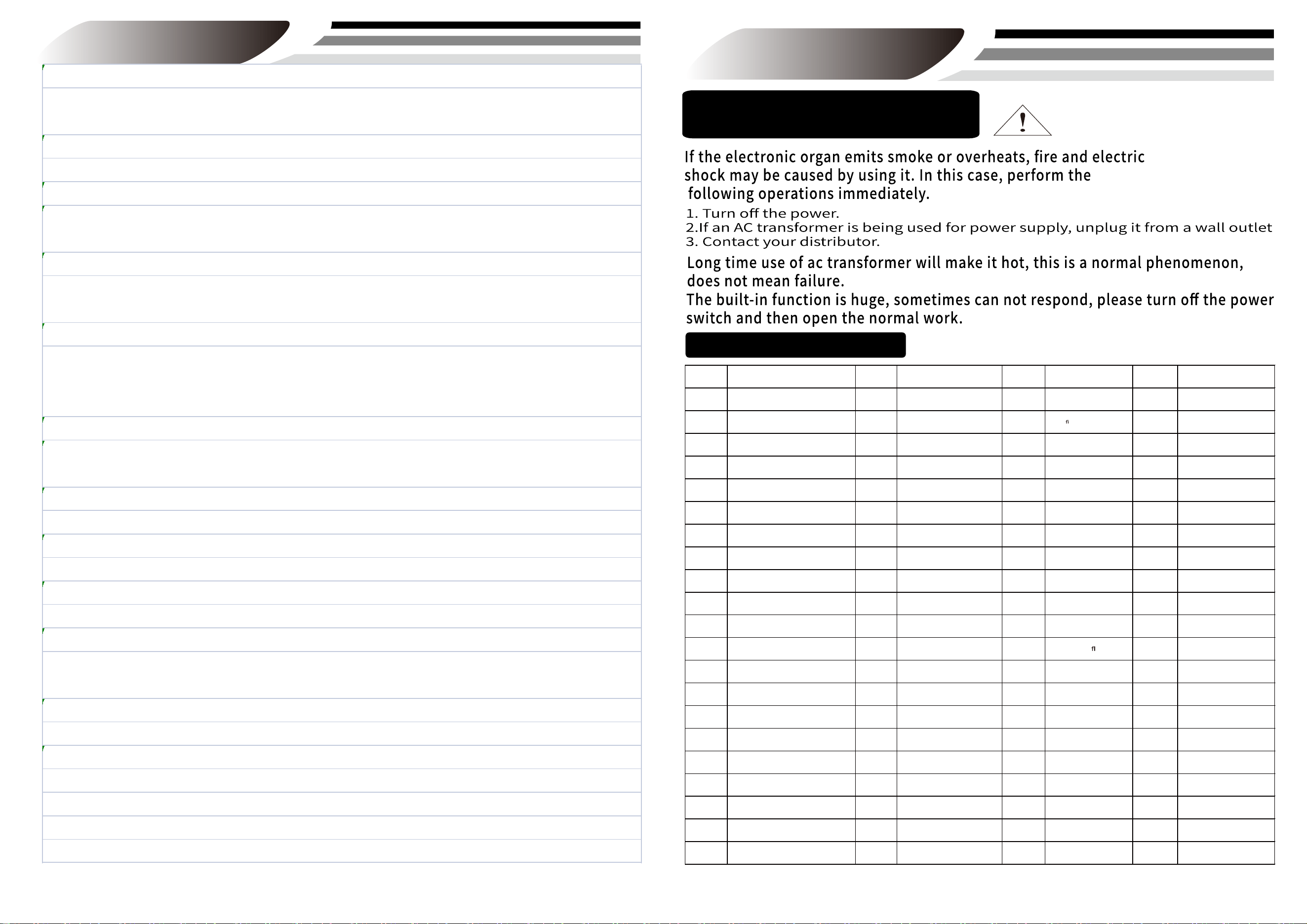
Abnormal situation
80 Demonstration songs
appendix
Operating instructions
Ecossaise
Breit
Walnut Box Dance
Gorgeous Waltz
Ode to joy
Galois
Army Polish dance
Carman Overture
La defski March
The Blue Danube
Green sleeves
My hometown
Beer Barrel Polka
Maiden's Prayer
Notre Dame
Schubert piano sonatas
Turkey March
Spanish Matador
Minuet
Dog Waltz
Violin humorism
Serenade
Serenade Haydn
Petite Valse
Hungarian Dance No
For Alice
Concerto of love
Annie's Wonderland
Chunye
The melody of memory
The sound of silence
Jazz to Alice
Casablanca
Croatian Rhapsody
Rhapsody in blue
Beautiful Jazz
Wedding in dream
Neptun in the misty forest
The
rst snow in misty forest
Sad or happy
A Comm amour
Attilina by the water
Memories of childhood
Bach gammon
Vanessa's smile
The dream of snow
Wild bees
ying
Music box dancer
Air de la Petite Russie
Notebook
Rondino
Sonatina
Amazing Grace
Carribean Cruise
Danny Boy
Evening Falls
Jana Gana Mana
Moonlight Sonata
Rock Solid Blues
See How the NightA rrives
Toreador from Carmen
Aupres de ma Blonde
Ave Maria
Beethoven's Fifth Symphony
Brahms' Lullaby
Cripple Creek
S000 S022 S044 S066
S001 S023 S045 S067
S002 S024 S046 S068
S003 S025 S047 S069
S004 S026 S048 S070
S005 S027 S049 S071
S006 S028 S050 S072
S007 S029 S051 S073
S008 S030 S052 S074
S009 S031 S053 S075
S010 S032 S054 S076
S011 S033 S055 S077
S012 S034 S056 S078
S013 S035 S057 S079
S014 S036 S058
S015 S037 S059
S016 S038 S060
S017 S039 S061
S018 S040 S062
S019 S041 S063
S020 S042 S064
S021 S043 S
065
Romance de amor
Storm
Fountain
Crystallake
Jardinsecret
Starrysky
Wilderness
Danceofireflies
Romantic rainy night
Big Bad Goblin Blues
Romantic season
Once a Canadian Lad
Love story
Dual keyboard
Press the [SPLIT] key for the first time to start the dual keyboard function, and press the [SPLIT] key for the second time to cancel the dual keyboard function.
When the dual keyboard function is on, the scale of C2-B3 on the left will play C3-B4, and the scale of C4-C7 on the right will play C3-C6. (Figure 16)
Keyboard drum
Press the[DRUM] key to get the drum beating tone on the corresponding piano keys(Figure 17)
Touch/keyboard light
The default boot force is turn on,press the [TOUCH] button again to turn off the force.When the touch key is on, the pitch is played according to the fingers.
Long press the [TOUCH] key for 2 seconds to turn off the keyboard light. (PS:those without lights do not have this function.) (Figure 18)
Single finger chord/Multi finger chord
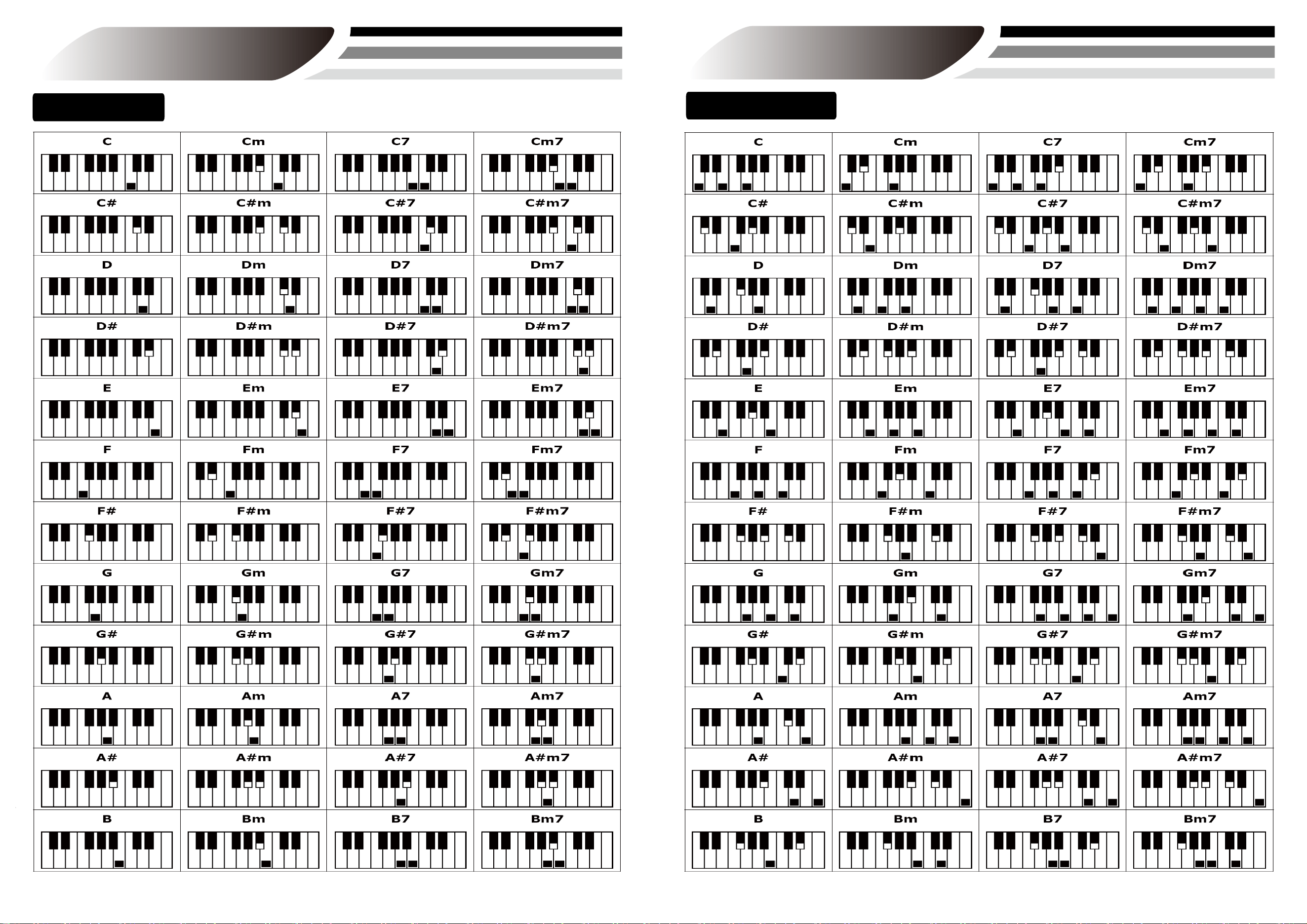
In the playing rhythm state, press the key of [SINGLE] or [FINGER], and different chord accompaniment sounds can be inserted according to different fingerings. Please refer to the
chord fingering table for details. (Figure 19) (Figure 20)
Synchronization
Press the [SYNC] key to turn on the synchronization function, and press the [SYNC] key again to turn off the synchronization function. When the synchronization function is started,
the rhythm will start to play along with the piano key sound. When there is a single or multiple finger chord setting and the playing conforms to the chord fingering method, the
chord will also be sent out at the same time in addition to the rhythm. (Figure 21)
Teaching
Press the [Teach] button to enter the teaching mode,a section is taken as the unit for disorderly piano teaching. When the main melody of this section has not been fully played
out, the system will automatically repeat the sub melody of this section until the end of playing the whole demonstration music.
Start/Stop
Press the [Start/Stop] button to start playing the rhythm, and press again to stop playing the rhythm. (Figure 23)
Play/Pause
Insert the U disk into the USB port, press the [Play/Pause] key, can control the song to play and pause. (Figure 24)
Last song/Next song
When playing MP3 song, press [previous] [Next] to switch the next song. (Figure 25) (Figure 26)
MIDI function
MIDI function can achieve online teaching, composition etc. Function(need to download relevant software).
Connect the electronic organ to mobile phone, computer or tablet PC with OTG line, then open the relevant software to proceed multimedia interaction.
USB function
Insert U disk can play MP3 songs.
Bluetooth mode(PS: normal version is not with bluetooth function)
Connect the electronic organ to external bluetooth devices under this mode, the bluetooth device can be used as speaker. No need to use a OTG line for bluetooth connection.
Way for bluetooth connection:
Switch on the electronic organ, then open the SETTING function on the mobile phone--bluetooth-search bluetooth device-click paring-paring succeeds
After paring succeeds, the electronic organ can connect to teaching apps to teach or follow
Annie's Song
■
■
■
■
■
■
■
■
■
■
■
■
附录
appendix
128 Rhythms
Bei Guiying
Bei Guiying 2
Bei Guiying 3
Popular Golden Melody
Pop music
Malay fashion
Posadova
Disco 1
Disco 2
Bluegrass disco
Waltz 1
Waltz 2
Folk Waltz
POSA Waltz
Simple Waltz
Shuffle Waltz
Reggae Waltz
Rumba Waltz
March 1
March 2
Rumba 1
Rumba 2
Slow beat 1
Slow beat
Disco cha cha
Guaraccha
Charles
Samba 1
Samba 2
Micro music
18 meter
28 beats
16 beats
116 beat 2
Ballads in 16 beats
Country 16
Tango 1
Tango 2
Polka 1
Polka 2
Popular swing
Simple swing
Light swing
Rock 1
Rock 2
Rock 3
Ethereal rock
Heart rock
Rolling stone
Funk Rock
Ballad 1
Jazz folk
C ballad
J ballad
Slow ballads in the 1960s
Piano ballad
Ballads of the 1950s
Twist
Happy Blues
Nostalgic Blues
Bluegrass Music
Bezin 1
Bezin 2
Bezin 3
Shuffle 1
Shuffle 2
Dream shuffle
Country shuffle
Quick shuffle
Reggae shuffle
Rhythm and blues
Reggae beat
Reggae 2
Reggae 3
Salsa 1
Salsa 2
Salsa 3
Tikno 1
Tikno 2
Fashion rhythm 1
Fashion rhythm 2
Dixie 1
Dixie 2
Foxtrot 1
Foxtrot 2
Rock 1
Rock 2
Fast tempo
Rapid beat
A gentle beat
Square meter
European beat
Alpha
Beta
Dream Dance
Dance music 1
Dance music 2
Dance 3
Rap music
Country music
Country slide
Electronic music
Soul music
Easy steps
Fate
Comedy Music
Driving music
Fluency style
Indonesian folk music
Absolute music
Jamaica
Synthetic music
Inspiration
Allegro
Beach night
Lreland
Tarantella
Big band
Dandu, Indonesia
Fusion music
House 2
Canon
Latin style
Mambo music
New century
Slow tempo
A spiritual
Twist style
R000 R026 R052 R078 R104
R001 R027 R053 R079 R105
R002 R028 R054 R080 R106
R003 R029
R055
R081 R107
R004 R030
R056
R082 R108
R005 R031
R057
R083
R109
R006
R007
R032
R058
R084
R110
R033
R059
R085
R111
R008
R034
R060
R086
R112
R009
R035
R061
R087
R113
R010
R036
R062
R088
R114
R011
R037
R063
R089
R115
R012
R038
R064
R090
R116
R013
R039
R065
R091
R117
R014
R040
R066
R092
R118
R015
R041
R067
R093
R119
R016
R042
R068
R094
R120
R017
R043
R069
R095
R121
R018
R044
R070
R096
R122
R019
R045
R071
R097
R123
R020
R046
R072
R098
R124
R021
R047
R073
R099
R125
R022
R048
R074
R100
R126
R023
R049
R075
R101
R127
R024 R050
R076
R102
R025 R051 R077 R103
128 Tones
appendix
T000
Grand Piano 1
Grand piano 2
Grand piano 3
Bar piano
Practice piano
Chorus and Piano
Clavichord
Clavichord
Celesta
Music box
Vibraphone
Malimba
Xylophone
Santur
Percussion organ
Percussion organ
Rock organ
Pipe organ
Reed organ
Accordion
Harmonica
Bando accordion
Nylon Guitar
Steel guitar
Jazz electric guitar
Acoustic electric guitar
Weak tone electric guitar
Driving sound guitar
Distortion sound guitar
Guitar Harmonics
Acoustic Bass
Dial electric bass
Dial electric bass
Fretless Bass
Beatles 1
Beatles 2
Synthetic bass 1
Synthetic Bass 2
Violin
Viola
Cello
Double bass
Tremolo strings
Pizzicato strings
Harp
Timpani
String ensemble 1
String ensemble 2
Composite string 1
Synthetic chord 2
Chorus "ah"
"Du" sound of human voice
Synth Voice
Band percussion
Trumpet
Trombone
Large
Muted trumpet
Horn
Copper tube group
Synthetic copper tube 1
Synthetic copper tube 2
Soprano saxophone
Alto Saxophone
Baritone Saxophone
Baritone saxophone
Oboe
British management
Da Guan
Clarinet
Piccolo
Flute
Clarinet
Panpipe
Blow bottle mouth
Chiba
Whistle
Yangba
Compound tonic 1 (square wave)
Composite tonic 2 (saw tooth wave)
Composite tonic 3 (siren organ)
Composite tonic 4 (blowpipe)
Composite tonic 5 (guitar)
Synthetic tonic 6 (human voice)
Composite tonic 7 (fifth)
Composite tonic 8 (bass plus tonic)
Synthetic soft 1 (New Era)
Synthetic soft (warm)
Compound soft 3
Synthetic soft 4 (Chorus)
Composite soft 5 (bowstring)
Synthetic soft 6 (metal)
Synthetic soft 7 (aura)
Composite soft 8 (swept string)
Composite effect 1 (rain)
Composite effects 2 (track)
Composite effects 3 (crystal)
Composite effect 4 (atmosphere)
Composite effect 5 (bright tone)
Composite effect 6 (demon)
Composite effect 7 (echo)
Composite effects 8 (Science Fiction)
Sitar
Banjo
Sanweixian
Zheng
Kalimba
Bagpipe
Viola
A suona horn
Small bell
Latin bell
Steel drum
Wood
Osu
Tonggu
Synthetic drum
Cymbal waveform inversion
The sound of grinding strings
Breathing sound
The sound of waves
Birdsong
Telephone ring
The sound of a helicopter
Applause
Shot
T026 T052 T078 T104
T001 T027 T053 T079 T105
T002 T028 T054 T080 T106
T003 T029 T055 T081 T107
T004 T030 T056 T082 T108
T005 T031 T057 T083 T109
T006 T032 T058 T084 T110
T007 T033 T059 T085 T1
11
T008 T034 T060 T086 T112
T009 T035 T061 T087 ) T113
T010 T036 T062 T088 T114
T011 T037 T063 T089 T115
T012 T038 T064 T090 T116
T013 T039 T065 T091 T117
T014 T040 T066 T092 T118
T015 T041 T067 T093 T119
T016 T042 T068 T094 T120
T017 T043 T069 T095 T121
T018 T044 T070 T096 T122
T019 T045 T071 T097 T123
T020 T046 T072 T098 T124
T021 T047 T073 T099 T125
T022 T048 T074 T100 T126
T023 T049 T075 T101 T127
T024 T050 T076 T102
T025 T051 T077 T103
Carillon
Tubular bells
R06 摇滚乐 R46 钢琴民谣
R07 华尔兹 R47 声乐民谣
R08 爵士华尔兹 R48 类似民谣曲
R09 乡村乐 1 R49 节奏蓝调民谣
R10 慢蓝调 R50 现代城市流行乐
R36 爵士摇滚 R76 美式进行曲 R116 星期六夜晚曲 2 R156 钢琴民谣 1 R196 SY 布基
R37 扭扭舞 Twist R77 快速度大乐队 1 R117 没插电的乐团曲风2 R157 听觉民谣 1 R197
R38 英式流行乐 R78 快速度大乐队 2 R118 拉丁节奏 R158 节奏蓝调民谣 1 R198
R39 现代 8 拍子 R79 中速度大乐队 1 R119 早期波卡舞曲 2 R159 电子流行乐 1 R199
Fingered chord
Single chord
appendix appendix
FCC Warning
15.19 Labeling requirements.
This device complies with part 15 of the FCC Rules. Operation is subject to the
following two conditions: (1) This device may not cause harmful interference,
and (2) this device must accept any interference received, including interference
that may cause undesired operation.
15.21 Information to user.
Any Changes or modifications not expressly approved by the party
responsible for compliance could void the user's authority to operate the
equipment.
15.105 Information to the user.
Note: This equipment has been tested and found to comply with the limits for a
Class B digital device, pursuant to part 15 of the FCC Rules. These limits are
designed to provide reasonable protection against harmful interference in a
residential installation. This equipment generates uses and can radiate radio
frequency energy and, if not installed and used in accordance with the
instructions, may cause harmful interference to radio communications.
However, there is no guarantee that interference will not occur in a
particular installation. If this equipment does cause harmful interference to
radio or television reception, which can be determined by turning the
equipment off and on, the user is encouraged to try to correct the interference
by one or more of the following measures:
-Reorient or relocate the receiving antenna.
-Increase the separation between the equipment and receiver.
-Connect the equipment into an outlet on a circuit different from that to which
the receiver is connected.
-Consult the dealer or an experienced radio/TV technician for help.