INSTALLATION AND
OPERATION MANUAL
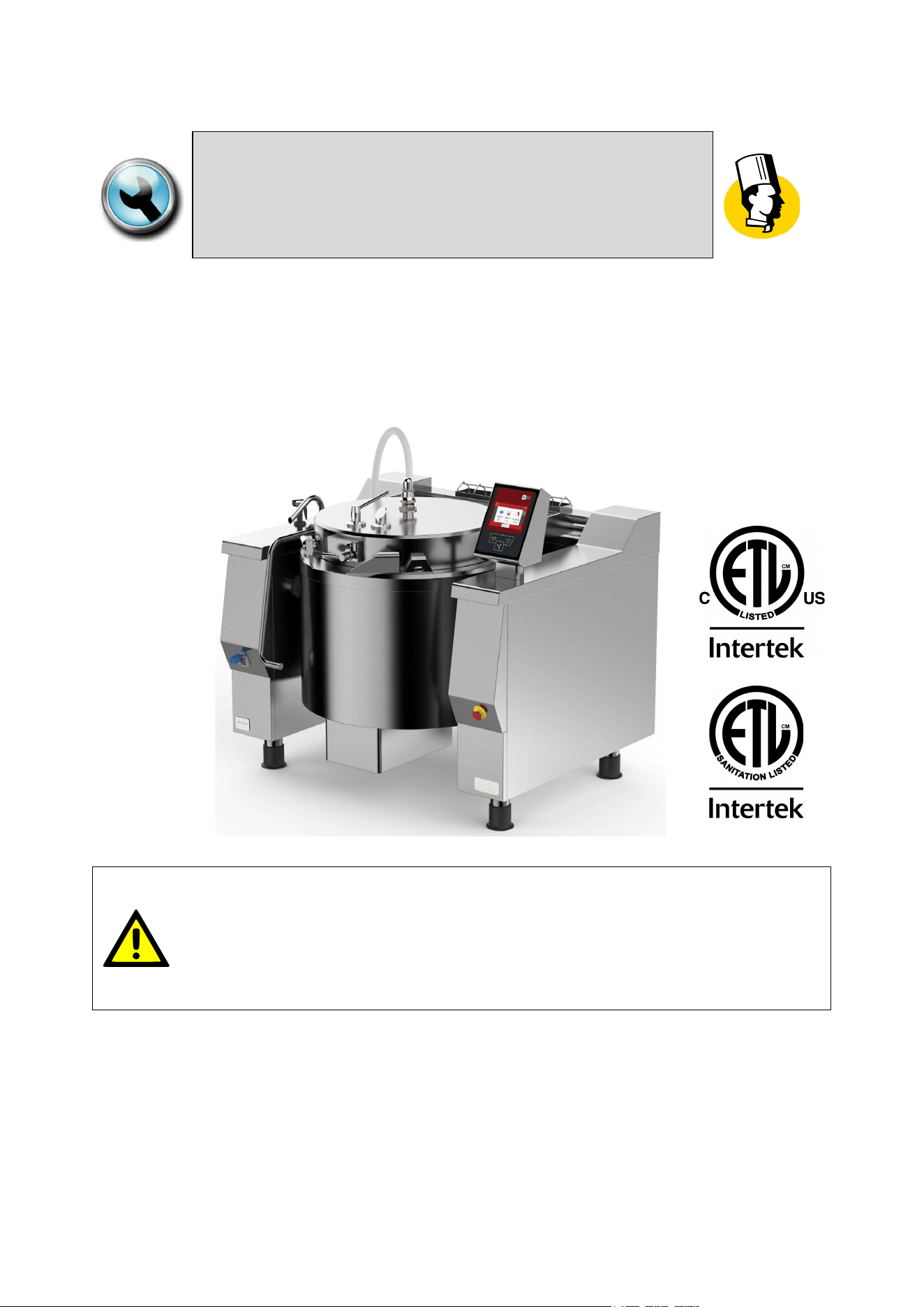
“CUCIMIX”
ROUND BRATT PANS PRESSURE WITH MIXER, ELECTRIC TYPE
MODD. UCBTE…A_V1 ; UCBTE…AC_V1
WARNING:
Improper installation, operation, adjustment, alteration, service or
maintenance can cause property damage, injury or death.
Read the installation, operating and maintenance instructions
thoroughly before installing, operating or servicing this equipment.
02
-
UCBTE.A_V1
-
DIMU
-
00
-
EN
INTRODUCTION
2
IN CASE OF TECHNICAL ASSISTANCE, INDICATE:
MODEL : ______________________________________________________
NR. SERIAL : ______________________________________________________
The model and serial number are indicated on the rating plate
Firex srl, Z.I.Gresal, 28
32036 Sedico
BELLUNO ITALIA
TELEPHONE: (0039) 852700 ; FAX: (0039) 852858
The manual is available upon request to:
specifying model and serial number
(The model and serial number data are indicated on the rating plate).
.

INTRODUCTION
02
-
UCBTE.A_V1
-
DIMU
-
00
-
EN
3
TABLE OF CONTENTS
1 INTRODUCTION.................................................................................................................................... 6
1.1 SYMBOLS AND PICTORIALS .................................................................................................................. 6
1.2 GENERAL REMINDERS ........................................................................................................................... 6
1.3 IMPORTANT NOTES FOR INSTALLATION ............................................................................................. 7
2 SAFETY ................................................................................................................................................. 8
2.1 OVERVIEW ............................................................................................................................................... 8
2.2 WARNINGS ............................................................................................................................................... 9
2.3 TABLE OF PAN PRODUCT LEVELS ...................................................................................................... 12
2.4 PRESSURE COOKING (SAFETY WARNINGS) ..................................................................................... 13
2.4.1 CLOSING THE PRESSURE COOKER LID ....................................................................................................... 14
2.4.2 OPENING THE PRESSURE COOKER LID ....................................................................................................... 15
3 DESCRIPTION OF THE MACHINE ..................................................................................................... 16
3.1 DESCRIPTION ........................................................................................................................................ 16
3.2 MATERIALS ............................................................................................................................................ 16
3.3 OPTIONAL .............................................................................................................................................. 16
3.3.1 SHOWER FOR WASHING ................................................................................................................................. 16
3.3.2 CASTERS ........................................................................................................................................................... 16
3.4 OPERATING PARTS ............................................................................................................................... 17
4 TECHNICAL DATA ............................................................................................................................. 18
4.1 TECHNICAL DATA UCBTE..A_V1 .......................................................................................................... 18
4.2 PLANT CONNECTION UBTE034A_V1 ; UBTE034AC_V1 ..................................................................... 19
4.3 PLANT CONNECTION UBTE048A_V1 ; UBTE048AC_V1 ..................................................................... 20
4.4 PLANT CONNECTION UBTE082A_V1 ; UBTE082AC_V1 ..................................................................... 21
4.5 ELECTRICAL SPECIFICATIONS ............................................................................................................ 22
5 TRANSPORT, STORAGE, UNPACKING............................................................................................ 23
5.1 TRANSPORT .......................................................................................................................................... 23
5.2 STORAGE ............................................................................................................................................... 24
5.3 RECEIPT AND UNPACKING .................................................................................................................. 24
6 INSTALLATION ................................................................................................................................... 25
6.1 INSTALLATION CODES AND STANDARDS .......................................................................................... 25
6.2 REQUIREMENTS FOR THE INSTALLATION SITE ................................................................................ 25
6.3 POSITIONING ......................................................................................................................................... 26
7 CONNECTIONS................................................................................................................................... 27
7.1 ELECTRICAL CONNECTION ................................................................................................................. 27
7.2 WATER CONNECTION ........................................................................................................................... 28
7.3 CONNECTION TO CONDENSATE DRAIN ............................................................................................. 29
8 COMMISSIONING AND TESTING ...................................................................................................... 30

02
-
UCBTE.A_V1
-
DIMU
-
00
-
EN
INTRODUCTION
4
9 USING THE MACHINE ........................................................................................................................ 31
10 TOUCH SCREEN ................................................................................................................................ 31
11 MAIN MENU ........................................................................................................................................ 32
12 SETTINGS MENU ................................................................................................................................ 33
13 PROGRAMS MENU ............................................................................................................................ 34
14 COOKING LAYOUT ............................................................................................................................ 35
14.1 STATUS BAR .......................................................................................................................................... 36
14.2 COOKING AREA ..................................................................................................................................... 37
14.2.1 COOKING ICONS (MEANING) .......................................................................................................................... 38
14.3 MESSAGE COLUMN (L) ......................................................................................................................... 39
14.4 FUNCTION COLUMN (R) ........................................................................................................................ 40
14.5 FUNCTION BAR ...................................................................................................................................... 41
14.5.1 START-STOP KEY FOR RUNNING PROGRAMS............................................................................................. 41
14.5.2 EXTRA KEY ........................................................................................................................................................ 43
14.5.3 COOKING WITH DELAY TIMER KEY ............................................................................................................... 43
15 COOKING METHODS IN DETAIL ....................................................................................................... 44
15.1 COOKING CBT........................................................................................................................................ 44
16 SETTING SETPOINT PARAMETERS ................................................................................................. 45
16.1 SETTING SETPOINT VALUES WITH THE KEYPAD ............................................................................. 45
17 COOKING PARAMETERS SETTING ................................................................................................. 47
17.1 SETTING COOKING METHOD AND TEMPERATURE .......................................................................... 47
17.2 SETTING COOKING TIME ...................................................................................................................... 48
18 CREATING PROGRAMS (MULTI-PHASE)......................................................................................... 50
18.1 CREATING/DELETING PHASES ............................................................................................................ 50
18.2 MESSAGE SETTINGS ............................................................................................................................ 52
18.3 SAVING A PROGRAM ............................................................................................................................ 56
18.4 EDIT/ COPY/ RENAME PROGRAM ....................................................................................................... 57
18.5 DELETING A PROGRAM ........................................................................................................................ 58
19 RUNNING A PROGRAM/MANUAL COOKING ................................................................................... 58
19.1 RUNNING A PROGRAM/MANUAL COOKING ....................................................................................... 58
19.2 END OF COOKING ................................................................................................................................. 59
20 RUNNING PROGRAMS (MULTI-PHASE)........................................................................................... 60
20.1 RUNNING PROGRAMS (MULTI-PHASE)............................................................................................... 60
20.2 END OF PROGRAM ................................................................................................................................ 62
21 COOKING WITH DELAY TIMER ......................................................................................................... 63
22 FILLING PAN WITH H2O .................................................................................................................... 64
22.1 FILLING THE PAN WITH H2O USING A LITRE-COUNTER DEVICE .................................................... 64
22.2 MANUALLY FILLING THE PAN WITH H2O ............................................................................................ 66

INTRODUCTION
02
-
UCBTE.A_V1
-
DIMU
-
00
-
EN
5
23 USING THE MIXER ............................................................................................................................. 67
23.1 MIXER SETTINGS .................................................................................................................................. 67
23.2 STARTING THE MIXER (MANUAL COOKING PROGRAM) .................................................................. 68
23.3 STARTING THE MIXER (MULTI-PHASE PROGRAM) ........................................................................... 69
24 WALL HEATING (UCBTE ..AC) .......................................................................................................... 70
24.1 WALL HEATING SETTINGS ................................................................................................................... 70
24.2 STARTING WALL HEATING (MANUAL COOKING PROGRAM) ........................................................... 71
24.3 STARTING WALL HEATING (MULTI-PHASE PROGRAM) .................................................................... 71
25 MOVING THE PAN .............................................................................................................................. 72
26 CLEANING AND CARE ...................................................................................................................... 74
26.1 GENERAL INFORMATION ..................................................................................................................... 74
26.2 DAILY CLEANING ................................................................................................................................... 74
26.3 MIXER CLEANING .................................................................................................................................. 75
26.4 ASSEMBLY AND DISASSEMBLY VERTICAL SCRAPER FROM THE MIXER ...................................... 78
26.5 CLEANING THE PRESSURE COOKER SYSTEM ................................................................................. 80
26.6 CLEANING AND CHECKING THE SAFETY VALVE .............................................................................. 80
26.7 PRECAUTIONS IN CASE OF PROLONGED INACTIVITY ..................................................................... 81
26.8 PRECAUTIONS IN CASE OF MALFUNCTION ....................................................................................... 81
27 MAINTENANCE................................................................................................................................... 81
27.1 MAINTENANCE OF THE APPLIANCE ................................................................................................... 81
27.2 PERIODIC MAINTENANCE .................................................................................................................... 82
28 DISPLAY MESSAGES ........................................................................................................................ 84
02
-
UCBTE.A_V1
-
DIMU
-
00
-
EN
INTRODUCTION
6
1 INTRODUCTION
1.1 SYMBOLS AND PICTORIALS
ATTENTION!
This indicates a dangerous operation or situation.
ATTENTION!
This indicates a regulation or an obligation.
ATTENTION!
This indicates the prohibition to carry out an operation.
NOTE!
This indicates a recommendation or information deemed to be particularly important.
1.2 GENERAL REMINDERS
The business units manager, where the unit will be installed, have an obligation, in
accordance with the regulations, read carefully the contents of this manual and teach
the operators and maintainers involved for parts that they compete.
This manual contains all the necessary information for correct and safe use of our appliances.
Ensure this manual is conserved correctly so that it is always available to all users of
the machine!
All installation work must only be carried out by a company belonging to the relevant
industry register.
The manufacturer does not assume any responsibility or warranty commitment for
accidents and damage due to non-compliance with the requirements or installation or
maintenance not in accordance with safety standards.
Also applies in case of improper use of the appliance by the operator.
Any damage caused by water/steam infiltration or insects, due to the machine panels
not being closed (after installation or maintenance) shall void any warranty claims.
Do not attempt to operate this unit in the event of a power failure.
Intended for commercial use only. Not for household use
INTRODUCTION
02
-
UCBTE.A_V1
-
DIMU
-
00
-
EN
7
1.3 IMPORTANT NOTES FOR INSTALLATION
The following points are to insure the safe installation and operation of this equipment:
Before connecting any parts of the appliance to supplies, make sure that the latter is
equivalent the requirements stated in the rating plate, if the appliance has been
designed for these supplies.
Observe all clearance requirements.
Disconnect the electrical power supply to the appliance before cleaning or servicing
unit.
All service must be performed by a qualified Technician.
Keep the appliance area free and clear of combustible materials.
Always wear the personal protective equipment required by the regulations.
Follow the fire prevention regulations very carefully.
In the water supply systems the absence of "water hammer" must be guaranteed.
Damage to the operation of the machine.

02
-
UCBTE.A_V1
-
DIMU
-
00
-
EN
SAFETY
8
2 SAFETY
2.1 OVERVIEW
Read the warnings contained in this manual carefully as they provide important information
regarding safe installation, maintenance and use.
These appliances should only be used by personnel trained to use them.
The
appliance must be operated under close supervision.
The appliance must only be used for the purpose for which it was explicitly designed, any other
use is improper and as a result considered dangerous.
This appliance is intended for professional use and therefore must be used by appropriately
trained personnel
Take particular care during operation as the outside of the appliance can also become very hot!
It is essential to contact a specialist support centre for any repairs or maintenance.
All the important information about the appliance for technical support can be found on the rating
plate .
When requesting technical support, you should describe the problem in detail in order to allow the
technician to immediately understand the cause and type of fault.
Certain operational faults may be due to operator error, therefore it is important for staff to receive
comprehensive training.
SAFETY
02
-
UCBTE.A_V1
-
DIMU
-
00
-
EN
9
2.2 WARNINGS
All installation and maintenance work must only be carried out by a company
belonging to the relevant industry register.
Fire protection regulations must be strictly adhered to.
The machine should be serviced at least once a year to ensure it is in prime
condition. Therefore, it is recommended to sign a maintenance contract with a reliable
technical support centre.
The appliance can only be used for cooking food in industrial kitchens. Any other use is
considered improper use and, therefore, dangerous.
Intended for commercial use only. Not for household use.
The appliances should only be used by personnel trained to use them.
The appliance must be operated under close supervision.
Keep the appliance area free and clear of combustible materials.
Do not attempt to operate this unit in the event of a power failure.
Any damage caused by water/steam infiltration or insects, due to the machine
panels not being closed (after installation or maintenance) shall void any warranty
claims.
The manufacturer assumes no responsibility for injuries or damage due to non-
compliance with safety regulations or improper use of the appliance by the
operator.
The appliance is not intended to be used by persons (including children) with
reduced physical, sensory or mental abilities, or lack of experience or knowledge,
unless they are supervised, by someone responsible for their safety, or given
instructions regarding the use of the appliance.
Children should be supervised at all times so that they do not play with the
appliance.
Wear rubber gloves, goggles or a face shield and protective clothing when using
the appliance.
Risk of scalding!
The machine controls can only be hand operated. Damage caused by the use of
pointed, sharp and similar objects shall void any warranty claims.
It is essential to wash the inside of the cooking pan thoroughly before setting up
the appliance for first use.
02
-
UCBTE.A_V1
-
DIMU
-
00
-
EN
SAFETY
10
The cooking pan must be filled respecting the minimum and maximum values
(including the food to be cooked) indicated in the table depending on the cooking
method.
It is absolutely forbidden to place your hands or other objects in the pan when the
mixer is running.
When emptying the pan, the operator must position him/herself on the right-hand
side of the machine (control side) being careful of any hot content spilling from
the pan and avoiding any splashes.
The operator must also ensure that any persons present in the room maintain a
safe distance of at least 2 metres from the perimeter of the machine, both while
emptying and replacing the pan.
The pressure cooking phases must be carried out with particular care as indicated
in this manual.
When opening the lid pay particular attention to the steam escaping from the vent
on the lid and from the front of the lid.
Never use as a deep fryer.
Do not use the "PRESSURE" cooking functions for frying operations.
Take particular care during operation as the surfaces become hot.
When filling the pan with water, using a tap or shower (optional), make sure that
there is no hot oil in the pan.
The appliance must be disconnected from the power supply during cleaning,
maintenance and replacement of the internal parts.
When cleaning the appliance, never use jets of water or a steam cleaner to avoid
infiltration and damage to components.
Most cleaning products are harmful to the skin, eyes, mucous membranes, and
clothes. Precautions must be taken. Wear rubber gloves, safety glasses/goggles
or a face shield, and protective clothing. Read the warnings carefully and follow
the directions on the label of the detergent.
The floor may be slippery in the area around the appliance.
If the power cord is damaged, it must be replaced by the manufacturer or by a
servicing company or a similarly qualified person in order to avoid hazards.
SAFETY
02
-
UCBTE.A_V1
-
DIMU
-
00
-
EN
11
When an appliance is supplied on casters (optional), there is a restraint on the
appliance and, if disconnected of the restraint is necessary, to reconnect this
restraint after the appliance has been returned to its original position.
Switch off the appliance in case of breakdown, malfunction or water leakage.
Disconnect all water, electricity and gas supplies and contact a support centre.
In the event of a fire, cover the cooking pan by closing the lid and disconnect all
water, electricity and gas supplies.
NEVER USE WATER to extinguish a fire.
Do not store or use flammable gases or liquids near the machine.
02
-
UCBTE.A_V1
-
DIMU
-
00
-
EN
SAFETY
12
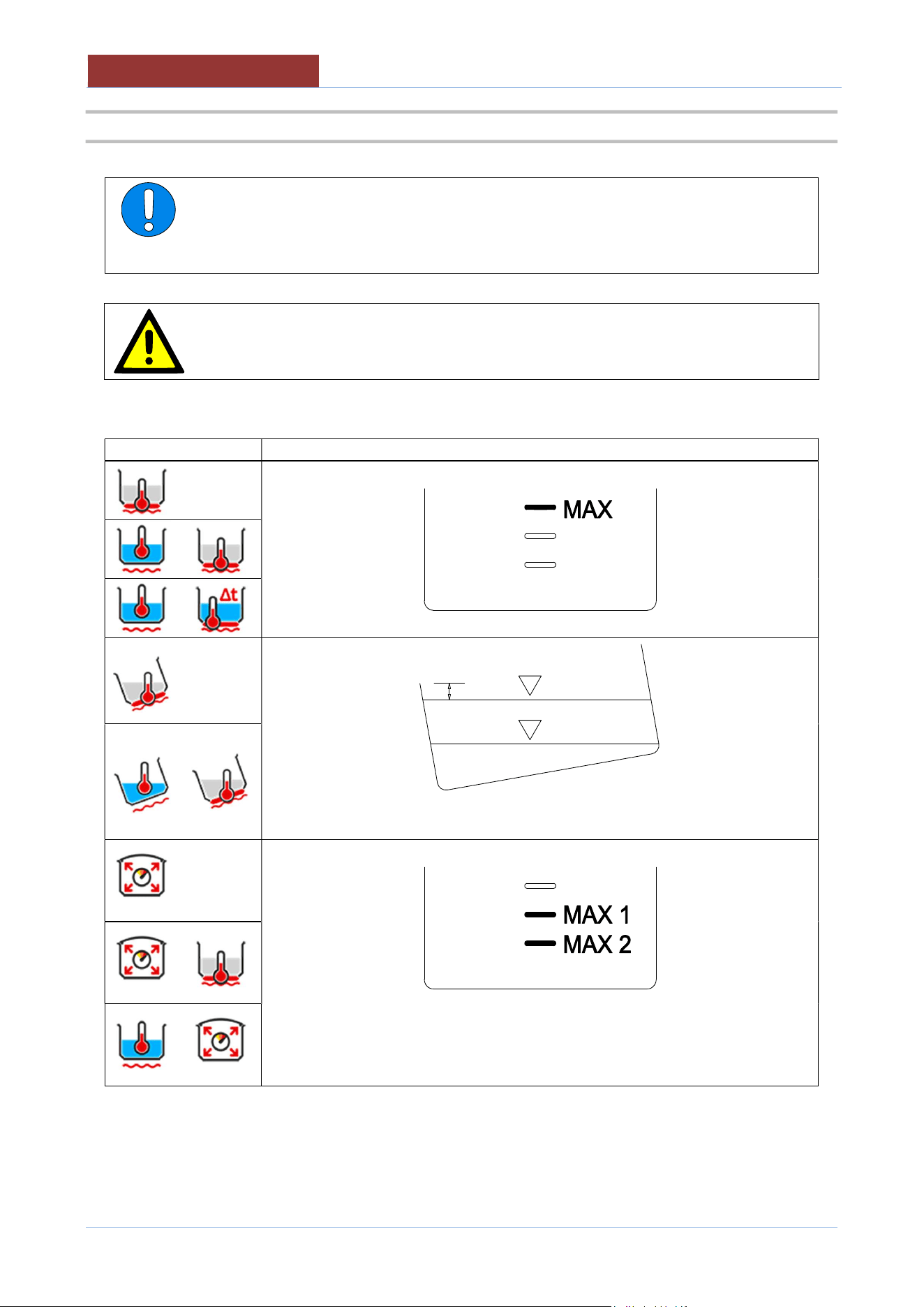
2.3 TABLE OF PAN PRODUCT LEVELS
ATTENTION:
The cooking pan must be filled respecting the minimum and maximum values
(including the food to be cooked) indicated in the table depending on the cooking
method.
ATTENTION:
Failure to comply with this requirement may cause serious injury to persons and
compromise the operation of the appliance
Cooking method
PAN LEVELS TO BE RESPECTED
min. The minimum level MUST cover the entire pan bottom!!
MAX.1. Standard maximum level
MAX.2. Maximum level when cooking foods that increase in volume or produce
foam during cooking.
SAFETY
02
-
UCBTE.A_V1
-
DIMU
-
00
-
EN
13
2.4 PRESSURE COOKING (SAFETY WARNINGS)
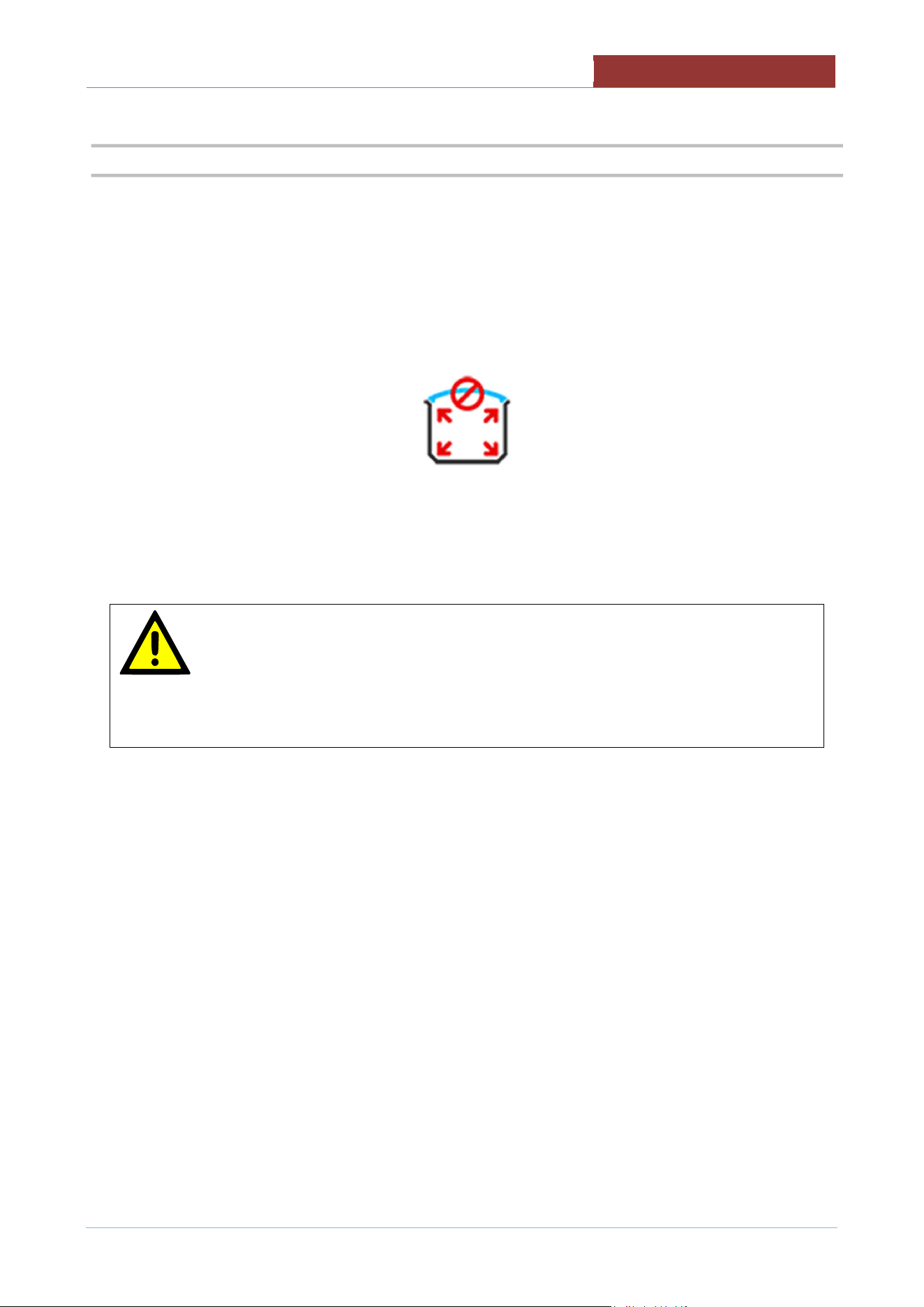
Carefully observe the following indications when pressure cooking:
1. Respect the product loading levels in the pan!
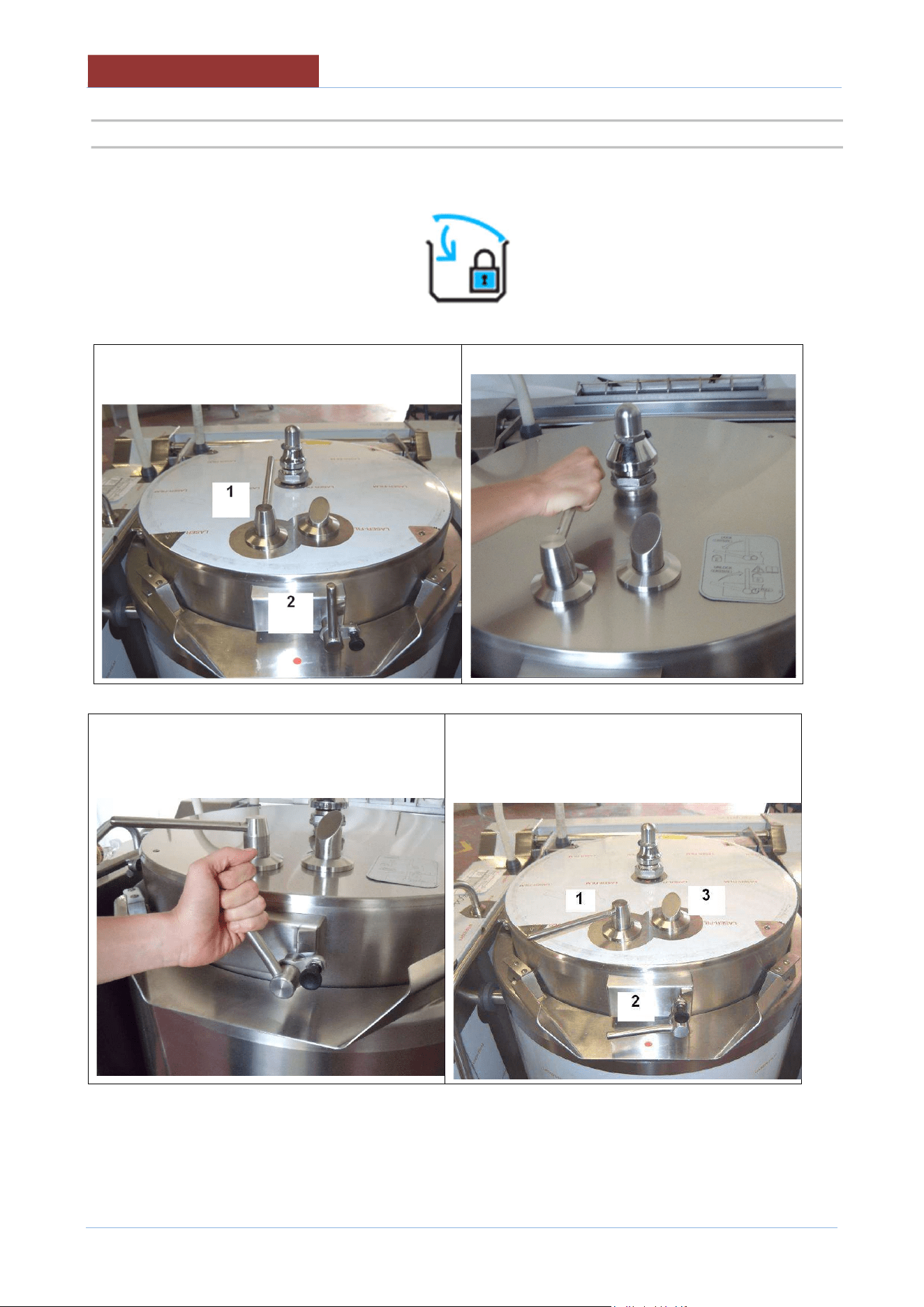
2. When the icon appears
DO NOT ATTEMPT TO OPEN THE LID!!!
A dangerous pressure has been reached inside the pan!!!
ATTENTION:
If there is a power cut when pressure cooking, the pressure in the pan is brought
to atmospheric pressure by the automatic opening of the solenoid valve. In this
case the steam will NOT be condensed.
It is normal for the uncondensed steam to come out from under the side of the
machine for a few minutes!
02
-
UCBTE.A_V1
-
DIMU
-
00
-
EN
SAFETY
14
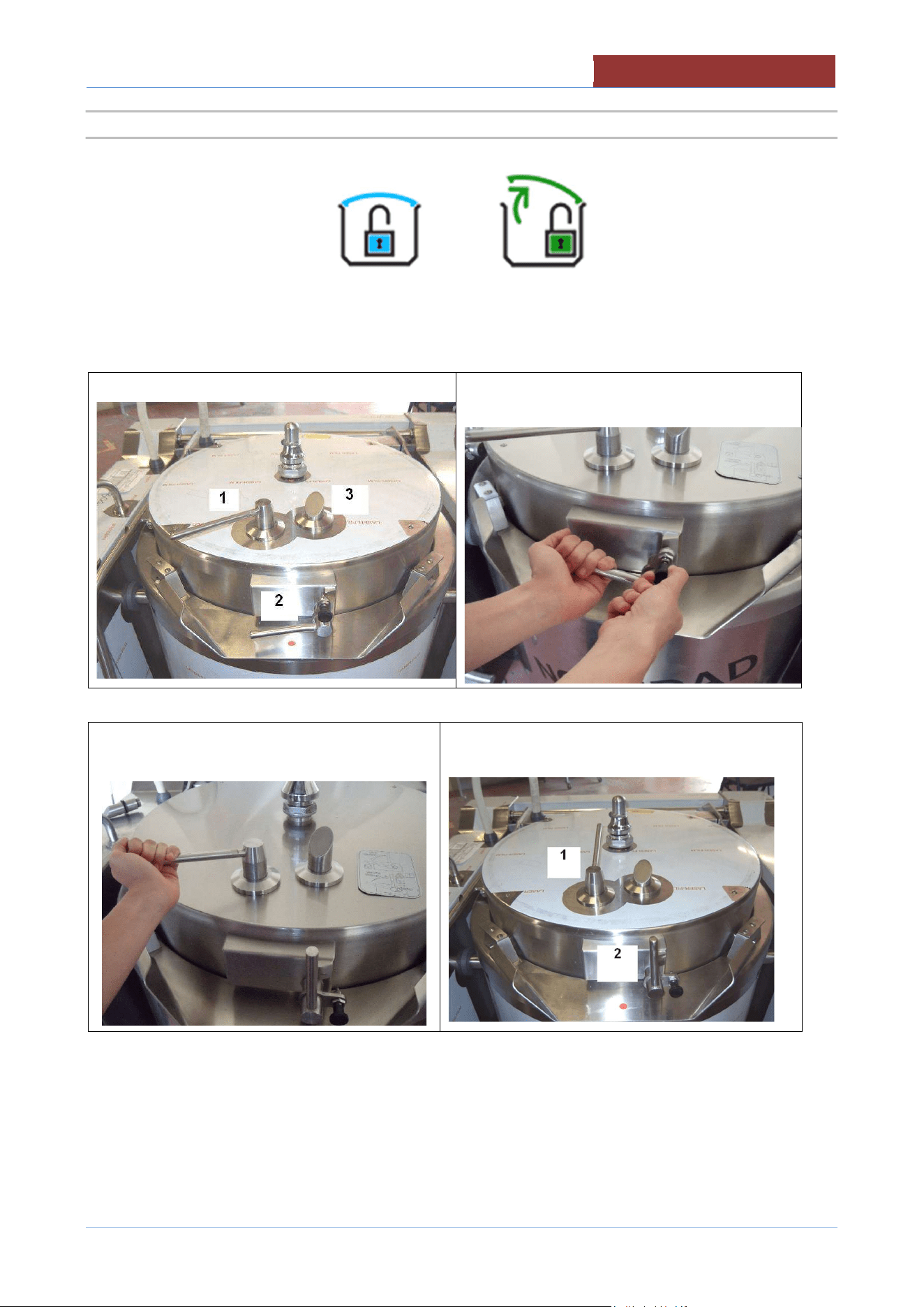
2.4.1 CLOSING THE PRESSURE COOKER LID
When the icon appears
Closing the lid in pressure cooker mode
Lid position unlocked (NO pressure cooking)
a. Turn handle 1 anticlockwise
b. Turn handle 2 anticlockwise until it is
locked.
Lid position locked (pressure cooking)
SAFETY
02
-
UCBTE.A_V1
-
DIMU
-
00
-
EN
15
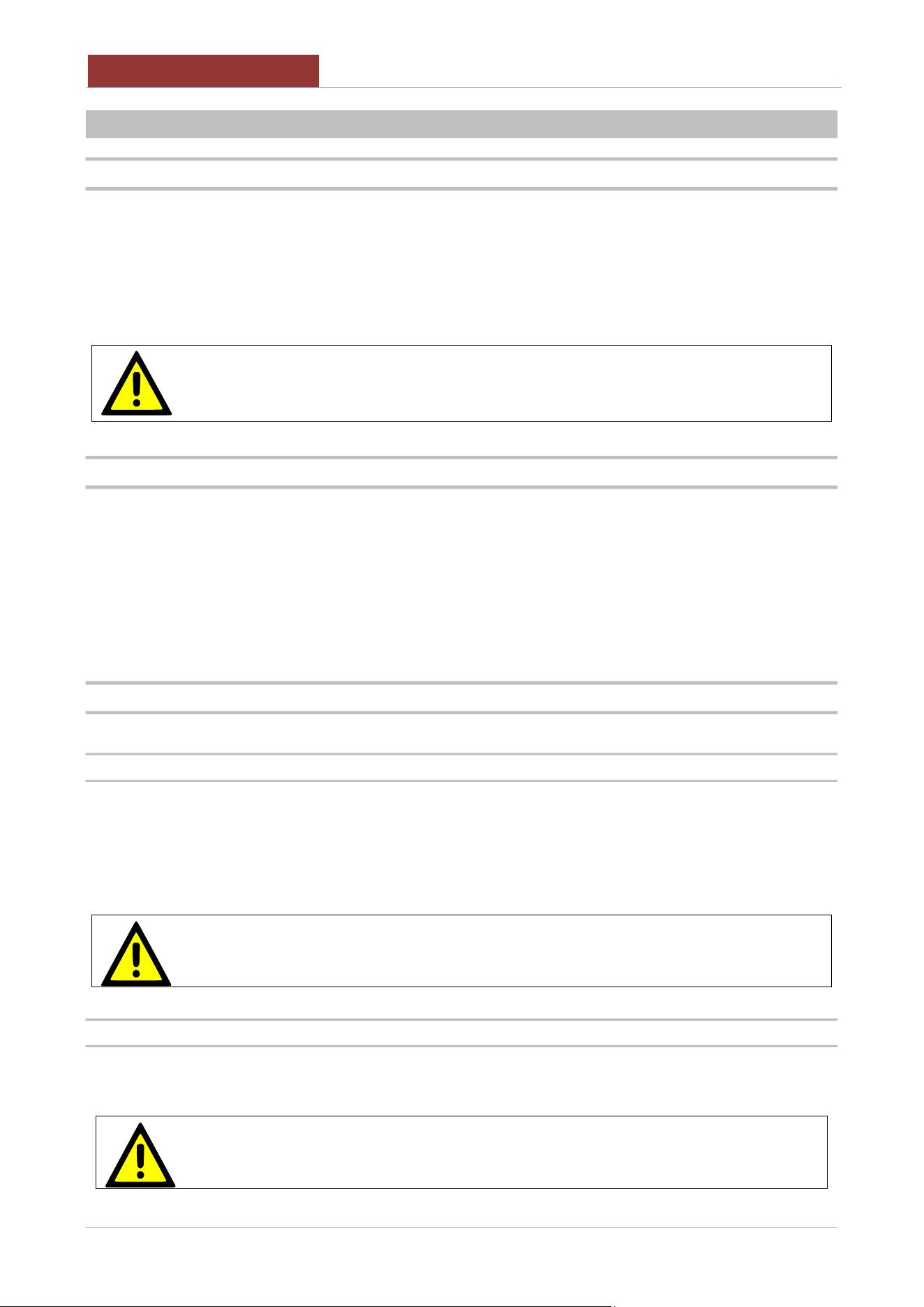
2.4.2 OPENING THE PRESSURE COOKER LID
When the icons appear
or
Opening the lid as described below.
Lid position locked (pressure cooking) a. Release the lock and gently turn
handle 2 clockwise.
b. Wait for the residual steam to escape from vent 3.
c. Turn handle 1 clockwise
Lid position unlocked (NO pressure
cooking)
d. Lift the lid slightly (about 5°) and wait for the steam to come out safely without hitting the
operator.
e. Open the lid completely.
02
-
UCBTE.A_V1
-
DIMU
-
00
-
EN
DESCRIPTION OF THE MACHINE
16
3 DESCRIPTION OF THE MACHINE
3.1 DESCRIPTION
Round Bratt pans with built-in mixer, ideal for cooking meat, sauces, risotto, fillings and for all those dishes
that require the ingredients to be worked gently.
Uniform cooking and a high-quality end product are the result of cutting edge and simple to use technology.
UCBTE..AC version with confectionery pack (wall heating, vertical blade for wall scraping).
Gas and electric versions .
The appliance can only be used for cooking food in industrial kitchens. Any other use is
considered improper use and, therefore, dangerous
3.2 MATERIALS
Cooking pan in AISI 304 grade stainless steel
Double-walled lid in AISI 304 grade stainless steel
Seal in food-grade silicone with a single junction point
Outer cover in fine satin AISI 304 grade stainless steel.
Self-supporting frame in AISI 304 grade stainless steel.
Adjustable feet for levelling in AISI 304 grade stainless steel, equipped with removable cover for cleaning
operations.
3.3 OPTIONAL
3.3.1 Shower for washing
The shower has a twist-out type system. Pull out gently until the desired or maximum length is reached. To
return, it is necessary to tug gently outwards and then twist it back into position.
Press the black lever to operate the water jet. The flow of water immediately stops when released. If you want
to have a continuous jet of water, turn the black lever as far as you can.
Handle this accessory with care and store it in its housing at the end of each use to avoid
damaging it.
Make sure there is no hot oil in the pan before using the jet.
3.3.2 Casters
The appliances can be installed on casters. The front two have brakes: to engage them, press gently on the
lever above the castor, to release them, press more firmly.
Always engage the castor brakes if you do not have to move the appliance.
DESCRIPTION OF THE MACHINE
02
-
UCBTE.A_V1
-
DIMU
-
00
-
EN
17
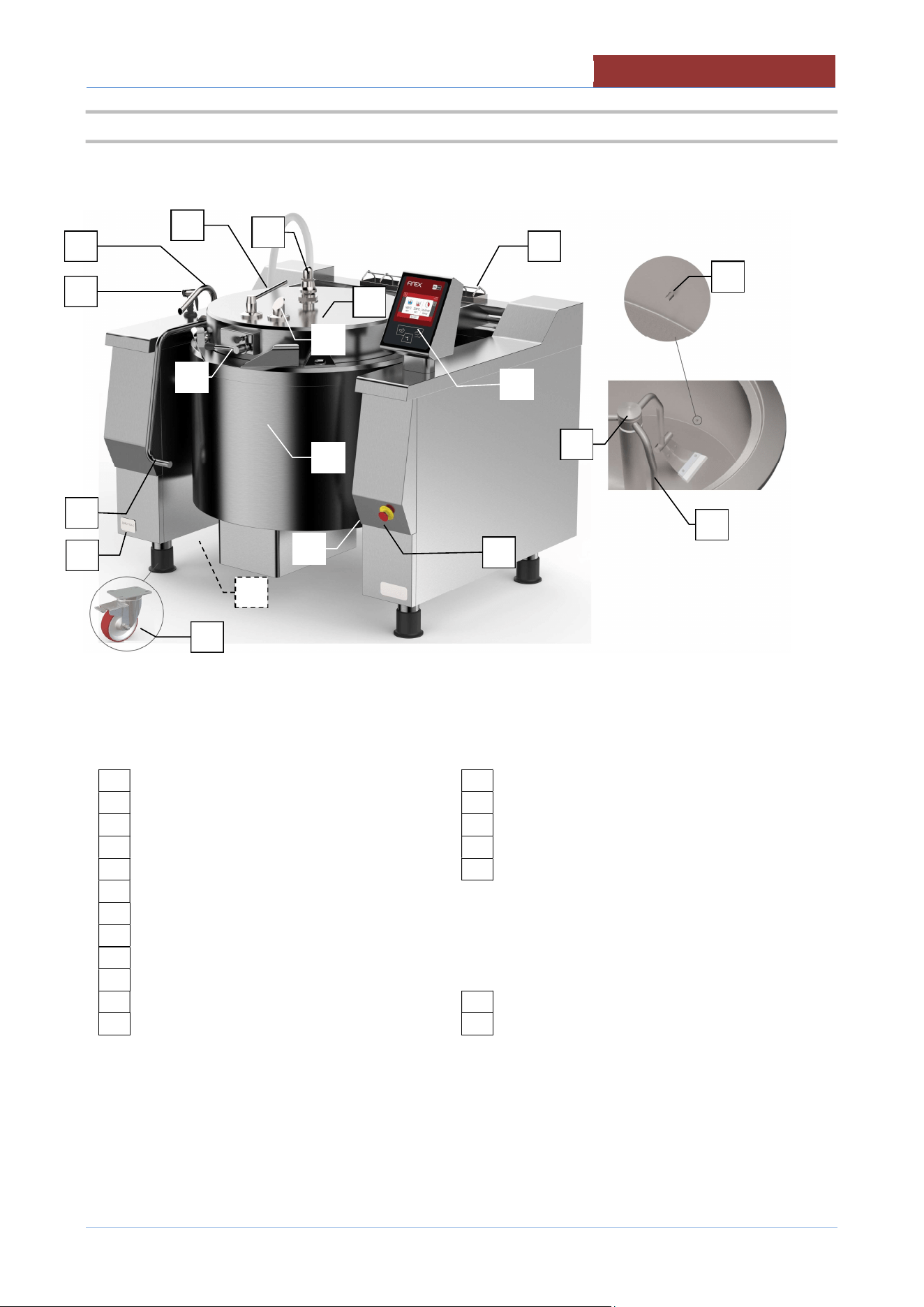
3.4 OPERATING PARTS
01
Rating
plate
13
Condensate drain
02
Emergency button
14
Sensor
in the pan
03
Control panel
15
Mixer
04
Plug USB
16
Mixer locking ring
05
Cooking pan
17
Chimney flue
(
only
mod.
U
CBTG
..
)
06
Fill tap
07
Lid
08
Lid handle
09
Lid closing lever
10
Lid lock lever
OPTIONAL
11
Steam outlet vent
2
0
Shower
12
Safety valve
2
1
Cast
e
rs
16
15
20
06
05
07
21
01
14
03
02
09
10
11
13
17
08
12
04
02
-
UCBTE.A_V1
-
DIMU
-
00
-
EN
TECHNICAL DATA
18
4 TECHNICAL DATA
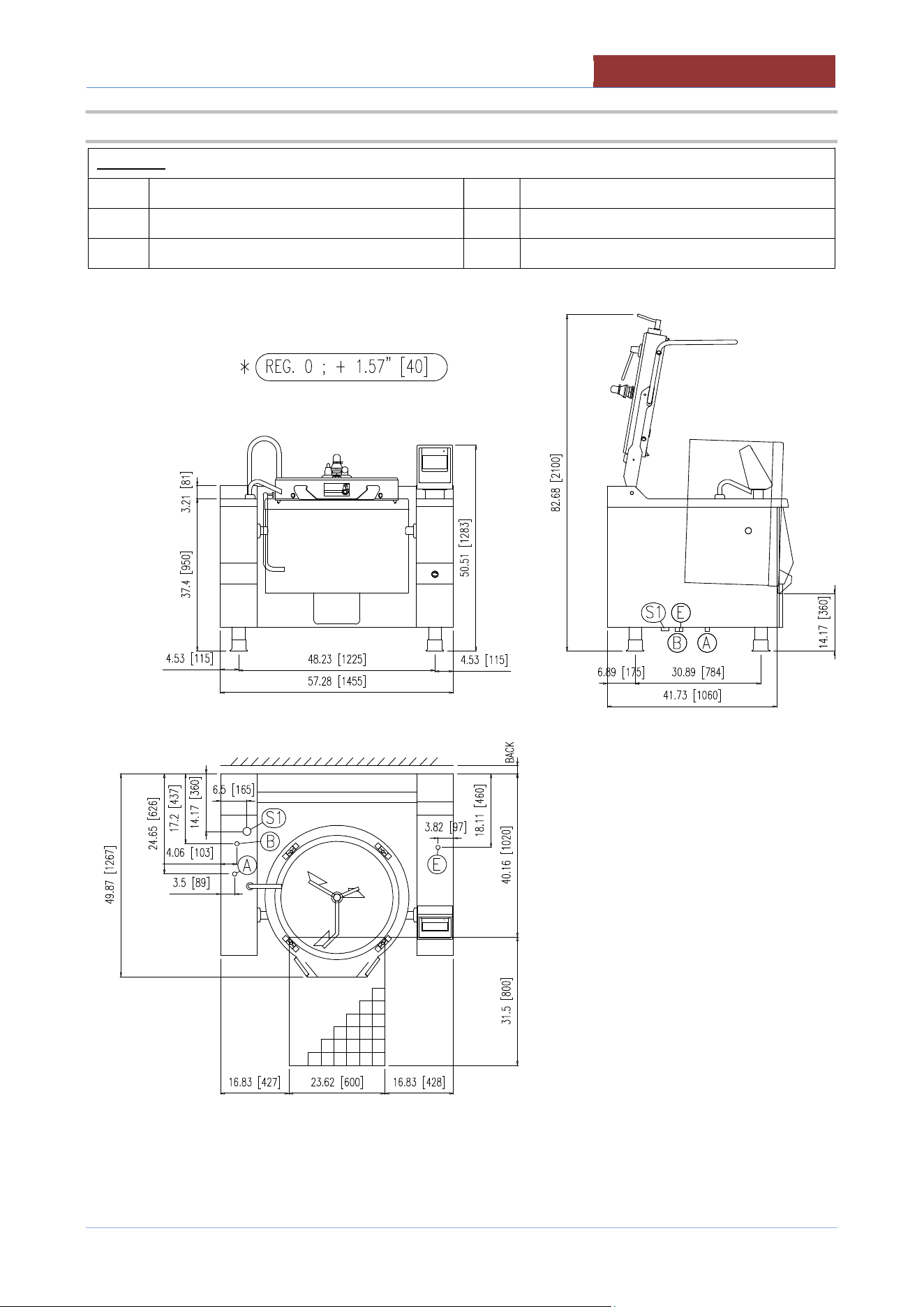
4.1 TECHNICAL DATA UCBTE..A_V1
UCBTE..A_V1 034 048 082
TECHNICAL DATA (DIMEMSIONS)
Equipment dim.A Inches 57.28 65.16 69.09
Equipment dim.B Inches 50.00 59.06 61.42
Equipment dim.H1 Inches 50.59 50.59 50.59
Equipment dim.H Inches 37.40 37.40 37.40
Equipment dim.H2 Inches 82.68 92.91 93.70
Tank drain height H3 Inches 13.78 13.78 13.78
TECHNICAL DATA (FUNCTIONALITY)
Kettle diameter Inches 27.56 35.43 39.37
Pan dimension H Inches 16.54 14.57 18.50
Pan area Inches² 589 977 1209
Overvall volume Gallons 43 62 97
Useful volume Gallons 36 50 85
Mixer speed rpm
6÷18
6÷14
4÷10
Mixer torque Nm
191
236
353
Mixer power kW 0.37
Pressure cooking PSI (bar) 6.5 (0.45) 4.35 (0.3) 4.35 (0.3)
Temperature °F (°C) 68÷428 (20÷220)
Temperature (wall heating)mod.AC °F (°C) 68÷266 (20÷130)
TECHNICAL DATA (INSTALLATION)
Electric power ** kW See tab.ELECTRICAL SPEFICATIONS
(E) Voltage/Input ** V (A) 3 PHASE 208V ; 3 PHASE 220-240 V
IPX IPX 5
Water pressure PSI (kPa) 25-50 (170-345)
(A) Hot water inlet Ø" 3/4 "
(B) Cold water inlet Ø" 3/4 "
(S1) Condensate drain Ø" 1 "
Sound level dbA < 75
TECHNICAL DATA (STORAGE/MOVEMENT)
Packaging dim.A Inches 63 70 74
Packaging dim.B Inches 57 65 67
Packaging dim.H Inches 62 62 60
Volume ft³ 127 163 172
Net weight lbs 992 1301 1433
Gross weight lbs 1224 1554 1709
**Verify on rating plate .
TECHNICAL DATA
02
-
UCBTE.A_V1
-
DIMU
-
00
-
EN
19
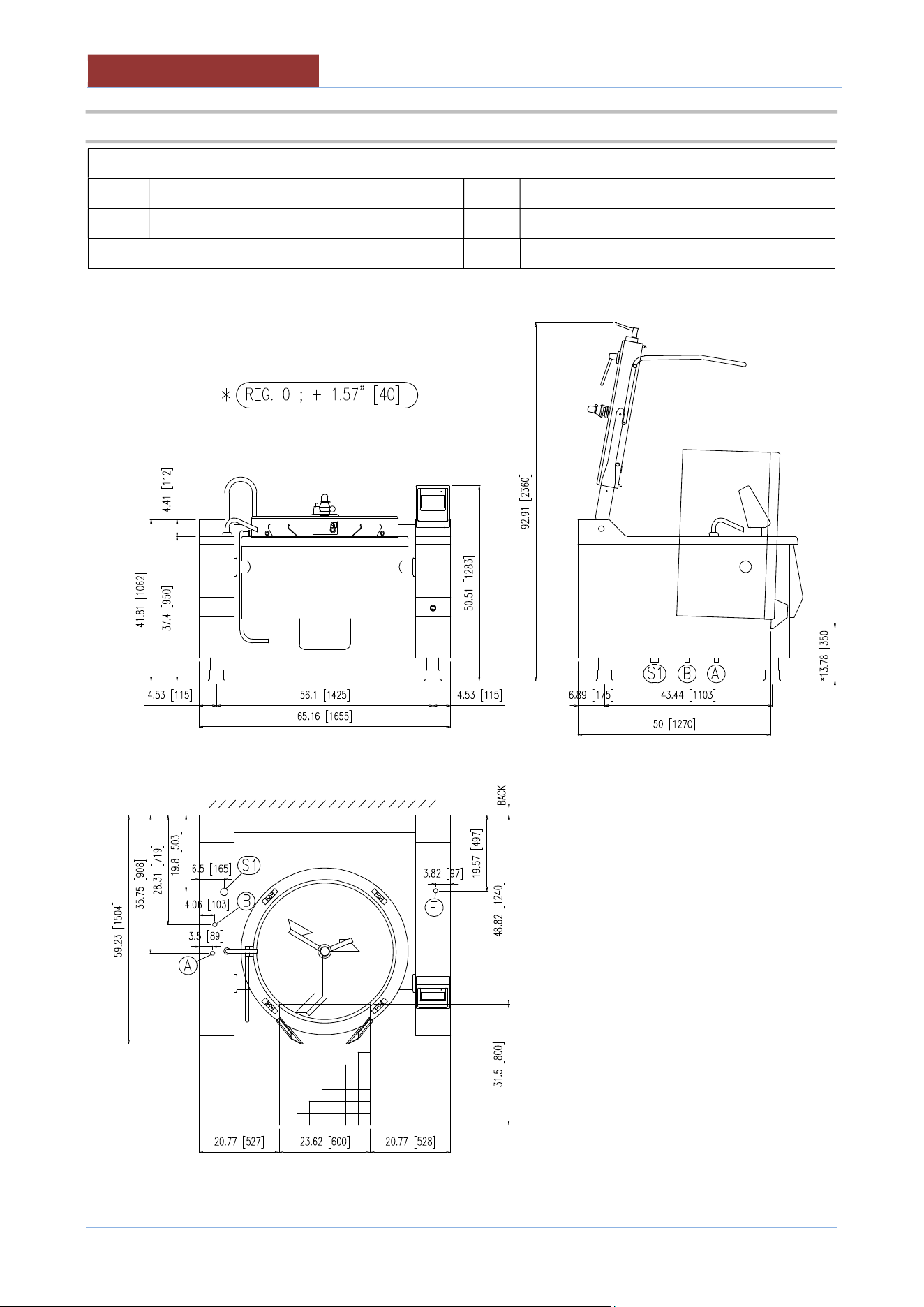
4.2 PLANT CONNECTION UBTE034A_V1 ; UBTE034AC_V1
LEGEND:
E
Electrical connection (Conduit 1-1/4”)
A
Hot water connection
S1
Condensate drain
B
Cold water connection
BACK
See “CLEARANCE REQUIREMENTS”
02
-
UCBTE.A_V1
-
DIMU
-
00
-
EN
TECHNICAL DATA
20
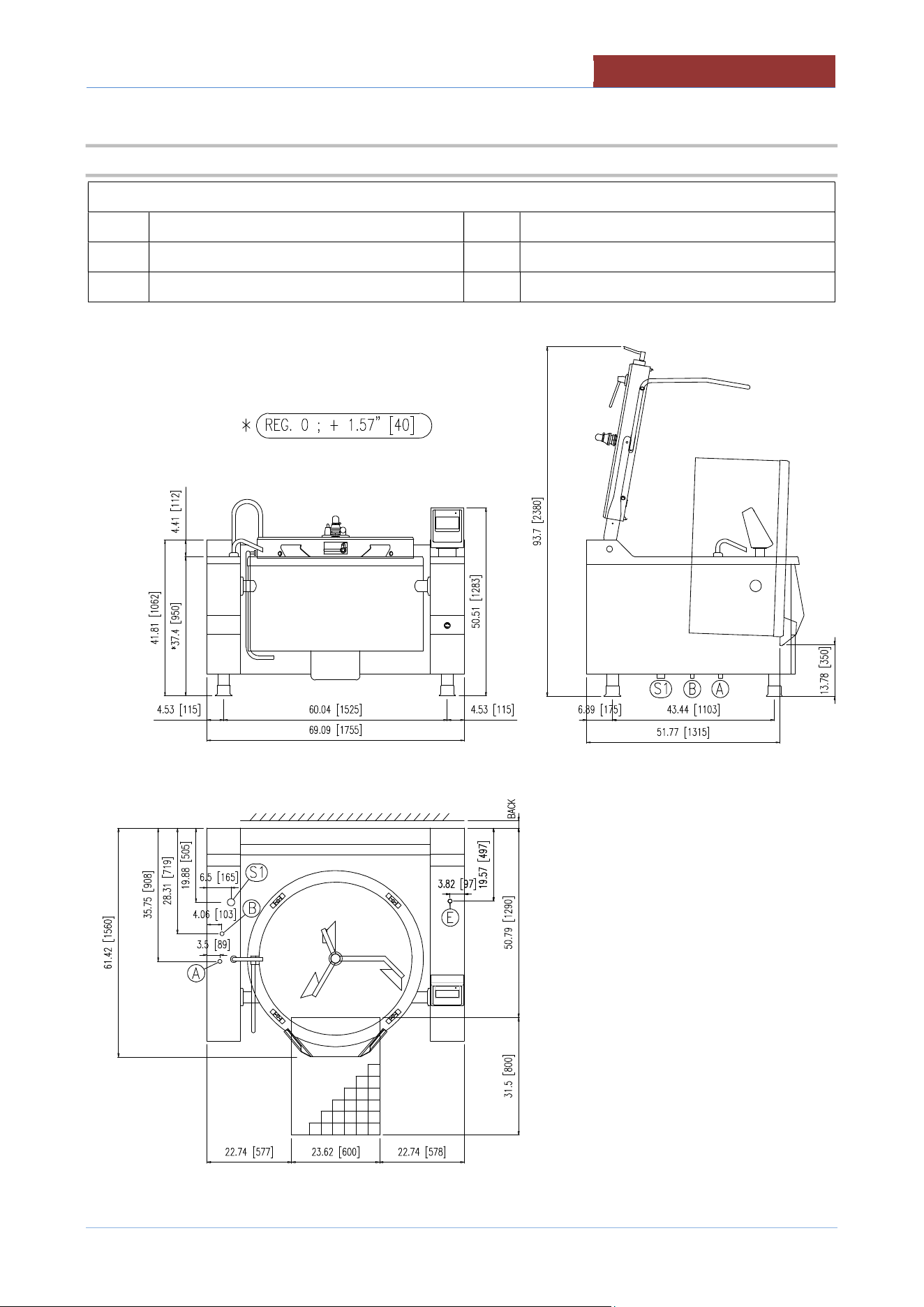
4.3 PLANT CONNECTION UBTE048A_V1 ; UBTE048AC_V1
LEGEND:
E
Electrical connection (Conduit 1-1/4”)
A
Hot water connection
S1
Condensate drain
B
Cold water connection
BACK
See “CLEARANCE REQUIREMENTS”
TECHNICAL DATA
02
-
UCBTE.A_V1
-
DIMU
-
00
-
EN
21
4.4 PLANT CONNECTION UBTE082A_V1 ; UBTE082AC_V1
LEGEND:
E
Electrical connection (Conduit 1-1/4”)
A
Hot water connection
S1
Condensate drain
B
Cold water connection
BACK
See “CLEARANCE REQUIREMENTS”
02
-
UCBTE.A_V1
-
DIMU
-
00
-
EN
TECHNICAL DATA
22
4.5 ELECTRICAL SPECIFICATIONS
MODEL
208 V 220-240 V
Phase kW Amps Phase kW Amps
UCBTE034A_V1 3 12.6 35.0 3 12.6 30.3
UCBTE034AC_V1 3 16.2 45.0 3 17.4 41.9
UCBTE048A_V1 3 19.3 53.6 3 19.3 46.5
UCBTE048AC_V1 3 23.4 65 3 24.7 59.5
UCBTE082A_V1 3 27.0 75.0 3 27.0 65.0
UCBTE082AC_V1 3 31.6 87.8 3 33.9 81.6
TRANSPORT, STORAGE, UNPACKING
02
-
UCBTE.A_V1
-
DIMU
-
00
-
EN
23
5 TRANSPORT, STORAGE, UNPACKING
5.1 TRANSPORT
The movement of the machine must be performed by a qualified operator for use of
lifting and transport equipment in accordance with the laws of the country of the user
of the machine.
The machine can be transported with a normal means (forklift or transpallet)capable of supporting its weight
and size (see.tab. "TECHNICAL DATA").
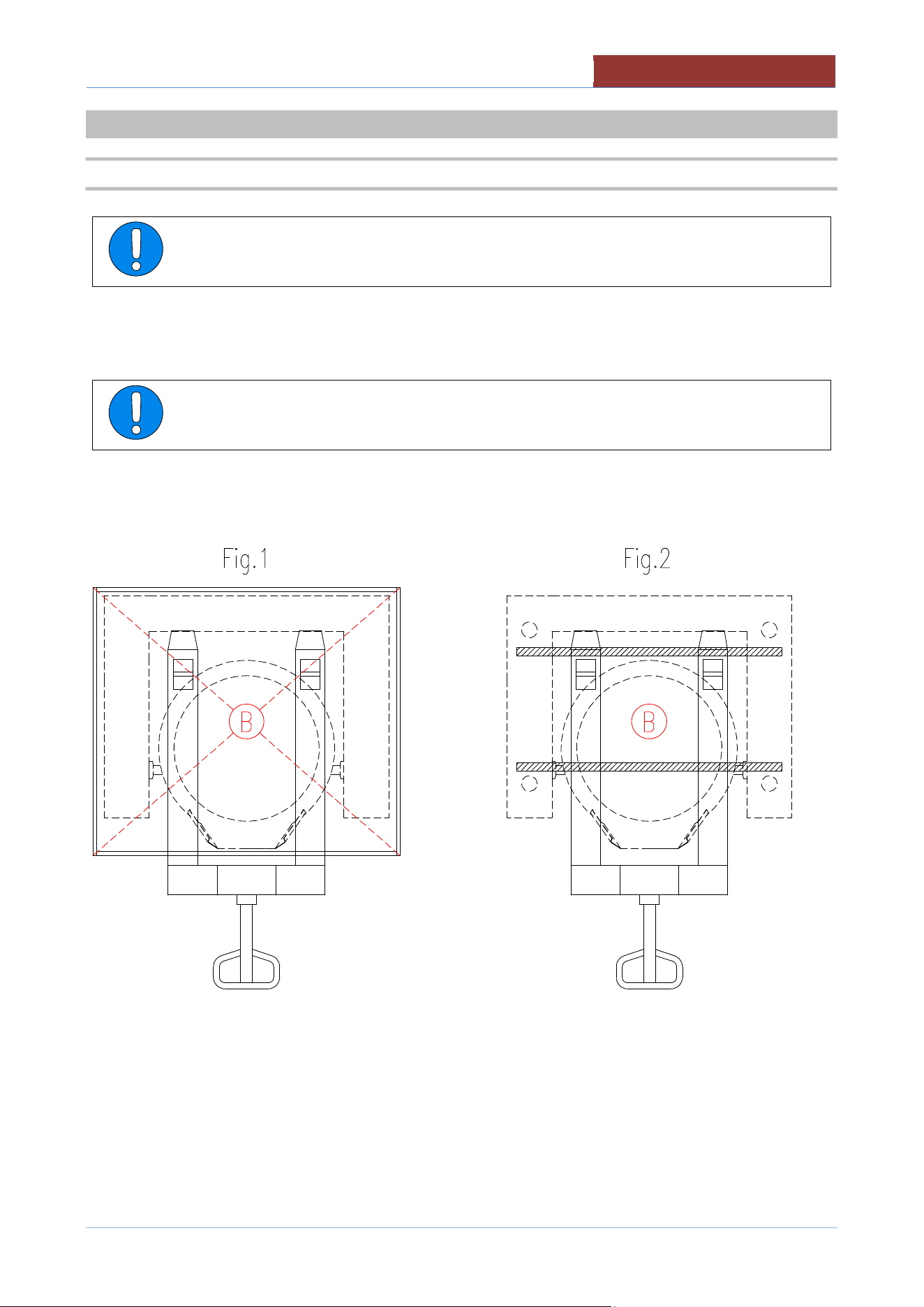
Always check the correct balance of the weight of the machine (B = center of gravity)
to prevent unexpected movement or dropping to the floor of the car with damage to
people or things around you.
For transport on pallets, Fig.1
For transport without pallets, Fig.2
02
-
UCBTE.A_V1
-
DIMU
-
00
-
EN
TRANSPORT, STORAGE, UNPACKING
24
5.2 STORAGE
Store the appliance in a closed environment protected against atmospheric agents.
Keep the appliance away from humidity and temperature ranges
Protect the appliance from shocks and stresses
Ensure that the appliance is in contact with corrosive substances
5.3 RECEIPT AND UNPACKING
Upon receipt of the machine check that the packaging is undamaged. If it does not withdraw
the conditional commodity producing photographic evidence of any apparent damage.
After removing the packaging, check that the appliance is undamaged.In case of
visible damage, do not connect the appliance but contact the sales outlet
immediately.
Check for the presence of individual components with packing lists.
Remove from the panels of the machine the protective film PVC .
Before disposing of the packaging materials make sure that they do not contain machine
elements
(accessory; tools; documentation, etc)
Dispose of the packaging components in accordance with the regulations in force on
waste disposal.
INSTALLATION
02
-
UCBTE.A_V1
-
DIMU
-
00
-
EN
25
6 INSTALLATION
6.1 INSTALLATION CODES AND STANDARDS
Electrical grounding must be provided in accordance with local codes, or in the absence of local
codes, with the National Electrical Code, ANSI/NFPA 70, or the Canadian Electrical Code, CSA
C22.2, as applicable.
The electrical diagram is located on the inside of side panel of right hand console.
6.2 REQUIREMENTS FOR THE INSTALLATION SITE
The room in which the appliance is to operate must be well ventilated.
The appliance belongs to the installation class A1 (no direct connection of a chimney of flue exhaust system is
required), so it is very important for the environment in which it is installed to be well-aired and provided with all
the safety openings prescribed for its power.
VENTILATION
The appliance are only to be installed under a ventilation hood in a room which has provisions for
adequate make up air.
Information on the construction and installation of ventilating hoods may be obtained from the
standard for “Vapor Removal from Cooking Equipment”, NFPA No. 96 (latest edition), available
from the National Fire Protection Association, Batterymarch Park, Quincy, MA, USA, 02269.
The electrical isolating switch and the water shutoff valves must both be located near
to the appliance, within easy reach for the user.
02-UCBTE.A_V1-DIMU-00-
EN
INSTALLATION
26
6.3 POSITIONING
CLEARANCE REQUIREMENTS
This unit must be installed in accordance with the clearances shown on the rating label which is adhered to the
unit.
CLEARANCES
Combustible construction
Noncombustible construction
Back 0" 0"
Right Side
25" (635 mm)
25" (635 mm)
Left Side
0"
0"
"Suitable for installation on combustible floors"
There are no particular prescriptions regarding side distances from other appliances or walls, however it is
advisable to leave enough space (20/30 “ : 50/70 cm) in case of maintenance and/or repairs.
The appliance must stand level. Small differences in level can be eliminated by screwing or
unscrewing the adjustable feet. A significantly uneven or sloping stance can affect the
operation of the appliance adversely.
Adjust the bottom foot on each leg to overcome an uneven floor.
If the appliance is equipped with casters (optional), leveling must be ensured by the floor. If
the floor is not level, it must be made such with thicknesses in correspondence of the wheels.
The surface and the inclination of the shims must be such as not to affect the stability of the
machine.
After positioning remove the bars under the frame.
It is advisable to keep the bars so that they are available for subsequent movements.
CONNECTIONS
02
-
UCBTE.A_V1
-
DIMU
-
00
-
EN
27
7 CONNECTIONS
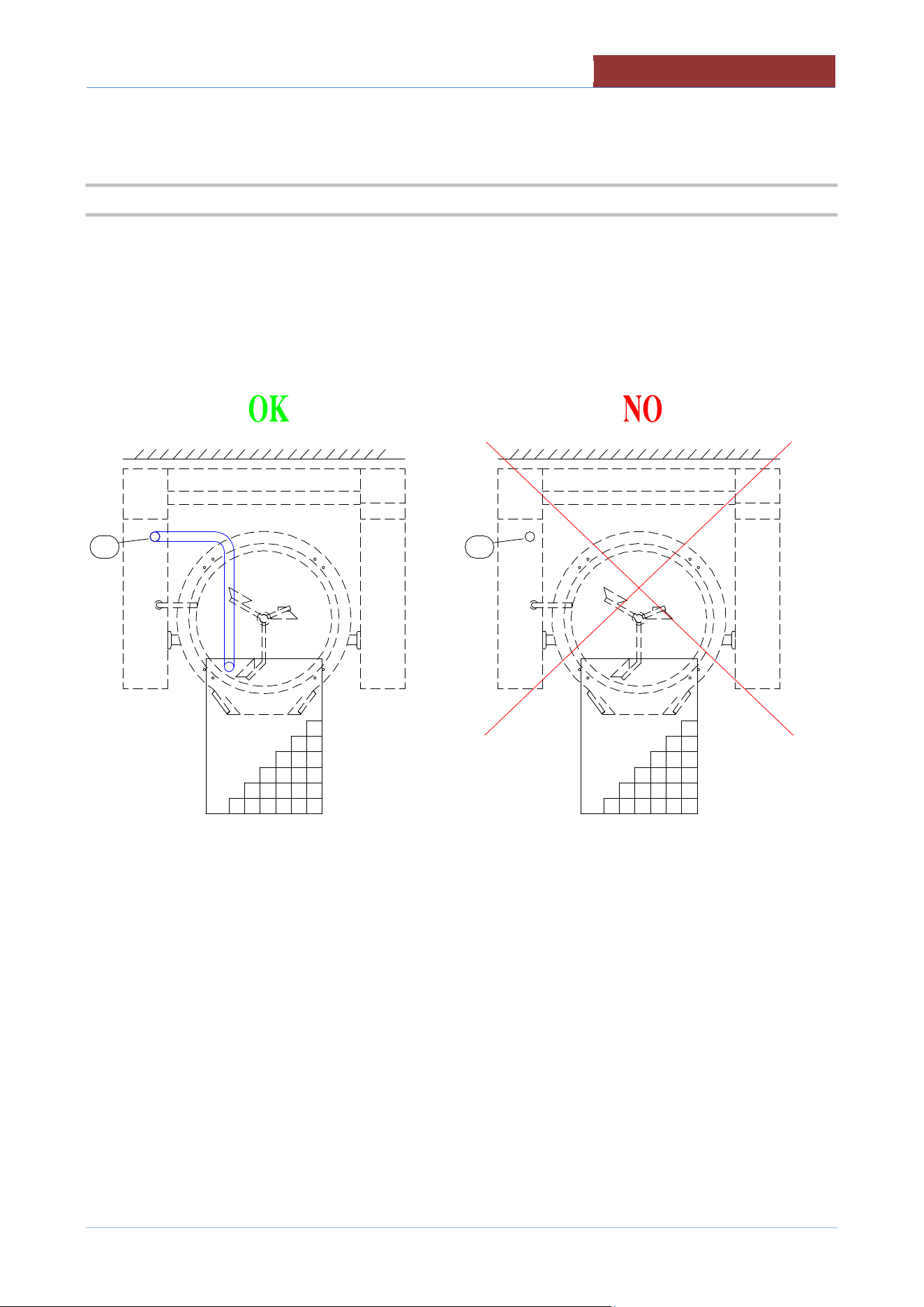
Attention: When the appliance is equipped with casters (optional), the appliance shall be
installed using a flexible conduit.
Adequate means must be provided to limit the moviment of the appliance without
depending on or transmitting stress to the electrical conduit.
The location where the restraining means may be attached to the appliance are the two
eyebolts positioned on the back of the appliance.
Utility connections must be made with flexible lines of sufficient length to allow the
equipment to be moved for cleaning of the equipment and adjacent area.
7.1 ELECTRICAL CONNECTION
During installation, observe the regulations provided by the local electricity company.
The appliance is supplied to operate according to the power supply indicated on
appliance's rating plate.
A separate fused disconnect switch must be supplied and installed. The appliance must be
electrically grounded by the installer.
The earthing system must be efficient.
The electric supply must match the power requirements specified on the appliance's rating
plate.
The copper wiring must be adequate to carry the required current at the rated voltage.
The connection point is indicated in the "PLANT CONNECTION"
Ensure main power is turned off before connecting wires.
Remove the screws of the cover in the right side of the appliance. Remove the cover.
Insert the cable through the cable gland. Carefully connect the conductors to the corresponding terminals. The
earth conductor must be longer than the other conductors, so as to disconnect last in the event of a strong pull
of the cable or break of the cable gland. Tighten the cable gland.
Replace the cover and secure it with screws.
02-UCBTE.A_V1-DIMU-00-
EN
CONNECTIONS
28
Any damage caused by water/steam infiltration or insects, due to the machine panels
not being closed (after installation or maintenance) shall void any warranty claims.
7.2 WATER CONNECTION
The equipment is to be installed with adequate backflow protection to comply with
applicable federal, state, and local codes.
The water pressure in the supply network must be between the values indicated in the
"INSTALLATION TECHNICAL DATA" table.
If not, install a pressure reducer upstream of the appliance.
Before making the water connection, carefully clean the connection pipe. It is
advisable to let the water flow to clean the whole piping. Any impurities could
compromise the operation of the machine.
The diameter of the connections is indicated in "INSTALLATION TECHNICAL DATA"
The connection point is indicated in the "PLANT CONNECTION"
Install a shut-off valve upstream of the appliance, one for each water connection on the appliance, near the
appliance and in a position easily accessible by the user.
CONNECTIONS
02
-
UCBTE.A_V1
-
DIMU
-
00
-
EN
29
7.3 CONNECTION TO CONDENSATE DRAIN
MODD.UCBT..A
Bring the condensate drain on the grid drain or to a drain fixed whit device backflow prevention.
The diameter of the connections is indicated in "INSTALLATION TECHNICAL DATA"
The connection point is indicated in the "PLANT CONNECTION"
02-UCBTE.A_V1-DIMU-00-
EN
COMMISSIONING AND TESTING
30
8 COMMISSIONING AND TESTING
Once all the connections have been made, the appliance and the overall installation must be checked
following the directions given in this manual.
CHECK IN PARTICULAR:
That the protective film has been removed from the external surfaces;
That the panels of the machine are closed correctly;
That connections have been made in accordance with the requirements and directions indicated in this
manual;
That all safety requirements in current standards, statutory regulations and directives have been met;
That the power cable is not subjected to traction and is not in contact with hot surfaces;
That the water, gas and steam connections are tight and not subjected to traction.
Now proceed to light the appliance as directed in the instructions for use.
While the appliance is in use, voltage should not differ from the nominal voltage more than +/- 10%.
The test report must be completed in full and submitted to the customer who should
then sign in acceptance. With effect from this moment, the appliance is covered by the
manufacturer’s warranty
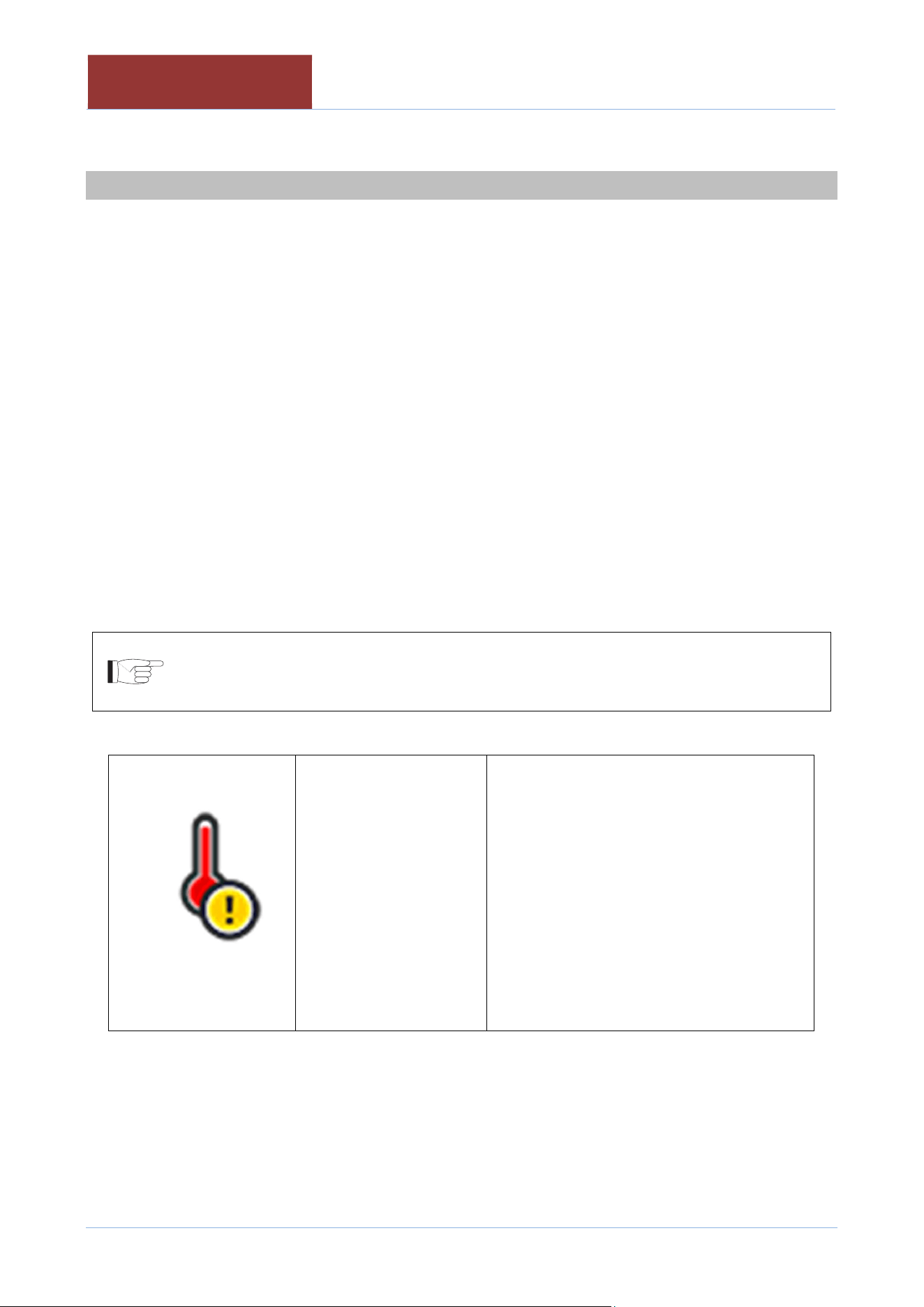
Attention if the display shows:
The safety thermostat of
the equipment has
intervened. The
equipment is switched
off.
The safety thermostat can be disarmed
during transport without any anomalies, or
with temperatures close to 0 ° C
Disconnect the machine from the power
supply.
Remove the lower right control panel and
reset the thermostat, pressing firmly on the
red thermostat button.
In case of new thermostat intervention
contact the assistance service.
9 USING THE MACHINE
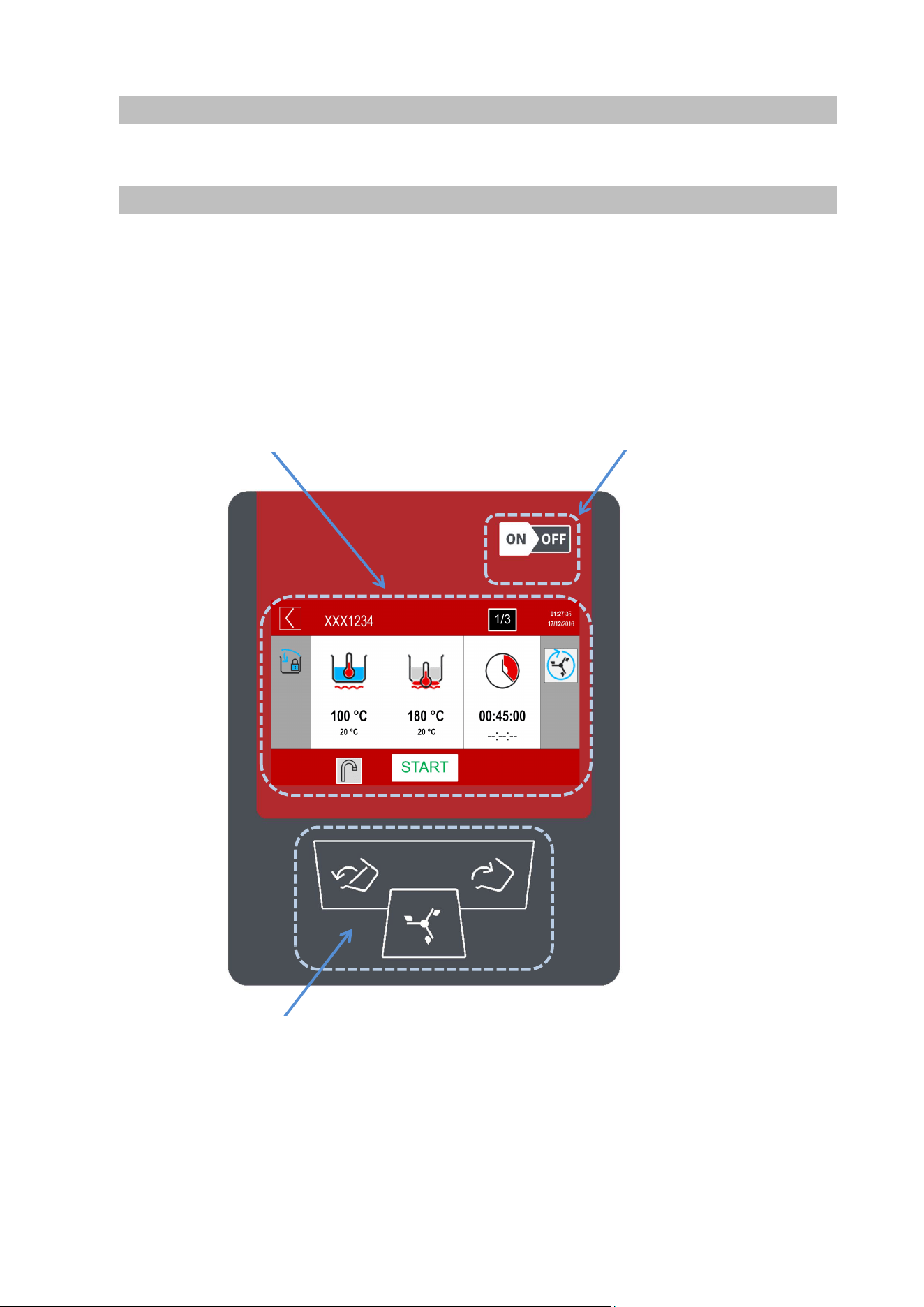
10 TOUCH SCREEN
1-On-off switch
2- 7" TFT resistive display
3- Keypad for movements (mixer, pan)
2- 7" TFT resistive display
1-On-off switch
3- Keypad for movements (mixer, pan)
02
-
UCBTE.A_V1
-
DIMU
-
00
-
EN
MAIN MENU
32
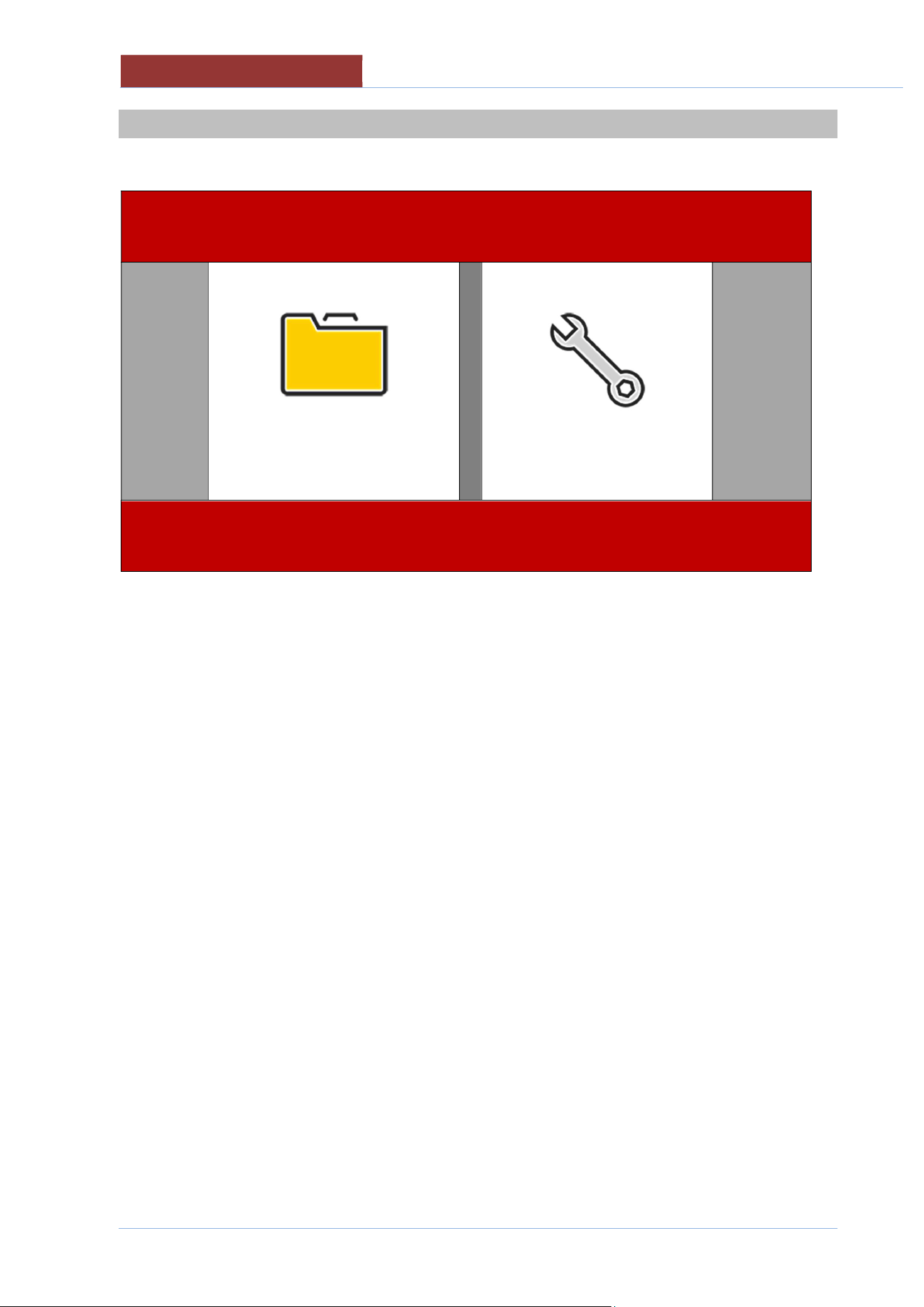
11 MAIN MENU
PROGRAMS
SETTINGS
PROGRAMS
Setting manual cooking parameters
Carrying out manual cooking
Running cooking programs
SETTINGS
Appliance setting-user;
creating-editing cooking programs
language
date-time
firmware update
colors
EXPORT (HACCP data)
Appliance setting - installer/technical assistant;
TEST I/O
Parameter setting (unit of measurement)
Import database
SETTINGS MENU
02
-
UCBTE.A_V1
-
DIMU
-
00
-
EN
33
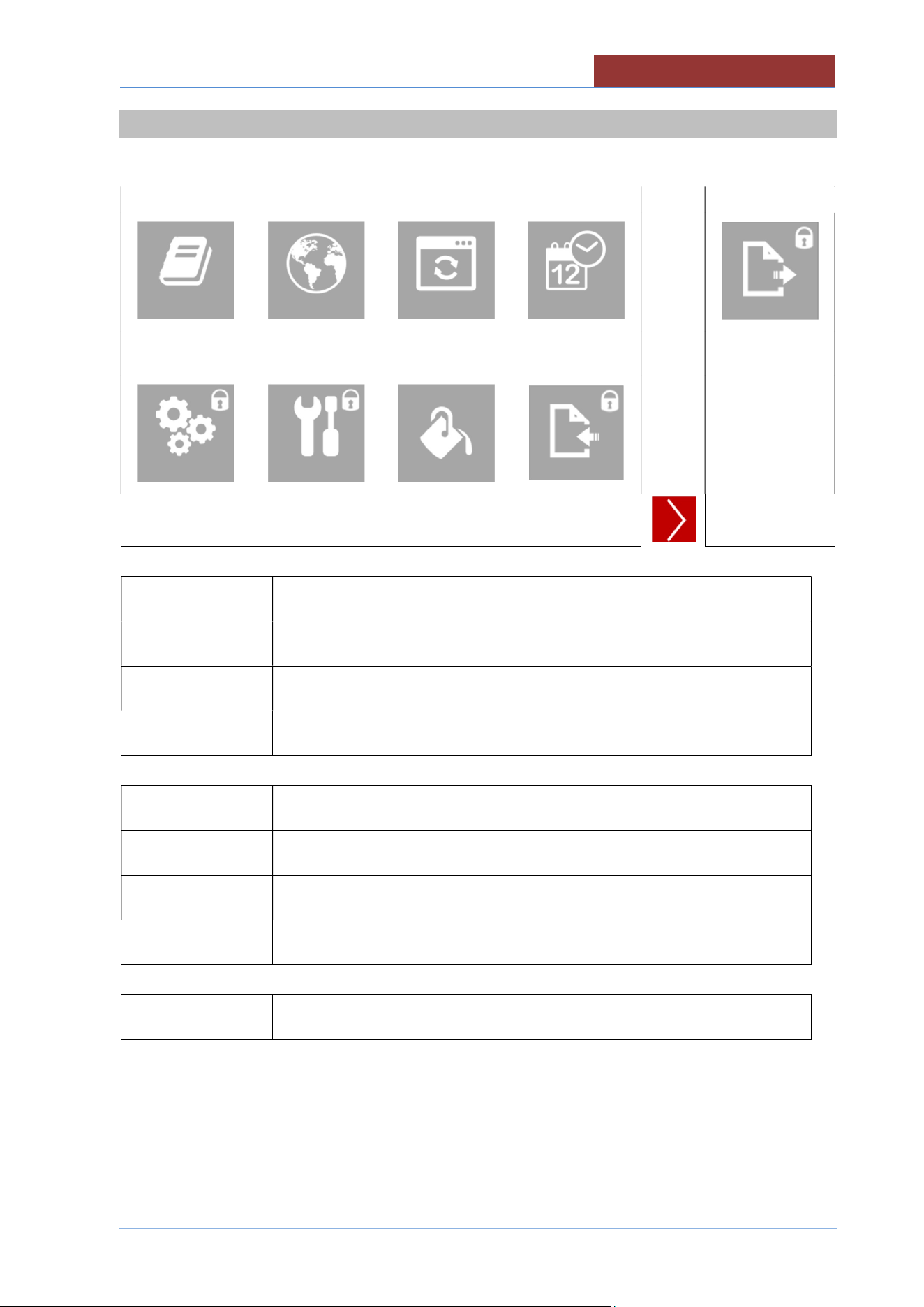
12 SETTINGS MENU
PROGRAMS
LANGUAGES
FIRMWARE
DATE
-
HOUR
EXPORT
TEST I/0
PARAMETERS
COLORS
IMPORT
PROGRAMS
Creating-editing cooking programs
LANGUAGES
Language setting
FIRMWARE
Firmware update (from USB)
DATE-HOUR
Current Date and Time setting
TEST I/0
Test I/O board (only with password)
PARAMETERS
Parameter setting (only with password)
COLORS
Screen colour setting
IMPORT
Import database (parameters, cooking, languages, programs) only with
password.
EXPORT
Export (HACCP data).Read the instruction manual dedicated to HACCP.
02
-
UCBTE.A_V1
-
DIMU
-
00
-
EN
PROGRAMS MENU
34
13 PROGRAMS MENU
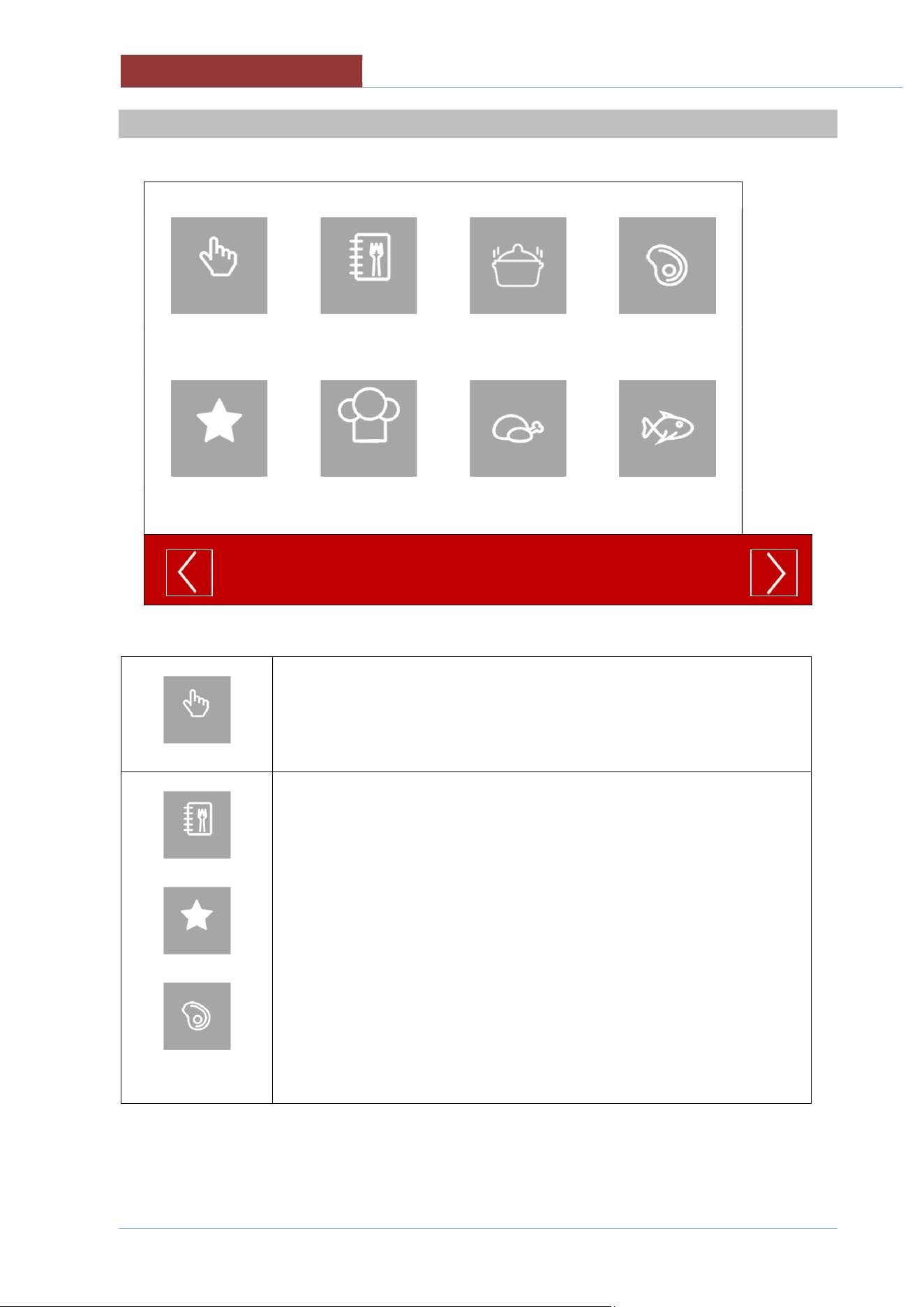
MANUAL
ALL
SAUCES
MEAT
FAVORITES
CHEF
POULTRY
FISH
MANUAL
Setting manual cooking parameters
Carrying out manual cooking
ALL
FAVORITES
MEAT
ETC
Running cooking programs
COOKING LAYOUT
02
-
UCBTE.A_V1
-
DIMU
-
00
-
EN
35
14 COOKING LAYOUT
XXX1234
01:27: 35
17/12/ 2016
100°C
20°C
180°C
20°C
00:45:00
--:--:--
STATUS BAR
XXX1234
01:27: 35
17/12/ 2016
↓ COOKING AREA
_________________________________________________________
100°C
20°C
180°C
20°C
00:45:00
--:--:--
_________
__________
↑ MESSAGE COLUMN FUNCTION COLUMN ↑
FUNCTION BAR
1/3
START
1/3
START
02
-
UCBTE.A_V1
-
DIMU
-
00
-
EN
COOKING LAYOUT
36
14.1 STATUS BAR
1
2
3 4
5
XXX1234
01:27: 35
17/12/ 2016
1
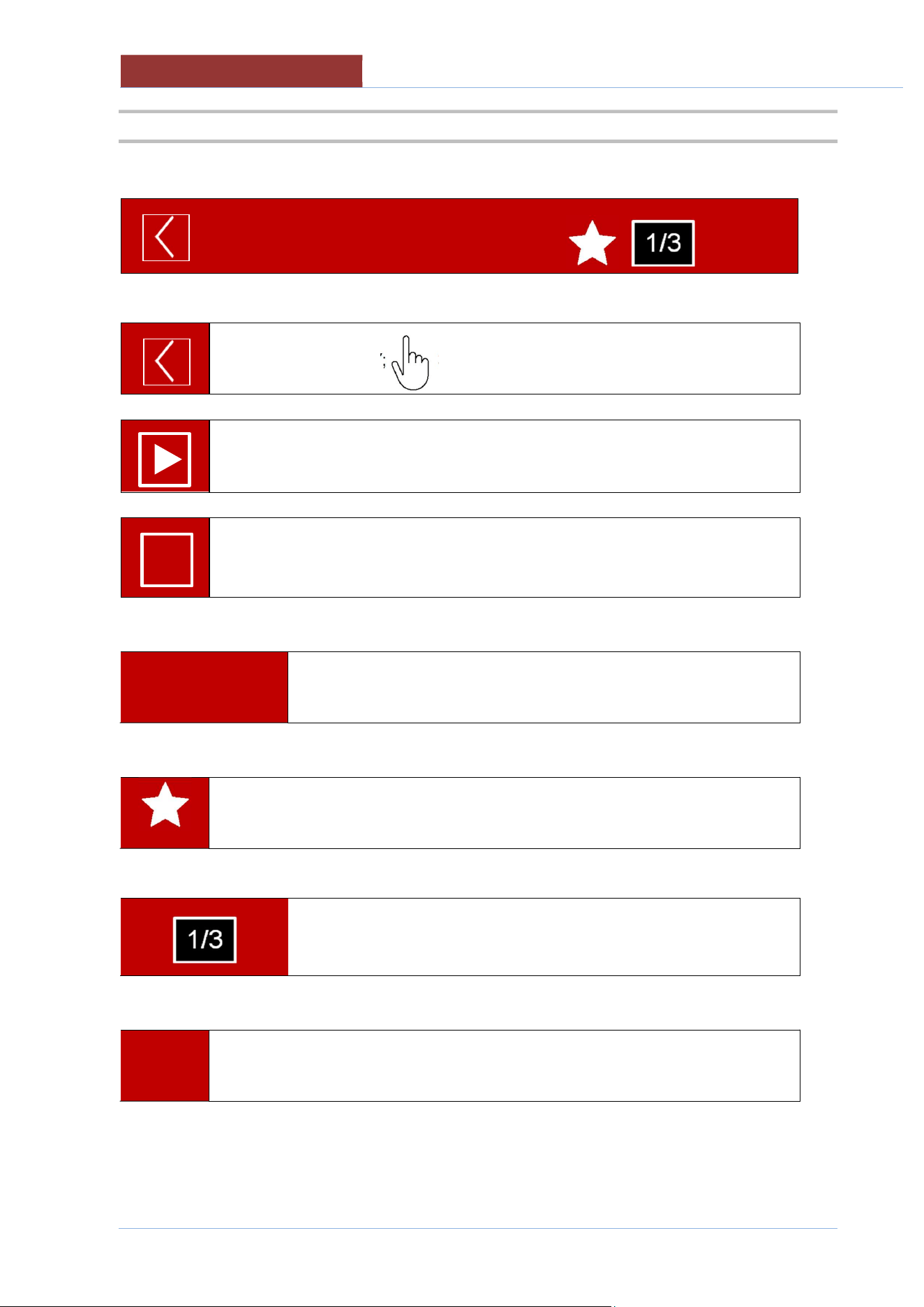
STAND-BY/RETURN KEY; 3 sec → HOME
↓
COOKING/PROGRAM IN PROGRESS.
↓
COOKING/PROGRAM IN PROGRESS (PAUSED) AWAITING ACTION.
2
XXX1234
Name of cooking program selected
3
PROGRAM IN THE LIST OF FAVOURITES (not present in manual cooking)
4
PROGRAM PHASE IN PROGRESS (not present in manual cooking)
5
01:27: 35
17/12/ 2016
CURRENT TIME AND DATE
I I
COOKING LAYOUT
02
-
UCBTE.A_V1
-
DIMU
-
00
-
EN
37
14.2 COOKING AREA
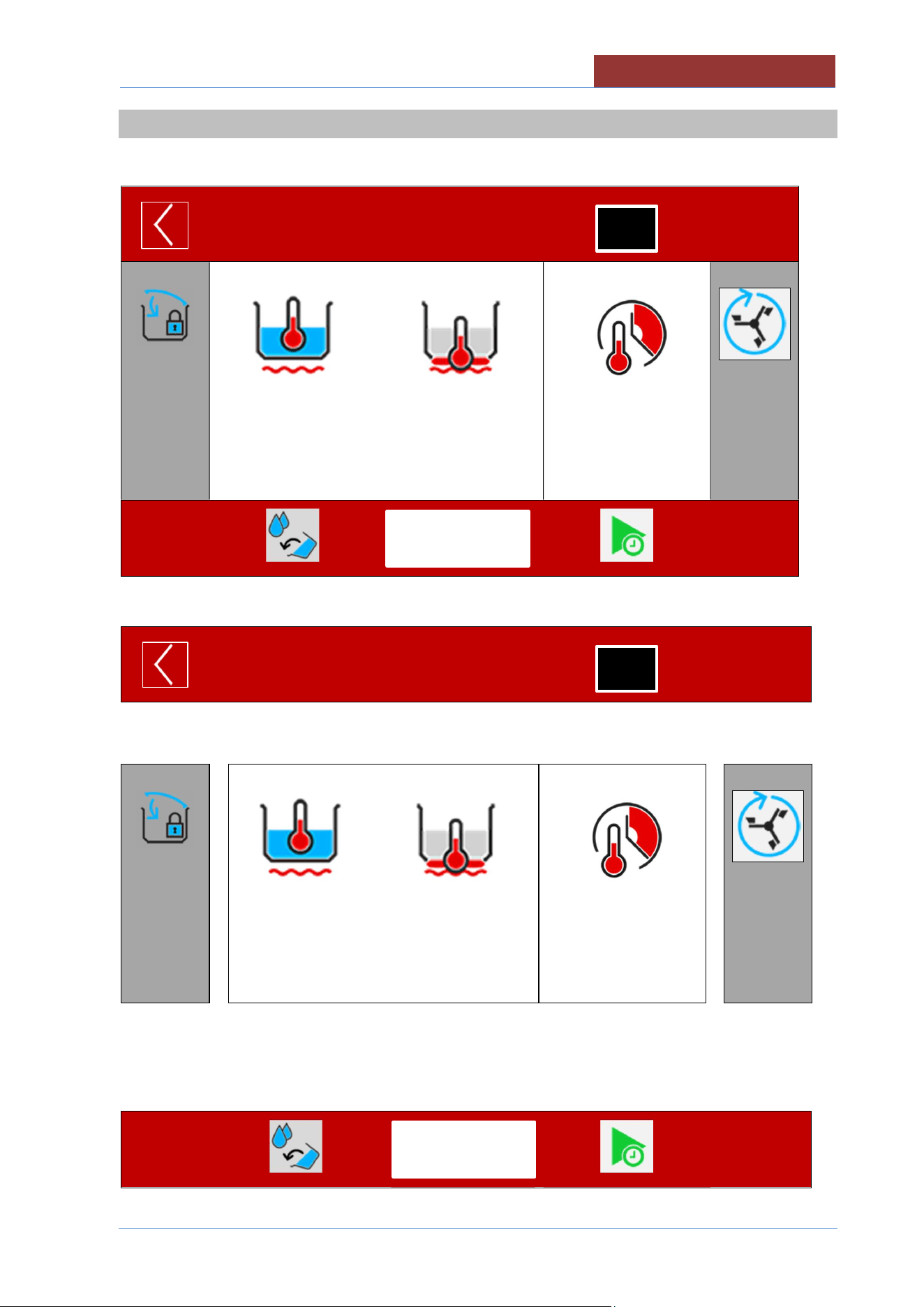
COOKING METHOD>
SETPOINT >
VALUE MEASURED>
100°C
20°C
180°C
20°C
00:45:00
--:--:--
< TIME TYPE
< SETPOINT
< COUNTDOWN
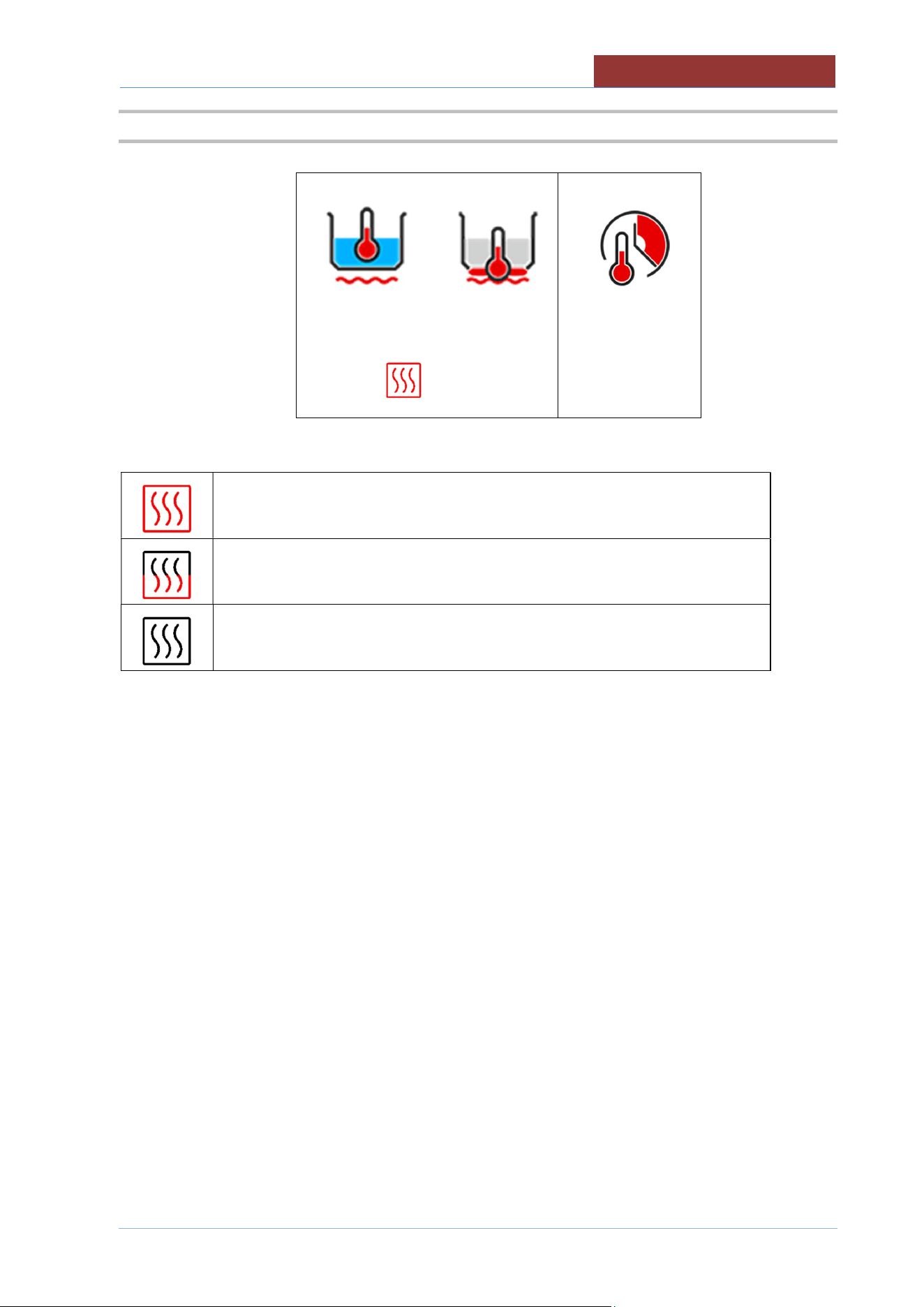
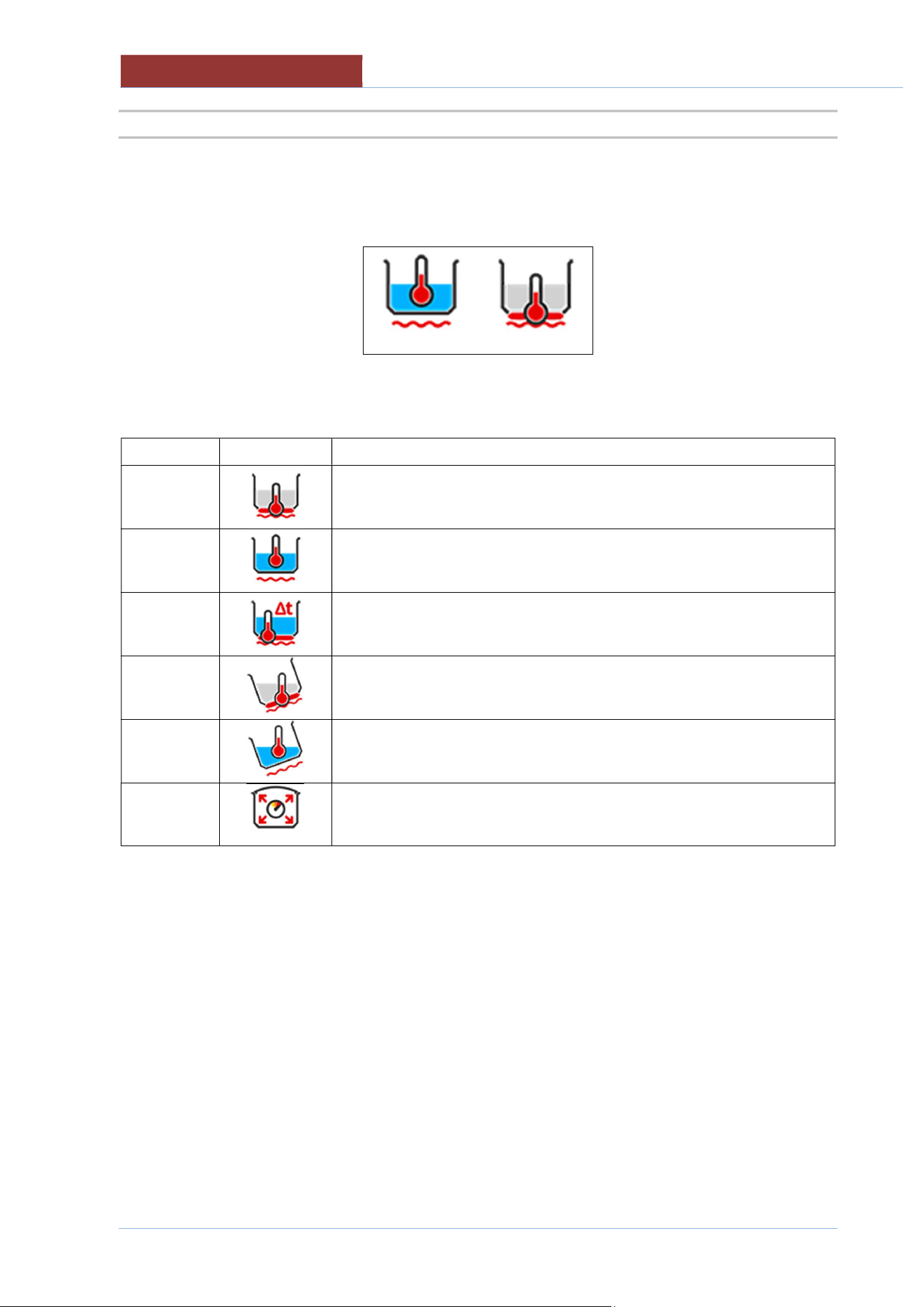
HEATING IN OPERATION
MINIMUM HEATING
HEATING OFF AS SETPOINT REACHED OR FOR WAITING (L
COLUMN ICONS)
02
-
UCBTE.A_V1
-
DIMU
-
00
-
EN
COOKING LAYOUT
38
14.2.1 COOKING ICONS (MEANING)
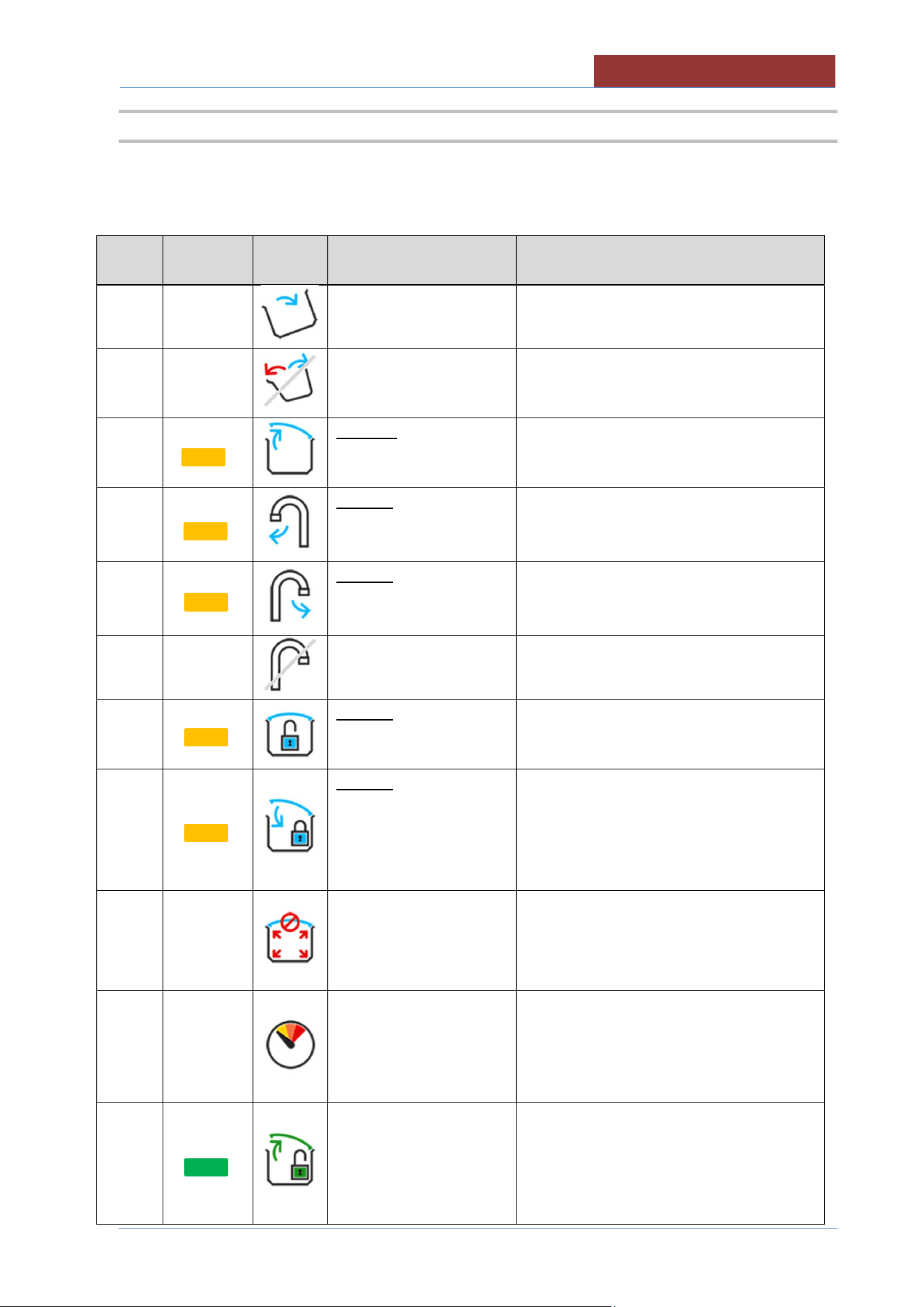
Left or central icon: main control (when the SETPOINT is reached, heating stops and the countdown of
the cooking time starts)
↓
↑
Right icon: secondary control (when the SETPOINT is reached,
the heating stops)
Name Icon Description
Temperature at bottom
Temperature in the pan
Δ Temperature between bottom and main temperature
Temperature at bottom (tilted pan)
Temperature in the pan (tilted pan)
Pressure cooking (SETPOINT not settable)
COOKING LAYOUT
02
-
UCBTE.A_V1
-
DIMU
-
00
-
EN
39
14.3 MESSAGE COLUMN (L)
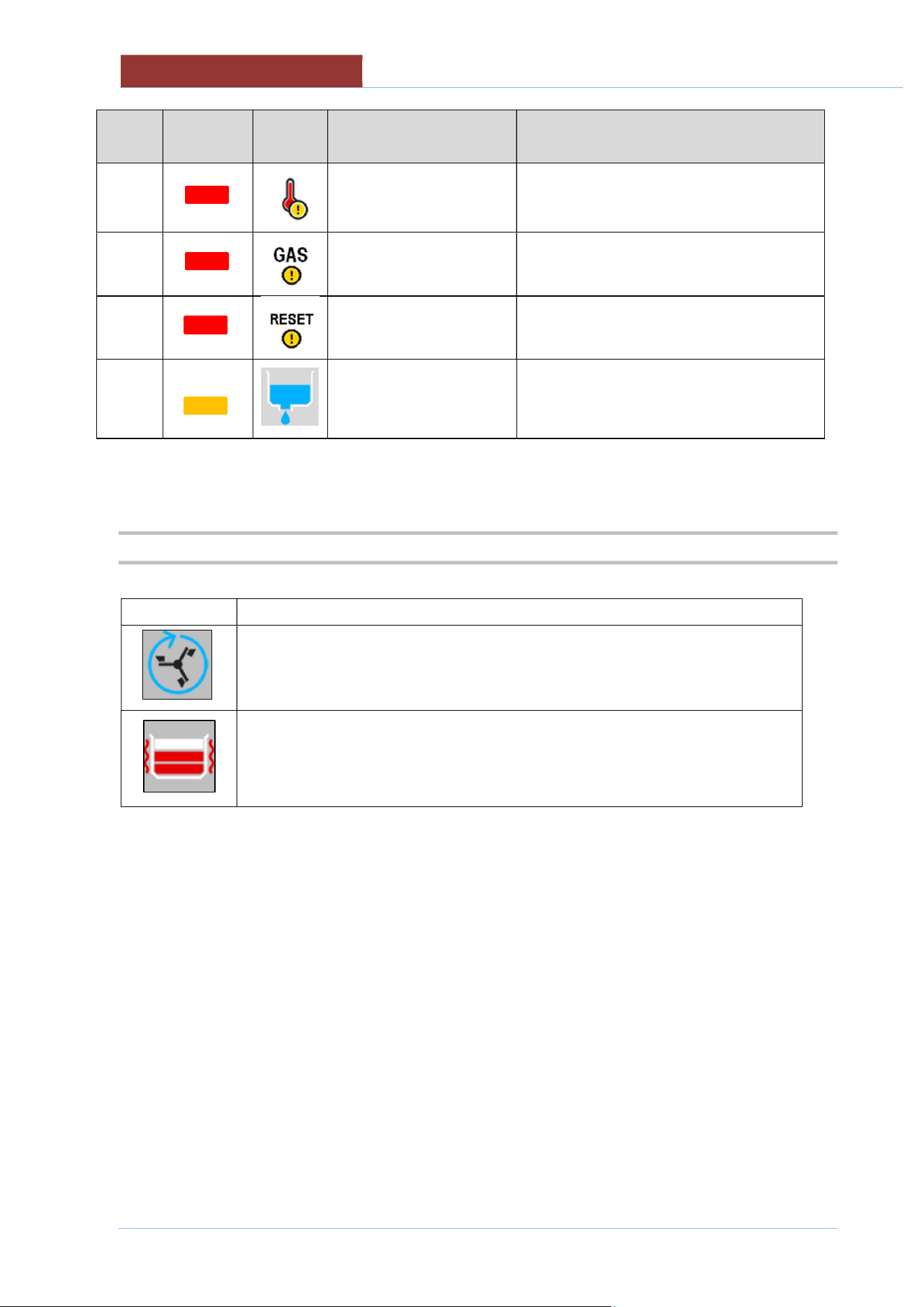
INFORMATION AND REQUESTS INDICATOR L COLUMN
buzzer
Light
Indicator
Icon Description Behaviour
no no
Pan out of position (for
cooking)
Icon present when pan out of position
no no
Pan movement not
allowed
Icon present only when you want to
perform a pan movement in an
unauthorised phase.
B
Request to completely
open the lid (for pan
movement)
Icon present only when you want to move
the pan and the lid is not completely open.
B
Request to turn the tap
(for pan movement)
Attn. alternate icon
Icon present only when you want to move
the pan and the tap is not completely
turned (towards the outside of the pan).
B
Request to turn the tap
(to fill pan with H2O)
Attn. alternate icon
Icon present only when you want to fill pan
with H2O and the tap is not completely
turned (towards the pan).
no no
Not allowed to fill pan
with H2O
Icon present only when you want to fill pan
with H2O during an unauthorised phase.
B
Request to unlock the lid
(cooking not allowed)
Icon only present when the lid is closed
(locked in pressure mode) during NON-
pressure cooking.
B
Request to close and
block the lid (pressure
cooking)
Attn. animated icon
Icon only present when the lid is NOT
closed (locked in pressure mode) during
pressure cooking.
no no
Do not open the lid
(pressurised pan!!)
Attn. alternate icon
Icon present when the machine is
pressurised.
no no
Steam condensation -
Reduction in cooking
pressure
Icon present at the end of a pressure
cooking. Indicates that steam is being
condensed to reduce the pressure in the
cooking pan and allow the lid to be
opened.
no
End of pressure cooking.
It is possible to unlock
and open the lid
Icon present at the end of a pressure
cooking.
02
-
UCBTE.A_V1
-
DIMU
-
00
-
EN
COOKING LAYOUT
40
buzzer Light
Indicator
Icon Description Behaviour
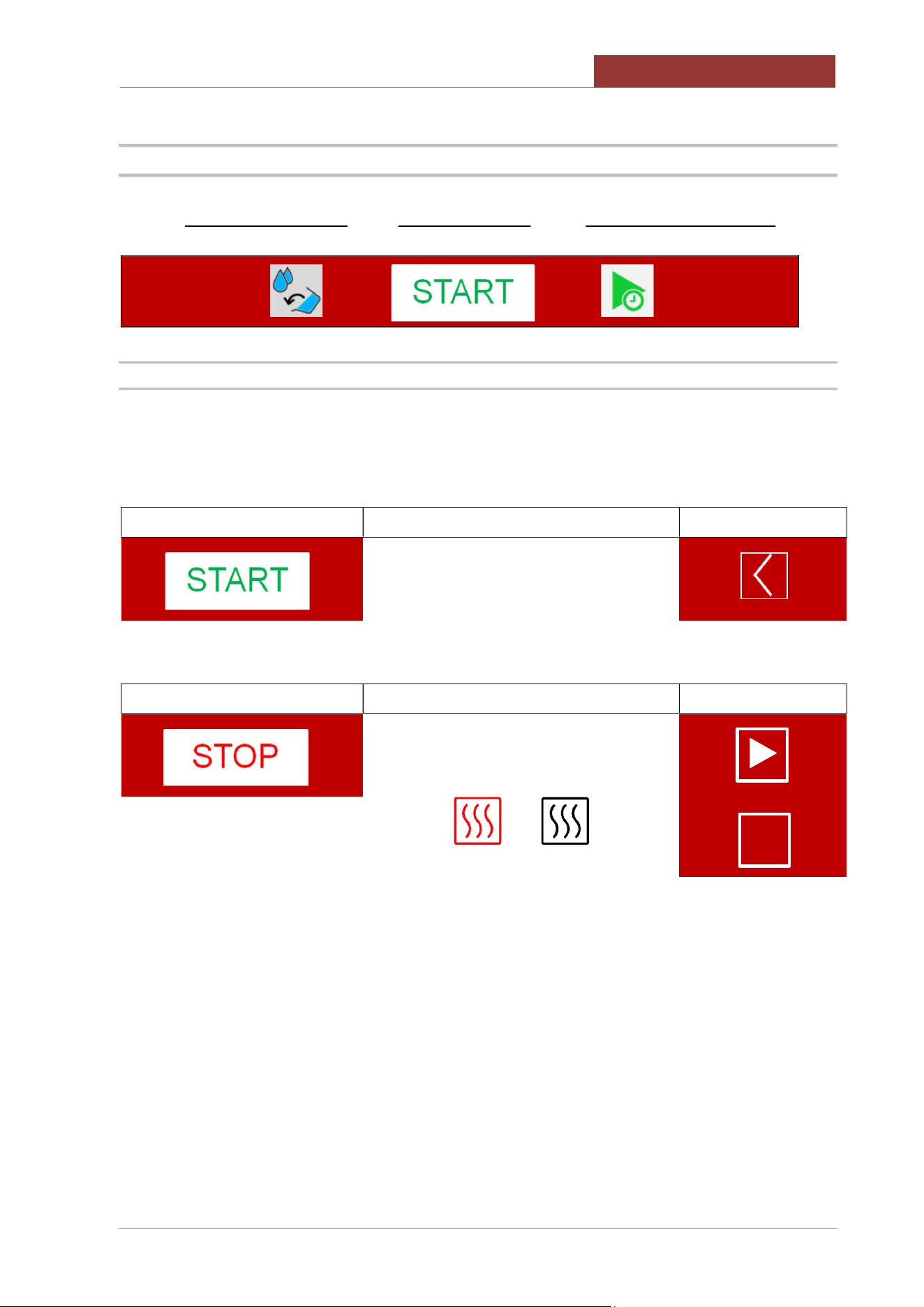
A
Safety thermostat has
been triggered
Icon present when the safety thermostat
has been triggered. To reset the alarm,
restore the safety thermostat.
A
Insufficient gas pressure Icon present when gas pressure switch
has been triggered.
A
Gas central unit reset Icon present due to interruption in the gas
central unit
no
Drain valve open.
(Optional)
Icon present with the drain valve open.
Inhibition of cooking.
14.4 FUNCTION COLUMN (R)
Icon Description
Mixer ON-OFF key (also external) + mixer setting (2 sec.)
ROTATION TYPE; SPEED: TIME.
ON-OFF key for heating walls + setting (2 sec.)
No. LEVELS; TEMPERATURE.
COOKING LAYOUT
02
-
UCBTE.A_V1
-
DIMU
-
00
-
EN
41
14.5 FUNCTION BAR
EXTRA KEY (functions) START/STOP KEY DELAYED COOKING KEY
↓ ↓ ↓
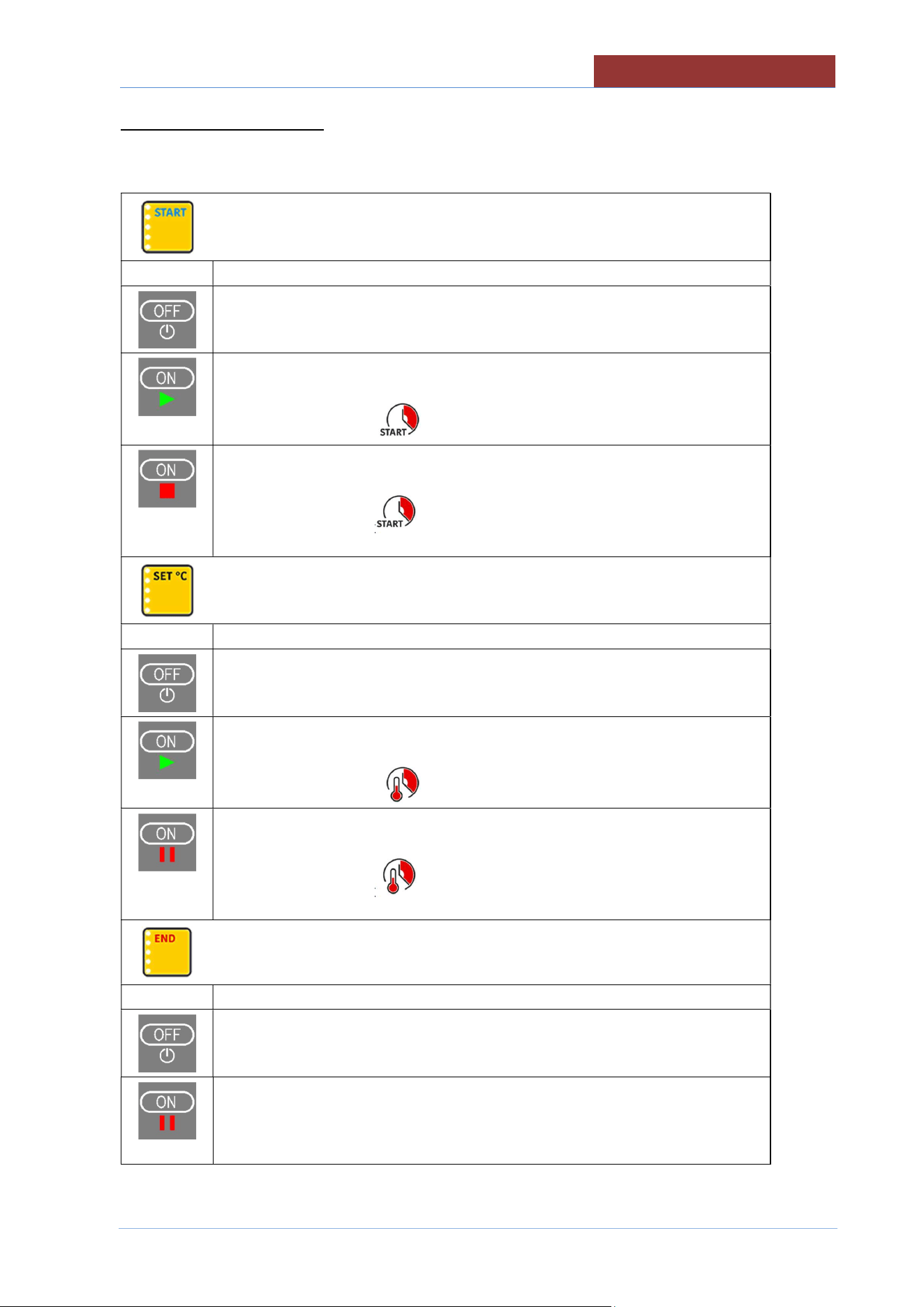
14.5.1 START-STOP KEY FOR RUNNING PROGRAMS
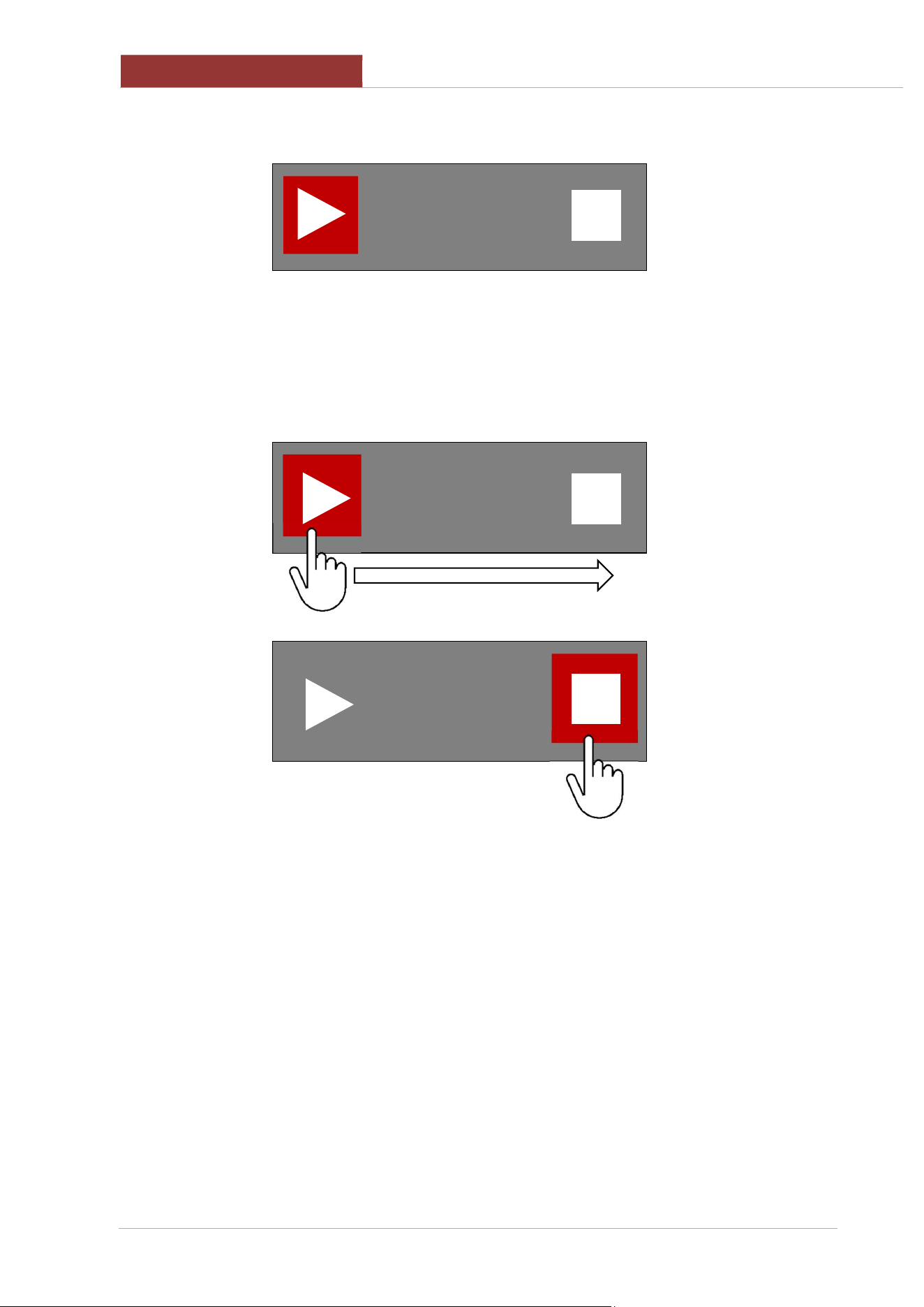
Attention: the START/STOP key indicates the action that will be performed by pressing the key!
The machine status is indicated by the icon on the top left
With key presence Machine status
icon on the top left
Machine in stand-by.
Pressing the START key starts the program and the START key becomes the STOP.
With key presence Machine status
icon on the top left
Program running.
or
I I
02
-
UCBTE.A_V1
-
DIMU
-
00
-
EN
COOKING LAYOUT
42
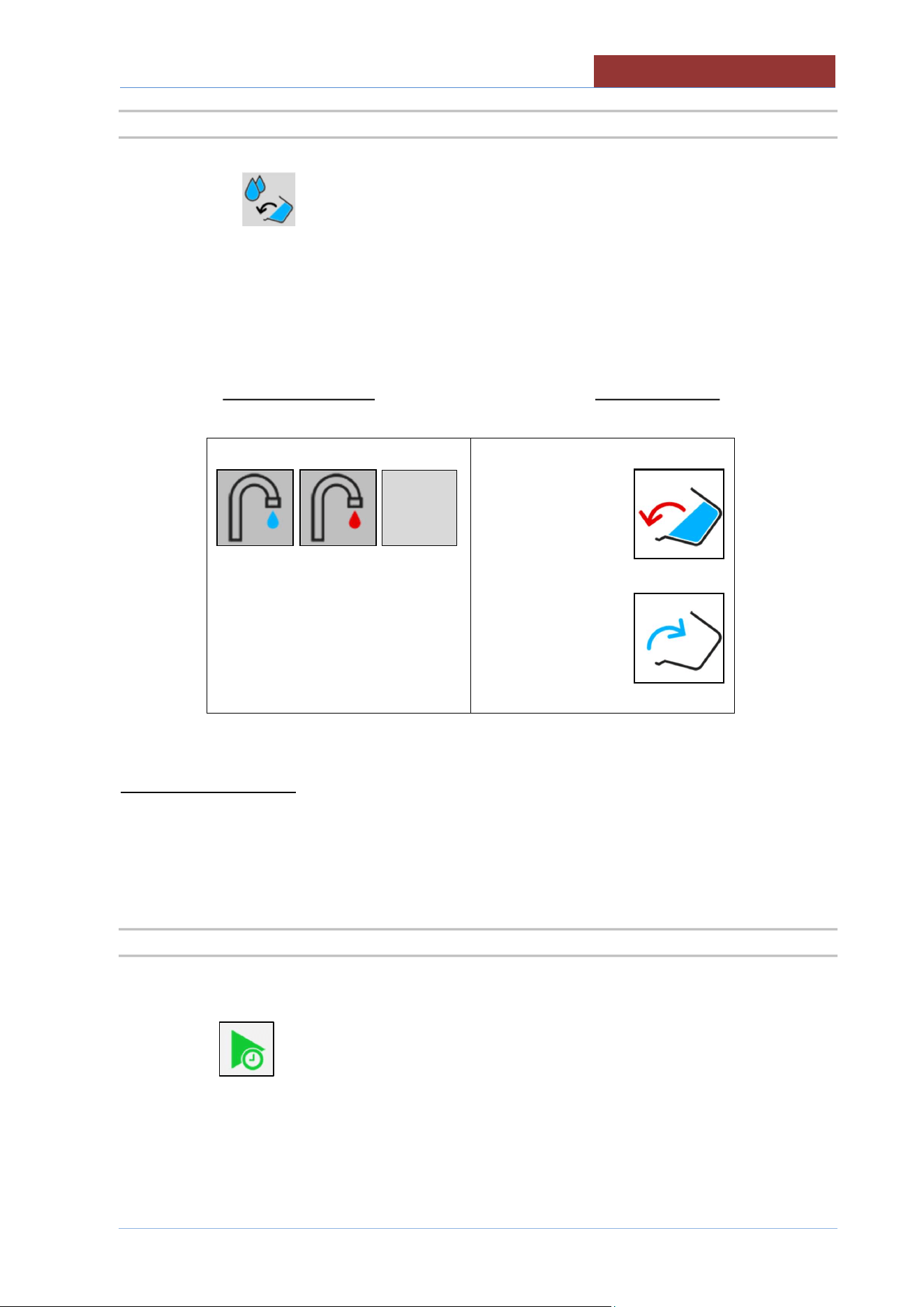
To avoid accidentally stopping the cooking program in progress, press the STOP key and the following
screen appears:
If the STOP key has been pressed incorrectly, wait approximately 5 seconds and you return to the
program in progress.
If instead you want to stop the program, slide the coloured square from the triangle to the square and
release the key.
The STOP key becomes START.
COOKING LAYOUT
02
-
UCBTE.A_V1
-
DIMU
-
00
-
EN
43
14.5.2 EXTRA KEY
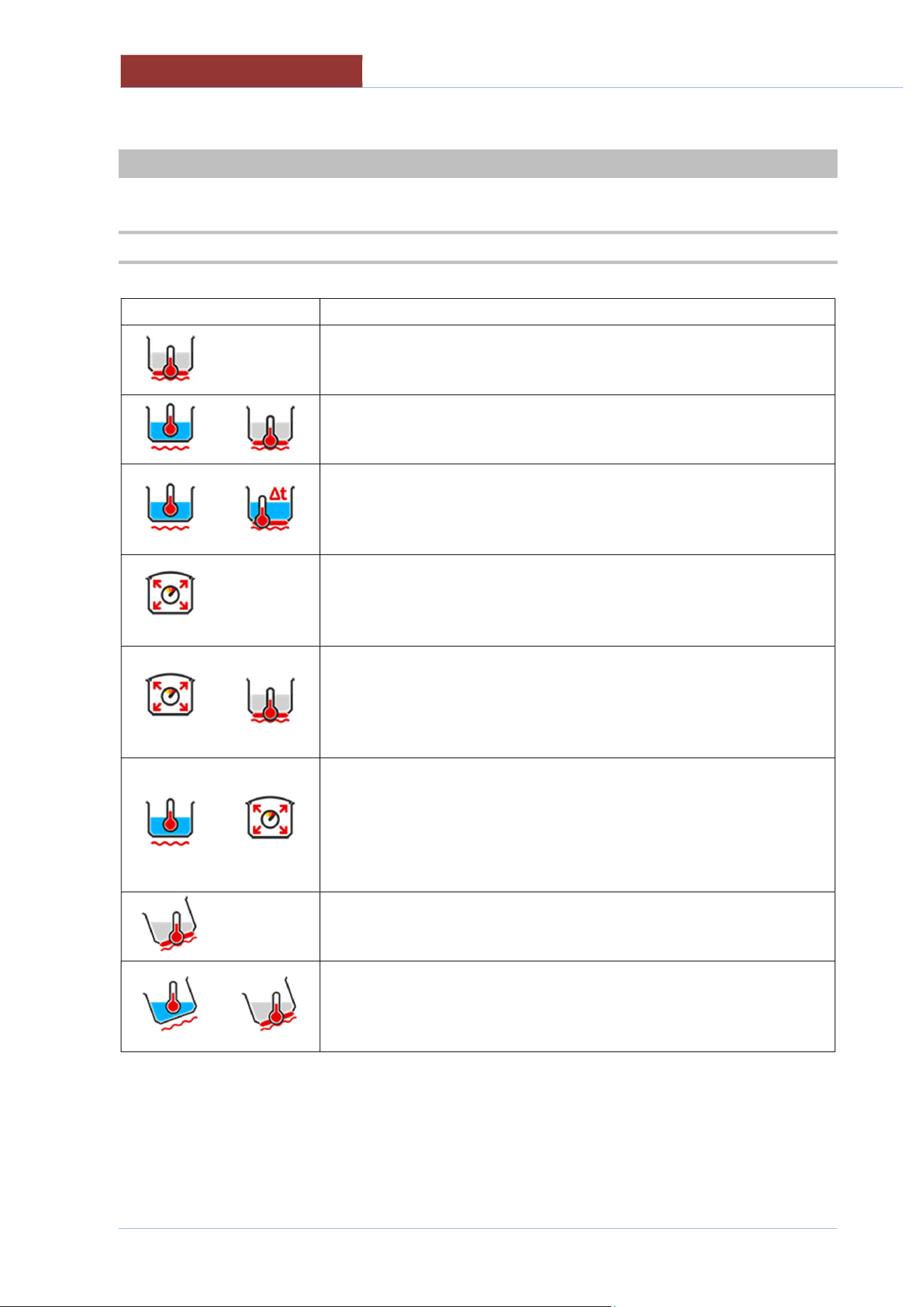
Pressing the key it is possible to access the following functions: H2O loading into the vessel,
vessel tilting and motorized vessel discharge (optional)
FILL PAN WITH H2O PAN MOVEMENT
↓ ↓
0 Lt
0 Lt
FILLING PAN WITH H2O
LITRE-COUNTER DEVICE ACCURACY +/- 2% AND MAX H2O TEMPERATURE
140°F (60°C)
MAX LITRES = PAN CAPACITY
14.5.3 COOKING WITH DELAY TIMER KEY
Press the key to access the settings for cooking with delay timer.
START
02
-
UCBTE.A_V1
-
DIMU
-
00
-
EN
COOKING METHODS IN DETAIL
44
15 COOKING METHODS IN DETAIL
15.1 COOKING CBT..
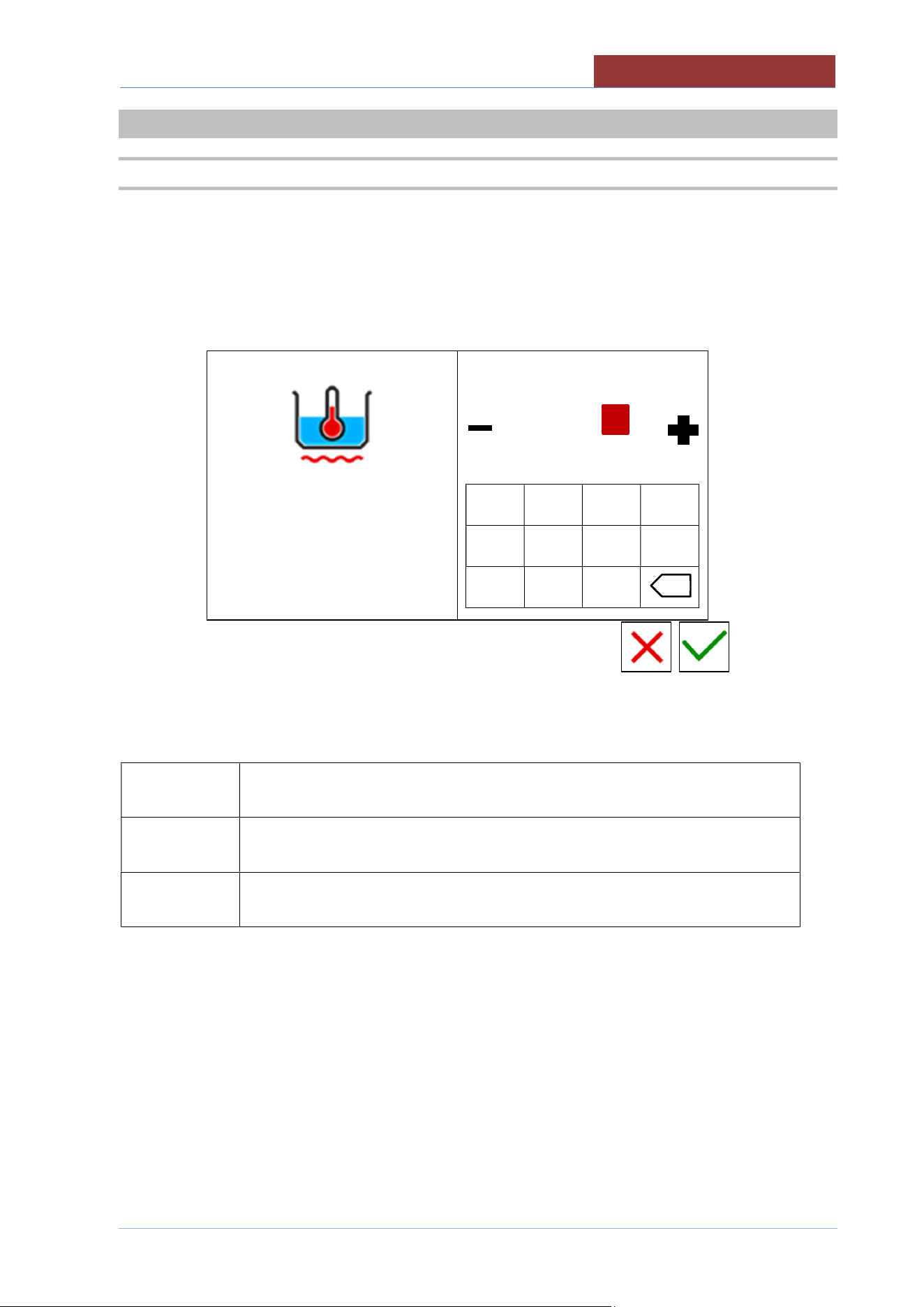
Icon Description
For braising that requires a temperature up to 220°C; the temperature
regulation is controlled by the sensor (PT1000) located on the bottom of
the pan
For gentle cooking; the temperature regulation is controlled by the sensor
(PT1000) located inside the pan, in contact with the product, and by the
sensor located on the bottom of the pan.
For gentle and slow cooking that require accurate regulation and
monitoring of the temperature at the core of the product, the temperature
regulation is controlled by the sensor located inside the pan by the
temperature difference set between the bottom and the product.
For different cooking methods that require faster processes; the
temperature regulation is controlled by the pressure switches, the
maximum attainable pressure is 0.45 bar (mod.130) 0.30 bar (mod.180
310).
For different types of cooking that require faster processing and control of
the temperature of the bottom (particularly dry products); the temperature
regulation is controlled by the pressure switches and by the sensor
located on the bottom of the pan. The maximum pressure that can be
reached is 0.45 bar (mod. 130) 0.30 bar (mod.180 310).
For cooking that requires accurate regulation and monitoring of the
temperature at the core of the product during pressure cooking; the
temperature regulation is controlled by the sensor (PT1000) located
inside the pan, in contact with the product, and by intervention of the
pressure switches, the maximum pressure that can be reached is 0.45
bar (mod.130) 0.30 bar (mod.180 310)..
For braising with tilted pan that requires a temperature up to 220°C; the
temperature regulation is controlled by the sensor (PT1000) located on
the bottom of the pan (only UCBTE).
For gentle cooking with tilted pan; the temperature regulation is controlled
by the sensor (PT1000) located inside the pan, in contact with the
product, and by the sensor located on the bottom of the pan (only
UCBTE).
SETTING SET
POINT PARAMETERS
02
-
UCBTE.A_V1
-
DIMU
-
00
-
EN
45
16 SETTING SETPOINT PARAMETERS
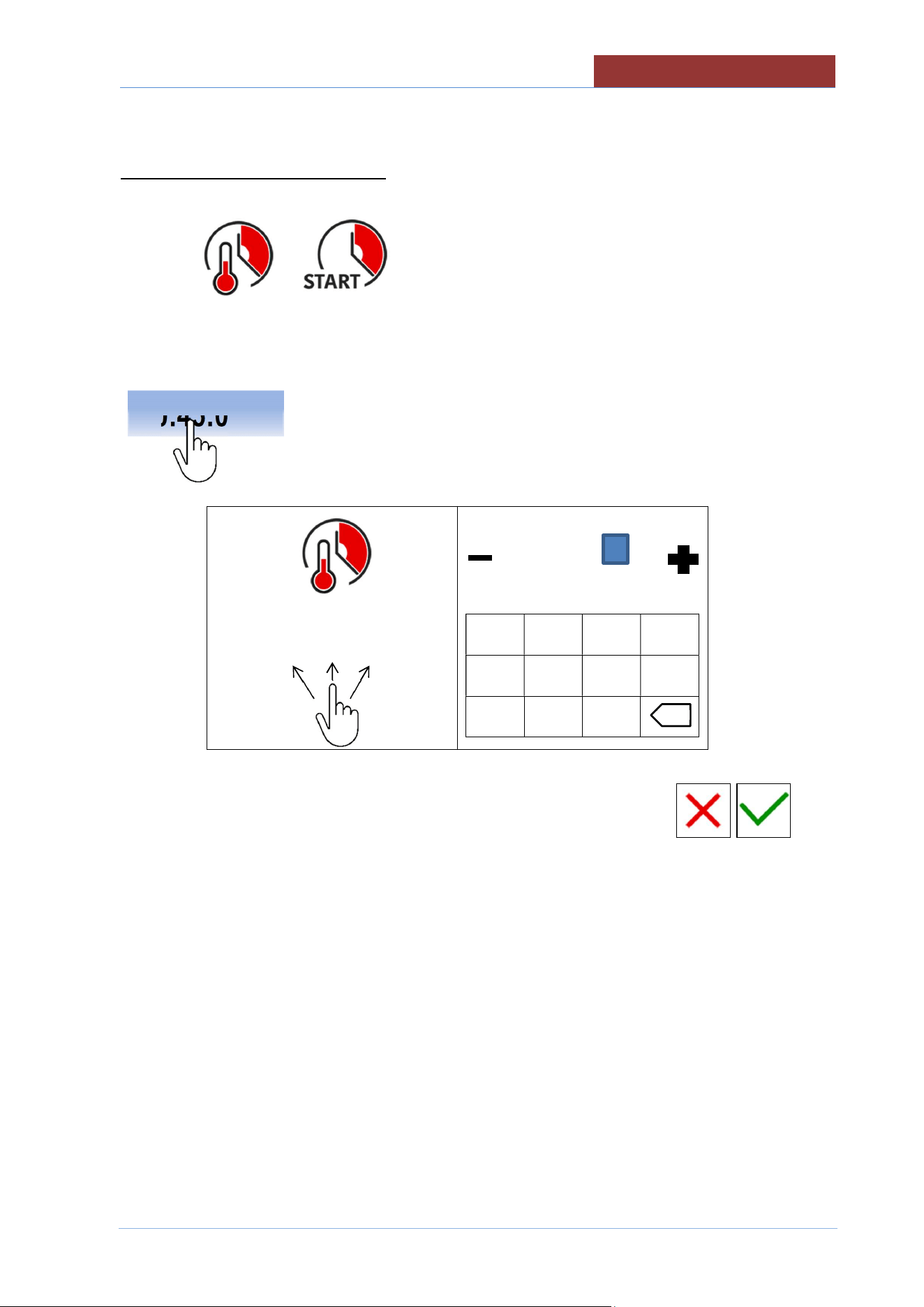
16.1 SETTING SETPOINT VALUES WITH THE KEYPAD
The following screen appears when setting any setpoint value:
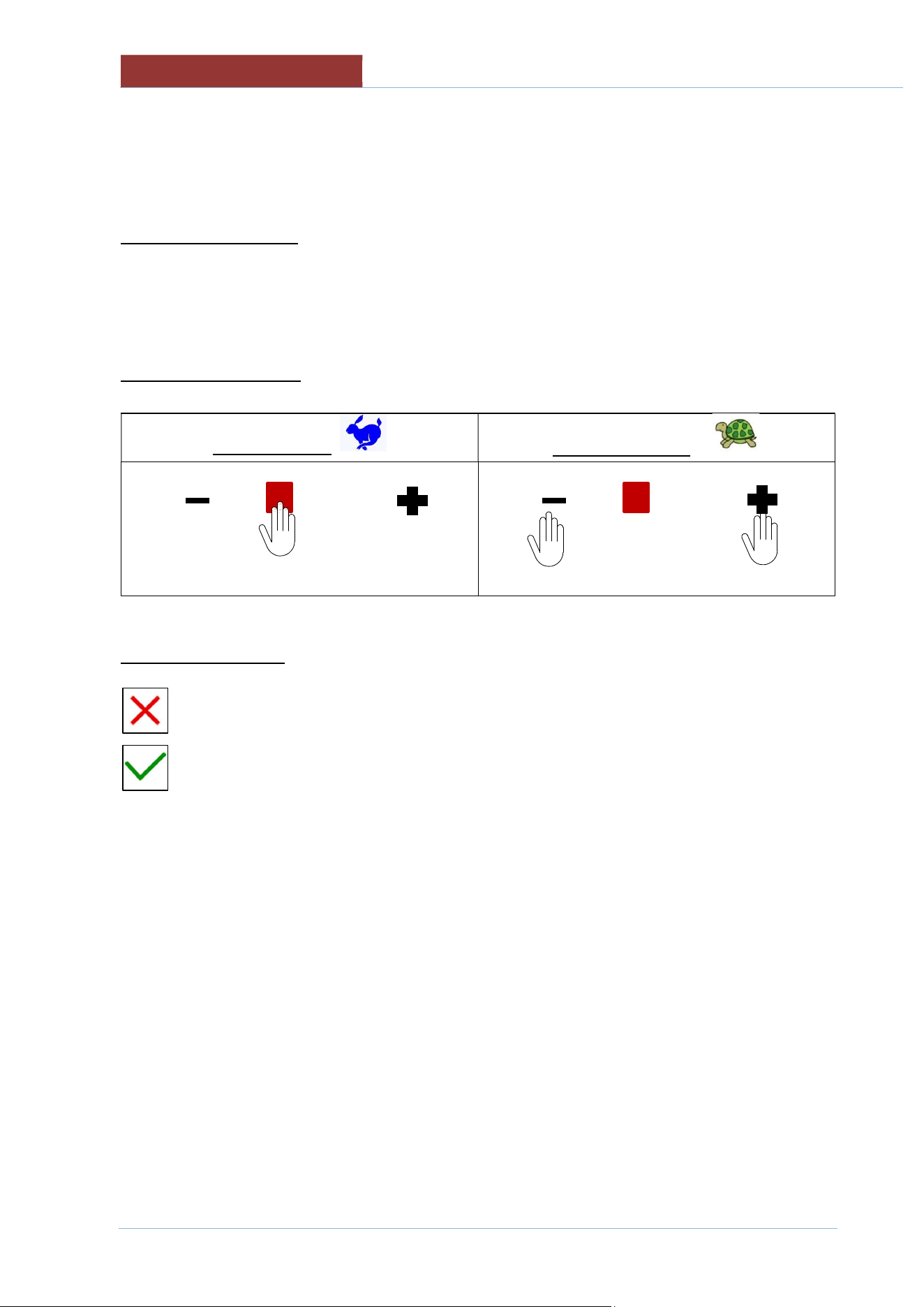
left column: parameter of which you are changing the setpoint value.
right column: keypad + cursor for changing the setpoint.
100°C
20°C 120°C
min max
-------------------
1 2 3 4
5 6 7 8
- 9 0
Fields in the left column have the following meanings:
100°C
RED VALUE: VALUE OF WHICH YOUR ARE CHANGING THE SET
20°C
min
MINIMUM VALUE SETTABLE
120°C
max
MAXIMUM VALUE SETTABLE
x
02
-
UCBTE.A_V1
-
DIMU
-
00
-
EN
SETTING SETPOINT PARAMETERS
46
The values in the right column will be changed as follows:
SETTING WITH KEYPAD
TYPE THE DESIRED VALUE.
ATTENTION : THE VALUE MUST BE BETWEEN min AND max!
SETTING WITH CURSOR
QUICK SETTING
PRECISE SETTING
------------------
← →
------------------
EXIT FROM SETTINGS
Exit without confirming settings key
Exit confirming settings key
COOKING PARAMETERS SETTING
02
-
UCBTE.A_V1
-
DIMU
-
00
-
EN
47
17 COOKING PARAMETERS SETTING
The setting of the following parameters can only be made from the menu:
1. PROGRAMS + MANUAL
2. SETTINGS + PROGRAMS
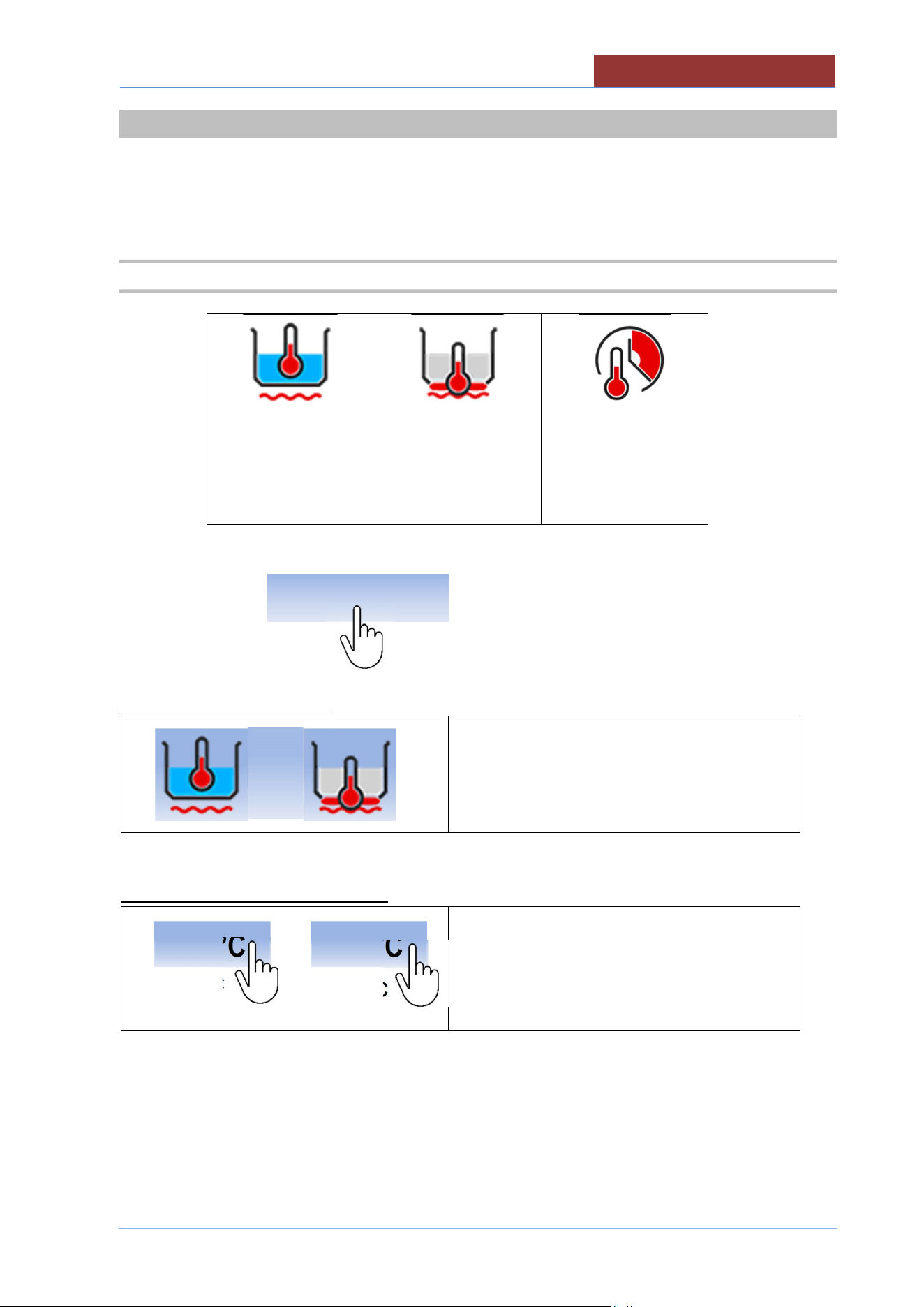
17.1 SETTING COOKING METHOD AND TEMPERATURE
100°C
20°C
180°C
20°C
00:45:00
--:--:--
AREA HIGHLIGHTED = SELECTION/SETTINGS
SETTING COOKING METHOD
SELECTING COOKING METHOD (see Cooking
methods in detail)
SETTING TEMPERATURE SETPOINT
20 °C
20 °C
< COOKING SETPOINT (see SETPOINT)
< TEMPERATURE DISPLAY
SET THE SETPOINT AS DESCRIBED IN THE CHAPTER
18
0 °C
10
0 °C
02
-
UCBTE.A_V1
-
DIMU
-
00
-
EN
COOKING PARAMETERS SETTING
48
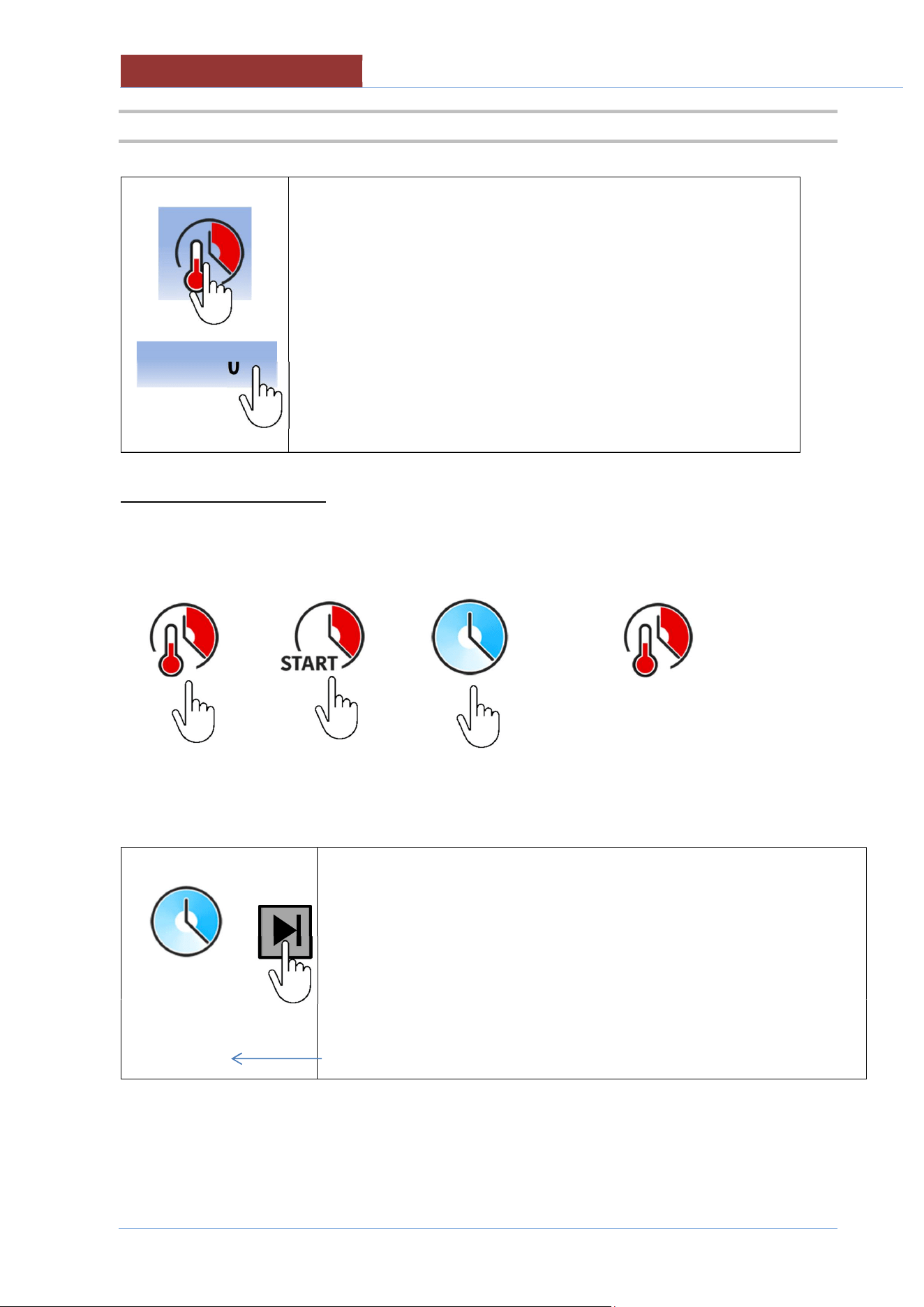
17.2 SETTING COOKING TIME
--:--:--
SELECTING COOKING TIME
< COOKING TIME SETPOINT (see SETPOINT)
< COOKING TIME COUNTDOWN
SELECTING COOKING TIME
Cooking time Cooking time Infinite time
(at setpoint °C) (immediate)
→ → →
ATTENTION: WHEN SELECTING THE INFINITE TIME, PRESS THE KEY INDICATED BELOW TO
TERMINATE THE PROGRAM IN PROGRESS.
NOTE:
The time elapsed since the beginning of the phase is indicated on the bottom row.
--:--:--
00:04:31
00:45:00
COOKING PARAMETERS SETTING
02
-
UCBTE.A_V1
-
DIMU
-
00
-
EN
49
SETTING COOKING TIME SETPOINT
Only with
↓
00:45:00
---------------
1 2 3 4
5 6 7 8
- 9 0
HH:MM:SS
HH: 99 max; MM: 59 max; SS: 59 max
00:45:00
x
02
-
UCBTE.A_V1
-
DIMU
-
00
-
EN
CREATING PROGRAMS (MULTI
-
PHASE)
50
18 CREATING PROGRAMS (MULTI-PHASE)
FROM SETTINGS> PROGRAMS> NEW
NEW PROGRAM
01:27: 35
17/12/ 2016
100°C
20°C
180°C
20°C
00:45:00
--:--:--
A PROGRAM CAN CONSIST OF 20 PHASES.
THE PARAMETERS ARE CONSTANT WITHIN EACH PHASE. IF A SINGLE VALUE CHANGES, YOU
NEED TO CREATE A NEW PHASE!
THE CREATION OF THE PHASE CONSISTS OF ENTERING THE COOKING METHOD, COOKING
TIMES, MIXER FUNCTIONS AND WALL HEATING.
IT IS ALSO POSSIBLE TO ENTER (IN EVERY PHASE) 3 MESSAGES PRESENT IN THE LEFT
COLUMN. (SEE MESSAGE SETTINGS)
18.1 CREATING/DELETING PHASES
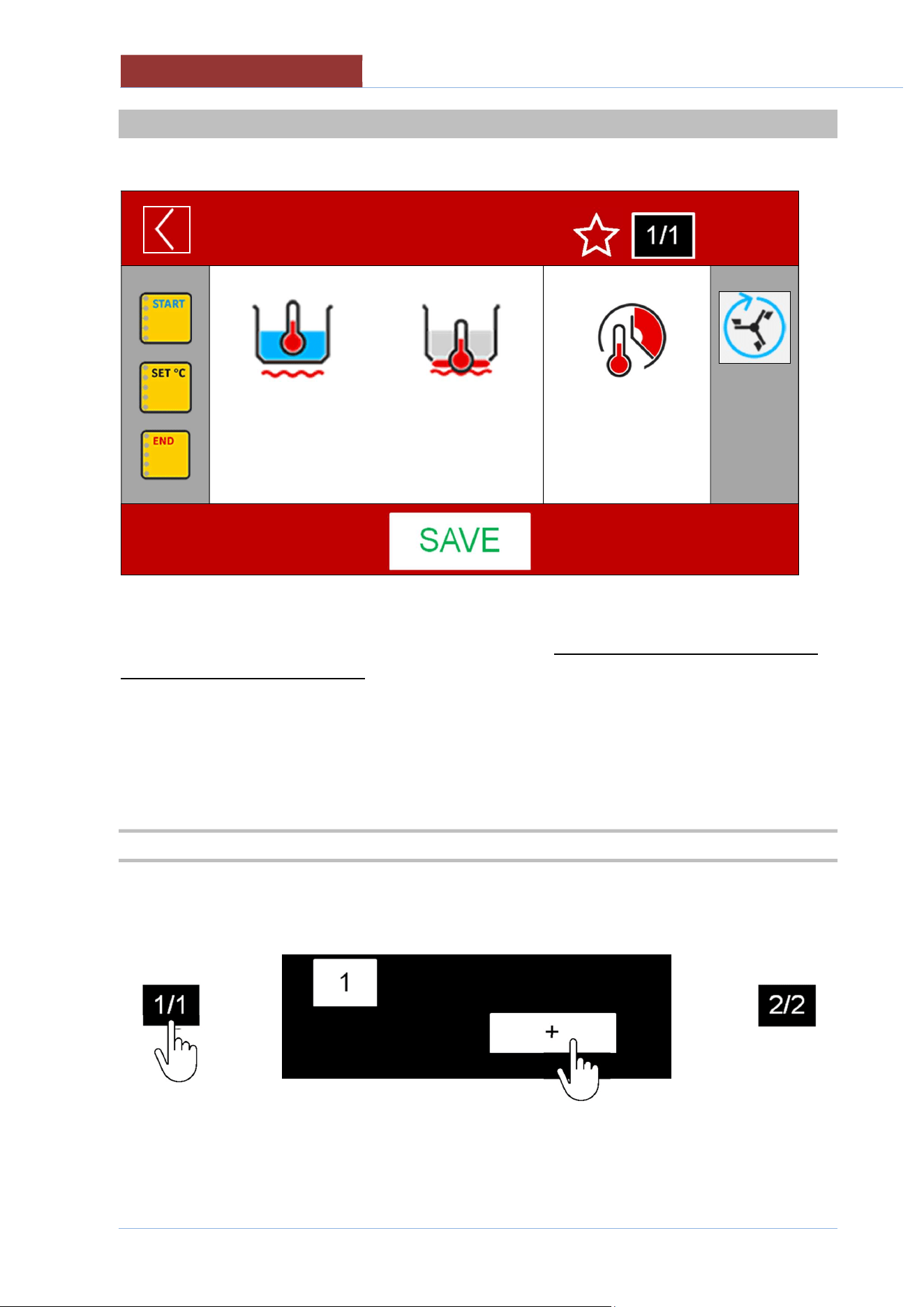
ONCE THE PARAMETERS OF PHASE 1 ARE SET, YOU CAN THEN ADD PHASE 2:
>
>
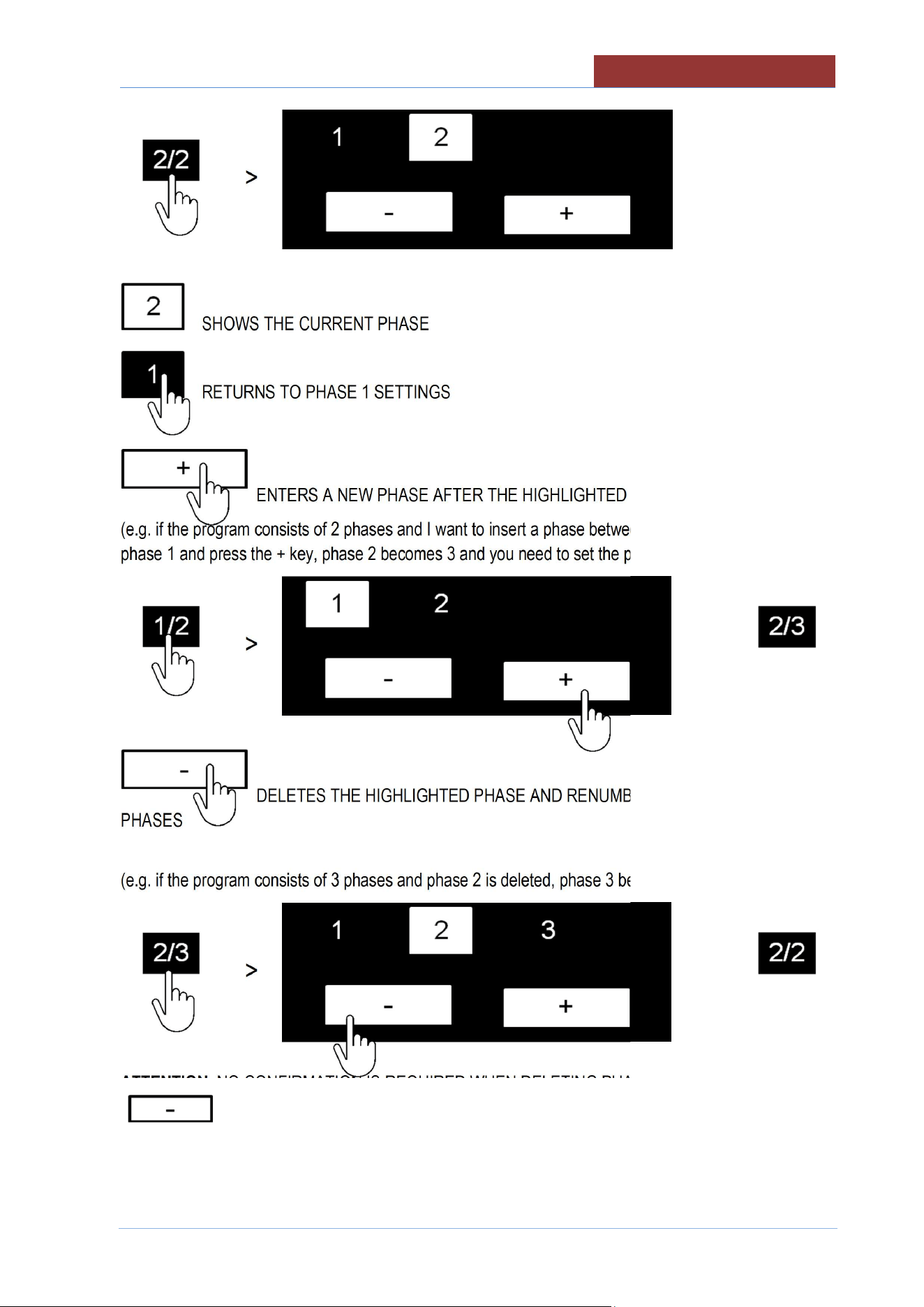
AFTER HAVING ADDED AND SET THE PARAMETERS OF PHASE 2, PRESSING ON THE
PHASE/PHASE FIELD DISPLAYS THE FOLLOWING SCREEN:
CREATING PROGRAMS (MULTI
-
PHASE)
02
-
UCBTE.A_V1
-
DIMU
-
00
-
EN
51
>
SHOWS THE CURRENT PHASE
RETURNS TO PHASE 1 SETTINGS
ENTERS A NEW PHASE AFTER THE HIGHLIGHTED PHASE
(e.g. if the program consists of 2 phases and I want to insert a phase between 1 and 2, I have to select
phase 1 and press the + key, phase 2 becomes 3 and you need to set the parameters for phase 2).
>
>
DELETES THE HIGHLIGHTED PHASE AND RENUMBERS THE FOLLOWING
PHASES
(e.g. if the program consists of 3 phases and phase 2 is deleted, phase 3 becomes 2)
>
>
ATTENTION: NO CONFIRMATION IS REQUIRED WHEN DELETING PHASES! PRESSING THE KEY
IMMEDIATELY DELETES THE CURRENT PHASE!
PHASE 1 CAN NOT BE DELETED!
02
-
UCBTE.A_V1
-
DIMU
-
00
-
EN
CREATING PROGRAMS (MULTI
-
PHASE)
52
18.2 MESSAGE SETTINGS
The following screen appears when selecting the message icon:
NEW PROGRAM
01:27:35
17/12/2016
______
↑
_______
↑
MESSAGE SELECTION KEYS
↑
MESSAGE SETTINGS KEYS
MESSAGE WRITING AREA
MESSAGE SELECTION KEYS
Icon
Description
MESSAGE AT THE BEGINNING OF THE PHASE
MESSAGE ON REACHING SETPOINT
MESSAGE AT THE END OF THE PHASE
1/1
CREATING PROGRAMS (MULTI
-
PHASE)
02
-
UCBTE.A_V1
-
DIMU
-
00
-
EN
53
MESSAGE SETTINGS KEYS
THE KEY ON THE TOP RIGHT TAKES ON THE FOLLOWING FUNCTIONS SPECIFIED IN RELATION
TO THE SELECTED MESSAGE (START; SET °C: END)
START MESSAGE
Key
Behaviour when program running
No message appears
The message appears
The heating starts at "ON"
If the time is set
, the countdown begins
The message appears
The heating stays "OFF" until you reply to the message
If the time is set , the countdown begins when you reply to the
message.
MESSAGE ON REACHING SETPOINT
Key
Behaviour when program running
No message appears
The message appears
Heating keeps the SETPOINT
If the time is set , the countdown begins
The message appears
Heating keeps the SETPOINT
If the time is set , the countdown begins when you reply to the
message.
END OF PHASE MESSAGE
Key
Behaviour when program running
No message appears
The message appears
Heating keeps the SETPOINT
When the countdown has ended, it is possible to increase the cooking time or
move on to the next phase.
02
-
UCBTE.A_V1
-
DIMU
-
00
-
EN
CR
EATING PROGRAMS (MULTI
-
PHASE)
54
ATTENTION : IF THE MESSAGE IS SET TO OFF, ALL THE SETTINGS DESCRIBED BELOW
(FLASHING, BUZZER, AND TEXT) WILL NOT APPEAR WHEN THE PROGRAM IS RUNNING!
THE FOLLOWING KEYS HAVE THE SAME FUNCTIONS FOR ALL MESSAGES (START; SET °C;
END)
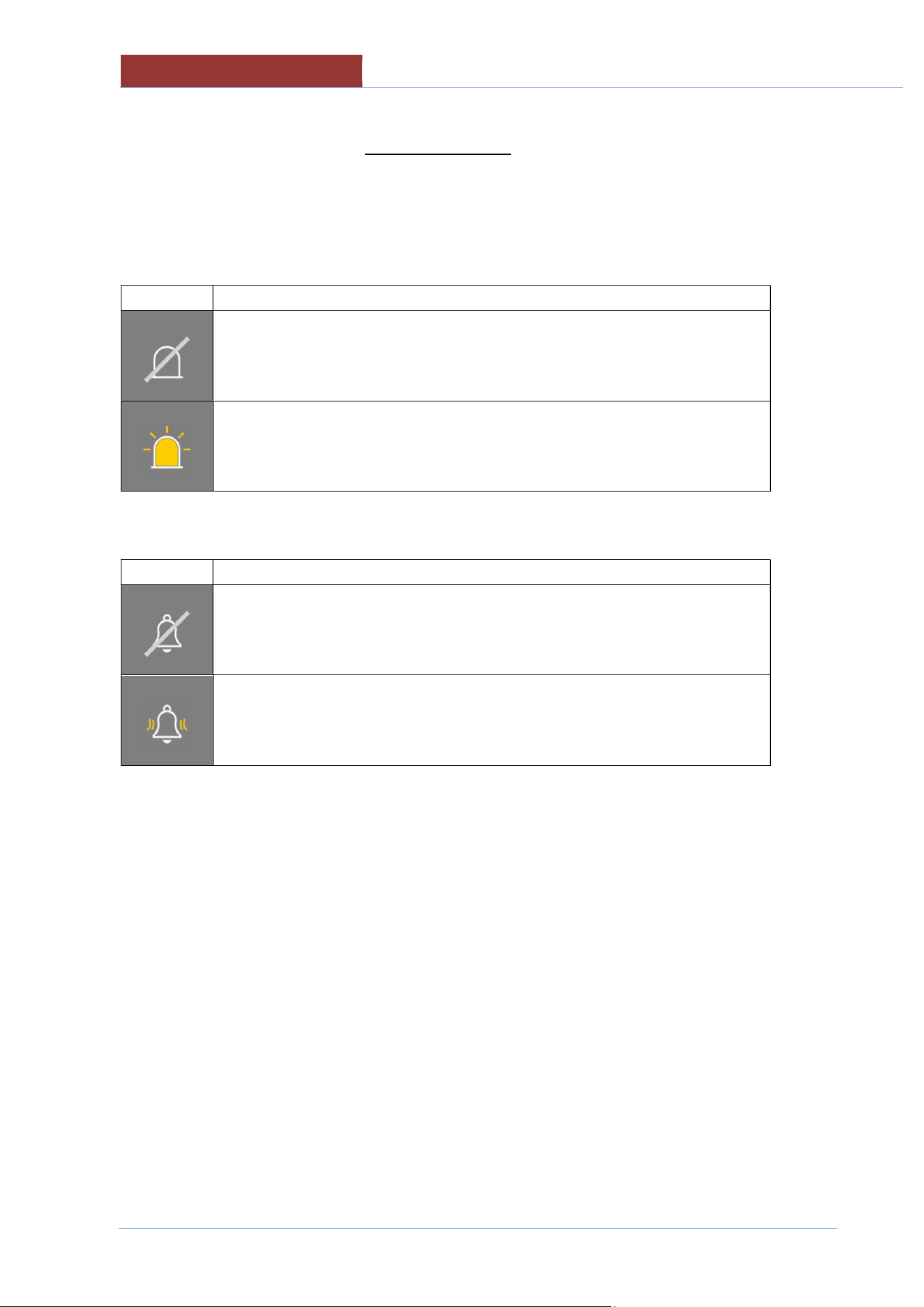
Flashing (optional)
Right key
Behaviour when program running
Flashing not enabled
When the message appears, the flashing light also switches on.
(message frame flashing or external flashing optional)
Buzzer
Right key
Behaviour when program running
Buzzer not enabled
When the message appears, the buzzer sounds
CREATING PROGRAMS (MULTI
-
PHASE)
02
-
UCBTE.A_V1
-
DIMU
-
00
-
EN
55
ENTERING MESSAGE TEXT
NEW PROGRAM
01:27: 35
17/12/ 2016
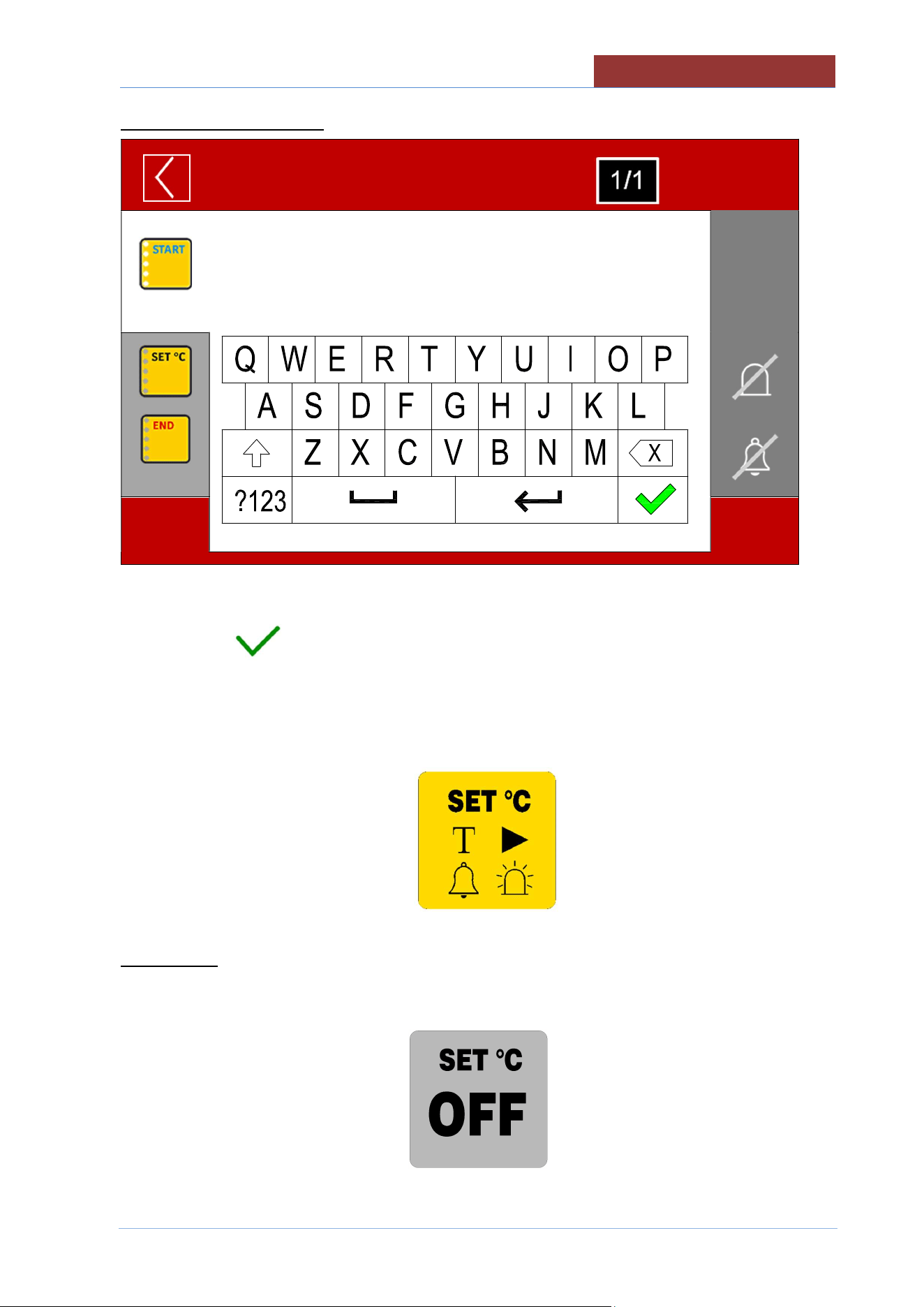
USE THE KEYPAD TO ENTER A DESCRIPTIVE TEXT (MAX 200 CHARACTERS) AND CONFIRM
WITH THE KEY .
AFTER HAVING SET ALL THE VARIABLES WITHIN THE MESSAGE, THE RELATED MESSAGE
ICON WILL SHOW WITHIN ALL THE SYMBOLS THAT SUMMARISE THE SETTINGS OF THE
MESSAGE ITSELF.
TEXT PRESENT>
BUZZER ENABLED>
< ACTION TYPE
< FLASHING ENABLED
ATTENTION: IF THE MESSAGE IS IN "OFF", IT APPEARS ON A GREY BACKGROUND.
ANY SETTINGS (TEXT, BUZZER, FLASHING) WILL NOT BE CANCELLED FROM MESSAGE
SETTING!
02
-
UCBTE.A_V1
-
DIMU
-
00
-
EN
CREATING PROGRAMS (MULTI
-
PHASE)
56
18.3 SAVING A PROGRAM
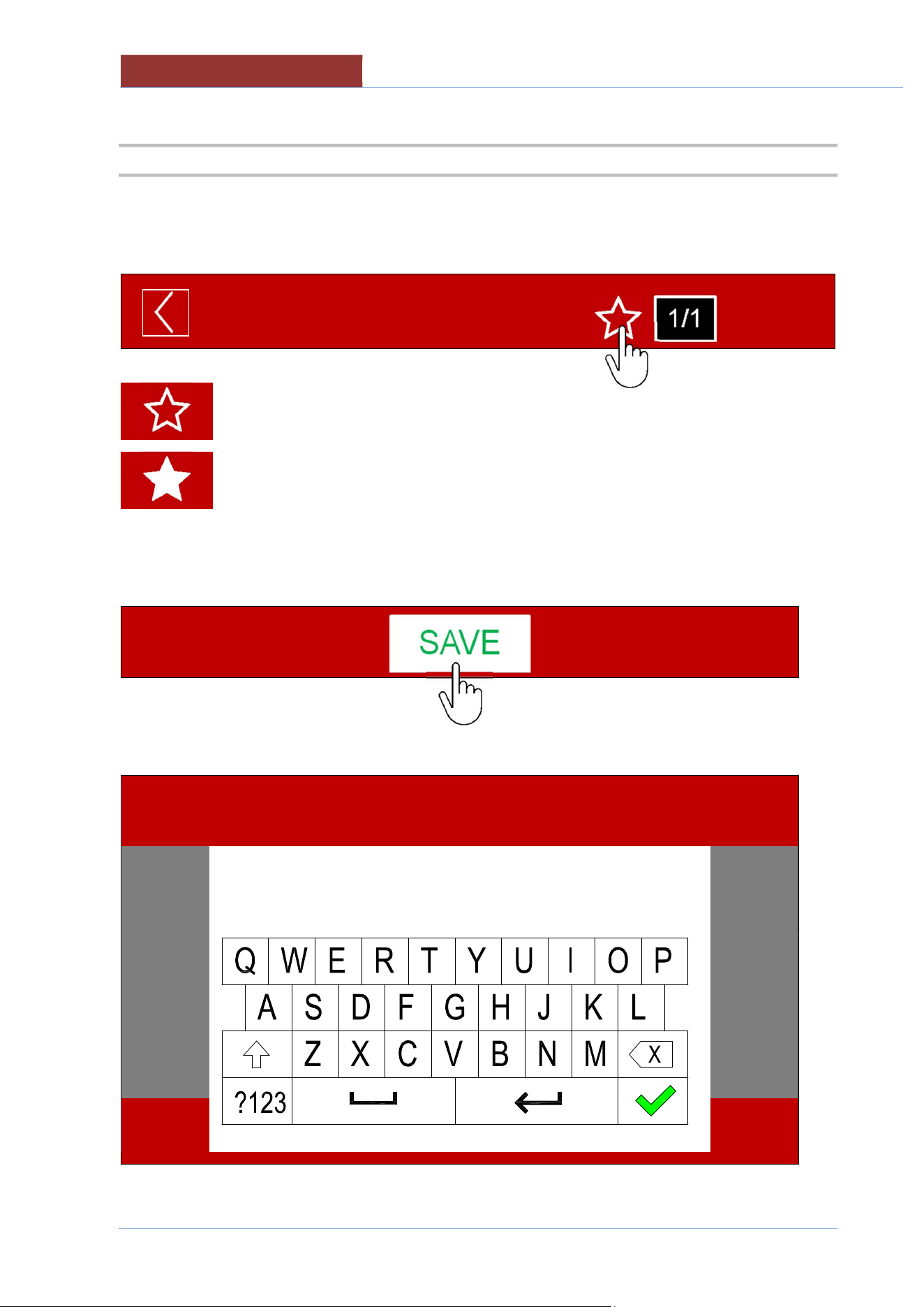
IF YOU WANT TO ADD THE PROGRAM TO THE LIST OF FAVOURITES, PRESS THE "STAR"
SYMBOL.
NEW PROGRAM
01:27: 35
17/12/ 2016
Program NOT added to favourites
Program added to favourites
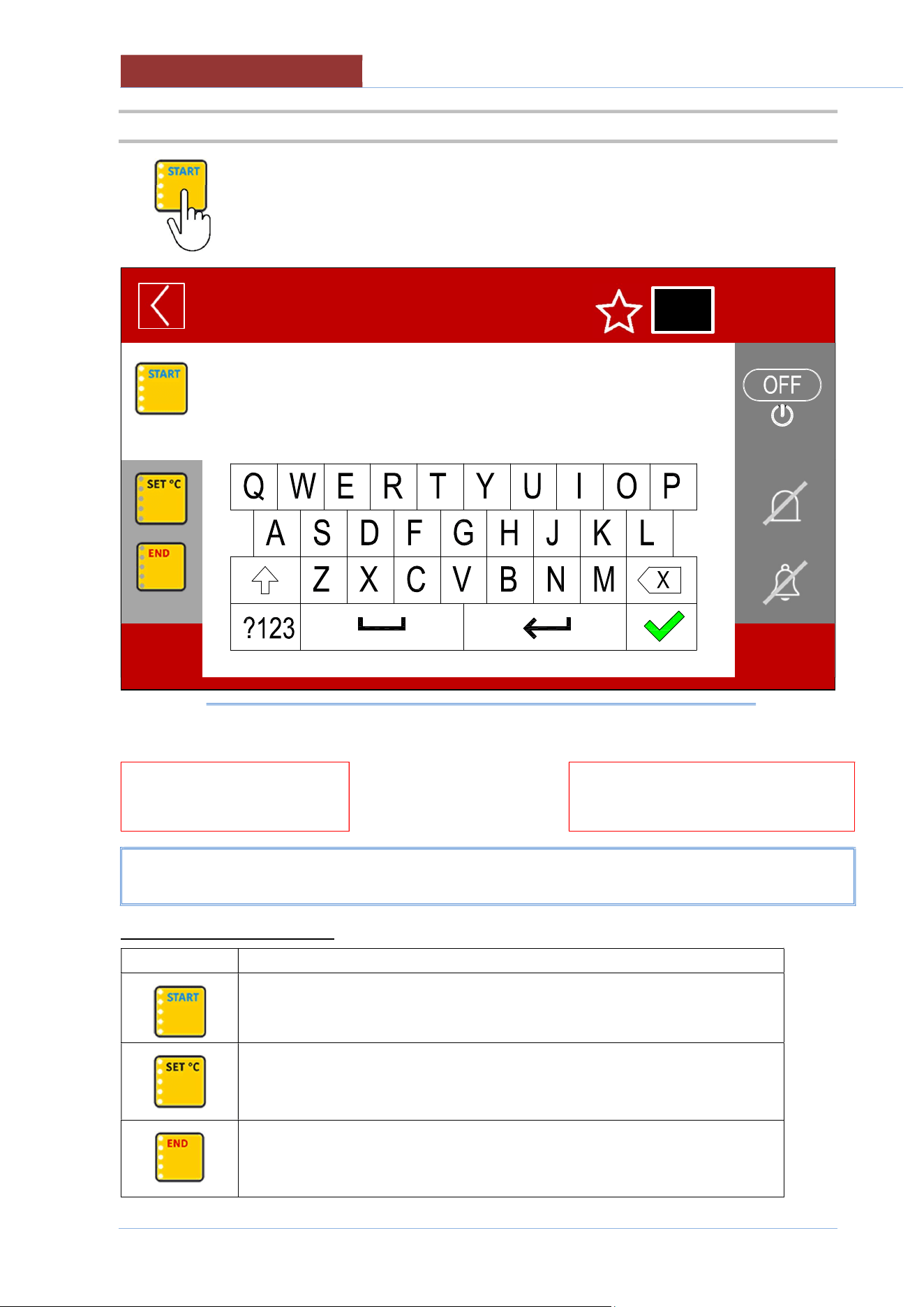
PRESS THE "SAVE" BUTTON
THE KEYPAD APPEARS TO ENTER THE PROGRAM NAME.
PROGRAM NAME
01:27: 35
17/12/ 2016
CREATING PROGRAMS (MULTI
-
PHASE)
02
-
UCBTE.A_V1
-
DIMU
-
00
-
EN
57
ENTER THE PROGRAM NAME AND CONFIRM WITH THE KEY .
ATTENTION : THE PROGRAM DOES NOT PERFORM A CHECK TO SEE IF A PROGRAM WITH THE
SAME NAME ALREADY EXISTS. 2 PROGRAMS WILL BE SAVED WITH THE SAME NAME, WITH HE
POSSIBILITY OF RENAMING THEM. (SEE EDITING PROGRAMS)
THE SCREEN APPEARS FOR LINKING THE PROGRAM TO A CATEGORY
18.4 EDIT/ COPY/ RENAME PROGRAM
FROM SETTINGS> PROGRAMS
SELECT THE CATEGORY OF THE PROGRAM OR ALL
SELECT THE PROGRAM THAT YOU WANT TO EDIT.
REFER TO "CREATING MULTIPHASE PROGRAMS" FOR EDITING
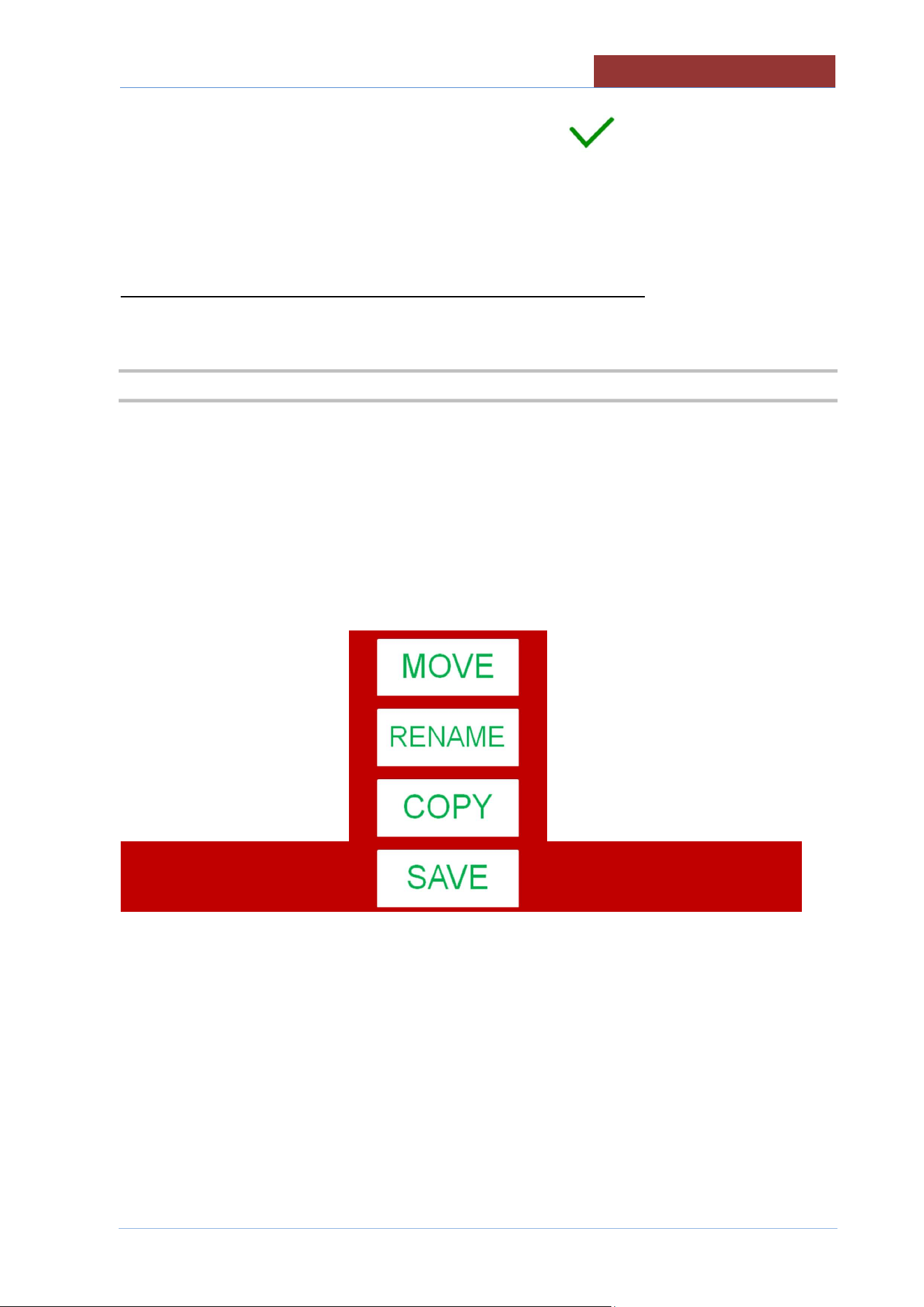
ONCE CHANGES HAVE BEEN MADE, PRESS THE SAVE KEY AND THE FOLLOWING SCREEN
APPEARS:
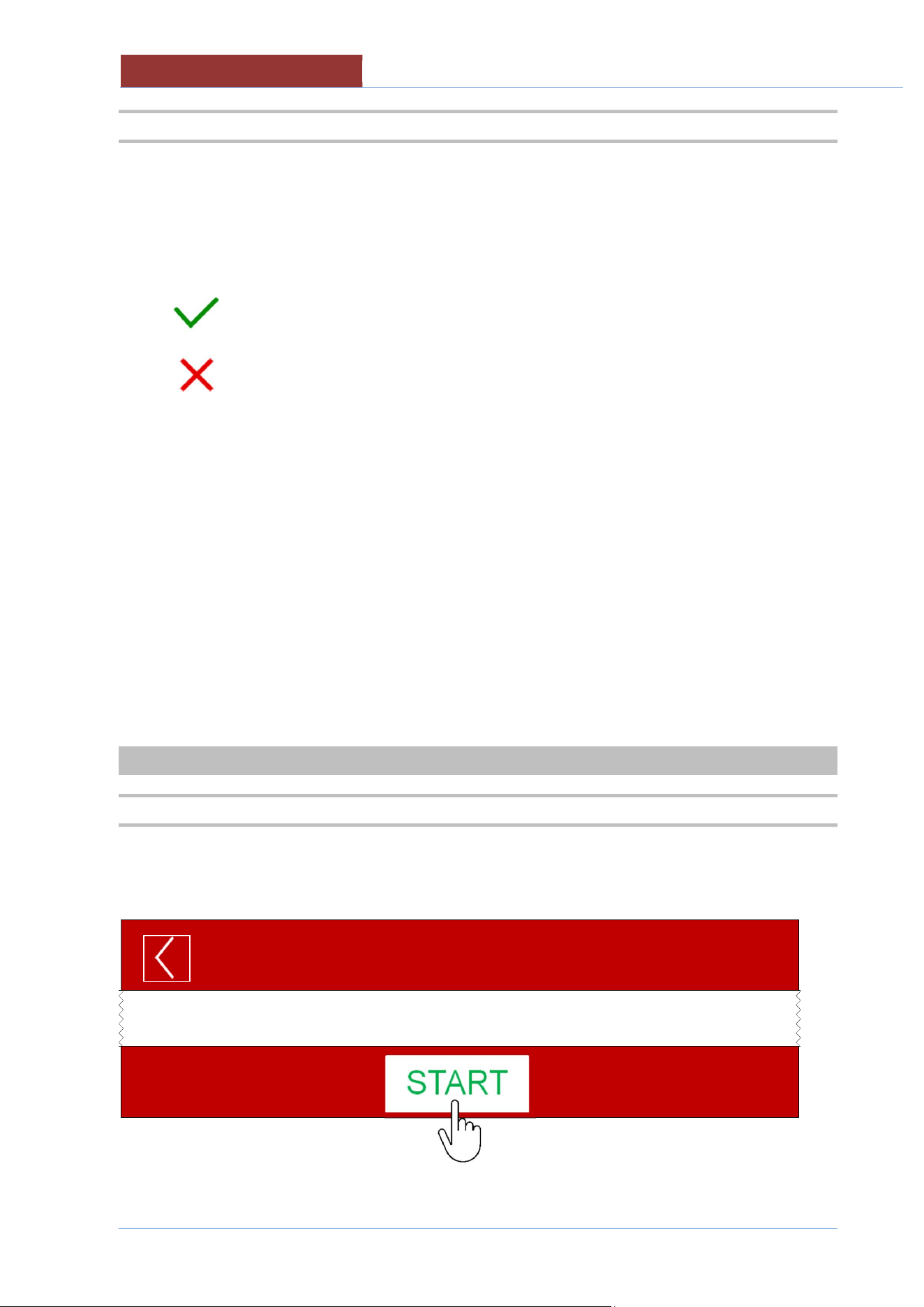
SAVE: SAVES THE PROGRAM (NO FURTHER REQUEST)
COPY: A NEW PROGRAM IS CREATED (GIVE THE NAME TO THE PROGRAM AND THE
CATEGORY)
RENAME: GIVES A NEW NAME TO THE PROGRAM (SAVING THE CHANGES MADE)
MOVE: MOVES THE PROGRAM TO ANOTHER GROUP (PRESS THE SAVE KEY TO CONFIRM)
02
-
UCBTE.A_V1
-
DIMU
-
00
-
EN
RUNNING A
PROGRAM/MANUAL COOKING
58
18.5 DELETING A PROGRAM
FROM SETTINGS> PROGRAMS
SELECT THE CATEGORY OF THE PROGRAM OR ALL
SELECT THE PROGRAM YOU WANT TO DELETE BY PRESSING ON THE NAME OF THE
PROGRAM FOR ABOUT 2 SEC.
A POP-UP WILL BE APPEAR TO CONFIRM PROGRAM DELETION
CONFIRM DELETION
CANCEL DELETION
19 RUNNING A PROGRAM/MANUAL COOKING
19.1 RUNNING A PROGRAM/MANUAL COOKING
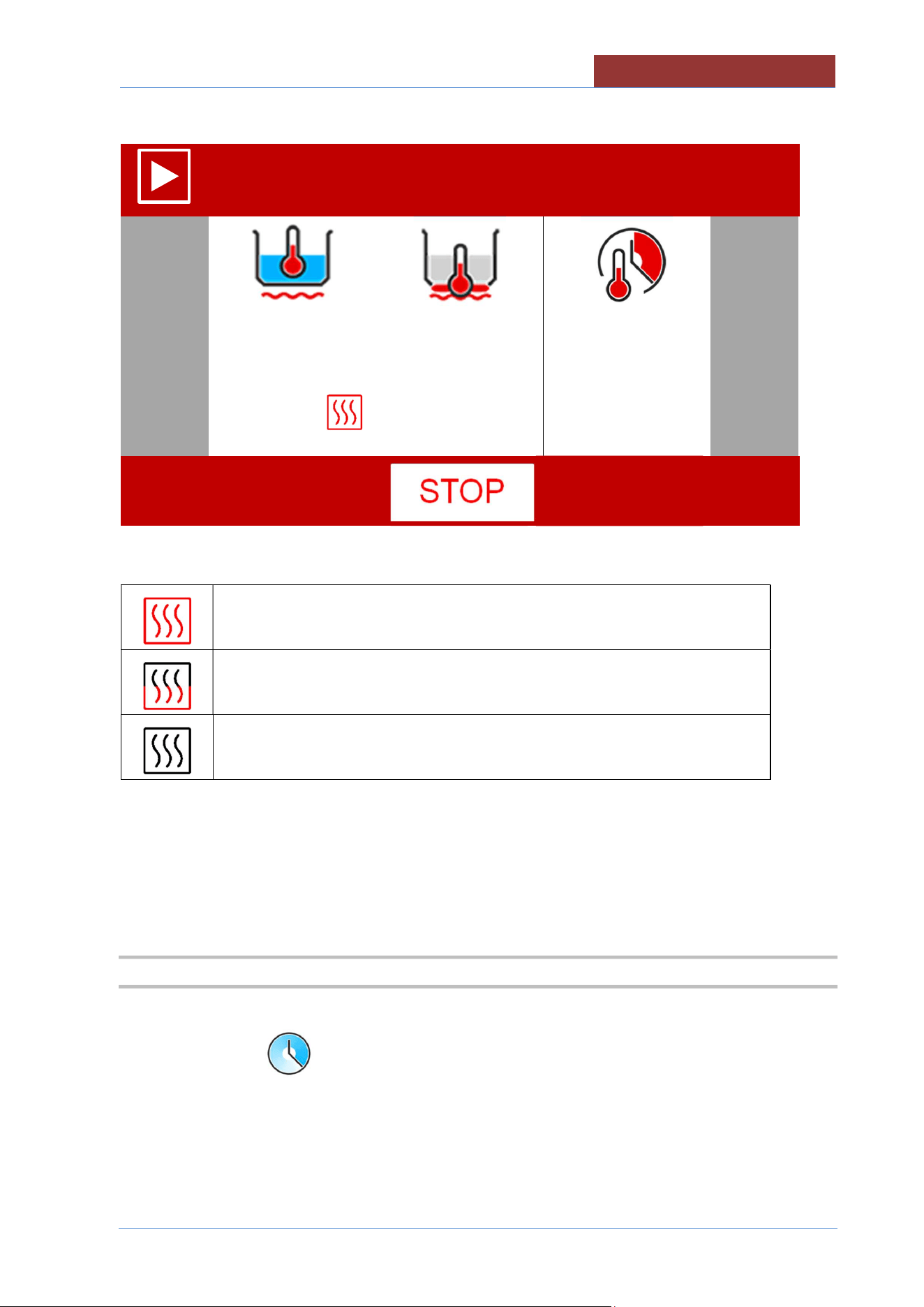
FROM PROGRAMS> MANUAL
SET ALL THE COOKING PARAMETERS
PRESS THE START KEY
MANUAL
01:27: 35
17/12/ 2016
RUNNING A PROGRAM/MANUAL COOKING
02
-
UCBTE.A_V1
-
DIMU
-
00
-
EN
59
THE SCREEN BECOMES
MANUAL
01:27: 35
17/12/ 2016
100°C
180°C
00:45:00
20°C
20°C
--:--:--
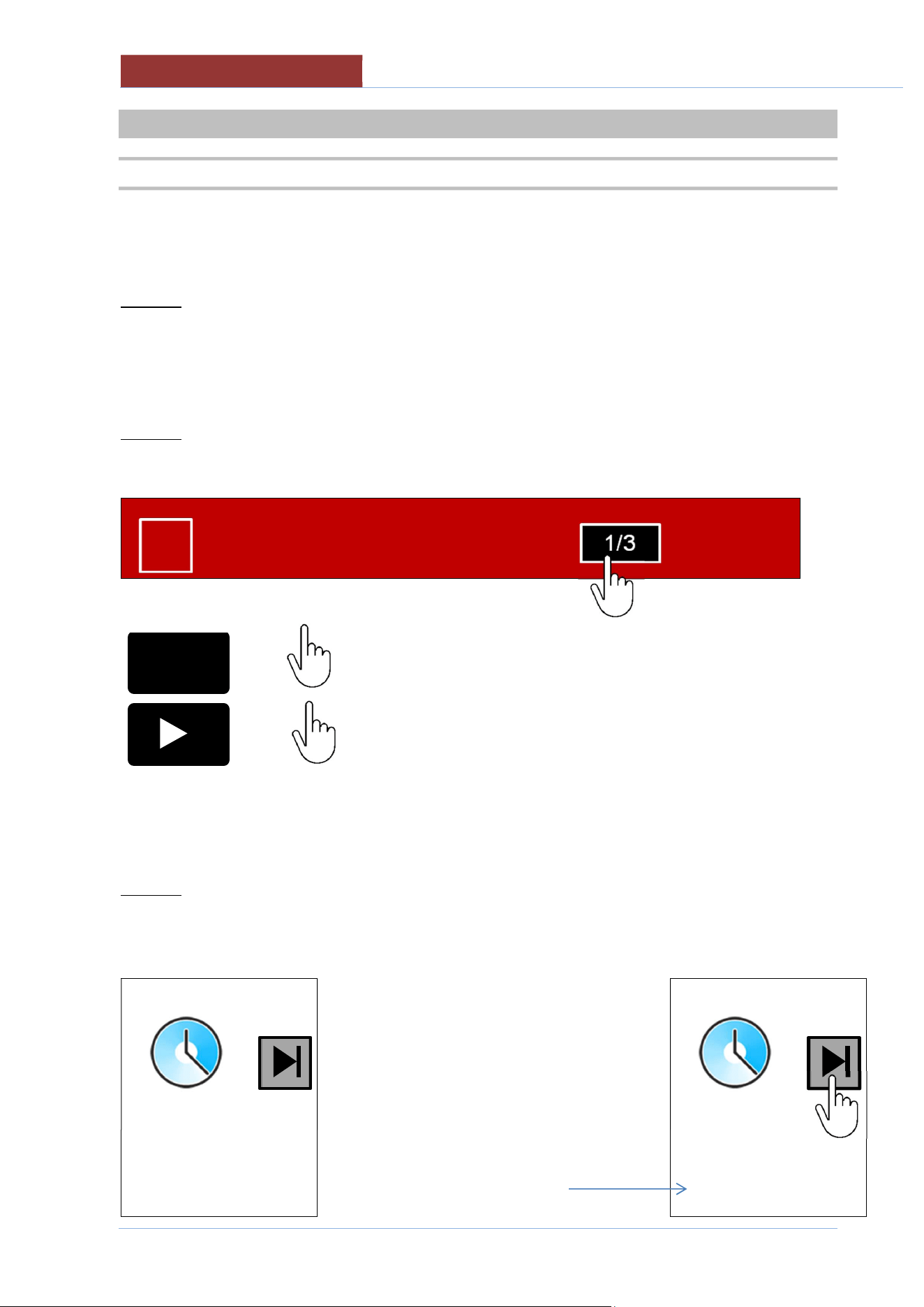
A SYMBOL APPEARS ON THE SIDE OF THE VALUE READ WITH THE FOLLOWING MEANINGS:
HEATING IN OPERATION
MINIMUM HEATING
HEATING OFF AS SETPOINT REACHED OR FOR WAITING (L COLUMN
ICONS)
WHEN RUNNING THE PROGRAM YOU CAN CHANGE THE TEMPERATURE AND TIME SETPOINT
BY PRESSING IN THE FIELD CORRESPONDING TO THE SET VALUES FOR ABOUT 2 sec. .
IT IS NOT POSSIBLE TO CHANGE THE COOKING METHOD AND TIME!!
19.2 END OF COOKING
EITHER WAIT UNTIL END OF COOKING TIME (IF TIME SET) OR PRESS THE STOP KEY.
IF THE SET TIME IS (INFINITE), COOKING/HEATING CAN ONLY BE ENDED BY PRESSING
THE STOP KEY!
02
-
UCBTE.A_V1
-
DIMU
-
00
-
EN
RUNNING PROGRAMS (MULTI
-
PHASE)
60
20 RUNNING PROGRAMS (MULTI-PHASE)
20.1 RUNNING PROGRAMS (MULTI-PHASE)
FROM PROGRAMS> SELECT THE PROGRAM THAT YOU WANT TO RUN FROM THE FOLDER: ALL;
CATEGORY (MEAT, SAUCES, ETC) OR FAVOURITES
PRESS THE START KEY
NOTE 1)
WHEN RUNNING THE PROGRAM YOU CAN CHANGE THE TEMPERATURE AND TIME SETPOINT
(ONLY IN THE PHASE IN WHICH THE PROGRAM IS CURRENTLY RUNNING) BY PRESSING IN THE
FIELD CORRESPONDING TO THE SET VALUES FOR ABOUT 2 sec. .
IT IS NOT POSSIBLE TO CHANGE THE COOKING METHOD AND TIME!!
NOTE 2)
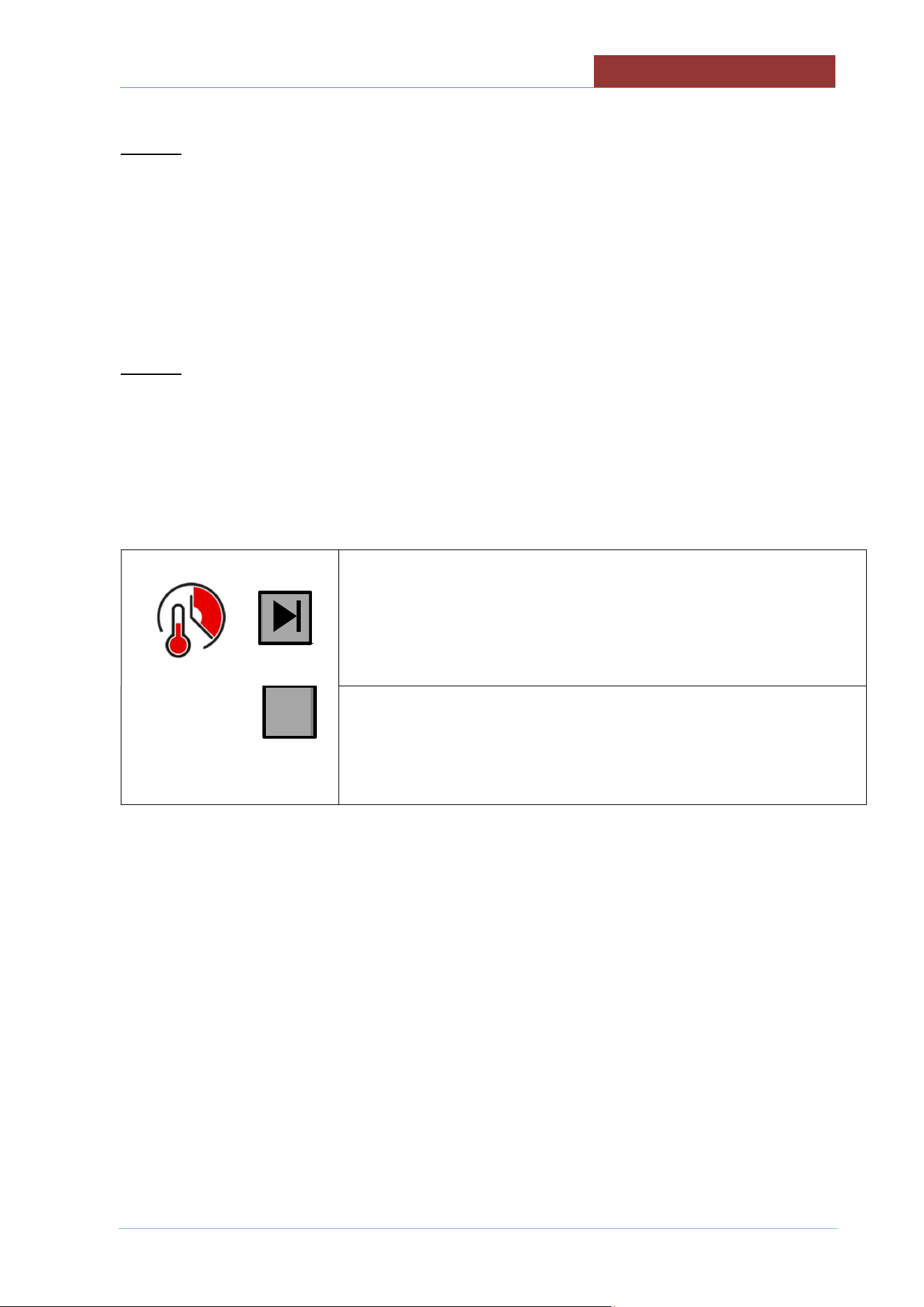
YOU CAN MOVE ON TO THE NEXT PHASE (WITHOUT WAITING FOR THE PHASE IN PROGRESS
TO FINISH) BY PRESSING THE "PROGRAM PHASE" FIELD.
XXX1234
01:27: 35
17/12/ 2016
APPEARS:
x1
IT RETURNS TO THE PHASE IN PROGRESS
x2
IT PASSES TO THE NEXT PHASE.
ATTENTION: IF IT IS THE LAST PHASE, THE PROGRAM
FINISHES!
NOTE 3)
IF A PROGRAM HAS A PHASE SET WITH AN INFINITE TIME, THE MOVE TO THE NEXT STAGE IS
ACHIEVED BY PRESSING THE KEY TO THE SIDE OF THE TIME SYMBOL
Press the key to move on to the next phase
--:--:--
--:--:--
The time elapsed since
the beginning of the phase
is shown on the bottom row.
--:--:--
00:04:31
1/3
I
RUNNING PROGRAMS (MULTI
-
PHASE)
02
-
UCBTE.A_V1
-
DIMU
-
00
-
EN
61
NOTE 4)
IF YOU ARE RUNNING A PROGRAM WITH ACTIVE MESSAGES, WHEN THE MESSAGE APPEARS,
THE OPERATOR:
CAN PRESS THE BUZZER OR TURN OFF THE FLASHING (IF PRESENT IN THE MESSAGE)
MUST CONFIRM THE OPERATION REQUESTED TO CONTINUE WITH THE PHASE OR TO MOVE
ON TO THE NEXT PHASE.
NOTE 5)
IF THE PROGRAM HAS THE ACTIVE MESSAGE "END" AT THE END OF THE COOKING TIME, THE
FOLLOWING MESSAGE APPEARS: END THE PHASE?
IF YOU PRESS "YES" , IT MOVES ON TO THE NEXT PHASE;
IF YOU PRESS "NO", THE FOLLOWING KEYS APPEAR:
key to move on to the next phase
00:45:00
00:00:11
key to increase the time (+ 1 minute each time the key is pressed)
The bottom row indicates the time passed since the cooking time elapsed.
AT THIS POINT IT IS NO LONGER POSSIBLE TO CHANGE THE TIME SETPOINT!
IN ORDER TO EXTEND THE COOKING:
EITHER YOU CHECK THE TIME PASSED ON THE LOWER ROW AND GO TO THE NEXT
STEP BY PRESSING THE KEY ABOVE;
OR PRESS THE +1 KEY (THE NUMBER OF TIMES CORRESPONDING TO THE DESIRED
NUMBER OF MINUTES). THE COUNTDOWN WILL BE DISPLAYED ON THE BOTTOM ROW
AND THE KEY ABOVE WILL DISAPPEAR. IT IS NOT POSSIBLE TO DECREASE THE
MINUTES SET. IF YOU MAKE A MISTAKE AND SET TOO MANY MINUTES, YOU HAVE TO
MOVE ON TO THE NEXT PHASE AS DESCRIBED IN NOTE 2.
+1
02
-
UCBTE.A_V1
-
DIMU
-
00
-
EN
RUNNING PROGRAMS (M
ULTI
-
PHASE)
62
ONCE THE TIME HAS RUN OUT, THE FOLLOWING MESSAGE WILL REAPPEAR: END THE PHASE?
--:--:--
--:--:--
20.2 END OF PROGRAM
EITHER WAIT FOR THE END OF PROGRAM OR PRESS THE STOP KEY (+ CONFIRM).
IF THE SET TIME IS (INFINITE) , COOKING/HEATING CAN ONLY BE ENDED BY PRESSING
THE STOP KEY!
+1
COOKING WITH DELAY TIMER
02
-
UCBTE.A_V1
-
DIMU
-
00
-
EN
63
21 COOKING WITH DELAY TIMER
After having chosen the program to run,
press the button to access the settings for cooking with delay timer.
It is possible to set the delayed start in two ways:
Top row:
setting the start date and time: set the hour and minutes, and, if necessary, the day (with a maximum of 7
days in advance).
Bottom row:
setting delayed start: starting from the current time and date, set the hour and minutes, and if applicable
the day(s) delayed (with a maximum of 7 days in advance).
In automatic, when setting in one mode or the other, the other row will also be updated. (if the start time
and date are set, the delayed time will be updated, and vice versa).
To exit without saving, press the key .
Press the START key to confirm.
The display shows the time and date when it will start, and the bottom row shows the time remaining until
it starts.
To cancel the delayed start, press the STOP button.
Attention: check that there are no lights in the left column (e.g. pan out of position), otherwise
the cooking with delay timer will NOT be carried out.
02
-
UCBTE.A_V1
-
DIMU
-
00
-
EN
FILLING PAN WITH H2O
64
22 FILLING PAN WITH H2O
22.1 FILLING THE PAN WITH H2O USING A LITRE-COUNTER DEVICE
0 Lt
0 Lt
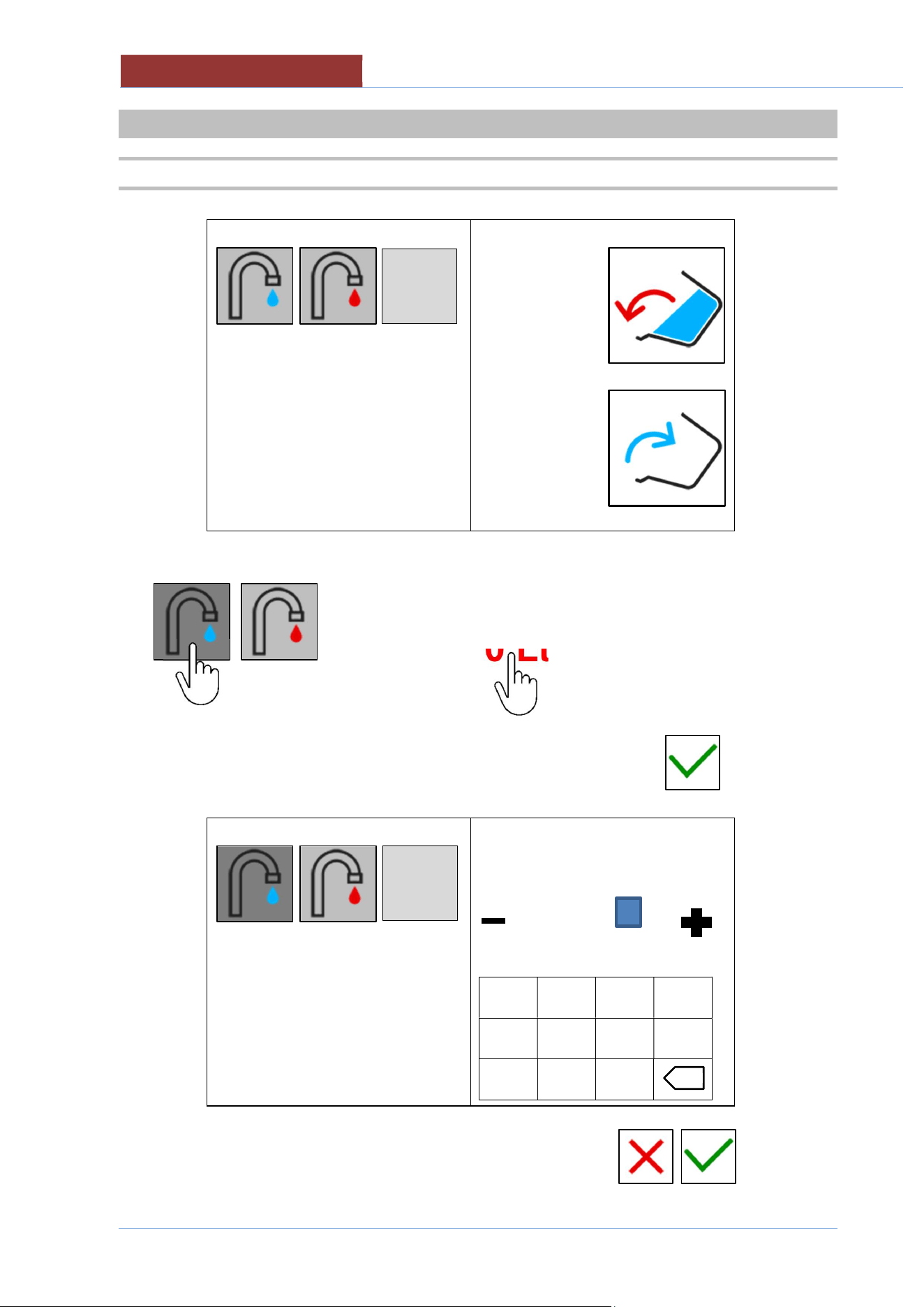
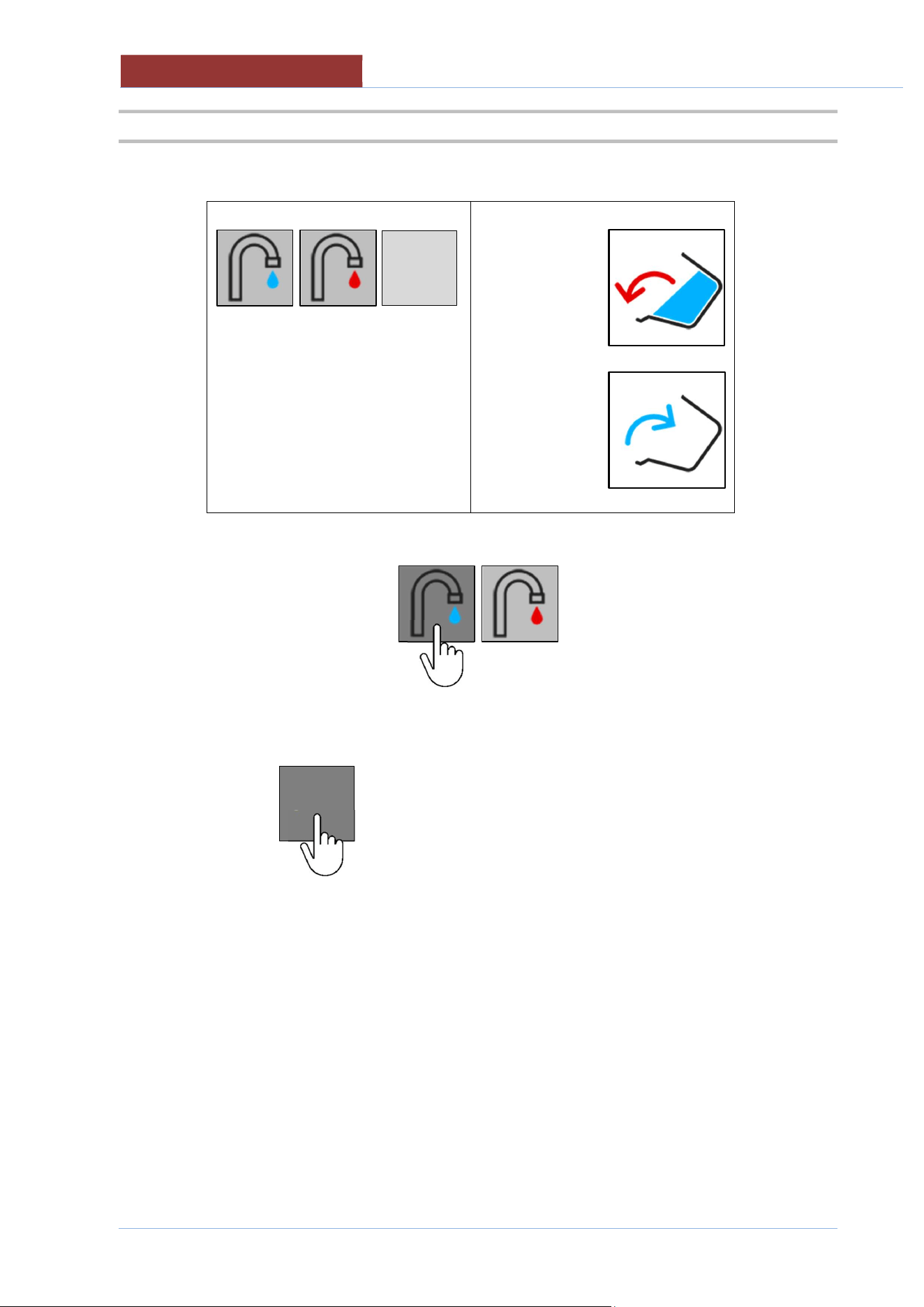
Select hot or cold water. Press on the Lt. Field
0 Lt
Set the number of litres you want to add and confirm with
120 Lt
min max
0 310
-----------------
1 2 3 4
5 6 7 8
- 9 0
START
x
START
FILLING PAN WITH H2O
02
-
UCBTE.A_V1
-
DIMU
-
00
-
EN
65
Press the "START" key
120 Lt
0 Lt
120 Lt litres set
10 Lt litres added
If you want to stop filling with water before the number of litres set is reached, press the "START"
key
START
START
02
-
UCBTE.A_V1
-
DIMU
-
00
-
EN
FILLING PAN WITH H2O
66
22.2 MANUALLY FILLING THE PAN WITH H2O
0 Lt
0 Lt
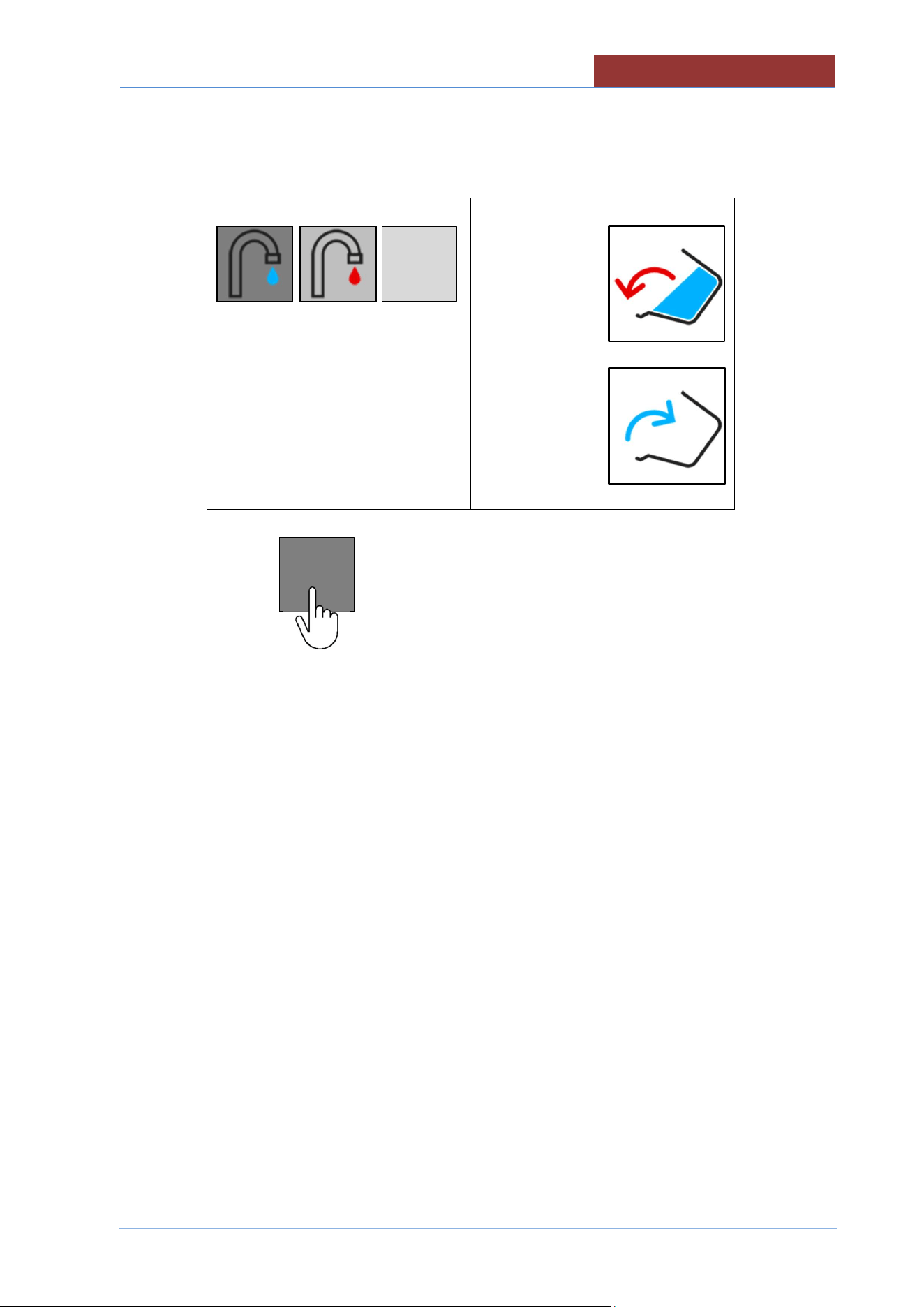
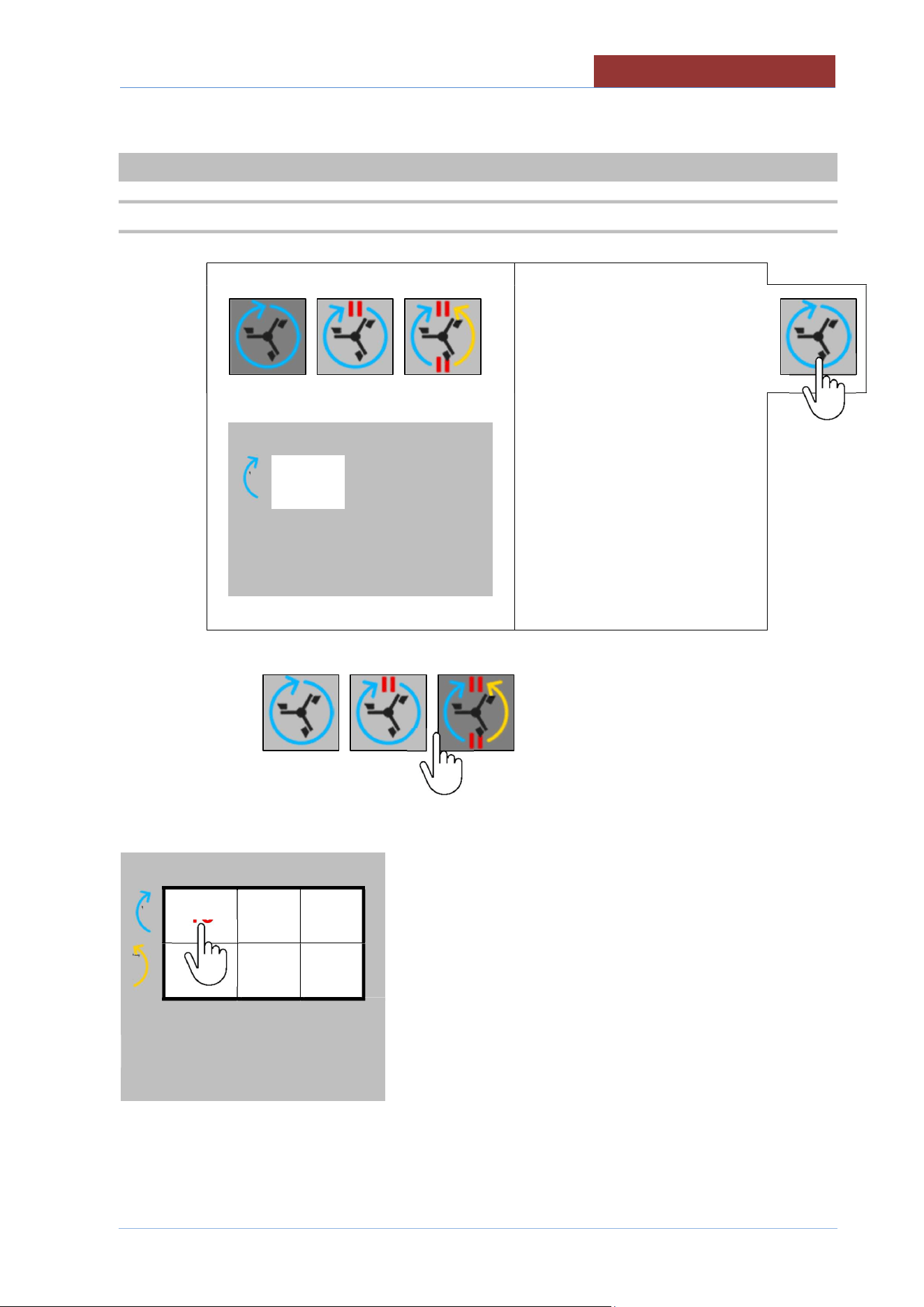
select hot or cold water
Keep the "START" key pressed down for the desired number of litres
0 Lt
10 Lt litres added
START
START
USING THE MIXER
02
-
UCBTE.A_V1
-
DIMU
-
00
-
EN
67
23 USING THE MIXER
23.1 MIXER SETTINGS
Speed
15
Hz
2 sec.
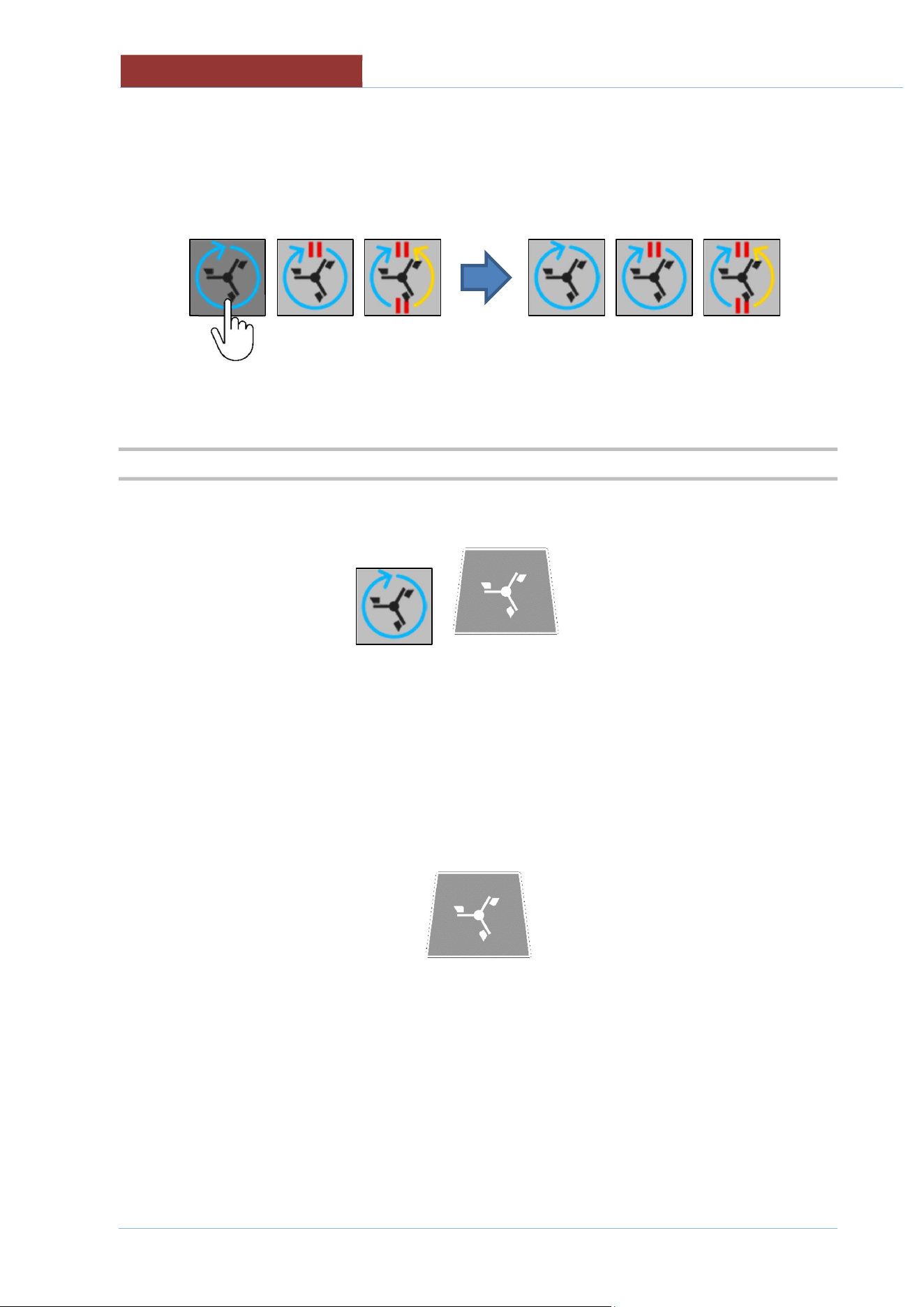
Select the type of mixing
Select the field to edit.
Set the desired values with the keypad.
Speed on off
15 5 5
5 5
Hz sec. sec.
min max
15 50
02
-
UCBTE.A_V1
-
DIMU
-
00
-
EN
USING THE MIXER
68
Attention: When creating multi-phase programs, if you do NOT want to use the mixer in a certain
phase, you need to press key select mixing type (in dark grey), so that all the keys have a light
grey background (the area for setting values also disappears: speed; on; etc).
23.2 STARTING THE MIXER (MANUAL COOKING PROGRAM)
The mixer can be started or switched off by pressing the internal key or the external key.
To change the mixing type and speed refer to the "MIXER SETTINGS" paragraph.
Attention:
When opening the lid (PRI..M) the mixer automatically operates at minimum speed and only
rotates clockwise. When the lid is closed, the mixer returns to the set values.
When the pan is tilted, the mixer stops automatically. To facilitate product unloading, the mixer
can be operated (only at minimum speed and in a clockwise rotation) by keeping the key pressed
When the pan returns to the horizontal position, the mixer MUST be restarted!

US
ING THE MIXER
02
-
UCBTE.A_V1
-
DIMU
-
00
-
EN
69
23.3 STARTING THE MIXER (MULTI-PHASE PROGRAM)
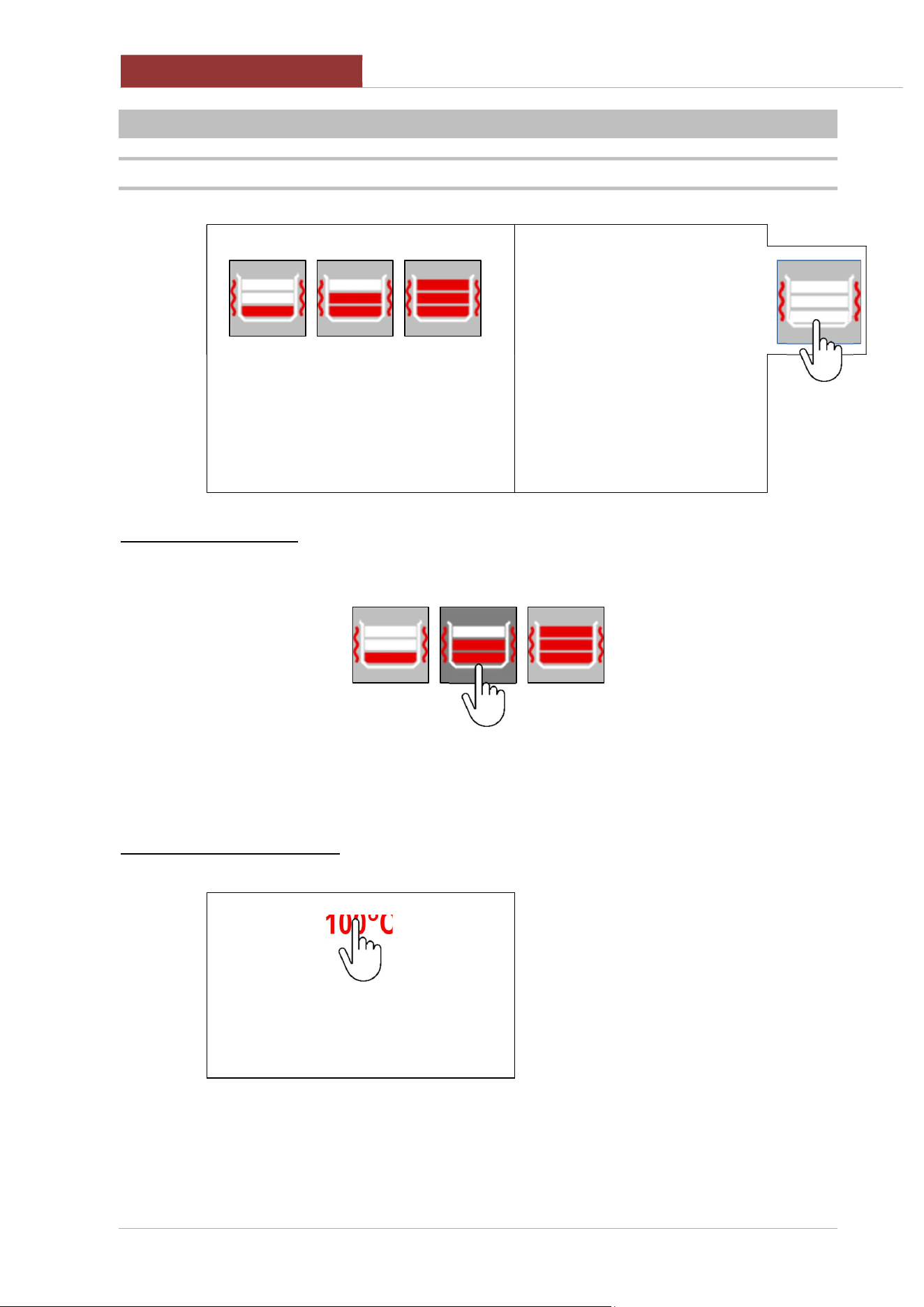
If the selected program involves the operation of the mixer, after pressing the START key, a message will
appear with a countdown for mixer start up.
If you do NOT want to start the mixer, press the "STOP MIXER" key. If you do want to use it, simple wait
for the time to run out.
Attention:
This message will appear in the program every time there is a phase with NO active mixer,
followed by a phase with active mixer.
To change the mixing type and speed refer to the "MIXER SETTINGS" paragraph.
The changes made will NOT be saved in the program, and will only be valid for the phase currently
running!
Whenever the mixer is turned off voluntarily, the key flashes to indicate that the mixer is required for that
phase.
Attention: if during the current phase (where the program involves the mixer) you manually decide
not to choose any type of mixing (all 3 buttons light grey), the key does NOT flash!
Attention:
When opening the lid (PRI..M) the mixer automatically operates at minimum speed and only
rotates clockwise. When the lid is closed, the mixer returns to the set values.
When the pan is tilted, the mixer stops automatically. To facilitate product unloading, the mixer
can be operated (only at minimum speed and in a clockwise rotation) by keeping the key pressed
When the pan returns to the horizontal position, the mixer MUST be restarted!
02
-
UCBTE.A_V1
-
DIMU
-
00
-
EN
WALL HEATING (UCBTE ..AC)
70
24 WALL HEATING (UCBTE ..AC)
24.1 WALL HEATING SETTINGS
100°C
20°C
2 sec.
Select the heating levels
Depending on the quantity of product present in the pan, it is possible to select the level to be heated.
1/3 2/3 3/3
Attention: to prevent the surface of the product from burning, select the correct number of levels
depending on the product present in the pan.
Selecting heating temperature
100°C
20°C 130°C
min max
Select the field to edit.
Set the desired values with the keypad.
Once the values have been confirmed, the selected heating levels are shown in the key in the right
column.
WALL HEATING (UCBTE ..AC)
02
-
UCBTE.A_V1
-
DIMU
-
00
-
EN
71
24.2 STARTING WALL HEATING (MANUAL COOKING PROGRAM)
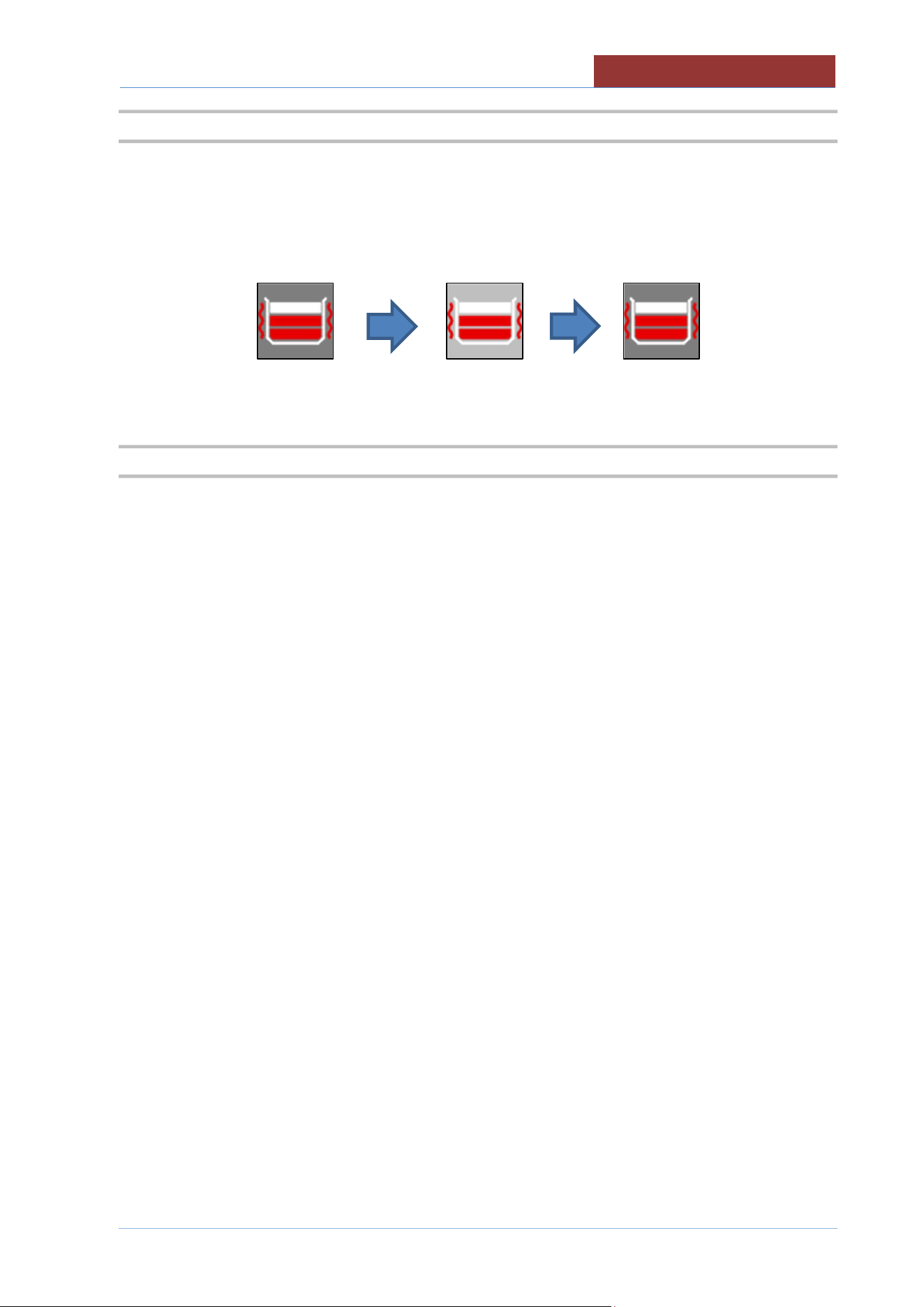
After setting the parameters, to start heating, press the key in the right column. To turn it off, press the
key again.
Heating NOT active, dark grey key - heating active, light grey key.
OFF ON OFF
24.3 STARTING WALL HEATING (MULTI-PHASE PROGRAM)
If the program phases involve wall heating, the heating in the specific phase will be activated
automatically. You can always turn it off or change setting values.
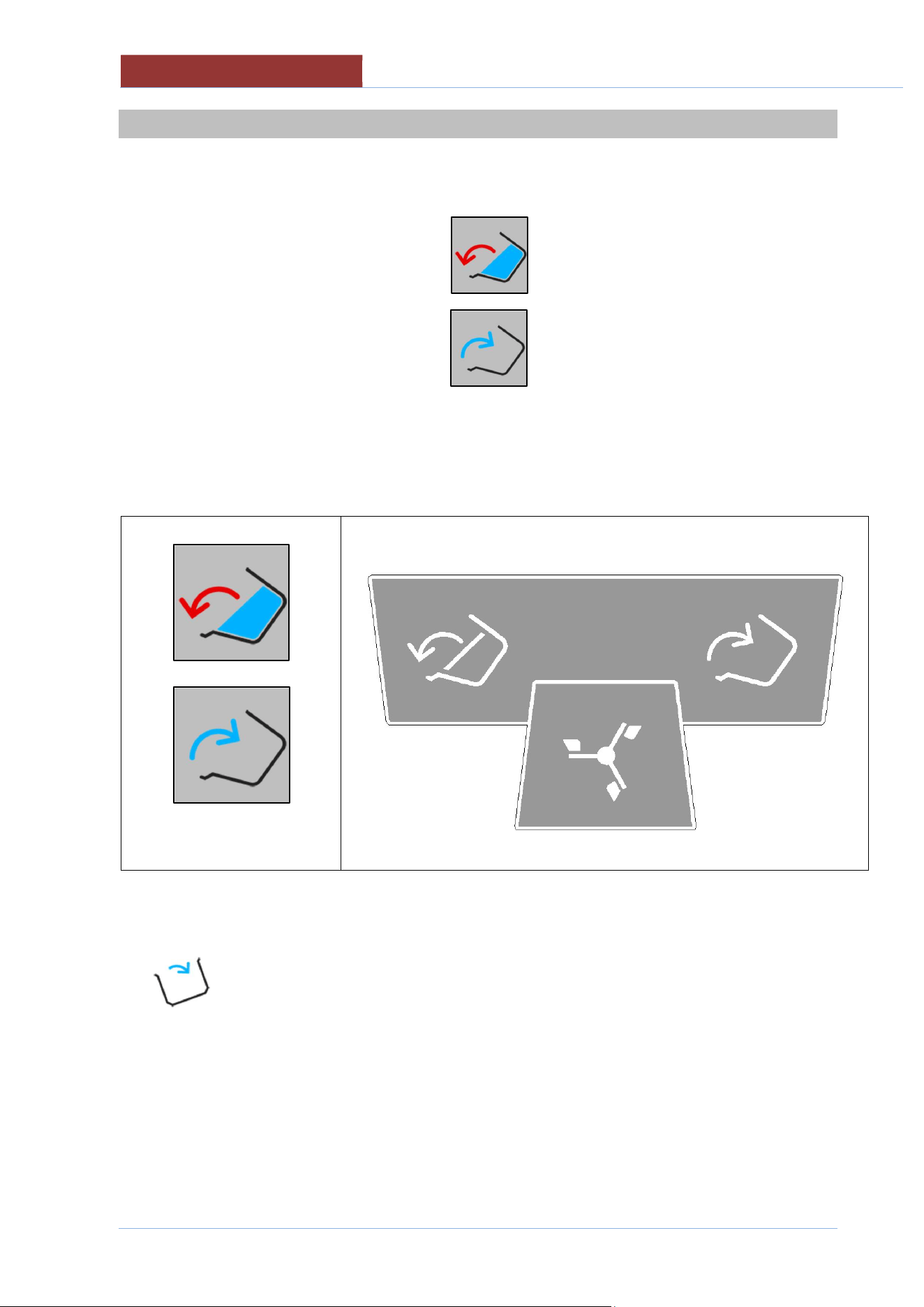
02
-
UCBTE.A_V1
-
DIMU
-
00
-
EN
MOVING THE PAN
72
25 MOVING THE PAN
To move the cooking vessel, keep pressed the corresponding key on the display or external keypad.
The keys on the display are disabled when the pan tilting limits are reached.
With a completely horizontal pan = enabled only
With a tilted pan = enabled only
DISPLAY KEYPAD
Pan tilting key
Pan return key
Pan tilting key Pan return key
As tilting prevents the heating and mixing functions, whenever the pan is not in a horizontal position, the
icon appears.
ATTENTION: when cooking with tilted pan (CBTE ..) the icon only appears when tilted above 20°. If you
want to cook, as soon as this icon appears, press the return key up to the desired tilt angle (from
horizontal position until the icon appears).
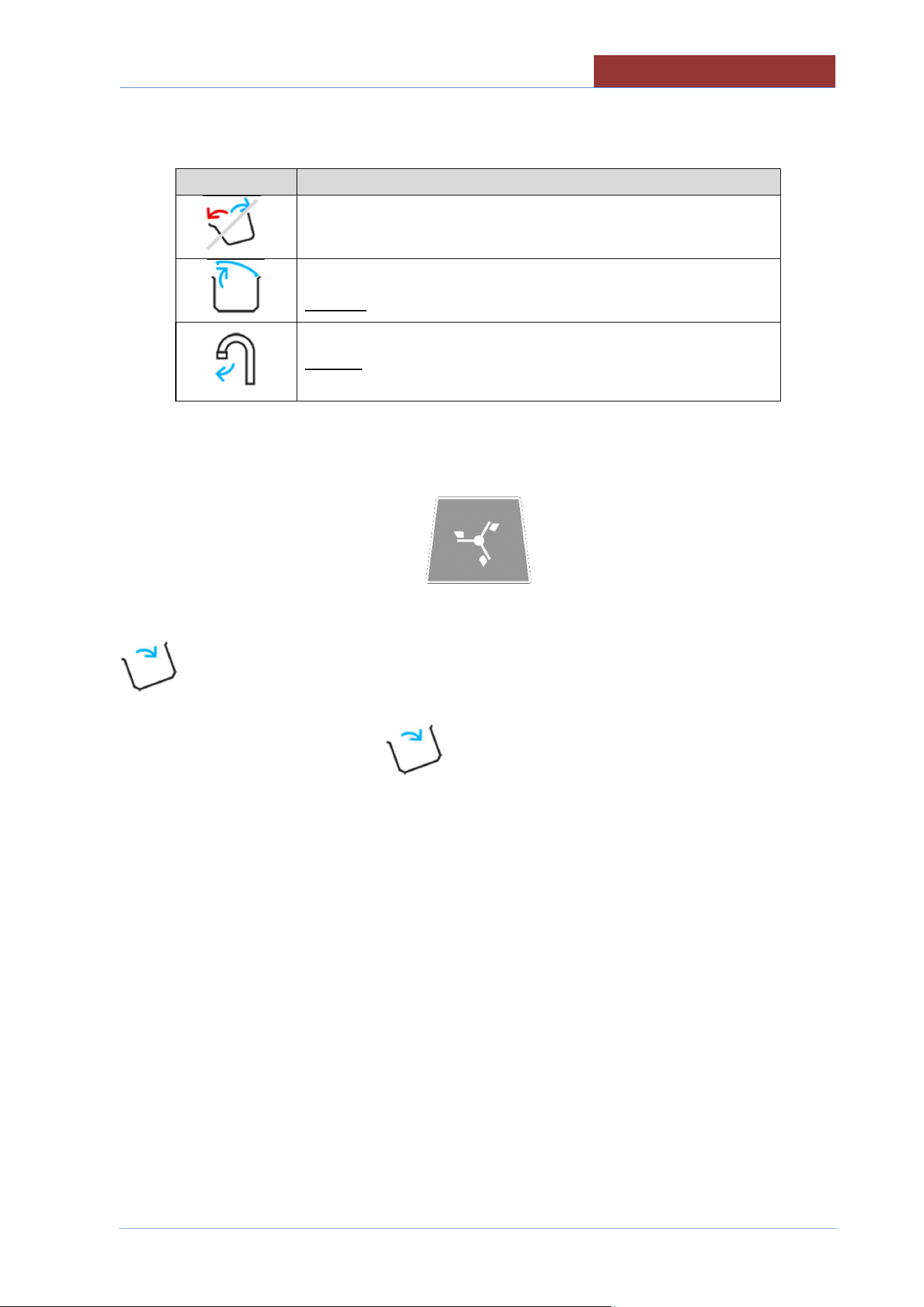
MOVING THE PAN
02
-
UCBTE.A_V1
-
DIMU
-
00
-
EN
73
Any messages that prevent pan movement appear in the left column.
Icon Description
Pan movement not allowed
Request to completely open the lid (for pan movement)
Request to turn the tap (for pan movement)
ATTENTION: In machines with mixer, to make it easier to empty the product, the mixer can be operated
(only at minimum speed and in a clockwise direction) by keeping the key pressed.
To return the pan to the horizontal position, press and hold the corresponding key, until the icon
disappears.
ATTENTION: The presence of the icon prevents the cooking functions of the machine.
02
-
UCBTE.A_V1
-
DIMU
-
00
-
EN
CLEANING AND CARE
74
26 CLEANING AND CARE
26.1 GENERAL INFORMATION
Do not use aggressive substances or abrasive detergents when cleaning stainless steel
parts.
Avoid using iron scourers on steel parts as rust formation may occur. For the same
reason avoid contact with ferrous materials.
No sandpaper or abrasive paper should be used during cleaning. In special cases,
pumice stone may be used in powder form.
In the event of particularly resistant dirt, we recommend the use of abrasive sponges
(e.g. Scotch-Brite).
26.2 DAILY CLEANING
Always wear protective clothing required by current regulations.
For safety reasons, clean the machine when it is cold and off (with the emergency button
pressed) (or on stand-by if cooking with delay timer).
When cleaning the appliance never spray water directly in order not to cause
infiltration and damage to the parts.
Never use water jets in the flue in gas versions.
Clean the pan with water and detergent, rinse well and dry thoroughly with a soft cloth
Clean the outside with a sponge soaked in hot water and a suitable detergent readily available on the
market.
Always rinse well and dry with a soft cloth.
Be careful not to damage the lid seal.
Clean the seal with NON-abrasive liquid detergent.
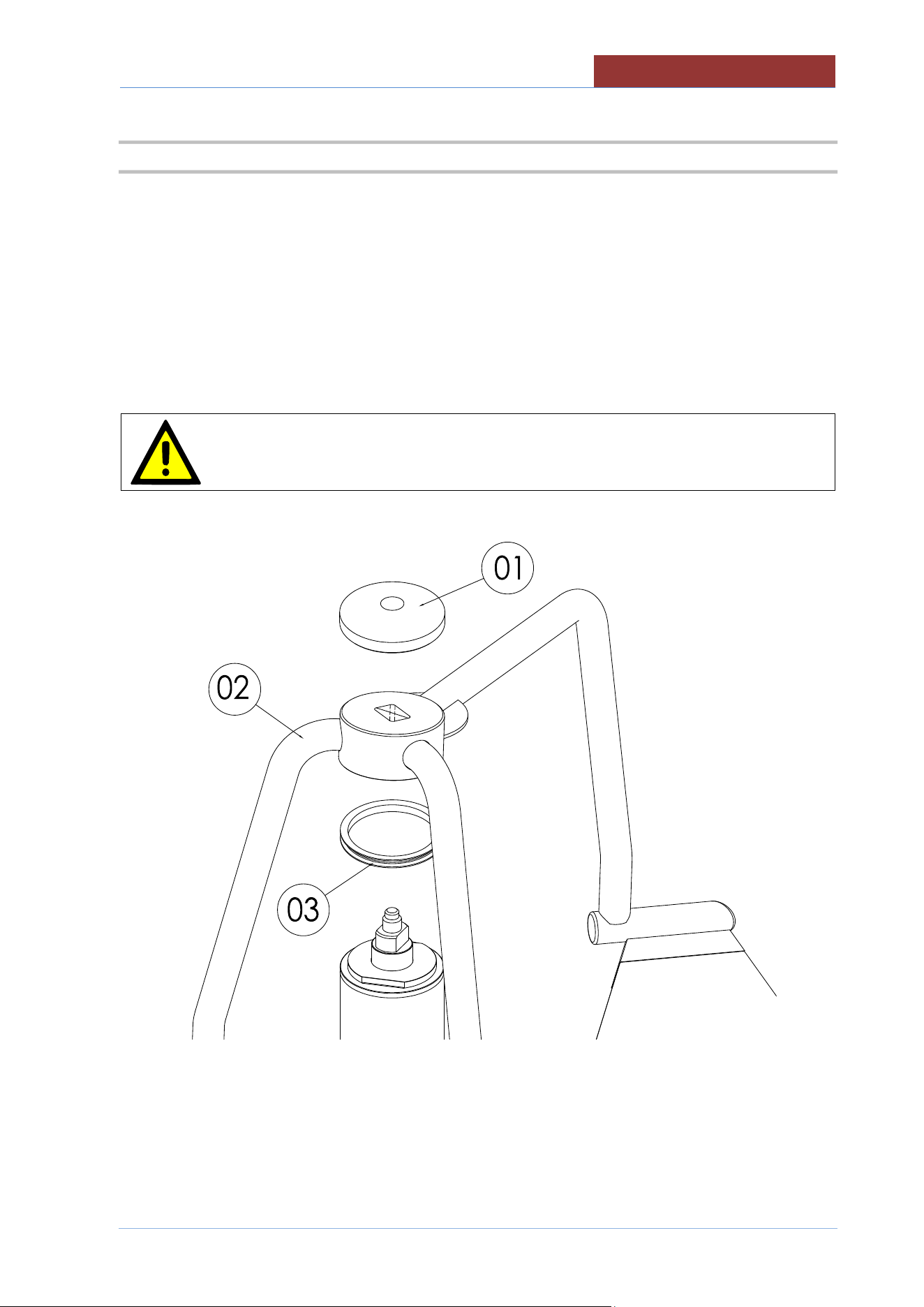
CLEANING AND CARE
02
-
UCBTE.A_V1
-
DIMU
-
00
-
EN
75
26.3 MIXER CLEANING
To facilitate cleaning operations, the mixer can be removed from the pan by following the instructions
below:
-Tilt the cooking vessel up to 30-40°.
- Unscrew the "mixer locking ring"(01)
- Extract the "mixer" (02) taking care not to lose the Teflon sealing ring (03).
Gently place the mixer on the ground. The forged steel blades could get
damaged!! It is better to place the mixer on its side, rather than with the blades
directly on the ground.
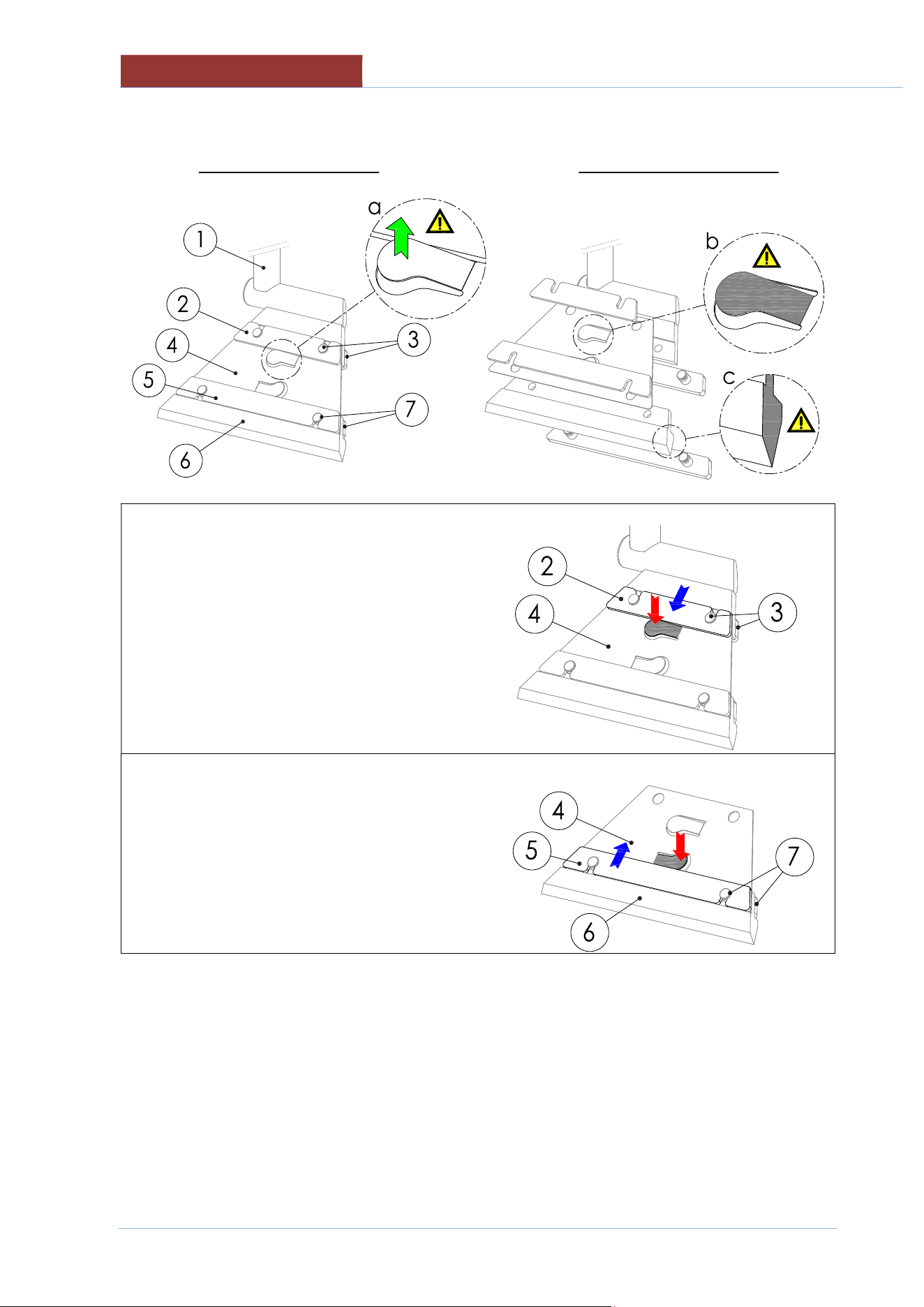
02
-
UCBTE.A_V1
-
DIMU
-
00
-
EN
CL
EANING AND CARE
76
- Remove and clean the scrapers according to the following instructions
ASSEMBLED SCRAPING DISASSEMBLED SCRAPER
- Press on the upper lever of the part 4 and slide
the part 2 out of the pins
- Extract the part 3.
- Press on the lower lever of the part 4 and slide
the part 5 out of the pins
- Remove parts 6 and 7.
- Accurately clean all the disassembled parts (including mixer and the teflon ring)
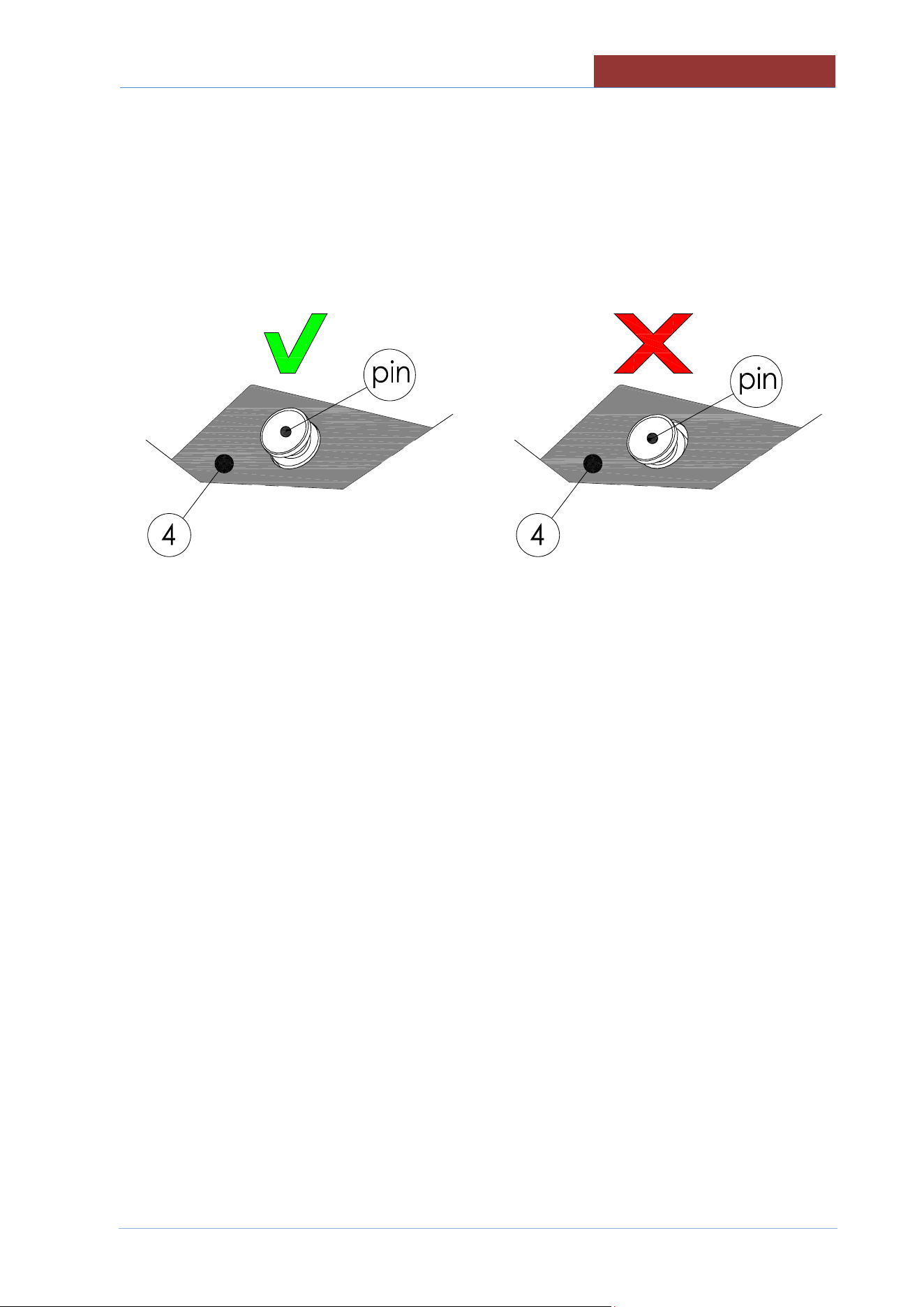
CLEANING AND CARE
02
-
UCBTE.A_V1
-
DIMU
-
00
-
EN
77
- Reassemble the scrapers paying attention to:
- comply with Teflon profile orientation (detail c)
- part 4 with the levers mounted upwards (detail b)
- part 4 must be centered with the pin.It must not stop in the throat of the pin!
- when the details 3 and 5 are mounted, the levers of the detail 4 must snap upwards (detail a)
- Refit the Teflon ring, the mixer and the locking ring nut.
- Return the pan to a horizontal position.
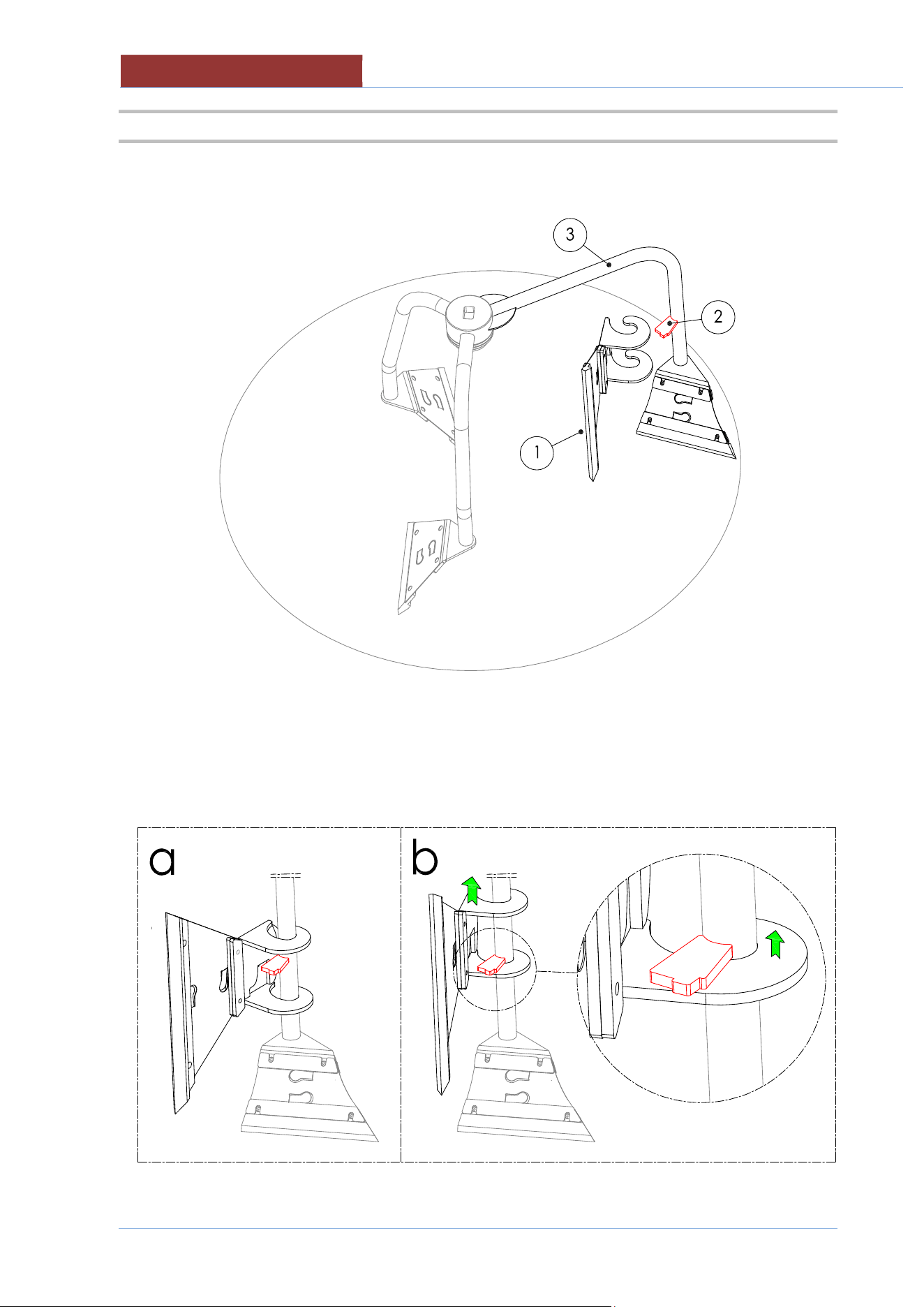
02
-
UCBTE.A_V1
-
DIMU
-
00
-
EN
CLEANING AND CARE
78
26.4 ASSEMBLY AND DISASSEMBLY VERTICAL SCRAPER FROM THE MIXER
The vertical scraper (1) must always be mounted in the external mixer arm (3), where the locking bracket
(2) is present.
To assembly the vertical scraper at the mixer, follow the instructions below:
a) Enter the vertical scraper in the external arm.
b) Lift the vertical scraper up to the stop with the locking bracket.
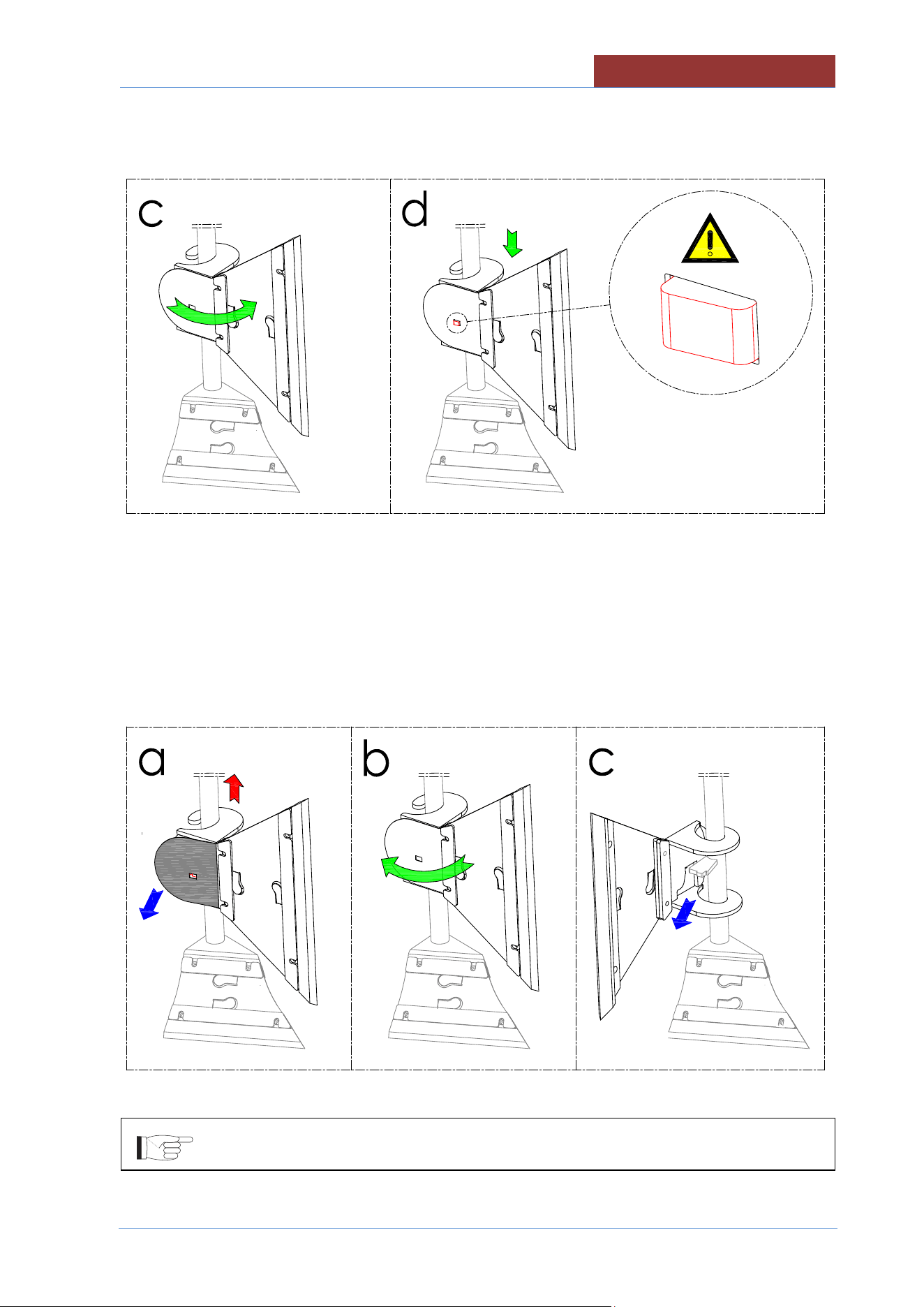
CLEANING AND CARE
02
-
UCBTE.A_V1
-
DIMU
-
00
-
EN
79
c) Turn the vertical scraper towards the wall of the vessel.
d) Lower the vertical scraper until the tooth of the block is inserted on the vertical scraper.(see detail).
To disassembly the vertical scraper from the mixer, follow the instructions below:
a) Lift the spring until it releases with the tooth and simultaneously raise the vertical scraper .
b) Turn the vertical scraper towards the center of the vessel.
c) Extract the vertical scraper from the external arm.
For the cleaning of vertical scraper see "MIXER CLEANING" paragraph
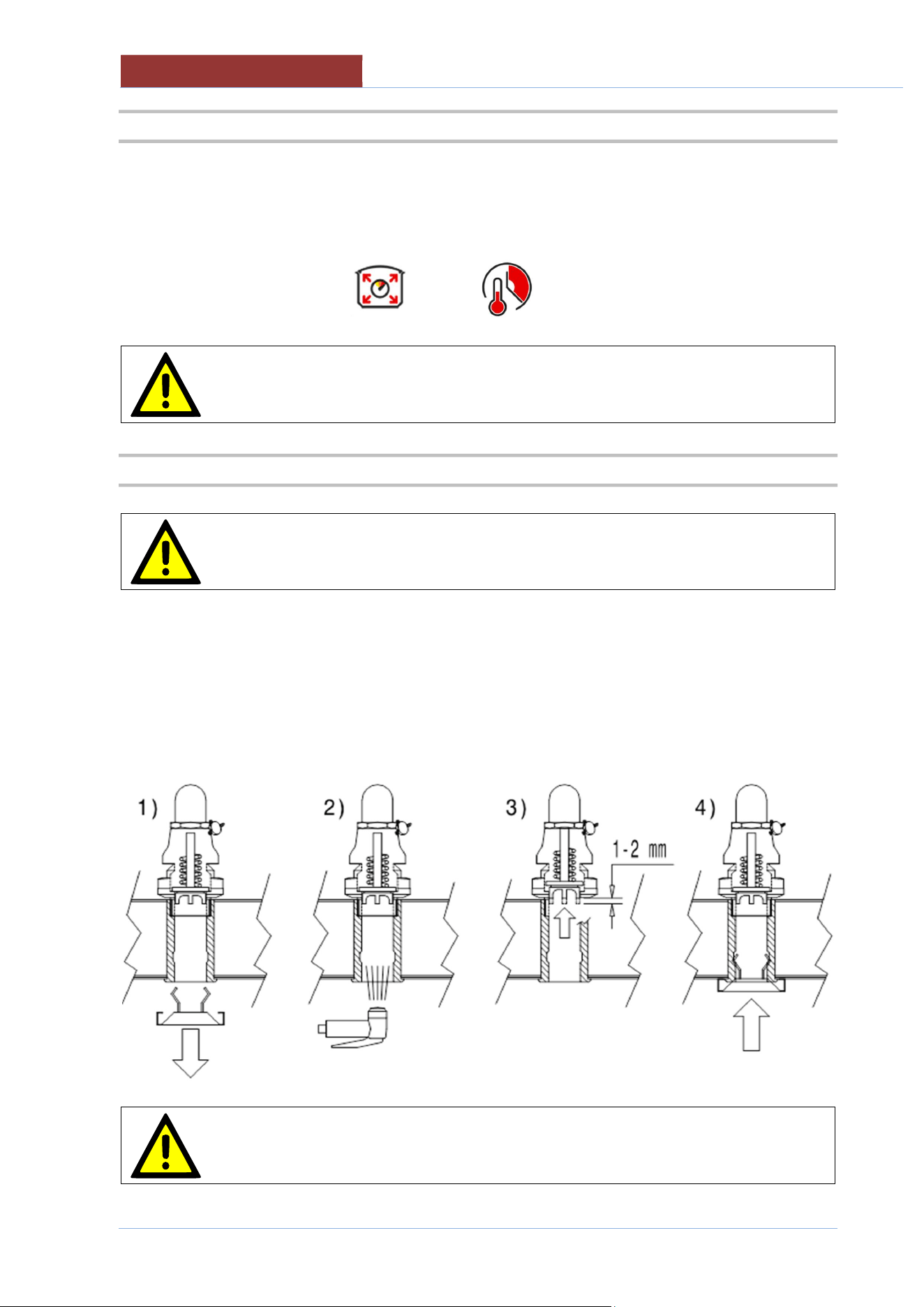
02
-
UCBTE.A_V1
-
DIMU
-
00
-
EN
CLEANING AND CARE
80
26.5 CLEANING THE PRESSURE COOKER SYSTEM
Clean the pressure system as described below:
1) Pour in water equal to about 10% of the pan's capacity (e.g. mod.180 = 18 litres), or about 1 “
(2/3 cm) of water in the bottom of the pan.
2) Start a 5-minute pressure cooking cycle
The cleaning cycle must be performed weekly.
Depending on how often pressure cooking is used and/or the product used, the
cleaning cycle may also be performed more frequently.
26.6 CLEANING AND CHECKING THE SAFETY VALVE
Thoroughly clean the safety valve housing from inside the lid as described below
1) Remove the spring loaded lid.
2) Remove the residue that may stick the poppet to the valve housing
3) At the end of cleaning, check that the valve poppet is free.
4) Refit the spring loaded lid
The check described in point 3 must be carried out at least once a month
MAINTENANCE
02
-
UCBTE.A_V1
-
DIMU
-
00
-
EN
81
26.7 PRECAUTIONS IN CASE OF PROLONGED INACTIVITY
If the appliance has been inactive for a prolonged period of time (holidays, seasonal work...), clean well,
remove any residue and ensure it is dry.
Leave the lid open so that air can circulate inside the pan.
The room must be sufficiently ventilated.
Disconnect all water, electricity and gas supplies.
26.8 PRECAUTIONS IN CASE OF MALFUNCTION
Should malfunctions occur during use, switch off the appliance immediately and disconnect or stop all
supplies (gas and water).
Request assistance from technical support or a qualified technician.
The manufacturer assumes no responsibility or warranty commitment for injuries
and damage due to non-compliance with the instructions or any installation or
maintenance that does not comply with safety standards.
The same applies in case of improper use of the appliance by the operator.
27 MAINTENANCE
27.1 MAINTENANCE OF THE APPLIANCE
All maintenance work must only be performed by a specialist technical service
centre!
In order to keep the appliance working efficiently, it is advisable to perform annual maintenance, which
includes checking the status of components subject to wear and tear (pipes, etc.).
It is advisable to replace any worn components during maintenance, in order to avoid further call outs and
unexpected issues and faults with the appliance.
Therefore, it is recommended to sign a maintenance contract with a reliable technical support centre.
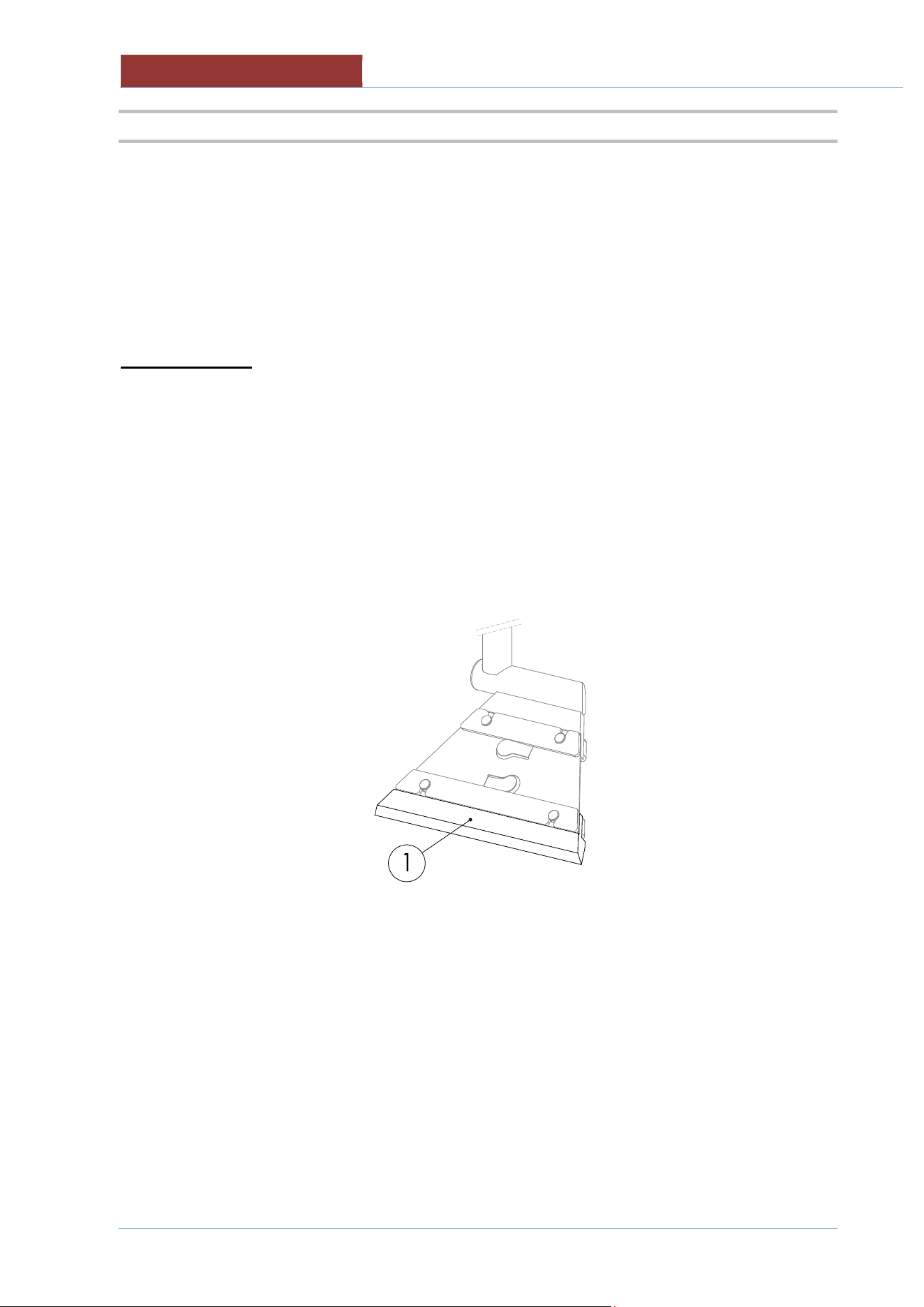
02
-
UCBTE.A_V1
-
DIMU
-
00
-
EN
MAINTENANCE
82
27.2 PERIODIC MAINTENANCE
Periodic inspections will minimise machine downtime and increase operating efficiency.
The following points must be checked:
Periodic inspections will minimise machine downtime and increase operating efficiency.
The following points must be checked:
BY OPERATOR
DAILY CHECKS
1. Thoroughly clean the machine daily
WEEKLY CHECKS
2. Perform THE PRESSURE COOKER SYSTEM CLEANING CYCLE
3. Perform THE SAFETY VALVE CLEANING CYCLE
4. Check the wear of the Teflon scraper (01). If it needs replacing, contact technical support.
MONTHLY CHECKS
6. Perform the SAFETY VALVE check (step 3)
QUARTERLY CHECKS
7. Clean the mixer motor fan with compressed air or a suction device.
8. Check the following are undamaged and intact:
Screen controls, switches, warning lights.
Emergency button:
Contact technical support if they are damaged.
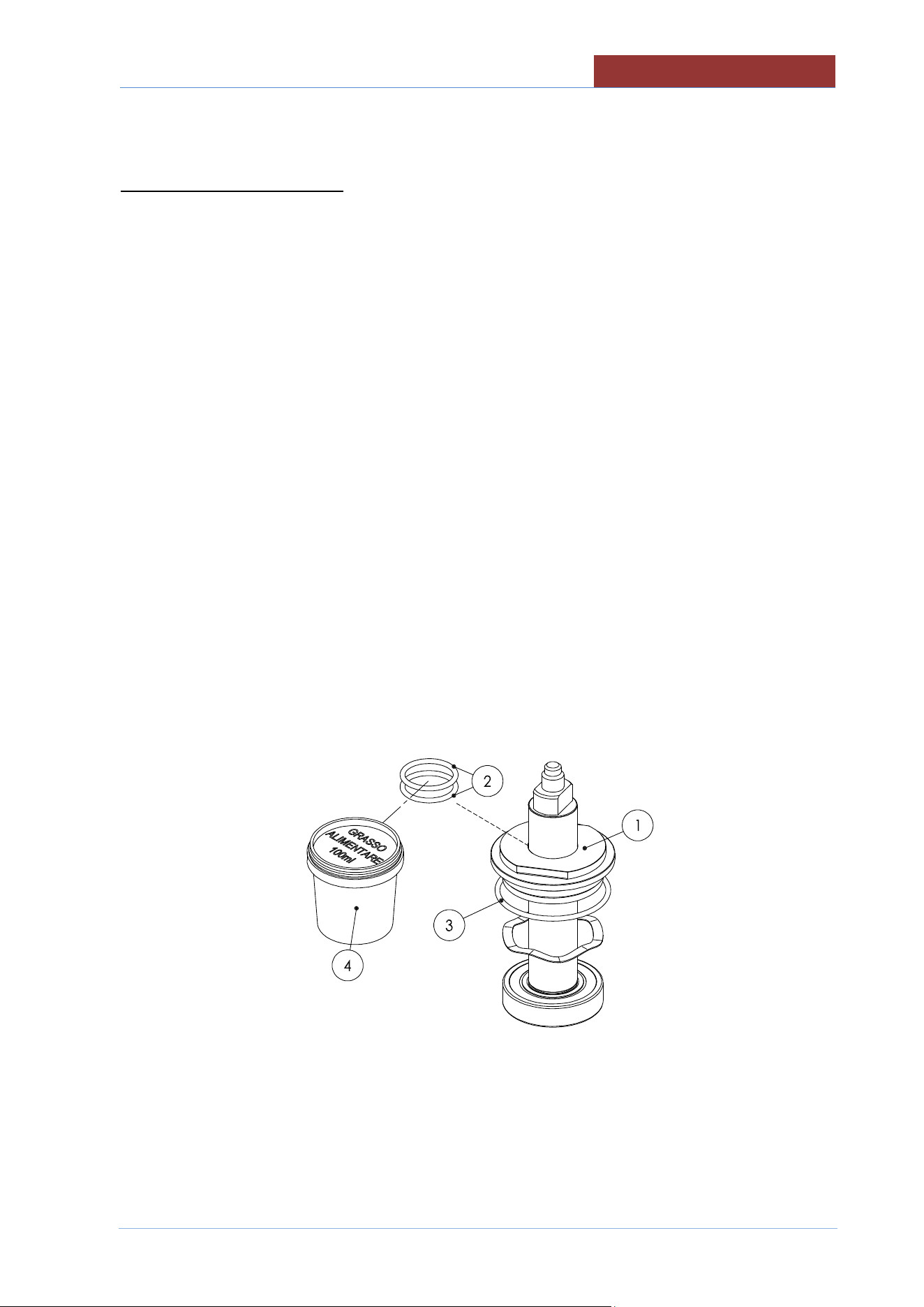
MAINTENANCE
02
-
UCBTE.A_V1
-
DIMU
-
00
-
EN
83
BY SERVICE TECHNICIAN
For each operation:
Carefully close all the panels. .
The inside of the appliance should be kept clean.
Electrical wiring should be kept securely connected and in good condition.
ANNUAL CHECKS / ACTION
1. Check coupling panels, must be perfectly closed with all the screws.
2. Check the sealing water system (load tap water).
3. Check that terminals connections of electrical parts are well fastened. Clean electrical parts .
4. Cleaning the fan motor mixer with compressed air or vacuum cleaner.
5. Verify the integrity of mixer motor electric cable. If damaged, replace it(with original spare parts).
6. Replace mixer engine gaskets (Annual or after 2700h working mixer). With the key, unscrew the
cap (1) and replace the gaskets (2-3). This maintenance requires the use of suitable grease cod.
70400172.
Attention to closing the cap; Do not force too close (risk of seizing the threads!)
CONTROL / OPERATIONS THREE-YEAR
1. Replace safety valve mod.UCBT..A (with original spare parts).
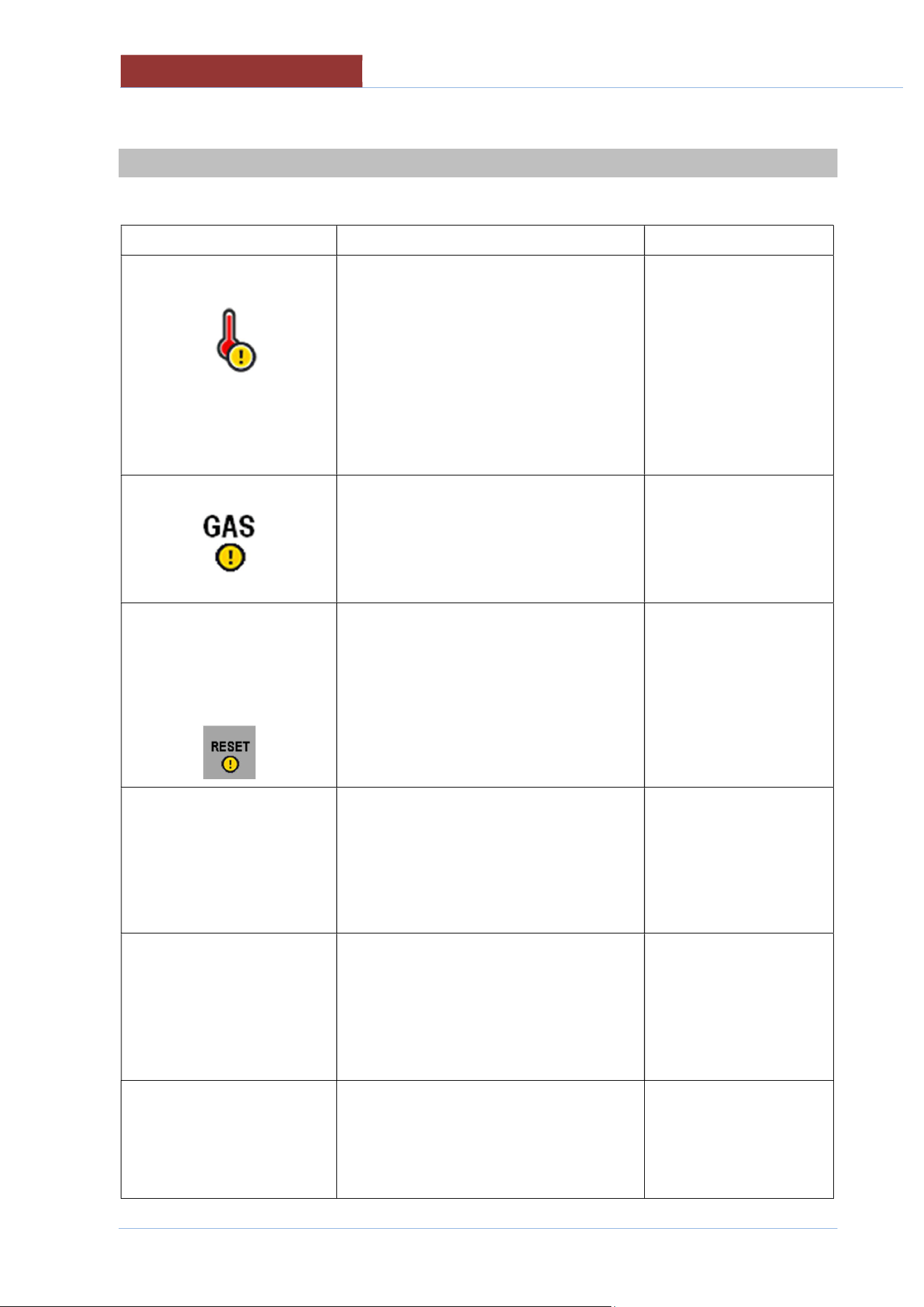
02
-
UCBTE.A_V1
-
DIMU
-
00
-
EN
DISPLAY MESSAGES
84
28 DISPLAY MESSAGES
Message Meaning Solution
Safety thermostat has been triggered
The safety thermostat can be disarmed
during transport without any issues.
Reset the thermostat
from the lower panel on
the right hand side, by
pressing firmly on the red
thermostat key.
If the thermostat is
triggered again, contact
the support centre.
Insufficient gas pressure.
It is not possible to start cooking.
Verify that gas is
supplied and that the
pressure is sufficient.
Contact the support
centre.
!! BLOCK GAS
DEVICE !!
PRESS
**RESET**
If a cooking phase has started and
insufficient gas pressure has been
detected on 4 consecutive occasions or
there is a fault on the flame detection
system, the central unit will be interrupted.
Press “RESET”.
After 3 RESET attempts,
the message below
appears.
!! GAS SYSTEM
ANOMALY!!
CONTACT TECHNICAL
ASSISTANCE
Problem with the gas system: gas central
unit fuses, gas solenoid valve, spark plugs
and pilot light plug.
Contact technical support.
PROBES ERROR
One or more of the appliance's
sensors/probes are faulty (or not
connected). Cooking methods that use
these sensors/probes will be disabled (light
grey) until they are repaired.
Contact technical support.
INTERNAL ERROR
Connection error between the relay board
and keypad board
System board error.
Switch the applianc
e off,
and switch back on after
two minutes, if the
problem persists, call a
technician

DISPLAY MESSAGES
02
-
UCBTE.A_V1
-
DIMU
-
00
-
EN
85
BLACK OUT ERROR
t.b.d
INVERTER ERROR
Connection error between relay board and
inverter
Contact technical support.
EXTERNAL MEMORY
ERROR
SD memory card not
available.
Contact technical support.
OUTPUT
CONFIGURATION
ERROR
PROGRAMMING ERROR. Dual output
assignment!!
Contact technical support.