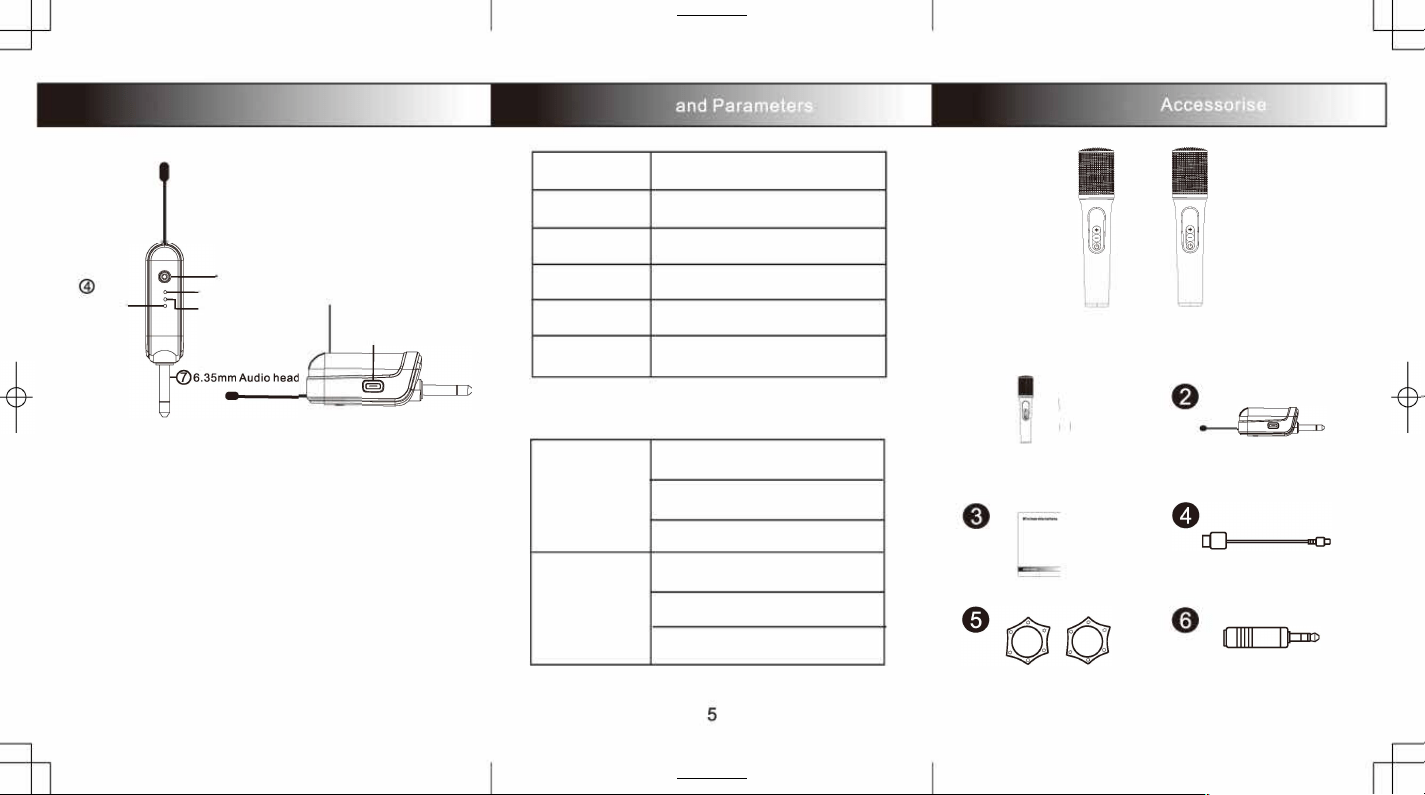
3, Interface Function
Charging
reminder
Power
Microphone light1� @Battery Holder
Microphone light2@
@
Charging
part
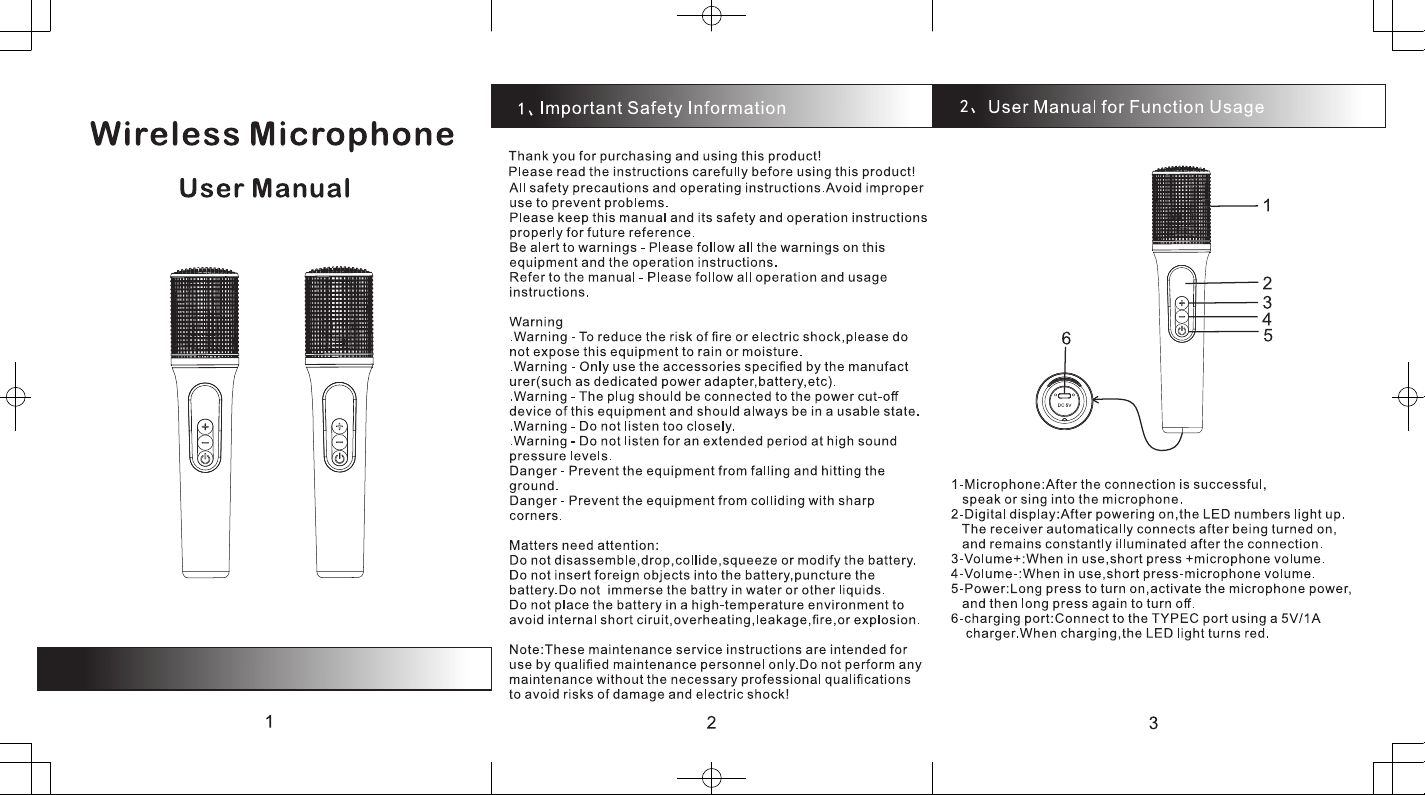
Power:Long press to turn on,activate the microphone power,
and then long press again lo turn o.
�@Microphone connection light:The microphone indicator
lights up when connected and flashes when not connected.
@Charging reminder:When charging the red light is on;when
fully charged the red light goes out.
@ Battery Holder: Open the battery compartment correctly
insert the 14500 ballery,and then close the compartment
cover to complete the battery insertion.
@
Charging part: TYPEC Charging part DC 5V/1A
6.35Audio head It has an interface a 6.35 audio socket.
Once turned on and the microphone is activated ,it can be
used.
4
$
4, Specification
Name:
Wireless microphone
Bandwidth: 2MHz
Sensitivity:
-85dBm
Frequency:
2402-2480MHz
SNR:
►92dB
Reference input:
DC5V/1A
Wireless microphone
Main
Singing karaoke
Function:
Two-microphone duet
Supply current:Type-C USB 5V
Operation
Charging time:3 -4 hours
Parameter:
Utility time:7-8 hours
The above data were obtained through production testing.However,
there may be slight discrepancies in actual usage due to dierences
in the objective environment and tool factors.
$
5, Product Display and
0
I
1i
Wireless Mirophones*2
I
·--1
H
User Manual*1
Anti-slip Rings•2
6
Receiver*1
Type-C USB cabIe•1
Adapter•1