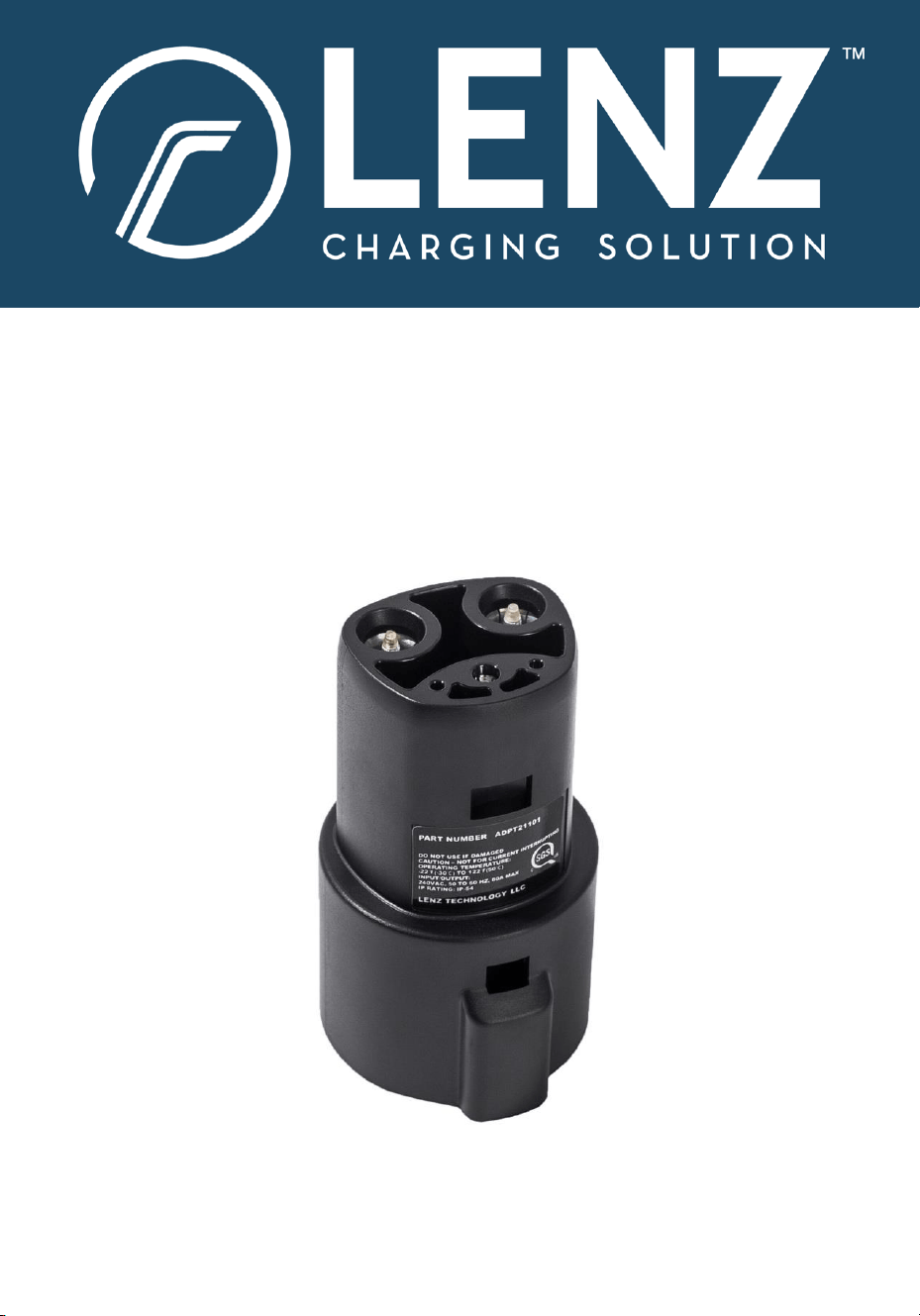
J1772 to NACS Adapter
User Manual & Installation Guide
Model ADPT21101
Includes IMPORTANT SAFETY INFORMATION. Read thoroughly before use.
V03.04.26
2
1.
Safety Information
Ensure that the connector conforms to the SAE J1772 standard and that
the EVSE provides AC current. Please note this adapter is designed
exclusively for AC charging and is NOT compatible with any DC charging
station. Attempting to use it with a DC charging station can result in a
fire, resulting in personal injury and/or property damage.
Regularly inspect both the adapter and charging/connector ports to
identify any accumulated dirt or debris. When dirt or debris enters the
connection ports, there is a risk of overheating which can be
safeguarded by promptly removing dirt or debris using a compressed air
dispenser and electric cleaner, such as Deoxit® or WD-40® Specialist
Electrical Contact Cleaner.
DO NOT continue use if you observe any damage to connector ports or
pins.
DO NOT insert foreign objects into the port as this can cause damage
and pose a safety hazard.
ALWAYS utilize a connector that is UL / ETL / SGS certified. This
certification guarantees that the connector conforms to rigorous safety
and quality standards.
3
2.
Warnings
Thoroughly read this manual before using the LENZ Charging
Solutions adapter. Disregarding the instructions or neglecting the
provided warnings detailed in this document may lead to serious
hazards, including fire, electrical shock, or severe injury.
Under no circumstance should you attempt to open, disassemble,
repair, tamper with, or modify the LENZ Charging Solutions
adapter. Engaging in such actions not only risks damaging the
device but also increases the risk of electric shock or other harmful
consequences.
Avoid exposing the adapter to moisture or high temperatures.
Subjecting the adapter to these conditions may lead to
performance degradation, physical damage, and additional safety
concerns.
BEFORE EACH USE, inspect both adapter and charging ports to
identify any presence of dirt or debris. Adapter and charging port
connectors must be clean for safe usage and charging. DO NOT
use if either the adapter or the charging ports are damaged.
4
2.
Compatibility
3.
What’s in the box?
• Non-Tesla EVs with NACS charging port (list below as of Mar 4, 2026)
• 2026 Lexus RZ, 2026 Lucid Gravity, 2026 Hyundai Ioniq 5/9,
2026 Kia EV6/EV9, 2026 Rivian (all models), and Toyota bZ
• Tesla Model S (2012 – 2023)
• Tesla Model X (2016 – 2023)
• Tesla Model 3 (2016 – 2023)
• Tesla Model Y (2020 – 2023)
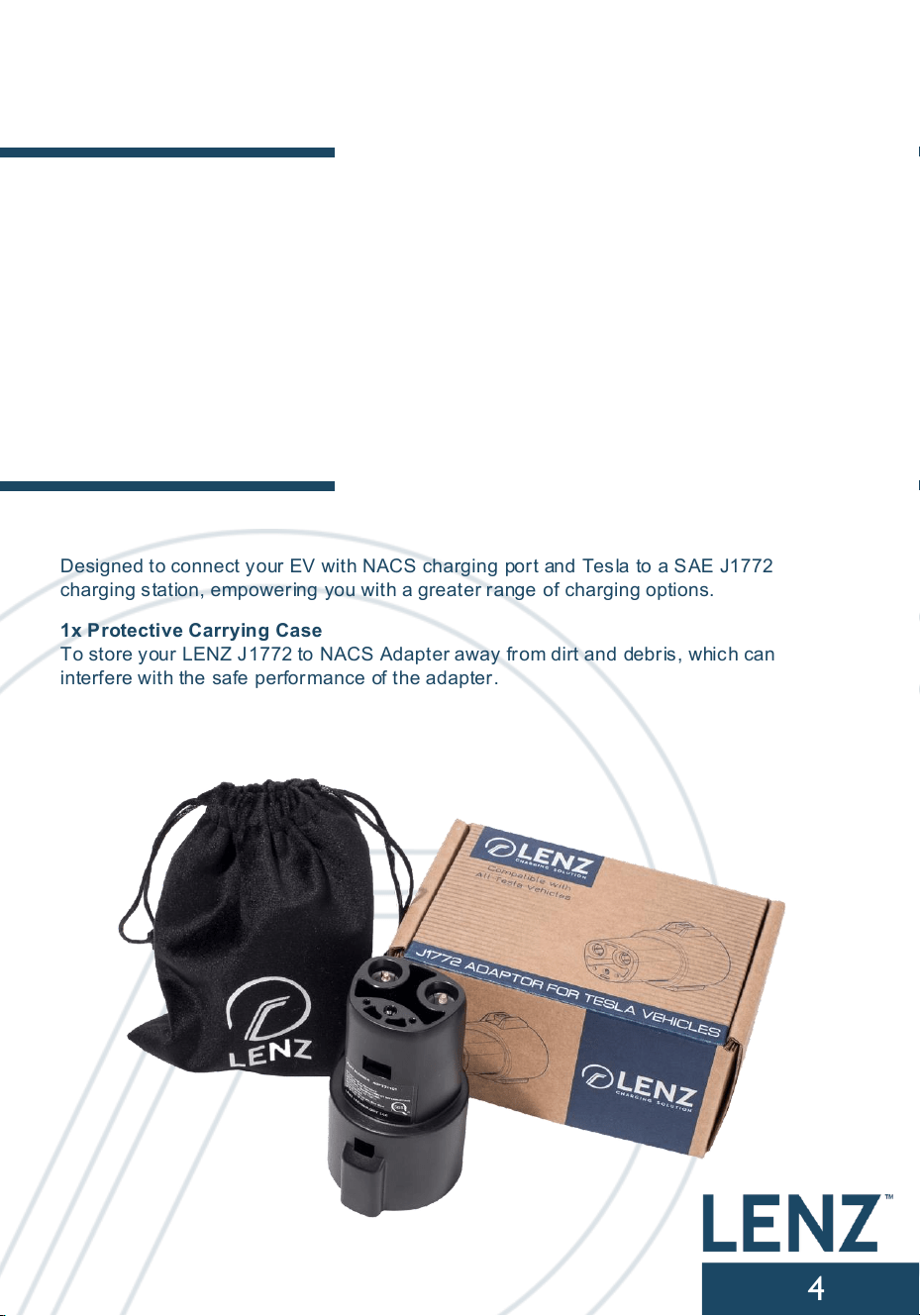
1x LENZ J1772 to NACS Adapter
Designed to connect your EV with NACS charging port and Tesla to a SAE J1772
charging station, empowering you with a greater range of charging options.
1x Protective Carrying Case
To store your LENZ J1772 to NACS Adapter away from dirt and debris, which can
interfere with the safe performance of the adapter.
5
4.
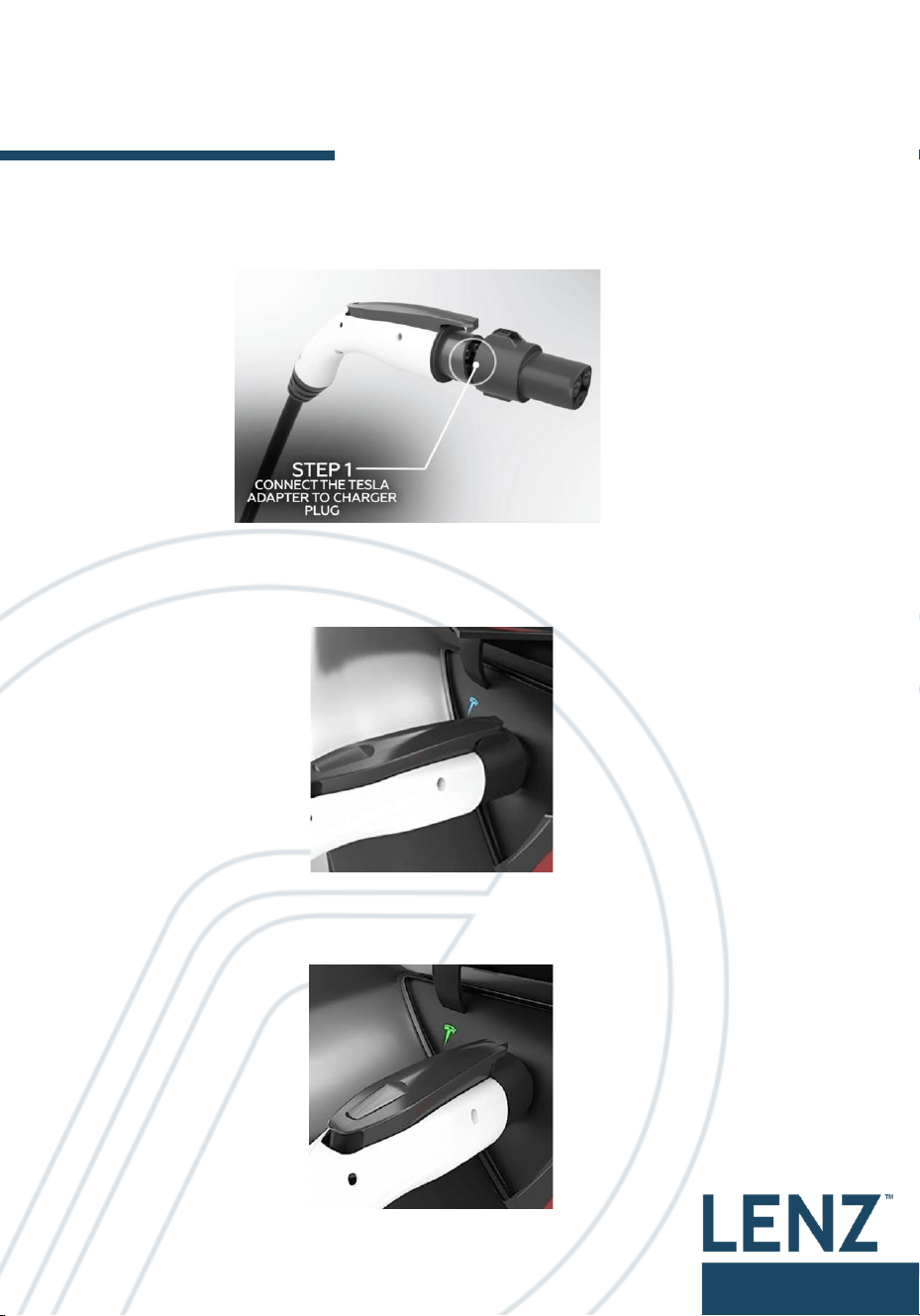
Your adapter
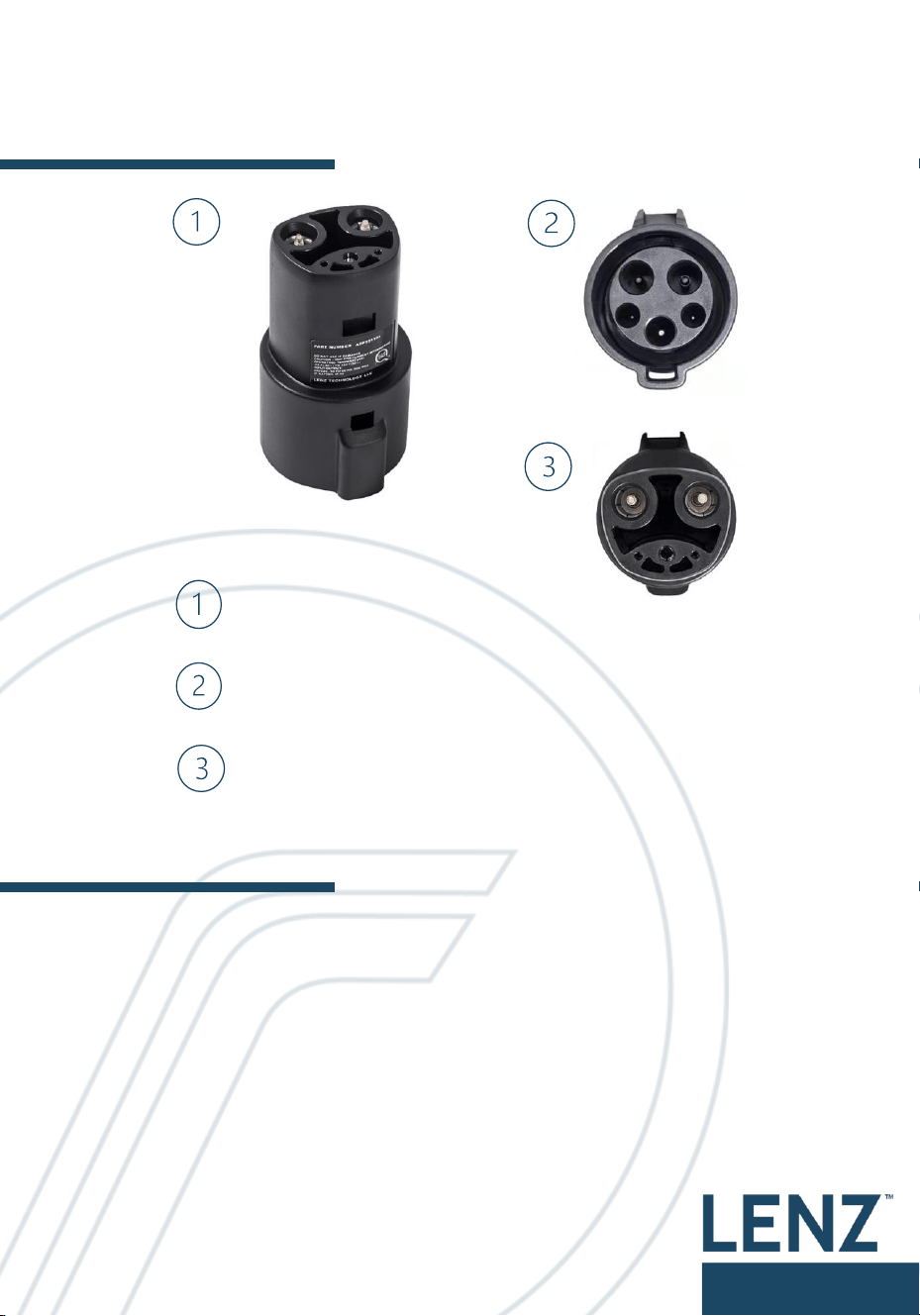
J1772 to NACS Adapter
SAE J1772 Charge Port (connects to charger )
NACS Charge Connector (connects to EV)
5.
Specifications
Voltage : 120/240 VAC
Amperage: Up to 80 Amps
Operating Temperature: -22°F to +122°F
Connector Port: SAE J1772
Charging Port: Tesla
Weight: 1.12 lbs
IP/NEMA Rating: IP 54
Certification: UL 2251 and CSA C22.2 No. 282-17 (SGS Listed)
6
5.
Usage Guide
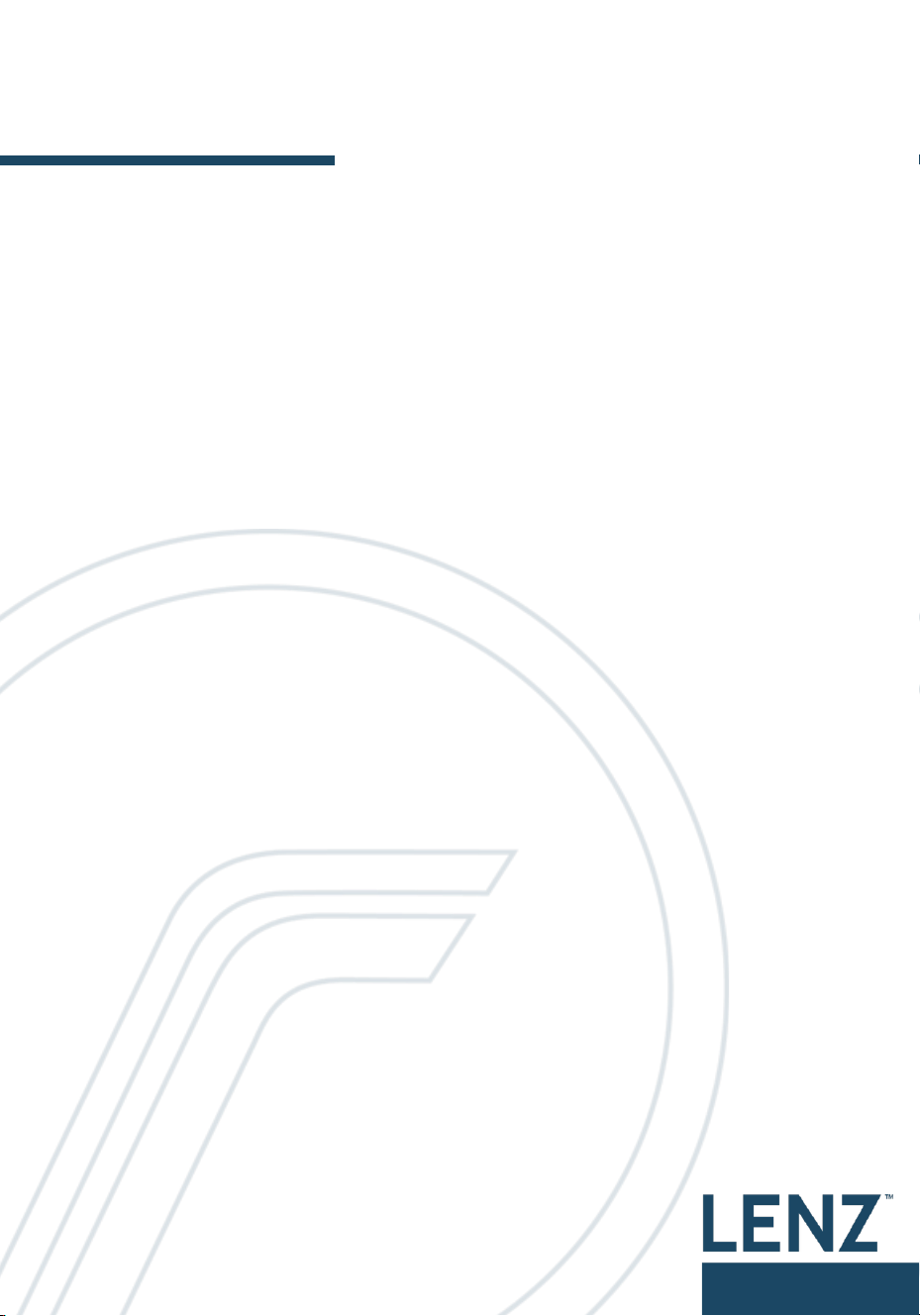
Step 1: Connect Adapter to Level 1 or Level 2 Charger
- Securely connect your LENZ adapter to EV Charger
Step 2: Connect coupled adapter to your EV’s NACS charging port
- Firmly connect charger coupled LENZ adapter until latch clicks
Step 3: For Tesla ONLY: Confirm Tesla vehicle’s indicator turns green
7
6.
Troubleshooting
ISSUE: If you encounter difficulties while inserting the adapter into the
charging port, please follow these steps:
1. Ensure both the adapter and the charging port are thoroughly clean and free
from dirt or debris. It is essential not to use the adapter if either the adapter or
the charging port is damaged.
2. Align the adapter with the charging port in the same direction, and then firmly
insert the adapter into the port.
3. If the problem persists after attempting the above steps, please contact the
LENZ Charging customer support. We are committed to resolving the matter as
soon as possible.
ISSUE: If you have difficulties when removing the adapter from the
charging port, please follow these steps:
1. Confirm that both the adapter and the charging port are clean and free of dirt or
debris. It is crucial not to use the adapter if either the adapter or the charging
port displays signs of damage.
2. Please confirm your Tesla is unlocked and the charge door is set to open.
3. Verify that your Tesla can still be powered on and it is not performing any
software updates.
4. Aim to pull the adapter in the same direction of the charging port pins – this is
perpendicular to the car body surface.
5. If the problem persists after attempting the above steps, please contact the
LENZ Charging customer support. We are committed to resolving the matter as
soon as possible.
ISSUE: If you encounter difficulties when removing the J1772
connector from the adapter, please follow these steps:
1. Confirm that both the adapter and charging port are clean and free of dirt or
debris. DO NOT use if either the adapter or charging port are damaged.
2. Ensure that you are NOT using any Third Party “Adapter Lock”
3. Verify that the latch button of the connector is still functioning as expected.
4. If the problem persists after attempting the above steps, please contact the
LENZ Charging customer support. We are committed to resolving the matter as
soon as possible.
8
6.
Troubleshooting
(continued)
ISSUE: If you find that your car isn’t charging while using the adapter,
please follow these steps:
1. Confirm that both the adapter and charging port are clean and free of dirt or
debris. DO NOT use if either the adapter or charging port are damaged.
2. Ensure the adapter is fully inserted to the charging port.
3. Verify that the J1772 connector is fully inserted into the charging port. An audible
"click" should confirm that the connection is secure and reliable.
4. Make sure that the EVSE (charging station) is functioning correctly. If feasible,
try resetting the EVSE.
5. Verify that your EV has the latest software update installed and isn’t performing
a software update at the moment.
6. If the problem persists after attempting the above steps, please contact the
LENZ Charging customer support. We are committed to resolving the matter as
soon as possible..
ISSUE: If you’re experiencing charging at a lower than maximum
capacity, please consider the following steps:
1. Ensure that you have followed all the steps correctly as outlined in the user
manual. When using the adapter, ensure it is fully inserted to the port, and the
J1772 connector securely locked into the adapter.
2. Check the status of your EVSE (charging station) by referring to its user manual
or consulting the property owner.
3. Please note that the adapter is designed to support AC charging at up to 80A.
However, the actual charging speed depends on the power delivered from the
EVSE and the capability of your Tesla’s onboard charger. Refer to your Tesla
user manual for detailed specifications about charging capabilities.
4. If the problem persists after attempting the above steps, please contact the
LENZ Charging customer support. We are committed to resolving the matter as
soon as possible.
9
7.
Warranty & Support
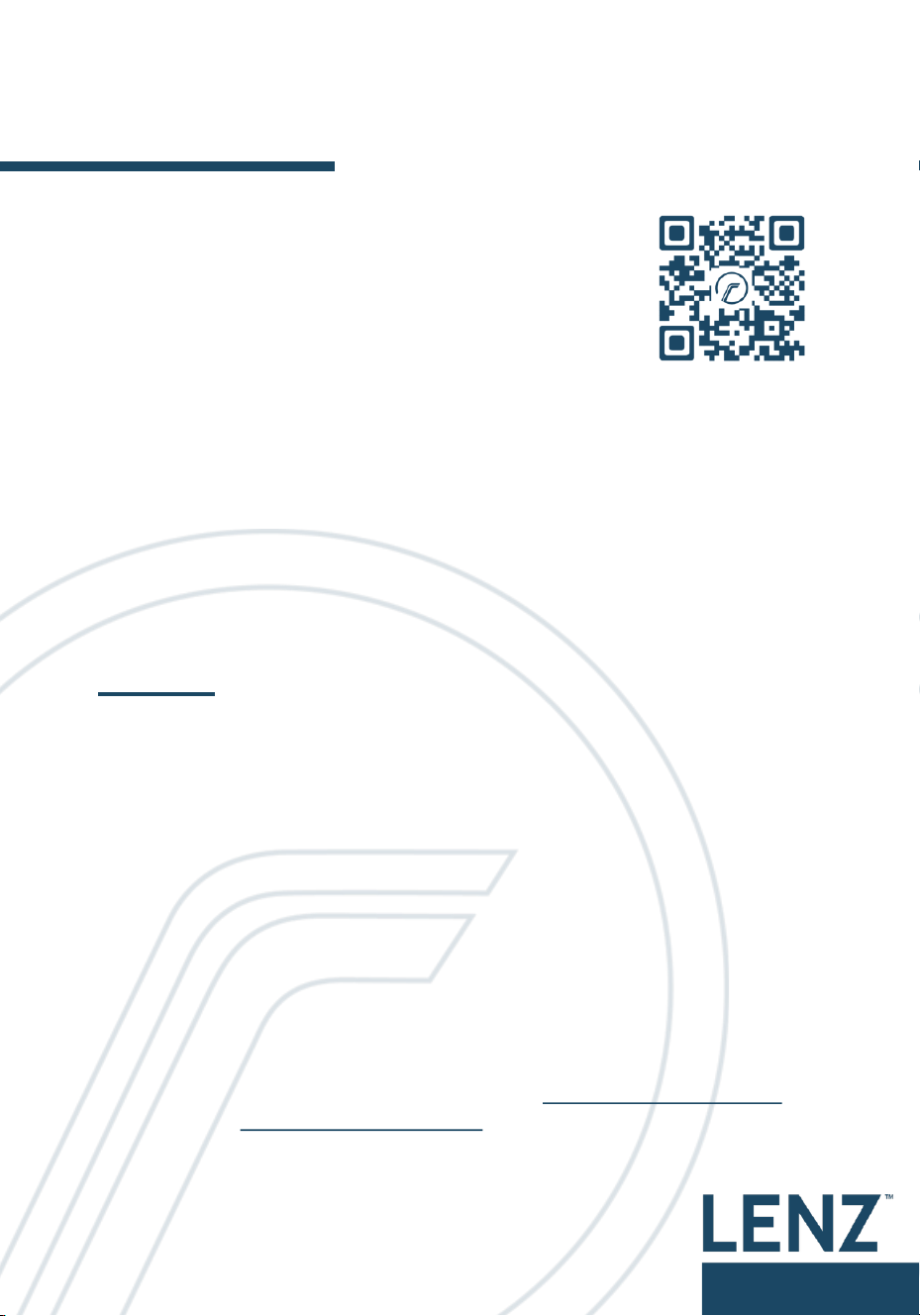
Scan the QR code to extend your warranty by 6
months, receive critical updates, and take
advantage of special offers.
Headquarters
17 Hammond, Unit 401
Irvine, California 92618
USA
For additional information visit our website: www.lenzcharging.com
Contact us at info@lenzcharging.com
Made in China
Disclaimer
LENZ is not affiliated with any of the vehicle manufacturers cited in this
manual. Use of vehicle manufacturer names, brands, and models are
used here only for compatibility description purposes.