123
5
89
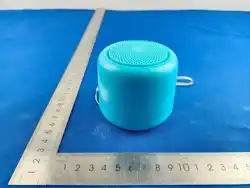
Speaker *1
Type C Charging Cable *1User Manual *1
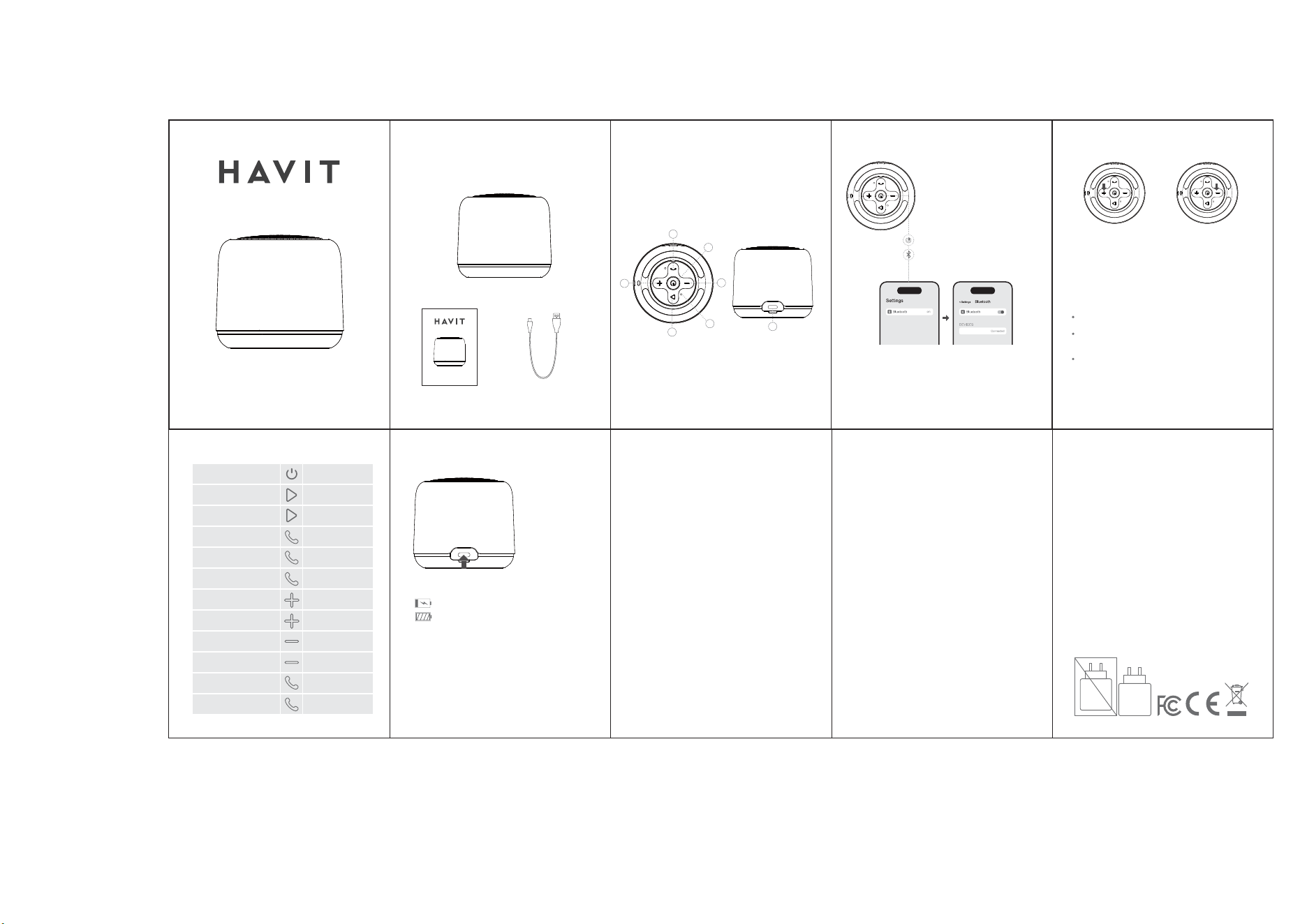
1. Power button
2. Phone Button
3. Play/Pause button
4. Volume up/ Next song
5. Volume down/ Previous song
6. Charging port
7. Indicator
Package Content Product structure:
ߕૅMՅୢՅவԭӳܑࣴ
⽪ⵘ蒀〿1SJOUJOHDPMPSOVNCFS$.:,
㽯㼄4J[F9NN
LXUTZYOJK
࠳வ
HGIQYOJK
Նவ
SK107BT
WIRELESS SPEAKER
USER MANUAL
Charging: red indicator is on.
Full charged: red indicator is off.
Indicator on speaker
4
7
TWS Dual Devices Connection
6
Function Charging
8
1
Power On/Connection
On: Press and hold for 2S
Off: Press and hold for 2S
Turn on two speakers, and entering Bluetooth
mode but not connect to your device.
Press and hold mode button for 2S and there are 2
voice prompts.After 2nd prompt, both speakers are
paired each other.
Turn on Bluetooth of your device and select
"SK107BT " to connect.
Now your device is connected to two speakers.
* Press and hold mode button for 2S can disconnect
two speakers connection.
The speaker will be automatically connected to
the last paired device as soon as you turn it on.
Note
Volume up/ Next song
SK107BT
Turn on Bluetooth
on your device
Select SK107BT
and connect it
Disconnection: Press and hold Volume up/Volume
down button for 1S
2
3
4
5
7
6
SK107BT
WIRELESS SPEAKER
USER MANUAL
Volume down/ Previous song
Power on/off
Play/Pause
TWS pairing/disconnect
Answer the call/End the call
Reject the incoming call
Redial the last number
Volume up
Next song
Volume down
Previous song
Bluetooth disconnect
Clear Bluetooth pairing
Press and hold for 2S
Press once
Press twice
Press once
Press and hold for 2S
Press twice
Press once
Press and hold for 2S
Press once
Press and hold for 2S
Press and hold for 5S
Press and hold for 8S
Safety Tips
Batteries:2AI6I-GT-89BT
FCC Warning
1. Please follow the instruction to operate the
product.
2. Please store or use the product in a normal
temperature environment.
3. Please keep the product from heat source, such
as radiators, hot air regulators, stoves, or other heat
generating instruments as it is not anti-high
temperature.
4. Do not jam the ports of the product, such as
charger port, LED port and TF card port.
5. In order to protect your hearing and extend the
product lifetime, it is not recommended
to adjust the volume to the maximum level for a
long time.
A warning that batteries (battery pack or batteries
installed) shall not be exposed to excessive heat
such as sunshine, fire or the light.
1.Replacement of a battery with an incorrect type
that can defeat a safeguard.
2.Disposal of a battery into fire or a hot oven, or
mechanically crushing or cutting of a battery, that
can result in an explosion.
3.Leaving a battery in an extremely high
temperature surrounding environment that can
result in an explosion or the leakage of flammable
liquid or gas.
4.A battery subjected to extremely low air pressure
that may result in an explosion or the leakage of
flammable liquid or gas.
This device complies with part 15 of the FCC Rules.
Operation is subject to the following two
conditions:(1) This device may not cause harmful
interference, and (2) this device must accept any
interference received, including interference that
may cause undesired operation.
Any Changes or modifications not expressly
approved by the party responsible for compliance
could void the user's authority to operate the
equipment.
This equipment has been tested and found to
comply with the limits for a Class B digital device,
pursuant to part 15 of the FCC Rules. These limits are
designed to provide reasonable protection against
harmful interference in a residential installation. This
equipment generates uses and can radiate radio
frequency energy and, if not installed and used in
accordance with the instructions, may cause
harmful interference to radio communications.
However, there is no guarantee that interference
will not occur in a particular installation. If this
equipment does cause harmful interference to
radio or television reception, which can be
determined by turning the equipment off and on,
the user is encouraged to try to correct the
interference by one or more of the following
measures:
Reorient or relocate the receiving antenna.
- Increase the separation between the equipment
and receiver.
- Connect the equipment into an outlet on a circuit
different from that to which the receiver is
connected.
- Consult the dealer or an experienced radio/TV
technician for help.
The device has been evaluated to meet general RF
exposure requirement. The device can be used in
portable exposure condition without restriction.