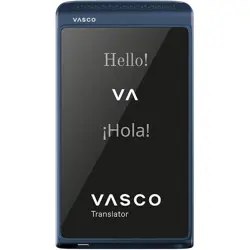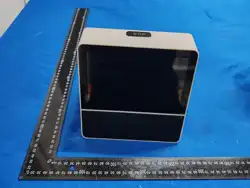
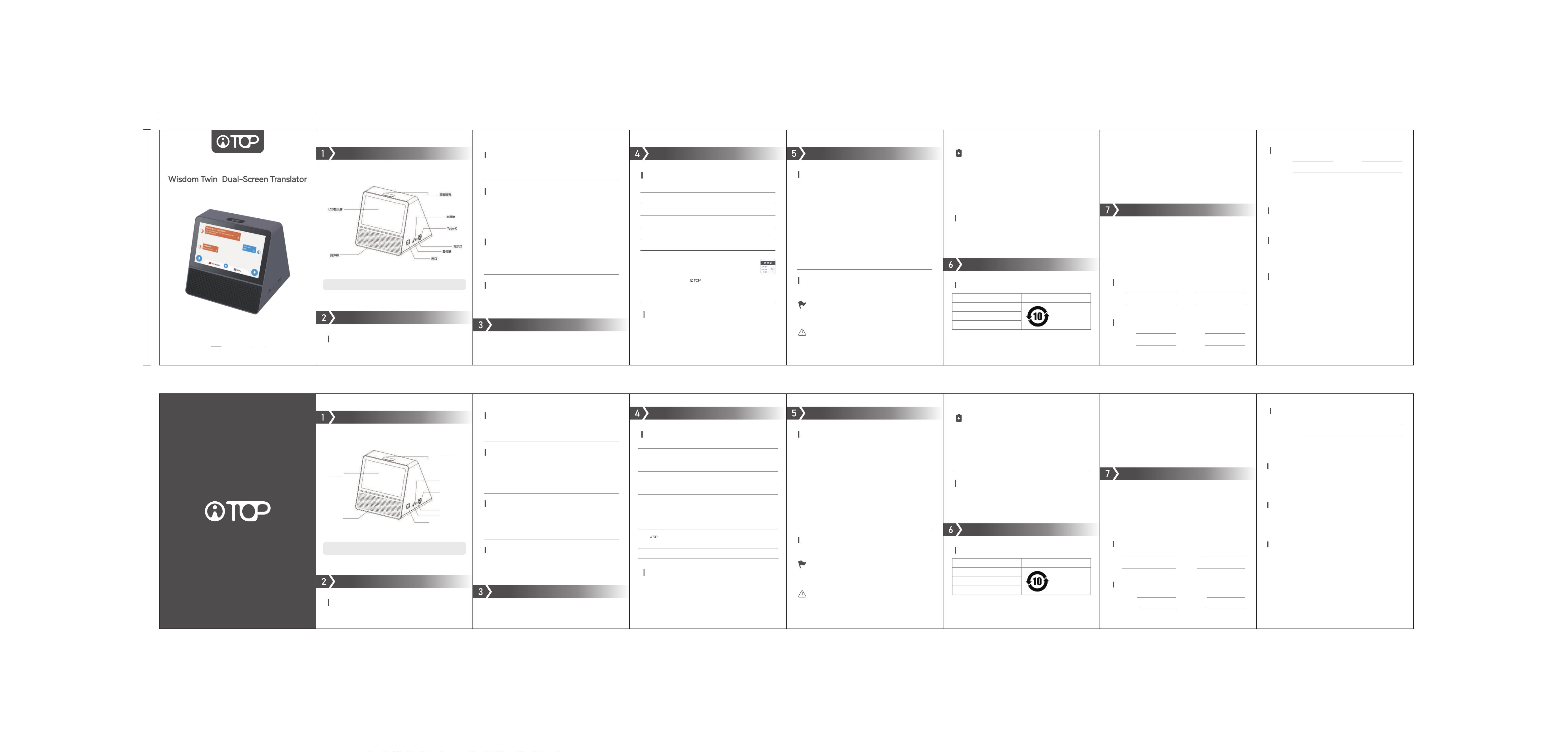
產品圖示
操作說明
開/關機
長按電源鍵,可進行開機或關機操作。
80mm
120mm
產品使用手冊
Product manual
註:產品圖片若與實物不符,請以實物為准!
下拉快捷菜單
從顯示幕頂部下滑打開快捷菜單,可以進行音量調節、螢幕亮度
調節、藍牙開關與設置、WIFI設置。
聯網
使用翻譯功能前,請先連接網路,可通過以下任一方式:
①WIFI連接:從螢幕頂部下滑打開快捷菜單,點擊WIFI設置,選擇
並連接網路。
②有線連接:插入網線至設備網口,即可聯網。
AI大模型對話翻譯
在首頁點擊“對話翻譯”進入功能頁面,點擊介面下方語言欄,選擇
雙方所用語言,長按麥克風按鈕說話,當說完後鬆開按鈕,會自動
翻譯並朗讀結果。
包裝材料
保持原包裝盒和防護緩衝材料,以備將來搬家或者需要郵寄本設備
進行維修等時使用。
(1)該環保使用期限只適用於產品在用戶手冊上所規定的條件下使
用。
環保標識年限表
檢查更新
當新版本軟體發佈時,點擊“檢查更新”按鈕可進行線上升級。
包裝材料清單
翻譯機*1、數據線*1、說明書*1、包裝盒*1
產品參數
產品參數
語音功能
採用雙麥陣列數字麥克風,基於Beamforming定向增強技術:
①有效提升說話者方向的監聽靈敏度;
②可以有效地抑制環境中的雜訊和混響,音頻品質顯著提升;
③大大提高雜訊環境下的語音識別準確度。
產品名稱:智會雙子 台式雙屏多語種翻譯機
產品貨號:AI-201
使用方法:見說明書
執行標準:GB 4943.1-2022
質檢證明:合格
製造商:寧波貝髮合禮文化有限公司
地址:寧波北崙小港緯六路68號
售後電話:+86 755 86978812
本產品及相關文件上印製的「 」商標及相關版權皆屬寧波貝髮合禮文化有限
公司;未經合法授權而使用和複製,將依法追究其法律責任。
解析度:1024*600 IPS
LCD:雙7英寸觸摸屏
揚聲器:2*4歐3W
語音對話:雙矽麥
BT:4.0
WIFI:2.4G/5G
介面:Type-C,支持充電、數據傳輸
電池:5000mAh
操作系統:Android 9.0
產地:中國深圳
智會雙子 台式雙屏多語種翻譯機
電池保養建議
①完全放電的電池通常可迴圈充電約1000次(視使用條件和環境
略有差異)。
②若充滿電後的使用時間下降至初期的一半,建議更換電池,請
諮詢售後服務人員。
③若長時間不使用設備,建議每三個月為電池充一次電,防止過
度放電導致電池損壞。
操作與安全
在使用本設備的過程中,請遵循使用安全和注意事項正確使用本
設備,避免造成人身傷害和物品損壞。
(1)為了減少火災或者電池損壞的危險,請不要讓本設備淋雨或者
受潮。
(2)為了減少火災發生的風險,請勿使用,毛毯、被褥等易燃物品
覆蓋本設備。
(3)為了防止設備損壞,嚴禁私自拆開設備,維修請諮詢設備售後
服務部。
(4)請勿在設備過熱情況下使用。
(5)請勿使用任何非指定的電源適配器,這可能會造成設備故障。
(6)溫度-20℃~+55℃範圍記憶體放產品及其配件,當環境溫度過
高或過低時,可能會引起設備故障。
保修說明注意事項
保修憑證
請將此保修卡妥善保存,若保修卡遺失恕不補發。產品故障維修時需要出示
此卡,若您無法提供保修卡或相關購買憑證,則產品保修期起算起將以產品
序列號對應的出廠日期為准。
保修條款
本產品自購買之日起一年內,在用戶按照用戶手冊正常操作使用的前提下,
如出現非人為故障,可享受免費保修服務。
申請保修時,請用戶提供有效的購買憑證,並聯系當地經銷商,由其協助與
廠家對接維修事宜。
保修範圍
(1)本保修協議適用於銷售的雙屏翻譯機主機設備。
(2)數據線等易損配件不屬於本產品保修範圍。
下列情況主機不在免費保修範圍內,但仍提供維修服務,用戶需要支付維修
費用:
(1)超過保修期;
(2)本產品售出後人為原因造成的損壞;
(3)不按正確方法操作或保管;
(4)未經授權用戶自行拆開機器進行維護修理;
(5)浸泡、損壞或者燃燒電路板;
(6)正常磨損導致產品外觀有損傷、劃傷、損壞等情況;
(7)地震、火災等不可抗拒因素造成的損壞;
(8)與產品無關的其他原因所致。
充電說明
①建議使用5V/3A電源適配器為設備充電。
②充電時電源指示燈為紅色,充滿電後指示燈變為藍色。
安全資訊
電池充電和保護
本設備使用內置可充電電池,充電與維護需注意以下事項:
產品RoHS聲明
溫度提示
①由於電池特性,低溫環境(<5°C)下充電時間將延長。
②建議在5°C至35°C環境中進行充電,以確保效率與安全。
產品名稱
環保使用期限
整機
數據線
印刷品、包裝
(2)環保使用期限的起始日期以產品的生產日期為准,部分無法從
產品本身直接查詢生產日期的配件則以整機的生產日期為准,電子
電氣產品中的有害物質在正常使用的條件下不會發生外泄或突變,
用戶使用該電子資訊產品不會對環境造成嚴重污染或對其人身、財
產造成嚴重傷害。
產品保固卡
·姓名:
·郵件:
·電話:
·地址:
用戶資訊
·產品名稱:
·產品條碼:
·產品型號:
·購買日期:
產品資訊
·送修日期:
·維修記錄:
·故障描述:
維修明細
關於廢棄設備的處理
請不要將廢棄的設備與一般生活垃圾一同棄置。正確地處置廢
棄的產品有助於避免對環境和人類健康造成潛在的負面影響。
具體的處理方法請遵循當地的規章制度。
Product Icon
Operating Instructions
Power on/o
Long press the power button to turn the device on or o.
Packaging materials
Keep the original packaging box and protective cushioning materials in case
you need to move or mail the device for repair, etc.
(1) The environmental protection use period only applies when the product
is used under the conditions specied in the user manual.
Environmental Labeling Years Table
Drop-down shocut menu
Swipe down from the top of the screen to open the quick menu, where
you can adjust the volume, screen brightness, Bluetooth switch and
settings, and WIFI settings.
Networking
Before using the translation function, please connect to the Internet rst.
You can use any of the following methods:
①WIFI connection: Swipe down from the top of the screen to open the quick
menu, tap WIFI settings, select and connect to the network.
②Wired connection: Plug the network cable into the device's network po
to connect to the Internet.
AI large model dialogue translation
On the homepage, click "Dialogue Translation" to enter the function page,
click the language bar at the bottom of the inteace, select the language
used by both paies, press and hold the microphone button to speak, and
release the button when you are nished speaking, and the result will be
automatically translated and read aloud.
Check for updates
When a new version of the software is released, click the "Check for Updates"
button to upgrade online.
Packaging material list
Translator*1, data cable*1, instruction manual*1, packaging box*1
Batte care advice
① A fully discharged batte can usually be cycled for about 1,000 times
(depending on the usage conditions and environment).
② If the usage time after full charge drops to half of the initial time, it is
recommended to replace the batte. Please consult after-sales seice
personnel.
③ If the device is not used for a long time, it is recommended to charge
the batte once eve three months to prevent over-discharge from
causing batte damage.
Warranty Instructions Notes
Warranty ceicate
Please keep this warranty card properly. If the warranty card is lost, no
replacement will be issued. This card is required for product repair. If you cannot
provide the warranty card or relevant purchase receipt, the product warranty
period will be calculated based on the facto date corresponding to the product
serial number.
Warranty Terms
Within one year from the date of purchase, if the user operates the product
normally according to the user manual, free warranty seice is available if there
is no non-human-caused failure.
When applying for warranty, please provide a valid purchase receipt and contact
the local dealer, who will assist in the repair with the manufacturer.
Warranty coverage
(1) This warranty agreement applies to the dual-screen translator host device
sold.
(2) Data cables and other fragile accessories are not covered by this product
warranty.
The following situations do not include free warranty coverage, but we still
provide repair seices and users need to pay for the repairs:
(1) Expiration of the warranty period;
(2) Damage caused by human factors after the product is sold;
(3) Improper operation or storage;
(4) Unauthorized users disassemble the machine for maintenance and repair;
(5) Circuit boards are soaked, damaged or burned;
(6) Normal wear and tear causes damage, scratches, or other damage to the
product appearance;
(7) Damage caused by force majeure such as eahquakes and res;
(8) Other reasons unrelated to the product.
Product RoHS Declaration
Safety Information
Operation and safety
When using this device, please follow the safety instructions and
precautions to use the device correctly to avoid personal inju and
propey damage.
(1) To reduce the risk of re or batte damage, do not expose the device
to rain or moisture.
(2) To reduce the risk of re, do not cover the device with ammable
items such as blankets and bedding.
(3) To prevent damage to the device, it is strictly forbidden to disassem-
ble the device without permission. Please consult the device after-sales
seice depament for repair.
(4) Do not use the device when it is overheated.
(5) Do not use any non-specied power adapter, which may cause device
failure.
(6) Temperature range -20℃~+55℃ Memo amplier products and their
accessories may cause equipment failure when the ambient temperature
is too high or too low.
Charging Instructions
①It is recommended to use a 5V/3A power adapter to charge the device.
②The power indicator light is red when charging, and turns blue when
fully charged.
Batte Charging and Protection
This device uses a built-in rechargeable batte. Please pay attention to
the following matters when charging and maintaining it:
Temperature reminder
①Due to the characteristics of the batte, the charging time will be
extended in a low temperature environment (<5°C).
②It is recommended to charge in an environment of 5°C to 35°C to
ensure eciency and safety.
Product Name Environmental Protection Period
Complete Machine
Data line
Printing, packaging
(2) The staing date of the environmental protection use period shall be
based on the production date of the product. For some accessories whose
production date cannot be directly queried from the product itself, the
production date of the entire product shall be used as the basis. Hazardous
substances in electronic and electrical products will not leak or mutate
under normal use conditions, and the use of electronic information
products by users will not cause serious pollution to the environment or
serious damage to their personal or propey.
Product warranty card
·Name:
·Mail:
·Telephone:
·Address:
User Information
·Repair date:
·Maintenance records:
·Fault description:
Repair details
·Product Name:
·Product Barcode:
·Product Model:
·Purchase date:
Product Information
Disposal of Waste Equipment
Please do not dispose of the discarded device with general household
waste. Proper disposal of discarded products will help avoid potential
negative impacts on the environment and human health. Please follow
local regulations for specic disposal methods.
Note: If the product picture is inconsistent with the actual product,
please refer to the actual product!
LCD Display
Speaker
Dual Microphone Array
Power button
Tpye-C
Indicator Lights
Reset button
Network po
Product Parameters
Product Parameters
Voice function
It uses a dual-array digital microphone and uses Beamforming directional
enhancement technology:
①Eectively improves the monitoring sensitivity in the direction of the
speaker;
②It can eectively suppress noise and reverberation in the environment,
and signicantly improve the audio quality;
③Greatly improve the accuracy of speech recognition in noisy
environments.
Product Name:Wisdom Twin Dual-Screen Translator
Product Code:AI-201
Resolution: 1024*600 IPS
LCD: Dual 7-inch touch screen
Speaker: 2*4ohm 3W
Voice Dialogue: Dual Silicon
BT:4.0
WIFI:2.4G/5G
Inteace: Type-C, suppos charging and data transmission
Batte: 5000mAh
Operating system: Android 9.0
Origin: Shenzhen, China
Usage: See instructions
Execution standards: GB 4943.1-2022
Quality inspection ceicate: qualied
Add: No. 68, Weiliu Road, Beilun District, Ningbo
Maker: Ningbo Beifa Heli Culture Ltd.
Tel: 0574-56786281
The " " trademark and related copyrights printed on this product and related
documents belong to Ningbo Beifa Heli Culture Ltd.; any use and reproduction
without legal authorization will be subject to legal liability.
材质:80g双胶纸
本產品由中國太平洋財產保險股份有限公司品質承保
This product is underwritten by China Pacic Propey & Casualty Insurance Co., Ltd

This device complies with part 15 of the FCC Rules. Operation is subject to the
following two conditions: (1) This device may not cause harmful interference, and (2)
this device must accept any interference received, including interference that may cause
undesired operation.
Any Changes or modifications not expressly approved by the party responsible for
compliance could void the user's authority to operate the equipment.
Note: This equipment has been tested and found to comply with the limits for a Class B
digital device, pursuant to part 15 of the FCC Rules. These limits are designed to
provide reasonable protection against harmful interference in a residential installation.
This equipment generates uses and can radiate radio frequency energy and, if not
installed and used in accordance with the instructions, may cause harmful interference
to radio communications. However, there is no guarantee that interference will not
occur in a particular installation. If this equipment does cause harmful interference to
radio or television reception, which can be determined by turning the equipment off and
on, the user is encouraged to try to correct the interference by one or more of the
following measures:
-Reorient or relocate the receiving antenna.
-Increase the separation between the equipment and receiver.
-Connect the equipment into an outlet on a circuit different from that to which the
receiver is connected.
-Consult the dealer or an experienced radio/TV technician for help.
-This equipment complies with FCC radiation exposure limits set forth for an
uncontrolled environment. This equipment should be installed and operated with
minimum distance 20cm between the radiator & your body.