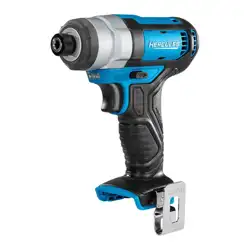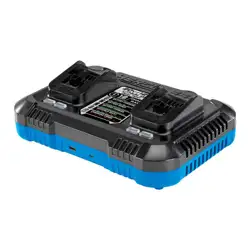
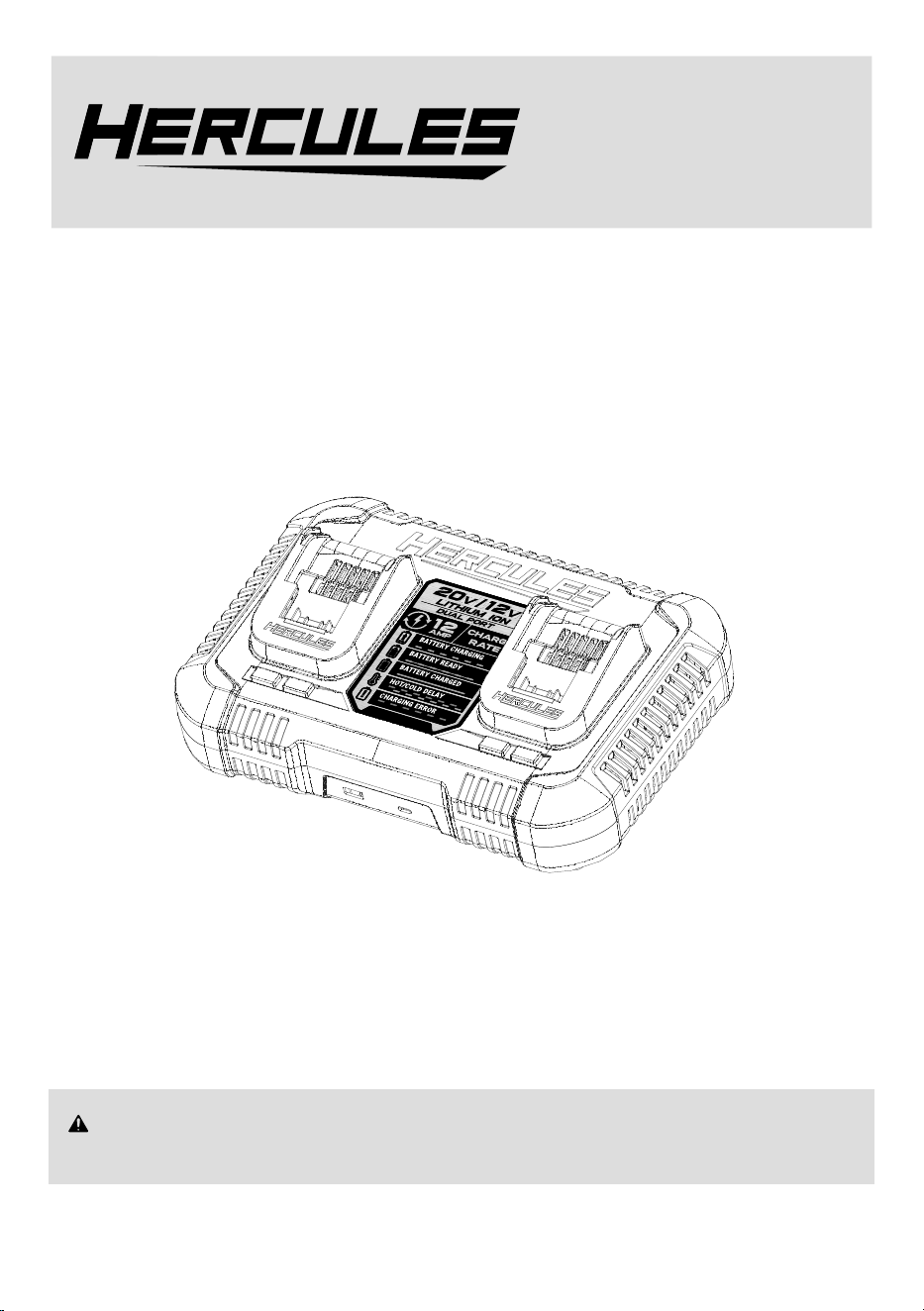
12A 12V/20V Dual Voltage Charger
Model
HC104B
WARNING: To prevent serious injury, User must read and understand
Owner’s Manual. SAVE THIS MANUAL.
When unpacking, make sure that the product is intact and undamaged.
If any parts are missing or broken, please call 1-800-444-3353
as soon as possible. Reference 71345.
TM
Owner’s Manual &
Safety Instructions
26b
LITHIUM ION
DUAL PORT
/
20
v
12
V
BATTERY CHARGING
BATTERY CHARGED
BATTERY READY
HOT/COLD DELAY
CHARGING ERROR
!
LITHIUM
ION
DUAL PORT
/
/
20
v
1
2
V
BATTERY CHARGING
BATTERY CHARGED
BATTERY READY
HOT/COLD DELAY
CHARGING ERROR
!
1
2
AMP
CHARGE
RATE
Page 2 For technical questions, please call 1-800-444-3353. Item 71345
IMPORTANT SAFETY INSTRUCTIONS
Read all safety warnings and all instructions.
Failure to follow the warnings and instructions may
result in electric shock, fire and/or serious injury.
Save all warnings and instructions for
future reference.
The warnings, precautions, and instructions discussed
in this instruction manual cannot cover all possible
conditions and situations that may occur.
It must be understood by the operator that common
sense and caution are factors which cannot be built into
this product, but must be supplied by the operator.
1. Before using battery charger, read all instructions
and cautionary markings on battery charger,
battery, and product using battery.
2. CAUTION – To reduce risk of injury, charge only
12V and 20V Hercules Li-Ion type rechargeable
batteries. Other types of batteries may burst
causing personal injury and damage.
3. The battery Charger gets hot during use.
The Charger’s heat can build up to unsafe
levels and create a fire hazard if it does
not receive adequate ventilation, due to
an electrical fault, or if it is used in a hot environment.
Do not place the Charger on a flammable surface.
Do not obstruct any vents on the Charger.
Especially avoid placing the Charger on carpets
and rugs; they are not only flammable, but they
also obstruct vents under the Charger. Place the
Charger on a stable, solid, nonflammable surface
(such as a stable metal workbench or concrete floor)
at least 1 foot away from all flammable objects, such
as drapes or walls. Keep a fire extinguisher and a
smoke detector in the area. Frequently monitor the
Charger and Battery Pack while charging.
4. Follow charging instructions.
5. Do not insert damaged battery pack.
6. Check frequently while charging.
7. Wear ANSI-approved safety goggles during use.
8. Use chargers only with specifically designated
battery packs. Use of any other battery
packs may create a risk of injury and fire.
9. When battery pack is not in use, keep it away
from other metal objects, like paper clips,
coins, keys, nails, screws or other small metal
objects, that can make a connection from one
terminal to another. Shorting the battery pack
terminals together may cause burns or a fire.
10. Under abusive conditions, liquid may be
ejected from the battery pack; avoid contact.
If contact accidentally occurs, flush with water.
If liquid contacts eyes, additionally seek
medical help. Liquid ejected from the
battery pack may cause irritation or burns.
11. Do not expose to rain or wet conditions. Indoor
use only. Water entering a Charger will increase
the risk of electric shock. Charge indoors only.
12. Inspect before every use; do not use
if parts are loose or damaged.
13. Keep charging area clean and well lit.
Cluttered or dark areas invite accidents.
14. Do not operate chargers in explosive
atmospheres, such as in the presence of
flammable liquids, gases or dust. Chargers create
sparks which may ignite the dust or fumes.
15. Charger plugs must match the outlet. Never
modify the plug in any way. Unmodified plugs and
matching outlets will reduce risk of electric shock.
16. Do not abuse the cord. Never use the cord for
carrying, pulling or unplugging the Charger.
Keep cord away from heat, oil, sharp edges
or moving parts. Damaged or entangled
cords increase the risk of electric shock.
17. Store idle chargers out of the reach of children and
do not allow persons unfamiliar with the Charger
or these instructions to operate the Charger.
18. Maintain chargers. Check for breakage
of parts and any other condition that may
affect the Charger’s operation. If damaged,
have the Charger repaired before use.
19. Have your Charger serviced by a qualified
repair person using only identical
replacement parts. This will ensure that the
safety of the Charger is maintained.
20. Use as intended only.
21. Unplug after use and before
service, cleaning or storage.
22. Maintain labels and nameplates on
the Charger. These carry important safety
information. If unreadable or missing, contact
Harbor Freight Tools for a replacement.
23. This product is not a toy.
Keep it out of reach of children.
Page 3For technical questions, please call 1-800-444-3353.Item 71345
24. People with pacemakers should consult their
physician(s) before use. Electromagnetic fields in
close proximity to heart pacemaker could cause
pacemaker interference or pacemaker failure.
In addition, people with pacemakers should properly
maintain and inspect to avoid electrical shock.
Lithium Battery Safety Warnings
LITHIUM BATTERIES STORE A LARGE
AMOUNT OF ENERGY AND WILL VENT
FIRE OR EXPLODE IF MISTREATED:
1. Keep Battery Pack dry.
2. DO NOT DO ANY OF THE FOLLOWING
TO THE BATTERY PACK:
• Open,
• Drop,
• Short-circuit,
• Puncture,
• Incinerate, or
• Expose to temperatures greater than 140°F.
3. Charge Battery Pack only according to instructions.
4. Inspect Battery Pack before every use;
do not use or charge if damaged.
SAVE THESE
INSTRUCTIONS
Grounding
TO PREVENT ELECTRIC SHOCK AND
DEATH FROM INCORRECT GROUNDING:
Check with a qualified electrician if you
are in doubt as to whether the outlet is
properly grounded. Do not modify the power cord
plug provided with the charger. Do not use the
charger if the power cord or plug is damaged.
If damaged, have it repaired by a service facility
before use. If the plug will not fit the outlet,
have a proper outlet installed by a
qualified electrician.
Extension Cords
Extension cords must not be used with this Charger.
Warning Symbols and Definitions
This is the safety alert symbol. It is used to
alert you to potential personal injury hazards.
Obey all safety messages that follow this symbol to
avoid possible injury or death.
Indicates a hazardous
situation which, if not
avoided, will result in death or serious injury.
Indicates a hazardous
situation which, if not
avoided, could result in death or serious injury.
Indicates a hazardous
situation which, if not
avoided, could result in minor or moderate injury.
Addresses practices not
related to personal injury.
Symbology
Double Insulated
V
Volts
~
Alternating Current
A
Amperes
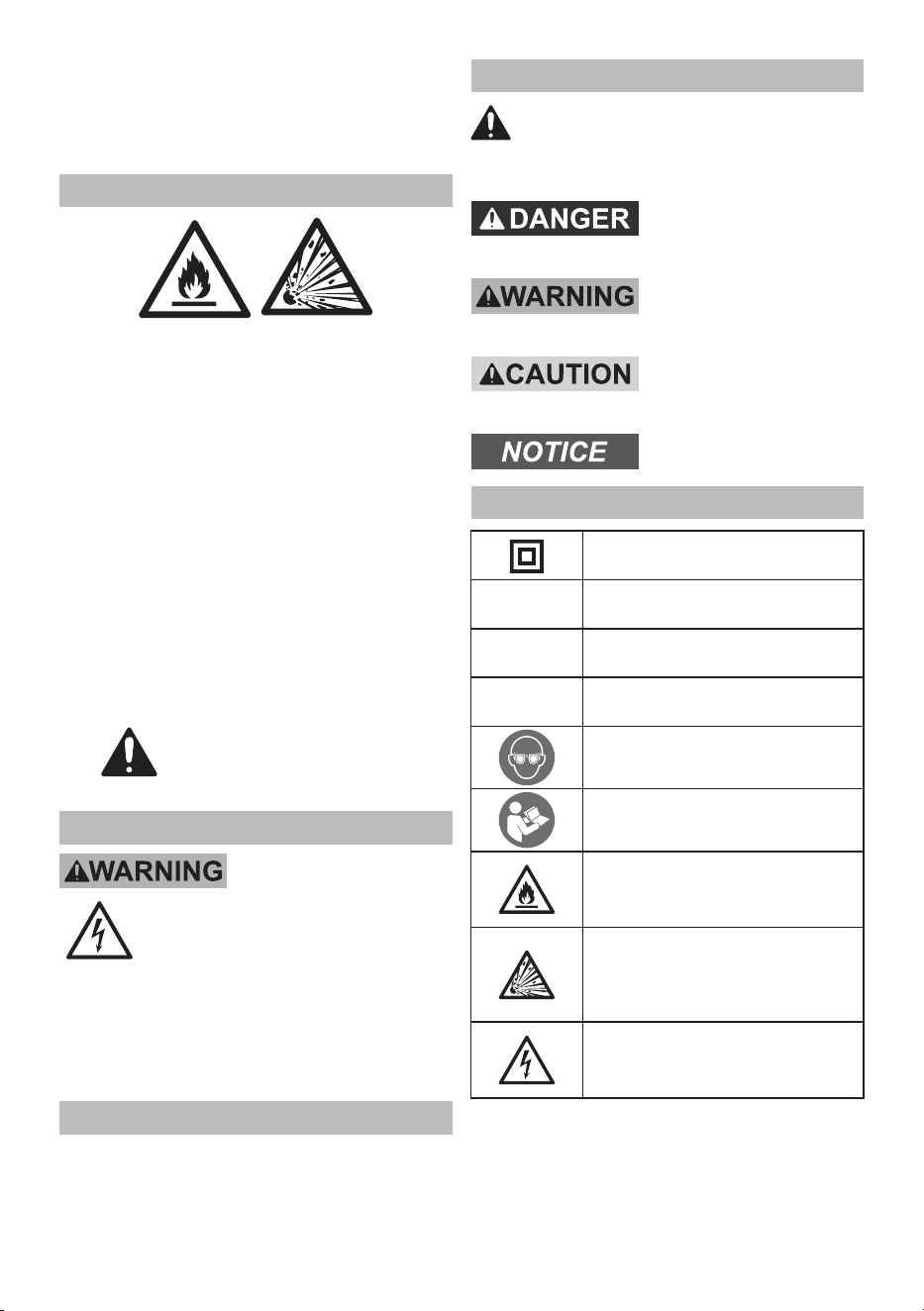
WARNING marking concerning Risk
of Eye Injury. Wear ANSI-approved
safety goggles with side shields.
Read the manual before
set-up and/or use.
WARNING marking
concerning Risk of Fire.
Do not cover Charger ventilation ducts.
Charge on fireproof surface only.
WARNING marking concerning
Risk of Explosion.
Do not puncture, short, or open
battery packs and do not charge
damaged battery packs.
WARNING marking concerning
Risk of Electric Shock.
Properly connect Charger’s power
cord to appropriate outlet.
Page 4 For technical questions, please call 1-800-444-3353. Item 71345
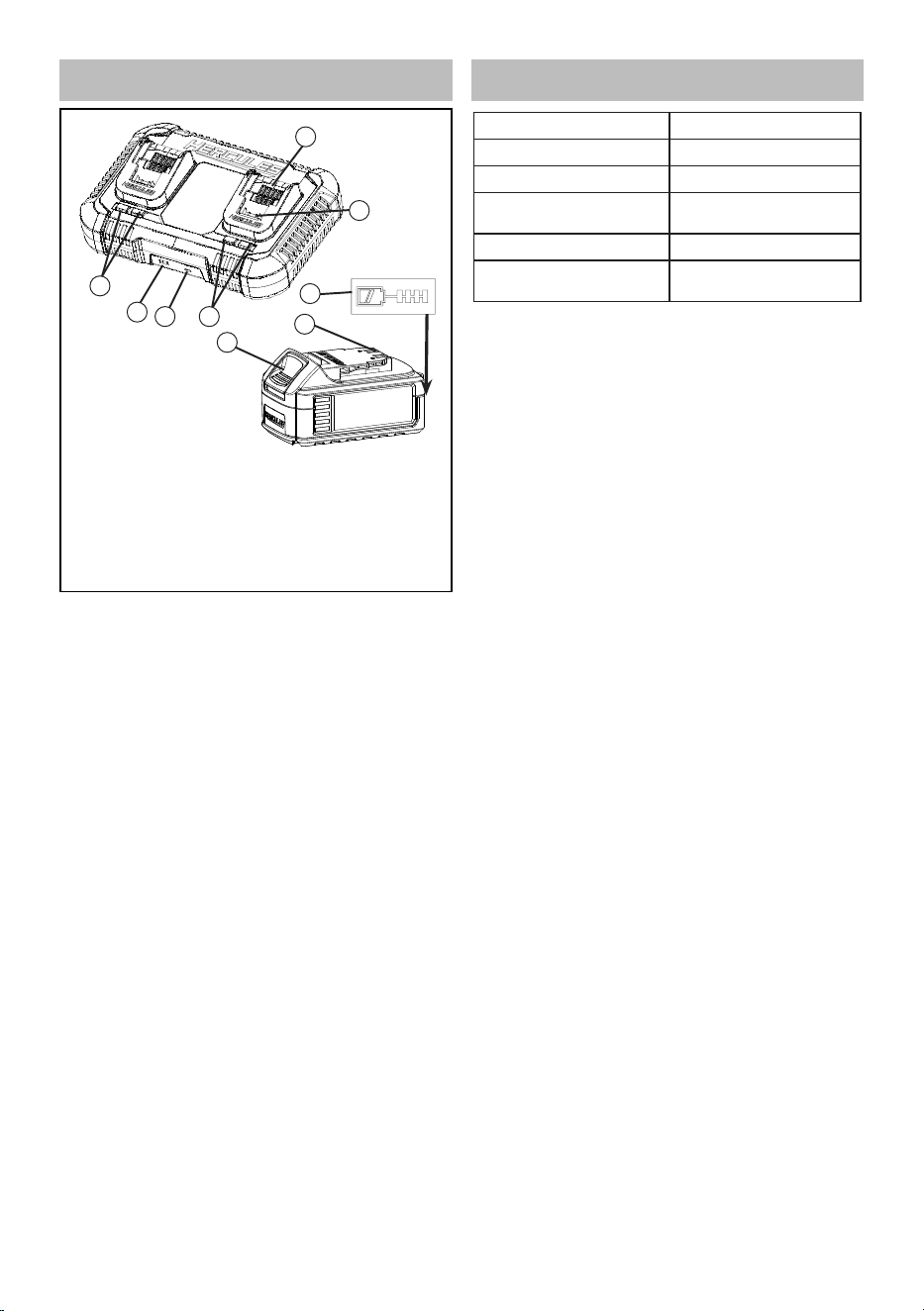
FUNCTIONAL DESCRIPTION
1. Bay
2. Charge Terminals
3. Release Button
4. Battery Terminals
5. Charge Gauge
Button
6. Charge Gauge
7. Charge Indicators
8. USB-A Port
9. USB-C Port
1
2
5
4
3
7
9
8
7
SPECIFICATIONS
Input Rating 120VAC / 60Hz / 680W
Output 20VDC / 12A
USB-A 5V / 2.4A
USB-C
5V / 3A, 9V / 3A,
15V / 2A, 20V / 1.5A
Battery Type Li-ion
Recommended Ambient
Charging Temperature
50 - 140°F
This equipment has been tested and found to comply with the limits for a Class B digital device, pursuant to part
15 of the FCC Rules. These limits are designed to provide reasonable protection against harmful interference
in a residential installation. This equipment generates, uses and can radiate radio frequency energy and, if not
installed and used in accordance with the instructions, may cause harmful interference to radio communications.
However, there is no guarantee that interference will not occur in a particular installation. If this equipment does
cause harmful interference to radio or television reception, which can be determined by turning the equipment
off and on, the user is encouraged to try to correct the interference by one or more of the following measures:
• Reorient or relocate the receiving antenna.
• Increase the separation between the equipment and receiver.
• Connect the equipment into an outlet on a circuit different from that to which the receiver is connected.
• Consult the dealer or an experienced radio/TV technician for help.
Page 5For technical questions, please call 1-800-444-3353.Item 71345
OPERATING INSTRUCTIONS
Read the ENTIRE IMPORTANT
SAFETY INFORMATION section at the
beginning of this manual including
all text under subheadings therein
before set up or use of this product.
Note: The Battery Pack does not need to be completely
discharged before charging. It will not develop
a “memory” if charged while still partially full.
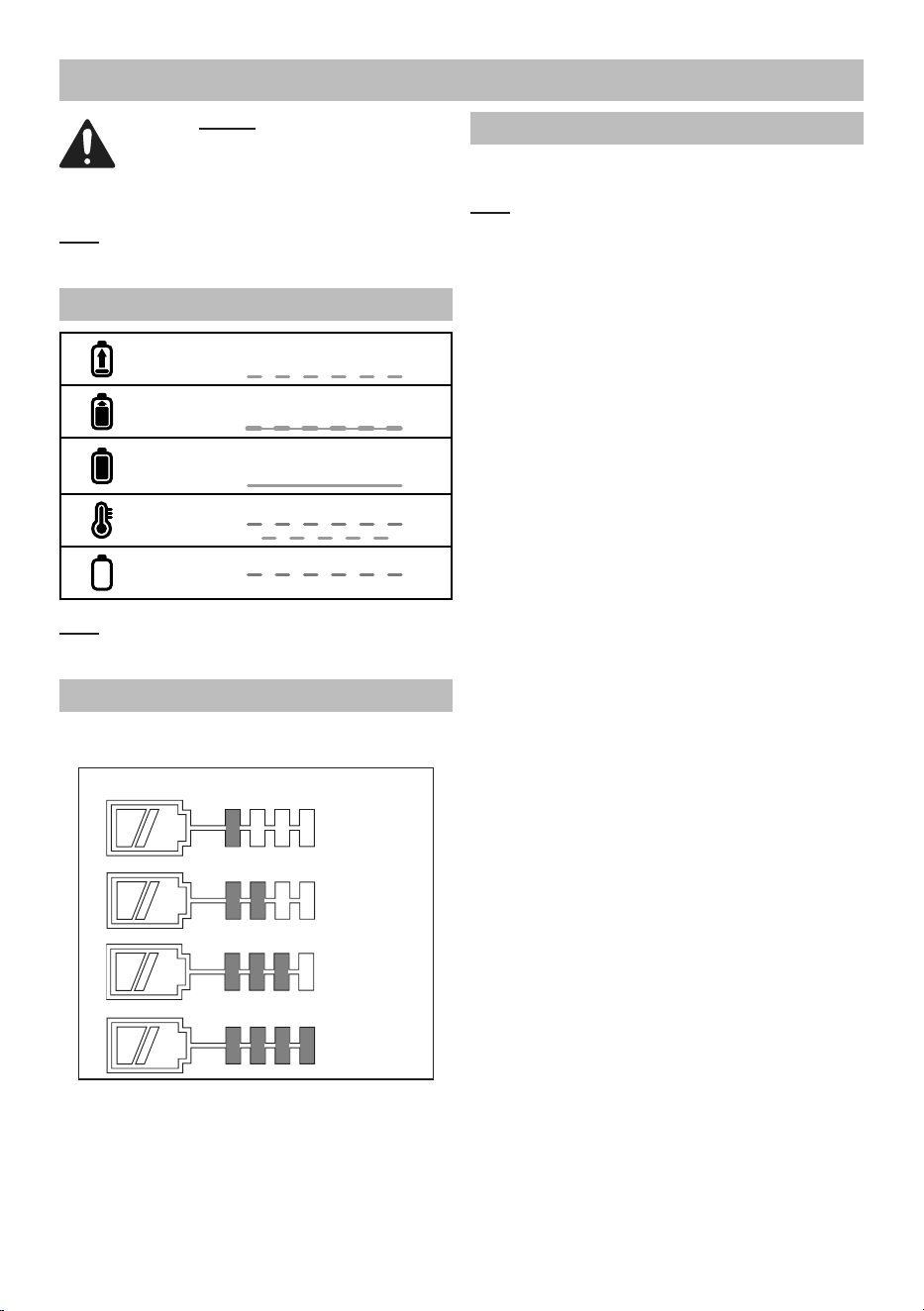
Charge Indicators
CHARGING
Red Off
Green Flashing
BATTERY READY
Red Off
Green Pulsing
CHARGED
Red Off
Green Constant
HOT/COLD DELAY
Red Flashing
Green Flashing
!
PROBLEM PACK OR CHARGER
Red Flashing
Green Off
Note: If the Battery Pack is hot or cold, charging
will start automatically once the Battery Pack
reaches the correct temperature.
Charge Gauge
Press the Charge Gauge Button on
the Battery to check its level.
Remaining run time (approximate)
0-25%
26-50%
51-75%
76-100%
Charging
1. Place the Battery Pack on a dry fireproof surface in a
room where the temperature is between 50–104° F.
Note: If recharging a newly spent Battery Pack,
allow it to cool completely before charging.
2. Examine the Battery Pack. It must be
undamaged, and a 12 or 20 volt, Lithium-ion
type Battery Pack. Do not charge a cracked,
open, or leaking Battery Pack, or charge a
non-recommended type of Battery Pack.
3. The Battery Pack’s terminals are designed to fit
this Charger specifically. If the Battery Pack does
to not fit the Charger properly, do not try to insert it.
Do not force a Battery Pack into the Charger.
4. Plug the Charger into a grounded,
120VAC, 60Hz receptacle.
5. Slide the Battery Pack onto the Charger.
6. While charging, the Battery Pack and Charger
may become warm to the touch. This is
normal, and does not indicate a problem.
7. Allow the Battery Pack to cool
completely before using it.
8. Unplug the Charger and remove Battery Pack.

Page 6 For technical questions, please call 1-800-444-3353. Item 71345
MAINTENANCE AND SERVICING
Procedures not specifically explained
in this manual must be performed
only by a qualified technician.
TO PREVENT SERIOUS INJURY
FROM ACCIDENTAL OPERATION:
Remove the Battery Pack and unplug the
charger before performing any inspection,
maintenance, or cleaning procedures.
TO PREVENT SERIOUS INJURY FROM TOOL
FAILURE: Do not use damaged equipment.
If damage is noted, have the problem
corrected before further use.
1. BEFORE EACH USE, inspect the general
condition of the charger. Check for:
• loose hardware,
• misalignment or binding of moving parts,
• cracked or broken parts,
• damaged electrical wiring, and
• any other condition that may
affect its safe operation.
2. AFTER USE, wipe external surfaces
of the charger with clean cloth.
3. LI-ION BATTERY MUST BE RECYCLED OR
DISPOSED OF PROPERLY.
Do not short, incinerate or open battery.
4. Disconnect Battery Pack and store Charger
and any Battery Packs in a dry, indoor
area at room temperature out of reach
of children and away from metal objects
(i.e., paperclips, coins) to prevent shorting.
WARNING! TO PREVENT SERIOUS INJURY AND
DEATH FROM ELECTRIC SHOCK:
Do not open Charger. Do not service internal parts.

Page 7For technical questions, please call 1-800-444-3353.Item 71345
Record Product’s Date Code Here:
Note: If product has no Date Code, record month and year of purchase instead.
Replacement parts are not available.
Note: Some parts are listed and shown for illustration purposes
only. Specify UPC 193175546104 when ordering parts.

TM
26677 Agoura Road • Calabasas, CA 91302 • 1-800-444-3353
3-YEAR LIMITED WARRANTY
This Hercules tool is warranted to the original purchaser to be free from defects in materials and
workmanship for a period of three (3) years beginning on the date of purchase. To obtain warranty
service, visit your local Harbor Freight retail store. Warranty registration is not required. The product
or part must be returned to us with proof of purchase (e.g. in-store receipt or packing slip/invoice)
and may require shipment by purchaser to a service center at purchaser’s expense. If our inspection
verifies a covered defect in materials or workmanship during the warranty period, we will, at our option,
repair or replace the defective product. We will return repaired products within a reasonable time at our
expense, but if we determine that there is no defect, or that the defect resulted from causes not within
the scope of our warranty, then we will return the product to you if you pay return shipping costs.
This warranty does not cover any failure or damage that we determine is due directly or indirectly
to normal wear and tear, misuse, use not for the intended purpose or not in accordance with the
product manual, abuse, accident, rental, modification or alteration, unauthorized repair, improper
installation, neglect, lack of maintenance, or any other failure not arising from defective materials or
workmanship. Fraudulent returns or claims will be denied. The repair or replacement described in this
warranty shall be your sole and exclusive remedy. THIS WARRANTY IS EXCLUSIVE AND IN LIEU
OF ALL OTHER EXPRESS WARRANTIES, WRITTEN OR ORAL, AND ANY IMPLIED WARRANTIES
ARE DISCLAIMED TO THE EXTENT PERMITTED BY LAW AND OTHERWISE LIMITED TO THE
DURATION OF THE EXPRESS WARRANTY HEREIN. HARBOR FREIGHT SHALL NOT BE LIABLE
UNDER ANY CIRCUMSTANCES FOR ANY INCIDENTAL, INDIRECT, SPECIAL, CONSEQUENTIAL,
OR PUNITIVE DAMAGES OR COSTS ARISING FROM THIS WARRANTY OR THE USE OF THIS
PRODUCT. SOME STATES DO NOT ALLOW LIMITATIONS ON HOW LONG AN IMPLIED WARRANTY
LASTS OR THE EXCLUSION OR LIMITATION OF INCIDENTAL OR CONSEQUENTIAL DAMAGES, SO
THESE LIMITATIONS MAY NOT APPLY TO YOU. THIS WARRANTY GIVES YOU SPECIFIC LEGAL
RIGHTS, AND YOU MAY ALSO HAVE OTHER RIGHTS WHICH VARY FROM STATE TO STATE.
Visit our website at: https://www.harborfreight.com
Email our technical support at: [email protected]
For technical questions, please call 1-800-444-3353
Copyright
©
2025 by Harbor Freight Tools
®
. All rights reserved. No portion of this manual or
any artwork contained herein may be reproduced in any shape or form without the express
written consent of Harbor Freight Tools. Diagrams within this manual may not be drawn
proportionally. Due to continuing improvements, actual product may differ slightly from the
product described herein. Tools required for assembly and service may not be included.