
GORDON RAMSAY COLLECTION
BY
THOR KITCHEN
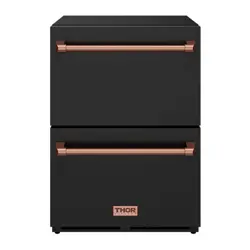
24 INCH INDOOR OUTDOOR
FREEZER DRAWER
USE & CARE MANUAL
RZ24U | RZ24UB

Thank you for choosing THOR KITCHEN. This product has been manufactured by Thor International,
10830 Ada Ave, Montclair, CA 91762. This manual contains all the information you will need to install /
use the product correctly and safely. Please read all the instructions prior using the product, and keep
this manual in a secure place for future reference. Do not remove the attached adhesive identification
label containing code, model number, manufacturer and other information from the product. This label
will be used by the THOR KITCHEN authorized service representative in the event that your product
needs servicing.
Nous vous remercions d’avoir choisi THOR KITCHEN. Cet appareil a été fabriqué par Thor International,
10830 Ada Ave, Montclair, CA 91762. Le présent manuel contient l’intégralité des consignes dont vous
aurez besoin pour installer l’appareil correctement et en toute sécurité. Veuillez lire l’intégralité des
consignes avant installation de l’appareil, puis conservez le présent manuel en lieu sûr afin de pouvoir
vous y référer ultérieurement. Ne pas retirer de l’appareil l’étiquette d’identification adhésive qui
contient le code, le numéro de modèle, le nom du fabricant et toutes autres informations. Ladite
étiquette sera utilisée par le représentant du service après-vente agréé de THOR KITCHEN au cas où
votre appareil nécessiterait réparation ou entretien.
Gracias por elegir a THOR KITCHEN. Este electrodoméstico fue fabricado por Thor International, 10830
Ada Ave, Montclair, CA 91762. Este manual contiene toda la información que necesitará para instalar y
usar el electrodoméstico de manera adecuada y segura. Lea todas las instrucciones antes de instalar el
electrodoméstico, y mantenga este manual en un lugar seguro para usarlo como referencia a futuro.
No quite la etiqueta de identificación adhesiva que contiene el código, número de modelo, fabricante y
otros datos del electrodoméstico. El representante de servicio autorizado por THOR KITCHEN usará
esta etiqueta en caso de que su electrodoméstico requiera reparaciones.
TABLE OF CONTENTS
Warranty
2
3
4 - 7
4
4
4
5
6
6
7
7
7
7
8
9
9
9
9 - 10
10
10
10
10
10
11
12
13
Alarm and Error Code
1
Install Plastic Division Panel
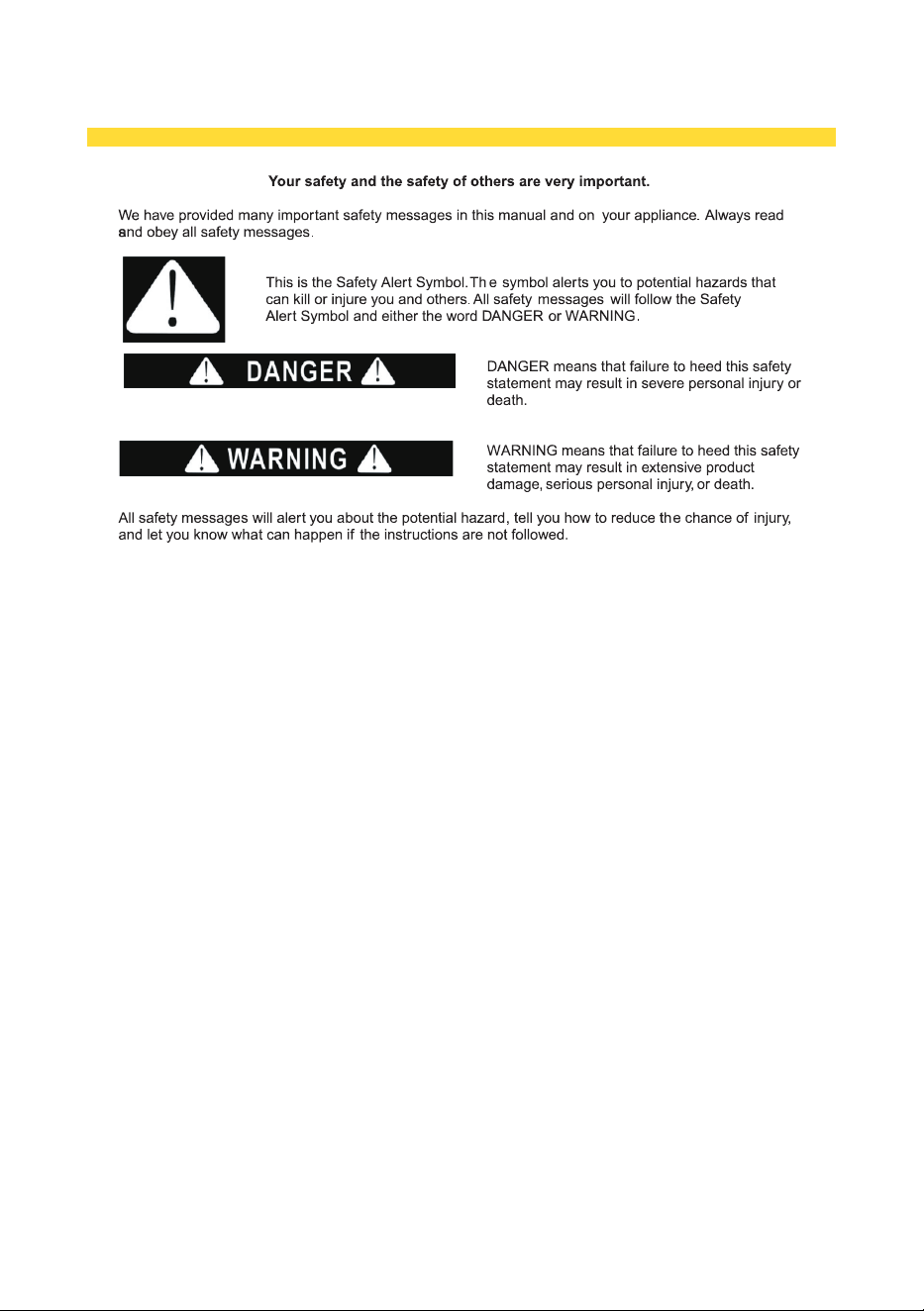
APPLIANCE SAFETY
2
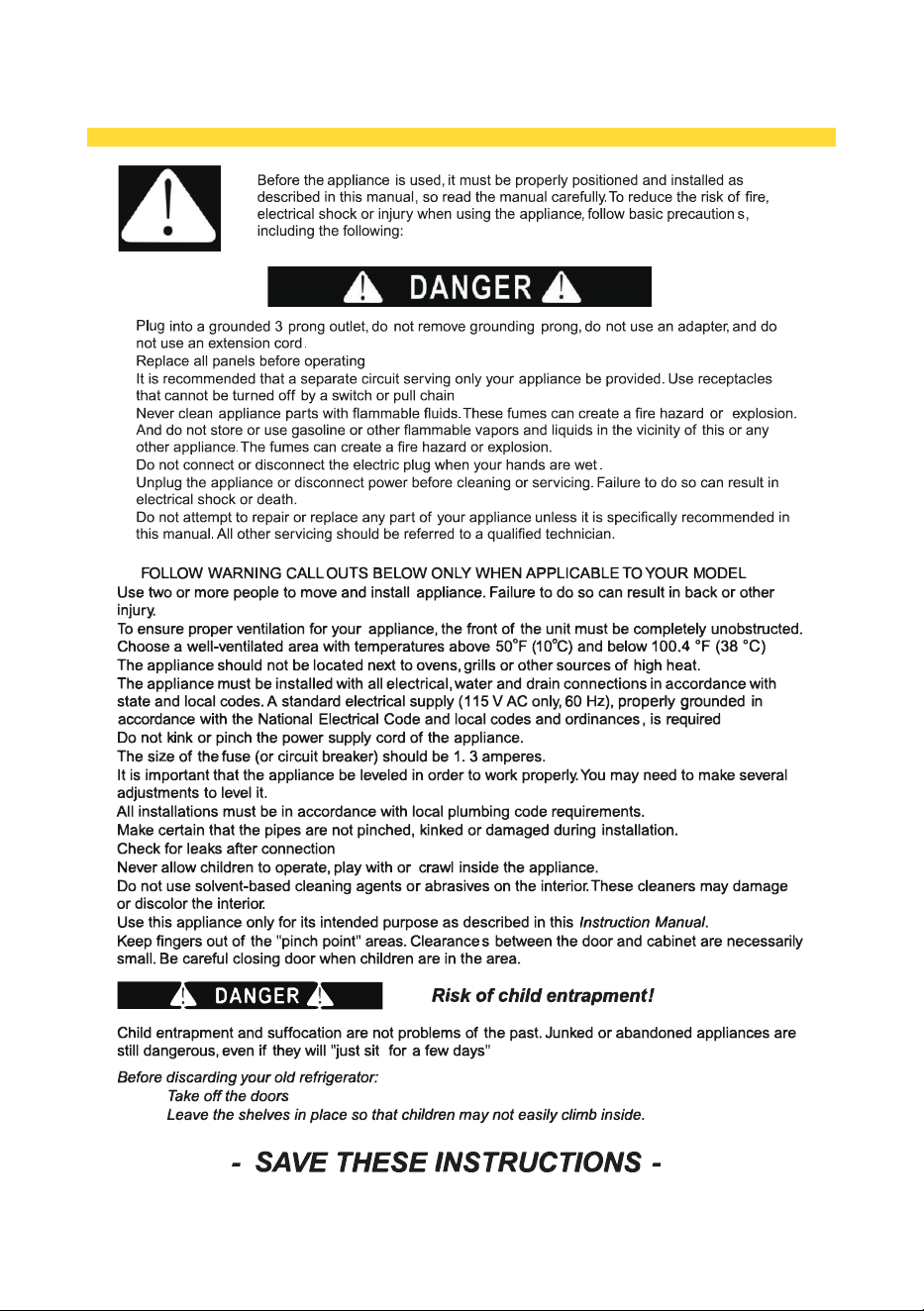
IMPORTANT SAFEGUARDS
3
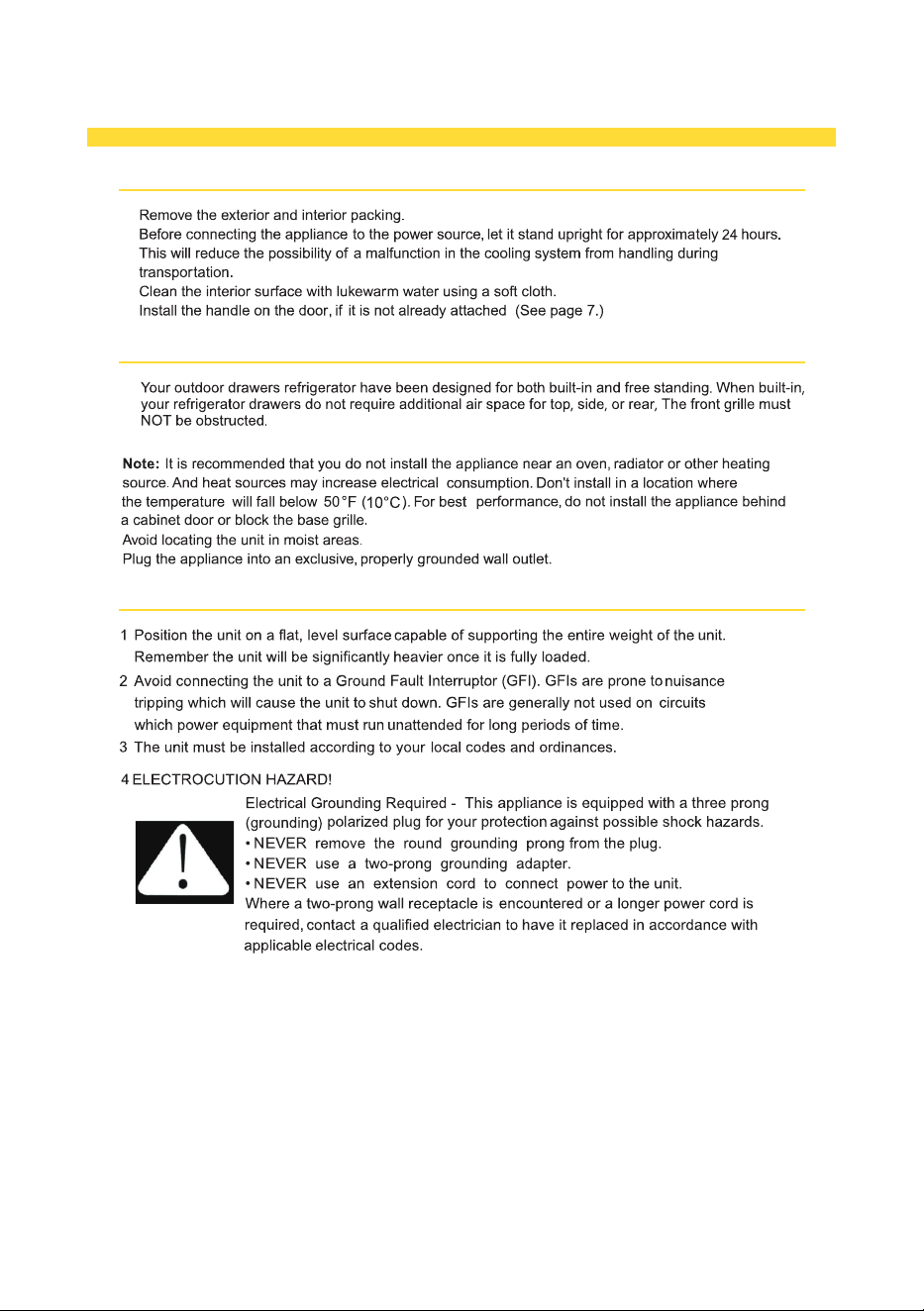
INSTALLATION INSTRUCTIONS
BEFORE USING YOUR APPLIANCE
INSTALLATION OF YOUR APPLIANCE
SITE PREPARATION
4
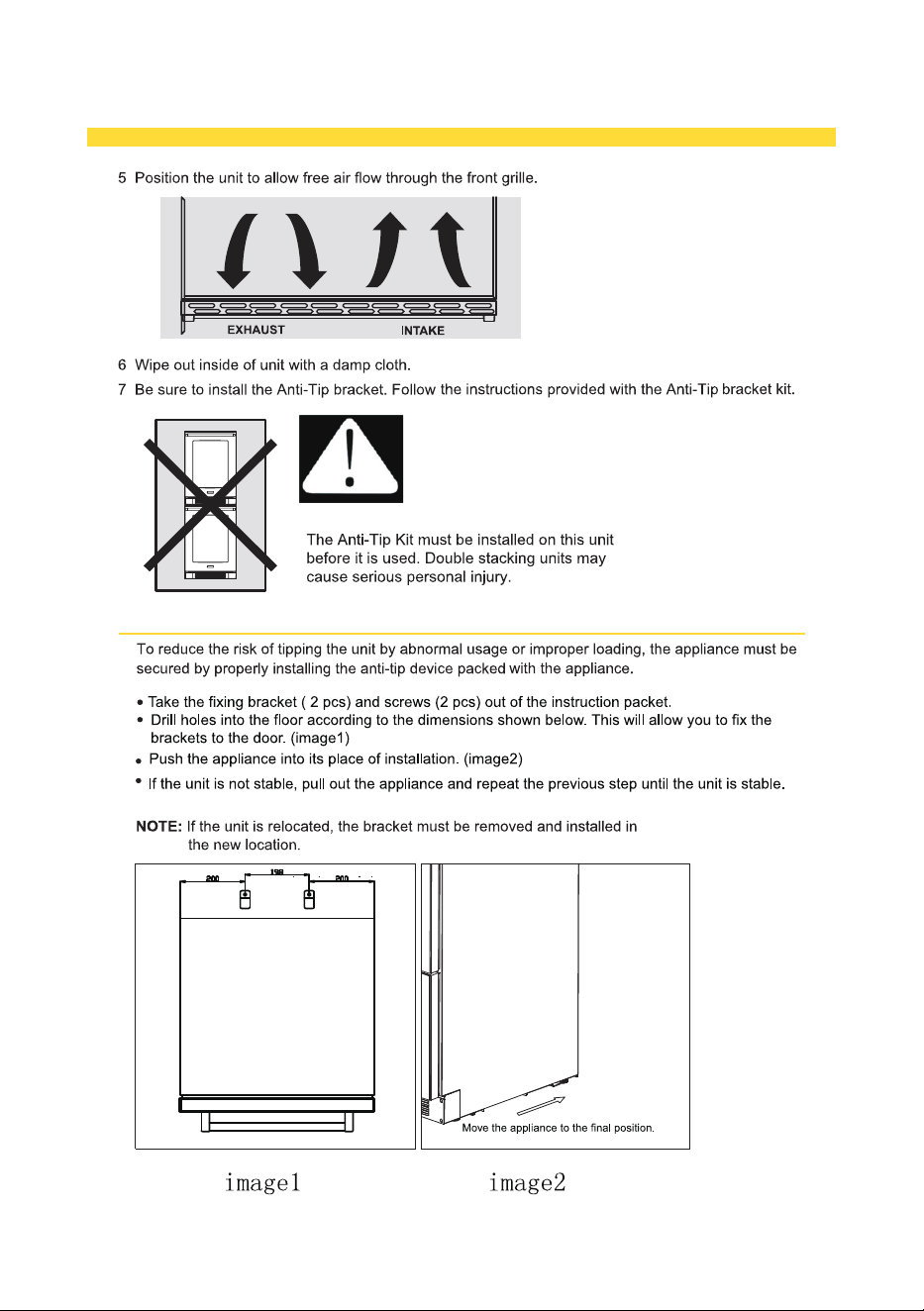
INSTALLATION INSTRUCTIONS
ANTI-TIP BRACKET INSTALLATION
5
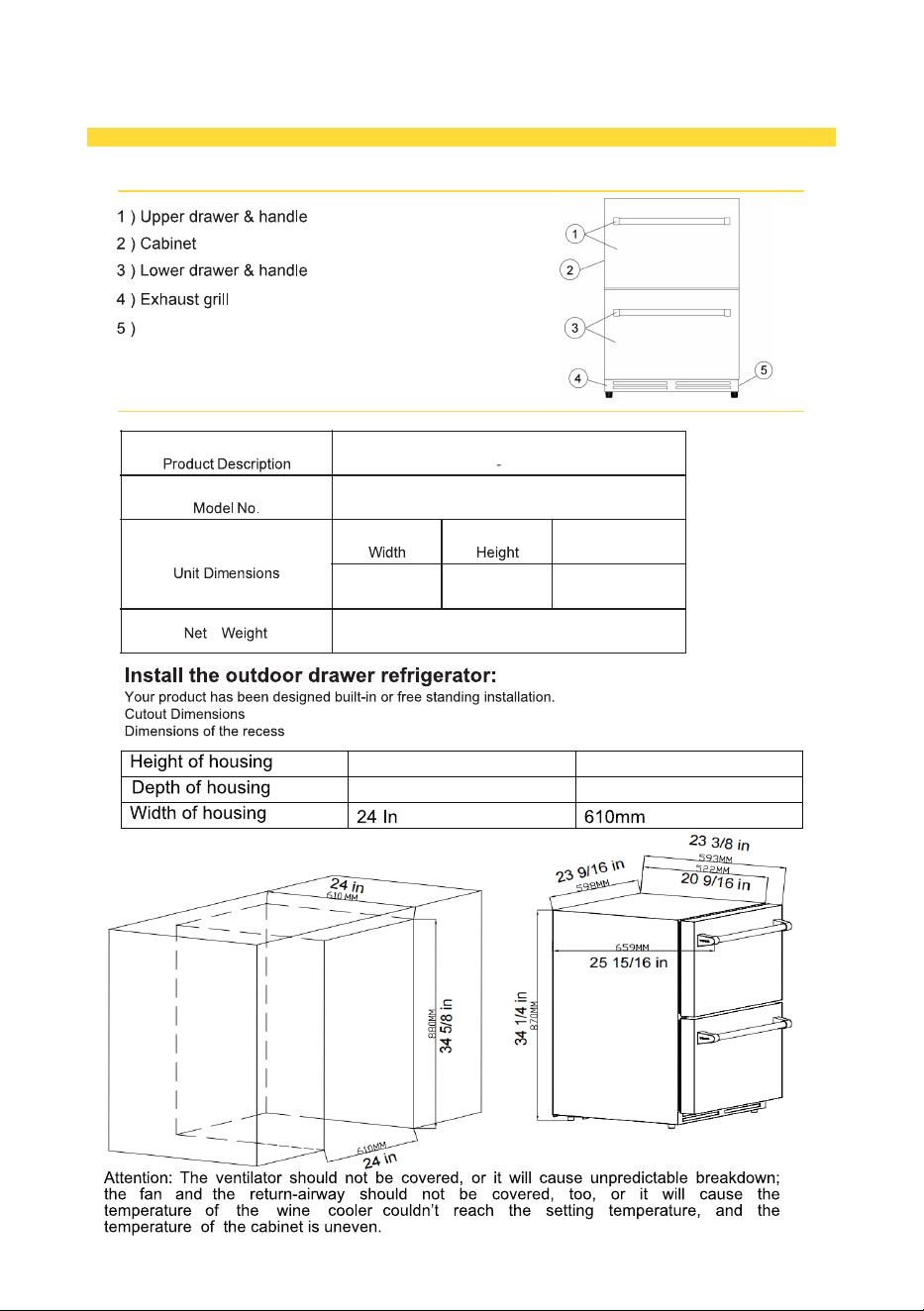
INSTALLATION INSTRUCTIONS
NAMES OF THE PARTS
SPECIFICATIONS - Model # RZ24U&RZ24UB
123 lbs/56
RZ24UB
kg
610mm
880mm
6
Drawer
24
34 5 / 8 In
In
Freezer
Ventilation Grille
34.25 inch
23.6 inch
598mm
870mm
Depth
25.9inch
659mm
(with handles)
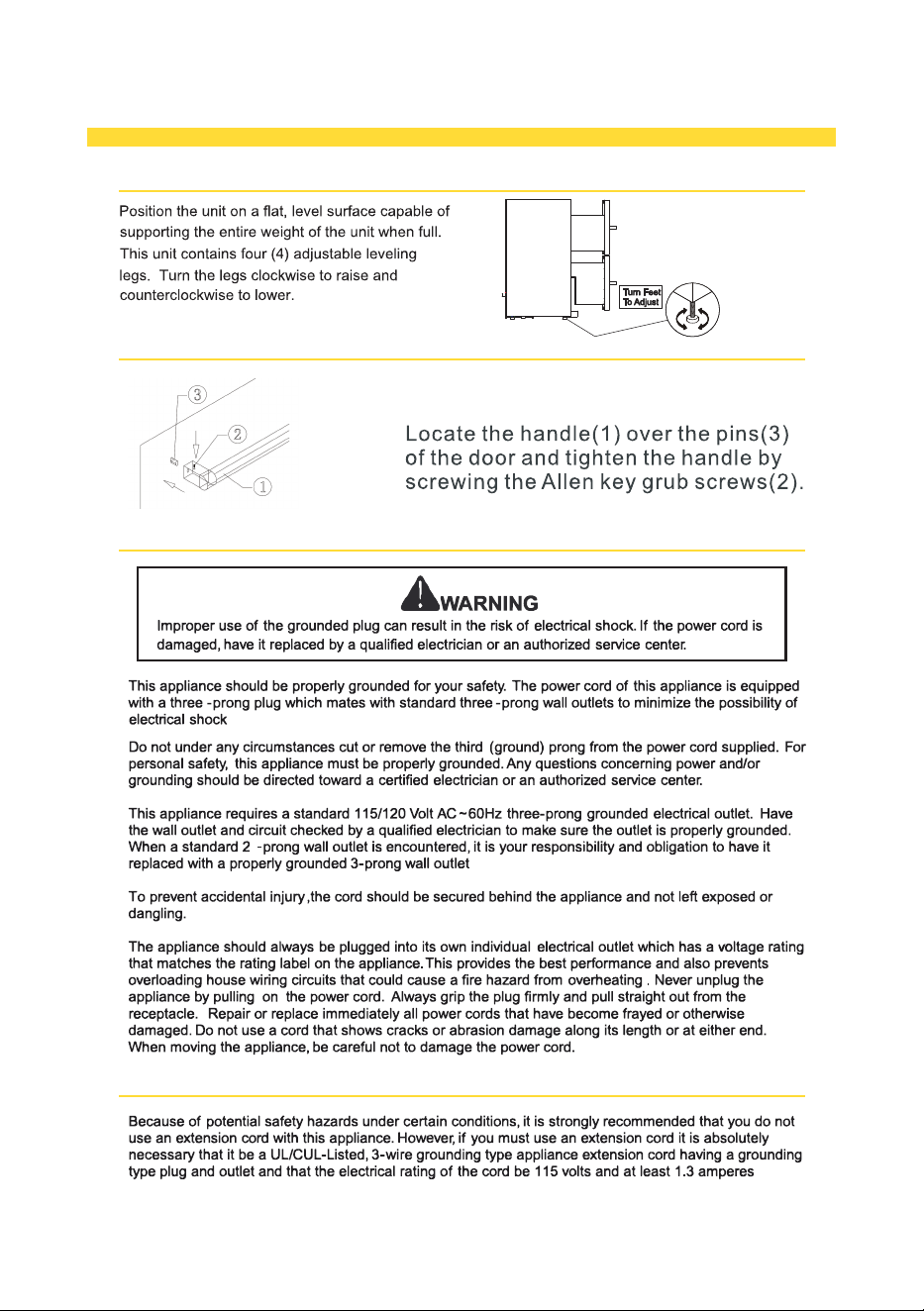
INSTALLATION INSTRUCTIONS
LEVELING THE UNIT
ELECTRICAL CONNECTION
INSTALLING HANDLE
EXTENSION CORD
7
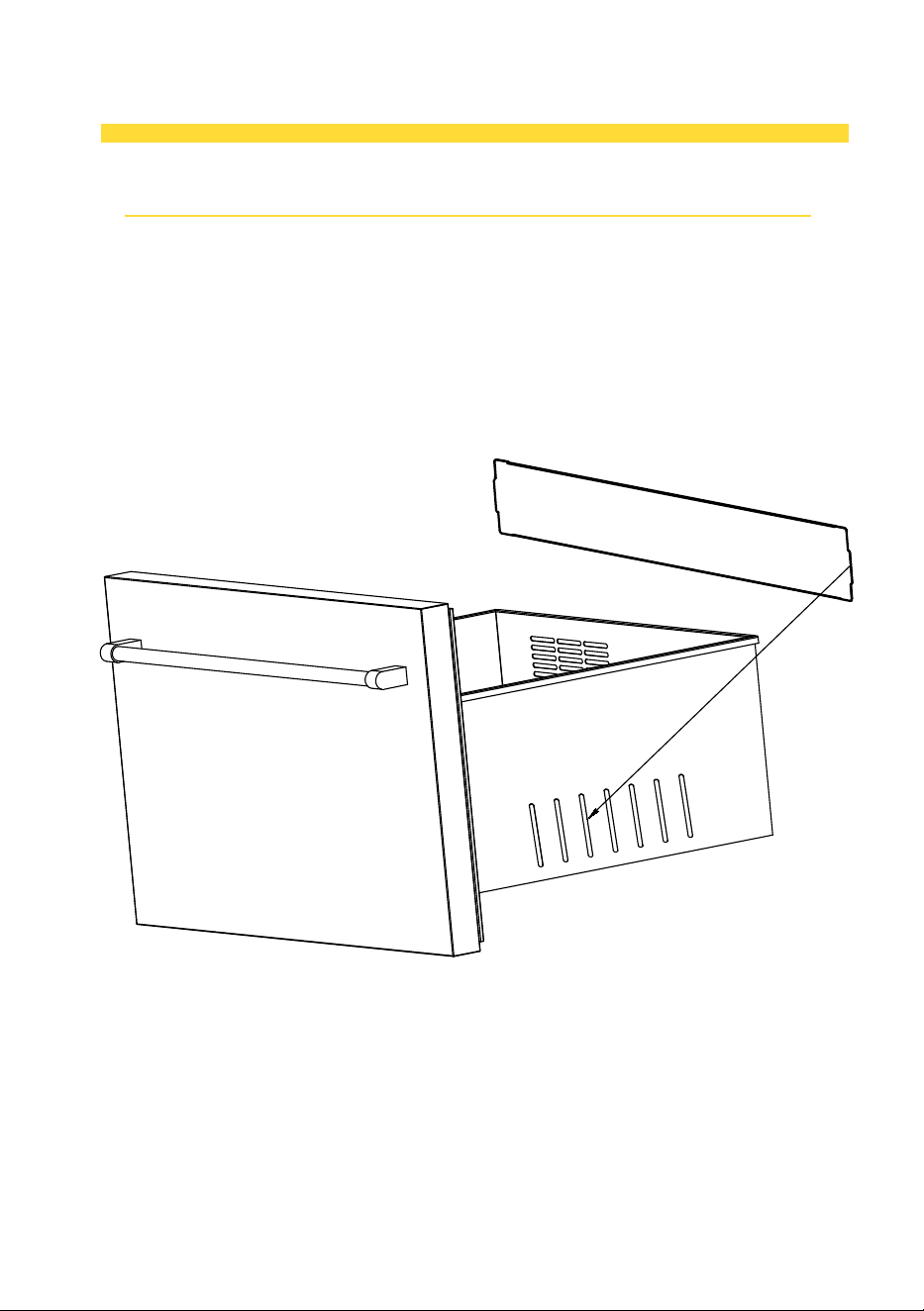
Installation of Division:
1. Adjust the Division Panel
2. Carefully shape the division panel to match the required form,
ensuring not to apply excessive force that could cause damage.
3. Position the Division Panel into the Drawer Slots
4. Gently place the division panel into the designated openings on
both sides of the drawer, ensuring it fits securely.
8
INSTALLATION INSTRUCTIONS
OPERATING YOUR APPLIANCE
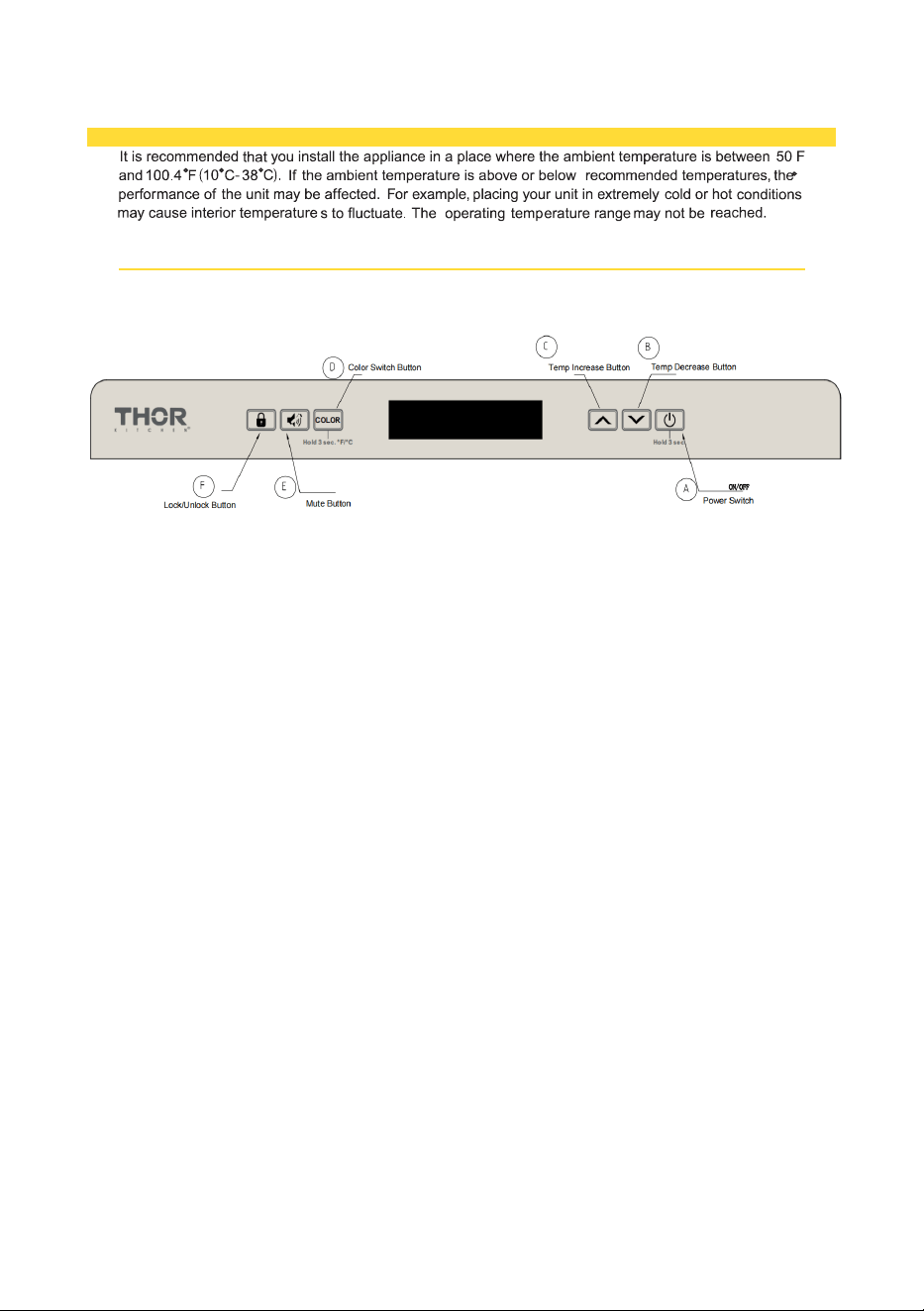
CONTROL PANEL
The setting should be operate in the control panel.
(1)Functions of each keys in the control panel.
(2)Automatic Memory: The appliance has an automatic memory function. When power is
restored after an outage, the appliance will retain the last set temperature, so you won’t need to
adjust it again.
(3)Defrosting
Automatic Defrost: The unit will automatically enter a defrosting cycle. During this time, the
compressor will stop, and the fan will continue to run. The evaporator behind the rear wall will
defrost, and condensate will flow through the drainage channel into the drip tray for evaporation.
Temperature During Defrost: The temperature will rise to approximately 41°F (5°C) during the
defrost cycle. The temperature may take longer to reach this point if the set temperature is low
(e.g., 34°F or 1°C) or if the cabinet is full of bottles. This is a normal process and does not indicate
a malfunction.
A. Power Switch:
Power On: After plugging in the power cord, press the power switch for 1 second to turn the
appliance on.
Power Off: To turn off the appliance, press and hold the power switch for 3 seconds. The appliance
will power off.
B. Temp Decrease Button: Used to lower (cool) the set temperature by 1℃ or 1℉.
When the screen is flashing, press it once, the temperature setting is down by 1℃ or 1℉,
When the screen is flashing, press it once, the temperature setting is up by 1
the lowest setting temperature is -18℃(0℉).
℃
C. Temp Increase Button: Used to raise (warm)the set temperature by 1℃ or 1℉
.
or 1℉,
D. Color Switch Button:
1. Display Color Function: Press the button once to toggle the display color between white and blue.
2.
the highest setting temperature is -14℃( 7℉) .
Temperature Unit Display Function: To switch between Fahrenheit and Celsius temperature units,
press and hold the button for 3 seconds.
3. Lights would on when the drawer has been opened.
E. Mute Button:
1. Mute Alarming Sound: Press the mute button once to silence the alarm.
2. Mute Pressing Sound: Press and hold the mute button for 3 seconds to mute the pressing sound.
F. Lock/Unlock Button:
1. Lock/Unlock: Press and hold the lock/unlock button for 3 seconds to lock or unlock the appliance. The display will
indicate whether the appliance is locked or unlocked.
2. Automatic Lock: The appliance will automatically lock if there is no user interaction for 1 minute.
9
CARE AND MAINTENANCE
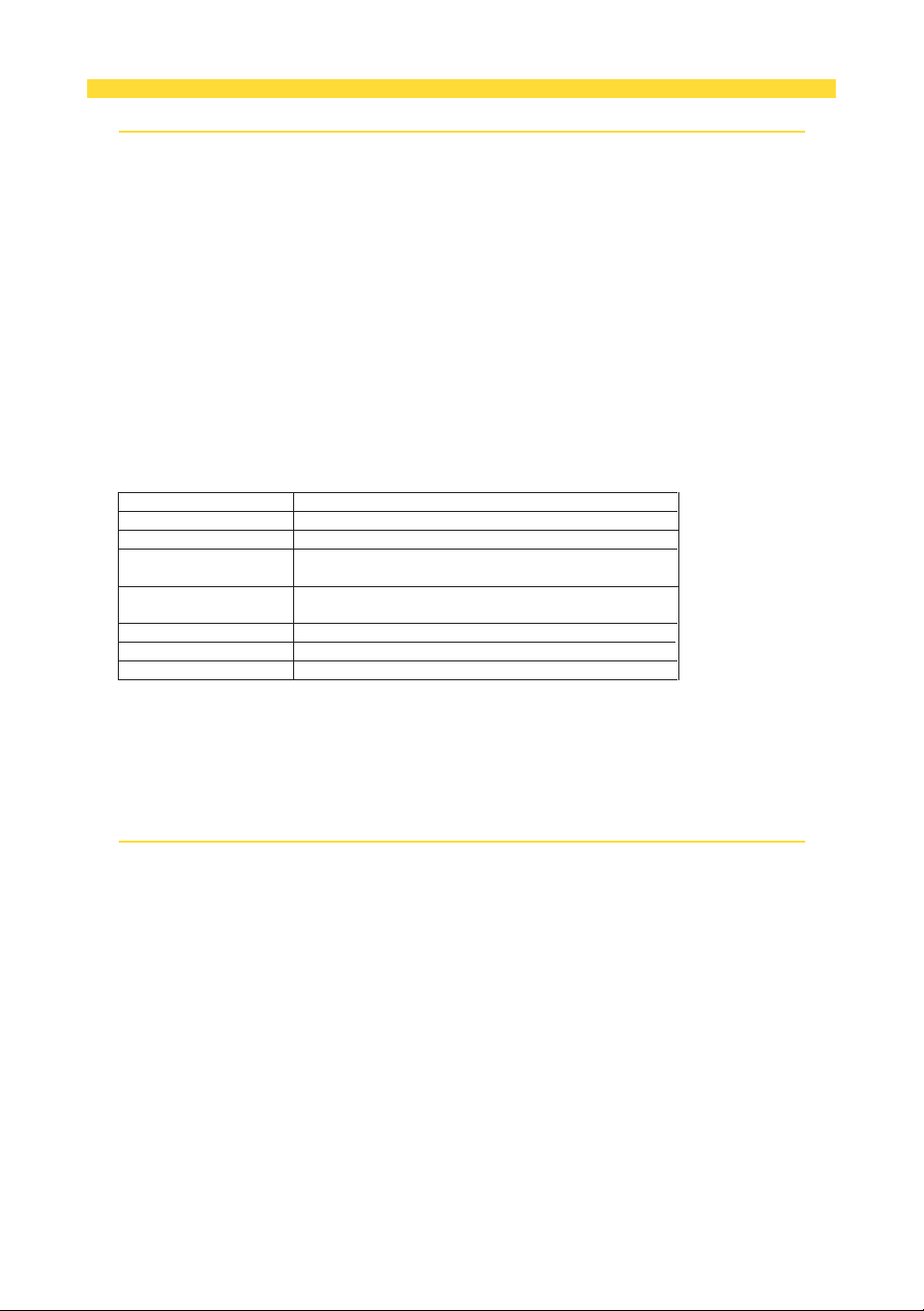
ALARM AND ERROR CODES
ERROR CODES:
1. Door Alarm Function: The internal fans will turn off once the door is opened..
Alarm Activation: The alarm will sound if the door remains open for more than 60 seconds.
Mute Option: If the alarm noise is disturbing, press Button E (the Mute Button) to silence it. However, the screen
will continue to flash.
Compressor & Fans: If the door remains open for more than 60 seconds, both the compressor and internal fans
will stop working. They will resume functioning once the door is closed.
Temperature Alarm Function: If there is an issue with the temperature, the alarm will sound, and the
temperature display will flash.
Mute Option: You can mute the alarm by pressing the Mute Button, but the screen will continue to flash.
Types of Temperature Alarms:
A. Low Temperature Alert:
The alarm will sound if the temperature inside the cabinet is 4°F (or 2°C) lower than the set
temperature for over 60 minutes. The screen will display ‘LL’ and will keep flashing.
B. High Temperature Alert:
The alarm will sound if the temperature inside the cabinet is 8°F (or 4°C) higher than the set
temperature for over 24 hours. The screen will display ‘HH’ and will keep flashing.
Caution:
Compressor and Fan Shutdown:
If E1 or E2 appears, the compressor and fans will shut down immediately.
If E3 or E4 appears, the compressor and fans will stop for 5 minutes. After 5 minutes, the compressor and fans
will resume normal operation.
CLEARING AND MAINTAINING YOUR APPLIANCE
CODES
E1
Error
The temperature sensor has a broken circuit.
E2
The temperature sensor has a short circuit.
E3
Defrosting sensor (evaporator) broken circuit
The defrosting sensor inside the cabinet is broken.
E4
Defrosting sensor (evaporator) short circuit
The defrosting sensor inside the cabinet has a short circuit.
Normal Flashing
Door open alarm-The door has been open for too long.
HH High temperature alarm
LL Low temperature alarm
10
The appliance may display error codes to indicate specific issues. Below are the details:
Periodic cleaning and proper maintenance are essential for ensuring your appliance operates efficiently, performs
at its best, and has a long service life. The recommended maintenance intervals are based on typical usage
conditions. If you have pets, or other special circumstances, you may need to adjust these intervals accordingly.
Exterior Cleaning for Stainless Steel Models
To maintain the appearance and integrity of your stainless steel model, follow these guidelines:
• Avoid Damage from Harsh Substances: Exposure to chlorine gas, pool chemicals, saltwater, or bleach-
based cleaners can cause discoloration or damage to your stainless steel.
• Routine Cleaning: Use a high-quality, all-in-one stainless steel cleaner and polish to clean the exterior once
a month. Regular cleaning will help remove surface contaminants that could lead to rust. In some
environments, weekly cleaning may be necessary.
• DO NOT USE STEEL WOOL PADS: These can scratch and damage the surface of the stainless steel.
• Use Appropriate Cleaners: Only use cleaners specifically designed for stainless steel. Avoid using glass,
tile, or countertop cleaners, as they may cause damage.
• Dealing with Rust or Discoloration: If discoloration or rust appears, treat it promptly with Bon-Ami or Bar
Keepers Friend Cleanser and a non-abrasive cloth. Always clean in the direction of the grain to preserve the
finish.
• Finish with Polish: After removing rust or discoloration, apply a high-quality stainless steel cleaner and polish
to prevent further damage.
• Avoid Abrasive Pads: Using abrasive pads, like Scotch-Brite, can blur the grain of the stainless steel and
create lasting damage.
Note: Rust that is allowed to persist on the surface can penetrate into the steel, making it nearly impossible to
remove. Regular maintenance is key to preventing this.
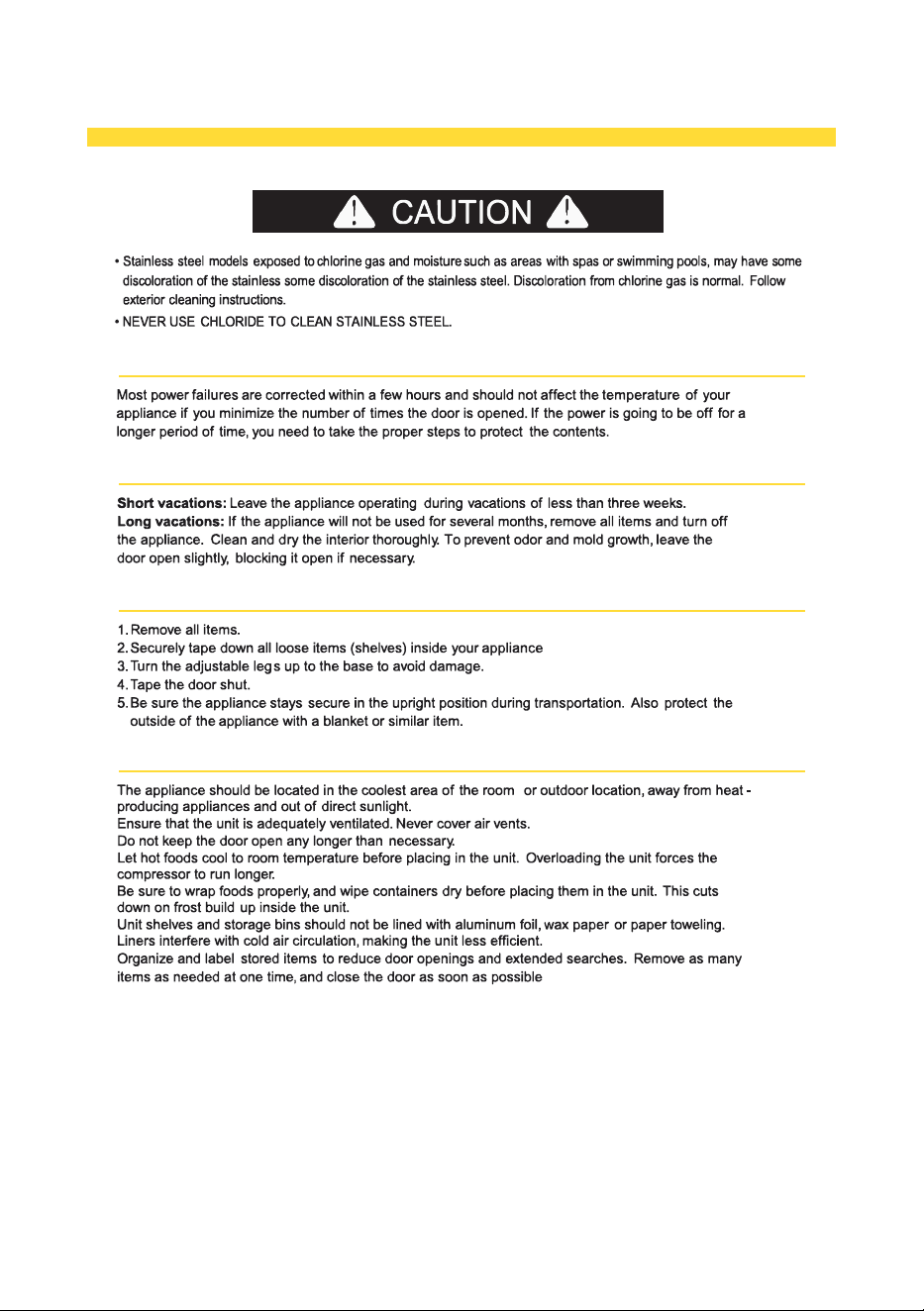
CARE AND MAINTENANCE
POWER FAILURE
VACATION TIME
MOVING YOUR APPLINCE
ENERGY SAVING TIPS
11
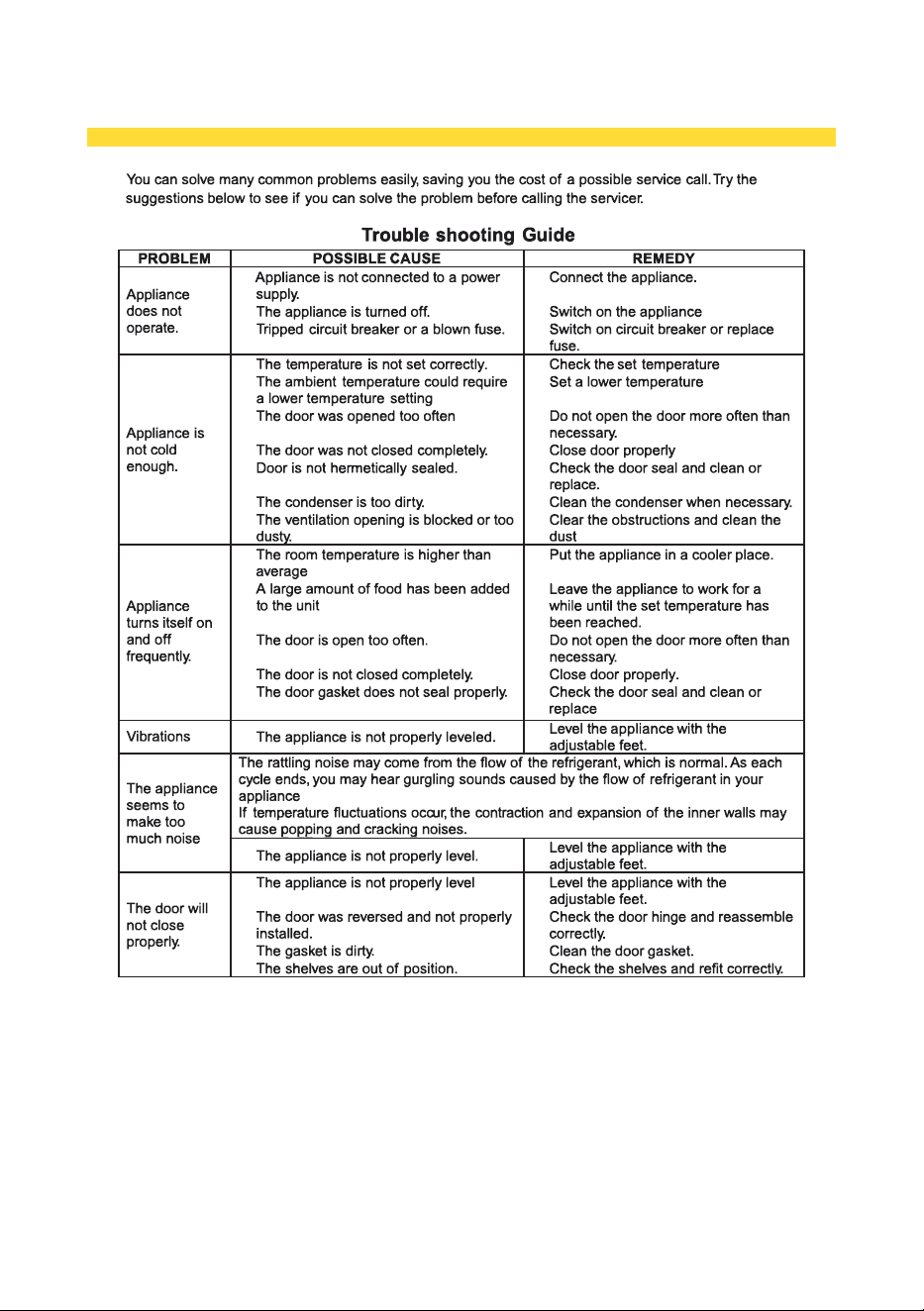
TROUBLE SHOOTING
12

13
W
ARRANTY
Warranty&Service
This appliance has been manufactured by Thor International, 10830 Ada Ave, Montclair, CA 91763 United
States.
For Customer Service, please call (877) 288 - 8099
For the most up to date warranty and service policy, please refer to our website
WWW�THORKITCHEN�COM/WARRANTY-REGISTRATION
For in-warranty service requests, please visit our website at
WWW�THORKITCHEN�COM/SERVICE
Please Note: You must provide proof of purchase or installation date for any in-warranty service
requests
For Any installation Inquiries, please call Thor Customer Service Support
# 877-288-8099, or email to