Shenzhen Yunyue Intelligent Technology Co., Ltd.
Address: 11 Floor, Block B, Tsinghua Info Port. No.1 Xindong
Road, Songpingshan, Songpingshan Community, Xili Street,
Nanshan District, Shenzhen
Philips and the Philips Shield Emblem are registered trademarks
of Koninklijke Philips N.V. and are used under license.
This product has been manufactured by and is sold under the
responsibility of Shenzhen Yunyue Intelligent Technology Co.,
Ltd. and Shenzhen Yunyue Intelligent Technology Co., Ltd. is the
warrantor of this product.
Philips smart safe box reserves the rights to change content and
product speci�cations included in this user manual without
prior notice at any time.
© 2021 Koninklijke Philips N.V. All rights reserved.
Version: 1.0
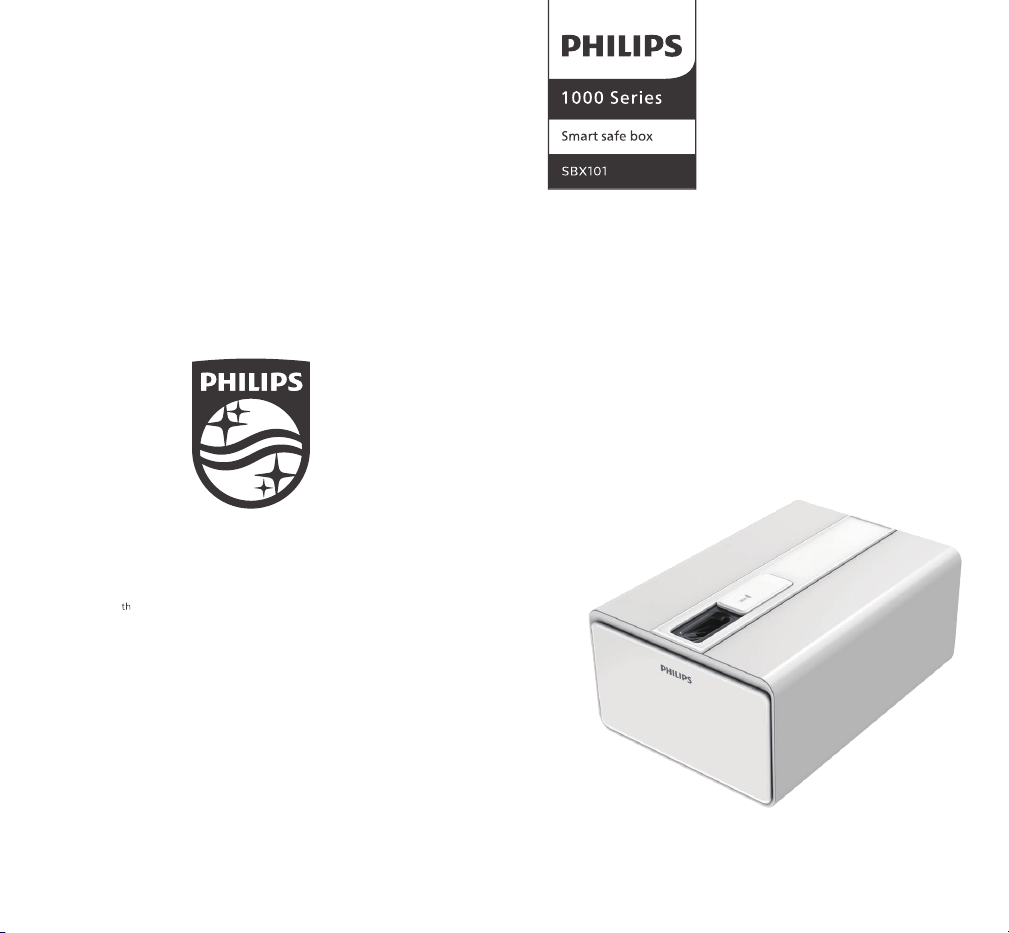
User manual
To register your product as well as obtain support, please go to:
www.philips.com/support

Contents
Safety precautions
Safety information
Safety warnings
Packing list
Product speci�cations
Get to know your smart safe box
How to use your smart safe box
First use
Finger vein registration
Finger vein recognition
Unlocking under working mode
Other functions
Language setting
Vibration alert
Factory setting
Unlocking for emergency
Charging your smart safe box
FAQs
After-sales service
After-sales policies
After-sales support
Warranty card
01
01
02
03
04
05
07
07
08
09
10
11
11
11
12
13
13
14
17
17
18
19

For the protection and safe use of the product, be sure to follow the
instructions and precautions on safety that are stated in this manual
whenever you handle the product.
This product doesn't include adaptor. To prevent electric shock, �re,
explosion and other possible dangers, be sure to use power cords
and adaptors that are compliant with local safety regulations or
speci�ed by Philips.
The operating temperature of this product is 0℃-40℃. Storage
temperature is -20℃-55℃. Any operation outside this range
may cause malfunction of the product.
Please follow local regulations on the disposal of this product,
the batteries and other accessories contained.
Do not mix used batteries with domestic waste. Improper
disposal of batteries may cause �re and explosions.
Do not use swollen batteries.
To prevent �re and explosion caused by leaking and overheat-
ing of batteries, do not to dismantle, crash, squeeze batteries
or throw batteries into �re.
To prevent burn injuries caused by overheating of batteries, be
sure not to short-circuit battery.
To prevent explosions caused by overheating of batteries , be
sure not to place the product in high temperature environment.
Do not repair the device by yourself. If the product or any of its
components are not working properly, please consult Philips
smart safe box for after-sales service, or send the product to
authorized dealers of Philips smart safe box for maintenance.
Please follow relevant laws and regulations. Do not use the
product in places storing �ammable and explosive oil and gas
or chemicals or any place nearby, such as gas stations, oil
depots, chemical warehouses, etc.
If you want to use the product near any personal medical
equipment, please consult your physician and the equipment
manufacturer.
Please observe all safety warnings and regulations regarding
the use of this product while driving.
To prevent lightning accidents, please do not use the product
outdoors during thunderstorms.
Do not charge the product in places with high humidity such as
bathroom. It might cause electric shocks, personal injuries, �re
and damage to the charger.
Please comply with relevant laws and regulations that
explicitly prohibit the use of electronic devices in any places.
1.
2.
3.
4.
5.
6.
7.
8.
1.
2.
3.
4.
5.
6.
Safety information Safety warnings
Attention
Safety precautions
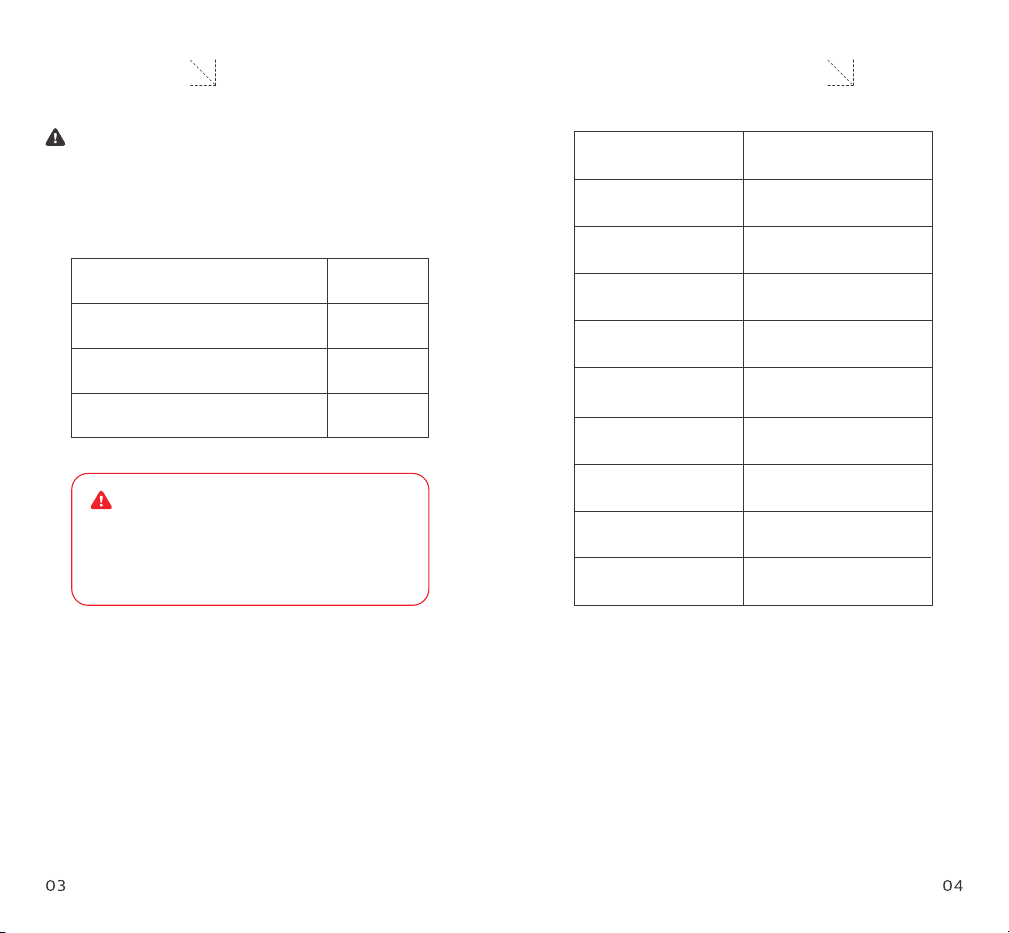
Please read this user manual carefully before using this product and
keep it properly. After unpacking, please check carefully if there is
any missing item.
Product name
Product model
Product dimensions
(L × W × H)
Net weight of product
Thickness of steel
plate of housing
Thickness of steel
plate of drawer
Voltage of external
power supply
Battery capacity
Finger vein capacity
Vibration alert
Smart safe box SBX101
SBX101-1A0
412 × 290 ×181 mm
11 kg
1.5 mm
2.0 mm
5.0 ± 0.2 V
4,400 mAh
200 pieces
> 70 dB (*100 cm in front
of loud speaker)
Operating environment:
indoors; temperature: 0 ℃ - 40 ℃ ; relative humidity: 30 % ~ 90 %.
Environmental safety declaration:
Electronic components used for this product are ROHS
compliant!
Smart safe box
Mechanical key
USB power cable (Type-C)
User manual
Attention:
Don't put mechanical keys inside
the safe box. You might need it to
unlock the safe in an emergency.
1 piece
2 pieces
1 piece
1 set
Attention
Packing list Product speci�cations
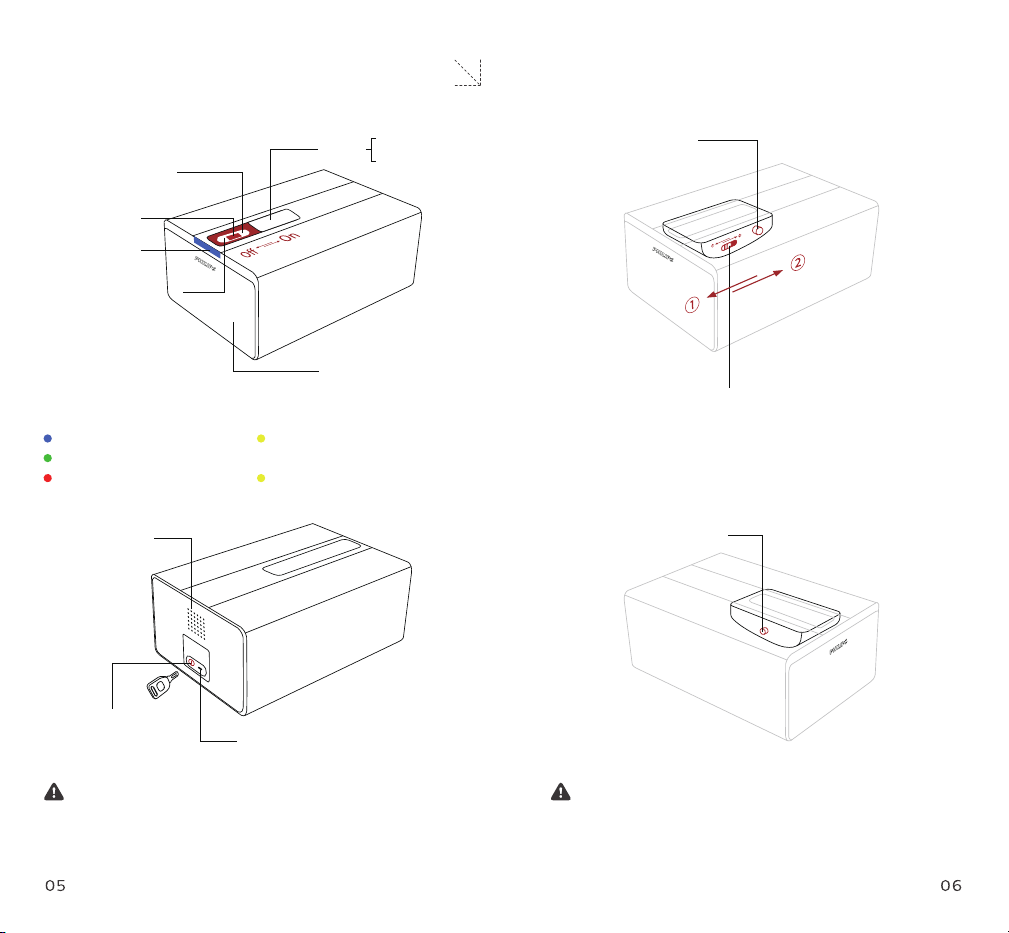
Detection area of the
distal part of �nger
Detection area of
�nger vein
Indicator light
Detection area of the
proximal part of �nger
Sliding
cover
On: live
Off: stand-by
Power button
Mode switch
① Finger vein registration mode
② Working mode (for recognition)
Reset button
Front panel (connected
to drawer)
Indicator light
Blue: working
Green: recognition succeeded
Red: recognition failed
Loud speaker
Hole for mechanical key
USB power cable (Type-C)
Yellow light (�ickering):
low-voltage or malfunction
Yellow light (staying on): charging
If the safe box is going to be kept unused for a long time, please
close the sliding cover to avoid accumulation of dirt and dust.
Attention
Long press the 'Reset button' for 6 seconds, all registered �nger
vein will be removed, and the safe will restore to factory setting.
Attention
Get to know your smart safe box
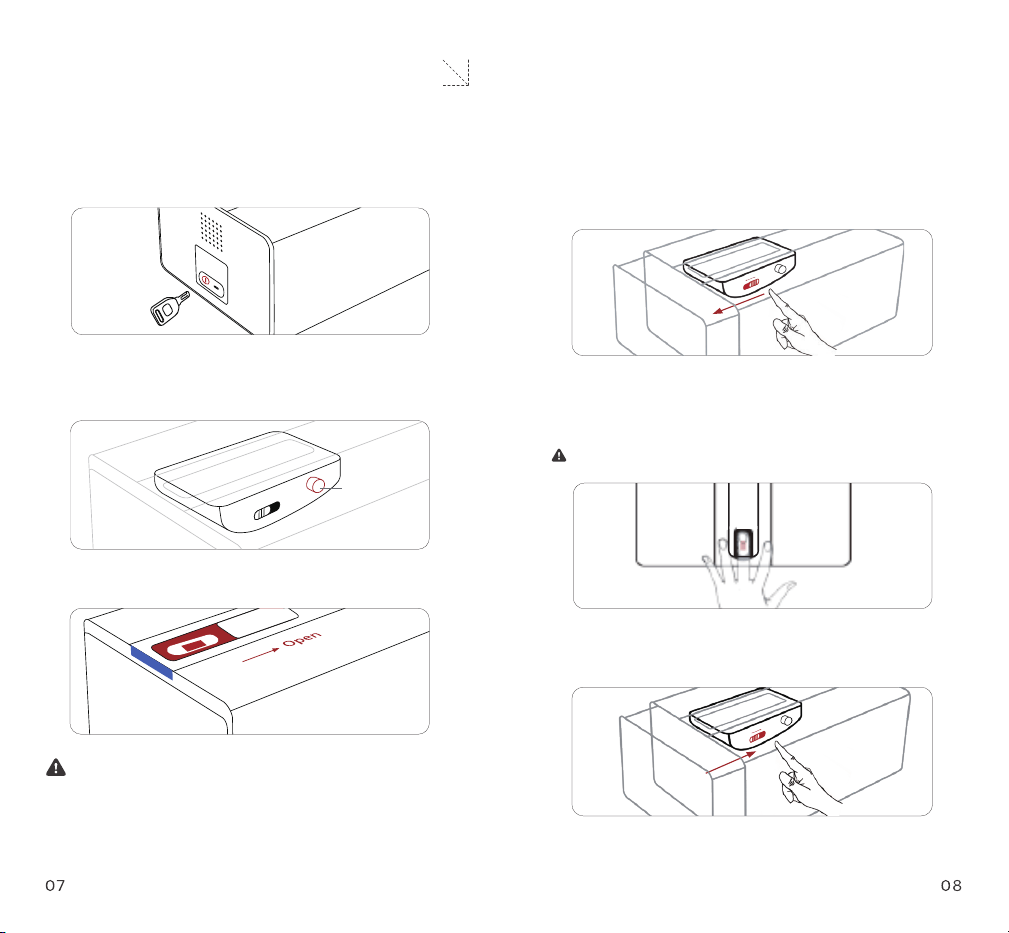
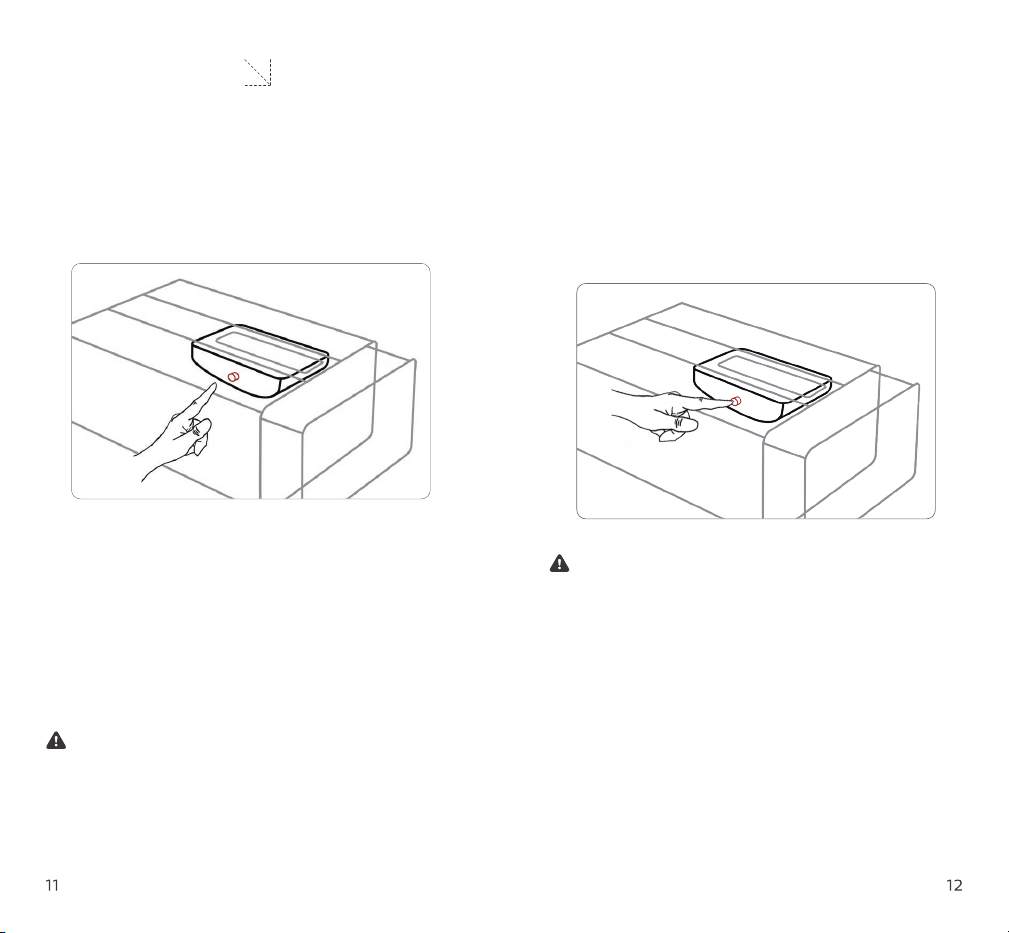
1. Please use mechanical key for �rst unlocking.
2. Press the 'Power button'. There will be a beep after around 5
seconds, indicating successful unlocking.
3. Open sliding cover. The blue indicator light will be turned on.
1. Switch 'Mode button' to left, the safe enters into "Finger vein
registration mode".
2. Entering �nger vein: please stretch your �nger and keep the
distal and proximal part of your �nger close to the detection area.
Repeat no less than 5 times.
don't press too hard.
3. After successful registration, switch the 'Mode button' to the
right. The safe enters into 'working mode'.
4. Close the door of the safe to complete �nger vein registration.
Possible cause of no beep after pressing 'Power button' might be
low battery voltage. Please refer to FQA to solve this issue.
Attention
Attention:
First use Registering �nger vein
How to use your smart safe box
Power button
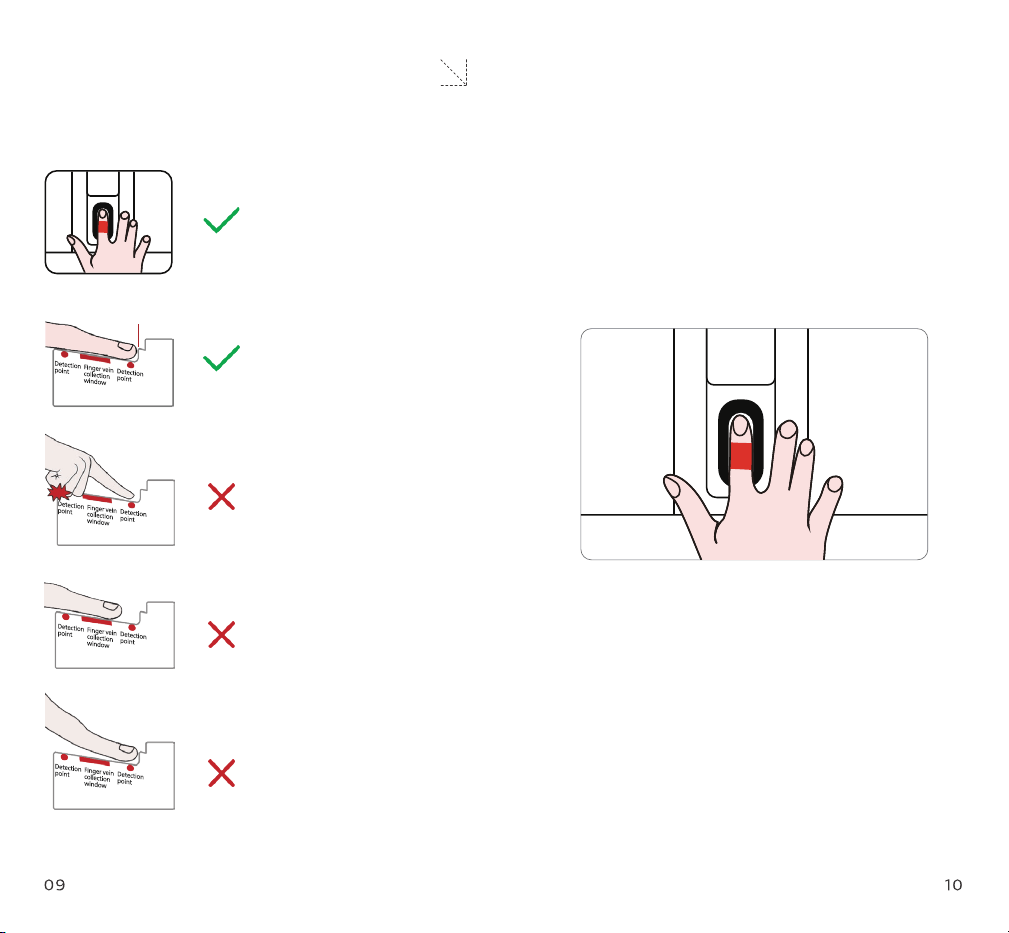
Unlock the safe: put the registered �nger on the �nger vein
collection window. After successful recognition, the door of
the safe will pop out a certain distance. Pull the drawer out to
use.
Lock the safe: push the drawer back after use until hearing a
click, indicating the safe has been locked.
Fingernail holder
1.
2.
· Open your palm
· Choose a �nger
· Stretch the �nger naturally
· Put it gently on the detection
area
· Cover �nger vein collection
window with the middle part of
your �nger
· Don't make �st
· Don't press too hard
· Keep distal part of your �nger
in right position
· Keep proximal part of your
�nger in right position
Finger vein recognition Unlocking under working mode
How to use your smart safe box
This product support voice guidance in Chinese and English
Switch language: short press 'Reset button' 5 times to switch
language between Chinese and English.
Open the safe, then long press the 'Reset button' inside for 6
seconds. There will be a voice guidance 'All �nger vein removed.
Please register new �nger vein before use', indicating the safe
has restored to factory setting.
Trigger of alert: vibration alert is off by default. It will be
triggered by vibration and shock of certain intensity.
Stop alert: having successful �nger vein recognition can stop the
alert, or you can just wait the alert to stop after 20 seconds.
Language setting
Vibration alert
Factory setting
Other functions
1. Every alert last for 20 seconds.
2. To enable or disable 'Vibration alert', please short press 'Reset
button' 3 times in 3 seconds.
Attention
All settings will be cleared after the safe is restored to factory
setting. Please be careful with this operation!
Attention

The mechanical keys can be used to unlock the safe in an
emergency.
If the safe has been kept unused for a long time, the battery
voltage might get low. Please charge with USB power supply
above 1 A for emergency unlocking.
1.
2.
Unlocking for emergency
This product doesn't include adaptor. Please use adaptors that are
compliant with local safety regulations.
In case of low battery voltage, the yellow indicator light stays on.
In case that the safe enters into sleeping mode because of low
battery voltage, yellow indicator light �ickers, and there will be
intermittent beeps to remind you to charge the safe. Please
charge the safe with USB power supply of 5 V ± 0.2 V.
During charging, yellow indicator light stays on. There will be a
beep after the safe is fully charged. The indicator light will be
off.
1.
2.
3.
Charging your smart safe box
Q1: Why there is no beep when �rst use.
Possible causes: the power button was not pressed down, or low
battery voltage.
Solutions: press the 'Power button' again. Wait for 5 seconds and
con�rm if there will be a beep. If no, please charge the safe with
USB power supply of no less than 1 A.
Q2: The green light is on, while the draw didn't pop out.
Possible causes: low battery voltage.
Solutions: please retry for another 1-2 times. If failed, please try
again after charging the safe.
Possible causes: mechanical failure, such as the internal structure
got stuck somehow.
Solutions: unlock the safe with mechanical key. Try to pull out the
drawer.
Possible causes: large elevation angle of the safe door.
Solutions: put the safe on a horizontal surface.
FAQs
Q3: Frequent �nger vein recognition failures.
Possible causes: when registering �nger vein, the distal and
proximal part of your �nger are not close to the detection area, or
you pressed your �nger too hard. It might also be that you used
single position when repeating the entering during �nger vein
registration.
Solutions: register �nger vein again following measures as below:

Relax the muscles of your �nger. Put the distal and proximal part
of your �nger on the detection area. Increase the number of
entering to 5-10 times and try to get successful entering with
different �nger positions.
※ The successful recognition rate will increase as the times of
entering �nger vein increase. (Finger vein capacity of this
product is 200 pieces.
Try again after successful registration. Make sure the position of
your �nger is the same as when you do the registration.
1.
2.
Q1: Why there is no beep when �rst use.
Possible causes: the power button was not pressed down, or low
battery voltage.
Solutions: press the 'Power button' again. Wait for 5 seconds and
con�rm if there will be a beep. If no, please charge the safe with
USB power supply of no less than 1 A.
Q2: The green light is on, while the draw didn't pop out.
Possible causes: low battery voltage.
Solutions: please retry for another 1-2 times. If failed, please try
again after charging the safe.
Possible causes: mechanical failure, such as the internal structure
got stuck somehow.
Solutions: unlock the safe with mechanical key. Try to pull out the
drawer.
Possible causes: large elevation angle of the safe door.
Solutions: put the safe on a horizontal surface.
Q3: Frequent �nger vein recognition failures.
Possible causes: when registering �nger vein, the distal and
proximal part of your �nger are not close to the detection area, or
you pressed your �nger too hard. It might also be that you used
single position when repeating the entering during �nger vein
registration.
Solutions: register �nger vein again following measures as below:
Don't put mechanical key inside the safe at any time.
Please make sure the output current of USB power supply is no
less than 1 A.
Don't unlock the safe under strong direct light.
Keep the �nger vein collection window clean. If there is dirt or
abnormal substance on it, please clean before use.
Due to the difference of �ngers in physical structure and the
limitation of �nger vein recognition technology, it's possible
that �ngers that are too thin or bend too much can not be
detected or recognized by the safe.
1.
2.
3.
4.
5.
Attention
Possible causes: too much dirt or abnormal substances accumulat-
ed on the �nger vein collection window.
Solutions: wet a clean and soft cloth with neutral solvent such as
water or alcohol. Clean the �nger vein collection window. Then try
again following the solutions of Q3.

Return or replacement of products that have defects caused by
non-human factors or force majeure within 7 days from the date
of purchase;
Replacement or maintenance of products that have defects
caused by non-human factors or force majeure within 8-15 days
from the date of purchase;
Maintenance of products that have defects caused by
non-human factors or force majeure within 24 months from the
date of purchase;
Philips smart safe box warrants: If you encounter any problems when using the product, please
contact local authorized distributors.
This warranty does no apply to (including but not limited to):
1.
2.
3.
Damages caused by unauthorized repairs, misuse, incorrect use,
abuse, collision, negligence, �uid intake, accidents, modi�cation
and alterations;
Products with broken or altered labels, serial number and
anti-counterfeit label;
Products out of warranty period;
Damages caused by force majeure;
Damages due to human factors.
1.
2.
3.
4.
5.
After-sales policies After-sales support
After-sales service
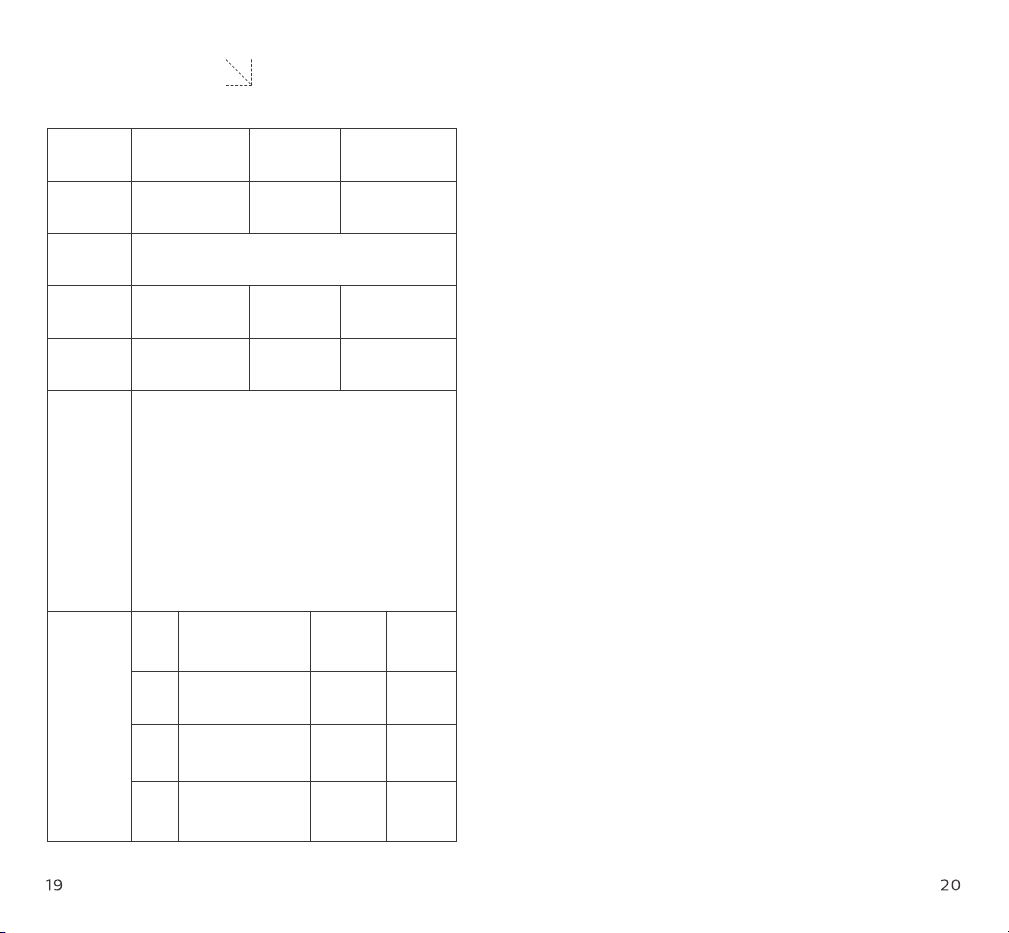
Product
model
Invoice No.
Address
of seller
Date of
sales
Contact of
user
Product serial
number
Seller
User name
Address of
user
Failure
description
Maintenance
records
Date Issue
Mainte-
nance staff
User
signature
Warranty card