If only one earbud has sound, first delete the paired "TWS" device, turn off your
phone's wireless function, then return to Step 1.
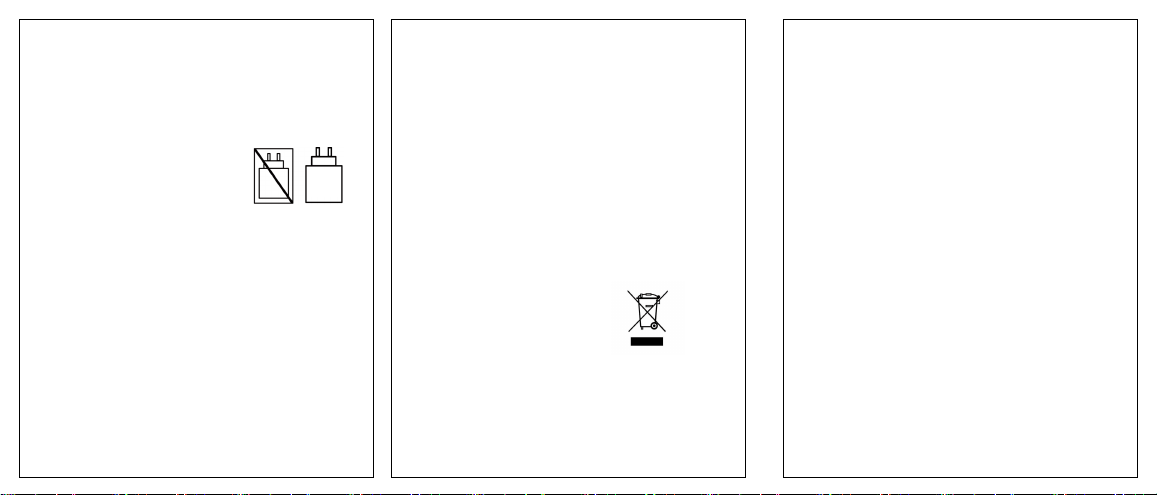
The power delivered by the charger must be between min 2.5
Watts required by the radio equipment, and max 10 Watts in
order to achieve the maximum charging speed.
2.5 - 10
W
TWS User Manual
Connection Tutorial:
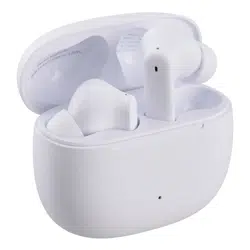
1. Open the lid and take out the earbuds. Wait for 5 seconds to enter dual earbud pairing mode.
2. Turn on your phone's wireless function, find the earbuds' pairing name, and tap to connect.
3. Put the earbuds back in the charging case to disconnect.
Operating Frequency Band: 2402GHz–2480GHz
Maximum Radio-Frequency Power: 4 dBm
Product Name: Wireless Earphones
Model: Q72
Manufacturer Name: Shenzhen Bade Electronic Technology Co., Ltd.
Manufacturer Address: 1201, Building 12, Unit D, Zhonghang Gelan Garden,Guanlan Street,
Longhua New District, Shenzhen,Guangdong
Purpose: Wireless audio playback and calling
I. Operating Frequency Band and RF Power
II. Basic Product Information
1. Do not disassemble or modify the earphones and charging case without authorization to avoid
electric shock or excessive RF radiation.
2. Keep away from high-temperature, flammable and explosive environments, and ensure the
charging case is well-ventilated.
3. Keep small parts such as ear tips away from children to prevent accidental swallowing.
III. Safety Warnings
1. Pairing: The earphones automatically enter pairing mode when taken out of the charging case
(the indicator light of one earphone flashes red and blue). Search for the corresponding device
name on your mobile phone and connect.
2. Indicator Explanation: Red and blue flashing = Pairing; Indicator off = Connected successfully;
Red flashing = Low battery; Solid red light = Charging; Indicator off = Fully charged.
3. Touch Control (General Version): Single tap to answer/end a call or play/pause music; Double
tap to Change songs.
IV. Instructions for Use
1. It is forbidden to disassemble or short-circuit the earphone battery and charging case. Do not
throw them into open flames, and keep them away from children.
2. If the battery leaks or swells, do not touch it and dispose of it properly in accordance with local
regulations.
V. Battery Safety Warnings
1. Wipe the earphones and charging case with a dry soft cloth. Do not use corrosive cleaning
agents.
2. Avoid dropping or squeezing the earphones. If not used for a long time, fully charge them before
storing with power disconnected.
3. Regularly check the charging port and earphone contacts, clean any dirt promptly, and stop use
immediately if any abnormality occurs.
VI. Care and Maintenance
Do not dispose of waste earphones and charging case
as household garbage. Please recycle them properly in
accordance with local regulations.
VII. Recycling Instructions
1. Unable to pair: Restart the earphones, ensure wireless function is enabled on your phone, stay
within the 10-meter effective range, and keep away from interference sources such as routers.
2. Unable to charge: Check if the charging cable, port and earphone contacts are clean and intact.
3. Abnormal sound quality or signal: Clean the ear tips, shorten the operating distance and restart
the earphones. For unsolved problems, contact after-sales service; do not disassemble the device.
VIII. Troubleshooting
FCC Warning
This device complies with Part 15 of the FCC Rules. Operation is subject to the following two
conditions:
(1) This device may not cause harmful interference, and (2) this device must accept any interference
received, including interference that may cause undesired operation.
NOTE 1: This equipment has been tested and found to comply with the limits for a Class B digital
device, pursuant to part 15 of the FCC Rules. These limits are designed to provide reasonable
protection against harmful interference in a residential installation. This equipment generates, uses
and can radiate radio frequency energy and, if not installed and used in accordance with the
instructions, may cause harmful interference to radio communications. However, there is no
guarantee that interference will not occur in a particular installation. If this equipment does cause
harmful interference to radio or television reception, which can be determined by turning the
equipment off and on, the user is encouraged to try to correct the interference by one or more of the
following measures:
-Reorient or relocate the receiving antenna.
-Increase the separation between the equipment and receiver.
-Connect the equipment into an outlet on a circuit different from that to which the receiver is
connected.
-Consult the dealer or an experienced radio/TV technician for help.
NOTE 2: Any changes or modifications to this unit not expressly approved by the party responsible
for compliance could void the user's authority to operate the equipment.
The device has been evaluated to meet general RF exposure requirement. The device can be used
in portable exposure condition without restriction.
English (英文)