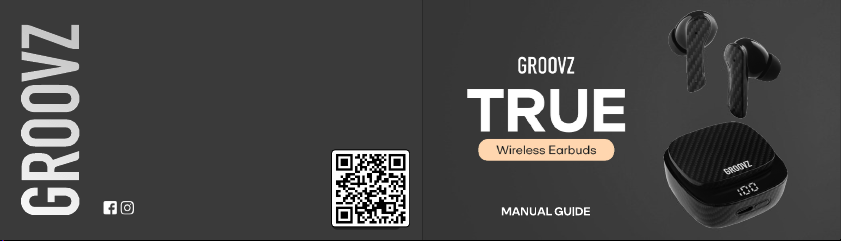
Thank you for your purchase! We hope you enjoy your
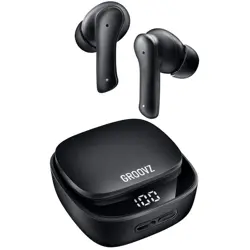
new Groovz Headphones.
If you have any questions or concerns, please reach out:
support@groovzaudio.com
Visit us at www.groovzaudio.com for exciting product
offers and to register your warranty.
We are here to help!
@Groovzaudio
DEVICE DIAGRAM
SPECIFICATIONS
PACKAGE CONTENTS
SETTING UP YOUR HEADPHONES
HOW TO OPERATE
CLEANING YOUR EARBUDS
TROUBLESHOOTING
PRECAUTIONS FOR USE
WARRANTY INFORMATION
NEED HELP?
0 1
0 2
0 2
0 3
Fitting
Powering On/Off
Bluetooth Pairing
Understanding Power Display
Charging Your Headphones
TABLE OF CONTENTS
09
10
11
13
15
16
03
04
06
07
08
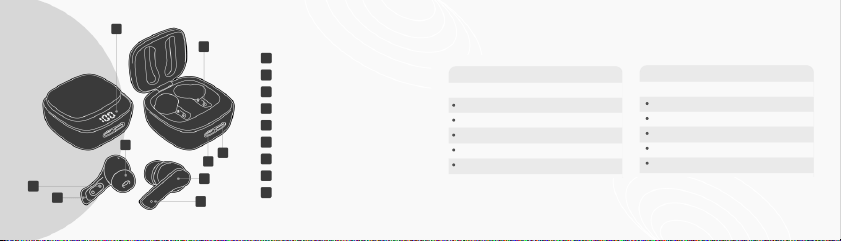
01 02
1
2
3
4
5
6
7
8
9
1
1
7
6
4
9
5
2
8
3
Battery Life Indicator
Type-C Charging Port
Status Button
Ear Tip
Charging Contact
Microphone
Magnetic Charge Pins
Touch Control
Status Light
Model: GROOVZ (XY-16)
Bluetooth: v5.3
Bluetooth Range: 32 feet
Earbud Battery: 30mAh
Charging Case Battery: 400mAh
Bluetooth Headsets
Headphone Charging Case
Type-C Charging Cable
User Guide
Set of Interchangeable Earbud Tips
SPECIFICATIONS
BOX CONTENTS
TECHNICAL SPECS
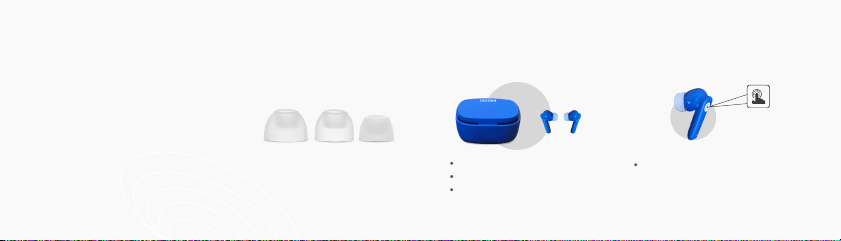
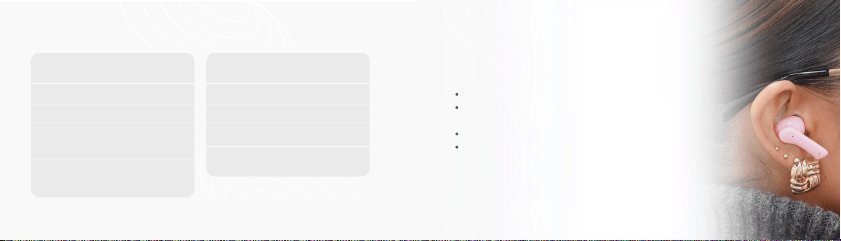
Groovz Earbuds come with three sizes of ear tips:
small, medium, and large. We recommend trying
each size to find the most comfortable and secure fit.
Your earbuds should feel snug in your ears without
causing discomfort and should stay in place during
everyday movement. A proper fit also helps to deliver
the best sound quality and noise isolation.
03
Open top cover of charging case.
Remove earbuds from case.
The earbuds will automatically
enter pairing mode.
With earbuds already removed from
charging case, press & hold both left and
right earbud touch control locations for 5
seconds.
04
SETTING UP YOUR HEADPHONES
01. FITTING
02. POWERING ON/OFF
POWERING ON (AUTO MODE) POWERING ON (MANUAL MODE)
L M S
Remove earbuds from ears.
Place left and right earbuds into
charging case.
Close charging case and this will
automatically power down the
earbuds.
05
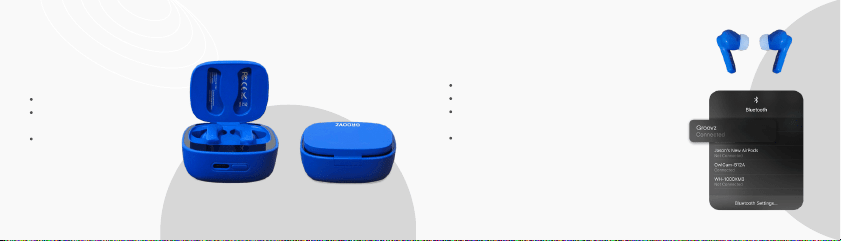
Remove earbuds from charging case.
Turn ON Bluetooth from device.
Find bluetooth name “Groovz” in list of pairing options on
device.
Click to connect, and Groovz earbuds will announce
successful connection.
NOTE: Previously paired devices will connect within 2-4
seconds.
06
03.BLUETOOTH PAIRING
POWERING OFF
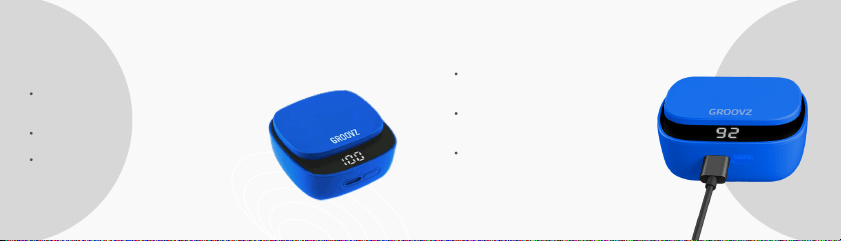
Your Groovz charging case features LED indicators
that show the battery level of the case and your
earbuds.
When you place the earbuds in the case, the LED lights
will flash to indicate they are charging.
A full battery is shown when all LED lights are solid. If
the lights are blinking, your case or earbuds are still
charging.
07 08
04. UNDERSTANDING POWER DISPLAY 05. CHARGING YOUR HEADPHONES
To charge the case, connect the included
USB-C cable to a power source. The LEDs
will light up to show charging progress.
When the earbuds are placed inside the
charging case, they will begin charging
automatically.
For the best performance, keep your
earbuds and case fully charged before
use.
Gently pull off the ear tips from each earbud.
Rinse the ear tips with water only—do not use soap or
household cleaners.
Wipe the ear tips with a soft, dry, lint-free cloth.
Allow the ear tips to dry completely before reattaching
them to your earbuds.
10
CLEANING YOUR
GROOVZ EARBUDS
09
HOW TO OPERATE
Play/Pause
Previous Track
Next Track
Volume +
Volume -
Single Tap
Double Tap Left
Double Tap Right
Triple Tap Left
Triple Tap Right
Activate Voice
Assistant
Answer/End a Phone Call
Reject a Phone Call
Single Tap
Long Press
Tap & Hold Right
for 1.5 Seconds
PLAYING STATE
IN SIRI
CALL STATE

11 12
TROUBLESHOOTING
Ensure Bluetooth Is On: Confirm Bluetooth is enabled on your smartphone, tablet,
or computer.
Check Earbud Battery: Place the earbuds in the case and check the LED indicators to
ensure they are charged.
Charge the Case: Connect the charging case to power if the battery is low.
Restart Your Devices: Restart your device (phone, tablet, etc.) and the earbuds.
Forget the Device: Remove the earbuds from your device’s Bluetooth list (this is often
called “forget” or “unpair”).
Restart Bluetooth: Turn Bluetooth off and back on again on your device.
Re-Pair the Earbuds: Place the earbuds in pairing mode and attempt to pair again.
RE-PAIRING STEPS:
HAVING TROUBLE PAIRING YOUR GROOVZ EARBUDS?
Charging Case Reset: Place the earbuds in the charging case, then press and hold the button on
the case until the LED indicator flashes red, then white. This signals that your earbuds have been
reset and are ready to pair again.
RESETTING:

13 14
Store headphones in a cool dry, ventilated environment. Avoid contact with oil, water
vapor, and steam.
Avoid cleaning with irritating, organic solvents or materials containing these ingredients.
Use the headphones according to the provided specifications, and avoid exposing to
environments that could affect performance like moisture, dust, or extreme heat.
To ensure smooth connection, it is recommended that the distance between the mobile
phone and the headphones be within 10 meters.
If the headphones fail to connect or communicate properly, do not dismantle the
headphones without permission. The device and its accessories are not guaranteed
otherwise.
To charge the headphones, please use the standard Type-C charging cable or the
one specified by our company.
Keep the headphones sufficiently charged to ensure normal operation.
PRECAUTIONS FOR USE
15 16
GROOVZ is a registered trademark of JTB Products LLC, West Chester,
PA. Designed and Engineered in the USA.
Groovz headphones come with a 1-Year Limited Warranty from the date of purchase. The
warranty covers defects in materials and workmanship. It does not cover accidental damage,
misuse, or unauthorized repairs. Should your product become defective during the warranty
period, we will repair or replace (at our option) your product.
To register your warranty or report any defects, please contact customer support at
support@groovzaudio.com.
www.groovzaudio.com
Step-by-step tutorial videos
Frequently asked questions
7-day-a-week support
SCAN THIS CODE WITH YOUR PHONE FOR
WARRANTY INFORMATION NEED HELP?
West Chester, PA