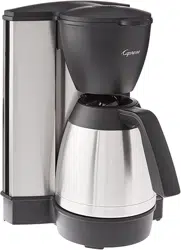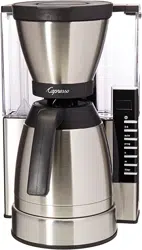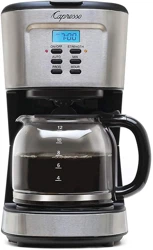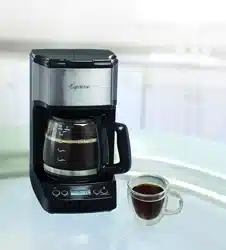
Model #496.01
1100W / 120V / 60Hz
• Operating Instructions
• Warranty
Read all instructions before operating the appliance
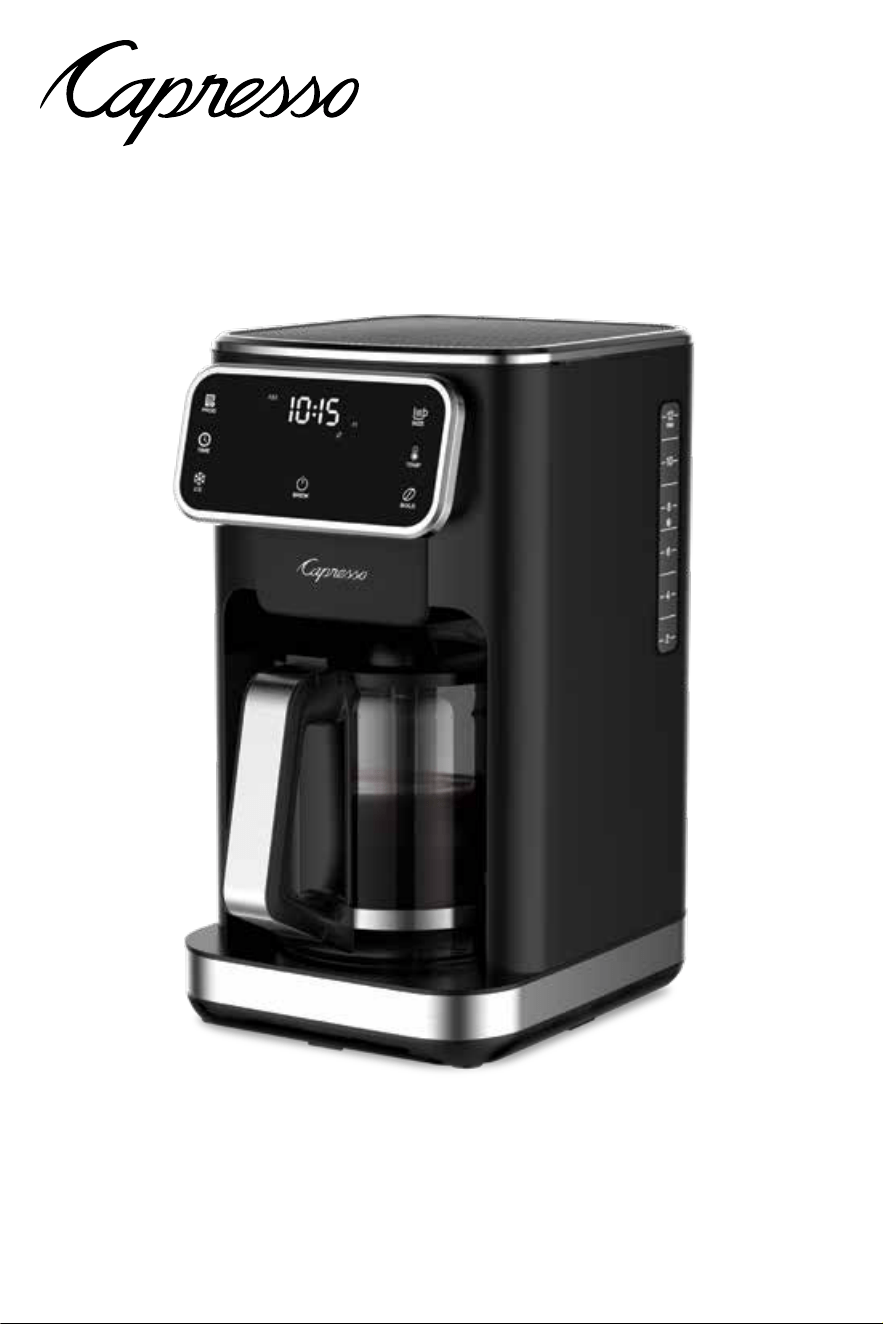
12-Cup Touchscreen Coee Maker
with Glass Carafe

2
IMPORTANT SAFEGUARDS
When using electrical appliances, basic safety precautions should always be
followed, including the following:
1. Read all instructions before using the coee maker.
2. Make sure that your outlet voltage corresponds to the voltage stated on the
rating label of the coee maker.
3. To protect against re, electric shock and injury to persons do not immerse
cord, plug, or appliance in water or other liquid.
4. Close supervision is necessary when any appliance is used by or near
children.
5. Unplug from outlet when either the appliance or display clock is not in use,
and before cleaning. Allow to cool before putting on or taking o parts, and
before cleaning the appliance.
6. Do not operate any appliance with a damaged cord or plug or after the
appliance malfunctions, or has been damaged in any manner. Return
appliance to an authorized service facility for examination, repair or
adjustment.
7. The use of accessories not recommended by Capresso may result in re,
electric shock or injury to persons.
8. Do not let cord hang over edge of table or counter, or touch hot surfaces.
9. Do not place on or near a hot gas or electric burner, or in a heated oven.
10. The carafe is designed for use with this appliance. It must never be used on
a range top.
11. Do not clean carafe with cleansers, steel wool pads, or other abrasive
material.
12. To disconnect, turn any control to “O”, remove plug from wall outlet.
Always hold the plug, never pull the cord.
13. Scalding may occur if the cover is opened or removed during the brewing
cycles. Be careful not to get burned by the steam.
14. Some parts of appliance are hot when operated, do not touch with hands.
Use handles or knobs only.
15. Never leave the empty carafe on the heating platform otherwise the carafe
can crack.
16. Never use the appliance if the carafe shows any signs of cracks or carafe
has a loose or weakened handle. Only use the carafe with this appliance.
Use carefully as the carafe is very fragile.
17. Do not set a hot carafe on a hot or cold surface.
18. Do not operate the coee maker without water.
19. This appliance is not intended for use by persons (including children) with
reduced physical, sensory or mental capabilities, or lack of experience and
knowledge, unless they have been given supervision or instruction
concerning use of the appliances by a person responsible for their safety.
20. Children should be supervised to ensure that they do not play with the
appliance.
21. Do not use outdoors.
22. Do not use appliance for other than intended use.
FOR HOUSEHOLD USE ONLY
SAVE THESE INSTRUCTIONS

3
SPECIAL CORD SET INSTRUCTIONS
Regarding your cord set:
A. A short power-supply cord is to be provided to reduce risks resulting from
becoming entangled in or tripping over a longer cord.
B. Extension cords may be used if care is exercised in their use.
C. If an extension cord is used,
1) The marked electrical rating of the extension cord should be at least as great
as the electrical rating of the appliance,
2) If the appliance is of the grounded type, the extension cord should be a
grounding type 3-wire cord, and
3) The longer cord should be arranged so that it will not drape over the counter
top or table top where it can be pulled on by children or tripped over.
D. This appliance has a polarized plug (one blade is wider than the other). As a safety
feature,this plug will t in a polarized outlet only one way. If the plug does not t
fully in the outlet, reverse the plug. If it still does not t, contact a qualied
electrician. Do not attempt to defeat this safety feature.
CAUTION
This appliance is for household use. Any servicing other than cleaning and user
maintenance should be performed by an authorized service representative.
• Do not immerse base in water or try to disassemble.
• Never use warm or hot water to ll the water tank! Use cold water only!
• Keep your hands and the cord away from hot parts of the appliance during use.
• Never clean with scouring powders or hard implements.
WELCOME AND THANK YOU
Thank you for choosing the Capresso 12-Cup Coee Maker. Please read all operating
instructions before using your Capresso Coee Maker. Understanding and complying
with these directions is essential to ensure that the machine is utilized without risk and to
ensure safety during operation and maintenance.
HOW TO CONTACT CAPRESSO CUSTOMER SERVICE
Should you require further information or if particular problems occur that are
not covered in this manual, please
• CALL our toll free HELP LINE: 1-800-767-3554 Monday-Friday 8:00AM to 8PM, and
Saturday 9AM to 5PM Eastern Time Zone. Feel free to call at any time. If you are
connected to our voicemail, PLEASE DO NOT HANG UP. Leave your name, telephone
number, time to call back and the machine Model #496.
• FAX us at 1-201-767-9684
• E-MAIL us at [email protected]
• VISIT our website at www.capresso.com
WARNING: TO REDUCE THE RISK OF FIRE OR ELECTRIC
SHOCK, DO NOT REMOVE THIS COVER. NO USER–
SERVICEABLE PARTS INSIDE. REPAIR SHOULD BE DONE BY
AUTHORIZED SERVICE PERSONNEL ONLY.
4
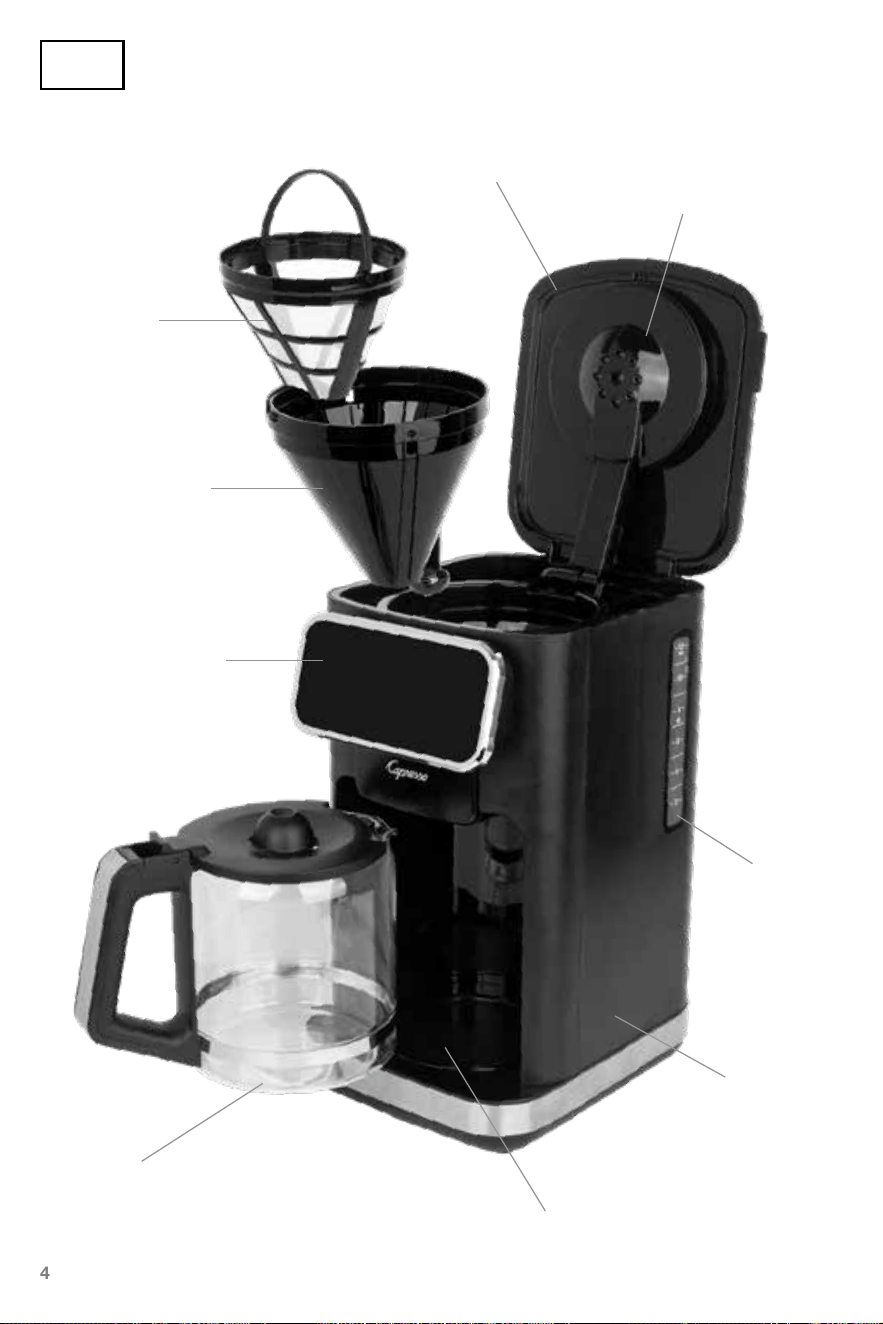
H. Carafe
F. Touchscreen
control panel
D. Removable
lter holder
C. Filter
G. Housing
E. Water
tank
B. Showerhead
A. Lid
I. Heating platform
Fig. 1
5
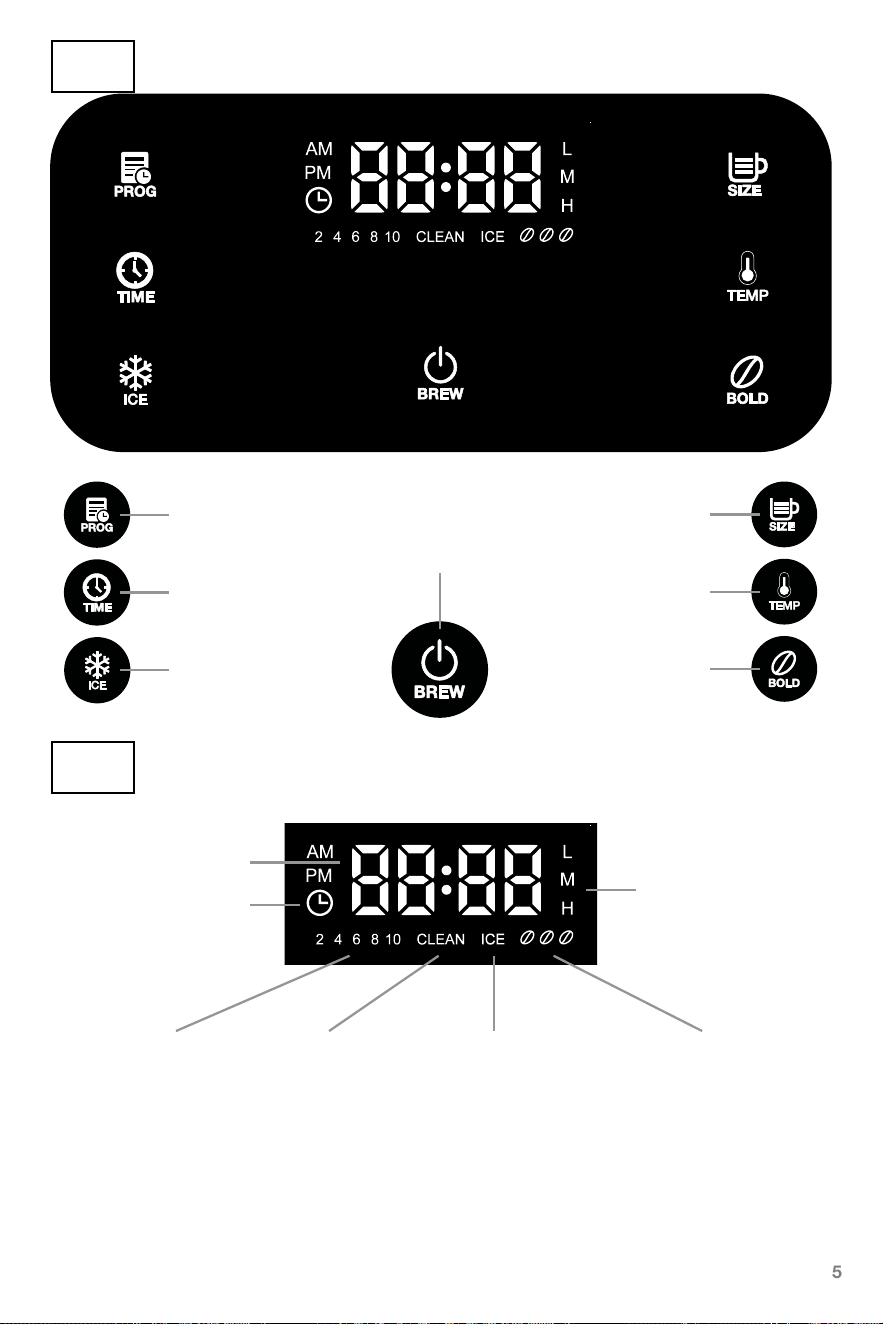
Program setting
Cup size setting
Clock setting
Keep warm setting
Iced Coee setting
Keep warm temperature
Coee strength setting
Programming mode
Time
Fig. 2
Fig. 3
Power / Brew
Clean Iced coee mode Coee strengthCup size
Before First Use
After unpacking your coee maker clean all the loose parts with warm water and make
yourself familiar with the dierent functions. After reading these instructions, clean the
internal parts of the machine by making two carafes using only water, without any ground
coee inside the lter.

6
Using Your Coee Maker
Coee makers produce very hot water. If you follow the sequence as described below
you will avoid possible accidents which might cause severe injuries and burns.
1. Remove carafe from machine and ll carafe with desired amount of water.
Note: Water will be absorbed during brewing process. The brewed coee will be
slightly less than markings on carafe.
2. Open the lid (Fig. 1, A) and ll the water tank (Fig. 1, E) with water
Caution: The water level should not exceed MAX level marked on the water level
indicator on the side of the machine. If you ll too much water into the water tank the
carafe may overow with hot coee.
3. Make sure the lter holder (Fig. 1, D) sits rmly into the lter holder housing. Then place
lter (Fig. 1, C) into the lter holder and ensure it ts correctly.
Note: A size #4 paper lter can also be used instead of the lter. Do not use a paper
lter inside of the lter.
Caution: If the lter holder is not engaged correctly into the housing, the drip stop in
the lter holder might not open during brewing. Hot water and grinds could overow
and leak from the machine.
Caution: When you push against the drip stop from the bottom, and the lter holder
lifts up, re-insert the lter holder. Otherwise the drip stop will not open during brewing.
Hot water could overow from the lter causing injuries.
4. Add medium coarse ground coee into the lter. Use approximately 1 level tablespoon
of ground coee per cup of coee according to the personal taste. Then close the top
lid. DO NOT exceed 14 level tablespoons of coee in the lter.
5. Make sure the carafe lid sits properly on the glass carafe. Insert the carafe into the
machine. The inner part of the lid will push the drip stop up to let the coee brew
through.
6. Plug the power cord into the outlet.
7. Follow the “function setting” to set the function, and nally press the BREW icon to
start making coee.
8. The brewing process can be interrupted by pressing the BREW icon once at any time
during operation. The appliance will continue brewing once the BREW icon is pressed
again. Note: You can remove the carafe from the platform during the brewing process
for approximately 30 seconds to pour a cup before brewing is nished.
9. Immediately after brewing is nished there could still be hot water in the lter passing
through the ground coee. This can take 1 to 3 minutes to pass through depending
on how much coee you used and how ne the coee was ground. Wait until all
brewed coee is in the carafe before serving.
10. If you want to make another carafe of coee immediately after the rst pot, make sure
the machine is o and allow it to cool down for three minutes before relling the water
tank. Important: Make sure the carafe is empty before brewing.
7
Programming Function
1. Press the PROG icon to set the programming. The hour will ash and the
“:” and “minute” parts will not ash.
2. Quickly press the TIME icon once to increase by one hour. If you press
the TIME icon and hold, the hour will increase rapidly. After setting the
“hour,” leave the panel idle for 3 seconds and “hour” will stop ashing
and the “minute” number will start ashing.
3. Each time you press the TIME icon, the minute will increase by a minute.
Pressing and holding the TIME icon will increase the minute rapidly.
When the minutes are set and the panel is idle for 3 seconds, the
program setup is now complete.
Function Setting
Setting the Clock
1. Press the TIME icon to set the time. The hour will ash while the “:” and
“minute” will ash.
2. Quickly press the TIME icon once to increase by one hour. If you press
the TIME icon and hold, the hour will increase rapidly. After setting the
“hour,” leave the panel idle for 3 seconds and “hour” will stop ashing
and the “minute” number will start ashing.
3. Each time you press the TIME icon, the minute will increase by a minute.
Pressing and holding the TIME icon will increase the minute rapidly.
When the minutes are set and the panel is idle for 3 seconds, the clock
setup is now complete.
Important: other functions cannot be selected while setting the time or
while in the time setting mode.
11. Always turn the coee maker o and unplug the power cord from the electrical outlet
when the coee maker is not in use.
Important: Always use caution when opening the lid directly after brewing, or when
the heating platform is on. Hot steam can rise from inside the machine and
cause injury.
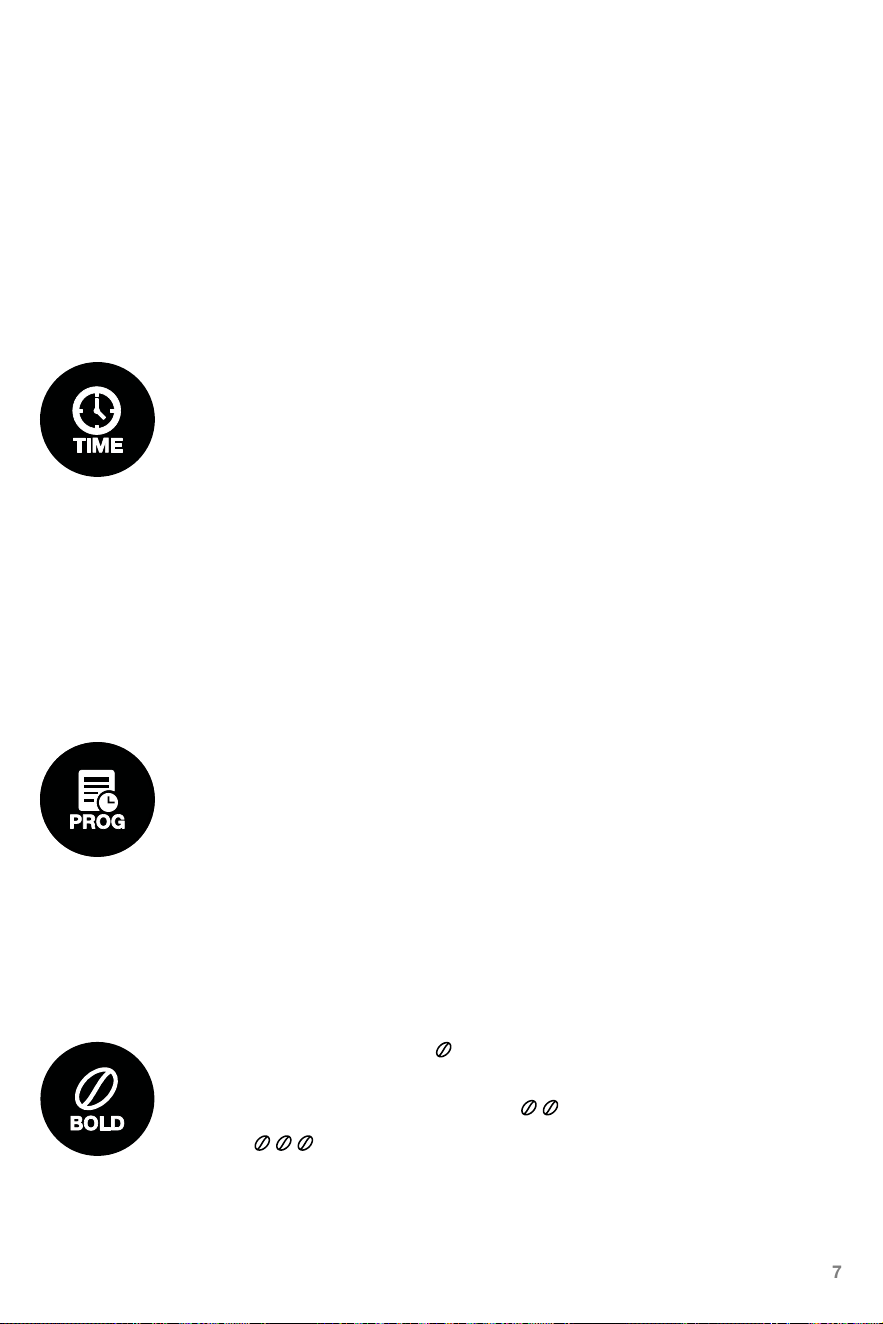
Coee Strength setting
1. The initial default setting is standard which will give
you the fastest brewing time.
2. Touch the Bold icon once to choose the medium setting.
3. Select strong for the maximum avor.
8
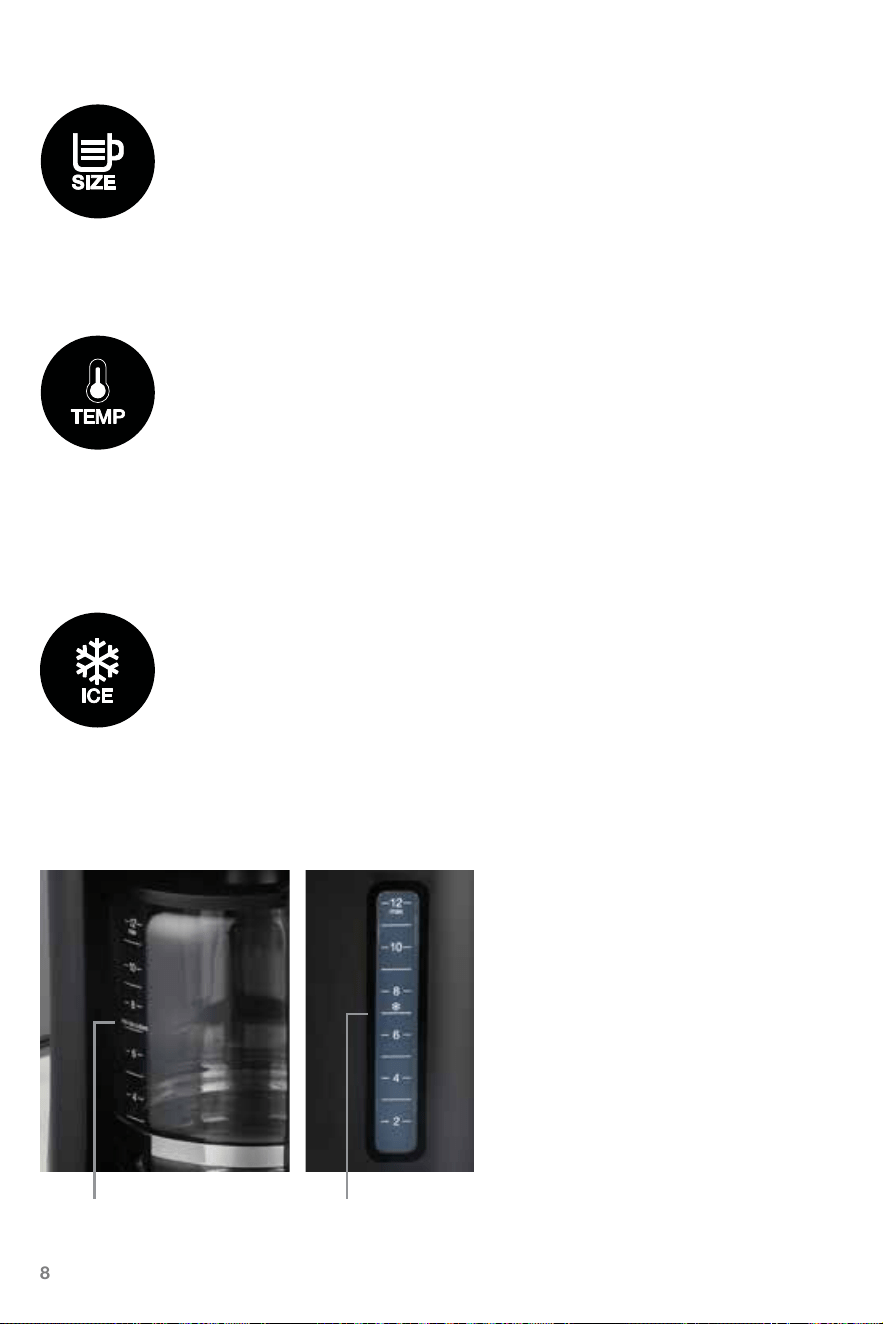
Iced coee function
1. This feature is to be used when making iced coee.
2. When making iced coee, you must brew over ice and add ice to
the carafe.
3. When the iced coee icon is on, the keep warm and the cup size setting
will be disabled.
4. The iced coee function will only brew up to 7 cups of coee.
5. Fill water less than 7 cup level in order to brew smaller number of cups.
Caution: do not ll ice above the “max ice cubes” line of the glass carafe.
Tips for great Iced Coee:
• We reccommend using a medium
roast coee ground at a medium
coarse setting
• Use strong coee strength setting on
your machine
Note: Too ne a grind may lead to
over-extraction and increased bitterness
of your coee, while too coarse a grind
can leave your coee tasting weak or
under-extracted.
Cup size setting
1. Each time you touch the cup size icon, dierent cup sizes will appear on
the screen.
2. Available cup size options are: 2, 4, 6, 8, 10, 12. Note: The initial default
setting is 12-cup, which won’t be displayed on the screen.
3. Once the cup size is set, it will remain as the default until the next
setting change.
Keep warm setting
1. The initial default setting is M (medium) which keeps the coee at
approximately 170°F.
2. Other available temperature options are L (low) which keeps the coee at
approximately 165º F and H (high) which keeps the coee at
approximately 175°F.
3. The last temperature setting will be saved as the default until the next
setting change.
do not add ice
above this line
do not add water
above this line
9
Cleaning & Maintenance
Caution: Be sure to unplug the appliance and allow it to cool down before cleaning. To
protect against electrical shock, do not immerse cord, plug, or unit in water or in liquid.
1. Clean all detachable parts after each use in warm, soapy water. Make sure the drip
stop in the lter holder is free of any coee particles; otherwise, it might not close
properly when removing the carafe. Clean the lter and carafe after each
use to ensure best tasting coee every time.
2. Wipe the product’s exterior surface with a soft, damp cloth to remove stains. Never
use scouring agents or harsh abrasive cleaners.
3. Water droplets may buildup in the area above the lter and drip onto the heating
platform during brewing. To control the dripping, wipe o the area with a clean, dry
cloth after each use of the product.
4. Use a damp cloth to gently wipe the heating platform. Never use abrasive cleaner to
clean the heating platform.
5. Dry all parts fully before placing back into the machine.
Cleaning (Descaling) function
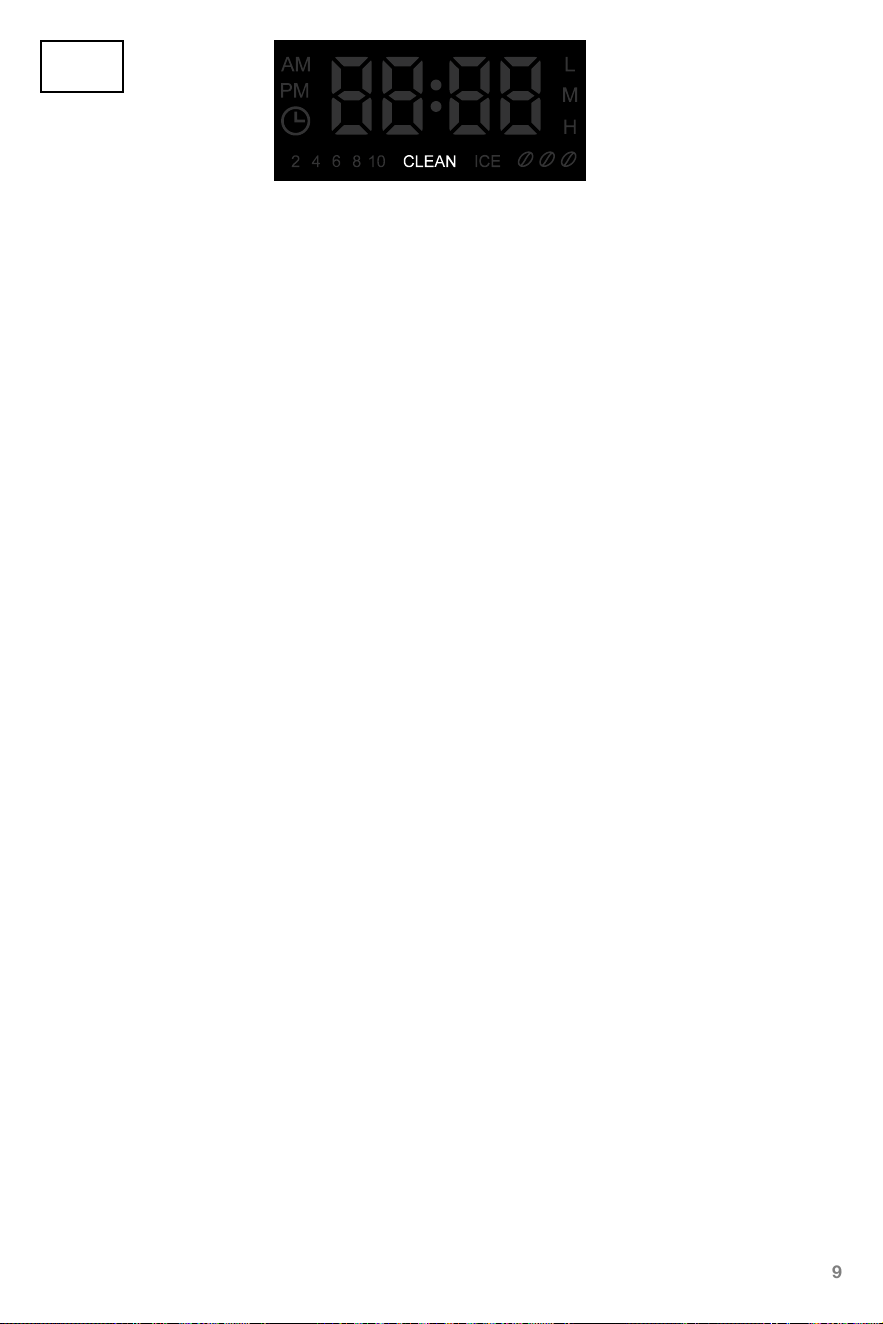
1. Cleaning reminder feature: After 80 brew cycles, the text “CLEAN” will appear on
the LCD screen indicating that the coee machine needs a cleaning(descaling).
2. Before cleaning(descaling), remove the lter from the machine.
3. Dissolve 1-oz(28g) of Capresso Cleaning Solution (or other descaling agent) with
32-oz (1L) of water and pour mixture into the water tank.
4. Place the empty carafe with the lid closed underneath the lter holder.
5. Press and hold the Power icon for 3 seconds to start the cleaning
(descaling) process.
6. Once the cleaning solution in the water tank is completely used and the cleaning
cycle is over, the coee maker will beep three times.
7. Turn the coee maker o, remove the carafe, empty, and rinse a few times with
fresh cold water.
8. Rinse the lter holder thoroughly with fresh water and place it back in the lter
holder housing.
9. Fill the water tank with fresh cold water and brew through machine to fully rinse.
10. Turn o the coee maker and empty carafe.
11. Repeat steps 9 and 10 at least two times before brewing coee again.
Fig. 4
10
Manual Cleaning (Descaling) function
You can also manually initiate the cleaning(descaling) function by following the above
step 2 through 11.
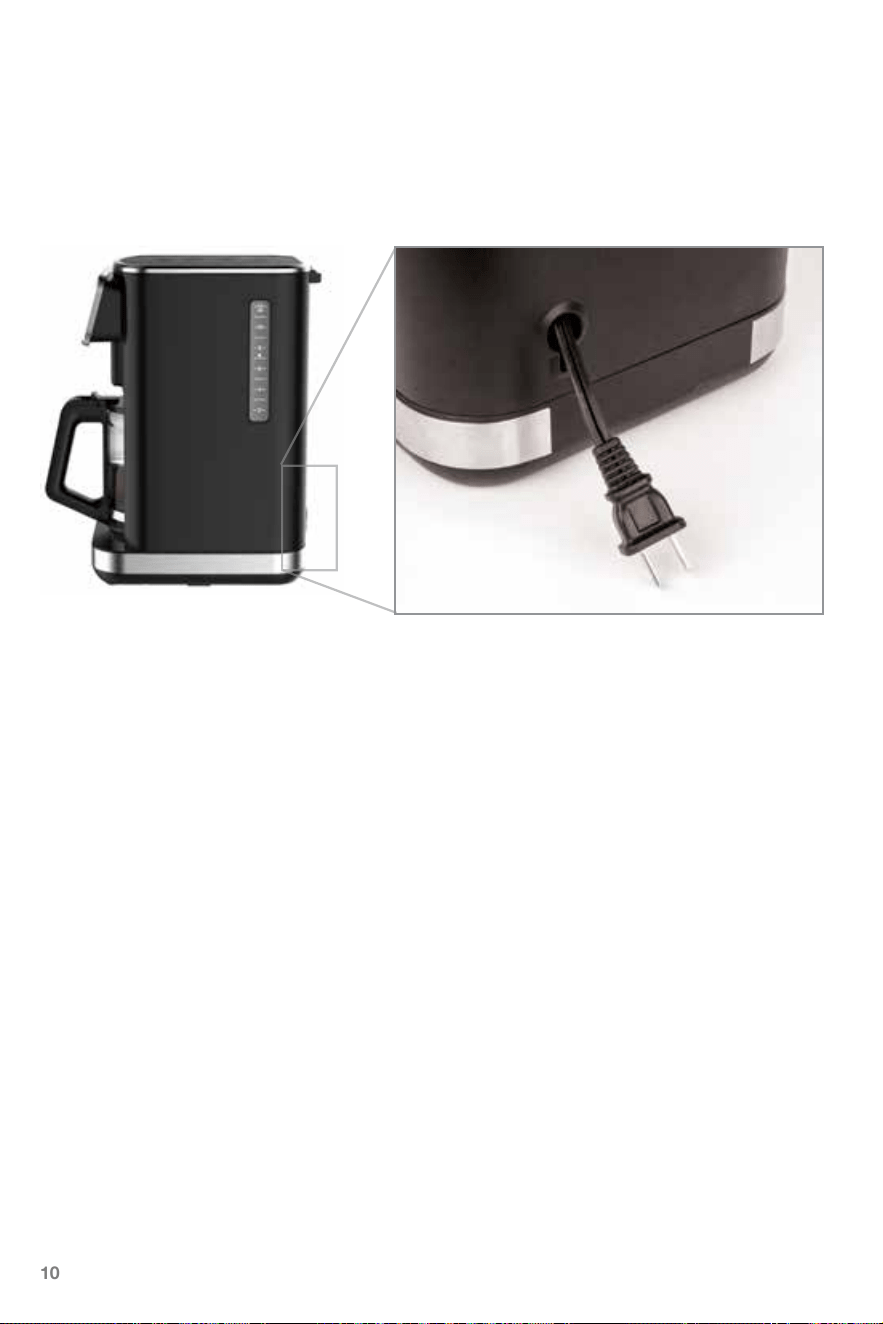
Power cord storage function
There is a space for storing the power cord on the back of the machine body, and the
remaining cord can be stored inside the machine after the exposed length of the power
cord is reserved.
Memory
If the power supply has been disrupted or machine was unplugged from the outlet
unintentionally during operation, the appliance will continue operation automatically from
the point when the disconnection occurred provided that the pause does not exceed
15 seconds. In the event the paused time exceeds 15 seconds, the display shows the
default setting, the appliance must be reset and restarted.

11
Hints for Great Tasting Coee
1. A clean coee maker is essential for making great tasting coee. Regularly clean the
coee maker as specied in the “Cleaning & Maintenance” section. Always use fresh,
cold water in the coee maker.
2. Store unused ground coee in a cool, dry place. After opening a package of ground
coee, reseal it tightly or place into an airtight container. DO NOT store ground coee
in the refrigerator or freezer.
3. For optimum coee taste, buy whole coee beans and grind them just before brewing.
Keep unused whole beans in an airtight container in a cool dry place.
4. DO NOT reuse ground coee since this will greatly reduce the coee’s avor.
Reheating coee is not recommended as coee is at its peak avor immediately
after brewing.
Troubleshooting
What to do if...
...Coee drips from the lter, when the carafe is removed.
• Ground coee sits in the drip stop and does not allow the drip stop to close properly.
Immediately replace the carafe and wait until all the coee has been ltered in the
carafe. Now remove carafe and remove the lter holder. Clean lter holder under running
water. Push the drip stop several times to remove coee particles. Over the sink ll
some water into the lter holder and check if the drip stop closes properly.
...Ground coee is owing over the lter.
• Coee is ground too nely. Use a coarser ground.
• Too much ground coee was placed in lter. Use less ground coee next time.
• Use a size #4 paper lter instead of the lter.

1-800-767-3554
Mon-Fri 8AM – 8PM • Sat 9AM – 5PM
Eastern Time Zone
JURA Inc.
20 Craig Road, Montvale, NJ 07645
201-767-3999 • Fax: 201-767-9684
www.capresso.com
Customer Service
This warranty covers your CAPRESSO machine, model #496.01 Touchscreen
Coee Maker. The model # can be found on the bottom of the machine. This
warranty is in eect for one year from the date of the rst consumer purchase.
This warranty covers all defects in materials or workmanship (parts and labor).
EXCEPT THE BREAKAGE OF GLASS!
This warranty does not cover:
• Any machine not purchased from an Authorized Dealer.
• Commercial use of machine.
• Damage caused by accident, abuse, negligence, misuse, improper operation
or failure to follow instructions contained in this manual.
• Damaged caused to pump or ThermoBlock by running the machine
without water.
• Any service or alteration performed by an unauthorized person, company,
or association.
• Carafes (Glass or Thermal)
Other limitations and exclusions: Any implied warranties including tness
for use and merchantability are limited in duration to the period of the express
warranty set forth above and no person is authorized to assume for JURA
any other liability in connection with the sale of the machine. JURA expressly
disclaims liability for incidental and consequential damages caused by the
machine. The term “incidental damages” refers to the loss of the original
purchasers’ time, loss of the use of the machine or other costs relating to the
care and custody of the machine. The term “consequential damages” refers to
the cost of repairing or replacing other property which is damaged when this
machine does not work properly. The remedies provided under this warranty are
exclusive and in lieu of all others. This warranty gives you specic legal rights,
and you may also have other rights which vary from state to state.
LIMITED ONE-YEAR WARRANTY