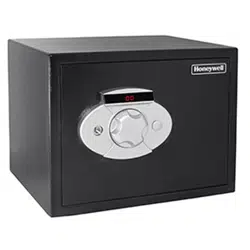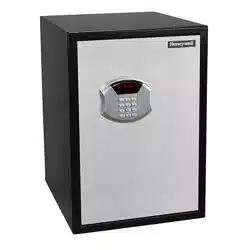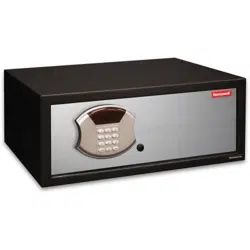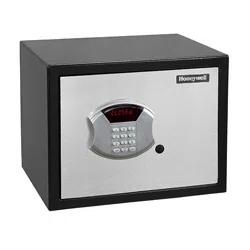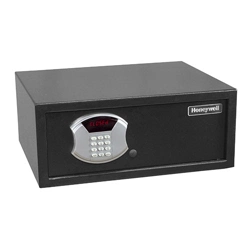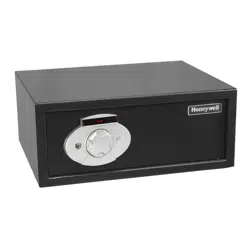
Models 5203 / 5205 / 5207 / 5215
STEEL SECURITY SAFE WITH
DIGITAL DIAL LOCK
Read this manual carefully and never store it inside the safe!
1
Models 5203 / 5205 / 5207 / 5215
Steel Security Safe with Digital Dial Lock
PACKAGE CONTENTS
1 – Steel Security Safe
1 – Operation Manual
2 – Entry Keys
2 – Override Access Keys
4 – “AA” Batteries
1 – Mounting Kit w/ Bolts
ATTENTION
DO NOT RETURN SAFE TO STORE!
For missing parts or difficulty operating your safe, please contact our Consumer
Assistance Department by telephone.
Store will not accept returned products without prior authorization. You must first
contact our consumer assistance department.
US/Canada 1-877-354-5457 (Toll Free)
Mexico 01-800-288-2872 After English voice recording stops you must then enter
800-860-1677 to complete your call. (Toll Free)
Australia 0011-800-5325-7000 (Toll Free)
Germany/New Zealand 00-800-5325-7000 (Toll Free)
Other Countries XX*-310-323-5722
XX*- Dial U.S. Country Code first (Toll Charges Apply)
PRODUCT OVERVIEW
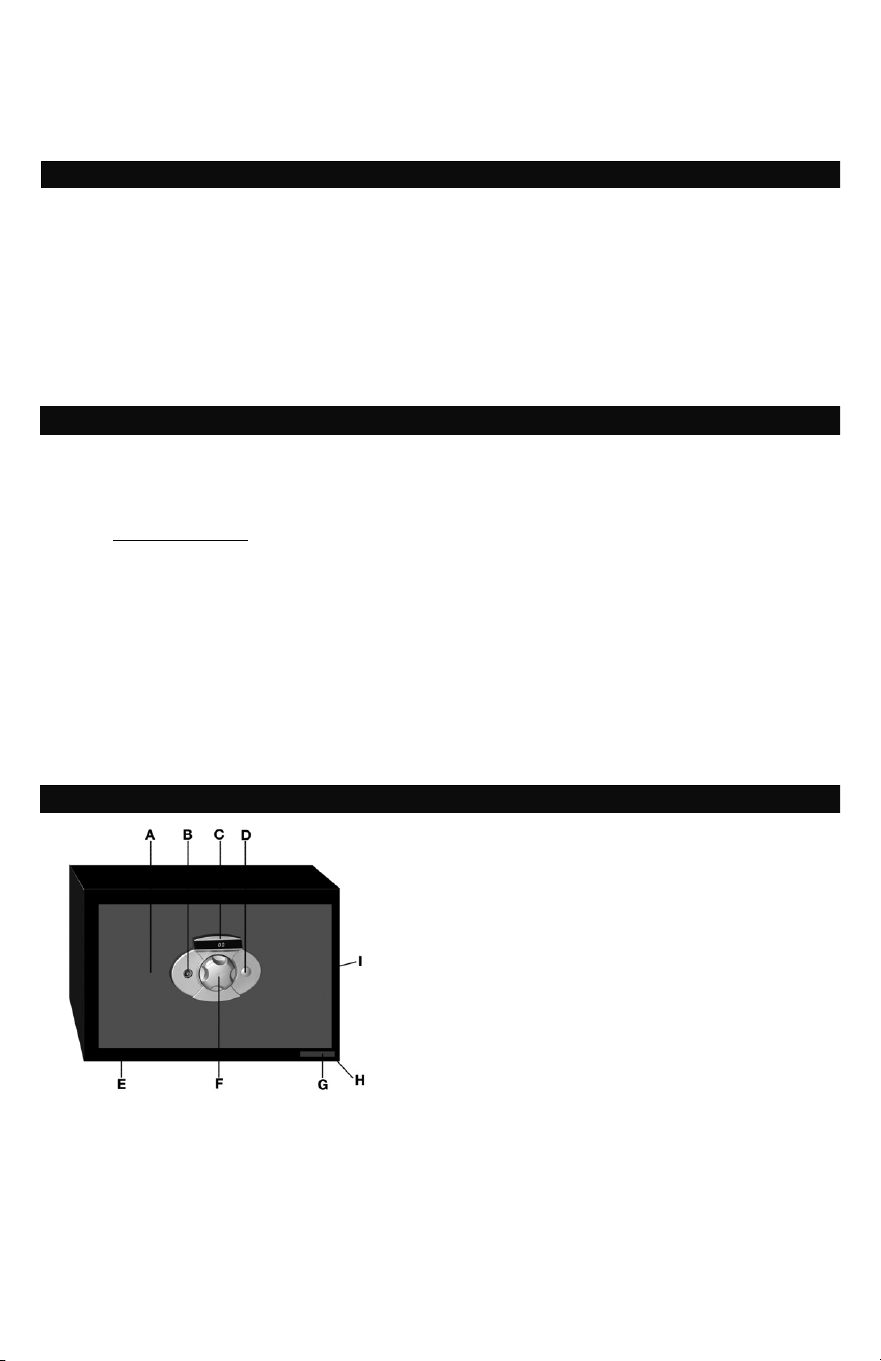
A - Safe Door
B - Access Key Lock
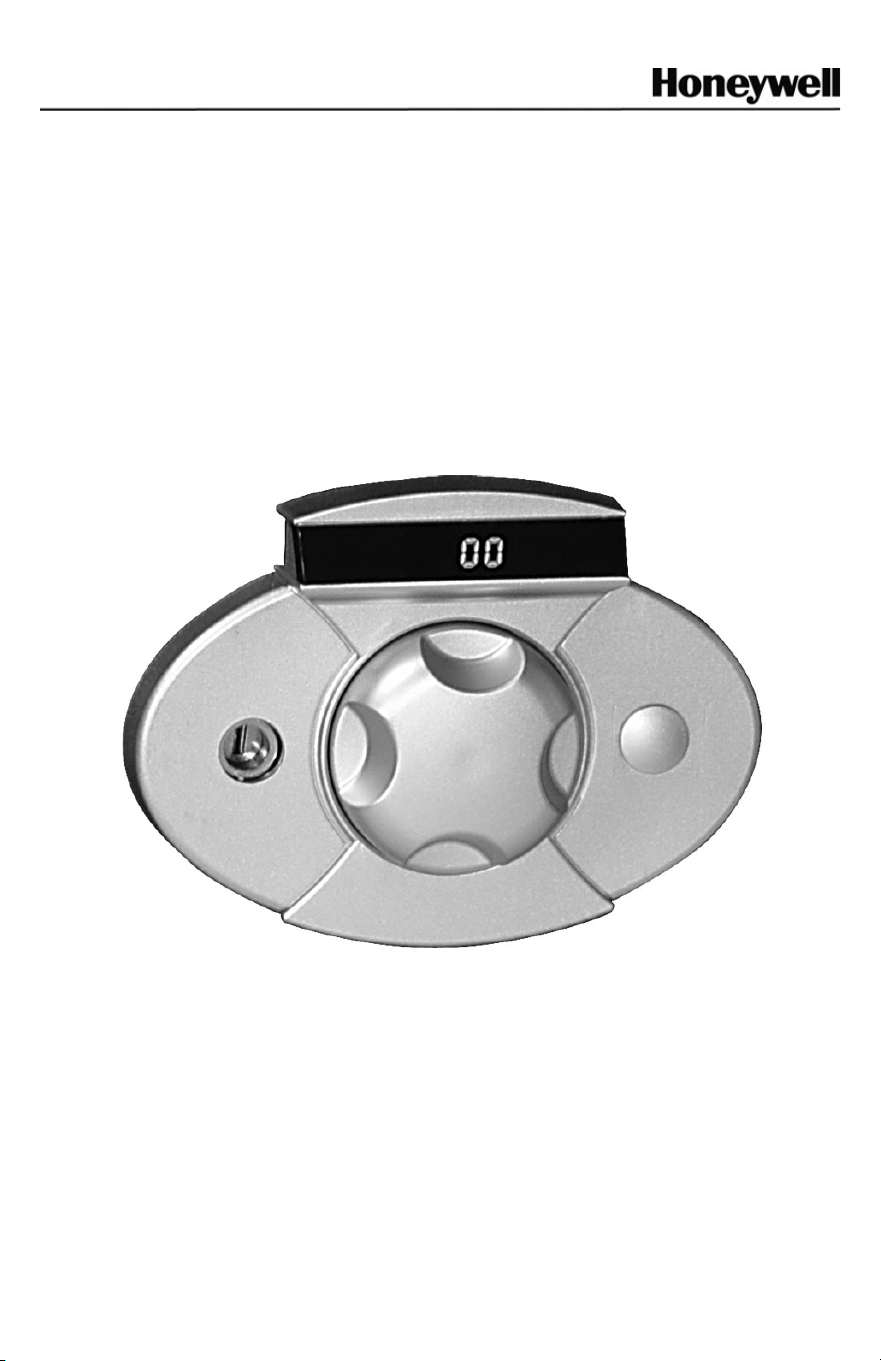
C - LED Display panel
D - Override Key Lock / Removable Cover
E - Safe Cabinet
F - Electronic Digital Dial
G - Safe Serial Number
H - Bottom Panel Pre-drilled Mounting Holes
I - Rear Panel Pre-drilled Mounting Holes
2
SETUP & OPERATION
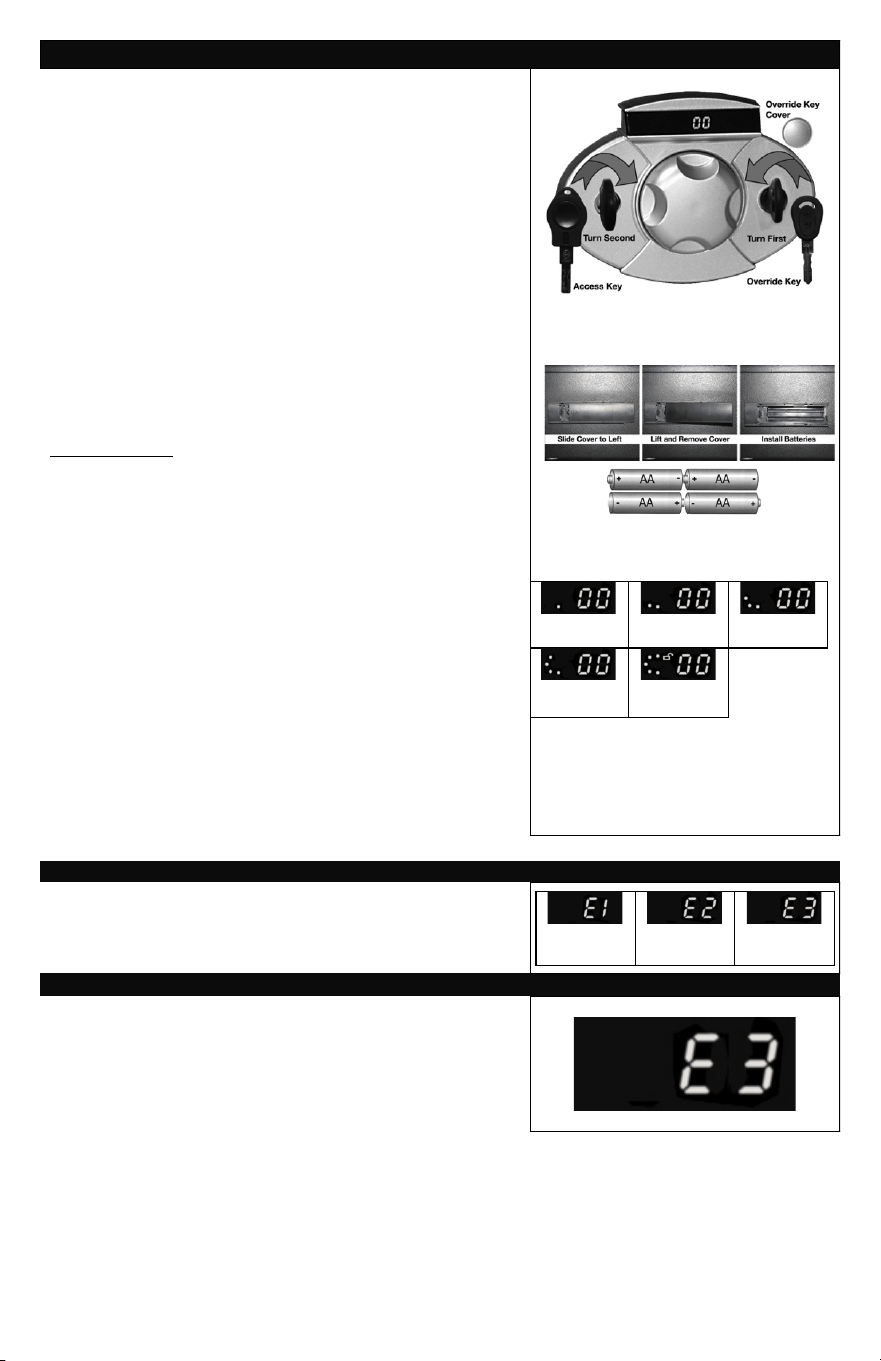
STEP 1. OPEN SAFE USING OVERRIDE KEY
1. Insert the Access Key into the lock and then remove the
override key lock cover and insert the override key.
2. Turn the Override key counter clockwise to the left and
turn the access key clockwise to the right and pull the
door open.
3. While the door is open, return the Access key to the
locked position and then turn and remove only the
Override Key. Reinstall the override lock cover and safely
store the key in a location away from the safe.
STEP 2. INSTALL BATTERIES
1. Remove the battery compartment cover located on the
inside door panel.
2. Insert (4) “AA” batteries making sure they are installed
properly with regards to (+ -) polarity. See Diagram.
3. Replace the battery cover.
4. Do not close door before testing digital dial lock.
IMPORTANT NOTE: The batteries provided with the safe are for use during
initial programming and set-up only. They are not for long term use and should
be replaced with (4) long lasting Alkaline or Lithium batteries.
STEP 3. TEST DIGITAL DIAL LOCK:
FACTORY DEFAULT CODE (00, 00, 00, 00, 00)
1. Turn the Digital Dial lock knob stopping when “00”
appears on the LED display.
2. Press in on the Digital Dial knob, “00” will flash 3 times
and a single dot will appear on the LED display.
3. Repeat this process 4 more times and each time
“00” will flash 3 times and an additional dot will appear
on the readout for a total of 5.
4. When the fifth entry is made, a small unlocked
symbol will also appear on the readout. At this time
the safe can be safely opened by turning the Access
Key to the left.
5. Note: You have only 20 seconds between each
digital entry and will have to start at the beginning
if you time out during programming.
1
ST
Successful
Entry
2
nd
Successful
Entry
3
rd
Successful
Entry
4
th
Successful
Entry
5
th
Successful
Entry
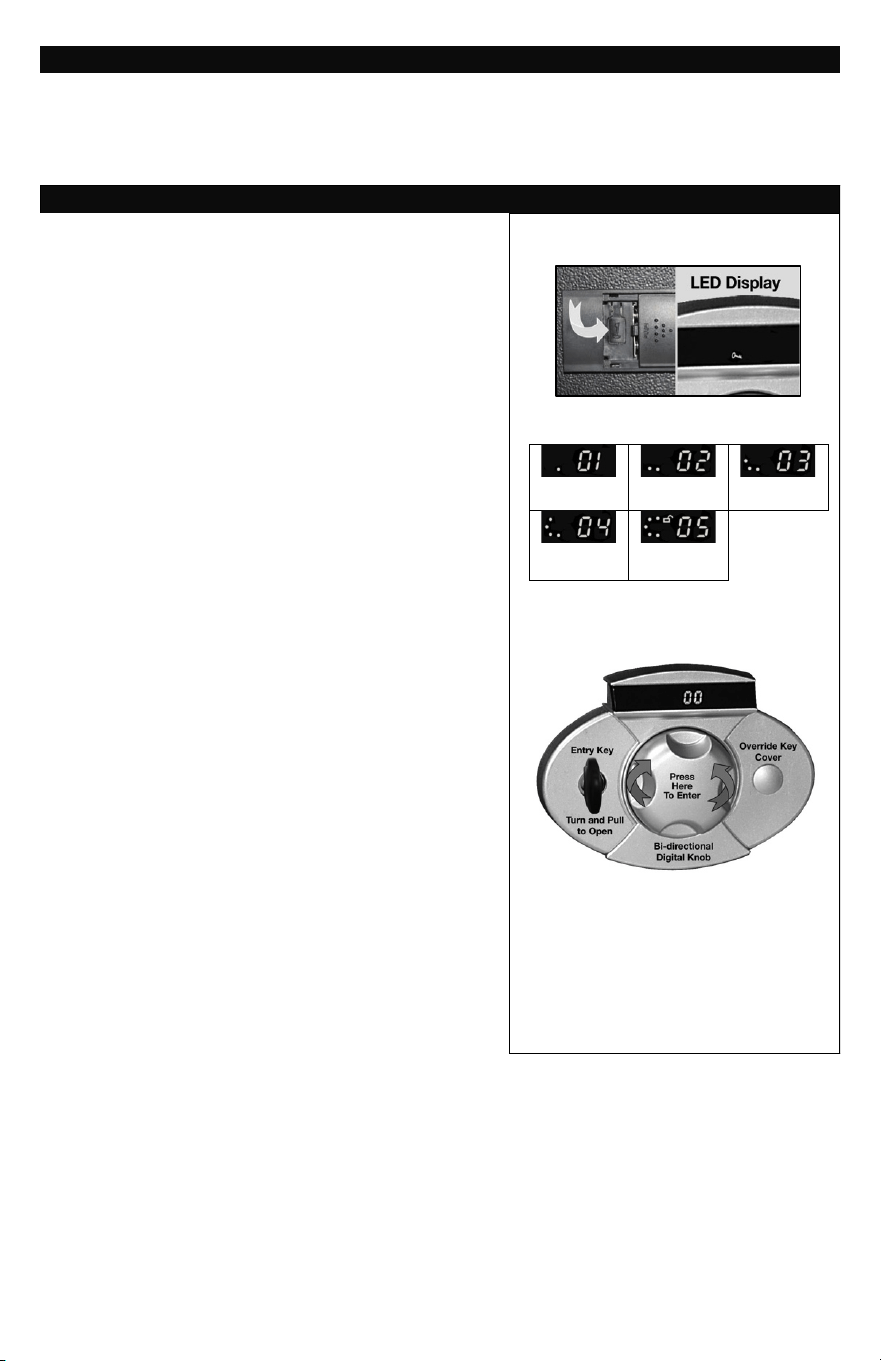
ENTERING THE WRONG CODE
If while opening your safe an incorrect code is entered,
the following error messages will appear on the LED
display: E1 for the first incorrect entry / E2 for the second
incorrect entry / E3 for the third incorrect entry.
1
ST
Wrong
Entry
2nd Wrong
Entry
3rd Wrong
Entry
SECURE LOCKOUT PERIOD
For security reasons, when the 3
rd
incorrect entry is made
and the E3 error message appears, then the digital dial
will not operate for two minutes. During this lockout
period access to the safe can only be made using the
override key. Once the lockout period has expired, then
the safe can be unlocked using the correct pass code.
3
IF YOU FORGET PASSCODE
If you forget your pass code, you can gain access to the safe by referring to the instructions
outlined in Step 1- OPEN USING THE OVERRIDE KEY. Once the safe is opened, you can then
reprogram a new pass code as outlined in Step 4 – PROGRAMMING A NEW PASSCODE.
SETUP & OPERATION (Cont.)
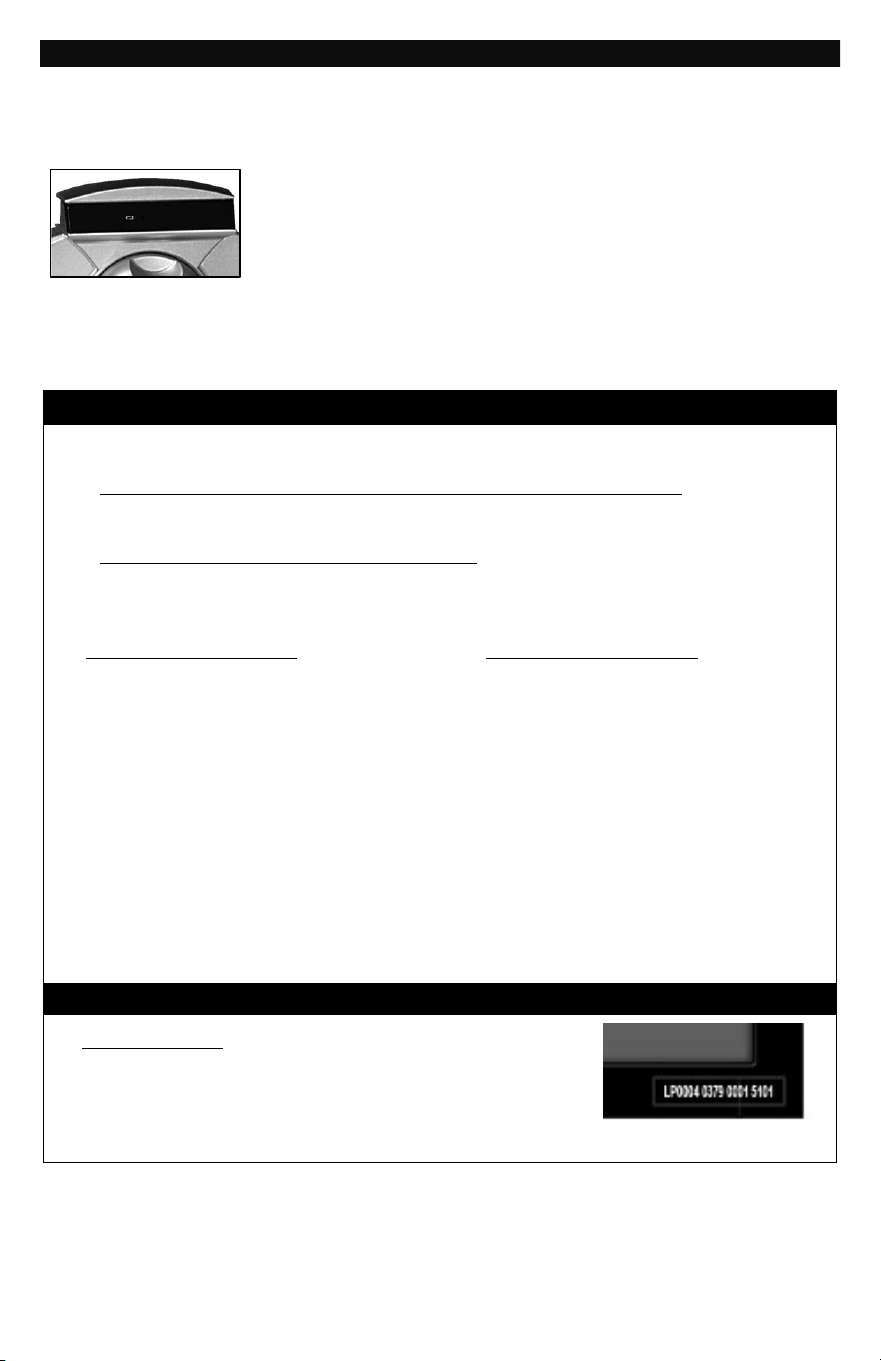
STEP 4. PROGRAMMING A NEW PASSCODE
1. With the door opened, locate the battery compartment
cover and slide it to the right exposing the small reset
button. (See diagram)
2. Press in on the button and a small symbol will appear
on the LED display.
3. Turn the Digital Dial and stop on the first two numbers
of your new password, then press in on the dial. The
selected number will flash 3 times and a small dot
will appear on the LED display. This confirms that your
first set of numbers is programmed into memory.
4. Repeat this process 4 more times using your selected
two digits each time. Another small dot will appear
on the LED display each time confirming acceptance.
Remember, you only have 20 seconds between each
entry and if you time out you will have to begin again.
(Note the diagram to the right)
5. When the fifth and final entry is made, a small key
symbol will flash 3 times on the LED display
confirming that your new pass code has been
accepted into memory.
6. This is now the only pass code that will open
the safe and all prior codes have been eliminated.
You should make note of the new pass code and
store in a secure location away from the safe.
STEP 5. OPEN SAFE WITH NEW PASSCODE
1. Insert the access key into the lock
2. Turn the dial to the first 2 digit number of your new
pass code and press in on the dial. The first of five
small dots will appear on the LED display to confirm
entry.
3. Repeat this process four more times until all 5 sets of
2 digit numbers have been entered into the digital
keypad and the small unlock symbol appears on the
LED display.
4. Turn the Access Key to the left and pull the door
open.
5. To relock the safe, close the door and turn the access
key to the right.
6. Remove the access key and secure in a safe location.
1
ST
Successful
Entry
2
nd
Successful
Entry
3
rd
Successful
Entry
4
th
Successful
Entry
5
th
Successful
Entry
4
REPLACING BATTERIES
Upon activation, If the batteries in your safe are in need of replacement a small icon will appear on
the LED display alerting you. If and when this icon appears, all 4 “A” batteries should be replaced
immediately. If the batteries get too low on power, than access to the safe might require use of the
override key to gain entry.
Replacing the batteries is outlined in Step 2 INSTALL BATTERIES.
Remember to always use Alkaline or Lithium replacement batteries and
avoid using non-alkaline or rechargeable batteries. If the safe is going
to be unused for an extended time period, then the batteries should
first be removed.
NOTE: Your pass code will remain programmed into memory during battery replacement or when
batteries become weak and inoperable. It will not be erased.
ORDERING NEW / REPLACEMENT KEYS
The following information is required to order keys:
1. PROOF OF OWNERSHIP (1 of 2 Options Below)
SALES RECEIPT & IDENTIFICATION – INTERNATIONAL ORDERS ONLY!
• Copy of sales receipt showing Store, Date & Product Description.
• Copy of your picture I.D. (Drivers license, passport, regular I.D.).
PRODUCT OWNERSHIP VERIFICATION FORM
If sales receipt is not available, contact us by email or telephone to request a “Product
Ownership Verification Form”.
2. ORDER INFORMATION
CONTACT INFORMATION
• Name & Shipping Address
• E-mail address (If Available)
• Telephone Number
• Best Time to Contact You
PRODUCT INFORMATION
• Safe Model #
• Safe Serial #
• Lock Key #
• Quantity of Keys Ordered
3. METHOD OF PAYMENT
• Telephone:
Visa or MasterCard
• Mail:
Check or Money Order
NOTE: For pricing please contact Consumer Assistance.
Contact information is located on the back cover of this manual
Terms subject to change without prior notification.
LOCATING SAFE IDENTIFICATION NUMBERS
SERIAL NUMBER
Located on lower right corner on front of safe. Do Not
Remove Safe I.D. Tags!

5
MOUNTING YOUR SAFE
For extra security, you may want to permanently secure you safe to a back wall or floor.
Pre-drilled holes for this purpose are located on the bottom and backside of the safe.
While it is not extremely difficult to mount the safe, it is important that you have the
proper tools and knowledge to do so. If not, then you might choose to utilize the services
of a professional.
MOUNTING (Models 5203 / 5205 / 5207)
1. Select a suitable and convenient location and determine if you want to secure
it to a wall or to the floor.
2. Make sure the safe is empty of all contents including the removable carpet.
3. If the safe is going to be secured to a wall, it is recommended that the center
mounting hole be lined up with one of the vertical wall studs and secured using
a 3” lag screw with washer. The lag screw can be tightened into place using a
ratchet or drill driver with ratchet attachment.
4. If safe is being mounted to a wood floor, then it can be secured using at least
two or more of the bottom pre-drilled holes. Again lag screws and washers
should be used to secure in place.
5. If safe is being mounted to a concrete slab, then after locating placement and
marking the hole positions, a mortar bit will be required to drill holes into the
concrete and masonry anchors used to secure in place.
6. Once safe is properly mounted, replace the carpet and shelf if provided.
It is important to note that if prior to installation you have any questions and/or
concerns regarding the proper securing of the safe to a wall or floor you should check
with your local home center/hardware retailer or independent contractor. The securing
of the safe to a wall or floor is at the consumer’s expense and discretion. LHLP, Inc. is
not responsible for any costs incurred if the unit is damaged and needs to be replaced.
REMOVABLE SHELF (Model 5207)
If your safe is equipped with a removable shelf, it can easily be removed to
accommodate the storage of taller or larger items.
1. Remove items from shelf
2. Lift and tilt to the side and remove through the door opening
3. Safely store for future use. DO NOT DISCARD!
6
MOUNTING (Model 5215)
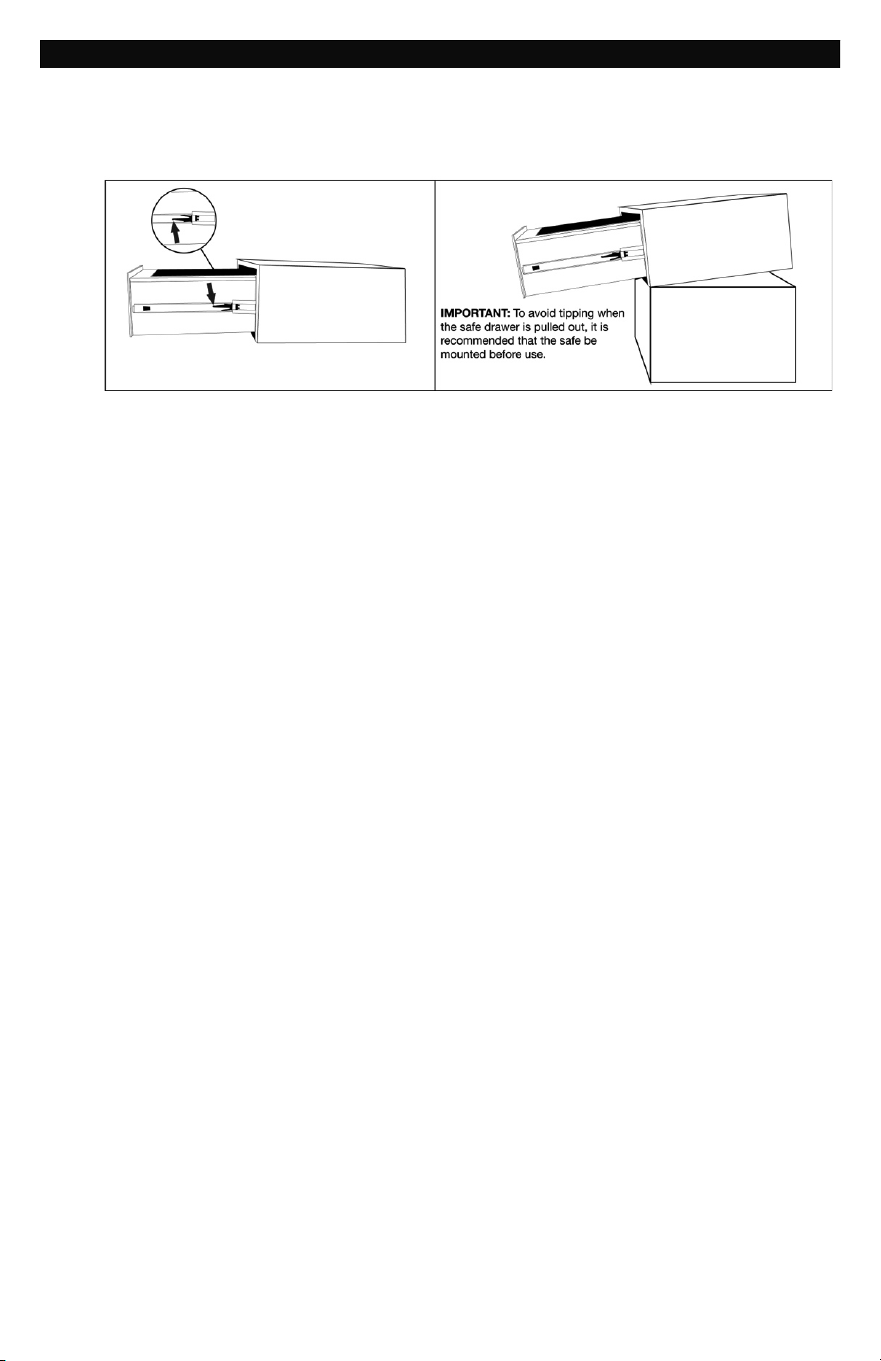
1. Unlock the safe and Pull the drawer out until it stops. On each of the drawer glides there
is a small plastic latch. To remove the drawer you need to simultaneously push down on
the right side latch while pulling up on the left side latch putting forward pressure on the
drawer as you do. This will release the drawer from the drawer glides and allow the
drawer to be removed.
2. Determine if you want to secure the safe to the wall on onto the floor and then select
a suitable and convenient location.
3. Locate the predrilled holes on the inside of safe.
4. Place your safe in the desired location.
5. Line up the predrilled holes and mark the floor or wall through the holes. NOTE: It is not
recommended to attempt to bolt to both floor and wall.
6. Move the safe aside to clear marked spots for drilling.
7. Drill holes appropriate for hardware being used and the mounting surface.
INCLUDED: (2 each – bolts, washers and masonry anchors).
8. Place the safe back over the holes and install the fasteners as required.
It is important to note that if prior to installation you have any questions and/or concerns regarding
the proper securing of the safe to a wall or floor you should check with your local home center /
hardware retailer or independent contractor. The securing of the safe to a wall or floor is at the
consumer’s expense and discretion. LHLP, Inc. is not responsible for any costs incurred if the unit
is damaged and needs to be replaced.

7
LIMITED WARRANTY
LH Licensed Products, Inc., (“LHLP, Inc.”) warrants that for a period of seven (7) years
from the date of purchase, this product will be free from structural or mechanical
defects resulting from materials or workmanship. LHLP, Inc., at its sole option and as
the purchaser’s sole remedy under this warranty, will repair or replace this product or
any component of the product found to be defective during the warranty period.
Replacement or repair will be made with a new or remanufactured product or
component. If the product is no longer available, replacement may be made with a
similar product of equal or greater value.
THIS IS YOUR EXCLUSIVE WARRANTY.
Our goods come with guarantees that cannot be excluded under the Australian
Consumer Law. You are entitled to a replacement or refund for a major failure and for
compensation for any other reasonably foreseeable loss or damage. You are also
entitled to have the goods repaired or replaced if the goods fail to be of acceptable
quality and the failure does not amount to a major failure.
This warranty is only valid for the original retail purchaser from the date of initial retail
purchase and is not transferable. You must keep the original sales receipt. Proof of
purchase is required to obtain warranty service.
LHLP, Inc. dealers, service centers, or retail stores selling this product do not have the
right to alter, modify or in any way change the terms and conditions of this warranty.
This warranty does not apply to the finish on the product. This warranty does not cover
normal wear and tear of parts or damage resulting from any of the following: negligent
use or misuse of the product, use contrary to the operating instructions, disassembly,
repair or alteration by anyone other than LHLP, Inc. or an authorized service center,
improper installation, or exposure to extremes of heat or humidity. Further, the
warranty does not cover Acts of God, such as fire, flood, hurricanes and tornadoes.
LHLP, Inc. shall not be liable for any incidental or consequential damages caused by
the breach of any express or implied warranty or otherwise relating to the sale of this
product. LHLP, Inc. is also not responsible for: costs associated with removing or
installing the product; damage or loss of the contents of the product; nor for the
unauthorized removal of the contents; or damages incurred during shipment.
THE ABOVE WARRANTY IS IN LIEU OF ALL OTHER WARRANTIES, EXPRESS OR
IMPLIED, INCLUDING ANY WARRANTIES OF MERCHANTABILITY OR FITNESS FOR
A PARTICULAR PURPOSE, AND LHLP, INC. DISCLAIMS ANY AND ALL OTHER
COVENANTS AND WARRANTIES.
Except to the extent prohibited by applicable law, any implied warranty of
merchantability or fitness for a particular purpose is limited in duration to the duration
of the above warranty period. Some states, provinces or jurisdictions do not allow the
exclusion or limitation of incidental or consequential damages or limitations on how
long an implied warranty lasts, so the above limitations or exclusion may not apply to
you. This warranty gives you specific legal rights, and you may also have other rights
that vary from state to state, or province to province, or jurisdiction to jurisdiction.
8
CONSUMER ASSISTANCE
EMAIL (Best Contact
Method):
WEBSITE:
www.Honeywellsafes.com (Effective April 15, 2013)
ADDRESS:
Consumer Assistance Dept.
LH Licensed Products, Inc.
860 East Sandhill Avenue
Carson, CA 90746 USA
TELEPHONE:
US/Canada 1-877-354-5457 (Toll Free)
Mexico 01-800-288-2872 After English voice recording stops you
must then enter 800-860-1677 to complete your call. (Toll Free)
Austrailia 0011-800-5325-7000 (Toll Free)
Germany/New Zealand 00-800-5325-7000 (Toll Free)
Other Countries XX*-310-323-5722 (Toll Charges Apply)
XX*- Dial U.S. Country Code first
CALL CENTER HOURS:
US/Canada 7am – 5pm (PST**) Mon – Fri
CALL BACK HOURS:
Other Countries 7am – 8pm (PST**) Mon – Fri
PST**- Local time in Los Angeles, CA, USA
INTERNATIONAL CALL BACK HOURS:
If you need to speak with a consumer assistant and cannot contact us during the Call
Center hours above, please send an email or leave a telephone message, including your
Name, Telephone Number and the best time for us to contact you during the Call Back hours
above and we will make our best effort to contact you and help to answer any of your
questions or concerns.
The Honeywell Trademark is Used under license from Honeywell
International Inc. Honeywell International Inc. makes no representations
or warranties with respect to this product.
Manufactured by
LH Licensed Products, Inc.
860 East Sandhill Avenue
Carson, CA 90746
M5203E-09182014