User Manual
04/2025
178AWT48F
178AU27F
Commercial Refrigerators
and Freezers
Base Models:
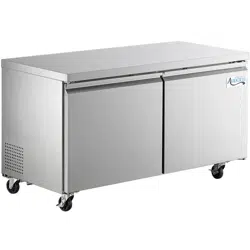
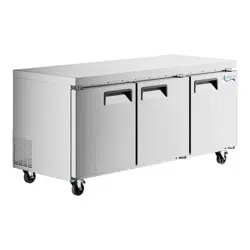
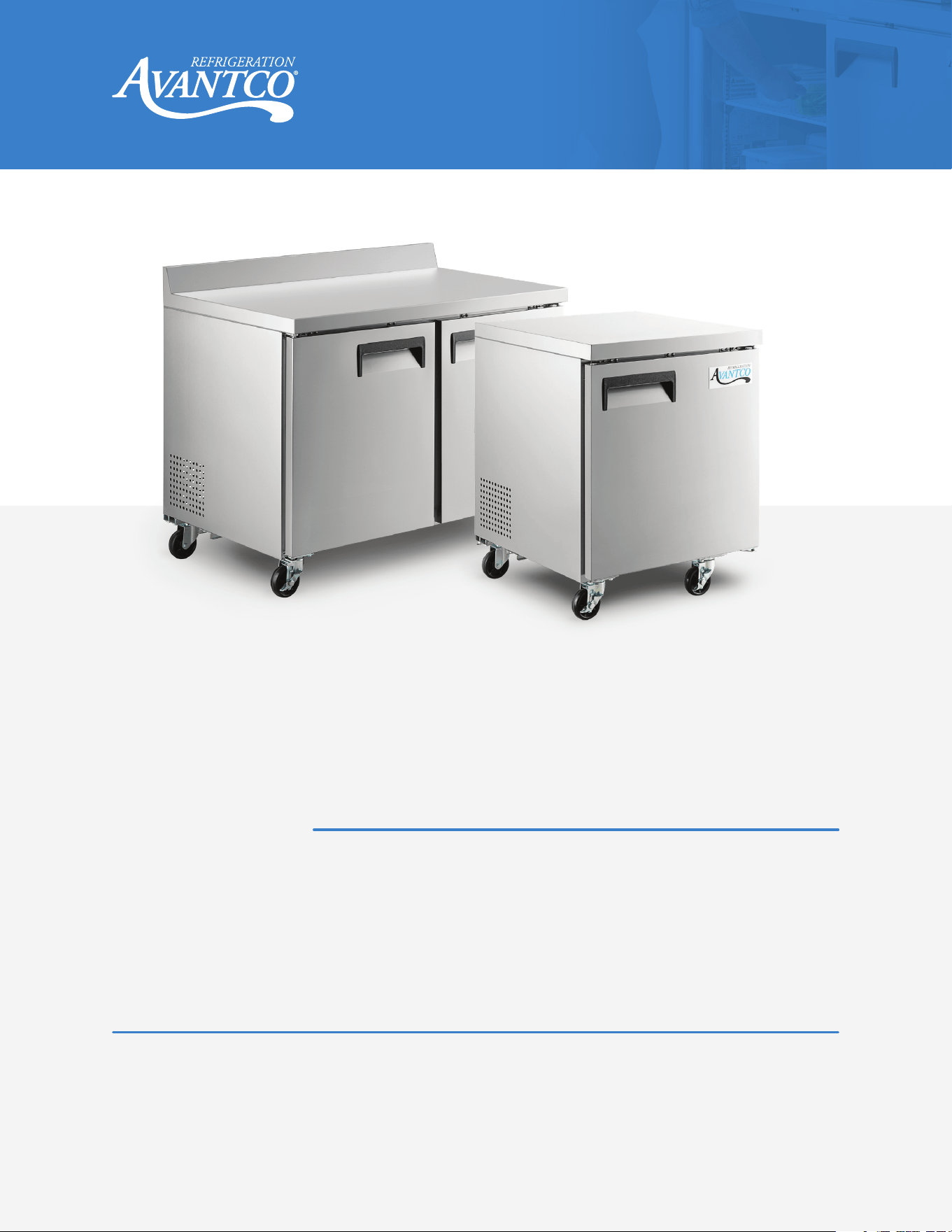
Undercounter Refrigerators and Freezers
#178AU27F
#178AU27R
#178AU48F
#178AU48R
#178AU60F
#178AU60R
#178AU72R
Worktop Refrigerators and Freezers with Backsplash
#178AWT27F
#178AWT27R
#178AWT48F
#178AWT48R
#178AWT60F
#178AWT60R
#178AWT72R
Please read the manual thoroughly prior to equipment setup, operation, and maintenance.
Note:
www.AvantcoRefrigeration.com
2
User Manual
www.AvantcoRefrigeration.com
Commercial Refrigerators and Freezers
Table of Contents
Critical Information ..................................................2
Hazard Statements ..................................................3
Initial Setup.........................................................4
Installation .........................................................5
Cleaning ...........................................................5
Operation ..........................................................6
Maintenance........................................................7
Troubleshooting.....................................................8
Critical Information
• Cooling Delay on Startup: On startup, there is a 2-minute delay prior to when cooling begins.
This delay is normal and is designed to protect the refrigeration system. Any power interruption
will automatically trigger this delay.
• Rear Ventilation Standoff Installation: If a standoff comes in the box, it is required to be attached
before installation of the unit. It plays a critical role in ensuring the unit has good ventilation and
impacts the unit's ability to cool.
• Unplug and Wait: After unplugging the unit, wait at least 10 minutes before plugging it back in.
Failure to wait could damage the compressor.
• Transport Recovery: If the unit has recently been transported on its side, let it stand upright for a
minimum of 24 hours before plugging it in.
NEMA
5-15P
3
User Manual
www.AvantcoRefrigeration.com
Commercial Refrigerators and Freezers Commercial Refrigerators and Freezers
Hazard Statements
SYMBOLS
WARNING - To prevent personal injury.
WARNING - Risk of fire/flammable materials.
GENERAL SAFETY
• Children should be supervised to ensure that they do not play with the appliance.
• This appliance is not intended for use by persons (including children) with reduced physical, sensory
or mental capabilities, or lack of experience and knowledge, unless they have been given supervision
or instruction concerning use of the appliance by a person responsible for their safety.
• Please accord to local regulations regarding disposal of the appliance for its flammable refrigerant
and blowing gas. Before you scrap the appliance, please take off the doors to prevent children
trapped.
• Component parts shall be replaced with like components and that servicing shall be done by factory
authorized service personnel, so as to minimize the risk of possible ignition due to incorrect parts or
improper service.
• The appliance is to be installed in accordance with the Safety Standard for Refrigeration Systems,
ANSI/ASHRAE 15.
• The appliance shall not be installed in public corridors or lobbies.
• The appliance shall be stored in a room without continuously operating ignition sources (for example:
open flames, an operating gas appliance or an operating electric heater.
• Do not pierce or burn.
• Be aware that refrigerants may be odorless.
• WARNING: Do not use means to accelerate the defrosting process or to clean, other than those
recommended by the manufacturer.
• WARNING: Keep clear of obstruction all ventilation openings in the appliance enclosure or in the
structure for building-in.
• WARNING: Do not use mechanical devices or other means to accelerate the defrosting process, other
than those recommended by the manufacturer.
• WARNING: Do not damage the refrigerant circuit.
• WARNING: Do not use electrical appliances inside the food storage compartments of the appliance,
unless they are of the type recommended by the manufacturer.
• DANGER: Risk of Fire or Explosion. Flammable Refrigerant Used. Do Not Use Mechanical Devices to
Defrost Refrigerator. Do Not Puncture Refrigerant Tubing.
Continued on next page.

4
User Manual
www.AvantcoRefrigeration.com
Commercial Refrigerators and Freezers
• DANGER: Risk of Fire or Explosion. Flammable Refrigerant Used. To Be Repaired Only by Trained
Service Personnel. Do Not Puncture Refrigerant Tubing. CAUTION Risk of Fire or Explosion.
Flammable Refrigerant Used. Consult Repair Manual/Owner's Guide Before Attempting to Install or
Service This Product. All Safety Precautions Must be Followed.
• CAUTION: Risk of Fire or Explosion. Dispose Of Properly in Accordance with Federal or Local
Regulations. Flammable Refrigerant Used.
• CAUTION: Risk of Fire or Explosion Due to Puncture of Refrigerant Tubing. Follow Handling
Instructions Carefully. Flammable Refrigerant Used.
• Do not store explosive substances such as aerosol cans with a flammable propellant in this appliance.
• When disposing of the appliance, it must be done by the manufacturer or its service agent or a
similarly qualified person in order to avoid fire and other hazards.
• Water pipe connections and fixtures directly connected to a potable water supply shall be sized,
installed, and maintained in accordance with federal, state, and local codes. (This is only for
product pipes).
Initial Setup
INSPECT THE PACKAGING
• Examine the unit’s packaging for any signs of damage that may have occurred during shipping.
UNBOXING
• Open the packaging with care.
- Use scissors or a box cutter to cut open the box.
- Ensure you do not damage the unit or its components.
- If any damage is noticed, contact customer service immediately.
PLACEMENT
• Place the unit on a stable surface near an electrical outlet.
• Level placement is crucial for the unit to work effectively.

5
User Manual
www.AvantcoRefrigeration.com
Commercial Refrigerators and Freezers Commercial Refrigerators and Freezers
Installation
• Manual Review: Read through the manual in its entirety.
• Shelf Installation: If the shelf has a raised lip, install it facing up toward the rear of the cabinet to
promote proper airflow. Failure to install correctly is considered user error and is not covered by
warranty.
• Transport Orientation: If the unit has recently been transported on its side, let it stand upright for a
minimum of 24 hours before plugging it in.
• Temperature Readiness: Ensure the unit has reached the desired temperature before loading it with
products; it is designed to keep cold products cold, not to chill warm products.
• Installation Clearance: Maintain 3" clearance on all sides of the unit. Ensure rear standoff bracket is
properly installed. Do not install in fully enclosed spaces such as closets.
• Ventilation Requirements: Do not block condenser coil fan or compressor vents. Do not place items
on top of units with top-mounted systems, as this will block airflow to the refrigeration system.
• Ventilation: Ensure there is proper ventilation around the unit in the area where it will operate.
• Accessory Installation: Confirm that all accessories (shelves, shelf clips, casters) are installed before
plugging in the unit.
• Power Requirements: Use dedicated GFCI circuit of commercial quality as required by local codes
and regulations. Do not use an extension cord.
• Service Caution: Do not attempt to remove or repair any component of the unit; consult an authorized
service technician for servicing or repair.
• Safety Reminder: Do not sit or stand inside the unit.
• Shelf Weight Capacity: Shelf can withstand maximum weight that is 70KG (154 lb.).
• Environmental Requirements:
- The unit is designed for a temperature-controlled environment.
- Product climatic Class 7: This appliance is electrical safety tested for operation in maximum
ambient temperature of 95°F(35°C) with 75% relative humidity.
- Avoid placing the unit in direct sunlight, as this may affect performance.

6
User Manual
www.AvantcoRefrigeration.com
Commercial Refrigerators and Freezers
Cleaning
• Warning: Before cleaning, always unplug the equipment.
• Cabinet Interior Cleaning: Use a solvent of warm water and mild soap.
• Avoid Abrasives: Do not use steel wool, caustic soap, abrasive cleaners, or bleach that may damage
the interior finish.
• Door Gasket Cleaning: Every 3-6 months, inspect door gaskets and clean as required.
Recommended to be completed by a professional. Worn or dirty gaskets can cause air leaks, reduce
cooling performance and introducing unwanted moisture in the cabinet that can cause the evaporator
coil to freeze.
• Door Gasket Cleaning:
- Wash door gasket(s) weekly.
- Remove the gasket(s) from the door frame, soak in warm water and soap for 30 minutes,
dry with a soft cloth, and replace.
- Check the gasket(s) for a proper seal after replacement.
• Shelf and Pilaster Cleaning:
- Periodically remove the shelves and pilasters from the unit and clean them with mild soap
and warm water.
- To remove the pilasters, first remove the shelves and shelf brackets, then lift the pilaster up
and out.
• Condenser Coil Cleaning:
Note: This is required to be completed by a qualified and insured food service technician.
Important Information:
- Dust Risks: A dusty condenser may lead to high energy consumption, less cooling effectiveness,
and compressor damage.
- Regular Maintenance: For efficient operation, keep the condenser surface free of dust, dirt, and lint.
- Monthly Cleaning: We recommend cleaning the condenser coil at least once per month
- Location Note: The condenser coil is located at the bottom behind the panel.
Cleaning Instructions:
1. Disconnect Power: Disconnect the electrical power from the unit.
2. Remove Covers: Remove the front cover and base cover with a screwdriver.
3. Clean Debris: Using a brush and/or vacuum, remove the dirt, lint, etc. from the finned condenser
coil in a vertical direction.
4. Apply Cleaner: Clean the condenser with a commercial condenser coil cleaner, available from
any kitchen equipment retailer. Ex. Noble Chemical Tech Line Coil Cleaners (147TLECCLNR,
148TLHDCCLNR, 148TLECOILDD, 148TLFMCCLNR, 147TLEVPCLNR, or 147TLHDCCLNR).
5. Straighten Fins: After cleaning, straighten any bent condenser fins with a fin comb.
6. Replace Covers: When finished, be sure to reinstall the front cover and base cover.
7. Restore Power: Reconnect the electrical power to the unit.
7
User Manual
www.AvantcoRefrigeration.com
Commercial Refrigerators and Freezers Commercial Refrigerators and Freezers
Operation
CONTROLS
TEMPERATURE CONTROL OVERVIEW
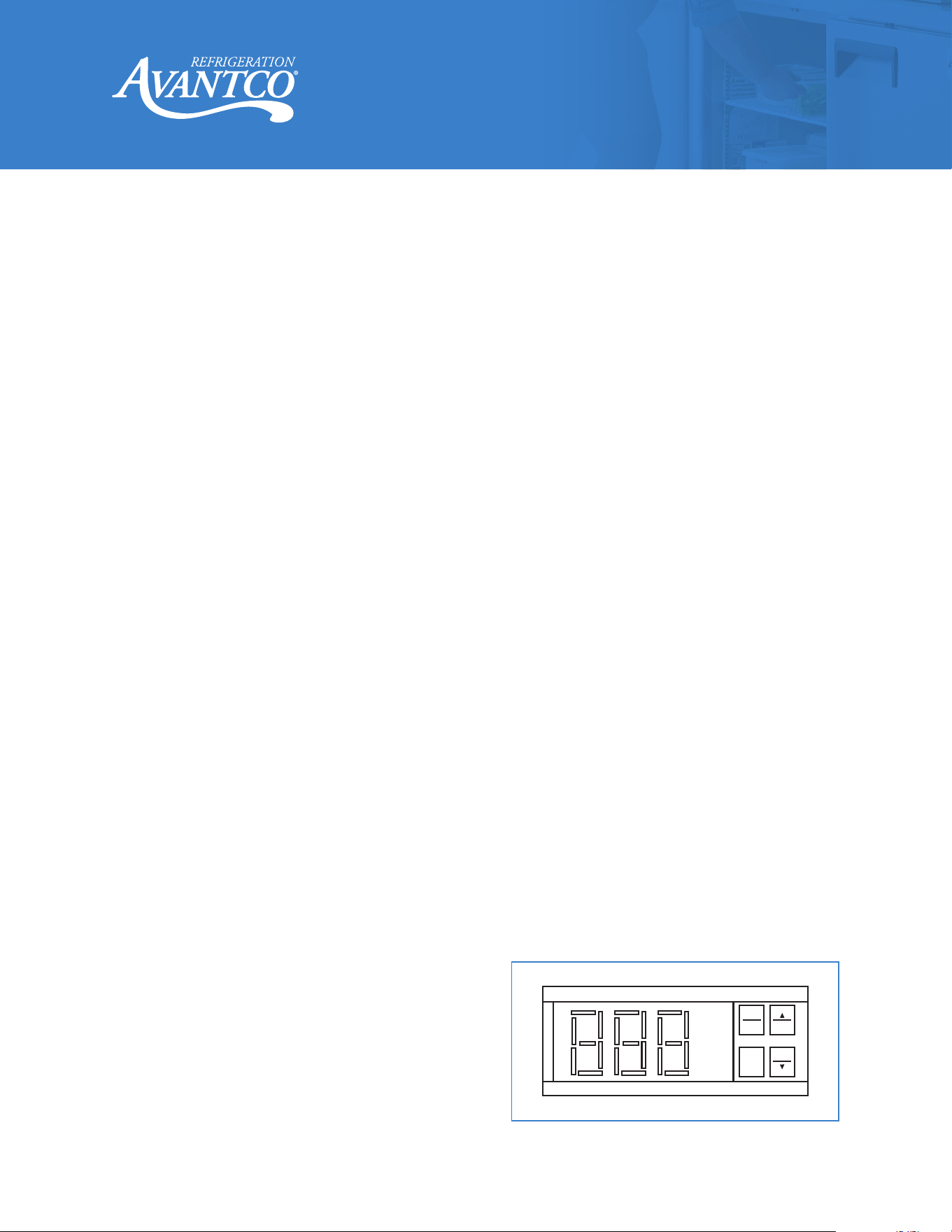
• Refrigerant LED: Indicates the compressor is on.
• Fan LED: Indicates the fan is on.
• Defrost LED: Indicates the defrost cycle is running.
• Digital Controls:
- Set Minimum Temperature: Hold “SET” for 1 sec; the display will flash the current
minimum temperature.
- Adjust Temperature: Use the arrow buttons to adjust the minimum temperature
- Save Settings: Press “SET” again to save your settings.
• Set point (default: 34°F for refrigerators / -1°F for freezers) represents the lowest target temperature
with normal fluctuation above this level. Ex. Unit will pull down to 33°F, then rise to ~40°F, then pull
back down to 33°F and repeat.
• Factory preset defrost cycles occur approximately every 3 to 6 hours after initial startup.
CALCULATE DIFFERENTIAL (INFORMATIONAL)
• NOTE: This is set by the factory and is provided in case the customer wants to make changes. No
action is required for standard operation.
• Always calculate the differential when changing the minimum temperature setting.
• The cabinet temperature may fluctuate up to + 7°F above your set minimum as the compressor cycles.
• Setting the temperature too high may result in unsafe maximum temperatures.
AUTOMATIC DEFROST SYSTEM
• Automatic Defrost: This unit is equipped with an automatic defrost process. During this process,
water is generated. This water will automatically evaporate during normal operation using the
evaporator pan. As the unit defrosts, ice will melt and drain into a contained drain pan, where the
water will evaporate over time.
MANUAL DEFROST SYSTEM
• Manual Defrost:
1. Press the defrost button (displaying a
snowflake symbol with a down arrow) for
approximately 3 seconds.
2. Once defrost is complete, press the defrost
button for approximately 3 seconds to stop
the defrost cycle.
PRG
MUTE
SET
AUX
DEF
8
User Manual
www.AvantcoRefrigeration.com
Commercial Refrigerators and Freezers
LOADING PRODUCT
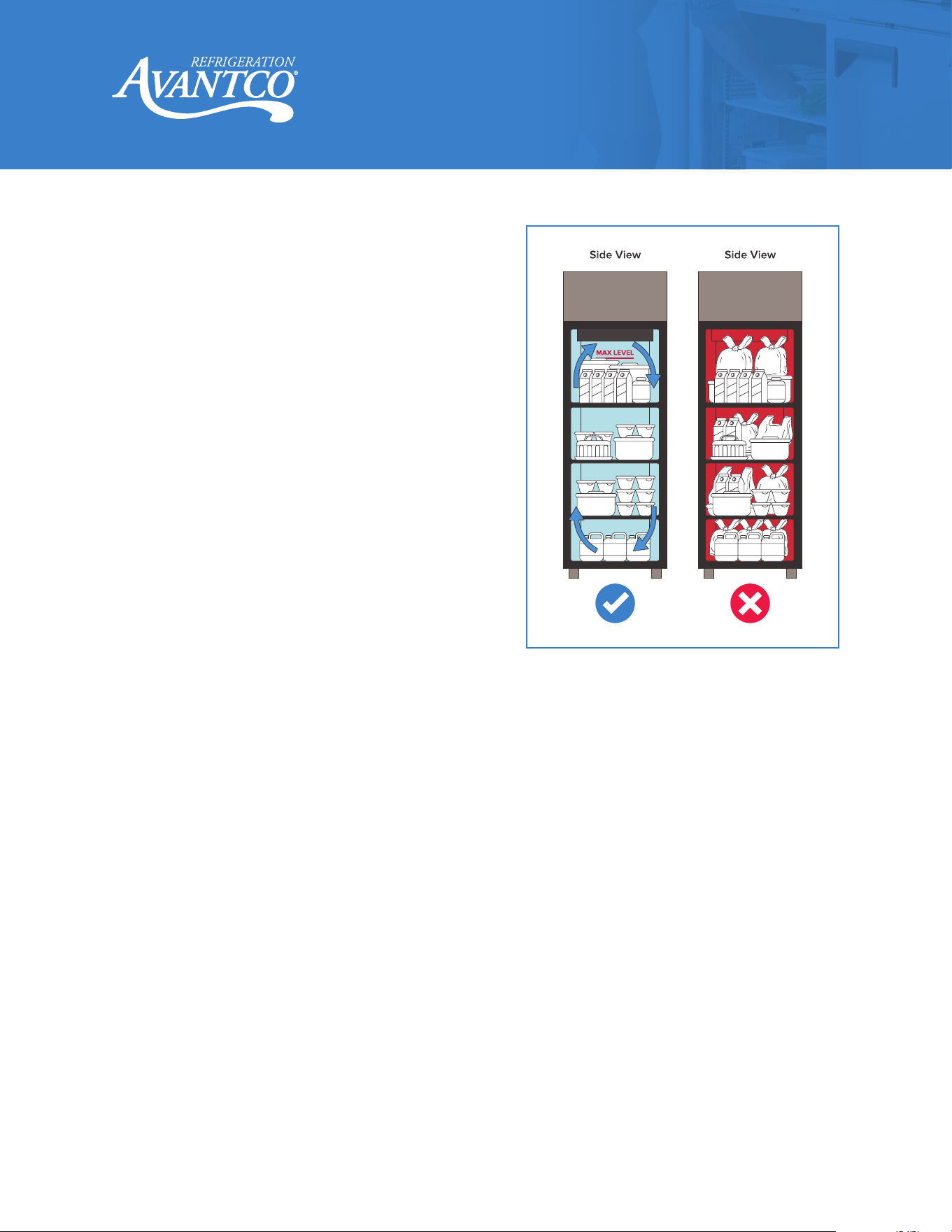
• Unbox Product: Remove products from shipping
cartons before loading to promote air circulation.
• Max Level: Never load product above maximum
level indicators found inside unit.
• Secure Shelf Clips: Ensure all shelf clips are
completely fastened in their correct spots on the
pilaster before loading shelves.
• Level Shelves: All shelves must rest completely
level before stocking the cabinet with product.
• Maintain Airflow:
- NOTE: Check shelf direction. Make sure the
raised lip is facing up and against the wall
creating a natural gap at the back.
- Leave 2” to 4” of space between the back wall
and stored product to maintain proper
airflow; blocking the evaporator fans can cause
the cabinet temperature to rise and lead
to compressor failure.
9
User Manual
www.AvantcoRefrigeration.com
Commercial Refrigerators and Freezers Commercial Refrigerators and Freezers
Maintenance
MONTH LY
INSPECT FOR WEAR
PURPOSE: To regularly check all components for signs of wear, tear, or damage, and replace
as necessary.
1. Turn off and disconnect the machine from the power source.
2. Inspect the plug and cord for any indications of excessive wear, which may encompass discoloration,
burn marks, cuts, and tears.
3. Check the integrity of electrical cords and plug points.
4. Examine taps, levers, and other manual components for ease of operation.
5. If any issues are detected, consult the “Troubleshooting” section, or contact a service provider for
recommended actions or replacements.
ANNUALLY
PROFESSIONAL SERVICING
PURPOSE: To ensure that specialized features like electrical components and temperature
controls are working correctly.
1. Schedule an annual service appointment with a certified technician who specializes in refrigeration.
2. The technician will perform a comprehensive inspection, checking electrical components.
3. Any worn-out or damaged parts will be replaced.
4. Obtain a detailed service report for your records, beneficial for both warranty claims and
future troubleshooting.
5. Hinge Maintenance: Inspect cartridge-style self-closing hinges regularly to ensure doors close and
seal firmly. Worn hinges may not hold door closed tightly, leading to poor performance.
10
User Manual
www.AvantcoRefrigeration.com
Commercial Refrigerators and Freezers
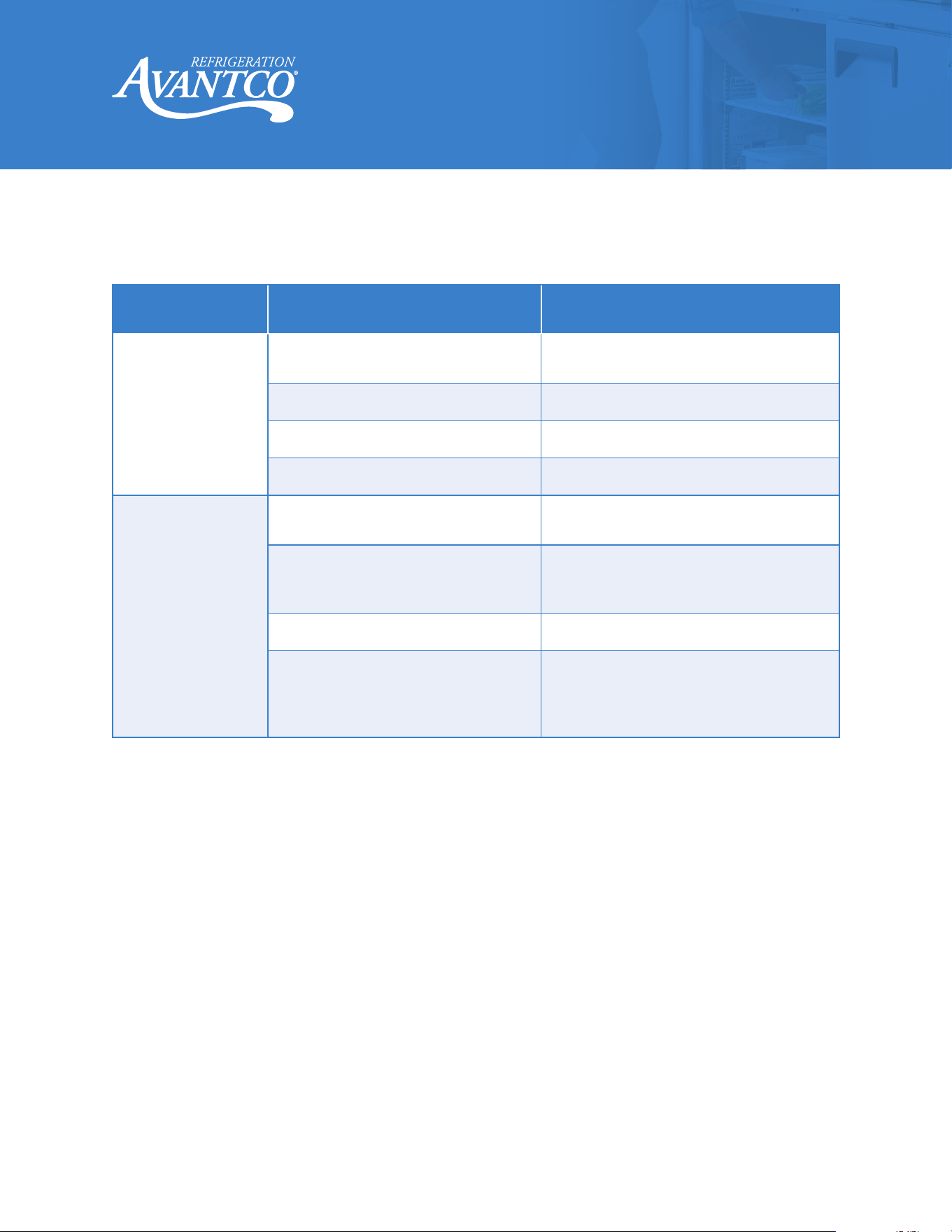
Troubleshooting
Problem
Possible Cause
Possible Solution
Compressor
not running.
Fuse blown or circuit breaker
tripped.
Replace fuse or reset circuit breaker.
Power cord unplugged. Plug in power cord.
Thermostat set too high. Set thermostat to lower temperature.
Cabinet in defrost cycle. Wait for defrost cycle to finish.
Condensing units
run for long periods
of time.
Excessive amount of warm product
in cabinet.
Allow adequate time for product to cool
down.
Prolonged door opening or door ajar.
Ensure doors are closed when not in
use. Avoid opening the doors for long
periods of time.
Dirty condenser coil. Clean the condenser coil.
Evaporator coil iced over.
Unplug unit and allow coil to defrost.
Make sure thermostat is not set too cold.
Ensure that door gasket(s) are
sealing properly.