ninjakitchen.com
BLAST MAX PORTABLE BLENDER
BC250 Series | Owner’s Guide
1 Read all instructions prior to using the appliance and its accessories.
2 Use only a power supply with an extra low voltage corresponding to the marking on the bottom of the motor base.
3 ALWAYS exercise care when cleaning the CrushBlade™ Assembly inside the vessel. The blades are sharp, handle
carefully. Failure to use care when handling the CrushBlade™ Assembly will result in a risk of laceration.
4 Take your time and exercise care during unpacking and appliance setup. This appliance contains sharp blades that can
cause injury if mishandled.
5 Take inventory of all contents to ensure you have all parts needed to properly and safely operate your appliance.
6 Before use, wash all parts that may contact food. Follow washing instructions covered in this Owner's Guide.
7 DO NOT blend hot, eervescent, or carbonated liquids, as doing so may cause pressure buildup, resulting in risk of
burns or other injuries to the user.
8 DO NOT fill the blending vessel past the MAX FILL line.
9 Blades are sharp. Handle carefully.
10 Keep hands, hair, and clothing out of the vessel when loading and operating. DO NOT put your hands inside the
vessel or anywhere near the CrushBlade™ Assembly. Blades can still activate when the sip lid is removed.
11 Remove utensils prior to processing. Failure to remove may cause the blending vessel to be damaged or to shatter,
which may cause personal injury.
12 To protect against the risk of fire from battery damage, DO NOT submerge the motor base in any form of liquid or ice.
13 DO NOT store outdoors or allow the motor base to come into contact with any liquid.
14 DO NOT allow children to operate this appliance or use as a toy. Close supervision is necessary when any appliance is
used near children.
15 This appliance is NOT intended to be used by people with reduced physical, sensory, or mental capabilities, or lack of
experience and knowledge, unless they have been given supervision or instruction concerning use of the appliance by a
person responsible for their safety.
16 Before each use, inspect CrushBlade™ Assembly for damage. If a blade is bent or damage is suspected, contact
SharkNinja to arrange for replacement.
WARNING: To reduce the risk of injury, fire, electrical shock or property damage, basic safety
precautions must always be followed, including the following numbered warnings and subsequent
instructions. Do not use appliance for other than intended use.
IMPORTANT SAFETY INSTRUCTIONS
PLEASE READ ALL INSTRUCTIONS BEFORE USE • FOR HOUSEHOLD USE ONLY
Read and review instructions for operation and use.
Indicates the presence of a hazard that can cause personal injury, death or substantial property damage if
the warning included with this symbol is ignored.
For household use only.
Indicates location to attach cable for charging unit.
Do not immerse in any liquid.
When using electrical appliances, basic safety precautions should always be followed, including the following:
ninjakitchen.comninjakitchen.com
17 DO NOT attempt to sharpen blades.
18 DO NOT allow any part of the unit to contact hot surfaces, including stoves and other heating appliances.
19 ALWAYS use the appliance on a dry and level surface.
20 Keep hands, hair, and clothing out of the vessel when loading and operating.
21 ONLY use attachments and accessories that are provided with the product or are recommended by SharkNinja. The
use of attachments not recommended or sold by SharkNinja may cause fire, electric shock, or injury.
22 During operation and handling of the appliance, avoid contact with moving parts.
23 DO NOT operate the appliance with an empty container.
24 DO NOT microwave any containers or accessories provided with the appliance.
25 DO NOT perform grinding operations.
26 DO NOT attempt to defeat the interlock mechanism. Ensure the vessel and sip lid are properly installed before operation.
27 DO NOT expose the containers and accessories to extreme temperature changes. They may experience damage.
28 NEVER leave the appliance unattended while in use.
29 If you find unmixed ingredients sticking to the sides of the cup, turn o the appliance using the Power Button, and use
a scraper to dislodge ingredients.
30 DO NOT attempt to remove the vessel and/or sip lid from the motor base while the CrushBlade™ Assembly is still
spinning. Allow the appliance to come to a complete stop before removing lid and/or vessel.
31 DO NOT store ingredients for extended amounts of time before or after blending them. Some foods may contain
active ingredients or release gases that will expand if left in a sealed container, resulting in excessive pressure buildup
that can pose a risk of injury.
32 If the appliance overheats, a thermal switch will activate and temporarily disable the motor. To reset, turn OFF the
Ninja Blast Max Portable Blender using the Power Button and allow it to cool for at least 60 minutes before using again.
33 DO NOT process dry ingredients without adding liquid to the blending vessel. Unit is not intended for dry blending.
34 Operate ONLY with the sip lid on.
35 DO NOT refrigerate or freeze the blender motor base.
SAVE THESE INSTRUCTIONS
IMPORTANT SAFETY INSTRUCTIONS
PLEASE READ ALL INSTRUCTIONS BEFORE USE • FOR HOUSEHOLD USE ONLY
BATTERY USE
1 The battery is the power source for the Ninja Blast Max Portable Blender. Carefully read and follow all charging instructions.
2 DO NOT incinerate this appliance even if it is severely damaged. The lithium-ion batteries can explode in a fire. Always
properly recycle products powered by lithium-ion batteries.
3 Since there is no power cord, prevent accidental blade activation by ensuring the blender is turned OFF when not in
use, while cleaning, or when drinking from the sip lid.
4 Keep the battery away from all metal objects such as paper clips, coins, keys, nails, or screws. Shorting the battery
terminals together increases the risk of fire or burns.
5 Under abusive conditions, liquid may be ejected from the battery. Avoid contact with this liquid, as it may cause
irritation or burns. If contact occurs, flush with water. If liquid contacts eyes, seek medical help.
6 This unit contains batteries that are only replaceable by skilled persons.
7 This unit contains batteries that are non-replaceable and moving parts that potentially present risk to the user.
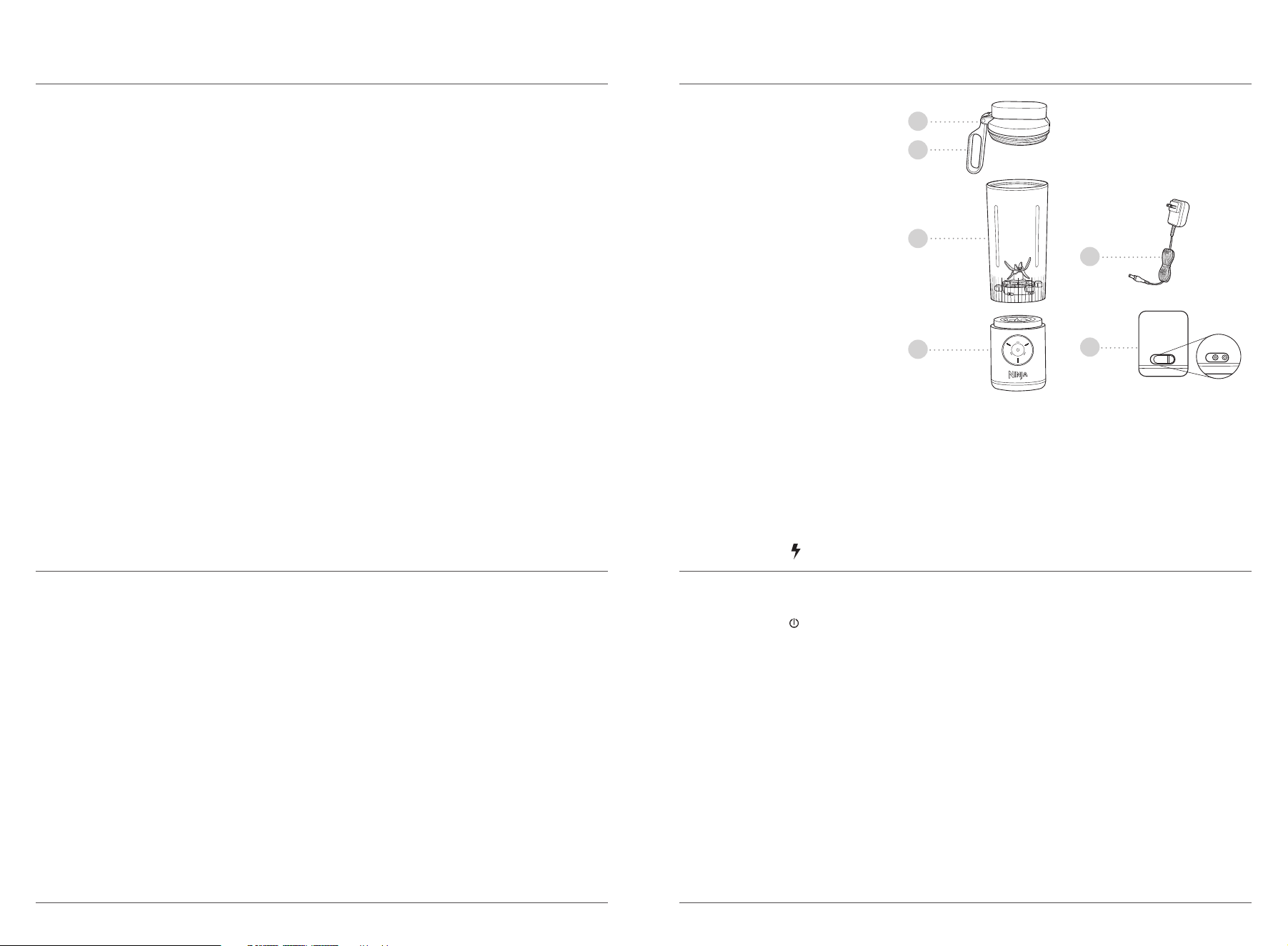
PARTS
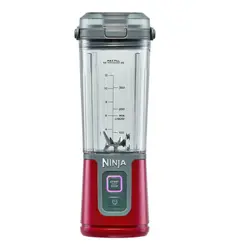
A Sip Lid
B Carry Handle
C Blending Vessel with built-in
CrushBlade™ Assembly
D Motor Base
E Charging Cord
F Charging Port
A
D
F
C
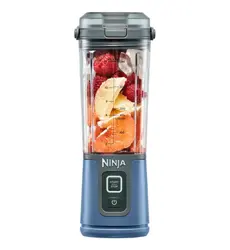
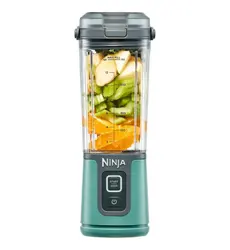
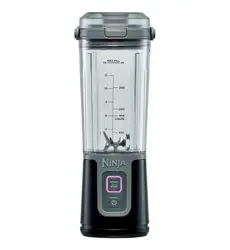
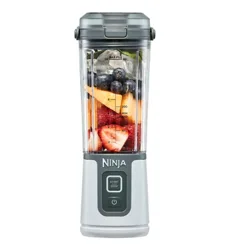
* Blending vessel size and quantity,
accessories, and color vary by model.
Motor Base Back
E
B
Charge the unit before first use with the provided charging cord. Charging port is located at the back of
the motor base.
When charging, the
LED will flash GREEN. When charge reaches 100%, the power icon LED will remain
solid GREEN. A full charge may take up to 3 hours.
Refer to the LED section for additional information on charging states.
CHARGING
ninjakitchen.com ninjakitchen.com
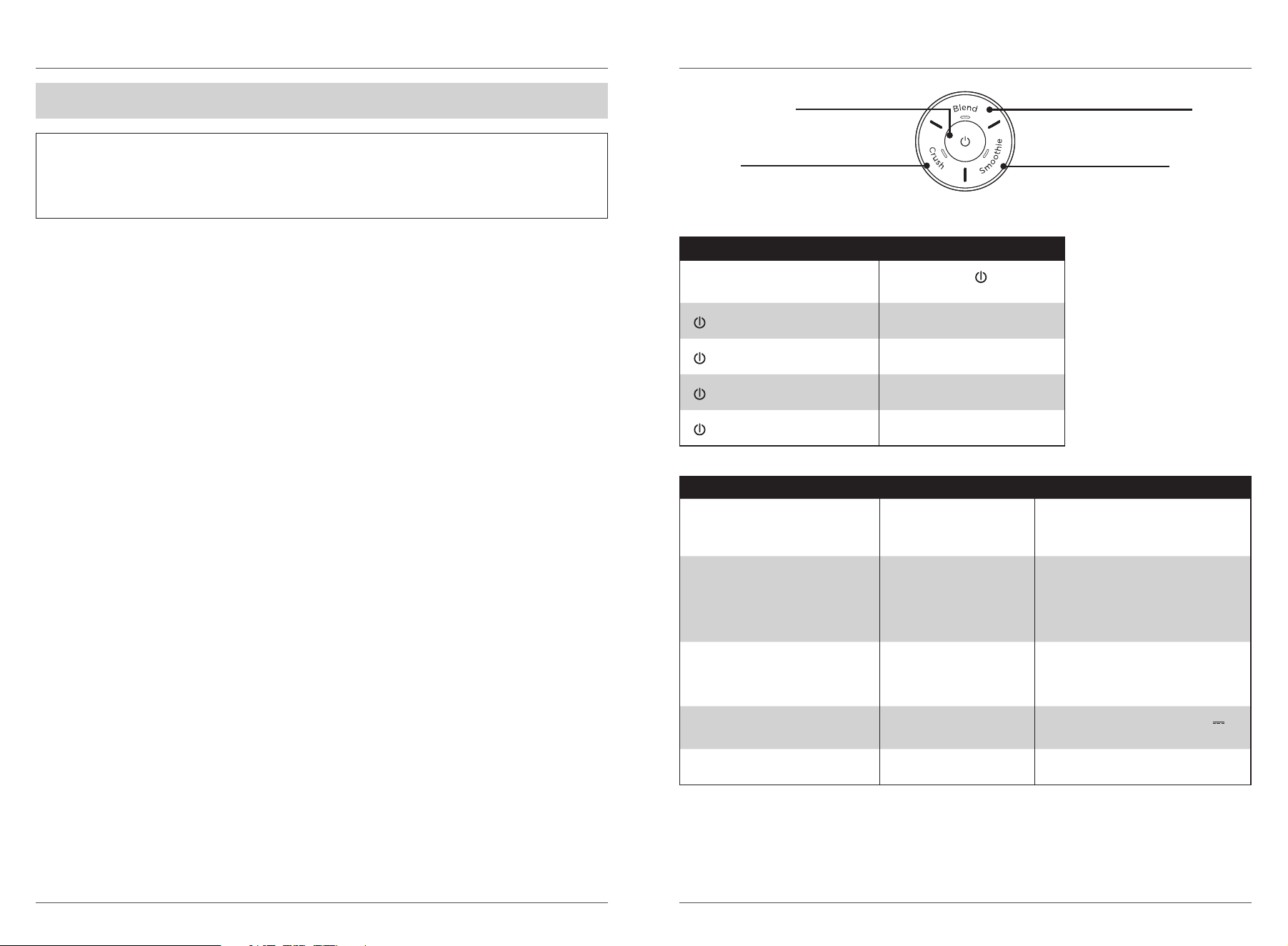
USING THE CONTROL PANEL
PROGRAMS:
POWER BUTTON
Power unit ON and OFF. Battery icon
LEDs display battery status.
CRUSH
Auto-iQ® program for ice crushing
power for frozen drinks.
SMOOTHIE
Auto-iQ program for fresh
and frozen fruit smoothies.
BLEND
30-second manual blend mode
for protein shakes.
LED Shows BATTERY Status
All programs solid WHITE
Ready to blend—
displays
battery life color.
solid GREEN
Fully charged.
flashing GREEN
Charging state.
solid RED
Low battery—charge unit.
flashing RED
No battery—requires charge.
Remove all packaging materials from the unit. Exercise care when unpacking CrushBlade™ Assembly,
as the blades are sharp.
To clean the vessel and lid, remove the vessel from the motor base, remove the lid, and add warm water
up to the MIN LIQUID line. Next, add a small drop of liquid dish soap. Securely attach the lid to the vessel,
attach the vessel to the motor base, and blend. After the blend has completed, remove the vessel from the
motor base and empty the contents into a sink. Rinse the vessel and lid with warm water then let air-dry.
DO NOT submerge the motor base in water when cleaning. Exercise care when handling CrushBlade™
Assembly, as the blades are sharp.
BEFORE FIRST USE
IMPORTANT: Review all warnings at the beginning of this Owner’s Guide before proceeding.
NOTE:
• All attachments are BPA free. All attachments EXCEPT the motor base are top-rack dishwasher
safe. DO NOT use a heated dry cycle. Ensure the vessel is removed from the motor base before
placing the vessel in the dishwasher. Exercise care when handling CrushBlade™ Assembly.
• Thoroughly rinse and air-dry all appropriate parts.
LED Shows TROUBLESHOOTING Solutions
All Programs Flashing WHITE Vessel Improperly Installed
Re-install the vessel on the motor base,
twisting clockwise until the vessel clicks
into place.
Selected Blend Program
Flashing PURPLE
Blades Blocked
Ingredients are stuck in blades or
agitation is needed. Add more liquid or
remove the vessel from the motor base
and shake the blockage free before
reinstalling the vessel and blending again.
Programs Solid Orange Motor Base Overheating
Let the motor base sit at room temperature
to cool down for at least 60 minutes before
blending again. Motor base will not charge
when overheated.
Power LED Flashing RED & GREEN Incorrect Charger
Unplug and find provided 13.3V DC
,
0.75A charging cable.
All LEDs Flashing RED Motor Error Call Customer Service 1-877-646-5288.
ninjakitchen.com ninjakitchen.com
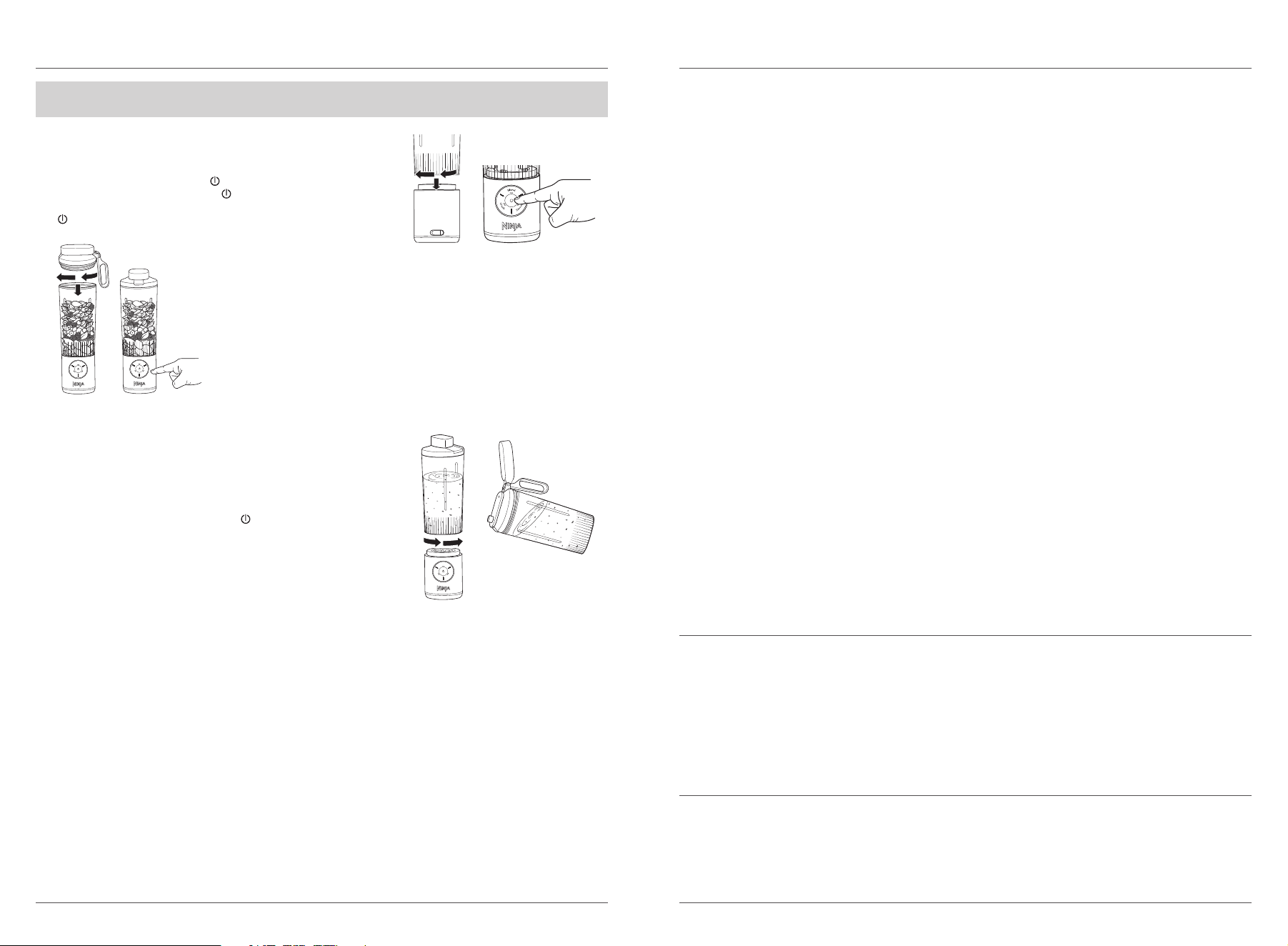
USING THE BLENDING VESSEL
IMPORTANT: Review all warnings at the beginning of this Owner’s Guide before proceeding.
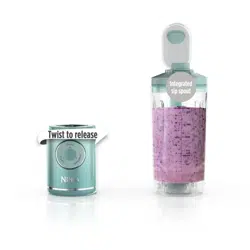
1 Install the vessel onto the motor base, rotating clockwise until
it clicks into place.
2 Turn unit ON by pressing the
button until all program LEDs
illuminate solid WHITE and the
illuminates, displaying the
remaining battery life color. Ensure the unit is fully charged
(
is solid GREEN) before loading the vessel.
3 Remove lid from vessel and add ingredients, starting with liquids then
solid ingredients. If using ice, always add last. DO NOT fill ingredients
past the MAX FILL line. Secure lid onto the vessel, twisting clockwise
to tighten.
4 For a 30-second blend, press the BLEND button. For ingredients
including fresh or frozen fruit, press SMOOTHIE, and for frozen
drinks with just ice and liquid, press CRUSH. If needed, shake blender
between blends to move ingredients.
5 When blending is complete, remove the vessel from the
motor base by rotating the vessel counterclockwise and
lifting up. DO NOT remove the vessel before the blade has
stopped moving.
6 Open the sip lid to sip.
7 Power OFF the unit by pressing the
button. If you want to drink
with the motor base attached, turn the motor base OFF before
drinking.
8 Refer to the Care & Maintenance section for cleaning and
storage instructions.
ORDERING REPLACEMENT PARTS
To order additional parts and attachments, visit ninjaaccessories.com.
CARE & MAINTENANCE
CLEANING
Blades can still operate when the lid is removed. Always remove the vessel from the motor base
before cleaning the vessel.
Quick Clean
Remove vessel from motor base and remove lid from vessel. Add warm water to the 6 oz. line then add
1 small drop of dish soap. Secure the lid onto the vessel, attach the vessel onto the motor base, and press
BLEND. Let blend for a few seconds, then press the BLEND button again to stop the program. Remove
vessel from motor base, empty contents, and rinse vessel and lid with warm water.
Hand-Washing
Remove the vessel from the motor base and wash the lid and vessel with warm soapy water. Use a
dishwashing utensil to clean the CrushBlade™ Assembly inside the vessel. Exercise care when cleaning the
CrushBlade™ Assembly as the blades are sharp. Empty contents and rinse vessel and lid with warm water.
DO NOT expose the motor base to water or other liquids. Let all parts air-dry.
Motor Base
Motor base is NOT dishwasher safe and CANNOT be exposed to or submerged in water or other liquid.
If needed, wipe motor base with a damp cloth.
DEEPER CLEAN
Dishwasher
Vessel and sip lid are top-rack dishwasher safe. DO NOT use a heated dry cycle. Ensure the vessel and
sip lid are removed from the motor base before placing them in the dishwasher.
STORING
Store the unit upright in a cool, dry environment.
DO NOT store blended or unblended ingredients in the vessel with the CrushBlade™ Assembly
for prolonged periods of time.
DO NOT stack items on top of the vessel. Store any remaining attachments alongside the unit
or in a cabinet where they will not be damaged or create a hazard.
If your unit needs servicing, call Customer Service at 1-877-646-5288. So we may better assist you, please
register your product online at registeryourninja.com and have the product on hand when you call.
PRODUCT REGISTRATION
Please visit registeryourninja.com to register your new Ninja® product within ten (10) days of purchase.
You will be asked to provide the store name, date of purchase, and model number along with your name
and address.
The registration will enable us to contact you in the unlikely event of a product safety notification.
By registering, you acknowledge you have read and understood the instructions for use and warnings
set forth in the accompanying instructions.
ninjakitchen.com ninjakitchen.com
The One (1) Year Limited Warranty applies to purchases made from authorized retailers of
SharkNinja Operating LLC. Warranty coverage applies to the original owner and to the original product
only and is not transferable.
SharkNinja warrants that the unit shall be free from defects in material and workmanship for a period
of one (1) year from the date of purchase when it is used under normal household conditions and
maintained according to the requirements outlined in the Owner’s Guide, subject to the following
conditions and exclusions:
What is covered by this warranty?
1. The original unit and/or non-wearable parts deemed defective, in SharkNinja’s sole discretion,
will be repaired or replaced up to one (1) year from the original purchase date.
2. In the event a replacement unit is issued, the warranty coverage ends six (6) months following the
receipt date of the replacement unit or the remainder of the existing warranty, whichever is later.
SharkNinja reserves the right to replace the unit with one of equal or greater value.
What is not covered by this warranty?
1. Normal wear and tear of wearable parts (such as blending vessels, lids, cups, blades, blender
bases, removable pots, racks, pans, etc.), which require regular maintenance and/or replacement
to ensure the proper functioning of your unit, are not covered by this warranty. Replacement parts
are available for purchase at ninjaaccessories.com.
2. Any unit that has been tampered with or used for commercial purposes.
3. Damage caused by misuse, abuse, negligent handling, failure to perform required maintenance
(e.g., failure to keep the well of the motor base clear of food spills and other debris), or damage
due to mishandling in transit.
4. Consequential and incidental damages.
5. Defects caused by repair persons not authorized by SharkNinja. These defects include damages
caused in the process of shipping, altering, or repairing the SharkNinja product (or any of its parts)
when the repair is performed by a repair person not authorized by SharkNinja.
6. Products purchased, used, or operated outside North America.
How to get service
If your appliance fails to operate properly while in use under normal household conditions within the
warranty period, visit ninjakitchen.com/support for product care and maintenance self-help. Our
Customer Service Specialists are also available at 1-877-646-5288 to assist with product support and
warranty service options, including the possibility of upgrading to our VIP warranty service options
for select product categories. So we may better assist you, please register your product online at
registeryourninja.com and have the product on hand when you call.
SharkNinja will cover the cost for the customer to send in the unit to us for repair or replacement. A fee
of $20.95 (subject to change) will be charged when SharkNinja ships the repaired or replacement unit.
How to initiate a warranty claim
You must call 1-877-646-5288 to initiate a warranty claim. You will need the receipt as proof of purchase.
We also ask that you register your product online at registeryourninja.com and have the product on
hand when you call, so we may better assist you. A Customer Service Specialist will provide you with
return and packing instruction information.
How state law applies
This warranty gives you specifi c legal rights, and you also may have other rights that vary from state
to state. Some states do not permit the exclusion or limitation of incidental or consequential damages,
so the above may not apply to you.
ONE (1) YEAR LIMITED WARRANTY
NJA_1_YR_IB_LMTD _WRNTY_US_ENG
TROUBLESHOOTING GUIDE
WARNING: To reduce the risk of shock and unintended operation, turn OFF unit before
troubleshooting.
Ensure the unit is not charging when troubleshooting. Ensure the unit is fully charged and vessel
is properly aligned.
Control panel doesn’t turn o.
• Press the
button to turn the unit ON and OFF.
Doesn’t mix well; ingredients get stuck.
• When filling the vessel, start with liquid then fresh fruit or veggies, followed by leafy greens or herbs.
Then add seeds, powders, or nut butters. Finish with ice or frozen ingredients.
• If ingredients are routinely getting stuck, adding some liquid will usually help. You can also shake the
blender while blending or turn the blender upside down, start a blend cycle, and turn it right side up
to move ingredients while blending.
Sip lid is hard to assemble onto the vessel.
• Set the assembled motor base and vessel on a level surface. Place the sip lid on top of the vessel and
align the threads so the sip lid sits flat. Turn clockwise until you have a tight seal.
Vessel is hard to assemble onto the motor base.
• Set the motor base on a level surface. Place the vessel on top of the motor base and align the threads
so the vessel sits flat. Turn clockwise until the vessel clicks into place. When the vessel is properly
installed, the program LEDs on the control panel will be white and the
button will display the
current battery level.
FCC WARNINGS
This product complies with part 15 of the FCC Rules. Operation is subject to the following two
conditions: This product may not cause harmful interference, and this product must accept any
interference received, including interference that may cause undesired operation.
Changes or modifications not expressly approved by the party responsible for compliance could void
the user’s authority to operate this product.
NOTE: This product has been tested and found to comply with the limits for a Class B digital device,
pursuant to part 15 of the FCC Rules. These limits are designed to provide reasonable protection
against harmful interference in a residential installation. This product generates, uses and can radiate
radio frequency energy and, if not installed and used in accordance with the instructions, may cause
harmful interference to radio communications. However, there is no guarantee that interference
will not occur in a particular installation. If this product does cause harmful interference to radio
or television reception, which can be determined by turning the product o and on, the user is
encouraged to try to correct the interference by one or more of the following measures: Reorient or
relocate the receiving antenna. Increase the separation between the product and receiver. Connect
the product into an outlet on a circuit dierent from that to which the receiver is connected. Consult
the dealer or an experienced radio/TV technician for help.

ninjakitchen.com ninjakitchen.com
NOTESNOTES
REGISTER YOUR PURCHASE
registeryourninja.com
Scan QR code using mobile device
SharkNinja Operating LLC
US: Needham, MA 02494
1-877-646-5288
ninjakitchen.com
Illustrations may dier from actual product. We are constantly striving to improve our products;
therefore the specifications contained herein are subject to change withoutnotice.
AUTO-IQ and NINJA are registered trademarks of SharkNinja Operating LLC.
CRUSHBLADE is a trademark of SharkNinja Operating LLC.
This product may be covered by one or more U.S. patents.
See sharkninja.com/patents for more information.
© 2024 SharkNinja Operating LLC
BC250Series_IB_MP_Mv5
TECHNICAL SPECIFICATIONS
Voltage: 13.3V DC
, 0.75A
RECORD THIS INFORMATION
Model Number: ____________________
Serial Number: _____________________
Date of Purchase: ___________________
(Keep receipt)
Store of Purchase: __________________
@ninjakitchen