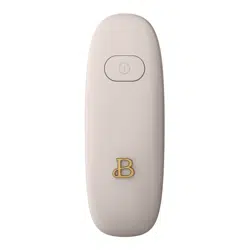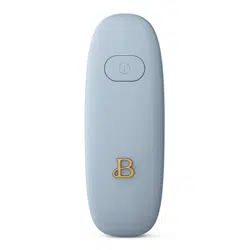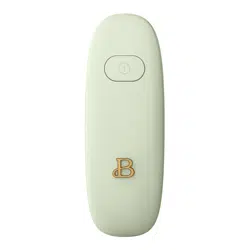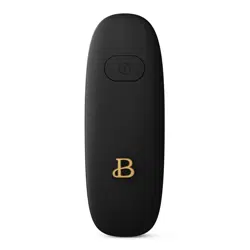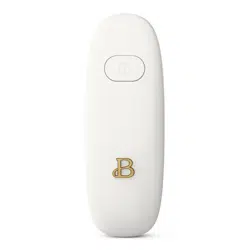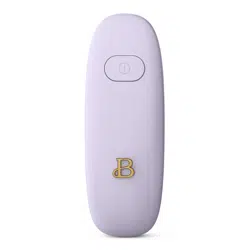

Instruction Manual
Hands-Free
Automatic
Can Opener


The kitchen is my family’s happy
place. It’s where we cook and eat
and bake and laugh and share our
most beautiful moments together.
That’s what inspired the creation
of Beautiful, my new collection of
easy-to-use kitchenware that you’ll
want to keep out on your kitchen
counter. So whether your kitchen
has flour all over the place from
a kid's baking session or you’re
throwing an adult dinner party,
I hope every step will be simple,
delicious and beautiful!
www.beautifulbydrew.com

Section 1
Safety

IMPORTANT
SAFEGUARDS
Basic safety precautions should
always be followed including
the following:
1. READ ALL INSTRUCTIONS.
2. Do not put this portable
appliance in water or any
other liquid to protect
against the risk of
electrical shock.
3. This appliance is not
intended for use by persons
(including children) with
reduced physical, sensory,
or mental capabilities
unless they are closely
supervised by a person
responsible for their
safety. Close supervision
is necessary when any
appliance is used by or
near children.

4. Avoid contacting
moving parts.
5. Do not use outdoors; for
household use only.
6. Do not open pressurized
(aerosol-type) cans.
7. Do not open cans of
flammable liquids such as
lighter fluids.
8. Do not incinerate this
appliance even if it
is severely damaged.
The batteries can
explode in a fire.
9. Save these instructions.
SAVE THESE
INSTRUCTIONS
FOR HOUSEHOLD
USE ONLY
Section 2
Instructions
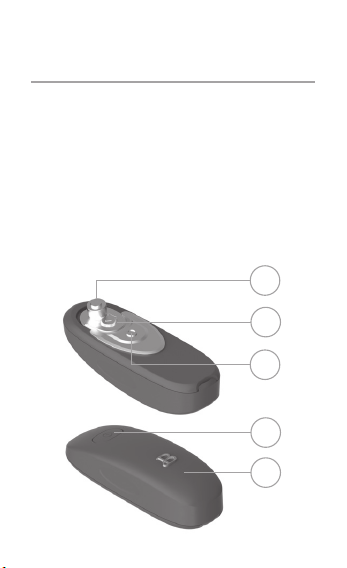
Getting To Know Your
Can Opener
Product may vary slightly
from illustration
1. Blade
2. Metal Gear
3. Magnet
4. ON/OFF Button
5. Battery Compartment
1
3
2
5
4

Before Using for the
First Time
1. Carefully unpack the can
opener and remove all
packaging materials.
2. Handle the unit with
care, the cutting
blade is sharp.
3. Wipe the cutting blade and
housing with a damp cloth
before first use.
Using the Can Opener
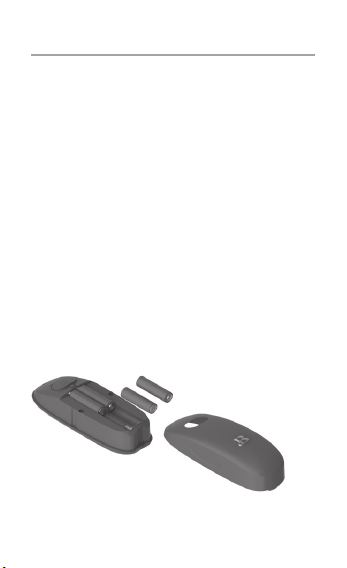
STEP 1: The unit does not
include 4xAA batteries. To
assemble batteries, simply
place your nger on the
indentation at the base and
release the snap on the cover.
Insert the batteries. To close
the cover, place it on top
and push down until you hear
a click sound. Make sure that
the batteries are facing with
the right polarity and that the
cover is properly locked back
in place.
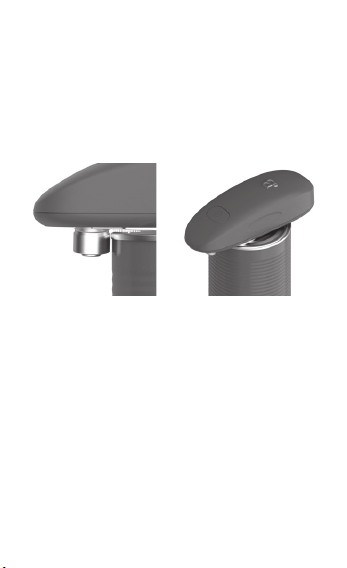
STEP 2: Place the can opener
on top of the can, making sure
that the can edge is between
the blade and the metal gear.
Push the button and let it
rotate around the can on
its own.
STEP 3: After one rotation
around the can, press the
button again to stop. The
can opener automatically
disengages from the edge of the
can. Lift the lid and remove
the can opener.
ATTENTION: After one rotation,
press the button to stop
immediately to prevent
excessive cutting that may
cause metal to shred.

User Maintenance
1. Use AA alkaline
batteries only.
2. Don’t mix old and new
batteries together.
Do not mix alkaline,
standard (carbon-zinc)
and rechargeable (nickel-
cadmium) batteries.
3. Make sure the batteries
are inserted in the
correct polarity; if
not, the opener won’t
operate or may cause
battery leakage.
4. Remove the batteries when
not in use for extended
periods of time.
5. Store in a dry place.
6. Remove the batteries
before wiping clean with
a damp towel.
7. Do NOT submerge in water,
wash under running water,
or wash in dishwasher.

Troubleshooting
1. The can opener is not
working. What do I do?
Check the battery
compartment. Make sure
the batteries are in
the right polarity
and that the cover is
securely in place.
2. Why is it rotating so
slowly? It looks like
it’s struggling.
The batteries might be
drained already. Replace
them and try again.
3. Why doesn’t it detach from
the edge once it’s done?
First, don’t forcefully
remove the can opener.
Restart it by taking
out the batteries. After
reinserting the batteries
and closing the cover,
push the button again.

4. Why can’t it open the can?
Make sure that it is in
the right position. Check
the can for any dents
or bends on the edges.
If there are no problems
with the can, restart the
can opener.
5. Why can’t the small magnet
keep the lid in place?
Some canned food adheres
to the lid due to
moisture. You can manually
lift the lid up to open.

Limited Two-Year
Warranty
Sensio Inc. dba Made by Gather™
hereby warrants that for a
period of TWO YEARS from the
date of purchase, this product
will be free from mechanical
defects in material and
workmanship, and for 90 days
in respect to non-mechanical
parts. At its sole discretion,
Sensio Inc. dba Made by
Gather™ will either repair or
replace the product found to
be defective, or issue a refund
on the product during the
warranty period.
The warranty is only valid for
the original retail purchaser
from the date of initial
retail purchase and is not
transferable.Keep the original
sales receipt, as proof of

purchase isrequired to obtain
warranty validation. Retail
stores selling this product do
not have the right to alter,
modify, or in any way revise
the terms and conditions of
the w a rr a n ty.
Exclusions
The warranty does not cover
normal wear of parts or
damage resulting from any
of thefollowing: negligent
use of the product, use of
improper voltage or current,
improper routine maintenance,
use contrary to the operating
instructions, disassembly,
repair, or alteration by anyone
other than qualified Sensio
Inc. dba Made by Gather™
personnel. Also, the warranty
does not cover Acts of God such
as fire, floods, hurricanes,
or tornadoes.

Sensio Inc. dba Made by Gather™
shall not be liable for any
incidental or consequential
damages caused by the breach
of any express or implied
warranty. Apart from the extent
prohibited by applicable
law, any implied warranty of
merchantability or fitness
for a particular purpose is
limited in time to the duration
of the warranty. Some states,
provinces or jurisdictions
do not allow the exclusion
or limitation of incidental
or consequential damages, or
limitations on how long an
implied warranty lasts, and
therefore, the above exclusions
or limitations may not apply
to you. The warranty covers
specific legal rights which may
vary by state, province and/or
jurisdiction.

How To Obtain Warranty Service:
You must contact Customer
Service at our toll-free number:
1-877-775-3 56 4.
A Customer Service
Representative will attempt to
resolve warranty issues over
thephone. If the Customer
Service Representative is unable
to resolve the problem, you
will be provided with a case
number and asked to return the
product to Sensio Inc. dba Made
by Gather™ Attach a tag to the
product that includes: your
name, address, daytime contact
telephone number, case number,
and description of the problem.
Also, include a copy of the
original sales receipt.
Carefully package the tagged
product with the sales receipt,
and send it (with shipping
and insurance prepaid)

to SENSIO Inc.’s address.
Sensio Inc. dba Made by Gather™
shall bear no responsibility
or liability for the returned
product while in transit to
Sensio Inc. DBA Made by Gather™
Customer Service Center.

19687, 19688, 19689, 19690, 19691, 19692 R0
For customer service questions or comments
Para preguntas o comentarios para el
servicio de atención al cliente
1-877-775-3564
Made in China / Hecho en China
Sensio Inc.
dba Made by Gather™
New York, NY 10016/USA
www.beautifulbydrew.com
Scan to register
your product
and access
Drew’s
favorite
recipes