READ AND SAVE THESE INSTRUCTIONS
Inspect Unit Before Use.
Contact [email protected] immediately for any damaged or defective units.
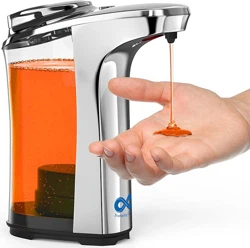
Automatic Soap Dispenser Manual

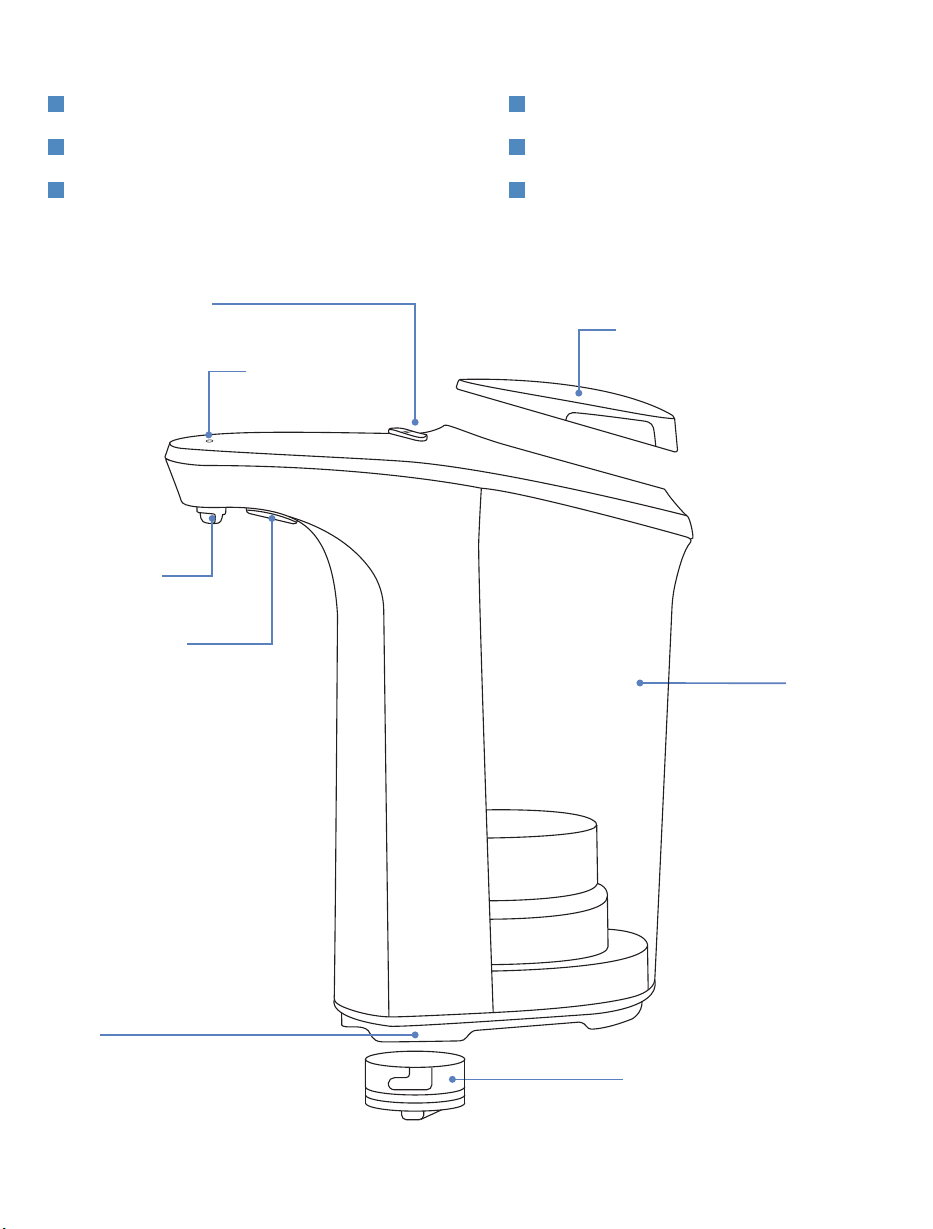
TABLE OF CONTENTS
1. COMPONENTS
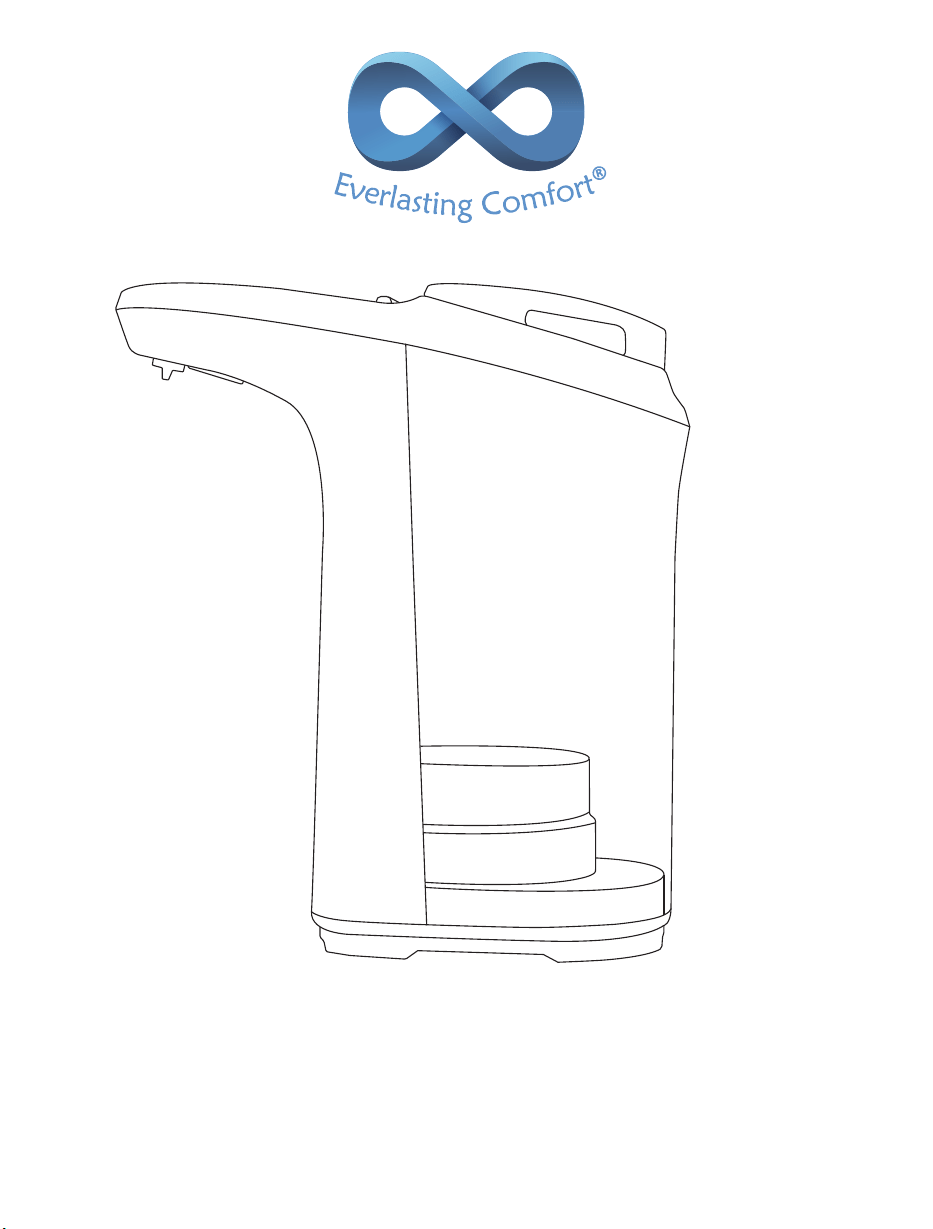
Fig. 1
EXPLODED DIAGRAM
BATTERY COMPARTMENT COVER
SOAP TANK
CONTROL BUTTONS
LED INDICATOR
SOAP OUTLET
MOTION SENSOR
TANK COVER
BASE
COMPONENTS
SAFETY
OPERATION
1
2
3
MAINTENANCE
TROUBLESHOOTING
SPECIFICATIONS
4
5
6
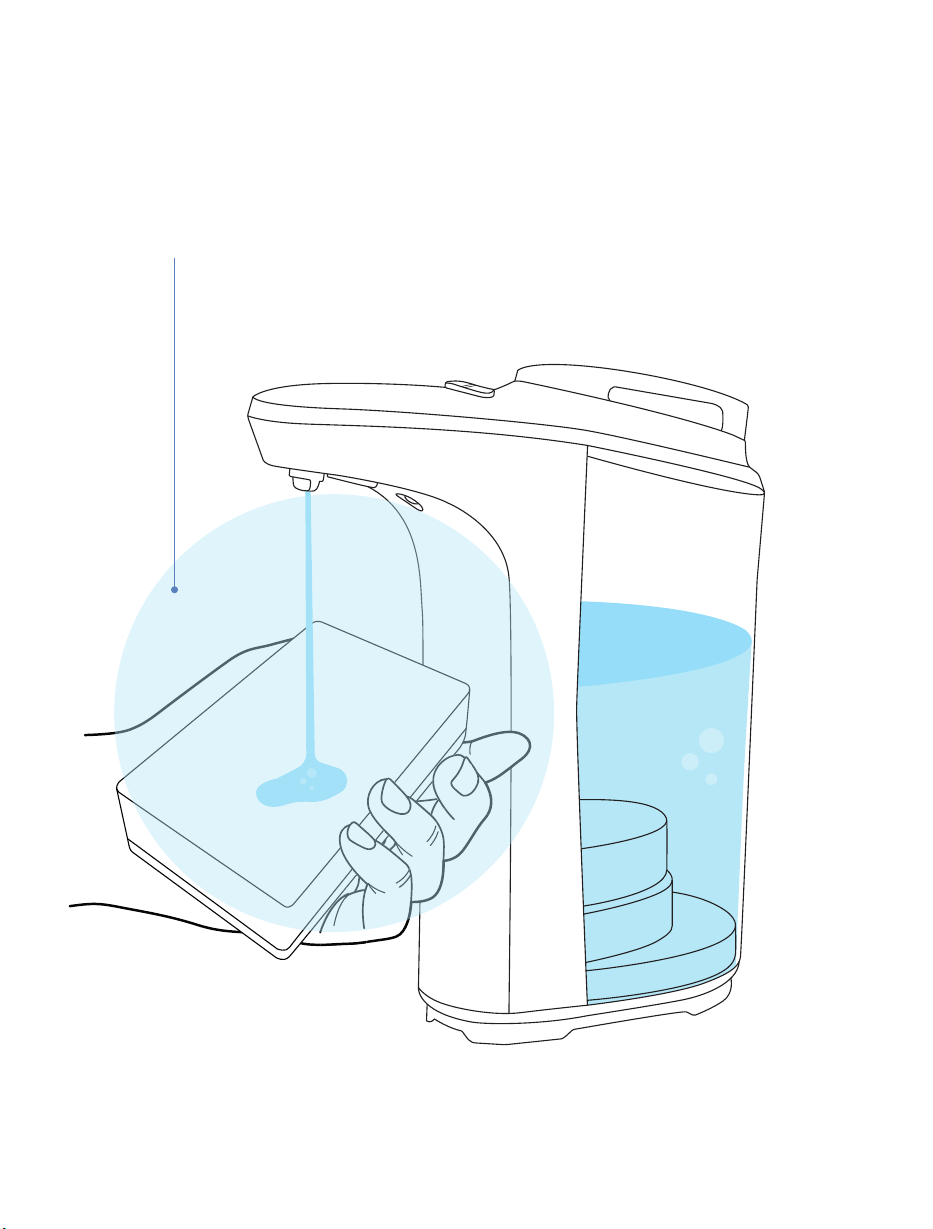
SENSOR AREA
Fig. 2
SENSOR AREA

Thoroughly inspect the unit in its entirety for any cracks, chips, or damage which could cause the unit to leak.
DO NOT use it if any damage is found.
Only use this unit in accordance with the instructions provided in this user manual. Keep the user manual for
reference.
Only a professional or authorized repairman should repair this unit.
Keep soap dispenser away from children, infants, and pets. This unit is not a toy.
Jolts, impacts or falls, even from a low height level, can cause damage to the unit. Handle with care.
DO NOT use or store the unit in an environment subject to strong static electricity or magnetic fields.
DO NOT expose the unit to heat sources or corrosive environments.
Never submerge the unit in water or any kind of liquid.
DO NOT use the unit if it has fallen into water or any kind of liquid. If this occurs, please refer to Section 5.
TROUBLESHOOTING.
DO NOT use the unit in the shower.
Never fill the tank with flammable liquids or harsh chemicals.
Only use a set of 4 AA batteries of the same brand.
DO NOT mix standard batteries (carbon-zinc) with rechargeable batteries.
Rechargeable AA batteries can be used in this unit.
NEVER use damaged rechargeable batteries. Damaging the casing and/or piercing rechargeable batteries can
lead to an explosion or fire!
DO NOT mix old and new batteries.
Correctly insert (polarity) batteries into the battery compartment.
To prevent battery leakage, remove batteries from the unit when not used for extended periods of time.
If batteries leak, DO NOT allow battery fluid to come into contact with the skin or eyes. If any contact has been
made, wash the affected area with copious amounts of water and seek medical advice.
2. SAFETY (PLEASE READ CAREFULLY BEFORE USE)
1
2
3
4
5
6
7
8
9
10
11
12
13
14
15
16
17
18
19
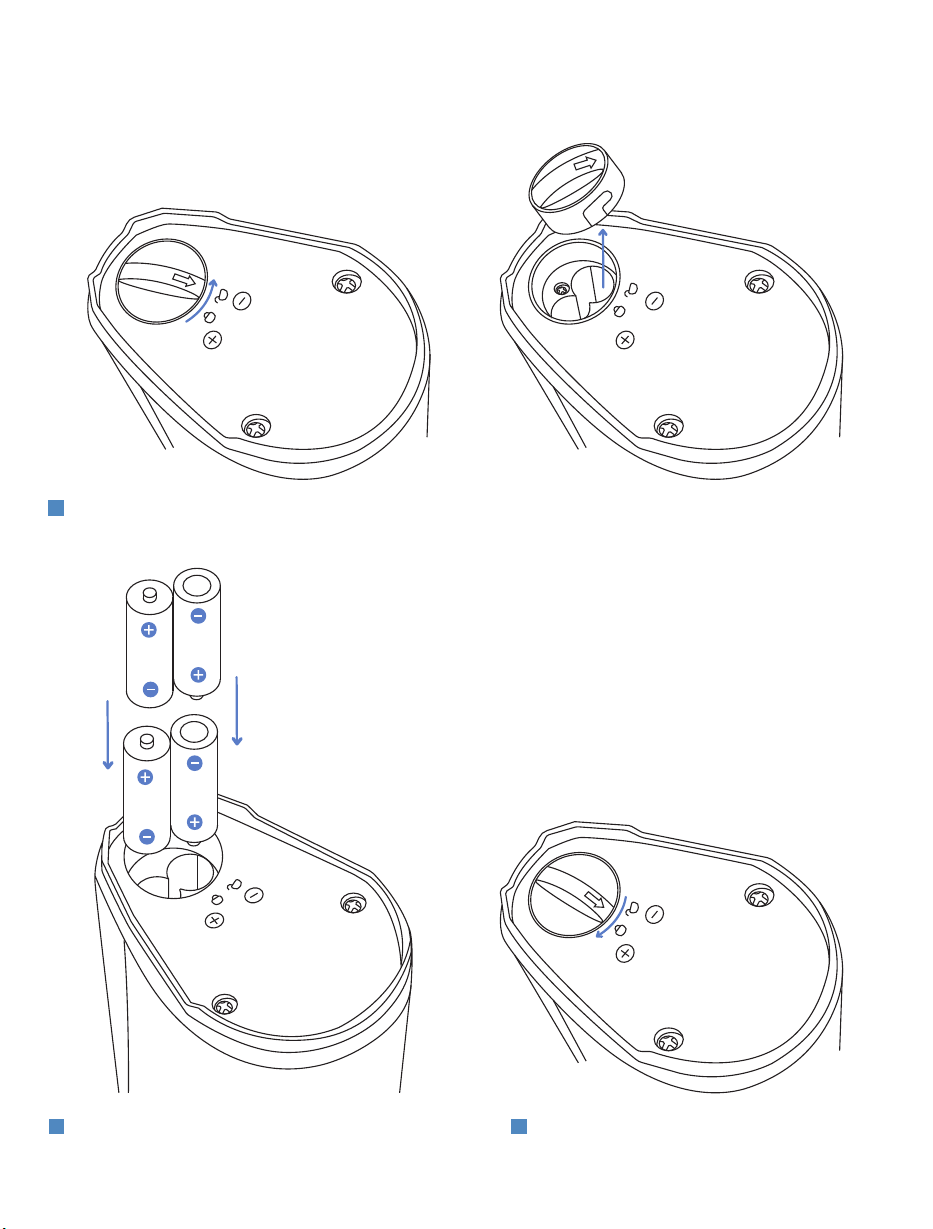
3. OPERATION
INSERT BATTERIES
Correctly insert 4 AA batteries, making sure to
observe the polarities marked on the bottom of
the soap dispenser.
2
Press and rotate the cap clockwise to close the
battery compartment.
3
Rotate the cap counterclockwise to open the battery compartment located on the bottom of the dispenser.
1
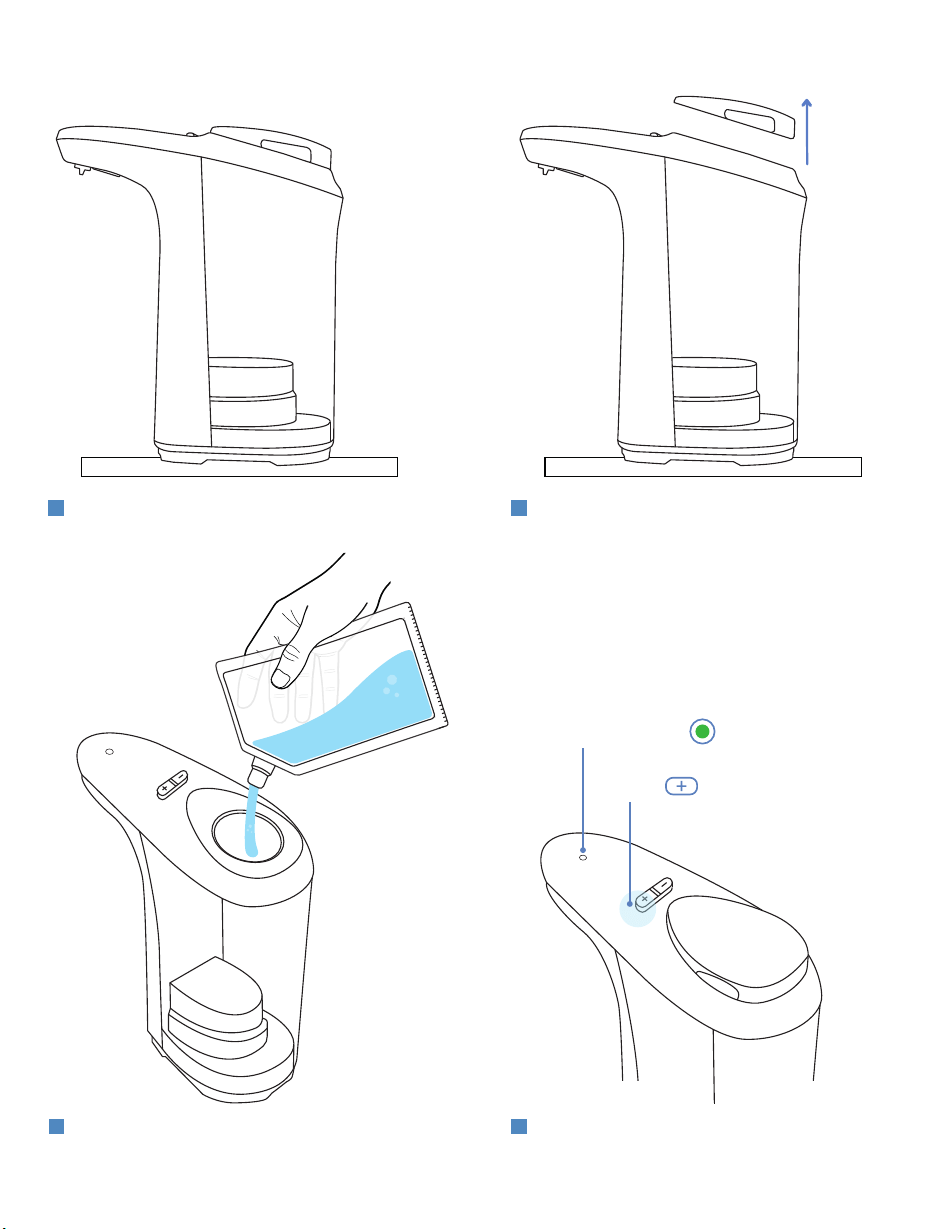
FILL THE TANK
Pour the desired amount of non-foaming
liquid into the tank, then return the tank
cover to the soap dispenser.
3
Once filled, turn the soap dispenser ON by
pressing the (+) button 1x. The LED
indicator will blink green once.
4
Remove the tank cover.
2
Set unit on a flat and dry surface.
NOTE: Unit is designed to function with non-foaming liquids.
1
SWITCH
LED INDICATOR
SWITCH
LED INDICATOR
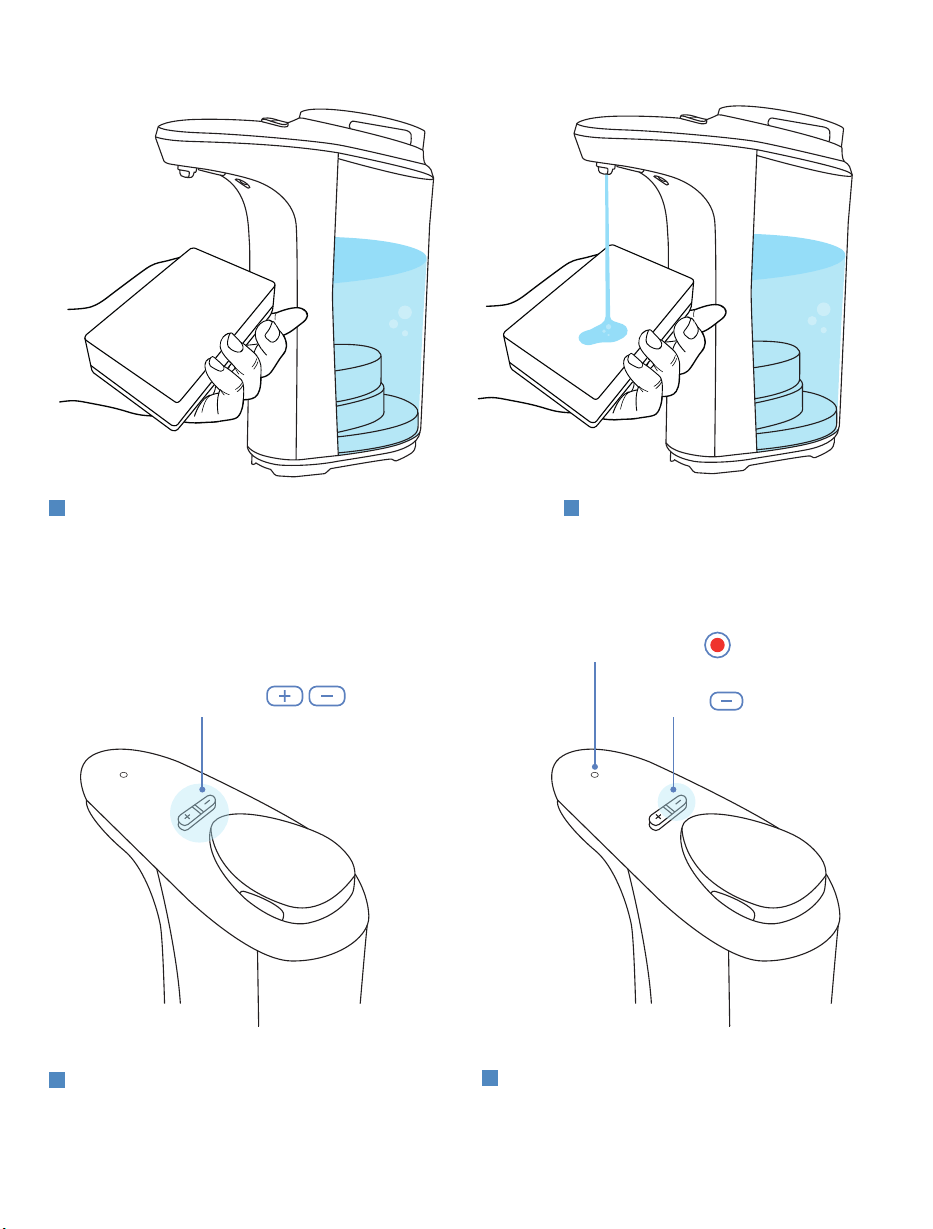
TEST & ADJUST
To test if the unit is ON, place and hold a sponge
under the dispenser in the sensor area (Fig. 2).
IMPORTANT: Our infrared sensor is triggered as a
result of reflected light. Clear objects may not reflect
light as intended. For this, we would suggest using
your hand to trigger the sensor to pump.
1
CONTROL BUTTONS
Adjust to your preferred soap output
level. The soap dispenser features
output levels 1-5. The default setting is
level 3.
2
To increase the output level press the ( + ) button.
To decrease the output level press the ( - ) button.
3
To turn the soap dispenser OFF between refills,
press and hold the ( - ) button for 2 seconds, the
LED indicator will blink red once. Note, the LED
indicator will also light up red when the battery
level is low.
4
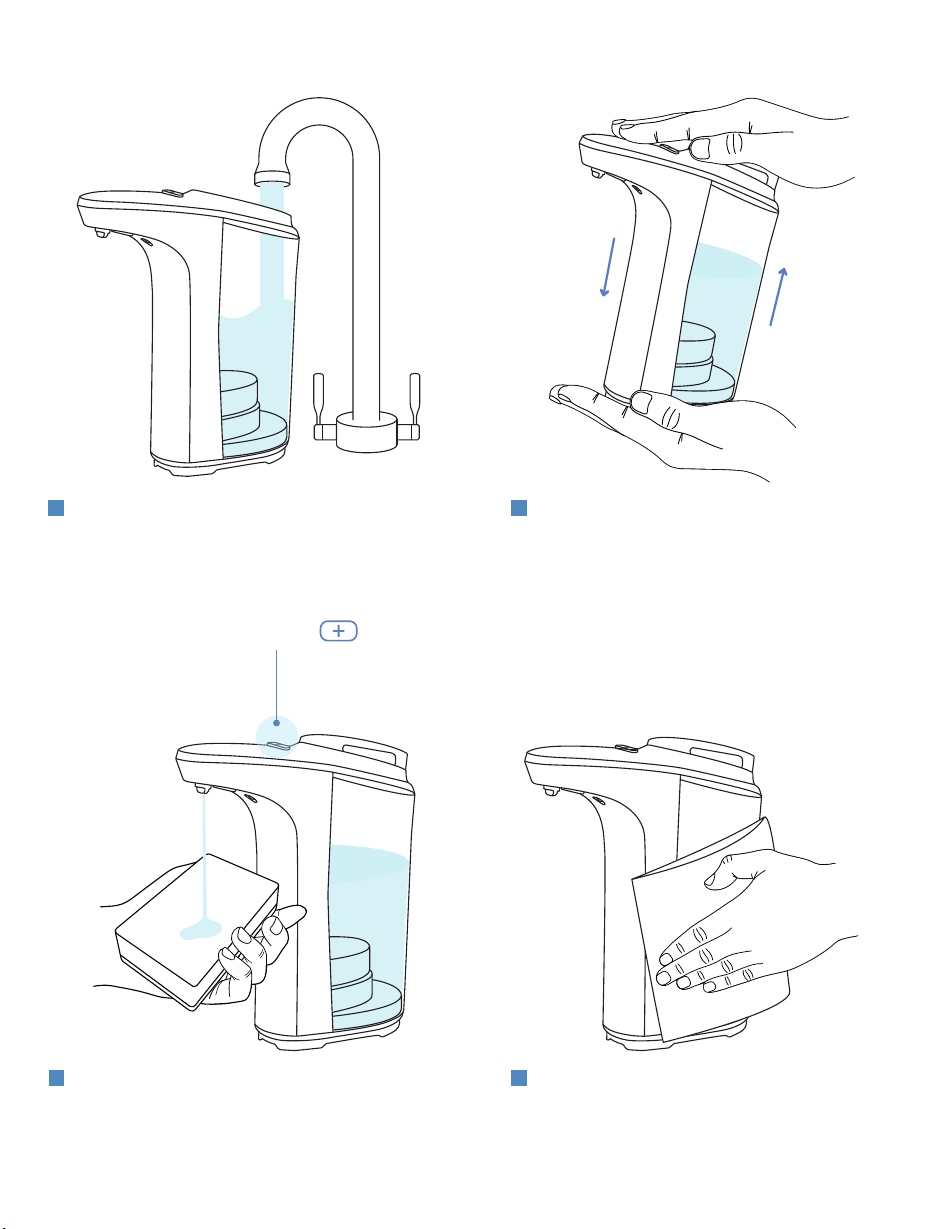
4. MAINTENANCE
Set the soap output level to MAX by pressing the
(+) button 5 times. Operate the unit by sticking a
sponge underneath the sensor area several times
to allow the soapy water mixture to flow through
the entire unit thus cleaning out the internal lines.
3
Put the tank cover back on, then with one hand
holding the tank cover firmly, shake the unit.
2
Once completed, pour out the remaining soap
water mixture and clean the exterior of the unit
with a damp cloth.
4
Turn unit OFF by pressing and holding the (-) button
for 2 seconds. After the indicator light blinks RED,
you may remove the tank cover, empty all soap and
fill the tank with water.
1
SWITCH

5. TROUBLESHOOTING
PROBLEM PRIMARY CAUSE SOLUTION
Soap is not
dispensing.
A.
The unit has not been used in a while.
B.
Soap is too thick.
C.
The batteries are low.
A.
Press the (+) button on the top of the
unit, then place your hand underneath the
sensor area. If the lines have dried, you
may need to fill the unit with hot water
and let it sit before attempting use. This
may need 3-4 rounds of hot water to
break up dried soap in the lines.
B.
Turn the unit OFF, empty any liquid
soap and rinse the soap tank out with
water (may require more than 1 rinse).
Refill soap tank with warm water, replace
the tank cover, and let it sit for 3-5
minutes. Next, swirl the soap dispenser
around in a circle for 30-45 seconds to let
the warm water move around the soap
tank. Next, turn the unit ON, and set it to
its highest output level by pressing the (+)
button. Then place your hand underneath
the soap outlet and cycle it until a steady
and clear stream of water dispenses. Then
turn the unit back OFF, pour out the
water, and operate normally. Repeat if
trouble persists.
C.
Replace all 4 AA batteries.
The battery
compartment
contains water.
Water has entered the battery
compartment.
Dry the underside of the battery
compartment with a dry towel. Unscrew
the battery cover, remove batteries and let
the battery compartment dry with the
cover removed for 24 hours. Once dry,
reinsert the batteries and reattach the
cover. If corrosion is found inside of the
battery compartment reach out to
for assistance.
The sensor isn’t
working.
The sensor area is dirty. Turn the unit OFF. Clean the sensor area
with a damp sponge or cloth (DO NOT use
soap). Dry with a towel, then turn unit
back ON.
Capacity
Power
Dimensions
Weight
500ml
4x AA Alkaline Batteries (not included)
3.3” (W) x 6.4” (L) x 7.4” (H)
0.8 lbs (w/o batteries)
6. SPECIFICATIONS
HAVE AN ISSUE WITH YOUR AUTOMATIC SOAP DISPENSER?
Enjoy hassle-free replacements: if your automatic soap dispenser is defective or damaged,
we will ship you a new one ABSOLUTELY FREE.
For fast and knowledgeable service, get in touch with one of our customer
service experts right now!
Email: [email protected]
WRITE A MESSAGE
TO SUPPORT
To check out more of the products we offer visit:
everlastingcomfort.net