Quick
Start Guide
Indoor Antenna
Versión
en español
al dorso
Check out setup videos at
www.RCAAntennaHelp.com
Note: If your TV’s antenna
input is already connected to
a satellite receiver, cable box,
or digital converter, connect
the antenna’s coaxial cable to
the antenna input jack on that
device.
Use the RCA Signal Finder App
to nd the best location for your
antenna.
1
In the Google Play or Apple App
Stores, search for “RCA Signal
Finder” and look for the icon
shown here. Then download and
install the App.
Launch the App and follow the
directions there to nd the best
location and orientation for your
antenna.
Antenna Placement Tips
Avoid metal surfaces (like a metal stand).
Move the antenna close to or in a window.
Position the antenna as high as possible.
Connect the antenna to your TV.
2
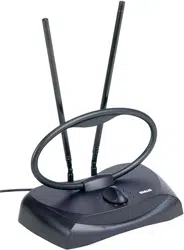
Assembling your antenna
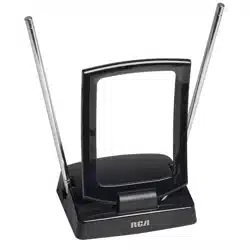
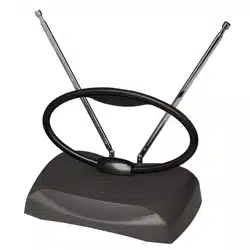
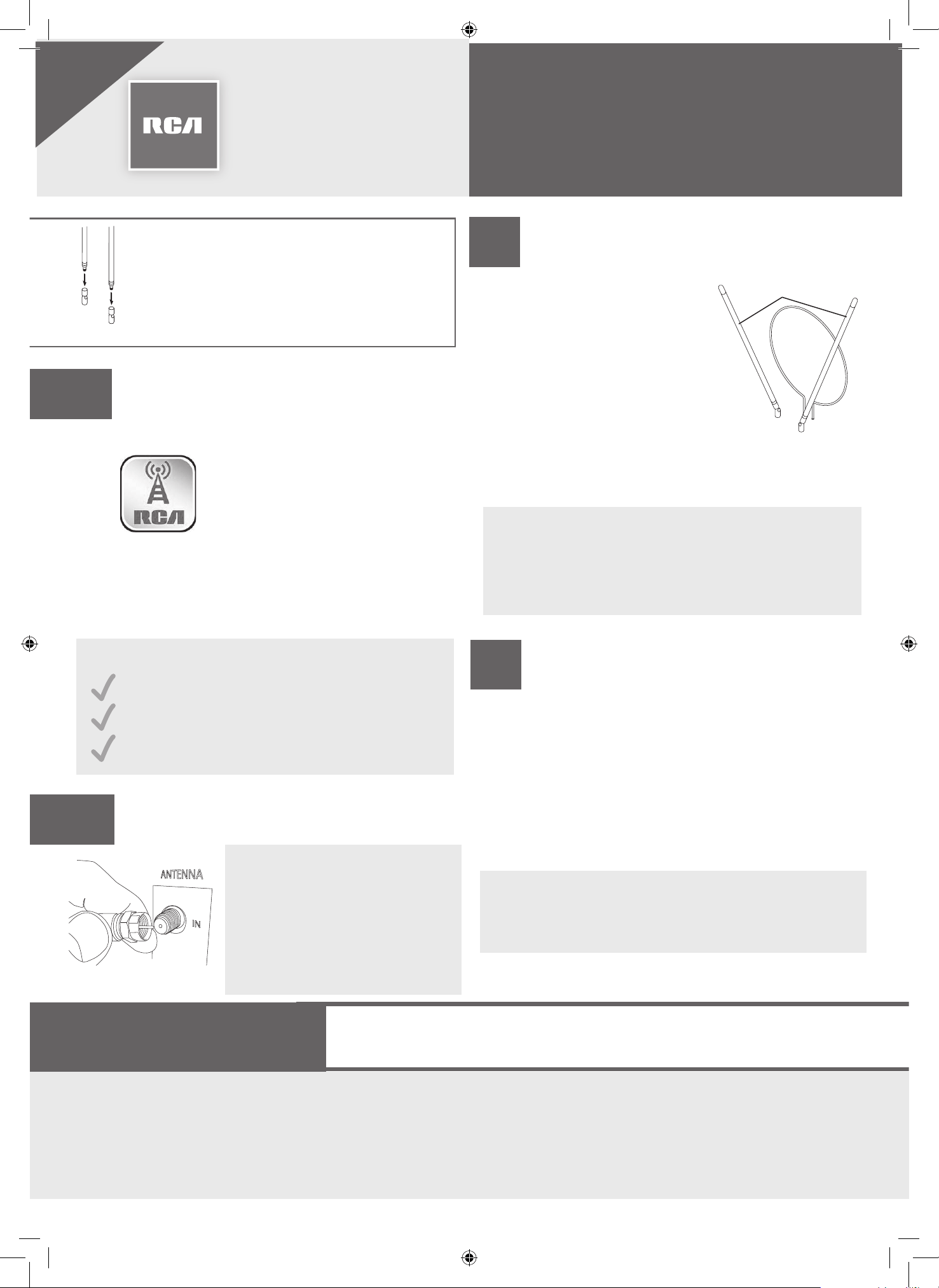
Some antenna models require assembly. If
your package comes with several separate
pieces—two long poles and a base—screw
the dipoles into the base to assemble the
antenna.
> Turn on your TV.
> Adjust the antenna’s
UHF loop.
> Extend the antenna’s
dipoles (rods) and
rotate them.
Note: Different
channels may require different antenna
adjustments.
Adjust your antenna for best
reception.
3
Most TVs have a channel scan option in their
menu system, many times in a SETUP or
CHANNEL menu under ANTENNA.
For detailed instructions on performing a
channel scan, see the owner’s manual that
came with your TV.
Important: You must perform a channel scan
to receive any channels!
Scan for channels on your TV.
4
Dipoles
Loop
If your antenna has a selector knob...
You can use it to ne tune your reception. Once
you’ve found the best positions for the dipoles and
UHF loop, nd the selector position that gives you
the best picture.
Want to make this antenna even better?
Add an RCA Digital Amplier to any passive antenna
to amplify your signal. The RCA Digital Amplier is
available at retailers or at RCAAntennas.net
DO NOT RETURN this product to the store! Visit
RCAAntennaHelp.com for instructional and how-to videos.
STOP!
LIMITED LIFETIME WARRANTY
Voxx Accessories Corporation (the “Company”) warrants to you the original retail purchaser of this product that should it, under normal
use and conditions, be proven defective in material or workmanship during its lifetime while you own it, such defect(s) will be repaired
or replaced (at the Company’s option) without charge for parts and repair labor. Call 1-800-645-4994 for location where product to be
sent transportation prepaid. ALL IMPLIED WARRANTIES ARE DISCLAIMED. Warranty excludes damage due to abuse and incidental or
consequential damage. These limitations may not apply where law limits length of implied warranty or exclusion of such damage. You may
also have additional rights.
©2019 Voxx Accessories Corp. Traditional Insert BW 02
Guía de
inicio rápido
Antena interior
English
version on
other side
Consulte los videos de conguración en
www.RCAAntennaHelp.com
Aviso: Si la entrada de la antena
de su TV ya está conectada a
un receptor de satélite, aparato
de cable o convertidor digital,
conecte el cable coaxial al
conector de entrada de la
antena en dicho dispositivo.
Use la aplicación RCA Signal
Finder para determinar la mejor
ubicación para su antena.
1
En las tiendas Google Play o
Apple App, busque “RCA Signal
Finder” y el icono que aquí se
muestra. Ahora descargue e
instale la aplicación.
Abra la aplicación y siga las
instrucciones para determinar
la mejor ubicación y orientación
para su antena.
Consejos para la ubicación de la antena
Evite las supercies de metal (tal como
un soporte de metal).
Coloque la antena en una ventana o
cerca de ella.
Coloque la antena lo más alto posible.
Conecte la antena al TV.
2
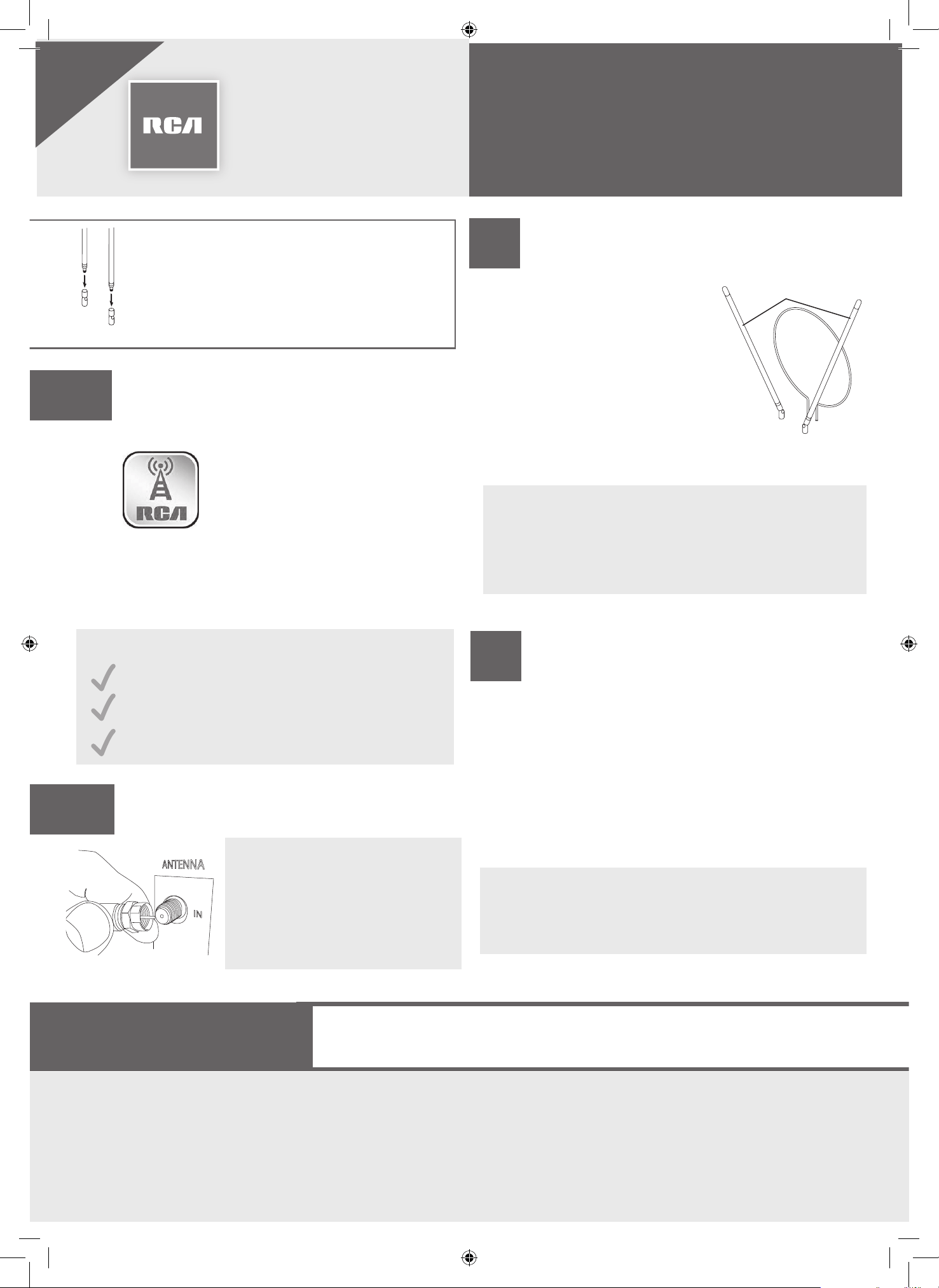
Cómo ensamblar la antena
Algunos modelos de antena deben ser
ensamblados. Si su paquete incluye varias
piezas separadas, o sea, dos postes largos, y
una base; enrosque los dipolos en la base para
ensamblar la antena.
> Encienda el televisor.
> Ajuste el bucle UHF de
la antena.
> Extienda los dipolos
(barras) de la antena, y
luego gírelos.
Aviso: Diferentes canales
podrían necesitar diferentes ajustes de antena.
Cómo ajustar su antena para
obtener la mejor recepción.
3
La mayoría de televisores tienen una opción
de búsqueda de canales en sistema de menús,
con frecuencia se encuentra en el menú de
CONFIGURACIÓN o CANALES en la sección
ANTENA. Para obtener instrucciones detalladas
sobre cómo llevar a cabo una búsqueda de
canales, consulte el manual del propietario
incluido con el TV.
Importante: ¡Debe realizar una búsqueda de
canales para recibir los canales!
Busque canales en su TV.
4
Si su antena cuenta con una perilla selectora...
Puede usarla para sintonizar la recepción de forma na.
Una vez que haya encontrado las mejores ubicaciones
para los dipolos y para el bucle UHF, ajuste el selector
en la posición que le ofrezca la mejor imagen.
¿Quiere mejorar esta antena aún más?
Agregue un Amplicador Digital de RCA a una antena
pasiva para amplicar la señal. El Amplicador Digital
de RCA está disponible en tiendas minoristas o en
RCAAntennas.net
NO DEVUELVA este producto a la tienda. Visite
RCAAntennaHelp.com para videos de instrucciones y prácticos.
¡ALTO!
GARANTÍA LIMITADA DURANTE LA VIDA ÚTIL DEL PRODUCTO
Voxx Accessories Corporation (la “Compañía”) le garantiza a usted, el comprador original de este producto que si, bajo condiciones y
uso normales, se encontrara que presenta defectos materiales o de mano de obra durante su vida útil mientras sea de su propiedad,
tales defectos serán reparados o reemplazados (a opción de la Compañía) sin cargo alguno por las piezas y labores de reparación. Llame
al 1-800-645-4994 para obtener información de donde debe enviar el producto con transporte prepagado. TODAS LAS GARANTÍAS
IMPLÍCITAS QUEDAN EXCLUIDAS DE NUESTRA RESPONSABILIDAD. La Garantía excluye los daños por abuso, incidentales o emergentes.
Estas limitaciones pueden no aplicarse donde la ley limita la duración de una garantía implícita o la exclusión de tales daños. Usted
también puede tener derechos adicionales.
Dipolos
Bucle