
Technical Support and E-Warranty Certificate
www.vevor.com/support
GLOBE
MODEL: SKU1 10”
We continue to be committed to provide you tools with competitive price.
"Save Half", "Half Price" or any other similar expressions used by us only represents an
estimate of savings you might benefit from buying certain tools with us compared to the major
top brands and does not necessarily mean to cover all categories of tools offered by us. You
are kindly reminded to verify carefully when you are placing an order with us if you are
actually saving half in comparison with the top major brands.
- 1 -
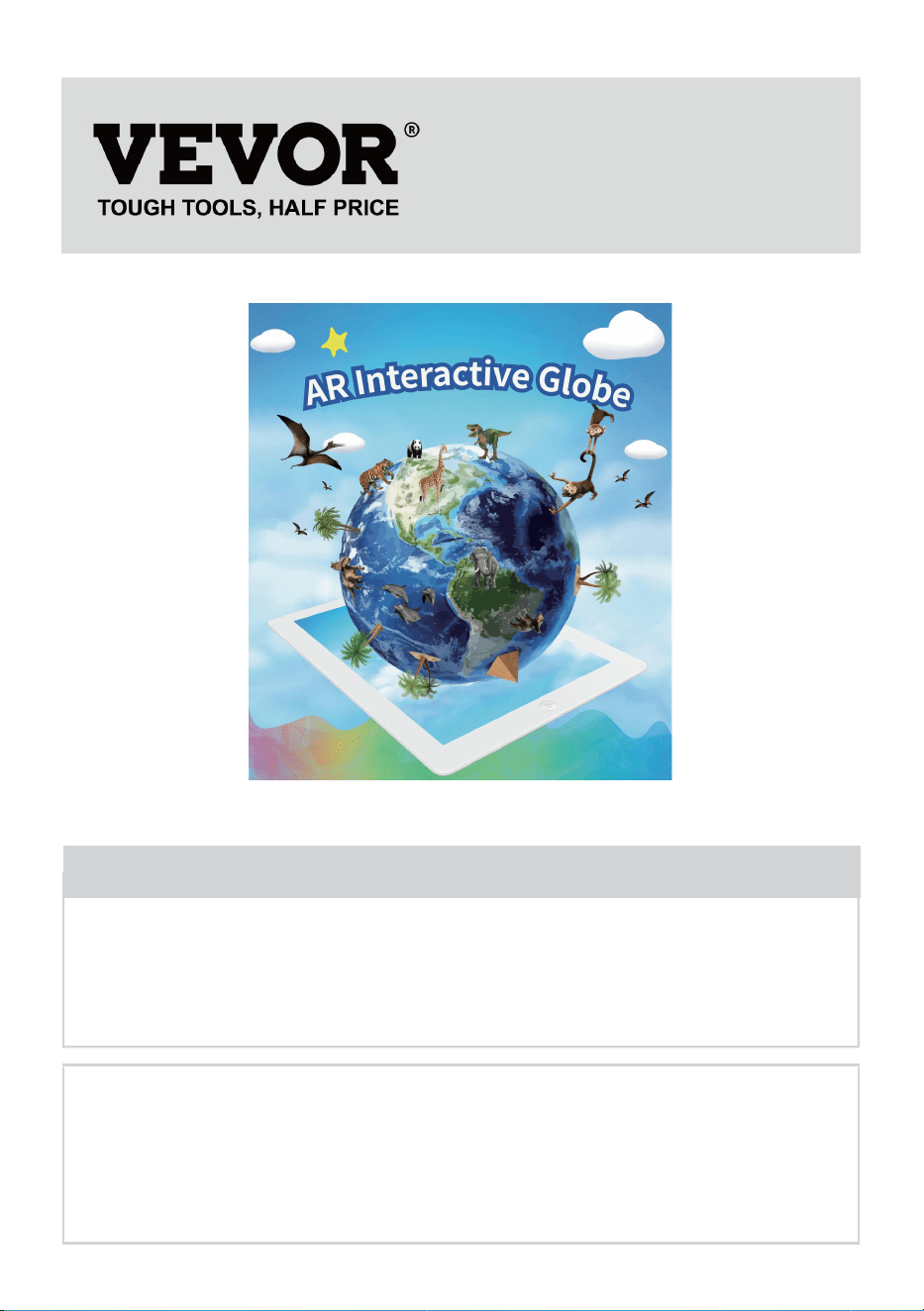
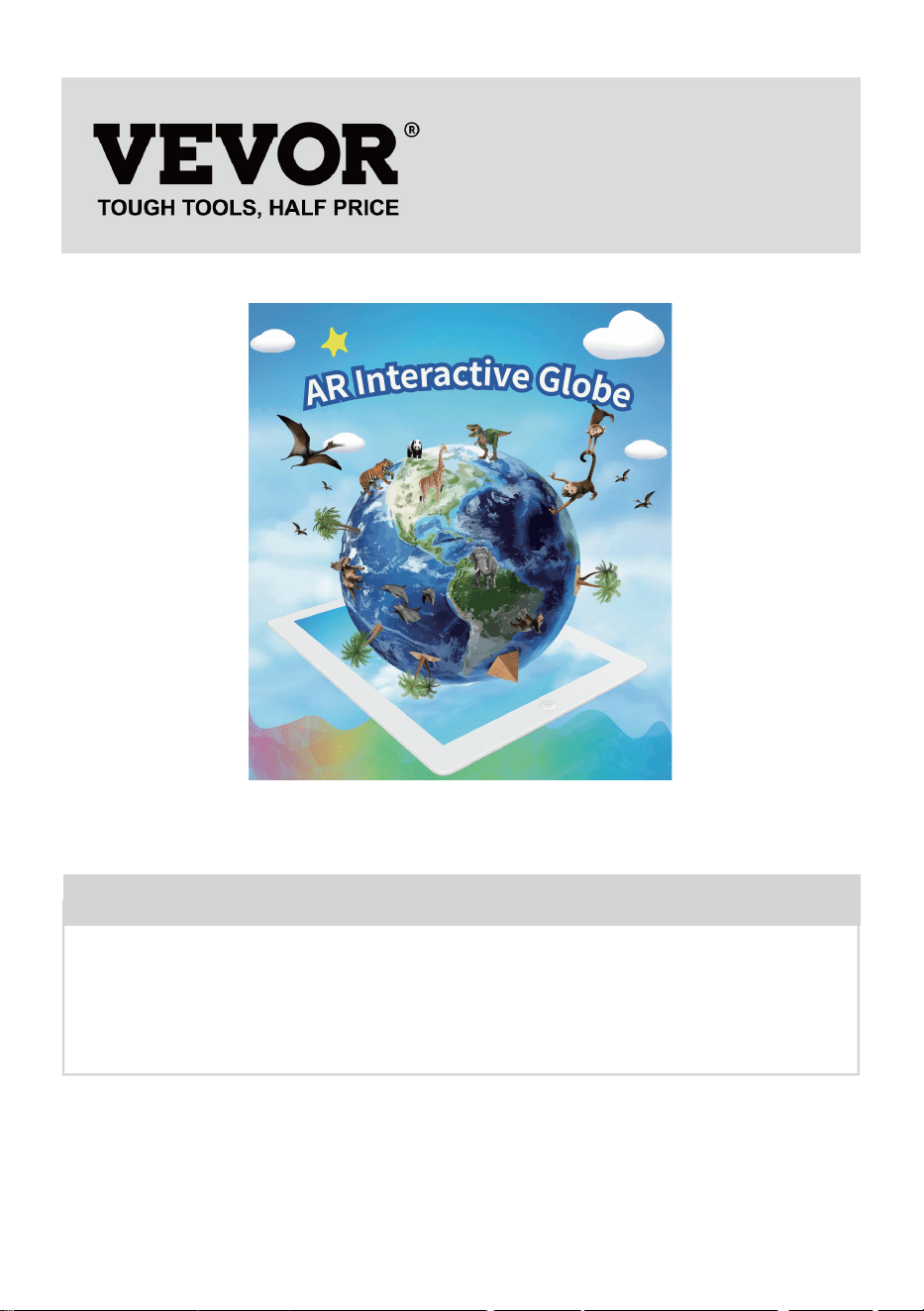
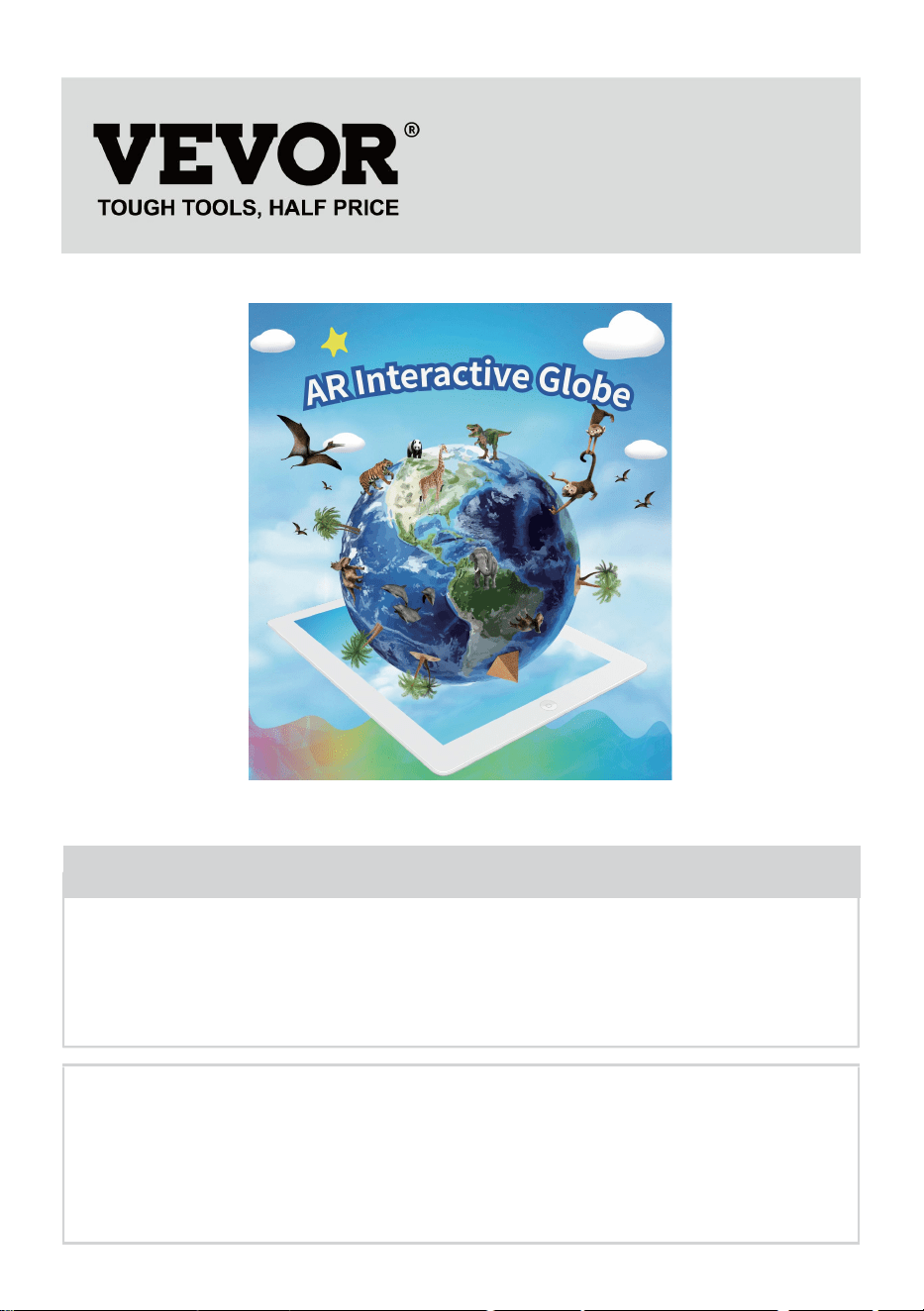
MODEL: SKU1 10”
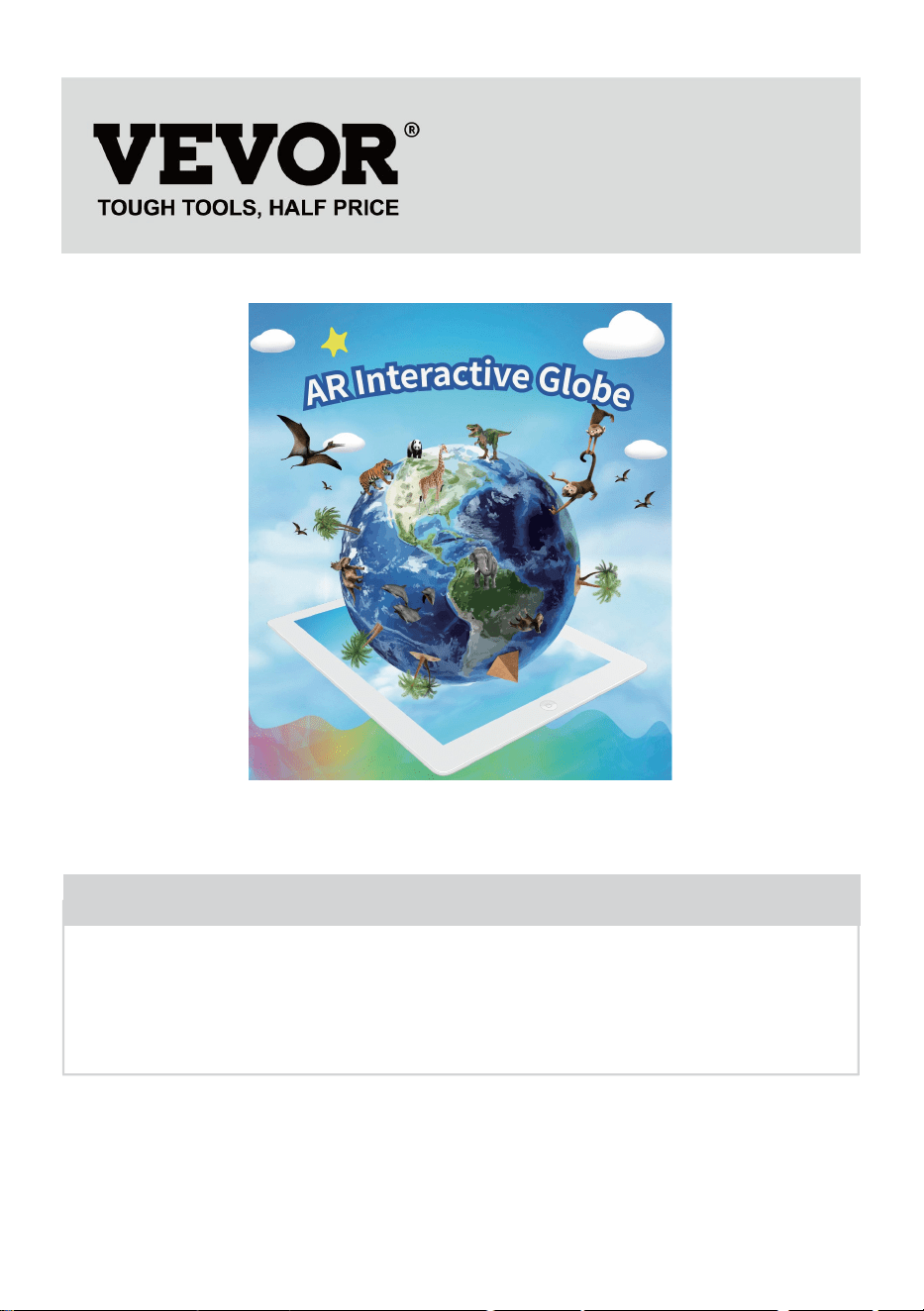
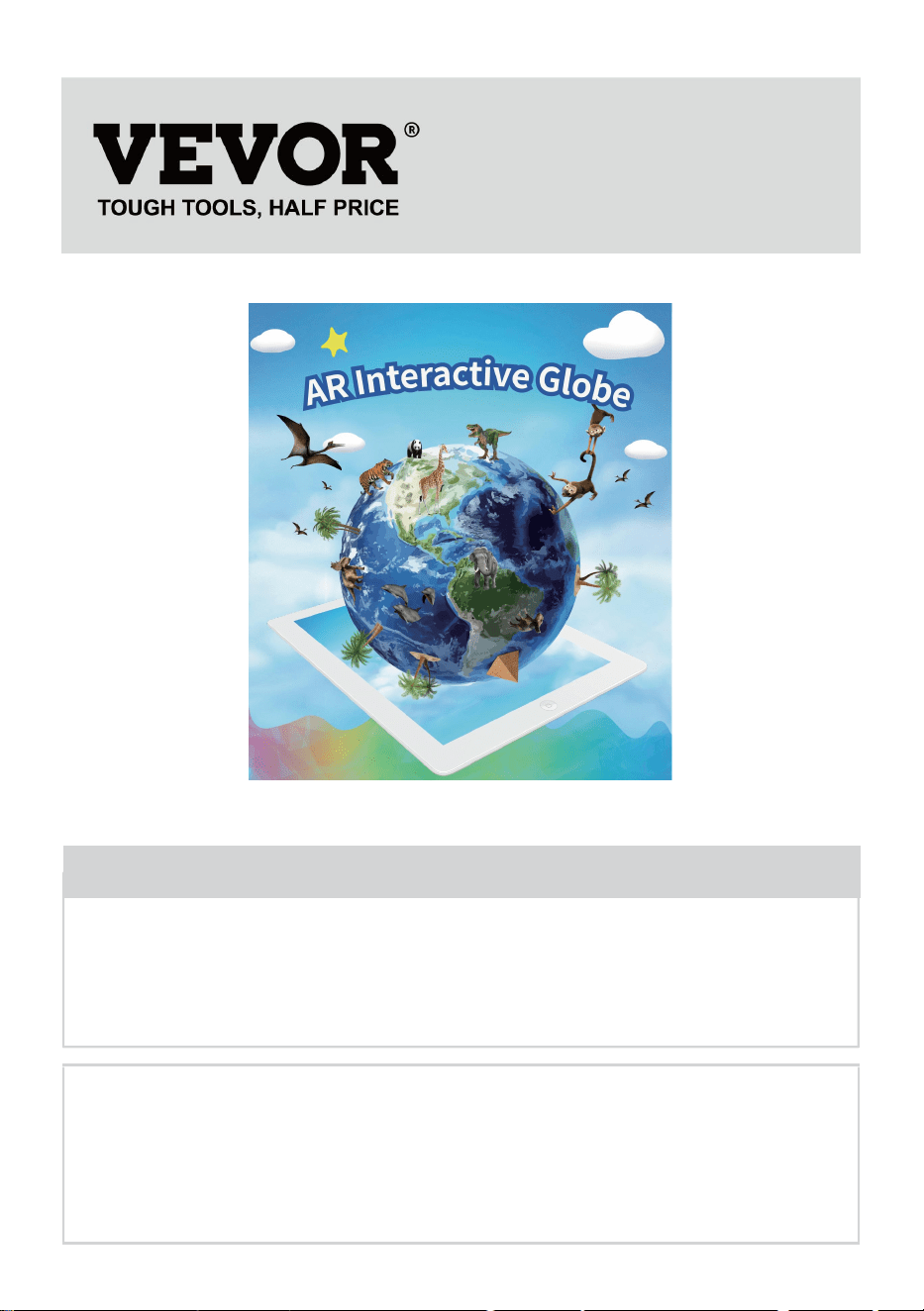
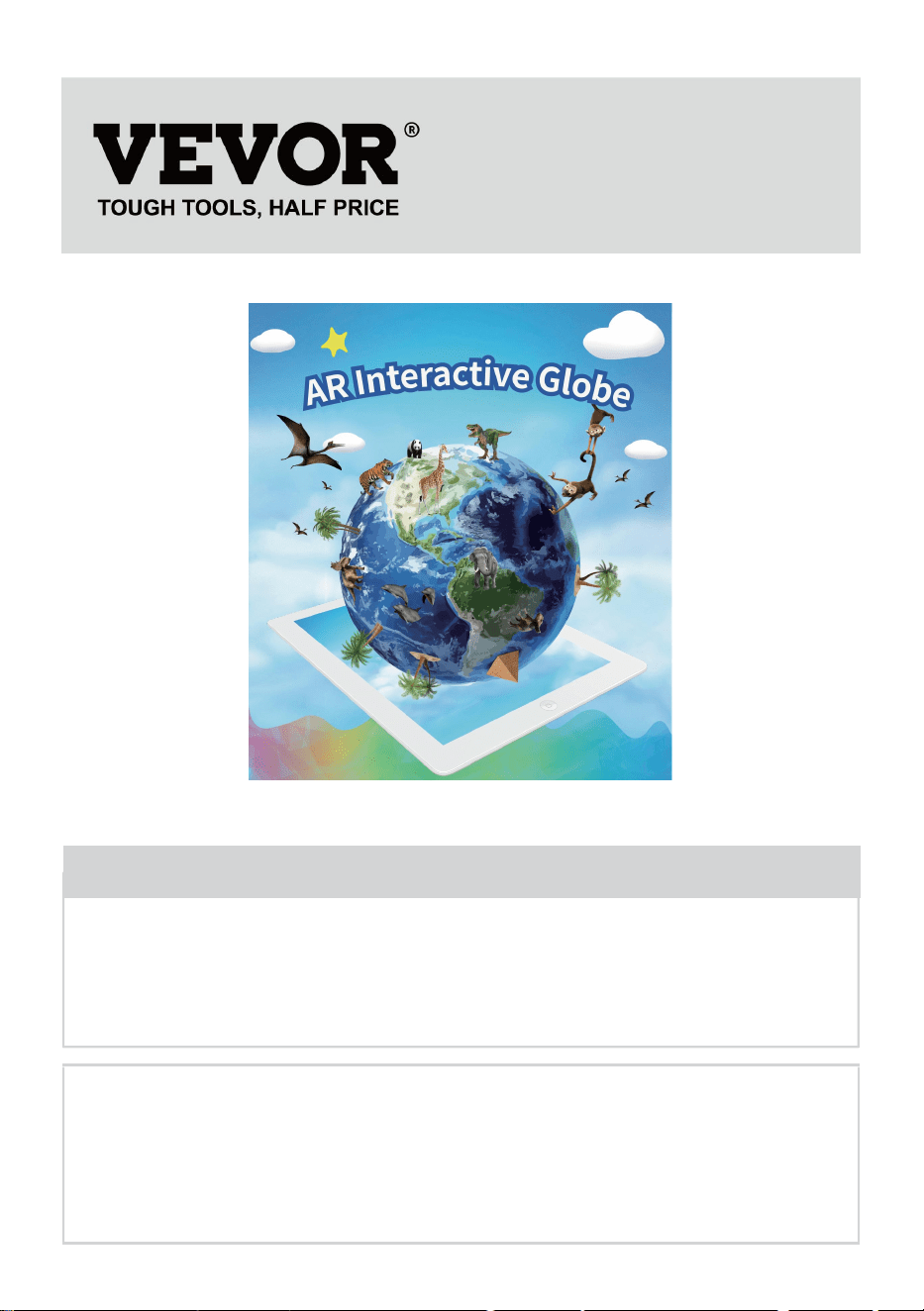
(The picture is for reference only, please refer to the actual object)
Have product questions? Need technical support? Please feel free to
contact us:
Technical Support and E-Warranty Certificate
www.vevor.com/support
NEED HELP? CONTACT US!
This is the original instruction, please read all manual instructions
carefully before operating. VEVOR reserves a clear interpretation of our
user manual. The appearance of the product shall be subject to the
product you received. Please forgive us that we won't inform you again if
there are any technology or software updates on our product.
GLOBE
- 2 -
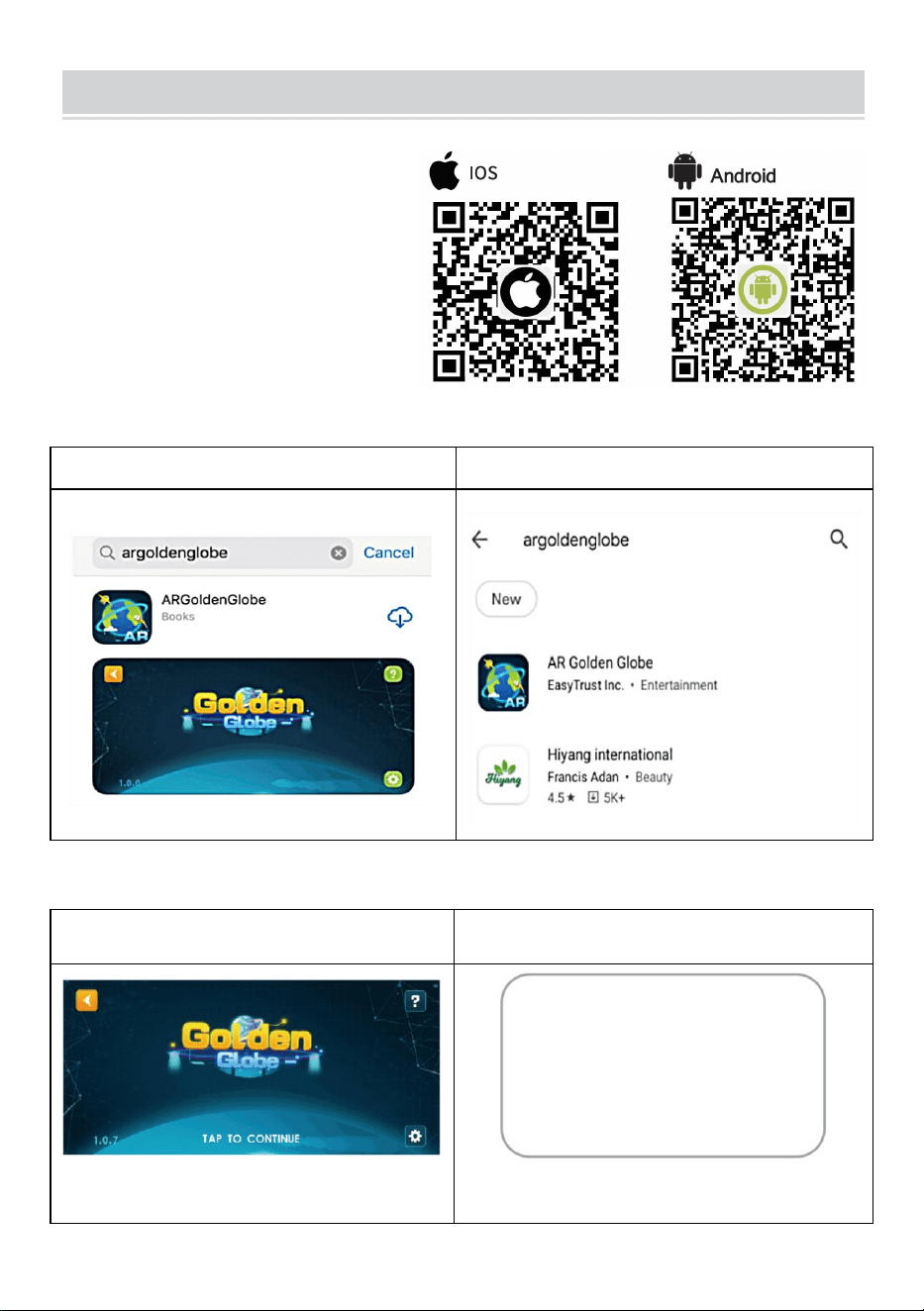
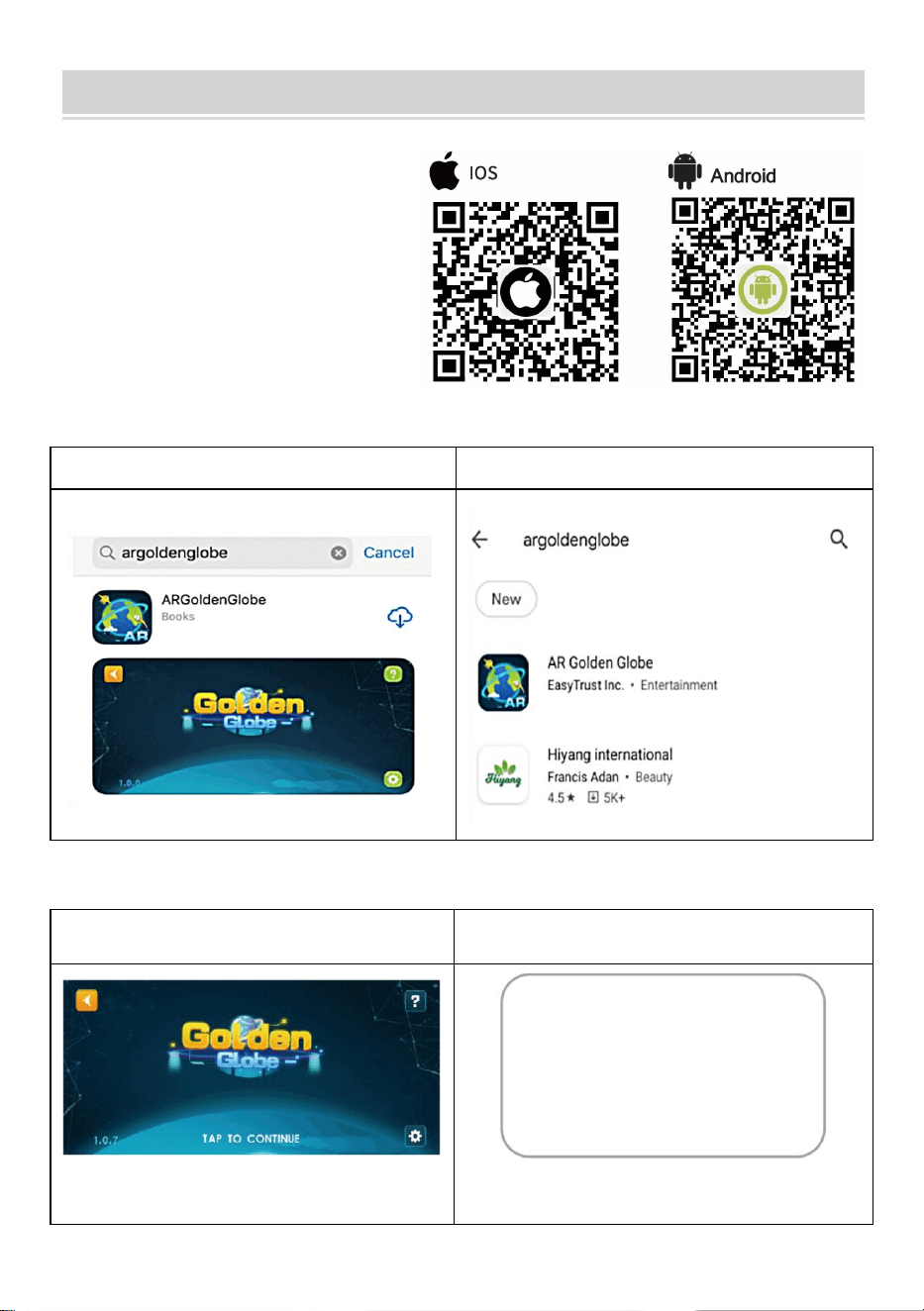
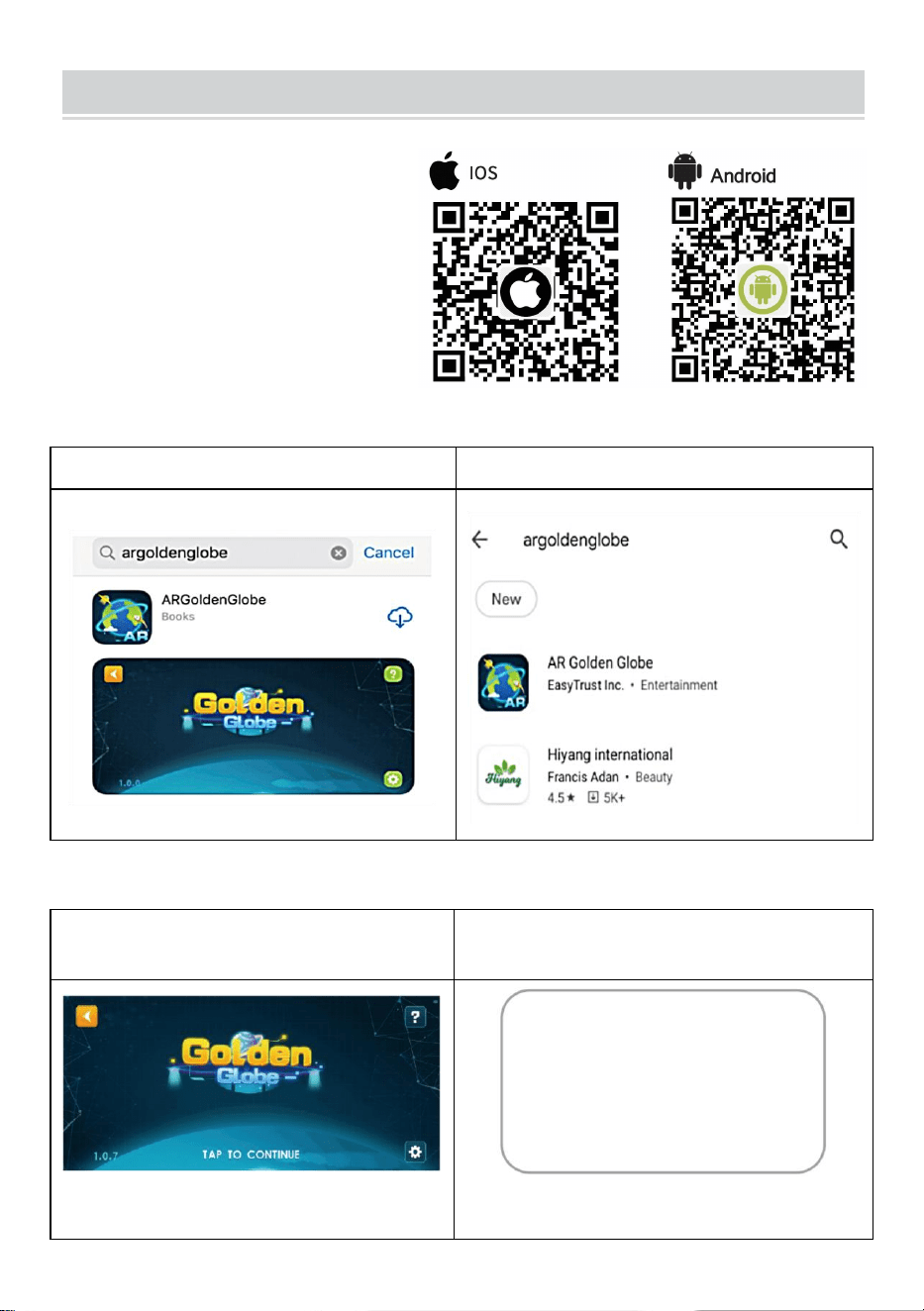
HOW TO USE
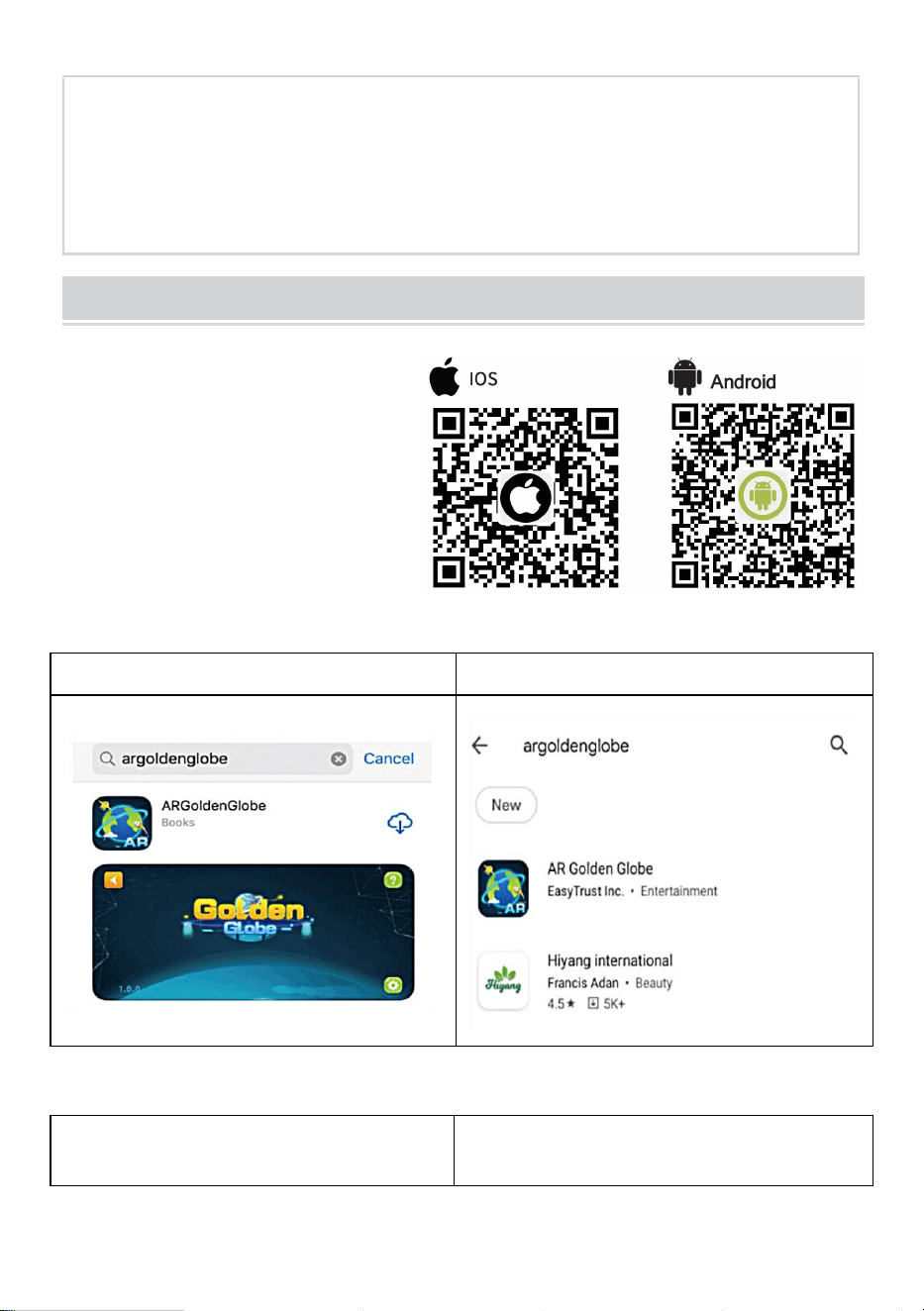
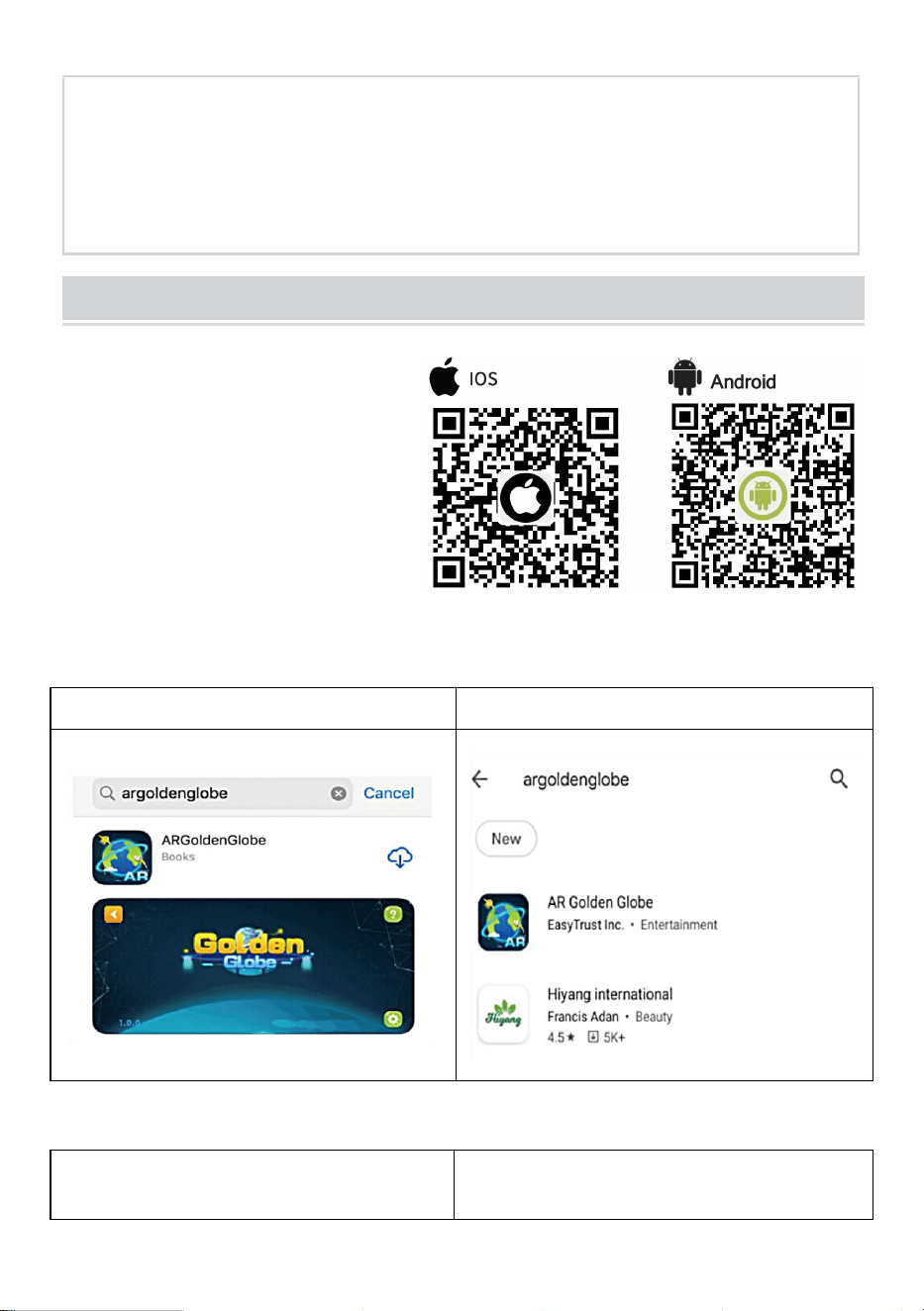
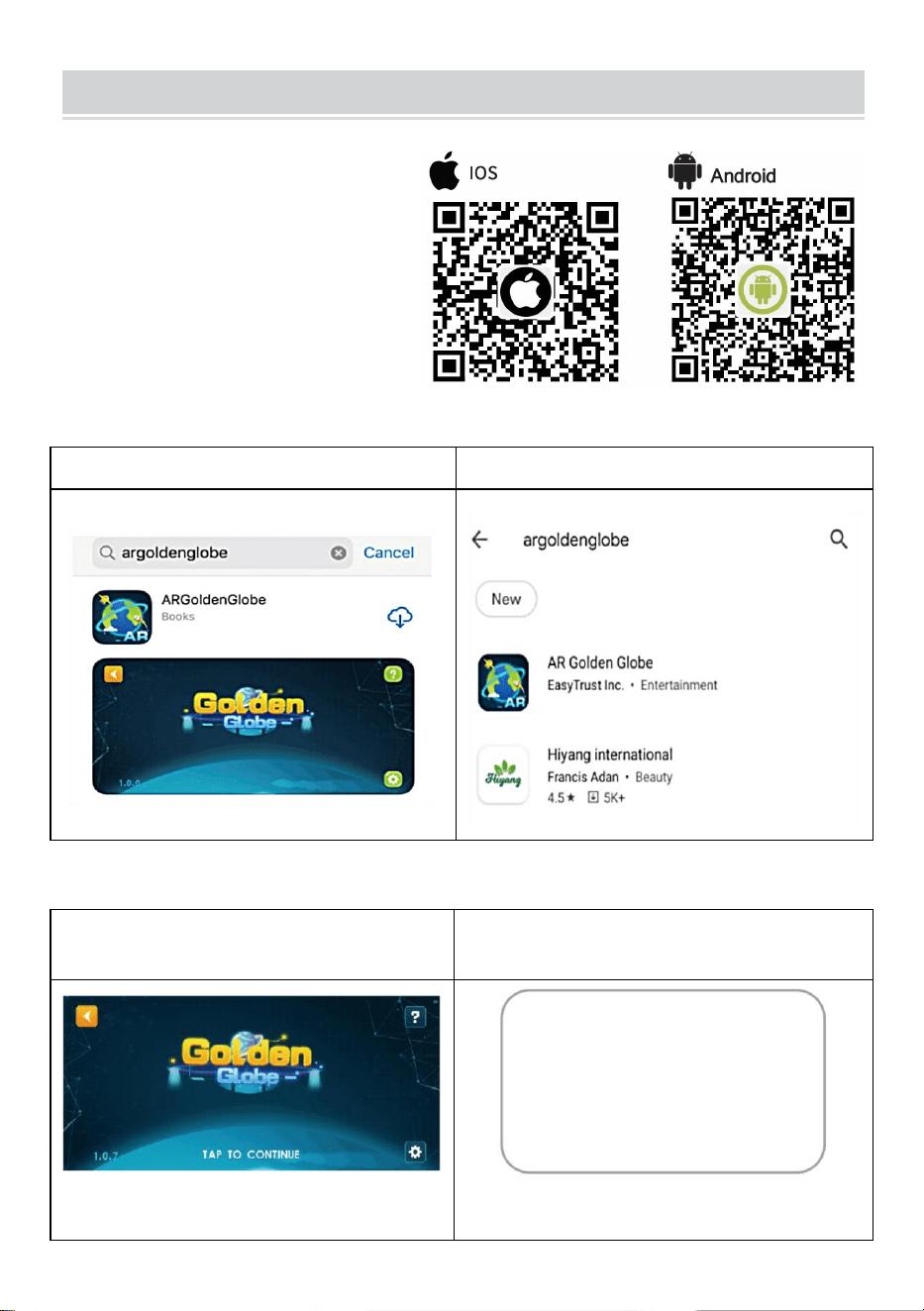
Step 1: Download & Install
1.Scan the QR Code to get
download link OR
2.Search from the app Store "AR Golden Globe"
App Store on iOS
Play Store on Android
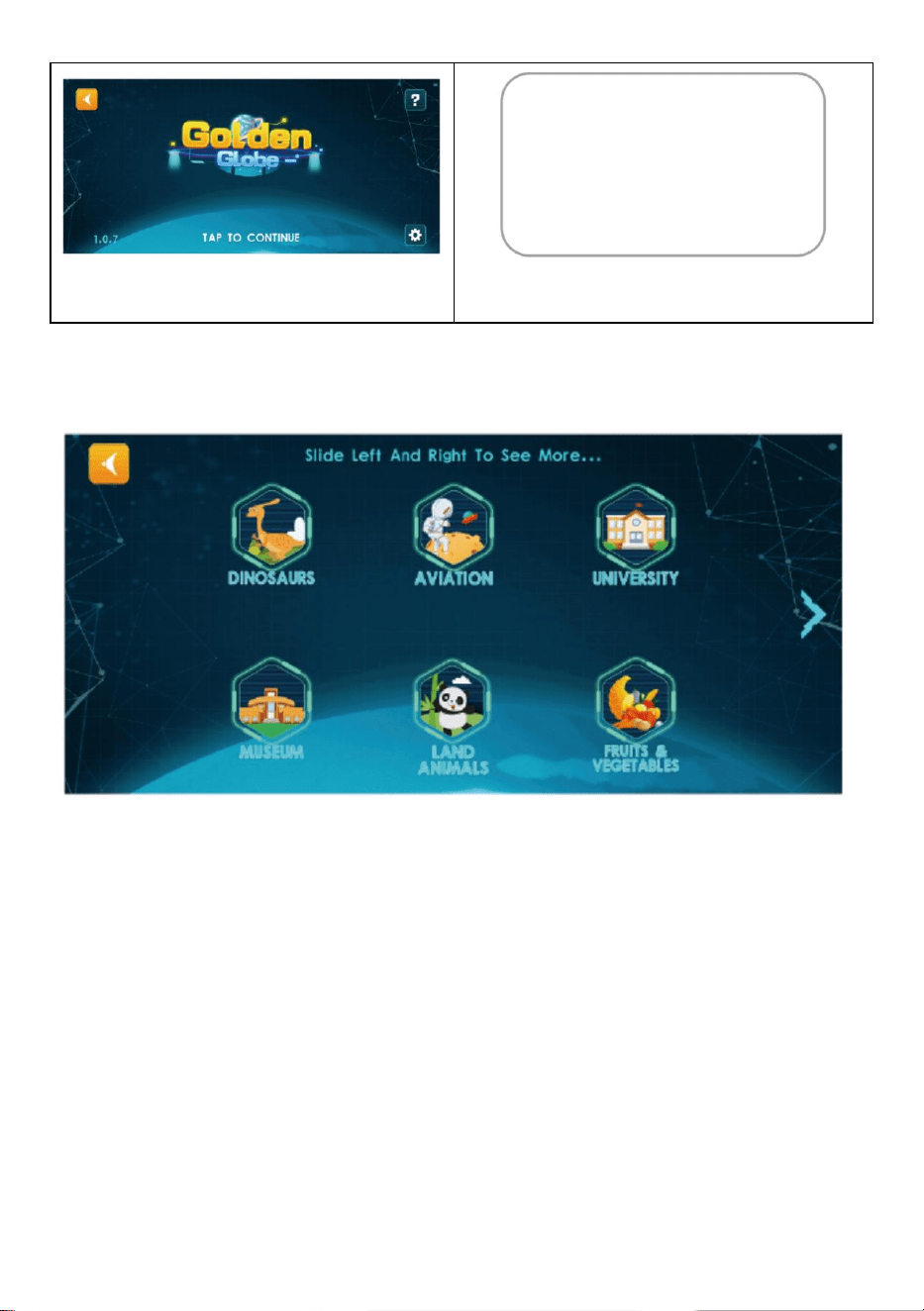
Step 2: Activate the Software
1.Click on the "Globe"to Enter
2.Click Anywhere,Scan the QR Code
to Activate
Note: Please allow APP to use
camera permission
- 3 -
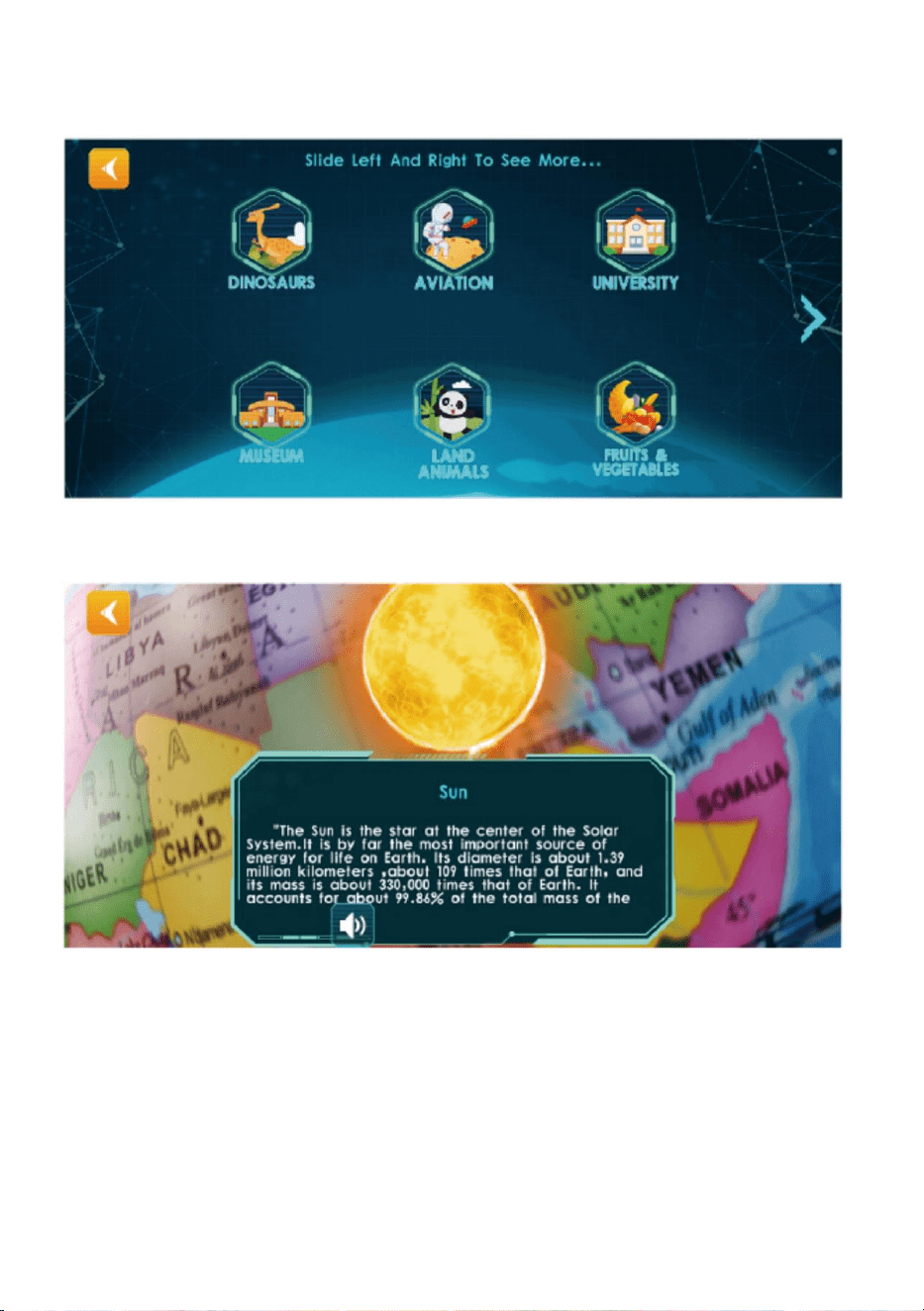
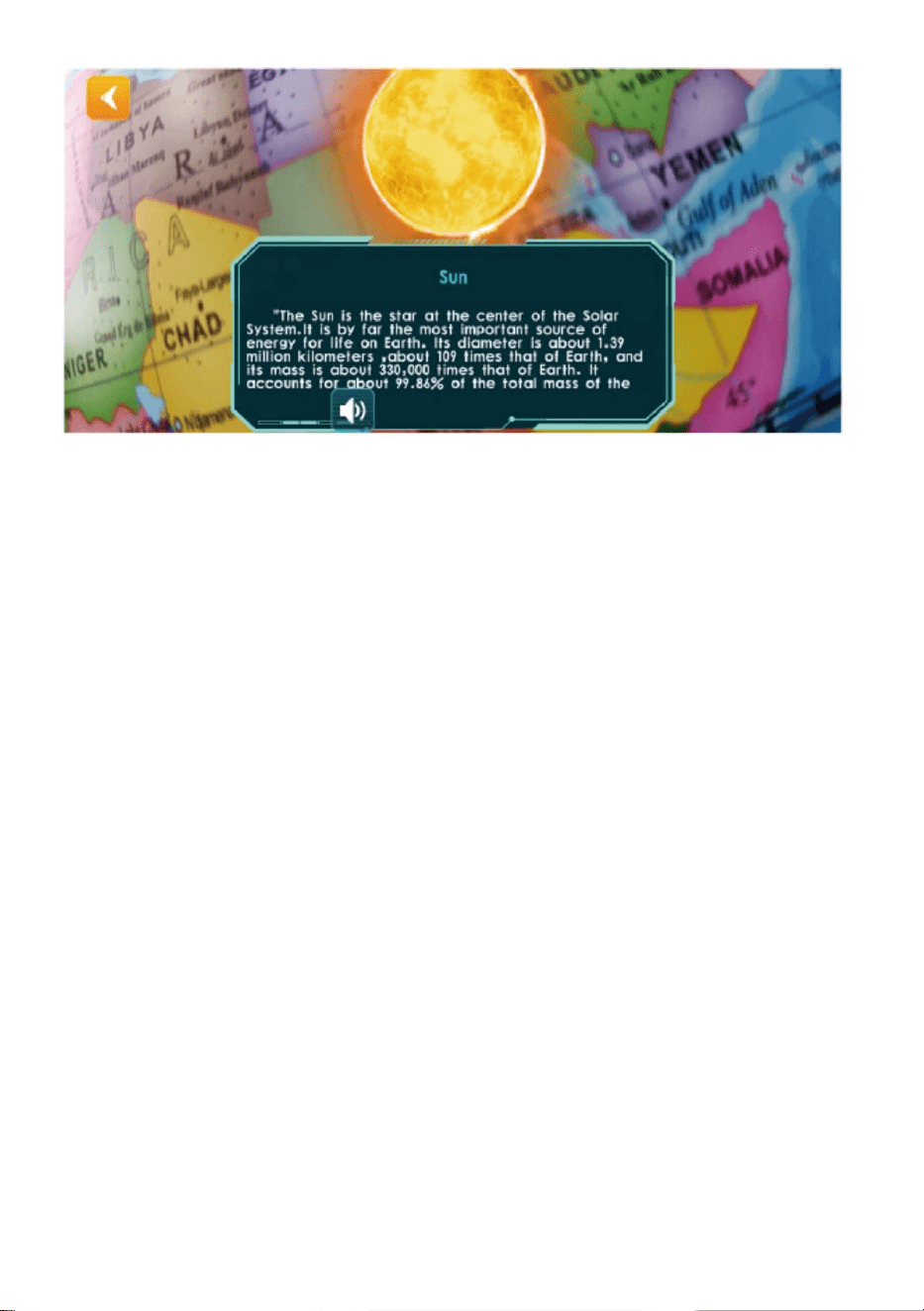
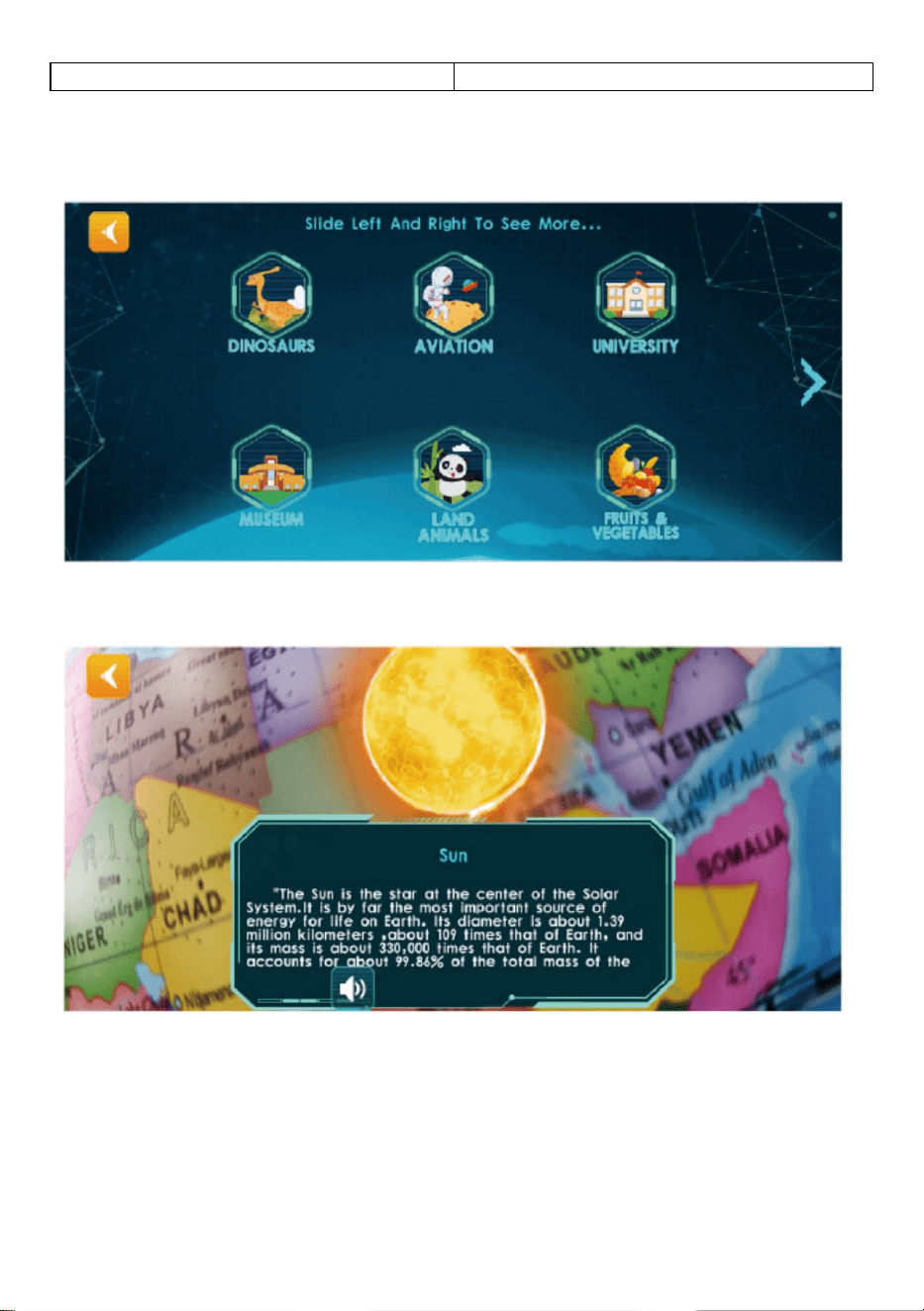
Step 3:Use Experience
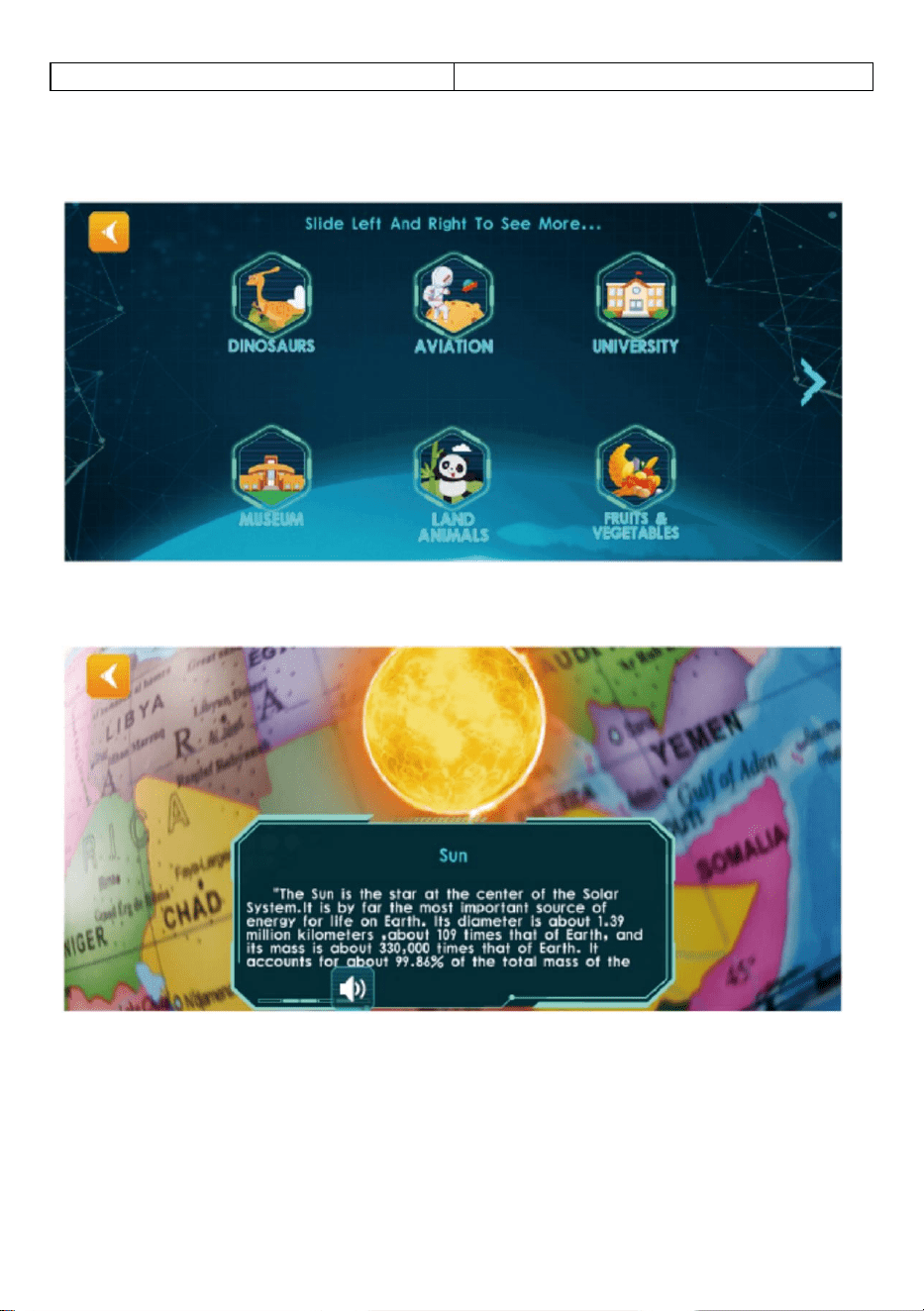
3.Click on Any Module,Aim at the Northern Hemisphere of the Globe and Scan
4.Follow the Button Prompts to Play AR Functions
Note:You can slowly rotate the sphere when scanning
- 4 -
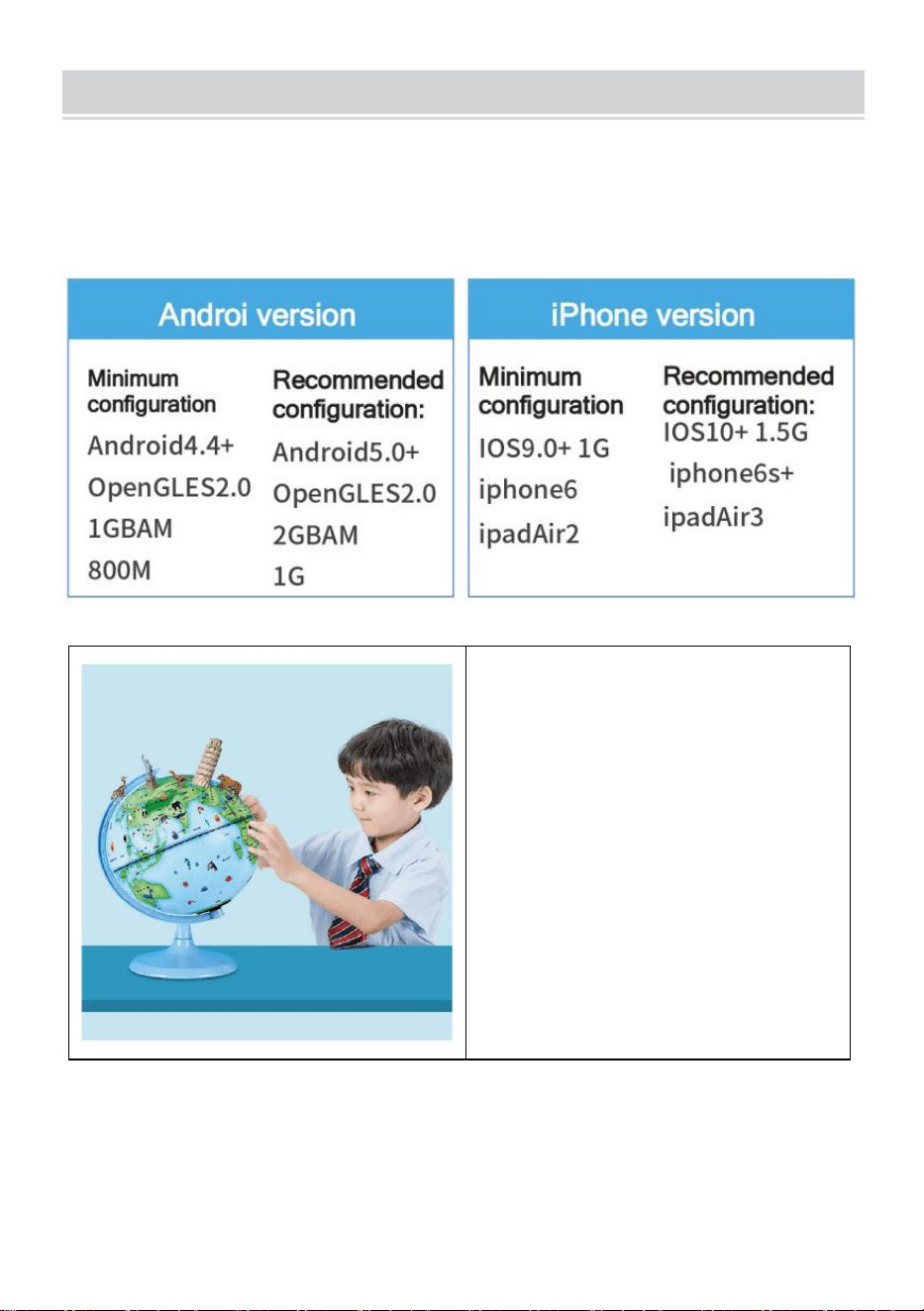
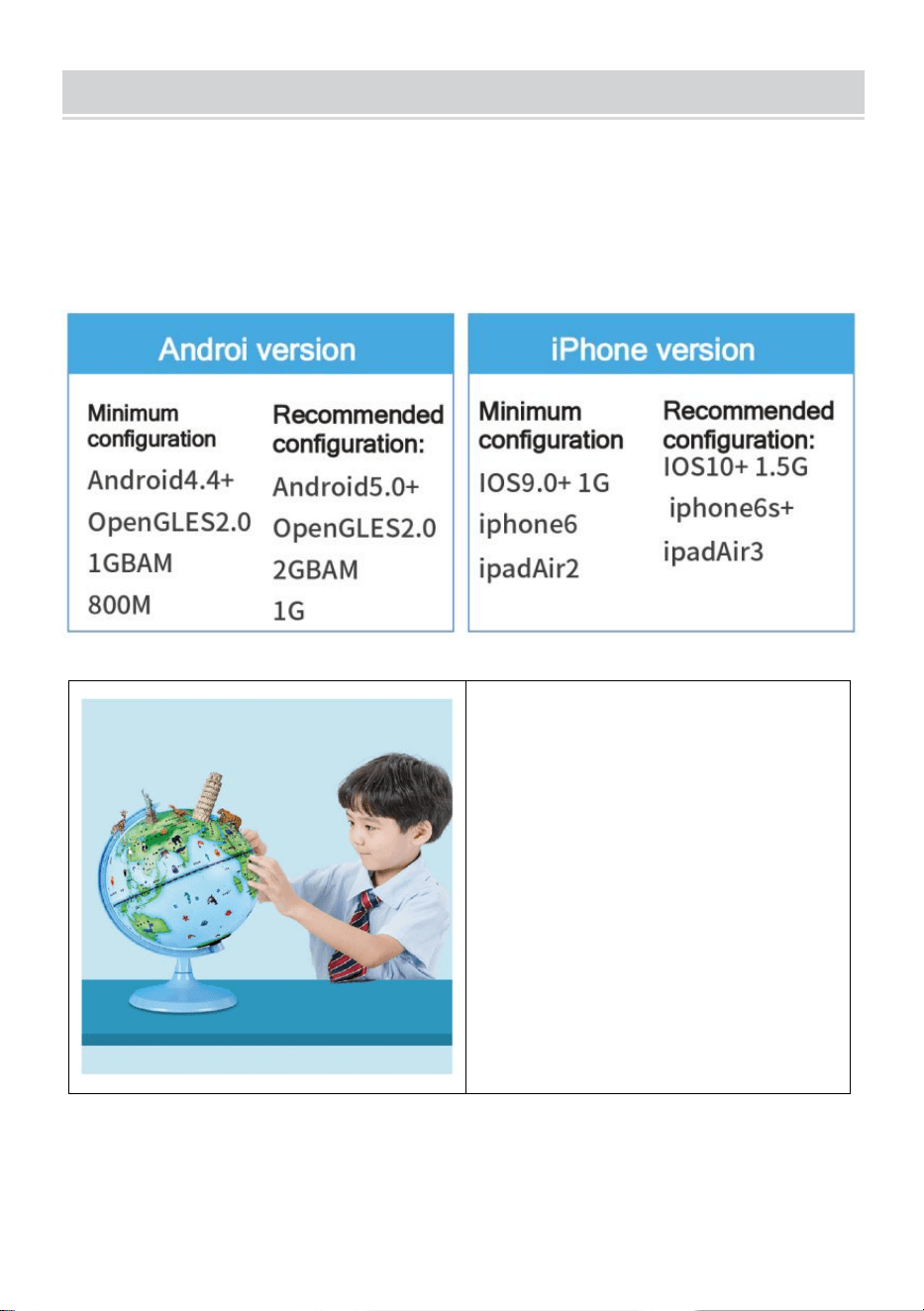
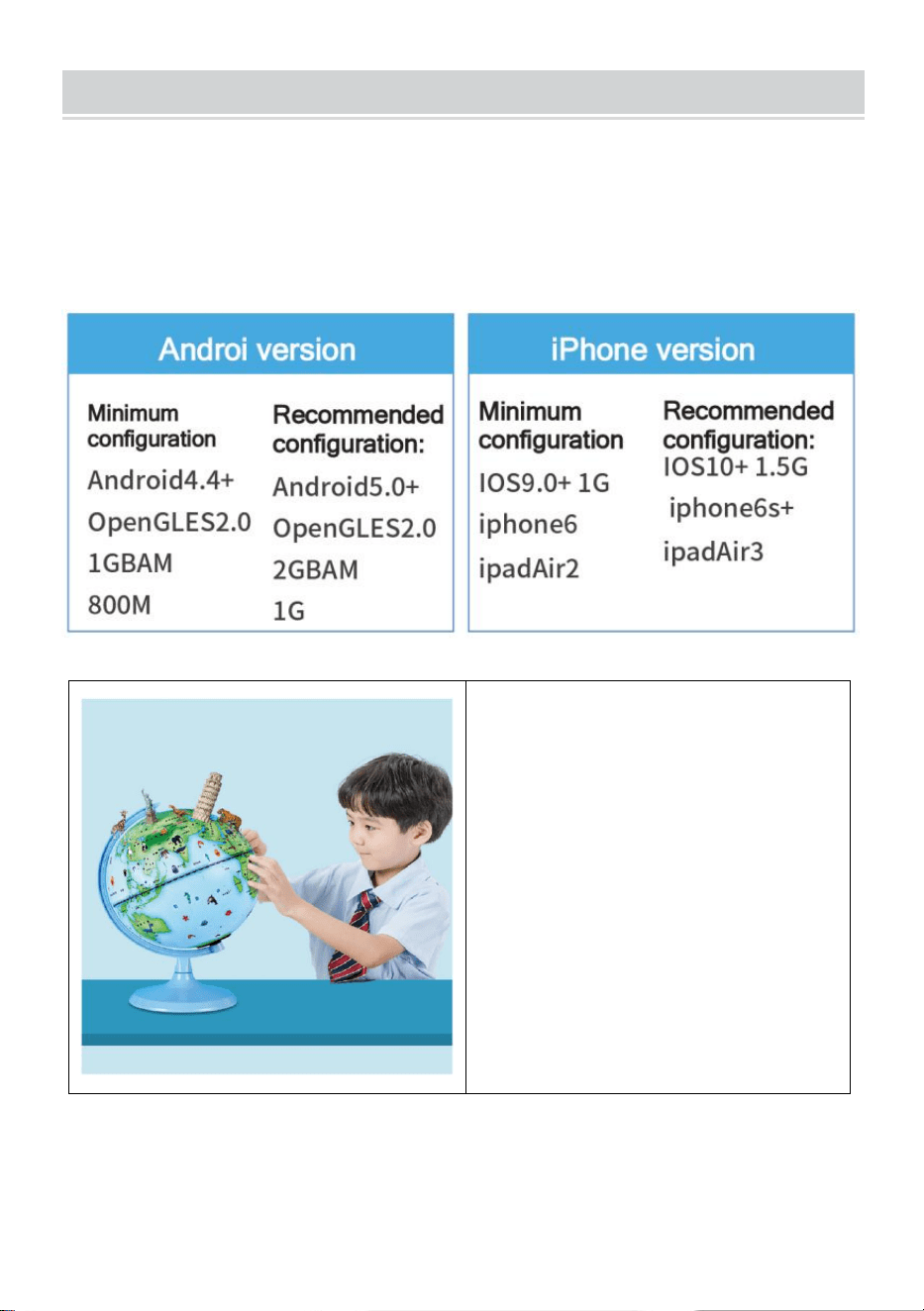
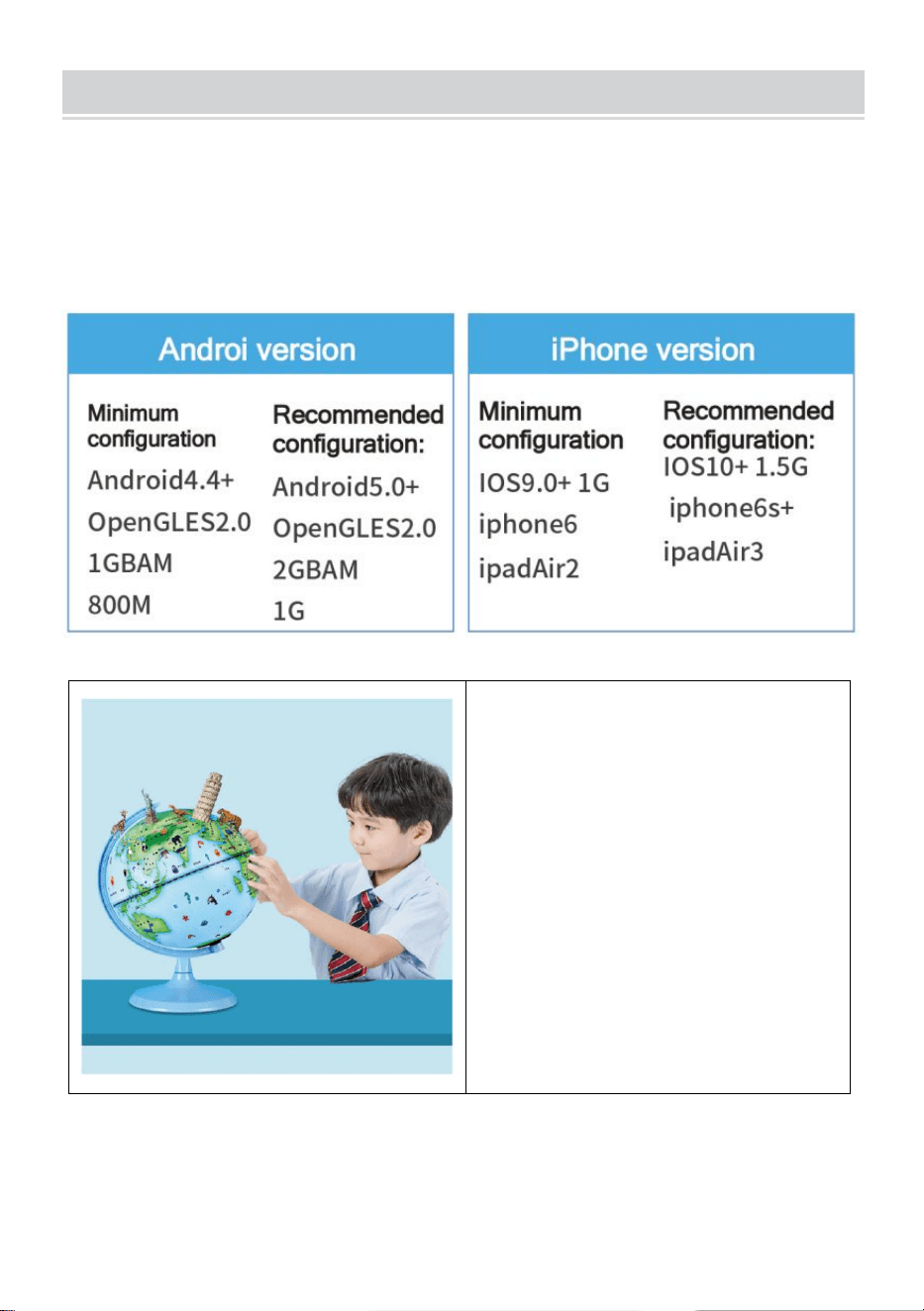
PHONE CONFIGURATION
Tip:In order to present stunning AR special effects, the supporting APP
contains a large amount of high definition materials,fine three-dimensional
models, clear real-life dubbing and other resources, so the hardware
equipment configuration requirements are higher.
Reminder:Each activation code
is unique,please keep the AR
manual to avoid losing it.
Each activation code supports the activation of 4 devices,After the APP is
uninstalled and reinstalled, there is no need to reactivate it.It is
recommended to take a photo to save this activation code
- 5 -
Address: Shuangchenglu 803nong11hao1602A-1609shi, baoshanqu,
shanghai 200000 CN.
Imported to AUS: SIHAO PTY LTD, 1 ROKEVA STREETEASTWOOD
NSW 2122 Australia
Imported to USA: Sanven Technology Ltd., Suite 250, 9166 Anaheim
Place, Rancho Cucamonga, CA 91730
REP
EC
E-CrossStu GmbH
Mainzer Landstr.69, 60329 Frankfurt am Main.
REP
UK
YH CONSULTING LIMITED.
C/O YH Consulting Limited Office 147, Centurion House,
London Road, Staines-upon-Thames, Surrey, TW18 4AX



Technique Certificat d'assistance et de garantie électronique
www.vevor.com/support
GLOBE
MODÈLE : SKU1 10”
We continue to be committed to provide you tools with competitive price.
"Save Half", "Half Price" or any other similar expressions used by us only represents an
estimate of savings you might benefit from buying certain tools with us compared to the major
top brands and does not necessarily mean to cover all categories of tools offered by us. You
are kindly reminded to verify carefully when you are placing an order with us if you are
actually saving half in comparison with the top major brands.
- 1 -
MODÈLE : SKU1 10”
(L'image est à titre de référence uniquement, veuillez vous référer à l'objet
réel)
Have product questions? Need technical support? Please feel free to
contact us:
Technical Support and E-Warranty Certificate
www.vevor.com/support
NEED HELP? CONTACT US!
GLOBE
- 2 -
This is the original instruction, please read all manual instructions
carefully before operating. VEVOR reserves a clear interpretation of our
user manual. The appearance of the product shall be subject to the
product you received. Please forgive us that we won't inform you again if
there are any technology or software updates on our product.
HOW TO USE
Étape 1 : Télécharger &
Installer
1. Scannez le code QR pour
obtenir le lien de
téléchargement OU
2.Recherchez « AR Golden Globe » dans l'App Store
App Store sur iOS
Play Store sur Android
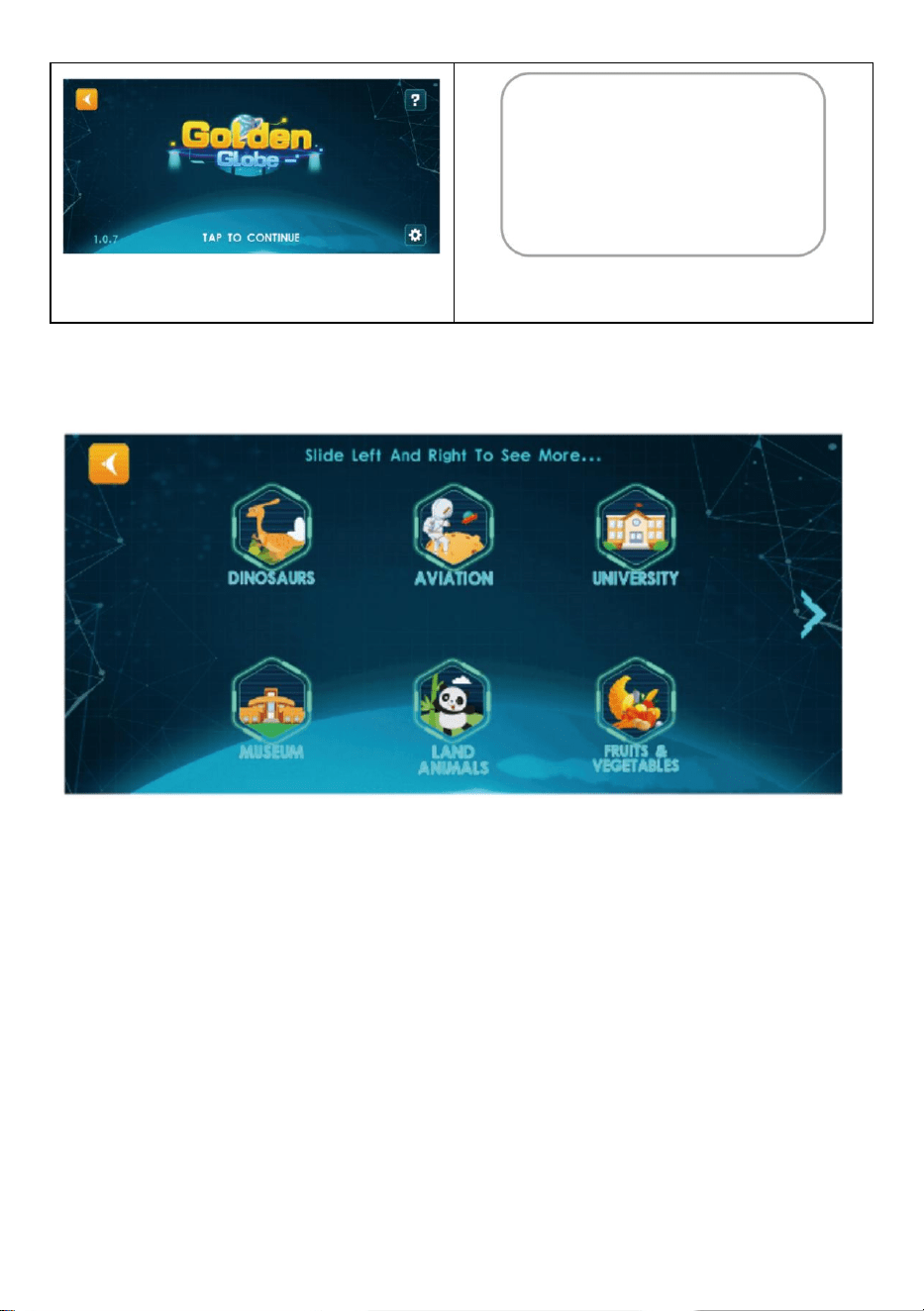
Étape 2 : Activer le logiciel
1.Cliquez sur le « Globe » pour
entrer
2.Cliquez n'importe où, scannez le
code QR pour activer
- 3 -
Note: Veuillez autoriser AP P à
utiliser l'autorisation de la caméra
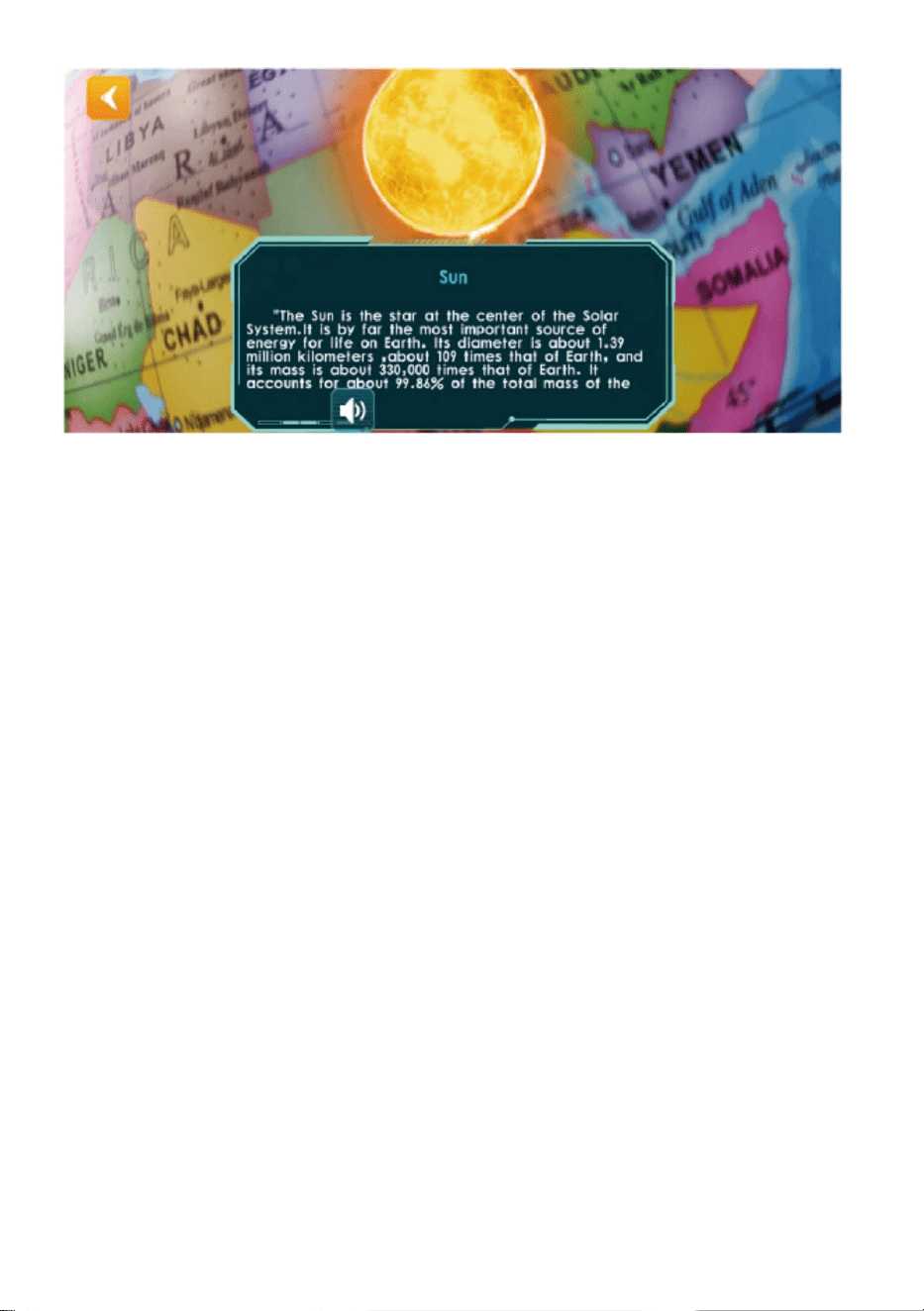
Étape 3 : Utiliser l'expérience
3.Cliquez sur n'importe quel module, visez dans l'hémisphère nord du Globe
et Scan
4. Suivez les instructions du bouton pour jouer aux fonctions AR
- 4 -
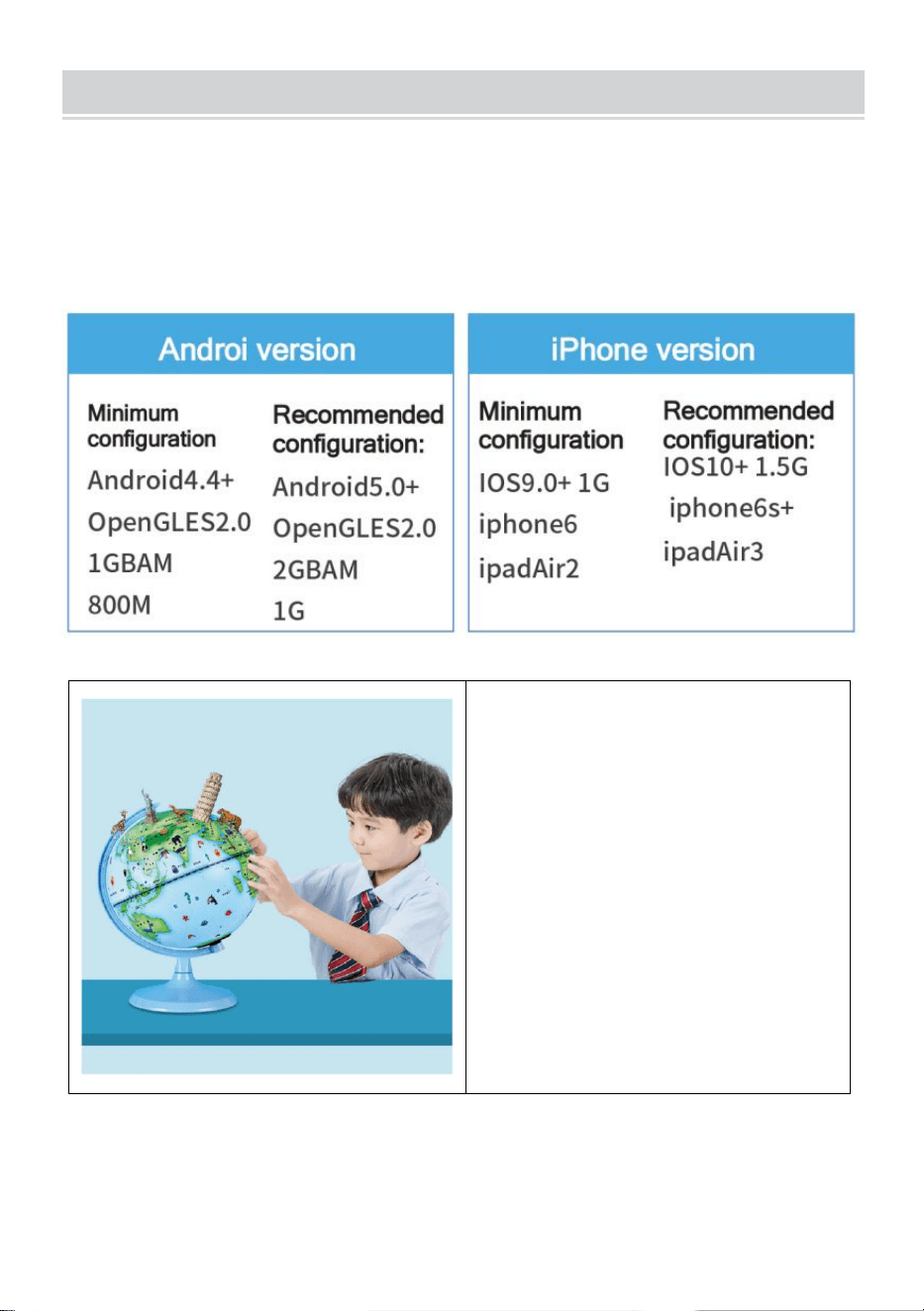
Remarque : vous pouvez faire pivoter lentement la sphère lors de la
numérisation
- 5 -
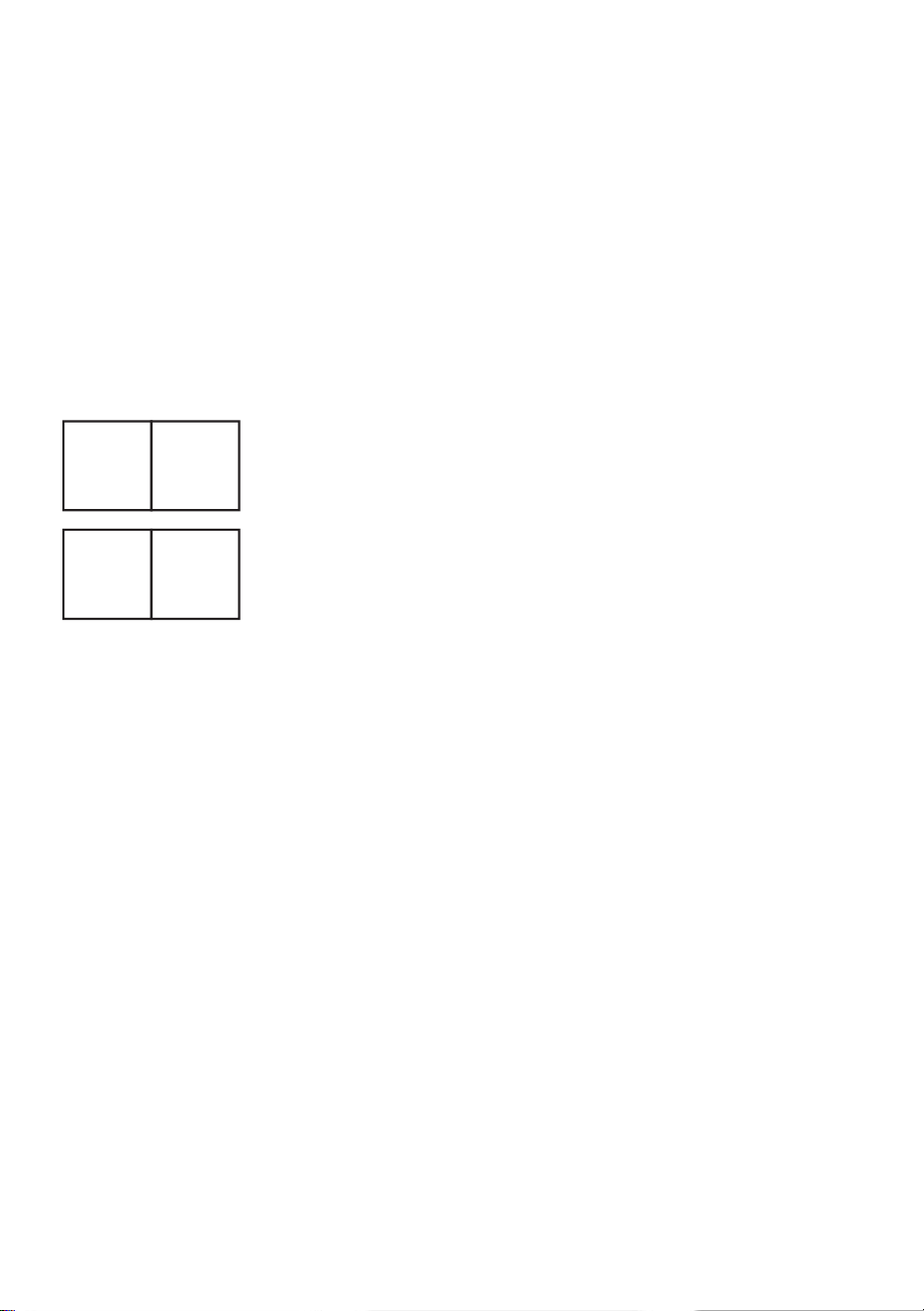
PHONE CONFIGURATION
Astuce : afin de présenter des effets spéciaux AR époustouflants,
l'application de support contient une grande quantité de matériaux haute
définition, de beaux modèles tridimensionnels, un doublage clair et réel et
d'autres ressources, de sorte que les exigences de configuration de
l'équipement matériel sont plus élevées.
Rappel : Chaque code
d'activation est unique, veuillez
conserver le manuel AR pour
éviter de le perdre.
Chaque code d'activation prend en charge l'activation de 4 appareils. Une
fois l'application désinstallée et réinstallée, il n'est pas nécessaire de la
réactiver. Il est recommandé de prendre une photo pour enregistrer ce
- 6 -
code d'activation.
Adresse : Shuangchenglu 803nong11hao1602A-1609shi, baoshanqu,
Shanghai 200000 CN.
Importé en Australie : SIHAO PTY LTD, 1 ROKEVA STREET, ASTWOOD
NSW 2122 Australie
Importé aux États-Unis : Sanven Technology Ltd., Suite 250, 9166
Anaheim Place, Rancho Cucamonga, CA 91730
REP
EC
E-CrossStu GmbH
Mainzer Landstr.69, 60329 Frankfurt am Main.
REP
UK
YH CONSULTING LIMITED.
C/O YH Consulting Limited Office 147, Centurion House,
London Road, Staines-upon-Thames, Surrey, TW18 4AX



Technisch Support und E-Garantie-Zertifikat
www.vevor.com/support
GLOBUS
MODELL: SKU1 10”
We continue to be committed to provide you tools with competitive price.
"Save Half", "Half Price" or any other similar expressions used by us only represents an
estimate of savings you might benefit from buying certain tools with us compared to the major
top brands and does not necessarily mean to cover all categories of tools offered by us. You
are kindly reminded to verify carefully when you are placing an order with us if you are
actually saving half in comparison with the top major brands.
- 1 -
MODELL: SKU1 10”
(Das Bild dient nur als Referenz, bitte beziehen Sie sich auf das
tatsächliche Objekt)
Have product questions? Need technical support? Please feel free to
contact us:
Technical Support and E-Warranty Certificate
www.vevor.com/support
NEED HELP? CONTACT US!
GLOBE
- 2 -
This is the original instruction, please read all manual instructions
carefully before operating. VEVOR reserves a clear interpretation of our
user manual. The appearance of the product shall be subject to the
product you received. Please forgive us that we won't inform you again if
there are any technology or software updates on our product.
HOW TO USE
Schritt 1 : Herunterladen &
Install
1.Scannen Sie den QR-Code,
um den Download-Link zu
erhalten ODER
2.Suchen Sie im App Store nach „AR Golden Globe“
App Store unter iOS
Play Store auf Android
Schritt 2: Aktivieren Sie die Software
1.Klicken Sie auf den "Globus", um
einzutreten
2.Klicken Sie irgendwo und scannen
Sie den QR-Code zur Aktivierung
- 3 -
Notiz: Bitte erlauben Sie AP , die
Kameraberechtigung zu verwenden
Schritt 3: Erfahrungen nutzen
3.Klicken Sie auf ein beliebiges Modul, Ziel auf der Nordhalbkugel des Globus
und Scan
4.Folgen Sie den Anweisungen auf den Schaltflächen, um AR-Funktionen
abzuspielen
- 4 -
Hinweis: Sie können die Kugel beim Scannen langsam drehen
- 5 -
PHONE CONFIGURATION
Tipp: Um atemberaubende AR-Spezialeffekte präsentieren zu können,
enthält die unterstützende App eine große Menge an hochauflösenden
Materialien, feinen dreidimensionalen Modellen, klaren, realitätsnahen
Synchronisationen und anderen Ressourcen, sodass die Anforderungen
an die Konfiguration der Hardwareausrüstung höher sind.
Erinnerung : Jeder
Aktivierungscode ist einzigartig.
Bewahren Sie das AR-Handbuch
auf, damit es nicht verloren geht.
Jeder Aktivierungscode unterstützt die Aktivierung von 4 Geräten. Nach
der Deinstallation und Neuinstallation der App ist keine erneute Aktivierung
erforderlich. Es wird empfohlen, ein Foto aufzunehmen, um diesen
- 6 -
Aktivierungscode zu speichern
Adresse : Shuangchenglu 803nong11hao1602A-1609shi, Baoshanqu,
Shanghai 200000 CN.
Nach AUS importiert: SIHAO PTY LTD, 1 ROKEVA
STREETEASTWOOD NSW 2122 Australien
Importiert in die USA: Sanven Technology Ltd., Suite 250, 9166 Anaheim
Place, Rancho Cucamonga, CA 91730
REP
EC
E-CrossStu GmbH
Mainzer Landstr.69, 60329 Frankfurt am Main.
REP
UK
YH CONSULTING LIMITED.
C/O YH Consulting Limited Office 147, Centurion House,
London Road, Staines-upon-Thames, Surrey, TW18 4AX



Tecnico Supporto e certificato di garanzia elettronica
www.vevor.com/support
GLOBO
MODELLO: SKU1 10”
We continue to be committed to provide you tools with competitive price.
"Save Half", "Half Price" or any other similar expressions used by us only represents an
estimate of savings you might benefit from buying certain tools with us compared to the major
top brands and does not necessarily mean to cover all categories of tools offered by us. You
are kindly reminded to verify carefully when you are placing an order with us if you are
actually saving half in comparison with the top major brands.
- 1 -
MODELLO: SKU1 10”
(L'immagine è solo di riferimento, fare riferimento all'oggetto reale)
Have product questions? Need technical support? Please feel free to
contact us:
Technical Support and E-Warranty Certificate
www.vevor.com/support
NEED HELP? CONTACT US!
This is the original instruction, please read all manual instructions
carefully before operating. VEVOR reserves a clear interpretation of our
user manual. The appearance of the product shall be subject to the
product you received. Please forgive us that we won't inform you again if
there are any technology or software updates on our product.
GLOBE
- 2 -
HOW TO USE
Fare un passo 1 : Scarica
& Installa l
1.Scansiona il codice QR per
ottenere il link per il download
O
2.Cerca dall'app Store "AR Golden Globe"
App Store su iOS
Play Store su Android
Fase 2: Attivare il software
1.Fare clic sul "Globo" per entrare
2.Fai clic ovunque, scansiona il
codice QR per attivare
Nota: Si prega di consentire ad AP P
di utilizzare l'autorizzazione della
- 3 -
fotocamera
Passaggio 3: utilizzare l'esperienza
3.Fare clic su qualsiasi modulo, Mira nell'emisfero settentrionale del Globo e
Scansione
4. Segui le istruzioni dei pulsanti per riprodurre le funzioni AR
Nota: è possibile ruotare lentamente la sfera durante la scansione
- 4 -
PHONE CONFIGURATION
Suggerimento: per presentare effetti speciali AR sorprendenti, l'APP di
supporto contiene una grande quantità di materiali ad alta definizione,
modelli tridimensionali raffinati, doppiaggio realistico e altre risorse,
pertanto i requisiti di configurazione dell'apparecchiatura hardware sono
più elevati.
Promemoria : ogni codice di
attivazione è univoco, conserva il
manuale AR per evitare di
perderlo.
Ogni codice di attivazione supporta l'attivazione di 4 dispositivi. Dopo aver
disinstallato e reinstallato l'APP, non è necessario riattivarla. Si consiglia di
scattare una foto per salvare questo codice di attivazione.
- 5 -
Indirizzo : Shuangchenglu 803nong11hao1602A-1609shi, baoshanqu,
shanghai 200000 CN.
Importato in AUS: SIHAO PTY LTD, 1 ROKEVA STREETEASTWOOD
NSW 2122 Australia
Importato negli USA: Sanven Technology Ltd., Suite 250, 9166 Anaheim
Place, Rancho Cucamonga, CA 91730
REP
EC
E-CrossStu GmbH
Mainzer Landstr.69, 60329 Frankfurt am Main.
REP
UK
YH CONSULTING LIMITED.
C/O YH Consulting Limited Office 147, Centurion House,
London Road, Staines-upon-Thames, Surrey, TW18 4AX



Técnico Certificado de soporte y garantía electrónica
www.vevor.com/support
GLOBO
MODELO: SKU1 10”
We continue to be committed to provide you tools with competitive price.
"Save Half", "Half Price" or any other similar expressions used by us only represents an
estimate of savings you might benefit from buying certain tools with us compared to the major
top brands and does not necessarily mean to cover all categories of tools offered by us. You
are kindly reminded to verify carefully when you are placing an order with us if you are
actually saving half in comparison with the top major brands.
- 1 -
MODELO: SKU1 10”
(La imagen es solo de referencia, consulte el objeto real)
Have product questions? Need technical support? Please feel free to
contact us:
Technical Support and E-Warranty Certificate
www.vevor.com/support
NEED HELP? CONTACT US!
This is the original instruction, please read all manual instructions
carefully before operating. VEVOR reserves a clear interpretation of our
user manual. The appearance of the product shall be subject to the
product you received. Please forgive us that we won't inform you again if
there are any technology or software updates on our product.
GLOBE
- 2 -
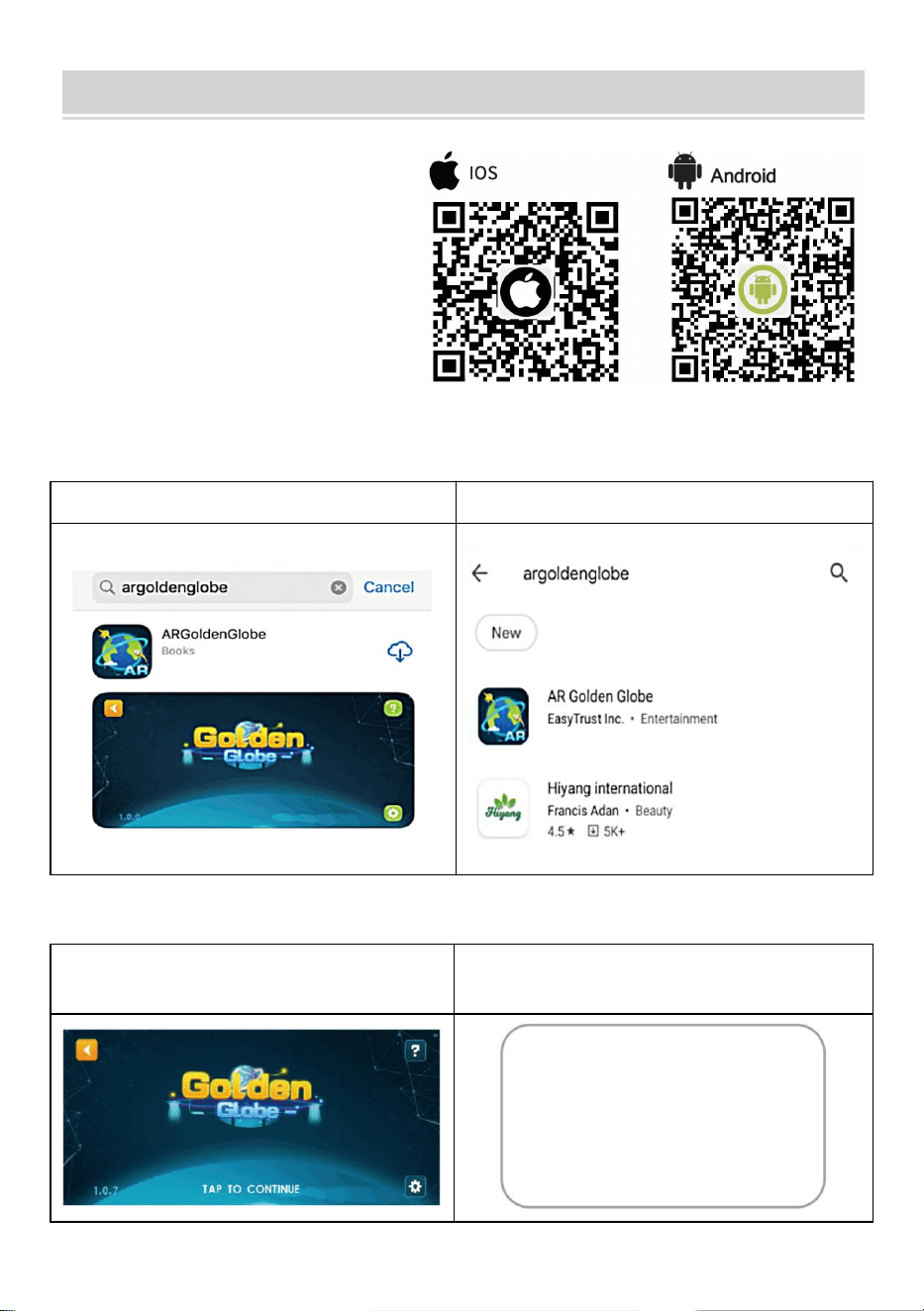
HOW TO USE
Paso 1 : Descargar &
Instalar
1. Escanee el código QR para
obtener el enlace de descarga
O
2. Busca en la App Store “AR Golden Globe”
App Store en iOS
Play Store en Android
Paso 2: Activar el software
1. Haga clic en el "Globo" para
ingresar
2. Haga clic en cualquier lugar y
escanee el código QR para activarlo.
- 3 -
Nota: Por favor, permita que AP P
use el permiso de la cámara
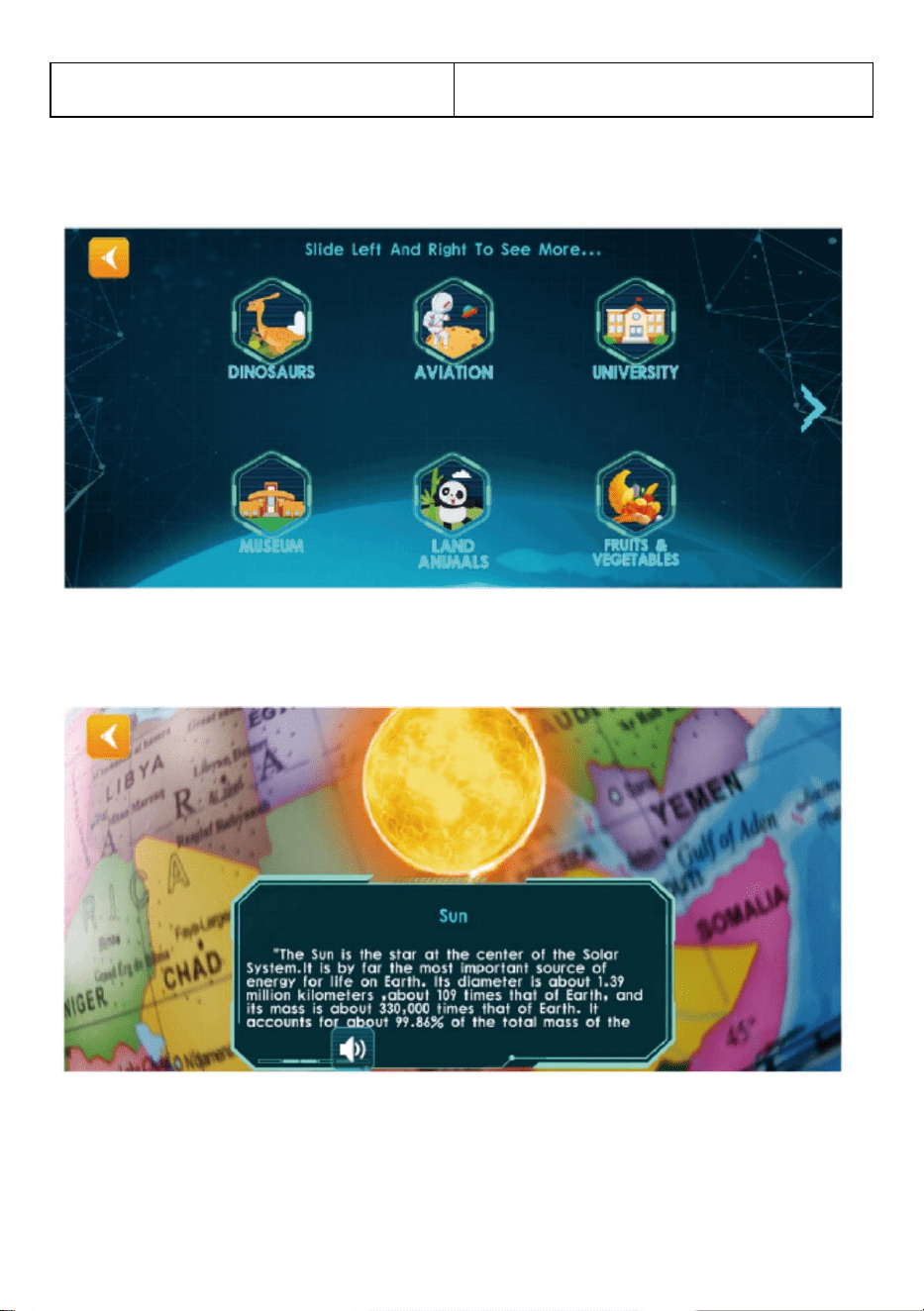
Paso 3: Utilizar la experiencia
3. Haga clic en cualquier módulo y apunte. en el hemisferio norte del Globo y
Escanear
4. Siga las indicaciones de los botones para ejecutar las funciones de realidad
aumentada
Nota: Puedes girar lentamente la esfera al escanear
- 4 -
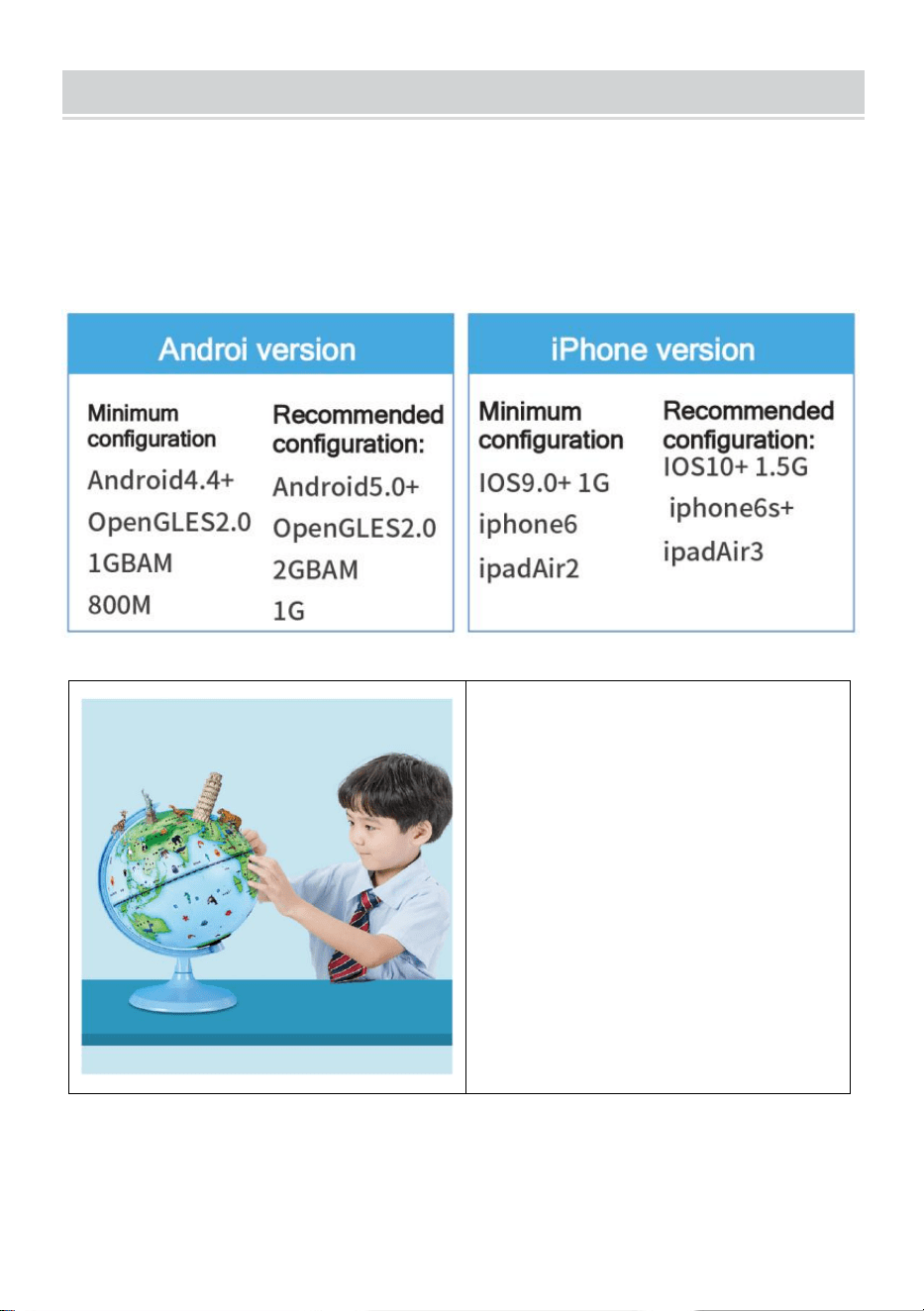
PHONE CONFIGURATION
Consejo: Para presentar efectos especiales de AR impresionantes, la
aplicación de soporte contiene una gran cantidad de materiales de alta
definición, buenos modelos tridimensionales, doblaje claro en la vida real y
otros recursos, por lo que los requisitos de configuración del equipo de
hardware son mayores.
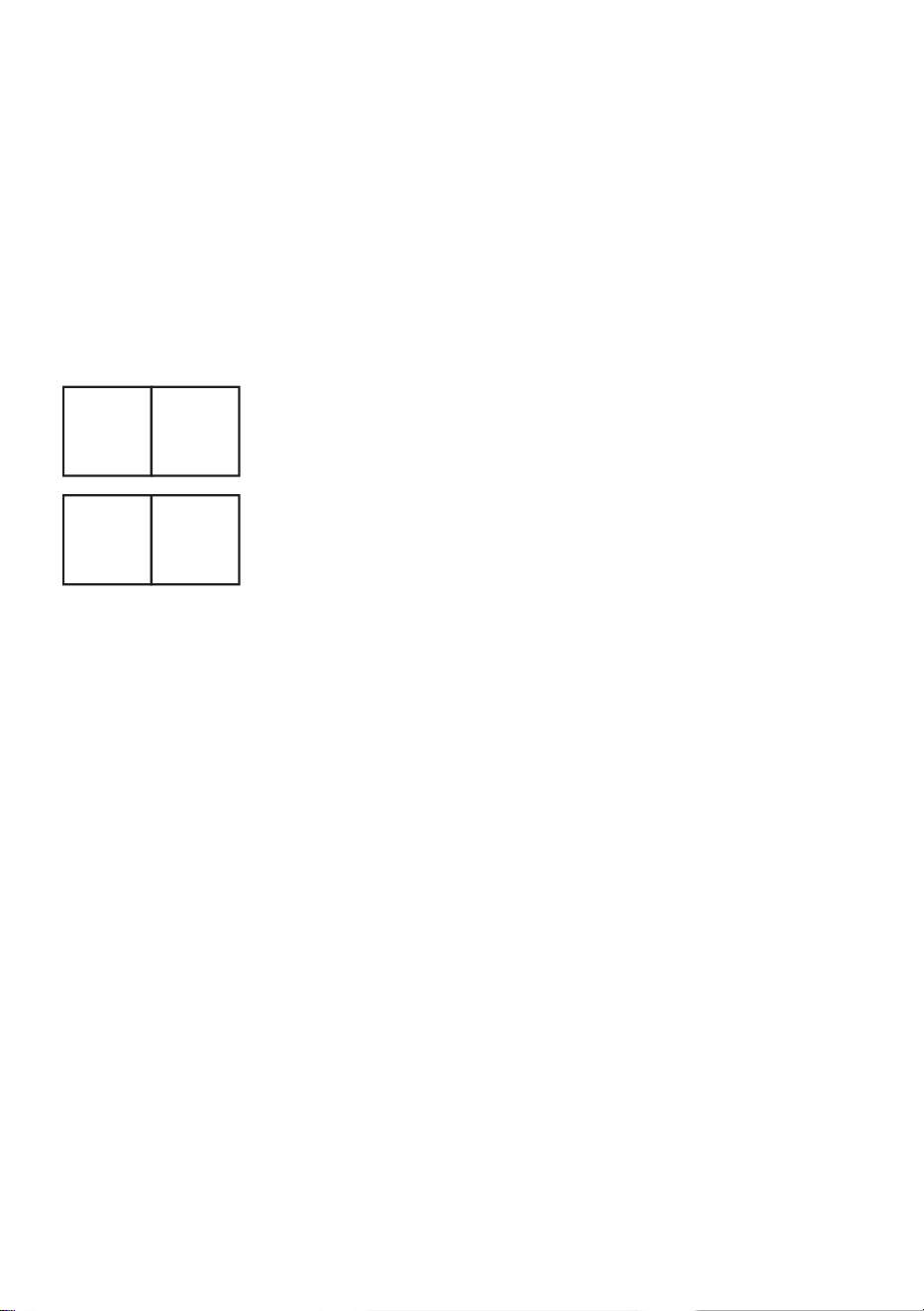
Recordatorio : Cada código de
activación es único, conserve el
manual de AR para evitar
perderlo.
Cada código de activación admite la activación de 4 dispositivos. Después
de desinstalar y reinstalar la aplicación, no es necesario reactivarla. Se
recomienda tomar una foto para guardar este código de activación.
- 5 -
Dirección : Shuangchenglu 803nong11hao1602A-1609shi, baoshanqu,
shanghai 200000 CN.
Importado a AUS: SIHAO PTY LTD, 1 ROKEVA STREETEASTWOOD
NSW 2122 Australia
Importado a EE. UU.: Sanven Technology Ltd., Suite 250, 9166 Anaheim
Place, Rancho Cucamonga, CA 91730
REP
EC
E-CrossStu GmbH
Mainzer Landstr.69, 60329 Frankfurt am Main.
REP
UK
YH CONSULTING LIMITED.
C/O YH Consulting Limited Office 147, Centurion House,
London Road, Staines-upon-Thames, Surrey, TW18 4AX



Techniczny Wsparcie i certyfikat e-gwarancji
www.vevor.com/support
GLOB
MODEL: SKU1 10”
We continue to be committed to provide you tools with competitive price.
"Save Half", "Half Price" or any other similar expressions used by us only represents an
estimate of savings you might benefit from buying certain tools with us compared to the major
top brands and does not necessarily mean to cover all categories of tools offered by us. You
are kindly reminded to verify carefully when you are placing an order with us if you are
actually saving half in comparison with the top major brands.
- 1 -
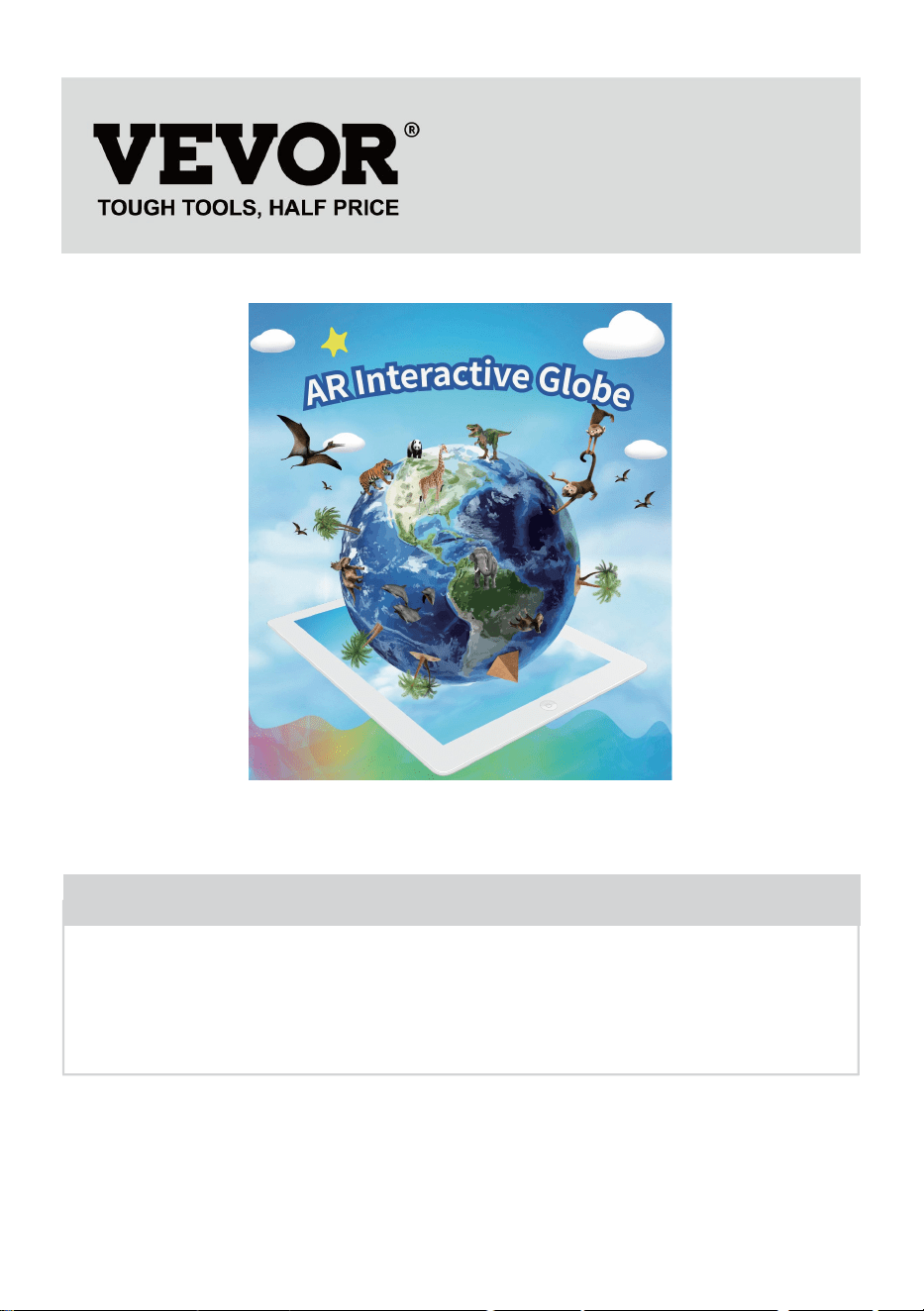
MODEL: SKU1 10”
(Zdjęcie ma charakter poglądowy, proszę odnosić się do rzeczywistego
obiektu)
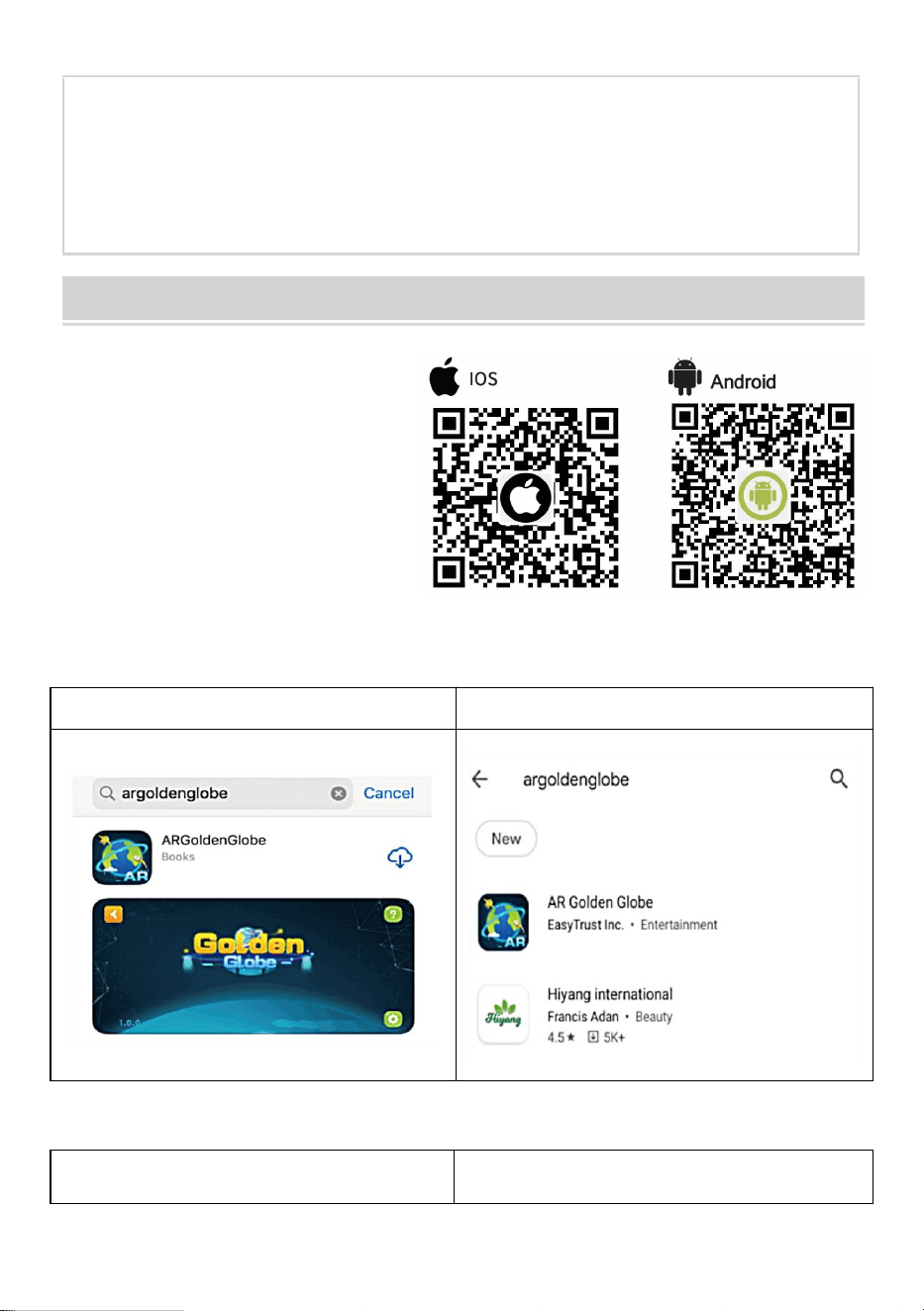
Have product questions? Need technical support? Please feel free to
contact us:
Technical Support and E-Warranty Certificate
www.vevor.com/support
NEED HELP? CONTACT US!
GLOBE
- 2 -
This is the original instruction, please read all manual instructions
carefully before operating. VEVOR reserves a clear interpretation of our
user manual. The appearance of the product shall be subject to the
product you received. Please forgive us that we won't inform you again if
there are any technology or software updates on our product.
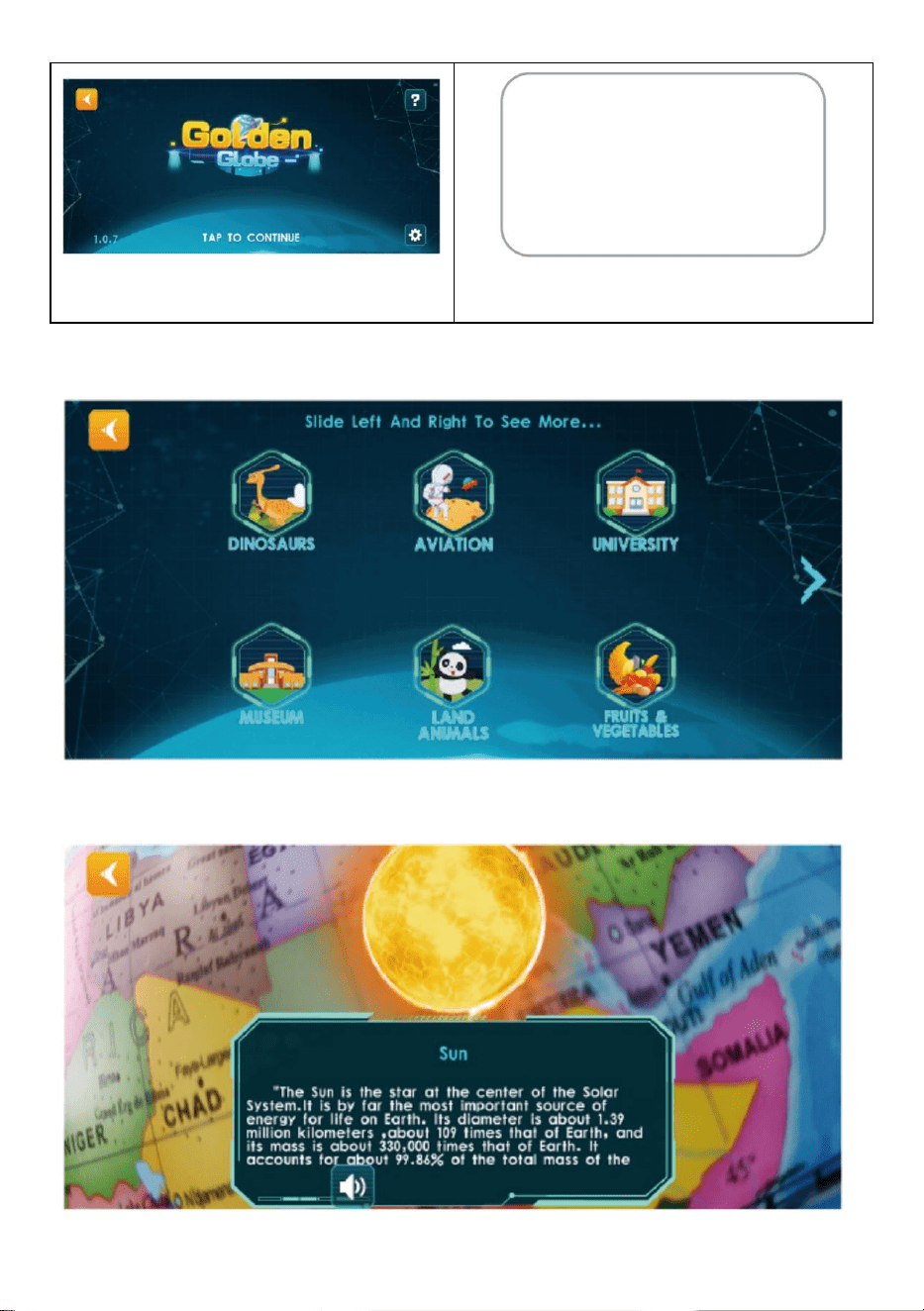
HOW TO USE
Krok 1 : Pobierz &
Zainstaluj l
1. Zeskanuj kod QR, aby
uzyskać link do pobrania
LUB
2. Wyszukaj w App Store „AR Golden Globe”
App Store na iOS
Sklep Play na Androidzie
Krok 2: Aktywuj oprogramowanie
1. Kliknij na „Glob”, aby wejść
2. Kliknij w dowolnym miejscu,
zeskanuj kod QR, aby aktywować
- 3 -
Notatka: Proszę zezwolić AP P na
korzystanie z uprawnień do kamery
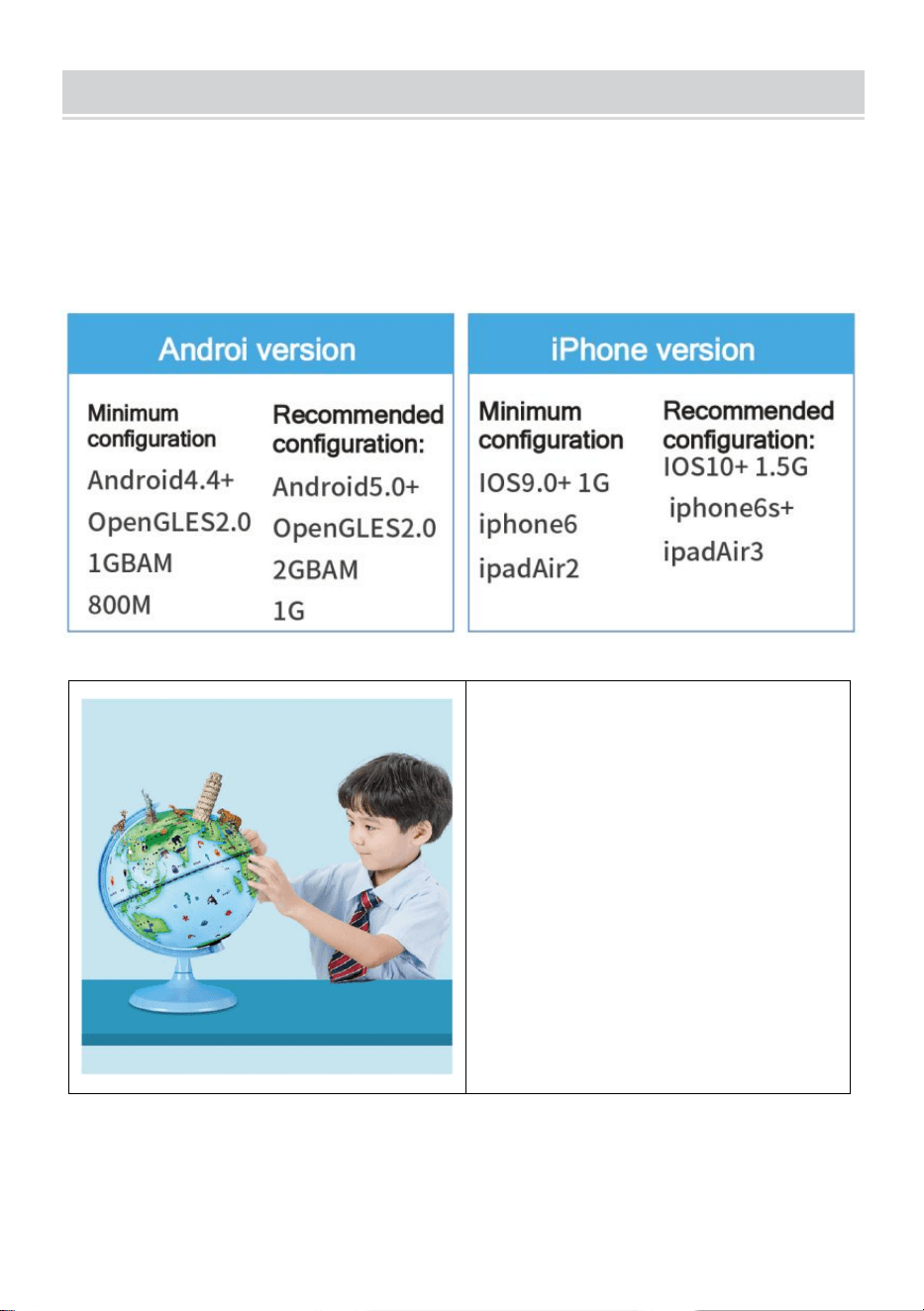
Krok 3: Wykorzystaj doświadczenie
3. Kliknij na dowolny moduł, cel na półkuli północnej Globus i skan
4. Postępuj zgodnie z instrukcjami przycisków, aby uruchomić funkcje AR

- 4 -
Uwaga: Podczas skanowania można powoli obracać kulę
- 5 -
PHONE CONFIGURATION
Wskazówka: Aby móc zaprezentować oszałamiające efekty specjalne
rozszerzonej rzeczywistości, aplikacja pomocnicza zawiera dużą ilość
materiałów o wysokiej rozdzielczości, trójwymiarowe modele, wyraźny,
realistyczny dubbing i inne zasoby, dlatego wymagania dotyczące
konfiguracji sprzętu są wyższe.
Przypomnienie : Każdy kod
aktywacyjny jest unikalny, dlatego
należy zachować instrukcję AR,
aby jej nie zgubić.
Każdy kod aktywacyjny obsługuje aktywację 4 urządzeń. Po
odinstalowaniu i ponownym zainstalowaniu aplikacji nie ma potrzeby jej
ponownej aktywacji. Zaleca się wykonanie zdjęcia w celu zapisania kodu
- 6 -
aktywacyjnego.
Adres : Shuangchenglu 803nong11hao1602A-1609shi, baoshanqu,
szanghaj 200000 CN.
Importowane do AUS: SIHAO PTY LTD, 1 ROKEVA
STREETEASTWOOD NSW 2122 Australia
Importowane do USA: Sanven Technology Ltd., Suite 250, 9166 Anaheim
Place, Rancho Cucamonga, CA 91730
REP
EC
E-CrossStu GmbH
Mainzer Landstr.69, 60329 Frankfurt am Main.
REP
UK
YH CONSULTING LIMITED.
C/O YH Consulting Limited Office 147, Centurion House,
London Road, Staines-upon-Thames, Surrey, TW18 4AX



Technisch Ondersteuning en E-garantiecertificaat
www.vevor.com/support
BOL
MODEL: SKU1 10”
We continue to be committed to provide you tools with competitive price.
"Save Half", "Half Price" or any other similar expressions used by us only represents an
estimate of savings you might benefit from buying certain tools with us compared to the major
top brands and does not necessarily mean to cover all categories of tools offered by us. You
are kindly reminded to verify carefully when you are placing an order with us if you are
actually saving half in comparison with the top major brands.
- 1 -
MODEL: SKU1 10”
(De afbeelding is alleen ter referentie, kijk naar het daadwerkelijke object)
Have product questions? Need technical support? Please feel free to
contact us:
Technical Support and E-Warranty Certificate
www.vevor.com/support
NEED HELP? CONTACT US!
This is the original instruction, please read all manual instructions
carefully before operating. VEVOR reserves a clear interpretation of our
user manual. The appearance of the product shall be subject to the
product you received. Please forgive us that we won't inform you again if
there are any technology or software updates on our product.
GLOBE
- 2 -
HOW TO USE
Stap 1 : Download &
Installeer l
1. Scan de QR-code om de
downloadlink te krijgen OF
2. Zoek in de App Store naar "AR Golden Globe"
App Store op iOS
Play Store op Android
Stap 2: Activeer de software
1. Klik op de "Wereldbol" om
binnen te gaan
2. Klik ergens, scan de QR-code om
te activeren
Opmerking: Geef AP P toestemming
om cameratoestemming te
- 3 -
gebruiken
Stap 3: Gebruik ervaring
3. Klik op een willekeurige module, doel op het noordelijk halfrond van de
Globe en Scan
4. Volg de knopprompts om AR-functies af te spelen
Let op: U kunt de bol langzaam draaien tijdens het scannen
- 4 -
PHONE CONFIGURATION
Tip: Om verbluffende AR-speciale effecten te kunnen presenteren, bevat
de ondersteunende APP een grote hoeveelheid high-definition materialen,
fijne driedimensionale modellen, duidelijke, realistische nasynchronisatie
en andere bronnen. Daarom zijn de vereisten voor de
hardware-uitrustingconfiguratie hoger.
Let op : Elke activeringscode is
uniek. Bewaar de AR-handleiding
goed om te voorkomen dat u
deze kwijtraakt.
Elke activeringscode ondersteunt de activering van 4 apparaten. Nadat de
APP is verwijderd en opnieuw is geïnstalleerd, hoeft u deze niet opnieuw te
activeren. Het is raadzaam om een foto te maken om deze activeringscode
- 5 -
op te slaan.
Adres : Shuangchenglu 803nong11hao1602A-1609shi, baoshanqu,
shanghai 200000 CN.
Geïmporteerd naar AUS: SIHAO PTY LTD, 1 ROKEVA
STREETEASTWOOD NSW 2122 Australië
Geïmporteerd naar de VS: Sanven Technology Ltd., Suite 250, 9166
Anaheim Place, Rancho Cucamonga, CA 91730
REP
EC
E-CrossStu GmbH
Mainzer Landstr.69, 60329 Frankfurt am Main.
REP
UK
YH CONSULTING LIMITED.
C/O YH Consulting Limited Office 147, Centurion House,
London Road, Staines-upon-Thames, Surrey, TW18 4AX



Teknisk Support och e-garanticertifikat
www.vevor.com/support
KLOT
MODELL: SKU1 10”
We continue to be committed to provide you tools with competitive price.
"Save Half", "Half Price" or any other similar expressions used by us only represents an
estimate of savings you might benefit from buying certain tools with us compared to the major
top brands and does not necessarily mean to cover all categories of tools offered by us. You
are kindly reminded to verify carefully when you are placing an order with us if you are
actually saving half in comparison with the top major brands.
- 1 -
MODELL: SKU1 10”
(Bilden är endast för referens, se det faktiska objektet)
Have product questions? Need technical support? Please feel free to
contact us:
Technical Support and E-Warranty Certificate
www.vevor.com/support
NEED HELP? CONTACT US!
This is the original instruction, please read all manual instructions
carefully before operating. VEVOR reserves a clear interpretation of our
user manual. The appearance of the product shall be subject to the
product you received. Please forgive us that we won't inform you again if
there are any technology or software updates on our product.
GLOBE
- 2 -
HOW TO USE
Steg 1 : Ladda ner &
Installera l
1. Skanna QR-koden för att få
nedladdningslänk ELLER
2.Sök från appbutiken "AR Golden Globe"
App Store på iOS
Play Butik på Android
Steg 2: Aktivera programvaran
1. Klicka på "Globe" för att komma
in
2. Klicka var som helst, Skanna
QR-koden för att aktivera
Notera: Tillåt AP P att använda
kameratillstånd
- 3 -
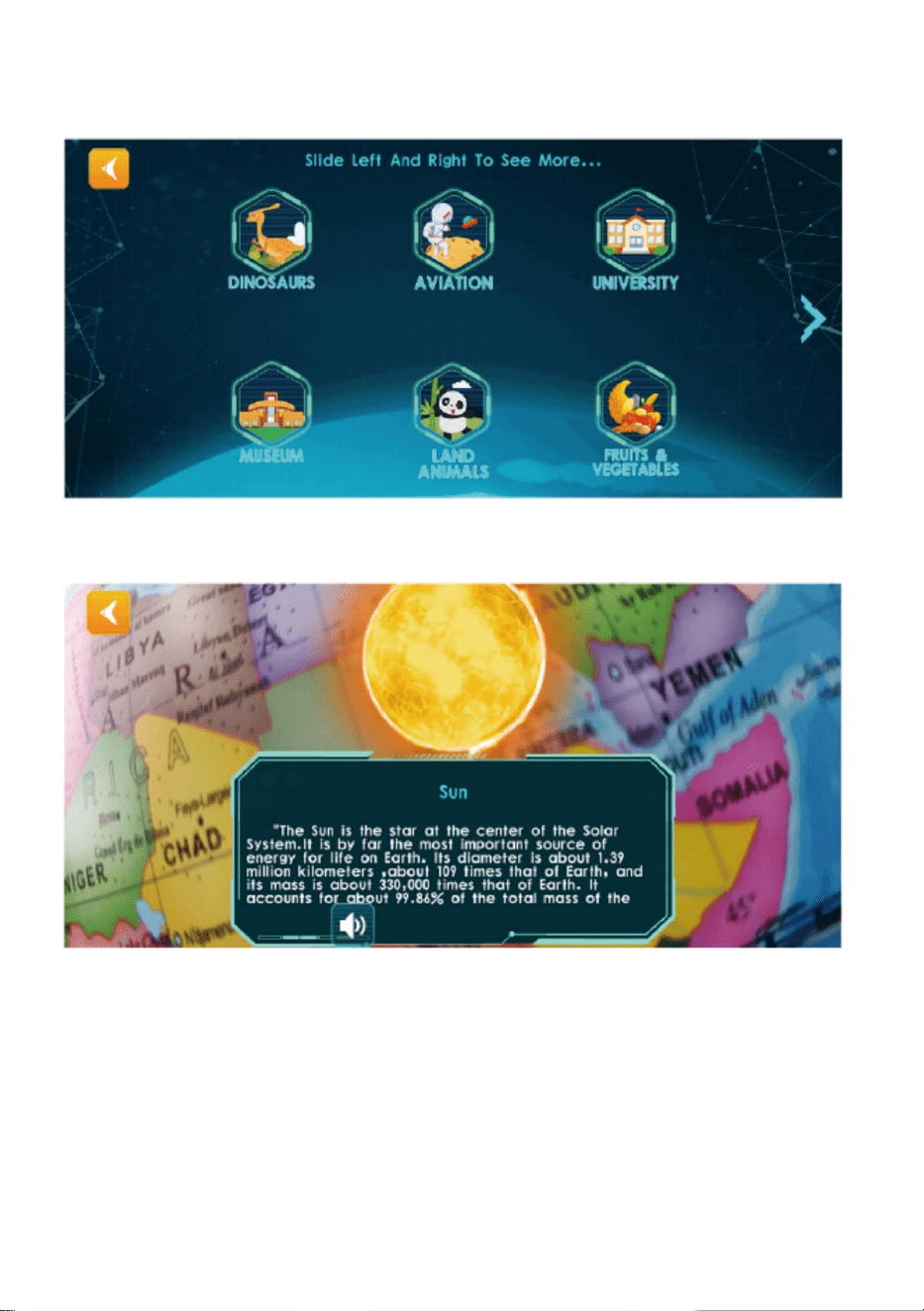
Steg 3: Använd Erfarenhet
3. Klicka på valfri modul, Sikta på norra halvklotet av Globen och Scan
4. Följ knappmeddelandena för att spela AR-funktioner
Obs! Du kan sakta rotera sfären när du skannar
- 4 -
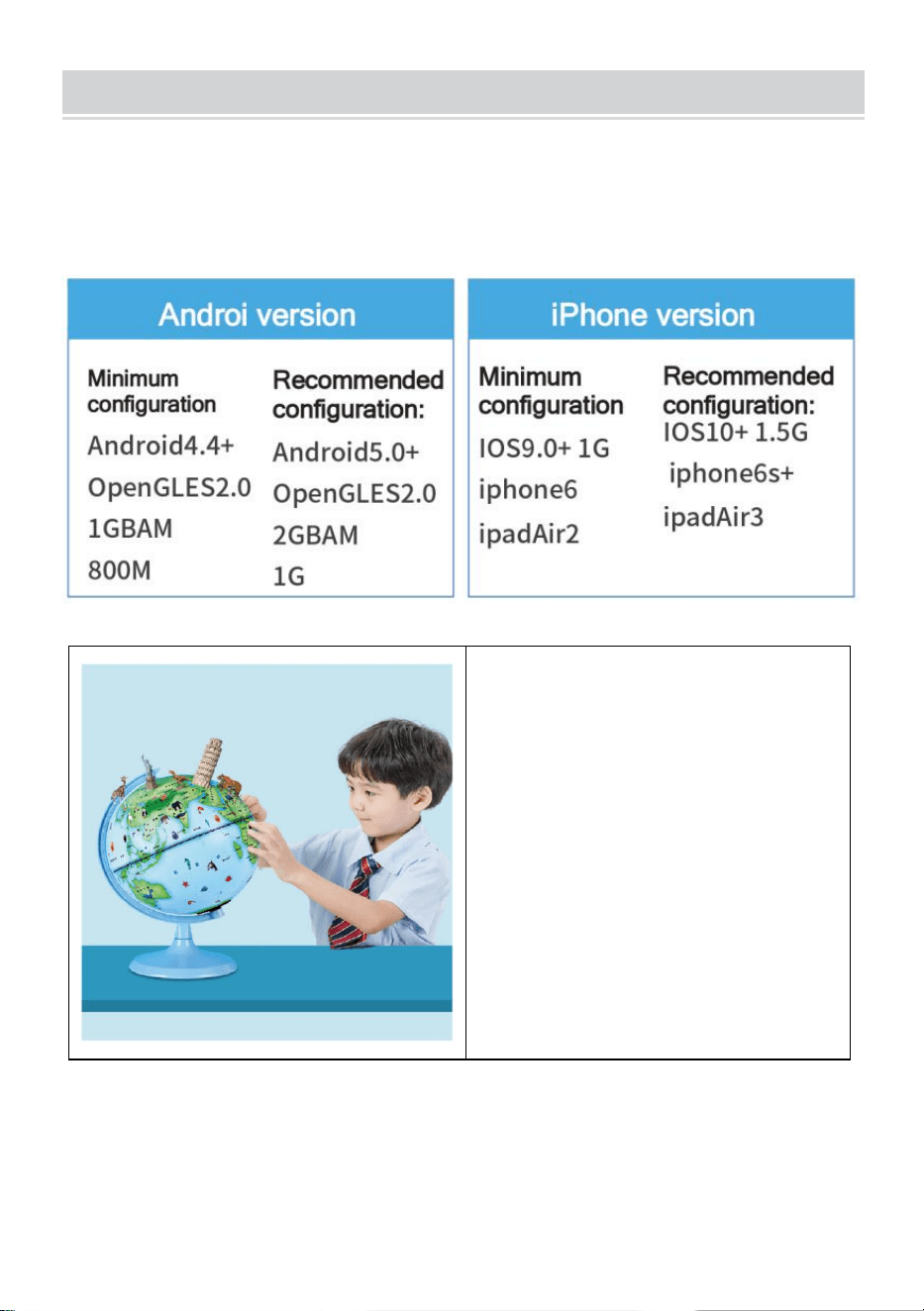
PHONE CONFIGURATION
Tips: För att kunna presentera fantastiska AR-specialeffekter innehåller
den stödjande APP en stor mängd högupplösta material, fina
tredimensionella modeller, tydlig dubbning i verkligheten och andra
resurser, så kraven på hårdvaruutrustningskonfiguration är högre.
Påminnelse : Varje
aktiveringskod är unik, vänligen
behåll AR-manualen för att
undvika att förlora den.
Varje aktiveringskod stöder aktivering av 4 enheter, efter att APP har
avinstallerats och installerats om, finns det ingen anledning att återaktivera
den. Det rekommenderas att ta ett foto för att spara denna aktiveringskod
- 5 -
Adress : Shuangchenglu 803nong11hao1602A-1609shi, baoshanqu,
shanghai 200000 CN.
Importerad till AUS: SIHAO PTY LTD, 1 ROKEVA STREETEASTWOOD
NSW 2122 Australien
Importerad till USA: Sanven Technology Ltd., Suite 250, 9166 Anaheim
Place, Rancho Cucamonga, CA 91730
REP
EC
E-CrossStu GmbH
Mainzer Landstr.69, 60329 Frankfurt am Main.
REP
UK
YH CONSULTING LIMITED.
C/O YH Consulting Limited Office 147, Centurion House,
London Road, Staines-upon-Thames, Surrey, TW18 4AX