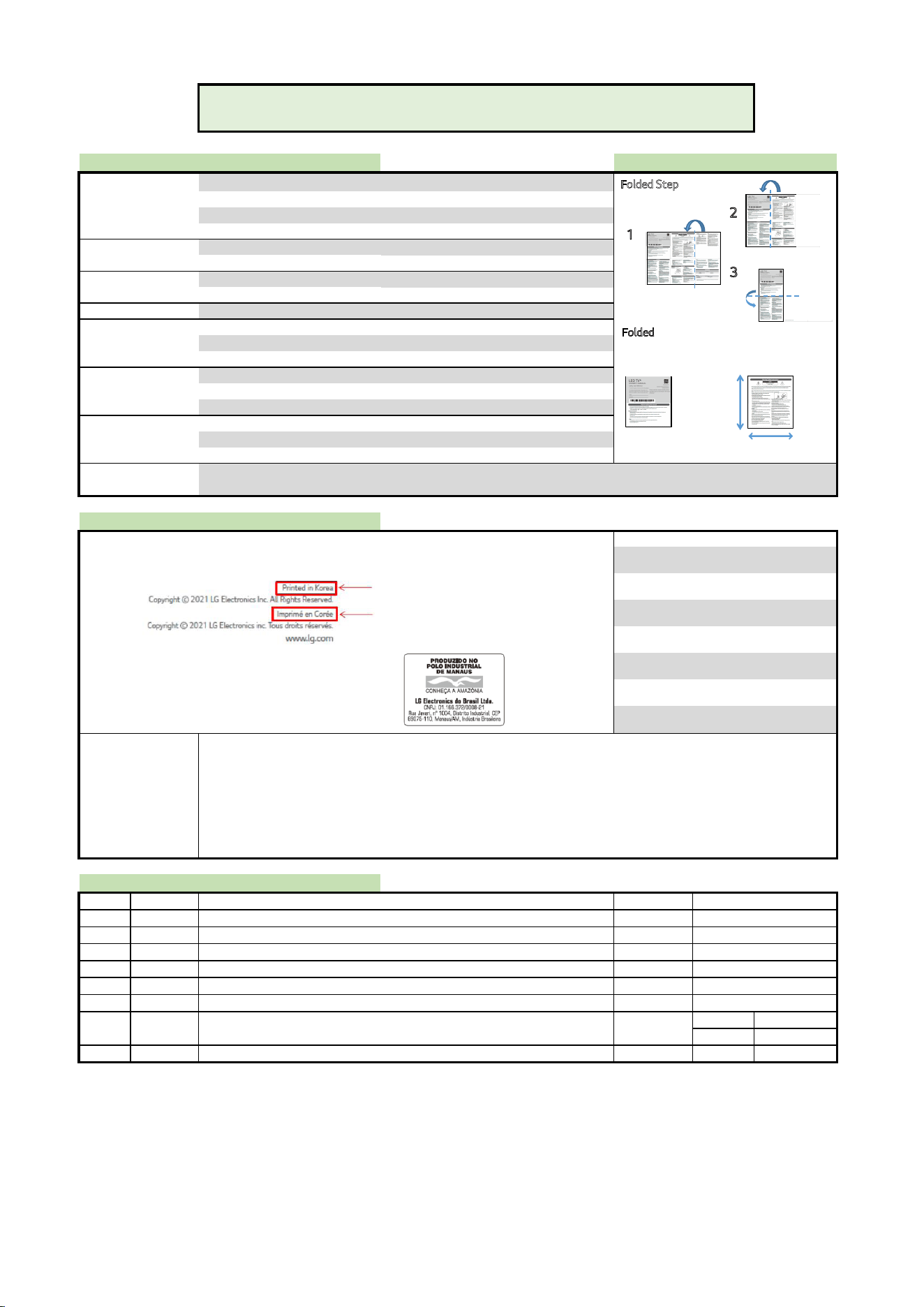
1. Model Name: 43QNED8C
2. Suffix: TR
3. Part No: MFL70265980
4. REV REV00
5. Number of pages 12
6. Folded/Unfolded 3 Folded
7. Trim size (W x H)_Unfolded (mm) 296 x 420 (+/-5)
8. Trim size (W x H)_folded (mm) 140 x 148 (+/-5)
9. Bindery -
10. Color (Cover) -
11. Paper (Cover) -
12. Weight (cover) (g/m
2
)
-
13. Color (inner) 1
14. Paper (inner) Wood free
15. Weight (inner) (g/m
2
)
70(+/-10)
16. Coating No
17. Thomson No
18. Sub-material No
Changes the Country name.
LGERS / LGEMX :
Printed in [Country Name in English]
LGEKR :
Imprimé en(au) [Country Name in French]
LGEMA :
LGEND :
LGEIN :
[ blank ]
[ ]
Brazil :
Others :
[Restriction of Hazardous Substances ]
Hazardous substances on this product s
hould be satisfied by substance regulation of Level A-I, A-II, SVHC according to LG(52)B—5011 standard.
(1) Hazardous substances test report should be submitted when part certification test and first mass production.
(2) Especially, Don’t use or contain lead (Pb) and cadmium (Cd) in ink.
INK REQUIREMENT FOR EU
(1) The amount of MOAH/MOSH must be less than 0.1% of the weight of the INK used.
*MOAH(Mineral Oil Aromatic Hydroca
rbons) : Consisting of 1 to 7 aromatic cycles
*MOSH(Mineral Oil
Saturated Hydrocarbons) : Consisting of 16 to 35 carbon atoms
(2) From 01 January 2025 : Ban on the use of MOAH in INK up to a limit of one part per million(1ppm) for compounds of 3 to 7 aromatic cycles
REV07
REV06
REV05
REV04
REV03
REV02
REV01
Checked :
Nitin H.
Approved : Santosh C.
Rev. Number
Date ECO Number Owner
Aditya K.
Description
NOTE
Especially, Part should be followed and controlled the following specification.
01/04/2025
2. Origin Notification
ENG / HINDI
19. Languages
Printing Specification
1. Specification 1.1 Folding / Cover
Models
SIZE
COVER
INNER
[Country Name] (ENG/FRE)
- -REV00
3. History
Printed in Mexico
Imprimé au Mexique
Printed in Korea
Imprimé en Corée
Printed in Poland
Imprimé en Pologne
Printed in China
Imprimé en Chine
Each Country name.
Printed in Indonesia
Imprimé en Indonésie
Printed in [Each Country name]
[Image] (L
GEAZ production only)
Front
Back
Folded Step
Folded
Front
1
2
3
Front
Back
Folded
Front
1
2
3
Barcode
148 mm
140 mm
LED TV*
Copyright © 2025 LG Electronics Inc.
All Rights Reserved.
*M F L 7 0 2 6 5 9 8 0 2 5 0 1 R E V 0 0*
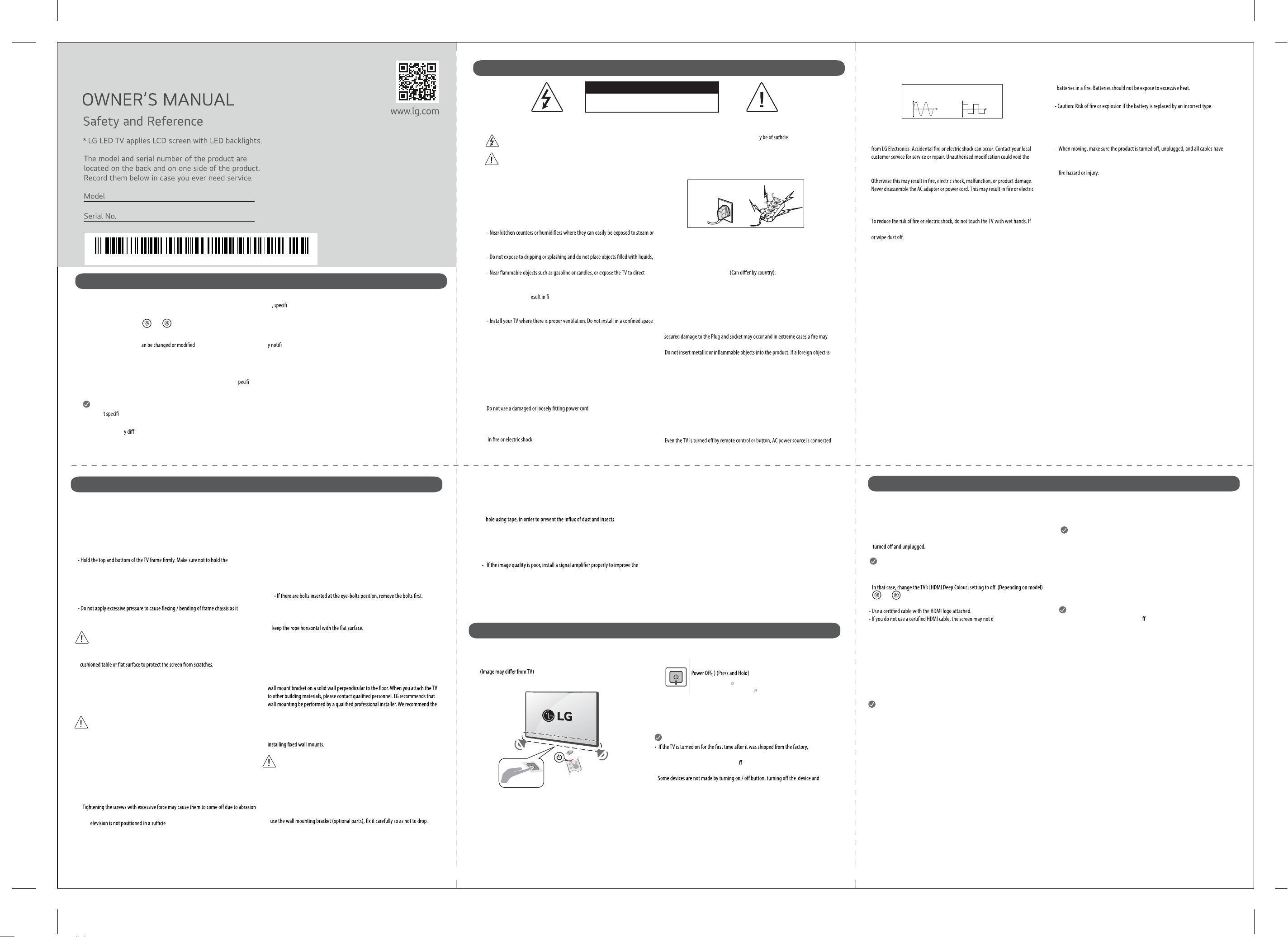
Before reading this manual
Warning! Safety instructions
• Read this manual thoroughly before operating your TV, and keep it for future reference.
On the website you can download the manual including installation, using, troubleshooting
cations, license etc and view its contents on your PC or mobile device.
User Guide: For more information about this TV, read the USER GUIDE embedded in the product. (Depending on model)
- To open the USER GUIDE → [ ] → [Support] → [User Guide]
•
•
Separate Purchase
• Separate purchase items c for quality improvement without an cation. Contact your dealer to buy these items. These devices only
work with certain models.
The model name or design may be changed depending on the upgrade of product functions, manufacturer’s circumstances or policies.
•
Magic Remote Control :
Check whether your TV model supports Bluetooth in the Wireless Module S cation to verify whether it can be used with the Magic Remote.
• A cable to connect antennas and external devices must be purchased separately.
Note
• Produc cations or contents of this manual may be changed without prior notice due to upgrade of product functions.
• The items supplied with your product may vary depending on the model.
• Image shown ma er from your TV.
CAUTION
CAUTION : TO REDUCE THE RISK OF ELECTRIC SHOCK, DO NOT REMOVE COVER (OR BACK). NO USER-SERVICEABLE PARTS INSIDE. REFER TO QUALIFIED SERVICE PERSONAL.
This symbol is intended to alert the user to the presence of uninsulated “dangerous voltage” within the product’s enclosure that ma nt magnitude
to constitute a risk of electric shock to persons.
This symbol is intended to alert the user to the presence of important operating and maintenance (servicing) instructions in the literature
accompanying this apparatus.
WARNING : TO REDUCE THE RISK OF FIRE AND ELECTRIC SHOCK, DO NOT EXPOSE THIS PRODUCT TO RAIN OR MOISTURE.
•
•
TO PREVENT THE SPREAD OF FIRE, KEEP CANDLES OR OTHER ITEMS WITH OPEN
FLAMES AWAY FROM THIS PRODUCT AT ALL TIMES.
Do not place the TV and/or remote control in the following environments:
- Keep the product away from direct sunlight.
- An area with high humidity such as a bathroom.
- Near any heat source such as stoves and other devices that produce heat.
oil.
- An area exposed to rain or wind.
such as vases, cups, etc. on or over the apparatus (e.g., on shelves above the unit).
air conditioning.
- Do not install in excessively dusty places.
Otherwise, this may r re, electric shock, combustion/explosion, malfunction
or product deformation.
•
Ventilation
such as a bookcase.
- Do not install the product on a carpet or cushion.
- Do not block or cover ther product with cloth or other materials while unit is
plugged in.
Take care not to touch the ventilation openings. When watching the TV for a long
period, the ventilation openings may become hot.
Protect the power cord from physical or mechanical abuse, such as being twisted,
kinked, pinched, closed in a door, or walked upon. Pay particular attention to plugs,
wall outlets, and the point where the cord exits the device.
Do not move the TV whilst the Power cord is plugged in.
•
•
•
•
- The power plug is the disconnecting device. In case of an emergency, the power plug
must remain readily accessible.
Do not let your children climb or cling onto the TV. Otherwise, the TV may fall over,
which may cause serious injuiry.
Outdoor Antenna Grounding
- If an outdoor antenna is installed, follow the precautions below.
Use of UPS/Inverter:**
- Prefer use of Sine wave output UPS/Inverter for long term reliability of product.
Low quality Square wave UPS/Inverter may cause performace issue in your product.
•
•
An outdoor antenna system should not be located in the vicinity of overhead
power lines or other electric light or power circuits, or where it can come in contact
with such power lines or circuits as death or serious injury can occur.
Never touch this apparatus or antenna during a lightning storm. You may be
electrocuted.
Make sure the power cord is connected securely to the TV and wall socket if not
•
•
break out.
dropped into the product, unplug the power cord and contact the customer service.
Do not touch the end of the power cord while it is plugged in. You may be
electrocuted.
If any of the following occur, unplug the product immediately and
contact your local customer service.
- The product hase been damaged.
- If water or another substance enters the product (like an AC adapter, power cord,
or TV).
ou smell smo
hen lig
to the unit if not unplugged in.
•
•
•
•
RISK OF ELECTRIC SHOCK
DO NOT OPEN
Be sure to grasp the plug when unplugging the power cord. Do not pull on the
power cord to unplug the TV.
Do not connect too many devices to the same AC power outlet as this could result
•
•
*
•
Disconnecting the Device from the Main Power
-
+
SINE WAVE
**
SQUARE WAVE
•
Do not use high voltage electrical equipment near the TV (e.g., a bug zapper). This
may result in product malfunction.
Do not attempt to modify this product in any way without written authorisation
user’s authority to operate this product.
Use only an authorised attachments / accessories approved by LG Electronics.
shock.
Handle the adapter carefully to avoid dropping or striking it. An impact could
damage the adapter.
the power cord prongs are wet or covered with dust, dry the power plug completly
Batteris:
- Store the accessories (battery, etc.) in a safe location out of the reach of children.
- Do not short circuit, disassemble, or allow the batteries to overheat. Do not dispose of
- Use Alkaline Batteries in Remote for Long Life. (Alkaline mentioned on Battery)
- Warning: Use of substandard batteries in TV remote may lead to leakage and
permanent damage to remote.
Remove batteries from remote if not using it for long time.
Moving
been removed. It may take 2 or more people to carry larger TVs. Do not press or put
stress on the front panel of the TV. Otherwise, this may result in product damage,
Keep the packing anti-moisture material or vinyl packing out of the reach of children.
Do not allow an impact shock, any objects to fall into the product, and do not drop
anything onto the screen.
Do not press strongly upon the panel with a hand or a sharp object such as a nail, pencil,
or pen, or make a scratch on it. It may cause damage to screen.
Cleaning
- When cleaning, unplug the power cord and wipe gently with a soft/ dry cloth. Do not
spray water or other liquids directly on the TV. Do not clean your TV with chemicals
including glass cleaner, any type of air freshener, insecticide, lubricants, wax (car,
industrial), abrasive, thinner, benzene, alcohol etc., which can damage the product and
/ or its panel. Otherwise, this may result in electric shock or product damage.
•
•
•
Installation
Please read this manual carefully before
operating your set and retain it for future
reference
- If y ke or other odors coming from the TV.
- W htning storms or when unused for long periods of time.
-
+
Lifting and moving the TV
Please note the following advice to prevent the TV from being scratched or damaged
and for safe transportation regardless of its type and size.
• It is recommended to move the TV in the box or packing material that the TV
originally came in.
• Before moving or lifting the TV, disconnect the power cord and all cables.
• When holding the TV, the screen should face away from you to avoid damage.
transparent part, speaker, or speaker grill area.
• When transporting a large TV, there should be at least 2 people.
• When transporting the TV, do not expose the TV to jolts or excessive vibration.
• When transporting the TV, keep the TV upright, never turn the TV on its side or tilt
towards the left or right.
may damage screen.
• When handling the TV, be careful not to damage the protruding buttons.
• Avoid touching the screen at all times, as this may result in damage to the screen.
• When attaching the stand to the TV set, place the screen facing down on a
Mounting on the Table
1 Lift and tilt the TV into its upright position on a table.
• Leave a 10 cm (minimum) space from the wall for proper ventilation.
2 Connect the power cord to a wall outlet.
• Do not apply foreign substances (oils, lubricants, etc.) to the screw parts
when assembling the product. (Doing so may damage the product.)
• Do not use any unapproved items to ensure the safety and product life span.
• Any damage or injuries caused by using unapproved items are not covered by the
manufacturer’s warranty.
• If you install the TV on a stand, you need to take actions to prevent the product from
overturning. Otherwise, the product may fall over, which may cause injury.
• When assembling the stand, ensure that all of the provided screws are attached. If the
screws are not fully tightened, the product may tilt or tip over, resulting in damage.
of the screw joint.
• If a t
ntly stable location, it can be potentially
hazardous due to falling. Many injuries, particularly to children, can be avoided by taking
simple precautions such as:
- Using cabinets or stands recommended by the manufacturer of the television.
•
•
•
Mounting to the Wall
Attach an optional wall mount bracket at the rear of the TV carefully and install the
use of LG’s wall mount bracket. LG’s wall mount bracket is easy to move with cables
connected. When you do not use LG’s wall mount bracket, please use a wall mount
bracket where the device is adequately secured to the wall with enough space to
allow connectivity to external devices. It is advised to connect all the cables before
• Remove the stand before installing the TV on a wall mount by performing the
stand attachment in reverse.
• For more information of screws and wall mount bracket, refer to manual included
in the separately purchased wall mount.
• If you intend to mount the product to a wall, attach VESA standard mounting
interface (optional parts) to the back of the product. When you install the set to
• When mounting a TV on the wall, make sure not to install the TV by hanging the
power and signal cables on the back of the TV.
• Do not install this product on a wall if it could be exposed to oil or oil mist. This
may damage the product and cause it to fall.
• When installing the wall mounting bracket, it is recommended to cover the stand
(Depending on model)
Antenna/Cable
Connect the TV to a wall antenna socket with an RF cable (75 Ω).
• Use a signal splitter to use more than 2 TVs.
image quality.
• If the image quality is poor with an antenna connected, try to realign the antenna
in the correct direction.
• An antenna cable and converter are not supplied.
• For a location that is not supported with Ultra HD broadcasting, this TV cannot
receive Ultra HD broadcasts directly. (Depending on model)
*
Satellite dish
Connect the TV to a satellite dish to a satellite socket with a satellite RF cable (75 Ω).
(Depending on model)
Starting TV
Turning on the TV
You can simply operate the TV functions, using the button.
1) All running apps will close, and any recording in progress will stop.
(Depending on country)
2) You can access and adjust the menu by pressing the button when TV is on.
3) You can use the function when you access menu control.
Power On (Press)
Menu Control (Press )
Menu Selection (Press and Hold )
Note
initialization of the TV may take a few minutes.
• Your TV’s OSD (On Screen Display) may di
er slightly from that shown in this manual.
• The device must be easily accessed to a location outlet near the access.
unplugging the power cord.
Connections
Connect various external devices to the TV and switch input modes to select an
external device. For more information of external device’s connection, refer to the
manual provided with each device.
HDMI
• When connecting the HDMI cable, the product and external devices should be
• If the device connected to Input Port also supports HDMI Deep Colour, your picture
may be clearer. However, if the device doesn’t support it, it may not work properly.
• → [ ] → [General] → [External Devices] → [HDMI Settings] →
[HDMI Deep Colour] (Depending on model)
isplay or a connection
error may occur.
• Recommended HDMI Cable Types
-- Ultra High Speed HDMI®/™ cable (3 m or less)
Note
USB
Some USB Hubs may not work. If a USB device connected using a USB Hub is not
detected, connect it to the USB port on the TV directly. (Depending on model)
Note
• For an optimal connection, HDMI cables and USB devices should have bezels less than
10 mm thick and 18 mm width. Use an extension cable that supports USB 2.0 if the USB
cable or USB memory stick does not fit into your TV’s USB port. (Depending on model)
IR Blaster
Control the set-top box (cable/satellite/IP/OTT), Blu-ray/DVD player, soundbar,
game consoles, etc., using the IR Blaster. (Depending on country) / (Depending on model)
Note
• Connect the IR Blaster cable to the TV’s IR Blaster port.
• Use universal control settings to control the device.
• Secure the IR Blaster with the 3M tape provided.
External Devices
Available external devices are: Blu-ray player, HD receivers, DVD players, VCRs, audio
systems, USB storage devices, PC, gaming devices, and other external devices.
Note
• The external device connection may di er from the model.
• In PC mode, there may be noise associated with the resolution, vertical pattern,
contrast or brightness. If noise is present, change the PC output to another resolution,
change the refresh rate to another rate or adjust the brightness and contrast on the
[Picture] menu until the picture is clear.
• In PC mode, some resolution settings may not work properly depending on the
graphics card.
• If Ultra HD content is played on your PC, video or audio may become disrupted
intermittently depending on your PC’s performance. (Depending on model)
• When connecting to a wired LAN, use a CAT 7 cable with high-speed Internet
transmission. (Only when LAN port is provided.)
- Ensuring the television is not overhanging the edge of the supporting furniture.
- Not placing the television on tall furniture (for example, cupboards or bookcases)
without anchoring both the furniture and the television to a suitable support.
- Not standing the televisions on cloth or other materials placed between the
television and supporting furniture.
- Educating children about the dangers of climbing on furniture to reach the
television or its controls.
Securing TV to the Wall
1 Insert and tighten the eye-bolts, or TV brackets and bolts on the back of the TV.
2 Mount the wall brackets with the bolts to the wall. Match the location of the wall
bracket and the eye-bolts on the rear of the TV.
3 Connect the eye-bolts and wall brackets tightly with a sturdy rope. Make sure to
• Use a platform or cabinet that is strong and large enough to support the TV
secu
rely.
• Brackets, bolts and ropes are not provided. You can obtain additional accessories
from your local dealer.
- Only using furniture that can safely support the television.
1.
2.
3.
6.
4. 5.
•
•
•
•
•
Starting TV
Product Information
Open Source Software Notice Information
(Magic Remote supported models only)
To obtain the source code that is contained in this product, under GPL, LGPL, MPL, and other open source licenses that have the obligation to disclose source code, and to access all
referred license terms, copyright notices and other relevant documents please visit https://opensource.lge.com.
LG Electronics will also provide open source code to you on CD-ROM for a charge covering the cost of performing such distribution (such as the cost of media, shipping, and handling)
rs after our last shipment of this product.
Licenses
Regulatory
WARNING! (STABILITY HAZARD)
A television set may fall, causing serious personal injury or death. Many injuries, particularly
to children, can be avoided by taking simple precautions such as:
- ALWAYS use cabinets or stands or mounting methods recommended by the manufacturer
of the television set.
- ALWAYS use furniture that can safely support the television set.
- ALWAYS ensure the television set is not overhanging the edge of the supporting furniture.
- ALWAYS educate children about the dangers of climbing on furniture to reach the
television set or its controls.
- ALWAYS route cords and cables connected to your television so they cannot be tripped
over, pulled or grabbed.
- NEVER place a television set in an unstable location.
- NEVER place the television set on tall furniture (for example, cupboards or bookcases)
without anchoring both the furniture and the television set to a suitable support.
- NEVER place the television set on cloth or other materials that may be located between the
television set and supporting furniture.
- NEVER place items that might tempt children to climb, such as toys and remote controls,
on the top of the television or furniture on which the television is placed.
India region only.
* For BEE energy label applied models only.
ATTENTION:
products and practices.
When the television is initially set up, it is designed to meet the BEE Star Labeling
requirements while maintaining optimum picture quality.
• Changes to certain functionalities of this television (TV Guide, Picture/sound etc)
may change the power consumption.
• Depending on such changed setting (eg., Retail mode), the power consumption
may vary which possibly could exceed the stated energy consumption.
the initial set-up procedure in ‘factory settings’ under the ‘Set-up’ menu.
Symbols :
Disposal of your old appliance (As per e-waste rules)
1. When this crossed out wheeled bin symbol is depicted on the product and its
operator’s manual, it means the product is covered by E-Waste Management
Rules India published by MoEF & CC, Govt. of India and are meant to be recycled,
2. Do’s:
a. The product is required to be handed over only to the authorized recycler for
disposal.
b. Keep the product in isolated area, after it becomes non-functional/ unrepairable
so as to prevent its accidental breakage.
Don’ts:
a. The product should not be opened by the user himself/herself, but only by
authorized service personnel.
b. The product is not meant for re-sale to any unauthorized agencies/ scrap/ dealer/
kabariwalah.
c. The product is not meant for mixing into household waste stream.
d. Do not keep any replaced spare part(s) from the product in exposed area.
3. Any disposal through unauthorized agencies/ person will attract action under
Environment (Protection) Act 1986.
4. This product is complied with the requirement of Hazardous Substances as
of India.
5. To locate a nearest collection center or call for pick-up (limited are only) for
disposal of this appliance, please contact No. 08069379999, Toll Free No.
1800-315-9999 for details. All collection center and pick up facilities are done
by third parties with LG ELectronics India Ltd. Merely as a facilitator. For more
detailed information, please visit : http://www.lg.com/in.
1. This symbol may be combined with chemical symbols for mercury(Hg), cadmium(Cd)
or lead(Pb), if the battery Contains more that 0.0005% of mercury, 0.002% of cadmium
or 0.004% of lead.
2. All batteries/ accumulators should be disposed separately from the muncipal waste
stream via designated collection facilities appointed by the government or the local
authorities.
3. The correct disposal of your old batteries/ accumulators will help to prevent potential
negative consequences for the environment, animal and human health.
7.
8.
9.
10.
11.
12.
Environment Condition
Operating Temperature Storage Temperature
Operating Humidity Storage Humidity
Tilt Angle
0° - 15°
0 °C to 40 °C
Less than 80%
-20 °C to 60 °C
Less than 85%
* T
cation applies only to products with an adjustable wall mount angle.
•
The energy information provided with the product is indicated in accordance with the regulations of each country. (Depending on country)
- The Energy consumption is measured in accordance with IEC 62087.
- The recommended 'home viewing' picture mode is initial default picture mode.
•
Actual Energy consumption may vary depending on factors such as the type of video content being played and TV settings.
• For information of the power supply and power consumption, refer to the label attached to the product. (Depending on country)
- The typical power consumption is measured in accordance with IEC 62087 or each country’s energy regulations.
* On some models, the label is inside the external device connection terminal cover.
* Depending on the model or country, the typical power consumption may not be on label.
Conditions for Wall Mount Installation
Power requirement
(Depending on country) (Depending on model)
• Certain 8K input/decoding standards may not be supported. An additional device may be necessary to support certain 8K standards. Upscaled and enhanced 8K images will vary
depending on the source content. (Depending on model)
If the existing television set is going to be retained and relocated, the same considerations as
above should be applied.
Refers to alternating current (AC).
Refers to direct current (DC).
Refers to class II equipment.
Refers to stand-by.
Refers to “ON” (power).
Refers to dangerous voltage.
Broadcasting S cations
Television system Terrestrial / Cable / Satellites Digital TV
External antenna impedance 75 Ω
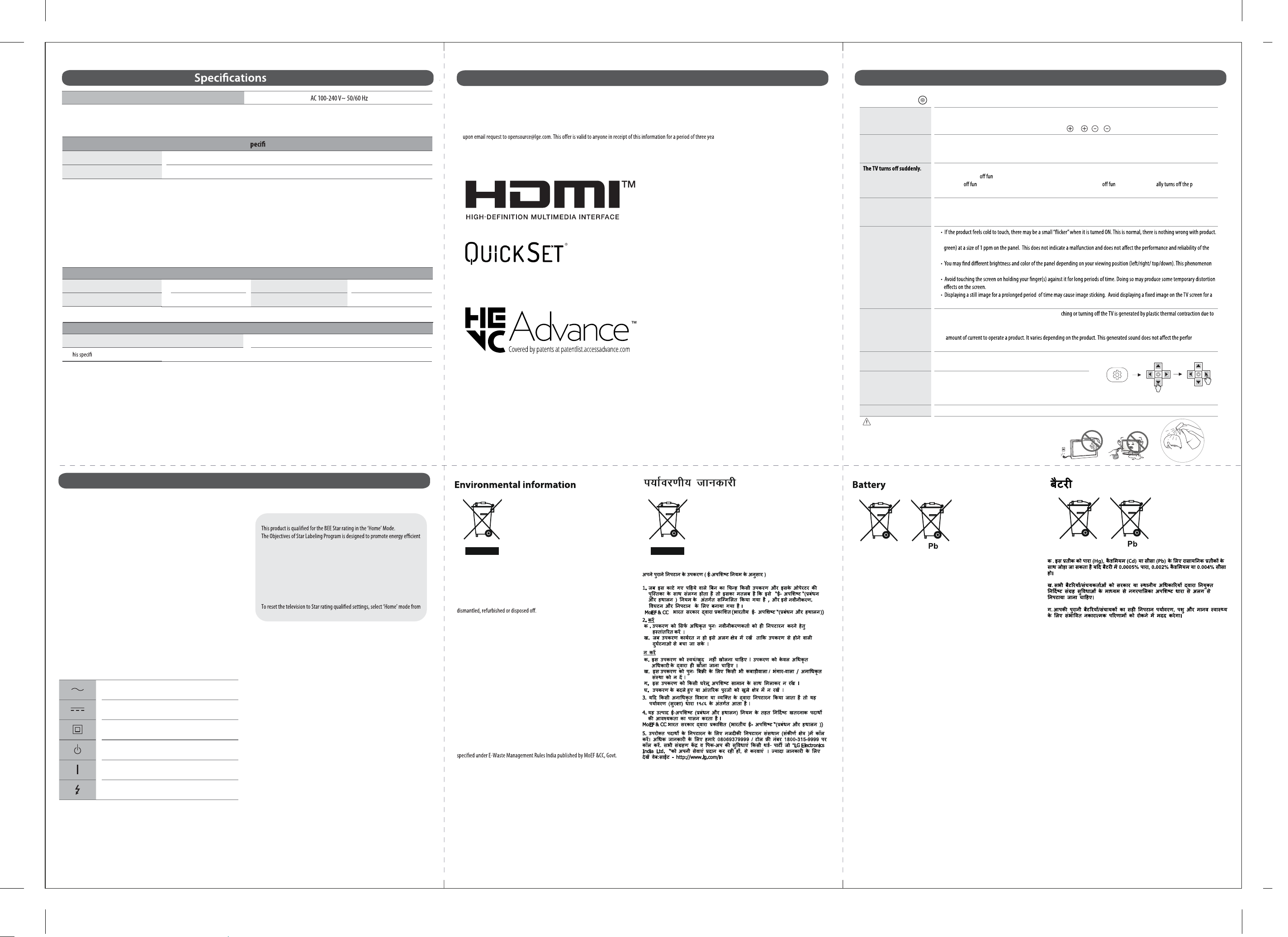
Troubleshooting
(Image may vary depending on Model)
In TV / HDMI input, press the button on the remote control three times to display the model name and serial number on the screen.
Cannot control the TV with
the remote control.
• Check the remote control sensor on the product and try again.
• Check if there is any obstacle between the product and the remote control.
• Check if the batteries are still working and properly installed ( to , to ).
No image display and no
sound is produced.
• Check if the product is turned on.
• Check if the power cord is connected to a wall outlet.
• Check if there is a problem in the wall outlet by connecting other products.
• Check the power control settings. The power supply may be interrupted.
• Check if the auto-
ction is activated on the settings related time.
• The auto-
ction may have worked. This product is equipped with an auto- ction that automatic ower
if the remote control is not used for 15 minutes without an input signal.
When connecting to the
PC (HDMI), no signal is
detected.
• Turn the TV OFF/ON using the remote control.
• Reconnect the HDMI cable.
• Restart the PC with the TV ON.
Abnormal Display
• This panel is an advanced product that contains millions of pixels. You may see tiny black dots and/or brightly coloured dots(red, blue or
product. This phenomenon also occurs in third-party products and is not subject to exchange or refund.
occurs due to the characteristic of the panel. It is not related with the product performance, and it is not malfunction.
long period of time.
Generated Sound
• “Cracking” noise: A cracking noise that occurs when wat
temperature and humidity. This noise is common for products where thermal deformation is required.
• Electrical circuit humming/panel buzzing: A low level noise is generated from a high-speed switching circuit, which supplies a large
mance and
reliability of the product.
Factory Reset Method
• Press Setting Key.
• Use Navigation Key and Navigate to General Setting.
Software update
• Press setting key then click on all settings.
• Use navigation key and navigate to general setting.
• Press OK and navigate to software update and press check for updates.
• Do Not Power OFF TV while software upgrade is in process.
Screen Temperature
• TV screen heat up during long duration use. You may feel heat when you touch the screen and cabinet. This is normal condition.
CAUTION
• When cleaning the product, be careful not to allow any liquid or foreign objects to enter the gap
between the upper, left or right side of the panel and the guide panel. (Depending on model)
• Make sure to wring any excess water or cleaner from the cloth.
• Do not spray water or cleaner directly onto the TV screen.
• Make sure to spray just enough of water or cleaner onto a dry cloth to wipe the screen.
OK