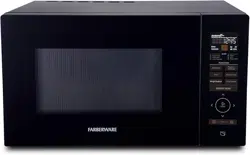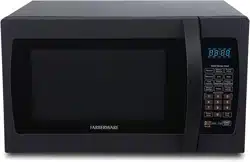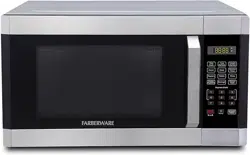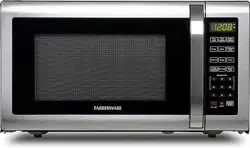
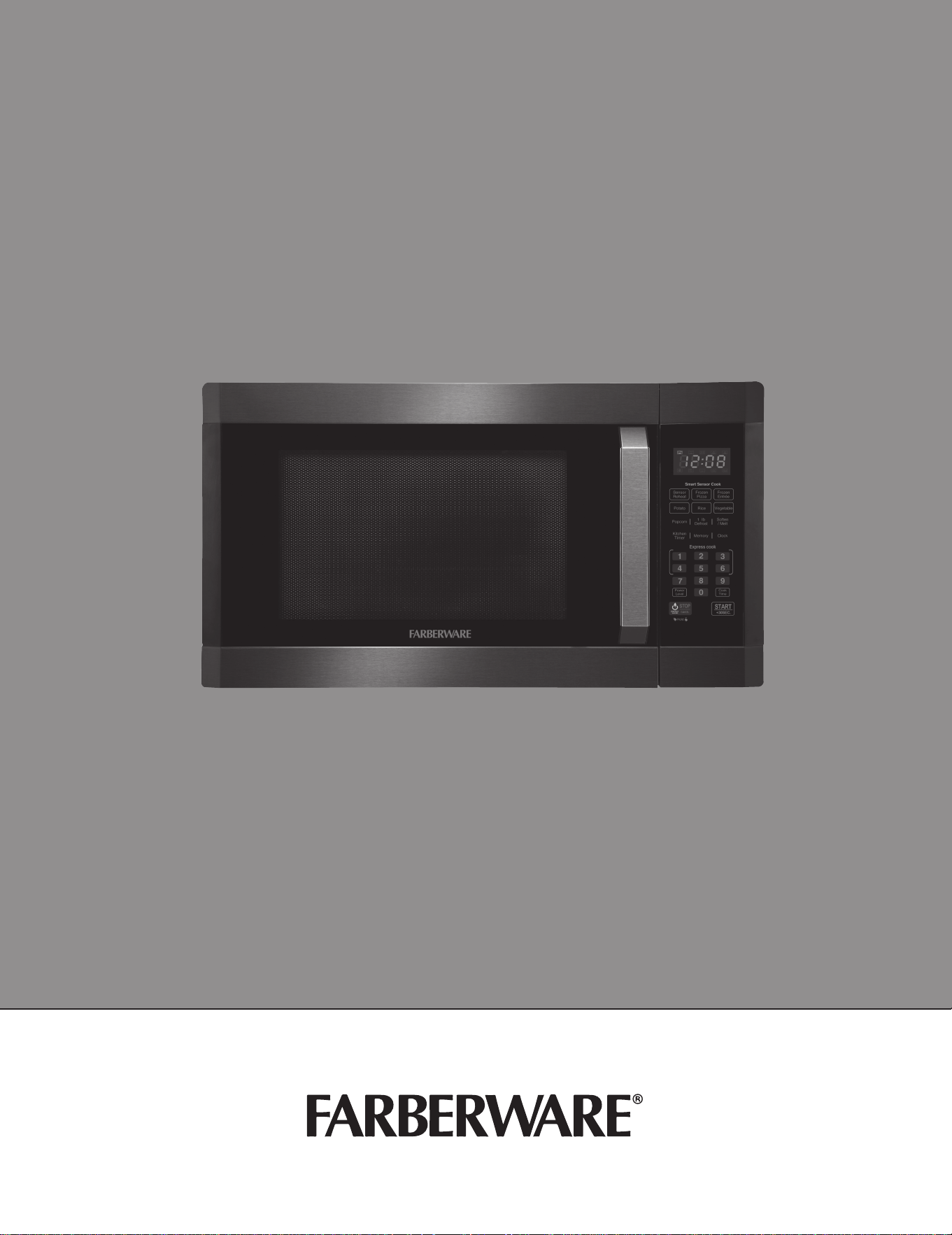
MICROWAVE OVEN
INSTRUCTION MANUAL
Model: FMO16AHTBSD
Read these instrucons carefully before using your
microwave oven, and to maintain its upkeep. If you
follow the instrucons, your oven will provide you
with many years of good service.
KEEP THESE INSTRUCTIONS IN A SAFE PLACE
(rev. 1 MD)09/ 0/19

2
Farberware is a registered trademark of Farberware Licensing Company, LLC
Manufactured and sold pursuant to a license from Farberware Licensing Company, LLC
© 2019 Farberware Licensing Company, LLC. All rights reserved.

3
Tables of Contents
PRECAUTIONS ���������������������������������������������������������������������������������������������������������������������������������� 4
SPECIFICATIONS ������������������������������������������������������������������������������������������������������������������������������� 4
SAFETY ��������������������������������������������������������������������������������������������������������������������������������������������� 5
GROUNDING ������������������������������������������������������������������������������������������������������������������������������������ 6
UTENSILS ����������������������������������������������������������������������������������������������������������������������������������������� 8
SETTING UP YOUR OVEN ��������������������������������������������������������������������������������������������������������������� 10
CONTROL PANEL ���������������������������������������������������������������������������������������������������������������������������� 12
OPERATION ������������������������������������������������������������������������������������������������������������������������������������ 13
MAINTENANCE ������������������������������������������������������������������������������������������������������������������������������ 21
WARRANTY INFORMATION ����������������������������������������������������������������������������������������������������������� 22
4
PRECAUTIONS TO AVOID POSSIBLE EXPOSURE TO
EXCESSIVE MICROWAVE ENERGY
(a) Do not aemp to operate this oven with the door open since open door operaon can result in harmful
exposure to microwave energy.
It is important not to tamper with the safety interlocks.
(b) Do not place any object between the oven front face and the door or allow food or cleaner residue to
accumulate on the sealing surfaces.
(c) Do not operate the oven if it is damaged. It is parcularly important that the oven door close properly and
that there is no damage to the:
(1) DOOR (bent)
(2) HINGES AND LATCHES (broken or loosened)
(3) DOOR SEALS AND SEALING SURFACES (Do not use if the door seal or sealing surfaces are damaged.)
(d) The oven should not be adjusted or repaired by anyone except properly qualied service personnel.
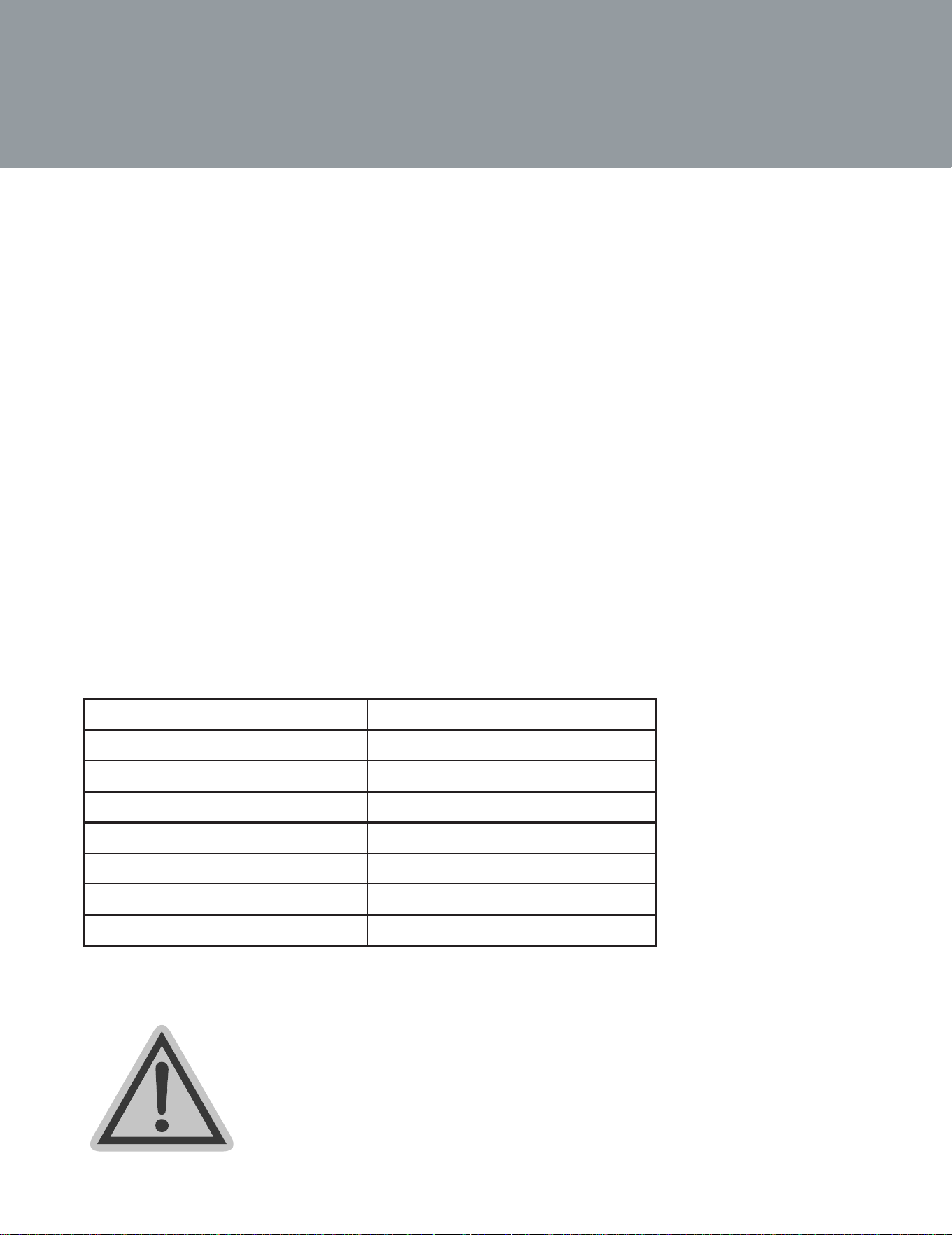
SPECIFICATIONS
Model: FMO16AHTBSD
Rated Voltage: 120V~60Hz
Rated Input Power (Microwave): 1550W
Rated Output Power (Microwave): 1100W
Oven Capacity: 1.6 cubic feet
Turntable Diameter: 13.5 inches
External Dimensions: 21.8*19.2*12.9 inches
Net Weight: 33.1 lbs
W ARNING:
This product can expose you to chemicals
including Phthalates or other chemicals which are known to
the State of California to cause cancer
,
birth defects and
other reproductive harm.
For more information, visit www.P65Warnings.ca.gov

5
IMPORTANT SAFETY INSTRUCTIONS
When using electrical appliances basic safety precauons should be followed, including the following:
WARNING - To reduce the risk of burns, electric shock, re, injury to persons or exposure to excessive
microwave energy:
1� Read all instrucons before using the appliance.
2� Read and follow the specic: “PRECAUTIONS TO AVOID POSSIBLE EXPOSURE TO EXCESSIVE MICROWAVE
ENERGY” found on page .
3� This appliance must be grounded. Connect only to properly grounded outlet. See “GROUNDING
INSTRUCTIONS” found on page .
4� Install or locate this appliance only in accordance with the provided installaon instrucons.
5� Some products such as whole eggs and sealed containers - for example, closed glass jars - are able to explode
and should not be heated in this oven.
6� Use this appliance only for its intended use as described in the manual. Do not use corrosive chemicals or
vapors in this appliance. This type of oven is specically designed to heat, cook or dry food. It is not designed
for industrial or laboratory use.
7� As with any appliance, close supervision is necessary when used by children.
8� Do not operate this appliance if it has a damaged cord or plug, if it is not working properly, or if it has been
damaged or dropped.
9� This appliance should be serviced only by qualied service personnel. Contact nearest authorized service
facility for examinaon, repair, or adjustment.
10� Do not cover or block any openings on the appliance.
11� Do not store this appliance outdoors. Do not use this product near water - for example, near a kitchen sink,
in a wet basement, near a swimming pool, or similar locaon.
12� Do not immerse cord or plug in water.
13� Keep cord away from heated surface.
14� Do not let cord hang over edge of table or counter.
15� When cleaning surfaces of door and oven that comes together on closing the door, use only mild,
nonabrasive soaps, or detergent applied with a sponge or so cloth.
16� To reduce the risk of re in the oven cavity:
a� Do not overcook food. Carefully aend appliance when paper, plasc, or other combusble materials
are placed inside the oven to facilitate cooking.
b� Remove wire twist-es from paper or plasc bag before placing bag in oven.
c. If material inside of the oven ignite, keep oven door closed, turn oven o, and disconnect the power
cord, or shut o power at the fuse or circuit breaker panel.
d. Do not use the cavity for storage purposes. Do not leave paper products, cooking utensils, or food in
the cavity when not in use.
17� Liquids, such as water, coee, or tea are able to be overheated beyond the boiling point without appearing
to be boiling. Visible bubbling or boiling when the container is removed from the microwave oven is not
always present.
THIS COULD RESULT IN VERY HOT LIQUID SUDDENLY BOILING OVER WHEN THE CONTAINER IS DISTURBED
OR A UTENSIL IS INSERTED INTO THE LIQUID.
4
6

6
To reduce the risk of injury to persons:
1� Do not overheat the liquid.
2� Sr the liquid both before and halfway through heang it.
3� Do not use straight-sided containers with narrow necks.
4� Aer heang, allow the container to stand in the microwave oven for a short me before removing the
container.
5� Use extreme care when inserng a spoon or other utensil into the container.
SAVE THESE INSTRUCTIONS
GROUNDING INSTRUCTIONS
This appliance must be grounded. In the event of an electrical short circuit, grounding reduces the risk of electric
shock by providing an escape wire for the electric current. This appliance is equipped with a cord having a
grounding wire with a grounding plug. The plug must be plugged into an outlet that is properly installed and
grounded.
WARNING – Improper use of the grounding can result in a risk of electric shock. Consult a qualied
electrician or serviceman if the grounding instrucons are not completely understood, or if doubt exists as
to whether the appliance is properly grounded. If it is necessary to use an extension cord, use only a 3-wire
extension cord that has a 3-blade grounded plug, and 3-slot receptacle that will accept the plug on the appliance.
The marked rang of the extension cord shall be equal to or greater than the electrical rang of the appliance.
DANGER – Electric Shock Hazard
Touching some of the internal components can cause serious personal injury or death. Do not disassemble this
appliance.
WARNING – Electric Shock Hazard
Improper use of the grounding can result in electric shock. Do not plug into an outlet unl appliance is properly
installed and grounded.
1� A short power-supply cord is provided to reduce the risks resulng from becoming entangled in
or tripping over a longer cord.
2� Longer cord sets or extension cords are available and may be used if care is exercised in their
use.
3� If a long cord or extension cord is used:
a� The marked electrical rang of the cord set or extension cord should be at least as great as
the electrical rang of the appliance.
b� The extension cord must be a grounding-type 3-wire cord.
c. The longer cord should be arranged so that it will not drape over the counter top or tabletop
where it can be pulled on by children or tripped over unintenonally.

7
RADIO INTERFERENCE
1� Operaon of the microwave oven may cause interference to your radio, TV or similar equipment.
2� When there is interference, it may be reduced or eliminated by taking the following measures:
3� Clean door and sealing surface of the oven.
a� Reorient the receiving antenna of radio or television.
b� Relocate the microwave oven with respect to the receiver.
c. Move the microwave oven away from the receiver.
d. Plug the microwave oven into a dierent outlet so that microwave oven and receiver are on
dierent branch circuits.
SAFETY
1� The oven must be on a leveled surface.
2� The turntable and turntable roller rest must be in the oven during cooking. Place the cookware gently on
the turntable and handle it carefully to avoid possible breakage.
3� Incorrect use of browning dish may cause the turntable to break.
4� Use only the specied bag size when using Direct Access Popcorn.
5� The oven has several built-in safety switches to ensure that the power remains o when the door is
open. Do not tamper with these switches.
6� Do not operate the microwave oven empty. Operang the oven with no food or food that is extremely
low in moisture can cause re, charring or sparking.
7� Do not cook bacon directly on the turntable. Excessive local heang of the turntable may cause the
turntable to break.
8� Do not heat baby boles or baby food in the microwave oven. Uneven heang may occur and could
cause physical injury.
9� Do not heat narrow-necked containers, such as syrup boles.
10� Do notaempt to deep-fry in your microwave oven.
11� Do not aempt home canning in this microwave oven, as it is impossible to be sure all contents of the
jar have reached boiling temperature.
12� Do not use this microwave oven for commercial purpose. This microwave oven is made for household
use only.
13� To prevent delayed erupve boiling of hot liquids and beverages or scalding yourself, sr liquid before
placing the container in the oven and again halfway through cooking me. Let stand in the oven for a
short me and sr again before removing the container.
14� Use care when cooking food in the microwave oven to avoid burning due to excessive cooking.
1 � 5 Failure to maintain the oven in a clean condion could lead to deterioraon that could adversely aect
the life of the appliance and possibly result in a hazardous situaon.
8
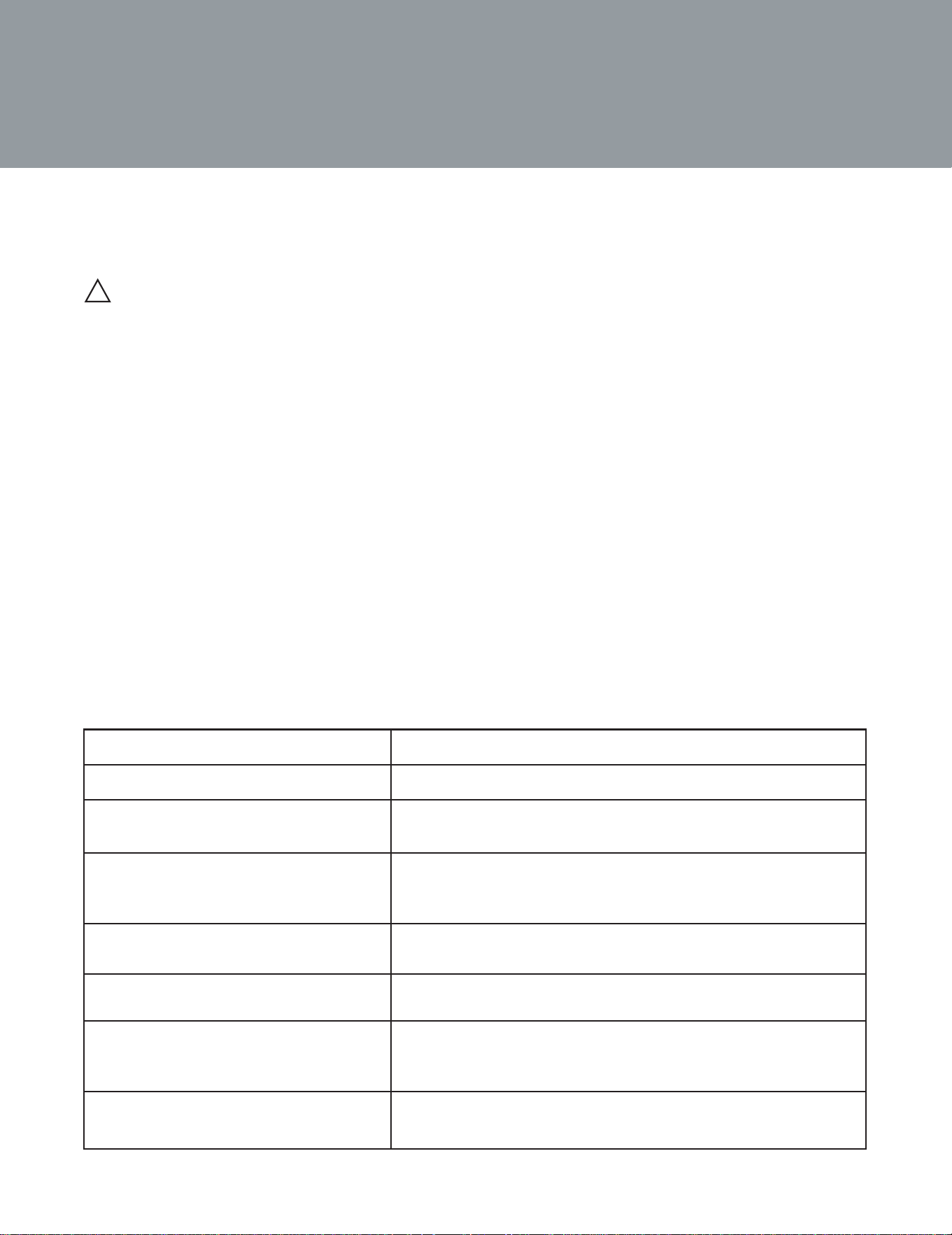
UTENSILS
! CAUTION – Personal Injury Hazard
Tightly-closed utensils could explode. Closed containers should be opened and plasc pouches
should be pierced before cooking.
See the instrucons on “Materials you can use in microwave oven or to be avoided in
microwave oven.”
There may be certain non-metallic utensils that are not safe to use for microwaving. If in
doubt, you can test the utensil in queson following the procedure below.
Utensil Test:
1� Fill a microwave-safe container with 1 cup of cold water (250ml) along with the utensil in queson.
2� Cook on maximum power for 1 minute.
3� Carefully feel the utensil. If the empty utensil is warm, do not use it for microwave cooking.
4� Do not exceed 1 minute cooking me.
Utensils Remarks
Aluminum tray May cause arcing. Transfer food into microwave-safe dish.
Food carton with metal handle May cause arcing. Transfer food into microwave-safe dish.
Metal or metal-trimmed utensils Metal shields the food from microwave energy. Metal
trim may cause arcing.
Metal twist es May cause arcing and could cause a in the oven.
Paper bags May cause re in the oven
Plasc foam Plasc foam may melt or contaminate the liquid inside when ex-
posed to high temperature.
wood Wood will dry out when used in the microwave oven and may split
or crack.
MATERIALS TO AVOID IN MICROWAVE OVEN
9
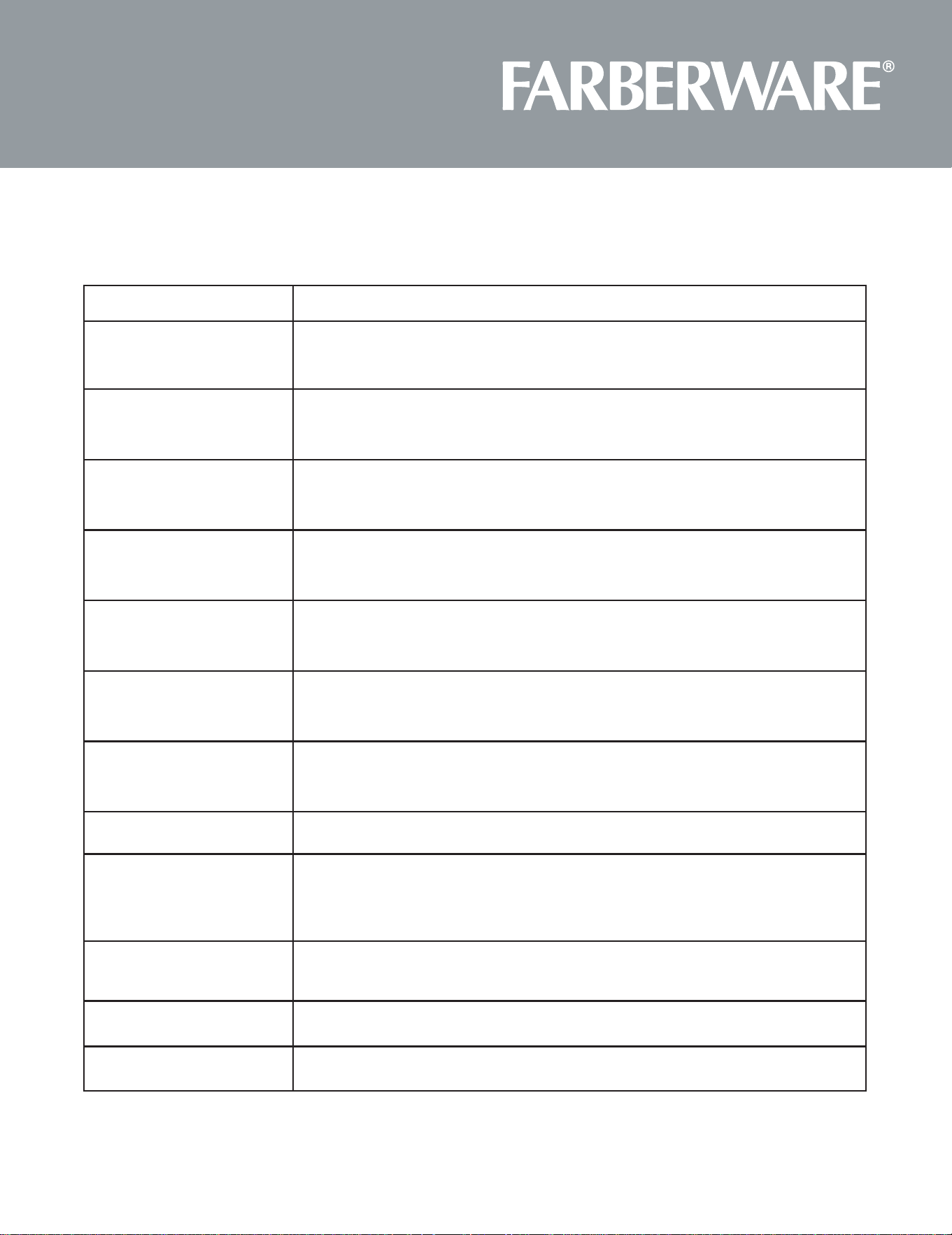
Utensils Remarks
Browning dish Follow manufacturer* instrucons. The boom of browning dish must be at
least 3/16 inch (5mm) above the turntable. Incorrect usage may cause the turn-
table to break.
Dinnerware Microwave-safe only. Follow manufacturer’s instrucons. Do not use cracked or
chipped dishes.
Glass jars Always remove lid. Use only to heat food unl just warm. Most glass jars are not
heat resistant and may break.
Glassware Heat-resistant oven glassware only. Make sure there is no metallic trim.
Do not use cracked or chipped dishes.
Oven cooking bags Follow manufacturer* instrucons. Do not close with metal e. Make slits to
allow steam to escape.
Paper plates and cups Use for short term cooking/warming only. Do not leave oven unaended while
cooking.
Paper towels Use to cover food for reheang and absorbing fat. Use with supervision for a
short-term cooking only.
Parchment paper Use as a cover to prevent splaering or a wrap for steaming.
Plasc Microwave-safe only. Follow the manufacturer* instrucons. Should be labeled
“Microwave Safe”. Some plasc containers soen, as the food inside gets hot.
“Boiling bags” and ghtly closed plasc bags should be slit, pierced or vented as
directed by package.
Plasc wrap Microwave-safe only. Use to cover food during cooking to retain moisture. Do
not allow plasc wrap to touch food.
Thermometers Microwave-safe only (meat and candy thermometers).
Wax paper Use as a cover to prevent splaering and retain moisture.
MATERIALS YOU CAN USE IN MICROWAVE OVEN
10
SETTING UP OUR OVEN
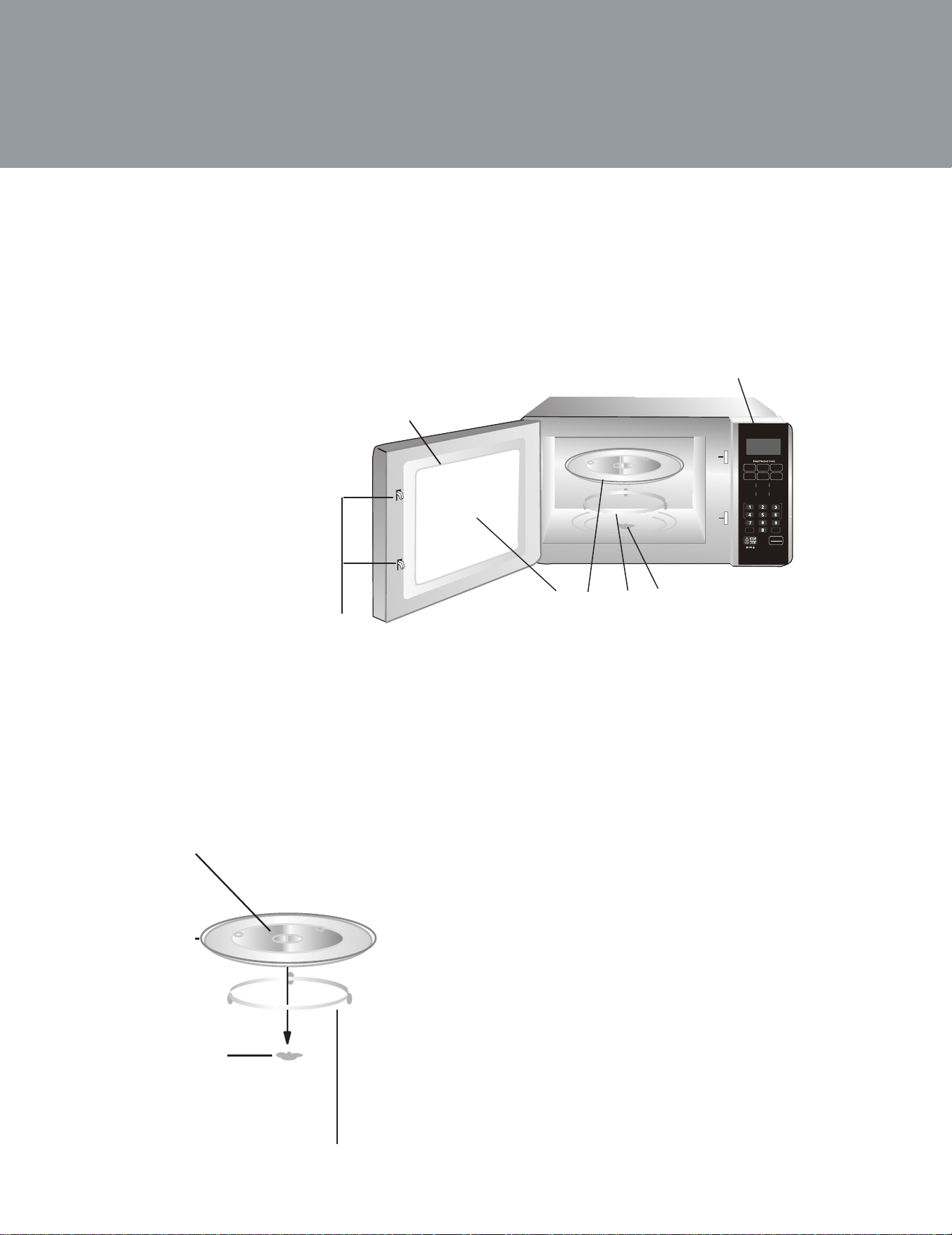
Names of Oven Parts and Accessories
Remove the oven and all materials from the carton and oven cavity. Your oven comes with the following
accessories.
Glass tray (turntable)
Turntable ring assembly
Instrucon manual
Turntable Installation
A) Control panel
B) Turntable sha
C) Turntable ring assembly
D) Glass tray
E) Observaon window
F) Door assembly
G) Safety interlock system
Hub (underside)
a� Never place the glass tray upside down. The glass tray should
never be restricted.
b� Both glass tray and turntable ring assembly must always be
used during cooking.
c. All food and containers of food are always placed on the glass
tray for cooking.
d. If glass tray or turntable ring assembly cracks or breaks,
contact your nearest authorized service center.
Glass tray
Turntable sha
Turntable ring assembly
F
G
A
C B
E
D
Sensor
Reheat
Potato
Power
Level
Cook
Time
Express cook
Rice Vegetable
Frozen
Pizza
Frozen
Entrée
Popcorn
1 Ib
Defrost
Kitchen
Timer
Memory Clock
Soften
/ Melt
START
+30SEC.
11
Countertop Installation
Remove all packing material and accessories. Examine the oven for any damage such as dents or broken door. Do
not install if oven is damaged.
Cabinet: Remove any protecve lm found on the microwave oven cabinet surface.
Do not remove the light brown Mica cover that is aached to the oven cavity to protect the magnetron.
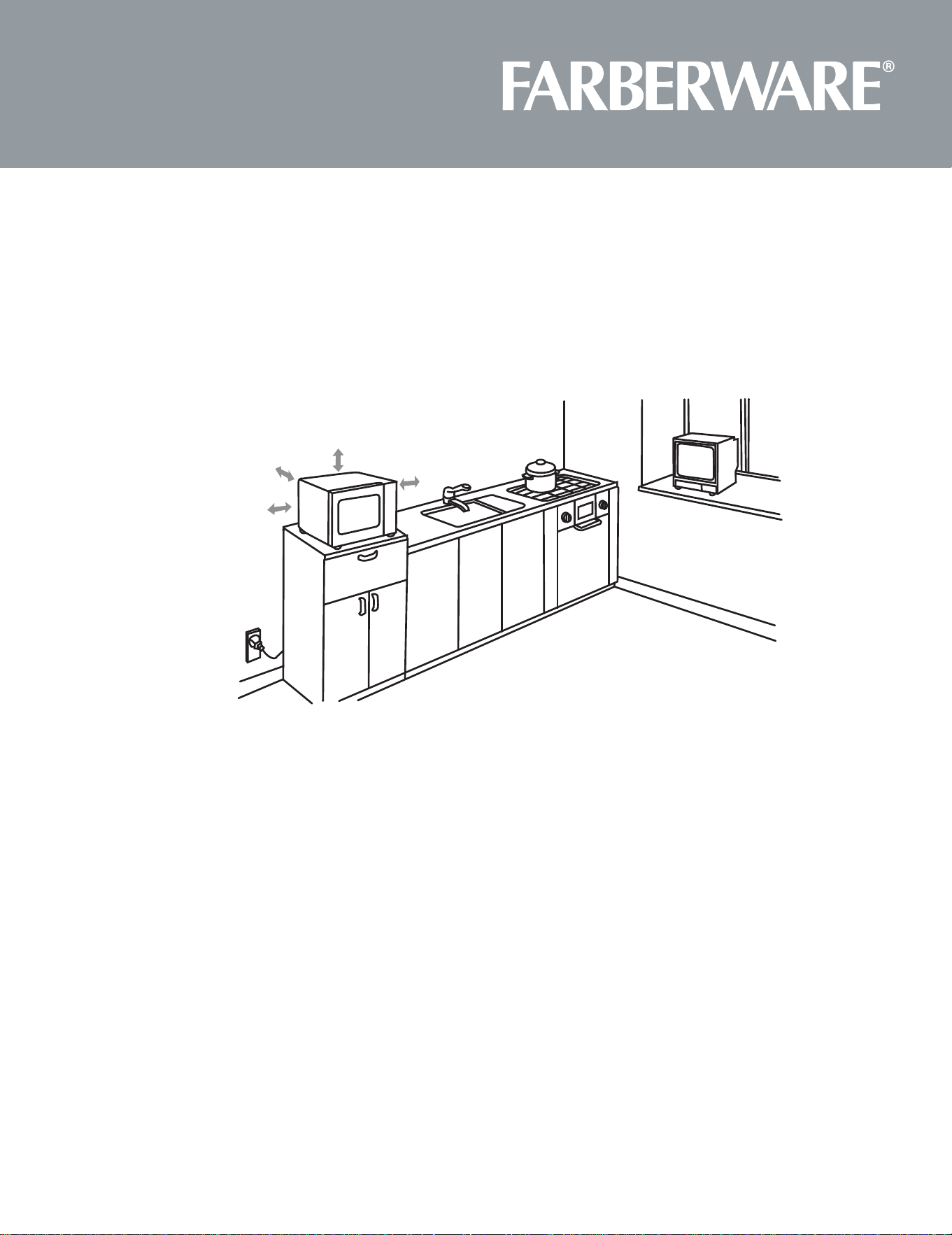
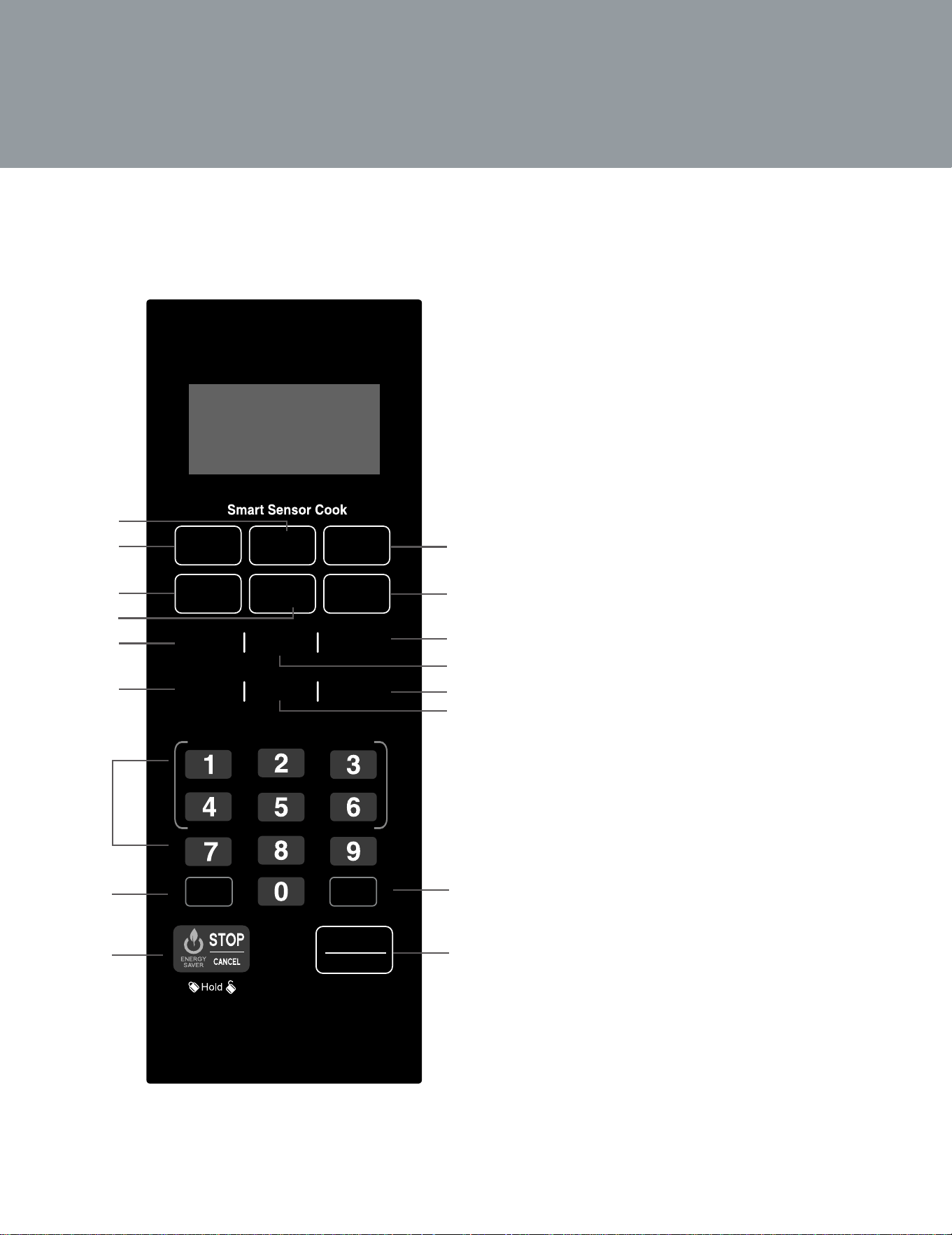
1� Select a level surface that provide enough open space for the intake and/or outlet vents. A minimum
clearance of 3.0 inches (7.5cm) is required between the oven and any adjacent walls. One side must be
open.
a� Leave a minimum clearance of 12 inches (30cm) above the oven.
b� Do not remove the legs from the boom of the oven.
c. Blocking the intake and/or outlet openings can damage the oven.
d. Place the oven as far away from radios and TV as possible. Operaon of microwave oven may cause
interference to your radio or TV recepon.
2� Plug your oven into a standard household outlet. Be sure the voltage and the frequency is the same as the
voltage and the frequency on the rang label.
WARNING: Do not install oven over a range cooktop or other heat-producing appliance. If installed near or
over a heat source, the oven could be damaged and the warranty would be void.
3.0 inch(7.5cm)
3.0 inch(7.5cm)
12 inch(30cm)
OPEN
12
CONTROL PANEL
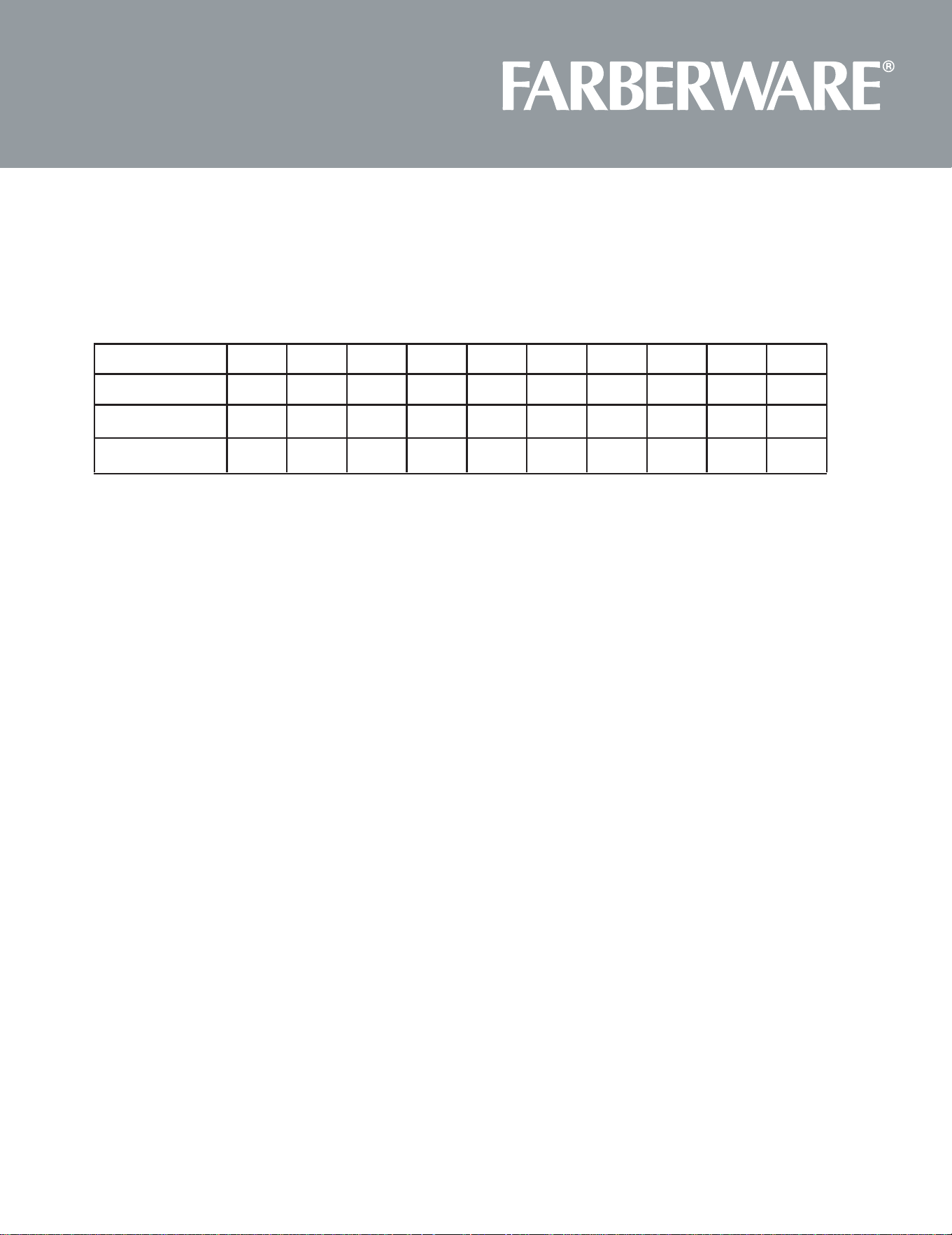
1.
2.
3. Potato
4. Rice
5.
7. Number Pad (0-9)
8. Power Level
9. Stop/CANCEL
10. Frozen
11.
12.
13.
14.
15. Memory
16. Cook Time
17. START/+30SEC?? (Begin cooking time or
add time to cooking)
Timer
Sensor
Reheat
Potato
Power
Level
Cook
Time
Express cook
Rice Vegetable
Frozen
Pizza
Frozen
Entrée
Popcorn
1 Ib
Defrost
Kitchen
Timer
Memory Clock
Soften
/ Melt
START
+30SEC.
10
11
12
13
14
15
2
1
3
4
5
16
17
Entrée
Vegetable
Sensor Reheat
Frozen
Pizza
7
8
9
6
Kitchen
6.
Soften
/ Melt
1 Ib
Defrost
Clock
Popcorn
13
OPERATION
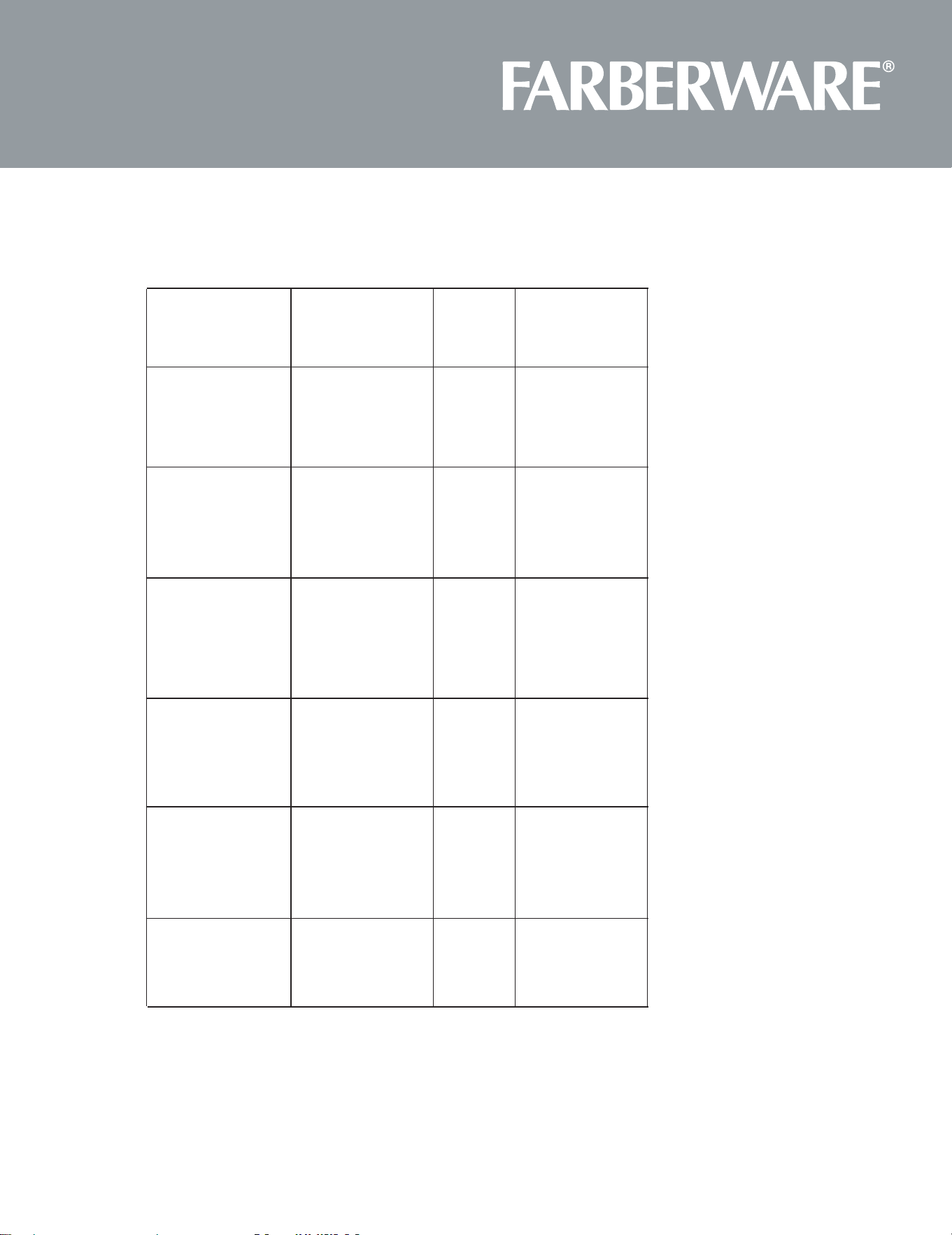
1. Power Level
Ten power levels are available.
Level
Power
10
100%
9
90%
8
80%
7
70%
6
60%
5
50%
4
40%
3
30%
2
20%
1
10%
2. Clock Setting
When the microwave oven is plugged into a outlet, the oven will display " 0:00 "
CLOCK ", the screen will display 00:00 . The hour figure
will flash; ":" and other
please press "1,0,1,2 " in turn.
CLOCK" to finish clock seng. ":" will flash
and the clock will be lighted.
4) If the numbers input are not within the range of 1:00--12:59, the setting will be invalid
unl valid numbers are input.
Note: In the process of clock seng, if the " STOP/CANCEL " buon is pressed or if there is
no operaon within 1 minute, the oven will go back to the former state automacally.
3. Kitchen Timer
", the screen will display 00:00 .
Press the number keys and enter the correct mer. (The maximum me is 99 minutes
and 99 seconds)
START/+30SEC. " to confirm seng .
If the clock be set (12-hour system), the screen will display the current me.
Note: 1)The kitchen me is differ from 12-hour system, Kitchen Timer is a mer.
PL10 PL9 PL8 PL7 PL6 PL5 PL4
PL3
PL2
PL1
2)During mer process, any program cannot be set. Time cannot be increased by
pressing "START/+30SEC. " key.
Display
Number key
9 8 7 6 5 4 3 2 1 0
"0" will be lighted.
KITCHEN TIMER
1) Press "
2)
3) Press "
4) When the kitchen me arrives, the buzzer will ring 5 mes.
1) Press "
2) Press the number keys and enter the correct me. For example, me is 10:12 now,
3) Press "

14
4. Microwave cook
COOK TIME" once, the screen will display "00:00".
1) Press "
2) Press number keys to input the cooking me; the maximum cooking me is 99 minutes
POWER LEVEL " once, the screen will display "PL10". The default power is 100%
power. Now you can press number keys to adjust the power level.
START/+30SEC. " to start cooking.
Note: In the process of cooking, if the " STOP/CANCEL " buon is pressed or if there is no
operaon within 1 minutes, the oven will go back to the former seng automacally.
Example: to cook the food with 50% microwave power for 15 minutes.
a. Press " COOK TIME " once."00:00" displays.
b.Press "1","5","0","0" in order.
c.Press " POWER LEVEL "once, then press "5" to select 50% microwave power.
d.Press " START/+30SEC. " to start cooking.
be started by pressing " START/+30SEC . ". Each press on the same buon will increase
cooking me by 30 seconds. the maximum cooking me is 99 minutes and 99 seconds.
Note:1) Under microwave and auto menu cooking states, press " START/+30SEC." buon to
increase cooking me by 30 seconds.
5. Speedy Cooking
me from 1 to 6 minutes by pressing number pads1 to 6. Press " START/+30SEC." to
increase the cooking me; the maximum cooking me is 99 minutes and 99 seconds.
1) In waing state, instant cooking at 100% power level can be started by select a cooking
2) In waing state, instant cooking at 100% power level with 30 seconds' cooking me can
3) Press "
4) Press "
3) In cooking state, cooking me can be increased by pressing " " . The
START/+30SEC.
maximum cooking me is 99 minutes and 99 seconds.
6. 1lb Defrost Function
DEFROST ", the screen will display "1.0".
START/+30SEC. " to start defrosng and the cooking me remained will be displayed.
1 lb 1) Press "
2) Press "
and 99 seconds.

15
Sensor Cook
1) In waiting s tate,
press the menu key in the s ens or cook
, .
2) Press " START/+30SEC " to start sensor cook funcon and no need to set me.
3) When the steaming is emanated, the surplus me will display.
The buzzer will sound 5 beeps when finishing.
put the food in the oven
7.
2) During cooking process, following points must be done.
a.Keep the door close when the surplus me not displays or the buzzer does not sound tiwice.
b.When the buzzer sound twice , the me will count down and display the suplus me, you
can open the door to mix the food up ,turn over or replace the food. And then go on the next
operaon.
3) Please leave the food alone for a while aer cooking have been finished.
4) During sensor cooking process, if the me not count down, please do not open the oven door
d.The reheat food can be covered with the lid. But the lid must has venthole in order to emanate
the steam.Sealed utensil is forbidden.
Note:
1)When cooking or reheang food, you should do these in order to have the best effect.
a.The room temperature cannot be over 35 degrees.
b.The weight of food must be more than 110g (4 Oz).
c.The cavity, glass tray and utensils must kept drying before pung the food in.
1) In waiting s tates , put the food into the microwave oven
"SC-1" is displayed.
2) Press " START/+30SEC " to start sensor reheat funcon and no need to set me.
EXAMPLE:Sensor Reheat Menu
,
press " SENSOR REHEAT "
3) The buzzer will sound 5 beeps when finishing. At last, the oven will turn back to the waiting
state.
At last, the oven will turn back to the waiting state.
or press " STOP/CANCEL" key. Otherwise,the sensor will make mistakes.

16
Note:1) Food to be avoided in sensor reheang.
a.Bread and other dry food, such as biscuit,cake.
b.For raw or uncooked foods.
c.Beverage and frozen food.
2)The oven cannot cook automacally when the temperature of the oven cavity is high.
3)The reheat food can be covered with the lid. But the lid must has venthole in order to
emanate the steam. Sealed utensil is forbidden.
4) During sensor cooking process, please do not open the oven door or press
" STOP/CANCEL " key. Otherwise, the sensor will make mistakes.
5) The sensor reheat has different request for different food.
Casseroles - Add to 4 tablespoons of water, cover with lid or vented plasc wrap.
Sr when me appears in the display window.
Canned foods -Empty contents into casserole dish or serving bowl, cover dish with lid
or vented plasc wrap. Aer reheang, let stand for a few minutes.
Plate of food- Arranged food on plate; top with buer, gravy,etc. Cover with lid or vented
plasc wrap. Aer reheang, let stand for a few minutes.
3
17
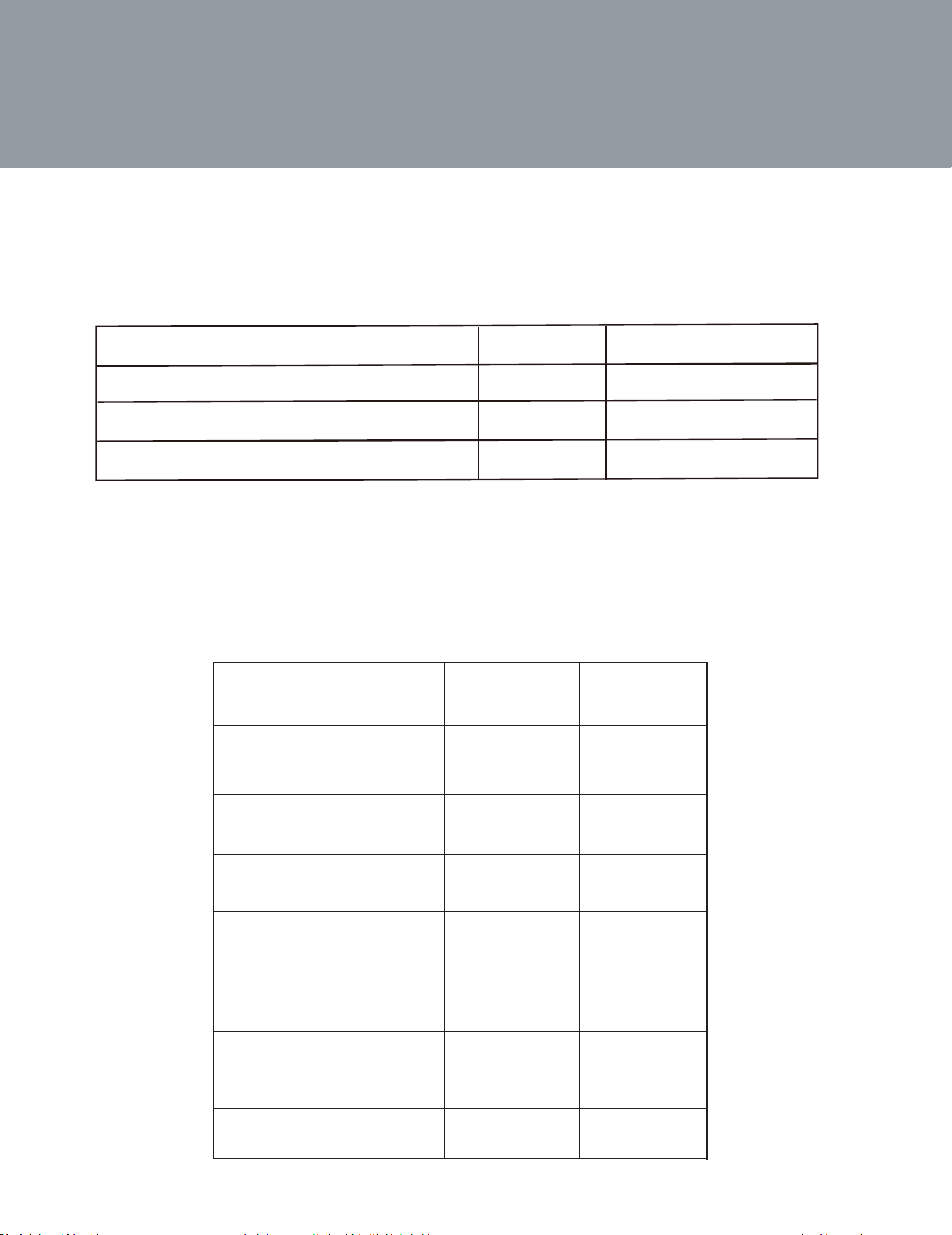
Sensor Cook Chart
Menu button
Food
Code
Weight/
Food
Portion
Sensor Reheat Sensor Reheat
SC-1
8.0~32.0 oz
Frozen Pizza Frozen Pizza
6.0~12.0 oz
Frozen Entr
e
é
8.0~32.0 oz
Potato
1~4 potatoes
10.0 oz each
Rice
oz ~
1
oz
8 .0
6 .0
Vegetable
Fresh/Frozen
Vegetable
/
4.0~16.0 oz
SC-2
SC-3
SC-4
SC-5
SC-6
SC-7
Frozen Entr
e
é
Potato
Rice
18
O n c e
Twice
Thrice
3.5 Oz
3.5
Times( Press "
POPCORN
")
Weight
Display
START/+30SEC.
" to cook, "Oz" disappears.
8. POPCORN
1) Press " POPCORN " repeatedly unl the weight you needed appears in the
display, "Oz" light.
For example, press " POPCORN " once, "1.75" displays.
1.75 Oz
1.75
3.0 Oz
3.0
START/+30SEC. " to cook.
1) Press "
SOFTEN/MELT
SOFTEN/MELT " repeatedly unl the menu you needed appears in the display.
Auto Menu Chart:
1-3 STICKS
4/8 Oz
8/16 Oz
5/10 Oz
1-3 STICKS
S-1
S-2
S-3
S-4
S-5
Melt-Butter/
Melt-Chocolate
Melt-Cheese
Ma rg a rine
S-1
S-2
Weight/
Portion
Food
1-3 STICKS
4 Oz
Display
S-3
6/12/16 Oz
3 / 8 O
S-6
S
- 7
Melt-Marshmallows
Soen-Buer
Soften-Ice crea m/
Soen-Cream cheese
Frozen juice
1-3 STICKS
S-4
S-5
S-6
S-7
8 Oz
4/8 Oz
8/16 Oz
8 Oz
16 Oz
4/8 Oz
10 Oz
5 Oz
4/8 Oz
12 Oz
16 Oz
6 Oz
4/8 Oz
8 Oz
3 Oz
9.
2) Aer choosing the menu, press a number pad to select the weight or poron of the food.
3) Press "
2) Press "

19
10. MEMORY FUNCTION
START/+30SEC. " to use it. If not, connue to set the
procedure. Only one or two microwave stages can be set.
waing states.If press " START/+30SEC. " , it can save and operate the seng.
a. In waing states, press "
b. Press " COOK TIME ", then input number keys "3","2","0" to choose the cooking me.
c. Press " POWER LEVEL " once, then press number buon "8", "PL8" displays.
d. Press " START/+30SEC.", the cooking
program can be operated and save it as memory 2.
e. To run the saved program, in waing states, press "
press " START/+30SEC. " to run the saved cooking program.
Note: Auto menu cannot be set as memory cooking.
Example: save one program as memory 2. To cook the food with 80% microwave power for
3 minutes and 20 seconds. Operate the following steps:
11. Multi-section cooking
At most 2 secons can be set for cooking. In mul-secon cooking, if one secon is
defrosng, then defrosng shall be placed in the first secon. When the first stage finish,
the buzzer will sound once and the next stage will begin cooking.
Example: if you want to cook with 80% microwave power for 5 minutes + 60% microwave
power for 10 minutes. The cooking steps are as following.
COOK TIME " once, then press "5","0","0" to set 5 minutes.
POWER LEVEL " once.
COOK TIME " once, then press "1","0","0","0" to set 10 minutes.
POWER LEVEL " once.
START/+30SEC." to start cooking.
Note: auto menu cannot be set as one of the mul-secon.
MEMORY " to choose memory 1-3 procedure. 1,2,3 will display.
MEMORY" to save the procedure and turn back to the
MEMORY" twice, "2" displays.
MEMORY " twice, "2" displays and
MEMORY " to save the current seng. If press "
1) Press "
2) Press "
3) Press number buon "8" to set 80% microwave power.
4) Press "
5) Press "
6) Then press press number buon "6" to set 60% microwave power.
7) Press "
1) Press "
2) If the procedure has been set, press "
3) Aer finishing the seng, press "

20
12. INQUIRING FUNCTION
1) n cooking state, press " CLOCK ", the clock will displays for three
the oven will turn back to the clock state.
2) In the microwave cooking state, press " POWER LEVEL " to inquire microwave power level
Aer three seconds, the oven will turn back
to the previous state.
13. LOCK FUNCTION FOR CHILDREN
Lock: In waing state, press " STOP/CANCEL " for 3 seconds, there will be a long "beep"
denoting the entering into the children-lock s tate; , current
Lock quing: In locked state, press " STOP/CANCEL " for 3 seconds, there will be a long "beep"
denong that lock is released.
When the cooking is over, the screen will display "End" and the buzzer sounds 5 "beep" to
state, please press
14. COOKING END REMINDING FUNCTION
15. OTHER SPECIFICATIONS
If the clock has been set, i
seconds . After that,
If the clock has been s et
me will display .
" must be pressed to connue cooking if the door is opened during
cooking;
The buzzer sounds once by efficient press, inefficient press will be no responce.
START/+30SEC.
1) "
2)
" " or open the door .
STOP/CANCEL
reminds user the cooking is finished. In order to make the appliance into the normal operating
the current microwave power will be displayed.
In standby mode, press the "STOP/Cancel" once (less than 3 seconds to avoid starting the child lock
function to enter the Energy Saver mode.
)
In child-locked mode, press the "STOP/Cancel" once (less than 3 seconds) and release to enter the
Energy Saver Mode .
Above operation is the only way to start the Energy Saver mode.
The Energy Saver mode works only if the door is closed.
(1)
(2)
(3)
(4)
ENERGY SAVER MODE16.
17. TURN ON/OFF THE BUER SOUND
it sounds a long beep, turns off the sound.
When the sounds turn off, long pressing on 8for 3 seconds, it sounds a long beep and the sound turn off.
All the buttons has no beep when they are pressed, including the ending cooking sounds is turn off too.
Note: All models has mute function and energy-saved function.
This function can work under lock function too.
It is default that the buzzer sounds is open.In waiting state, long pressing on number 8 for 3 seconds,
21
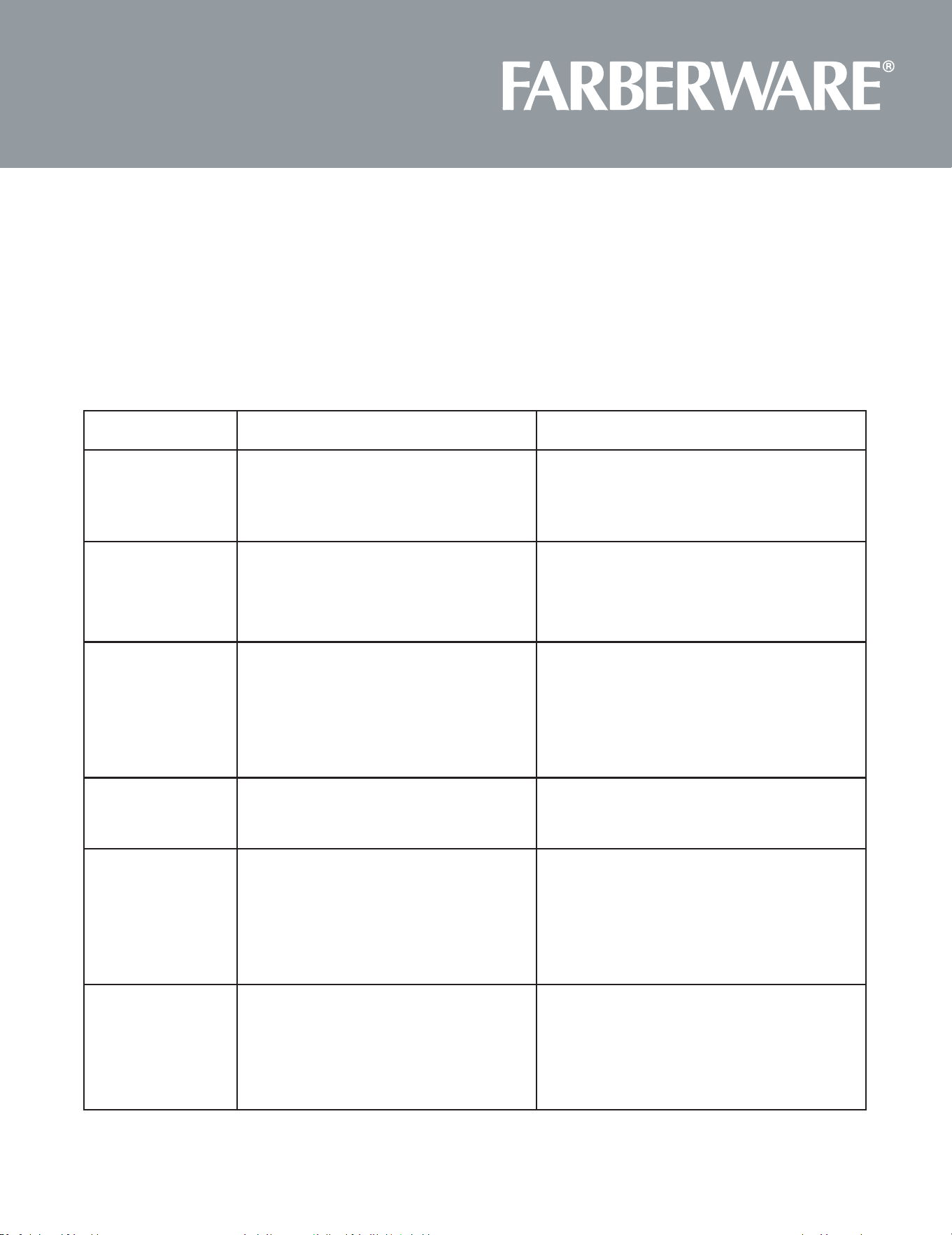
MAINTENANCE
Troubleshoong
Check your problem by using the chart below and try the soluons for each problem. If the microwave oven sll
does not work properly, contact the nearest authorized service center
Trouble Possible Cause Possible Remedy
Oven will not start
a. Electrical cord for oven is not plugged in.
b. Door is open.
c. Wrong operaon is set.
a. Plug into the outlet.
b. Close the door and try again.
c. Check instrucons.
Arcing or sparking
a. Materials to be avoided in microwave
oven were used.
b. The oven is operated when empty.
c. Spilled food remains in the cavity.
a. Use microwave-safe cookware only.
b. Do not operate with oven empty.
c. Clean cavity with wet towel
Unevenly cooked
foods
a. Materials to be avoided in microwave
oven were used.
b. Food is not defrosted completely.
c. Cooking me, power level is not suitable.
d. Food is not turned or srred.
a. Use microwave-safe cookware only.
b. Completely defrost food.
c. Use correct cooking me, power level.
d. Turn or sr food.
Overcooked foods Cooking me, power level is not suitable. Use correct cooking me, power level.
Undercooked foods
a. Materials to be avoided in microwave
oven were used.
b. Food is not defrosted completely.
c. Oven venlaon ports are restricted.
d. Cooking me, power level is not suitable.
a. Use microwave-safe cookware only.
b. Completely defrost food.
c. Check to see that oven ven- laon ports are
not restricted.
d. Use correct cooking me, power level.
Improper Defrosng
a. Materials to be avoided in microwave
oven were used.
b. Cooking me, power level is not suitable.
c. Food is not turned or srred.
a. Use microwave-safe cookware only.
b. Use correct cooking me, power level.
c. Turn or sr food.

22
ONE YEAR LIMITED WARRANTY
This warranty applies to products purchased and used in the U.S. and Canada.
This is the only expressed warranty for this product and is in lieu of any other warranty or
condition.
This product is warranted to be free from defects in material and workmanship for a period of
one (1) year from the date of original purchase. This warranty is valid for the original retail
purchaser or gift recipient from the date of initial retail purchase and is not transferable.
Keep your original sales receipt as proof of purchase is required to make a warranty claim.
IMPORTANT: This warranty does not cover damages resulting from use not in conformity with
the printed directions, accident, misuse or abuse, alternation, the affixing of any attachments not
provided with the product, loss of parts, or subjecting the appliance
to any but the specified voltage. (Read directions carefully.) This warranty is void if the product
is used for other than single-family household use or subjected to any voltage and waveform
other than as specified on the rating label (e.g., 120V ~ 60 Hz).
Englewood Marketing LLC excludes all claims for special, incidental, and consequential
damages caused by breach of express or implied warranty. All liability is limited to the amount
of the purchase price. Every implied warranty, including any statutory warranty or condition of
merchantability or fitness for a particular purpose, is disclaimed except to the extent prohibited
by law, in which case such warranty or condition is limited to the duration of this written
warranty. This warranty gives you specific legal rights. You may have other legal rights that vary
depending on where you live. Some states or provinces do not allow limitations on implied
warranties or special, incidental, or consequential damages, so the foregoing limitations may not
apply to you.
If there are any issues, please send an email to [email protected]. For faster
service, please have the model, type and series numbers included in the email. Thank you.
To make a warranty claim or if service is required, please call our CUSTOMER SERVICE NUMBER.
For faster service, please have the model, type, and series numbers ready for the operator to assist you.
Customer Service Number
Englewood Marketing LLC
In the US 844-918-0509
Email: CustomerService@emllc-USA.com