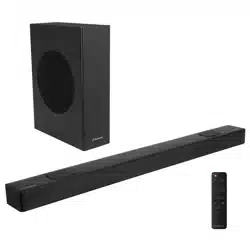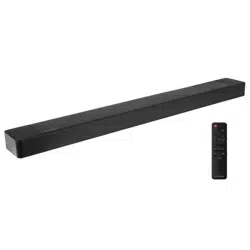

Products:
WS312AS
3.1.2 Channel Sound Bar with Dolby Atmos® and Built In Subwoofer

2
Contents
1. Important Safety Instructions ..................................................................................................................... 3
1.1 Safety ................................................................................................................................................................................ 3
1.2 Caution .............................................................................................................................................................................. 4
1.3 Warning ............................................................................................................................................................................. 4
2. What’s in the Box ........................................................................................................................................... 5
3. Identifying the Parts ..................................................................................................................................... 6
3.1 Sound Bar ......................................................................................................................................................................... 6
3.2 Remote Control .................................................................................................................................................................. 7
4. Preparations .................................................................................................................................................. 7
4.1 Prepare the Remote Control .............................................................................................................................................7
4.2 Replace the Remote Control Battery ...............................................................................................................................7
4.3 Precautions Concerning Batteries ................................................................................................................................... 7
5. Placement and Mounting .............................................................................................................................. 8
5.1 Placement ......................................................................................................................................................................... 8
5.2 Wall Mounting (if using option-B) .................................................................................................................................... 8
6. Connections .................................................................................................................................................. 9
6.1 Dolby Atmos® ..................................................................................................................................................................... 9
6.2 Use the HDMI ARC Socket ................................................................................................................................................ 9
6.3 Use the OPTICAL Socket ................................................................................................................................................... 9
6.4 Use the AUX Socket .......................................................................................................................................................... 9
6.5 Connect Power ................................................................................................................................................................10
7. Basic Operation ............................................................................................................................................10
7.1 Standby/ON ......................................................................................................................................................................10
7.2 Automatic Power O Function .......................................................................................................................................10
7.3 Select Modes ...................................................................................................................................................................10
7.4 Adjust the Bass Level ......................................................................................................................................................10
7.5 Select Equalizer (EQ) Eect .............................................................................................................................................10
7.6 Turn the Dolby Atmos ON/OFF ......................................................................................................................................... 10
7.7 Adjust the Volume ...........................................................................................................................................................10
8. AUX / OPTICAL / HDMI Operation ...................................................................................................................10
9. USB Operation .............................................................................................................................................. 11
10. Bluetooth® Operation .................................................................................................................................... 11
11. Trademarks ..................................................................................................................................................12
12. Troubleshooting ...........................................................................................................................................13
13. Specifications ..............................................................................................................................................14
3
third prong is provided for your safety. If the
provided plug does not fit into your outlet,
consult an electrician for replacement of the
obsolete outlet.
10 Protect the power cord from being walked on
or pinched particularly at plugs, convenience
receptacles, and the point where they exit
from the apparatus.
11 Only use attachments/accessories specified
by the manufacturer.
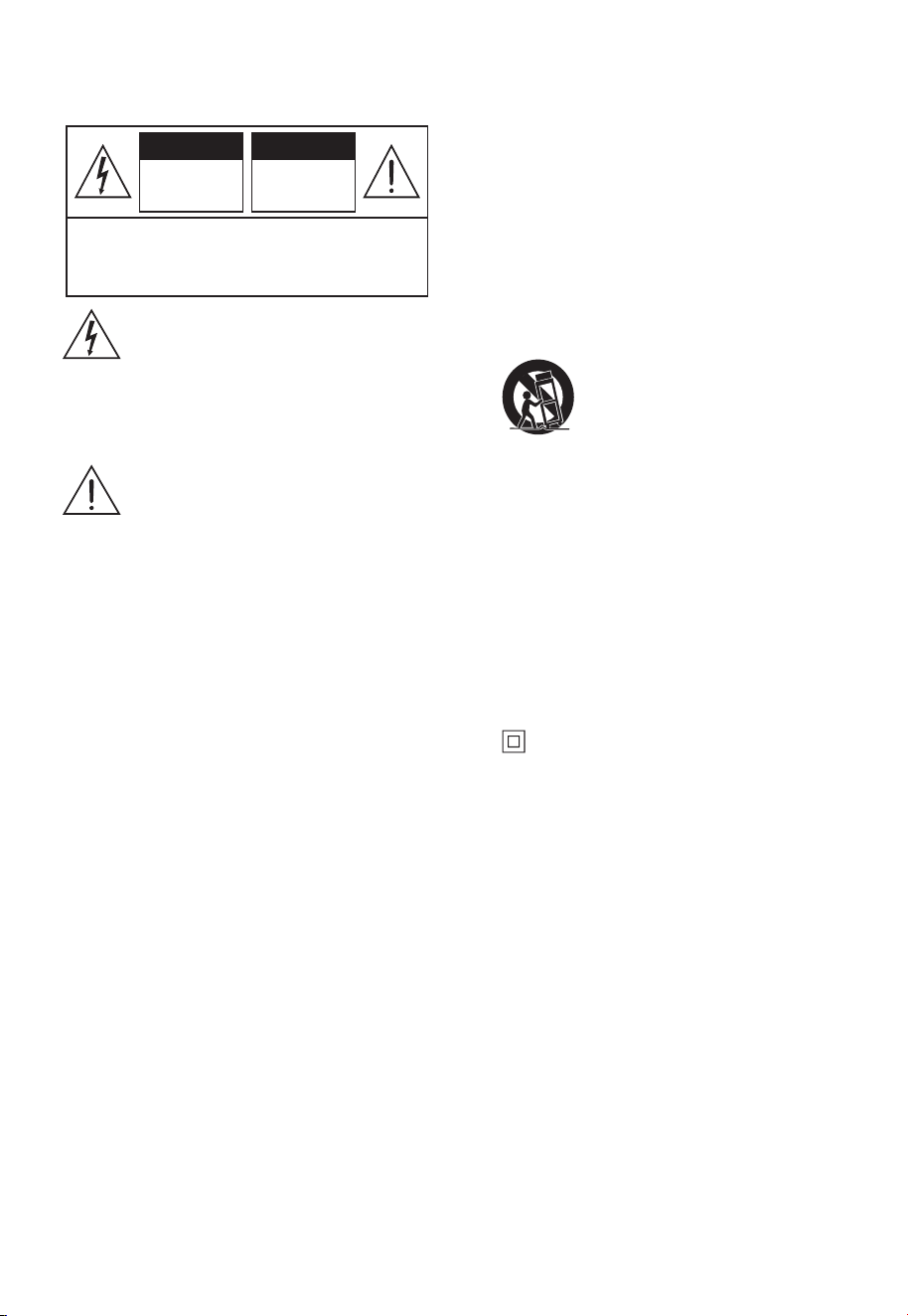
12 Use only with the cart, stand,
tripod, bracket or table specified by
the manufacturer, or sold with the
apparatus. When a cart or rack is
used, use caution when moving the cart/
apparatus combination to avoid injury from
tip-over.
13 Unplug the apparatus during lightning storms
or when unused for long periods of time.
14 Refer all servicing to qualified personnel.
Servicing is required when the apparatus has
been damaged in any way, such as power
supply cord or plug is damaged, liquid has
been spilled or objects have fallen into the
apparatus, the unit has been exposed to rain
or moisture, does not operate normally, or has
been dropped.
15 This equipment is a Class II or double
insulated electrical appliance. It has been
designed in such a way that it does not require
a safety connection to electrical earth.
16 The apparatus shall not be exposed to
dripping or splashing. No objects filled with
liquids, such as vases, shall be placed on the
apparatus.
17 Minimum distance around the apparatus for
sucient ventilation is 5cm.
18 The ventilation should not be impeded by
covering the ventilation openings with items,
such as newspapers,table-cloths, curtains,
etc…
19 No naked flame sources, such as lighted
candles, should be placed on the apparatus.
20 Batteries should be recycled or disposed of as
per state and local guidelines.
21 The use of apparatus in moderate climates.
1. Important Safety Instructions
The lightning flash with arrowhead symbol,
within an equilateral triangle, is intended to
alert the user to the presence of uninsulated
“dangerous voltage” within the product’s
enclosure that may be of sucient
magnitude as to constitute a risk of electric
shock to persons.
The exclamation point within an equilateral
triangle is intended to alert the user to
the presence of important operating and
maintenance (servicing) instructions in the
literature accompanying the appliance.
1.1 Safety
1 Read these instructions – All the safety and
operating instructions should be read before
this product is operated.
2 Keep these instructions – The safety and
operating instructions should be retained for
future reference.
3 Heed all warnings – All warnings on the
appliance and in the operating instructions
should be adhered to.
4 Follow all instructions – All operating and
usage instructions should be followed.
5 Do not use this apparatus near water – The
appliance should not be used near water or
moisture – for example, in a wet basement or
near a swimming pool and the like.
6 Clean only with a dry cloth.
7 Do not block any ventilation openings.
Install in accordance with the manufacturer’s
instructions.
8 Do not install near any heat sources such as
radiators, heaters, stoves, or other apparatus
(including amplifiers) that produce heat.
9 Do not defeat the safety purpose of the
polarized or grounding plug. A polarized
plug has two blades with one wider than the
other. A grounding plug has two blades and a
third grounding prong. The wide blade or the
CAUTION: TO REDUCE THE RISK OF ELECTRIC
SHOCK, DO NOT REMOVE COVER (OR BACK).
NO USER-SERVICEABLE PARTS INSIDE. REFER
SERVICING TO QUALIFIED SERVICE PERSONNEL.
CAUTION
RISK OF
ELECTRIC SHOCK
DO NOT OPEN
AVIS
RISQUE DE CHOC
ELECTRIQUE NE
PAS PUVRIR

4
1.2 Caution
- Use of controls or adjustments or performance
of procedures other than those described herein,
may result in hazardous radiation exposure or
other unsafe operation.
- To reduce the risk of fire or electric shock, do not
expose this apparatus to rain or moisture. The
apparatus must not be exposed to dripping or
splashing and objects filled with liquids, such as
vases, must not be placed on apparatus.
- The mains plug/appliance coupler is used as the
disconnect device, the disconnect device must
remain readily operable.
- Danger of explosion if battery is incorrectly
replaced. Replace only with the same or
equivalent type.
1.3 Warning
• The battery (batteries or battery pack) shall
not be exposed to excessive heat such as
sunshine, fire or the like.
• Before operating this system, check the
voltage of this system to see if it is identical to
the voltage of your local power supply.
• Do not place this unit close to strong magnetic
fields.
• Do not place this unit on the amplifier or
receiver.
• If any solid object or liquid falls into the
system, unplug the system and have it
checked by qualified personnel before
operating it any further.
• Do not attempt to clean the unit with chemical
solvents as this may damage the finish. Use a
clean, dry or slightly damp cloth.
• When removing the power plug from the wall
outlet, always pull directly on the plug, never
yank on the cord.
• Changes or modifications to this unit not
expressly approved by the party responsible
for compliance will void the user’s authority to
operate the equipment.
• The rating label is pasted on the bottom or
back of the equipment.
Battery usage CAUTION
To prevent battery leakage which may result in
bodily injury, property damage, or damage to the
apparatus:
- Install all batteries correctly, + and - as marked
on the apparatus.
- Do not mix old and new batteries.
- Do not mix alkaline, standard (Carbon-Zinc) or
rechargeable (Ni-Cd, Ni- MH, etc.) batteries.
- Remove batteries when the unit is not used for
a long time.
WARNING:
- Replacement of a battery with an incorrect type
may defeat a safeguard;
- Disposal of a battery into fire or a hot oven, or
mechanically crushing or cutting of a battery,
may result in an explosion;
- Leaving a battery in an extremely high
temperature surrounding environment, such
as sunshine, fire, or hot surface may result in
an explosion or the leakage of flammable liquid
or gas;
- A battery subjected to extremely low air
pressure may result in an explosion or the
leakage of flammable liquid or gas.
CAUTION: Risk of fire or explosion if the battery is
replaced by an incorrect type!
Correct Disposal of this product. This
marking indicates that this product
should not be disposed with other
household wastes throughout the EU.
To prevent possible harm to the
environment or human health from uncontrolled
waste disposal, recycle it responsibly to promote
the sustainable reuse of material resources. To
return your used device, please use the return and
collection systems or contact the retailer where the
product was purchased. They can take this product
for environmental safe recycling.
We hereby declares that this product is in
compliance with the essential requirements and
other relevant provisions of Directive 2014/53/EU.
5
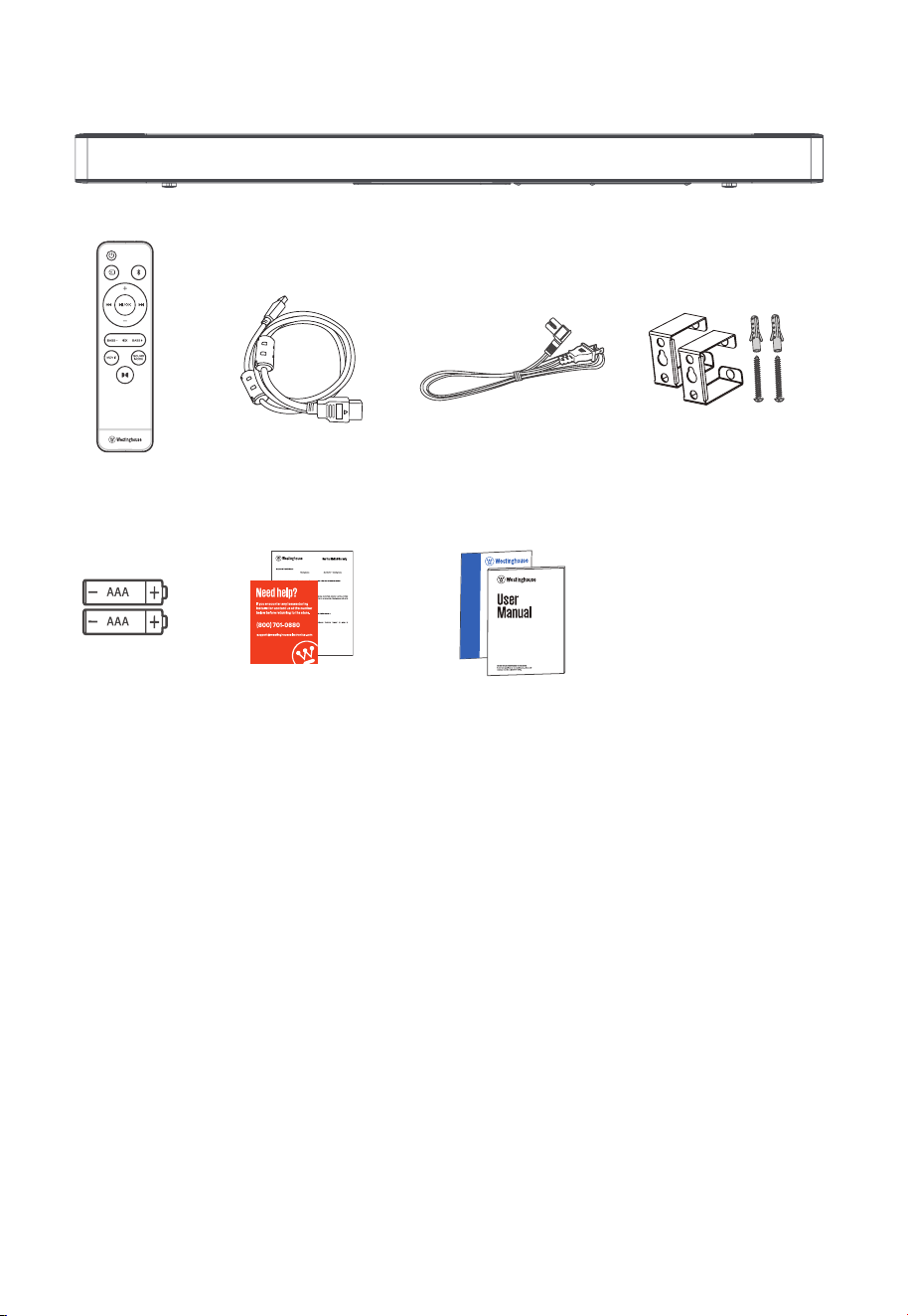
2. What’s in the Box
Sound Bar
Wall Mount KitHDMI Cable AC Power Cord
HDMI
Remote Control
AAA Batteries x 2
User Manual
Quick Start Guide
Warranty Card
Tech Support Card
This product is warranted by Electronics USA, Inc. “ ”) against
defects in materials and workmanship. Except where restricted by law, this warranty applies only to the original
purchaser of a new product (“Original Customer” or “You”), and applies only to the new product (the “Product”).
The Product must be purchased from an authorized retailer in the United States (including Puerto Rico ). The
P
-
This warranty will last for a period of one (1) year from the date of the Original Customer purchase ("the
Warranty Period").
For the Warranty Period, if
determines this
(i) provide to the Original Customer at no charge new or rebuilt replacement parts to
(ii) supply to the Original Customer at no charge a new or refurbished comparable
product in exchange for the Product, or (iii) refund the original purchase price to the Original Customer
(excluding sales tax, store credit, recycling fee, shipping and handling fees, etc.).
If service of products or parts is required ou must pay all labor, parts
charges, and shipping and handling fees if applicable.
To obtain warranty service, please
. You can also call US 1 (800) 701-0680.
• Power cord quantity and plug type vary by regions.
• Images, illustrations and drawings shown on this User Manual are for reference only, actual product
may vary in appearance.
6
AUX
3 4 5
FRONT
BACK
3. Identifying the Parts
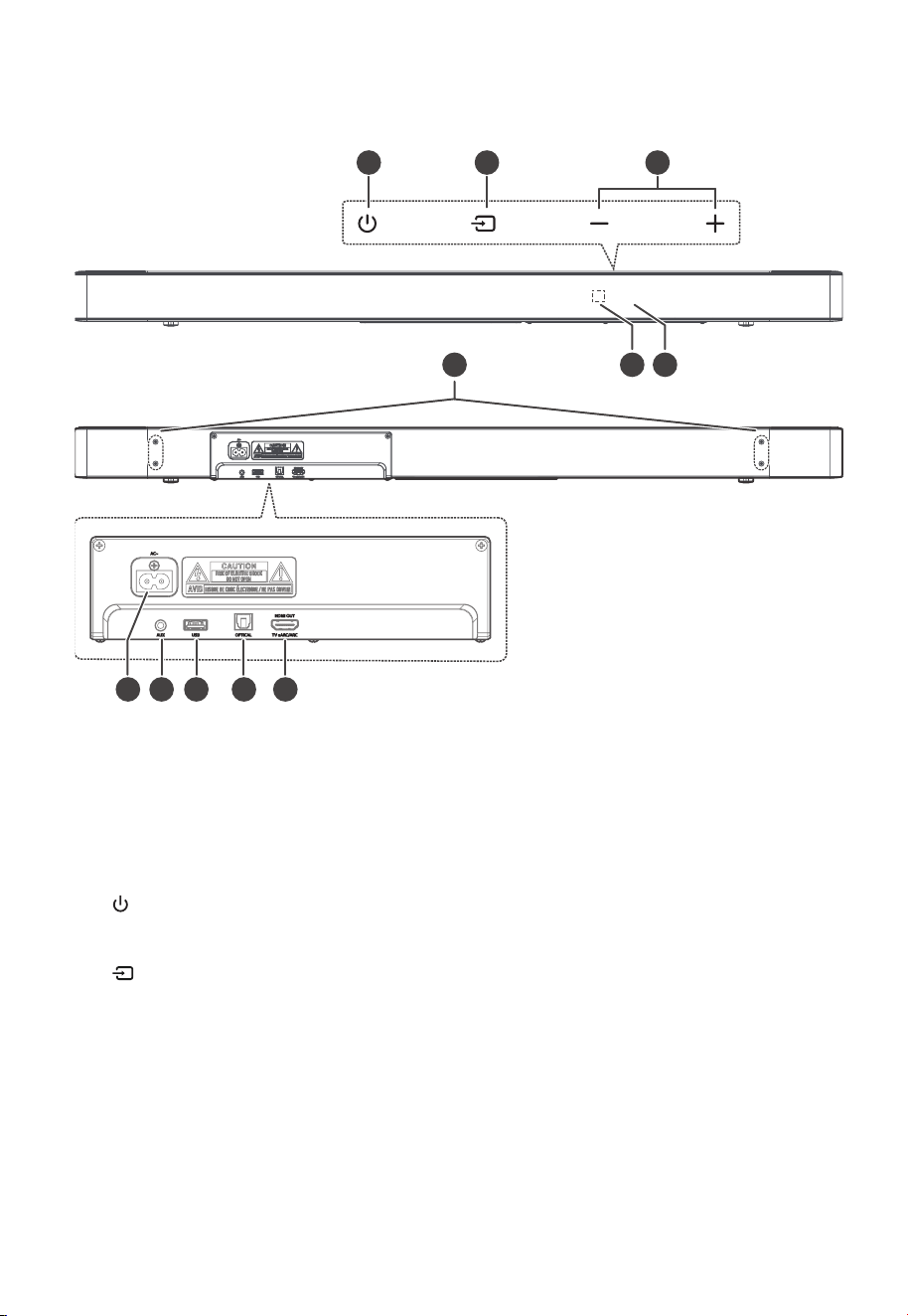
3.1 Sound Bar
1 Remote Control Sensor
Receive signal from the remote control.
2 Display Window
Show the current status.
3 (ON/OFF) button
Switch the Sound Bar between ON and
Standby mode.
4 (SOURCE) button
Select the play function.
5
+/-(
VOL) buttons
Increase/decrease the volume level.
6 Wall bracket screws
7 AC~ Socket
Use to connect the power cable.
8 AUX Socket
Connect to an external audio device.
9 USB Socket
Insert the USB device to play music.
10 OPTICAL Socket
Use to connect the Sound Bar to a OPTICAL
OUT socket on an external device.
11 HDMI OUT (TV eARC/ARC) Socket
The port supports the eARC/ARC HDMI feature,
which allows the Sound Bar to play audio that
originates on the connected TV.
7
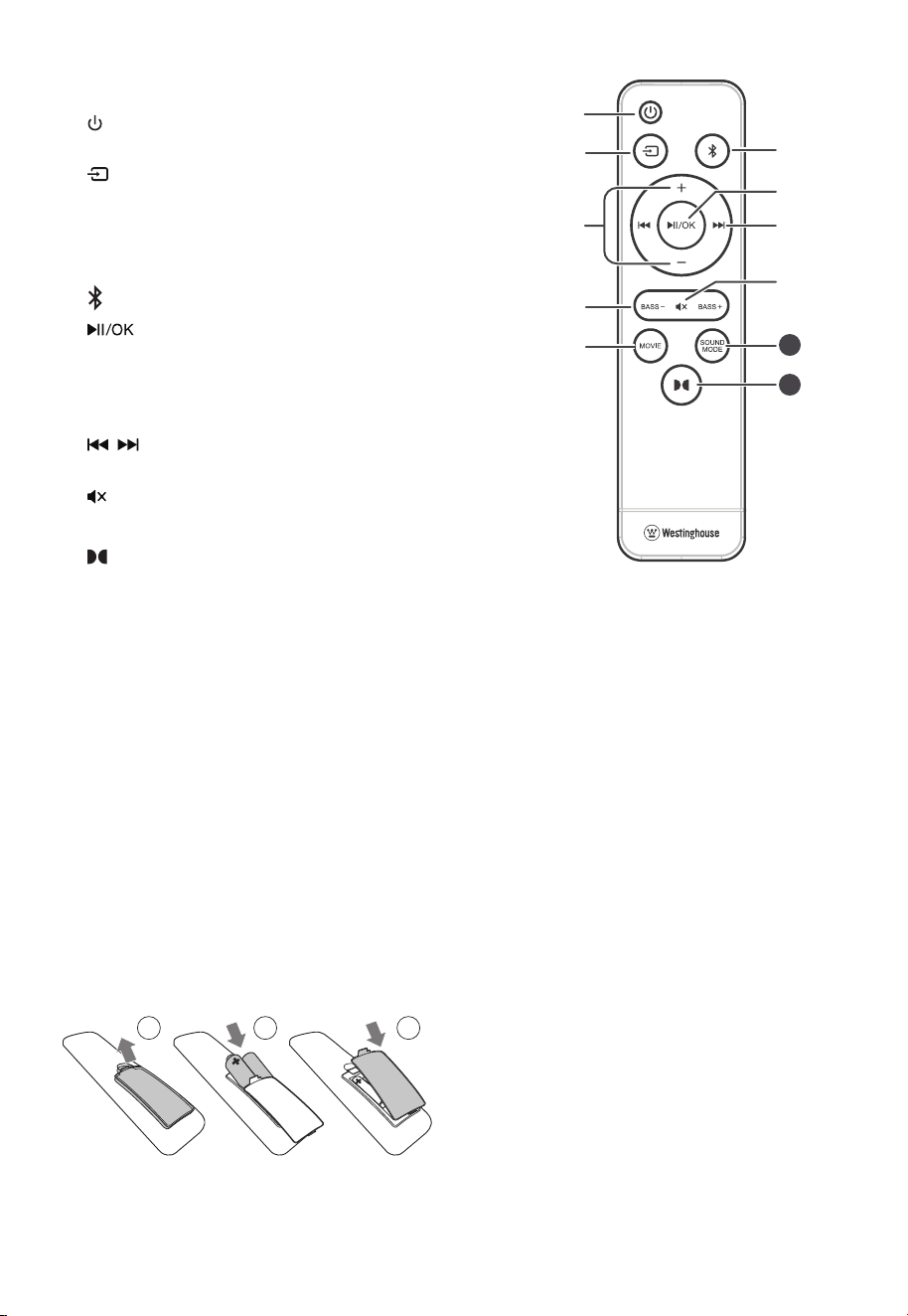
3.2 Remote Control
1 Switch the Sound Bar between ON
and STANDBY mode.
2 Select the play function.
3
+
/
-
(VOL) Increase/decrease the volume level.
4 BASS
+
/
-
Adjust bass level.
5 MOVIE Select a MOVIE sound eect.
6 Select the Bluetooth mode.
7 Play/pause/resume playback in
Bluetooth/USB mode. Press and hold
to activate the pairing function in
Bluetooth mode or disconnect the
existing paired Bluetooth device.
8 / Skip to previous/next track in
Bluetooth/USB mode.
9 (MUTE) Mute or resume the sound.
10 SOUND MODE Select a preset sound eect.
11 Turn the Dolby Atmos ON/OFF.
4. Preparations
4.1 Prepare the Remote Control
The provided Remote Control allows the Sound Bar to
be operated from a distance.
IMPORTANT: The remote control will work within a 6m
range, however this may be impossible if there are
obstacles between the Sound Bar and the control.
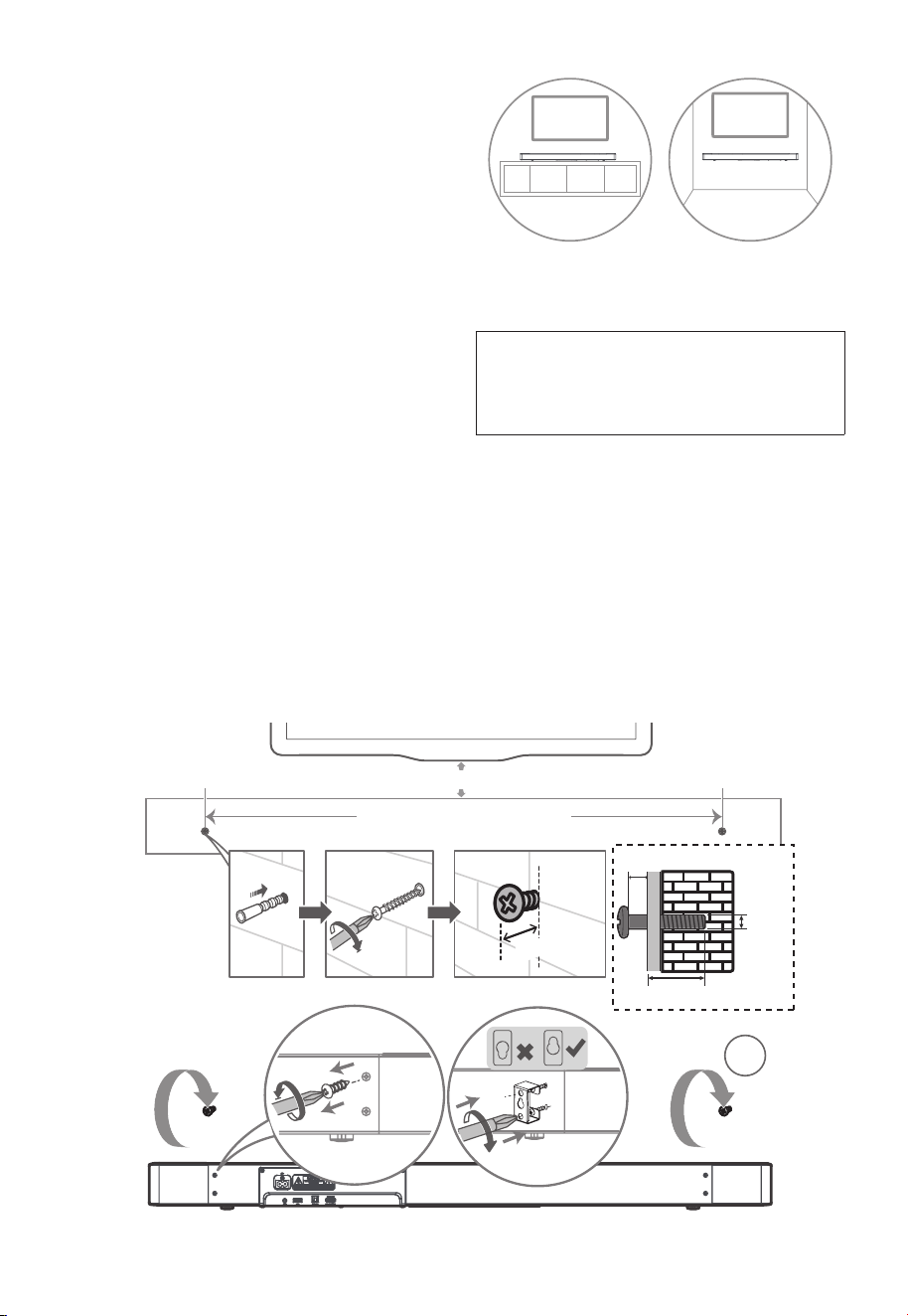
4.2 Replace the Remote Control Battery
1. Press and slide the back cover to open the
battery compartment of the remote control.
2. Insert two AAA size batteries. Make sure the (+)
and (–) ends of the batteries match the (+) and
(–) ends indicated in the battery compartment.
3. Close the battery compartment cover.
1 2 3
4.3 Precautions Concerning Batteries
• Be sure to insert the batteries with correct
positive “
” and negative “
” polarities.
• Use batteries of the same type. Never use
dierent types of batteries together.
• Either rechargeable or non-rechargeable
batteries can be used. Refer to the precautions
on their labels.
• Be aware of your fingernails when removing
the battery cover and the battery.
• Do not drop the remote control.
• Do not allow anything to impact the remote
control.
• Do not spill water or any liquid on the remote
control.
• Do not place the remote control on a wet
object.
• Do not place the remote control under direct
sunlight or near sources of excessive heat.
• Remove the battery from the remote control
when not in use for a long period of time,
as corrosion or battery leakage may occur
and result in physical injury, and/or property
damage, and/or fire.
• Do not use any batteries other than those
specified.
• Do not mix new batteries with old ones.
• Never recharge a battery unless it is confirmed
to be a rechargeable type.
10
11
8
33.9” (860 mm)
~2.0” (50mm)
~0.12”/3mm
~0.12”/3mm
0.16”/
4mm
>0.98”/25mm
3
5. Placement and Mounting
5.1 Placement
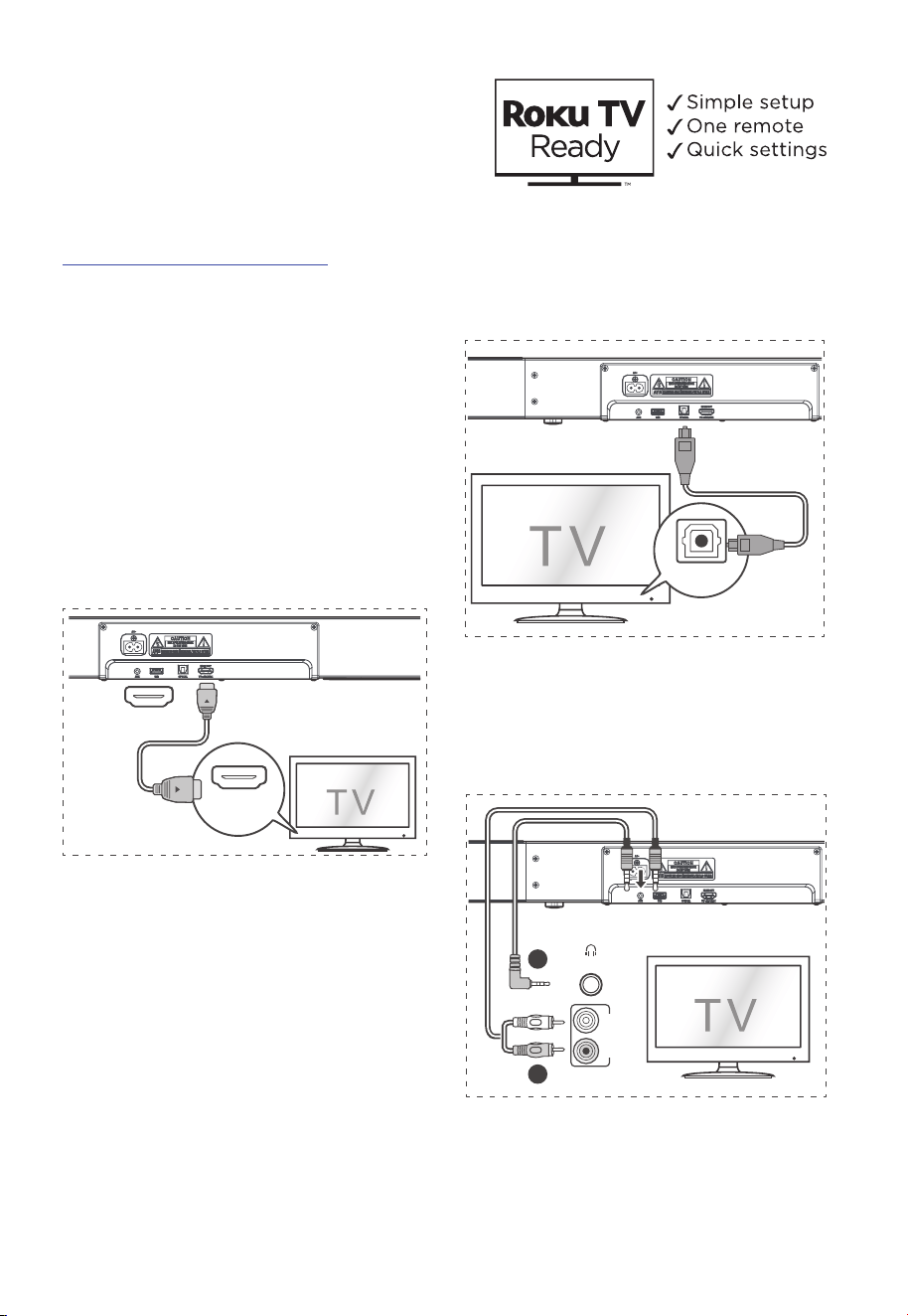
A If your TV is placed on a table, you can place
the Sound Bar on the table directly in front of
the TV stand, centered with the TV screen.
B If your TV is attached to a wall, you can mount
the Sound Bar on the wall directly below the
TV screen.
5.2 Wall Mounting (if using option-B)
- Installation must be carried out by qualified
personnel only. Incorrect assembly can
result in severe personal injury and property
damage (if you intend to install this product
yourself, you must check for installations such
as electrical wiring and plumbing that may
be buried inside the wall). It is the installer’s
responsibility to verify that the wall will safely
support the total load of the Sound Bar and
wall brackets.
- Additional tools (not included) are required for
the installation.
- Do not overtighten screws.
- Keep this instruction manual for future
reference.
- Use an electronic stud finder to check the wall
type before drilling and mounting.
WARNING
• To prevent injury, this apparatus must be securely
attached to the floor/wall in accordance with the
installation instructions.
• Suggested wall mounting height: ≤ 59"/1.5 m.
1. Drill 2 parallel holes (
Ø
0.22"-0.24"/
Ø
5.5-6
mm each according to wall type) in the wall.
The distance between the holes should be
33.9” (860 mm). Leave a 0.12 inch (3mm) gap
between the wall and the screw’s head.
2. Loosen the 4 screws at the back of the Sound
Bar. Install the wall mounting brackets with
the 4 loosened screws into the back of the
Sound Bar.
3. Lift the Sound Bar onto the wall mount
brackets and slot into place.
AB
9
6. Connections
6.1 Dolby Atmos®
Dolby Atmos gives you Immersive listening
experience by delivering sound in three dimensional
space, and all the richness, clarity, and power of
Dolby sound. For more information, please visit
dolby.com/technologies/dolby-atmos
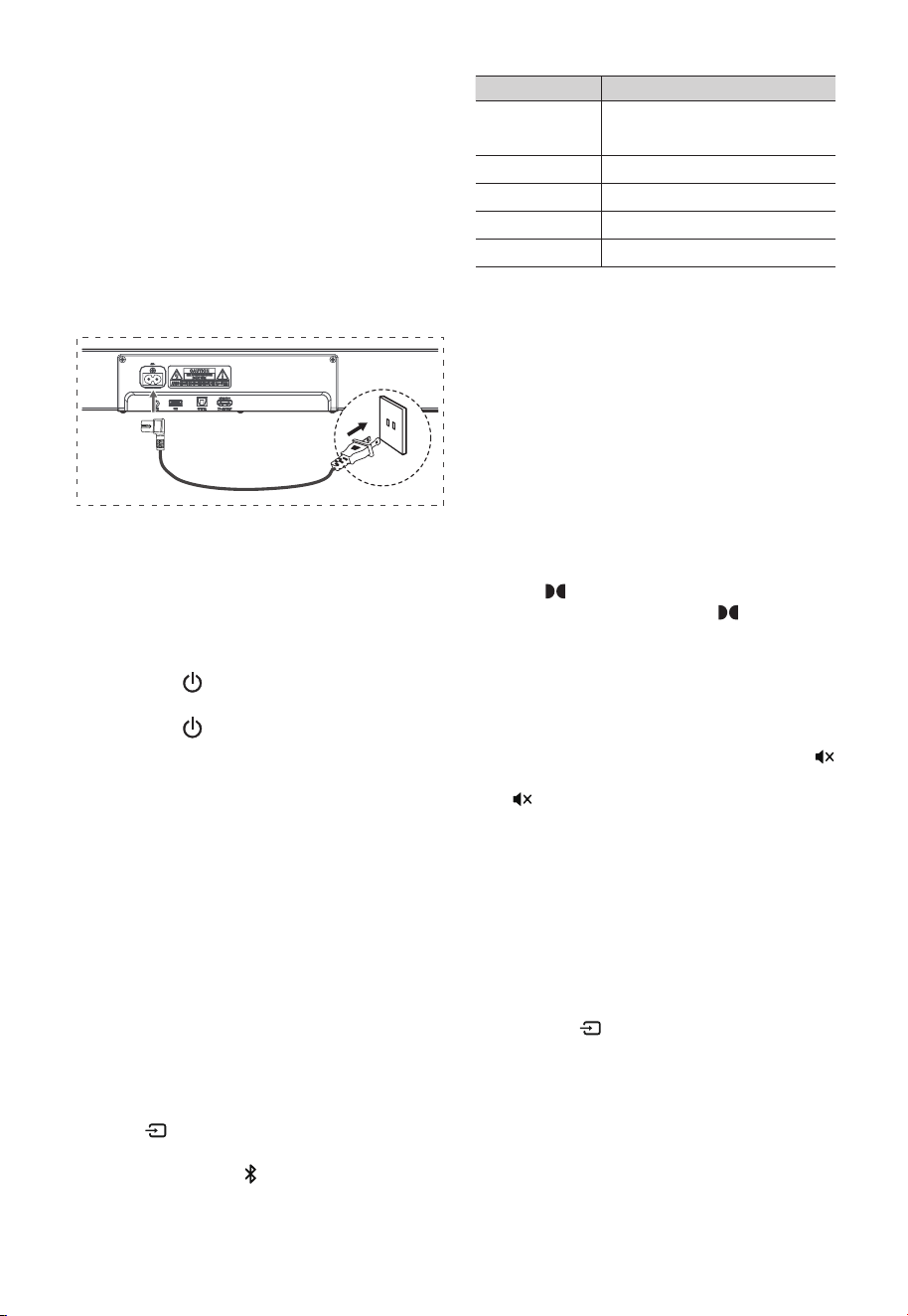
6.2 Use the HDMI ARC Socket
The ARC (Audio Return Channel) function allows you
to send audio from your ARC- compliant TV to your
Sound Bar through a single HDMI connection. To enjoy
the ARC function, please ensure your TV is both HDMI-
CEC and ARC compliant and set up accordingly. When
correctly set up, you can use your TV remote control to
adjust the volume output ( VOL + /
–
and Mute ) of the
Sound Bar.
• Connect the HDMI cable from Sound Bar
HDMI OUT (TV eARC/ARC) socket to the
HDMI eARC/ARC socket on your eARC/ARC
compliant TV. Then press the remote control
to select HDMI eARC/ARC.
Headphone
B
A
AUDIO OUT
OPTICAL
HDMI OUT
TV eARC/ARC
HDMI
eARC/ARC
Tips:
• Your TV must support the HDMI-CEC and ARC
function. HDMI-CEC and ARC must be set to
On.
• The setting method of HDMI-CEC and ARC may
dier depending on the TV. For details about
ARC function, please refer to the owner’s
manual.
• Only HDMI 1.4 or higher version cable can
support the ARC function.
Use with Roku TV
• If you have a Roku TV™, simply plug in the HDMI
cable to the eARC/ARC ports and follow the
Roku TV Ready™ on-screen instructions.
6.3 Use the OPTICAL Socket
- Use the OPTICAL cable to connect the TV’s
OPTICAL OUT socket and the OPTICAL socket
on the Sound Bar.
Headphone
B
A
AUDIO OUT
OPTICAL
HDMI OUT
TV eARC/ARC
HDMI
eARC/ARC
6.4 Use the AUX Socket
A. Use a 3.5mm to 3.5mm audio cable to
connect the TV’s or external audio device
headphone socket to the AUX socket on the
Sound Bar.
Headphone
B
A
AUDIO OUT
OPTICAL
HDMI OUT
TV eARC/ARC
HDMI
eARC/ARC
B. Use a RCA to 3.5mm audio cable to connect
the TV’s audio output sockets to the AUX
socket on the Sound Bar.
10
6.5 Connect Power
•
Risk of product damage!
Risk of product damage! Ensure that the
power supply voltage corresponds to the
voltage printed on the back or the underside of
the Sound Bar.
• Before connecting the AC power cord, ensure
you have completed all other connections.
• Sound Bar
Connect the mains cable to the AC~ Socket of the
Sound Bar and then into a mains socket.
Headphone
B
A
AUDIO OUT
OPTICAL
HDMI OUT
TV eARC/ARC
HDMI
eARC/ARC
7. Basic Operation
7.1 Standby/ON
When you first connect the Sound Bar to the mains
socket, the Sound Bar will be in Standby mode.
• Press the button on the Sound Bar or on the
remote control to switch the Sound Bar ON.
• Press the button again to switch the Sound
Bar back to STANDBY mode.
• Disconnect the mains plug from the mains
socket if you want to switch the Sound Bar
OFF completely.
7.2 Automatic Power O Function
The Sound Bar automatically turns to Standby
mode after about 15 minutes if the TV or the
external Sound Bar is disconnected, switched o or
the volume is too close to mute.
• To switch the Sound Bar o completely,
remove the mains plug from the mains socket.
• Please turn the Sound Bar o completely to
save energy when not in use.
7.3 Select Modes
Press the (SOURCE) button on the Sound Bar or
on the remote control to select the HDMI eARC/ARC,
OPTICAL, AUX, USB, and (Bluetooth) mode. The
selected mode will show on the display.
Display Mode
ARC
E-ARC
HDMI ARC
HDMI eARC/ARC
OPT
OPTICAL
AUX
AUX
U5B
USB
BT
Bluetooth
7.4 Adjust the Bass Level
• Press the BASS +/
–
buttons on the remote
control to adjust bass level.
7.5 Select Equalizer (EQ) Eect
While playing, press the SOUND MODE button on the
remote control to select desired preset equalizers.
• MOVIE: recommended for viewing movies
• MUSIC: recommended for listening to music
• NEWS: recommended ford listening to News
7.6 Turn the Dolby Atmos ON/OFF
Press the button on the remote control to turn on
the dolby Atmos sound. Press the button again
to turn o the dolby Atmos sound.
7.7 Adjust the Volume
• Press the
+
/
-
(VOL) buttons on the Sound Bar
or on the remote control to adjust the volume.
• If you wish to turn the sound o, press the
(MUTE) button on the remote control. Press the
(MUTE) button again or press the
+
/
-
(VOL)
buttons on the Sound Bar or on the remote
control to resume normal listening.
8. AUX / OPTICAL / HDMI
Operation
1. Ensure that the Sound Bar is connected to the
TV or audio device.
2. Press the (SOURCE) button on the Sound Bar
or on the remote control to select the HDMI
eARC/ARC, OPTICAL, AUX mode. The selected
mode will show on the display.
3. Operate your audio device directly for playback
features.
4. Press the
+
/
-
(VOL) buttons to adjust the
volume to your desired level.
11
Tips:
• The Sound Bar may not be able to decode all
digital audio formats from the input source.
In this case, the Sound Bar will mute. This is
NOT a defect. Ensure that the audio setting of
the input source (e.g. TV, game console, DVD
player, etc.) is set to PCM (Refer to the user
manual of the input source device for its audio
setting details) with HDMI / OPTICAL input.
• When selecting a dierent audio format, the
Sound Bar will display the following as follows:
Audio (abbreviation) Display
PCM
PCM AUDIO
Dolby Digital
Dolby TrueHD
Dolby Digital Plus
DOLBY AUDIO
Dolby Atmos - Dolby TrueHD
Dolby Atmos - Dolby Digital Plus
DOLBY ATMO5
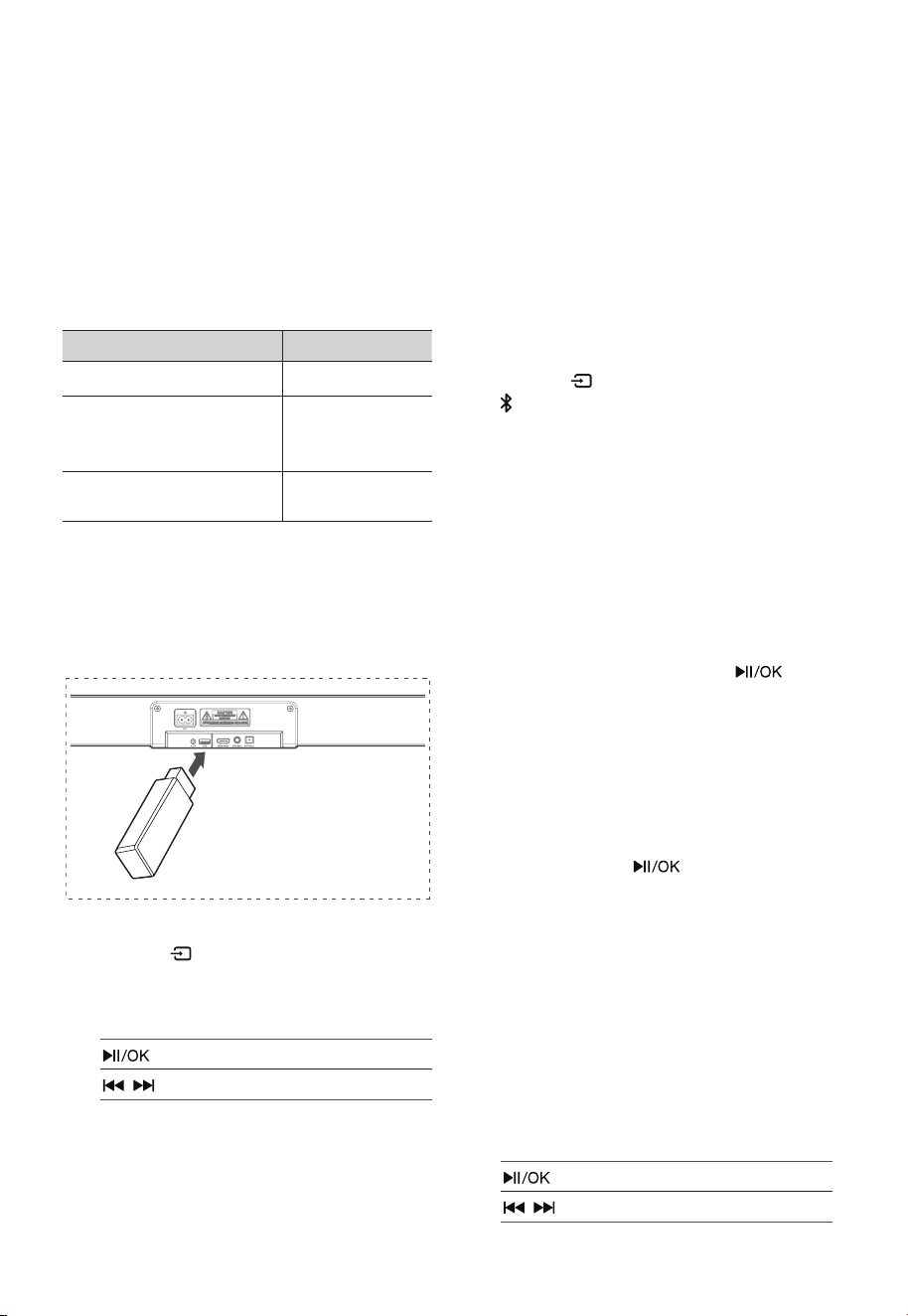
9. USB Operation
By connecting a USB mass storage device (e.g. USB
flash drive) to this Sound Bar, you can enjoy the
device’s stored music through the Sound Bar.
USB
1. Insert the USB device.
2. Press the (SOURCE) button repeatedly on
the Sound Bar or on the remote control to
select the USB mode.
During playback:
Start, pause or resume play
/
Skip to the previous or next track
Tips:
• The unit can support USB devices with up to
32 GB of memory.
• The player supports the USB music file format
of MP3 only.
• This product may not be compatible with
certain types of USB storage devices.
• If you use a USB extension cable, USB hub,
or USB Multifunctional card reader, the USB
storage device may not be recognized.
• Do not remove the USB storage device while
reading files.
10. Bluetooth® Operation
Pairing the Sound Bar with a Bluetooth® device to
listen to music:
First time pairing
1. Press the button on the Sound Bar or
button on the remote control to select
Bluetooth® mode. The display will show NO BT.
2. On the Bluetooth device, switch on Bluetooth,
search for and select “WS312AS” to start
connection
3. Wait until you hear the voice prompt from the
Sound Bar and the display panel shows "BT",
the system is successfully connected.
4. Select and play audio files or music on your
Bluetooth device.
Pairing a new device after first time pairing
In Bluetooth® mode, press and hold the button
to disconnect from current Bluetooth connected
devices and enter the Bluetooth pairing mode.
Follow step 2-3 to pair your Bluetooth® device.
To disconnect the Bluetooth function, you can :
- Switch to another function on the Sound Bar.
- Disable the function from your Bluetooth
device.
- Press and hold the button on the remote
control.
Listen to Music from Bluetooth® device
If your Bluetooth® device supports A2DP, play music
via your device.
If your Bluetooth® device supports AVRCP, use the
supplied remote control to control play.
1. Pair your device with the player.
2. Play music via your device
(if it supports A2DP).
3. Use supplied remote control to control play
(if it supports AVRCP).
Start, pause or resume play
/
Skip to the previous or next track

12
Tips:
• The operational range between the Sound Bar
and the device is approximately 8 metres.
• Before connecting a Bluetooth® device to the
Sound Bar, ensure you know the device’s
capabilities.
• Compatibility with all Bluetooth® devices is not
guaranteed.
• Any obstacle between the device and the
Sound Bar can reduce operational range.
• Keep this player away from other electronic
devices that may cause interference.
• The player will also be disconnected when
your device is moved beyond the operational
range.
11. Trademarks
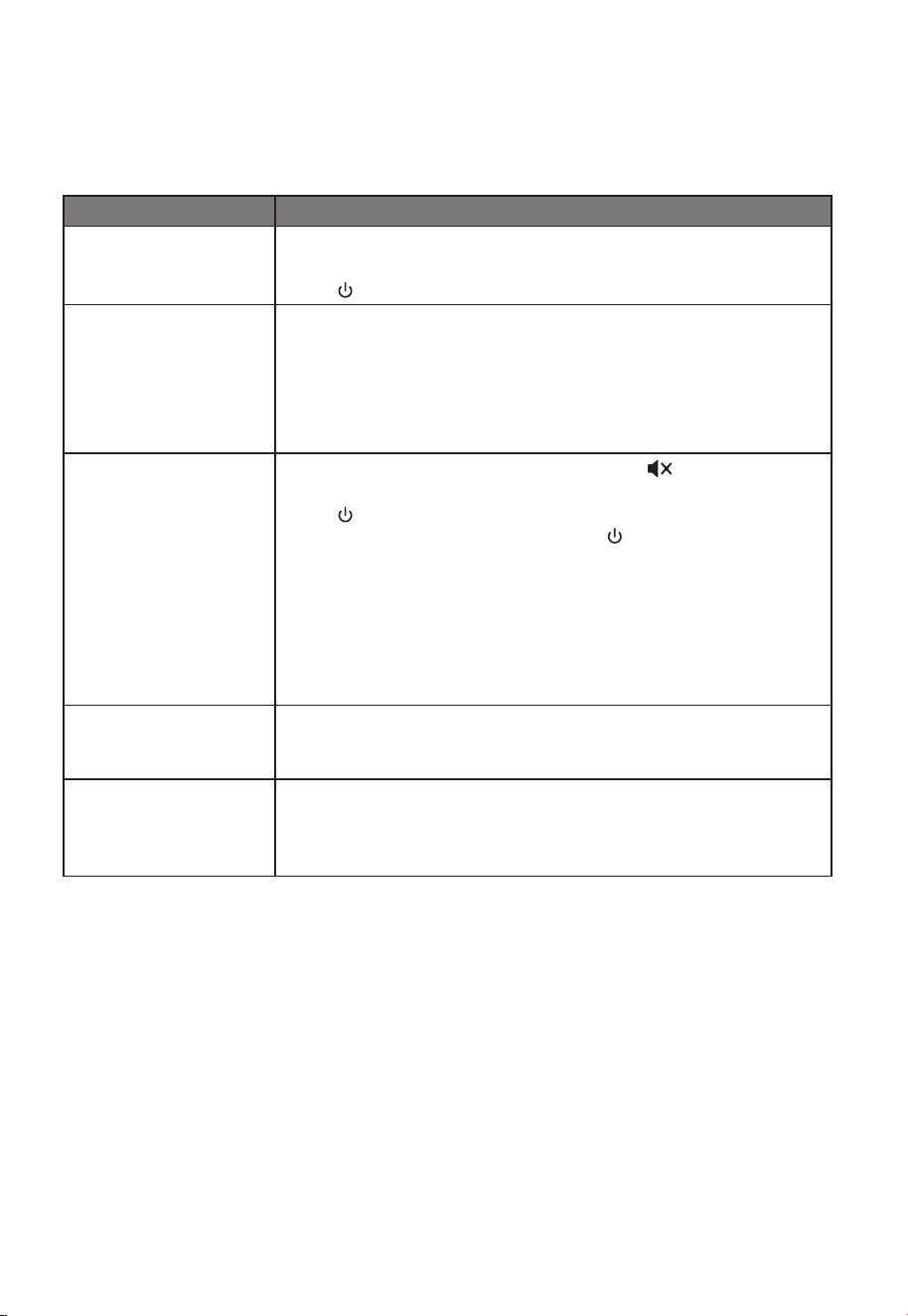
Roku, the Roku logo, Roku TV, Roku TV Ready, and
the Roku TV Ready logo are trademarks and/or
registered trademarks of Roku, Inc.
This product is Roku TV Ready-supported in the
United State. Countries are subject to change. For
the most current list of countries in which this
product is Roku TV Ready-supported, please email
Dolby, Dolby Atmos, and the double-D symbol
are registered trademarks of Dolby Laboratories
Licensing Corporation. Manufactured under license
from Dolby Laboratories. Confidential unpublished
works. Copyright © 2012-2024 Dolby Laboratories.
All rights reserved.
The terms HDMI, HDMI High-Definition Multimedia
Interface, HDMI trade dress and the HDMI Logos
are trademarks or registered trademarks of HDMI
Licensing Administrator, Inc.
The Bluetooth® word mark and logos are registered
trademarks owned by Bluetooth SIG, Inc. and any
use of such marks by Westinghouse is under
license. Other trademarks and trade names are
those of their respective owners.
13
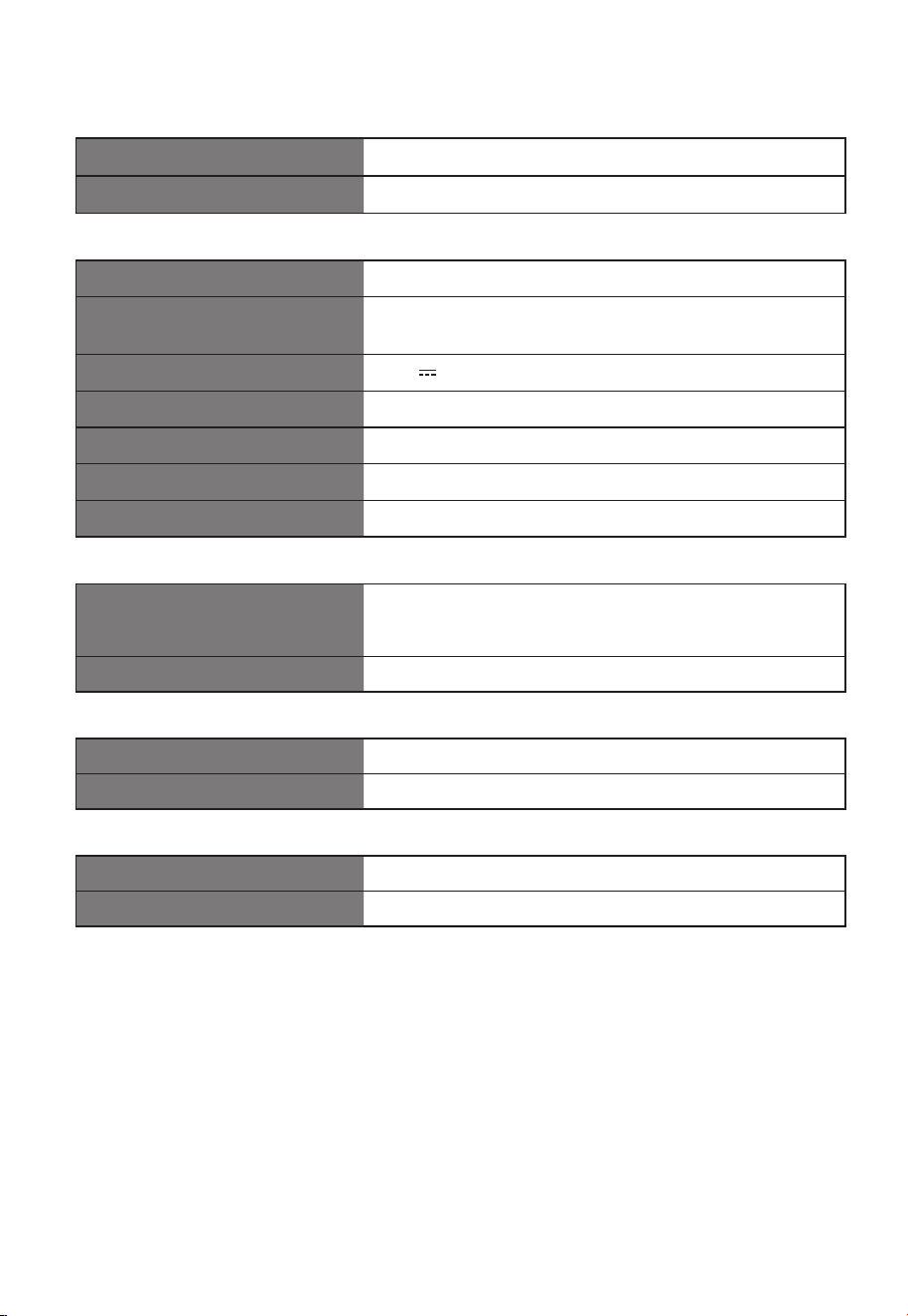
12. Troubleshooting
To keep the warranty valid, never try to repair the system yourself. If you encounter problems when using
this Sound Bar, check the following points before requesting service.
Problem Solution
No power • Ensure that the AC cord of the apparatus is properly connected .
• Ensure that there is power at the AC outlet.
• Press (standby) button to turn the Sound Bar on.
Remote control does not
work
• Before you press any playback control button, first select the correct
source.
• Reduce the distance between the remote control and the Sound Bar.
• Insert the battery with its polarities (
+
/
-
) aligned as indicated.
• Replace the battery.
• Aim the remote control directly at the sensor on the front of the Sound Bar.
No sound
• Make sure that the Sound Bar is not muted. Press (MUTE) or
+
/
-
(VOL)
button to resume normal listening.
• Press button on the Sound Bar or on the remote control to switch the
Sound Bar to standby mode. Then press the button again to switch the
Sound Bar on.
• Ensure the audio setting of the input source (e.g. TV, game console, DVD
player, etc.) is set to PCM or Dolby Digital mode while using digital (e.g.
HDMI ARC, OPTICAL) connection.
• The Sound Bar may not be able to decode all digital audio formats from the
input source. In this case, the Sound Bar will mute. This is NOT a defect.
device is not muted.
TV has display problem
while viewing HDR content
from HDMI source.
• Some 4K HDR TVs require the HDMI input or picture settings to be set for
HDR content reception. For further setup details on HDR display, please
refer to the instruction manual of your TV.
I can’t find the Bluetooth
name of this Sound Bar on
my Bluetooth device for
Bluetooth pairing
• Ensure the Bluetooth function is activated on your Bluetooth device.
• Ensure you have paired the Sound Bar with your Bluetooth device.
14
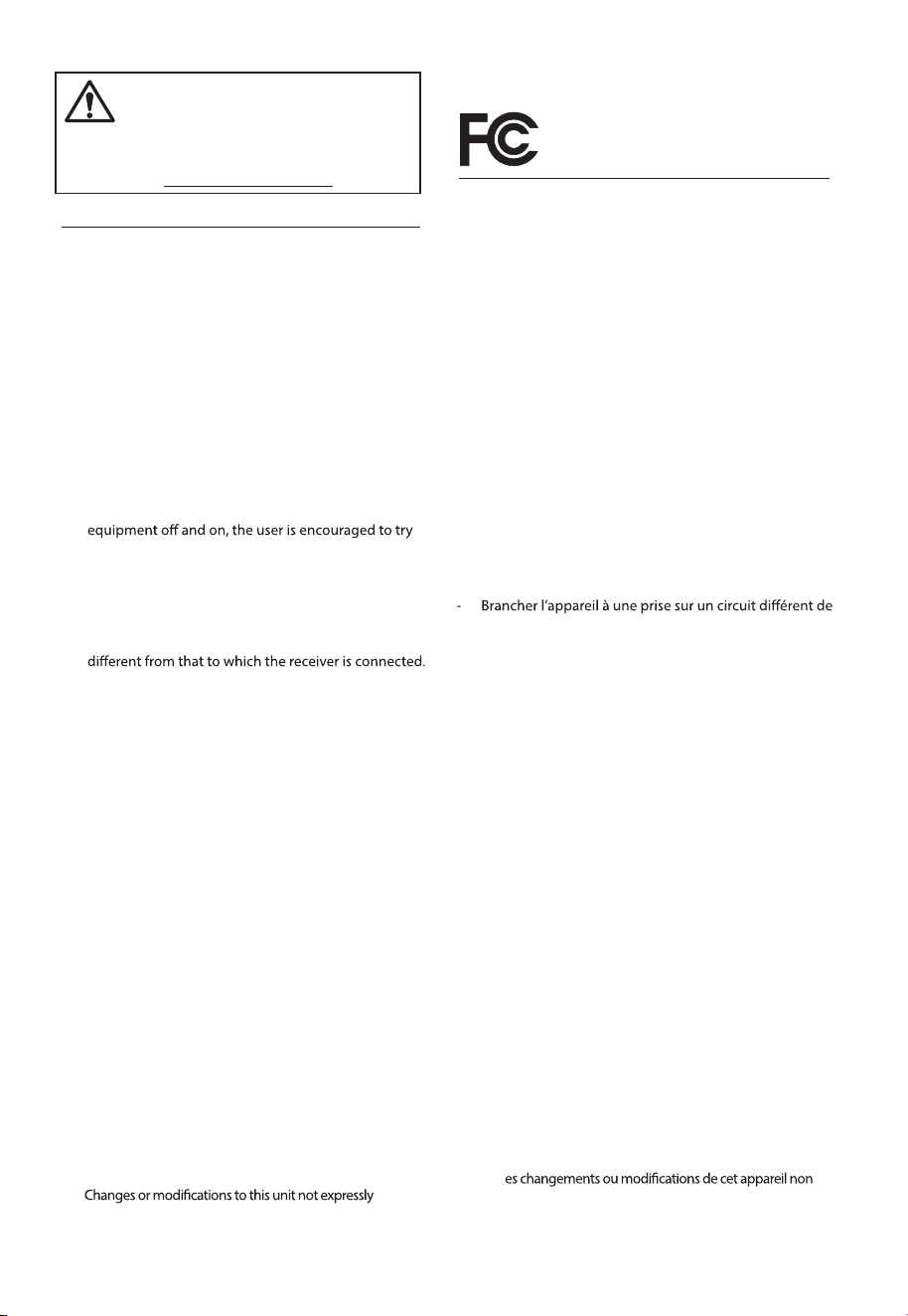
13. Specifications
Brand Westinghouse
Model WS312AS
Sound Bar
Power Supply AC 100-240V~ 50/60Hz
Power Consumption
45 W
< 0.5 W (StandBy)
USB 5V 500mA
Dimension (WxHxD) 41.73" x 2.68" x 4.76" (1060 x 68 x 121 mm)
Net weight 9.04 lbs (4.1 kg)
Audio input sensitivity 500mV
Frequency Response 55Hz - 20KHz
Wireless Specification
Bluetooth version / profiles
Bluetooth frequency range
Bluetooth Max. transmitting power
V 5.3 (A2DP, AVRCP)
2400 MHz ~ 2483.5 MHz
≤ 5 dBm
Modulation Type GFSK,
π
/4 DQPSK
Amplifier (RMS Output power)
Total 105 W
Sound Bar 15W x 5 + 30W
Remote Control
Distance/Angle 19.7 feet (6m) / 30°
Battery type AAA (1.5V x 2)
• Design and specifications are subject to change without notice.
15
FCC INFORMATION (for US customers)
Warning:
- This equipment should be installed and operated with
minimum distance 20cm between the radiator & your
body.
-
approved by the party responsible for compliance could
void the user’s authority to operate the equipment.”
NOTE:
• This equipment has been tested and found to
comply with the limits for a Class B digital device,
pursuant to Part 15 of the FCC Rules. These limits are
designed to provide reasonable protection against
harmful interference in a residential installation. This
equipment generates, uses and can radiate radio
frequency energy and, if not installed and used in
accordance with the instructions, may cause harmful
interference to radio communications.
• However, there is no guarantee that interference will not
occur in a particular installation. If this equipment
does cause harmful interference to radio or television
reception, which can be determined by turning the
to correct the interference by one or more of the
following measures:
- Reorient or relocate the receiving antenna.
- Increase the separation between the equipment and
receiver.
- Connect the equipment into an outlet on a circuit
- Consult the dealer or an experienced radio / TV
technician for help.
This device complies with Part 15 of the FCC Rules.
Operation is subject to the following two conditions:
(1) this device may not cause harmful interference, and
(2) this device must accept any interference received,
including interference that may cause undesired
operation.
• Shielded cables must be used with this unit to ensure
compliance with the Class B FCC limits.
This device contains licence-exempt transmitter(s)/receiver(s)
that comply with Innovation, Science and Economic
Development Canada’s licence-exempt RSS(s). Operation is
subject to the following two conditions:
1. This device may not cause interference.
2. This device must accept any interference, including
interference that may cause undesired operation of
the device.
Réglement de la FCC (pour les clients américains)
Avertissement :
-Pour rester en conformité avec les consignes d’exposition aux
RF, placez le produit à au moins 20 cm des personnes proches.
- L
expressément approuvées par la partie responsable de la
conformité pourraient annuler l’autorisation de l’utilisateur à
utiliser l’équipement.
REMARQUE :
• Ce dispositif a été testé et déclaré conforme aux limites
d’un dispositif numérique de classe B, conformément à
la partie 15 des règles de la FCC.
• Cependant, il n’est pas garanti que des interférences
ne se produiront pas dans une installation particulière.
Si cet appareil provoque des interférences nuisibles
à la réception radio ou de télévision, ce qui peut être
déterminé en mettant l’appareil hors tension, l’utilisateur
est encouragé à essayer de corriger l’interférence par
une ou plusieurs des mesures suivantes :
- Réorienter ou déplacer l’antenne de réception.
- Augmenter la distance entre l’appareil et le récepteur.
celui sur lequel le récepteur est branché.
- Consulter le revendeur ou un technicien radio/TV
expérimenté.
Cet appareil est conforme à la partie 15 des règles de la
FCC. Son fonctionnement est soumis aux deux conditions
suivantes :
(1) ce dispositif ne peut pas causer d’interférences nuisibles et
(2) cet appareil doit accepte r toute inter férence reçue, y
compris les interférences qui peuvent causer un mauvais
fonctionnement.
• Des câbles blindés doivent être utilisés avec cet apparei
l pour assurer la conformité avec les limites de la classe B
de la FCC.fonctionnement de I'appareil.
L’émetteur/récepteur exempt de licence contenu dans le
présent appareil est conforme aux CNR d’Innovation, Sciences et
Développement économique Canada applicables aux appareils
radio exempts de licence. L’exploitation est autorisée aux deux
conditions suivantes :
1. L’appareil ne doit pas produire de brouillage;
2. L’appareil doit accepter tout brouillage radioélectrique
subi, même si le brouillage est susceptible d’en
compromettre le fonctionnement.
EN
FR
Ces limites ont pour but d'assurer une protection
raisonnable contre le brouillage nuisible dans une
installation résidentielle. Cet équipement produit,
utilise et peut émettre de l'énergie en radio fréquence
et, s'il n'est pas installé et utilisé conformément aux
directives, il peut causer un brouillage nuisible dans les
communications radio.
WARNING: This product can expose you
to chemicals including Lead, which is
known to the State of California to cause
cancer. For more information go to:
www.P65Warnings.ca.gov.
IC Notice: CAN ICES-3(B)/NMB-3(B)
Avis d’Industrie Canada: CAN ICES-3(B)/NMB-3(B)
CAN ICES (B) / NMB (B)
CAN ICES (B) / NMB (B)
WARNING: This product can expose you to
chemicals, including styrene, which is known
to the State of California to cause cancer, and
Bisphenol A, which is known to the State
of California to cause birth defects or other
reproductive harm. For more information,
go to www.P65Warnings.ca.gov.

2030xxxxx
WS312AS_IFU_V08_240814