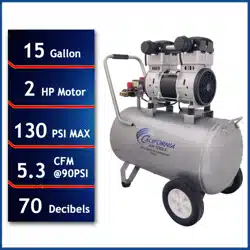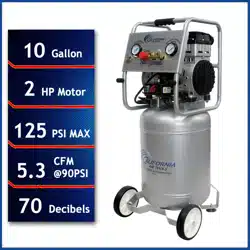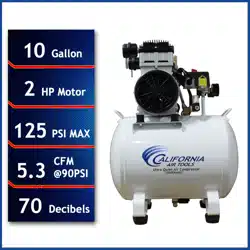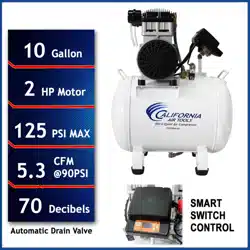
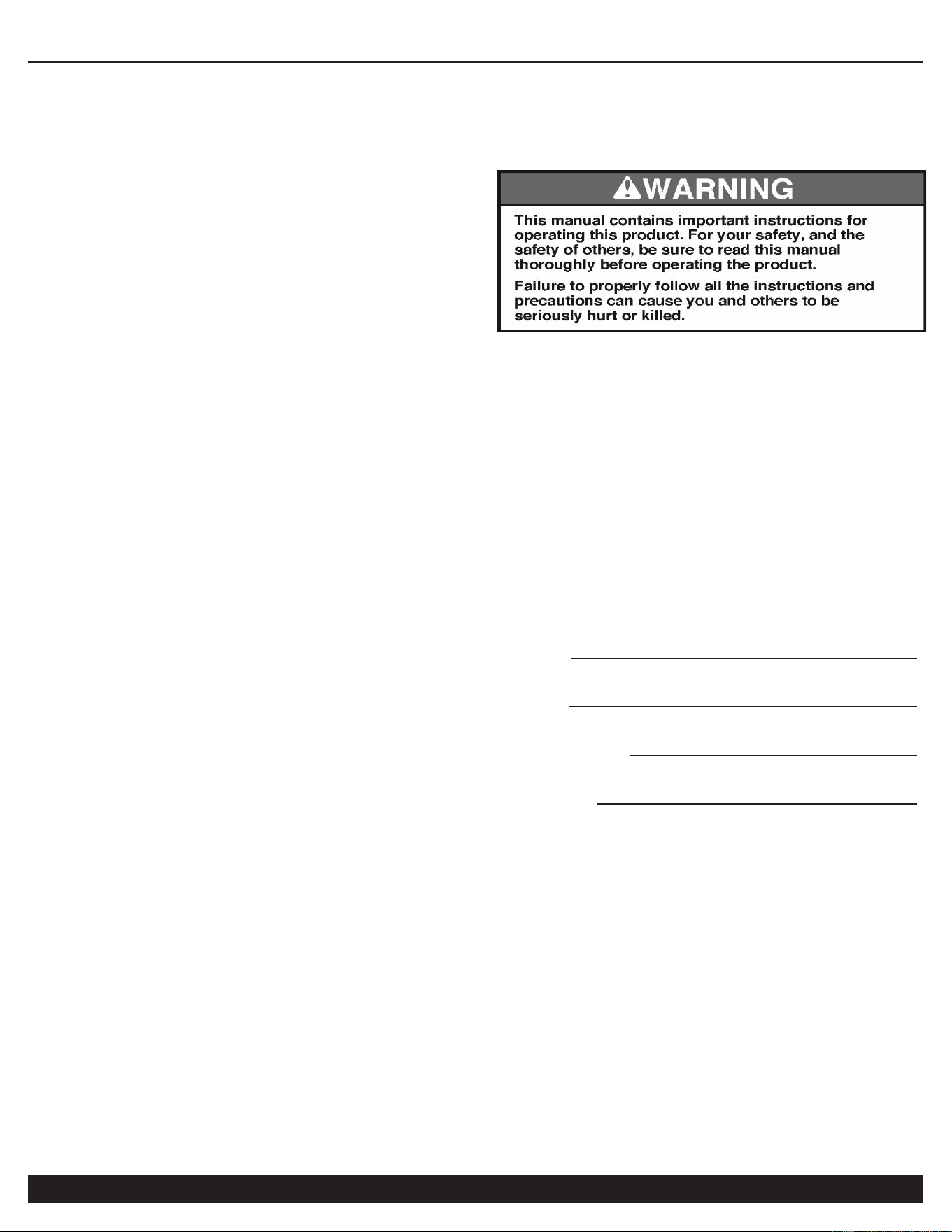
AIR COMPRESSOR
2
Customer Support: 1-866-409-4581
TABLE OF CONTENTS
INTRODUCTION __________________________________ 2
IMPORTANT SAFETY INSTRUCTIONS _______________ 3
LOCATIONS OF IMPORTANT LABELS _______________ 6
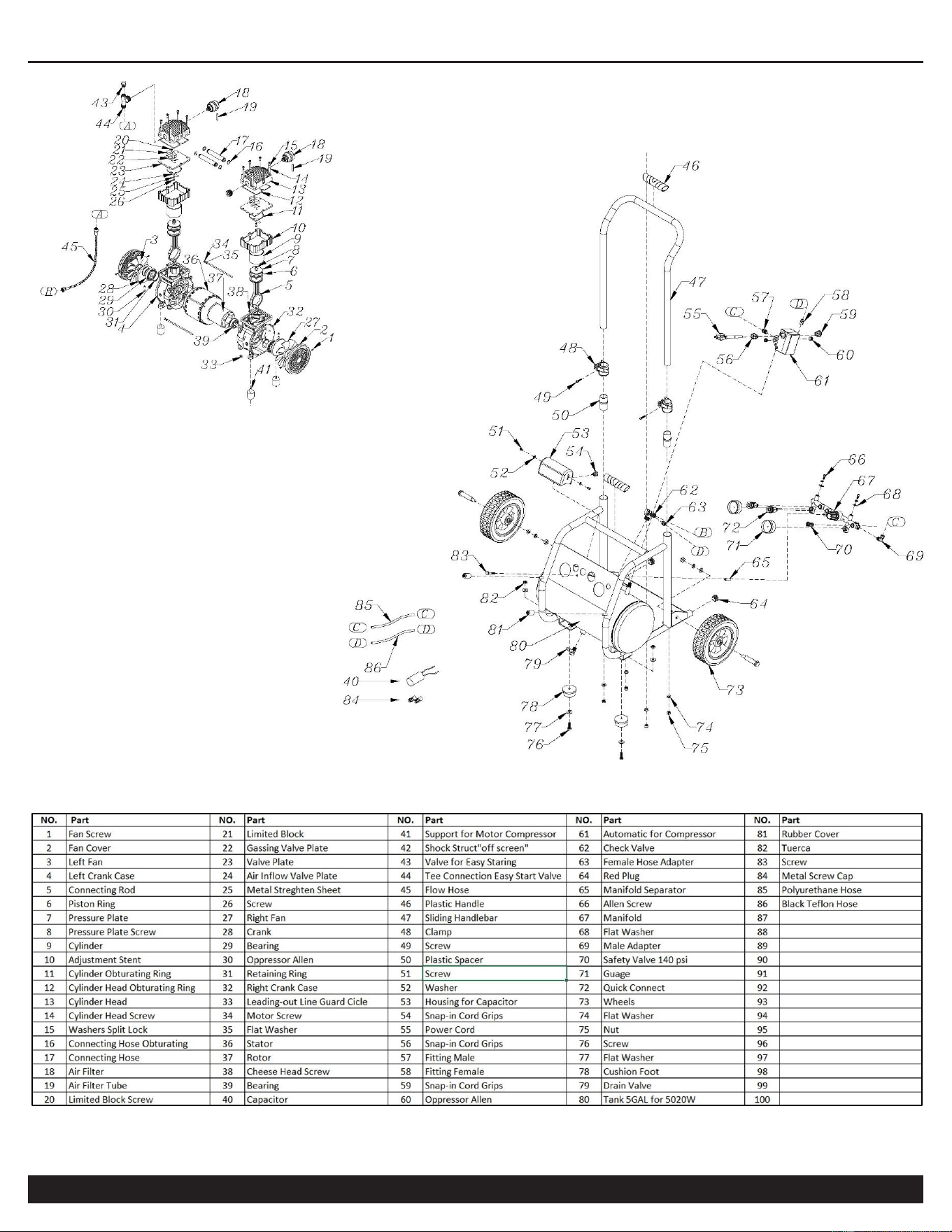
AIR COMPRESSOR COMPONENTS _________________ 7
PRE-OPERATION CHECKLIST ______________________ 8
Package Contents & Assembly ___________________ 8
Inspect for Damage _____________________________ 9
Save Packaging ________________________________ 9
Compressor Location ___________________________ 9
Electrical Power _______________________________ 10
OPERATING THE AIR COMPRESSOR ______________ 10
Introduction __________________________________ 10
Assembly ____________________________________ 10
Test Run _____________________________________ 11
Daily Operation _______________________________ 11
MAINTENANCE _________________________________ 12
Draining the Air Tank __________________________ 12
Changing the Air Filter _________________________ 12
Testing for Leaks ______________________________ 12
Pressure Switch _______________________________ 12
Cleaning _____________________________________ 12
STORAGE _____________________________________ 12
TROUBLESHOOTING ____________________________ 13
SPECIFICATIONS _______________________________ 14
Electrical Circuit ______________________________ 14
Air Passage Drawing ___________________________ 14
WARRANTY ____________________________________ 15
INTRODUCTION
Thank you for purchasing a California Air Tools, Inc.
Air Compressor.
Please contact us if you have any questions.
Record the model and serial numbers indicated on your
air compressor’s nameplate:
Model No.
Serial No.
Date of Purchase:
Store/Dealer:
AIR COMPRESSOR
Customer Support: 1-866-409-4581
3
How to find a local service center:
Even quality built equipment might need service or repair parts.
Contact the California Air Tools Customer Service Department:
Phone: 1-866-409-4581
Online: WWW.CALIFORNIAAIRTOOLS.COM
Please provide the information below:
Model number and Serial number and specifications shown on
the Model number/Serial number plate.
Part number or numbers shown in the parts list section of the
owner’s manual for your air compressor model.
A brief description of the trouble with the air compressor.
Do not return your air compressor for service or parts to the
store/dealer where purchased.
IMPORTANT SAFETY
INSTRUCTIONS
Safety Messages & Signal Words:
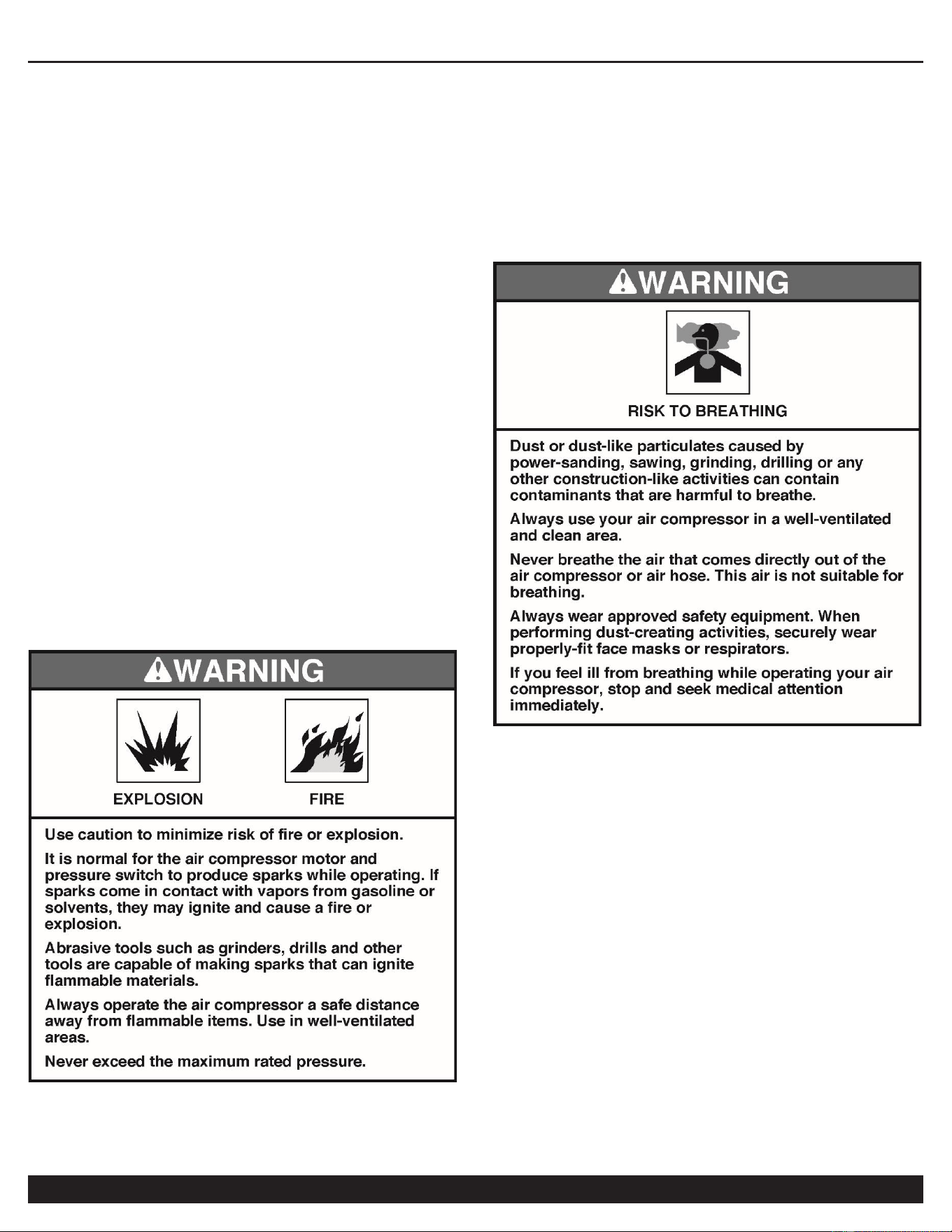
Indicates an immediate hazardous situation which, if not
avoided, will result in death or serious injury to the
operator or to bystanders.
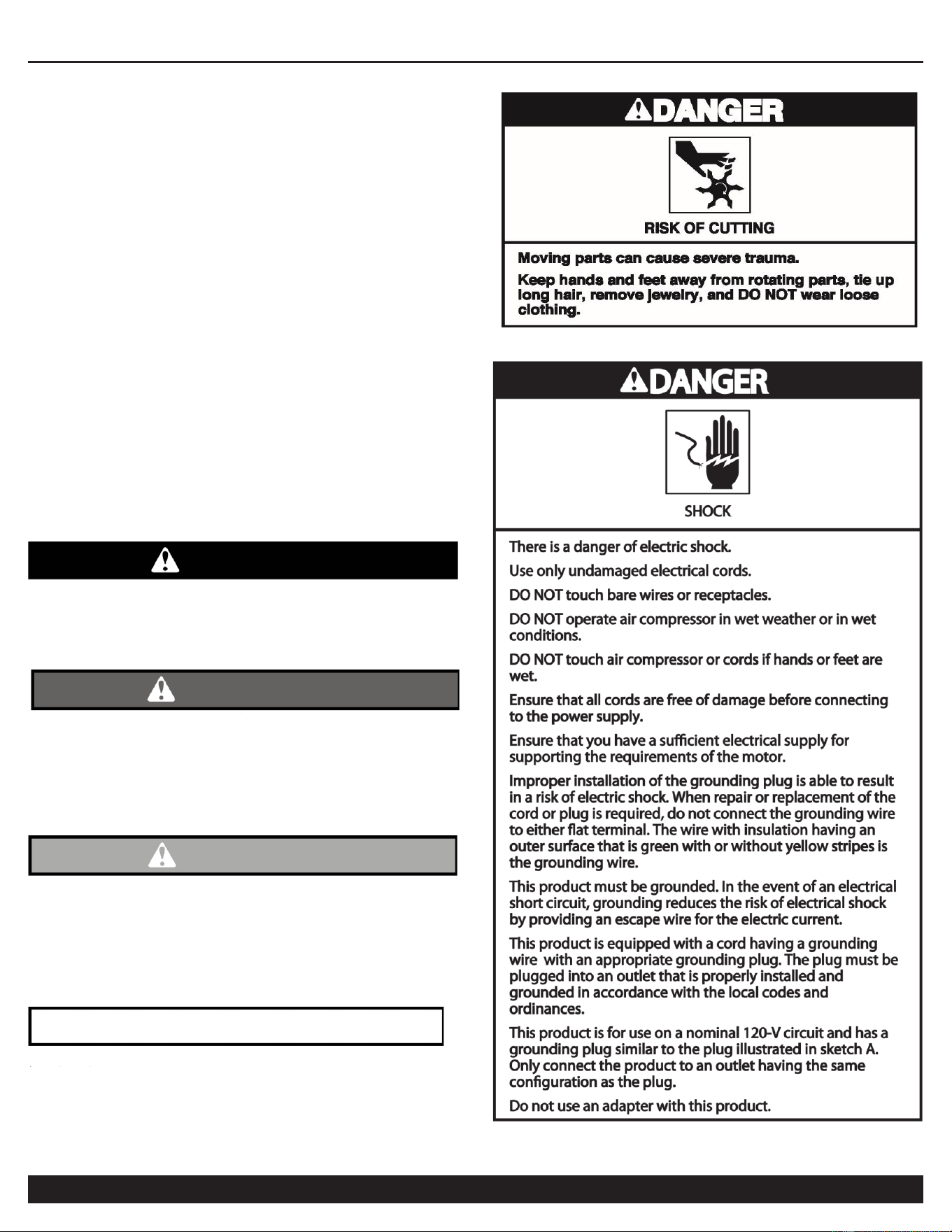
DANGER
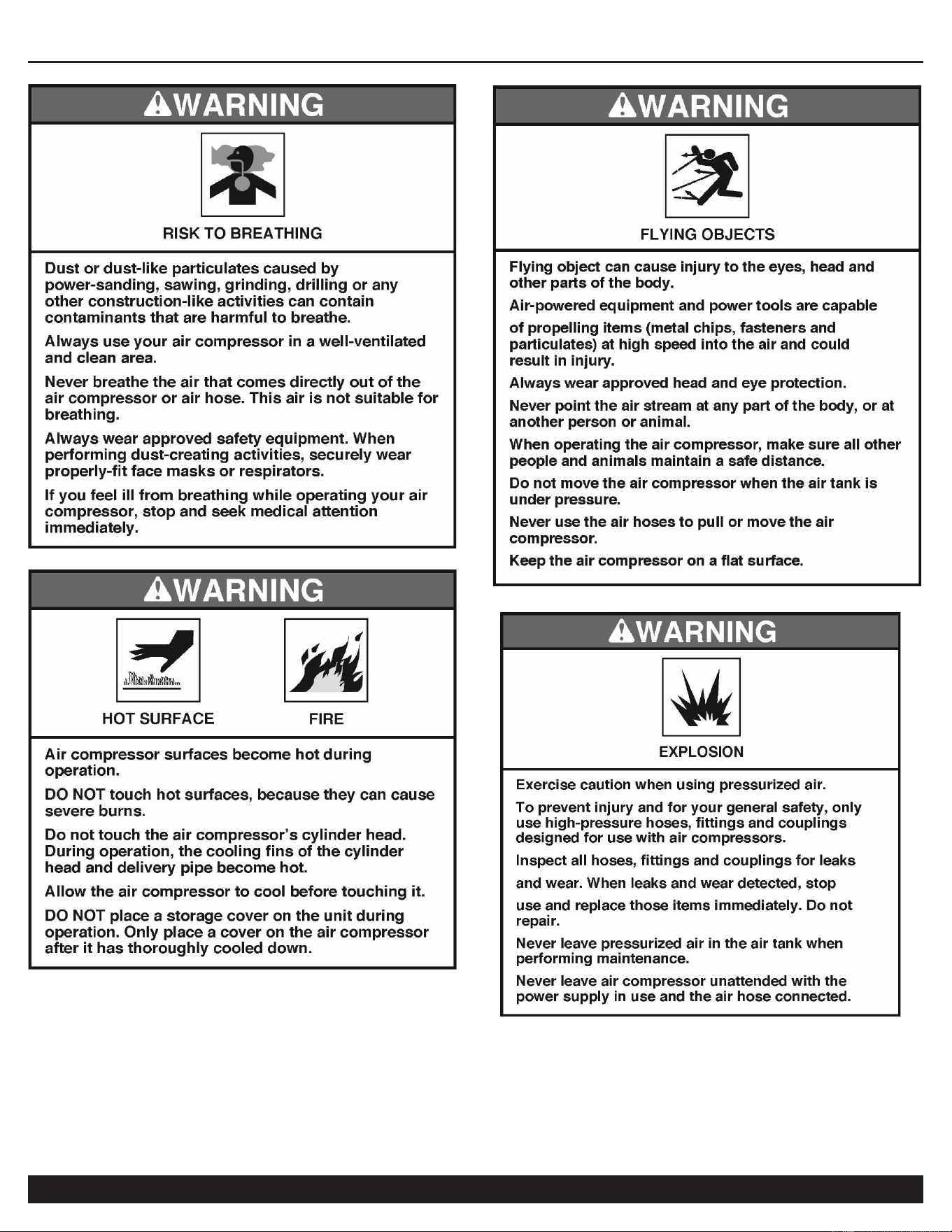
WARNING
Indicates a potentially hazardous situation which, if not
avoided, could result in death or serious injury to the
operator or to bystanders.
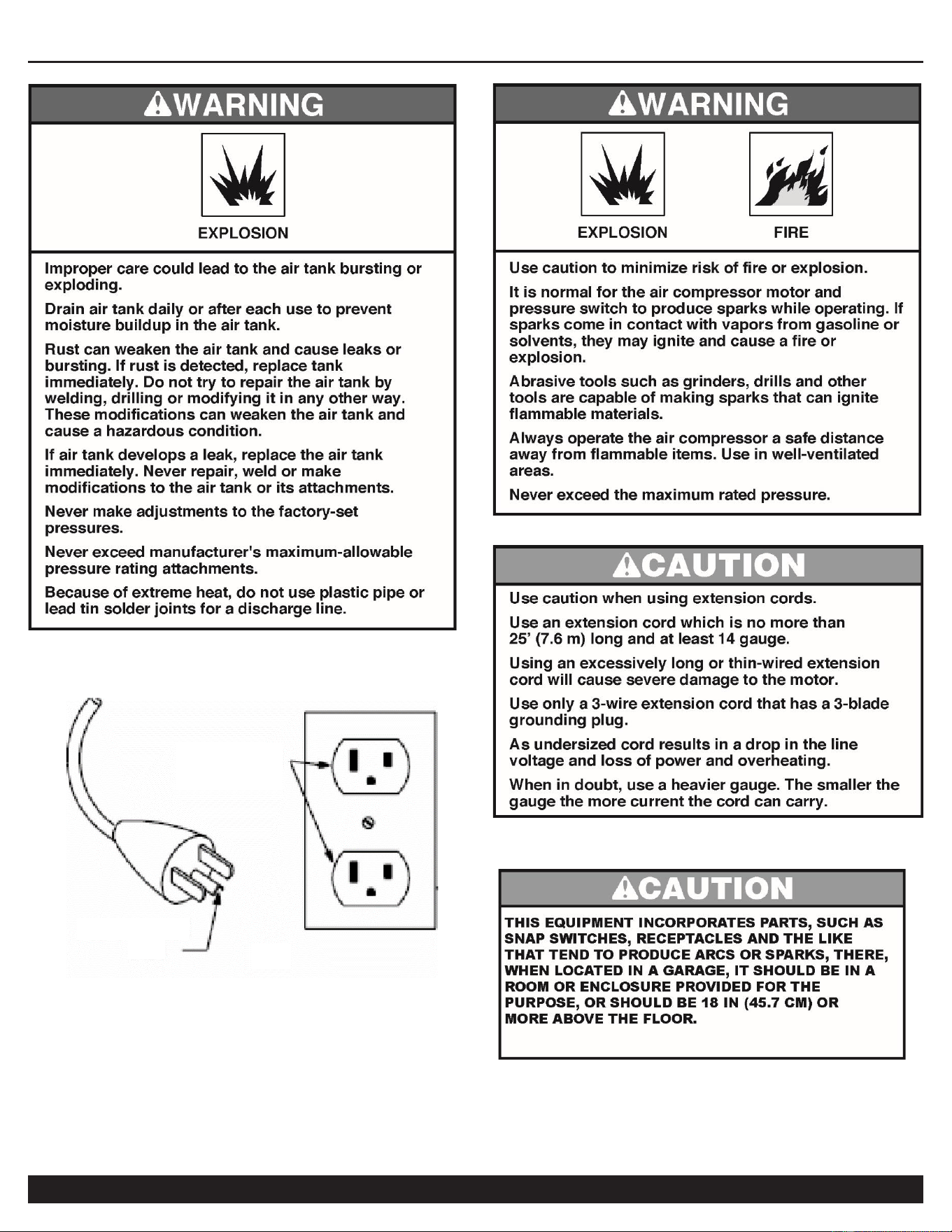
CAUTION
Indicates a potentially hazardous situation which, if not
avoided, may result in moderate or minor injury to the
operator or to bystanders.
Indicates a situation which, if not avoided, may result in
damage to product components or other property.
NOTICE
AIR COMPRESSOR
4
Customer Support: 1-866-409-4581
AIR COMPRESSOR
Customer Support: 1-866-409-4581
5
GROUNDED
OUTLET
GROUNDING
PIN
(A)
AIR COMPRESSOR
6
Customer Support: 1-866-409-4581
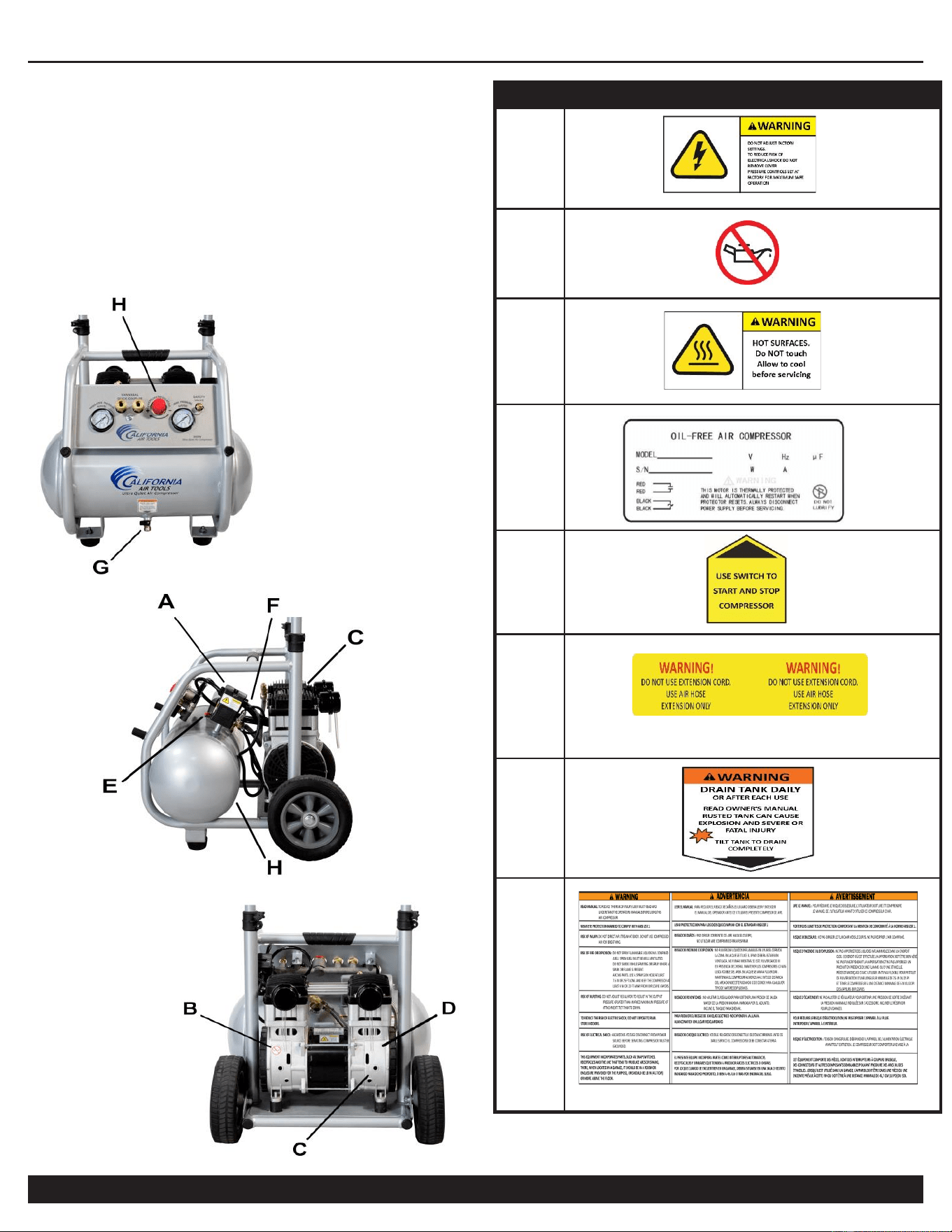
LOCATIONS OF
IMPORTANT LABELS
Read these important labels before operating.
These labels provide important safety and maintenance
information. These labels should be considered as permanent
parts of the air compressor. Should any of these labels become
illegible, damaged or removed, please contact California Air
Tools Customer Service department at 1-866-409-4581 for
replacements.
PRODUCT LABEL
A
B
C
D
E
F
G
H
AIR COMPRESSOR
Customer Support: 1-866-409-4581
7
AIR COMPRESSOR
8
Customer Support: 1-866-409-4581
PRE-OPERATION CHECKLIST
Package Contents & Assembly
Model: 5020W
Package contents:
Air Compressor
Owner's Manual
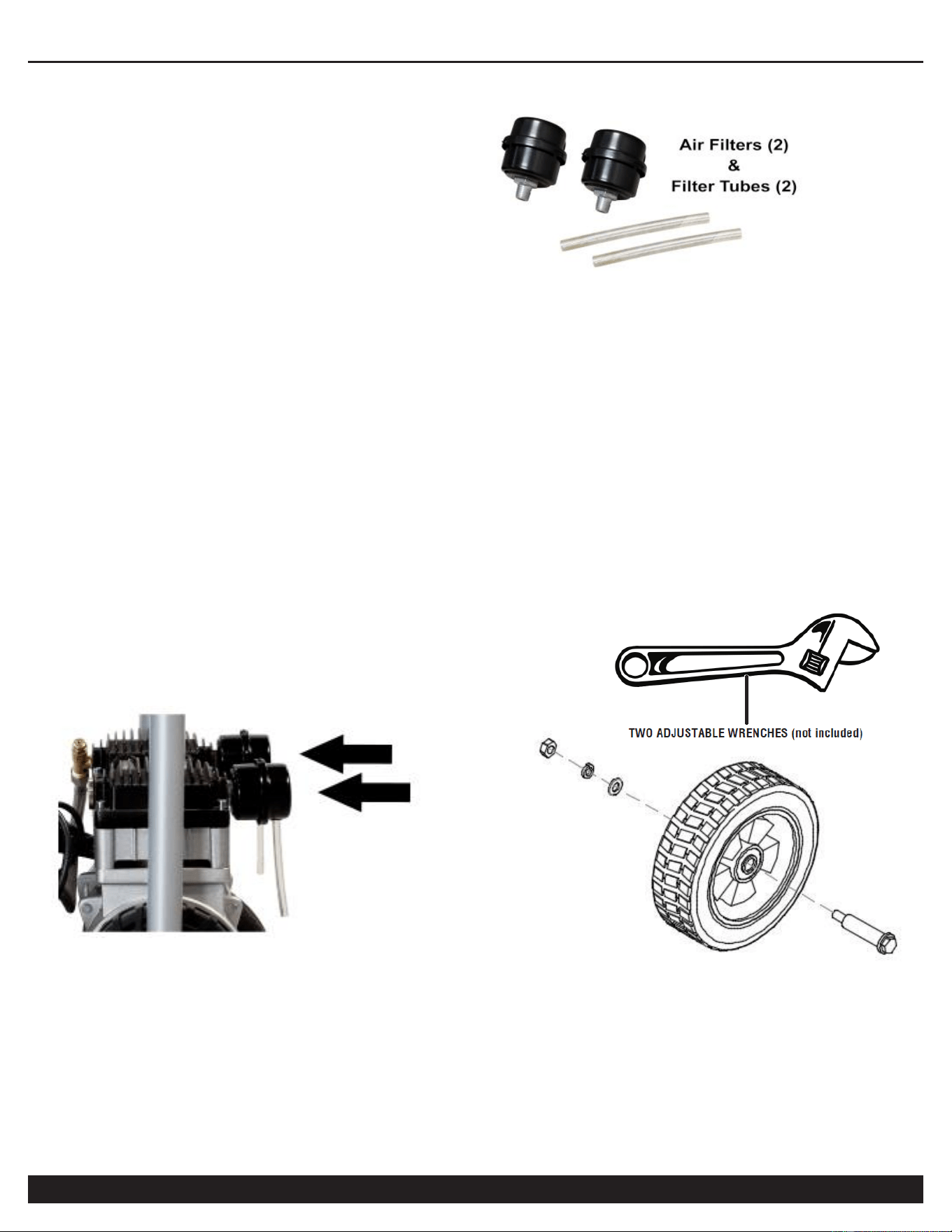
Air Filters (2)
Air Filter Intake Tubes (2)
Wheel Kit (2)
Cushion Foot Kit (2)
Assembly:
Install the Air Filters and Air Intake Tubes
1. Attach the air filters to the top rear left and right side of motor
head’s threaded ports.
2. Screw the air filters clockwise until secure (hand tighten only).
3. Push (press fit) the 4” air filter intake tube into the air filter
hole. Repeat for the other intake tube. Note: orientation of the
intake tubes does not matter, they may point any direction.
Install the Wheel Kit & Cushion Feet
1. Assemble bolt, wheel, washer and nut onto compressor's
rear-side base wheel hole.
2. Using 11/16" or 17 mm wrenches (or adjustable
wrenches/sockets), securely tighten bolts and both
wheel nuts.
3. Repeat steps 1-2 to assemble the other wheel.
4. Install cushion foot into foot support hole, at front side of
compressor, by attaching bolt, washer and nut.
5. Repeat step 4 to assemble the other cushion foot.
AIR COMPRESSOR
Customer Support: 1-866-409-4581
9
Inspect for Damage
Before using the air compressor, make sure the air tank is not
damaged, inspect all parts for damage, and check that all
pipes are firmly connected.
Do not use the air compressor if any damage is found. If
damaged, have an authorized service center inspect and test
the air compressor to ensure that is working properly.
Save Packaging
IMPORTANT: Save all outside packaging in case you ever
need to return the product for service or repair.
Compressor Location
Use on Flat Surface
For proper operation, the air compressor must be placed on a
relatively flat surface with an incline no greater than 15
degrees.
Maintain a Clear Area
It is very important that the air compressor is positioned so
that there is adequate airflow around the machine. There
must be at least 2 feet of obstacle-free space surrounding
and above the air compressor.
Use in Areas with Clean Air
For proper operation and to maximize the longevity of the
air compressor, it is very important that the air drawn into
the air compressor is clean. The air compressor should not
be used in areas where dust or particulates are in the air.
This will damage the motor and impair proper operation.
IMPORTANT: Always use the air filter, properly installed.
AIR COMPRESSOR
10
Customer Support: 1-866-409-4581
Electrical Power
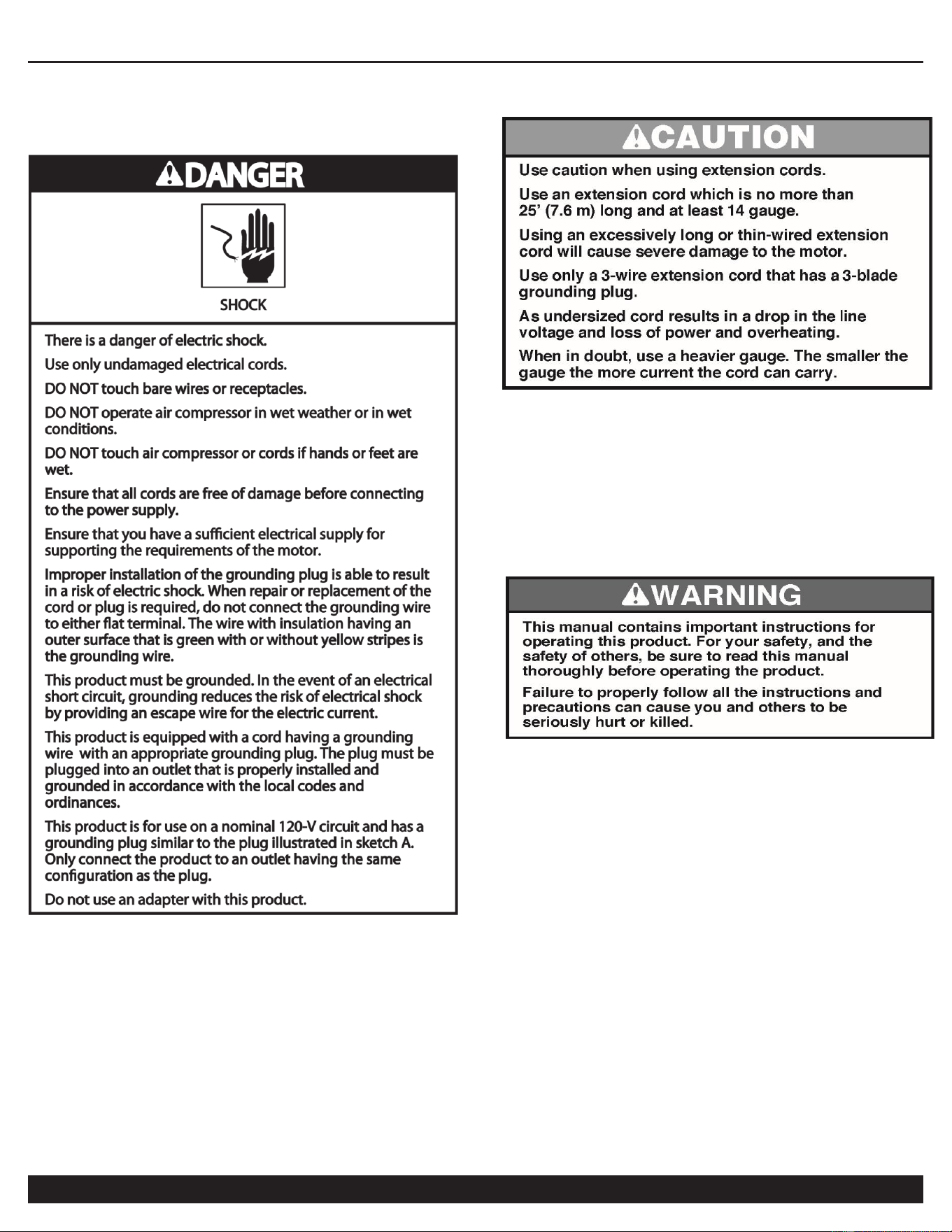
Electrical Power Requirements
Before using the air compressor, refer to the serial label for
voltage and amperage requirements. Make sure you have a
sufficient electrical supply for supporting the motor's
requirements.
Use a dedicated 15 Amp Circuit or a 5500 Watt (running)
Generator
Low voltage and/or an overload circuit can cause the
motor's overload protection system circuit breaker to trip.
Electrical Extension Cords
Inspect all electrical extension cords to ensure that they are
free of damage.
When using an extension cord, use a heavy-duty cord that is
no more than 25 feet long and at least 14 gauge. Use only a
3-wire extension cord that has a 3-blade grounding plug.
OPERATING THE AIR
COMPRESSOR
Save this manual for future reference.
Introduction
This air compressor features a compact structure, stable
performance, a high airflow rate, easy operation and
maintenance. Because the air compressor produces no oil in
the airflow, it can be used as an independent air supply
machine for situations in which oil in the airflow is an issue.
The motor directly drives the pistons and is able to function
without lubrication for a long period of time.
Assembly
1.
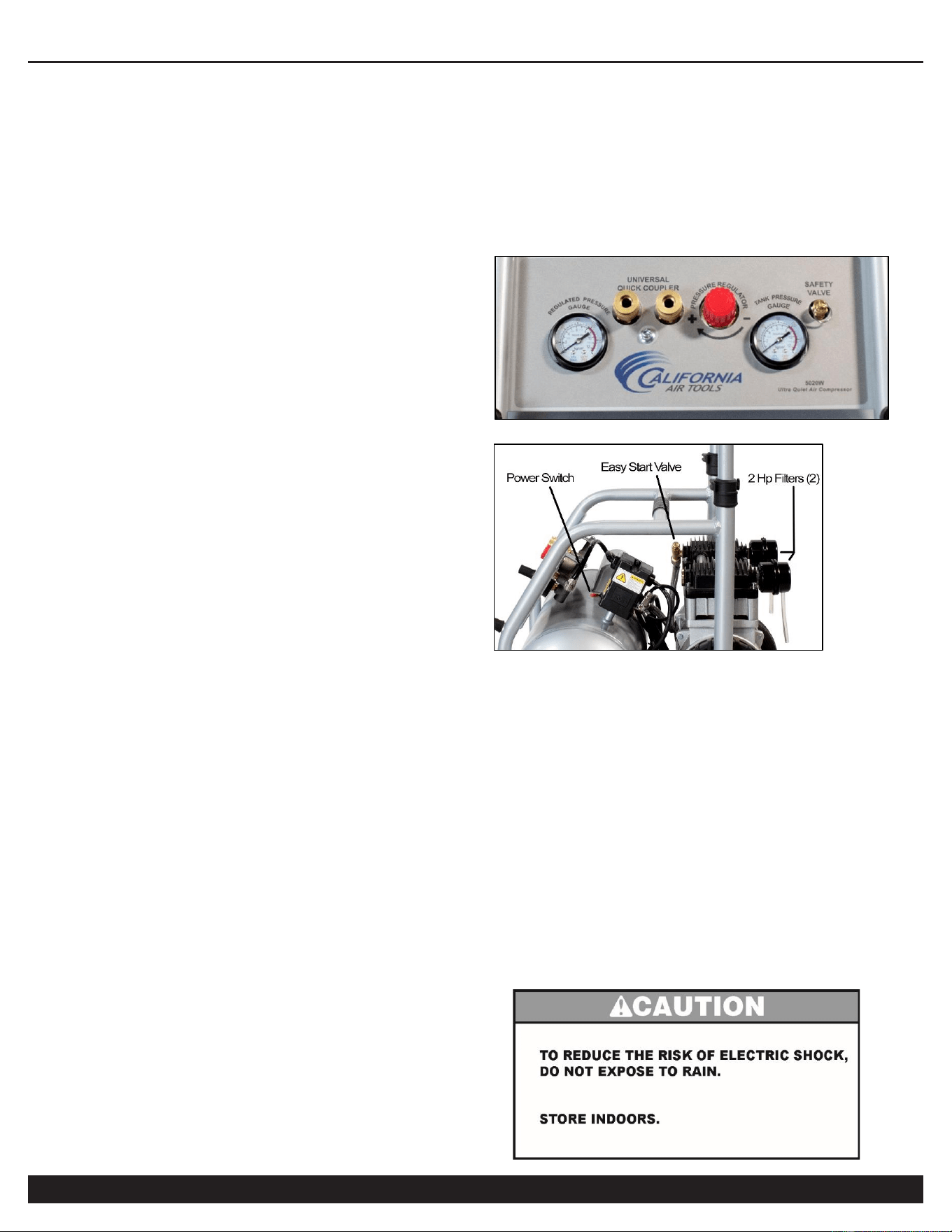
Connect your air supply hose to a 1/4” male industrial quick
connect coupler. Connect the male quick connect coupler to the
female quick connect coupler located on the air compressor
4. Make sure the drainage valve is off and that the
pressure switch is in the OFF position.
5. Ensure that the power supply you are going to use is
operating normally. 110 Volts 60 Hertz 15 amp Outlet.
6. Insert the power supply cord into the power supply socket.
AIR COMPRESSOR
Customer Support: 1-866-409-4581
11
Test Run
Before using the air compressor for the first time, complete a
test run as follows:
1. Turn the power switch to the OFF position. Plug the power
supply cord into a power supply socket. Start the air
compressor by turning the power switch to the ON position.
The pressure gauge reading will slowly rise as pressure
increases inside the air tank. When the Tank Pressure
Gauge reading reaches 125 PSI (+/- 5 PSI), the pressure
switch will automatically turn the power off. This indicates
the compressor is working normally.
2.
Turn the power switch to the Off position, unplug the
power supply cord and release the air in the air tank by
opening the Manual Drain Valve at the bottom of the
tank. Proceed to the next step (Daily Operation).
Note: If the Air Compressor is not working properly, the
pressure gauge will indicate that there is a decrease in
pressure in the air tank. If there is an air leak from the
compressor the pressure in the air tank decreases, the
pressure switch resets and the motor automatically turns
back on.
If you detect an air leakage, turn the power switch to the
Off position, release the air from the tank by opening
Manual Drain Valve. Unplug the power supply cord and
contact Customer Support for Assistance.
Daily Operation
Starting the compressor:
1. Turn the power switch to the OFF position.
2. Attach the air hose to the 1/4” Industrial Male Quick Connector
3. Close the drain valve.
4. Have air filter attached
5. Plug the power supply cord into a power supply socket.
6. Turn the power switch to the ON position.
7. Let the motor run and tank fill until motor turns off.
8. To regulate the air flow.
While the air compressor is running, turn “On” your tool
and turn the regulator knob to the right increasing the
pressure. Turn the pressure up until the desired pressure
is reached. Operate air tool normally.
Shutting down the compressor:
1. Turn the power switch to the OFF position.
2. Unplug the power supply cord.
3. Remove the pressure and water in the air tank through
drain valve.
AIR COMPRESSOR
12
Customer Support: 1-866-409-4581
MAINTENANCE
Draining the Air Tank
The frequency at which you should drain the air tank depends
on the environmental conditions and the amount of operating
time logged. With regular compressor use the average
draining frequency is every 1 to 2 days.
1. Place the air compressor above a container capable of
holding water.
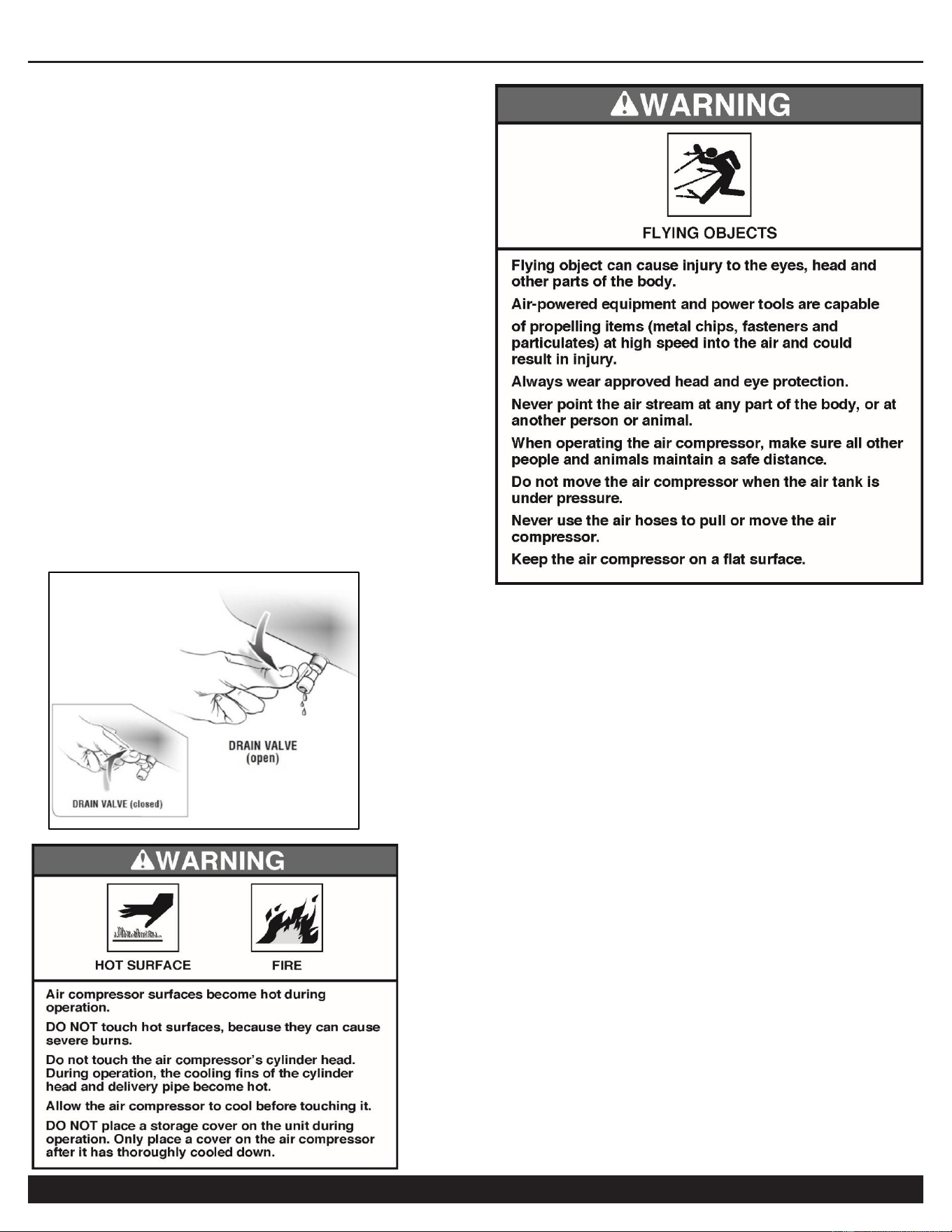
2. With compressed air in the air tank, slowly turn the drain
valve knob to the forward (open) or straight position.
The water in the air tank will drain out.
3. After all of the accumulated water has drained out, turn
the drain valve knob to the closed or left position in order
to avoid leakage.
4. Draining the air tank protects parts from rust and corrosion.
Cleaning or Changing the Air Filter
The air filter is designed to reduce noise and help prevent
particulates in the air from entering and damaging the air
compressor.
After being used for a period of time, the air filter will become
clogged. This will reduce the air intake capabilities of the air
compressor, reducing performance. Therefore, the air filter
must be cleaned or replaced regularly.
1. Open the lid on the air filter, then remove the air filter
element.
2. To clean the element blow off or brush off the dirt and dust.
3. If clogged, replace with a new air filter.
Testing for Leaks
Make sure all connections are tight. Do not overtighten.
A small leak in any hose or pipe connection will reduce the air
compressor's performance.
To test for small leaks, spray a small amount of soapy water
on the area suspected of leaking. If the soap bubbles, replace
the broken part.
Cleaning
Clean items with a soft brush, or wipe with a moistened cloth
using a biodegradable solvent.
Do not use flammable liquids such as gasoline or alcohol.
Always keep parts clean from dirt and dust for better
performance.
Pressure Switch
The pressure switch is factory pre-set to shut off at
approximately 125 PSI, as read on the TANK
PRESSURE GAUGE (+/- 5 PSI) and to re-start at
90-95 PSI (+/- 5 PSI).
STORAGE
Before storing for a prolonged period of time:
1. Turn off the power supply.
2. Disconnect the power cord from the power supply and
wrap the power cord around the air compressor handle to
reduce the risk of damage.
3. Pull the relief valve and release all the pressure from the
air tank.
4. Clean the air compressor to remove all dirt and dust.
5. Cover the air compressor with a cover to protect the unit
from dust and moisture.
6. Do not stack or store any items on top of or around the
air compressor. Damage could occur.
AIR COMPRESSOR
Customer Support: 1-866-409-4581
13
TROUBLESHOOTING
PROBLEM
POSSIBLE CAUSE
POSSIBLE SOLUTIONS
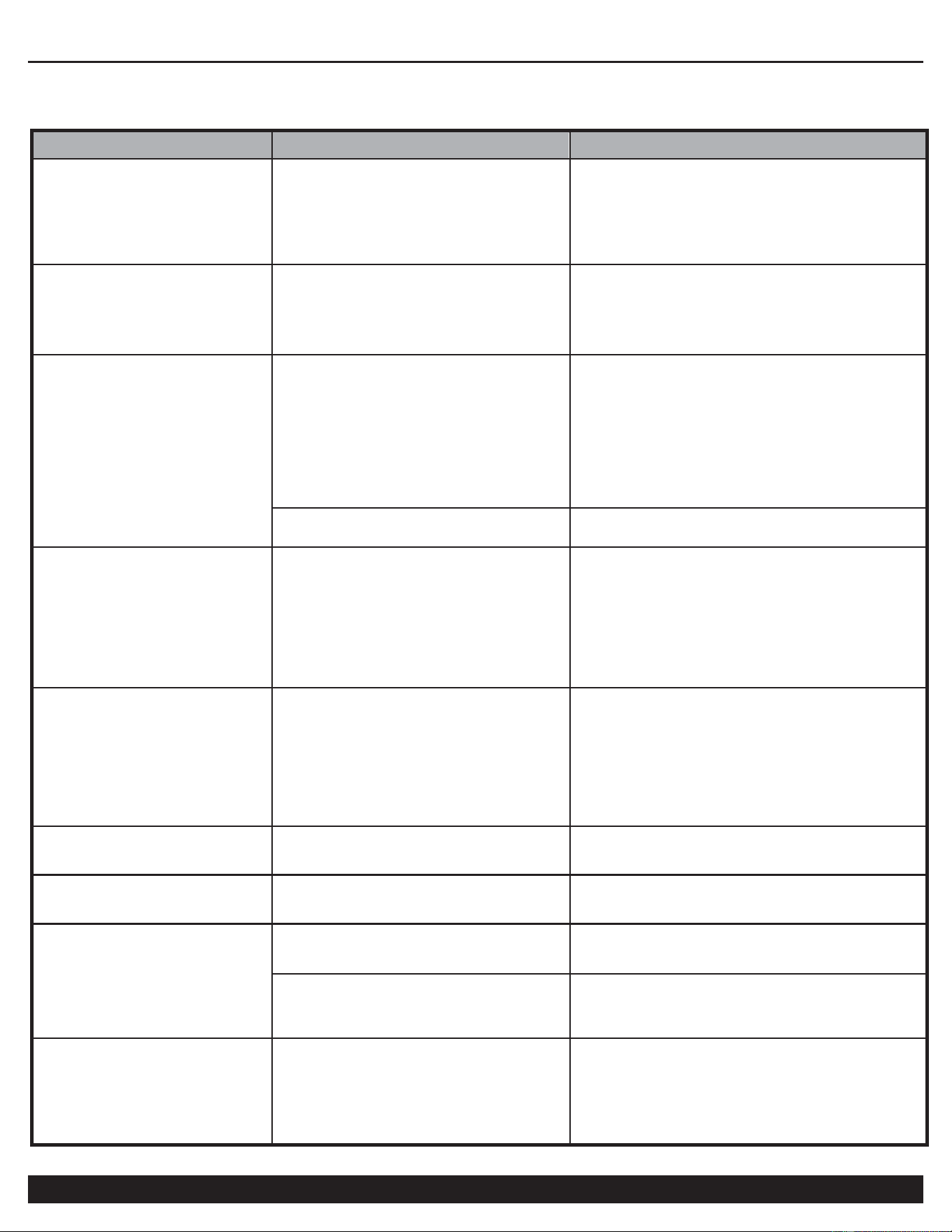
Pressure drop in the tank.
Air leaks at connections.
Let the compressor build pressure in the tank, to
the maximum pressure if possible. Brush soapy
water on air connections and look carefully for air
bubbles. Tighten leaky connections. If the
problem persists, contact the seller for further
advice.
The unloader valve leaks when
the compressor is idle.
Unloader valve seal is defective.
Let the air in the air tank flow out until all the
pressure is released. Then remove the unloader
valve plug and clean the valve seal. If necessary,
replace the seal and then reinstall all
components.
The compressor stopped and
does not start.
The thermal protector turned on
because the motor is overheating.
Check that the main voltage corresponds to the
air compressor specifications. An extension cord
that is too thin or too long can cause a voltage
drop and cause the motor to overheat.
Excessive use (over 1 hour continuous use)
can cause the motor to overheat
Allow the motor to cool down.
Motor windings are burned out.
Contact Customer Support.
The motor does not start and
makes a humming noise.
Head Pressure
——————————————————
Low voltage supply to the motor.
(see below)
Do a Check Valve Adjustment.
Drain air tank.
Remove check valve cap
Take out check valve spring Clean inside the
check valve and and elongate.spring.
Replace spring and cap
The motor does not start or
starts slowly.
Low voltage supply to the motor.
Check that the main voltage corresponds to the
air compressor specifications.
An extension cord that is too thin or too long
can cause a voltage drop.. Use heavy duty
extension cords.
Ensure that the air compressor is plugged into
a fully functional power outlet
The compressor is noisy with
metallic clangs.
Compressor head gasket or reed valve
is damaged
Stop the compressor and contact the dealer.
The compressor does not
reach the maximum pressure.
Compressor head gasket or reed valve
is faulty.
Stop the compressor and contact the dealer.
The compressor doesn't seem to
provide as much air as it did
when new and/or the
compressor cuts off within a
much shorter time period.
The pressure switch needs adjusting.
Stop the compressor and contact the dealer.
The tank is full of water due to
condensation.
Open the drain valve and release the water from
the tank.
The motor pump unit does
not stop when the tank
pressure reaches its
maximum working pressure
(120 PSI).(plus or minus 5
PSI)
Pressure switch defective or needs
adjusting.
Stop the compressor immediately and contact
Customer Support.
AIR COMPRESSOR
14
Customer Support: 1-866-409-4581
SPECIFICATIONS
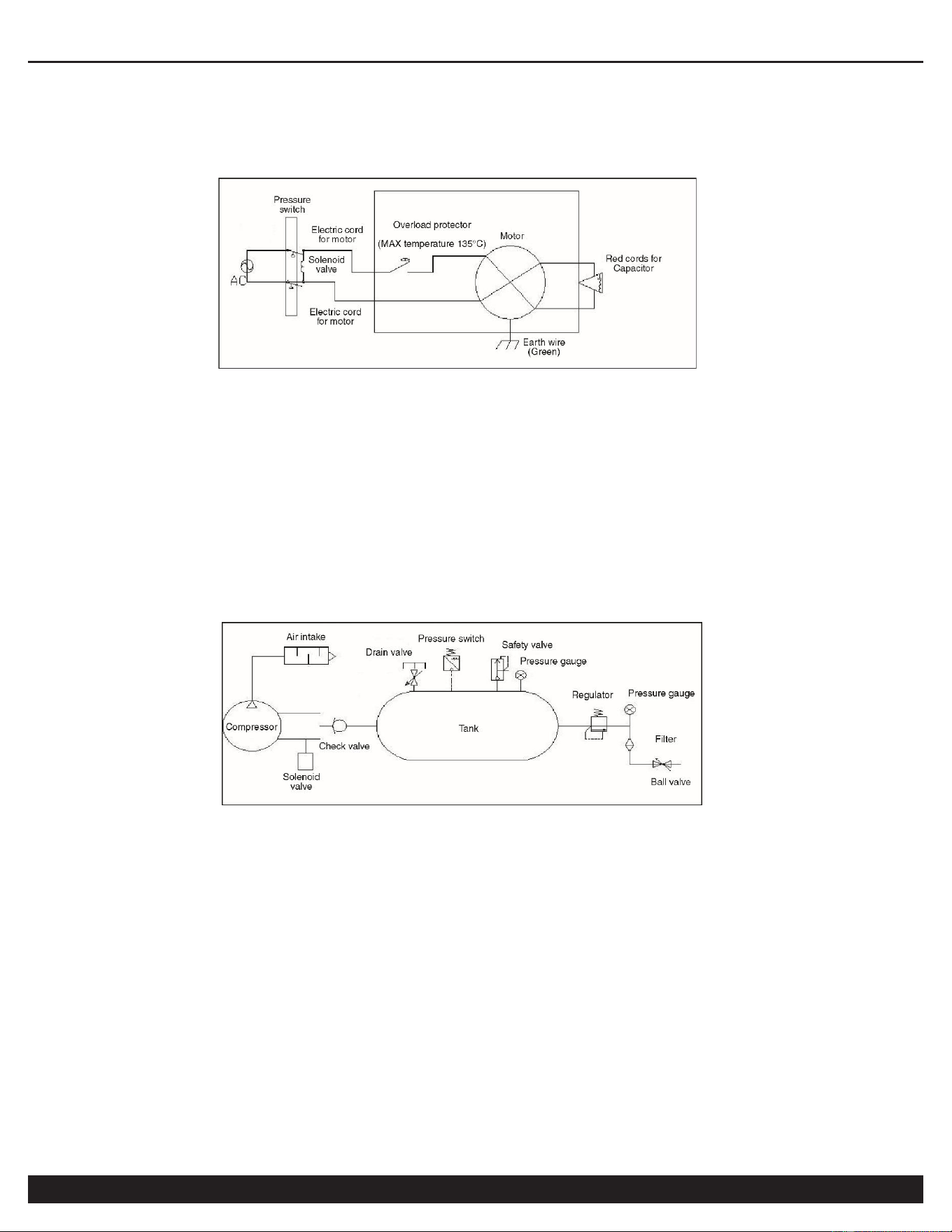
Electrical Circuit
Air Passage Drawing

AIR COMPRESSOR
Customer Support: 1-866-409-4581
15
CALIFORNIA AIR TOOLS INC. LIMITED WARRANTY
This warranty is limited to Air Compressors distributed by:
California Air Tools, Inc.
8560 Siempre Viva Road
San Diego, CA 92154
Limited Warranty
California Air Tools Inc. will repair or replace, free of charge, to the original retail customer who purchased a California Air
Tools, Inc. Air Compressor from an authorized dealer, distributor or distributor’s dealer in North America.
This warranty does not transfer to subsequent owners.
California Air Tools Inc. will repair or replace, at its option, any parts of the portable air compressor that are proven by an
authorized service center to be defective in material or workmanship under normal use during the applicable warranty time period
as stated below. This limited warranty covers the cost of the replacement parts and labor for all defects when installed by an
authorized service center. Transportation charges are the responsibility of the customer. Any part replaced under warranty
becomes the property of California Air Tools Inc.
All parts replaced under warranty will be considered as part of original product, and any warranty on those parts will expire
coincident with the original product warranty.
Limited Warranty Periods
Non-commercial / Non-rental (personal use by a retail customer): 1 year parts and labor
Commercial / Rental (usage for income, business use): 1 year parts and labor
The limited warranty period begins on the date of retail purchase by the original purchaser.
Disclaimers, Limitations of Remedies & Exclusions
This warranty gives you specific legal rights, and you may also have other rights which may vary from state to state.
Disclaimer of Other Warranties
To the fullest extent permitted by applicable law, this limited warranty is exclusive and expressly in lieu of any and all other
warranties, including, without limitation, any implied warranties of merchantability or fitness for a particular purpose or any other
implied warranties that may arise from the course of dealing or usage of the trade. California Air Tools Inc. hereby declaims and
excludes all other warranties. To the extent that California Air Tools Inc. products are consumer products under applicable federal
and state law with respect to any customer, the duration of any implied warranties (including but not limited to implied warranties of
merchantability or fitness for a particular purpose) are limited to the shortest duration permitted by applicable law or the Limited
Warranty period provided herein, whichever is longer.
Limitations of Remedies
California Air Tools Inc. shall not be liable to customer, or anyone claiming under customer, for any other obligations or liabilities,
including but not limited to, obligations or liabilities airing out of breach of contract or warranty, negligence or other tort or any
theory of strict liability, with respect to the air compressor or California Air Tools Inc. acts or omissions or otherwise. To the fullest
extent permitted by applicable law, California Air Tools Inc. shall not in any event be liable for incidental, compensatory, punitive,
consequential, indirect, special or other damages, including but not limited to loss of use, loss of income, loss of time, loss of
sales, injury to personal property, or liability customer incurs with respect to any other person, or any other type or form of
consequential damage or economic loss.

AIR COMPRESSOR
16
Customer Support: 1-866-409-4581
Exclusions
In addition to the foregoing disclaimers, limitations and terms, this limited warranty shall not apply to and does not cover
accessories, nor does it cover products that are in any way subject to any of the following:
1. Improper setup, installation or storage.
2. Lack of proper maintenance and service.
3. Accident, damage, abuse or misuse.
4. Abnormal operating conditions or applications.
5. Repair or modification by customer or any third party without written consent of California Air Tools Inc.
6. Use under operating conditions or in applications not recommended by California Air Tools Inc.
7. Normal wear.
8. The use of accessories or attachments not recommended by California Air Tools Inc.
9. Acts of God.
The application of these exclusions will be determined at the sole discretion of California Air Tools Inc.
Maintenance & Troubleshooting Guide
California Air Tools provides Maintenance & Troubleshooting Guide on our website WWW.CALIFORNIAAIRTOOLS.COM.
Valuable information regarding set-up, operation and maintenance.
Please visit our website and view these videos for beneficial information.
Service or Parts
Warranty is also available by keeping and showing your original receipt from the date of purchase to an
Authorized California Air Tools Service Center.
For all customer service inquiries call 1-866-409-4581 or visit
WWW.CALIFORNIAAIRTOOLS.COM
Go to the “Contact Us” Tab
Click on “Service & Parts” Buttons for the Fastest Service.