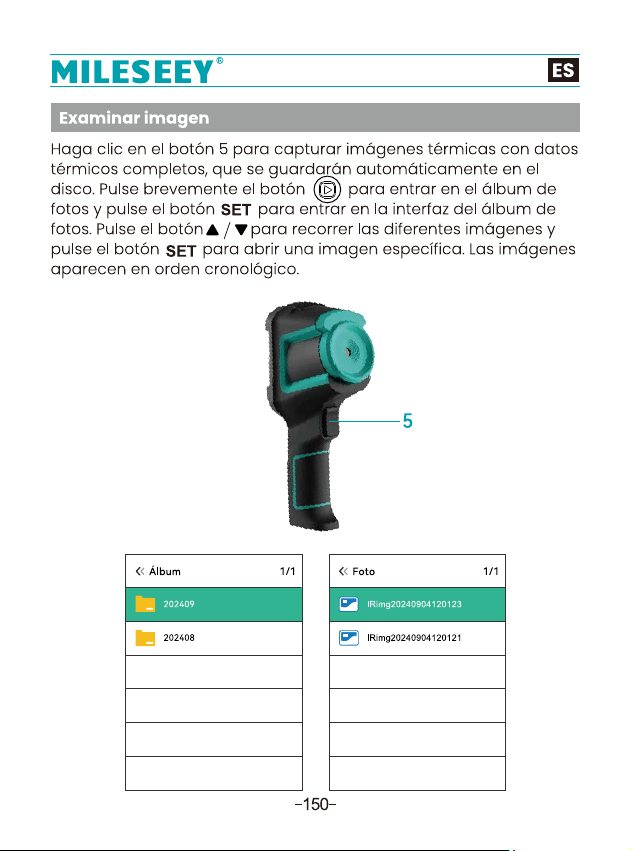


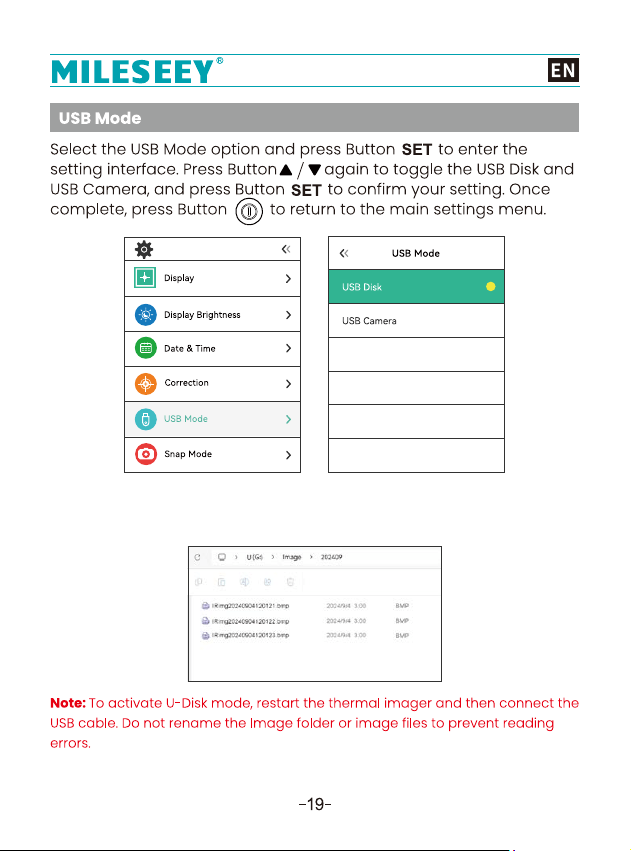
●1. Set the USB mode to USB Disk to browse pictures on the PC
connecting the device to a computer with the USB cable.
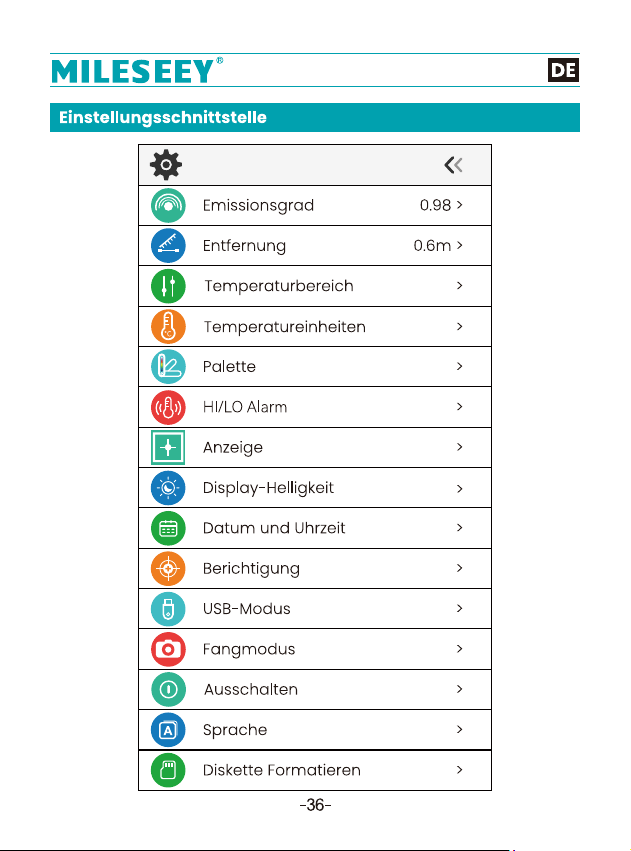
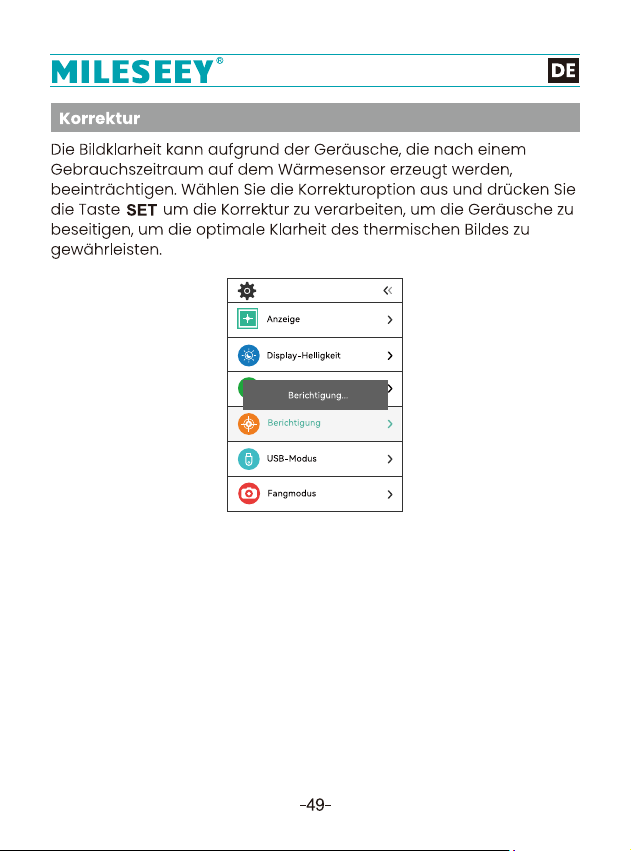
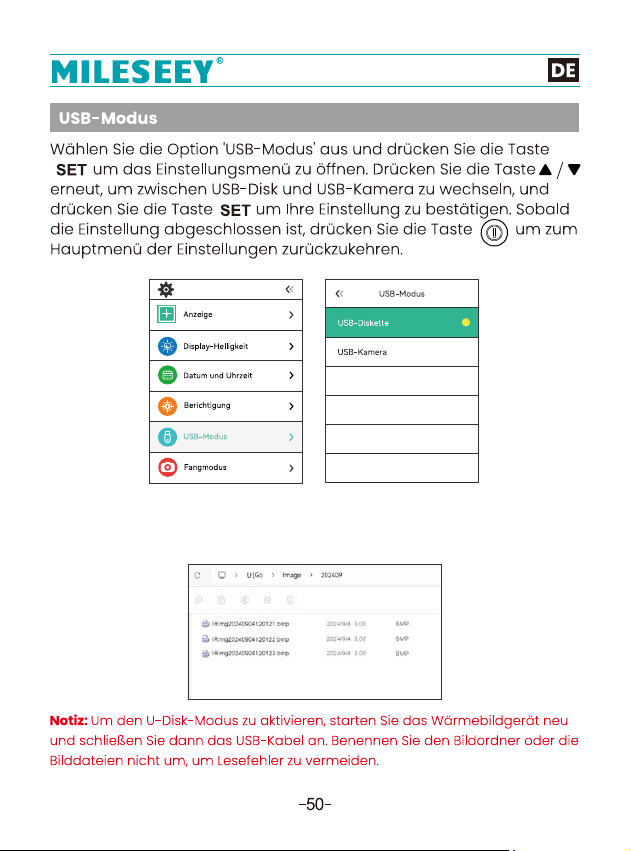
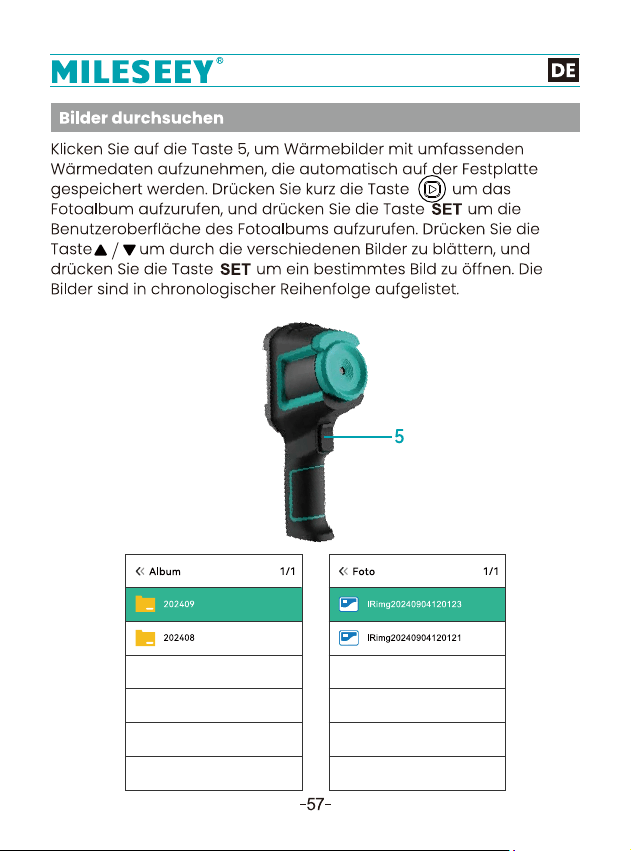
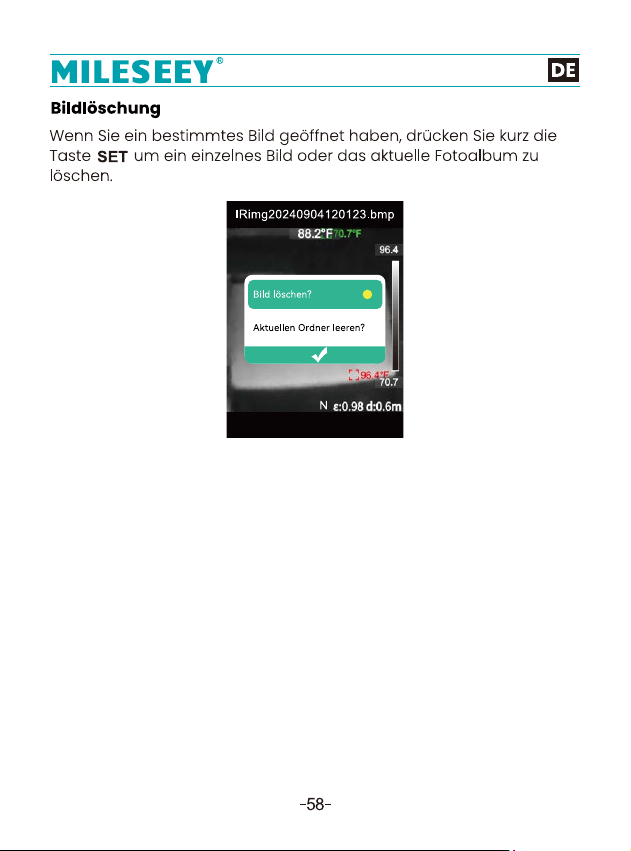
●1. Stellen Sie den USB-Modus auf USB-Diskette, um Bilder auf dem
PC zu durchsuchen, indem Sie das Gerät mit dem USB-Kabel an
einen Computer anschließen.
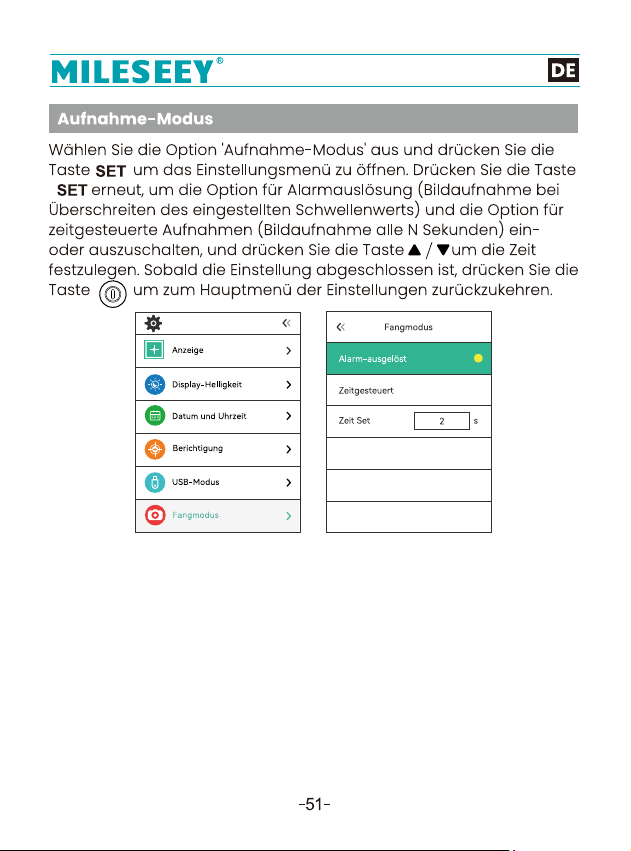
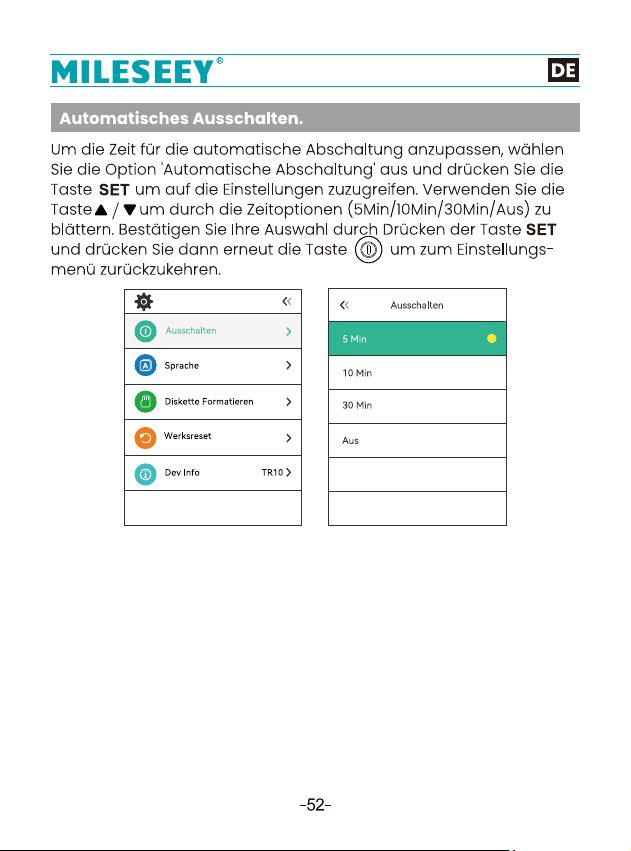
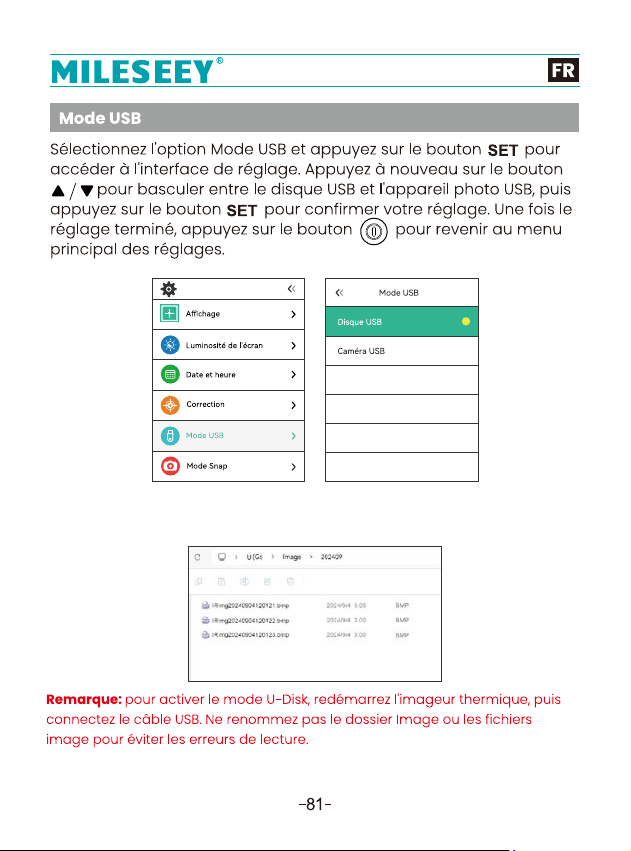
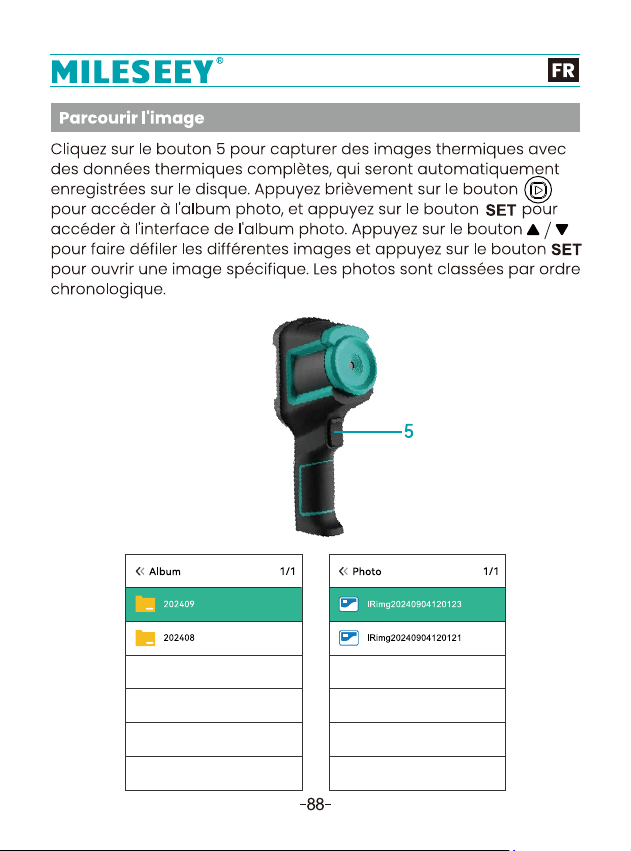
●1. Réglez le mode USB sur Disque USB pour parcourir les images sur
le PC en connectant l'appareil à un ordinateur à l'aide du câble USB.
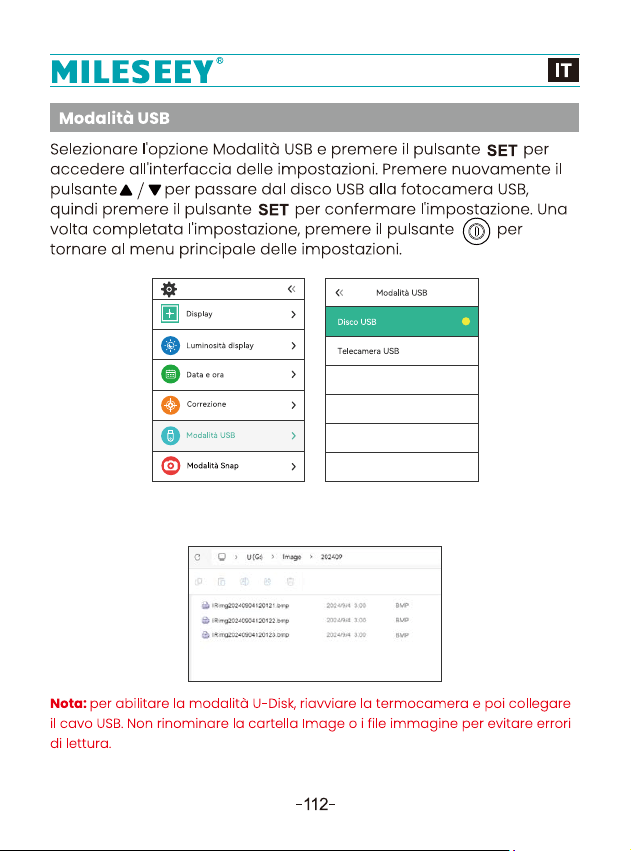
●1. Imposta la modalità USB su Disco USB per sfogliare le immagini
sul PC collegando il dispositivo a un computer con il cavo USB.
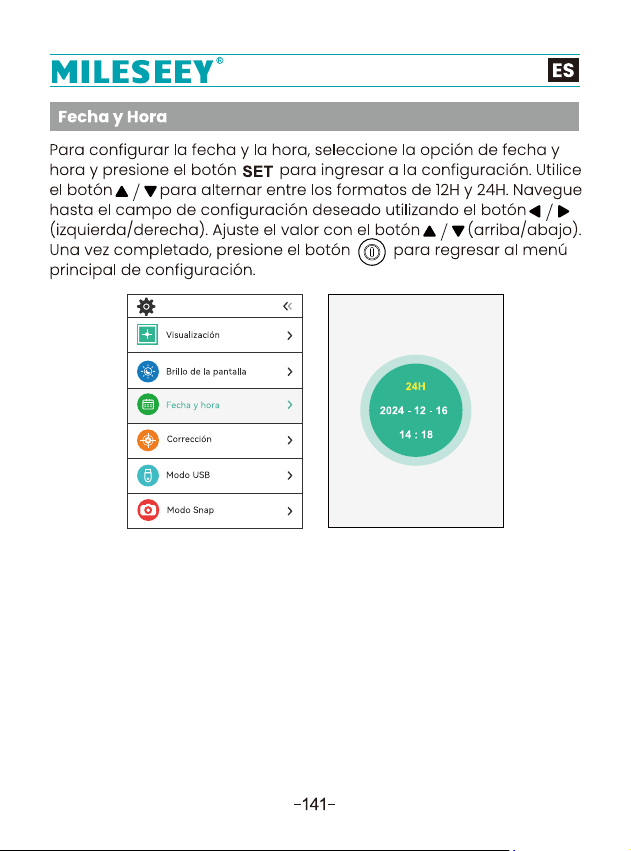
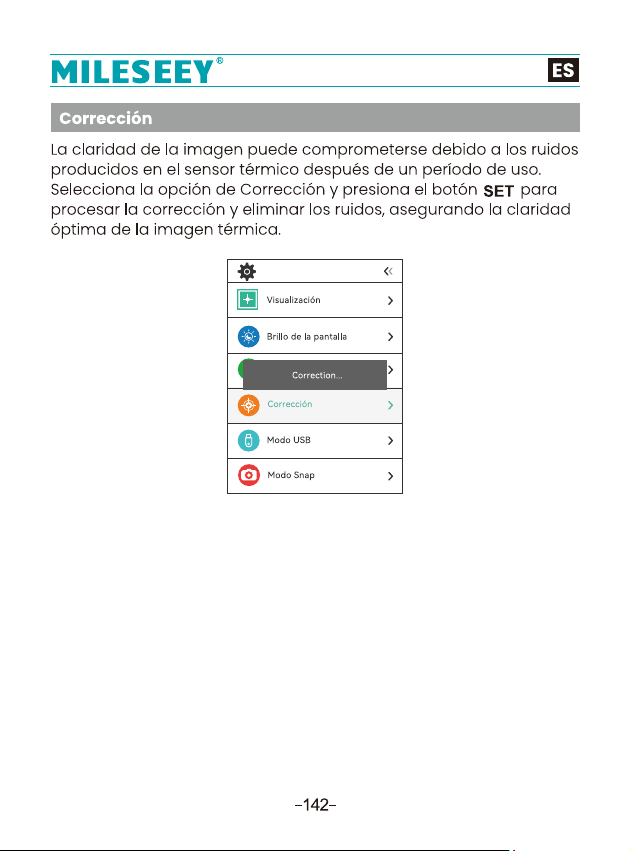
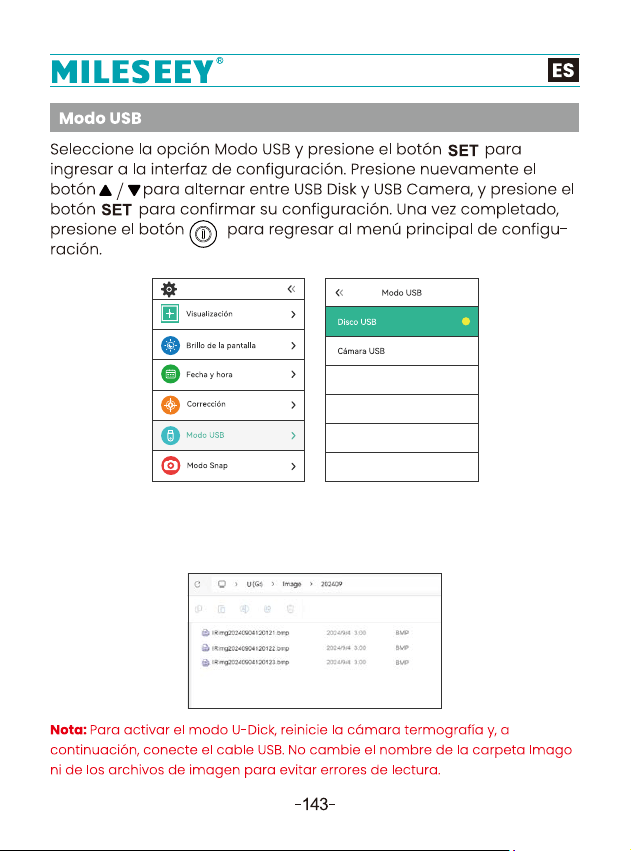
●1. Configure el modo USB en USB Disk para navegar por las
imágenes y analizar datos en el software para PC conectando el
dispositivo a una computadora con el cable USB.