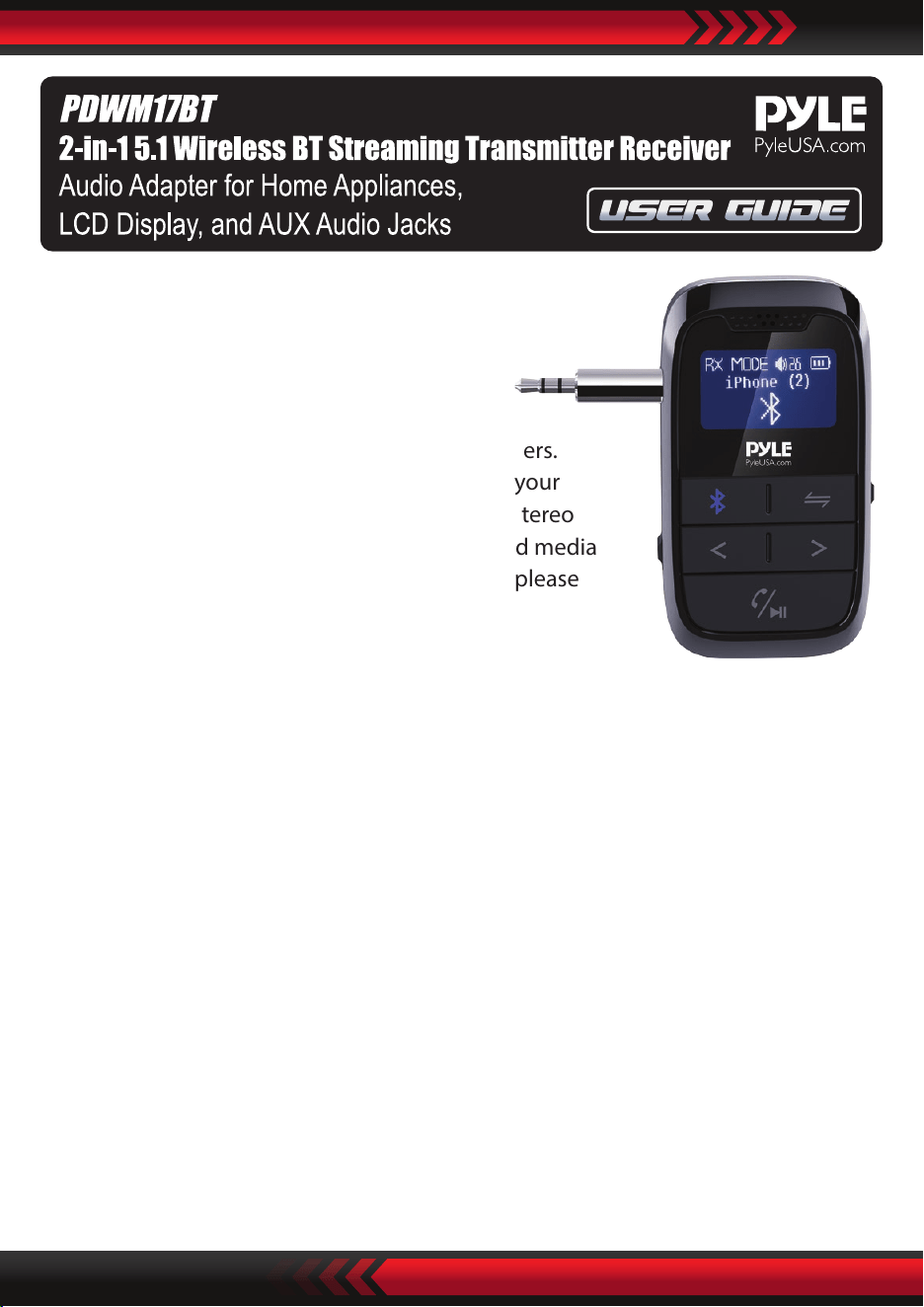
Introduction:
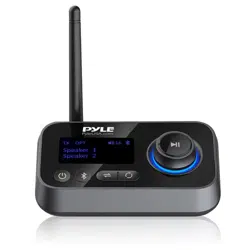
This device combines the function of wireless
transmitter and receiver in one for audio
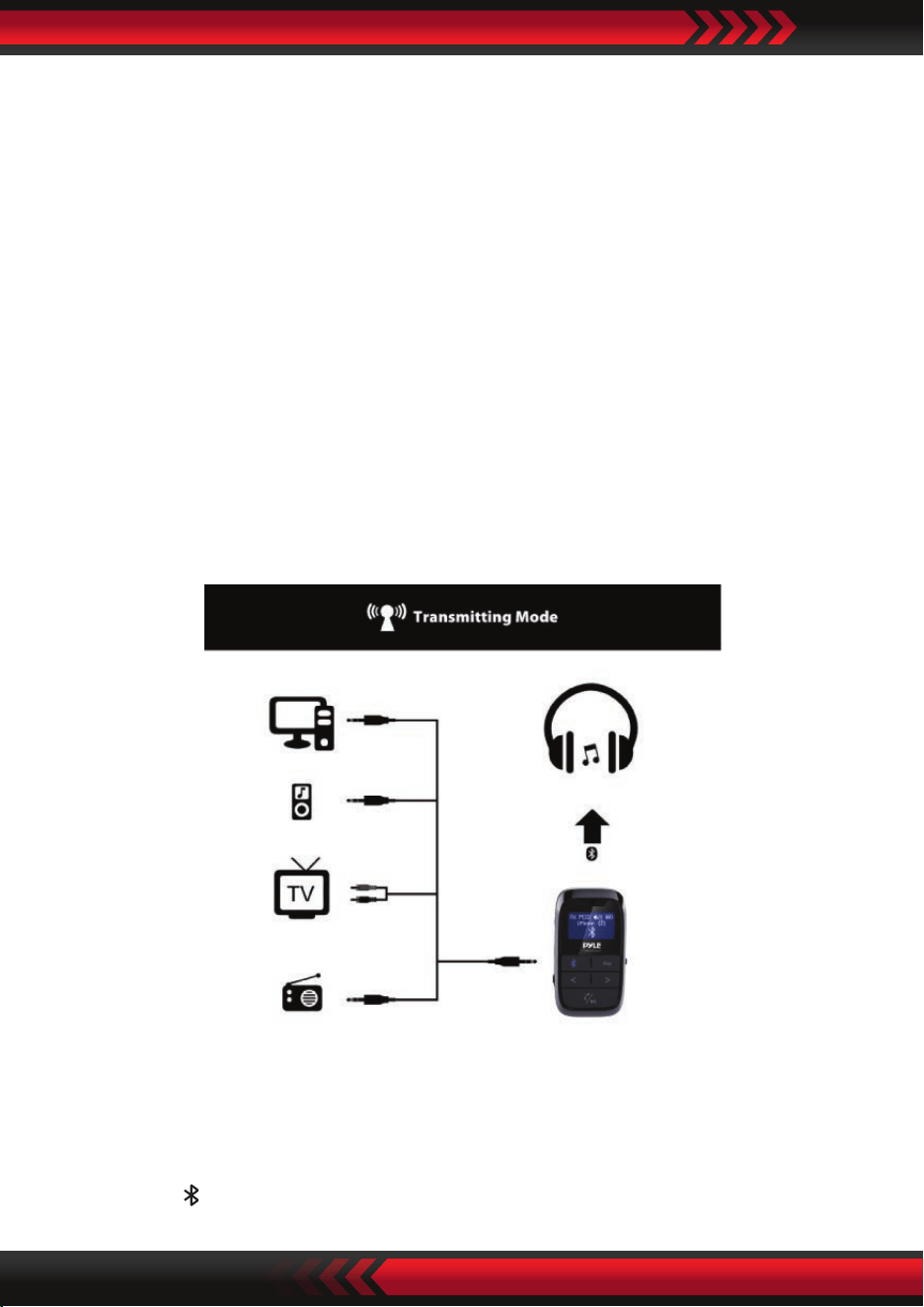
streaming. In the Transmitting (TX) Mode,
It streams audio wirelessly from the non-BT
devices to your Wireless BT headphone or speakers.
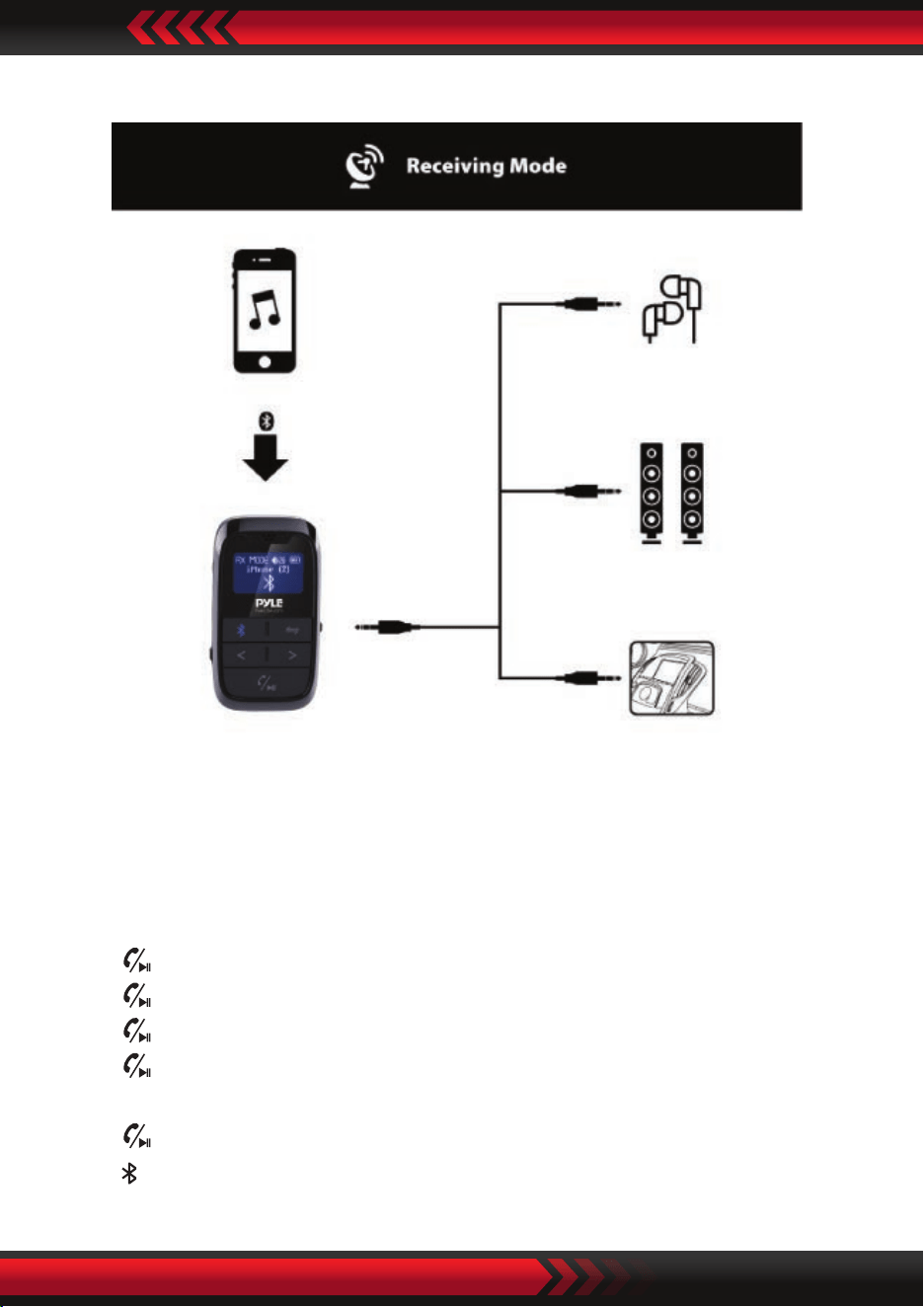
In the Receiving (RX) Mode, it streams audio to your
wired speaker, headphone, car stereo or home stereo
system wirelessly, from your Wireless BT-enabled media
player. If you want to have a better experience, please
read this instruction carefully.
Features:
• 2-IN-1 BT Transmitter & Receiver Wireless Audio Adapter Advanced BT Technology
5.1 with Transmitter and Receiver
• Broadcast Audio Output from TV, CD player, or Old PC to Wireless Headphones,
Speakers and Even Car Stereo System
• Low Latency and Instant Sound Transmission
• Supreme Audio Connectivity and Quality
• With Improved Connection Stability
• Faster Pairing, and Reduced Power Consumption for Connected Devices
• Switch Operation and Audio Connection Modes with the Simple Flick of a Switch
• Compatible with Activation of Siri/Google Assistant for IOS/Android
• Suitable for In-car Usage as a Hands-free Car Kit.
• Built-in Rechargeable Battery
Compatibility:
This device can be paired as a hands-free kit with any compatible Wireless BT
enabled devices. Each time can only be connected with one Wireless BT device.
www.PyleUSA.com
Precautions:
Please read all safety instruction warnings carefully before using this product.
Improper use of this product may result in damage to this or attached products.
To ensure the products work well, please never use this in the following conditions:
1. Moist or underwater conditions.
2. Conditions near heater or high-temperature service.
3. Conditions with direct and strong sunshine,
4. Conditions with apt falling
5. Never dismantle the product without due permission, otherwise it may nullify the
warranty clause.
Appearance:
www.PyleUSA.com
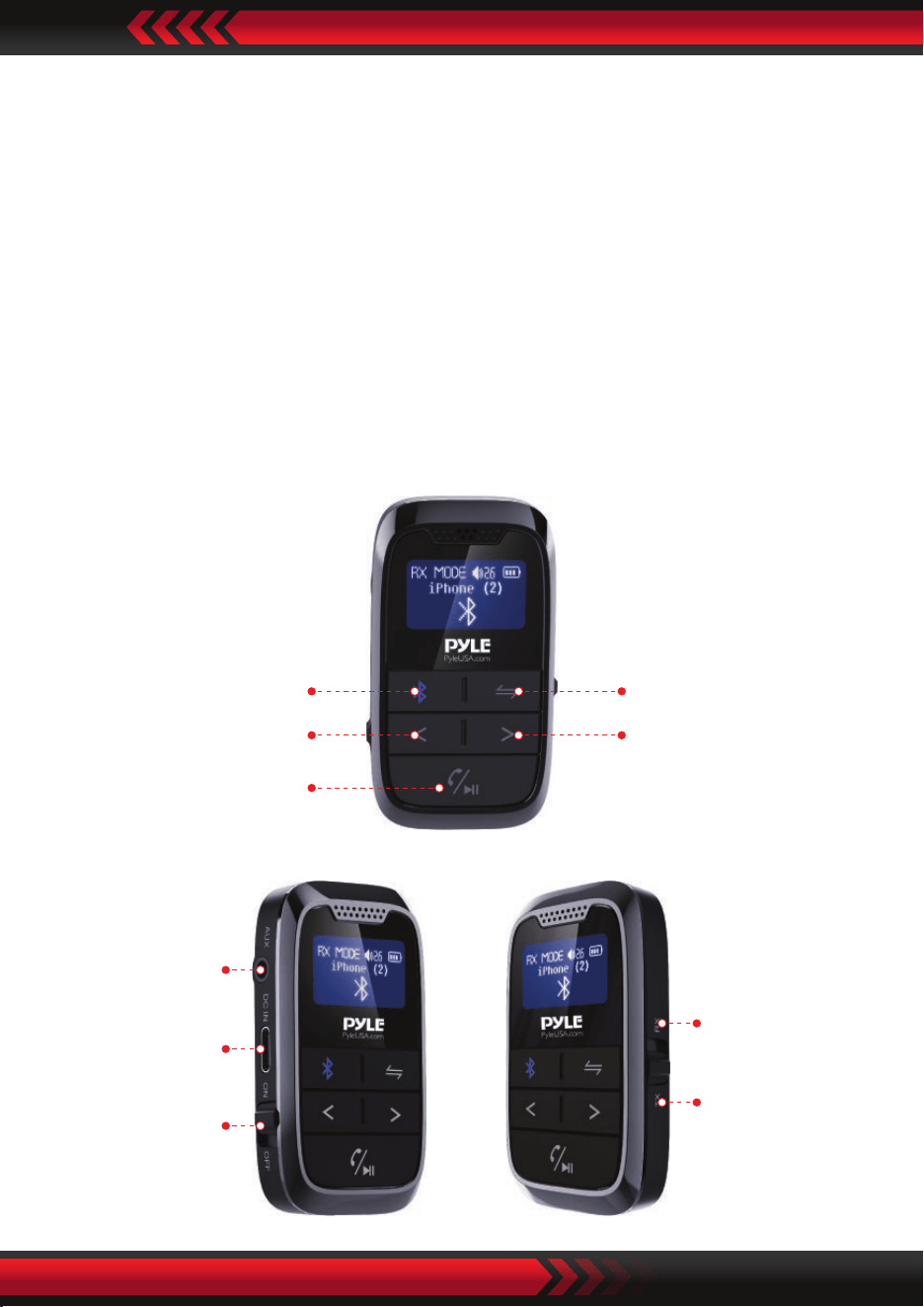
BT button
Volume -
Previous
Switch button
Volume +
Next
Play/Pause
Answer/Hang o call
AUX IN/OUT
Type C port
ON/OFF
RX Receiver
mode
TX Transmitter
mode
www.PyleUSA.com
Operation Instructions
How to use the device:
1. Switch to “ON” or “OFF” to power on or power o the device.
2. Switch to “TX” (Transmitting mode), the product will search the available BT
devices automatically and the BT symbol will ashing and ’’Paring’’ shown on the
screen, when it success paired with the BT devices, the device’s BT paring name
will shown on the screen. Switch to “RX” (Receiving mode), when it success paired
with the BT devices, the device’s BT paring name will shown on the screen.
3. The product will search the available BT devices automatically. If it can’t pair the
BT devices in a long time, please press “BT” button to re-search the BT devices
and reconnect.
The product will be power o automatically if there is no Wireless BT devices can be
paired in 10 minutes, please slide the “ON/OFF” switch to reopen the adapter.
In the Transmitting (TX) mode:
1. When the adapter was paired with the Wireless BT devices, the device’s BT paring
name will shown on the screen.
2. Press and hold “<” to decrease the Volume, and Press and hold “>” to increase the
Volume.
3. Short press to begin Wireless BT device searching.
In the Receiving (RX) mode:
1. When the adapter pair the Wireless BT devices, the device’s BT paring name will
shown on the screen.
2. Press “<” to play the previous song, and short press “>” to play the next song.
3. Press and hold “<” to decrease the Volume, press and hold “>” to increase the
Volume.
4. Press to play/pause music.
5. Press to to answer the incoming call in Wireless BT calling mode.
6. Press to hang o a call in Wireless BT calling mode.
7. Press and hold for 2 seconds during call to reject the incoming call in Wireless
BT calling mode.
8. Press twice to dial the last Number automatically.
9. Press to disconnect the Wireless BT device.
www.PyleUSA.com
www.PyleUSA.com
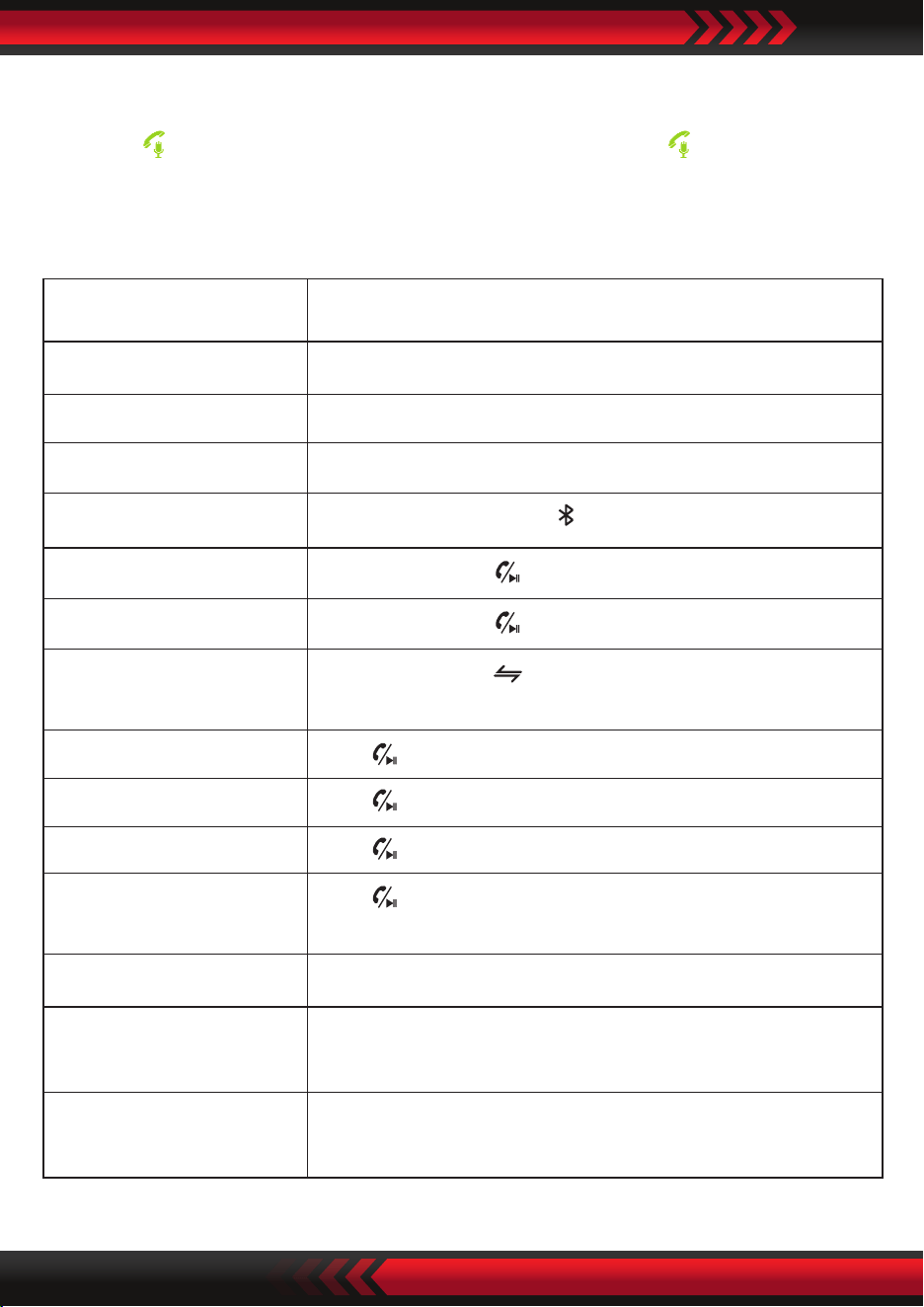
How to active the Siri/Google assistant:
When the device is connected with your mobile phone by Wireless BT, press and
hold the “ ” to active Siri or Google assistant, short press the “ ” to end the
assistant.
Quick Guide
Press once during playing music
Power ON Switch to “ON”
Power OFF Switch to “OFF”
Transmitter mode Switch to “TX”
Receiver mode Switch to “RX”
Searching devices In TX mode, Short press to begin BT device searching
Connect devices In TX mode, Press once to connect BT devices
Disconnect devices In RX mode, Press once to disconnect BT devices
Switch devices
In TX mode, Press once to disconnect current BT
devices, searching and connect another device.
Play/Pause music
Answer call Press once when there is incoming call
End call Press once during call
Ignore call
Press and hold for 2 seconds during call, release
when the beep is heard
Call last Number Call last number
Adjust the Volume
Press “< ” or “>” and hold for 2 seconds to decrease or
increase the volume in RX & TX mode
Choose music
Press “<” or “>” to play the previous or next song in the
RX mode.

Questions? Issues?
We are here to help!
Phone: (1) 718-535-1800
Email: [email protected]
Wireless BT Connectivity:
• Includes Wireless BT Audio Control Receiver
• Works with All of Today’s Latest Devices
(Smartphone, Tablet, Laptop, Computer, etc.)
• Wireless BT Network Name: ‘PyleUSA’
• Wireless BT Version: 5.1
• Wireless Range: 30’+ ft.
What's in the Box:
• Wireless BT Transceiver
• 3.5mm Audio Head
• Type C Charging Cable
Technical Specs:
• Construction Material: ABS
• Supported Proles: A2DP, AVRCP
• Audio Codecs: SBC
• Input Voltage/current: DC5.0V / 500mA
• Battery Type: Rechargeable Li-ion Battery, 250 mAh
• Charging Time: 1.5 Hours
• TX Working time: 10 hours
• RX Working time: 10 hours
• Product Dimensions (L x W x H): 2.60'' x 1.50'' x 0.54'' -inches
www.PyleUSA.com