4
5
UNLOC K
UNLOC K
OPEN
UNLOCK
Digital Safe
User Manual V3.0
Model: D-35
IMPORTANT
1. Please do not lock the backup keys and backup battery box inside the safe.
2. Test your passcode several times before storing valuables inside.
3. If you experience any problems or challenges with your safe, please email us directly.
Many issues can be resolved quickly without the product being returned.
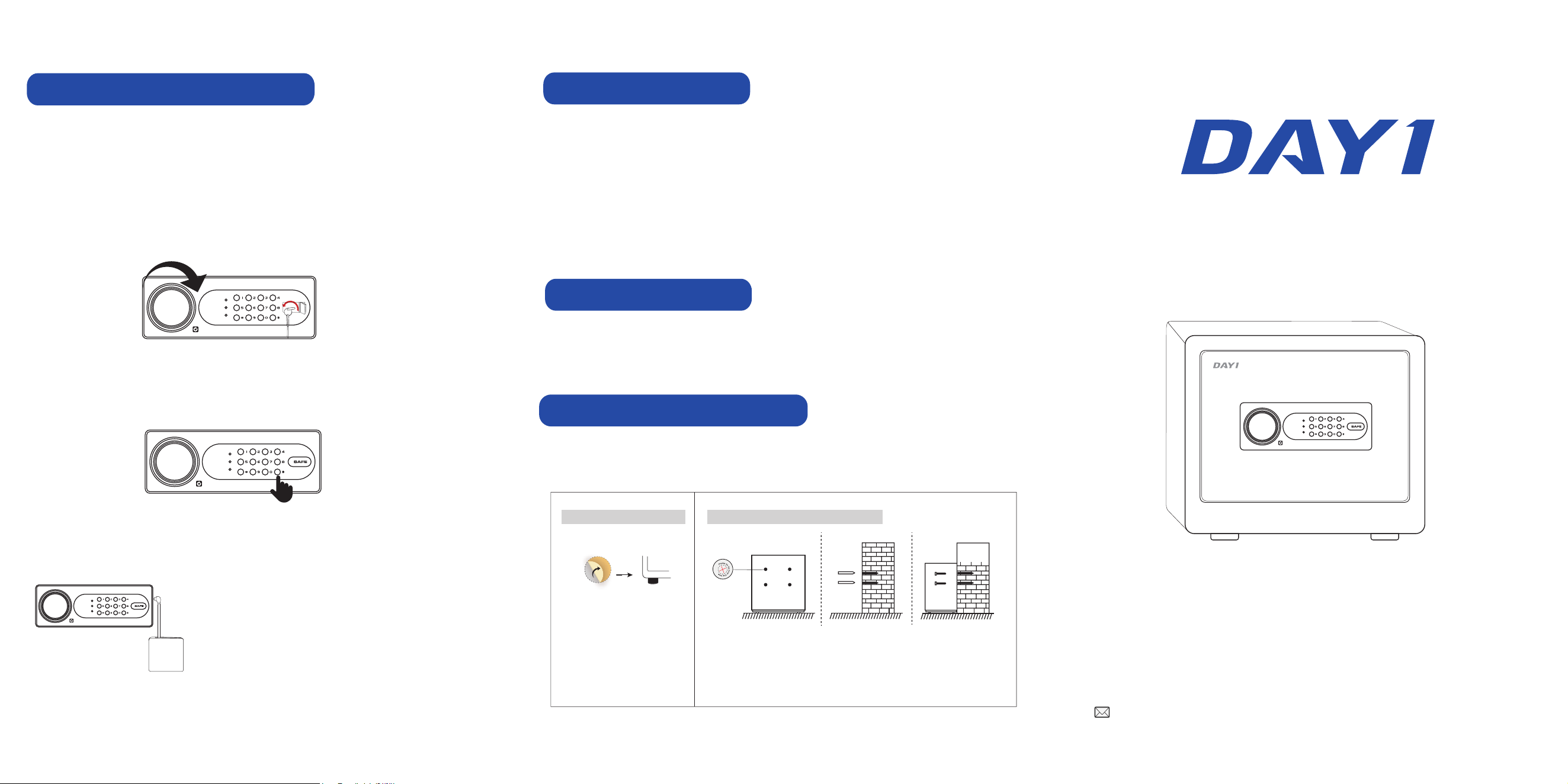
3 Ways to Unlock Your Safe
1. Backup Key
Insert the backup key into the keyhole and turn it 90° counterclockwise. Then, rotate the
knob clockwise to open the door.
NOTE:
- This method is intended for setting up the user passcode when opening the safe for the
first time or if the passcode fails to unlock the safe. In such cases, you can use the
backup key to gain access.
- Please ensure that the backup key is stored in a safe place and never keep it inside the
safe.
2. Passcode
Enter your programmed passcode and end with the "#" key. The Green indicator will light
upwith a short beep, indicating that the code has been accepted. Then, rotate the knob
clockwise to open the door.
If the batteries are depleted, plug the backup power supply
into the USB-C port on the side of the lock panel.
Then, repeat step2 to open the safe.
NOTE:
- Supports both a backup battery box and a USB-C power
bank for emergency power supply.
3. Backup Power Supply
Dual Alarm System
If you experience any challenges, please email us at [email protected]
Mute Mode
Mute Mode : Press and hold the “1” key on the keypad for 3 seconds. The indicator ON
will light up green, indicating that mute mode is active.
Mute Mode : Press and hold the “1” key on the keypad for 3 seconds. The indicator OFF
will light up green with a short beep, indicating that mute mode is disabled.
Low Battery Notification
If the buzzer sounds while opening the door, it indicates low battery power. Please replace the
batteries as soon as possible.
How To Install Foot Pads?
1. Remove the stickers from
the foot pads.
2. Attach the foot pads to the
bottom of the safe.
How To Bolt Your Safe To The Wall?
1. Place the safe in the desired location and open the door.
2. Use a screw or pencil to mark spots through the 4 holes of the safe.
3. Move the safe aside and drill into the wall at the marked spots.
4. Replace the safe in the desired position, then insert the expansion bolts
into each hole.
5. Secure the safe to the wall.
Unauthorized Entry Alarm
After 3 invalid passcode attempts, a loud alarm will be triggered for 20 seconds.
Vibration Alarm
Press and hold the “*” key for 3 seconds to activate the vibration alarm mode.
All indicators will light up, accompanied by a short beep to indicate activation. If the safe
is shaken or hit violently, a loud alarm will be triggered.
NOTE:
- To stop the alarm, enter your programmed passcode.
- The vibration alarm mode is off by default. You must press the "*" key each time to
activate it.
UNLOCK
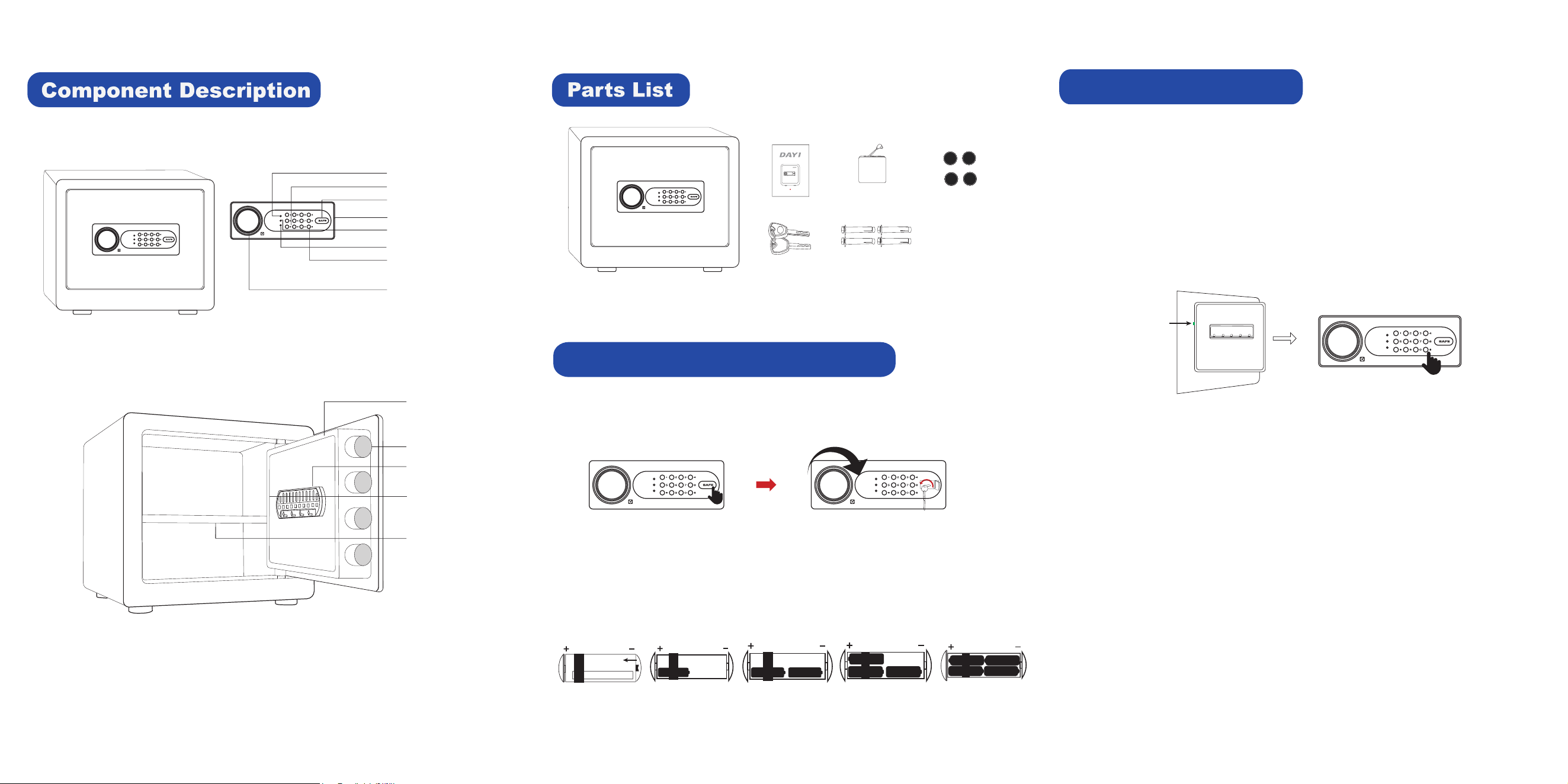
Knob
Backup Power Supply (USB-C Port)
Enter Key (#)
Backup Keyhole Cover
Return Key (*)
Backup Battery Box x 1
Expansion Bolts x 4
Instruction Manual
5
1
2
3
4
6 7
8
9 0
#
*
ERROR
SET
RIGHT
User Manual x 1
Backup Keys x 2
Foot Pads x 4
Please do not lock the emergency key and emergency battery box into the cabinet.
1
2
3
Green Indicator
Red Indicator
Yellow Indicator
UNLOCK
OPEN
Have any issues? Please contact us: dayi_service@outlook.com
Green Setting Button
UNLOCK
UNLOCK
UNLOCK
Green Setting Button
Shelf
Locking Bolts
Key Rack
Battery Case
Preparing Your Safe for First-Time Use
1. Press the right side of the keyhole cover as shown. Insert the backup key into the
keyhole and turn it 90° counterclockwise, then rotate the knob clockwise to open
the door.
1
2
3
4
5
2. Open the battery case cover and insert 4 AA alkaline batteries as shown.
* DO NOT use rechargeable batteries or any other type of non-alkaline battery.
* DO NOT mix old and new batteries.
* DO NOT mix alkaline and standard batteries.
Setting the User Passcode
1. Open the door and press the Button. The indicator will light up Green Setting Yellow
with a short beep, the safe will enter the passcode setting mode.
2. Enter your programmed 3-8 digit code and end with the “#”key. The indicator Green
will light up with a short beep, indicating that the passcode has been successfully set.
NOTE:
- The default passcode is "123456", please reset the passcode before storing valuables
inside.
- Only one passcode can be programmed for the safe.
- The passcode supports 3-8 digit codes.
IMPORTANT:
- Open the door and test your programmed passcode several times before storing
valuables inside.
- Please do not lock the backup keys and backup battery box inside the safe.
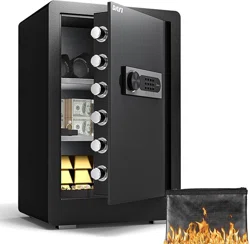
Safe box x 1
UNLOCK
1
2 3 4
UNLOCK