Thank you for choosing this product,please
read the operation guide carefully before use
Not a medical device and not intended for
use in the diagnosis
HM57
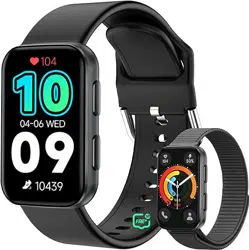
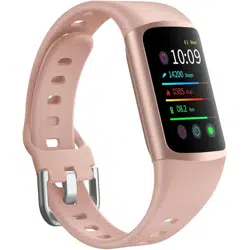
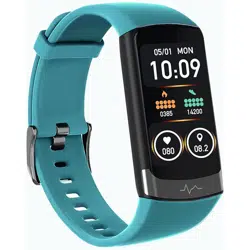
Smart sports watch
User manual
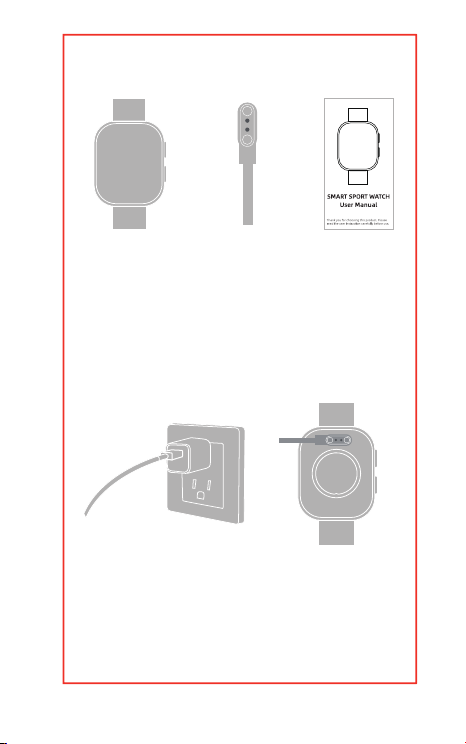
What’s in the package?
How to charge the
smartwatch?
·Smart Watch*1
·Charging Cable*1
·User Manual*1
(Power adapter not included)
1.Plug the USB cable into the
power adapter.

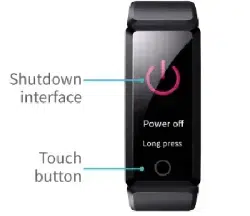
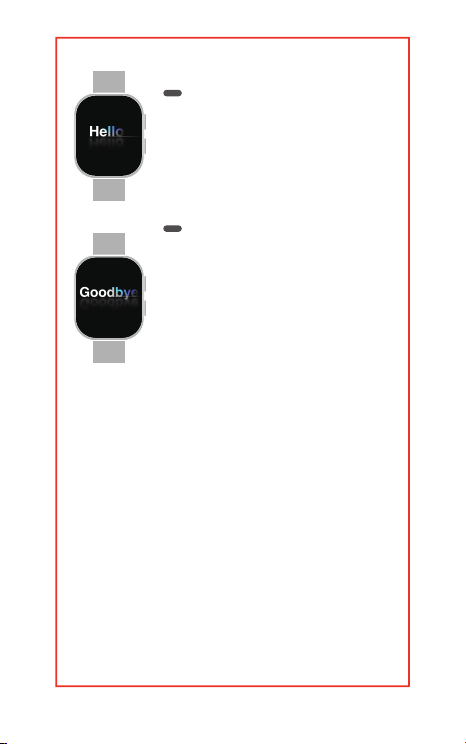
How to turn on/o the smart
watch?
Power on
Power o
2.Plug the power adapter into a
power outlet.
3.Place the charger on the
magnetic charging point of your
watch.
4.The screen will show the
charging progress When the
watch is charged.
5.Remove the charger when the
battery is fully charged.
Long press the button above for a
few seconds to turn on the
watch.
Long press the button above for a
few seconds to select close,
restart, or cancel.
How to use the touch
screen?
Power on
Power Button
·Short press the button to
brighten the screen
·Press the button again:
1.Enter the main menu.
2.Return to the main interface.
Long press for a
few seconds
Power o
Long press the button
above for a few seconds
to select close, restart,
or cancel.
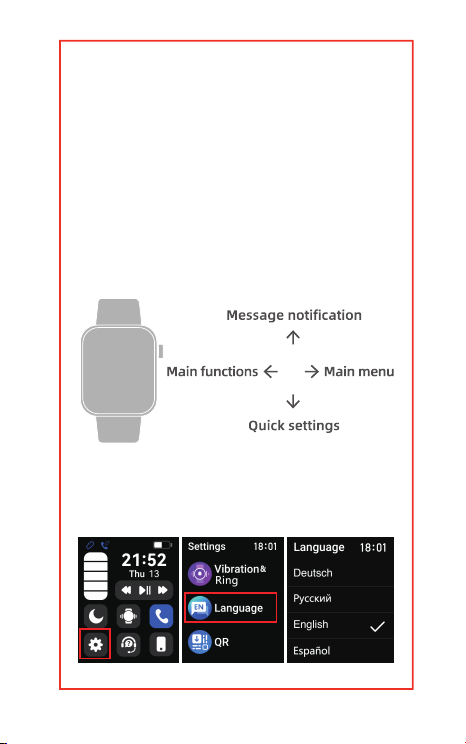
How to change your
smartwatch language?
Touch Screen
The screen shows the timing.
·Swipe right to the Main menu.
·Swipe left to Main functions.
·Swipe up to view Message
Notifications.
·Swipe down to access the Quick
Settings.

How to download and log
in to the FitCloudPro app?
1.Please turn on your watch and
slide down to the control panel
2.Select Settings“ ” —the
“gear” icon on the lower left
corner
3.Slide to find the letter “EN” icon
and you can change the
language.
1.Check your smartphone compati-
bility: Ensure your smartphone
meets the following.
Requirements: Android 6.0 and iOS
10 and above. The smartphone
must also be connected to mobile
data or Wi-Fi.
2.Download the FitCloudPro app:
3.Create your APP account: Open
the FitCloudPro app and tap "Join
Us" to create a new account.
Note: To calculate your steps,
walking and calorie burning,
please fill in your primary body
information correctly.
Search for "FitCloudPro" in “App
Store” or “Google Play Store”. Or
scan the OR code provided
below. This will lead you directly
to the FitCloudPro app download
page.
How to connect to your
smart watch?
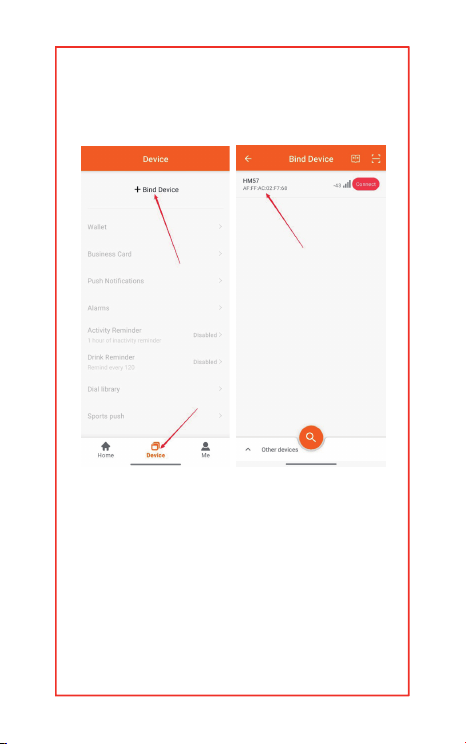
Please open the FitCloudPro=>Tap
“Device”=>click “+Bind Device”or
“Add Peripheral Now”=>find your
device to connect.
After connection, the App will pop
up "Allow watch to receive
notifications from your phone",
How to change the watch
units (Mi/KM;℉/℃;
KG/POUNDS)?
please click 'Allow", If not, the
watch will not receive message
notifications.

How to disconnect the
Bluetooth?
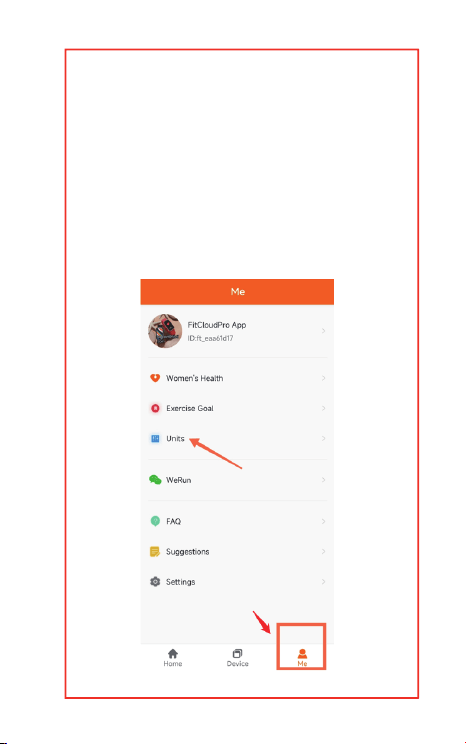
Open the FitCloudPro
APP=>Me=>Units=>Set units for
length, weight, or temperature
You can open your phone's
Bluetooth settings,select your
watch's Bluetooth name, and
click "Ignore this device".
Weather report
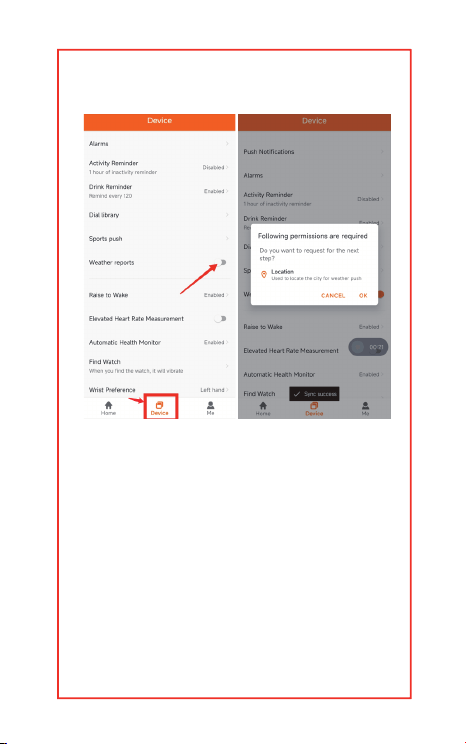
Please open FitCloudPro=>
Device=>switch on the Weather
reports=>allow the prompt for
location permission.
If the location requirement for the
App does not pop up, please set
up manually on the phone
System.

How to use smart watch
function?
Audio Settings
1.Swipe down on the watch
screen to enter the control
interface.
2. Tap the call icon to open call
audio and media audio settings.
Enabling call audio allows you to
make calls and use the voice
assistant function through the
watch, but the watch must
remain connected to the phone.
iOS Example: Settings=>locate
the “FitCloudPro”
application=>choose the location
info for FitCloudPro based on
your needs=>select “While Using
the App” or “Always” to ensure
that the app shares weather
information with the phone.
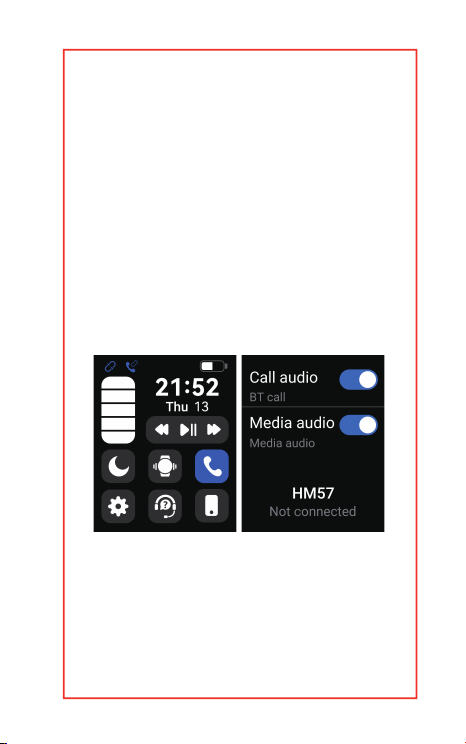
Enabling media audio allows the
watch to sync all audio from your
phone, such as music and
ringtones.
Note: If you want to use the Find
My Phone feature, please turn o
Media audio. This will allow the
phone to play a notification
sound.
Sport Mode
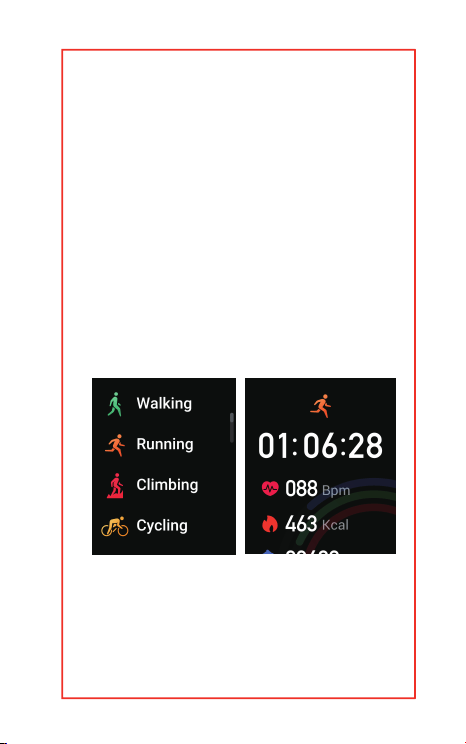
Press the button on the lower
right side of the watch to quickly
enter the sports mode selection
interface. You can add one sport
modes from FitCloudPro App to
the Watch: Go to the FitCloudPro
App--Device--Sports Push
--select the sports you want.

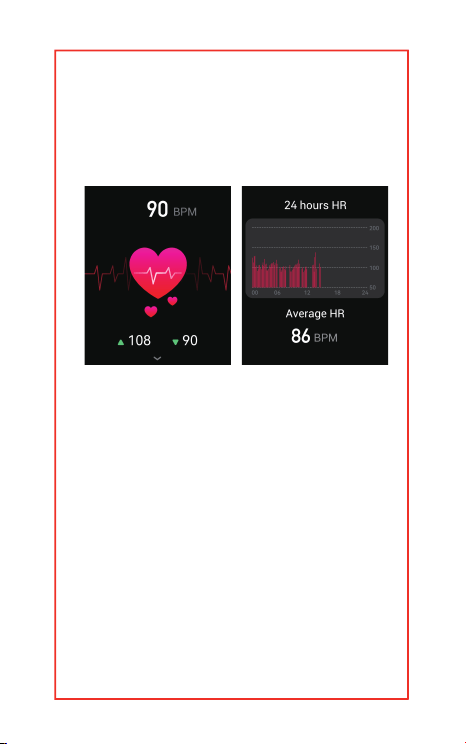
Heart Rate Monitor
Supports 24/7 heart rate track-
ing. To turn on 24/7 heart rate
monitor feature: Go to FitCloud-
Pro APP--Device --Automatic
Health Monitoring--Switch on.
Supplement: The more health
monitoring functions are enabled,
the faster the power consump-
tion will be. Please turn on the
functions according to your own
needs.
To measure your real time heart
rate, go to the "Heart Rate"
interface on the watch and wait
for about half a minute for the
measurement.
Note: Please make sure your
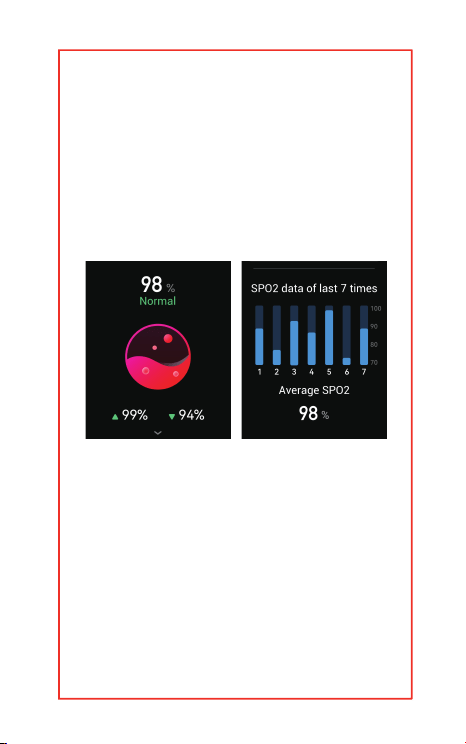
Blood Oxygen monitor
Support for viewing the highest
and lowest blood oxygen of the
day.
To measure your real time blood
oxygen, enter the "Blood
Oxygen" screen on the watch
and wait for about half a minute
for the measurement results to
watch is firmly attached to your
wrist, and your arm is stationary
during the measurement.
appear.
Note: Please make sure your
watch is firmly attached to your
wrist and your arm is stationary
during the measurement.

Blood Pressure monitor
Supports 24/7 Blood Pressure
tracking. To turn on 24/7 Blood
Pressure monitor feature: Go to
FitCloudPro APP--Device--Au-
tomatic Health Monitor-
ing--Switch on
Supplement: The more health
monitoring functions are
enabled, the faster the power
consumption will be. Please turn
on the functions according to
your own needs.
To measure your real time Blood
Pressure, go to the "Blood
Pressure" interface on the watch
and wait for about half a minute
for the measurement.
Note: Please make sure your
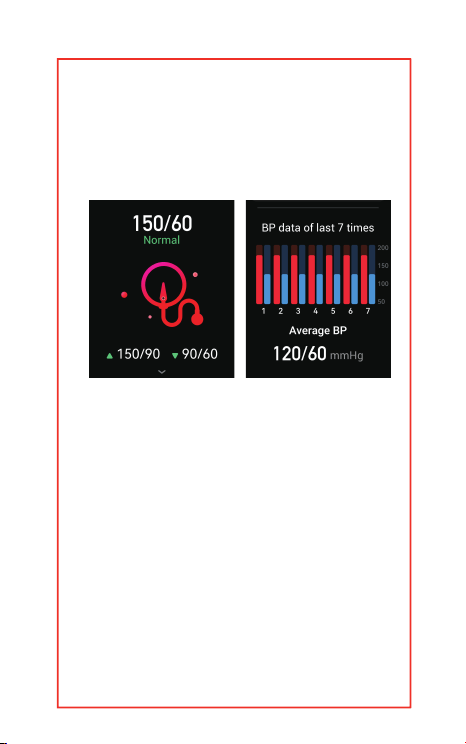
watch is firmly attached to your
wrist and your arm is stationary
during measurement.
Sleep Tracking
Breath Training
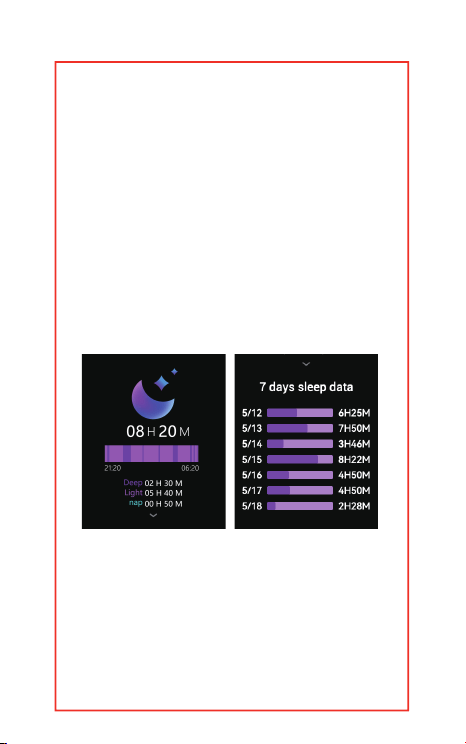
Support to view your recent sleep
records and dierent stages of
sleep status. To measure sleep
data, wear the watch tightly when
you fall asleep, and the device will
recognize that you are in sleeping
automatically.
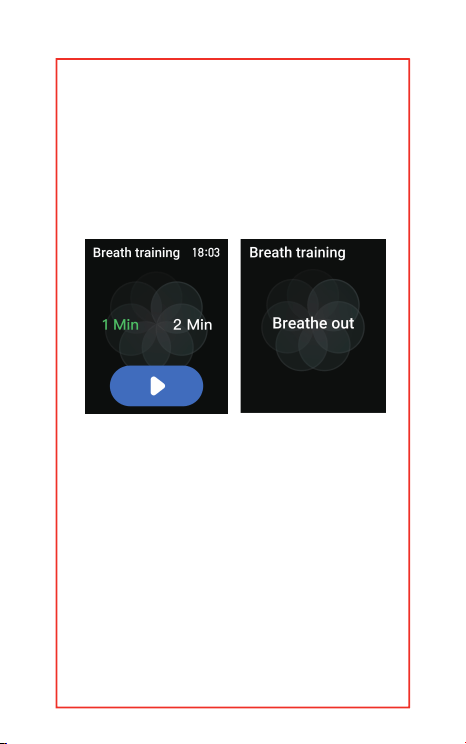
This function can helps you to
adjust the rhythm of your
breathing. You can choose from
Female Function
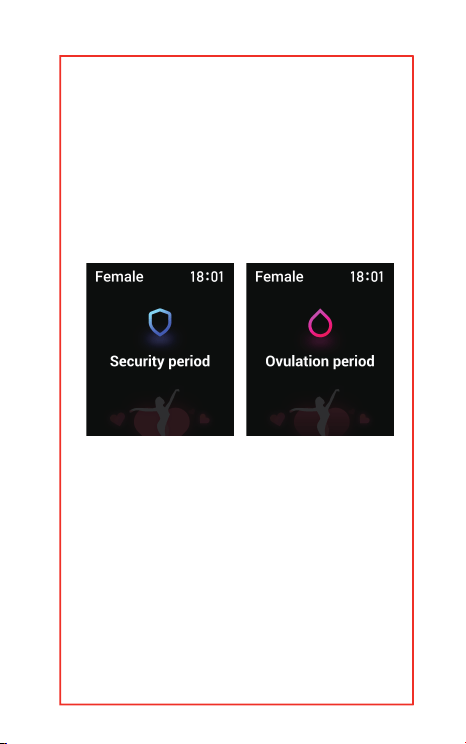
This function has three modes,
the menstrual function, the
pregnancy preparation
function,and the pregnancy
function, you can record and
project the time to help you
better understand the dierent
2 durations (1 MIN and 2 MIN).
Please enter the "Breathing
Training" on your watch, select
your time, and click Start.
Watch Screen adjustment
Swipe down the watch screen to
enter the control panel, and click
the gear icon in the lower left
corner to enter the settings
interface.
Find the "Screen Display"
time periods.
Note: This feature can only be
turned on when the FitCloudpro
app account gender is female.
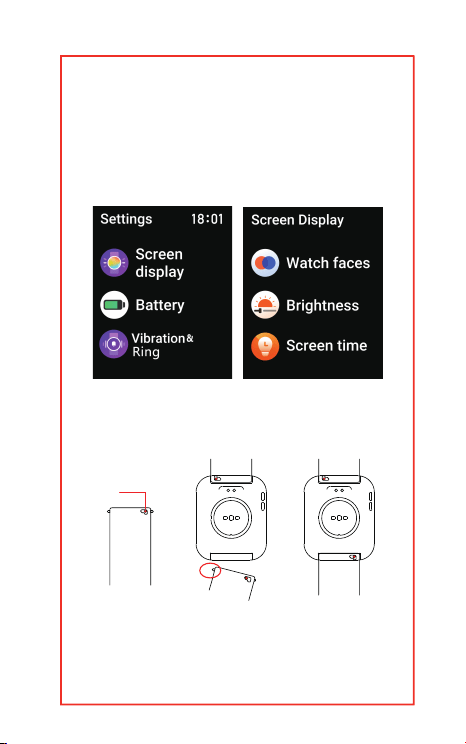
Strap installation
Adjusting
the pin
function. In this interface you
can adjust the screen bright-
ness and screen on duration.

Waterproof instructions
Waterproof Rating:IP67
The waterproof performance of
this product is not permanently
eective, may be weakened with
the use of time.
Support in hand washing, rain and
other short time use, but does not
support hot water shower, diving,
surfing.
The watch is not water resistant
to seawater,acidic and alkaline
solutions, chemical reagents, and
other liquids with erosive power.
Note: This product is not an ECG
or a professional medical device,
and none of the above functions
can be used as a reference for
any medical data.
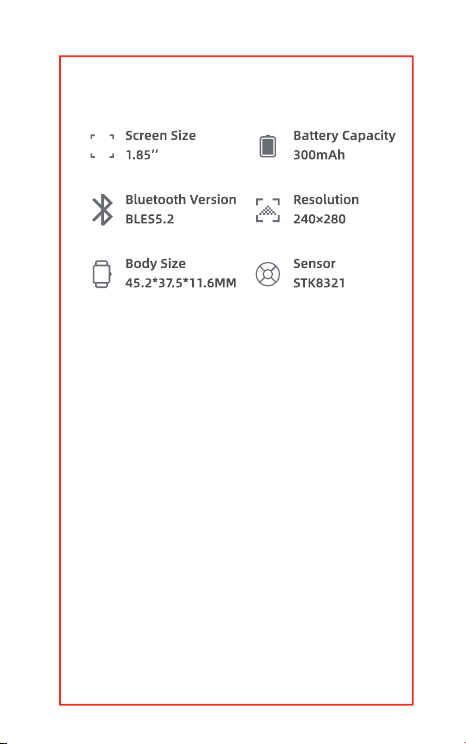
Basic Parameters
Maintenance of HM57
Smartwatch
1. Keep the product clean and dry.
2. Please wear the product
correctly.
3. Do not place the device and its
accessories in areas where the
temperature is too high or too low,
or it may lead to equipment
failure,fire or explosion.

4. Avoid strong impact or
vibration of the product, so as not
to damage the equipment and its
accessories, resulting in
equipment failure.
5. Do not disassemble or modify
the equipment and accessories
without authorization,please
contact us when the product not
work properly.
6. The waterproof performance
of this product is not permanently
eective, may be weakened with
the use of time. Support in hand
washing, rain and other short
time use, but does not support
hot water shower, diving,
surfing.The watch is not water
resistant to seawater, acidic and
alkaline solutions chemical
reagents, and other liquids with

erosive power.
7. If the device is not used for a
long period of time, please make
sure to recharge it once every
three months.
service@morepro.cc
www.morepro.cc
If you have any questions,
please feel free to contact us