
VIVOTEK
2 - User's Manual
Table of Contents
Overview
....................................................................................................................................................................
3
Revision History ..................................................................................................................................................... 4
Read Before Use .................................................................................................................................................... 4
Package Contents .................................................................................................................................................. 7
Symbols and Statements in this Document ............................................................................................................ 7
Physical Description .............................................................................................................................................. 8
Hardware Installation ............................................................................................................................................ 11
Software Installation ............................................................................................................................................. 28
Network Deployment ............................................................................................................................................ 35
Ready to Use ........................................................................................................................................................ 36
Accessing the Network Camera
...........................................................................................................................
39
Using Web Browsers ............................................................................................................................................ 39
Using RTSP Players ............................................................................................................................................. 42
Using 3GPP-compatible Mobile Devices .............................................................................................................. 43
Using VIVOTEK Recording Software ................................................................................................................... 44
Main Page
................................................................................................................................................................
45
Client Settings
.........................................................................................................................................................
50
Conguration
...........................................................................................................................................................
55
Conguration
...........................................................................................................................................................
56
System > General settings ................................................................................................................................... 56
System > Homepage layout ................................................................................................................................ 59
System > Logs ..................................................................................................................................................... 62
System > Parameters .......................................................................................................................................... 65
System > Maintenance ......................................................................................................................................... 66
Media > Image ................................................................................................................................................... 69
Media > Video ...................................................................................................................................................... 86
Media > Video ...................................................................................................................................................... 87
Media > Audio....................................................................................................................................................... 96
Media proles ....................................................................................................................................................... 98
Network > General settings .................................................................................................................................. 99
Network > Streaming protocols ........................................................................................................................ 106
Network > SNMP (Simple Network Management Protocol) ............................................................................... 11 7
Network > FTP ................................................................................................................................................... 118
Bonjour ............................................................................................................................................................... 11 9
Security > User accounts ................................................................................................................................... 120
Security > HTTPS (Hypertext Transfer Protocol over SSL) ..................................................................... 122
Security > Access List ...................................................................................................................................... 129
PTZ > PTZ settings ............................................................................................................................................ 135
Event > Event settings........................................................................................................................................ 139
Applications > Motion detection.......................................................................................................................... 156
Applications > Smart VCA .................................................................................................................................. 157
Applications > DI and DO ................................................................................................................................. 158
Applications > Tampering detection ................................................................................................................... 159
Applications > Audio detection ......................................................................................................................... 160

VIVOTEK
User's Manual - 3
Applications > Shock detection ...............................................................................................................162
Applications > Package management - a.k.a., VADP (VIVOTEK Application Development Platform) ... 163
Recording > Recording settings ..............................................................................................................166
Storage .................................................................................................................................................... 171
Storage > SD card management ..............................................................................................................171
Storage > NAS management ...................................................................................................................172
Storage > Content management ..............................................................................................................174
Appendix
....................................................................................................................................................
177
URL Commands for the Network Camera ................................................................................................177
Technology License Notice .......................................................................................................................471
Electromagnetic Compatibility (EMC) .......................................................................................................472
Overview
The IB9391 and 9365 series is a camera line to come embedded with the Smart Motion
Detection feature. The Smart Motion detection, with Human detection and tunable time
lter, can eliminate the defects of traditional motion detection and facilitate the conguration
at a surveillance site.
To learn more about this feature, download its User Guide in:
http://download.vivotek.com/downloadfile/solutions/vadp/smart-motion-detection-manual_
en.pdf
A key feature in the Smart Motion detection is the Human detection. Based on a human
silhouette database and the rapid responses via an artificial neural network technology,
the Smart engine instantly recognizes human appearances in a video surveillance area.
Since humans are the objects of interest in the majority of video surceillance, the Human
detection feature enables users to quickly congure his installation.
With Human detection, light changes or swaying vegetation, vehicles passing by, or animal
activities in the scene are not taken as event triggers. Only human activities will trigger an
event. This helps reduce false alarms and the time and efforts for a camera conguration.
The 9365 series is an outdoor network camera capable of 1920 x 1080 resolution at 60
fps. With the most updated VIVOTEK SNV and WDR Pro technology, the 9365 series
is capable of capturing the highest quality images in both low light and high contrast
environments. The IB9391 features an 8MP resolution.
The 9391 and 9365 series also offers the best in night time surveillance technology. By
adopting Smart IR II technology from VIVOTEK speed domes, the IR illuminators now
align with the remote focus lens’ focus angle to provide the best IR image quality at any
lens setting. This feature optimizes IR intensity, reduces IR hotspots, and increases the IR
effective range up to 50 meters.

VIVOTEK
4 - User's Manual
Read Before Use
The use of surveillance devices may be prohibited by law in your country. The Network Camera
is not only a high-performance web-ready camera but can also be part of a exible surveillance
system. It is the user’s responsibility to ensure that the operation of such devices is legal before
installing this unit for its intended use.
It is important to first verify that all contents received are complete according to the Package
Contents listed below. Take note of the warnings in the Quick Installation Guide before the Network
Camera is installed; then carefully read and follow the instructions in the Installation chapter to
avoid damage due to faulty assembly and installation. This also ensures the product is used
properly as intended.
The Network Camera is a network device and its use should be straightforward for those who
have basic networking knowledge. It is designed for various applications including video sharing,
general security/surveillance, etc. The Configuration chapter suggests ways to best utilize the
Network Camera and ensure proper operations. For creative and professional developers, the URL
Commands of the Network Camera section serves as a helpful reference to customizing existing
homepages or integrating with the current web server.
Revision History
■ Rev. 1.0: Initial release.
IMPORTANT:
1. Disconnect power from the unit when performing a maintenance task.
2. RTC battery:
a) Replacement of a battery with an incorrect type that can defeat a safeguard (for
example, in the case of some lithium battery types);
b) Disposal of a battery into fire or a hot oven, or mechanically crushing or cutting of a
battery, that can result in an explosion.
c) Leaving a battery in an extremely high temperature surrounding environment tha can
result in an explosion or the leakage of the ammable ligurid.
d) Abattery subjected to extremely low air pressure that may result in an explosion or
leakage of ammable liquid or gas.
Please contact VIVOTEK's certied dealers for power adapters.
2. Installation and maintenance service should only be performed by qualied technicians.
3. If powered by a power adapter, the adapter should be properly grounded.
4. The power cord must be connected to a socket or outlet with a ground connection.
Caution! Hot surface! Do not touch.

VIVOTEK
User's Manual - 5
NOTE:
Camera Hardware Preventative Maintenance:
1. Visual inspection of all major components including accessories, cabling and
connections where accessible for signs of deterioration or damage.
2. Check and clean cameras, lenses and housings inside and out as needed.
• Please do not scratch, damage, or leave ngerprints on the dome/front cover and/or
lens because this may decrease image quality.
• For general cleaning of dirty areas, it is suggested to use compressed air to remove
dust and/or other debris in order not to damage the on-board components.
• In order to clean oil stains, it is recommended to use a spray-type decomposing cleaner
(absolutely avoid reciprocating wipes on the surface). After the oil has decomposed,
spray it with water, dry with air, and/or absorb water with a cotton cloth or a soft cloth
(dab, please avoid wiping).
• Do not use harsh detergents, gasoline, benzene or acetone, etc. to clean as they may
deform or cause damage to the product. Also, excessive cleaning could damage the
surface.
3. Check images for correct field of view (pan, tilt and zoom focus) and adjust as
necessary.
4. Check and replace the Micro SD memory card as needed.
• Stop edge recording before removing the Micro SD memory card.
• Make sure that the Micro SD memory card is right side up and do not insert it with
force, otherwise it may be damaged.
• When it is raining or the humidity is high, insertion or ejection of the Micro SD memory
card is not recommended.
5. Disassembly of the dome/front cover carries the risk of internal dew condensation, so
please remember to replace the desiccant bags on the inside of the cameras before
reassembly.
6. Check that the camera view has not been blocked by obstacles and that you can see
the property perimeter clearly.
7. Make sure the interiors of cameras and accessories, like mounting kits and/or
enclosures, are clean and dry.
8. Make sure cameras are securely attached to the wall/ceiling/mounting kits.
VIVOTEK
6 - User's Manual
IMPORTANT:
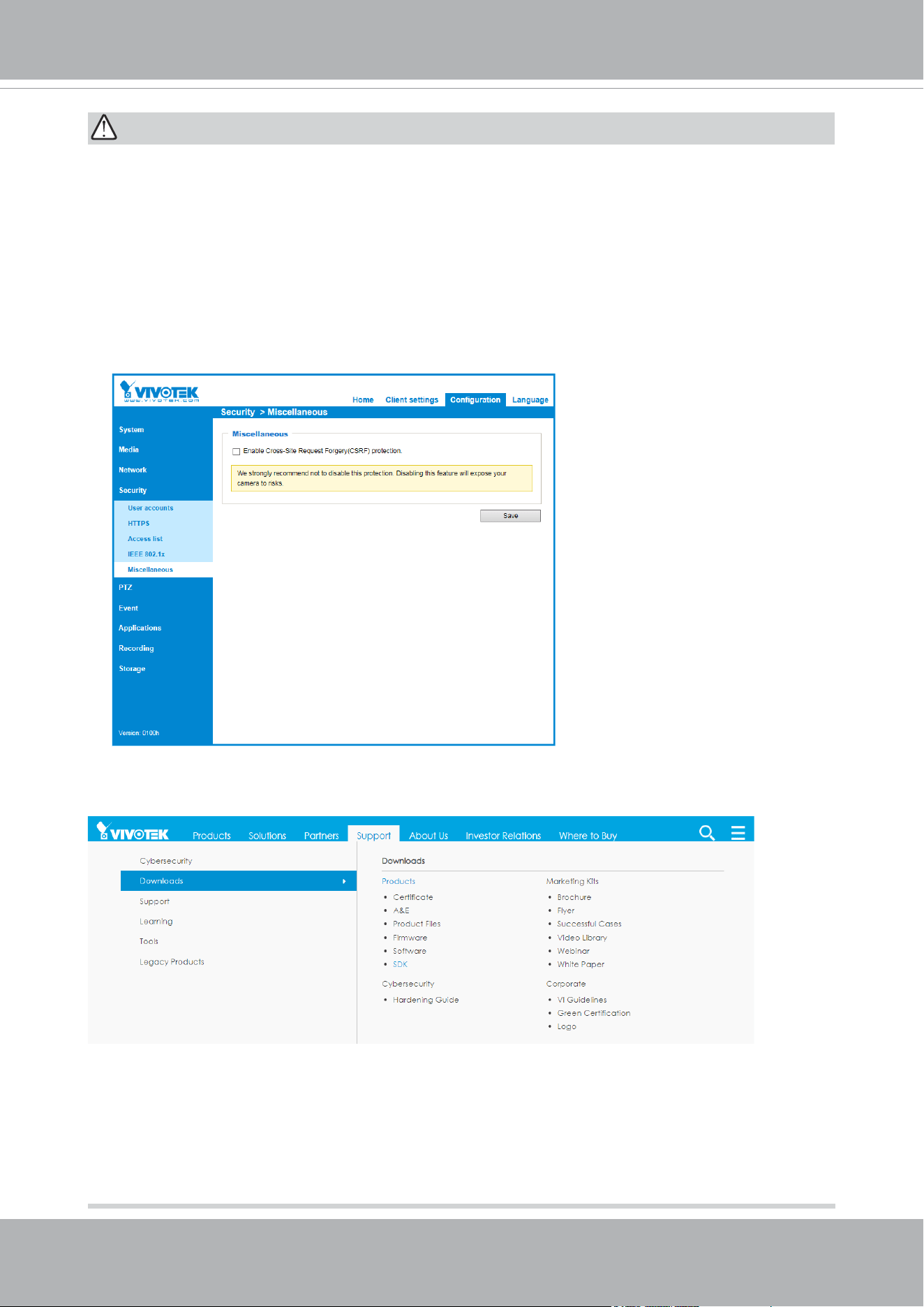
For some customers who already have their own web site or web control application, the
Network Camera/Video Server can be easily integrated through URL syntax. This section
specifies the external HTTP-based application programming interface. The HTTP-based
camera interface provides the functionality to request a single image, control camera
functions (PTZ, output relay etc.), and get and set internal parameter values. The image
and CGI-requests are handled by the built-in Web server.
• To send URL commands in the address bar of your web browser, please remember to
disable the Cross-Site Request Forgery (CSRF) protection in Conguration > Security
> Miscellaneous.
• For up-to-date documentation of URL commands, please go to VIVOTEK’s website,
register an account with a business mail address and submit for authorization for SDK
in Support > Downloads > SDK.
• For any further technical support, please contact our technical support department.
VIVOTEK
User's Manual - 7
Symbols and Statements in this Document
i
INFORMATION: provides important messages or advices that might help prevent
inconvenient or problem situations.
NOTE: Notices provide guidance or advices that are related to the functional integrity of
the machine.
Tips: Tips are useful information that helps enhance or facilitae an installation, function,
or process.
WARNING: or IMPORTANT:: These statements indicate situations that can be
dangerous or hazardous to the machine or you.
Electrical Hazard: This statement appears when high voltage electrical hazards might
occur to an operator.
WARNING:
1. IR lights emit from ths product.
2. Use live view to verify if the IR lights are on in the night mode.
Package Contents
■ IB9391 or IB9365
■ Screw pack, sun shield, penetration cap, I/O combo cable, base plate.
■ Alignment sticker. ■ Mounting plate.■ Conduit bracket
■ Quick Installation Guid e.
■ T20 wrench. .
IMPORTANT:
1. The camera is only to be connected to PoE networks without routing to outside plants.
2. For PoE connection, use only UL listed I.T.E. with PoE output.
1. La caméra ne doit être raccordée qu’à des réseaux PoE, sans routage vers des
installations extérieures.
2. Pour les raccordements PoE, utilisez uniquement un équipement de TI homologué UL,
avec une sortie PoE.
Use the camera only with a DC power supply that is UL listed, and limited power source
(LPS) certied. The power supply should bear the UL listed and LPS marks. The power
supply should also meet any safety and compliance requirements for the country of use.
n’utilisez la caméra qu’avec un bloc d’alimentation CC homologué UL, ainsi qu’avec
une alimentation limitée (LPS) certiée. Le bloc d’alimentation doit porter les indications
d'homologation UL et LPS. Il doit également répondre aux exigences en matière de
sécurité et de conformité relatives au pays d’utilisation.
VIVOTEK
8 - User's Manual
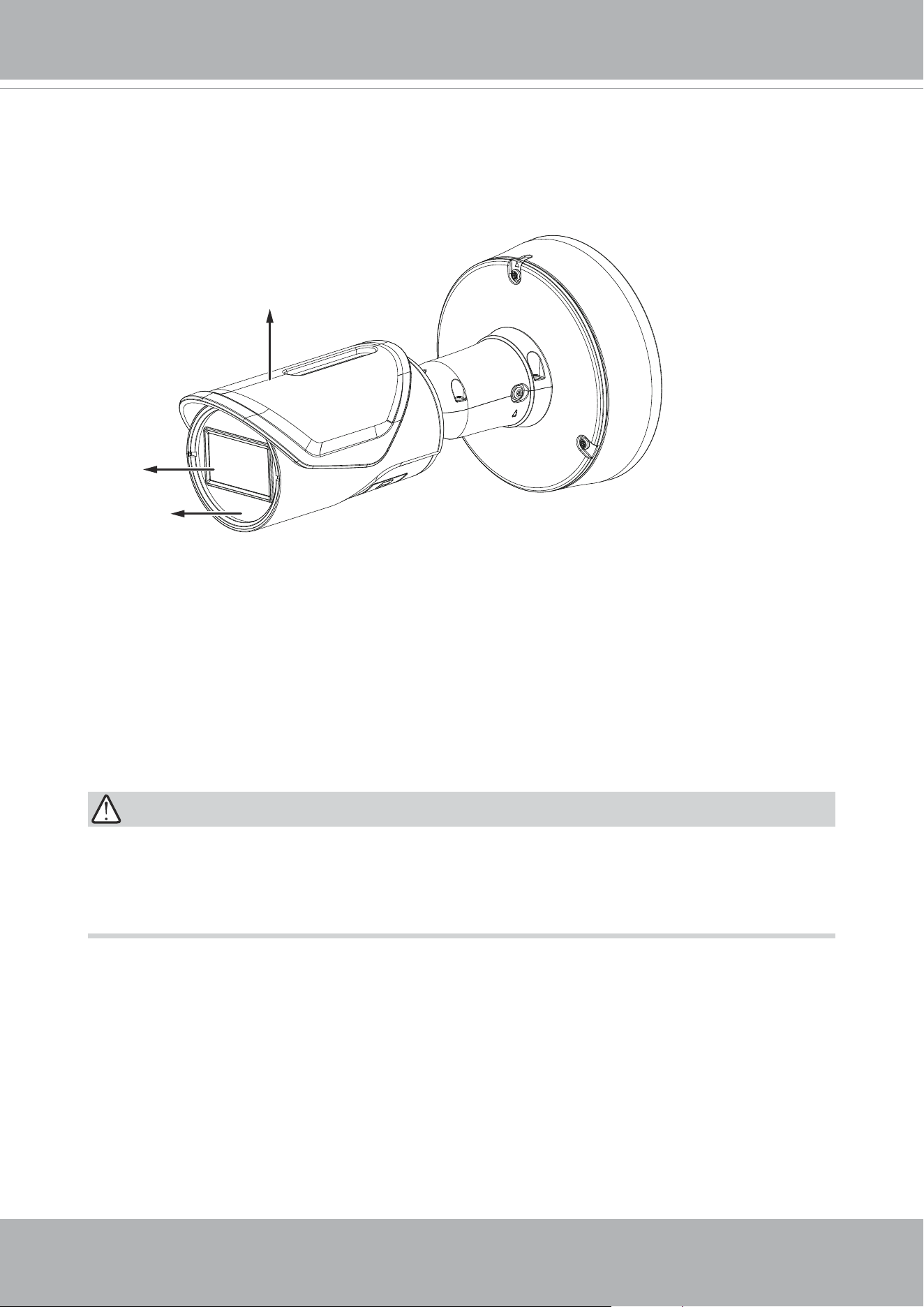
Outer View
Physical Description
Many copper coated aluminum (CCA) and other non-standard conductors cabling products
are masqueraded as CAT5E or CAT6 cables. Please avoid using these CCA products
especially when cascading PoE cameras. It is a must to use Ethernet cables compliant
with the 3P/ETL standard.
IMPORTANT:
IR LEDs
Sun shield
Lens
VIVOTEK
User's Manual - 9
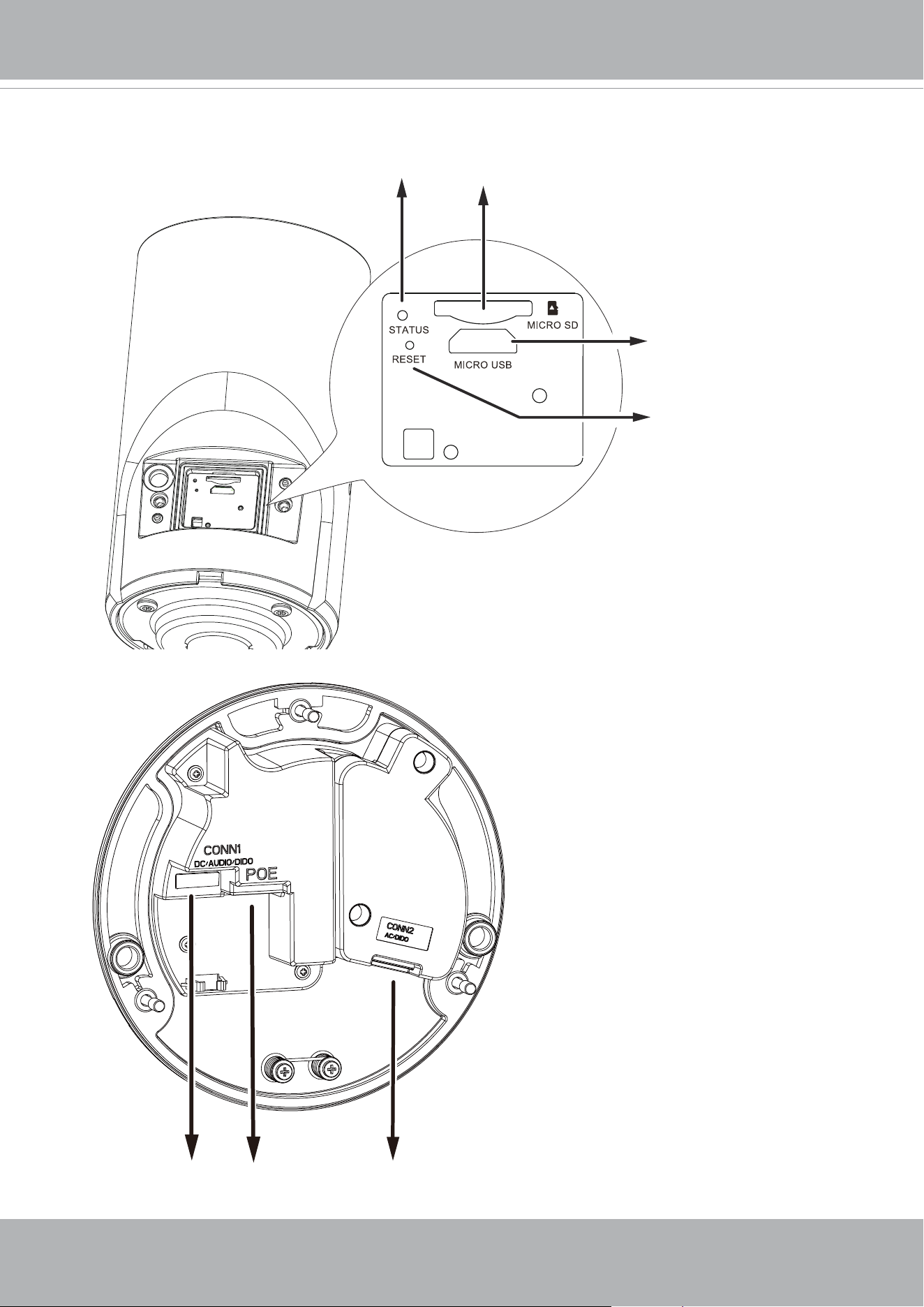
Inner View
Reset button
Micro USB connector
for Wi-Fi dongle
LEDs
MicroSD card slot
Conn 2 Audio connector
Conn 1 DI/DO connector
Ethernet port
VIVOTEK
10 - User's Manual
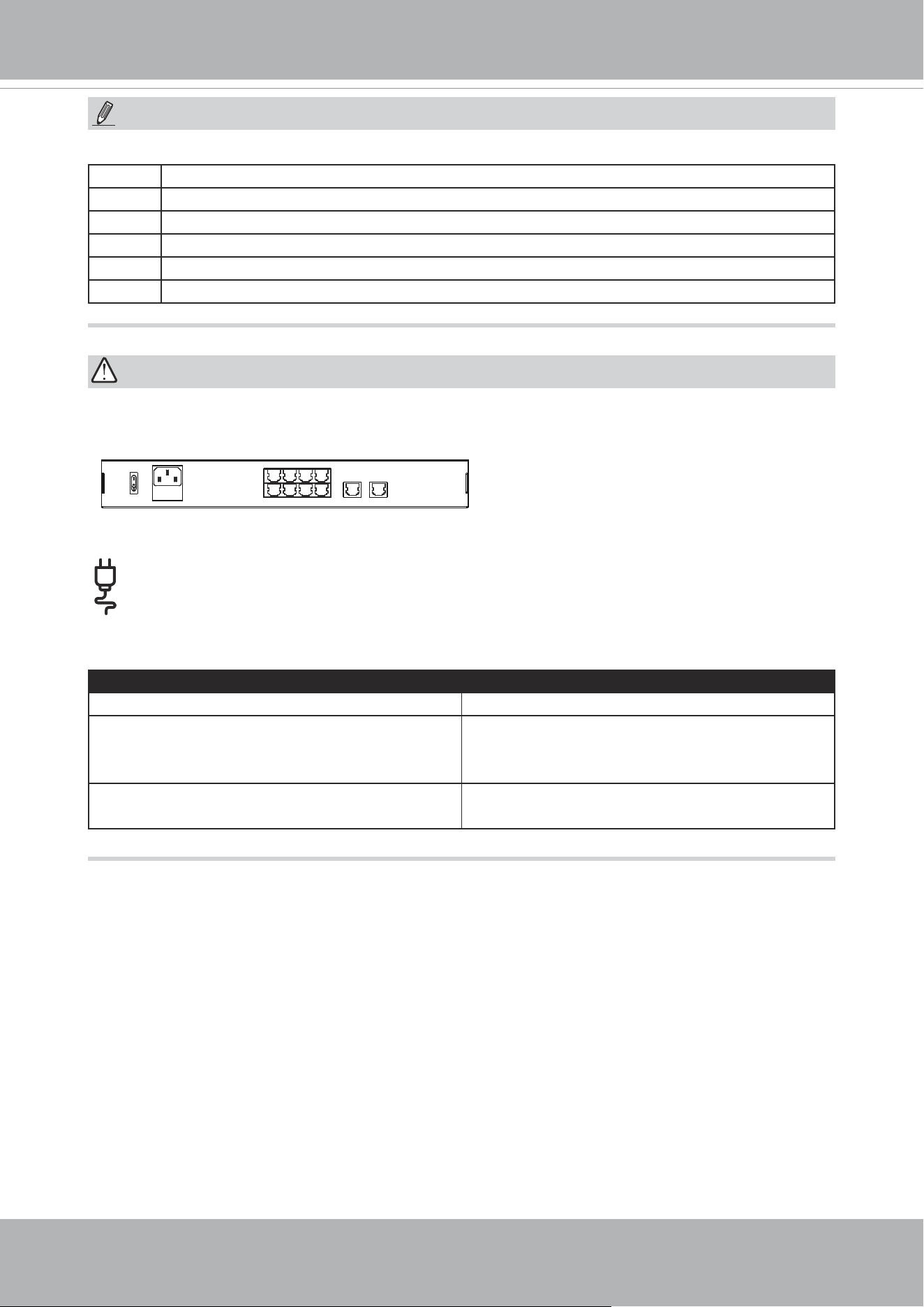
Some of the sufx syntax used in model naming are listed below:
E w/ heater for extreme weather
Fx Focal length w/ number
T w/ Remote focus lens
R w/ PoE repeater
H w/ High Dynamic Range functionality
M Manual focus lens
NOTE:
IMPORTANT:
The E model camera comes with an embedded heater and requires an 802.3at PoE
switch.
1
2
3
4
6
5
8
7
10
LAN/PoE
100~240V
AC
ON
OFF
9
GE LAN GE LAN
802.3af or 802.3at
Consumption & Power Input
IB9391-EHTV-v2 IB9365-EHTV-v2
PoE 802.3at Class 4 - 42.5V/0.44A 18.7W,
57V/0.34A 19.38W (PoE midspan or
endspan)
PoE 802.3at Class 4 - 42.5V/0.51A 21.68W,
57V/0.39A 22.23W (PoE midspan or
endspan)
DC 12V - 15.84W 1.32A
AC 24V – 16.52W 1.11A
DC 12V - 17.28W 1.44A
AC 24V - 17.26W 1.16A
VIVOTEK
User's Manual - 11
Hardware Installation
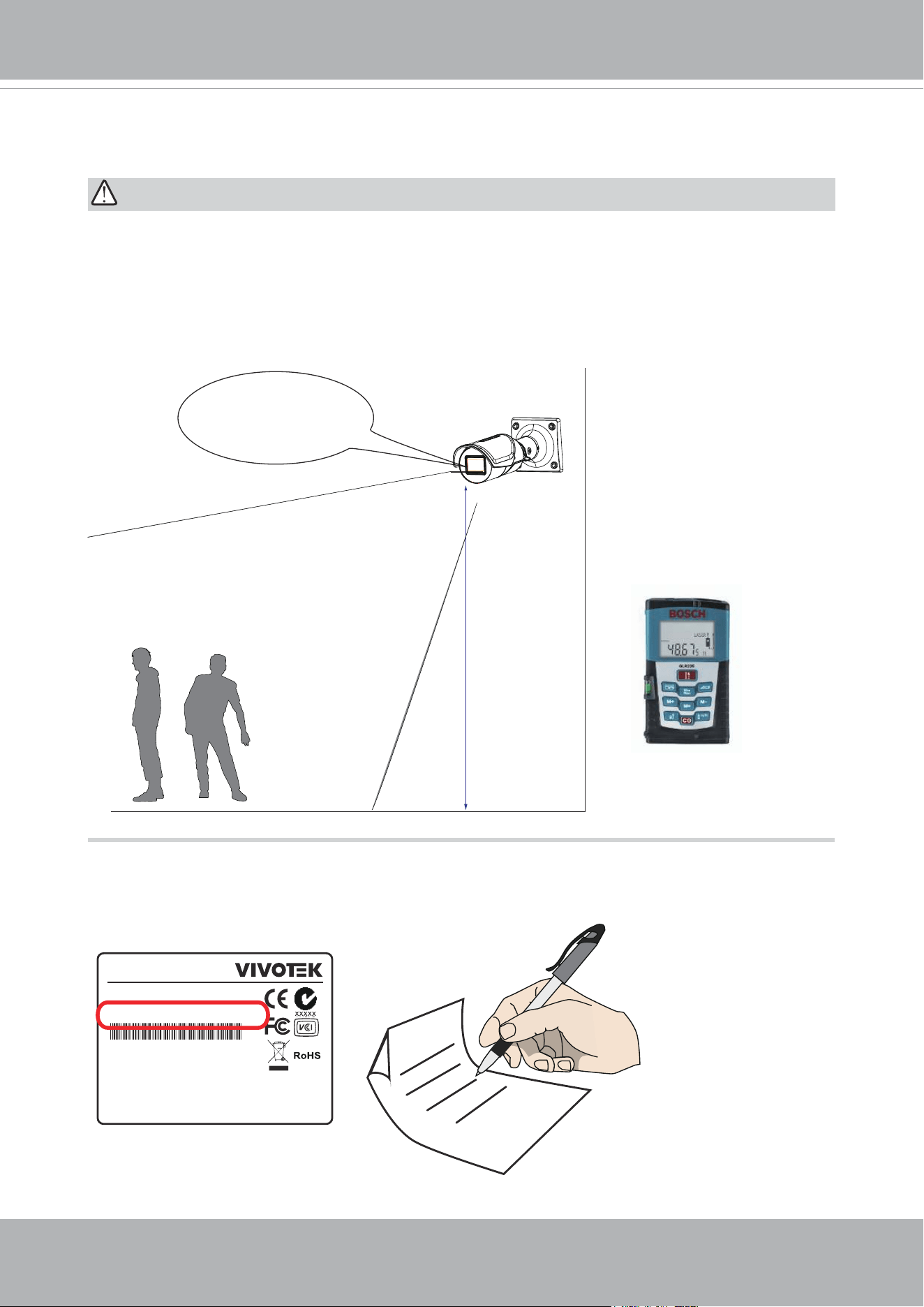
1. Jot down the camera's MAC address for later reference.
IMPORTANT:
If you plan to use the Human Detection feature, make sure you measure the installation
height of your camera. The height information is important for the accuracy of the video
analytics results. Some of the other perspective information are automatically collected by
the onboard S-sensor. The height information enables the horizontal and vertical keystone
corrections of the eld of view. Measure the distance between camera lens and the
ground.
Installation
height
Measured to the
approx. lens position.
Not to the ceiling.
Network Camera
Model No: XXXXXX
MAC: 0002D1083236
Pat. 6,930,709
This device complies with part 15 of the FCC Rules. Operation is subject to
the following two conditions:
(1) this device may not cause harmful interference, and
(2) this device must accept any interference received, including interference
that may cause undesired operation.
Made in Taiwan
VIVOTEK
12 - User's Manual
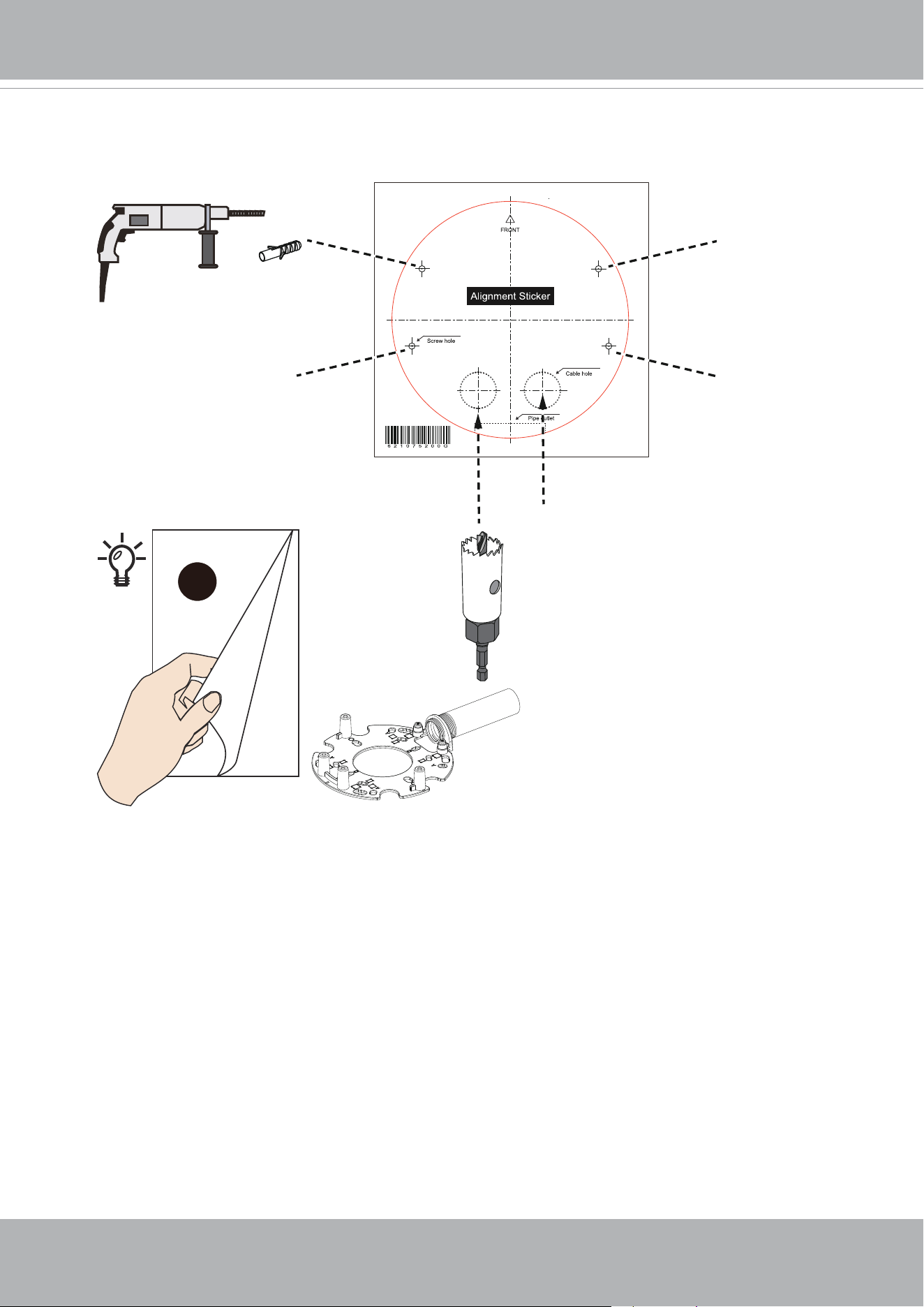
2. Use the alignment sticker to drill holes on the wall.
x4
A
If the use of an 1/2" conduit pipe is
preferred, refer to the Installation
option A.
VIVOTEK
User's Manual - 13
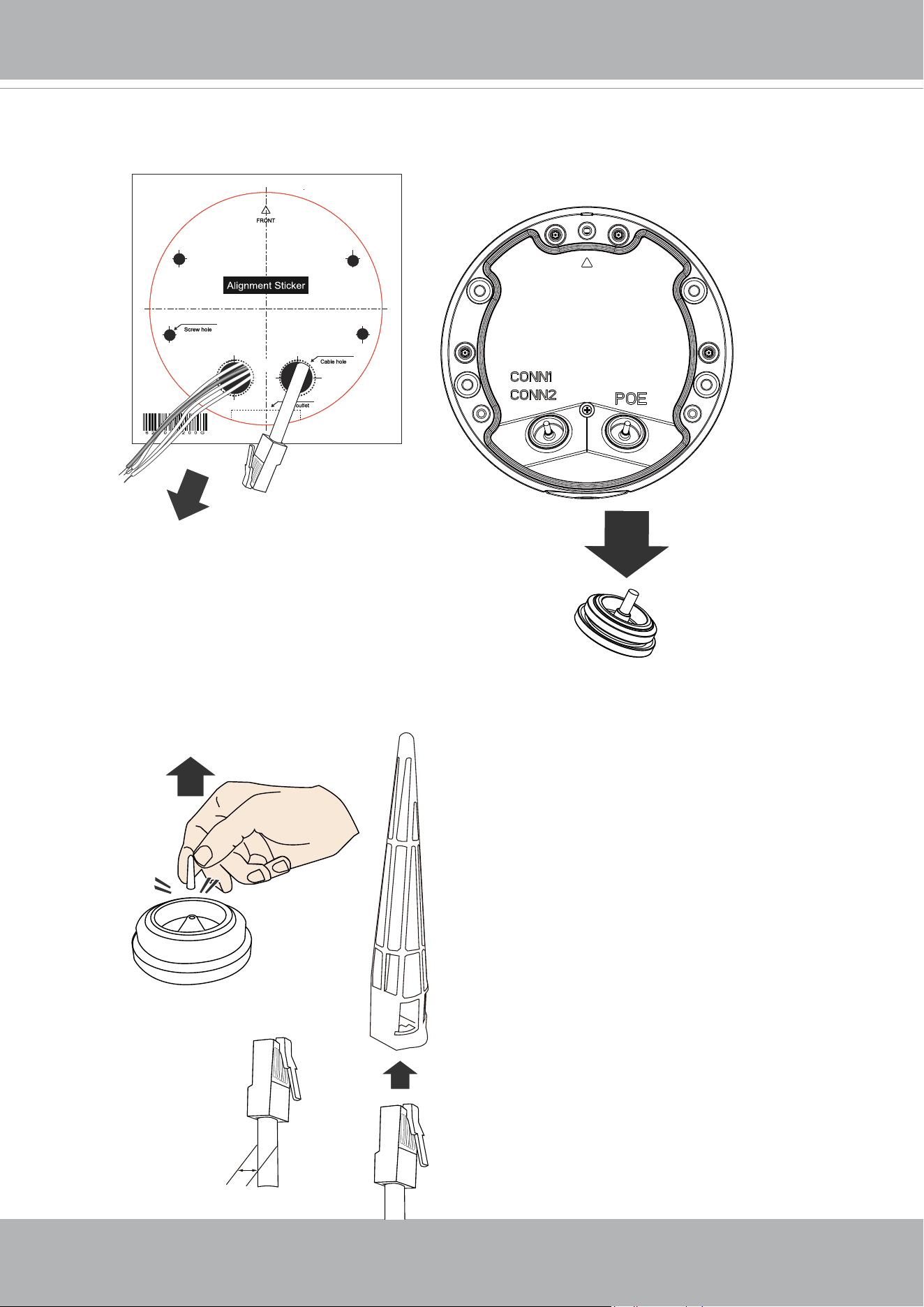
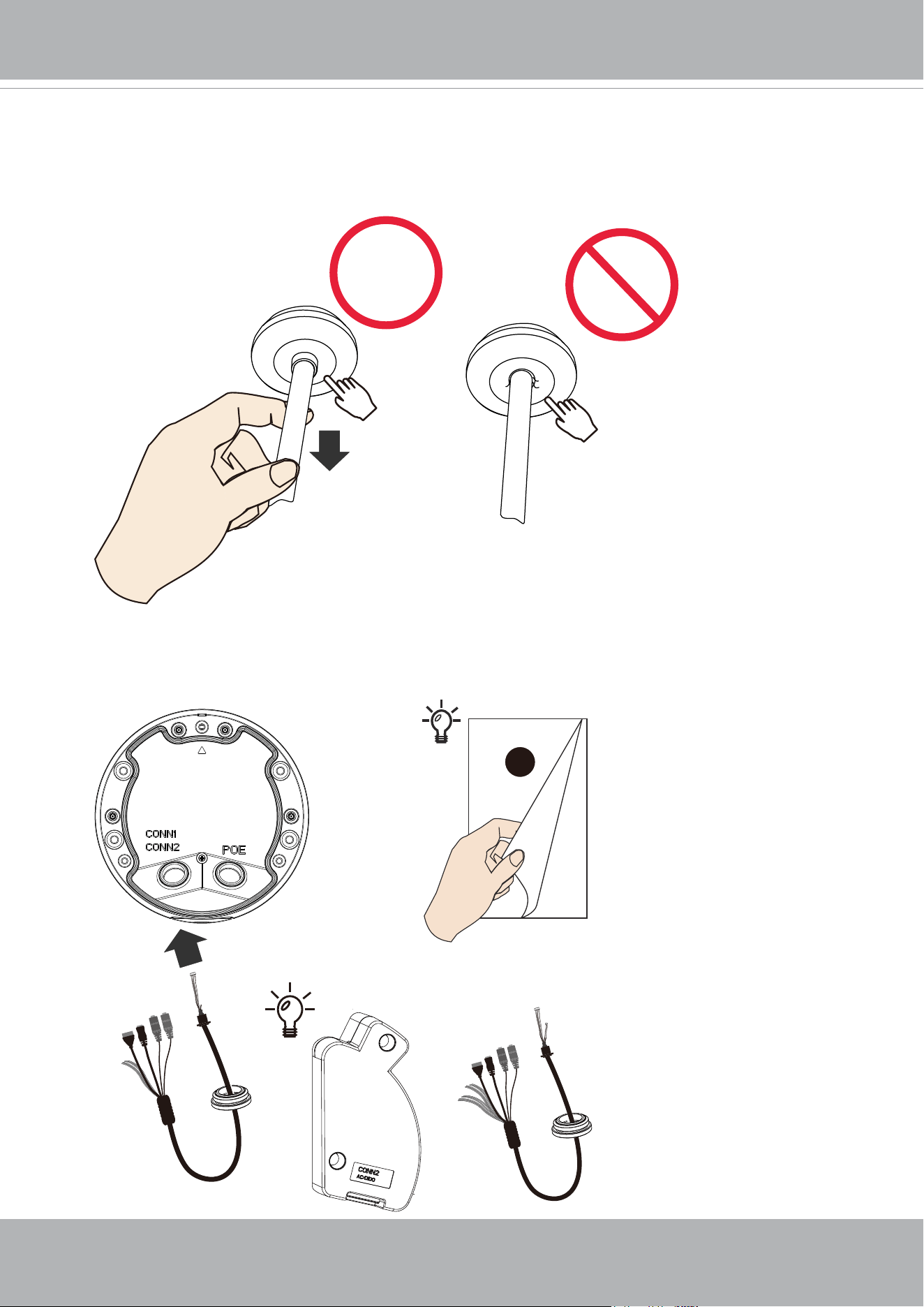
3. Route cables through the wall or ceiling, and remove the grommet on the base plate.
4. Remove the tip of the silicon grommet. Insert the RJ45 connector of your Ethernet cable
into the penetration cap.
5 ~ 8mm
VIVOTEK
14 - User's Manual
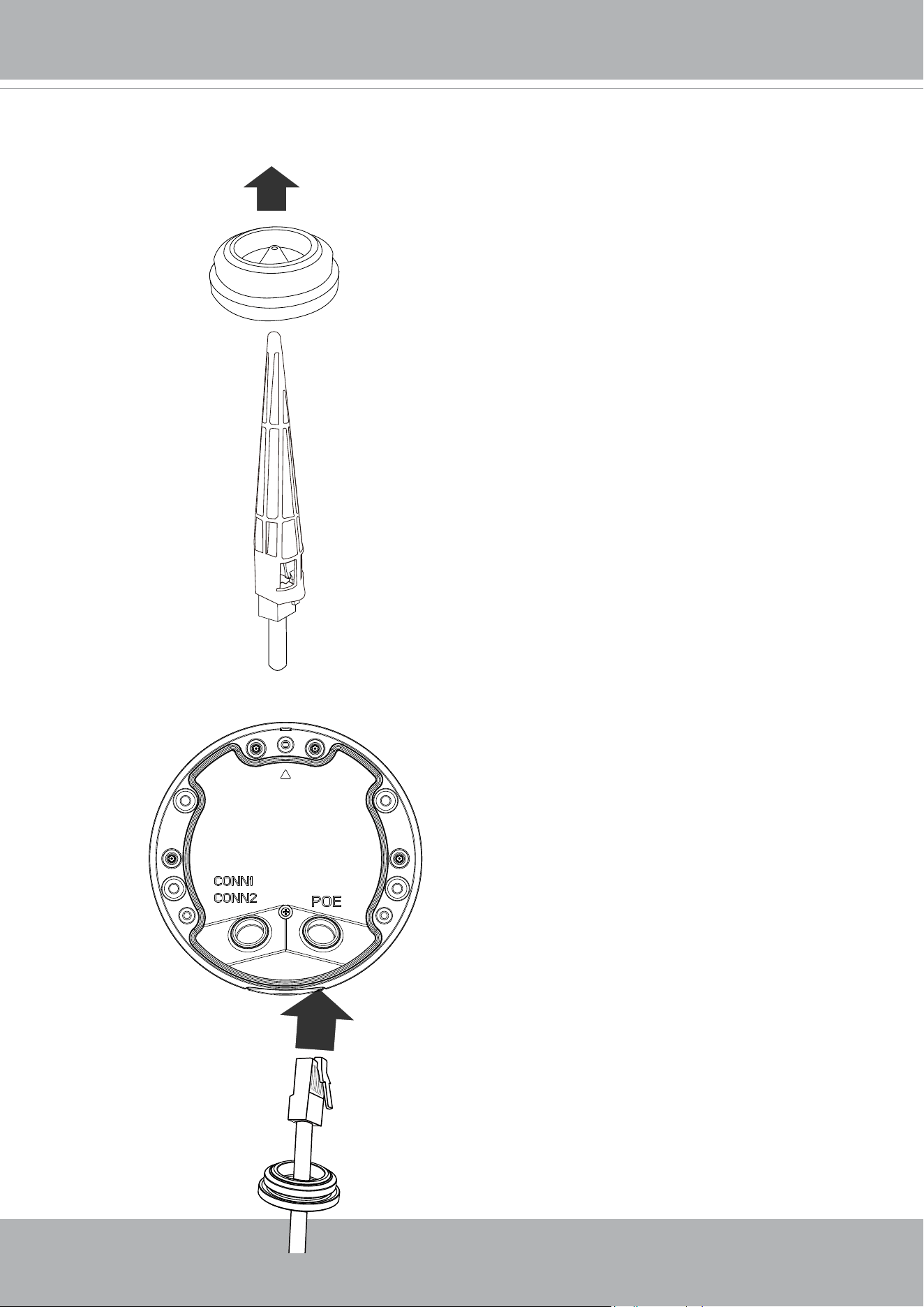
If grommets are damaged, replace them with new
ones.
5. Insert and pass the cable through the silicon grommet.
6.Install the silicone grommet to the original opening from the bottom of the base plate.
VIVOTEK
User's Manual - 15
7. When installing the silicon grommet, make sure the cable is slightly pulled back to the
outside. Do not leave the rim of the seal jammed in the inside of the seal.
Extension I/O kit
+
Separately purchased
B
8. The I/O combo cable comes with a pre-installed grommet. Install the cable to the
opening and place I/O wires in the cable clip. Note the orientation of the I/O pin headers.
Connect the I/O pin headers and the Ethernet connector to the camera.
If you want to use the
extension I/O kit, refer to
Installation option B.
VIVOTEK
16 - User's Manual
icro
icro
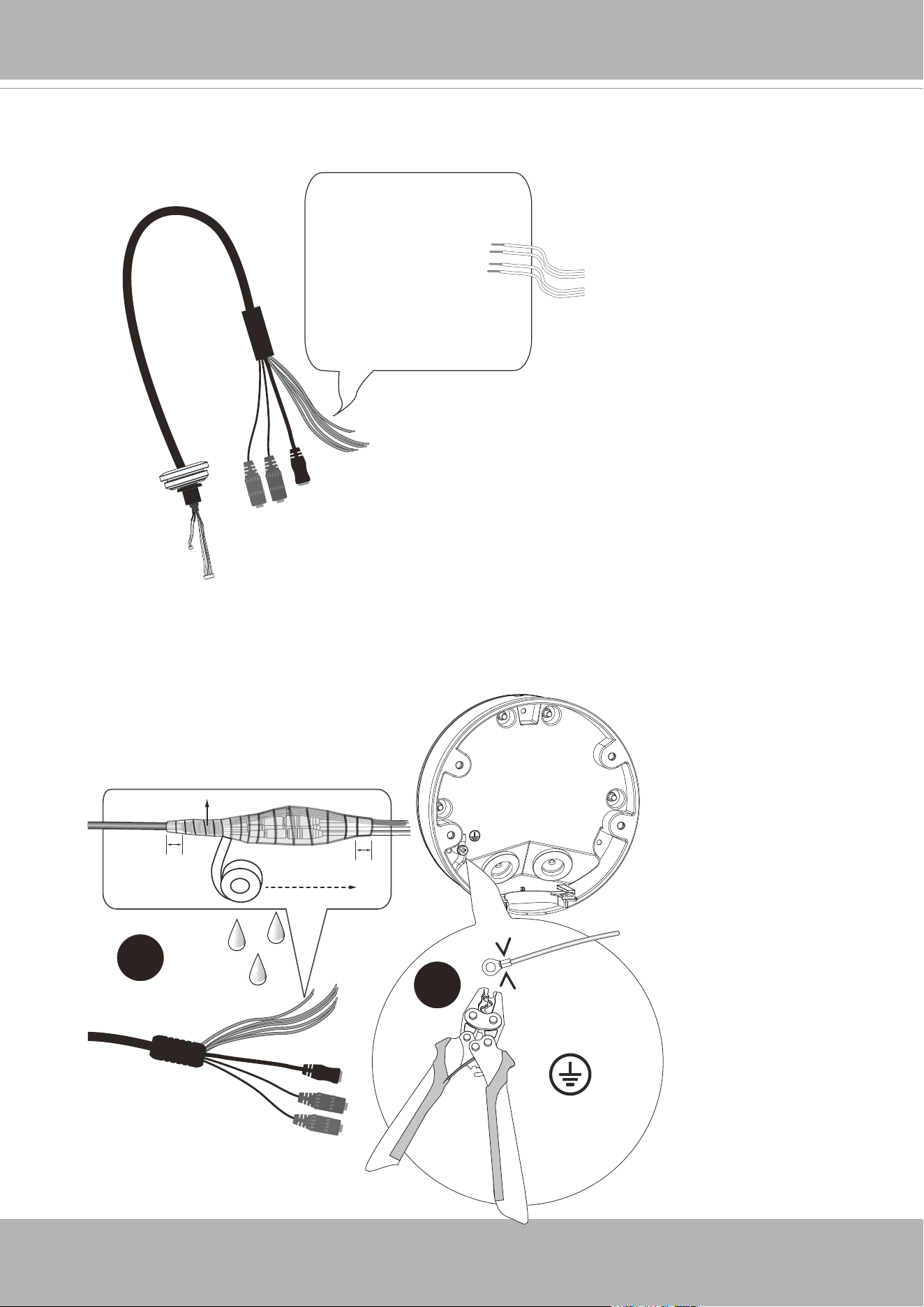
DI-: Yellow
DI1+: Blue
DO1-: Orange
DO+(12V): Brown
icro
9. Below are the pinouts of the I/O combo cable. If you prefer more audio, DC, and I/
O connections, you can purchase and install an extension kit. Refer to the installation
option B section for more information.
2
Crimping plier
1
Cable molding
Layer - Self-fusing tape
or electric tape
2cm
2cm
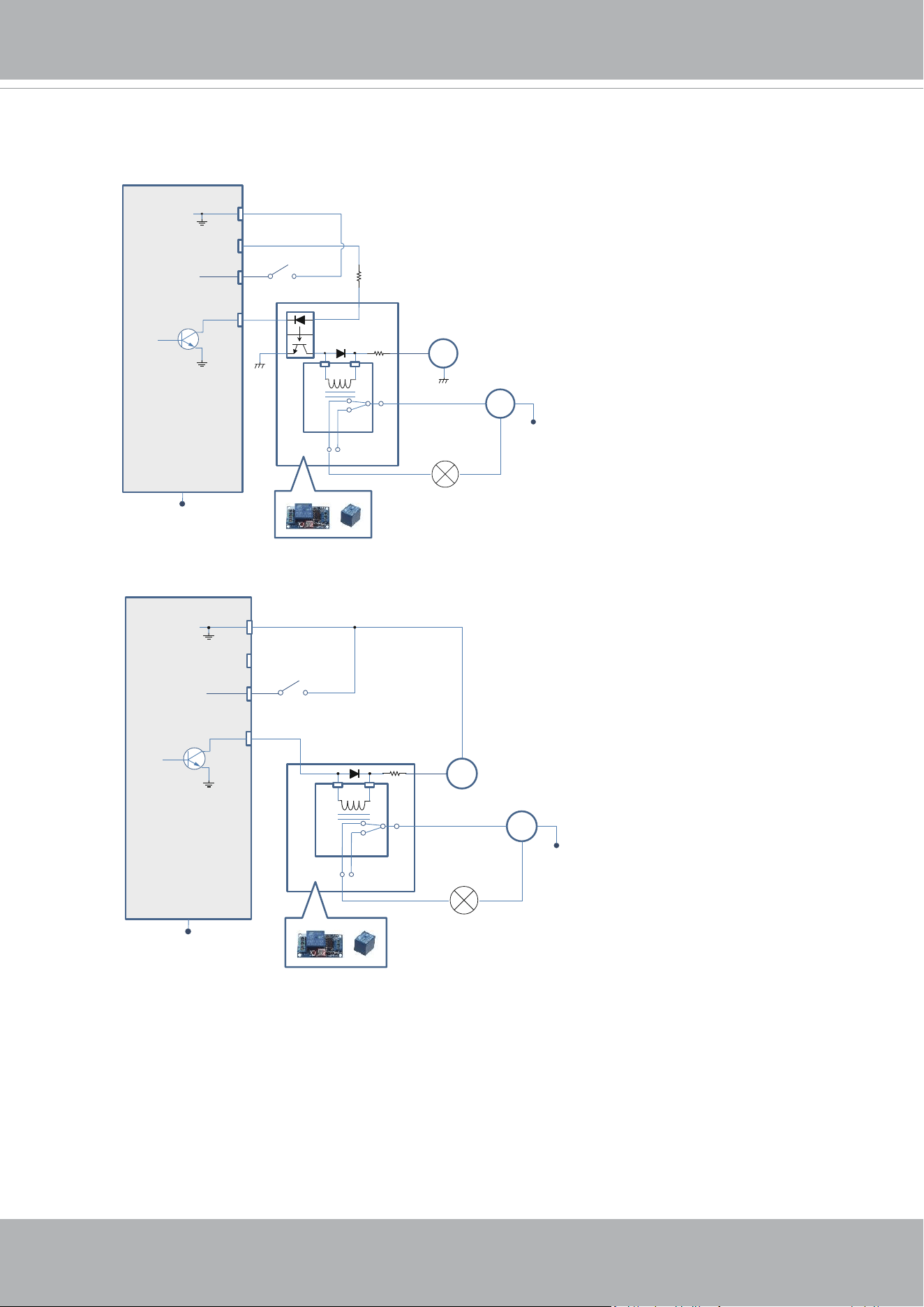
1. Stretch the waterproof tape by twice its length and
wind around the cables.
2. The tape should overlap the cable joints by 20mm.
3. All connectors, whether they are used or not,
should be waterproof.
18 AWG min.
3.5mm screw mm.
Green & Yellow wires
* Use knurled washers
10. All cabling joints on the outside of the camera must be properly sealed for
waterproong.
Use a crimping plier to connect a grounding wire to the ground screw following the
instructions below.
VIVOTEK
User's Manual - 17
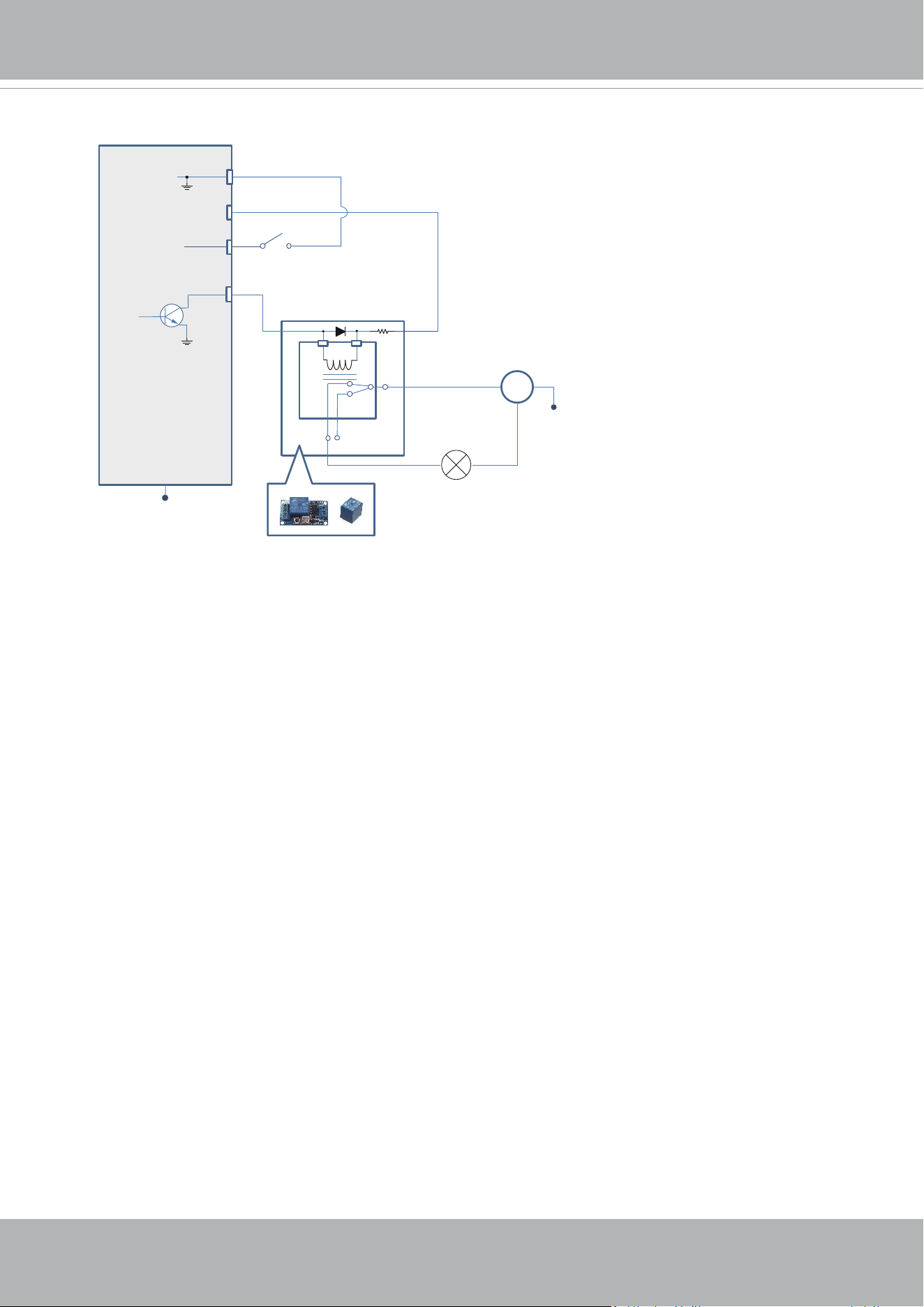
DI/DO Diagram
DI-
DO+
DI+
DO-
Switch
External Device
External DC power
Dry contact with external DC power source to supply a relay. Dry contact is the safest connecon
to protect devices.
NC
NO
Relay
Photo
Coupler
DC
DC 0V
DC 0V
External AC power
with Protected Eart
h
AC
PE
PE
DI-
DO+
DI+
DO-
Switch
External Device
External DC power
Wet contact with external DC power source to supply a relay.
NC
NO
Relay
DC
External AC power
with Protected Earth
AC
PE
PE
DC 0V
1. The DO+ pin provides 12V output voltage, and the max. load is 50mA.
2. The max. voltage for DO- pins is 30VDC (External power).
In order to control AC devices, the above diagram can be taken in consideration. The
diagram uses a relay to control the ON/OFF condition of the AC device.
3. An external relay can be triggered by using DO+ or by an external power source,
depending on the type of relay you use.
4. In case of using an individual relay (instead of using a relay module), for protection
against voltage or current spikes, a transient voltage suppression diode must be
connected in parallel with the inductive load.
VIVOTEK
18 - User's Manual
DI-
DO+
DI+
DO-
Switch
External Device
Dry contact and using camera’s DO+ to supply a relay.
NC
NO
Relay
AC
External AC power
with Protected Eart
h
PE
PE
VIVOTEK
User's Manual - 19
x4
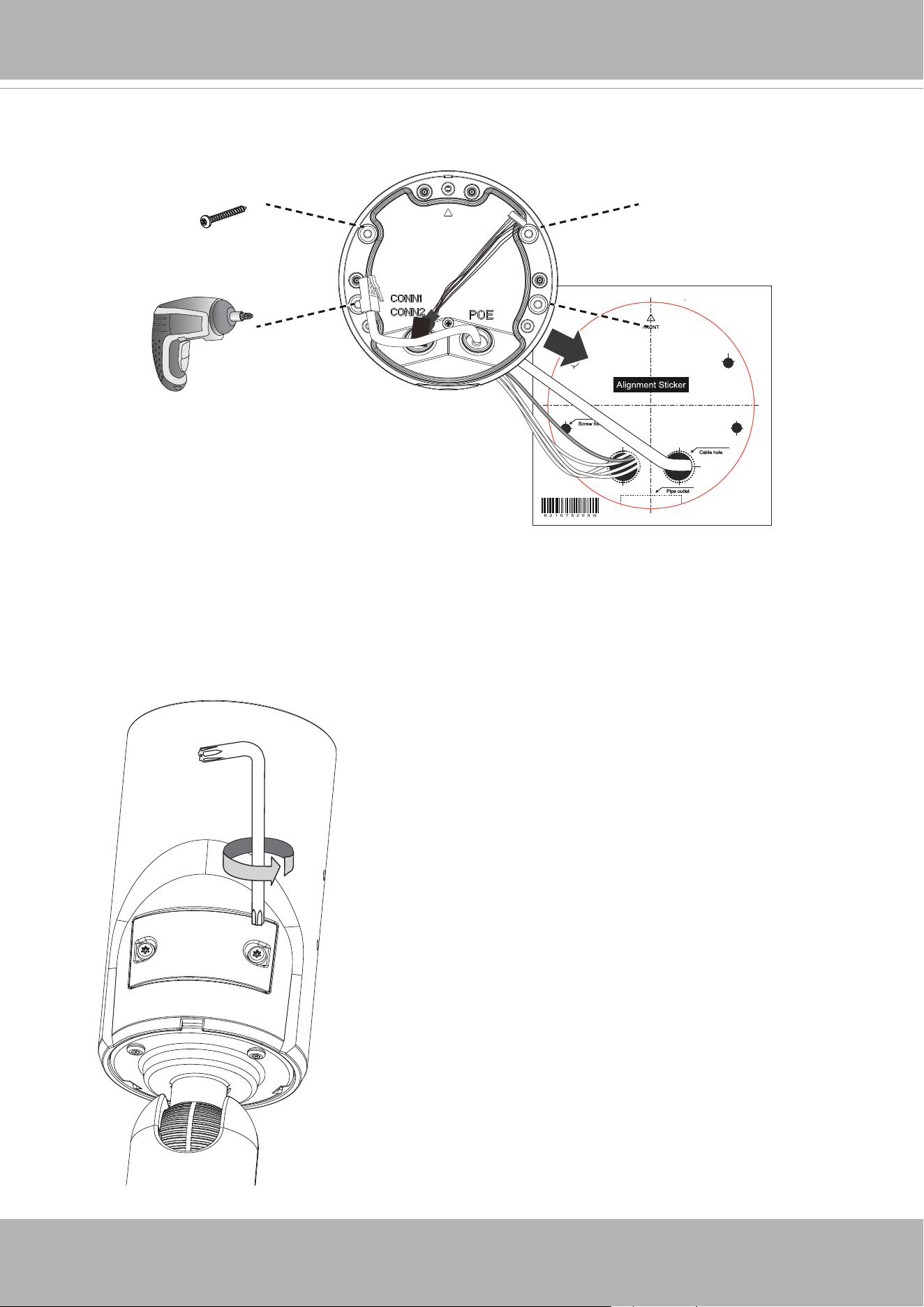
11. Install the base plate to wall by driving 4 screws.
12. Use the T20 wrench to open the panel cover on the camera.
VIVOTEK
20 - User's Manual
64
GB
10
I
1
WiFi dongle
Micro B
converter
18
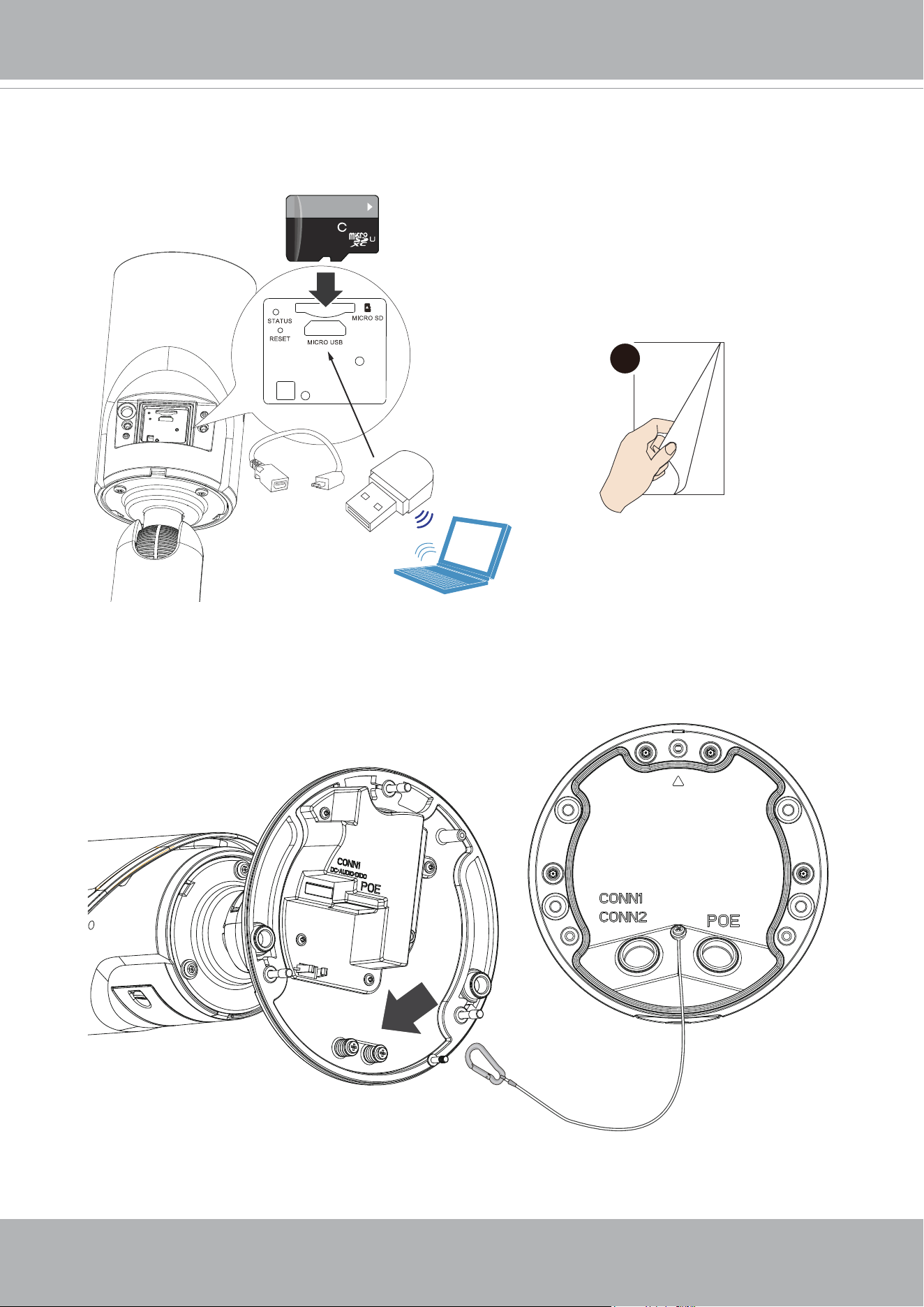
13. If preferred, install a MicroSD card to the camera. You can connect a WiFi dongle
to the camera's micro USB port for an onsite adjustment of imaging and the shooting
direction. You can use a notebook to connect the camera at the installation site via a
wireless connection.
Refer to Step 18 for how to
open a web console.
14. Connect the safety tether wire to the base of the camera.
VIVOTEK
User's Manual - 21
Ethernet
IO
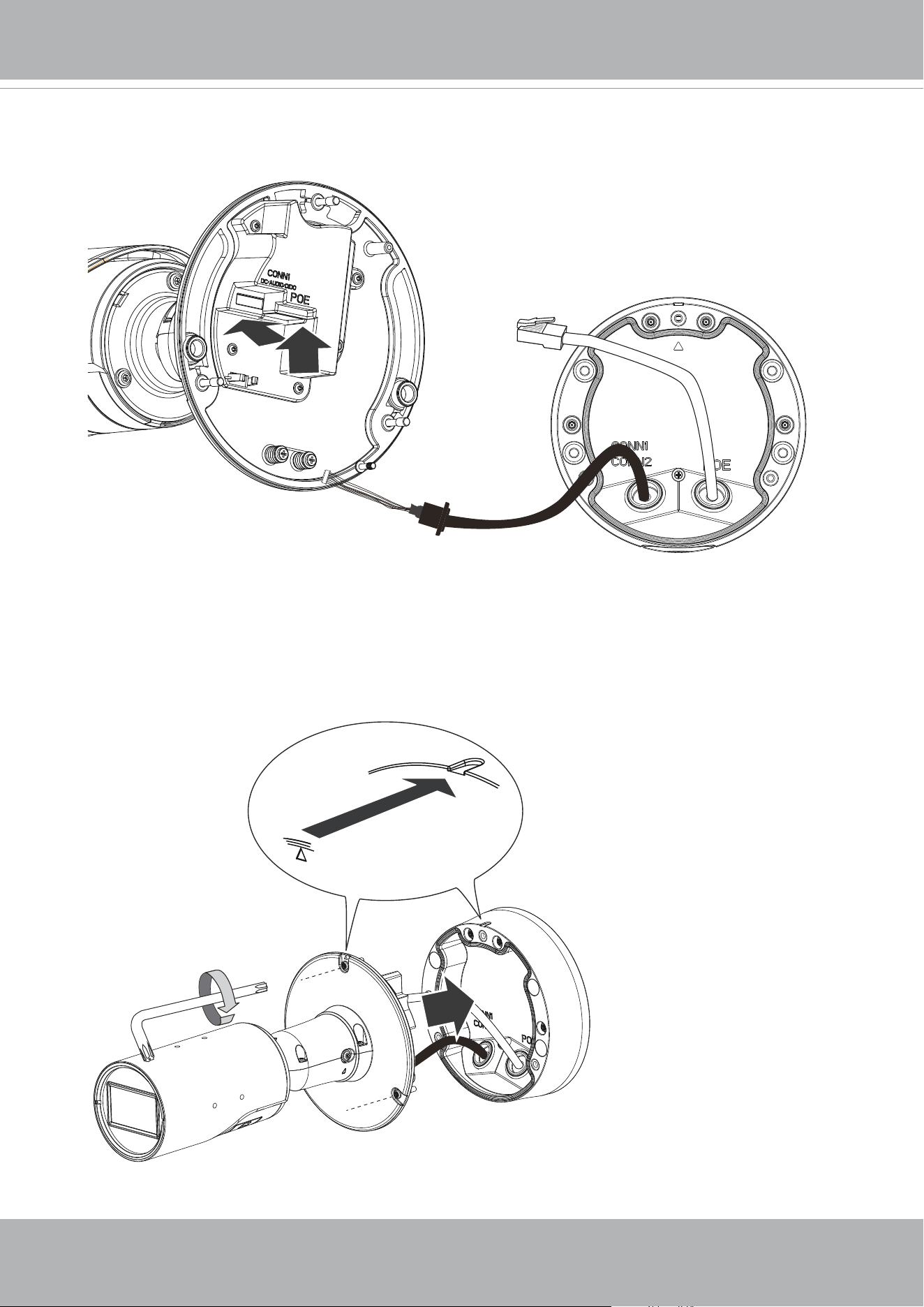
15. Connect the Ethernet and the I/O combo cable to the camera.
T20
x3
16. Use the alignment marks on the camera and the base plate to align and secure the
camera by fastening 3 T20 anti-tamper screws.
VIVOTEK
22 - User's Manual
T20
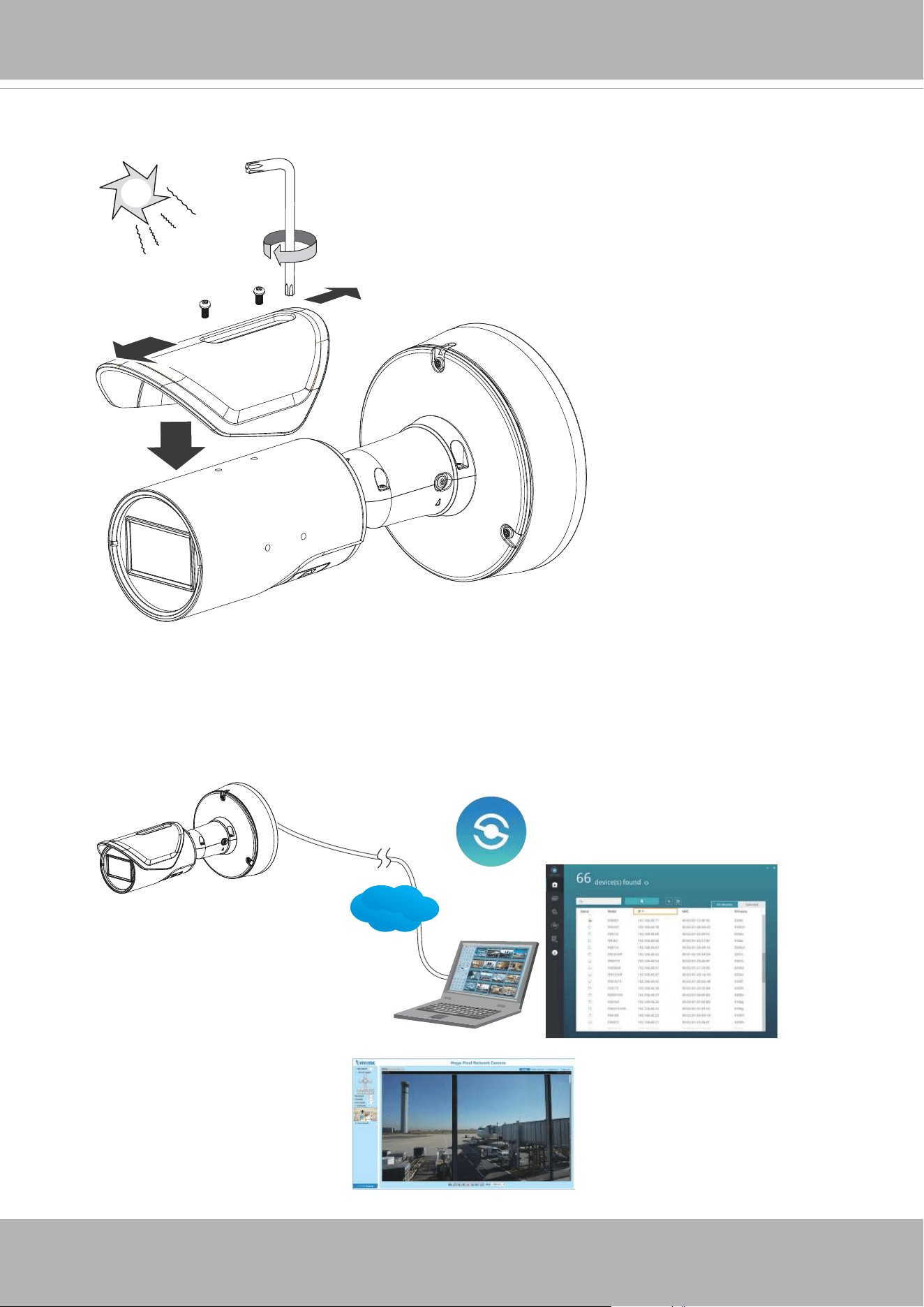
17. Install the sun shield to camera. You can move the sun shield back and forth depending
on the relative position at your installation site.
Browser
LAN
Shepherd
18. Please visit VIVOTEK’s website to Install the "Shepherd” software utility. The program
will search for VIVOTEK Video Receivers, Video Servers or Network Cameras on the
same LAN.
Double-click on the camera’s MAC address to open a web console to the camera.
VIVOTEK
User's Manual - 23
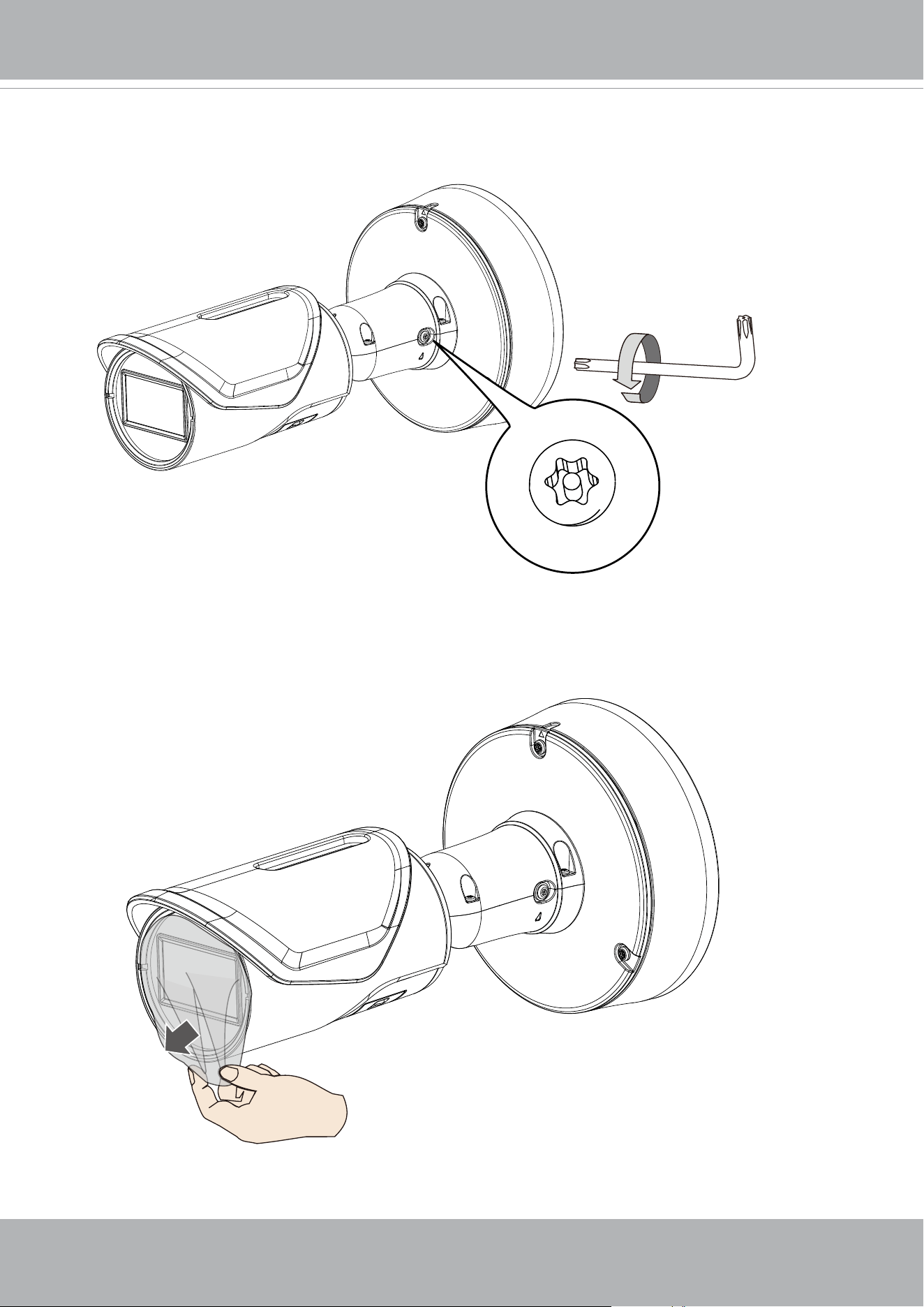
19. Loosen the retention screw on the side of camera bracket in order to adjust the
camera's shooting direction.
20. Remove the protective sheet on the camera lens.
VIVOTEK
24 - User's Manual
1" single gang box
4" square and round box
4-11/16" square gang box
2
1
4" octagon box
3
4
5
Cantex 3/4” type FSE 2 Gang, Outdoor/Indoor electrical box
Generic 3/4” conduit box enclosure, 3/5 holes
1
1
1
1
2
3
3
4
4
5
5
5
5
2
2
2
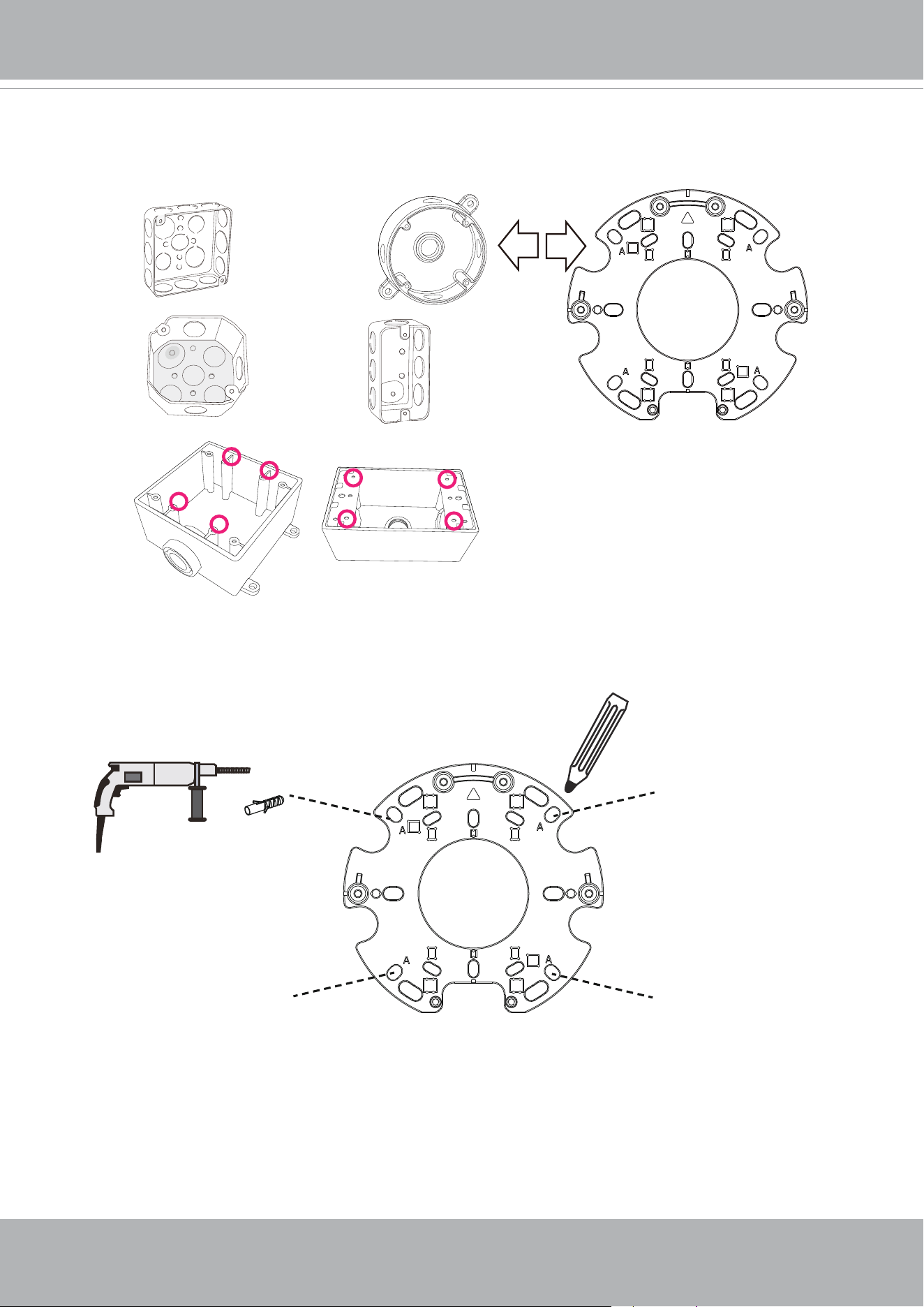
Installation option A:
A-1. See below for the mounting holes used with applicable conduit boxes.
x4
Using A holes
The 1/2" threaded pipe and hex nut are user-supplied.
A-2. Use the A holes to mount the base plate to a wall.
VIVOTEK
User's Manual - 25
x4
Wall-mount
using A holes
T20 anti-tamper
M4 x 18
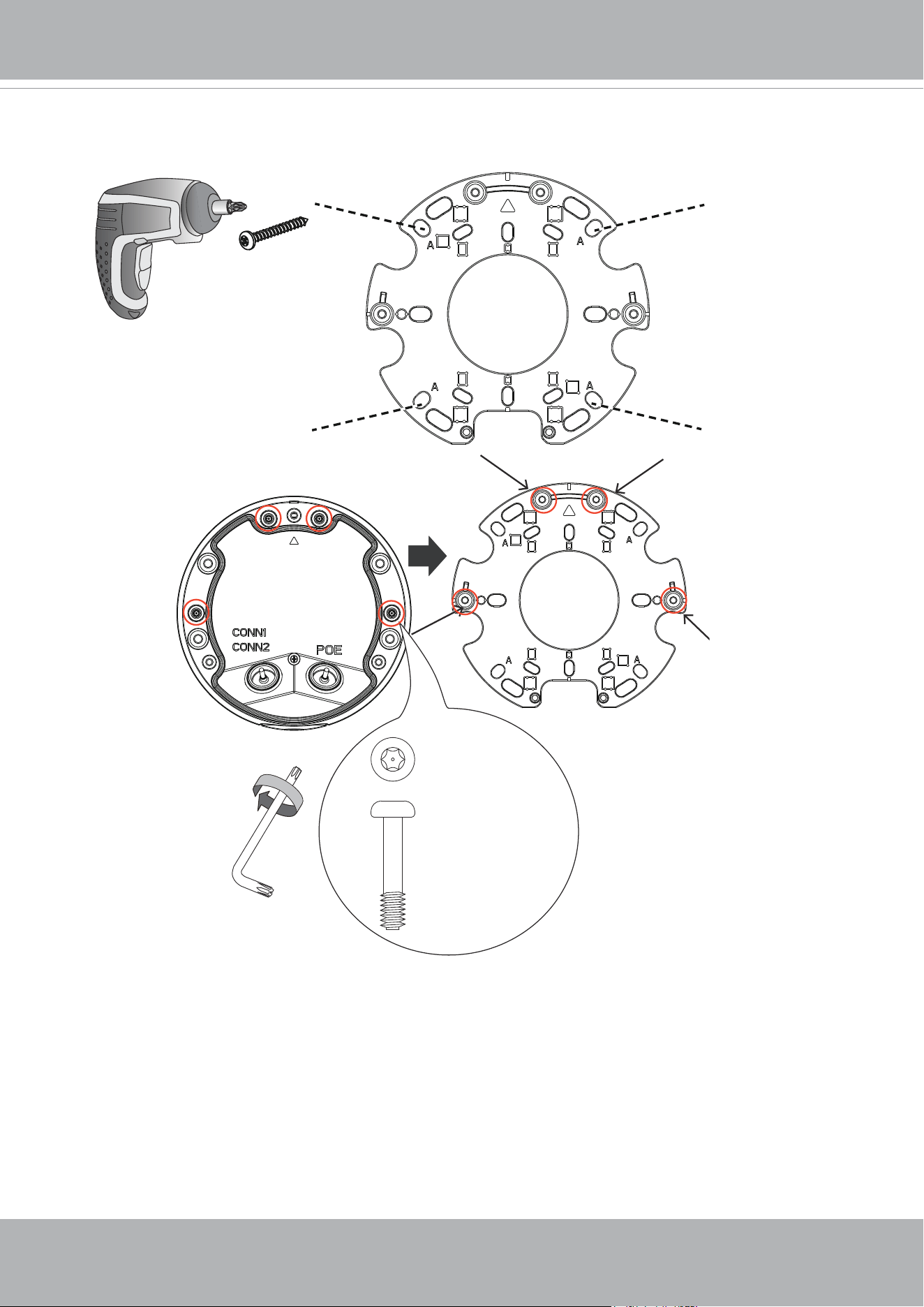
A-3. Drive screws to secure the bracket to wall. When installing camera, secure 4 T20
screws from the base plate.
VIVOTEK
26 - User's Manual
CONN 2 12 pin
CONN 1 10 pin
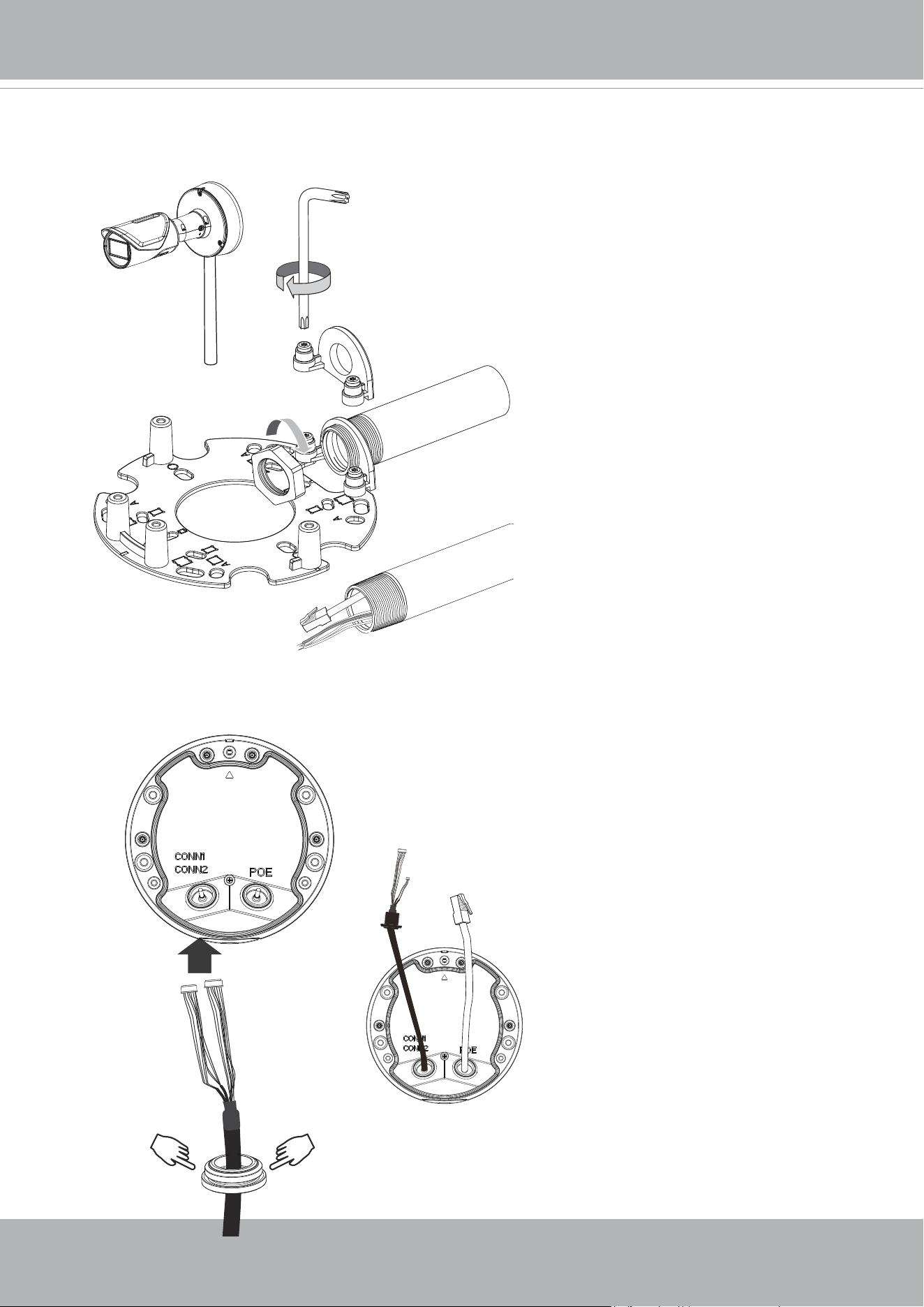
Installation option B:
B-1. Pass the I/O extension kit cable through the cabling hole.
1/2” Pipe
A-4. Secure the 1/2" conduit pipe using the side-routing bracket. You can then route cables
and install the camera and base plate to the bracket.
VIVOTEK
User's Manual - 27
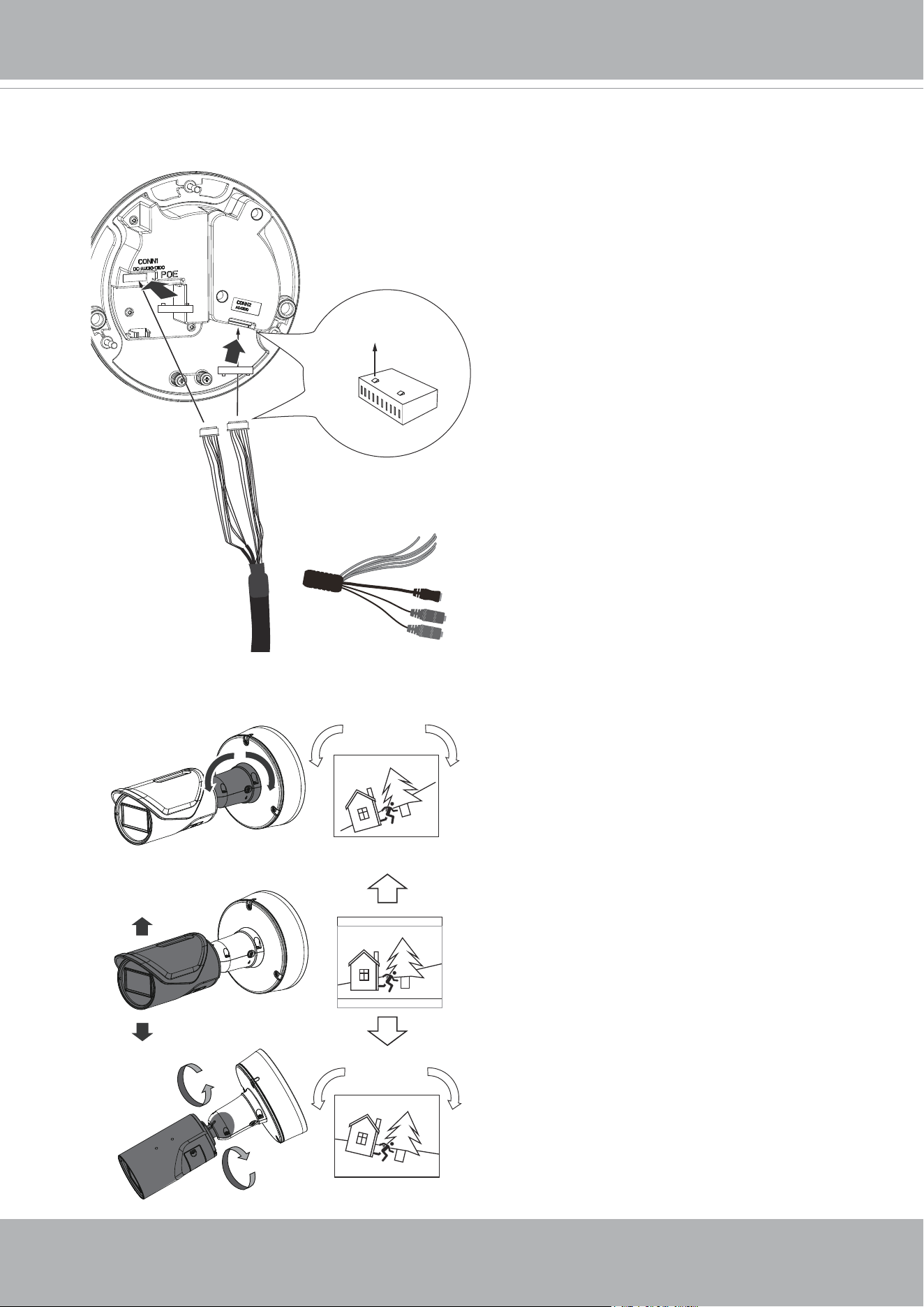
B-2. Connect the pin headers to the I/O extension module and that on the camera. Note
the orientation of the pin headers with the positions of the tabs. Properly install the
grommet as previously described.
180˚ max.
1
2
3
90˚ max.
21. Adjust the shooting direction by pan, tilt, or rotate to cover the area of your interest.
CONN 2 12 pin
CONN 1 10 pin
Tabs
DI-: Green/W
DI2+: Orange/W
DI3+: Yellow/W
DO2-: Gray
DO3-: Blue/W
DO+(12V): Purple
VIVOTEK
28 - User's Manual
Software Installation
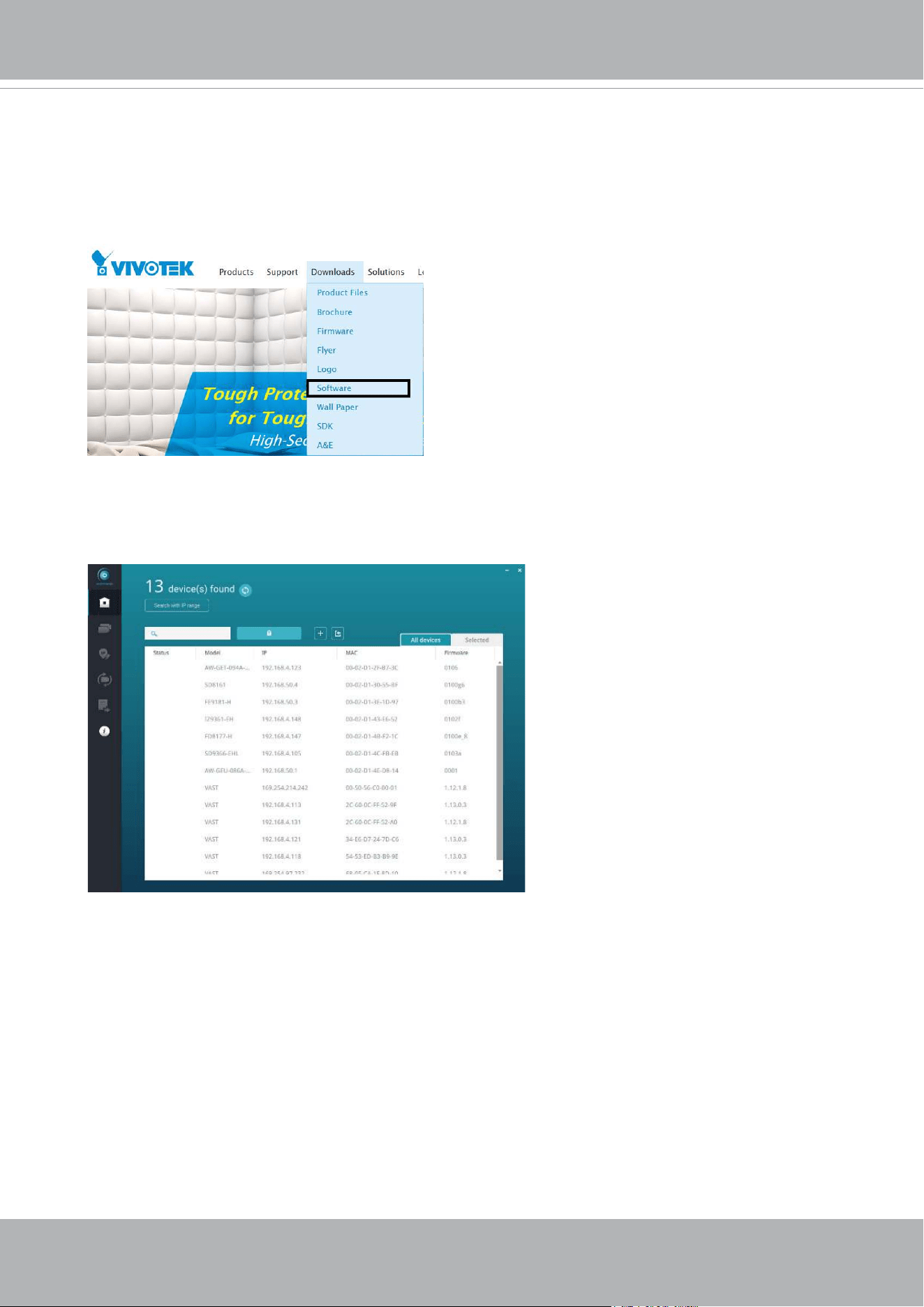
22. Install the Shepherd utility, which helps you locate and congure your Network Camera
in the local network. If your camera comes without the CD, go to VIVOTEK’s website,
and locate the utility in the Downloads > Software page.
22-1. Run the Shepherd utility.
22-2. The program will conduct an analysis of your network environment.
VIVOTEK
User's Manual - 29
0002D1730202
IB8360-W 192.168.4.151 00-02-D1-73-02-02
FD9367-EHTV-v2
Network Camera
Model No: FD9367-EHTV-v2
Made in Taiwan
This device complies with part 15 of the FCC rules. Operation is subject to the following two conditions:
(1)This device may not cause harmful interference, and
(2) this device must accept any interference received, including interference that may cause undesired operation.
Pat. 6,930,709
MAC:0002D1730202
R o HS
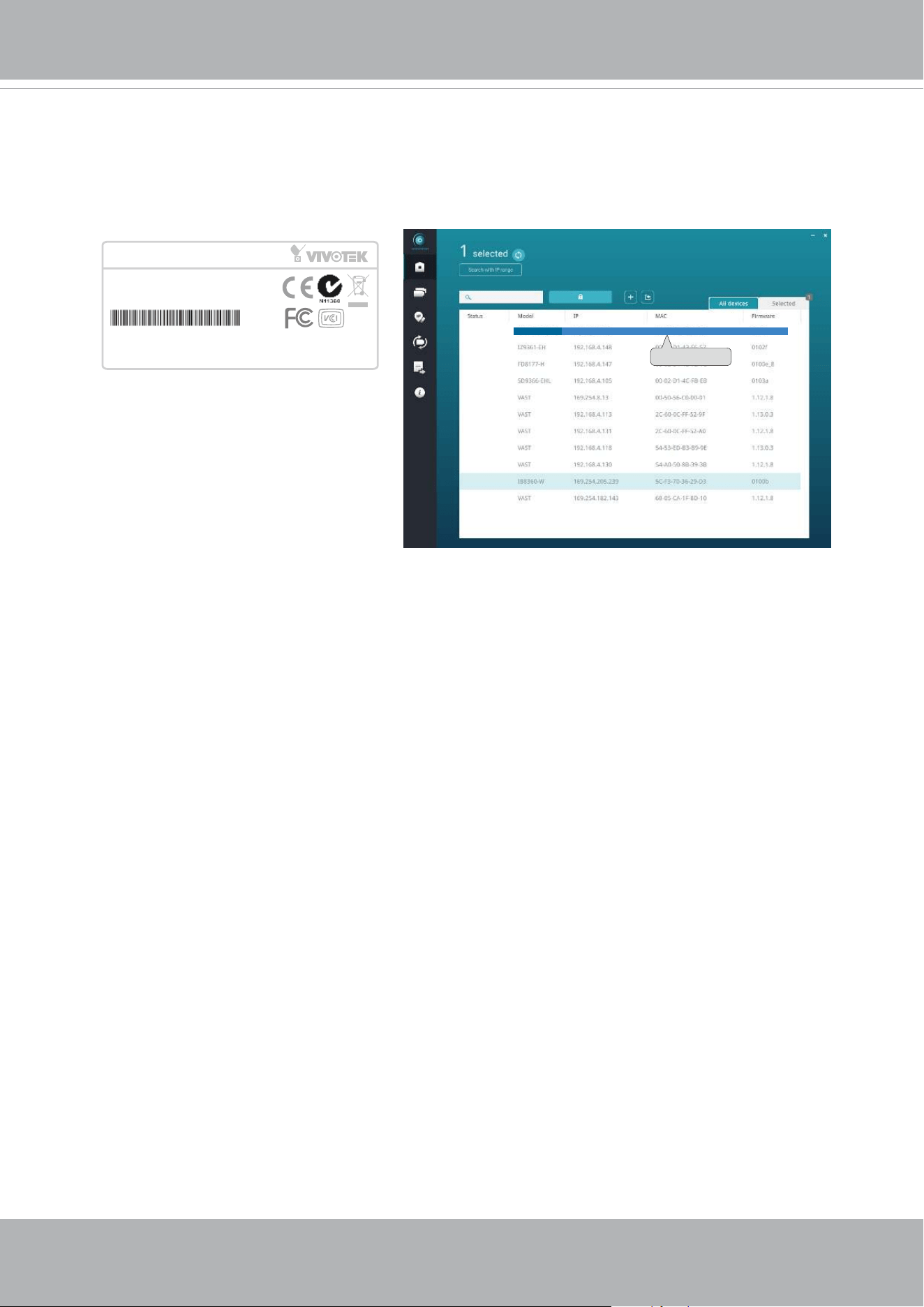
22-3. The program will search for all VIVOTEK network devices on the same LAN.
22-4. After a brief search, the installer window will prompt. Click on the MAC and model
name that matches the one printed on the product label. You can then double-click on
the address to open a management session with the Network Camera.
VIVOTEK
30 - User's Manual
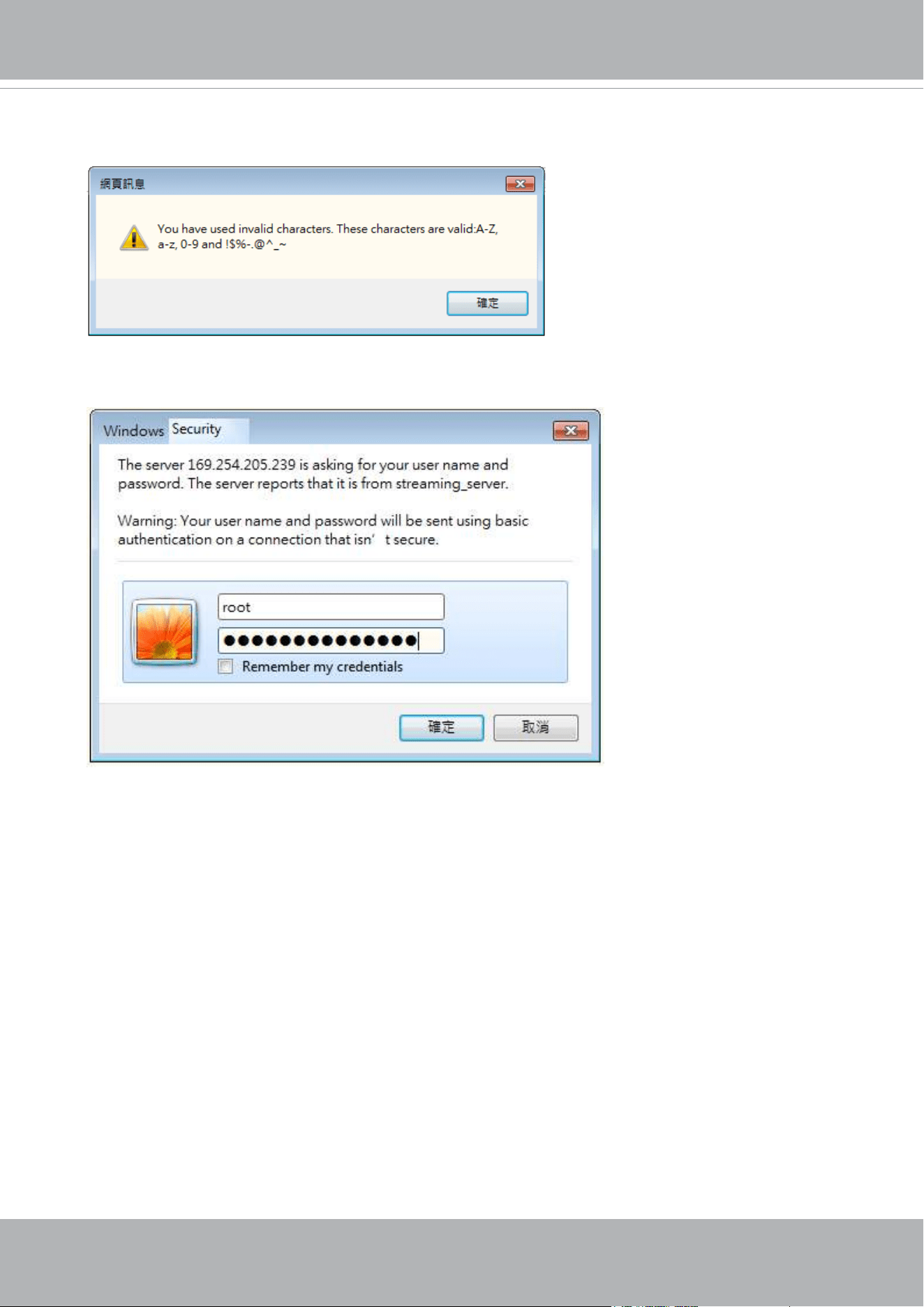
Forceful Password Conguration
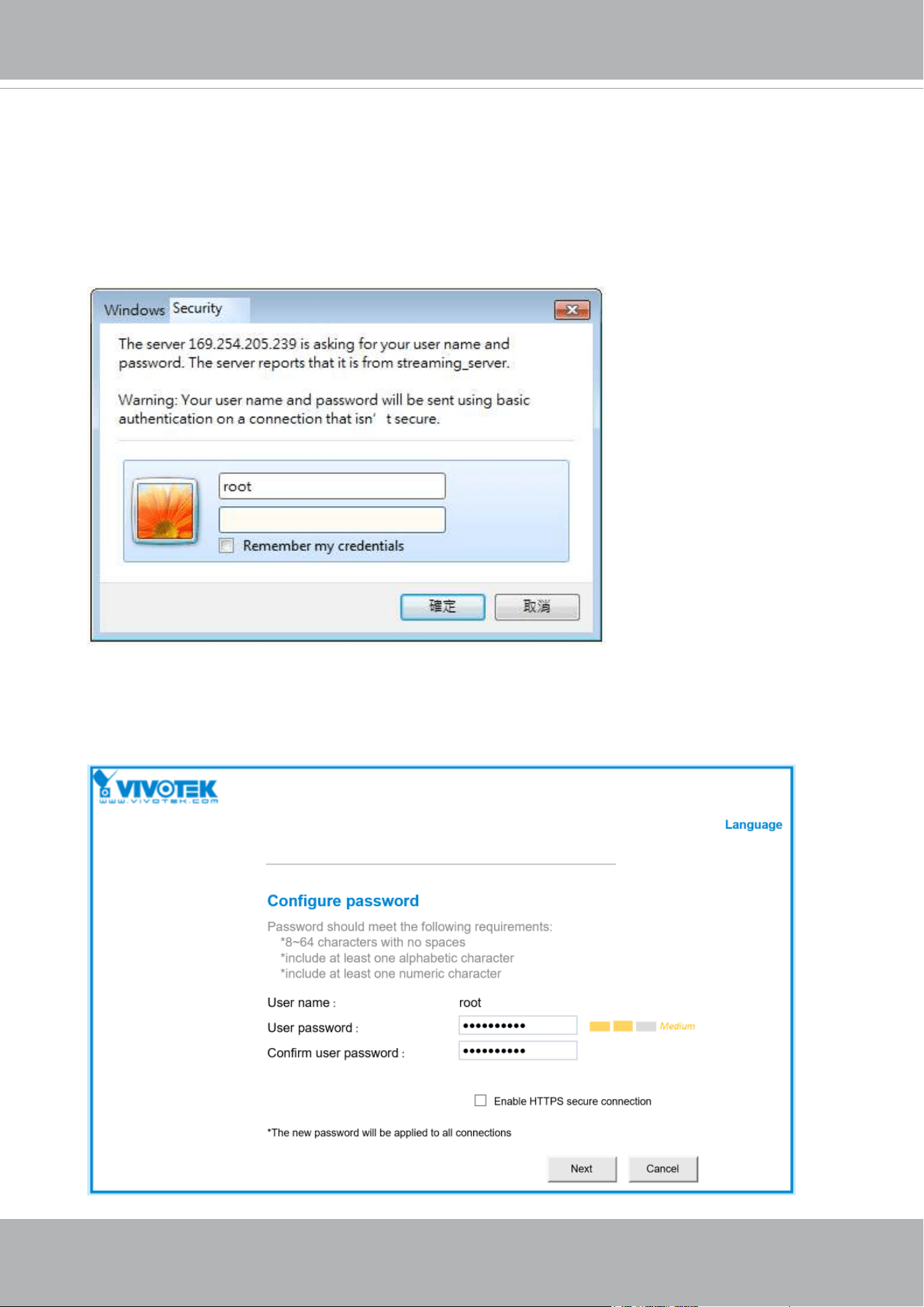
23. The first time you log in to the camera, the firmware will prompt for a password
conguration for security concerns.
23-1. Since your camera is used for the rst time, there is no password. Enter “root” as the
user name, and nothting for the password.
23-2. Enter the combination of alphabetic and numeric characters to fulll the password
strength. requirement. The default name for the camera administrator is “root”, and can
not be changed.
VIVOTEK
User's Manual - 31
Some, but not all special ASCII characters are supported: !, $, %, -, ., @, ^, _, and ~.
You can use them in the password combination.
23-3. Another prompt will request for the password you just congured. Enter the password
and then you can start congure your camera and see the live view.
VIVOTEK
32 - User's Manual
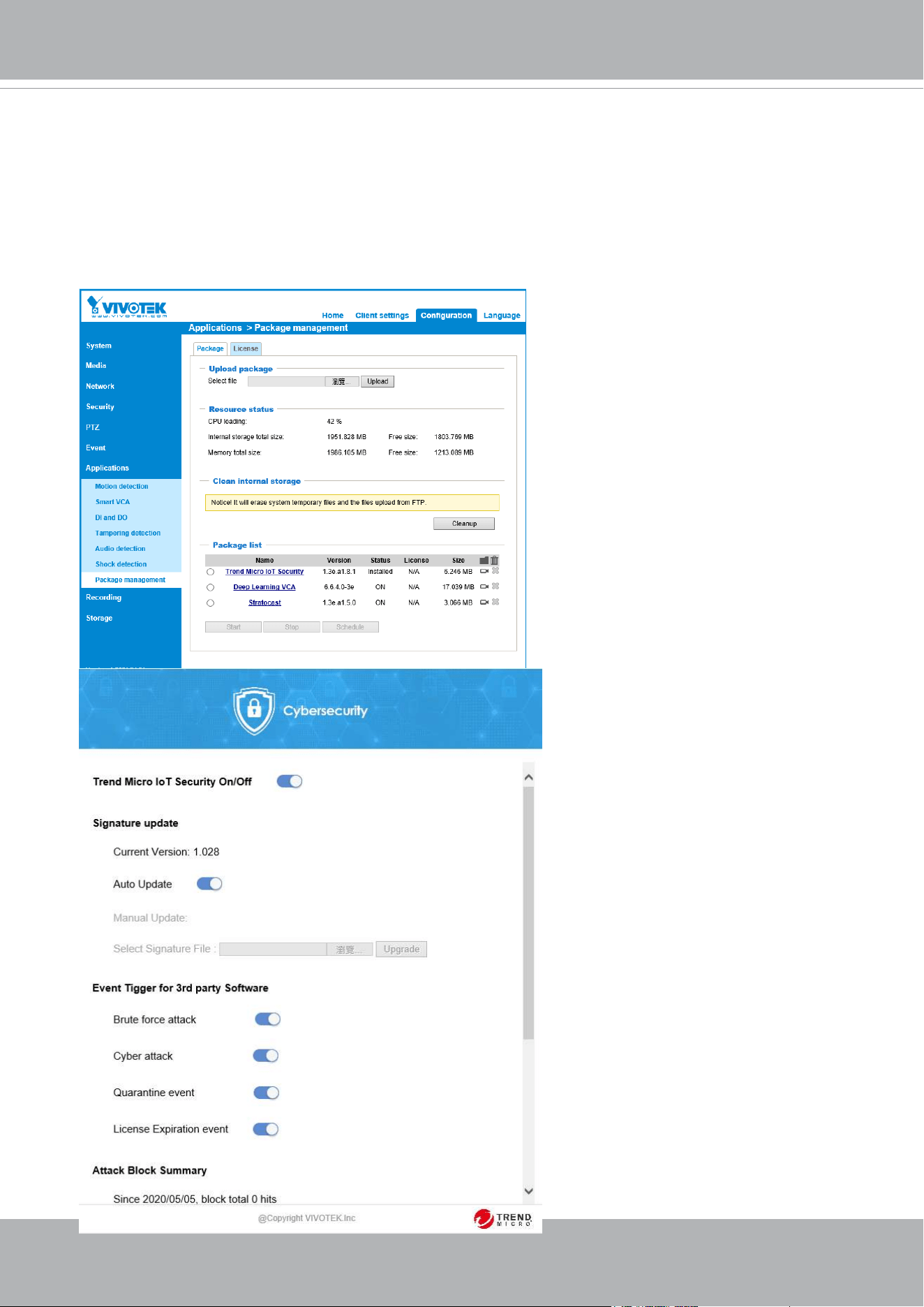
Cybersecurity
Once you open the web console, enter Configuration > Applications > Package
management, and click on Trend Micro IoT Security. Turn on the protection to fend off cyber
attacks.
In here, you can let the camera automatically update the virus codes or manually update the
virus codes.
VIVOTEK
User's Manual - 33
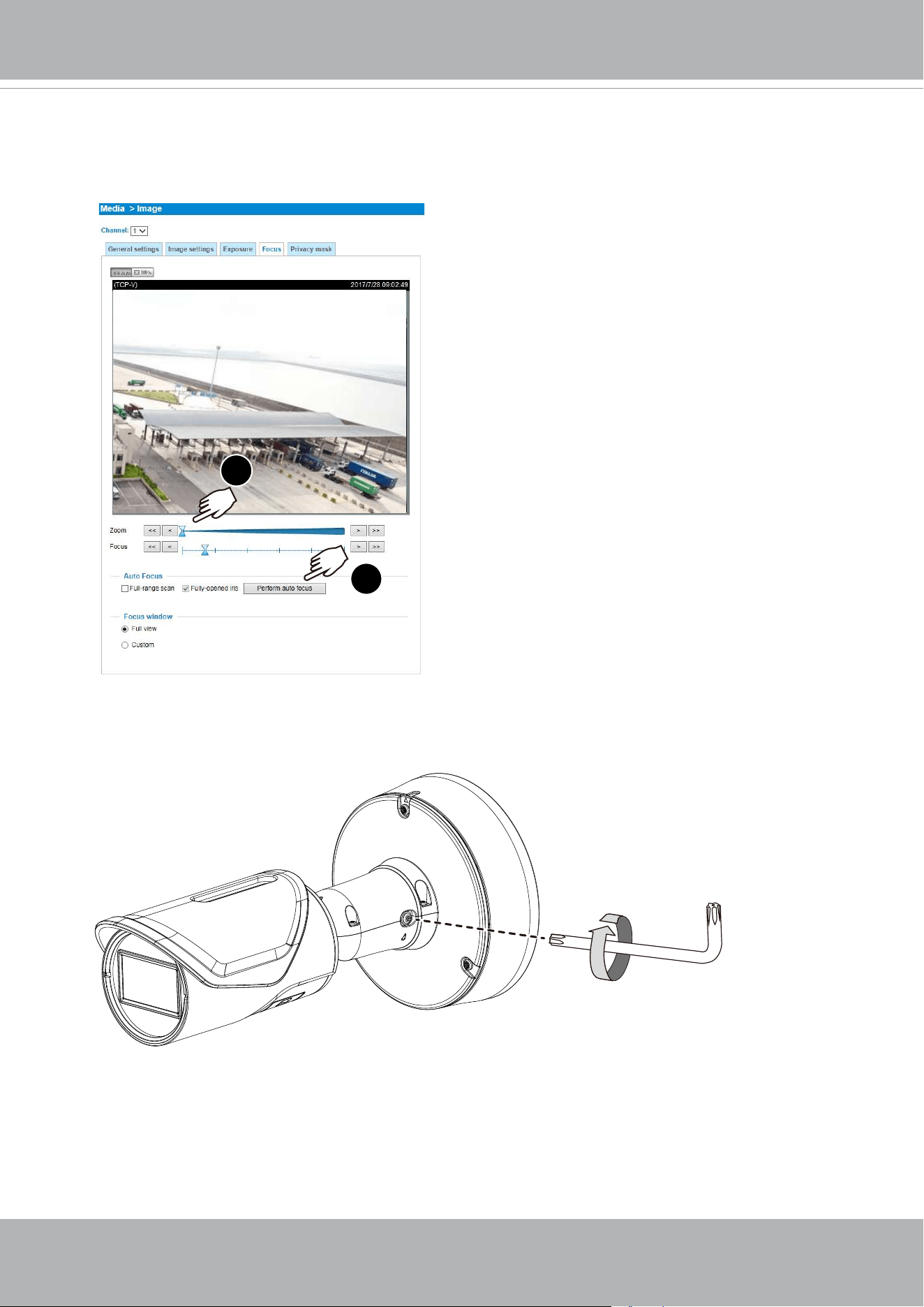
24. On a web console, go to Configuration > Media > Image > Focus, to tune for a best
image focus.
1
2
Conguration > Media > Image > Focus
T20
25. With a satisfactory field of view, you can tighten the retention screw on the bracket.

VIVOTEK
34 - User's Manual
Hardware Reset
The reset button is used to reset the system or restore the factory default settings.
Sometimes resetting the system can return the camera to normal operation. If the system
problems remain after reset, restore the factory settings and install again.
Reset: Press the recessed reset button. Wait for the Network Camera to reboot.
Restore: Press and hold the reset button until the status LED rapidly blinks. Note that all
settings will be restored to factory default. Upon successful restore, the status LED will
blink green and red during normal operation.
SD/SDHC/SDXC Card Capacity
This network camera is compliant with SD/SDHC/SDXC 16GB / 8GB / 32GB / 64GB / ,
and up to 512 / 1024GB and other preceding standard SD cards.
VIVOTEK
User's Manual - 35
Network Deployment
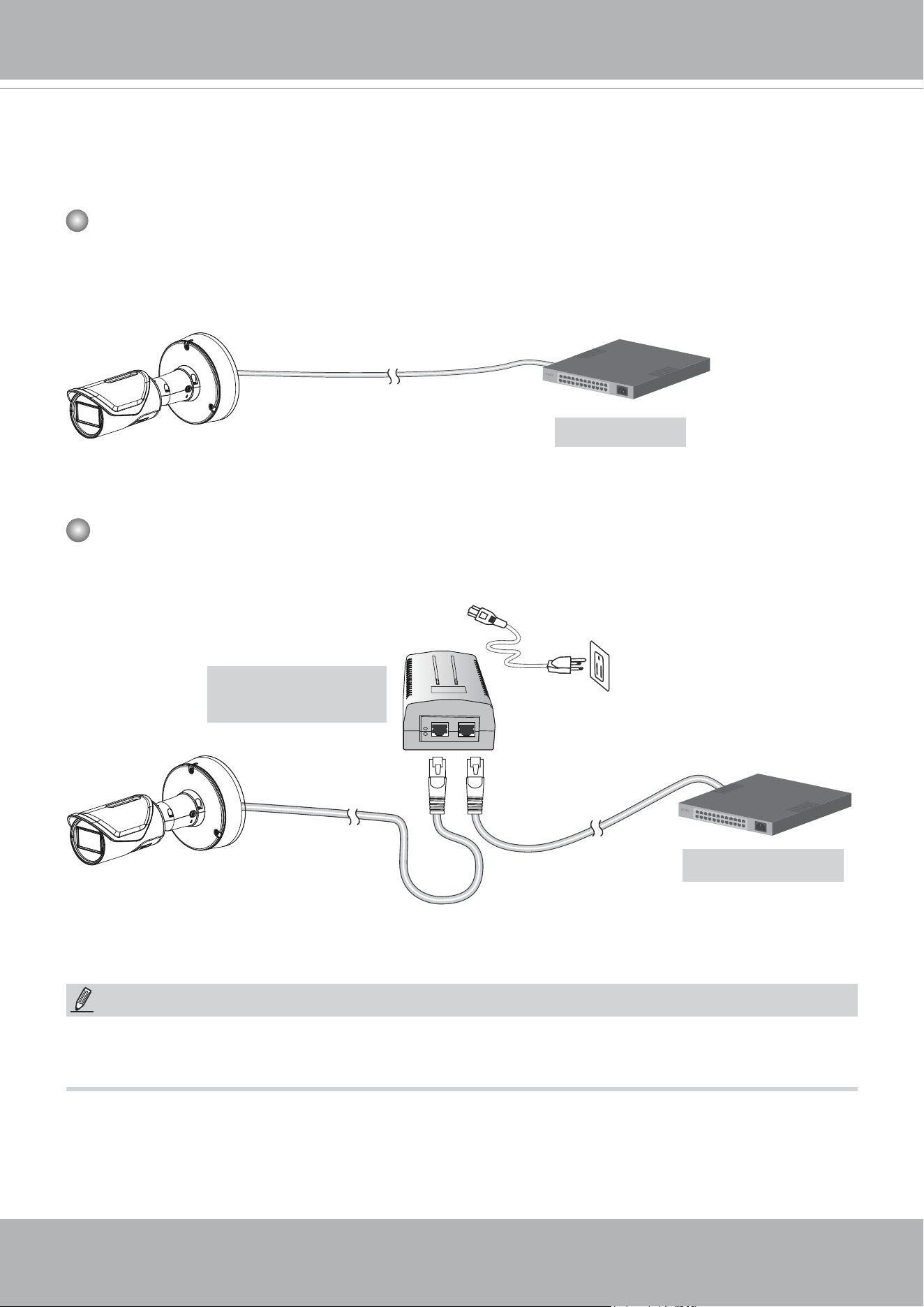
General Connection (PoE)
When using a PoE-enabled switch
The Network Camera is PoE-compliant, allowing transmission of power and data via a sin-
gle Ethernet cable. Follow the below illustration to connect the Network Camera to a PoE-
enabled switch via Ethernet cable.
PoE Switch
When using a non-PoE switch
Use a PoE power injector (optional) to connect between the Network Camera and a non-
PoE switch.
Non-PoE Switch
PoE Power Injector
(optional)
NOTE:
1. The camera is only to be connected to PoE networks without routing to outside plants.
2. For PoE connection, use only UL listed I.T.E. with PoE output.
802.3af
VIVOTEK
36 - User's Manual
Ready to Use
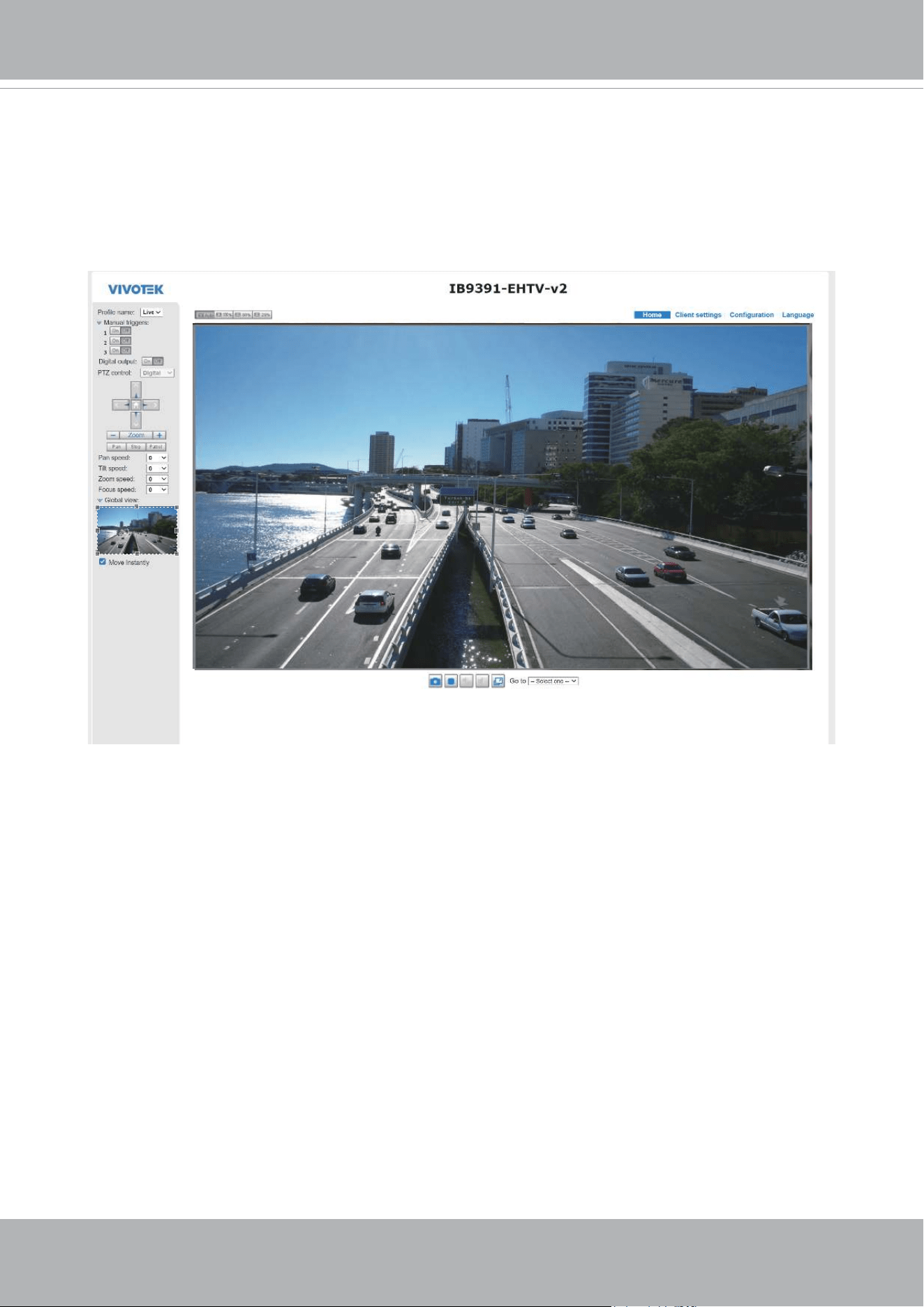
1. A browser session to the Network Camera should prompt as shown below.
2. You should be able to see live video from your camera. You may also install the
32-channel recording software in a deployment consisting of multiple cameras. For its
installation details, please refer to its related documents.
VIVOTEK
User's Manual - 37
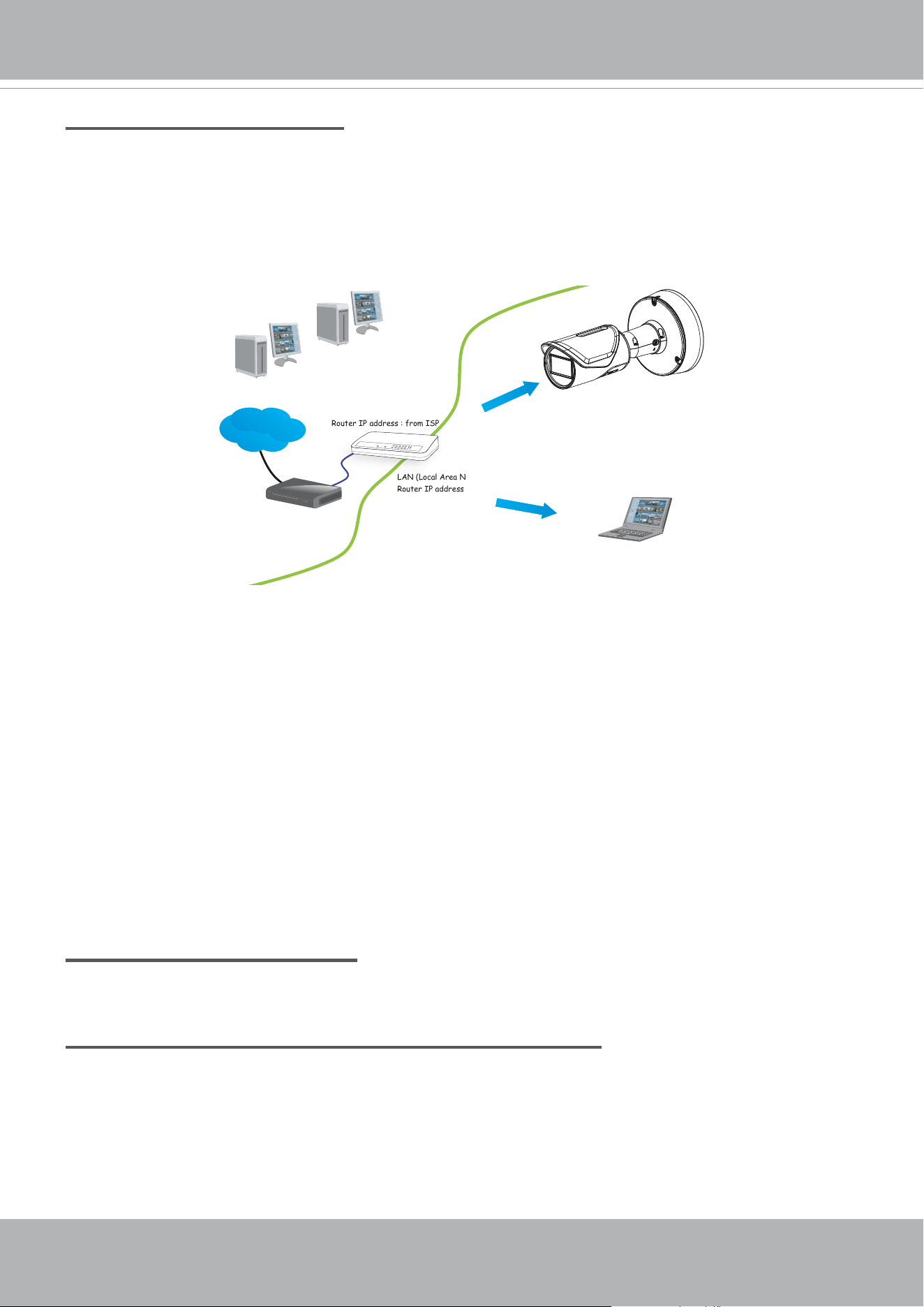
Internet connection via a router
Before setting up the Network Camera over the Internet, make sure you have a router and follow
the steps below.
1. Connect your Network Camera behind a router, the Internet environment is illustrated below.
Regarding how to obtain your IP address, please refer to Software Installation on page 20 for
details.
IP address : 192.168.0.3
Subnet mask : 255.255.255.0
Default router : 192.168.0.1
IP address : 192.168.0.2
Subnet mask : 255.255.255.0
Default router : 192.168.0.1
LAN (Local Area Network)
Router IP address : 192.168.0.1
WAN (Wide Area Network )
Router IP address : from ISP
Cable or DSL Modem
POWER
COLLISION
LINK
RECEIVE
PARTITION
1
2
3
4
5
Internet
2. In this case, if the Local Area Network (LAN) IP address of your Network Camera is
192.168.0.3, please forward the following ports for the Network Camera on the router.
■ HTTP port: default is 80
■ RTSP port: default is 554
■ RTP port for video: default is 5556
■ RTCP port for video: default is 5557
If you have changed the port numbers on the Network page, please open the ports
accordingly on your router. For information on how to forward ports on the router, please refer
to your router’s user’s manual.
3. Find out the public IP address of your router provided by your ISP (Internet Service Provider).
Use the public IP and the secondary HTTP port to access the Network Camera from the
Internet. Please refer to Network Type on page 99 for details.
Internet connection with static IP
Choose this connection type if you are required to use a static IP for the Network Camera.
Internet connection via PPPoE (Point-to-Point over Ethernet)
Choose this connection type if you are connected to the Internet via a DSL Line. Please refer to
PPPoE on page 100 for details.
VIVOTEK
38 - User's Manual
For example, your router and IP settings may look like this:
Device IP Address: internal port IP Address: External Port (Mapped
port on the router)
Public IP of router 122.146.57.120
LAN IP of router 192.168.2.1
Camera 1 192.168.2.10:80 122.146.57.120:8000
Camera 2 192.168.2.11:80 122.146.57.120:8001
... ... ...
Congure the router, virtual server or rewall, so that the router can forward any data com-
ing into a precongured port number to a network camera on the private network, and
allow data from the camera to be transmitted to the outside of the network over the same
path.
From Forward to
122.146.57.120:8000 192.168.2.10:80
122.146.57.120:8001 192.168.2.11:80
... ...
When properly congured, you can access a camera behind the router using the HTTP
request as follows: http://122.146.57.120:8000
If you change the port numbers on the Network conguration page, please open the ports
accordingly on your router. For example, you can open a management session with your
router to congure access through the router to the camera within your local network.
Please consult your network administrator for router conguration if you have troubles with
the conguration.
For more information with network conguration options (such as that of streaming ports),
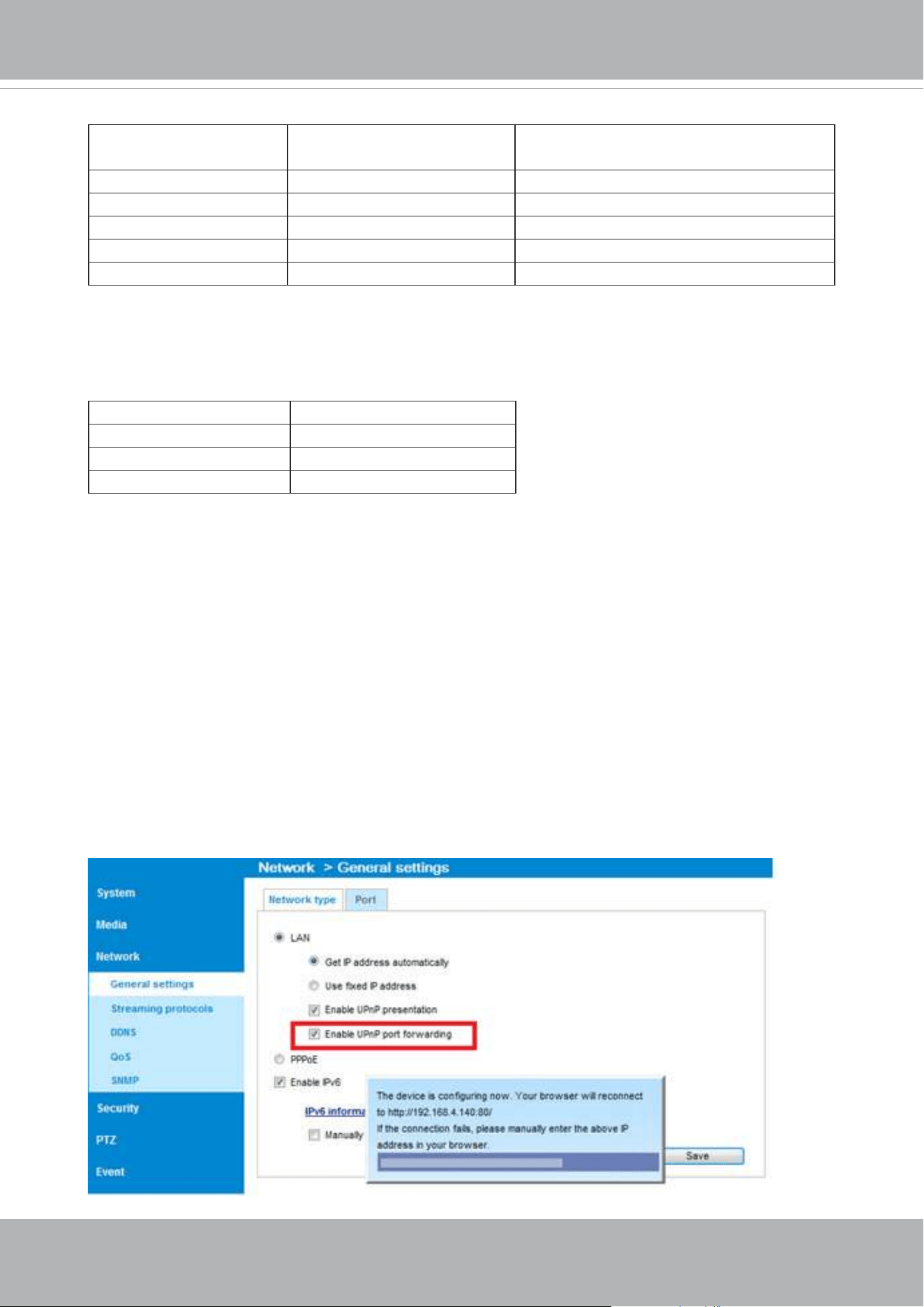
please refer to Conguration > Network Settings. VIVOTEK also provides the automatic
port forwarding feature as an NAT traversal function with the precondition that your router
must support the UPnP port forwarding feature.
VIVOTEK
User's Manual - 39
Accessing the Network Camera
This chapter explains how to access the Network Camera through web browsers, RTSP players,
3GPP-compatible mobile devices, and VIVOTEK recording software.
Using Web Browsers
Use Installation Wizard 2 (IW2) to access the Network Cameras on LAN.
If your network environment is not a LAN, follow these steps to access the Netwotk Camera:
1. Launch your web browser (e.g., Microsoft
®
Internet Explorer or Mozilla Firefox).
2. Enter the IP address of the Network Camera in the address eld. Press Enter.
3. Live video will be displayed in your web browser.
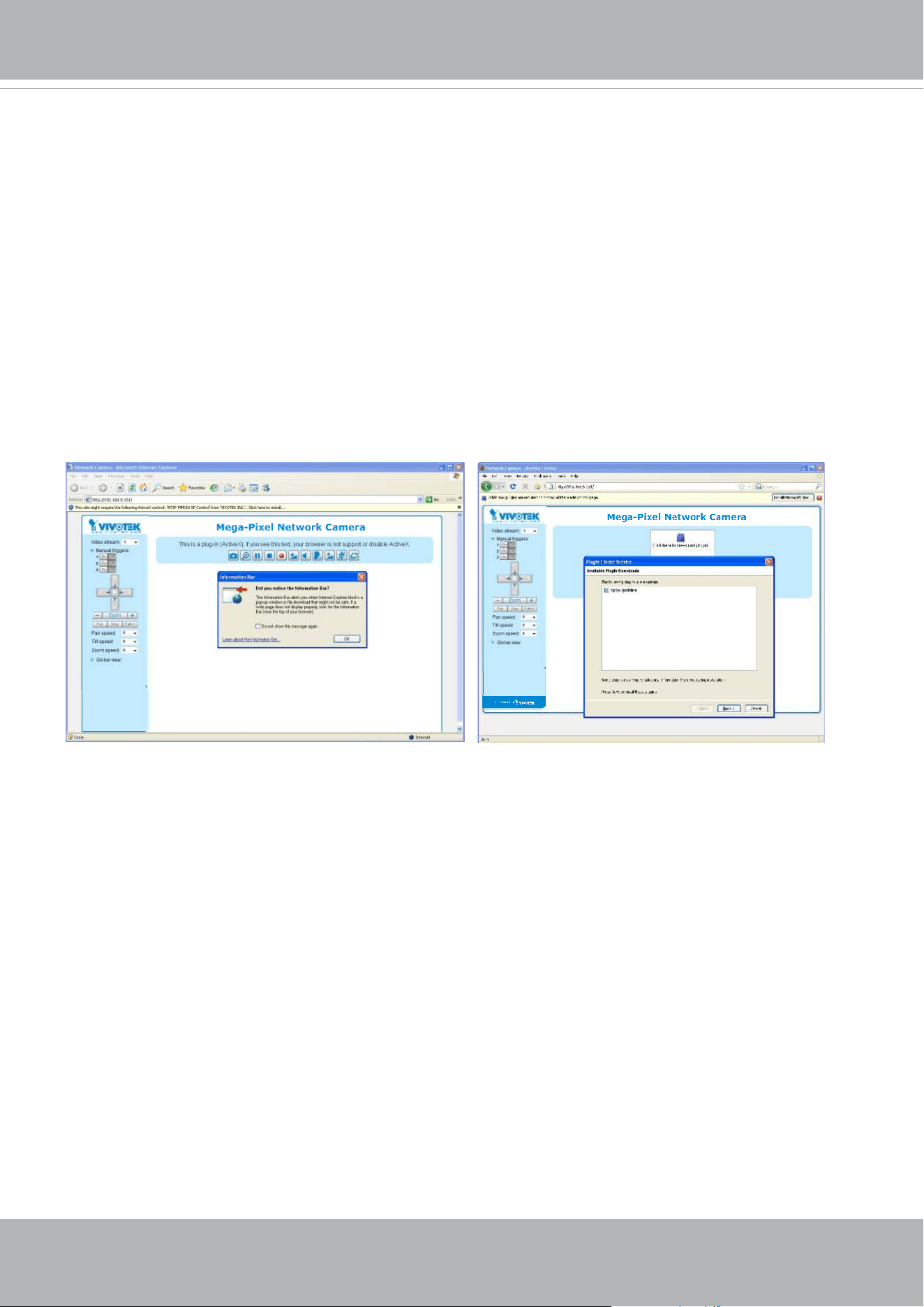
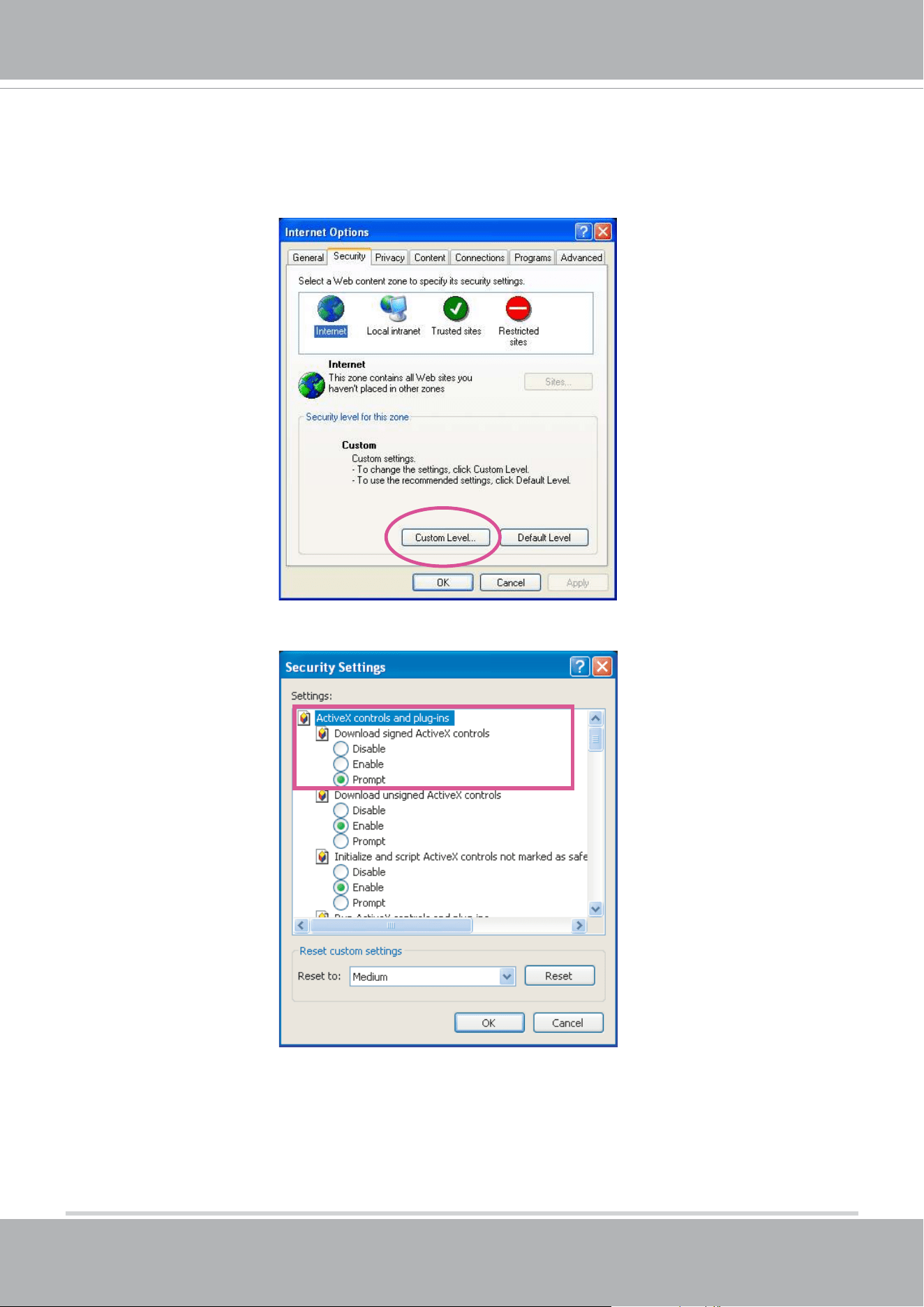
4. If it is the rst time installing the VIVOTEK network camera, an information bar will prompt as
shown below. Follow the instructions to install the required plug-in on your computer.
► By default, the Network Camera is not password-protected. To prevent unauthorized access,
it is highly recommended to set a password for the Network Camera.
For more information about how to enable password protection, please refer to Security on
page 120.
VIVOTEK
40 - User's Manual
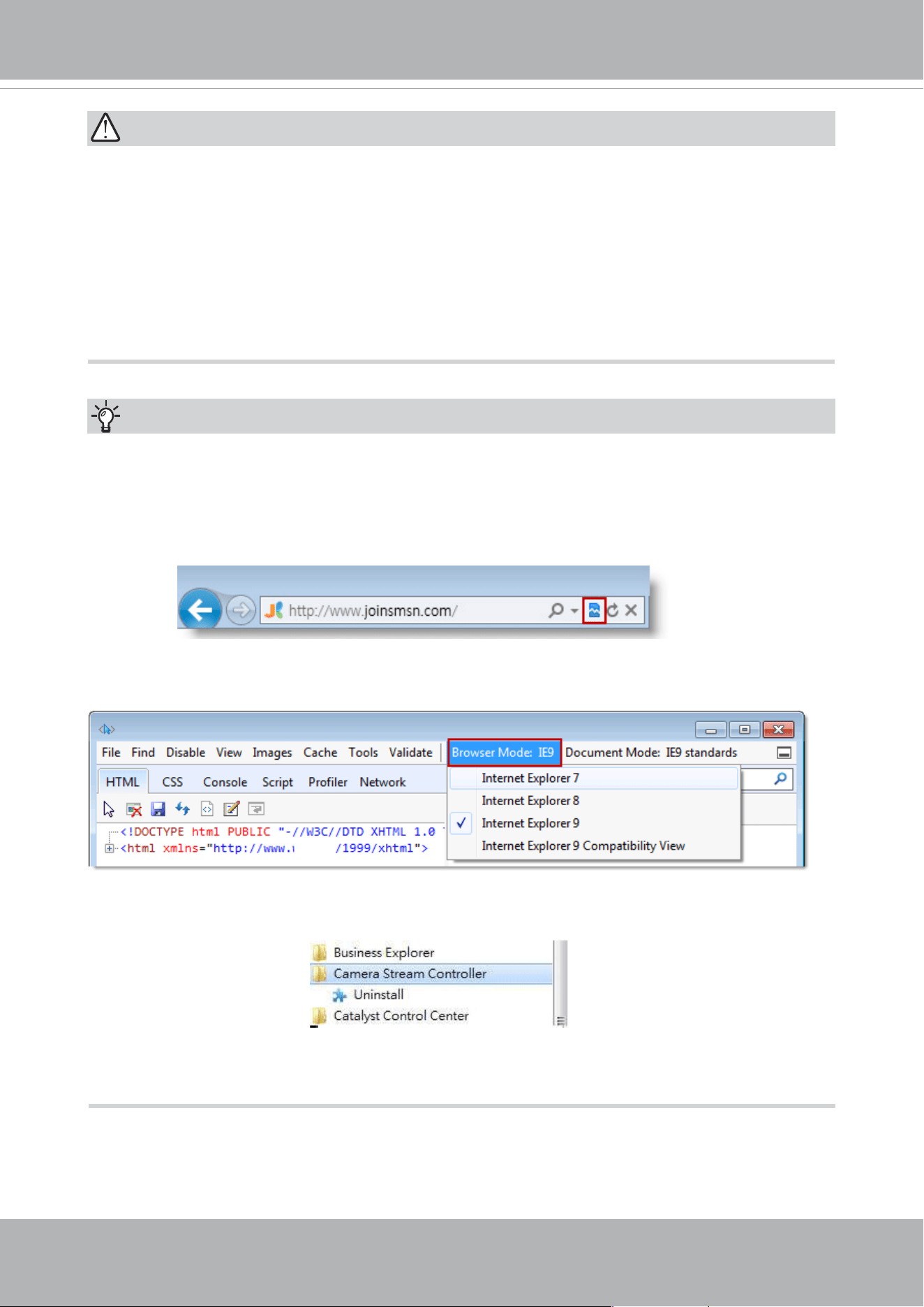
► If you see a dialog box indicating that your security settings prohibit running ActiveX
®
Controls, please enable the ActiveX
®
Controls for your browser.
1. Choose Tools > Internet Options > Security > Custom Level.
2. Look for Download signed ActiveX
®
controls; select Enable or Prompt. Click OK.
3. Refresh your web browser, then install the ActiveX
®
control. Follow the instructions to
complete installation.
VIVOTEK
User's Manual - 41
•
Currently the Network Camera utilizes a 32-bit ActiveX plugin. You CAN NOT open a
management/view session to the camera using a 64-bit IE browser.
•
If you encounter this problem, try execute the Iexplore.exe program from C:\Windows\
SysWOW64. A 32-bit version of IE browser will be installed.
•
On Windows 7, the 32-bit explorer browser can be accessed from here:
C:\Program Files (x86)\Internet Explorer\iexplore.exe
•
If you open a web session from the Shepherd utility, a 32-bit IE browser will be
opened.
IMPORTANT:
1. The onscreen Java control can malfunction under the following situations: A PC con-
nects to different cameras that are using the same IP address (or the same camera
running different rmware versions). Removing your browser cookies will solve this
problem.
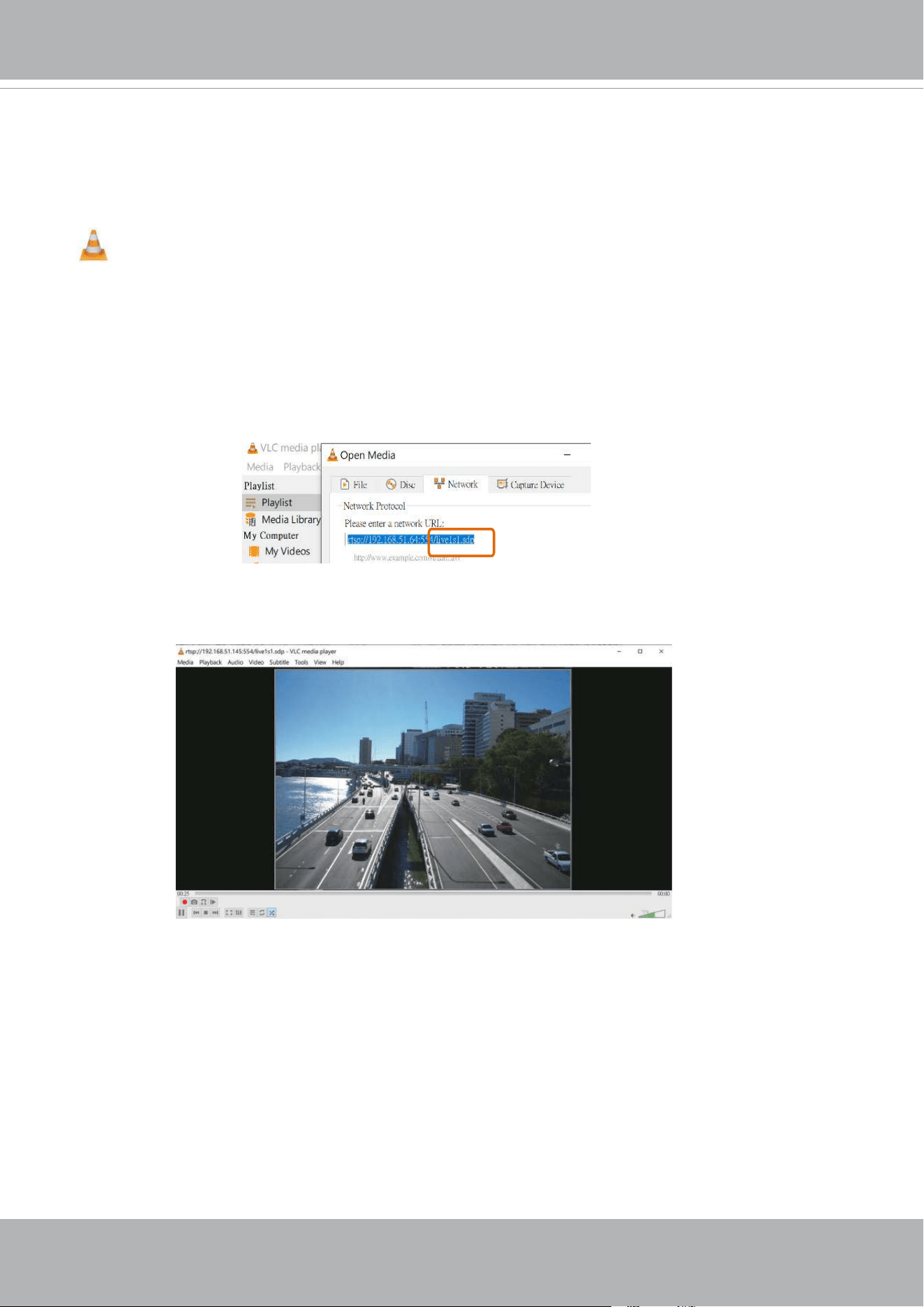
2. If you encounter problems with displaying the conguration menus or UI items, try dis-
able the Compatibility View on IE8 or IE9.
You may also press the F12 key to open the developer tools utility, and then change the
Browser Mode to the genuine IE8 or IE9 mode.
Tips:
• In the event of plug-in compatibility issues, you may try to uninstall the plug-in that was
previously installed.
VIVOTEK
42 - User's Manual
Using RTSP Players
To view the streaming media using RTSP players, you can use one of the following players that
support RTSP streaming.
VLC media player
VLC media player
mpegable Player
pvPlayer
As most ISPs and players only allow RTSP streaming through port number 554, please set the
RTSP port to 554. For more information, please refer to RTSP Streaming on page 107.
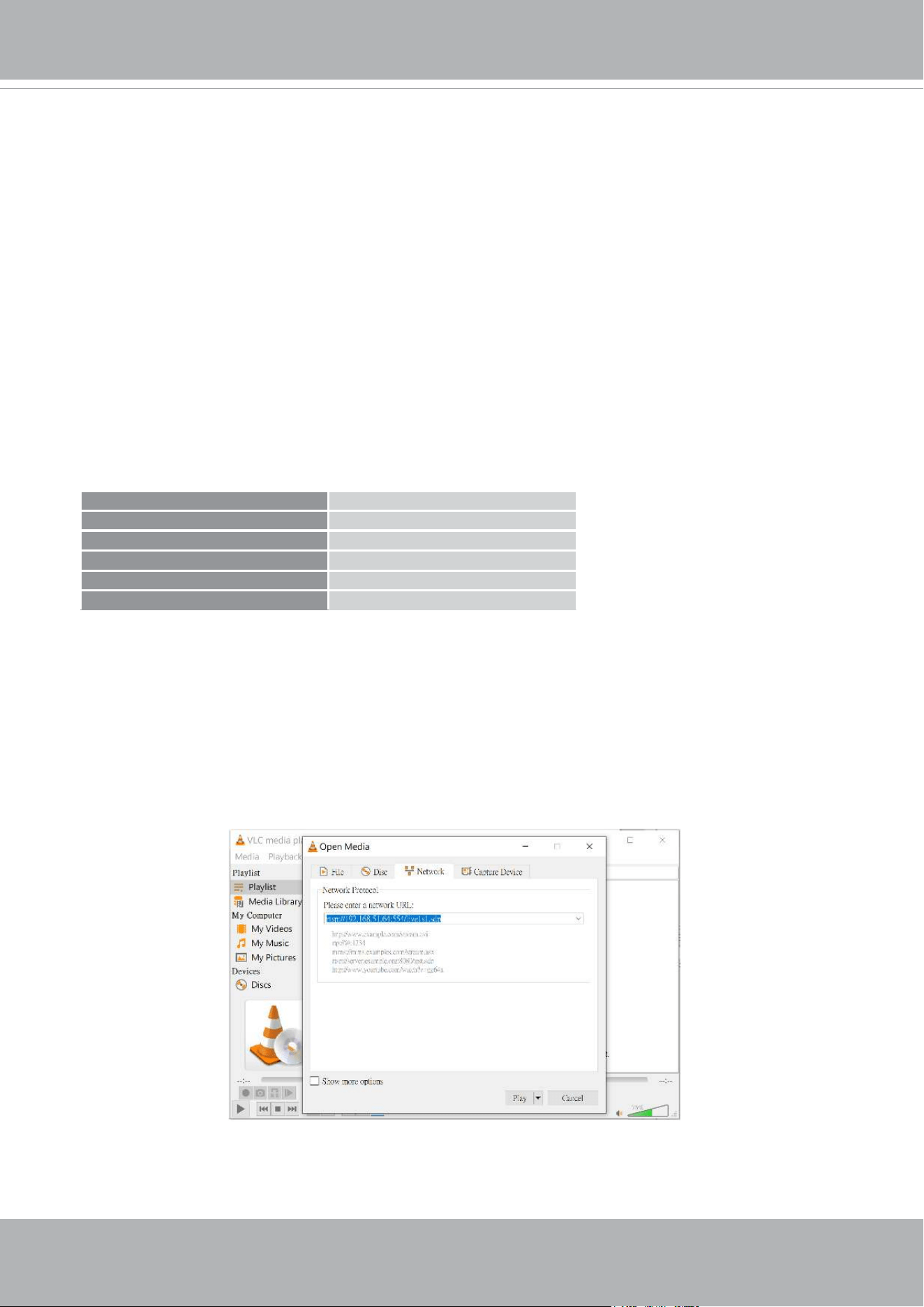
For example:
4. The live video will be displayed in your player.
1. Launch the RTSP player.
2. Choose File > Open URL. A URL dialog box will pop up.
3. The address format is rtsp://<ip address>:<rtsp port>/<RTSP streaming access name for
stream1 or stream2>
rtsp://192.168.5.151:554/live1s1.sdp
VIVOTEK
User's Manual - 43
Using 3GPP-compatible Mobile Devices
To view the streaming media through 3GPP-compatible mobile devices, make sure the Network
Camera can be accessed over the Internet. For more information on how to set up the Network
Camera over the Internet, please refer to Setup the Network Camera over the Internet on page
35.
To utilize this feature, please check the following settings on your Network Camera:
1. Because most players on 3GPP mobile phones do not support RTSP authentication, make
sure the authentication mode of RTSP streaming is set to disable.
For more information, please refer to RTSP Streaming on page 42.
2. As the the bandwidth on 3G networks is limited, you will not be able to use a large video size.
Please set the video and audio streaming parameters as listed below.
For more information, please refer to Stream settings on page 107.
Video Mode MPEG-4
Frame size 176 x 144
Maximum frame rate 5 fps
Intra frame period 1S
Video quality (Constant bit rate) 40kbps
Audio type (GSM-AMR) 12.2kbps
3. As most ISPs and players only allow RTSP streaming through port number 554, please set
the RTSP port to 554. For more information, please refer to RTSP Streaming on page107.
4. Launch the player on the 3GPP-compatible mobile devices (e.g., Real Player).
5. Type the following URL commands in the URL eld.
The address format is rtsp://<public ip address of your camera>:<rtsp port>/<RTSP streaming
access name for stream 3>.
For example:
You can configure Stream #2 into the suggested stream settings as listed above for live
viewing on a mobile device.
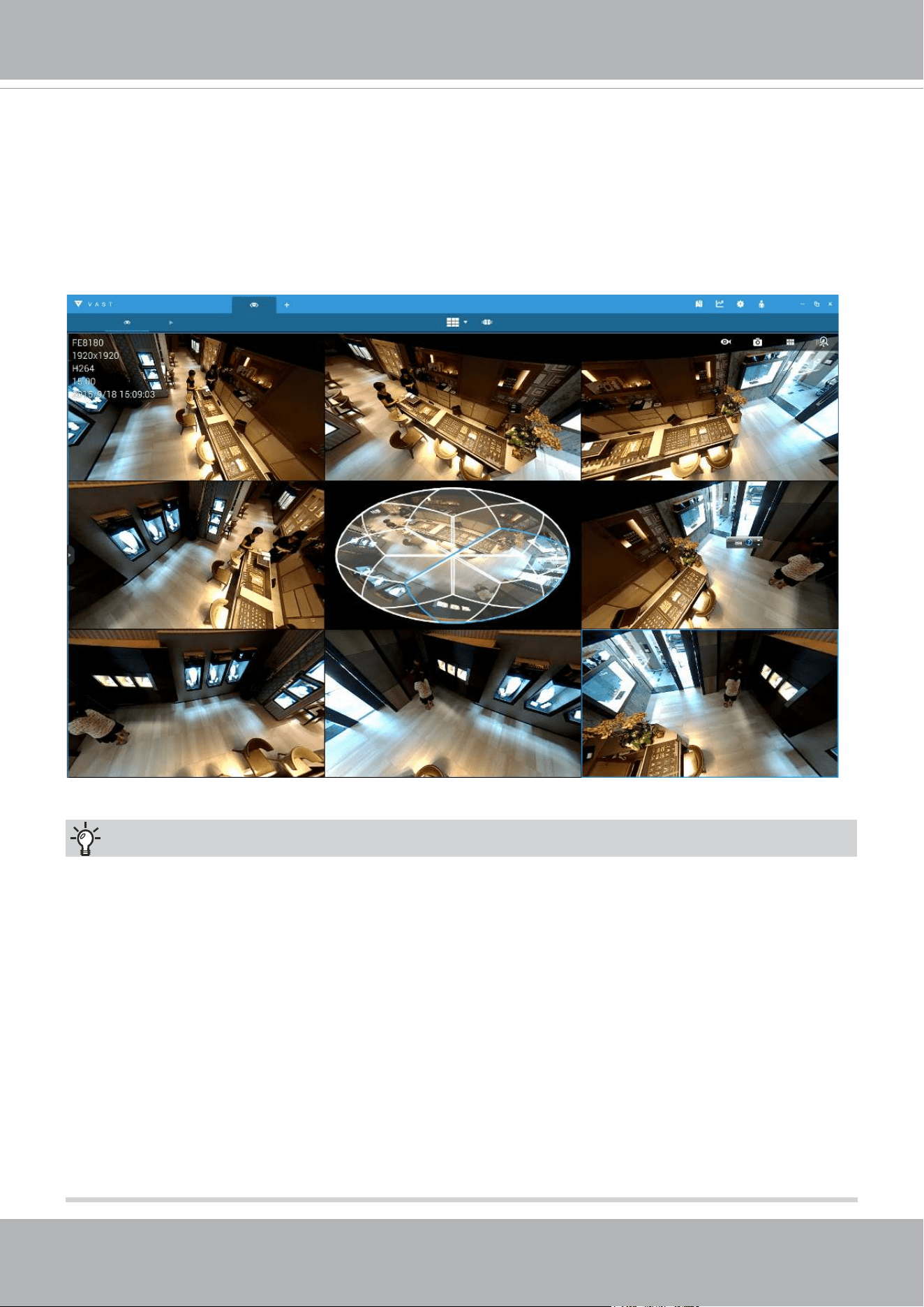
VIVOTEK
44 - User's Manual
Using VIVOTEK Recording Software
You can download a VAST recording software, allowing simultaneous monitoring and video
recording for multiple Network Cameras. Please install the recording software; then launch the
program to add the Network Camera to the Channel list. For detailed information about how to
use the recording software, please refer to the user’s manual of the software or download it from
http://www.vivotek.com.
Tips:
1. If you encounter problems with displaying live view or the onscreen plug-in control, you may try
to remove the plug-ins that might have been installed on your computer. Remove the following
folder: C:\Program Files (x86)\Camera Stream Controller\.
2. If you forget the root (administrator) password for the camera, you can restore the camera
defaults by pressing the reset button for longer than 5 seconds.
3. If DHCP is enabled in your network, and the camera cannot be accessed, run the Shepherd
utility to search the network. If the camera has been congured with xed IP that does not
comply with your local network, you may see its default IP 169.254.x.x. If you still cannot nd
the camera, you can restore the camera to its factory defaults.
4. If you change your network parameters, e.g., added a connection to a LAN card, re-start the
Shepherd utility.
VIVOTEK
User's Manual - 45
Main Page
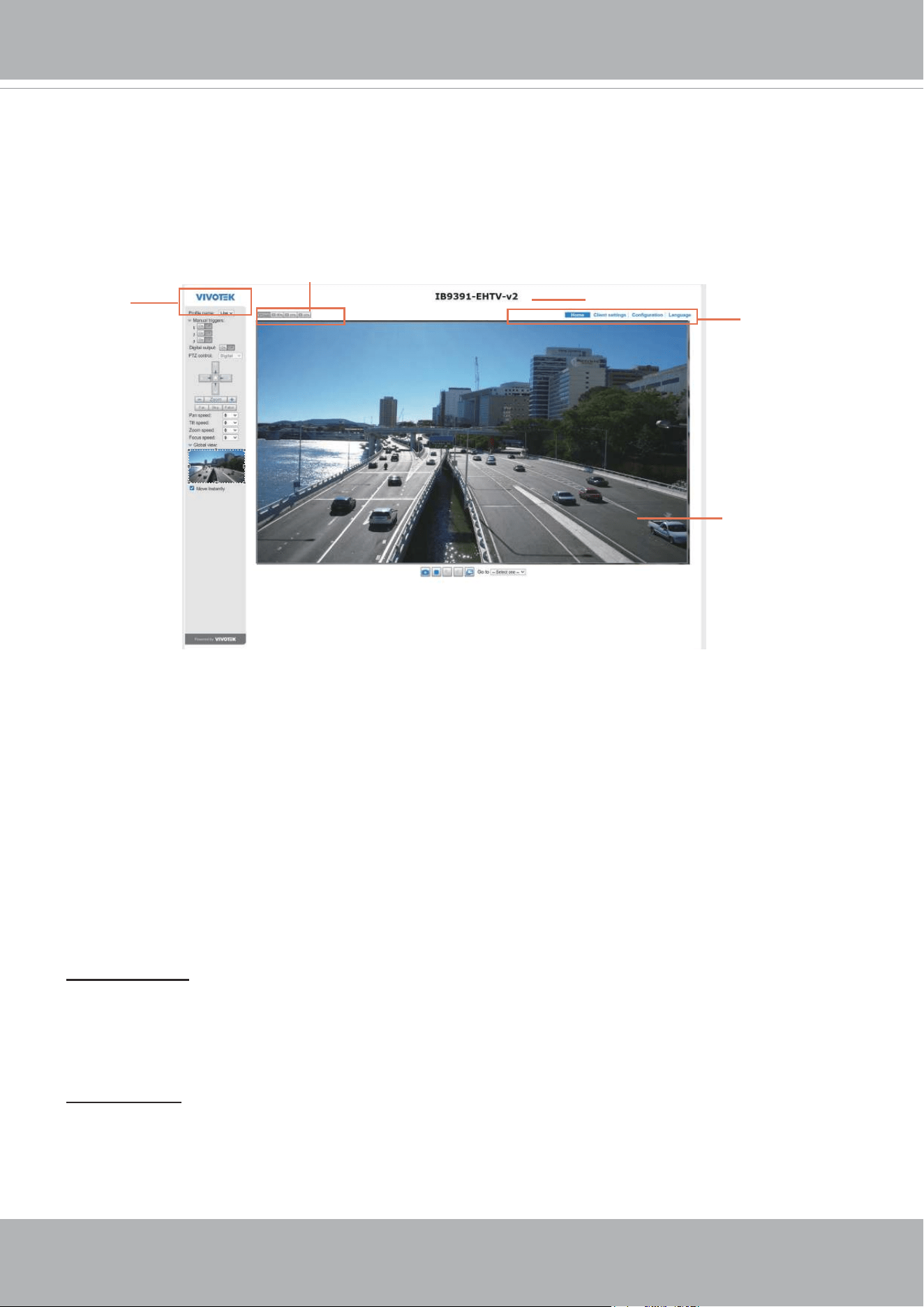
This chapter explains the layout of the main page. It is composed of the following sections:
VIVOTEK INC. Logo, Host Name, Camera Control Area, Configuration Area, Menu, and Live
Video Window.
VIVOTEK INC. Logo
Click this logo to visit the VIVOTEK website.
Host Name
The host name can be customized to t your needs. The name can be changed especially there are many
cameras in your surveillance deployment. For more information, please refer to System on page 56.
Camera Control Area
VIVOTEK INC.
Logo
Live View Window
Configuration
Area
Host Name
Resize Buttons
Profile mode:
4 pre-configured streaming profiles are provided through here: Max. view, Recording
view, Live view, and App. Each mode features a different stream source (channel), resolution, multicast,
and metadata conguration.
The proles can be congured in Conguration > Media > Media proles.
Manual Trigger: Click to enable/disable an event trigger manually. Please congure an event setting on
the Application page before you enable this function. A total of 3 event conguration can be congured.
For more information about event setting, please refer to page 139. If you want to hide this item on
the homepage, please go to Configuration> System > Homepage Layout > General settings >
Customized button to deselect the “show manual trigger button” checkbox.
VIVOTEK
46 - User's Manual
Conguration Area
Client Settings: Click this button to access the client setting page. For more information, please refer to
Client Settings on page 50.
Conguration: Click this button to access the conguration page of the Network Camera. It is suggested
that a password be applied to the Network Camera so that only the administrator can configure the
Network Camera. For more information, please refer to Conguration on page 55.
Language: Click this button to choose a language for the user interface. Language options are available
in: English, Deutsch, Español, Français, Italiano,
日本語
, Português,
簡体中文
, and
繁體中文
. Please
note that you can also change a language on the Conguration page; please refer to page 55.
Hide Button
You can click the hide button to hide or display the control panel.
Resize Buttons
:
Click the Auto button, the video cell will resize automatically to t the monitor.
Click 100% is to display the original homepage size.
Click 50% is to resize the homepage to 50% of its original size.
Click 25% is to resize the homepage to 25% of its original size.
Live Video Window
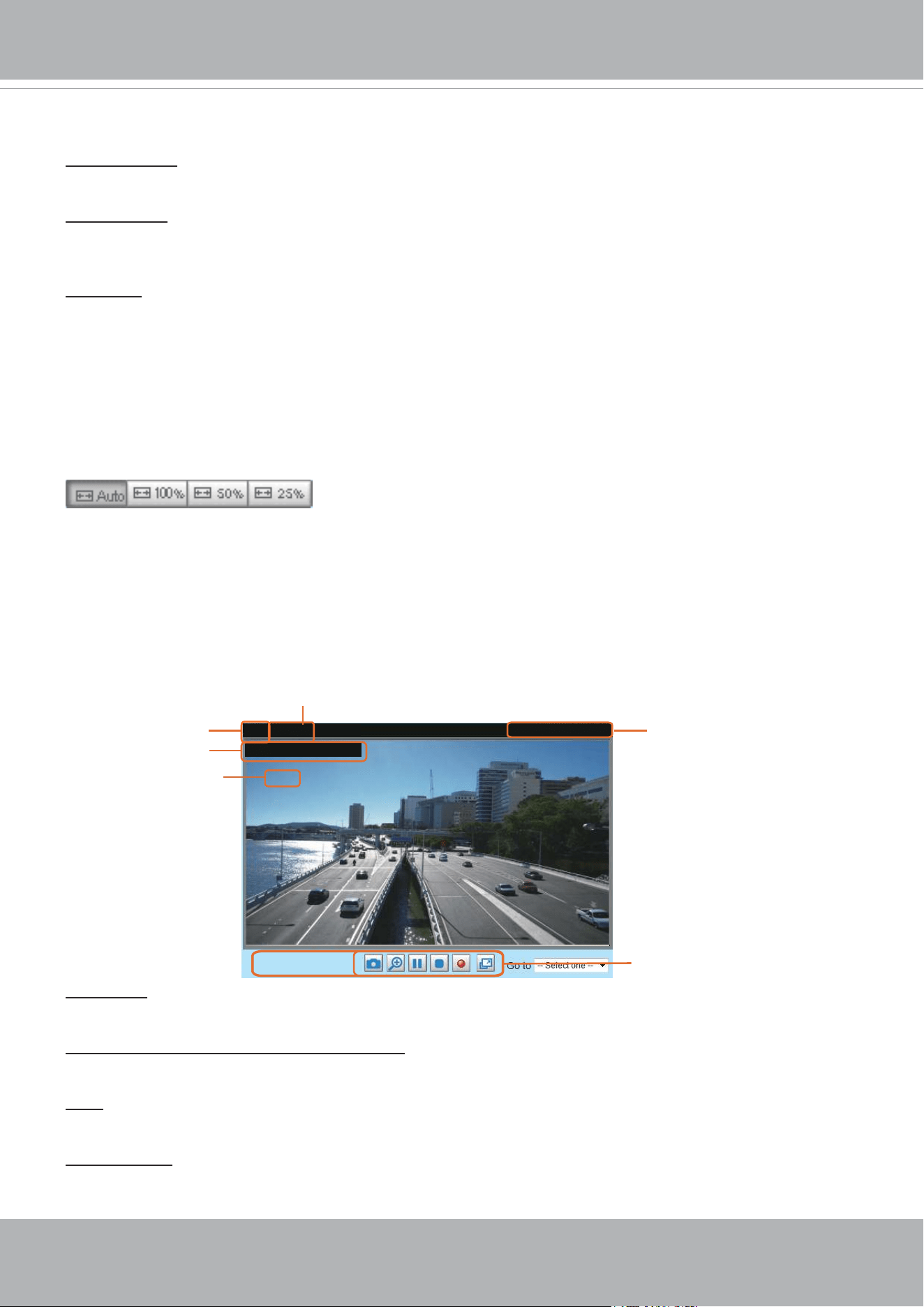
■ The following window is displayed when the video mode is set to H.264 or H.265:
Video Title: The video title can be congured. For more information, please refer to Video Settings on
page 69.
H.264 or H. 265 Protocol and Media Options: The transmission protocol and media options for H.264 or
H.265 video streaming. For further conguration, please refer to Client Settings on page 50.
Time: Display the current time. For further conguration, please refer to Media > Image > Genral settings
on page 69.
Title and Time: The video title and time can be stamped on the streaming video. For further conguration,
please refer to Media > Image > General settings on page 74.
Video 17:08:56 2019/03/25
Title and Time
2019/03/25 17:08:56
Time
Video (TPC-AV)
H.265/264 Protocol and Media Options
Video Title
x4.0
Zoom Indicator
Video Control Buttons
VIVOTEK
User's Manual - 47
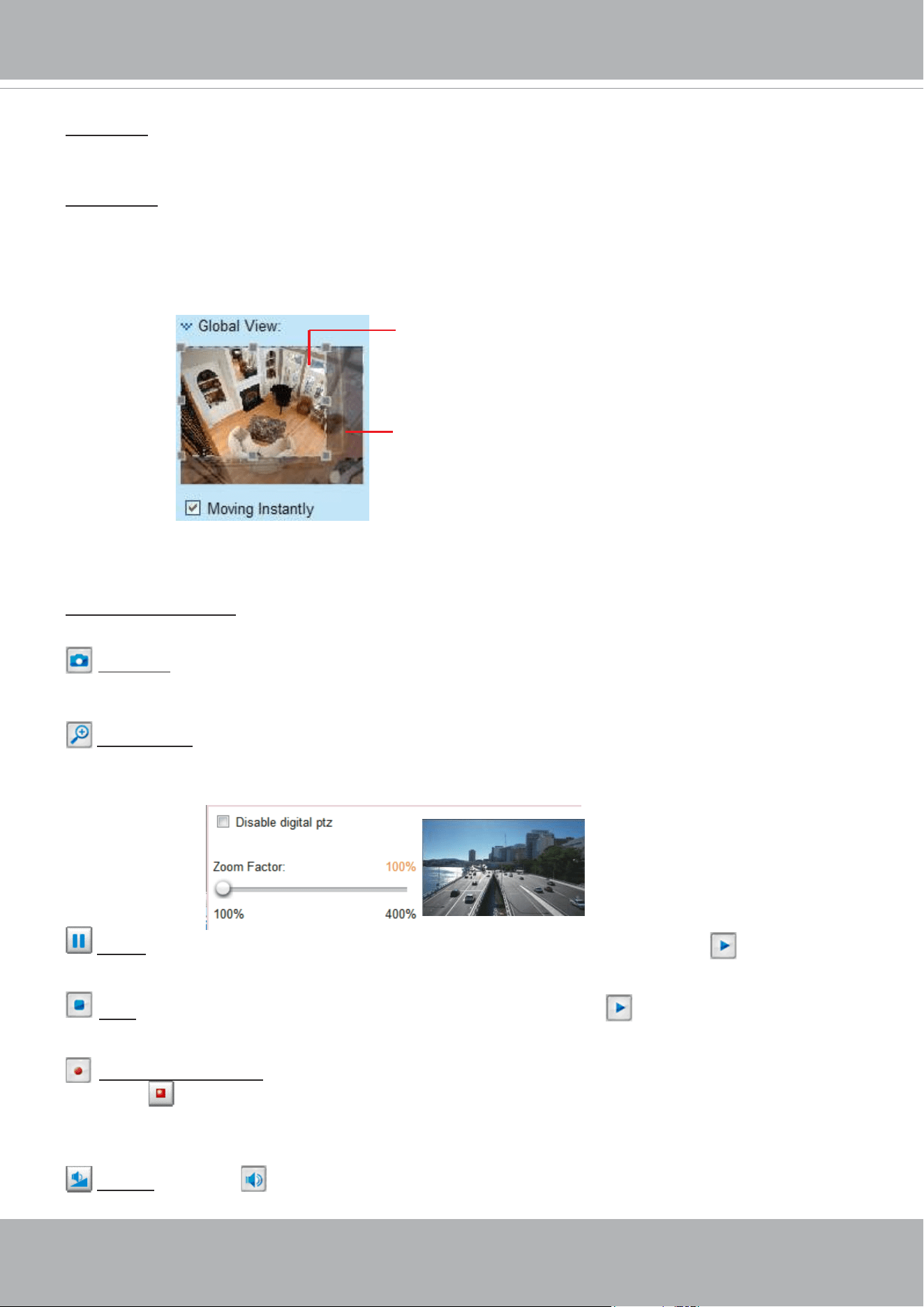
Global View: Click on this item to display the Global View window. The Global View window contains a
full view image (the largest frame size of the captured video) and a oating frame (the viewing region of
the current video stream). The oating frame allows users to control the e-PTZ function (Electronic Pan/
Tilt/Zoom). For more information about e-PTZ operation, please refer to E-PTZ Operation on page 135.
For more information about how to set up the viewing region of the current video stream, please refer to
page 135.
The viewing region of
the curruent video
stream
The largest frame size
PTZ Panel: This Network Camera supports “digital“ (e-PTZ) pan/tilt/zoom control, which allows roaming
a smaller view frame within a large view frame. Please refer to PTZ settiings on page 135 for detailed
information.
Note that the PTZ buttons on the panel are not operational unless you are showing only a portion of the
full image. If the live view window is displaying the full view, the PTZ buttons are not functional.
Video Control Buttons: Depending on the Network Camera model and Network Camera conguration,
some buttons may not be available.
Snapshot: Click this button to capture and save still images. The captured images will be displayed
in a pop-up window. Right-click the image and choose Save Picture As to save it in JPEG (*.jpg) or BMP
(*.bmp) format.
Digital Zoom: Click and uncheck “Disable digital zoom” to enable the zoom operation. The navigation
screen indicates the part of the image being magnied. To control the zoom level, drag the slider bar. To
move to a different area you want to magnify, drag the navigation screen.
Pause: Pause the transmission of the streaming media. The button becomes the Resume button
after clicking the Pause button.
Stop: Stop the transmission of the streaming media. Click the Resume button to continue
transmission.
Start MP4 Recording: Click this button to record video clips in MP4 file format to your computer.
Press the
Stop MP4 Recording button to end recording. When you exit the web browser, video
recording stops accordingly. To specify the storage destination and le name, please refer to MP4 Saving
Options on page 51 for details.
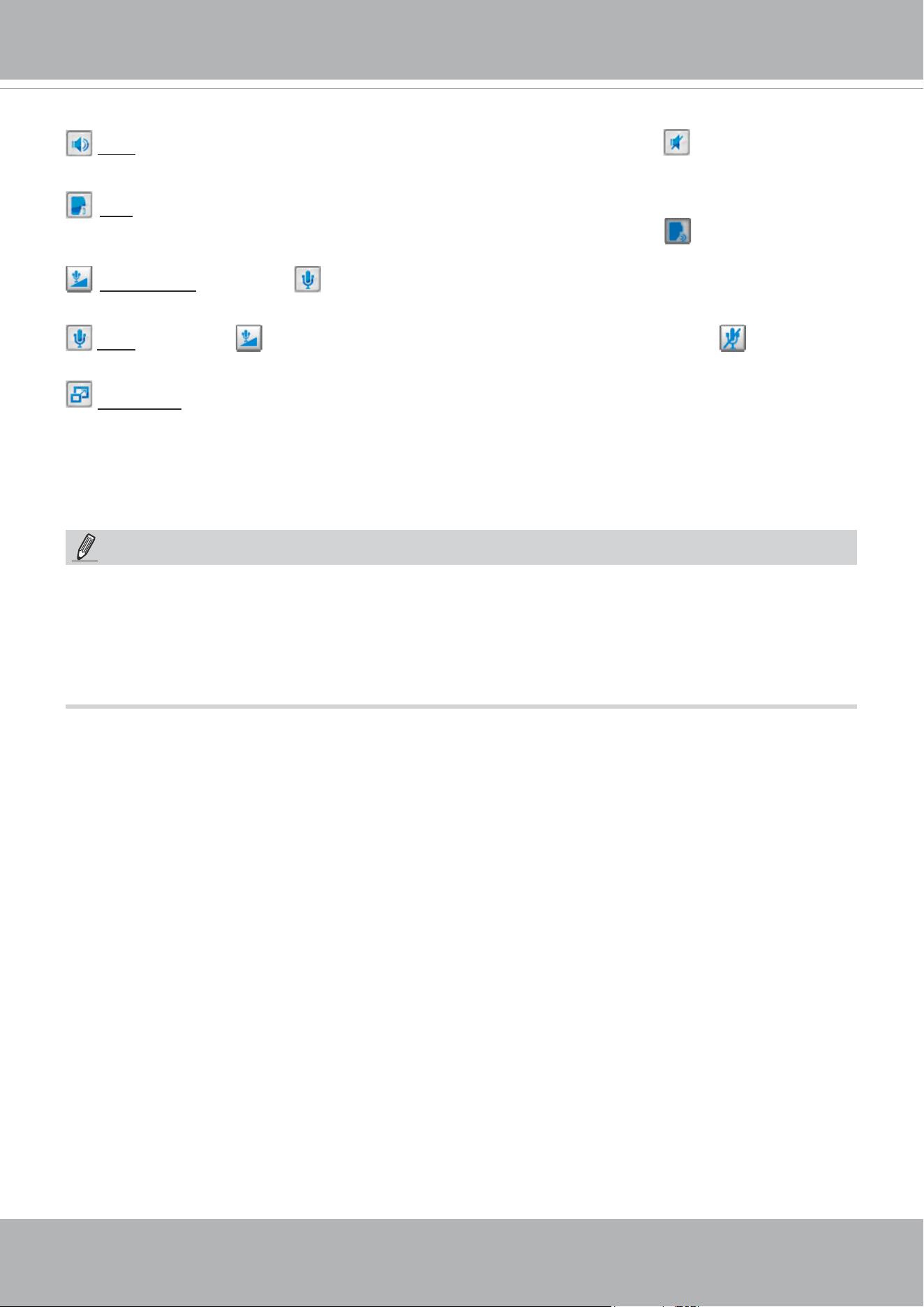
Volume: When the Mute function is not activated, move the slider bar to adjust the volume on the
local computer.
VIVOTEK
48 - User's Manual
NOTE:
1. For a megapixel camera, it is recommended to use monitors of the 24" size or larger, and
are capable of 1600x1200 or better resolutions.
2. Below are the defaults for Audio settings:
For cameras with built-in microphone: Not Muted.
For cameras without built-in microphone: Muted.
Mute: Turn off the volume on the local computer. The button becomes the Audio On button after
clicking the Mute button.
Talk: Click this button to talk to people around the Network Camera. Audio will project from
the external speaker connected to the Network Camera. Click this button
again to end talking
transmission.
Mic Volume: When the Mute function is not activated, move the slider bar to adjust the
microphone volume on the local computer.
Mute: Turn off the Mic volume on the local computer. The button becomes the Mic On button
after clicking the Mute button.
Full Screen: Click this button to switch to full screen mode. Press the “Esc” key to switch back to normal
mode.
VIVOTEK
User's Manual - 49
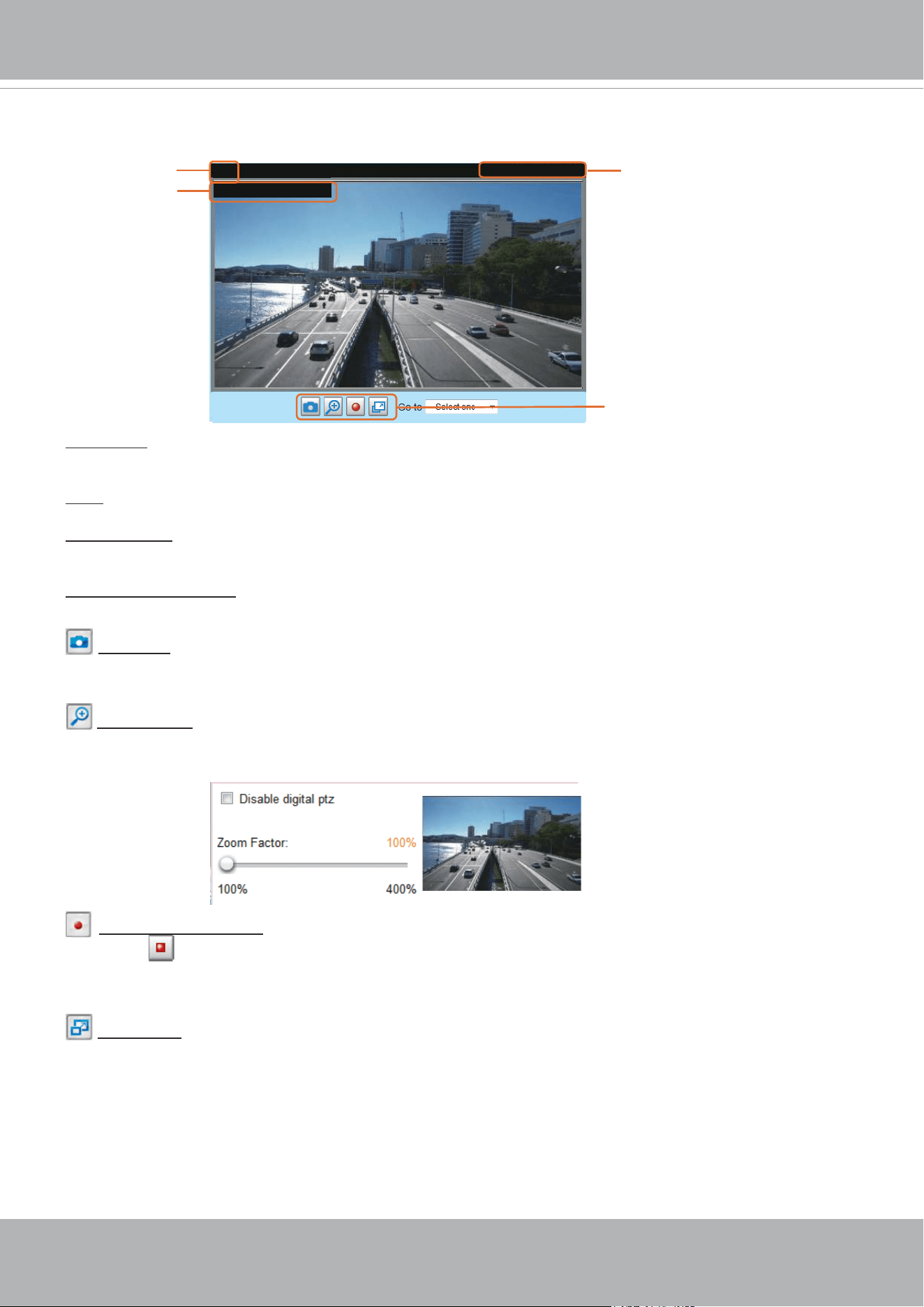
■ The following window is displayed when the video mode is set to MJPEG:
Video Title: The video title can be congured. For more information, please refer to Media > Image on
page 74.
Time: Display the current time. For more information, please refer to Media > Image on page 74.
Title and Time: Video title and time can be stamped on the streaming video. For more information, please
refer to Media > Image on page 74
.
Video Control Buttons: Depending on the Network Camera model and Network Camera conguration,
some buttons may not be available.
Snapshot: Click this button to capture and save still images. The captured images will be displayed
in a pop-up window. Right-click the image and choose Save Picture As to save it in JPEG (*.jpg) or BMP
(*.bmp) format.
Digital Zoom: Click and uncheck “Disable digital zoom” to enable the zoom operation. The navigation
screen indicates the part of the image being magnied. To control the zoom level, drag the slider bar. To
move to a different area you want to magnify, drag the navigation screen.
Start MP4 Recording: Click this button to record video clips in MP4 file format to your computer.
Press the
Stop MP4 Recording button to end recording. When you exit the web browser, video
recording stops accordingly. To specify the storage destination and le name, please refer to MP4 Saving
Options on page 51 for details.
Full Screen: Click this button to switch to full screen mode. Press the “Esc” key to switch back to normal
mode.
Video 17:08:56 2019/01/25
Title and Time
2019/01/25 17:08:56
Time
Video (HTTP-V)
Video Title
Video Control Buttons
VIVOTEK
50 - User's Manual
Client Settings
This chapter explains how to select the stream transmission mode and saving options on the
local computer. When completed with the settings on this page, click Save on the page bottom
to enable the settings.
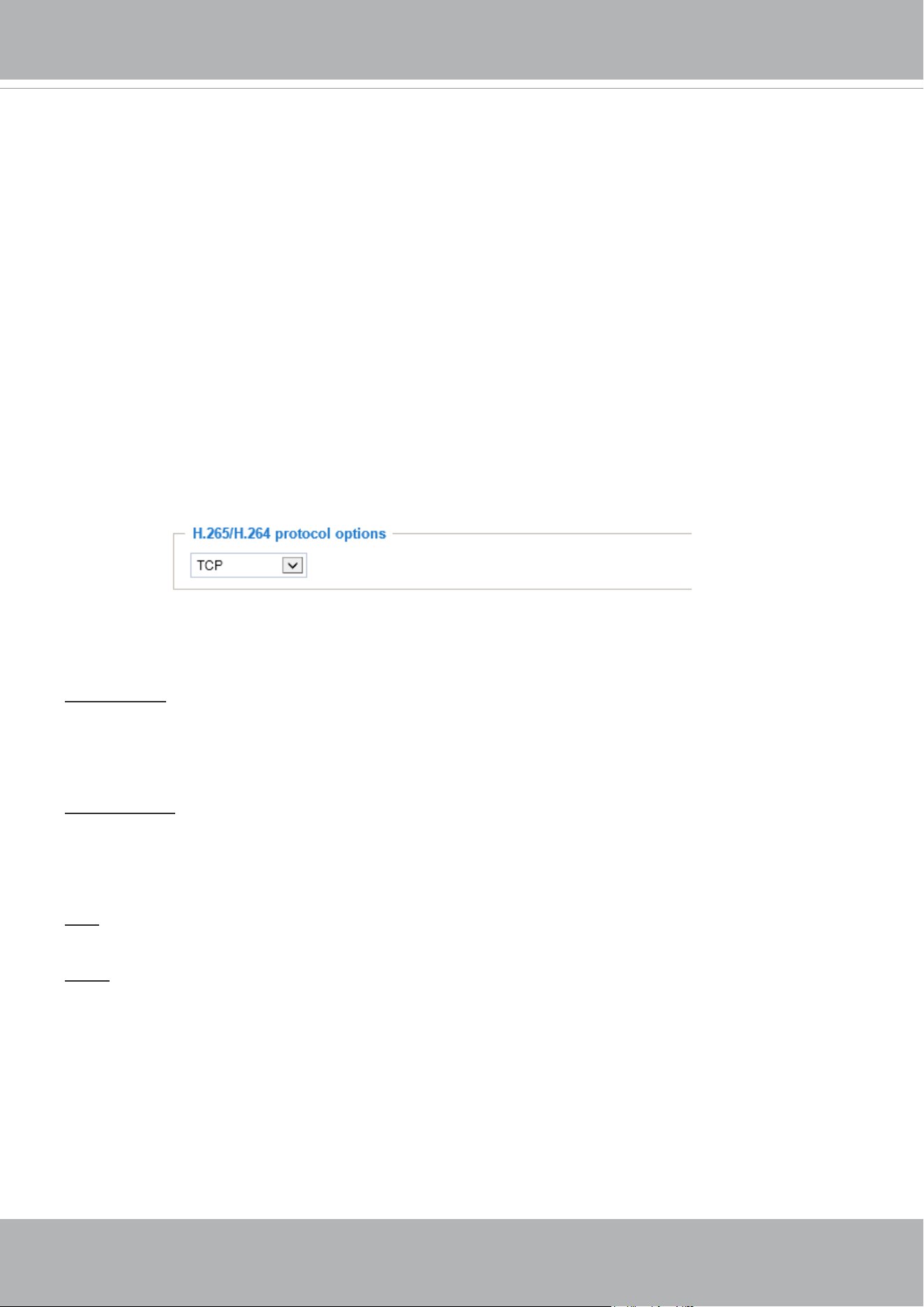
H.265/H.264 Protocol Options
Depending on your network environment, there are four transmission modes of H.264 streaming:
UDP unicast: This protocol allows for more real-time audio and video streams. However, network
packets may be lost due to network burst trafc and images may be broken. Activate UDP connection
when occasions require time-sensitive responses and the video quality is less important. Note that each
unicast client connecting to the server takes up additional bandwidth and the Network Camera allows up
to ten simultaneous accesses.
UDP multicast: This protocol allows multicast-enabled routers to forward network packets to all clients
requesting streaming media. This helps to reduce the network transmission load of the Network Camera
while serving multiple clients at the same time. Note that to utilize this feature, the Network Camera must
be configured to enable multicast streaming at the same time. For more information, please refer to
RTSP Streaming on page 107.
TCP: This protocol guarantees the complete delivery of streaming data and thus provides better video
quality. The downside of this protocol is that its real-time effect is not as good as that of the UDP protocol.
HTTP: This protocol allows the same quality as TCP protocol without needing to open specic ports for
streaming under some network environments. Users inside a firewall can utilize this protocol to allow
streaming data through.
H.264 Protocol Options
H.265/H.264 Media Options
Select to stream video or audio data or both. This is enabled only when the video mode is set to H.264.
VIVOTEK
User's Manual - 51
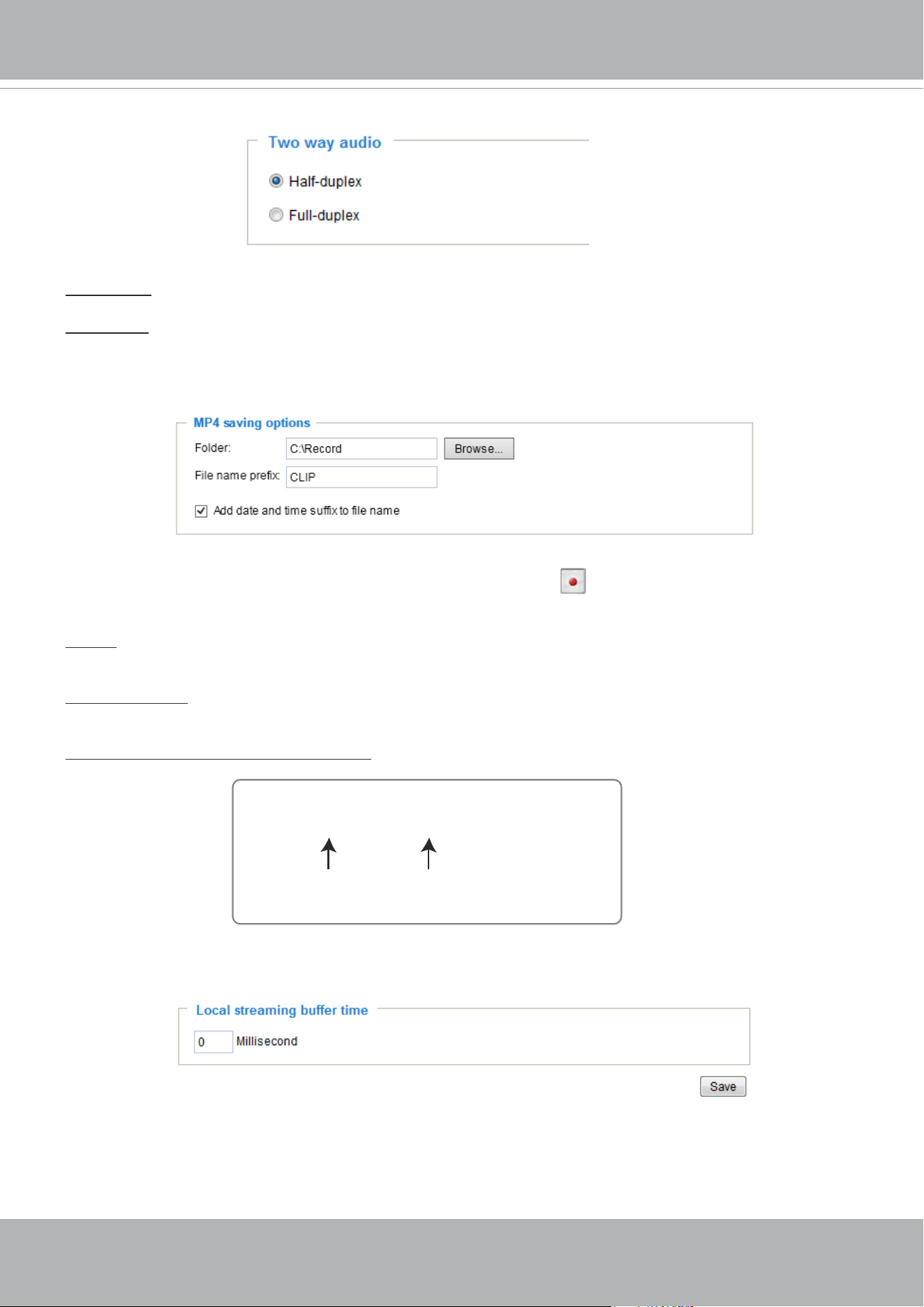
MP4 Saving Options
Users can record live video as they are watching it by clicking Start MP4 Recording on the main
page. Here, you can specify the storage destination and le name.
Folder: Specify a storage destination on your PC for the recorded video files. The location can be
changed.
File name prex: Enter the text that will be appended to the front of the video le name. A specied folder
will be automatically created on your local hard disk.
Add date and time sufx to the le name: Select this option to append the date and time to the end of the
le name.
Local Streaming Buffer Time
In the case of encountering unsteady bandwidth, live streaming may lag and video streaming may not be
very smoothly. If you enable this option, the live streaming will be stored temporarily on your PC’s cache
memory for a few milli seconds before being played on the live viewing window. This will help you see
the streaming more smoothly. If you enter 3,000 Millisecond, the streaming will delay for 3 seconds.
CLIP_20190321-180853
Date and time suffix
The format is: YYYYMMDD_HHMMSS
File name prefix
Two way audio
Half duplex: Audio is transmitted from one direction at a time, e.g., from a PC holding a web console with
the camera.
Full duplex: Audio is transmitted in both directions simultaneously.
VIVOTEK
52 - User's Manual
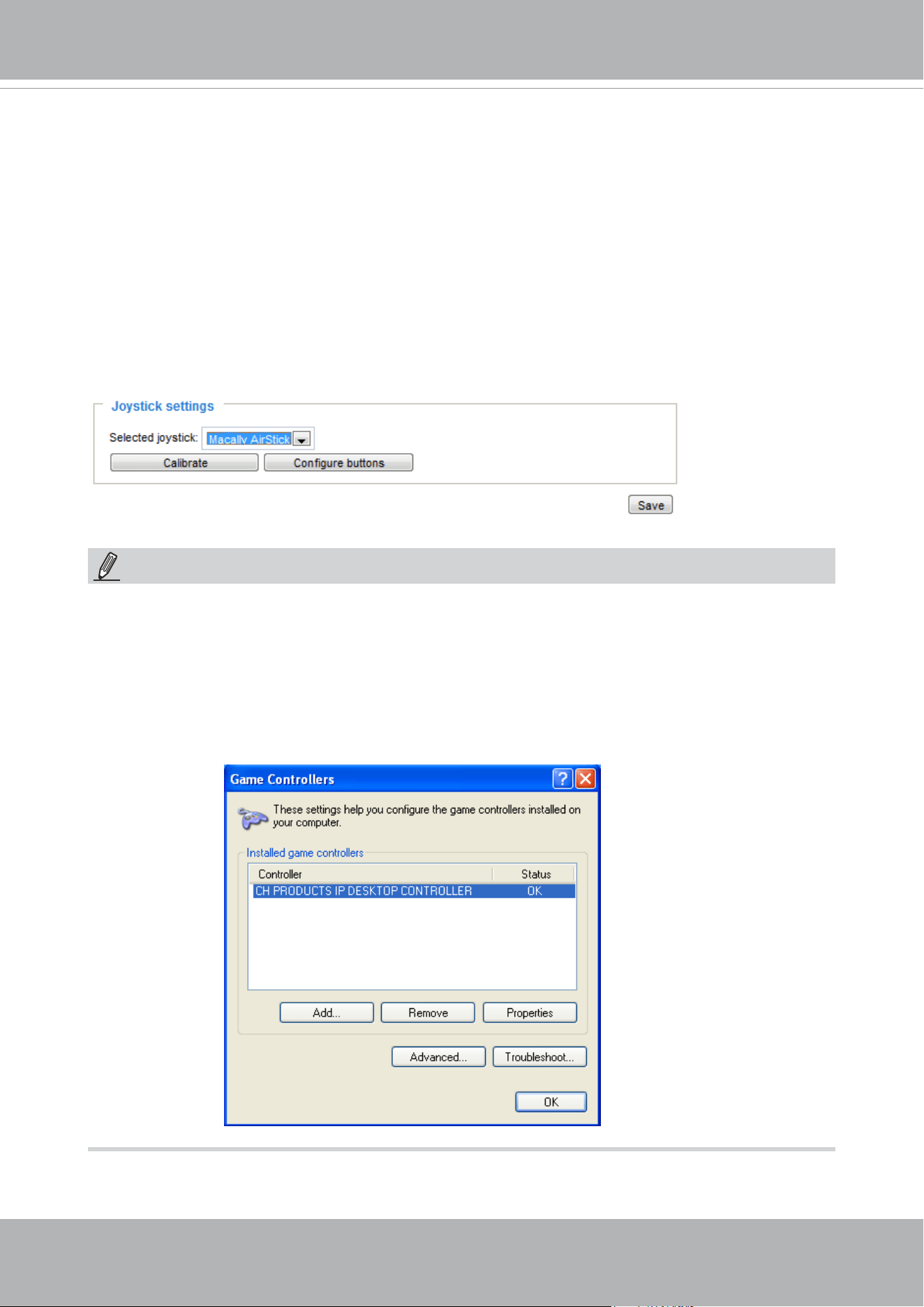
Joystick settings
Enable Joystick
Connect a joystick to a USB port on your management computer. Supported by the plug-in
(Microsoft’s DirectX), once the plug-in for the web console is loaded, it will automatically detect if
there is any joystick on the computer. The joystick should work properly without installing any other
driver or software.
Then you can begin to configure the joystick settings of connected devices. Please follow the
instructions below to enable joystick settings.
1. Select a detected joystick, if there are multiple, from the Selected joystick menu. If your joystick
is not detected, if may be defective.
2. Click Calibrate or Congure buttons to congure the joystick-related settings.
• If you want to assign Preset actions to your joystick, the preset locations should be congured
in advance in the Conguration > PTZ page. In Windows, use the search function on the Start
menu to search for Game Controller.
• If your joystick is not working properly, it may need to be calibrated. Click the Calibrate button
to open the Game Controllers window located in Microsoft Windows control panel and follow the
instructions for trouble shooting.
NOTE:
• The joystick will appear in the Game Controllers list in the Windows Control panel. If you want to
check out for your devices, go to the following page: Start -> Control Panel -> Game Controllers.
VIVOTEK
User's Manual - 53
Buttons Conguration
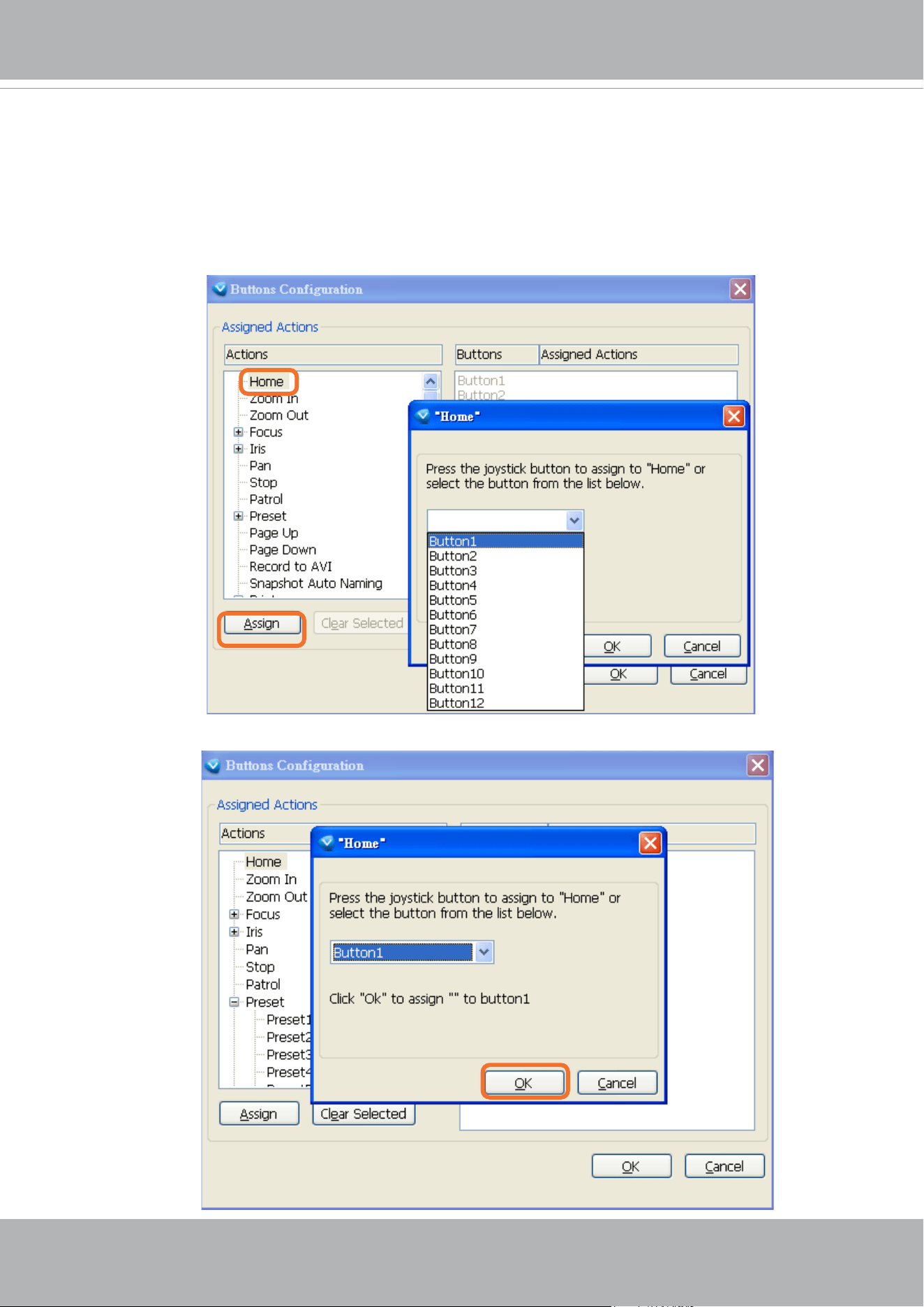
In the Button Conguration window, the left column shows the actions you can assign, and the right
column shows the functional buttons and assigned actions. The number of buttons may differ from
different joysticks.
Please follow the steps below to congure your joystick buttons:
1. Choosing one of the actions and click Assign will pop up a dialog. Then you can assign this
action to a button by pressing the joystick button or select it from the drop-down list.
For example: Assign Home (move to home position) to Button 1.
2. Click OK to conrm the conguration.
VIVOTEK
54 - User's Manual
Buttons Conguration
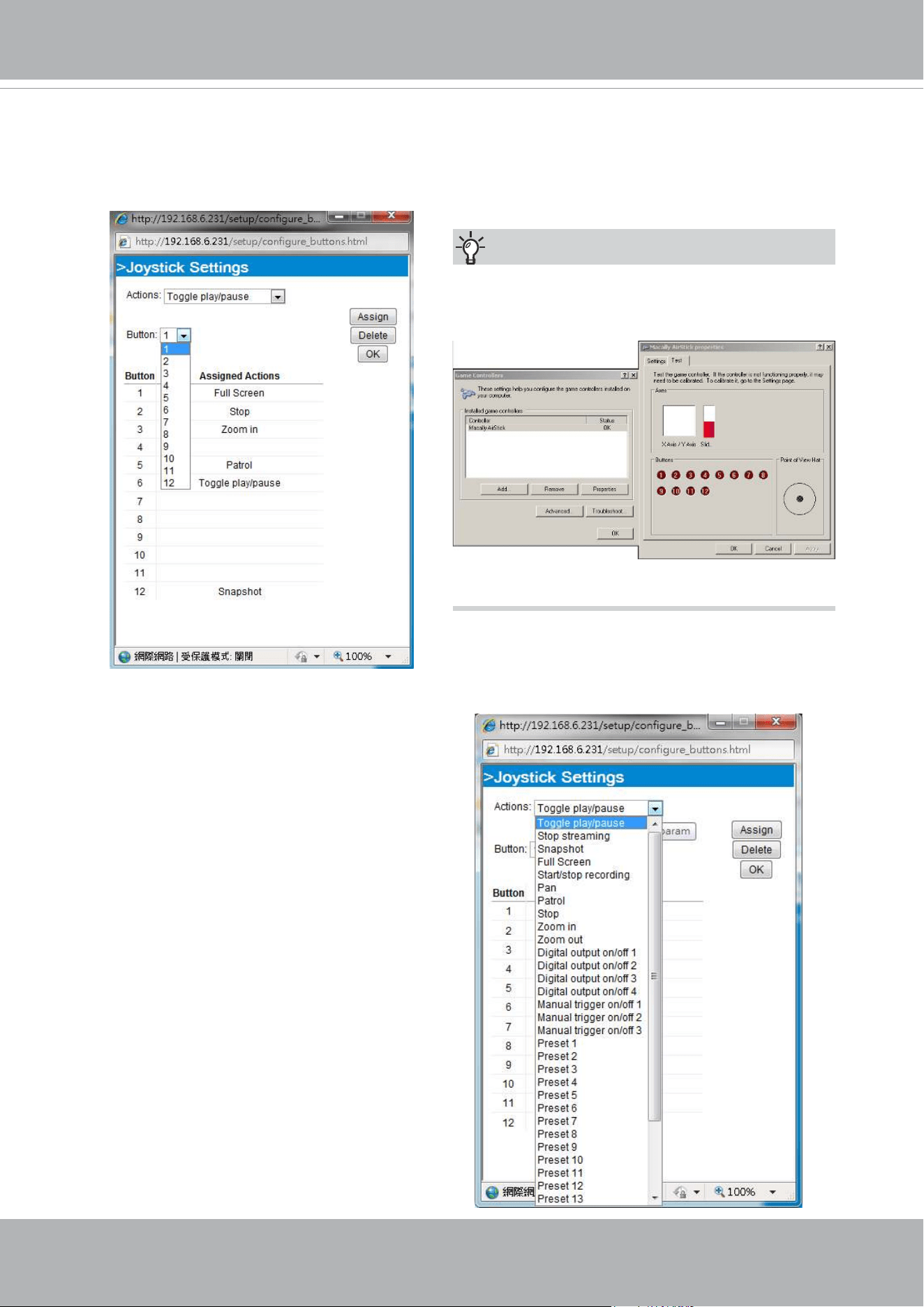
Click the Congure Buttons button, a window will prompt as shown below. Please follow the steps
below to congure your joystick buttons:
1. Select a button number from the Button # pull-down menu.
2. Select a corresponding action, such as Patrol or Preset#.
If you are not sure of the locations of each
button, use the Properties window in the Game
Controllers utility.
Tips:
3.
Click the Assign button to assign an action to
the button. You can delete an association by
selecting a button number, and then click the
Delete button.
Repeat the process until you are done with the
conguration of all preferred actions.
The buttons you define should appear on the
button list accordingly.
4. Please remember to c
lick the Save button
on the Client settings page to preserver your
settings.
VIVOTEK
User's Manual - 55
Conguration
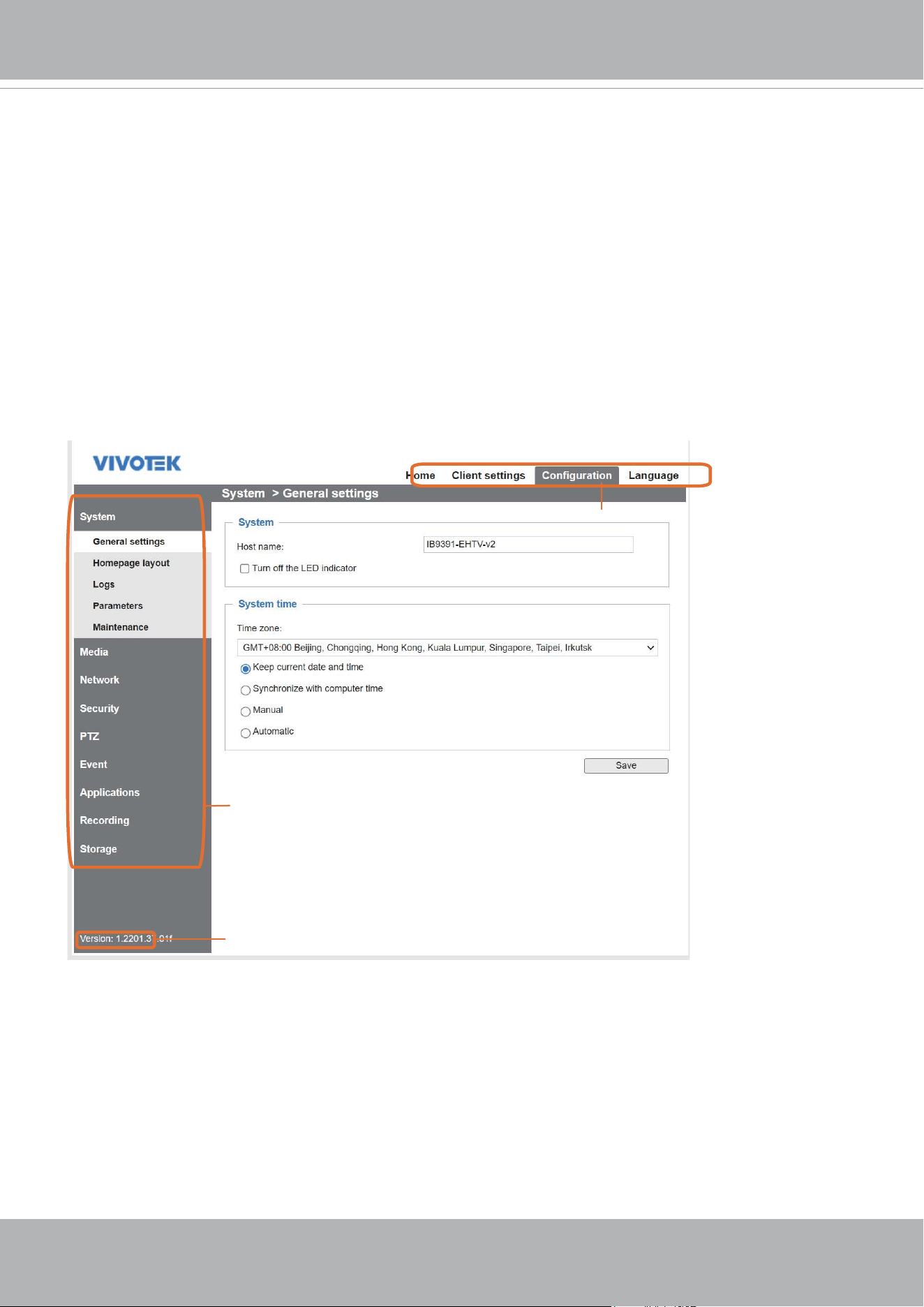
Click Configuration on the main page to enter the camera setting pages. Note that only
Administrators can access the conguration page.
VIVOTEK provides an easy-to-use user interface that helps you set up your network camera
with minimal effort. In order to simplify the user interface, detailed information will be hidden
unless you click on the function item. When you click on the first sub-item, the detailed
information for the rst sub-item will be displayed; when you click on the second sub-item, the
detailed information for the second sub-item will be displayed and that of the rst sub-item will
be hidden.
The following is the interface of the main page:
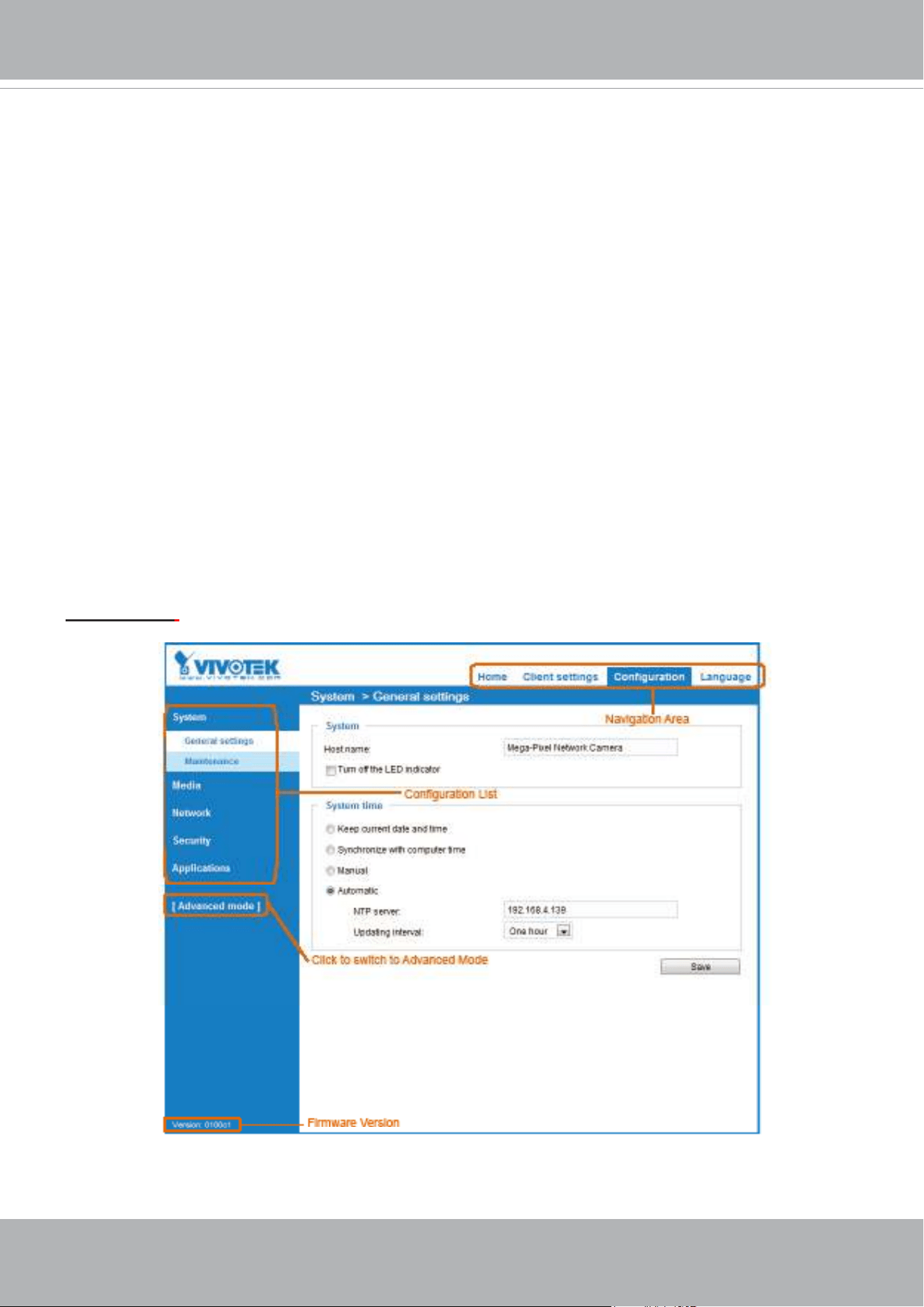
Configuration List
Firmware Version
Navigation Area
Each function on the conguration list will be explained in the following sections.
The Navigation Area provides access to all different views from the Home page (for live viewing),
Conguration page, and multi-language selection.
VIVOTEK
56 - User's Manual
Conguration
Click Configuration on the main page to enter the camera setting pages. Note that only
Administrators can access the conguration page.
VIVOTEK offers an easy-to-use user interface that helps you set up your network camera with
minimal effort. To simplify the setting procedure, two types of user interfaces are available:
Advanced Mode for professional users and Basic Mode for entry-level users. Some advanced
functions (PTZ/ Event/ Recording/ Local storage) are not displayed in the Basic Mode.
If you want to set up advanced functions, please click
[Advanced Mode] on the bottom of the
conguration list to quickly switch to Advanced Mode.
In order to simplify the user interface, the detailed information will be hidden unless you click on
the function item. When you click on the rst sub-item, the detailed information for the rst sub-
item will be displayed; when you click on the second sub-item, the detailed information for the
second sub-item will be displayed and that of the rst sub-item will be hidden.
The following is the interface of the Basic Mode and the Advanced Mode:
Basic Mode
VIVOTEK
User's Manual - 57
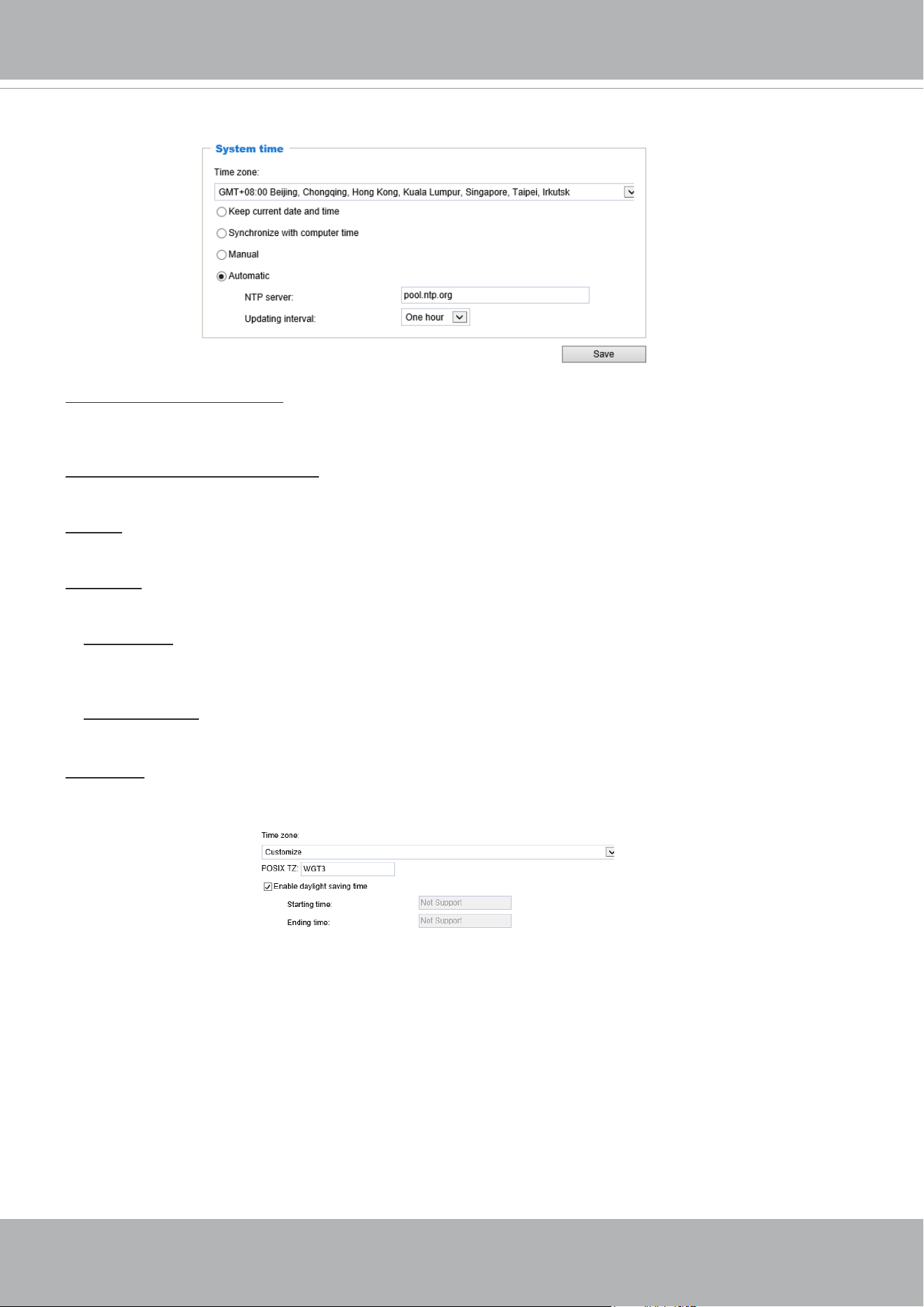
System time
Keep current date and time: Select this option to preserve the current date and time of the Network
Camera. The Network Camera’s internal real-time clock maintains the date and time even when the
power of the system is turned off.
Synchronize with computer time: Select this option to synchronize the date and time of the Network
Camera with the local computer. The read-only date and time of the PC is displayed as updated.
Manual: The administrator can enter the date and time manually. Note that the date and time format are
[yyyy/mm/dd] and [hh:mm:ss].
Automatic: The Network Time Protocol is a protocol which synchronizes computer clocks by periodically
querying an NTP Server.
NTP server: Assign the IP address or domain name of the time-server. Leaving the text box blank
connects the Network Camera to the default time servers. The precondition is that the camera must
have the access to the Internet.
Update interval: Select to update the time using the NTP server on an hourly, daily, weekly, or monthly
basis.
Time zone : Select the appropriate time zone from the list. You can scroll down on the Time zone menu to
nd the Customize option and use the POSIX TZ variables. For example,
http://www.gnu.org/software/
libc/manual/html_node/TZ-Variable.html.
Here are some examples for TZ values, including the appropriate Daylight Saving Time and its
dates of applicability. In North American Eastern Standard Time (EST) and Eastern Daylight
Time (EDT), the normal offset from UTC is 5 hours; since this is west of the prime meridian,
the sign is positive. Summer time begins on March’s second Sunday at 2:00am, and ends on
November’s rst Sunday at 2:00am. EST+5EDT,M3.2.0/2,M11.1.0/2
Israel Standard Time (IST) and Israel Daylight Time (IDT) are 2 hours ahead of the prime
meridian in winter, springing forward an hour on March’s fourth Thursday (i.e., on the rst Friday
on or after March 23), and falling back on October’s last Sunday.
IST-2IDT,M3.4.4,M10.5.0

VIVOTEK
58 - User's Manual
Western Argentina Summer Time (WARST) is 3 hours behind the prime meridian all year.
There is a dummy fall-back transition on December 31 at 25:00 daylight saving time (i.e.,
24:00 standard time, equivalent to January 1 at 00:00 standard time), and a simultaneous
spring-forward transition on January 1 at 00:00 standard time, so daylight saving time is in
effect all year and the initial WART is a placeholder.
The format is TZ = local_timezone,date/time,date/time.
Here, date is in the Mm.n.d format, where:
Mm (1-12) for 12 months
n (1-5) 1 for the rst week and 5 for the last week in the month
d (0-6) 0 for Sunday and 6 for Saturday
CST6CDT is the name of the time zone
CST is the abbreviation used when DST is off
6 hours is the time difference from GMT
CDT is the abbreviation used when DST is on
,M3 is the third month
.2 is the second occurrence of the day in the month
.0 is Sunday
/2 is the time
,M11 is the eleventh month
.1 is the rst occurrence of the day in the month
.0 is Sunday
/2 is the time
The minimum specier is down to the hour.
VIVOTEK
User's Manual - 59
System > Homepage layout
This section explains how to set up your own customized homepage layout.
General settings
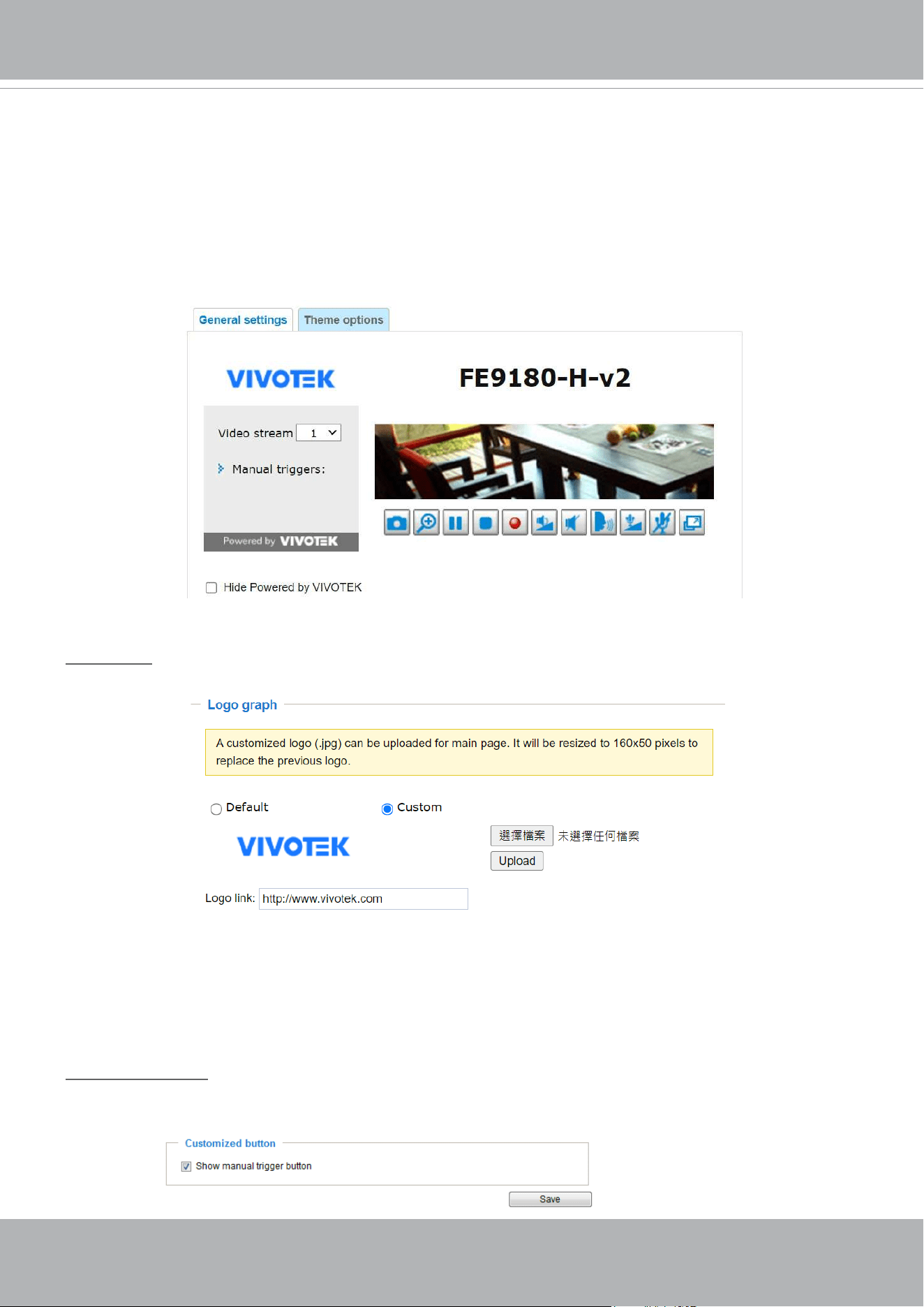
This column shows the settings of your hompage layout. You can manually select the background and
font colors in Theme Options (the second tab on this page). The settings will be displayed automatically
in this Preview eld. The following shows the homepage using the default settings:
■ Hide Powered by VIVOTEK: If you check this item, it will be removed from the homepage.
Logo graph
Here you can change the logo at the top of your homepage.
Follow the steps below to upload a new logo:
1. Click Custom and the Browse eld will appear.
2. Select a logo from your les.
3. Click Upload to replace the existing logo with a new one.
4. Enter a website link if necessary.
5. Click Save to enable the settings.
Customized button
If you want to hide the manual trigger buttons on the homepage, please uncheck this item. This item is
selected by default.
VIVOTEK
60 - User's Manual
Theme Options
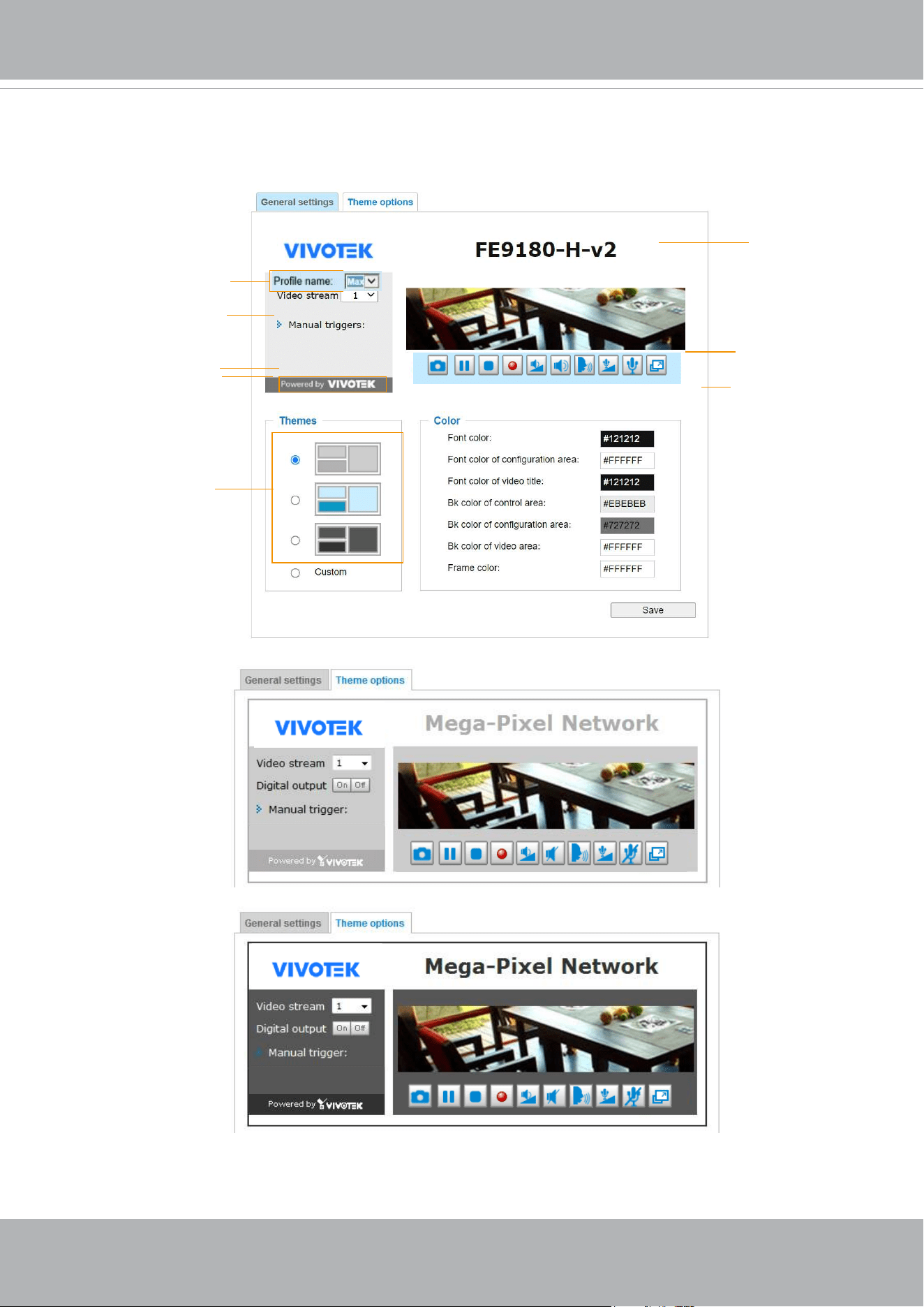
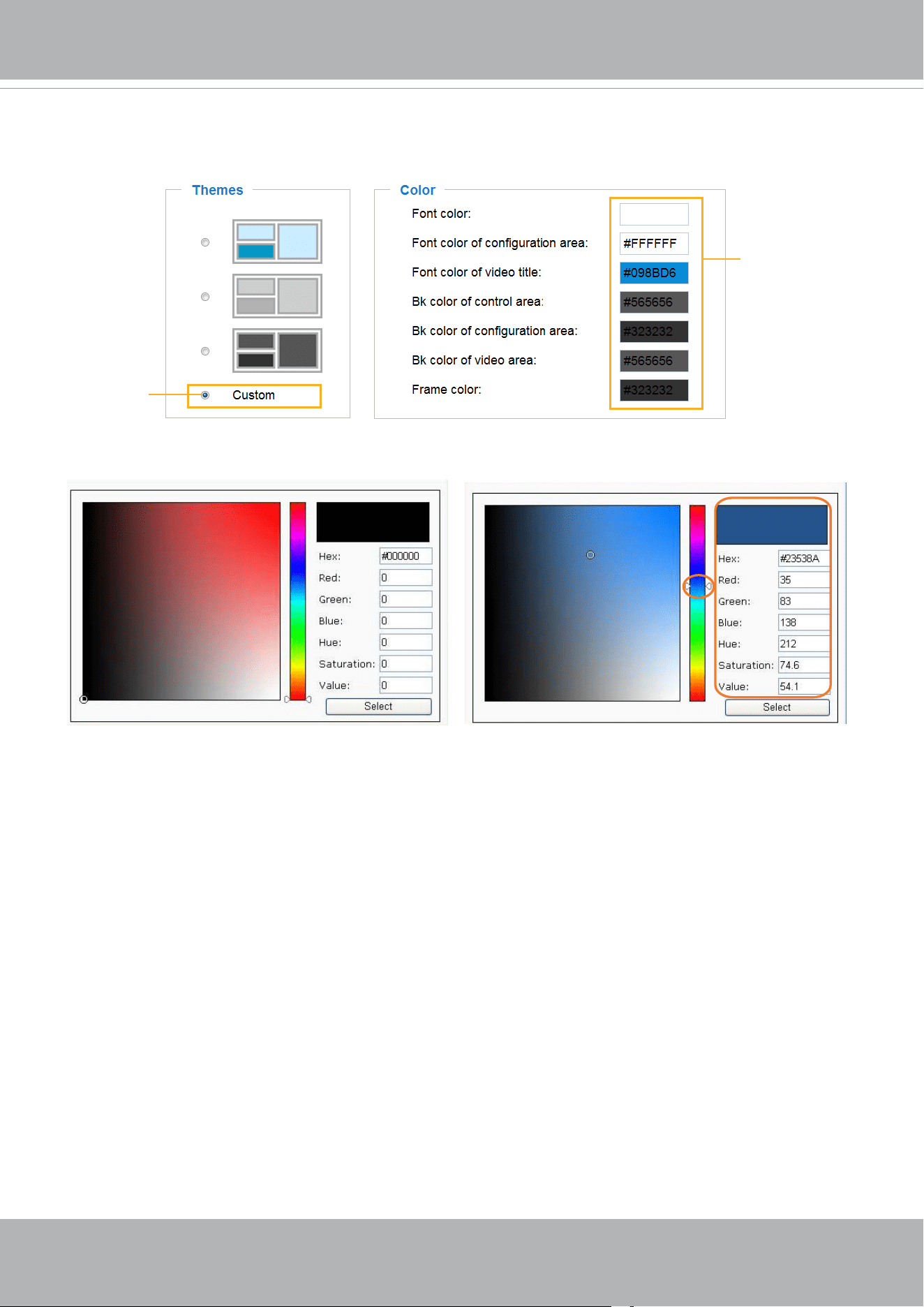
Here you can change the color of your homepage layout. There are three types of preset patterns for you
to choose from. The new layout will simultaneously appear in the Preview eld. Click Save to enable the
settings.
Font Color
Font Color of the
Video Title
Background Color of
the Video Area
Frame Color
Background Color of the
Control Area
Font Color of the
Configuration Area
Background Color of the
Configuration Area
Preset patterns
VIVOTEK
User's Manual - 61
■ Follow the steps below to set up the customized homepage:
1. Click Custom on the left column.
2. Click the eld where you want to change the color on the right column.
3. The palette window will pop up as shown below.
4. Drag the slider bar and click on the left square to select a desired color.
5. The selected color will be displayed in the corresponding elds and in the Preview column.
6. Click Save to enable the settings.
1
2
3
4
Color Selector
Custom
Pattern
VIVOTEK
62 - User's Manual
System > Logs
This section explains how to congure the Network Camera to send the system log to a remote
server as backup.
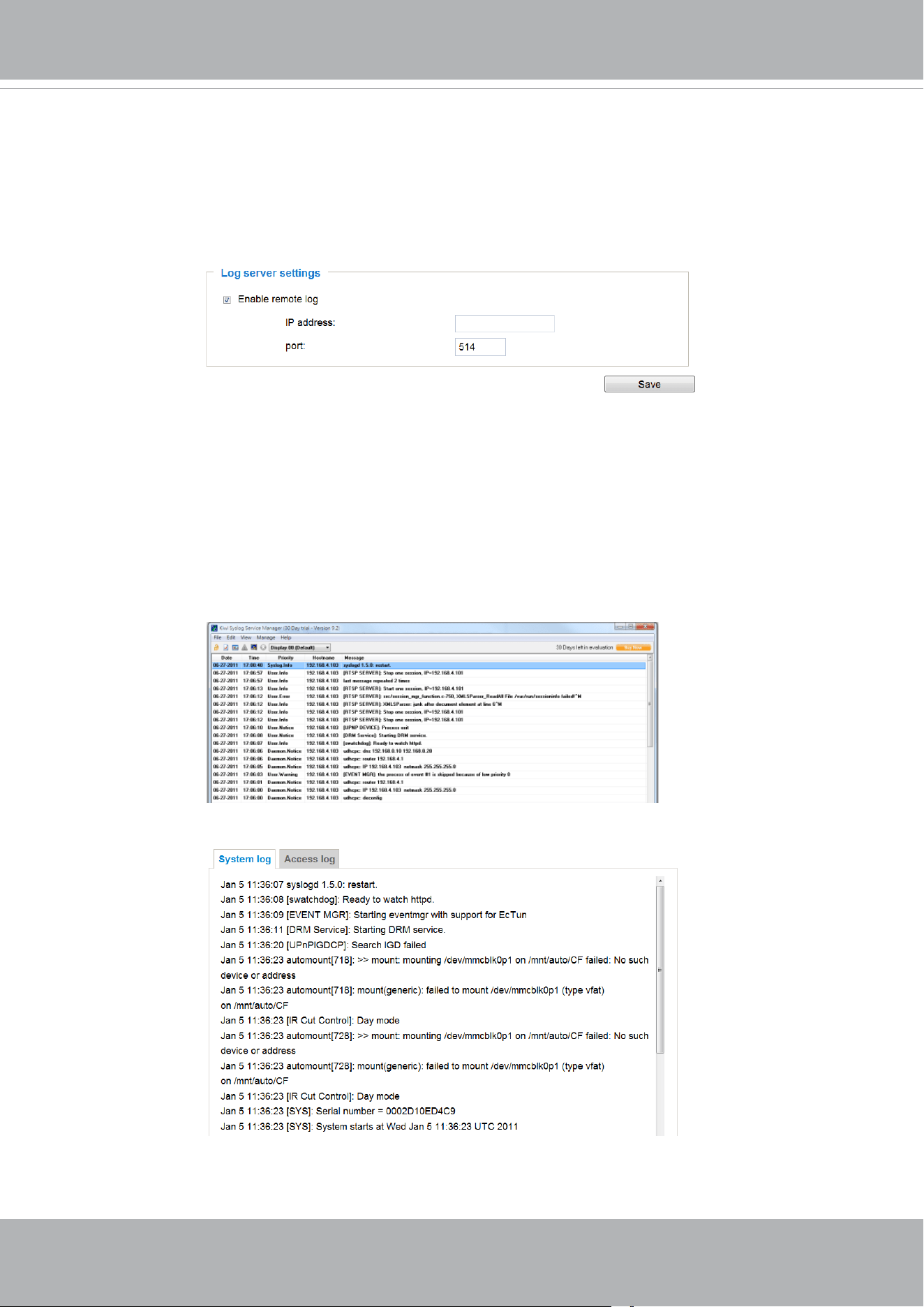
Log server settings
Follow the steps below to set up the remote log:
1. Select Enable remote log.
2. In the IP address text box, enter the IP address of the remote server.
2. In the port text box, enter the port number of the remote server.
3. When completed, click Save to enable the setting.
You can congure the Network Camera to send the system log le to a remote server as a log backup.
Before utilizing this feature, it is suggested that the user install a log-recording tool to receive system log
messages from the Network Camera. An example is Kiwi Syslog Daemon. Visit
http://www.kiwisyslog.
com/kiwi-syslog-daemon-overview/
.
This column displays the system log in a chronological order. The system log is stored in the Network
Camera’s buffer area and will be overwritten when reaching a certain limit.
System log
VIVOTEK
User's Manual - 63
Server with
VAST Recording Software
Internet
VIVOTEK Network Cameras
3G Cell phone
Cell phone
Short message
Email
GSM
Modem
HTTP
Digital output
VIVOCloud
PTZ
Deterrent
FTP
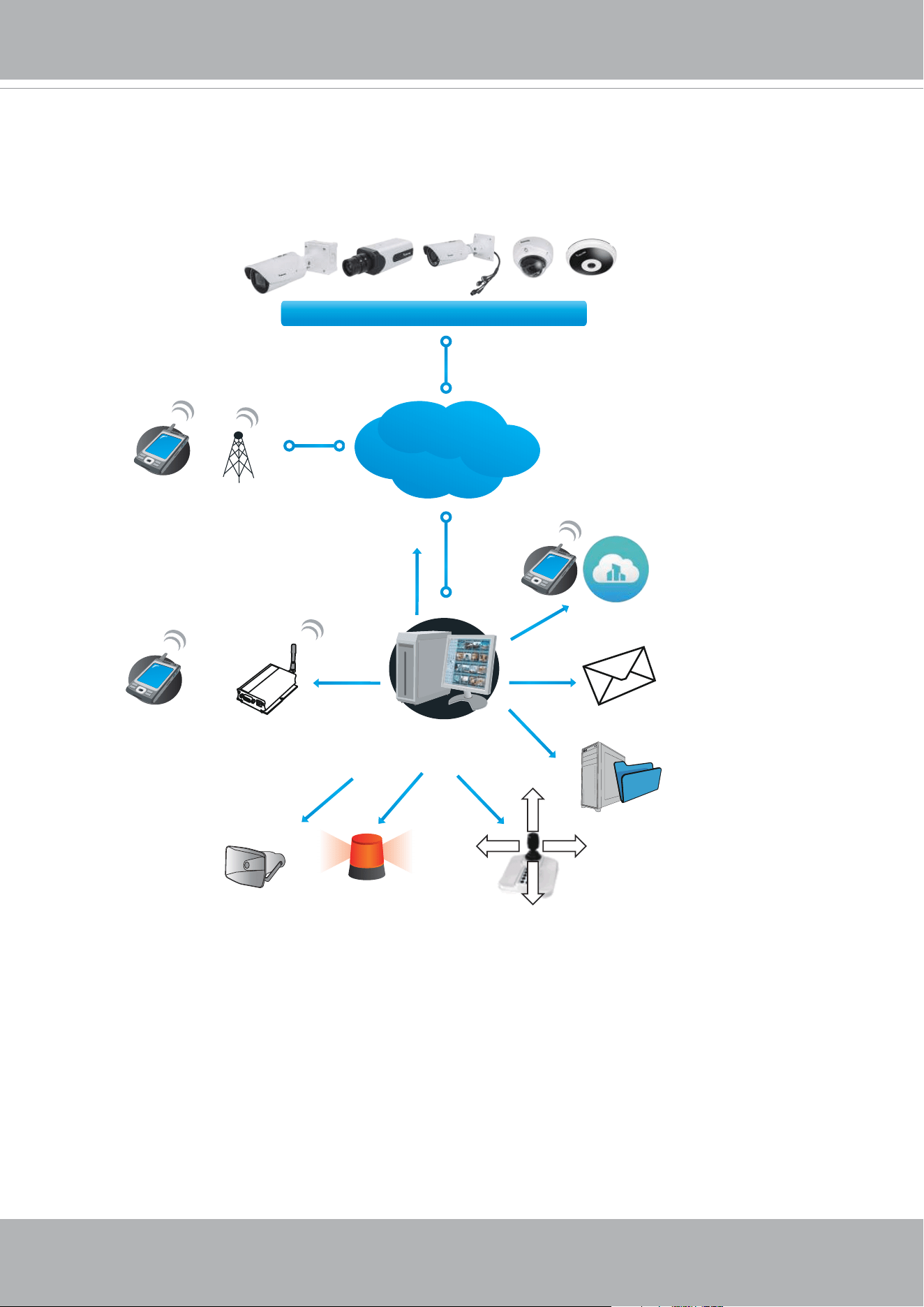
You can install the included VAST recording software, which provides an Event
Management function group for delivering event messages via emails, GSM short
messages, onscreen event panel, or to trigger an alarm, etc. For more information, refer to
the VAST User Manual.
VIVOTEK
64 - User's Manual
Access log
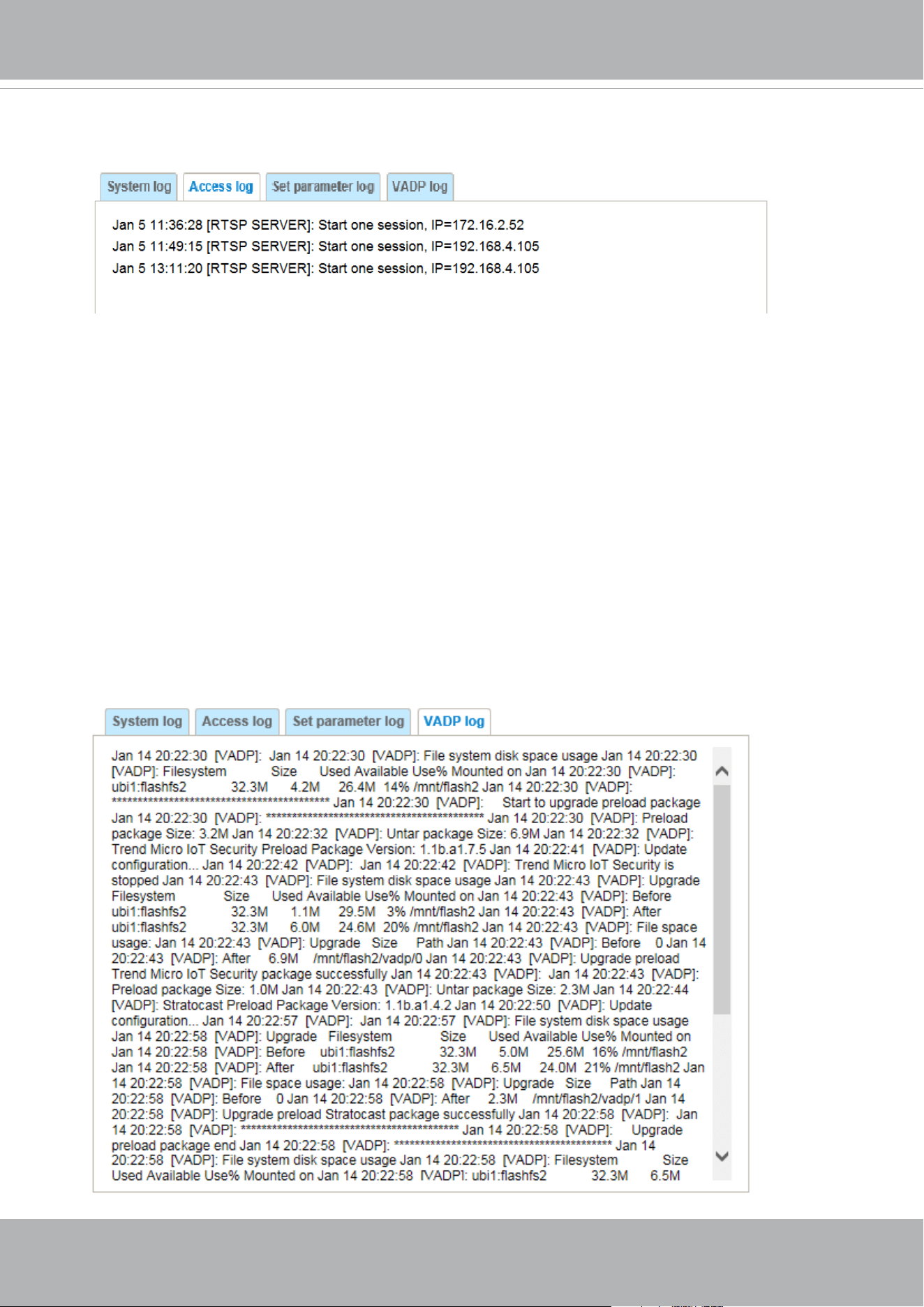
Access log displays the access time and IP address of all viewers (including operators and
administrators) in a chronological order. The access log is stored in the Network Camera’s buffer
area and will be overwritten when reaching a certain limit.
VADP log
VADP log contains the information for the onboard VADP packages, including memory usage, module
load and unload information.
Set Parameter log
VADP log contains the history of changes made to system parameters such as recording, imaging
parameters, and all other parameters.
VIVOTEK
User's Manual - 65
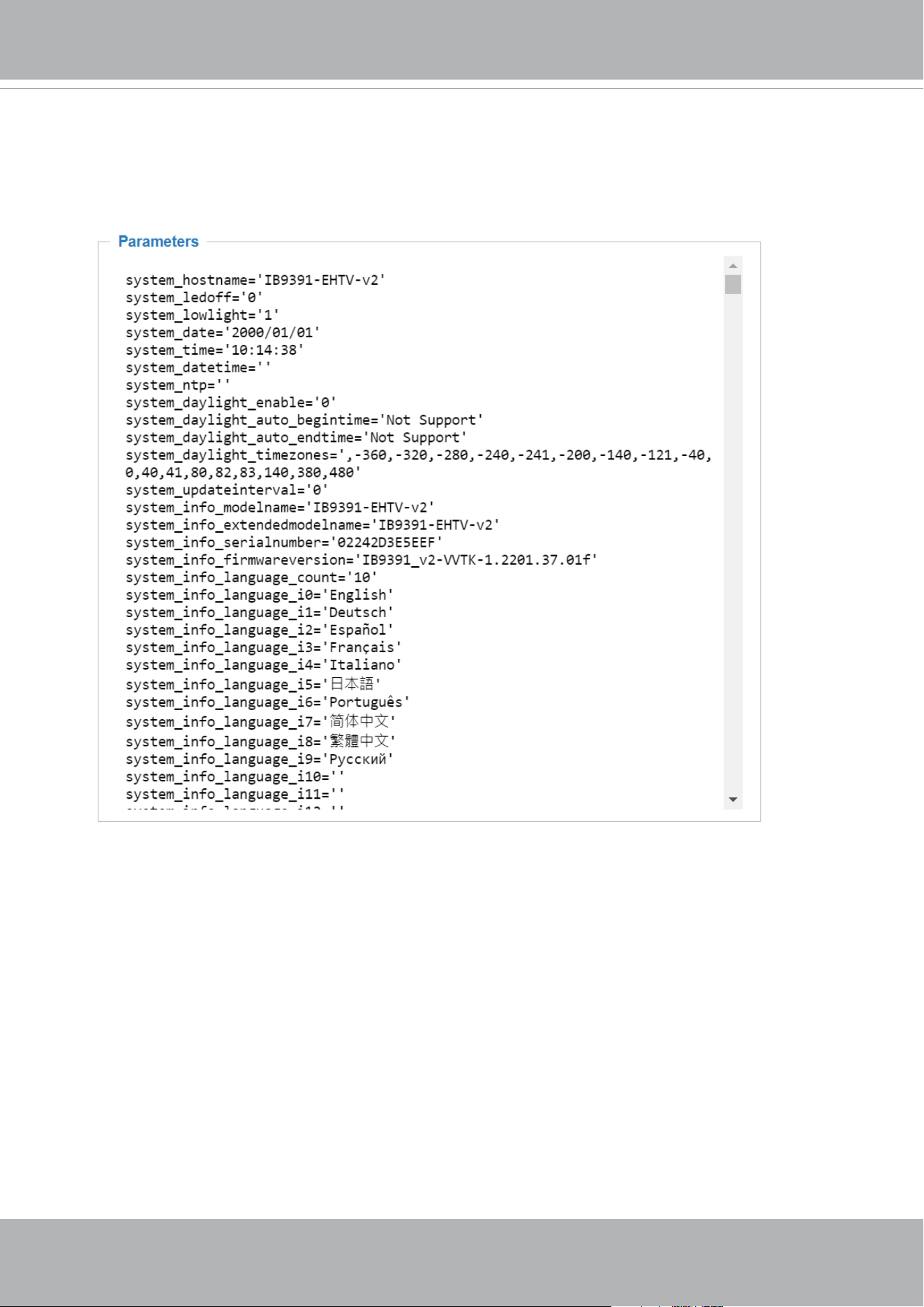
System > Parameters
The View Parameters page lists the entire system’s parameters. If you need technical
assistance, please provide the information listed on this page.
VIVOTEK
66 - User's Manual
System > Maintenance
This chapter explains how to restore the Network Camera to factory default, upgrade rmware
version, etc.
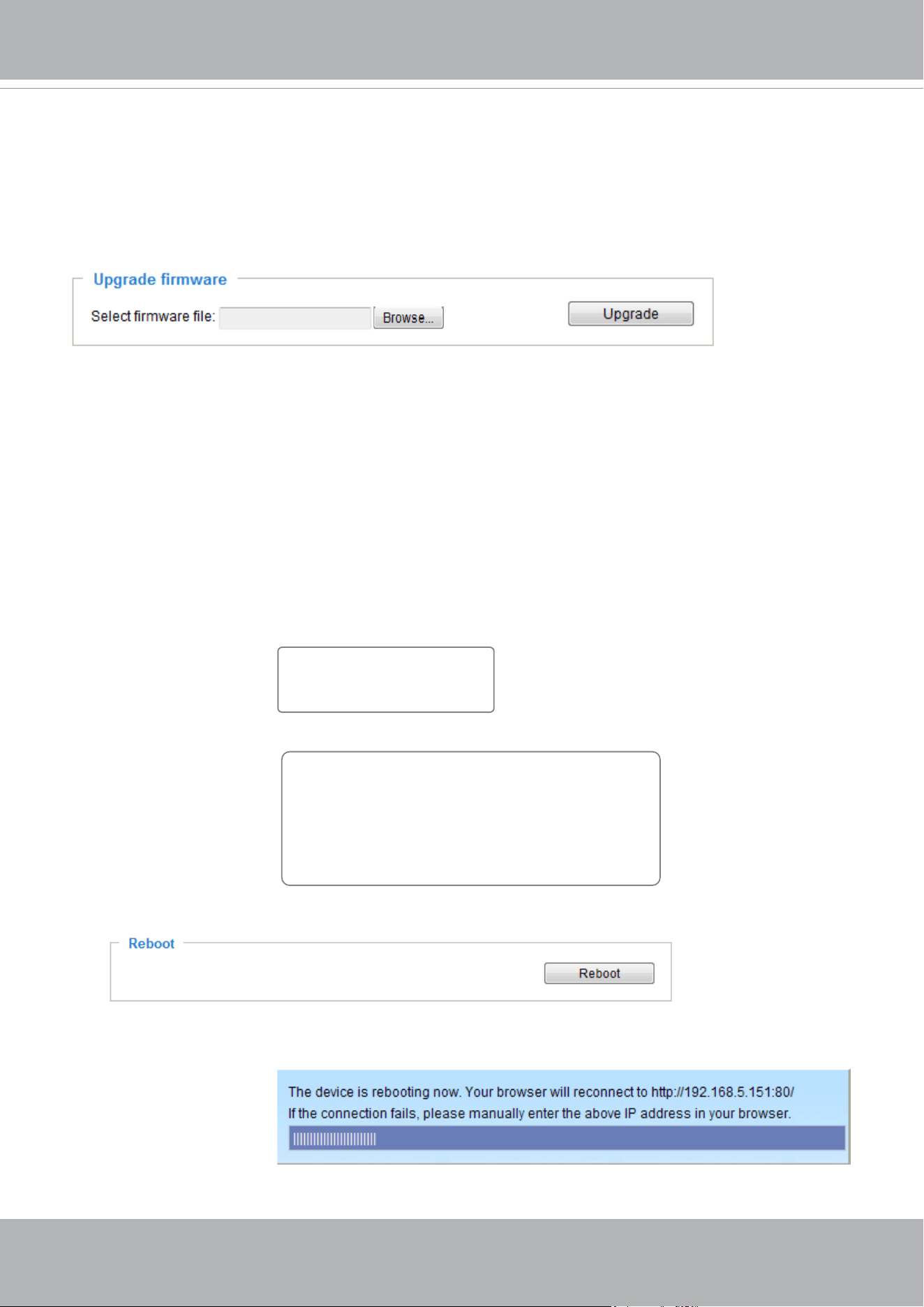
General settings > Upgrade rmware
This feature allows you to upgrade the firmware of your Network Camera. It takes a few minutes to
complete the process.
Note: Do not power off the Network Camera during the upgrade!
Follow the steps below to upgrade the rmware:
1. Download the latest rmware le from the VIVOTEK website. The le is in .pkg le format.
2. Click Browse… and locate the rmware le.
3. Click Upgrade. The Network Camera starts to upgrade and will reboot automatically when the upgrade
completes.
If the upgrade is successful, you will see “Reboot system now!! This connection will close”. After that, re-
access the Network Camera.
The following message is displayed when the upgrade has succeeded.
The following message is displayed when you have selected an incorrect rmware le.
General settings > Reboot
This feature allows you to reboot the Network Camera, which takes about one minute to complete. When
completed, the live video page will be displayed in your browser. The following message will be displayed
during the reboot process.
If the connection fails after rebooting, manually enter the IP address of the Network Camera in the
address eld to resume the connection.
Starting firmware upgrade...
Do not power down the server during the upgrade.
The server will restart automatically after the upgrade is
completed.
This will take about 1 - 5 minutes.
Wrong PKG file format
Unpack fail
Reboot system now!!
This connection will close.
VIVOTEK
User's Manual - 67
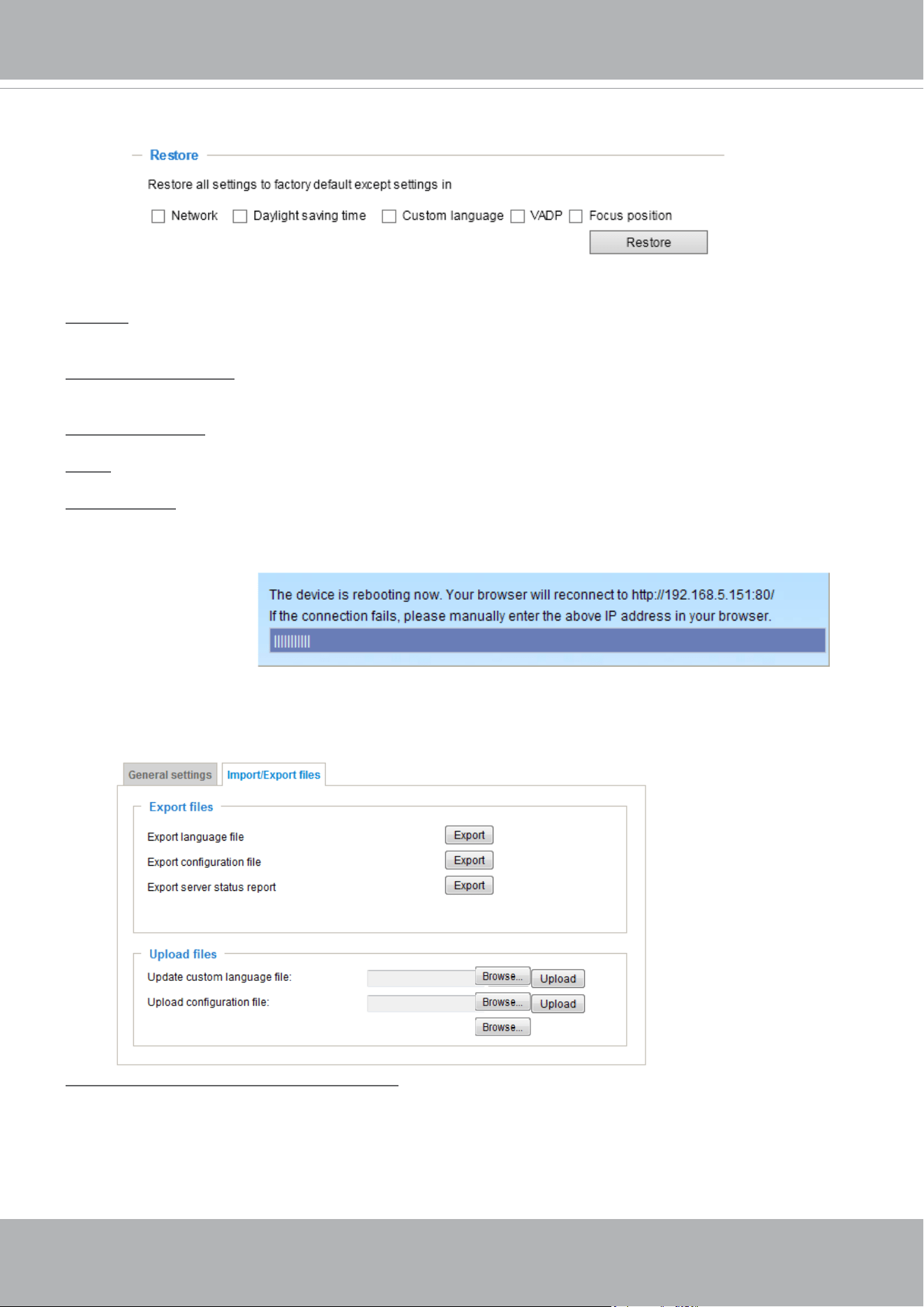
General settings > Restore
This feature allows you to restore the Network Camera to factory default settings.
Network: Select this option to retain the Network Type settings (please refer to Network Type on page
100).
Daylight Saving Time: Select this option to retain the Daylight Saving Time settings (please refer to
Import/Export les below on this page).
Custom Language: Select this option to retain the Custom Language settings.
VADP: Retain the VADP modules (3rd-party software stored on the SD card) and related settings.
Focus position: Retain the lens focus position using the previously saved position parameters.
If none of the options is selected, all settings will be restored to factory default. The following message is
displayed during the restoring process.
Import/Export les
This feature allows you to Export / Update daylight saving time rules, custom language le, conguration
le, and server status report.
Export daylight saving time conguration le: Click to set the start and end time of DST (Daylight Saving).
Follow the steps below to export:
1. In the Export les column, click Export to export the daylight saving time conguration le from the
Network Camera.
2. A le download dialog will pop up as shown below. Click Open to review the XML le or click Save to
store the le for editing.

VIVOTEK
68 - User's Manual
The following message is displayed when attempting to upload an incorrect le format.
Export language file: Click to export language strings. VIVOTEK provides nine languages: English,
Deutsch, Español, Français, Italiano,
日本語,
Português,
簡体中文
, and
繁體中文
.
Update custom language le: Click Browse… and specify your own custom language le to upload.
Export conguration le: Click to export all parameters for the device and user-dened scripts.
Update conguration le: Click Browse… to update a conguration le. Please note that the model and
rmware version of the device should be the same as the conguration le. If you have set up a xed IP
or other special settings for your device, it is not suggested to update a conguration le.
Export server staus report: Click to export the current server status report, such as time, logs,
parameters, process status, memory status, le system status, network status, kernel message ... and so
on.
Tips:
• If a firmware upgrade is accidentally disrupted, say, by a power outage, you still have a last resort
method to restore normal operation. See the following for how to bring the camera back to work:
Applicable scenario:
(a) Power disconnected during rmware upgrade.
(b) Unknown reason causing abnormal LED status, and a Restore cannot recover normal working
condition.
You can use the following methods to activate the camera with its backup rmware:
(a) Press and hold down the reset button for at least one minute.
(b) Power on the camera until the Red LED blinks rapidly.
(c) After boot up, the rmware should return to the previous version before the camera hanged. (The
procedure should take 5 to 10 minutes, longer than the normal boot-up process). When this
process is completed, the LED status should return to normal.
VIVOTEK
User's Manual - 69
Media > Image
This section explains how to configure the image settings of the Network Camera. It is
composed of the following columns: General settings, IR control, Image settings, Exposure,
Focus, and Privacy mask. The Focus window is available only for models that come with
motorized lens.
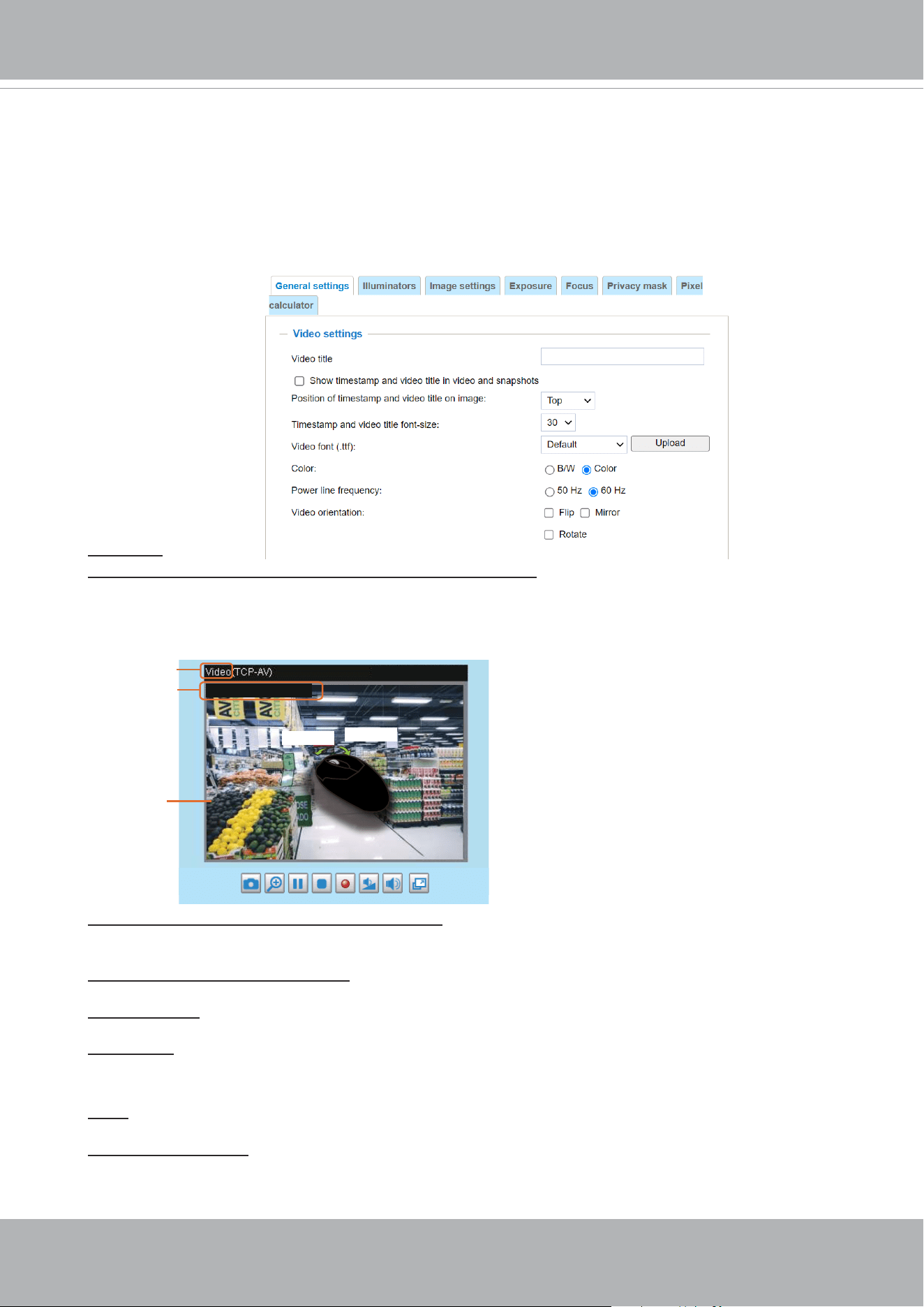
General settings
Video title
Show_timestamp_and video_title_in_video_and_snapshots: Enter a name that will be displayed on
the title bar of the live video as the picture shown below. A zoom indicator will be displayed on the
Home page when you zoom in/out on the live viewing window as shown below. You may zoom in/
out on the image by scrolling the mouse wheel inside the live viewing window, and the maximum
zoom in will be up to 12 times.
Position of timestamp and video title on image: Select to display time stamp and video title on the
top or at the bottom of the video stream.
Timestamp and video title font size: Select the font size for the time stamp and title.
Video font (.ttf): You can select a True Type font le for the display of textual messages on video.
Video Title
Title and Time
Video 17:08:56 2018/7/09
2018/7/09 17:08:56
X2.1
Zoom Factor
Zoom In
Zoom Out
Mount type: There are 3 Mount types - Ceiling, Wall, and Floor. Selecting the correct mount type
enables the camera image to display the correct video orientation.
Color: Select to display color or black/white video streams.
Power line frequency: Set the power line frequency consistent with local utility settings to eliminate
image flickering associated with fluorescent lights. Note that after the power line frequency is
changed, you must disconnect and reconnect the power cord of the Network Camera in order for
the new setting to take effect.
VIVOTEK
70 - User's Manual
Day/Night Settings
Switch to B/W in night mode
Select this to enable the Network Camera to automatically switch to Black/White during night
mode.
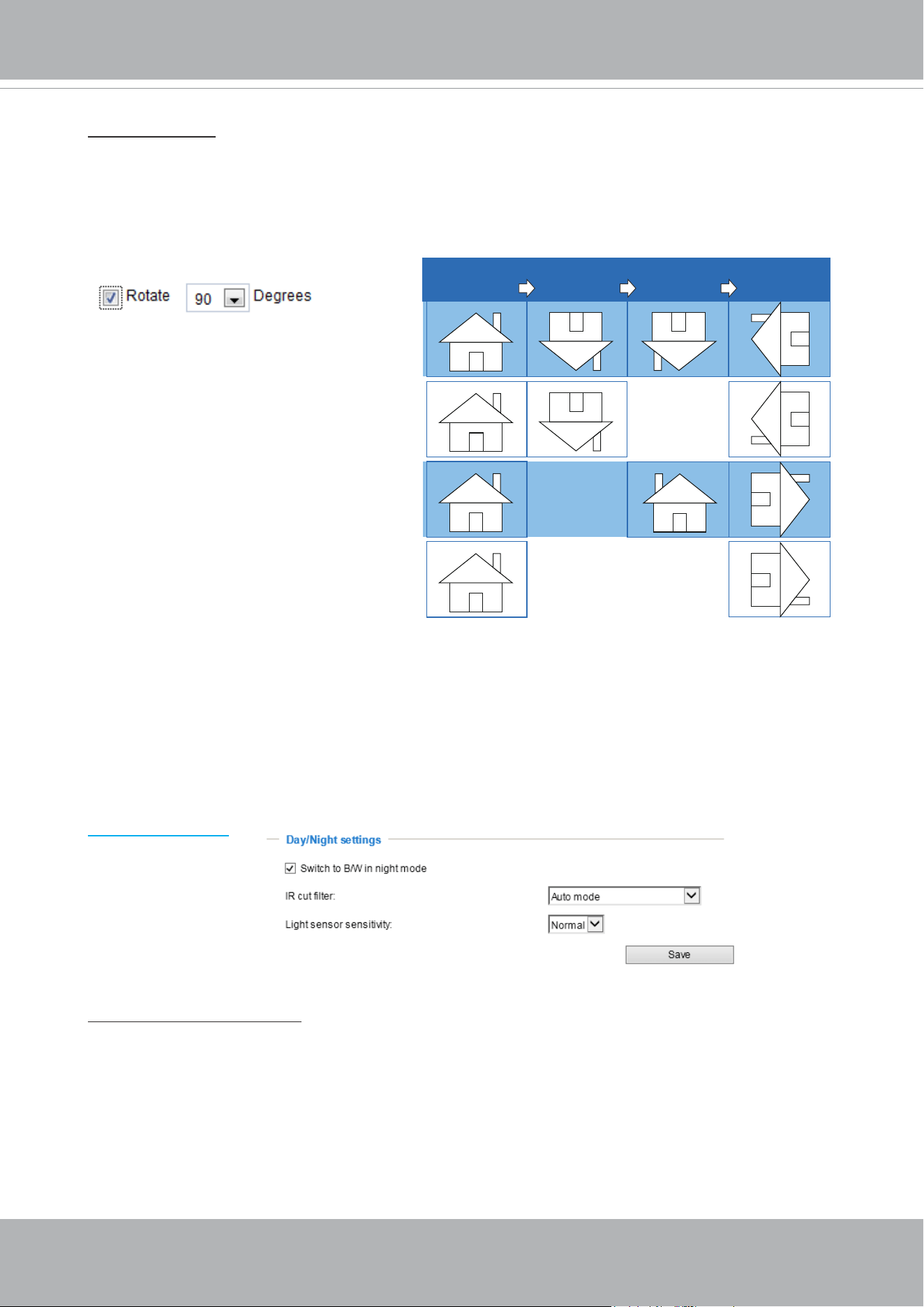
Rotate -
MirrorNormal Flip Rotate 90°
clockwise
The camera may be installed on a vertical, side-facing, or tilted surface in order to accommodate
the interior or exterior design of a building. The interior of a building can be shaped as a narrow
rectangular space, such as a corridor. The conventional HD image, such as that of a 16:9 aspect
ratio, will be incongruous with its wide horizontal view. With video rotation, the camera can more
readily cover the eld of view on a tall and narrow scene.
The rotation here indicates clockwise
rotation. Rotation can be applied with
flip, mirror, and physical lens rotation
(see below) settings to adapt to different
mounting locations.
The gures in the illustration are shown in
a consecutive order.
Video orientation: Flip - vertically reect the display of the live video; Mirror - horizontally reect the
display of the live video. Select both options if the Network Camera is installed upside-down (e.g.,
on the ceiling) to correct the image orientation. Please note that if you have preset locations, those
locations will be cleared after ip/mirror setting.

VIVOTEK
User's Manual - 71
IR cut lter
With a removable IR-cut filter, this Network Camera can automatically remove the filter to let
Infrared light pass into the sensor during low light conditions.
■ Auto mode (The Day/Night Exposure Prole will not be available if Auto mode is selected)
The Network Camera automatically removes the lter by judging the level of ambient light.
■ Day mode
In day mode, the Network Camera switches on the IR cut lter at all times to block infrared light
from reaching the sensor so that the colors will not be distorted.
■ Night mode
In night mode, the Network Camera switches off the IR cut lter at all times for the sensor to
accept infrared light, thus helping to improve low light sensitivity.
■ Synchronize with digital input
If an external IR device is connected that comes with its own light sensor, you can use a digital
input from it to trigger the IR cut filter. Doing so can synchronize the detection of light level
between the camera and the external IR device.
Light sensor sensitivity
Tune the responsiveness of the IR lter to lighting conditions as Low, Normal, or High.
When completed with the settings on this page, click Save to enable the settings.
■ Schedule mode
The Network Camera switches between day mode and night mode based on a specified
schedule. Enter the start and end time for day mode. Note that the time format is [hh:mm] and is
expressed in 24-hour clock time. By default, the start and end time of day mode are set to 07:00
and 18:00.
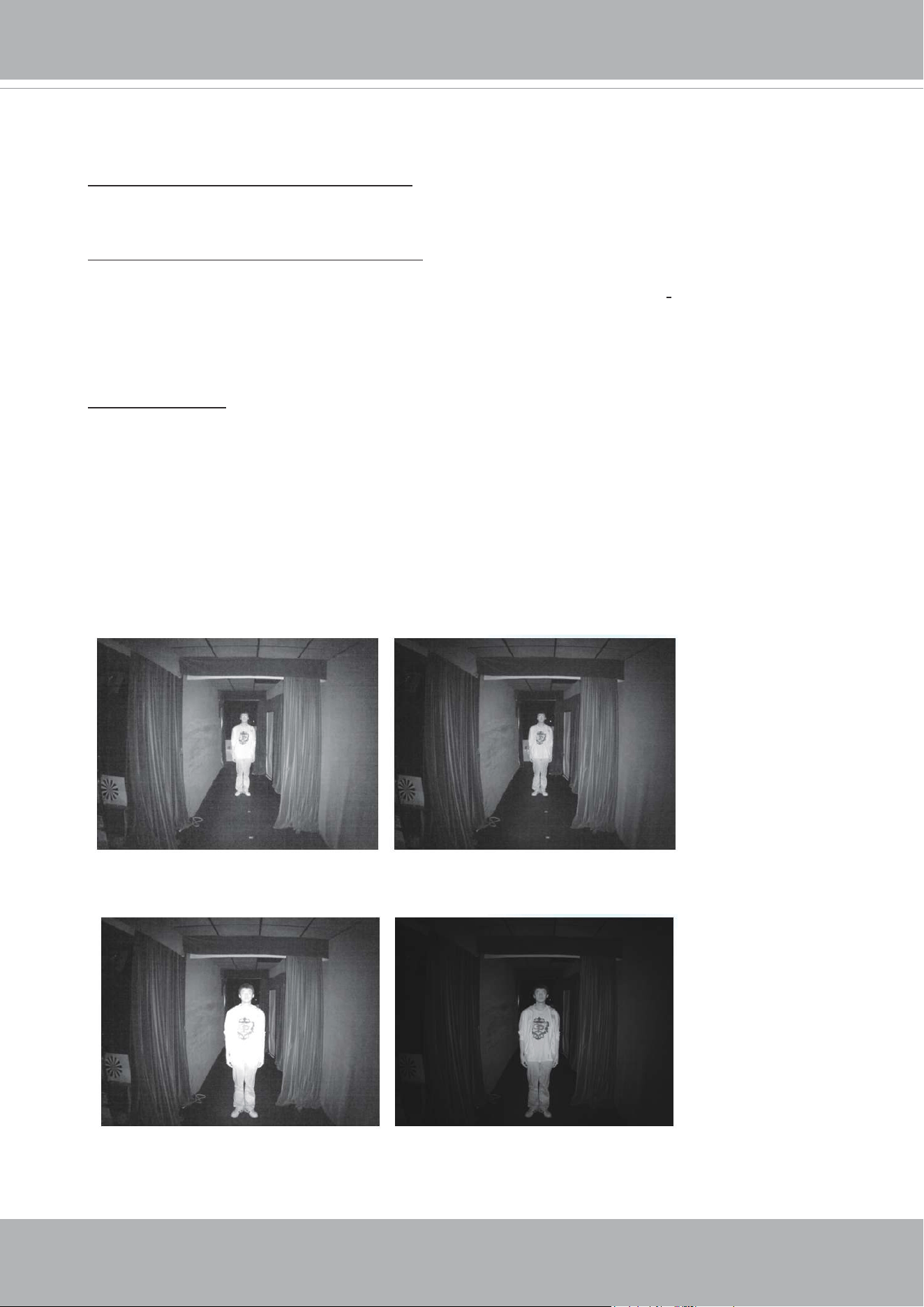
VIVOTEK
72 - User's Manual
Illuminators
Turn on built-in IR illuminator in night mode
Select this to turn on the camera’s onboard IR illuminator when the camera detects low light
condition and enters the night mode.
Turn on external IR illuminator in night mode
Select this to turn on the external IR illuminator when the camera detects low light condition and
enters the night mode. A Digital Output connection to external IR is needed.
Select the digital output from below, Digital output 1 or Digital output 2.
Smart IR disabled; distance: 5M
Smart IR enabled; distance: 5M
Smart IR disabled; distance: 3M
Smart IR enabled; distance: 3M
The Smart IR function is more benecial when the spot of intrusions or an object of your interest
is close to the lens and the IR lights. For example, if an intruder has a chance of getting near the
range of 3 meters, Smart IR can effectively reduce the over-exposure. For a surveillance area at a
greater distance, e.g., 5 meters or farther away, the Smart IR function may not bring as signicant
benets as in close range.
Anti-overexposure: When enabled, the camera automatically adjusts the IR projection to adjacent
objects in order to avoid over-exposure in the night mode.
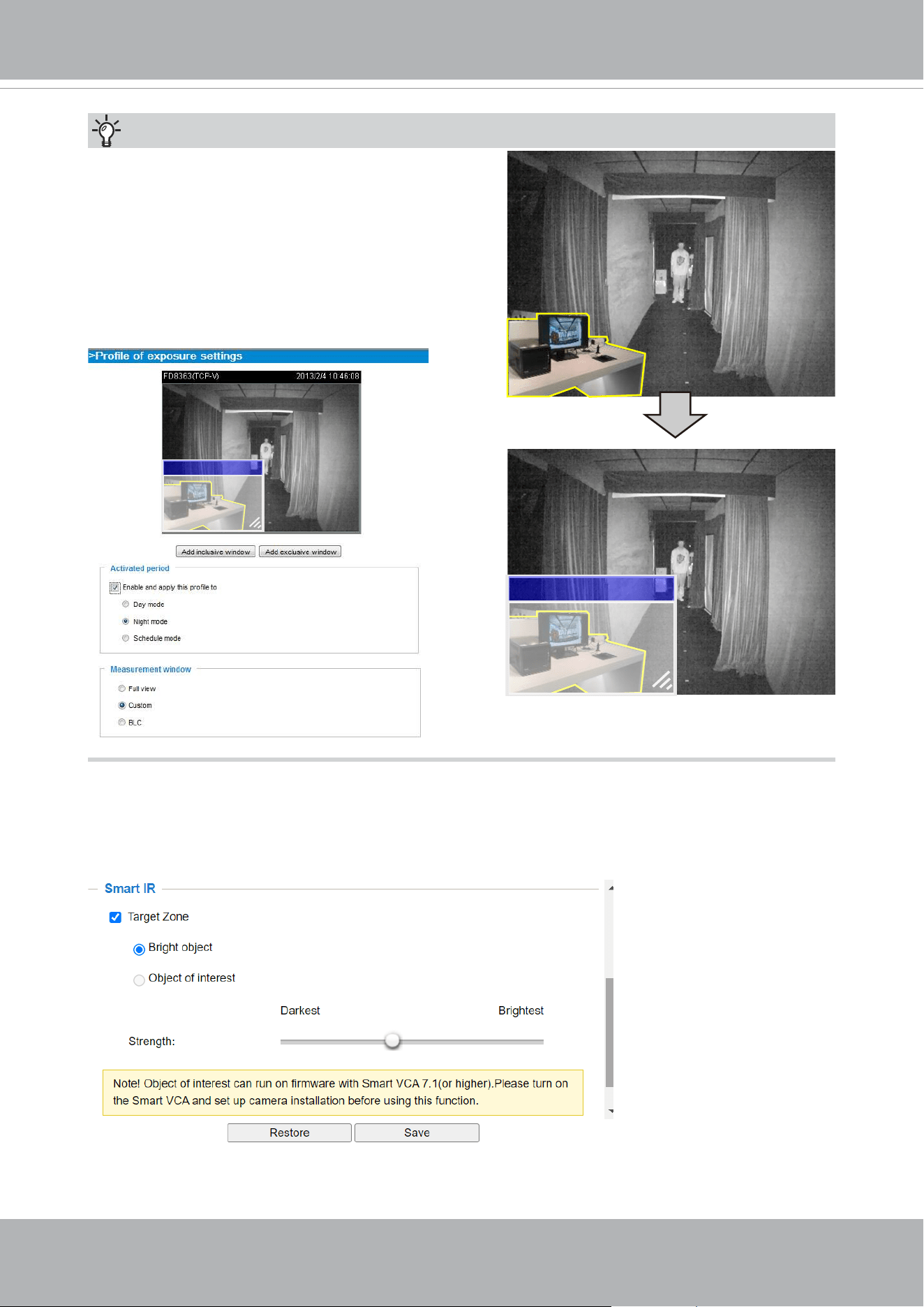
VIVOTEK
User's Manual - 73
Exclude x
Tips:
If there is an object in close proximity, the IR lights
reflected back from it can mislead the Smart IR’s
calculation of light level. To solve this problem, you
can place an “Exposure Exclude” window on an
unavoidable object in the Exposure setting window.
See page 72 for how to do it.
You can also configure the “Exposure Exclude”
window in a night mode “Prole” setting so that your
day time setting is not affected.
Exclude x
The Smart IR Object of interest is coordinated with the Smart VCA configuration. Configure the
Smart VCA and then select this function.
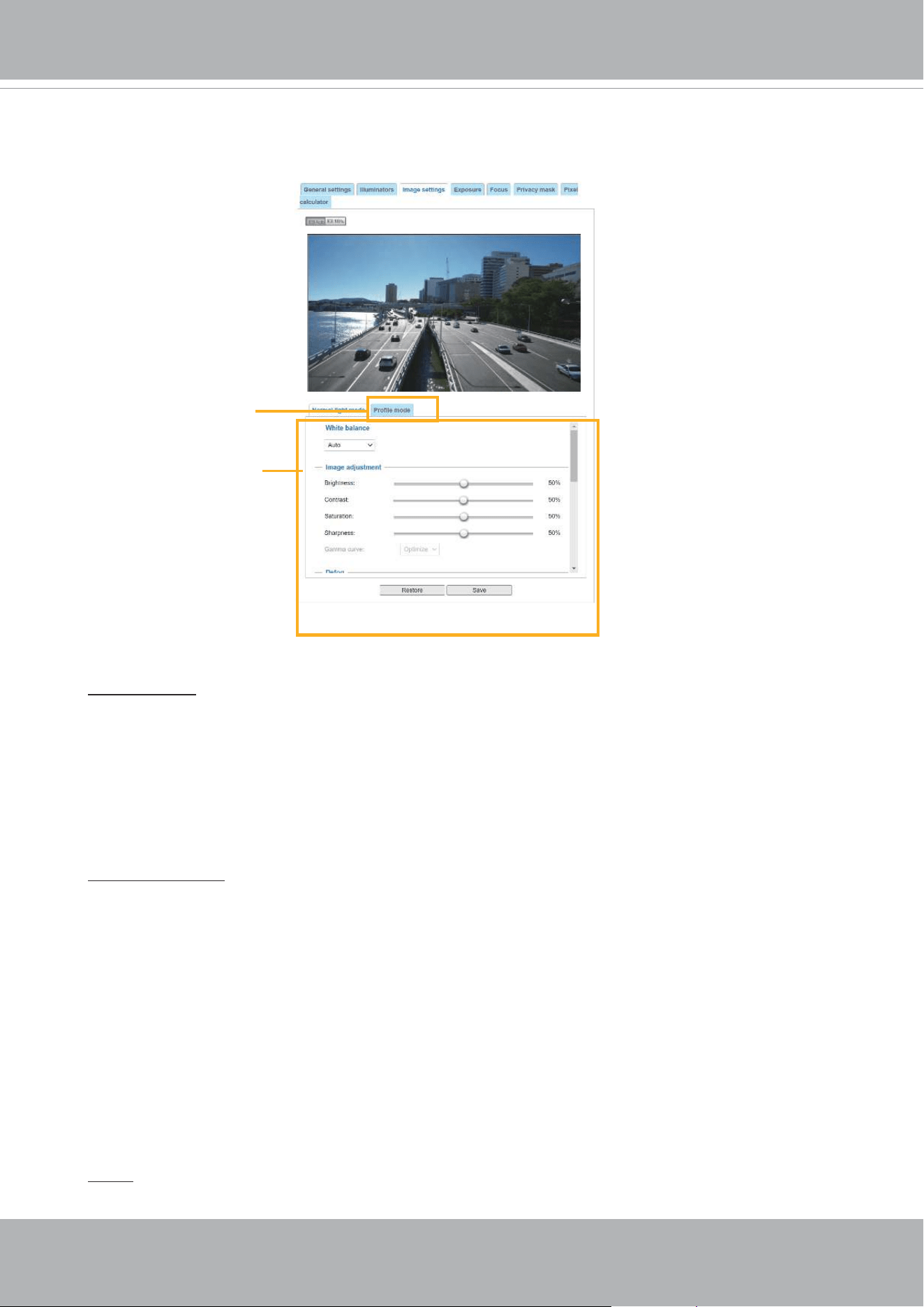
VIVOTEK
74 - User's Manual
Image settings
On this page, you can tune the White balance and Image adjustment.
White balance: Adjust the value for the best color temperature.
■ You may follow the steps below to adjust the white balance to the best color temperature.
1. Place a sheet of paper of white or cooler-color temperature color, such as blue, in front of the
lens, then allow the Network Camera to automatically adjust the color temperature.
2. Click the On button to Fix current value and conrm the setting while the white balance is being
measured.
■ You may also manually tune the color temperature by pulling the RGain and BGain slide bars.
Image Adjustment
■ Brightness: Adjust the image brightness level, which ranges from
0% to 100%
.
■ Contrast: Adjust the image contrast level, which ranges from 0% to 100%.
■ Saturation: Adjust the image saturation level, which ranges from 0% to 100%.
■ Sharpness:
Adjust the image sharpness level, which ranges from
0% to 100%
.
■ Gamma curve:
Adjust the image sharpness level, which ranges from 0.45 to
1, from Detailed to
Contrast
. You may let rmware Optimize your display or select the Manual mode, and pull the
slide bar pointer to change the preferred level of Gamma correction towards higher contrast or
towards the higher luminance for detailed expression for both dark and lighted areas of an image.
This option is disabled when the WDR feature is enabled.
Defog: Defog helps improve the visibility quality of captured image in poor weather conditions such
as smog, fog, or smoke.
Sensor Setting 2:
For special situations
Sensor Setting 1:
For normal situations
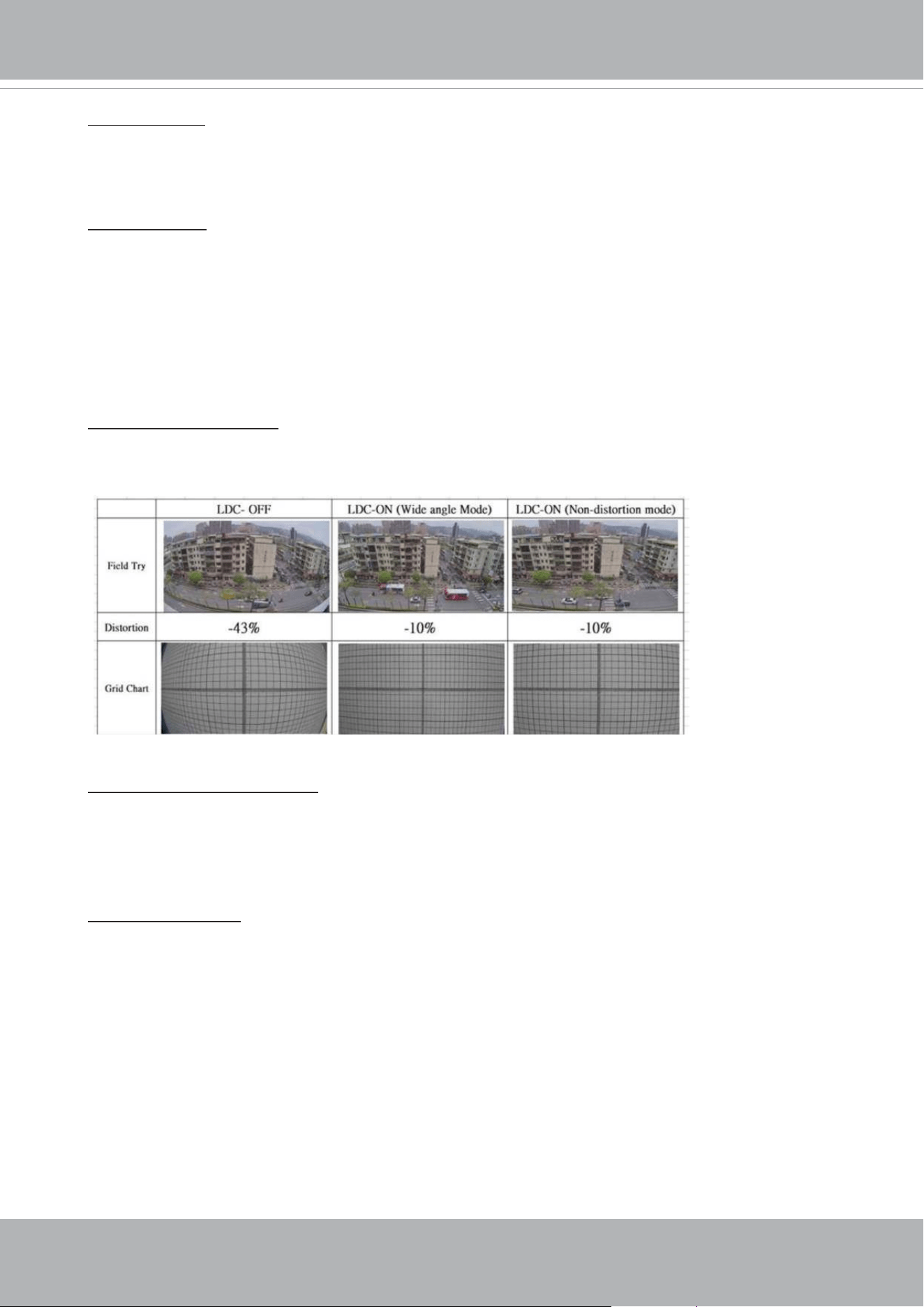
VIVOTEK
User's Manual - 75
Noise reduction
■ Enable noise reduction: Check to enable noise reduction in order to reduce noises and ickers
in image. This applies to the onboard 3D Noise Reduction feature. Use the slide bar to adjust
the reduction strength. Note that applying this function to the video channel will consume system
computing power.
3D Noise Reduction is mostly applied in low-light conditions. When enabled in a low-light
condition with fast moving objects, trails of after-images may occur. You may then select a lower
strength level or disable the function.
Enable digital image stabilizer
If you experience problems such as vibration occurs when on a pole mount, try enable the image
stabilizer.
Hightlight mask: If there are strong light sources in the scene, the system will block out the strong
light sources, and eliminate the effects from the lighting sources. For example, a strong lighting
source can mislead the system to consider the whole scene is well lit, while the other areas is in
fact poorly represented.
Scene mode: deblur
■
When enabled, shutter time will be xed to 1/120 second to reduce image smear. This feature
is designed to apply with human movement at the pace of 1.4~2.2m/s. The deblur function
is related to Motion detection where motion-alerted pixels need to be suppressed in order to
increase the accuracy of motion detection. In certain conditions, shadows or light changes can
all cause false alarms in motion detection.
The deblur function uses the same detection window as that of the Motion detection.
Lens distortion correction
■ Then Lens Distortion Correction is implemented by warping the distorted image input into a
rectied, undistorted image output.
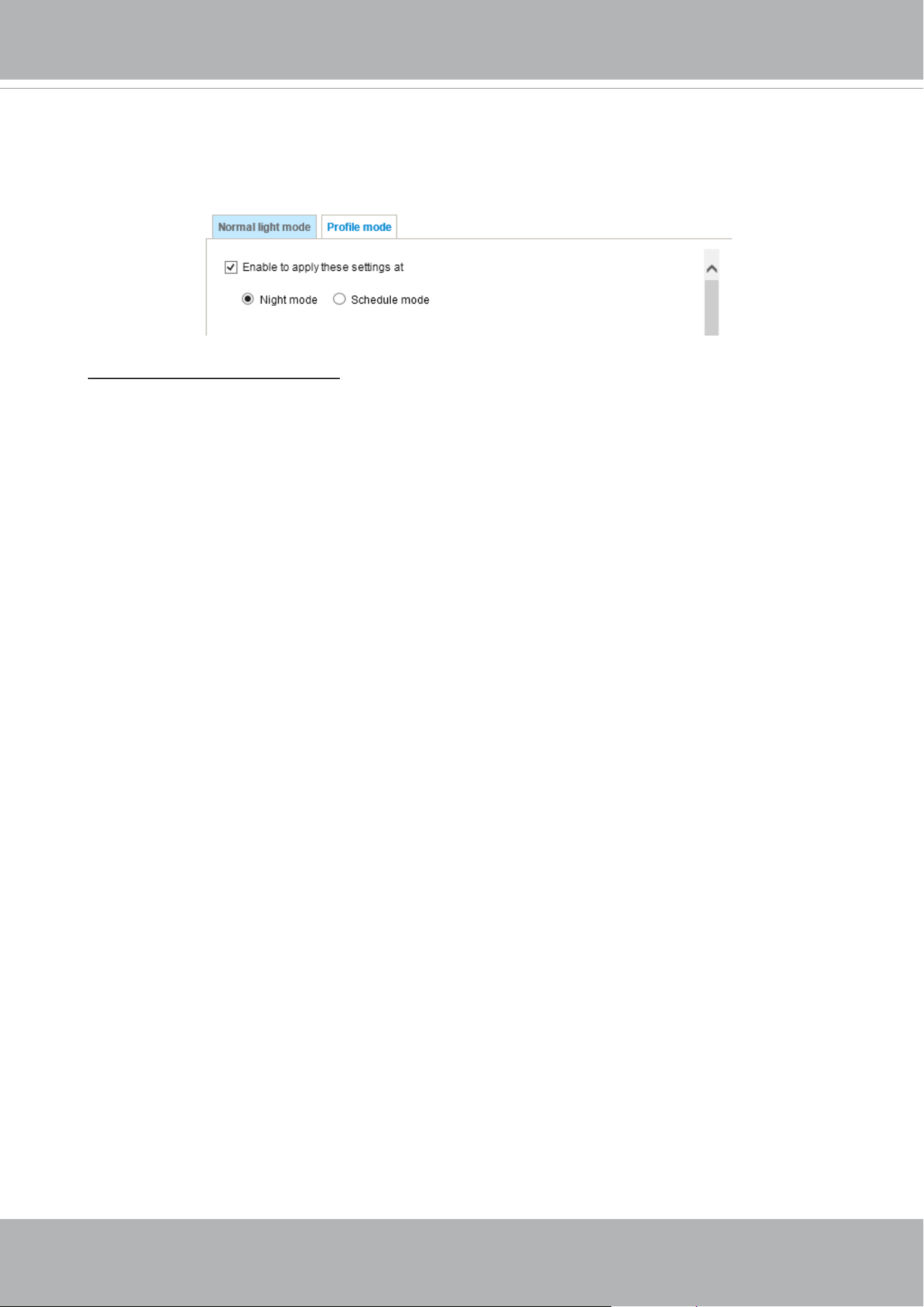
VIVOTEK
76 - User's Manual
Note that the Preview button has been cancelled, all changes made to image settings is directly
shown on screen. You can click Restore to recall the original settings without incorporating the
changes. When completed with the settings on this page, click Save to enable the setting. You
can also click on Prole mode to adjust all settings above in a tabbed window for special lighting
conditions.
Enable to apply these settings at:
Select the mode this prole to apply to: Day mode, Night mode,
or Schedule mode. Please manually enter a range of time if you choose the Schedule mode. Then
check Save to take effect.
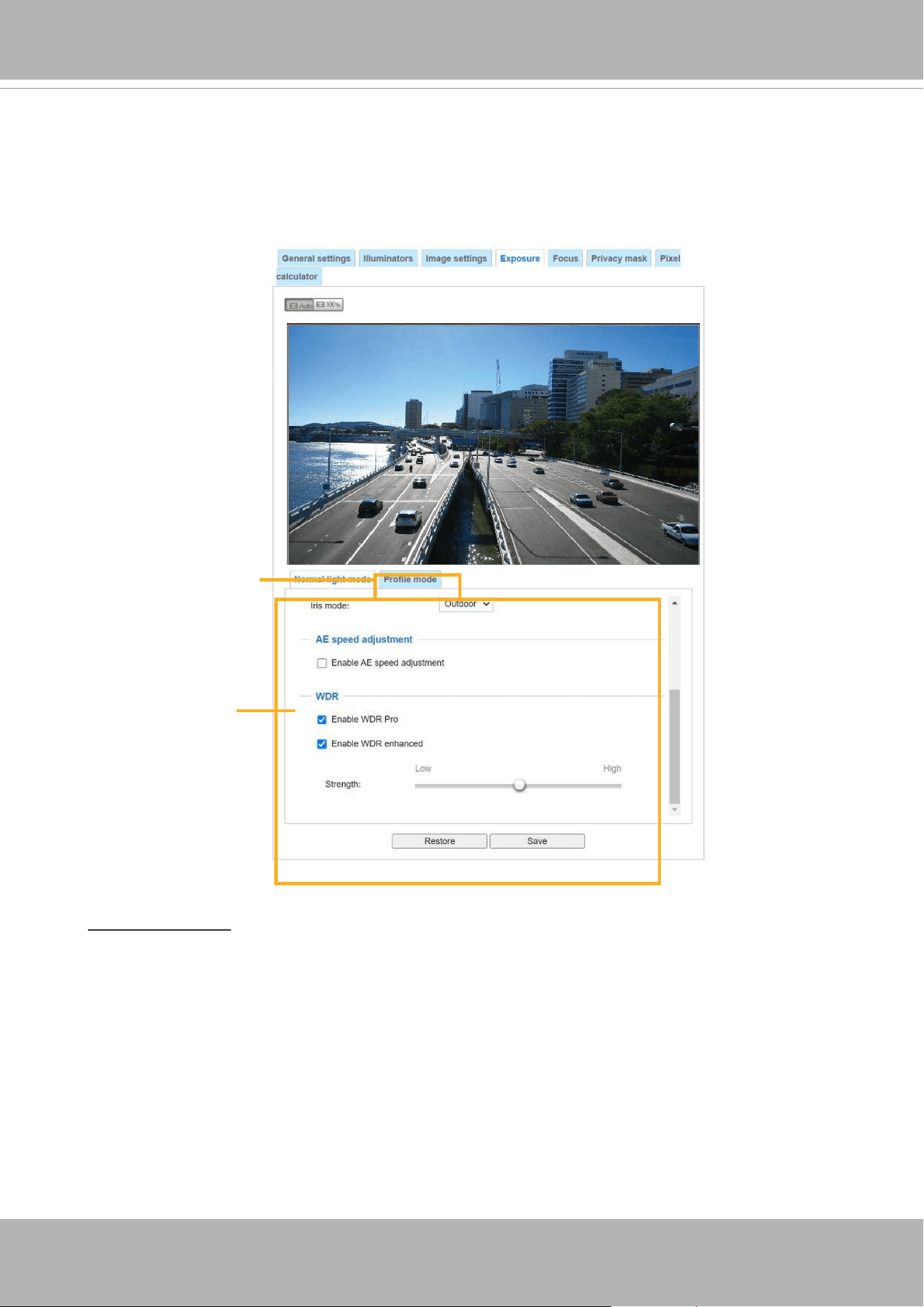
VIVOTEK
User's Manual - 77
Exposure
On this page, you can set the Exposure measurement window, Exposure level, Exposure mode,
Exposure time, Gain control, and Day/Night mode settings. You can congure two sets of Exposure
settings: one for normal situations, the other for special situations, such as the day/night/schedule
mode.
Exposure strategy:
Measurement window: This function allows users to set measurement window(s) for low light
compensation. For example, where low-light objects are posed against an extremely bright
background. You may want to exclude the bright sunlight shining through a building's corridor.
■ Full view: Calculate the full range of view and offer appropriate
light compensation.
■ Custom: This option allows you to manually add customized windows as inclusive or exclusive
regions. A total of 10 windows can be configured. Please refer to the next page for detailed
illustration.
Sensor Setting 1:
For normal situations
Sensor Setting 2:
For special situations
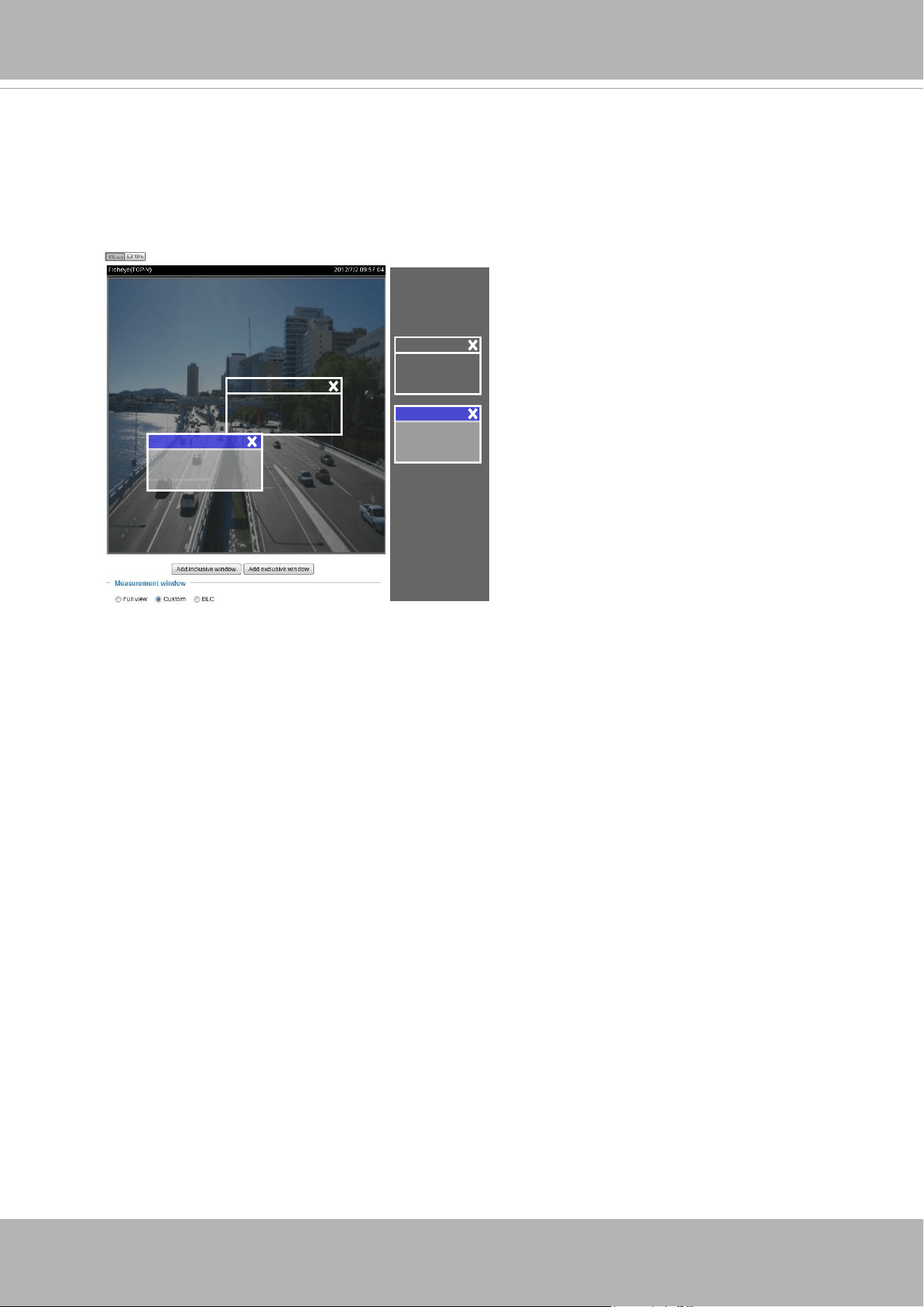
VIVOTEK
78 - User's Manual
The inclusive window refers to the “weighted window“; the exclusive window refers to “ignored
window“. It adopts the weighted averages method to calculate the value. The inclusive windows
have a higher priority. You can overlap these windows, and, if you place an exclusive window
within a larger inclusive window, the exclusive part of the overlapped windows will be deducted
from the inclusive window. An exposure value will then be calculated out of the remaining of the
inclusive window.
Include
Exclude
Weighted region
Ignored region
Include
Exclude
■
HLC: (Highlight Compensation). Firmware detects strong light sources and compensates on
affected spots to enhance the overall image quality. For example, the HLC helps reduce the
glares produced by spotlights or headlights.
■ BLC (Back Light Compensation): This option will automatically add a “weighted region“ in the
middle of the window and give the necessary light compensation.
■ Auto: Firmware automatically determines an optimal exposure level.

VIVOTEK
User's Manual - 79
Enable WDR enhanced:
This function allows users to identify more image details with an extreme
contrast from an object of interest with one shadowed side against a bright background, e.g., an
entrance. You may select the Enable WDR enhanced checkbox, and then adjust the strength (low,
medium, high) to reach the best image quality.
■
WDR Pro:
This refers to the Wide Dynamic Range function that enables the camera to capture details in
a high contrast environment. Use the checkbox to enable the function, and use the slide bar
to select the strength of the WDR Pro functionality, depending on the lighting condition at the
installation site. You can select a higher effect when the contrast is high (between the shaded
area and the light behind the objects).
■
AE Speed Adjustment:
This function applies when you need to monitor fast changing lighting conditions. For example,
the camera may need to monitor a highway lane or entrance of a parking area at night where
cars passing by with their lights on can bring fast changes in light levels. The same applies if
the camera is installed on a vehicle, and when it needs to adapt to fast changes of light when
entering and leaving a tunnel.
Exposure control:
■
Exposure level: You can manually set the Exposure level, which ranges from -2.0 to +2.0 (dark
to bright). You can click and drag the semi-circular pointers on the Exposure time and Gain
control slide bars to specify a range of shutter time and Gain control values within which the
camera can automatically tune to an optimal imaging result. You may prefer a shorter shutter
time to better capture moving objects, while a faster shutter reduces light and needs to be
compensated by electrical brightness gains.
■
Exposure mode: (available when WDR Pro is disabled)
You can click and drag the semi-circular pointers on the Exposure time and Gain control slide
bars to specify a range of shutter time and Gain control values within which the camera can
automaticallly tune to an optimal imaging result. You can also configure the iris size to control
the amount of light. For example, you may prefer a shorter shutter time to better capture moving
objects, while a faster shutter reduces light and needs to be compensated by electrical brightness
gains.
Auto: If you set Exposure mode as Auto, the Exposure time and Gain control will not be
congurable since the sensor library will automatically adjust the value according to the ambient
light. Then you can congure iris mode as “indoor” or “outdoor” to reach the best image quality.
■ Iris mode:
Select Indoor or Outdoor iris mode to adapt to the installation. The preset iris aperture
setting will apply.
■
Flickerless: Under some circumstances when there is a difference between the video capture
frequency and local AC power frequency (NTSC or PAL), the mismatch causes color shifts or
ickering images. If the above mismatch occurs, select the Flickerless checkbox, and the range
of Exposure time (the shutter time) will be limited to a range in order to match the AC power
frequency. When selected, the exposure time will be forced to stay longer than 1/120 second.
For cameras that come with xed iris lens, setting the exposure time to longer than 1/120 second
may introduce too much lights to the lens. Users can use this option to observe whether the
result of long exposure time is satisfactory.
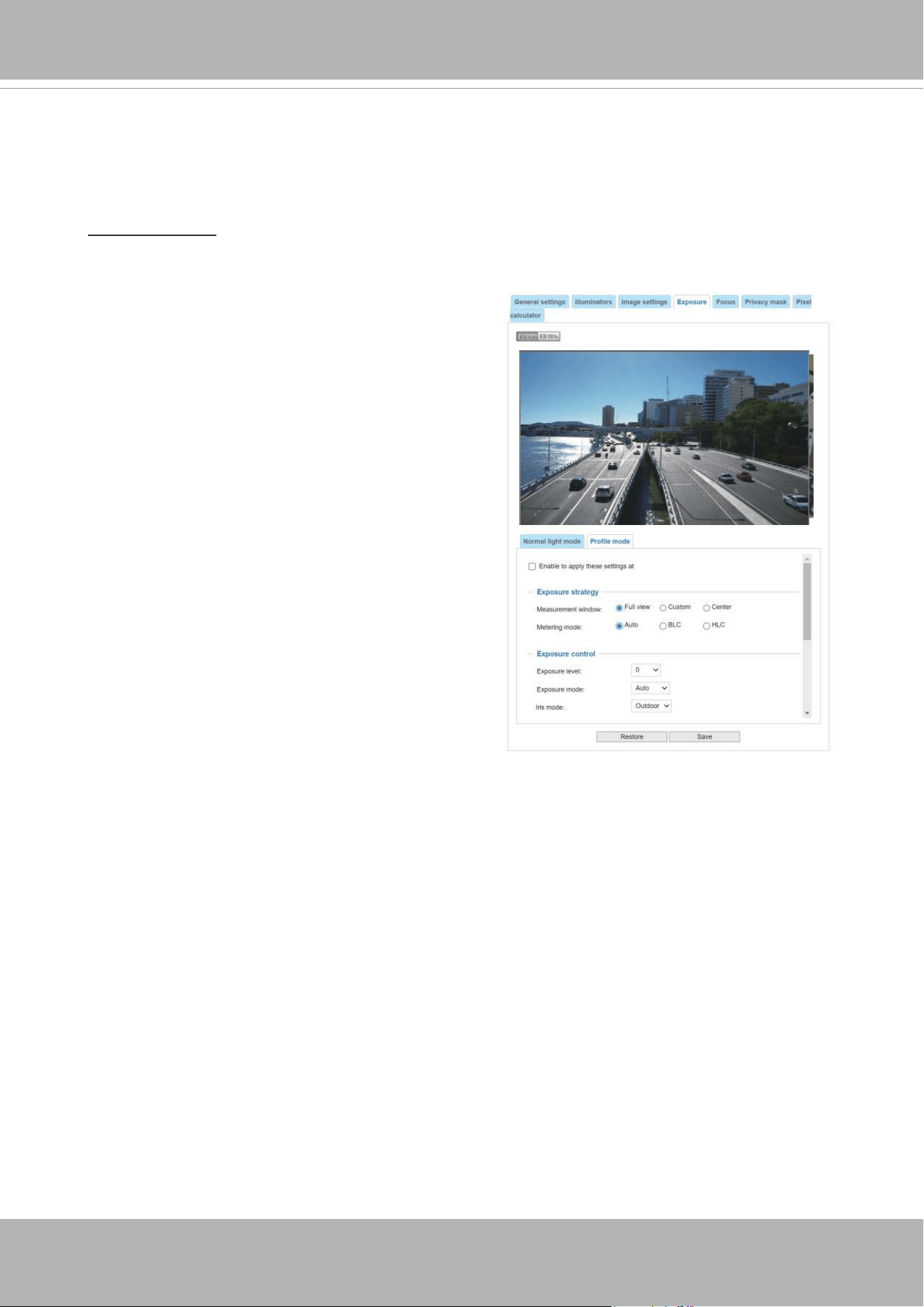
VIVOTEK
80 - User's Manual
Please follow the steps below to set up a prole:
1. Select the Prole mode tab.
2. Select the applicable mode: Night mode or
Schedule mode. Please manually enter a range of
time if you choose the Schedule mode.
3. Congure Exposure control settings in the folowing
columns. Please refer to previous dicussions for
detailed information.
4. Click Save to enable the setting and click Close to
exit the page.
You can click Restore to recall the original settings without incorporating the changes. When
completed with the settings on this page, click Save to enable the settings.
If you want to congure another sensor setting for day/night/schedule mode, please click Prole to
open the Prole of exposure settings page as shown below.
Activated period:
Select the mode this profile to apply to: Day mode, Night mode, or Schedule
mode. Please manually enter a range of time if you choose Schedule mode. Then check Save to
take effect.
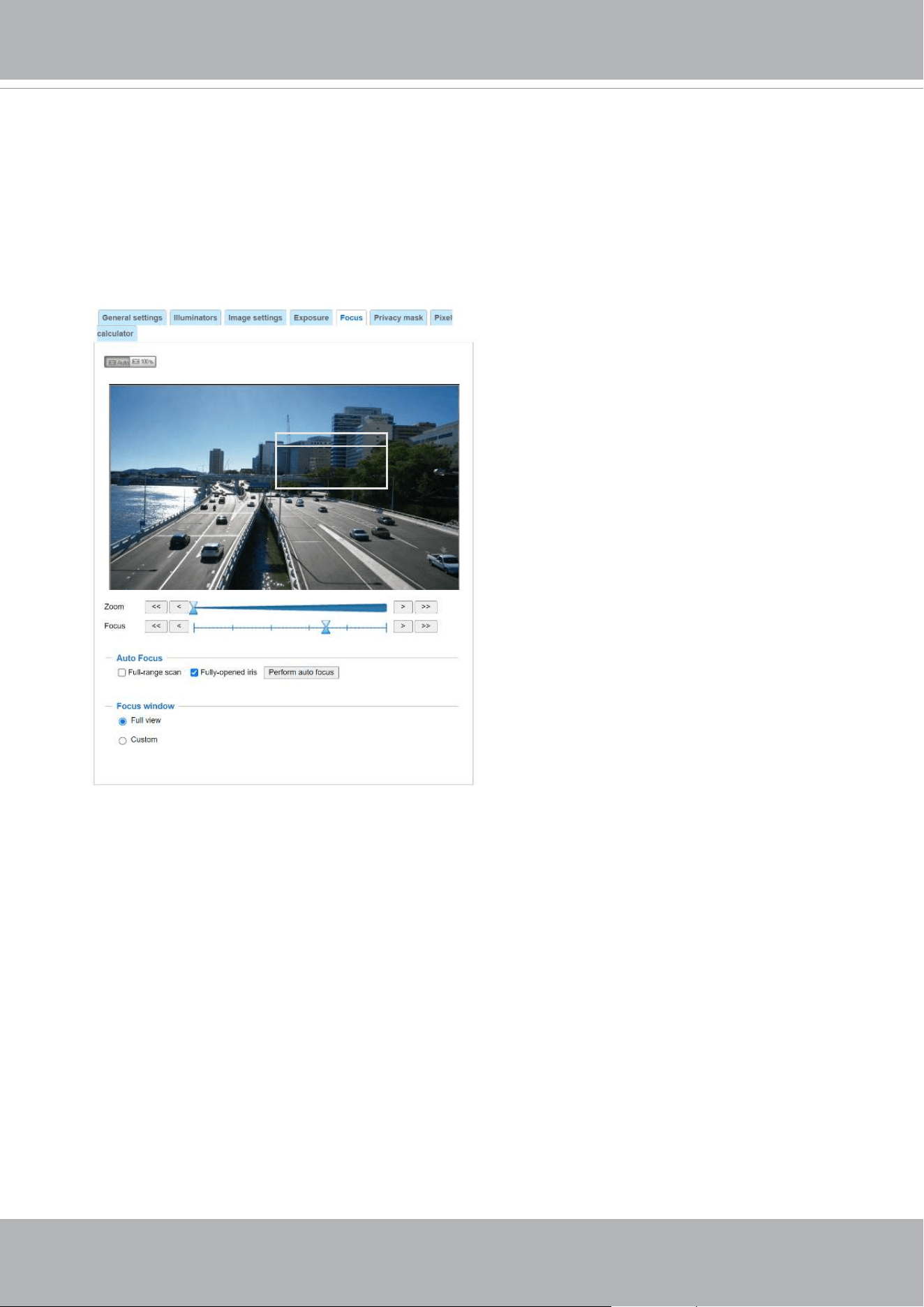
VIVOTEK
User's Manual - 81
Focus
Focus here refers to the Remote Focus, applicable to Network Cameras that are equipped
with a stepping motor lens. The automated focus adjustment function eliminates the needs
to physically adjust camera focus. In an outdoor deployment consisting of a large number
of cameras, the auto focus function can be very helpful when these cameras become out
of focus after days or weeks of operation. And that can easily result from the effects of
natural forces, e.g., shrink and expand due to a wide range of operating temperatures and
the vibration caused by wind.
Below is the procedure to perform the automated Focus function:
1. Select from the bottom of the screen whether you want to perform focus adjustment on
the Full view or within a Custom focus window. You can create a custom window and
click and drag the window to a desired position on screen.
2. It is recommended to Reset to the default back focus position of the sensor board.
3. You can use the Fully-opened iris checkbox (default) to increase the iris size for a
better focus adjustment result.
4. Click to select the Fully-opened iris or the Full-range scan buttons. When a full-range
scan is selected, a full-range scan through the camera's entire focal length can take
about 30 to 80 seconds. If not, the auto focus scan will only go through the length where
optimal focus may occur, and that takes about 15 to 20 seconds. In theory, best results
of the auto scan can be acquired when the camera's iris is fully open.
Focus window
x

VIVOTEK
82 - User's Manual
The methodology of using the Resize Buttons at the upper left corner of the streaming window is
the same as that on the home page.
Focus window:
By default, the optimal focus is found on a full view window. You may designate a custom window
within your current eld of view to acquire the best focus out of it. However, you can not place a
focus window on a distant background, e.g., a hall way that stretches away for 3 meters or farther.
Doing so you will not benet from the Focus window function.
■
Full view: The focus tuning takes place by referring to the full view.
■
Custom: You can create a focus window and drag it to a place of interest in your view window.
Note that it is recommended to use this function only when you have a solid object in your view
window that is showing a consistent color or texture. This function will not take effect if you set
the focus window on a distant background.
5. Wait for the scan to complete. After a short while, the clearest image obtained should be
displayed and the optimal focus range achieved. Use the arrow marks on the sides to ne-tune
the focus if you are not satised with the results.
You may still need to use the arrow marks to
ne-tune the focus depending on the live image on your screen. “>” means moving from wide to
tele end; and “<” tele to wide.
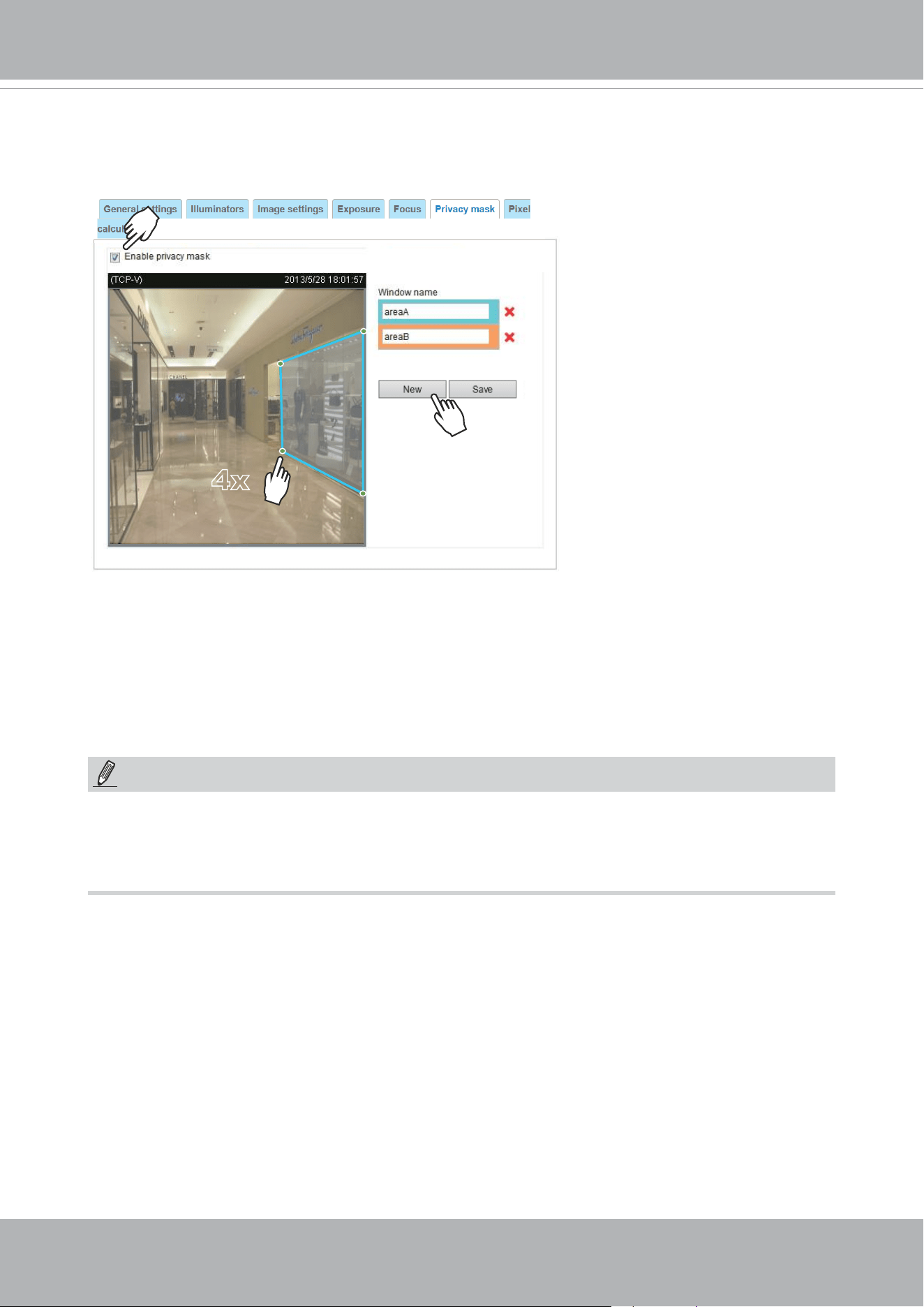
VIVOTEK
User's Manual - 83
Privacy mask
Click Privacy Mask to open the settings page. On this page, you can block out sensitive zones to
address privacy concerns.
4x
NOTE:
►
Up to 5 privacy mask windows can be congured on the same screen.
► If you want to delete the
privacy mask
window, please click the ‘x’ mark on the side of window
name.
■ To congure privacy mask windows,
1. Click New to add a new window.
2. You can use 4 mouse clicks to create a new masking window, which is recommended to be at
least twice the size of the object (height and width) you want to cover.
3. Enter a Window Name and click Save to enable the setting.
4. Click on the Enable privacy mask checkbox to enable this function.
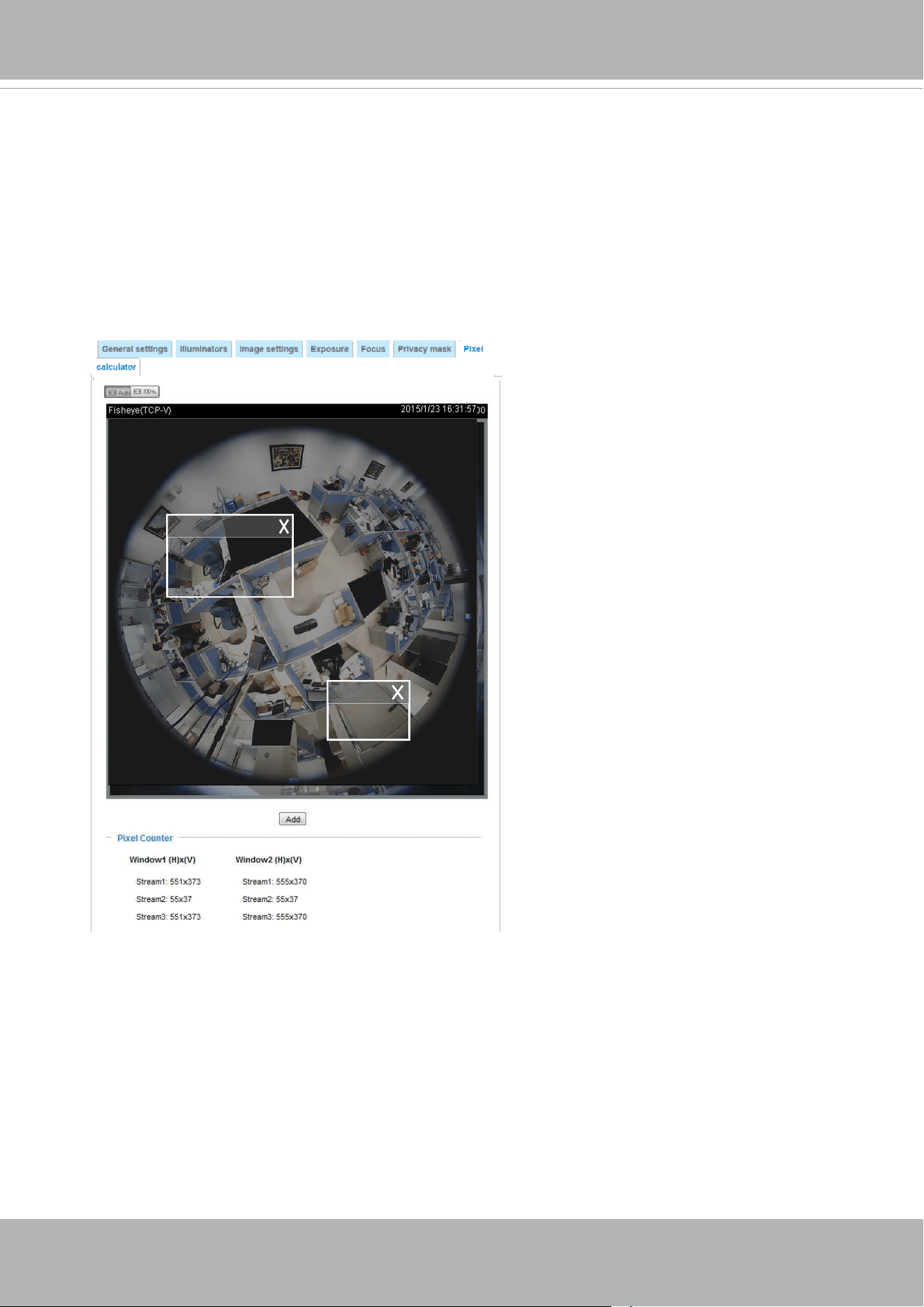
VIVOTEK
84 - User's Manual
Pixel Calculator
Click the Add button at the lower screen to create a pixel calculator window. Place your cursor on
the window to move it to an area of your interest, and change the size of window to t the area of
interest.
Once they are drawn, the numbers of pixels on the sides of windows will appear. This allows you to
calculate if your current conguration fullls a requirement, for instance, for recognizing the faces
of persons passing through a location. A facial recognition usually requires around 130 pixels per
meter or higher.
Pixel Calculator
1
2
The pixels thus calculated are listed
at the lower screen on a per-stream
basis depending on the frame size you
congured for each video stream.
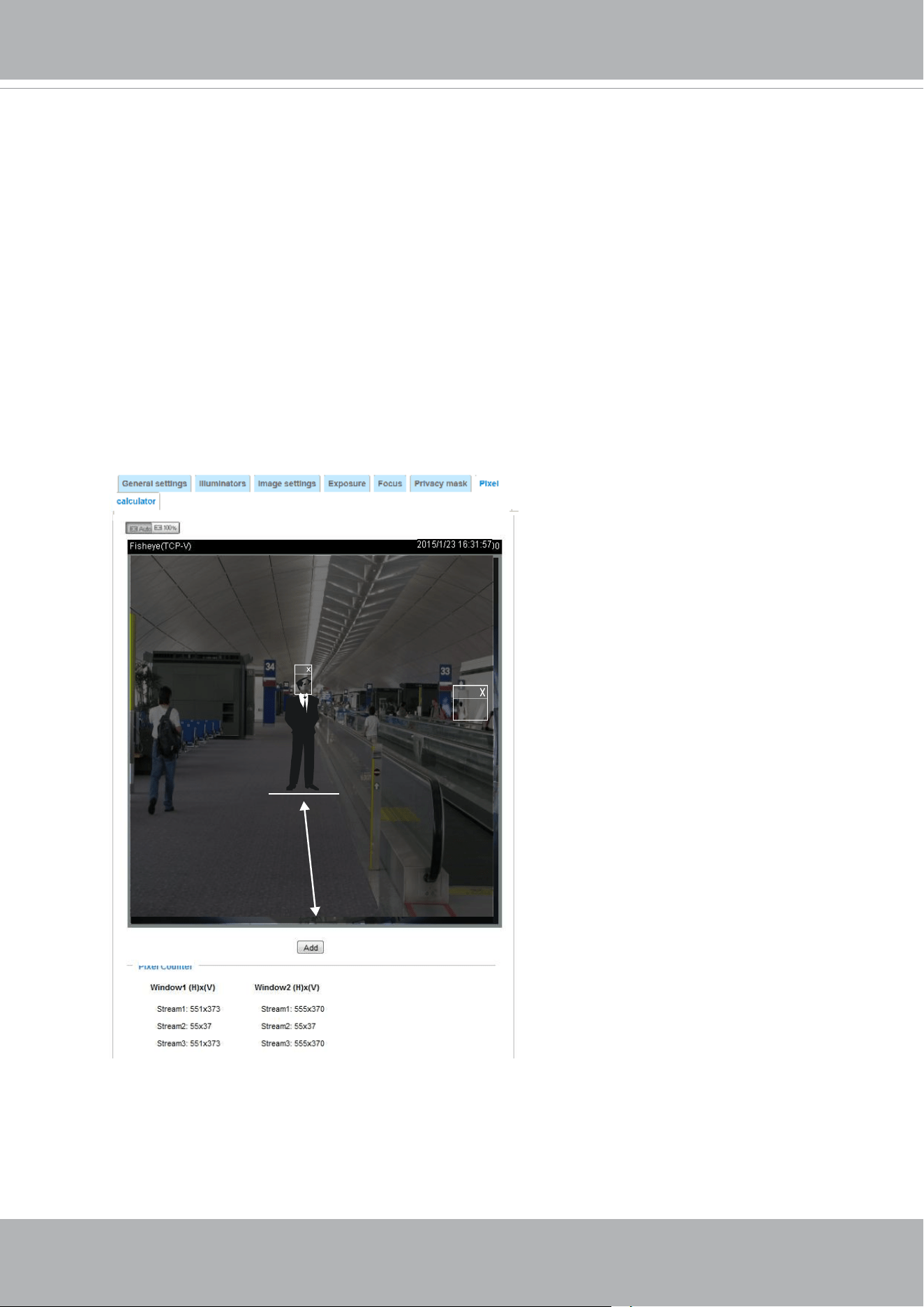
VIVOTEK
User's Manual - 85
Take the following into consideration when using this feature:
1. Operational requirement: Identify a human or a human face.
2. Why human face? There are less variances in the size of a face than that for limbs and body.
Human face is normally 16cm wide.
3. The recommended pixel number is, 40 to 80 for facial identification; or 100 pixels per foot
(30.48cm)
3-1. One example is a human face in retail.
3-2. Another example is a doorway:
If the requirement is 100 pixels per foot, to detect a person passing through a door, the
camera will have to cover 700 pixels throughout the length of a doorway. This application aims
to identify a subject passing through a specic area.
4. Other factors may include that a person will move in your area of interest: The face may not
always face the camera.
5. Details can be affected by weak lighting or the view angle. Therefore, higher the pixels, higher
the chance you can identify the subject.
6. The pixel calculator visual tool looks like the following.
Pixel Calculator
Pixel Calculator
1
2
With the visual tool, you can estimate a coverage area, the distance from the subject, and place
a ruler or an object of known size. You can then draw a calculator frame to cover the subject of
your interest.
The calculated numbers will be listed at the lower screen. You will then understand if the current
setting fullls your requests for the number of pixels.
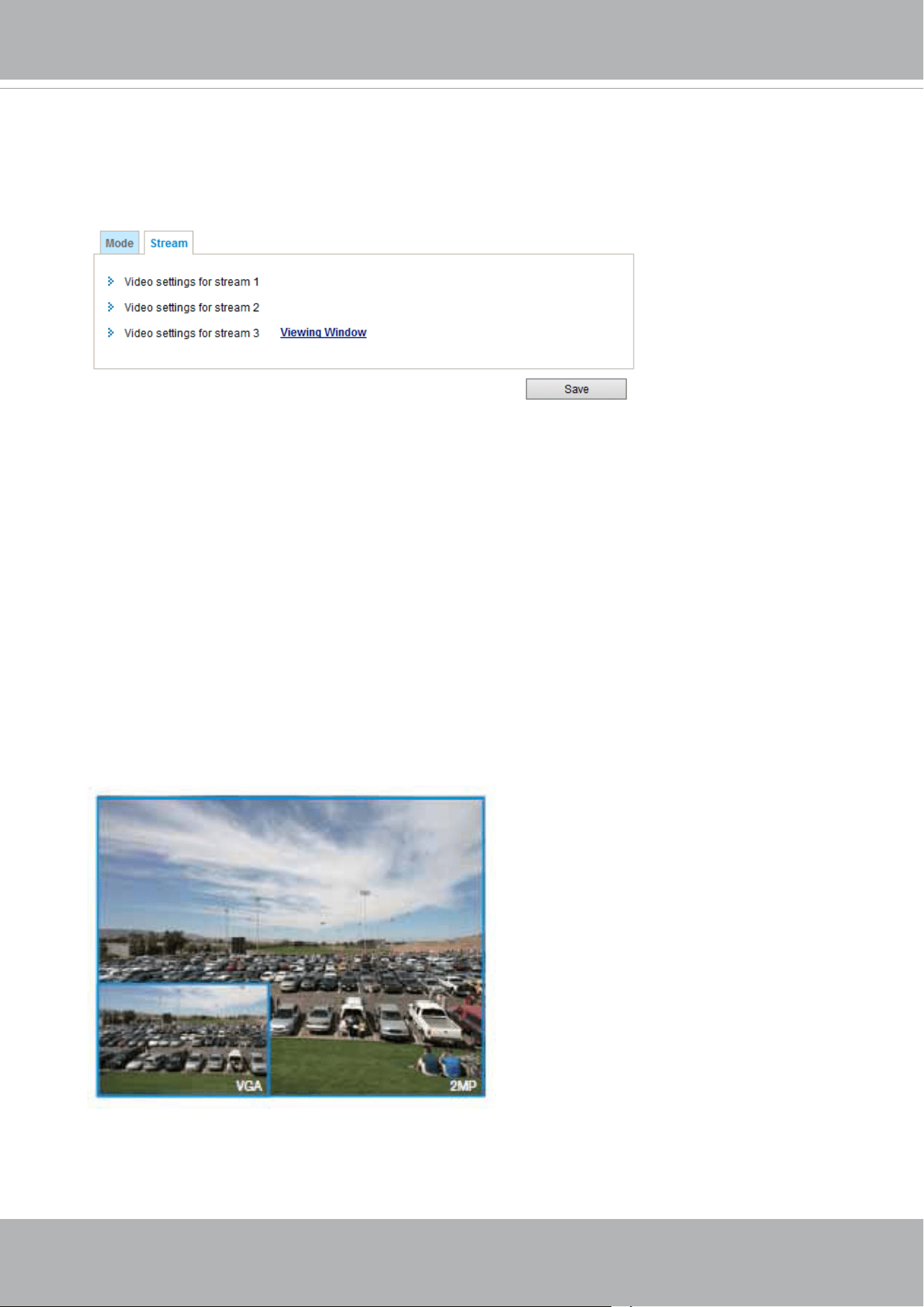
VIVOTEK
86 - User's Manual
Media > Video
Stream settings
This Network Camera supports multiple streams with frame sizes ranging from 640 x 360 to 1920 x
1080 pixels
The denition of multiple streams (IB9391):
■ Stream 1: The default frame size for Stream 2 is set to the 3840 x 2160.
■ Stream 2: The default frame size for Stream 2 is set to the 3840 x 2160.
■ Stream 3: The default frame size for Stream 3 is set to the 1280 x 720. Users can dene the
"Region of Interest" (viewing region) and the "Output Frame Size" (size of the live view window).
Click Viewing Window to open the viewing region settings page. On this page, you can congure
the Region of Interest and the Output Frame Size for a video stream. For example, you can crop
only a portion of the image that is of your interest, and thus save the bandwidth needed to transmit
the video stream. As shown below, the area of your interest in a parking lot should be the vehicles.
The blue sky is of little value for the surveillance purpose.
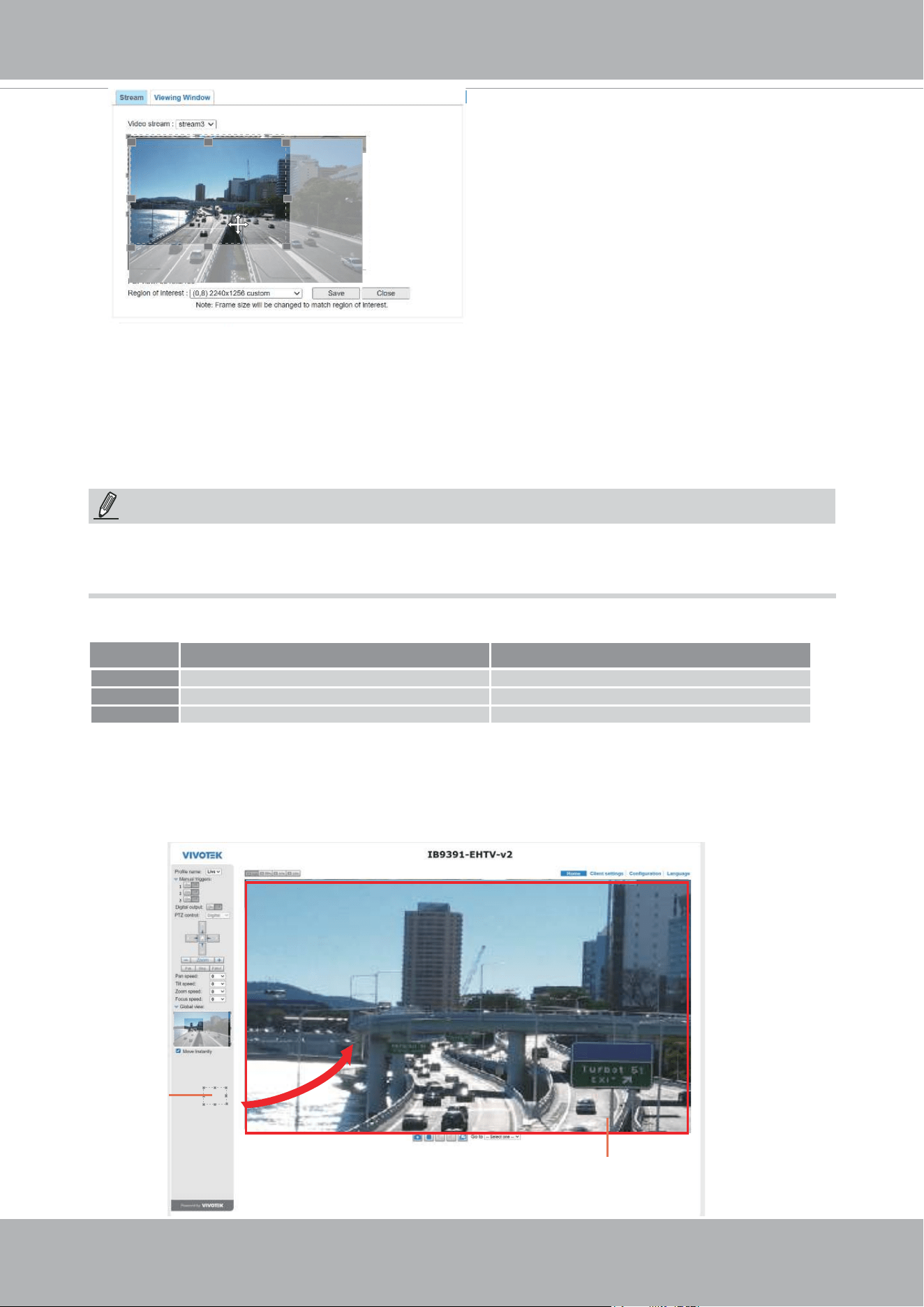
VIVOTEK
User's Manual - 87
Media > Video
► All the items in the “Region of Interest” should not be larger than the “Output Frame Size“
(current maximum resolution).
■ The parameters of the multiple streams:
X2.1
Region of Interest
(Viewing Region)
Output Frame Size
(Size of the Live View Window)
Region of Interest Output frame size
Stream 1 Fixed Fixed
Stream 2 Fixed Fixed
Stream 3 3840 x 2160 ~ 640 x 360 (Selectable) 3840 x 2160 ~ 640 x 360 (Selectable)
NOTE:
Please follow the steps below to set up those settings for a stream:
1. Select a stream for which you want to set up the viewing region.
2. Select a Region of Interest from the drop-down list. The oating frame, the same as the one
in the Gloabl View window on the home page, will resize accordingly. If you want to set up
a customized viewing region, you can also resize and drag the floating frame to a desired
position with your mouse.
3. Choose a proper Output Frame Size from the drop-down list according to the size of your
monitoring device.
When completed with the settings in the Viewing Window, click Save to enable the settings and
click Close to exit the window. The selected Output Frame Size will immediately be applied to
the Frame size of each video stream. Then you can go back to the home page to test the e-PTZ
function. For more information about the e-PTZ function, please refer to page 135.
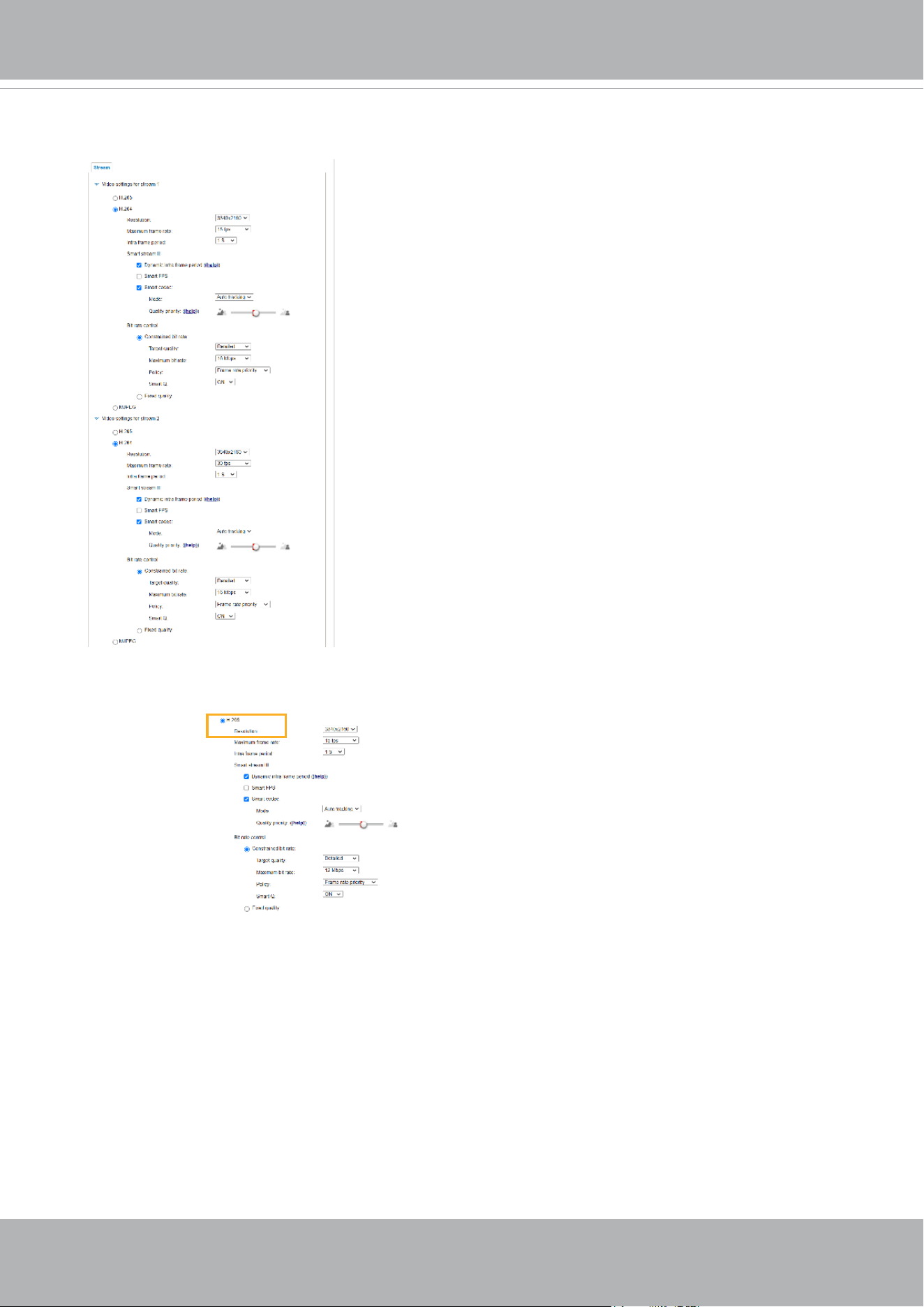
VIVOTEK
88 - User's Manual
Click the stream item to display the detailed information. The maximum frame size will follow your
settings in the above Viewing Window sections.
This Network Camera provides real-time H.265, H.264 and MJPEG compression standards (Triple
Codec) for real-time viewing. If the H.265 or H.264 mode is selected, the video is streamed via
RTSP protocol. There are several parameters through which you can adjust the video performance:
■ Frame size
You can set up different video resolutions for different viewing devices. For example, you can
congure a smaller frame size and lower bit rate for remote viewing on mobile phones and a
larger video size and a higher bit rate for live viewing on web browsers, or recording the stream
to an NVR. Note that a larger frame size takes up more bandwidth.
■ Maximum frame rate
This limits the maximum refresh frame rate per second. Set the frame rate higher for smoother
video quality and for recognizing moving objects in the eld of view.
If the power line frequency is set to 50Hz , the frame rates are selectable at 1fps, 2fps, 3fps,
5fps, 8fps, 10fps, 12fps, 15fps, and up to 25fps. If the power line frequency is set to 60Hz, the
frame rates are selectable at 1fps, 2fps, 3fps, 5fps, 8fps, 10fps, 12fps, 15fps, and up to 30fps.
You can also select Customize and manually enter a value.
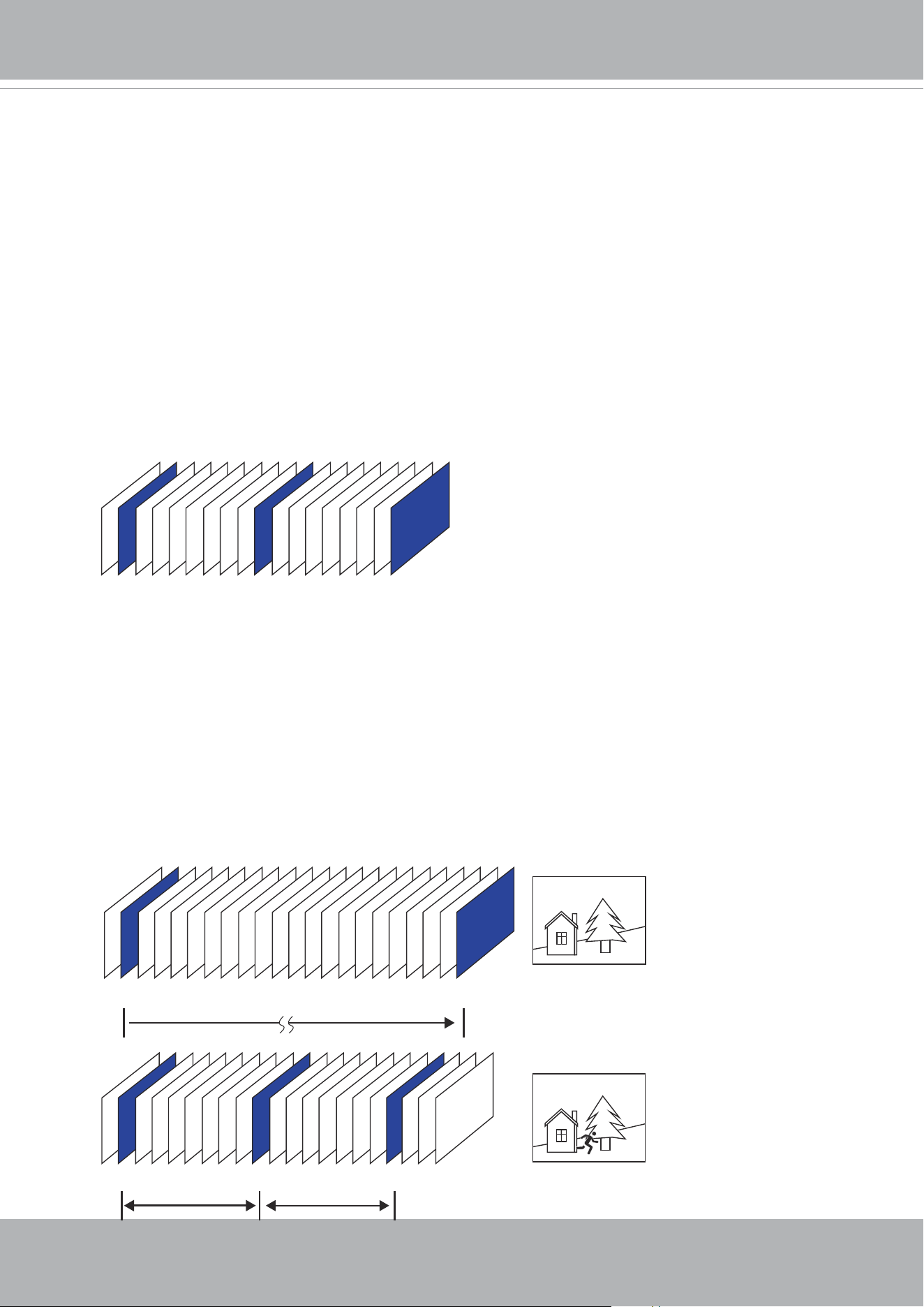
VIVOTEK
User's Manual - 89
The frame rate will decrease if you select a higher resolution.
■ Intra frame period
Determine how often for rmware to plant an I frame. The shorter the duration, the more likely
you will get better video quality, but at the cost of higher network bandwidth consumption. Select
the intra frame period from the following durations: 1/4 second, 1/2 second, 1 second, 2 seconds,
3 seconds, and 4 seconds.
■ Dynamic Intra frame period
High quality motion codecs, such as H.265, utilize the redundancies between video frames to
deliver video streams at a balance of quality and bit rate.
The encoding parameters are summarized and illustrated below. The I-frames are completely
self-referential and they are largest in size. The P-frames are predicted frames. The encoder
refers to the previous I- or P-frames for redundant image information.
P I P P P P P P P P P P P P P P P P P P P I
P I P P P P P P P I P P P P P P P I
Static scene
Activities
P P P
P I P P P P P P P I P P P P P P P I
By dynamically prolonging the intervals for I-frames insertion to up to 10 seconds, the bit rates
required for streaming a video can be tremendously reduced. When streaming a video of a
static scene, the Dynamic Intra frame feature can save up to 53% of bandwidth. The amount of
bandwidth thus saved is also determined by the activities in the eld of view. If activities occur
in the scene, rmware automatically shortens the I-frame insertion intervals in order to maintain
image quality. In the low light or night conditions, the sizes of P-frames tend to be enlarged due
to the noises, and hence the bandwidth saving effect is also reduced.
Streaming a typical 2MP scene normally requires 3~4Mb/s of bandwidth. With the Dynamic Intra
frame function, the bandwidth for streaming a medium-trafc scene can be reduced to 2~3Mb/s,
and during the no-trafc period of time, down to 500kb/s.
H.264/265 Frame Types
Dynamic Intra Frame w/
static scenes
Dynamic Intra Frame w/
activities in scenes
■ Smart stream III
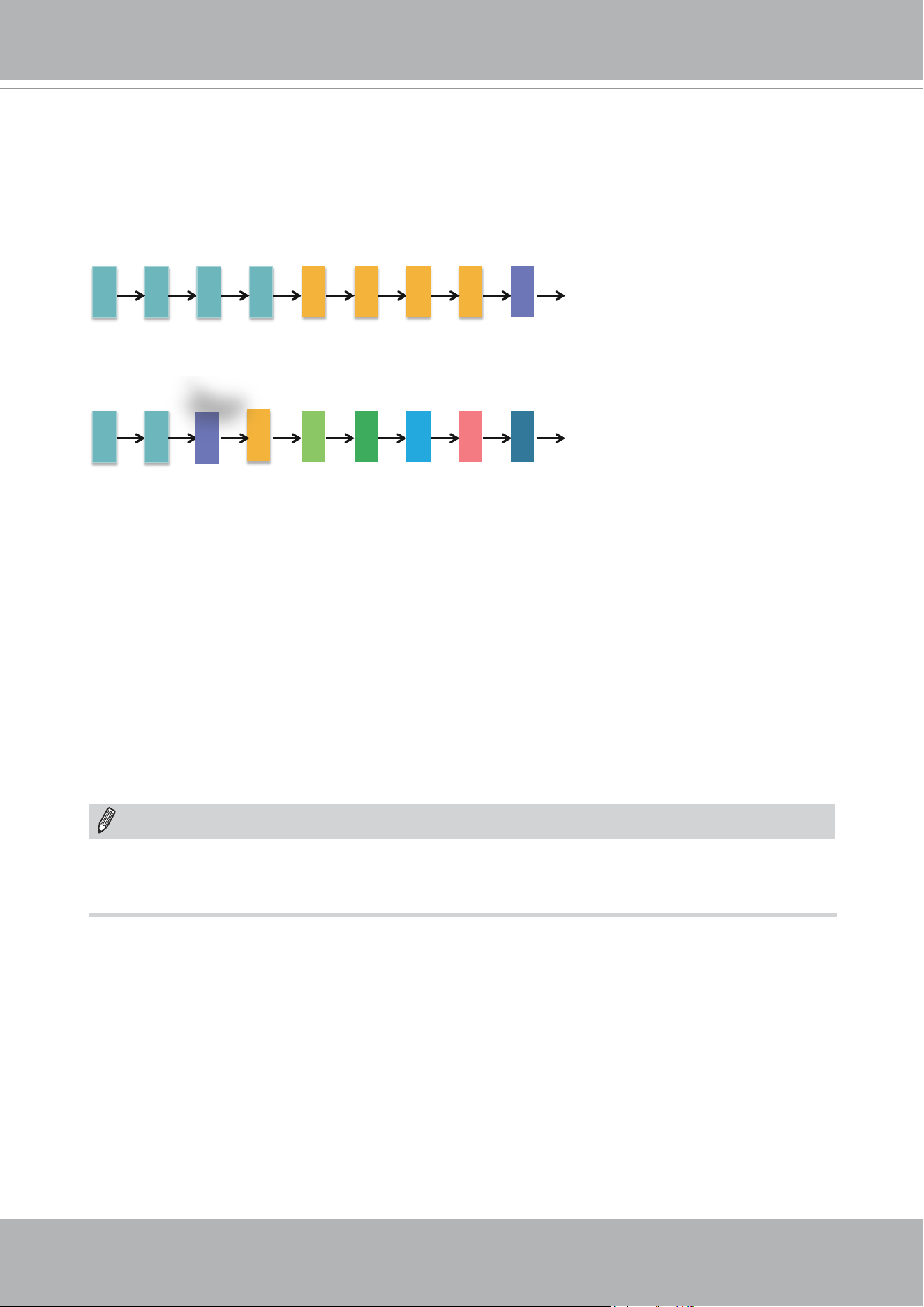
VIVOTEK
90 - User's Manual
With the H.265 codec in an optimal scenario and when Dynamic Intra frame is combined with
the Smart Stream function, an 80% of bandwidth saving can be achieved compared with using
H.264 without enabling these bandwidth-saving features.
f1 f1 f1
f1
f5 f5 f5 f5 f9
f1 f1
f3
f4 f5 f6 f7 f8 f9
Motions Occur.
Comparing with Smart Stream II, Smart Stream III has two more congurable options: Smart Q,
and
Smart FPS.
NOTE:
By queuing the old frames from a static scene, both the computing efforts and the size of P
frames are reduced. It is benecial for keeping up with the frame rate requirements.
A default frame difference threshold, 1%, is embedded in rmware for returning from Smart FPS
to normal encoding when motions occur.
■ Smart FPS
In a static scene, the algorithm puts old frames in queue when no motions occur in scene. When
motions occur, the encoding returns to normal to deliver real-time streaming.
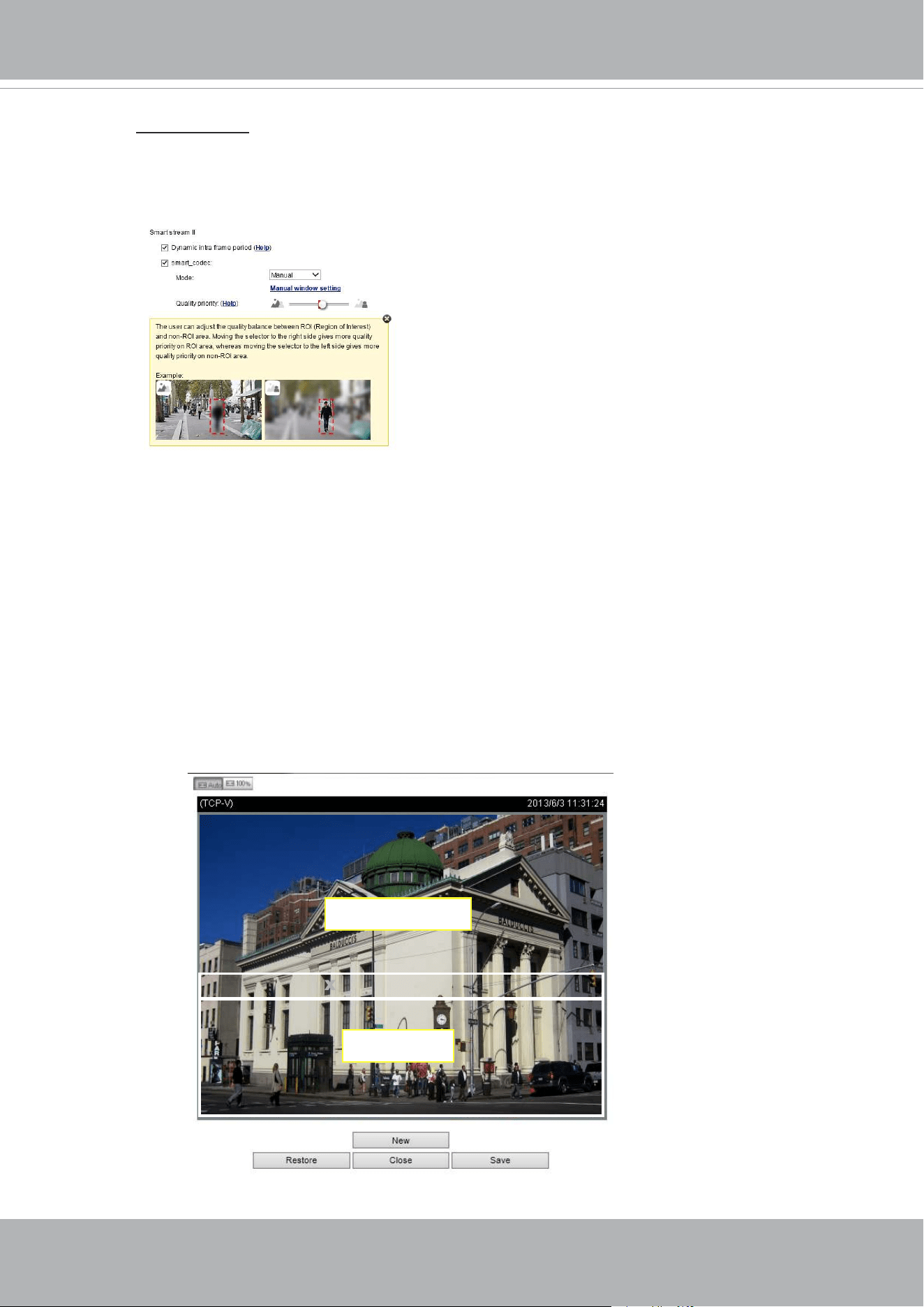
VIVOTEK
User's Manual - 91
• Smart codec: Smart codec effectively reduces the quality of the whole or the non-
interested areas on a screen and therefore reduces the bandwidth consumed.
You can manually specify the video quality for the foreground and the background
areas.
Select an operation mode if Smart codec is preferred.
- Auto tracking: The Auto mode congures the whole screen into the non-interested
area. The video quality of part of the screen returns to normal when one or
more objects move in that area. The remainder of the screen where there are
no moving objects (no pixel changes) will still be transmitted in low-quality
format.
- Manual: The Manual mode allows you to configure 3 ROI windows (Region of
Interest, with Foreground quality) on the screen. Areas not included in any
ROI windows will be considered as the non-interested areas. The details in
the ROI areas will be transmitted in a higher-quality video format.
As illustrated below, the upper screen may contain little details of your
interest, while the sidewalk on the lower screen is included in an ROI
window.
XROI_0 XROI_0
ROI
non-interested
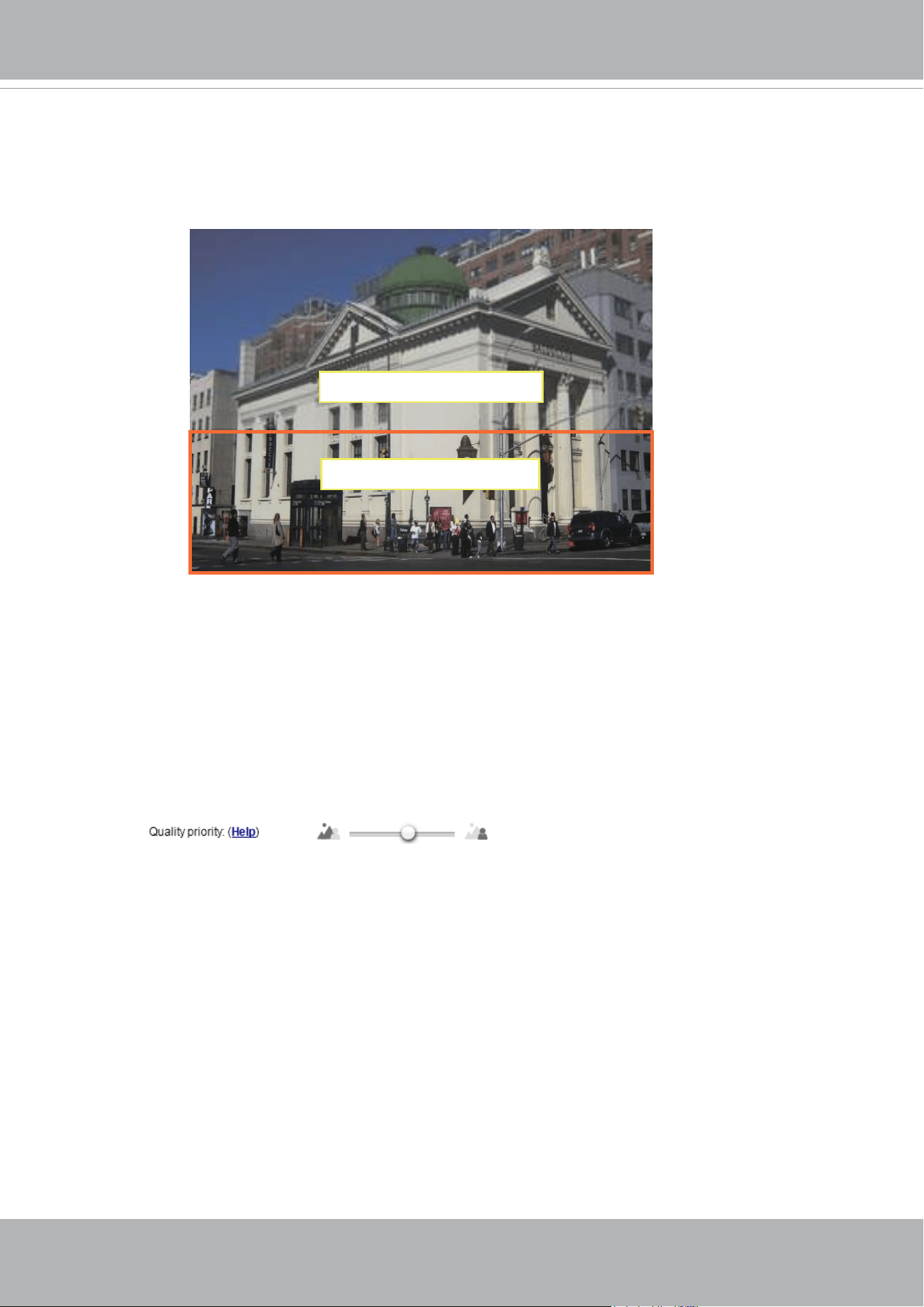
VIVOTEK
92 - User's Manual
ROI: higher-quality
non-ROI: lower-quality
As the result, the lower screen is constantly displayed in high details, while the
upper half is transmitted using a lower-quality format. Although the upper half is
transmitted using a lower quality format, you still have an awareness of what is
happening on the whole screen.
- Hybrid: The major difference between the “Manual” mode and the “Hybrid” mode
is that:
In the “Hybrid“ mode, any objects entering the non-interested area will
restore the video quality of the moving objects and the area around them.
The video quality of the associated non-interested area is immediately
restored to normal to cover the moving objects.
In the “Manual” mode, the non-interested area is always transmitted using
a low-quality format regardless of the activities occurring inside.
You should also select the Maximum bit rate from the pull-down menu as the
threshold to contain the bandwidth consumption for both the high- and low-quality
video sections in a smart stream.
- Quality priority: Use the slide bar to tune the quality contrast between the ROI
and non-interested areas.
The farther the slide bar button is to the right, the higher the image quality
of the ROI areas. On the contrary, the farther the slide bar button to the left,
the higher the image quality of the non-interested area.
In this way, you may set up an ROI window as a privacy mask by covering a
protected area using an ROI window, while the rest of the screen becomes
the non-interested area. You may then congure the non-interested area to
have a high image quality, or vice versa.

VIVOTEK
User's Manual - 93
■
Bit rate control
Constrained bit rate:
A complex scene generally produces a larger le size, meaning that higher bandwidth
will be needed for data transmission. The bandwidth utilization is configurable to
match a selected level, resulting in mutable video quality performance. The bit rates
are selectable at the following rates: 20Kbps, 30Kbps, 40Kbps, 50Kbps, 64Kbps,
128Kbps, 256Kbps, 512Kbps, 768Kbps, 1Mbps, 2Mbps, 3Mbps, 4Mbps, 6Mbps,
8Mbps, 10Mbps, 12Mbps, 14Mbps, ~ to 80Mbps. You can also select Customize
and manually enter a value up to 80Mbps.
• - Target quality: Select a desired quality ranging from Medium to Excellent.
- Maximum bit rate: select a bit rate from the pull-down menu. The bit rate ranges
from 20kbps to a maximum of 80Mbps. The bit rate then becomes the Average or
Upper bound bit rate number. The Network Camera will strive to deliver video streams
around or within the bit rate limitation you impose.
- Policy: If Frame Rate Priority is selected, the Network Camera will try to maintain
the frame rate per second performance, while the image quality will be compromised.
If Image quality priority is selected, the Network Camera may drop some video
frames in order to maintain image quality.
Smart Q: Select ON or OFF to enable or disable the feature. Smart Q is scene-aware.
The Smart Q reduces frame size and bit rate consumption through the following:
■
Dynamically adjusting the image quality for scenes in different luminosities in low
light frames. Less noises means less of the bandwidth consumed.
■
Endorsing different qualities for the I frames and P frames, and hence reduces
the frame size.
■ Dividing a single frame into different sections, and giving these sections different
qualities. For a highly complex area, such as an area with dense vegetation,
screen windows, or repeated patterns (complex textiles patterns like wall paper),
having a lower quality value actually poses little effects on human eyes.
Unnecessary quality is unrecognized by human eyes and wastes the bit rate.
The Smart Q streaming can save up to 50% to 80% of bandwidth in different
illumination conditions while keeping the same imaging quality. These numbers come
from the comparison between Smart Stream II and Smart Stream III streamings.

VIVOTEK
94 - User's Manual
Maximum bit rate: With the guaranteed image quality, you might still want to place
a bit rate limitation to control the size of video streams for bandwidth and storage
concerns. The congurable bit rate starts from 1Mbps to 80Mbps.
The Maximum bit rate setting in the Fixed quality configuration can ensure a
reasonable and limited use of network bandwidth. For example, in low light conditions
where a Fixed quality setting is applied, video packet sizes can tremendously
increase when noises are produced with electrical gains.
You may also manually enter a bit rate number by selecting the Customized option.
Fixed quality:
On the other hand, if Fixed quality is selected, all frames are transmitted with the
same quality; bandwidth utilization is therefore unpredictable. The video quality
can be adjusted to the following settings: Medium, Standard, Good, Detailed, and
Excellent. You can also select Customize and manually enter a value.
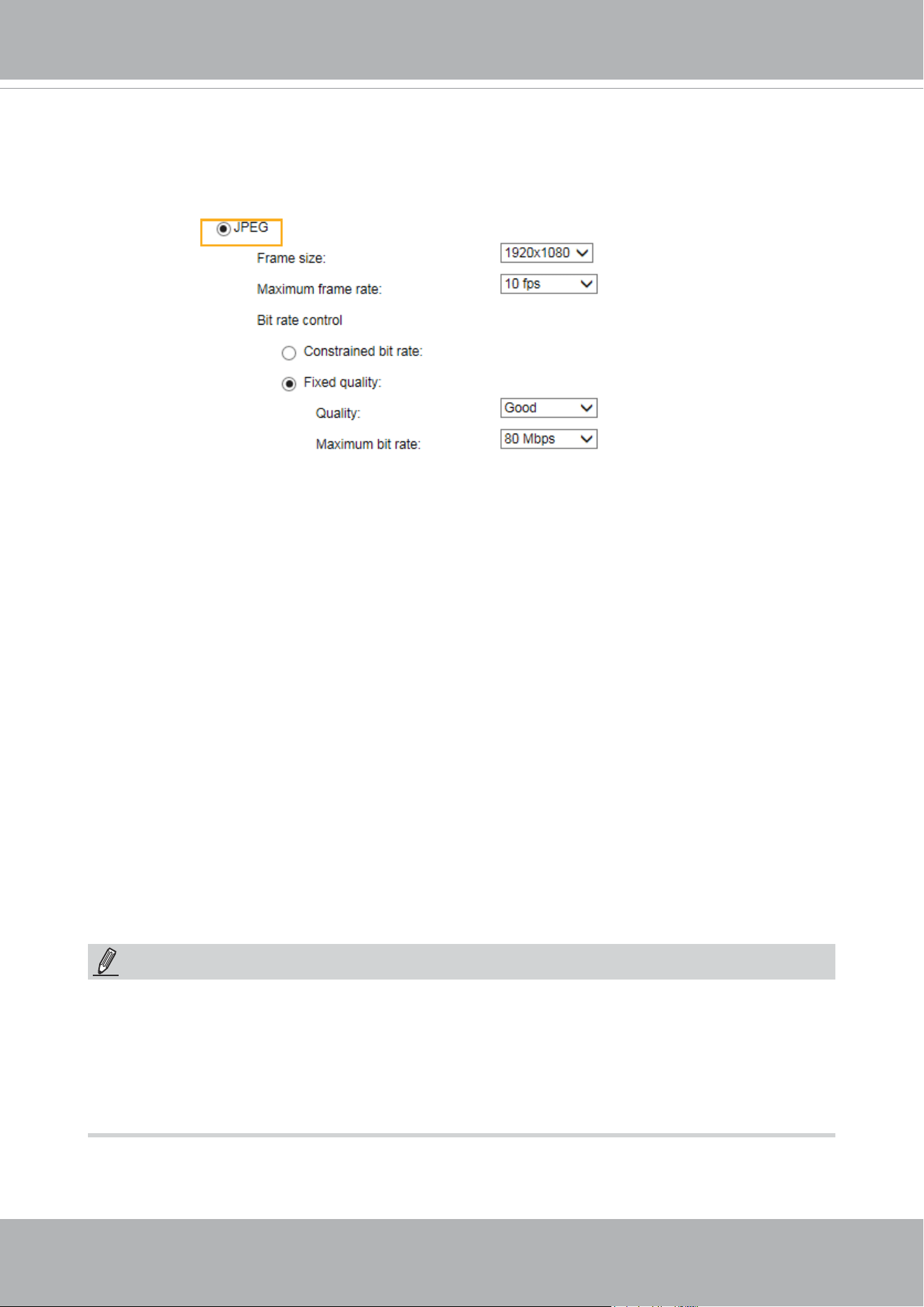
VIVOTEK
User's Manual - 95
If the JPEG mode is selected, the Network Camera sends consecutive JPEG images to the client,
producing a moving effect similar to a lmstrip. Every single JPEG image transmitted guarantees
the same image quality, which in turn comes at the expense of variable bandwidth usage. Because
the media contents are a combination of JPEG images, no audio data is transmitted to the client.
There are three parameters provided in MJPEG mode to control the video performance:
■ Frame size
You can set up different video resolution for different viewing devices. For example, set a smaller
frame size and lower bit rate for remote viewing on mobile phones and a larger video size and
a higher bit rate for live viewing on web browsers. Note that a larger frame size takes up more
bandwidth.
■ Maximum frame rate
This limits the maximum refresh frame rate per second. Set the frame rate higher for smoother
video quality.
If the power line frequency is set to 50Hz, the frame rates are selectable at 1fps, 2fps, 3fps, 5fps,
8fps, 10fps, 15fps, and up to 25fps. If the power line frequency is set to 60Hz, the frame rates
are selectable at 1fps, 2fps, 3fps, 5fps, 8fps, 10fps, 15fps, and up to 30fps. You can also select
Customize and manually enter a value. The frame rate will decrease if you select a higher
resolution.
■ Video quality
Refer to the previous page setting an average or upper bound threshold for controlling the
bandwidth consumed for transmitting motion jpegs. The conguration method is identical to that
for H.264.
For Constant Bit Rate and other settings, refer to the previous page for details.
►
Video quality and xed quality refers to the compression rate, so a lower value will produce higher
quality.
►
Converting high-quality video may signicantly increase the CPU loading, and you may encounter
streaming disconnection or video loss while capturing a complicated scene. In the event of
occurance, we suggest you customize a lower video resolution or reduce the frame rate to obtain
smooth video.
NOTE:
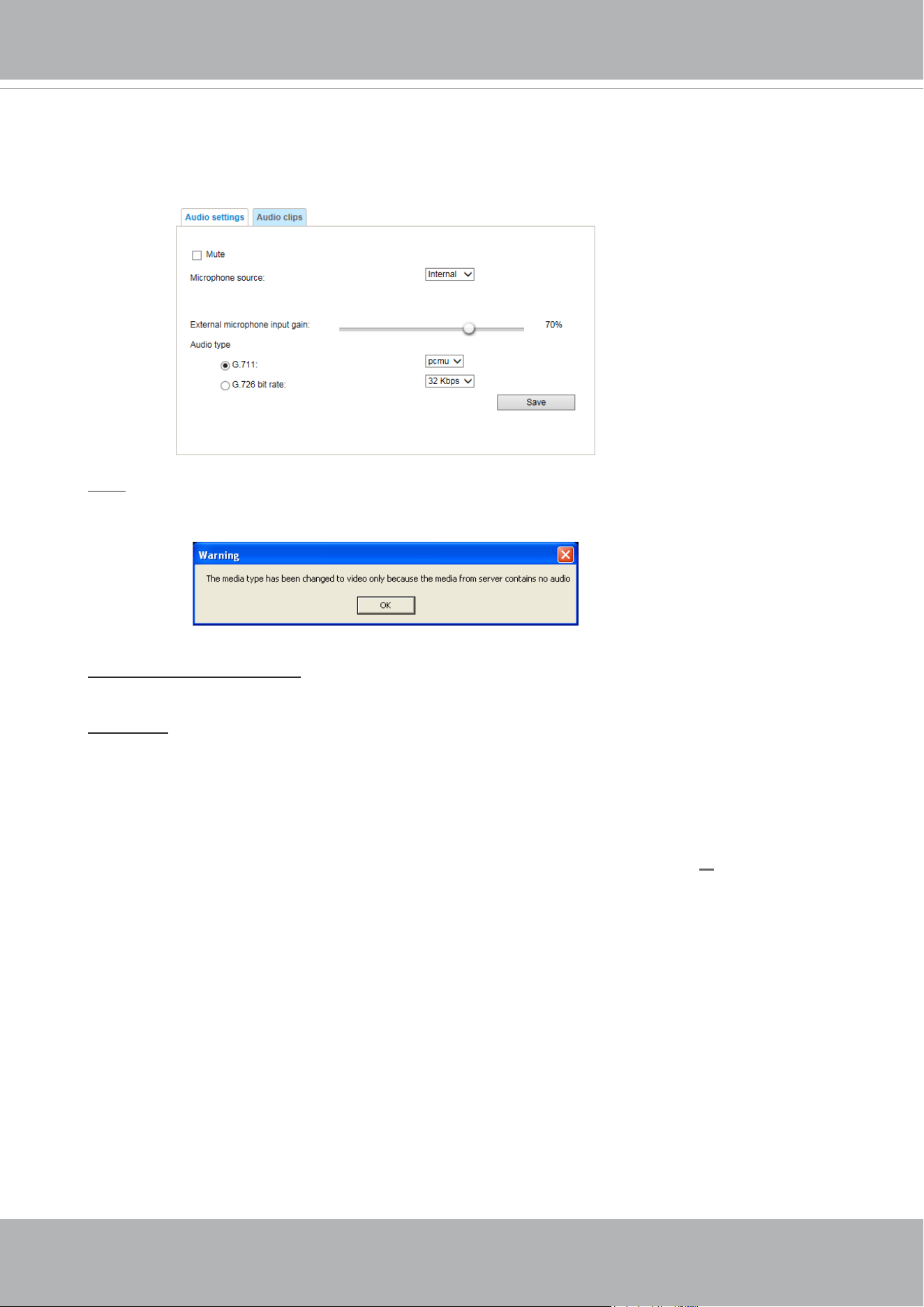
VIVOTEK
96 - User's Manual
Media > Audio
Audio Settings
Mute: Select this option to disable audio transmission from the Network Camera to all clients. Note
that if muted, no audio data will be transmitted even if audio transmission is enabled on the Client
Settings page. In that case, the following message is displayed:
External microphone input: Select the gain of the external audio input according to ambient
conditions. Adjust the gain from 0% to 100%.
Audio type: Select audio codec and the sampling bit rate .
■ G.711 also provides good sound quality and requires about 64Kbps. Select pcmu (μ-Law) or
pcma (A-Law) mode.
■ G.726 is a speech codec standard covering voice transmission at rates of 16, 24, 32, and 40kbit/
s.
When completed with the settings on this page, click Save to enable the settings.
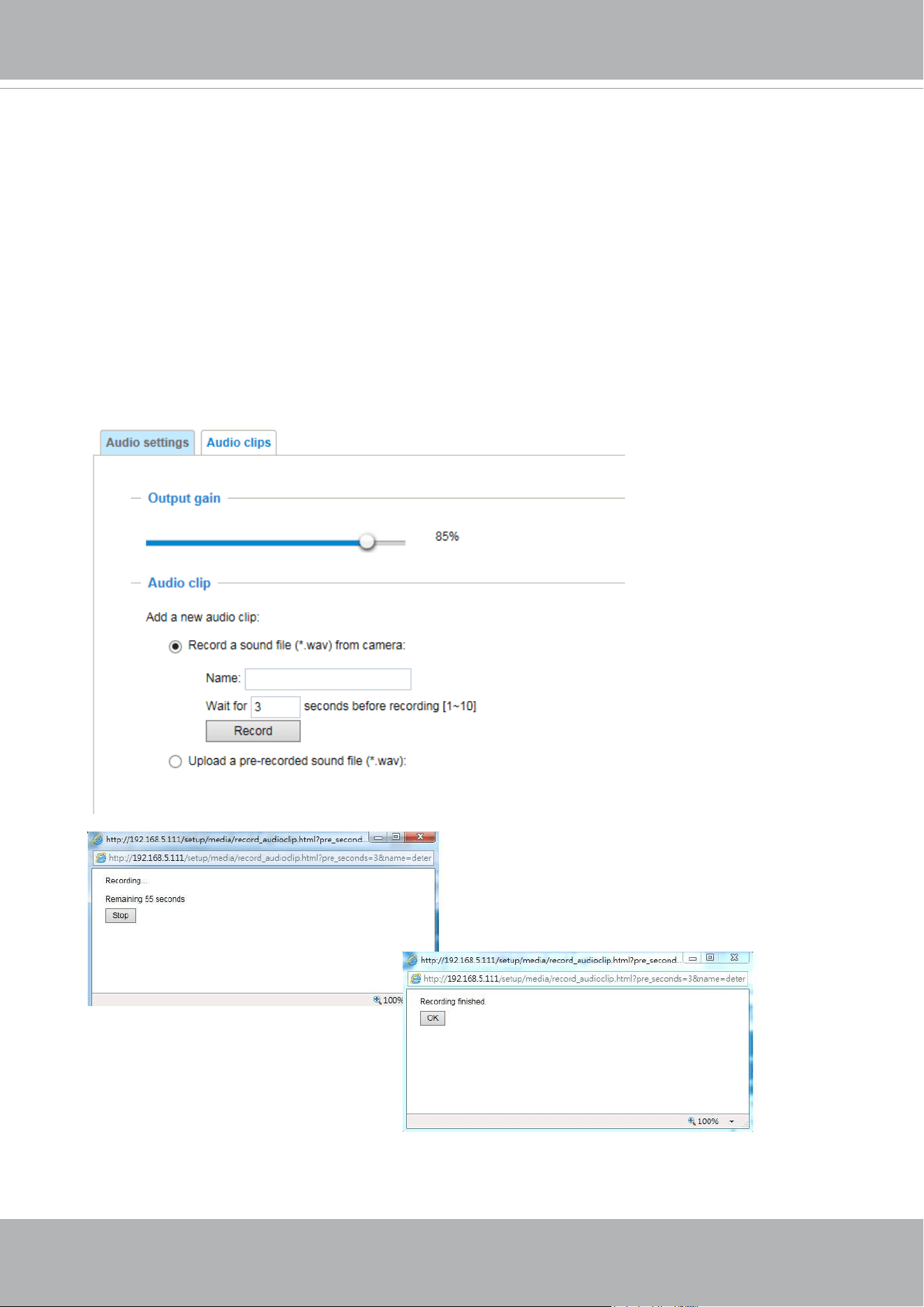
VIVOTEK
User's Manual - 97
Audio clips
■ Output gain: Use the slide bar to change the audio output gains value.
■ Audio clip: When the camera's audio input is connected to a microphone, you can record a
short period of audio recordings (1 to 10 seconds). You can also use the camera's embedded
microphone to record an audio clip, if available. Because the memory space is limited, a
recording count down will be available on screen.
You can also upload an audio le to the camera's ash memory. With amplied speakers, you
can playback the audio, e.g., to deter an intruder. A maximum of 2 audio clips in wav format are
supported. The maximum size of the audio le to be uploaded is 2,000Kbytes.
The voice alert is enabled in the Event settings > action > Play Audio Clip. The action
can be associated with triggering conditions.
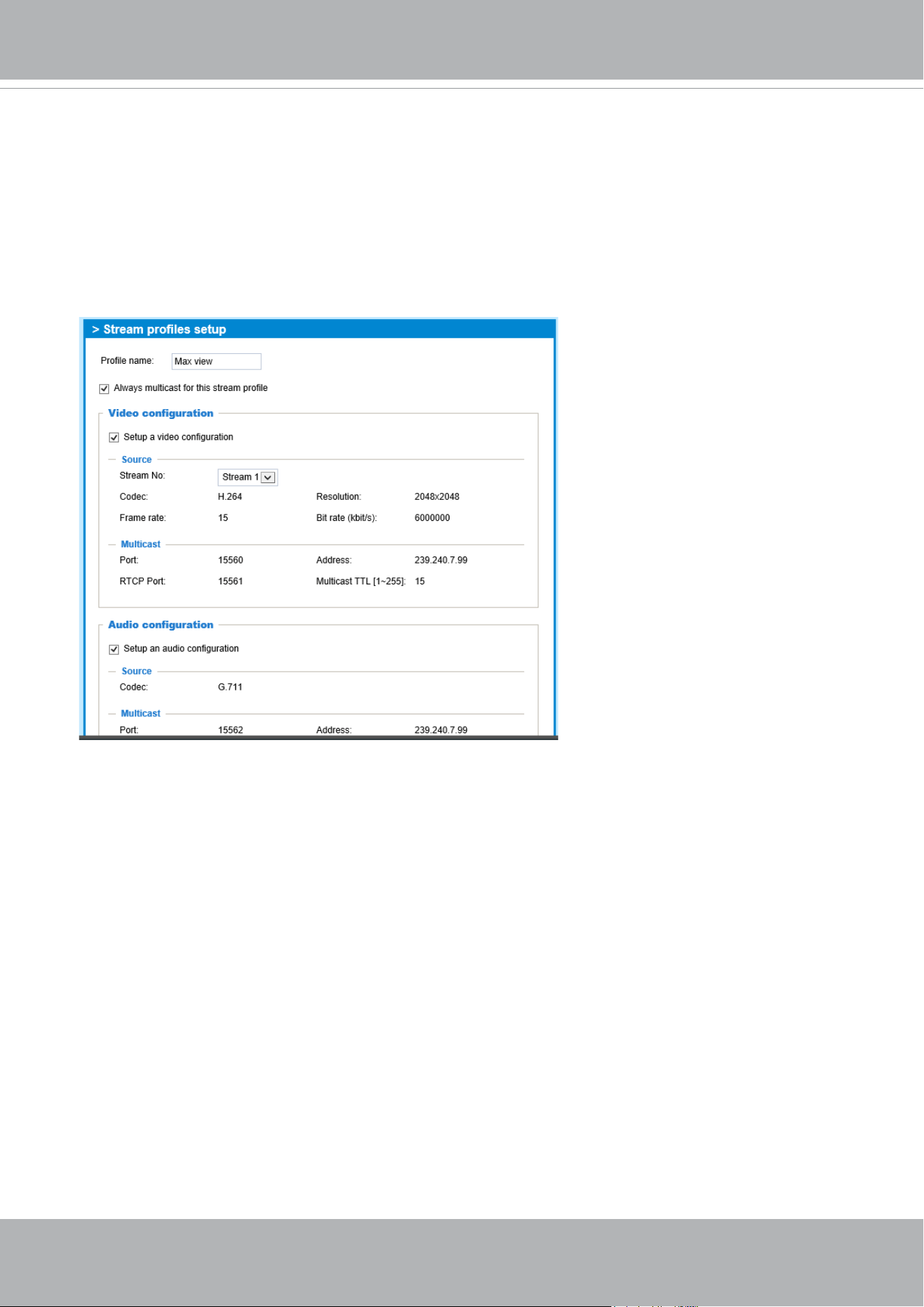
VIVOTEK
98 - User's Manual
Media proles
You can configure a different video stream for each of the 3 default profiles, Max. view,
Recording, Live view, and App.
The related video stream information will display, including stream number, resolution, codec
used, frame rate, etc. The Multicast port number, and address for video, audio, and Metadata
conguration will also be listed.
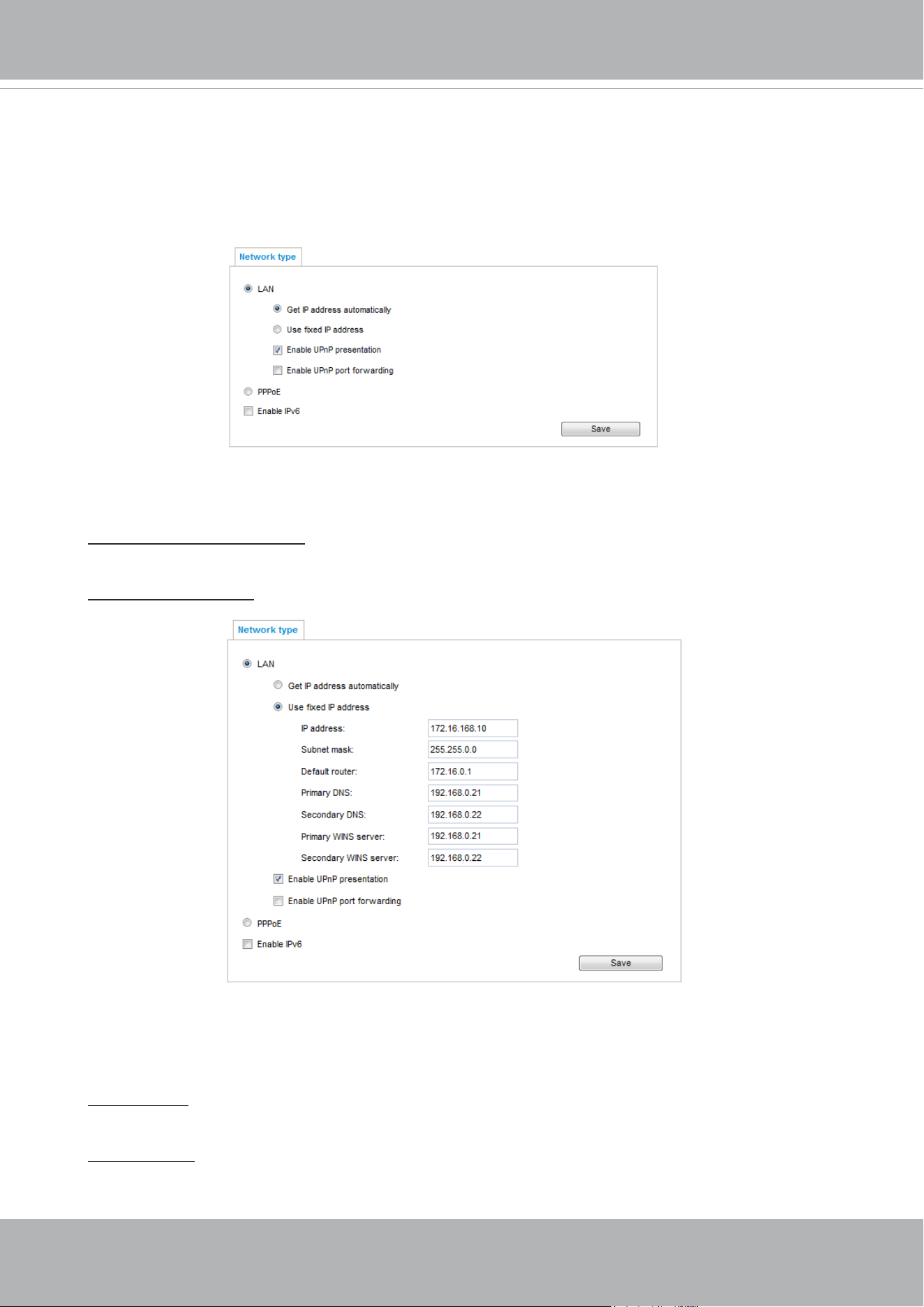
VIVOTEK
User's Manual - 99
Network > General settings
This section explains how to configure a wired network connection for the Network
Camera.
Network Type
LAN
Select this option when the Network Camera is deployed on a local area network (LAN) and is
intended to be accessed by local computers. The default setting for the Network Type is LAN.
Please rememer to click on the Save button when you complete the Network setting.
Get IP address automatically: Select this option to obtain an available dynamic IP address assigned
by the DHCP server each time the camera is connected to the LAN.
Use fixed IP address: Select this option to manually assign a static IP address to the Network
Camera.
1. You can make use of VIVOTEK Installation Wizard 2 on the software CD to easily set up the
Network Camera on LAN. Please refer to Software Installation on page 28 for details.
2. Enter the Static IP, Subnet mask, Default router, and Primary DNS provided by your ISP or
network administrator.
Subnet mask: This is used to determine if the destination is in the same subnet. The default value
is “255.255.255.0”.
Default router: This is the gateway used to forward frames to destinations in a different subnet.
Invalid router setting will disable the transmission to destinations across different subnets.
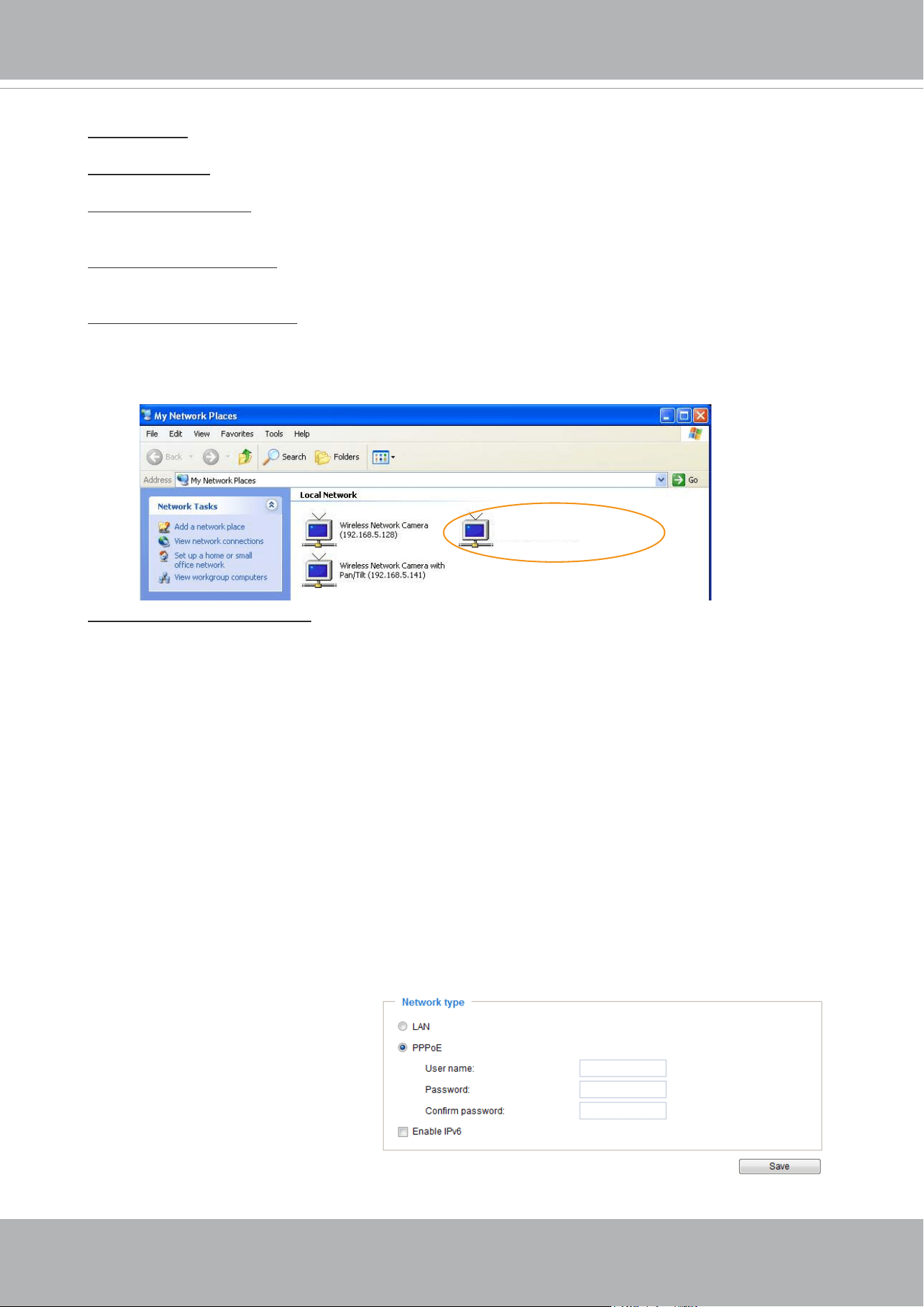
VIVOTEK
100 - User's Manual
Primary DNS: The primary domain name server that translates hostnames into IP addresses.
Secondary DNS: Secondary domain name server that backups the Primary DNS.
Primary WINS server: The primary WINS server that maintains the database of computer names
and IP addresses.
Secondary WINS server: The secondary WINS server that maintains the database of computer
names and IP addresses.
Enable UPnP presentation: Select this option to enable UPnP
TM
presentation for your Network
Camera so that whenever a Network Camera is presented to the LAN, the shortcuts to connected
Network Cameras will be listed in My Network Places. You can click the shortcut to link to the web
browser. Currently, UPnP
TM
is supported by Windows XP or later. Note that to utilize this feature,
please make sure the UPnP
TM
component is installed on your computer.
Enable UPnP port forwarding: To access the Network Camera from the Internet, select this option
to allow the Network Camera to open ports automatically on the router so that video streams can
be sent out from a LAN. To utilize of this feature, make sure that your router supports UPnP
TM
and
it is activated.
PPPoE (Point-to-point over Ethernet)
Select this option to congure your Network Camera to make it accessible from anywhere as long
as there is an Internet connection. Note that to utilize this feature, it requires an account provided
by your ISP.
Follow the steps below to acquire your Network Camera’s public IP address.
1. Set up the Network Camera on the LAN.
2. Go to Conguration > Event > Event settings > Add server (please refer to Add server on page
143) to add a new email or FTP server.
3. Go to Conguration > Event > Event settings > Add media (please refer to Add media on page
151).
Select System log so that you will receive the system log in TXT le format which contains the
Network Camera’s public IP address in your email or on the FTP server.
4. Go to Conguration > Network > General settings > Network type. Select PPPoE and enter the
user name and password provided by your ISP. Click Save to enable the setting.
5. The Network Camera will reboot.
6. Disconnect the power to the Network Camera; remove it from the LAN environment.
Mega-pixel Network Camera (192.168.5.151)
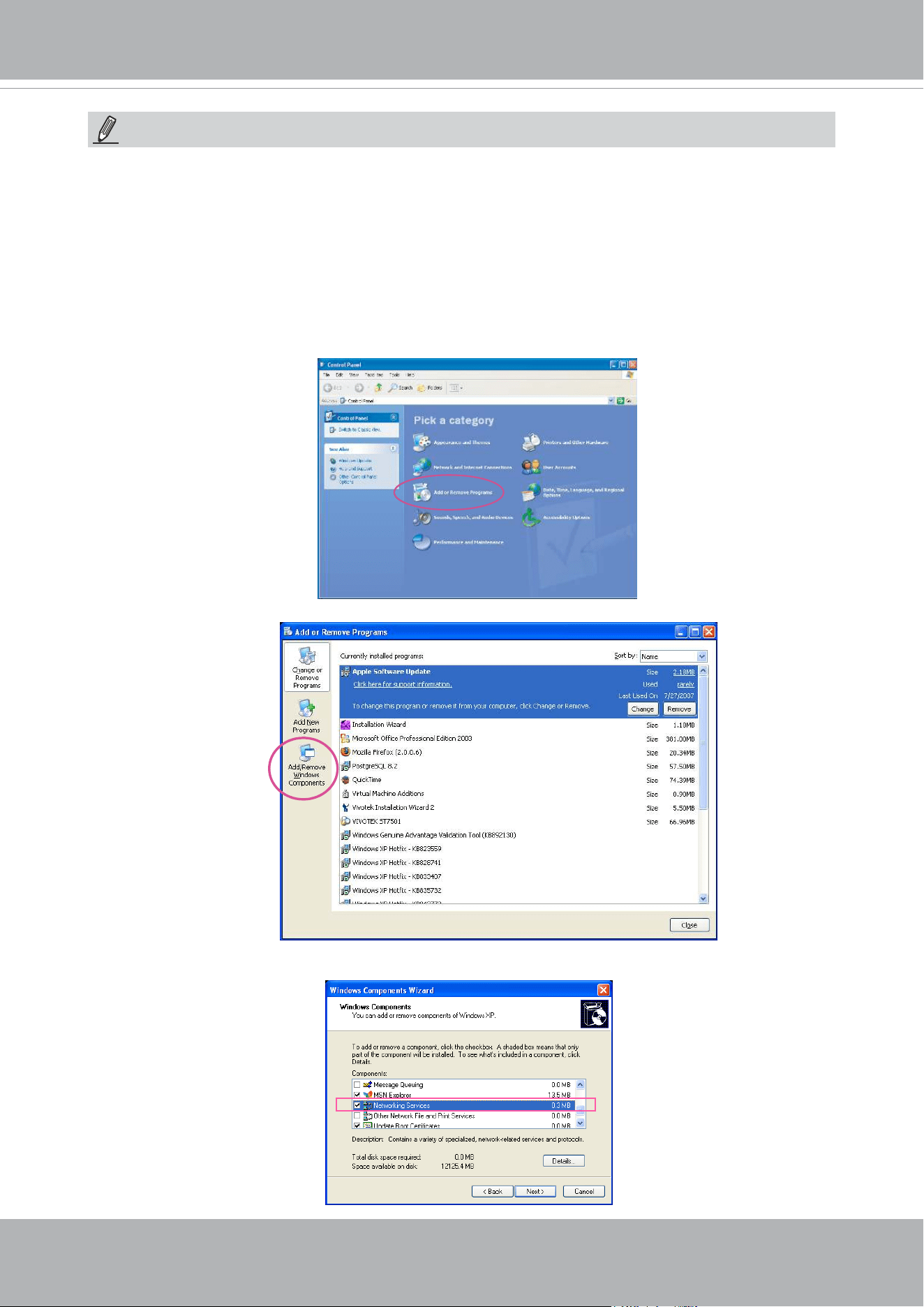
VIVOTEK
User's Manual - 101
► If the default ports are already used by other devices connected to the same router, the Network
Camera will select other ports for the Network Camera.
► If UPnP
TM
is not supported by your router, you will see the following message:
Error: Router does not support UPnP port forwarding.
► Steps to enable the UPnP
TM
user interface on your computer:
Note that you must log on to the computer as a system administrator to install the UPnP
TM
components.
1. Go to Start, click Control Panel, then click Add or Remove Programs.
2. In the Add or Remove Programs dialog box, click Add/Remove Windows Components.
3.
In the Windows Components Wizard dialog box, select Networking Services and click
Details.
NOTE:
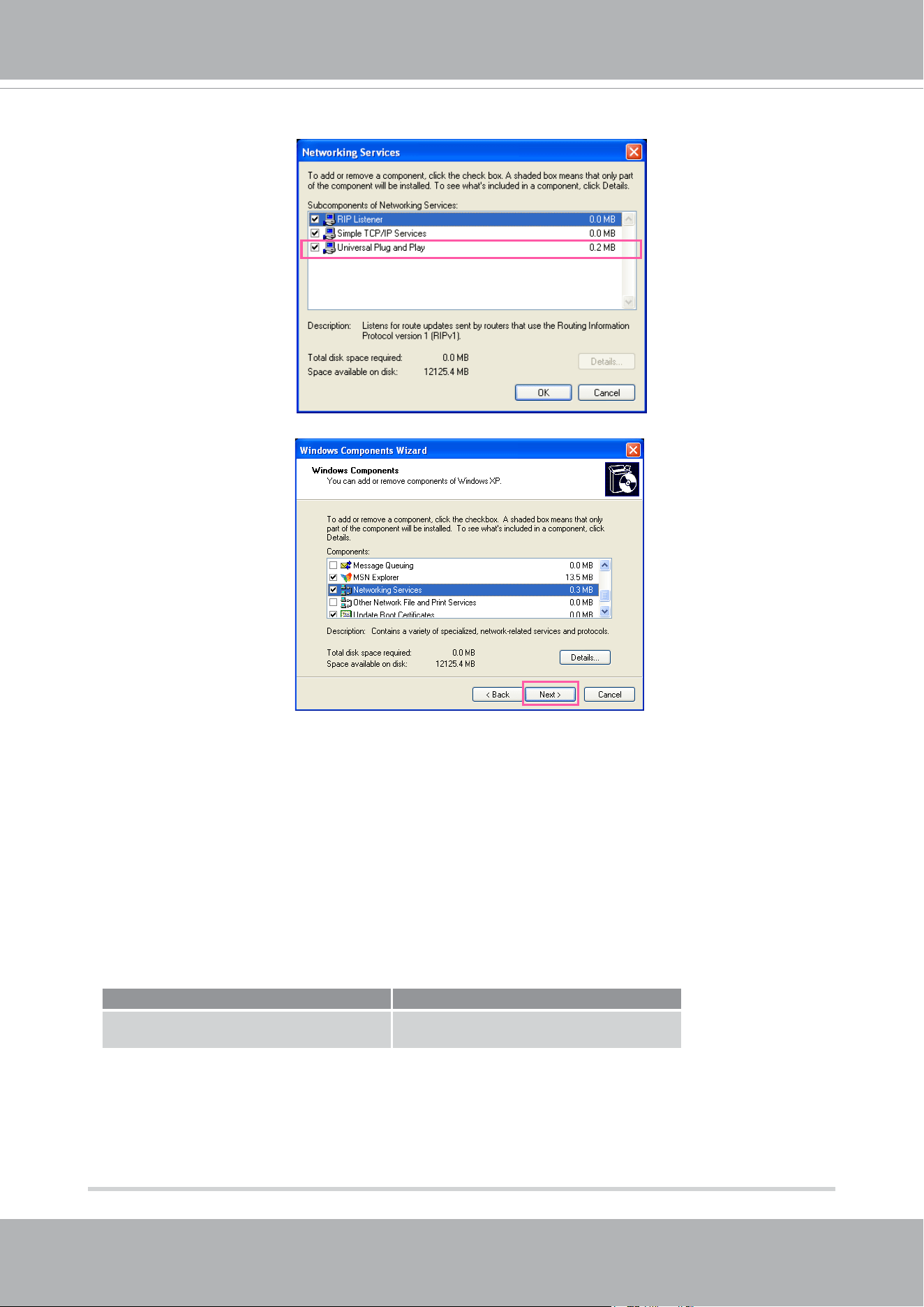
VIVOTEK
102 - User's Manual
4. In the Networking Services dialog box, select Universal Plug and Play and click OK.
5. Click Next in the following window.
6. Click Finish. UPnP
TM
is enabled.
► How does UPnP
TM
work?
UPnP
TM
networking technology provides automatic IP configuration and dynamic discovery of
devices added to a network. Services and capabilities offered by networked devices, such as
printing and file sharing, are available among each other without the need for cumbersome
network conguration. In the case of Network Cameras, you will see Network Camera shortcuts
under My Network Places.
► Enabling UPnP port forwarding allows the Network Camera to open a secondary HTTP port on
the router-not HTTP port-meaning that you have to add the secondary HTTP port number to the
Network Camera’s public address in order to access the Network Camera from the Internet. For
example, when the HTTP port is set to 80 and the secondary HTTP port is set to 8080, refer to
the list below for the Network Camera’s IP address.
From the Internet In LAN
http://203.67.124.123:8080 http://192.168.4.160 or
http://192.168.4.160:8080
► If the PPPoE settings are incorrectly congured or the Internet access is not working, restore
the Network Camera to factory default; please refer to Restore on page 57 for details. After the
Network Camera is reset to factory default, it will be accessible on the LAN.
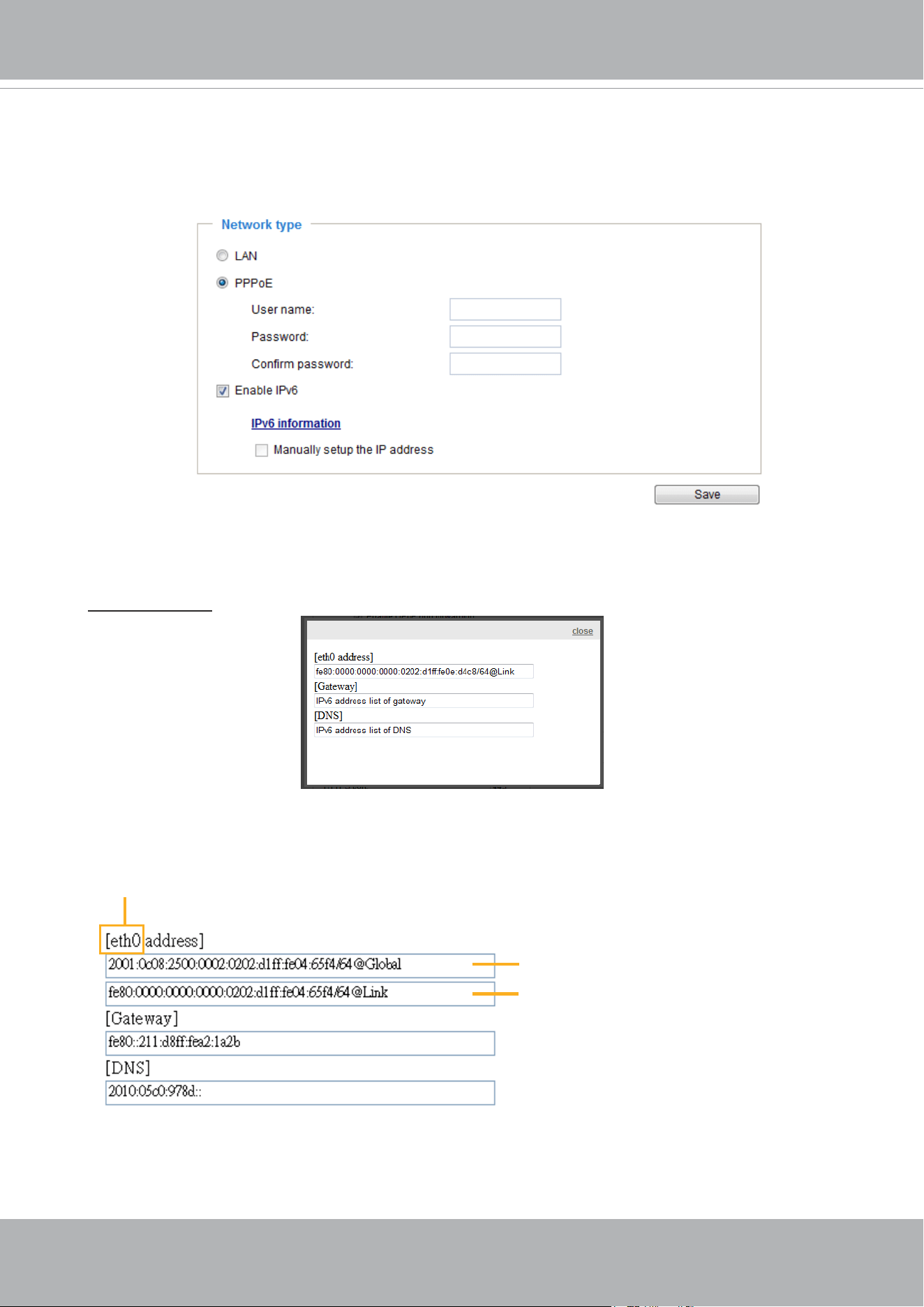
VIVOTEK
User's Manual - 103
Enable IPv6
Select this option and click Save to enable IPv6 settings.
Please note that this only works if your network environment and hardware equipment support
IPv6. The browser should be Microsoft
®
Internet Explorer 6.5, Mozilla Firefox 3.0 or above.
When IPv6 is enabled, by default, the network camera will listen to router advertisements and be
assigned with a link-local IPv6 address accordingly.
IPv6 Information: Click this button to obtain the IPv6 information as shown below.
If your IPv6 settings are successful, the IPv6 address list will be listed in the pop-up window. The
IPv6 address will be displayed as follows:
Link-global IPv6 address/network mask
Link-local IPv6 address/network mask
Refers to Ethernet
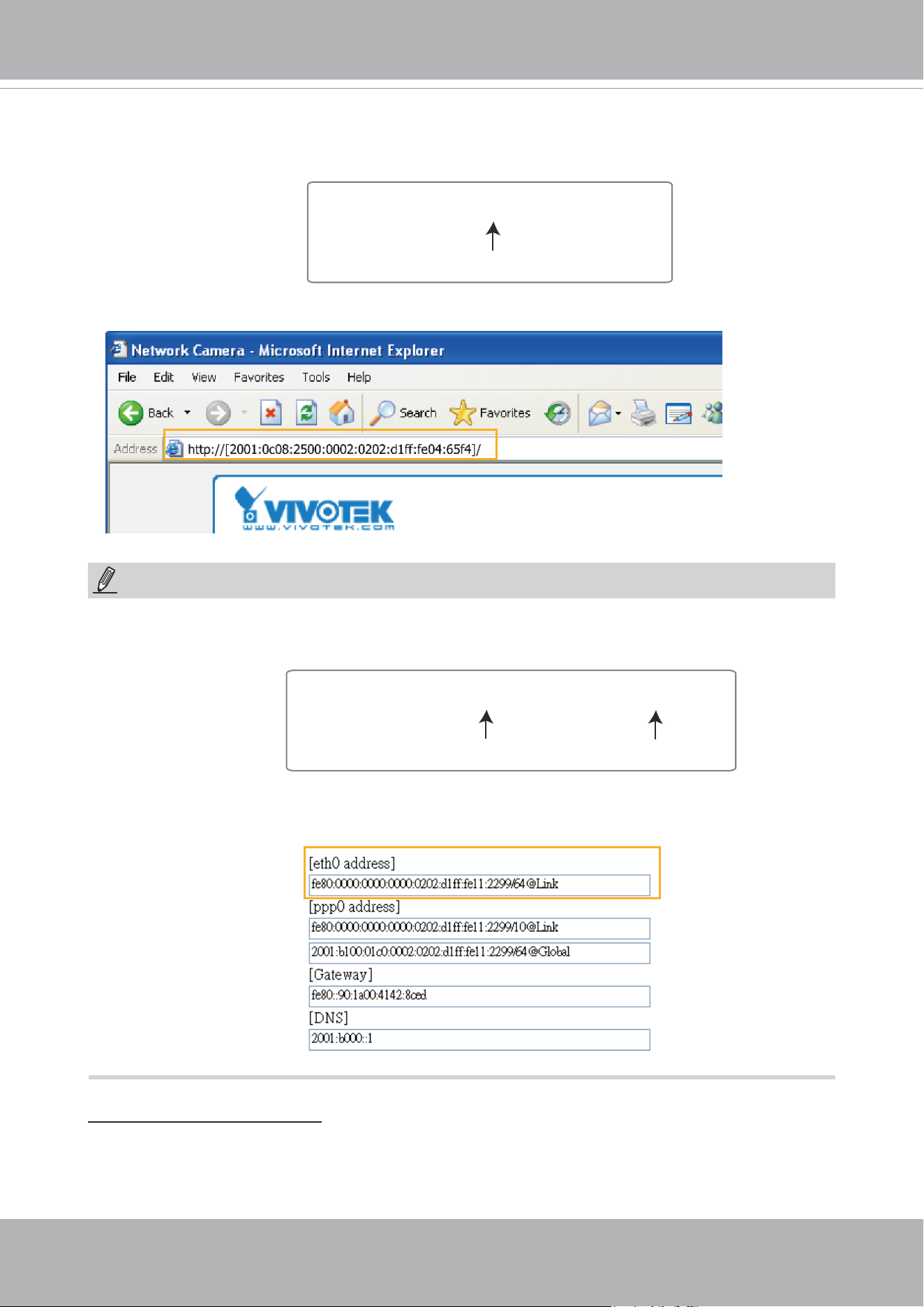
VIVOTEK
104 - User's Manual
Please follow the steps below to link to an IPv6 address:
1. Open your web browser.
2. Enter the link-global or link-local IPv6 address in the address bar of your web browser.
3. The format should be:
4. Press Enter on the keyboard or click Refresh button to refresh the webpage.
For example:
► If you have a Secondary HTTP port (the default value is 8080), you can also link to the webpage
using the following address format: (Please refer to HTTP streaming on page 106 for detailed
information.)
► If you choose PPPoE as the Network Type, the [
PPP0 address] will be displayed in the IPv6
information column as shown below.
Manually setup the IP address: Select this option to manually set up IPv6 settings if your network
environment does not have DHCPv6 server and router advertisements-enabled routers. If
you check this item, the following blanks will be displayed for you to enter the corresponding
information:
http://[2001:0c08:2500:0002:0202:d1ff:fe04:65f4]/
IPv6 address
http://[2001:0c08:2500:0002:0202:d1ff:fe04:65f4]/:8080
IPv6 address
Secondary HTTP port
NOTE:
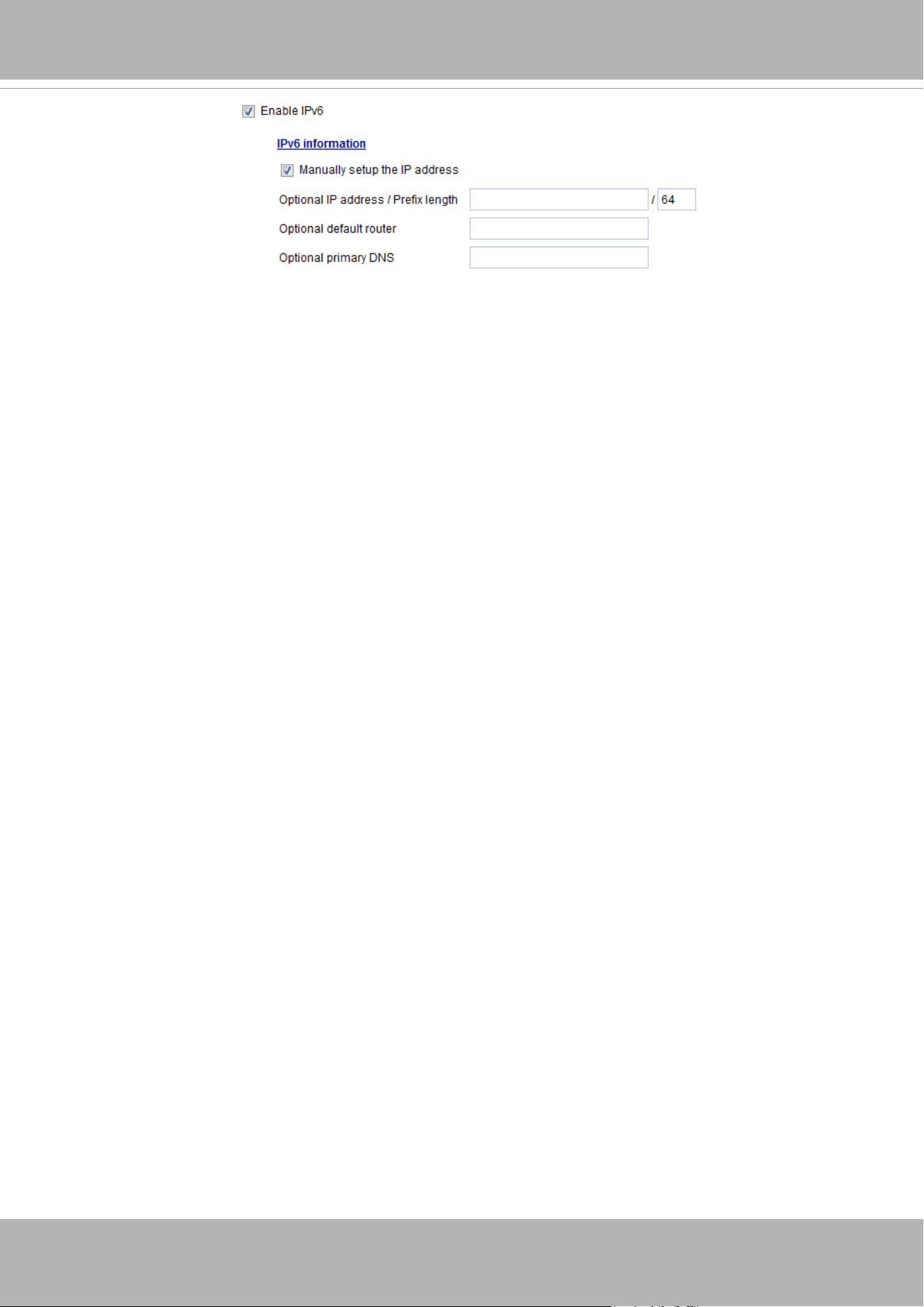
VIVOTEK
User's Manual - 105
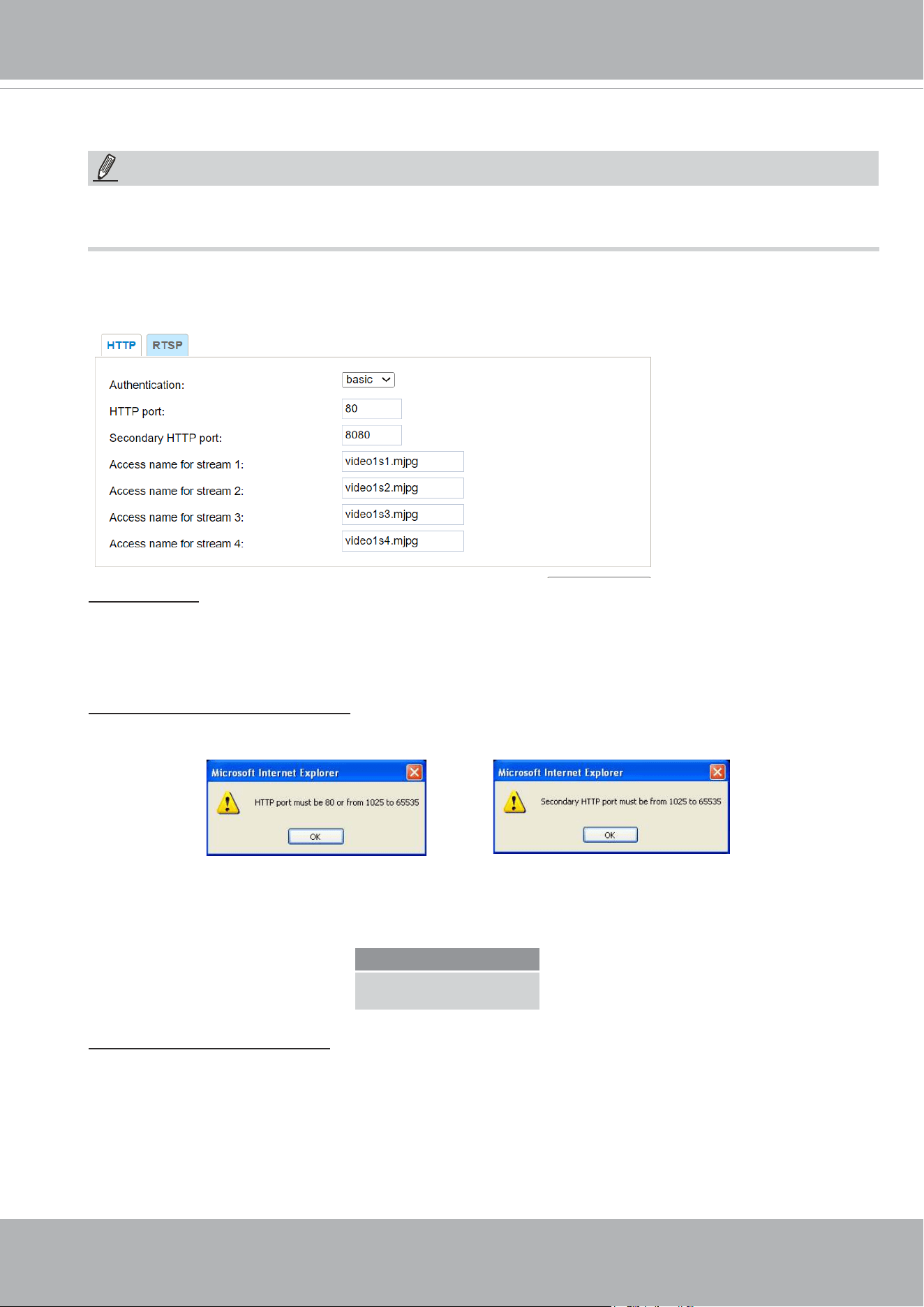
VIVOTEK
106 - User's Manual
Network > Streaming protocols
HTTP streaming
To utilize HTTP authentication, make sure that your have set a password for the Network Camera rst;
please refer to Security > User account on page 120 for details.
Authentication: Depending on your network security requirements, the Network Camera provides two
types of security settings for an HTTP transaction: basic and digest.
If
basic authentication is selected, the password is sent in plain text format and there can be potential
risks of being intercepted. If
digest authentication is selected, user credentials are encrypted using MD5
algorithm and thus provide better protection against unauthorized accesses.
HTTP port / Secondary HTTP port: By default, the HTTP port is set to 80 and the secondary HTTP port
is set to 8080. They can also be assigned to another port number between 1025 and 65535. If the ports
are incorrectly assigned, the following warning messages will be displayed:
To access the Network Camera on the LAN, both the HTTP port and secondary HTTP port can be used
to access the Network Camera. For example, when the HTTP port is set to 80 and the secondary HTTP
port is set to 8080, refer to the list below for the Network Camera’s IP address.
Access name for stream 1 ~ 3: This Network camera supports multiple streams simultaneously. The
access name is used to identify different video streams. Users can click Media > Video > Stream
settings to set up the video quality of linked streams. For more information about how to set up the
video quality, please refer to Stream settings on page 86.
When using Mozilla Firefox to access the Network Camera and the video mode is set to JPEG, users
will receive video comprised of continuous JPEG images. This technology, known as “server push”,
allows the Network Camera to feed live pictures to Mozilla Firefox.
On the LAN
http://192.168.4.160 or
http://192.168.4.160:8080
NOTE:
The metadata information can only be transmitted through the HTTP main port. Metadata is not available
through the secondary HTTP port.
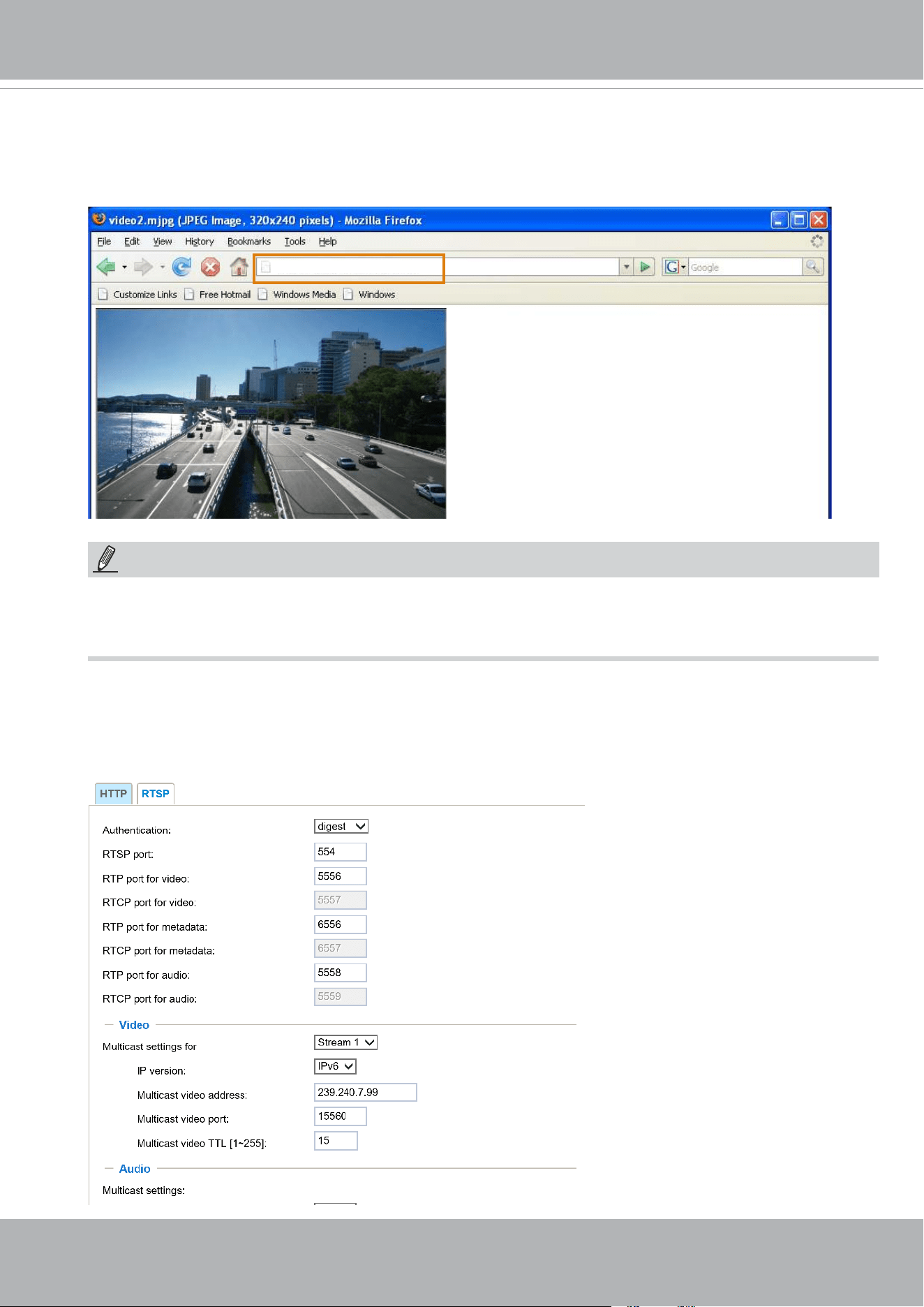
VIVOTEK
User's Manual - 107
URL command -- http://<ip address>:<http port>/<access name for stream 1, 2, 3>
For example, when the Access name for stream 2 is set to video1s2.mjpg:
1. Launch Mozilla Firefox or Netscape.
2. Type the above URL command in the address bar. Press Enter.
3. The JPEG images will be displayed in your web browser.
NOTE
► Microsoft
®
Internet Explorer does not support server push technology; therefore, you will not be able
to access a video stream using
http://<ip address>:<http port>/<access name for stream 1, 2, 3> .
RTSP Streaming
To utilize RTSP streaming authentication, make sure that you have set a password for controlling the
access to video stream rst. Please refer to Security > User account on page 120 for details.
http://192.168.5.151/video1s2.mjpg
NOTE:
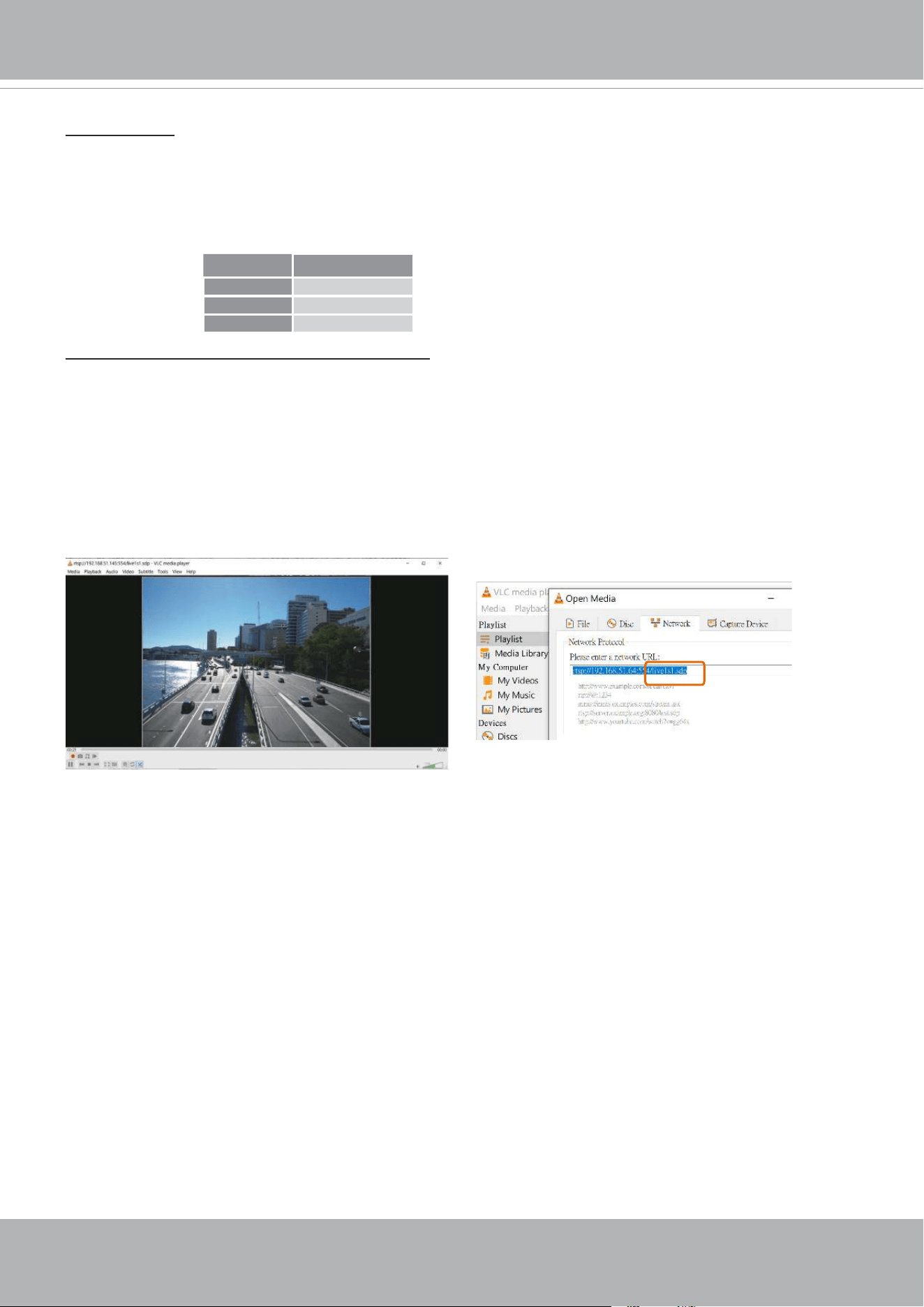
VIVOTEK
108 - User's Manual
Authentication: Depending on your network security requirements, the Network Camera provides three
types of security settings for streaming via RTSP protocol: disable, basic, and digest.
If
basic authentication is selected, the password is sent in plain text format, but there can be potential
risks of it being intercepted. If
digest authentication is selected, user credentials are encrypted using
MD5 algorithm, thus providing better protection against unauthorized access.
The availability of the RTSP streaming for the three authentication modes is listed in the following table:
Access name for Channel # and stream #: This Network camera supports multiple streams
simultaneously. The access name is used to differentiate the streaming source.
If you want to use an
RTSP player to access the Network Camera, you HAVE TO set the video mode to
H.265 or 264 and use the following RTSP URL command to request transmission of the streaming data.
rtsp://<ip address>:<rtsp port>/<access name for stream1 ~ 4>
For example, when the access name for stream 1 is set to live1s1.sdp:
1. Launch an RTSP player.
2. Choose File > Open URL. A URL dialog box will pop up.
3. Type the above URL command in the address eld.
4. The live video will be displayed in your player as shown
below.
VLC
Disable O
Basic O
Digest X
rtsp://192.168.5.151:554/live1s1.sdp
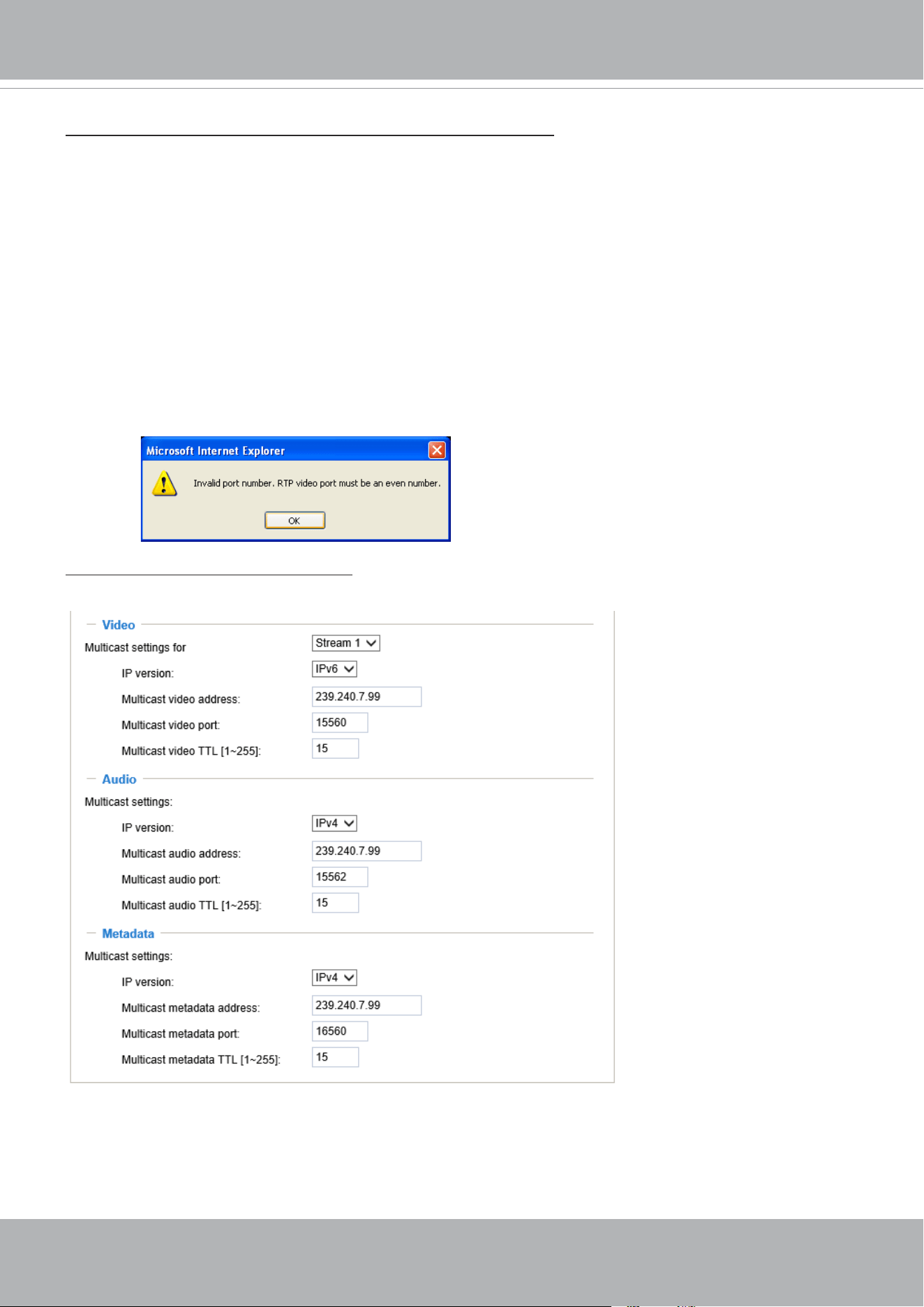
VIVOTEK
User's Manual - 109
RTSP port /RTP port for video, audio/ RTCP port for video, audio
■ RTSP (Real-Time Streaming Protocol) controls the delivery of streaming media. By default, the port
number is set to 554.
■ The RTP (Real-time Transport Protocol) is used to deliver video and audio data to the clients. By
default, the RTP port for video is set to 5556 and the RTP port for audio is set to 5558.
■ The RTCP (Real-time Transport Control Protocol) allows the Network Camera to transmit the data by
monitoring the Internet trafc volume. By default, the RTCP port for video is set to 5557 and the RTCP
port for audio is set to 5559.
The ports can be changed to values between 1025 and 65535. The RTP port must be an even number
and the RTCP port is the RTP port number plus one, and thus is always an odd number. When the RTP
port changes, the RTCP port will change accordingly.
If the RTP ports are incorrectly assigned, the following warning message will be displayed:
Multicast settings for stream #1 ~ #3: Click the items to display the detailed conguration information.
Select the Always multicast option to enable multicast for streams #1 ~ #3.
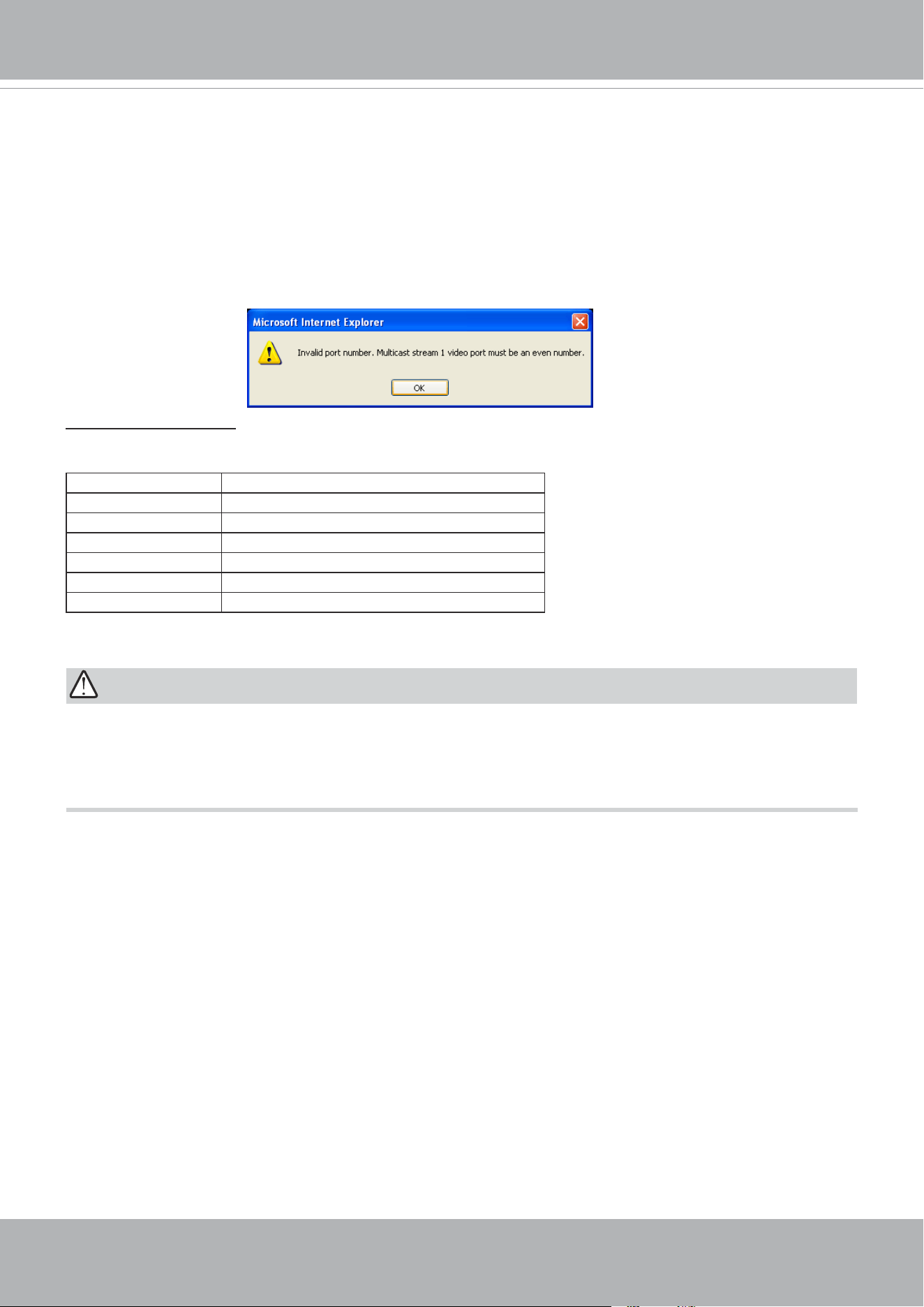
VIVOTEK
110 - User's Manual
Unicast video transmission delivers a stream through point-to-point transmission; multicast, on the other
hand, sends a stream to the multicast group address and allows multiple clients to acquire the stream at
the same time by requesting a copy from the multicast group address. Therefore, enabling multicast can
effectively save Internet bandwith.
The ports can be changed to values between 1025 and 65535. The multicast RTP port must be an even
number and the multicast RTCP port number is the multicast RTP port number plus one, and thus is
always odd. When the multicast RTP port changes, the multicast RTCP port will change accordingly.
If the multicast RTP video ports are incorrectly assigned, the following warning message will be
displayed:
Multicast TTL [1~255]: The multicast TTL (Time To Live) is the value that tells the router the range a
packet can be forwarded. Each hop decreases TTL by one.
Initial TTL Scope
0 Restricted to the same host
1 Restricted to the same subnetwork
15 Restricted to the same site
64 Restricted to the same region
128 Restricted to the same continent
255 Unrestricted in scope
IMPORTANT:
The Multicast metadata port is utilized by VIVOTEK VADP modules to transfer video analytics results,
PTZ stream, textual data, and event messages between the camera and the client side running and
observing the video analysis. If your client side computer is located outside the local network, you may
need to open the associated TCP port on routers and rewall.
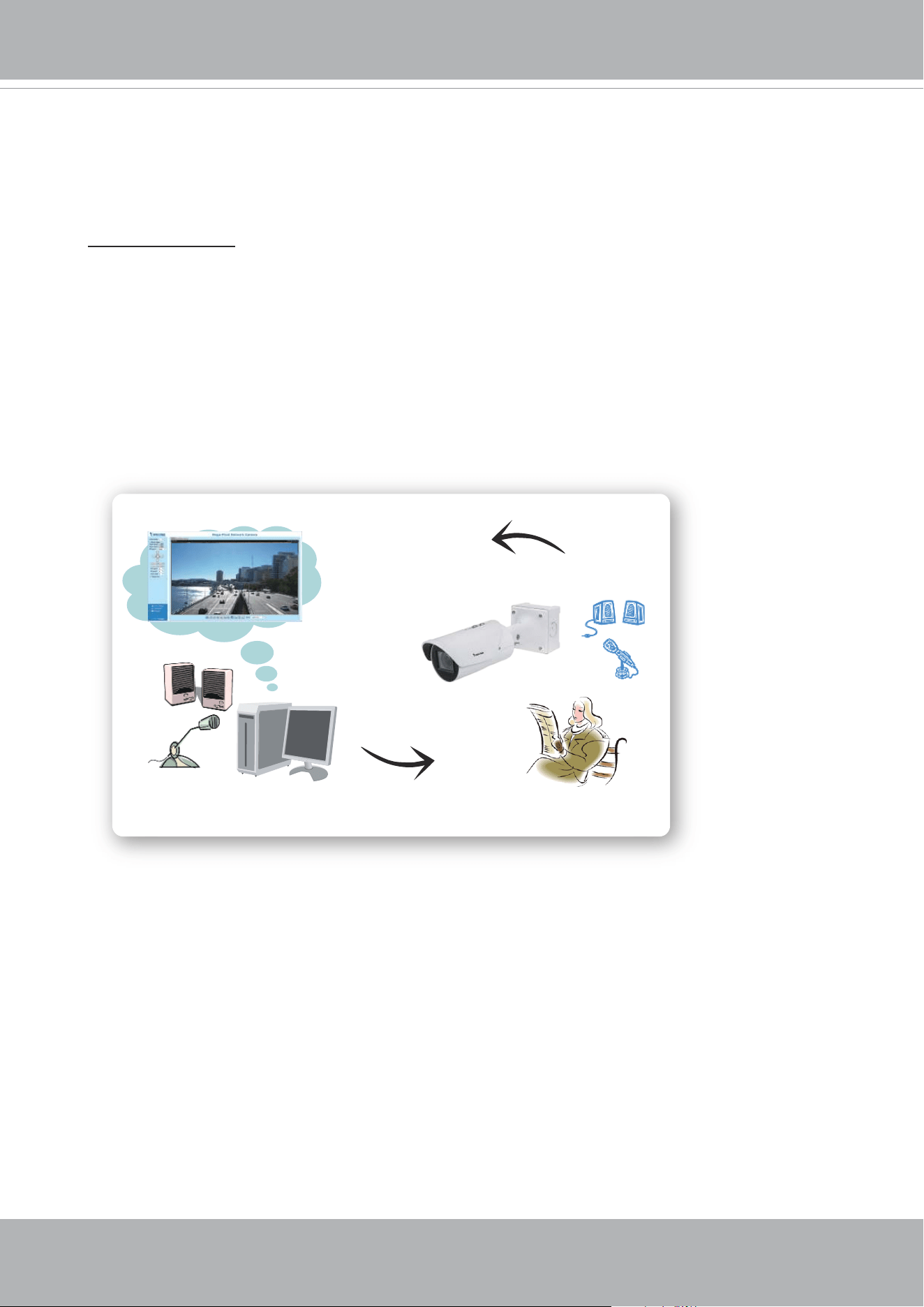
VIVOTEK
User's Manual - 111
Two way audio port:
The Network Camera supports two way audio communication so that operators can transmit and
receive audio simultaneously. By using the Network Camera’s built-in or external microphone and
an external speaker, you can communicate with people around the Network Camera.
Note that as JPEG only transmits a series of JPEG images to the client, to enable the two-way
audio function, make sure the video mode is set to H.264 on the Media > Video > Stream settings
page and the media option is set to “Media > Video > Stream settings” on the Client Settings page.
Please refer to Client Settings on page 46 and Stream settings on page 77.
SIP
SIP is short for Session Initiation Protocol. If necessary, you can change the default port number,
5060, to one between 1025 and 65535.
Audio transmitted from operators
Audio transmitted to operators
America
Taiwan
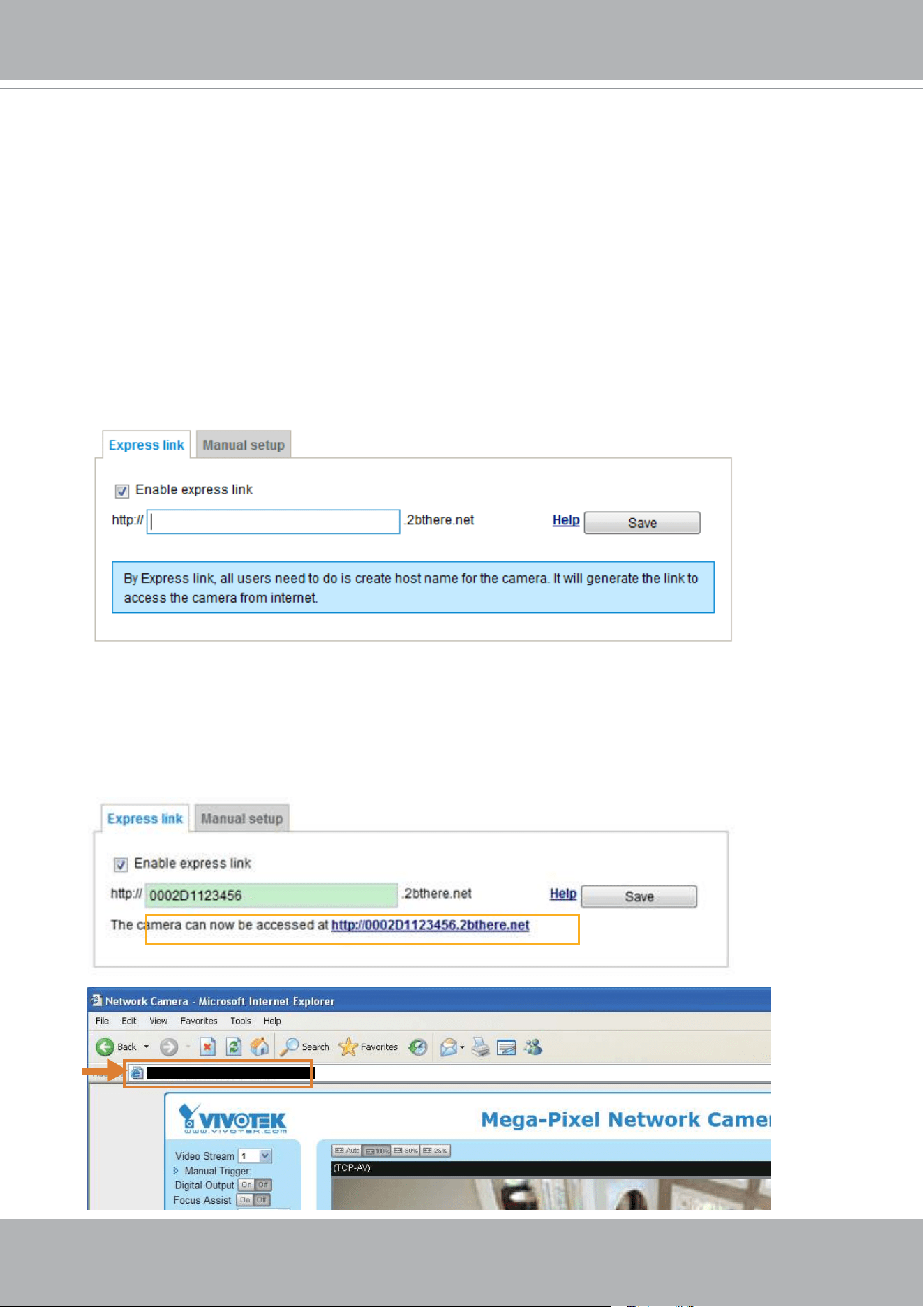
VIVOTEK
112 - User's Manual
Network > DDNS
This section explains how to congure the dynamic domain name service for the Network
Camera. DDNS is a service that allows your Network Camera, especially when assigned
with a dynamic IP address, to have a xed host and domain name.
Express link
Express Link is a free service provided by VIVOTEK server, which allows users to register
a domain name for a network device. One URL can only be mapped to one MAC address.
This service will examine if the host name is valid and automatically open a port on your
router. If using DDNS, the user has to manually congure UPnP port forwarding. Express
Link is more convenient and easier to set up.
Please follow the steps below to enable Express Link:
1. Make sure that your router supports UPnP port forwarding and it is activated.
2. Check Enable express link.
3. Enter a host name for the network device and click Save. If the host name has been used by
another device, a warning message will show up. If the host name is valid, it will display a
message as shown below.
https://0002D1123456.2bthere.net
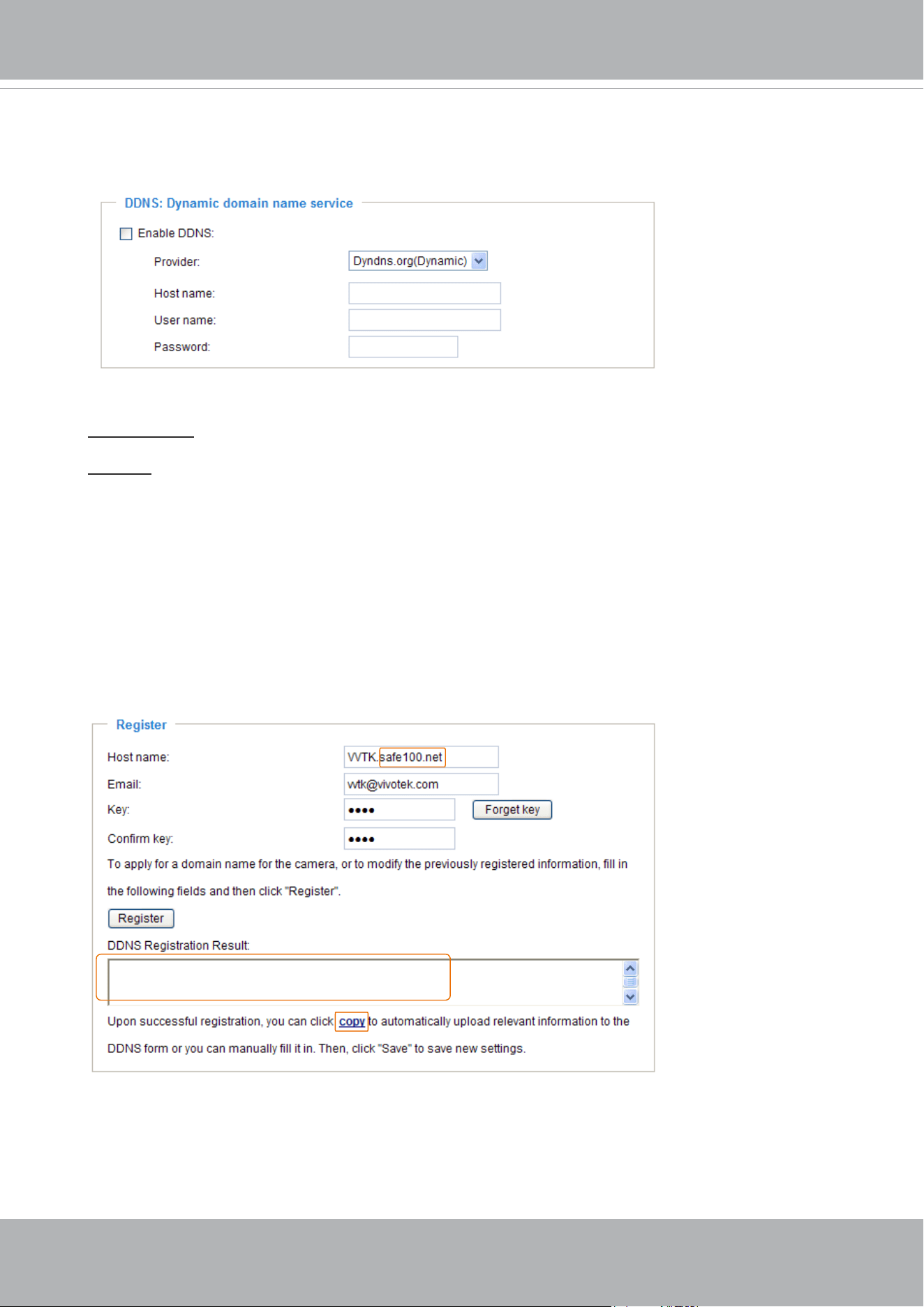
VIVOTEK
User's Manual - 113
Manual setup
DDNS: Dynamic domain name service
Enable DDNS: Select this option to enable the DDNS setting.
Provider: Select a DDNS provider from the provider drop-down list.
VIVOTEK offers
Safe100.net, a free dynamic domain name service, to VIVOTEK customers. It
is recommended that you register
Safe100.net to access VIVOTEK’s Network Cameras from the
Internet. Additionally, we offer other DDNS providers, such as Dyndns.org(Dynamic), Dyndns.
org(Custom), TZO.com, DHS.org, CustomSafe100, dyn-interfree.it.
Note that before utilizing this function, please apply for a dynamic domain account rst.
■
Safe100.net
1. In the DDNS column, select Safe100.net from the drop-down list. Click I accept after reviewing
the terms of the Service Agreement.
2. In the Register column, ll in the Host name (xxxx.safe100.net), Email, Key, and Conrm Key,
and click Register. After a host name has been successfully created, a success message will
be displayed in the DDNS Registration Result column.
3. Click Copy and all the registered information will automatically be uploaded to the corresponding
elds in the DDNS column at the top of the page as seen in the picture.
[Register] Successfully Your account information has
been mailed to registered e-mail address
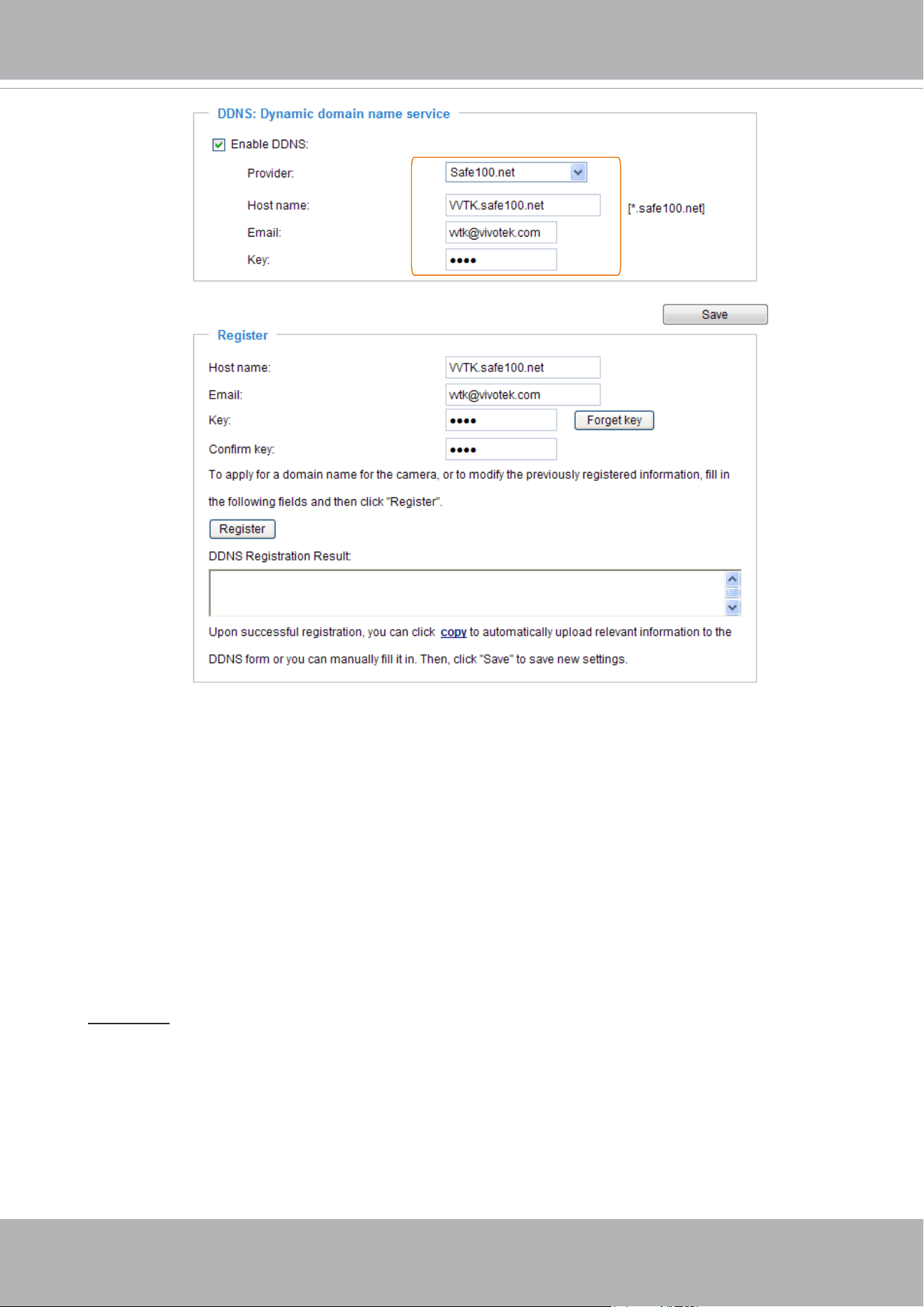
VIVOTEK
114 - User's Manual
[Register] Successfully Your account information has
been mailed to registered e-mail address
4. Select Enable DDNS and click Save to enable the setting.
■
CustomSafe100
VIVOTEK offers documents to establish a CustomSafe100 DDNS server for distributors and
system integrators. You can use CustomSafe100 to register a dynamic domain name if your
distributor or system integrators offer such services.
1. In the DDNS column, select CustomSafe100 from the drop-down list.
2. In the Register column, ll in the Host name, Email, Key, and Conrm Key; then click Register.
After a host name has been successfully created, you will see a success message in the DDNS
Registration Result column.
3. Click Copy and all for the registered information will be uploaded to the corresponding elds in
the DDNS column.
4. Select Enable DDNS and click Save to enable the setting.
Forget key: Click this button if you have forgotten the key to Safe100.net or CustomSafe100. Your
account information will be sent to your email address.
Refer to the following links to apply for a dynamic domain account when selecting other
DDNS providers:
■
Dyndns.org(Dynamic) / Dyndns.org(Custom): visit http://www.dyndns.com/
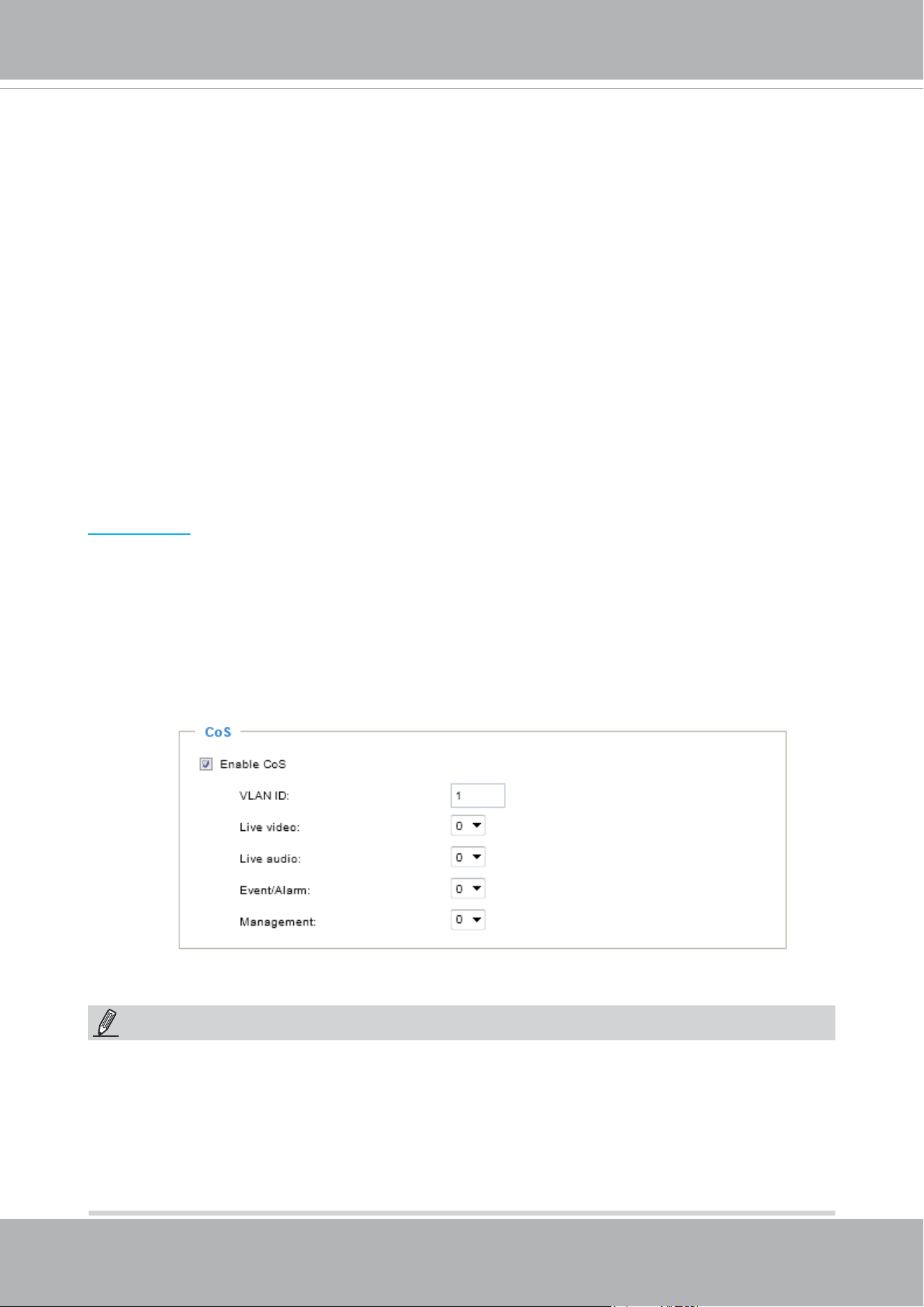
VIVOTEK
User's Manual - 115
Network > QoS (Quality of Service)
Quality of Service refers to a resource reservation control mechanism, which guarantees a certain
quality to different services on the network. Quality of service guarantees are important if the
network capacity is insufcient, especially for real-time streaming multimedia applications. Quality
can be dened as, for instance, a maintained level of bit rate, low latency, no packet dropping, etc.
The following are the main benets of a QoS-aware network:
■
The ability to prioritize trafc and guarantee a certain level of performance to the data ow.
■
The ability to control the amount of bandwidth each application may use, and thus provide higher
reliability and stability on the network.
Requirements for QoS
To utilize QoS in a network environment, the following requirements must be met:
■
All network switches and routers in the network must include support for QoS.
■
The network video devices used in the network must be QoS-enabled.
QoS models
CoS (the VLAN 802.1p model)
IEEE802.1p denes a QoS model at OSI Layer 2 (Data Link Layer), which is called CoS, Class of
Service. It adds a 3-bit value to the VLAN MAC header, which indicates the frame priority level from
0 (lowest) to 7 (highest). The priority is set up on the network switches, which then use different
queuing disciplines to forward the packets.
Below is the setting column for CoS. Enter the VLAN ID of your switch (0~4095) and choose the
priority for each application (0~7).
If you assign Video the highest level, the switch will handle video packets rst.
NOTE:
► A VLAN Switch (802.1p) is required. Web browsing may fail if the CoS setting is incorrect.
►The Class of Service technologies do not guarantee a level of service in terms of bandwidth
and delivery time; they offer a "best-effort." Users can think of CoS as "coarsely-grained" trafc
control and QoS as "nely-grained" trafc control.
► Although CoS is simple to manage, it lacks scalability and does not offer end-to-end guarantees
since it is based on L2 protocol.
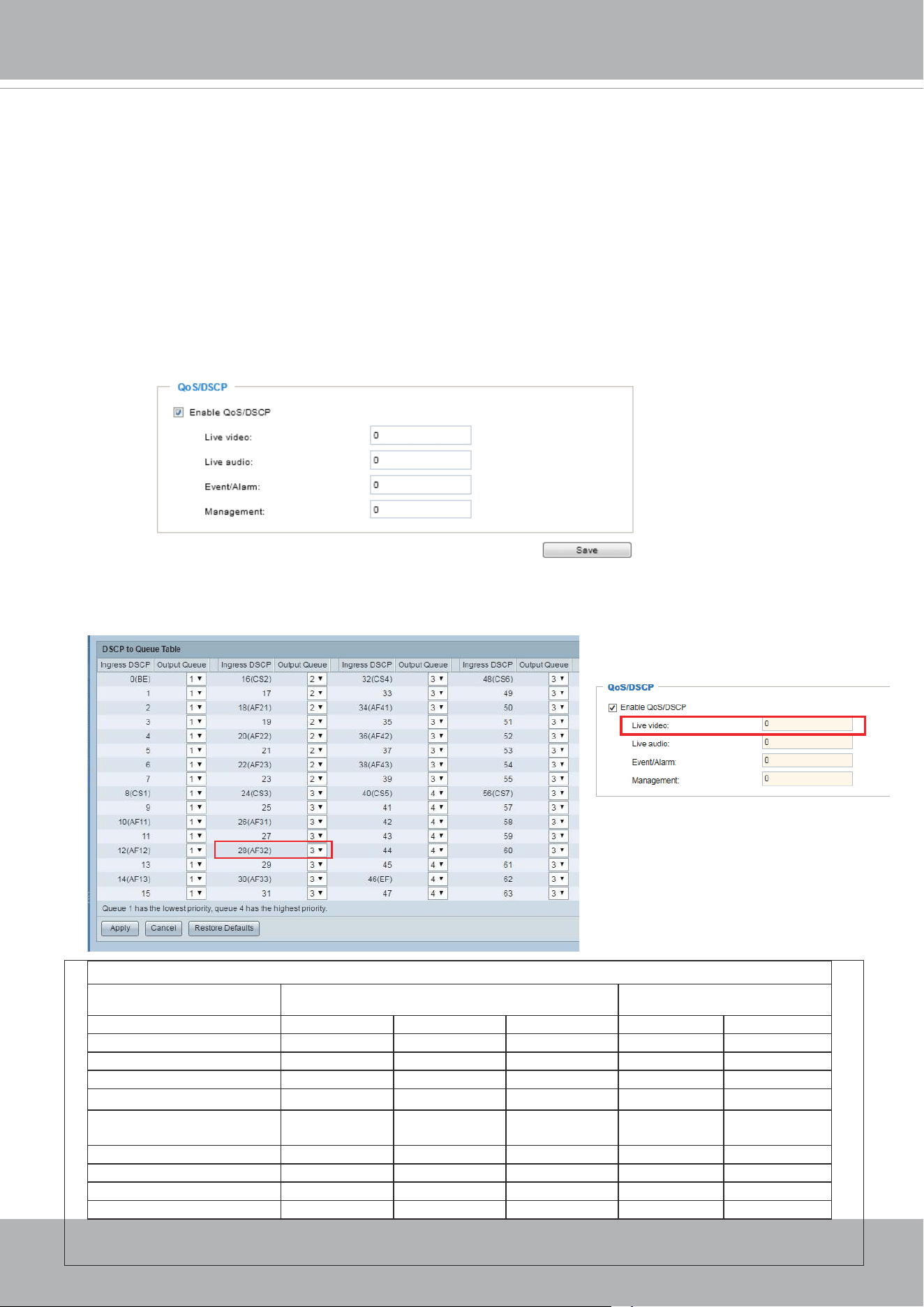
VIVOTEK
116 - User's Manual
QoS/DSCP (the DiffServ model)
DSCP-ECN denes QoS at Layer 3 (Network Layer). The Differentiated Services (DiffServ) model
is based on packet marking and router queuing disciplines. The marking is done by adding a eld
to the IP header, called the DSCP (Differentiated Services Codepoint). This is a 6-bit field that
provides 64 different class IDs. It gives an indication of how a given packet is to be forwarded,
known as the Per Hop Behavior (PHB). The PHB describes a particular service level in terms of
bandwidth, queueing theory, and dropping (discarding the packet) decisions. Routers at each
network node classify packets according to their DSCP value and give them a particular forwarding
treatment; for example, how much bandwidth to reserve for it.
Below are the setting options of DSCP (DiffServ Codepoint). Specify the DSCP value for each
application (0~63).
Note that different vendors of network devices might have different methodologies and unique
implementations. Shown below is a sample corresponding information from a Cisco switch. You
should enter a DSCP tag value according to the information provided by the network devices.
32
QoS Baseline/Technical Marketing Classication and Marking Recommendations
Application Layer3 Classication Layer 2 CoS/MPLS EXP
IPP PHB DSCP
IP Routing 6 CS6 48 6
Voice 5 EF 46 5
Interactive Video 4 AF41 34 4 QoS B
Streaming-Video 4 CS4 32 4
Locally-dened Mission-
Critical Data
3 - 25 3
Call-signaling 3 AF31/CS3 26/24 3
Transactional Data 2 AF21 18 2
Network Management 2 CS2 16 2
Bulk Data 1 AF11 10 1
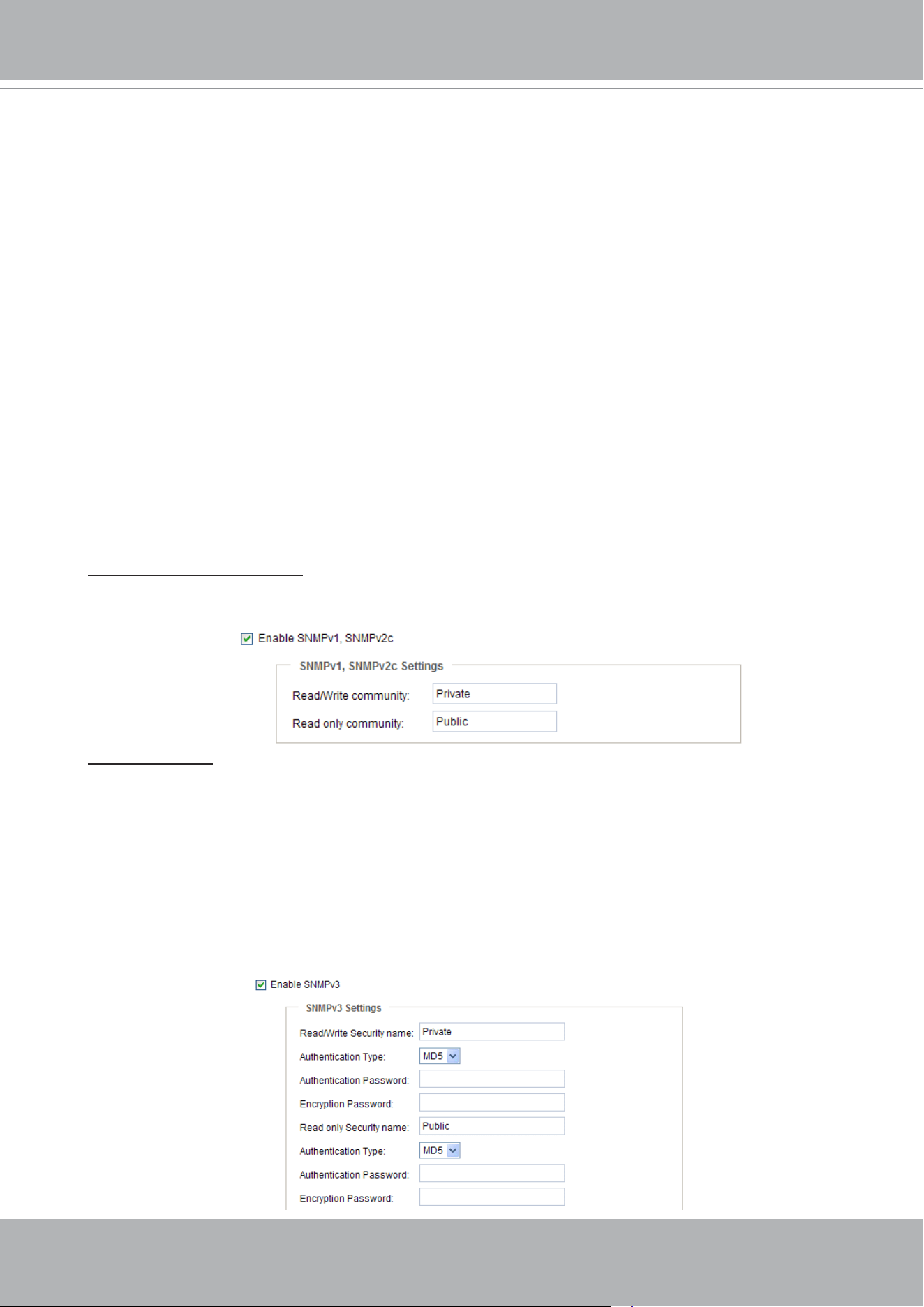
VIVOTEK
User's Manual - 117
Network > SNMP
(Simple Network Management Protocol)
This section explains how to use the SNMP on the network camera. The Simple Network
Management Protocol is an application layer protocol that facilitates the exchange of
management information between network devices. It helps network administrators to
remotely manage network devices and nd, solve network problems with ease.
■ The SNMP consists of the following three key components:
1. Manager: Network-management station (NMS), a server which executes applications that
monitor and control managed devices.
2. Agent: A network-management software module on a managed device which transfers the status
of managed devices to the NMS.
3. Managed device: A network node on a managed network. For example: routers, switches,
bridges, hubs, computer hosts, printers, IP telephones, network cameras, web server, and
database.
Before conguring SNMP settings on the this page, please enable your NMS rst.
SNMP Conguration
Enable SNMPv1, SNMPv2c
Select this option and enter the names of Read/Write community and Read Only community
according to your NMS settings.
Enable SNMPv3
This option contains cryptographic security, a higher security level, which allows you to set the
Authentication password and the Encryption password.
■ Security name: According to your NMS settings, choose Read/Write or Read Only and enter the
community name.
■ Authentication type: Select MD5 or SHA as the authentication method.
■ Authentication password: Enter the password for authentication (at least 8 characters).
■ Encryption password: Enter a password for encryption (at least 8 characters).
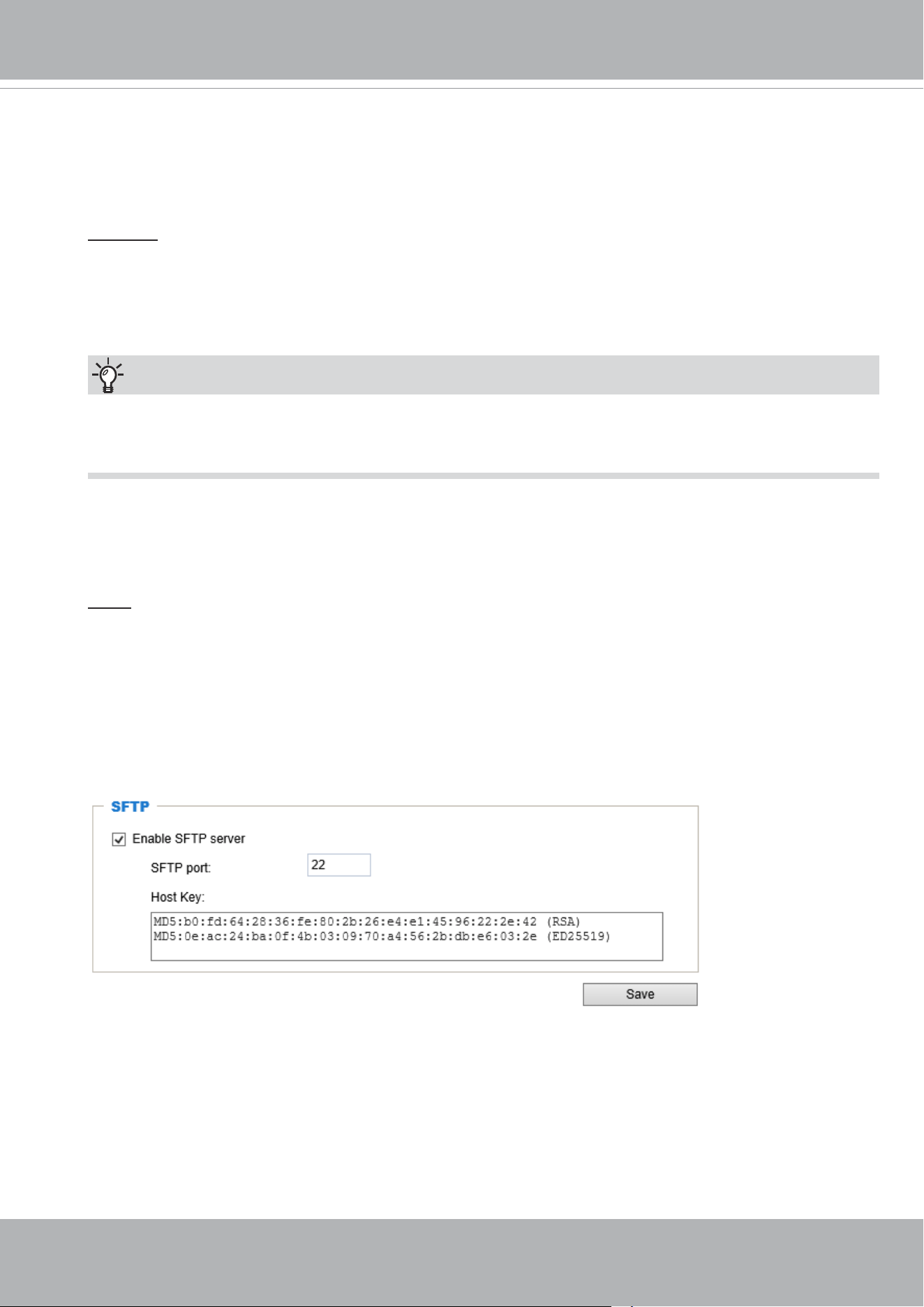
VIVOTEK
118 - User's Manual
You can FTP the camera’s IP address to download videos recorded in the SD card, or use the “http://ip/
cgi-bin/admin/lsctrl.cgi?cmd=search
” command to examine the recorded les on your SD card.
Tips:
Network > FTP
The newer firmware disabled the FTP port for security concerns. You can manually enable the FTP
server service to enable the FTP function. You can disable the FTP server function when it is not in use.
FTP port: The FTP server allows the user to save recorded video clips. You can utilize VIVOTEK's
Shepherd utility to upgrade the rmware via FTP server. By default, the FTP port is set to 21. It can also
be assigned to another port number between 1025 and 65535.
SFTP:
This is the embedded SFTP client. Host Key: A host key is the SFTP server's public key.
Ensuring the SFTP server is validated is an important aspect of the SFTP protocol. It is
designed to protect against man-in-the-middle attacks where the hacker intercepts and
relays an impersonated message to the other party.
Click the Save button and the camera SFTP server MD5 key will display. The default
format is ED25519 and RSA.
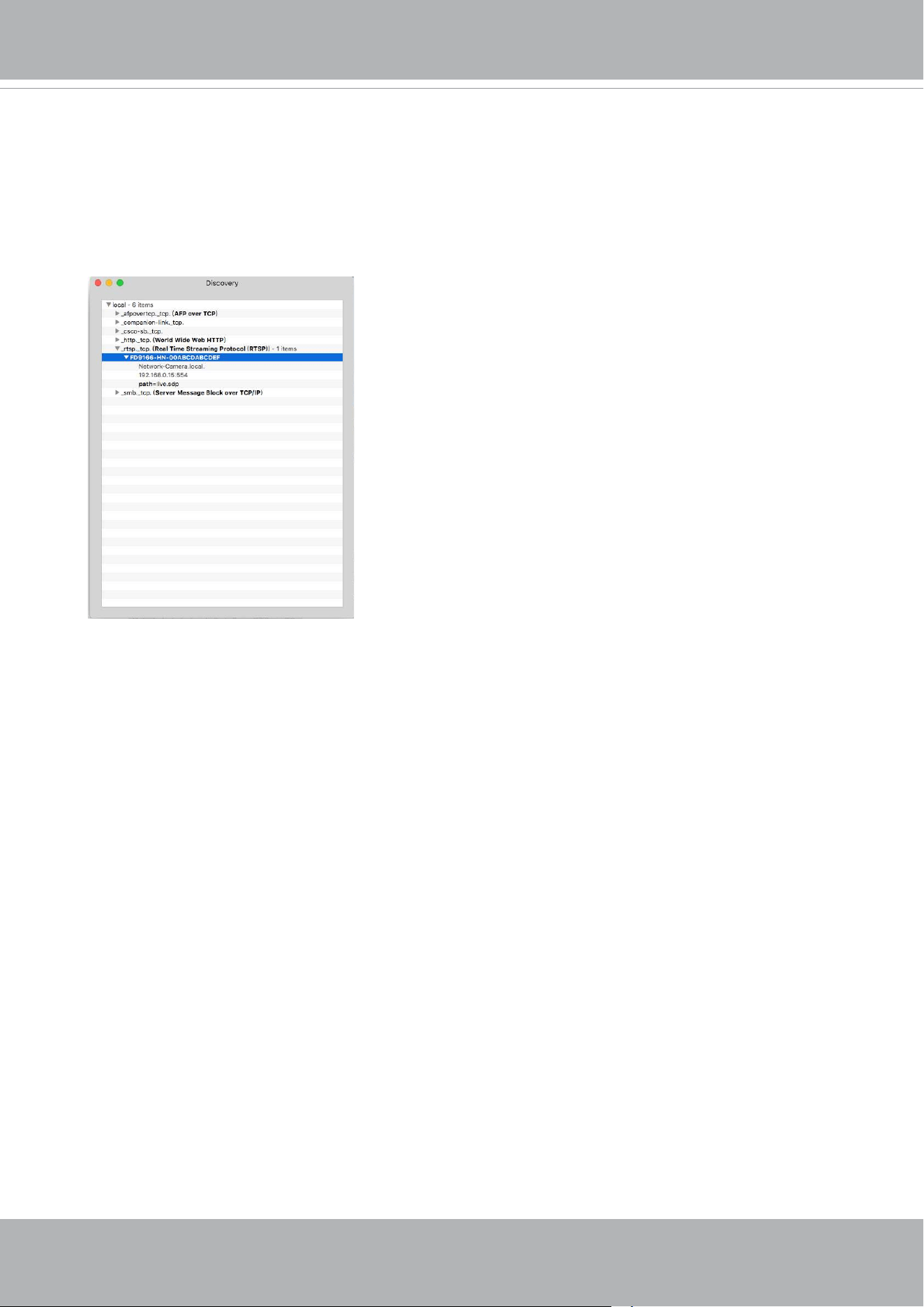
VIVOTEK
User's Manual - 119
Bonjour
To access the camera from a Mac computer, go to Safari, click on Bonjour and select the camera
from a drop-down list.
You can go to Safari > Preferences to enter your user name and password, and provide the root
password the rst time you access the camera. The camera main page will open in your browser.
Some later iOSes may come without the Bonjour option. Install the Discovery utility instead.
Find the Discovery (formerly Bonjour Browser) from the Mac App Store.
Discovery is a utility that displays all the Bonjour services on your local network or on Wide-Area
Bonjour domains. The utility is previously called Bonjour Browser, it is now distributed on the Mac
App Store.
Discovery requires macOS 10.12 or higher. For older versions of Mac OS you can download the
old version of Bonjour Browser.
Bonjour Browser (obsolete)
http://www.tildesoft.com/les/BonjourBrowser.dmg - Version 1.5.6
Discovery for iOS
https://itunes.apple.com/us/app/discovery-dns-sd-browser/id305441017?mt=8
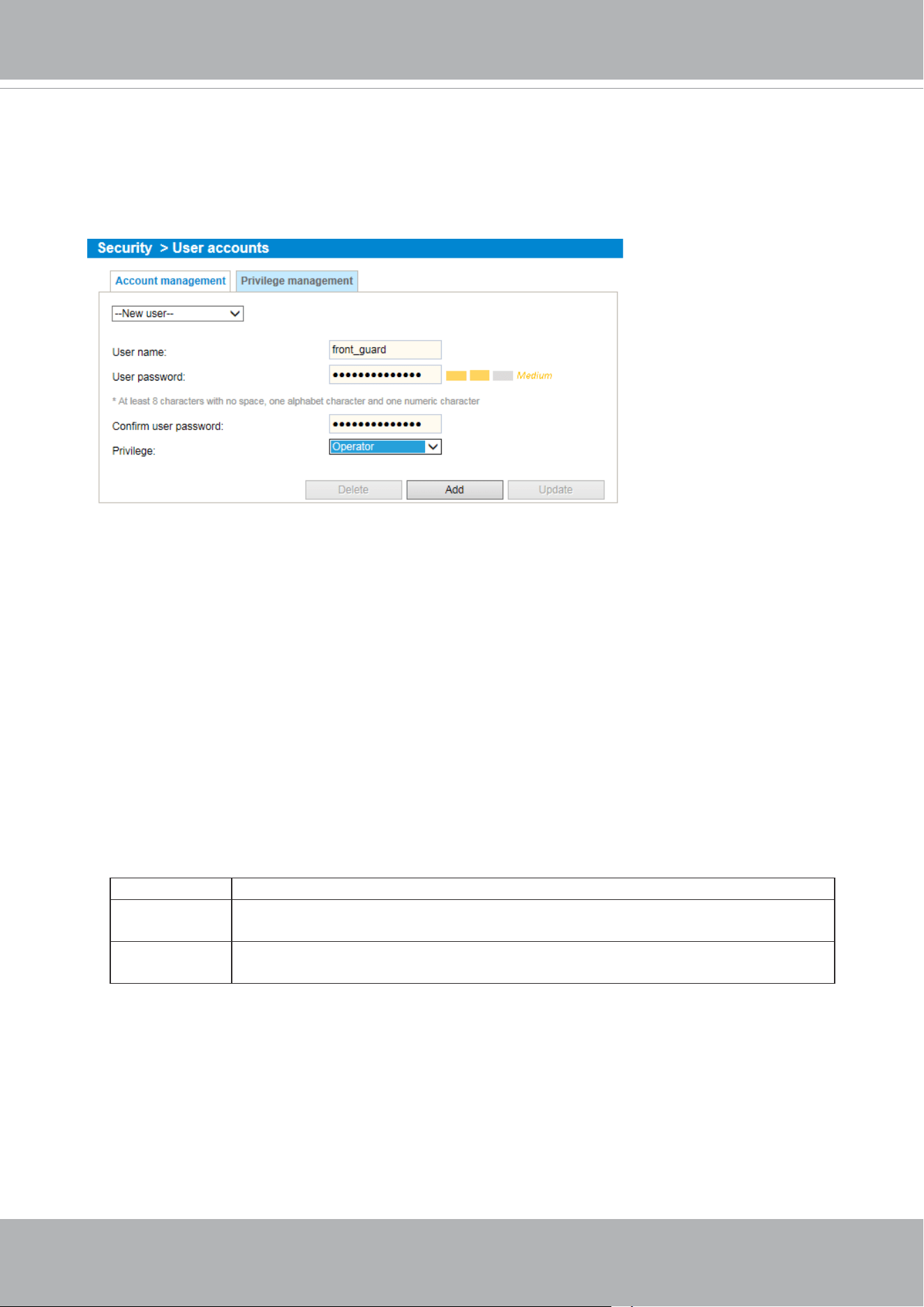
VIVOTEK
120 - User's Manual
Security > User accounts
This section explains how to enable password protection and create multiple accounts.
Account management
The administrator account name is “root”, which is permanent and can not be deleted. If you want
to add more accounts in the Account management window, please apply the password for the “root”
account rst.
The administrator can create up to 20 user accounts.
To create a new user,
1. Click to unfold the pull-down menu. Select New user.
2. Enter the new user’s name and password. Type the password identically in both text boxes.
Some, but not all special ASCII characters are supported: !, $, %, -, ., @, ^, _, and ~.
You can use them in the password combination.
The strength of your password combination is shown on the right, use the combination of
alphabetic, numeric, upper case, and lower case characters until the password strength is good
enough.
3. Select the privilege level for the new user account. Click Add to enable the setting.
The privilege levels are listed below:
Administrator Full control
Operator Control DO, white-light illuminator, snapshot, and PTZ;
unable to enter the camera Conguration page.
Viewer Control DO, white-light illuminator, view, listen, PTZ, and talk through the
camera interface.
Access rights are sorted by user privilege (Administrator, Operator, and Viewer). Only
administrators can access the Configuration page. Although operators cannot access the
Conguration page, they can use the URL Commands to get and set the value of parameters. For
more information, please refer to URL Commands of the Network Camera on page 161. Viewers
can only access the main page for live viewing.
Here you also can change a user’s access rights or delete user accounts.
1. Select an existing account to modify.
2. Make necessary changes and click Update or Delete to enable the setting.
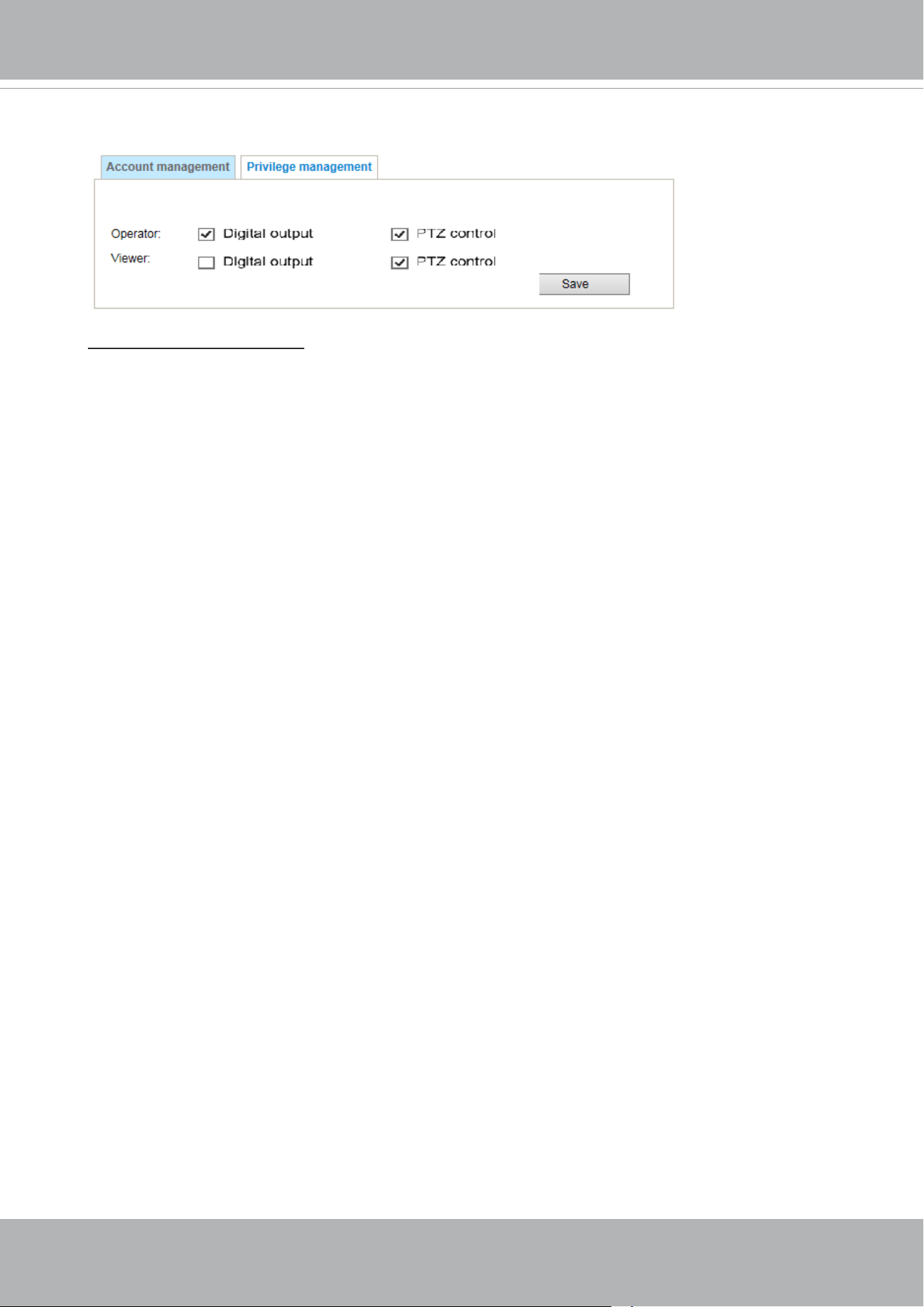
VIVOTEK
User's Manual - 121
Privilege management
Digital Output & PTZ control: You can modify the management privilege as operators or viewers. Select
or de-select the checkboxes, and then click Save to enable the settings. If you give Viewers the privilege,
Operators will also have the ability to control the Network Camera through the main page.
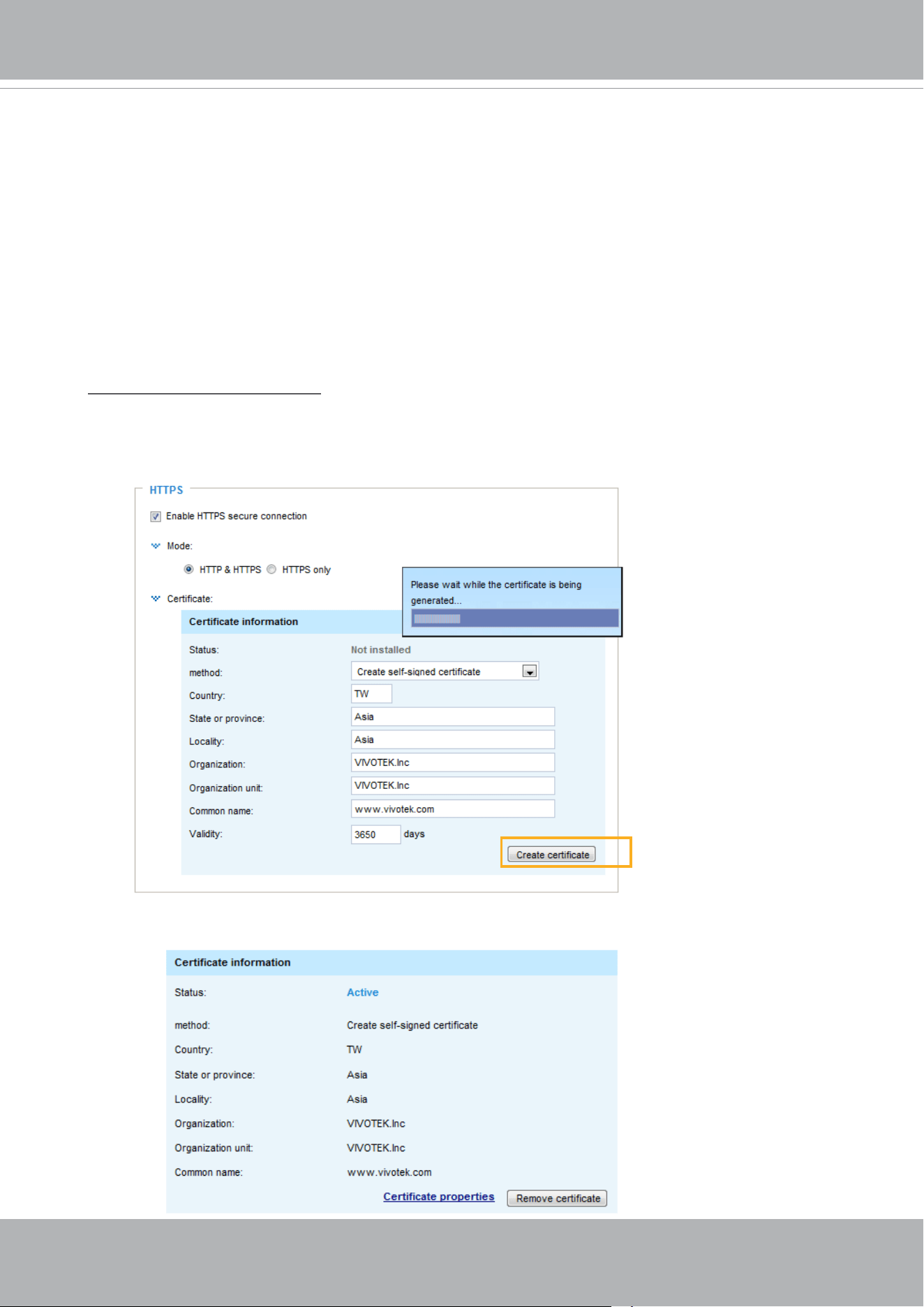
VIVOTEK
122 - User's Manual
Security > HTTPS
(Hypertext Transfer Protocol over SSL)
This section explains how to enable authentication and encrypted communication over
SSL (Secure Socket Layer). It helps protect streaming data transmission over the Internet
on higher security level.
Create and Install Certicate Method
Before using HTTPS for communication with the Network Camera, a Certicate must be created
rst. There are three ways to create and install a certicate:
Create self-signed certificate
1. Select this option from a pull-down menu.
2. In the rst column, select Enable HTTPS secure connection, then select a connection option:
“HTTP & HTTPS” or “HTTPS only”.
3. Click Create certicate to generate a certicate.
4. The Certicate Information will automatically be displayed as shown below. You can click Certi-
cate properties to view detailed information about the certicate.
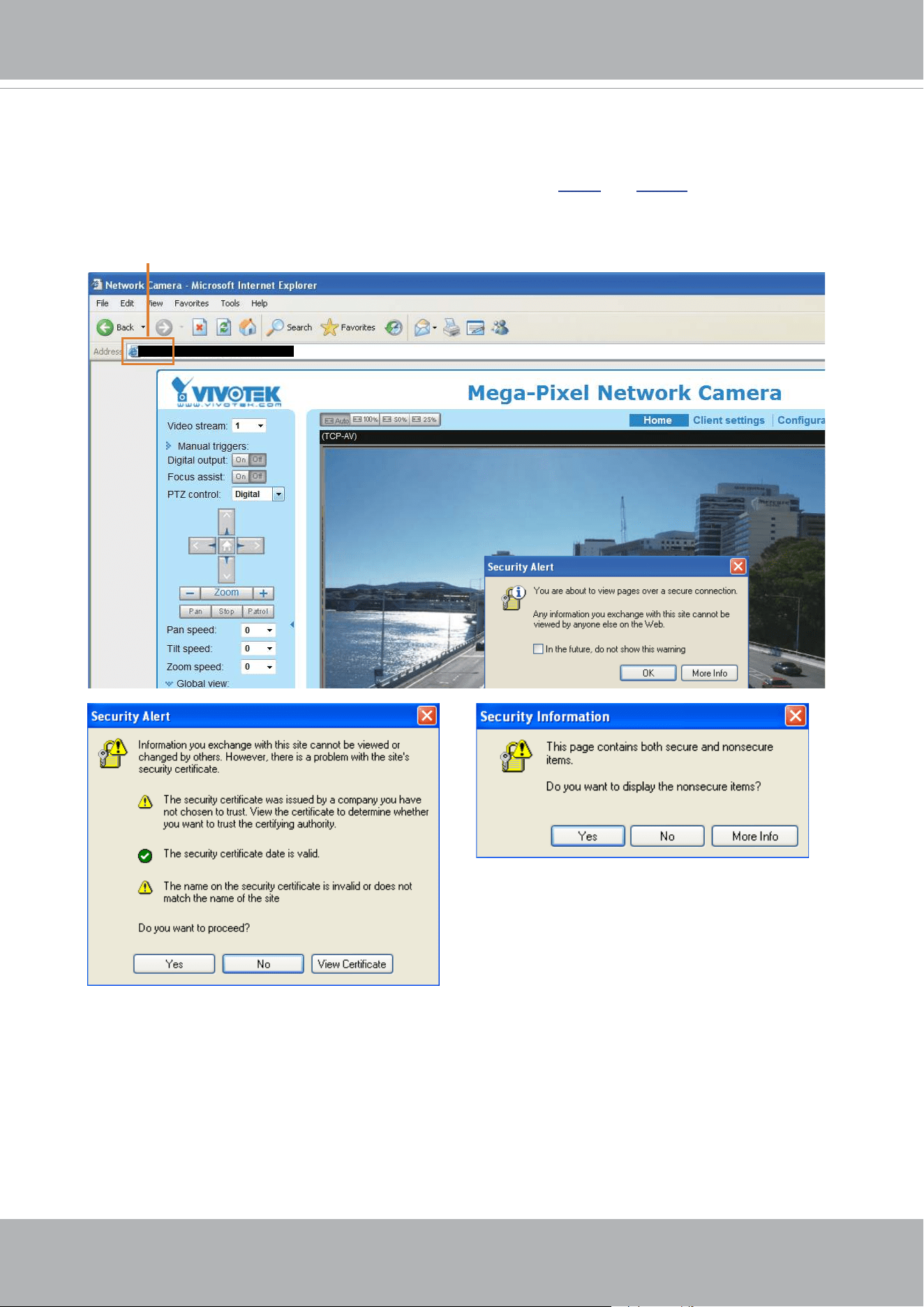
VIVOTEK
User's Manual - 123
5. Click Save to preserve your conguration, and your current session with the camera will change
to the encrypted connection.
6. If your web session does not automatically change to an encrypted HTTPS session, click Home
to return to the main page. Change the URL address from “
http://” to “https://“ in the address bar
and press Enter on your keyboard. Some Security Alert dialogs will pop up. Click OK or Yes to
enable HTTPS.
https://192.168.5.151/index.html
https://
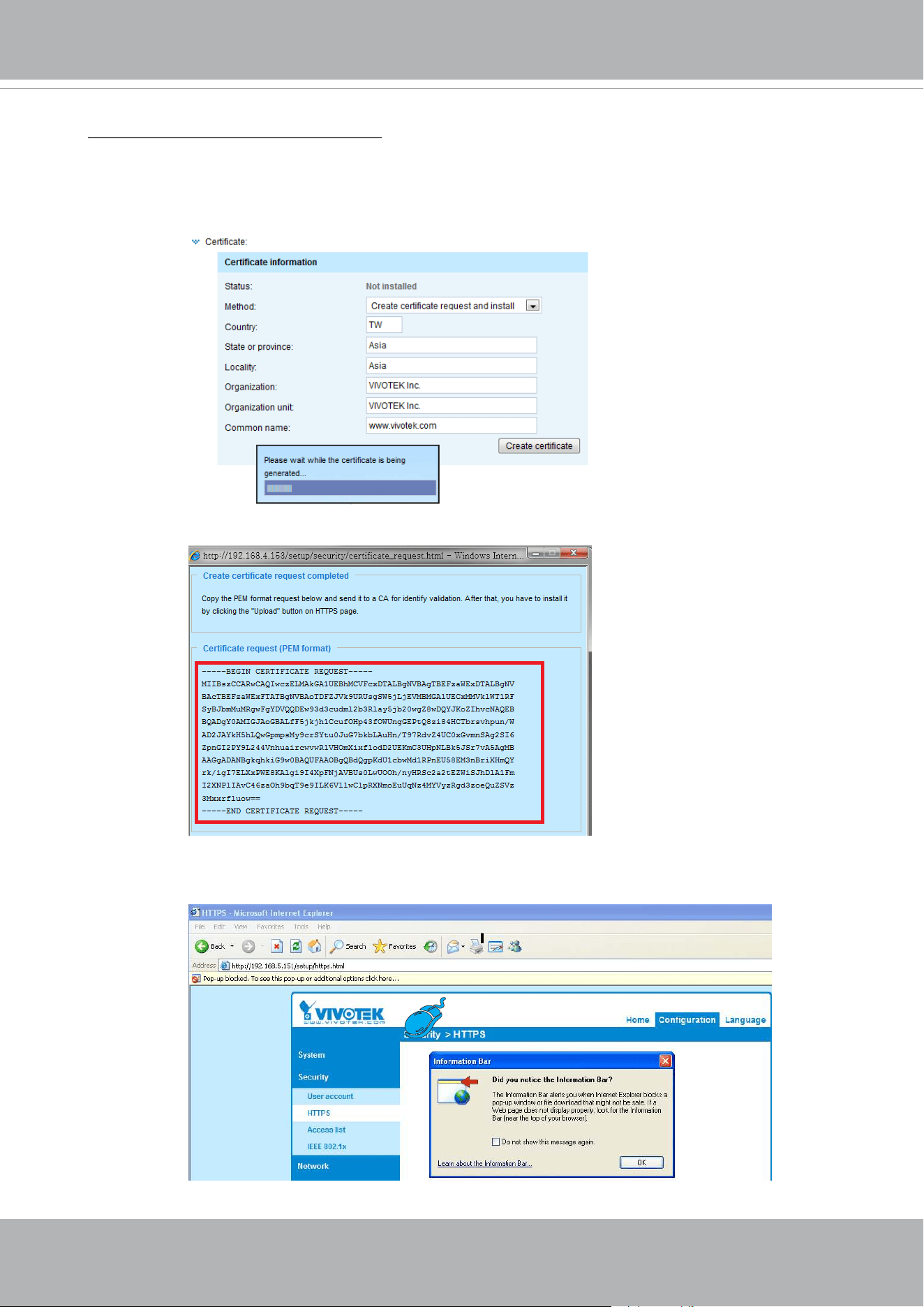
VIVOTEK
124 - User's Manual
Create certificate request and install
1. Select the option from the Method pull-down menu.
2. Click Create certicate to proceed.
3. The following information will show up in a pop-up window after clicking Create. Then click Save
to generate the certicate request.
4. The Certicate request window will prompt.
If you see the following Information bar, click OK and click on the Information bar at the top of
the page to allow pop-ups.
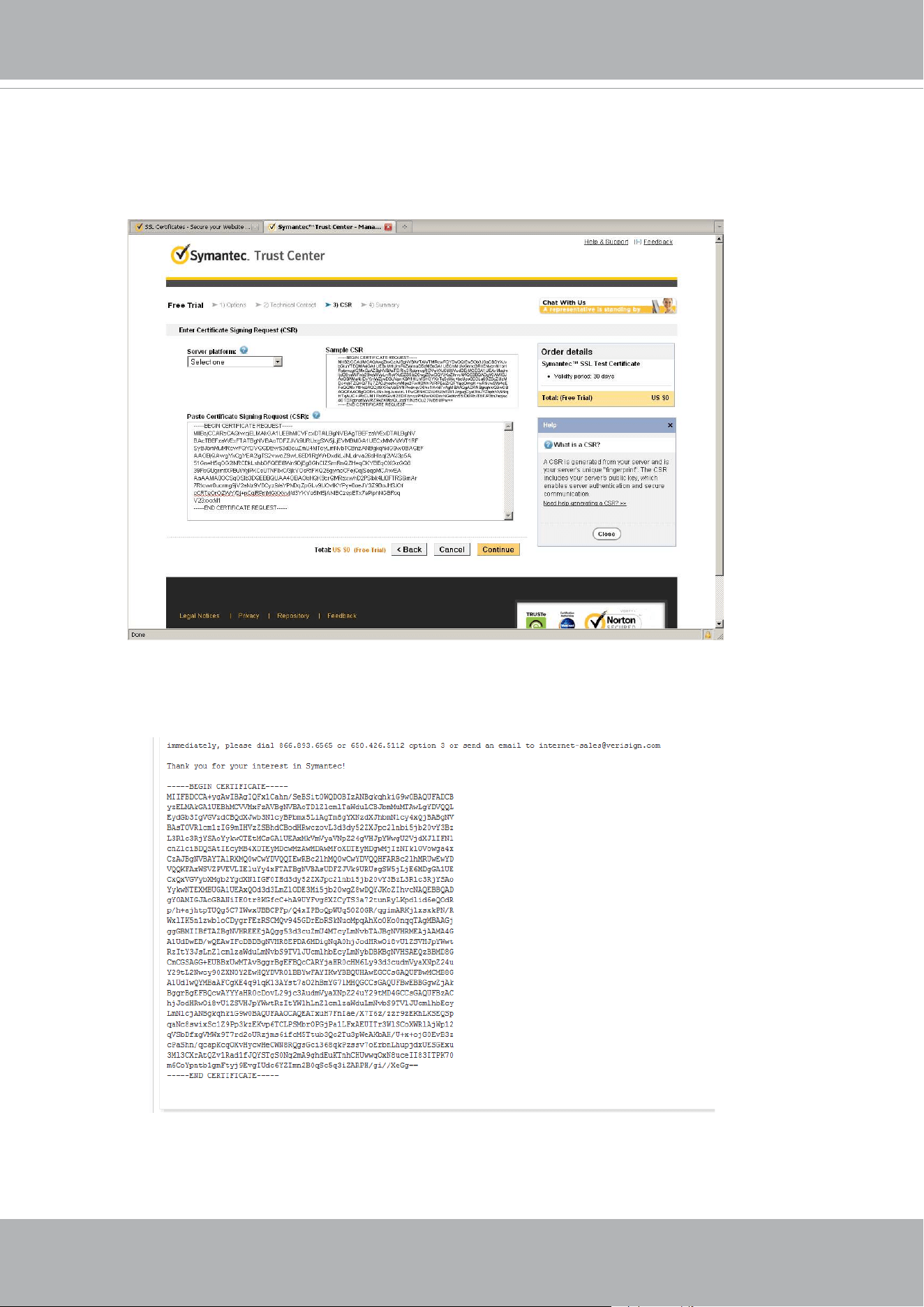
VIVOTEK
User's Manual - 125
5. Look for a trusted certicate authority, such as Symantec’s VeriSign Authentication Services, that
issues digital certicates. Sign in and purchase the SSL certication service. Copy the certicate
request from your request prompt and paste it in the CA’s signing request window. Proceed with
the rest of the process as CA’s instructions on their webpage.
6. Once completed, your SSL certicate should be delivered to you via an email or other means.
Copy the contents of the certicate in the email and paste it in a text/HTML/hex editor/converter,
such as IDM Computer Solutions’ UltraEdit.
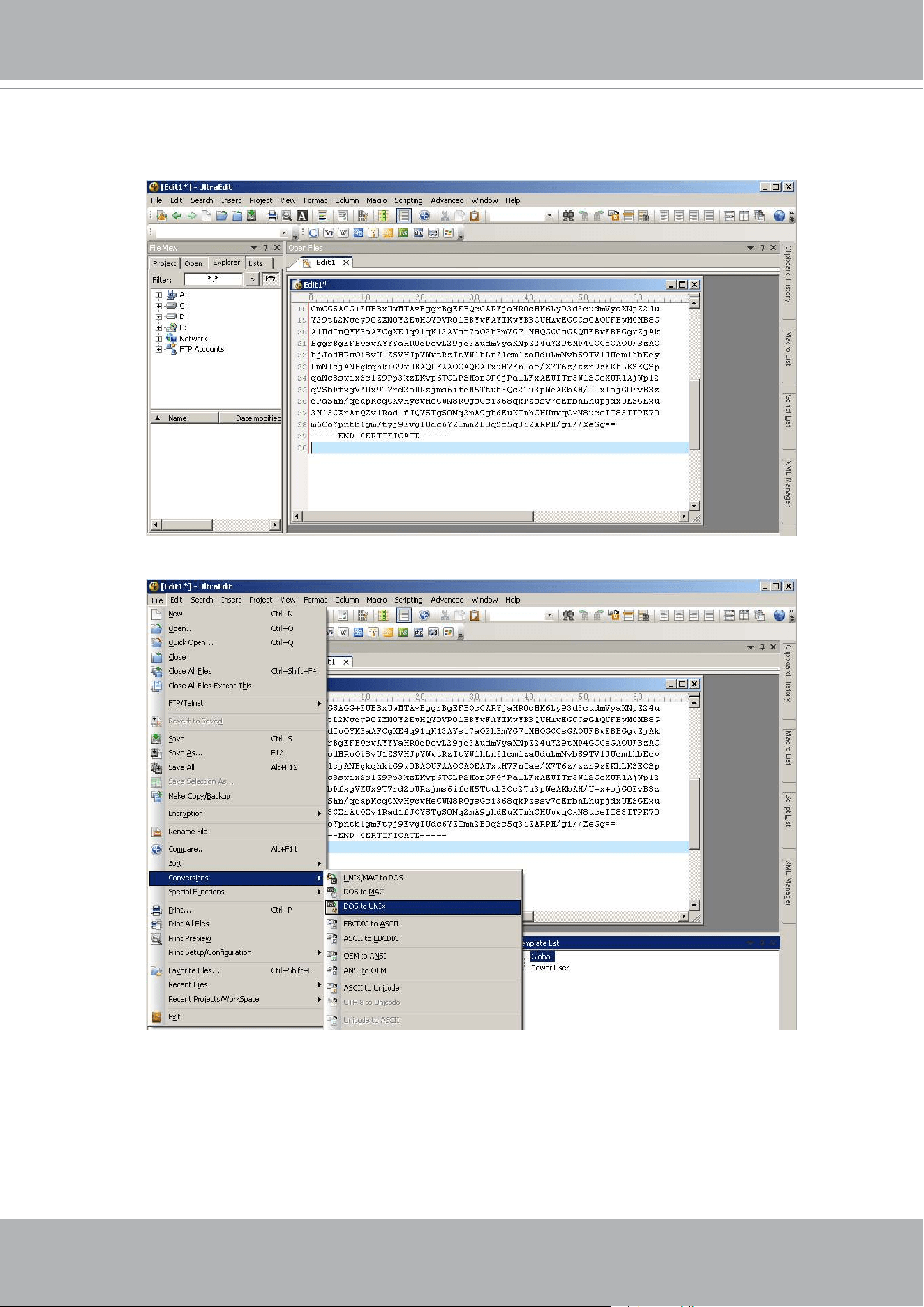
VIVOTEK
126 - User's Manual
7. Open a new edit, paste the certicate contents, and press ENTER at the end of the contents to
add an empty line.
8. Convert le format from DOS to UNIX. Open File menu > Conversions > DOS to Unix.
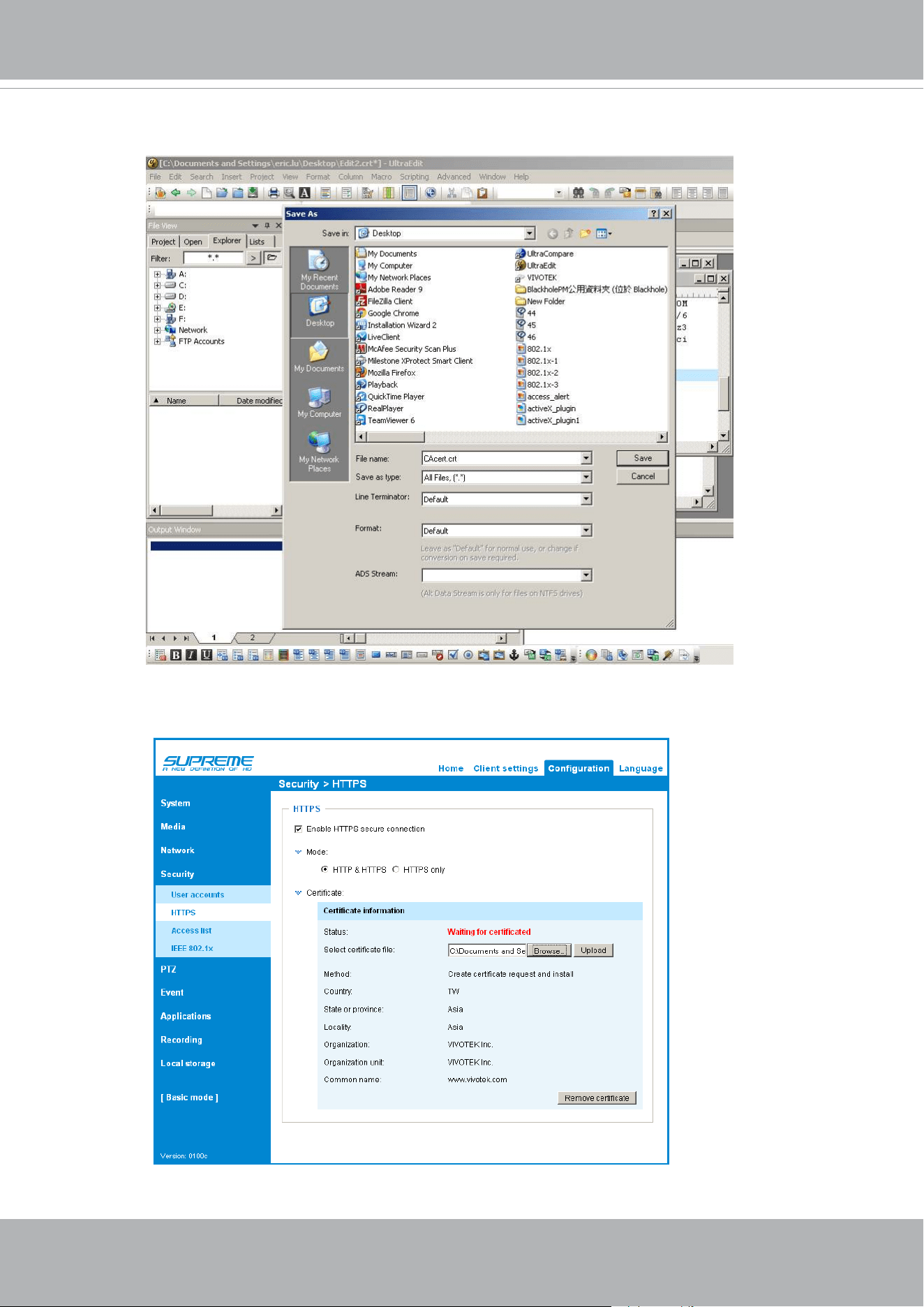
VIVOTEK
User's Manual - 127
9. Save the edit using the “.crt” extension, using a le name like “CAcert.crt.”
10. Return to the original rmware session, use the Browse button to locate the crt certicate le,
and click Upload to enable the certication.
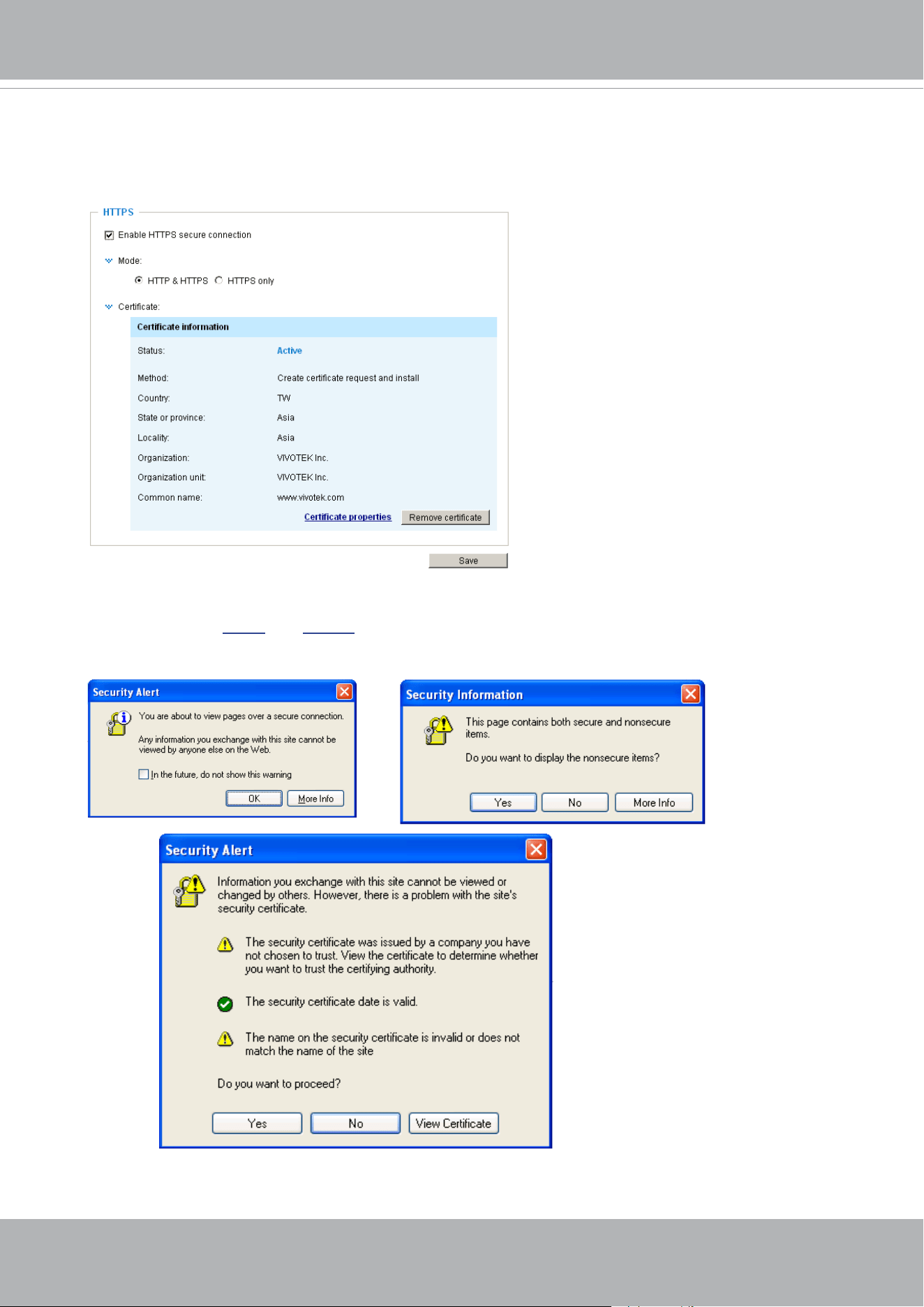
VIVOTEK
128 - User's Manual
11. When the certifice file is successfully loaded, its status will be stated as Active.
Note that
a certicate must have been created and installed before you can click on the “Save"
button for the conguration to take effect.
12.To begin an encrypted HTTPS session, click Home to return to the main page. Change the URL
address from “
http://” to “https://“ in the address bar and press Enter on your keyboard. Some
Security Alert dialogs will pop up. Click OK or Yes to enable HTTPS.
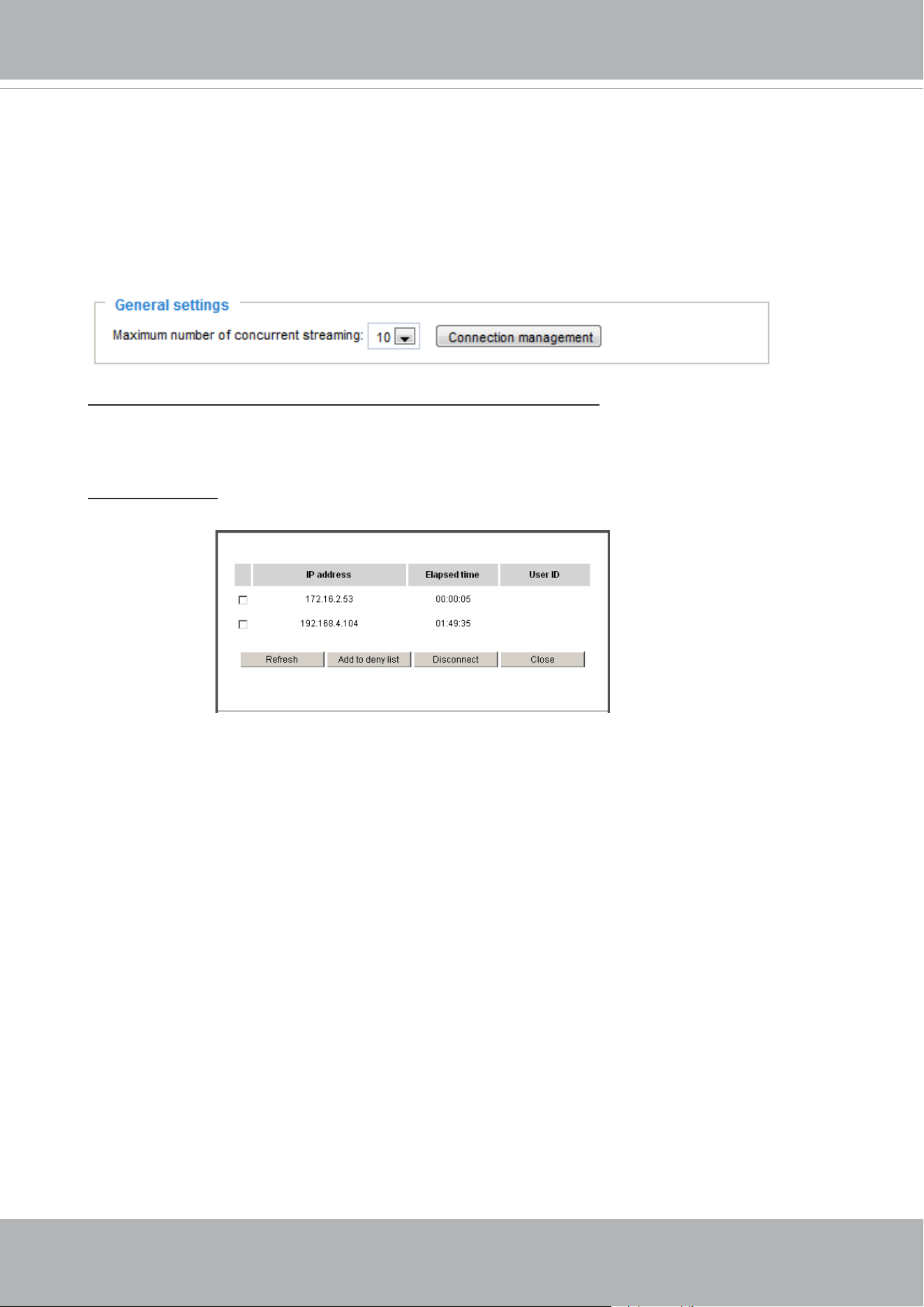
VIVOTEK
User's Manual - 129
Security > Access List
This section explains how to control access permission by verifying the client PC’s IP
address.
General Settings
Maximum number of concurrent streaming connection(s) limited to: Simultaneous live viewing for
1~10 clients (including stream 1 to stream 3). The default value is 10. If you modify the value and
click Save, all current connections will be disconnected and automatically attempt to re-link (IE
Explorer or Quick Time Player).
View Information: Click this button to display the connection status window showing a list of the
current connections. For example:
Note that only consoles that are currently displaying live streaming will be listed in the View
Information list.
■ IP address: Current connections to the Network Camera.
■ Elapsed time: How much time the client has been at the webpage.
■ User ID: If the administrator has set a password for the webpage, the clients have to enter a
user name and password to access the live video. The user name will be displayed in the User
ID column. If the administrator allows clients to link to the webpage without a user name and
password, the User ID column will be empty.
There are some situations that allow clients access to the live video without a user name and
password:
1. The administrator does not set up a root password. For more information about how to set up
a root password and manage user accounts, please refer to Security > User account on page
120.
2. The administrator has set up a root password, but set RTSP Authentication to “disable“. For
more information about RTSP Authentication, please refer to RTSP Streaming on page 107.
3. The administrator has set up a root password, but allows anonymous viewing. For more
information about Allow Anonymous Viewing, please refer to page 120.
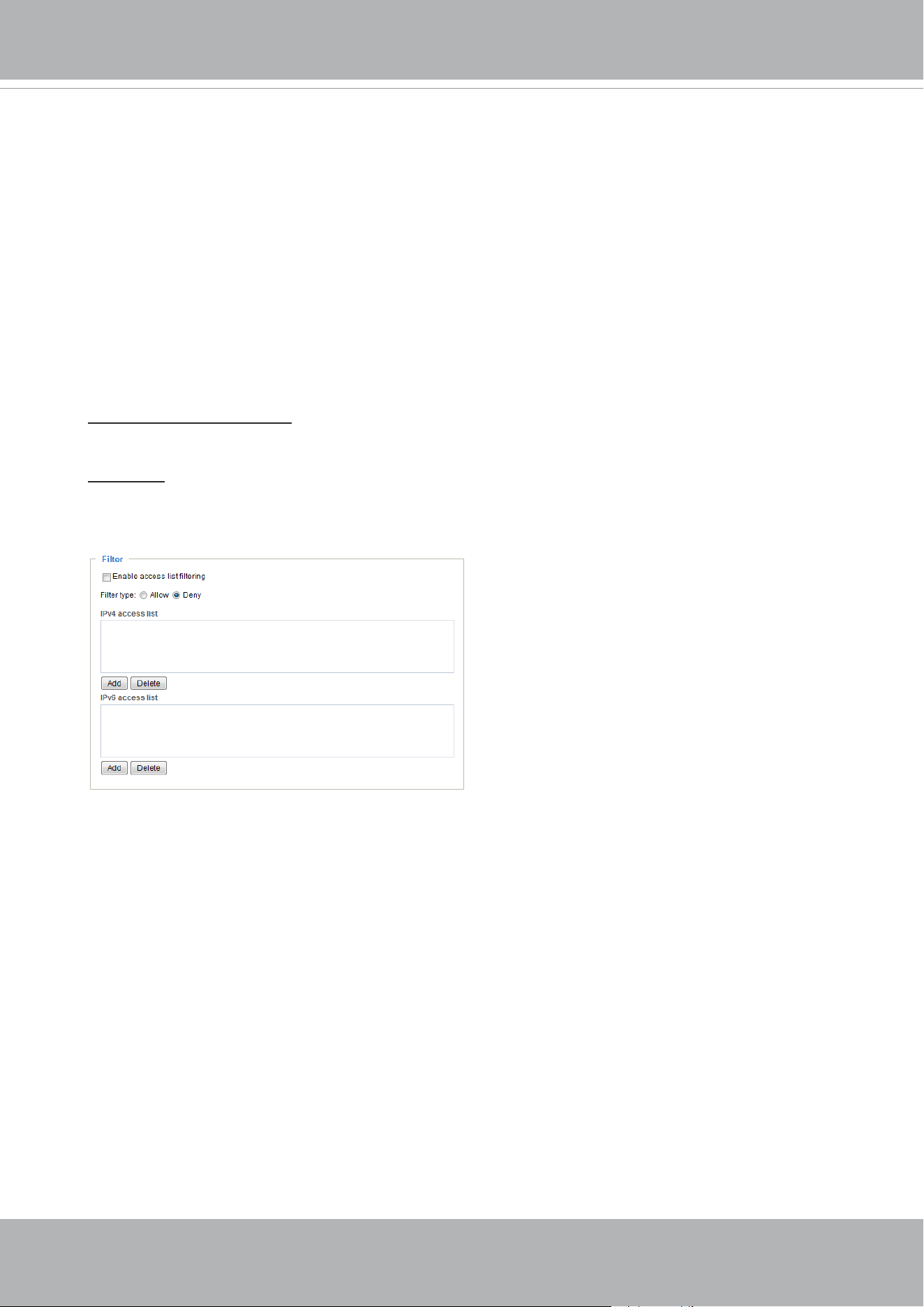
VIVOTEK
130 - User's Manual
■ Refresh: Click this button to refresh all current connections.
■ Add to deny list: You can select entries from the Connection Status list and add them to the
Deny List to deny access. Please note that those checked connections will only be disconnected
temporarily and will automatically try to re-link again (IE Explore or Quick Time Player). If you
want to enable the denied list, please check Enable access list ltering and click Save in the
rst column.
■ Disconnect: If you want to break off the current connections, please select them and click this
button. Please note that those checked connections will only be disconnected temporarily and
will automatically try to re-link again (IE Explore or Quick Time Player).
Filter
Enable access list ltering: Check this item and click Save if you want to enable the access list
ltering function.
Filter type: Select Allow or Deny as the lter type. If you choose Allow Type, only those clients
whose IP addresses are on the Access List below can access the Network Camera, and the others
cannot. On the contrary, if you choose Deny Type, those clients whose IP addresses are on the
Access List below will not be allowed to access the Network Camera, and the others can.
Then you can Add a rule to the following Access List. Please note that the IPv6 access list column
will not be displayed unless you enable IPv6 on the Network page. For more information about
IPv6 Settings, please refer to Network > General settings on page 99 for detailed information.
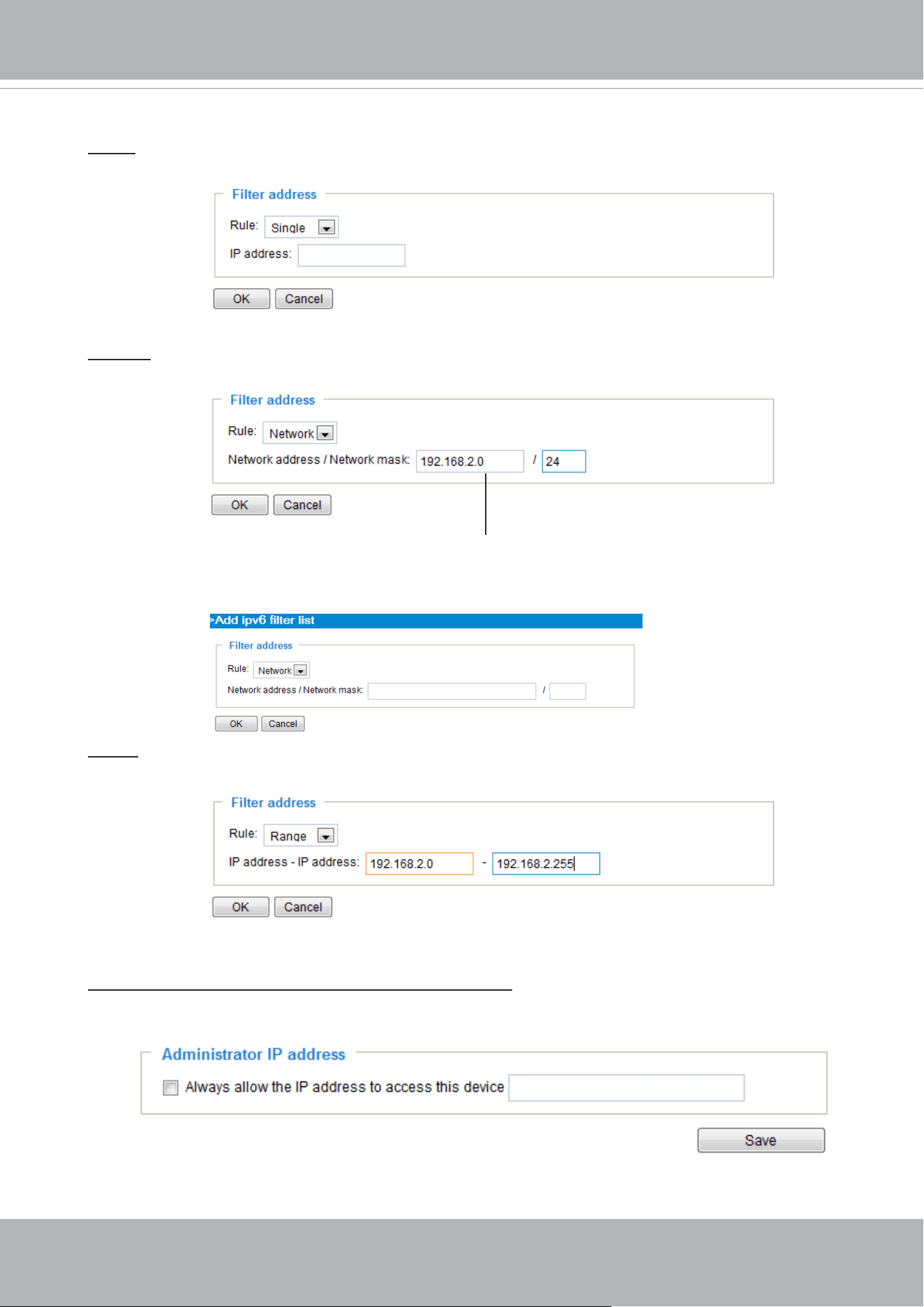
VIVOTEK
User's Manual - 131
Network: This rule allows the user to assign a network address and corresponding subnet mask to
the Allow/Deny List. The address and network mask are written in CIDR format.
For example:
Range: This rule allows the user to assign a range of IP addresses to the Allow/Deny List.
Note: This rule only applies to IPv4 addresses.
For example:
Administrator IP address
Always allow the IP address to access this device: You can check this item and add the
Administrator’s IP address in this eld to make sure the Administrator can always connect to the
device.
IP address range 192.168.2.x will be bolcked.
There are three types of rules:
Single: This rule allows the user to add an IP address to the Allowed/Denied list.
For example:
192.168.2.1
If IPv6 lter is preferred, you will be prompted by the following window. Enter the IPv6 address and
the two-digit prex length to specify the range of IP addresses in your conguration.
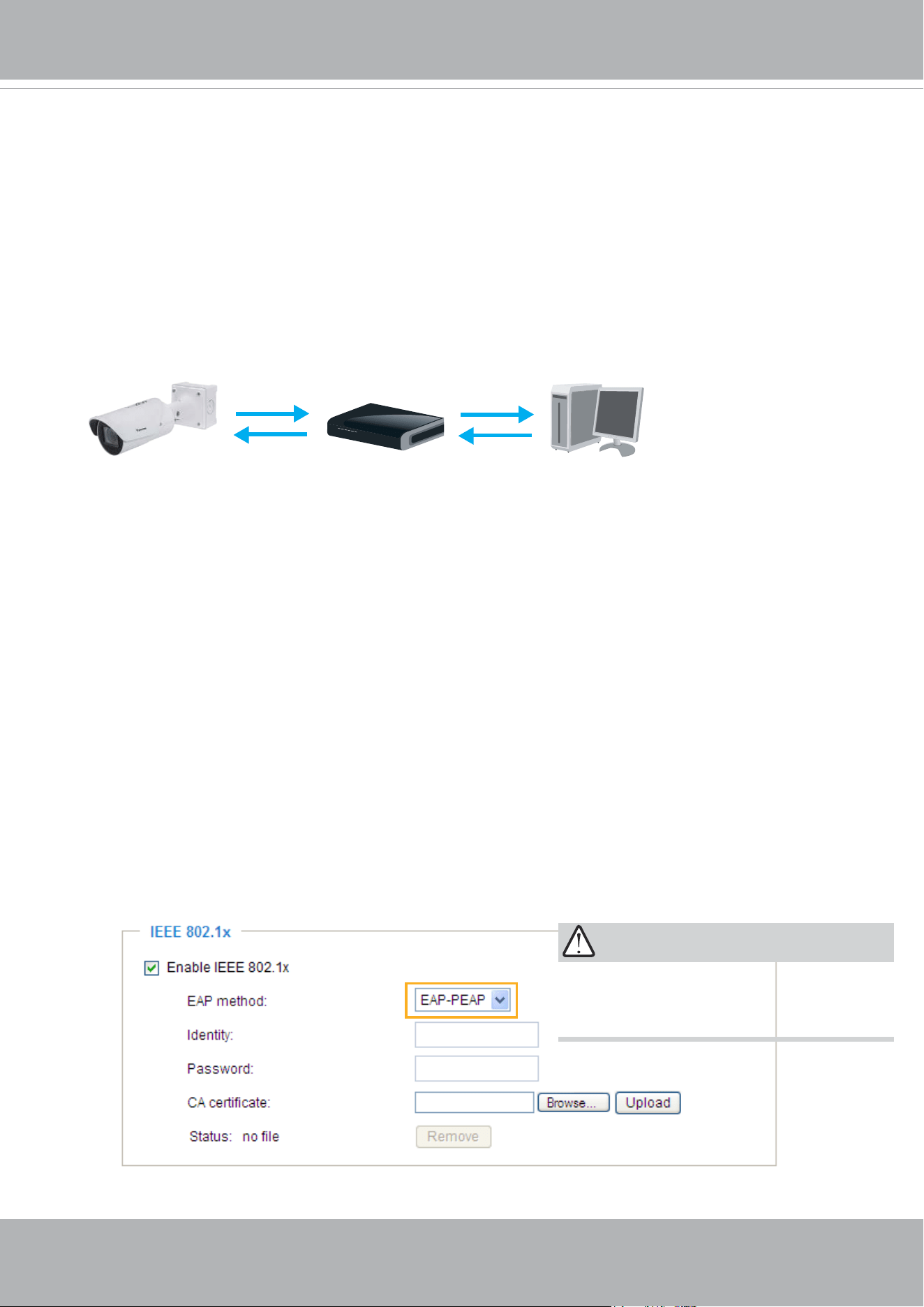
VIVOTEK
132 - User's Manual
Security > IEEE 802.1X
Enable this function if your network environment uses IEEE 802.1x, which is a port-based network
access control. The network devices, intermediary switch/access point/hub, and RADIUS server
must support and enable 802.1x settings.
The 802.1x standard is designed to enhance the security of local area networks, which provides
authentication to network devices (clients) attached to a network port (wired or wireless). If all
certicates between client and server are veried, a point-to-point connection will be enabled; if
authentication fails, access on that port will be prohibited. 802.1x utilizes an existing protocol, the
Extensible Authentication Protocol (EAP), to facilitate communication.
■
The components of a protected network with 802.1x authentication:
1.
Supplicant: A client end user (camera), which requests authentication.
2.
Authenticator (an access point or a switch): A “go between” which restricts unauthorized end
users from communicating with the authentication server.
3.
Authentication server (usually a RADIUS server): Checks the client certificate and decides
whether to accept the end user’s access request.
■
VIVOTEK Network Cameras support two types of EAP methods to perform authentication: EAP-
PEAP and EAP-TLS.
Please follow the steps below to enable 802.1x settings:
1. Before connecting the Network Camera to the protected network with 802.1x, please apply
a digital certificate from a Certificate Authority (i.e., your network administrator) which can be
validated by a RADIUS server.
2. Connect the Network Camera to a PC or notebook outside of the protected LAN. Open the
conguration page of the Network Camera as shown below. Select EAP-PEAP or EAP-TLS as
the EAP method. In the following blanks, enter your ID and password issued by the CA, then
upload related certicate(s).
Supplicant
(Network Camera)
Authenticator
(Network Switch)
Authentication Server
(RADIUS Server)
IMPORTANT
The maximum length of password is 200
symbols.
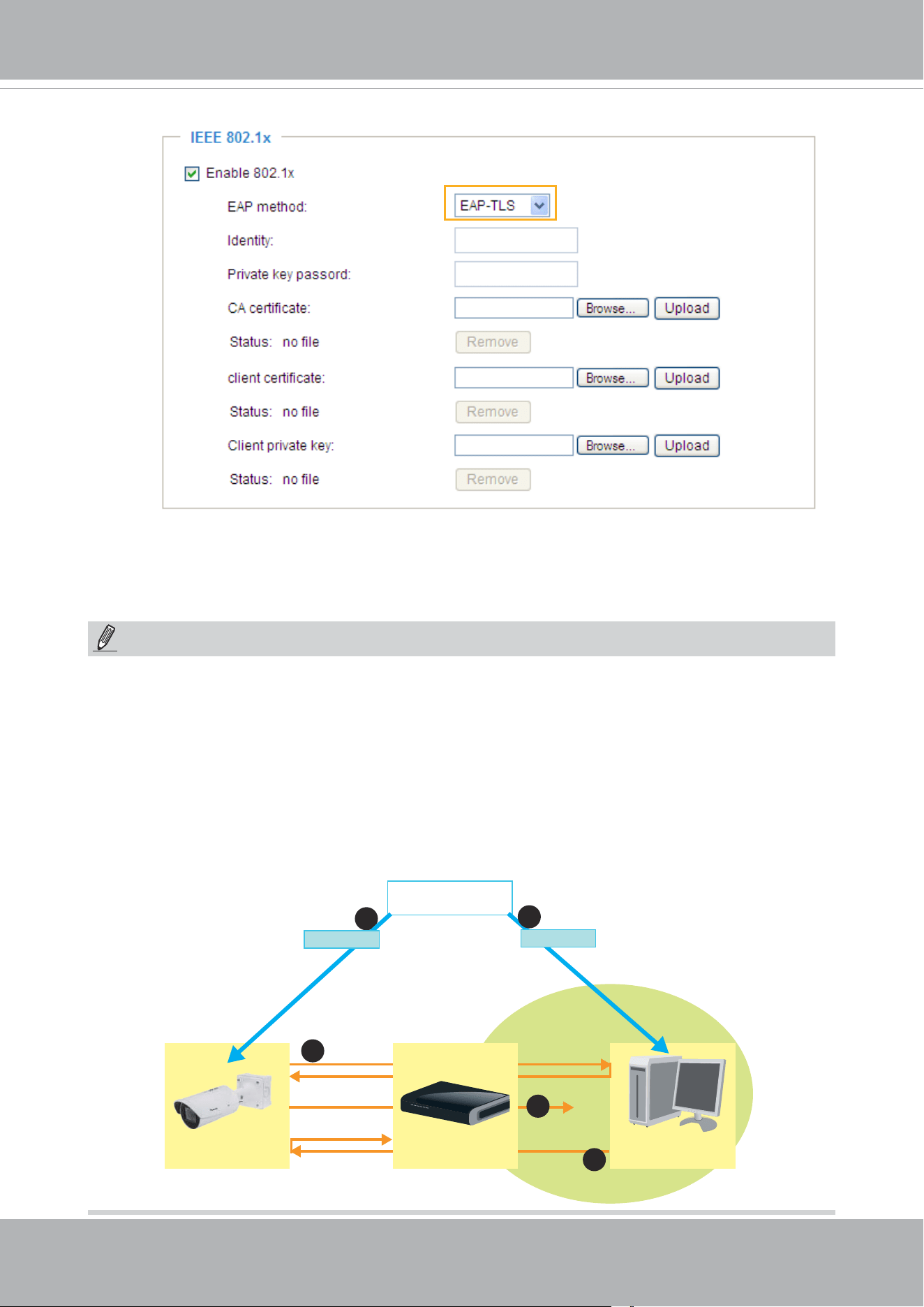
VIVOTEK
User's Manual - 133
3. When all settings are complete, move the Network Camera to the protected LAN by connecting
it to an 802.1x enabled switch. The devices will then start the authentication automatically.
VIVOTEK
Network Camera
RADIUS Server
Certificate Authority
(CA)
Protected LAN
Certificate
1
1
2
3
4
Network Switch
Certificate
NOTE:
► The authentication process for 802.1x:
1. The Certicate Authority (CA) provides the required signed certicates to the Network Camera
(the supplicant) and the RADIUS Server (the authentication server).
2. A Network Camera requests access to the protected LAN using 802.1X via a switch (the
authenticator). The client offers its identity and client certicate, which is then forwarded by the
switch to the RADIUS Server, which uses an algorithm to authenticate the Network Camera and
returns an acceptance or rejection back to the switch.
3. The switch also forwards the RADIUS Server’s certicate to the Network Camera.
4. Assuming all certicates are validated, the switch then changes the Network Camera’s state to
authorized and is allowed access to the protected network via a pre-congured port.
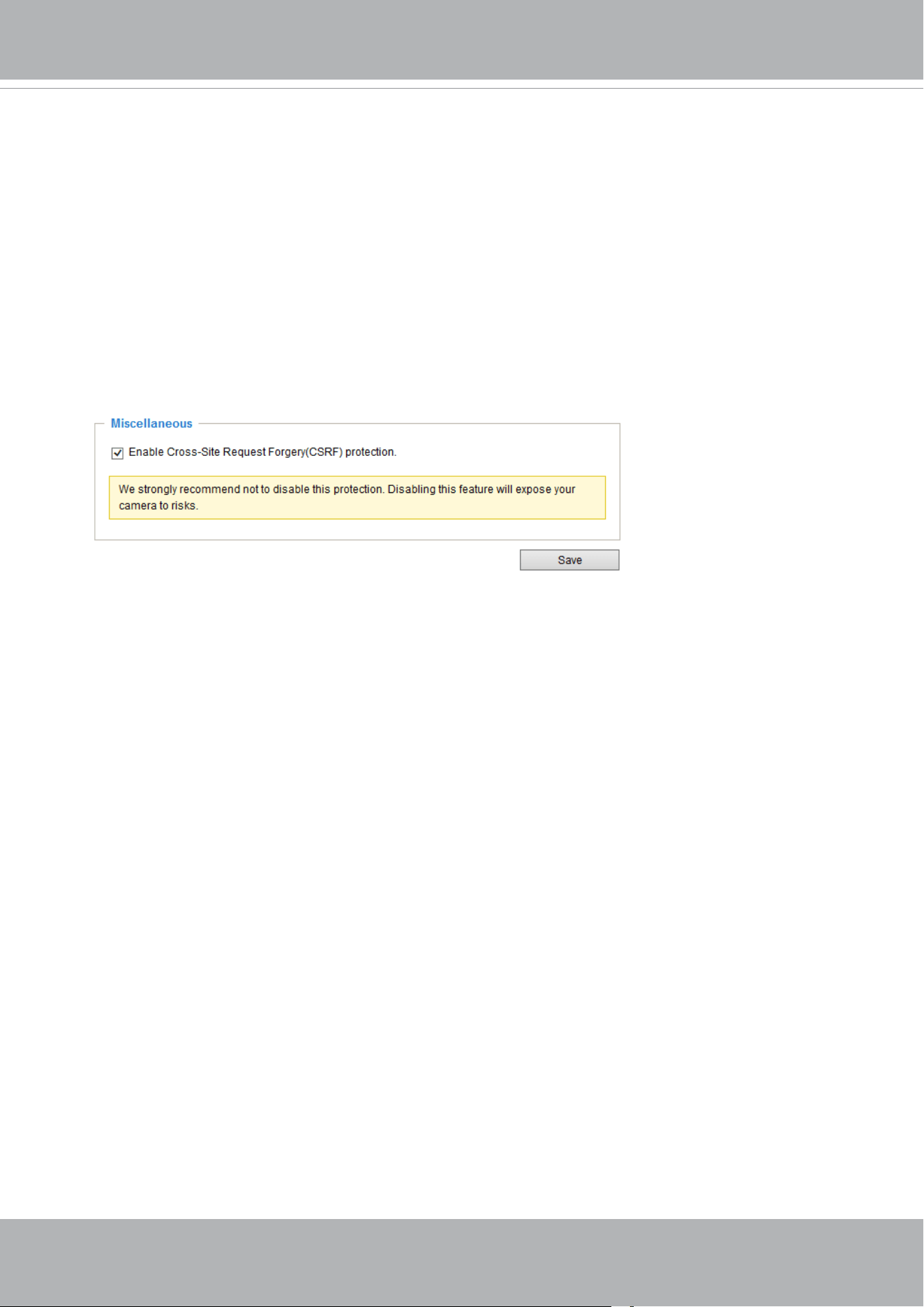
VIVOTEK
134 - User's Manual
Security > Miscellaneous
The embedded TrendMicro utitlity provides the protection against Cross-Site Request
Forgery. Cross-site request forgery is also known as one-click attack or session riding and
is abbreviated as CSRF. CSRF is a type of malicious exploit of a website, in this case, the
camera. Unauthorized commands are transmitted from a user that the web application
trusts, using the mechanism of forging a trusted user's own request with a request
containing his own cookies, etc. Different ways can be used for a malicious website to
transmit such commands. They can be specially-crafted image tags, hidden forms, and
JavaScript XMLHttpRequests. The malicious attack can occur without users' interaction or
even knowing it.
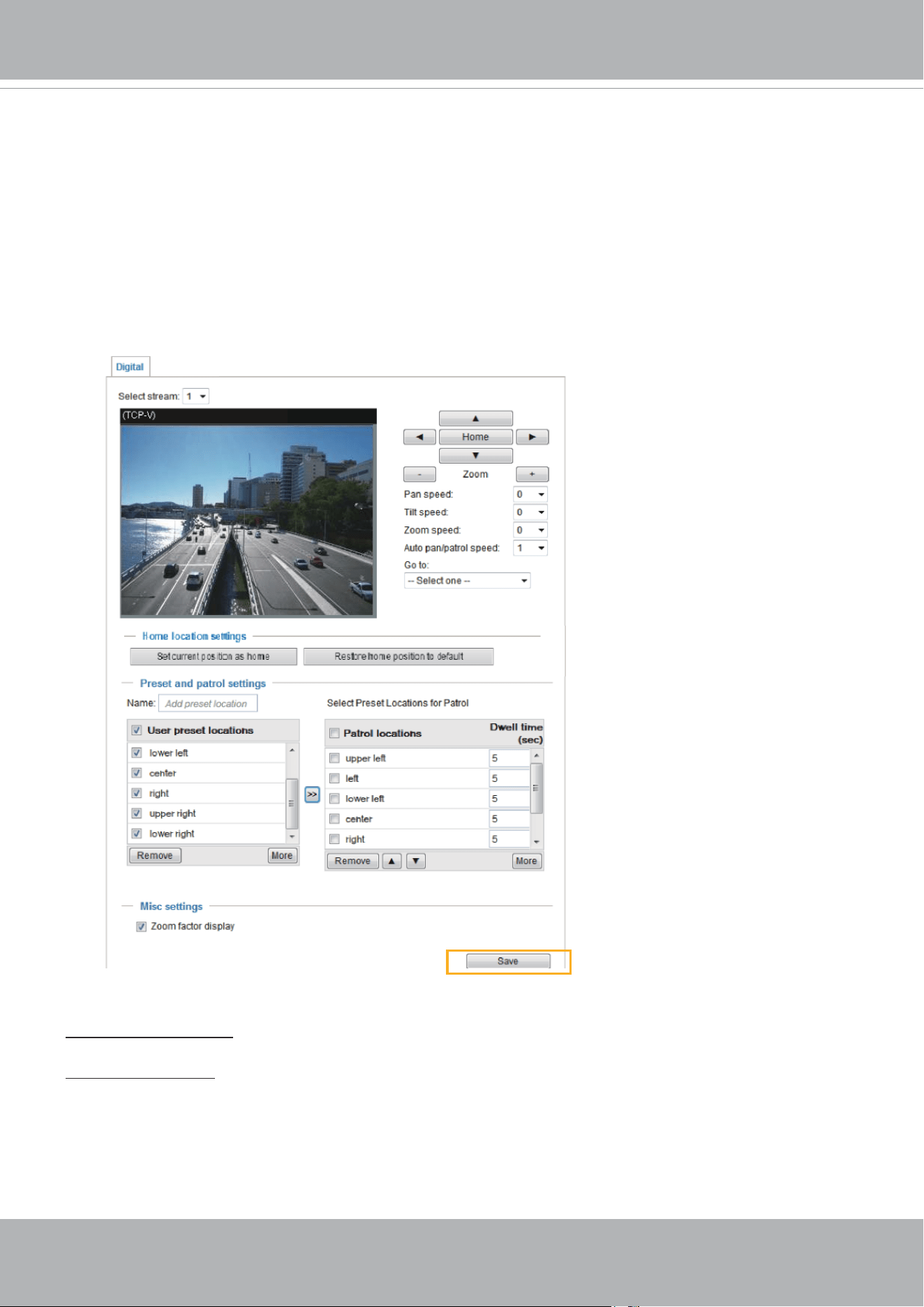
VIVOTEK
User's Manual - 135
PTZ > PTZ settings
This section explains how to control the Network Camera’s Pan/Tilt/Zoom operation.
Digital: Control the e-PTZ operation. Within a eld of view,it allows users to quickly move the
focus to a target area for close-up viewing without physically moving the camera.
Digital PTZ Operation (E-PTZ Operation)
The e-PTZ control settings section will be displayed as shown below:
For e-PTZ related details, please refer to page 137.
Auto pan/patrol speed: Select the speed from 1~5 (slow/fast) to set up the Auto pan/patrol speed control.
Zoom factor display
If you check this item, the zoom indicator will be displayed on the home page when you zoom in/out the
live viewing window as shown on the next page.
When completed with the e-PTZ settings, click Save to enable the settings on this page.
x1.8
x1.8
2019/05/20 09:57:30
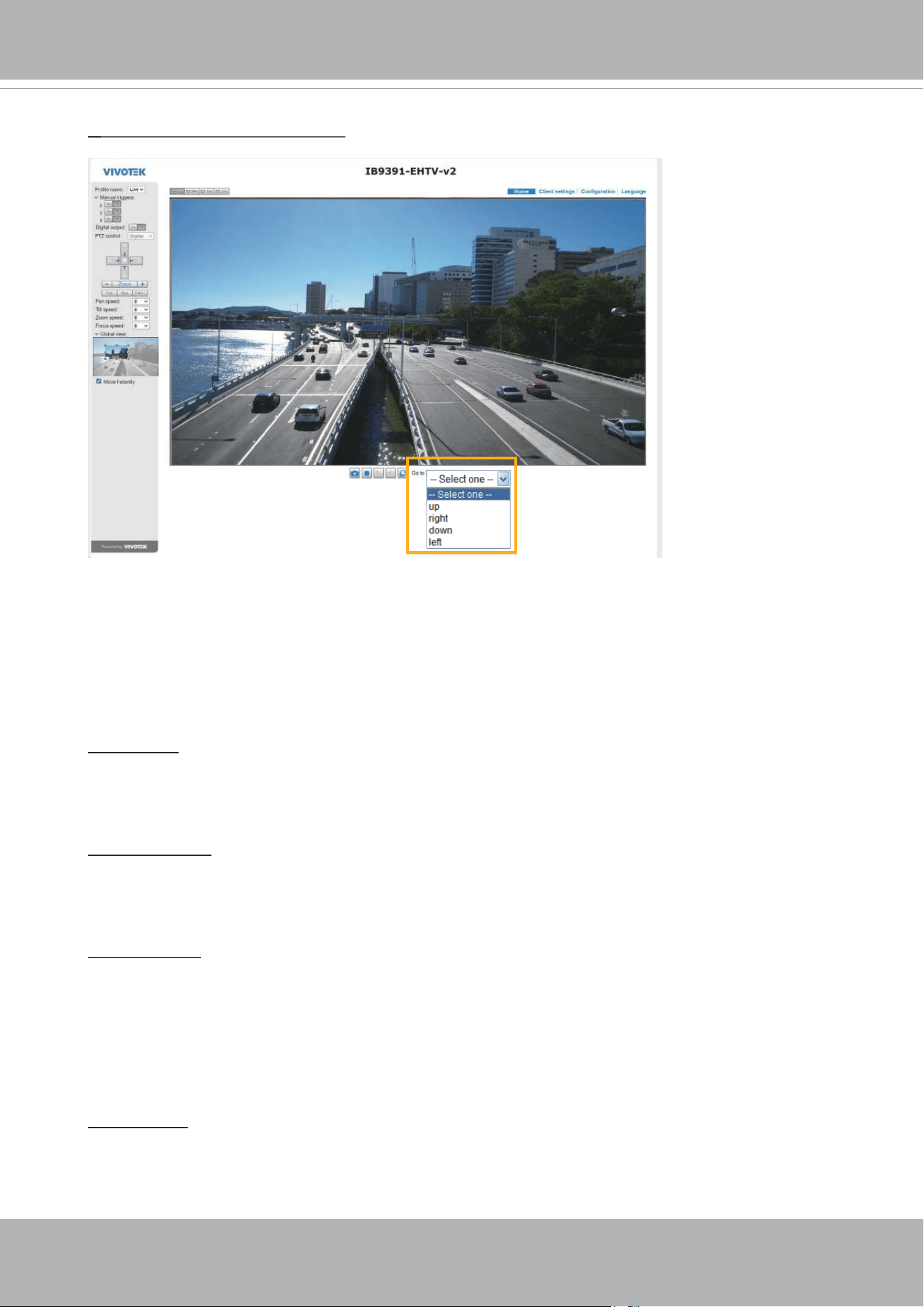
VIVOTEK
136 - User's Manual
Home page in the E-PTZ Mode
■ The e-Preset Positions will also be displayed on the home page. Select one from the drop-down
list, and the Network Camera will move to the selected position.
■ If you have set up different preset positions for different streams, you can select one of the video
streams to display its separate preset positions.
Global View
In addition to using the e-PTZ control panel, you can also use the mouse to drag or resize the
floating frame to pan/tilt/zoom the viewing region. The live view window will also move to the
viewing region accordingly.
Moving Instantly
If you check this item, the live view window will switch to the new viewing region instantly after you
move the oating frame. If not selected, the process of moving from one position to another will be
shown.
Click on Image
The e-PTZ function also supports “Click on Image“. When you click on any point of the Global View
Window or Live View Window, the viewing region will also move to that point.
Note that the”Click on Image” function only applies when you have congured a smaller “Region
of Interest” out of the maximum output frame! e.g., an 800 x 600 region from out of the camera’s
maximum frame size.
Patrol button: Click this button, then the Network Camera will patrol among the selected preset
positions continuously.
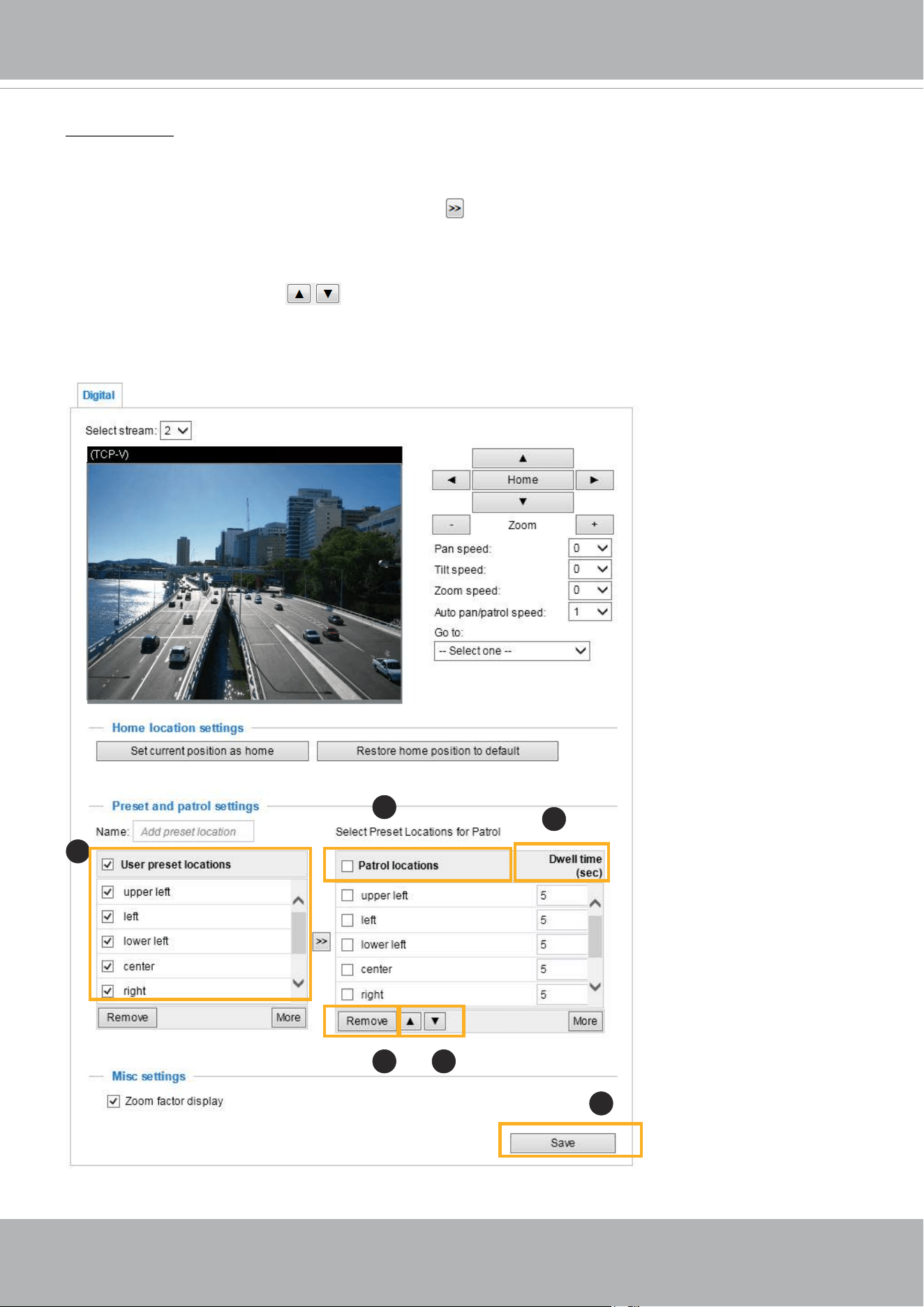
VIVOTEK
User's Manual - 137
Patrol settings
You can select some preset positions for the Network Camera to patrol.
Please follow the steps below to set up a patrol schedule:
1. Select the preset locations on the list, and click
.
2. The selected preset locations will be displayed on the Patrol locations list.
3. Set the Dwelling time for the preset location during an auto patrol.
4. If you want to delete a preset location from the Patrol locations list, select it and click Remove.
5. Select a location and click
to rearrange the patrol order.
6. Select patrol locations you want to save in the list and click Save to enable the patrol settings.
7. To implement the patrol schedule, please go to homepage and click on the Patrol button.
x1.8
2019/3/20 09:57:30
1
2
6
54
3

VIVOTEK
138 - User's Manual
NOTE:
• The Preset Positions will also be displayed on the Home page. Select one from the Go to
menu, and the Network Camera will move to the selected preset position.
• Click Patrol: The Network Camera will patrol along the selected positions repeatedly.
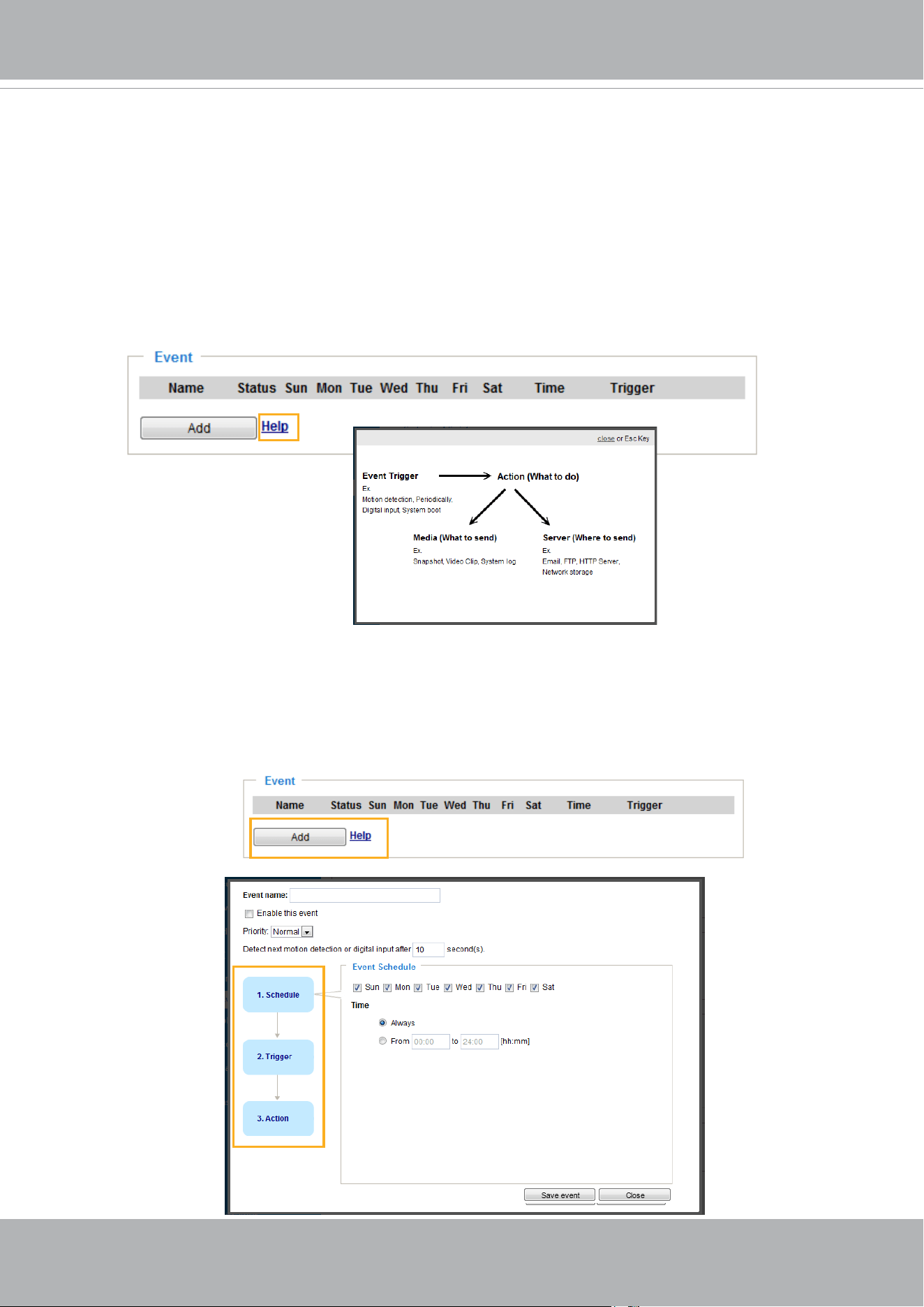
VIVOTEK
User's Manual - 139
Event > Event settings
This section explains how to congure the Network Camera to respond to particular situations
(event). A typical application is that when a motion is detected, the Network Camera sends
buffered images to an FTP server or e-mail address as notifications. Click on Help, there is
an illustration shown in the pop-up window explaining that an event can be triggered by many
sources, such as motion detection or external digital input devices. When an event is triggered,
you can specify what type of action that will be performed. You can configure the Network
Camera to send snapshots or videos to your email address or FTP site.
Event
To congure an event with reactive measures such as recording video or snapshots, it is necessary to
congure the server and media settings so that the Network Camera will know what action to take (such
as which server to send the media les to) when a trigger is activated. An event is an action initiated by a
user-dened trigger source
.
In the Event column, click Add to open the event settings window. Here you
can arrange three elements -- Schedule, Trigger, and Action to set an event. A total of 3 event settings
can be congured.
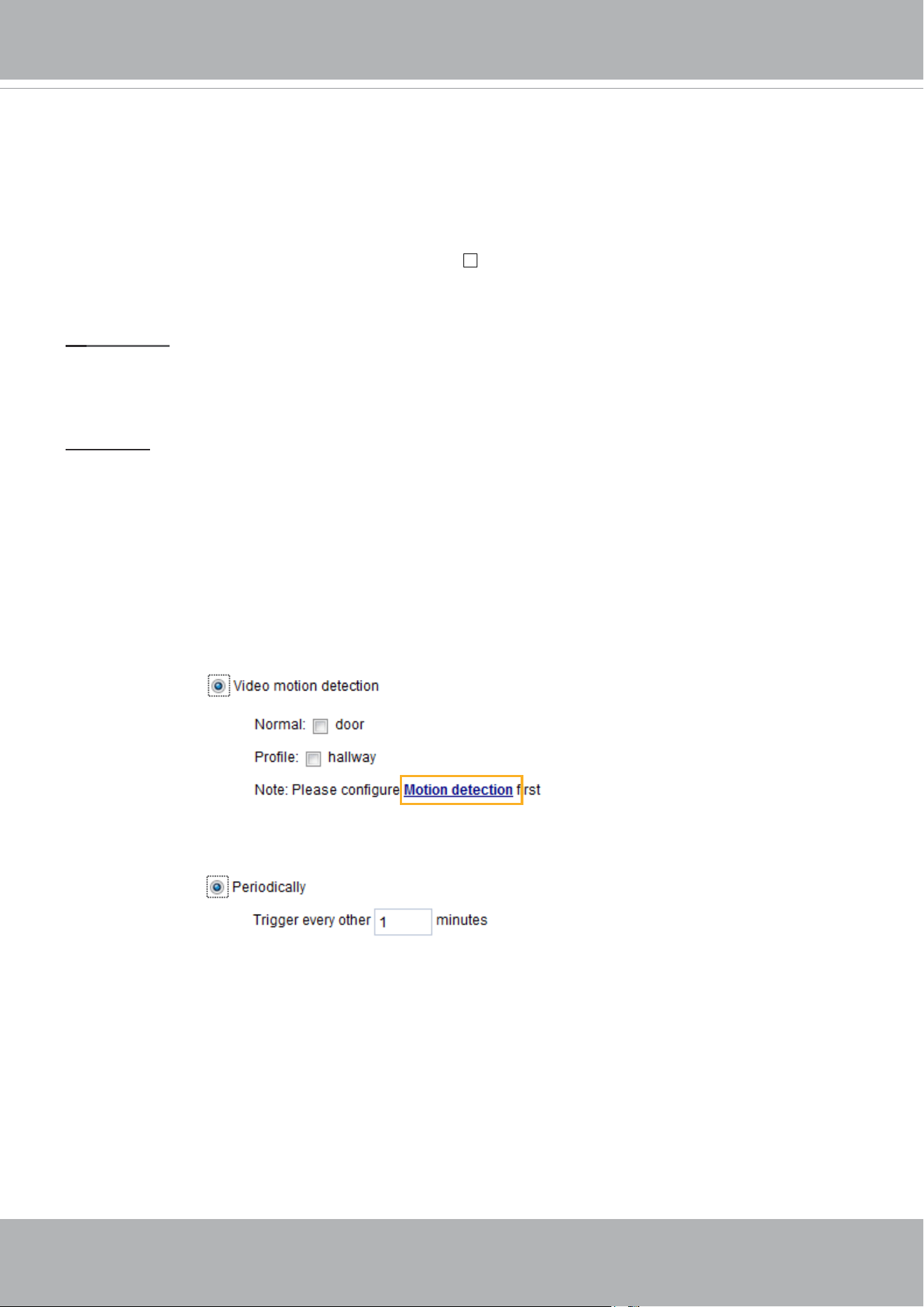
VIVOTEK
140 - User's Manual
■ Event name: Enter a name for the event setting.
■ Enable this event: Select this checkbox to enable the event setting.
■ Priority: Select the relative importance of this event (High, Normal, or Low). Events with a higher
priority setting will be executed rst.
■ Detect next motion detection or digital input after
seconds: Enter the duration in seconds to pause
motion detection after a motion is detected. This can prevent event-related actions to take place too
frequently.
1. Schedule
Specify the period of time during which the event trigger will take effect. Please select the days of the
week and the time in a day (in 24-hr time format) for the event triggering schedule. For example, you
may prefer an event to be triggered only during the off-ofce hours.
2. Trigger
This is the cause or stimulus which denes when to trigger the Network Camera. The trigger source can
be congured to use the Network Camera’s built-in motion detection mechanism or external digital input
devices.
There are several choices of trigger sources as shown on the next page.
Select the item to display the
detailed conguration options.
■ Video motion detection
This option makes use of the built-in motion detection mechanism as a trigger source. To enable this
function, you need to congure a Motion Detection Window rst. For more information, please refer to
Motion Detection on page 156 for details.
■ Periodically
This option allows the Network Camera to trigger periodically for every other dened minute. Up to 999
minutes are allowed.
■ Digital input
This option allows the Network Camera to use an external digital input device or sensor as a trigger
source. Depending on your application, there are many choices with digital input devices on the market
which help detect changes in temperature, vibration, sound, light, etc.
■ System boot
This option triggers the Network Camera when the power to the Network Camera is disconnected and
re-connected.
■ Recording notify
This option allows the Network Camera to trigger when the recording disk is full or when recording
starts to overwrite older data.
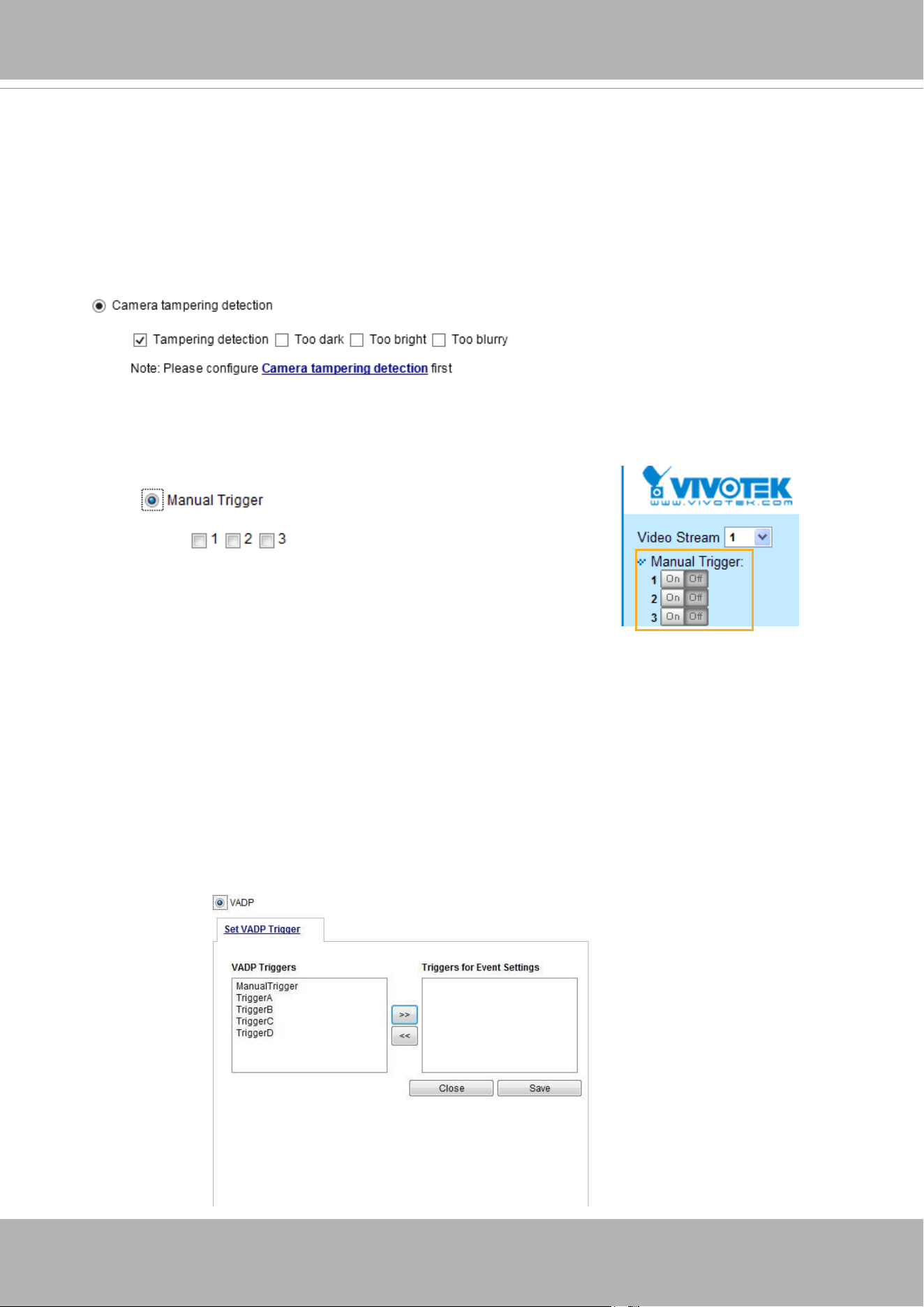
VIVOTEK
User's Manual - 141
■ Camera tampering detection
This option allows the Network Camera to trigger when the camera detects that is is being tampered
with. To enable this function, you need to congure the Tampering Detection option rst. Please refer
to page 159 for detailed information.
■ Manual Triggers
This option allows users to enable event triggers manually by clicking the on/off button on the
homepage. Please congure 1 to 3 associated events before using this function.
■ VADP
It is presumed that you already uploaded and enabled the VADP modules before you can associatee
VADP triggers with an Event setting.
Click on the Set VADP Trigger button to open the VADP setup menu. The triggering conditions
available with 3rd-party software modules known as VADP will be listed. Use the arrow buttons to
select these triggers. Users may implant these modules for different purposes such as triggering
motion detection, or applications related to video analysis, etc. Please refer to page 163 for the
conguration options with VADP modules.
■ Shock detection
A shock accelerometer comes with the camera. If impact to the camera occurs, such as someone tries
to destroy the camera, the impact can be detected and reported. The Shock detection conguration is
found in Conguration > Applications > Shock detection.
■ Audio detection
A preset threshold can be congured with an external microphone as the trigger to system event. The
triggering condition can be an input exceeding or falling below a threshold. Audio detection can take
place as a complement to motion detection or as a method to detect activities not covered by the
camera's view.
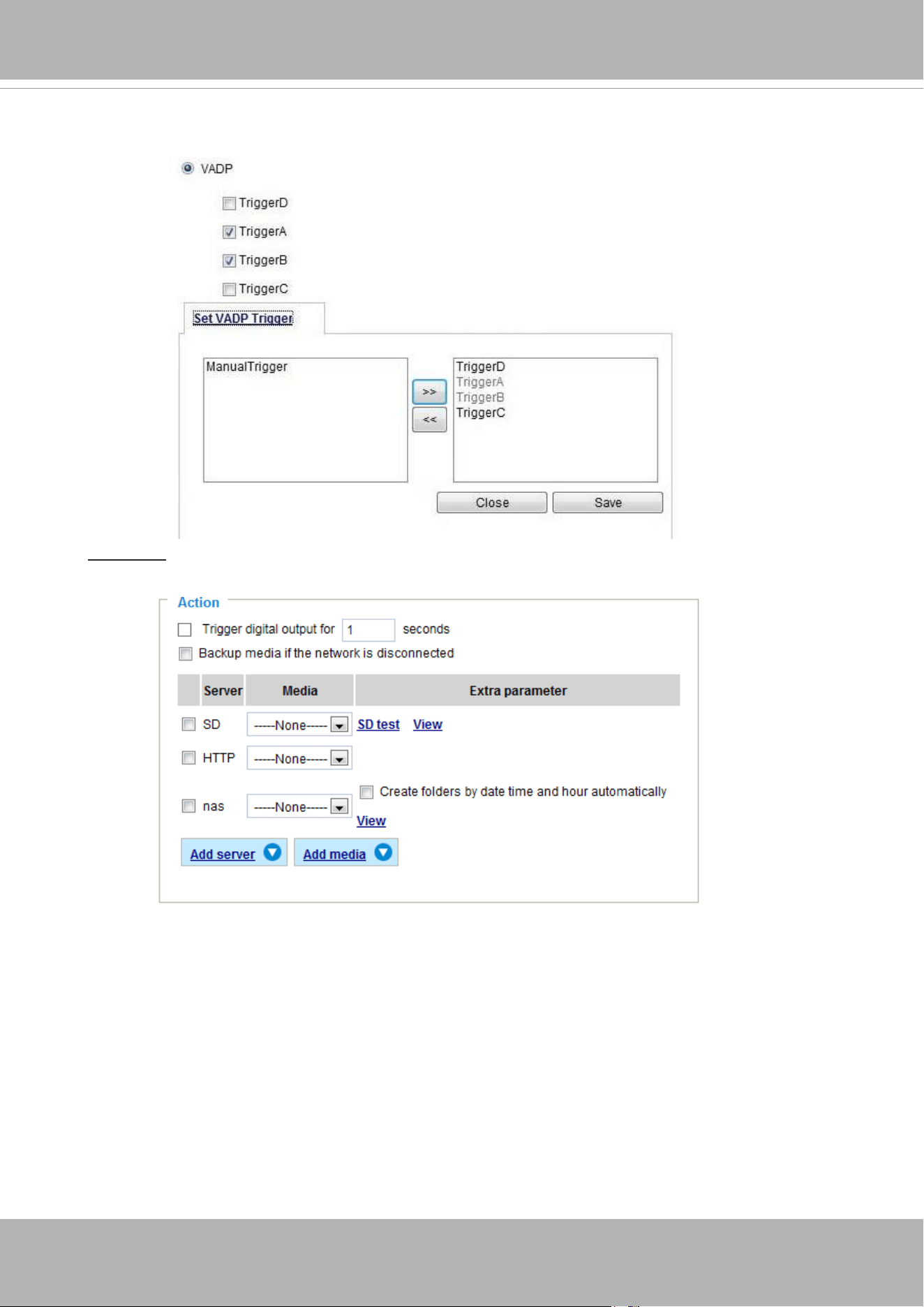
VIVOTEK
142 - User's Manual
3. Action
Dene the actions to be performed by the Network Camera when a trigger is activated.
■ Backup media if the network is disconnected
Select this option to backup media le on SD card if the network is disconnected. This function
will only be displayed after you set up a network storage (NAS). The media to back up can
include snapshot images, video, or system logs depending on your event settings.
Once the triggers are congured, they will be listed under the VADP option.
■ Play audio clip:
A pre-loaded audio clip can be congured to be played when one triggering condition is met. For
example, playing a warning message to deter an intruder.
■ Congure CameraLink
The camera can be associated with another camera with responsive actions. For example, if a
thermal camera detects some abnormal situations, e.g., a re, the camera can tell another camera,
say, a PTZ camera to move to a preset position to observe the current situation.
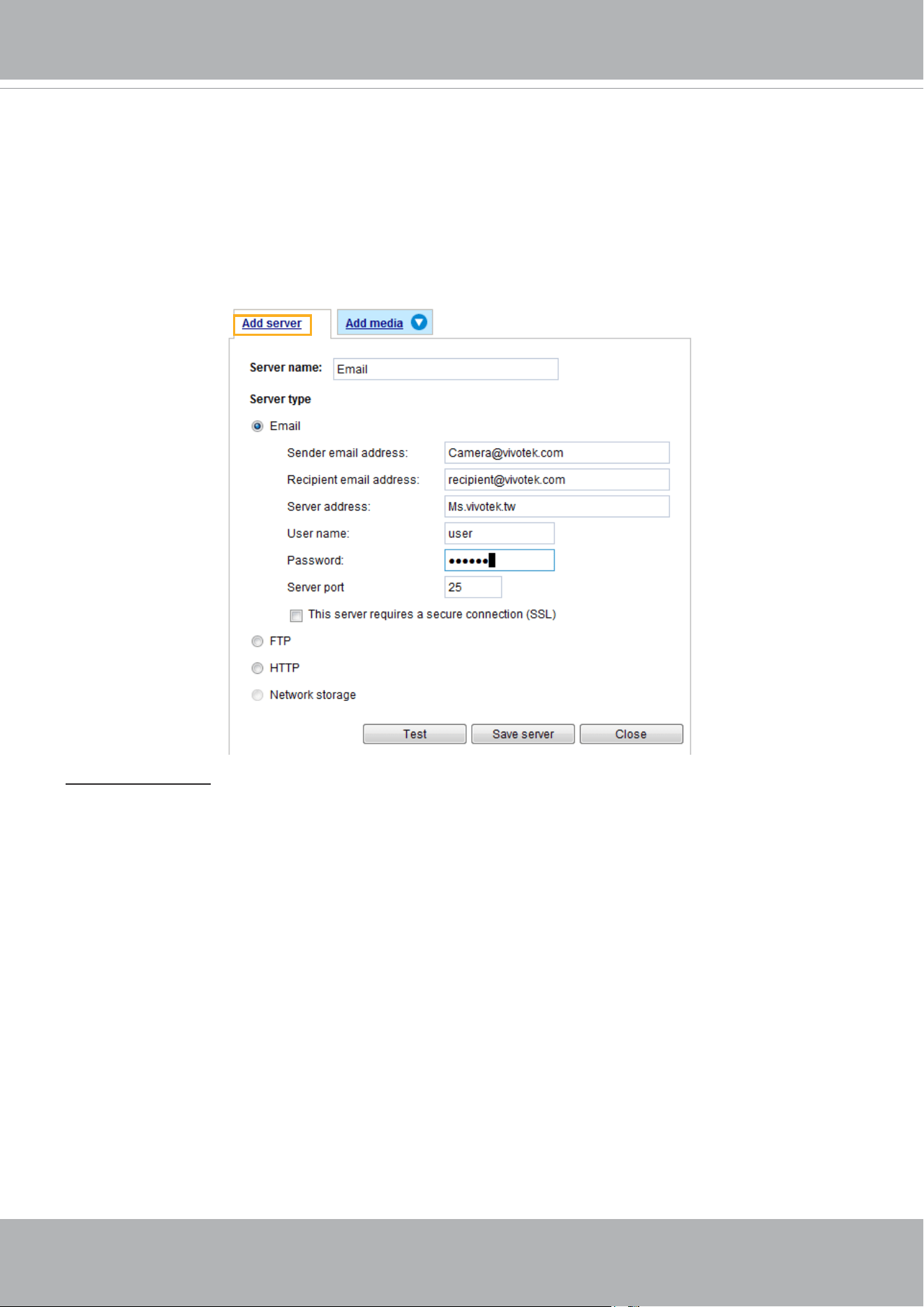
VIVOTEK
User's Manual - 143
Add server
It is necessary to congure the server and media settings so that the Network Camera will know what
action to take (such as which server to send the media les to) when a trigger is activated. Click
Add
server
to open the server setting window. You can specify where the notication messages are sent to
when a trigger is activated. A total of 5 server settings can be congured.
There are four choices of server types available: Email, FTP, HTTP, and Network storage.
Select the item
to display the detailed conguration options. You can congure either one or all of them.
Server type - Email
Select to send the media les via email when a trigger is activated.
■ Server name: Enter a name for the server setting.
■ Sender email address: Enter the email address of the sender.
■ Recipient email address: Enter the email address of the recipient.
■ Server address: Enter the domain name or IP address of the email server.
■ User name: Enter the user name of the email account if necessary.
■ Password: Enter the password of the email account if necessary.
■ Server port: The default mail server port is set to 25. You can also manually set another port.
If your SMTP server requires a secure connection (SSL), select This server requires a secure
connection (SSL).
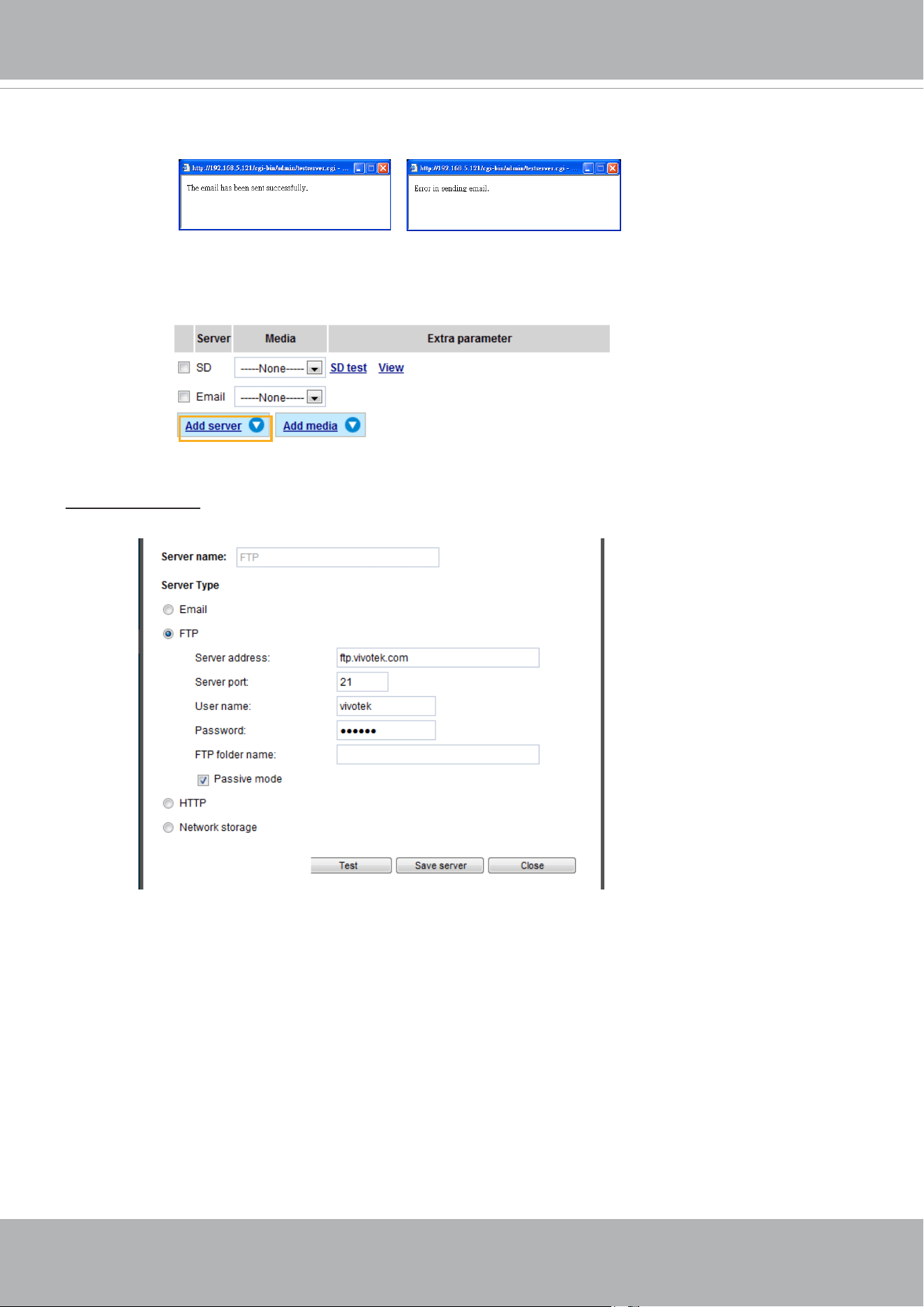
VIVOTEK
144 - User's Manual
To verify if the email settings are correctly congured, click Test. The result will be shown in a pop-up
window. If successful, you will also receive an email indicating the result.
Click Save server to enable the settings.
Note that after you congure the rst event server, the new event server will automatically display on the
Server list. If you wish to add other server options, click Add server.
Server type - FTP
Select to send the media les to an FTP server when a trigger is activated.
■ Server name: Enter a name for the server setting.
■ Server address: Enter the domain name or IP address of the FTP server.
■ Server port: By default, the FTP server port is set to 21. It can also be assigned to another port number
between 1025 and 65535.
■ User name: Enter the login name of the FTP account.
■ Password: Enter the password of the FTP account.
■ FTP folder name
Enter the folder where the media les will be placed. If the folder name does not exist, the Network
Camera will automatically create one on the FTP server.
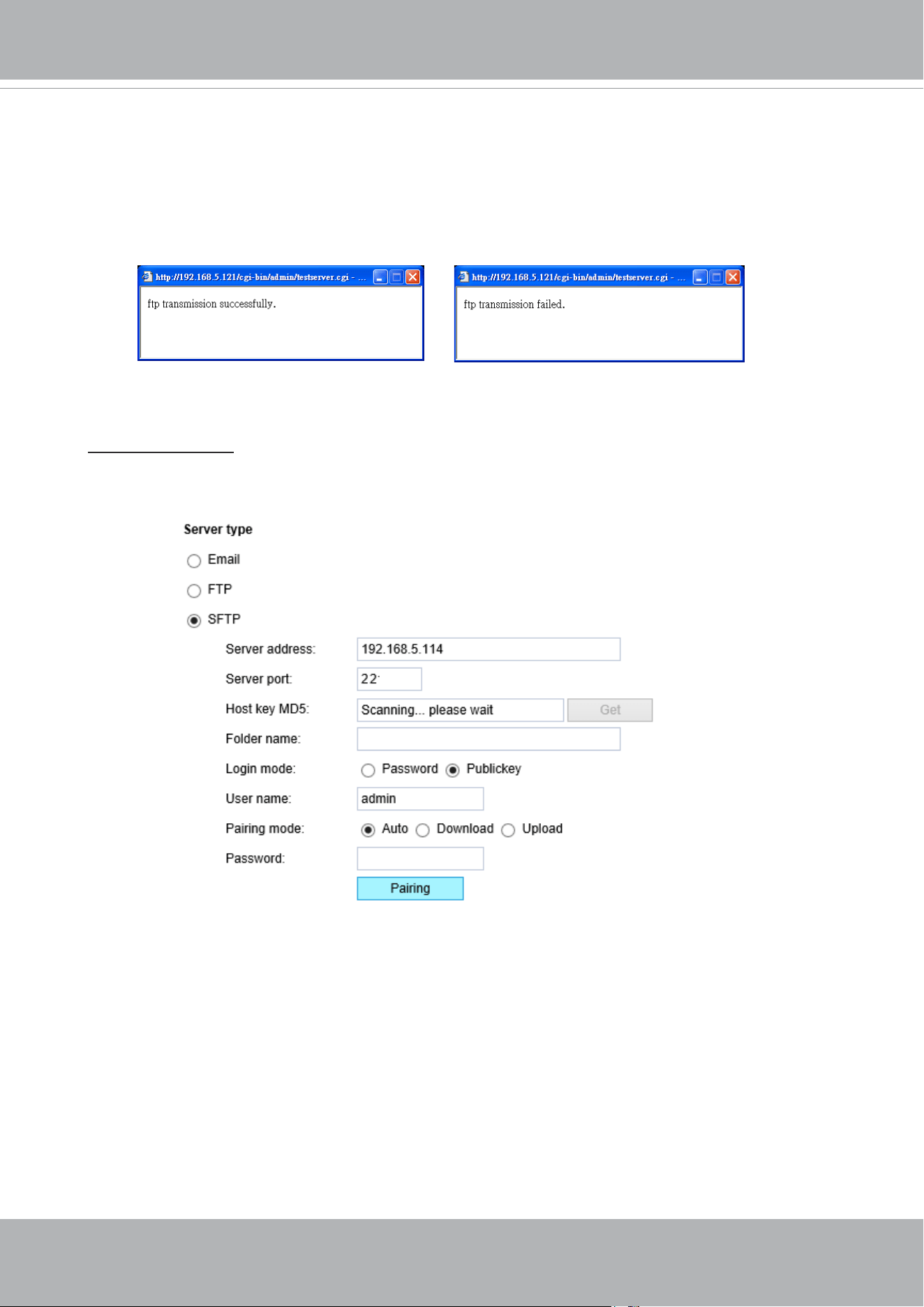
VIVOTEK
User's Manual - 145
■ Passive mode
Most firewalls do not accept new connections initiated from external requests. If the FTP
server supports passive mode, select this option to enable passive mode FTP and allow data
transmission to pass through the rewall. The rmware default has the Passive mode checkbox
selected.
To verify if the FTP settings are correctly congured, click Test. The result will be shown in a pop-
up window as shown below. If successful, you will also receive a test.txt le on the FTP server.
Click Save server to enable the settings.
Server type - SFTP
Select to send the media files to an SFTP (Secure File Transfer Protocol) server when a trigger is
activated. This page contains the client side settings.
■ Server address: Enter the SFTP server address in either the domain name or IP address.
■ Server port: By default, the FTP server port is set to 22. It can also be assigned to another port number
between 1025 and 65535.
■ Host key MD5: You have the option to use public/private key authentication instead of a username and
password to connect to the server. This option requires that you have a private/public SSH key pair,
and that the public key is in place on your SFTP server.
If you wish to Use key authentication for this SFTP server, click the Get (Read Fingerprint) button to
request the public key ngerprint from the server. The host key MD5 is a hash of the FTP server’s
public key, which the camera stores in order to verify that it is connecting to the correct SFTP server.
You can copy that ngerprint and save it for later reference.
The max. length of MD5 ngerprint is 47 characters.
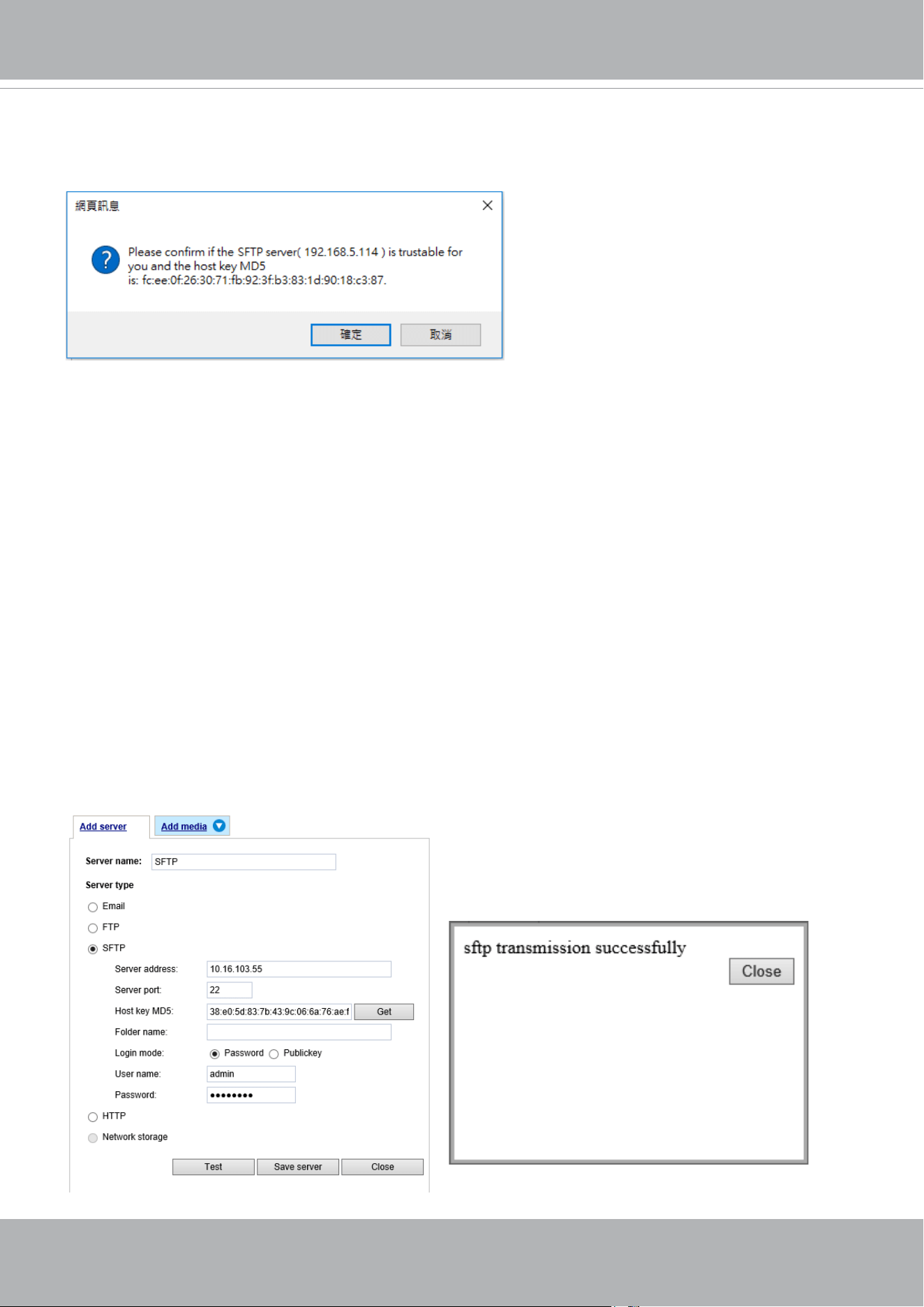
VIVOTEK
146 - User's Manual
Password mode:
■ User name: Enter the login name of the SFTP account.
■ Password: Enter the password of the SFTP account.
■ Folder name
Enter the folder where the media file will be placed. If the folder name does not exist, the Network
Camera will create one on the SFTP server.
Use backslash “\” when you need to specify a path. Leave it blank to use the SFTP server’s default
root directory. The max. length of folder name is 128 characters.
■ Login mode
Select a Login mode as either the Password or the Public key mode.
When using SFTP, you can authenticate using a public/private SSH key pair instead of a password.
If key authentication is not enabled, you need to specify a password instead. The administrator of the
SFTP server will need to manually add the corresponding public key to the SFTP server.
If key authentication is not preferred, you can specify a username and password in the section below.
An RSA key ngerprint will look like this: da:47:93:b4:3a:90:5b:50:1f:20:a8:f9:b7:a1:d0:e1. Verify if this
is the SFTP server you want to connect to.
Use the Test button to test the connectivity. When
done, enter the server name and click the Save server
button to preserve your settings.
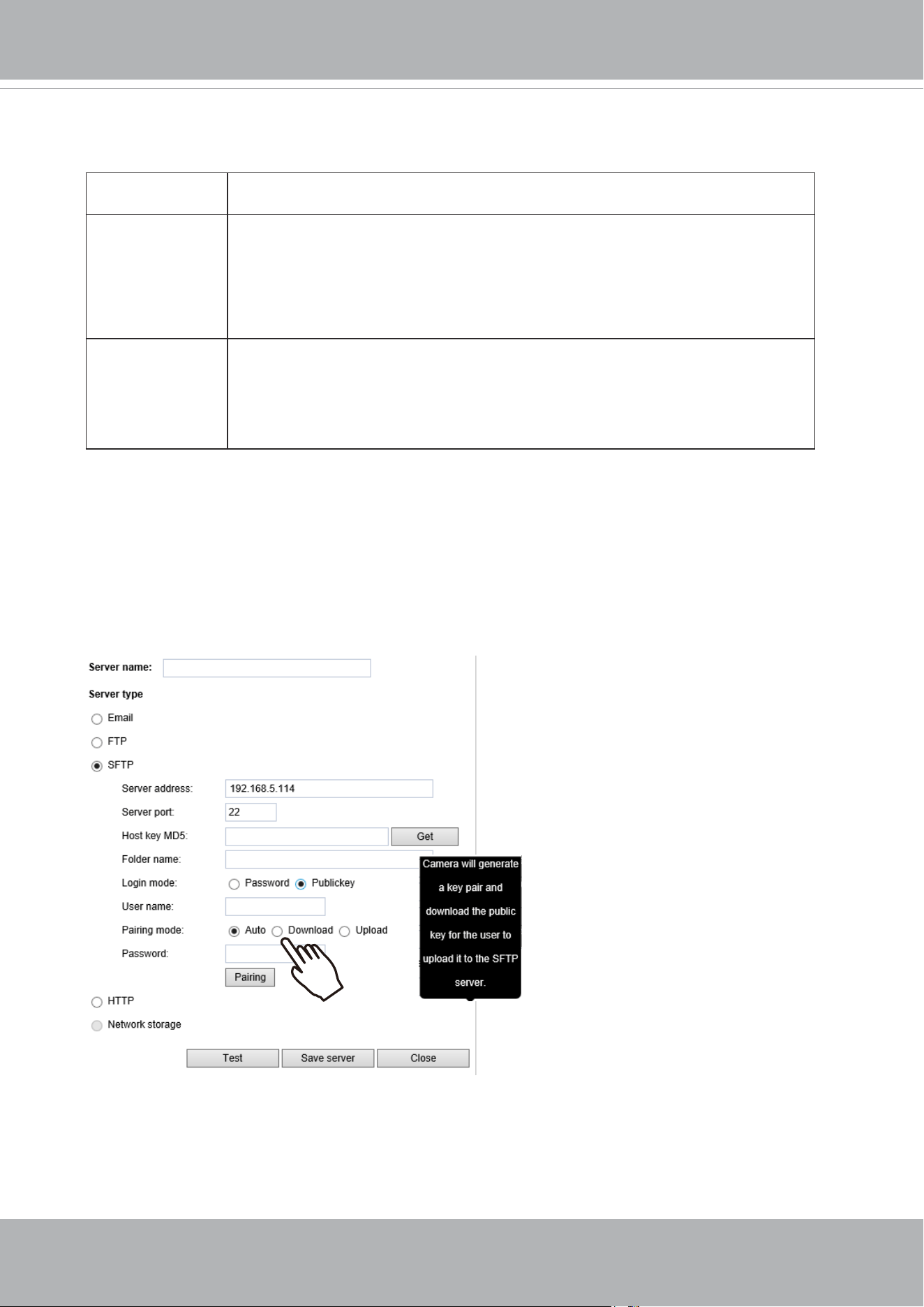
VIVOTEK
User's Manual - 147
Publickey mode:
Selecting the Public key mode will bring up the Pairing mode options: Auto, Download, Upload.
Auto Camera will generate a key pair and auto pair public key with the SFTP
server.
Download Camera will generate a key pair and download the public key for the user to
upload it to the SFTP server. The supported formats are: ED25519 (default.
Elliptic curve signature scheme Edwards-curve Digital Signature Algorithm;
with faster key creation, encryption and decryption), RSA (Rivest–Shamir–
Adleman, with greater portability), ECDSA (Elliptic Curve Digital Signature
Algorithm).
Upload Upload the private key here and upload the public key to the SFTP server.
A private key is a guarded secret and it can be stored on disk in an encrypted
form. A passphrase is used in order to decrypt it. It is a login password to the
SSH server, the passphrase is only used to decrypt the private key on the
local system. The passphrase is not transmitted over the network.
When using SFTP, you can authenticate using a public/private SSH key pair instead of a password.
If key authentication is not enabled, you need to specify a password instead. The administrator of the
SFTP server will need to manually add the corresponding public key to the SFTP server.
The key benefit of a key-based authentication is that instead of a using a password, you are less
vulnerable to brute-force attacks and you do not expose valid credentials, if the server has been
compromised.
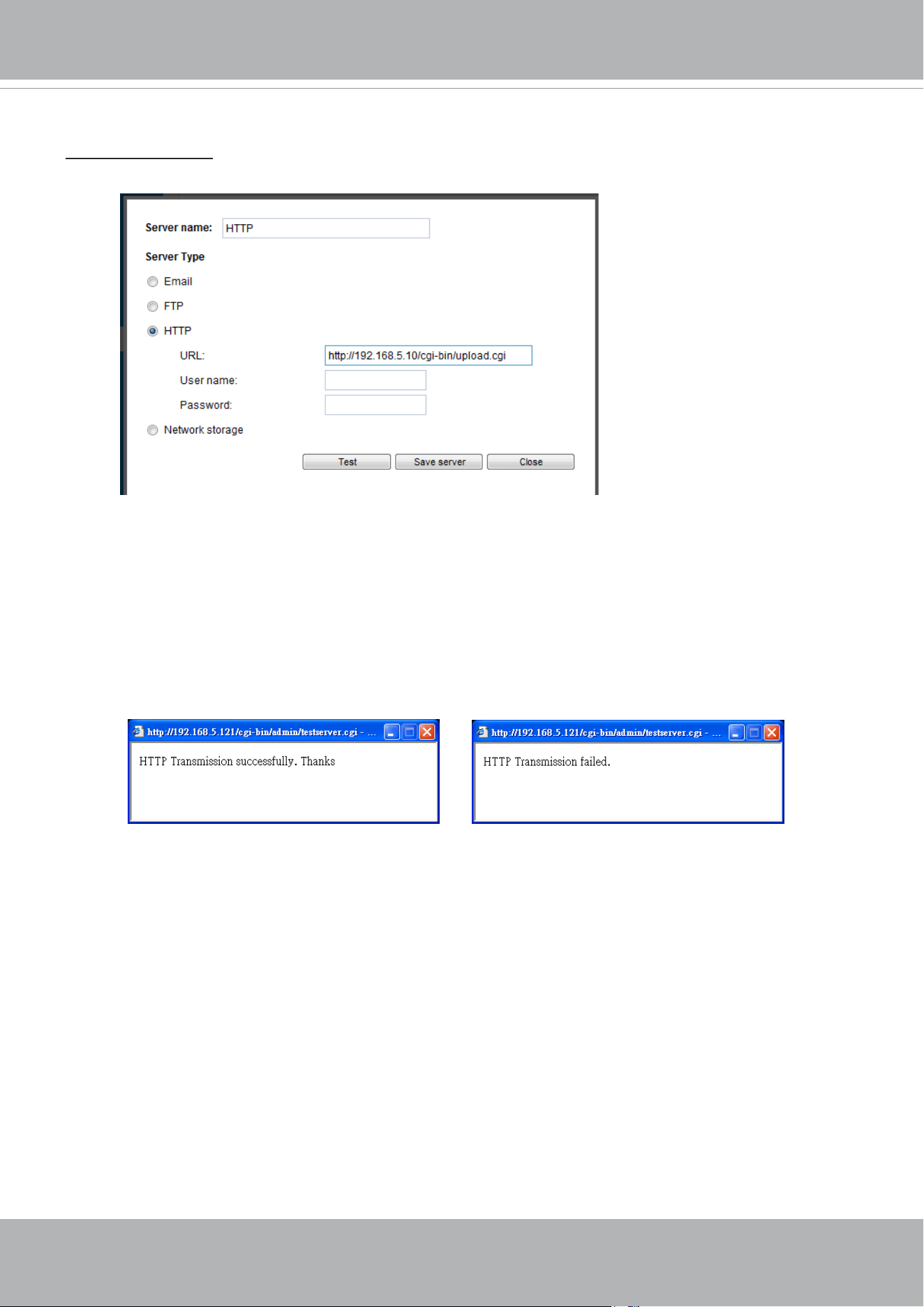
VIVOTEK
148 - User's Manual
Server type - HTTP
Select to send the media les to an HTTP server when a trigger is activated.
■ Server name: Enter a name for the server setting.
■ URL: Enter the URL of the HTTP server.
■ User name: Enter the user name if necessary.
■ Password: Enter the password if necessary.
To verify if the HTTP settings are correctly congured, click Test. The result will be shown in a pop-up
window as shown below. If successful, you will receive a test.txt le on the HTTP server.
Click Save server to enable the settings.
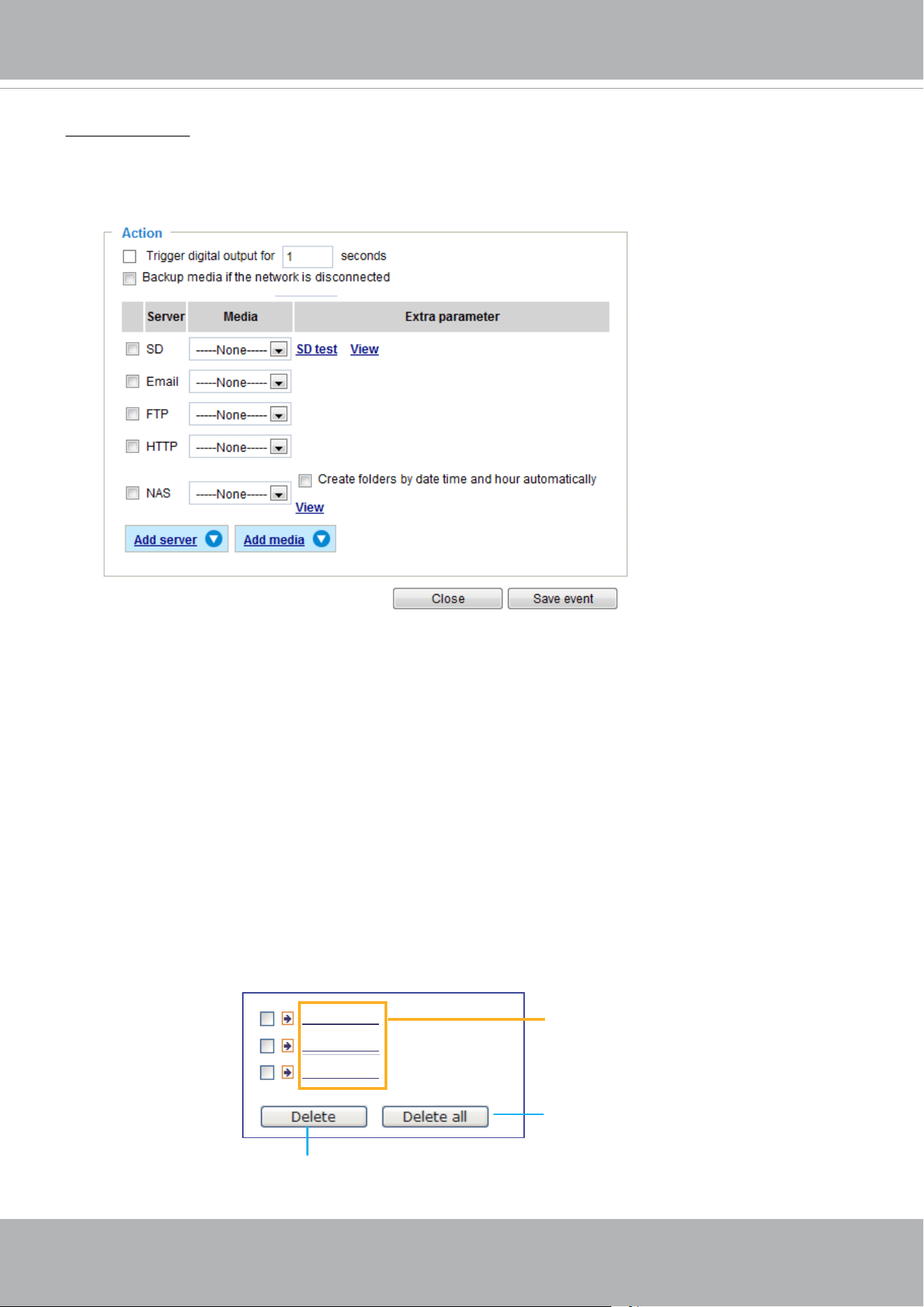
VIVOTEK
User's Manual - 149
Network storage:
Select to send the media les to a networked storage when a trigger is activated. Please refer to NAS
server on page 169 for details. Note that only one NAS server can be congured.
Click Save server to enable the settings.
■ SD Test: Click to test your SD card. The system will display a message indicating the result as a
success or a failure. If you want to use your SD card for local storage, please format it before use.
Please refer to page 151 for detailed information.
■ View: Click this button to open a le list window. This function is only for SD card and Network Storage.
If you click the View button for an SD card, a Local storage page will prompt so that you can manage
the recorded les on SD card. For more information about Local storage, please refer to page 171.
If you click the View button for a Network storage, a le directory window will prompt for you to view
recorded data on Network storage. For detailed illustration, please refer to the next page.
■ Create folders by date, time, and hour automatically: If you select this item, the system will
automatically create folders by the date when video footages are stored onto the networked storage.
The following is an example of a le destination with video clips:
20190120
20190121
20190122
Click to delete selected items
Click to delete all recorded data
The format is: YYYYMMDD
Click to open the directory
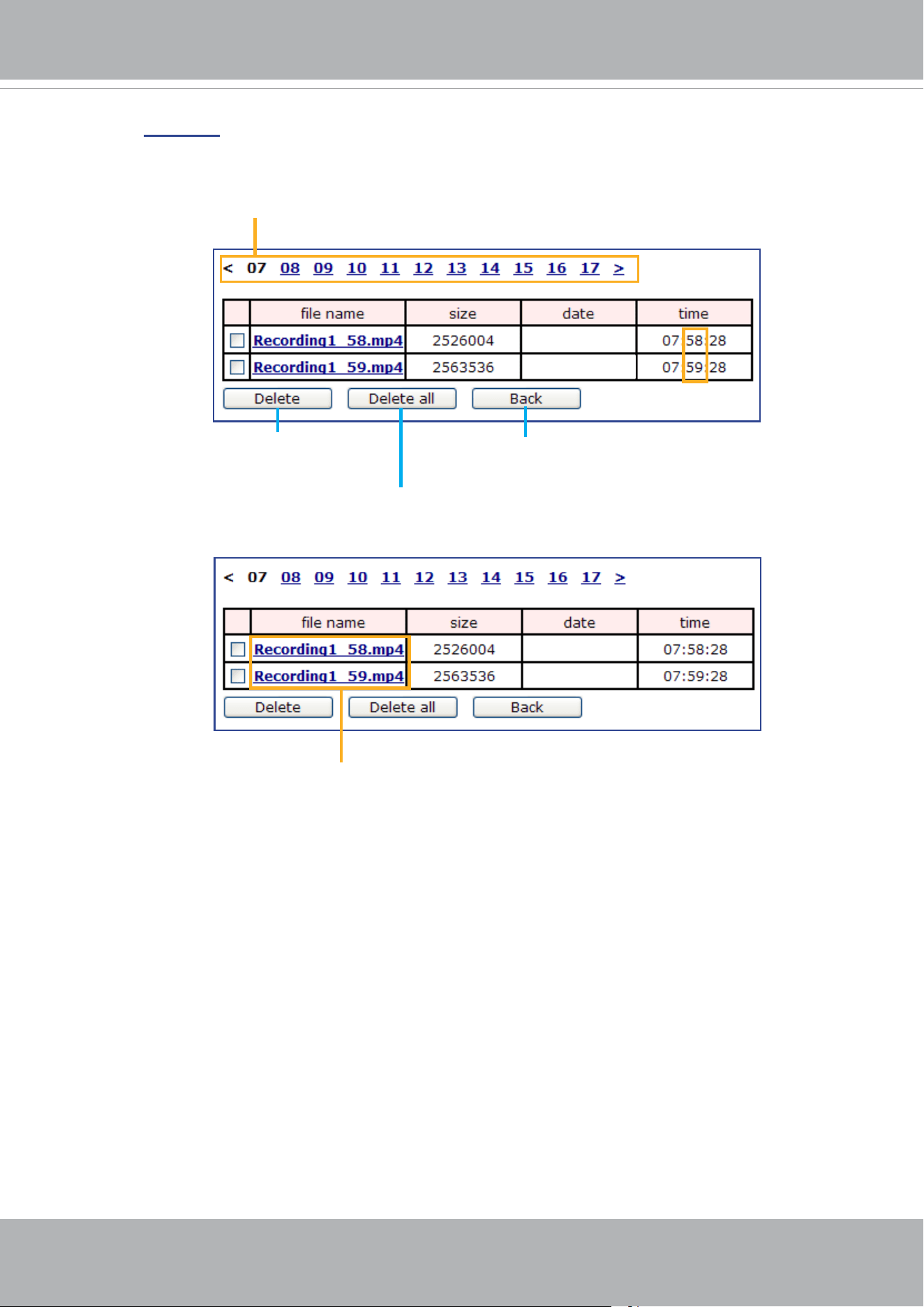
VIVOTEK
150 - User's Manual
Click 20190120 to open the directory:
Click to delete
selected items
Click to delete all
recorded data
Click to go back to the previous
level of the directory
The format is: HH (24r)
Click to open the le list for that hour
The format is: File name prex + Minute (mm)
You can set up the le name prex on Add media page. Please
refer to
next page for detailed information.
2019/01/20
2019/01/20
2019/01/20
2019/01/20
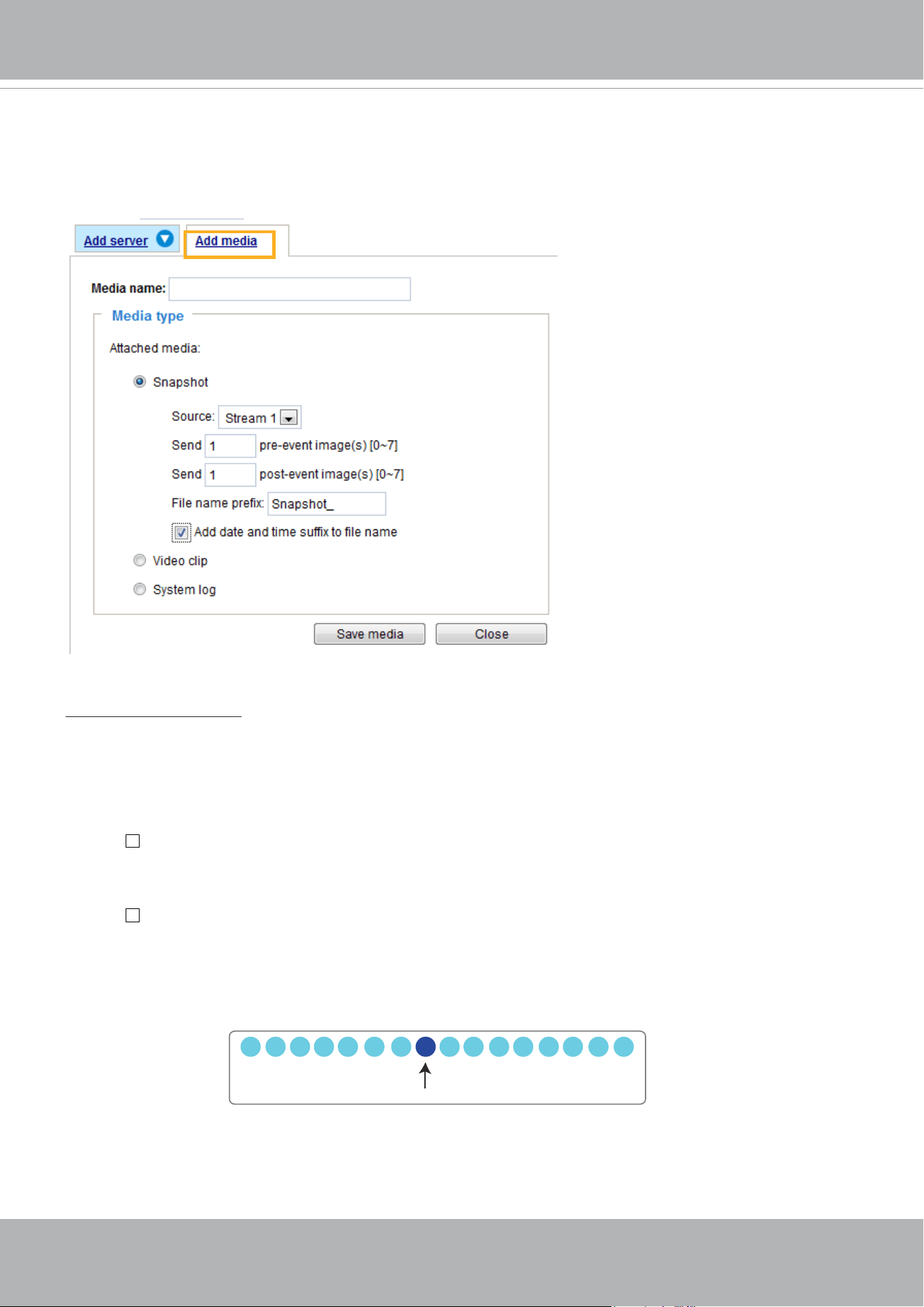
VIVOTEK
User's Manual - 151
Add media
Click
Add media
to open the media setting window. You can specify the type of media that will be
sent when a trigger is activated. A total of 5 media settings can be congured. There are three choices
of media types available: Snapshot, Video Clip, and System log.
Select the item to display the detailed
conguration options. You can congure either one or all of them.
Media type - Snapshot
Select to send snapshots when a trigger is activated.
■ Media name: Enter a name for the media setting.
■ Source: Select to take snapshots from any of the video streams.
■ Send
pre-event images
The Network Camera has a buffer to temporarily hold data up to a certain limit. Enter a number to
decide how many images to capture before a trigger is activated. Up to 7 images can be generated.
■ Send
post-event images
Enter a number to decide how many images to capture after a trigger is activated. Up to 7 images can
be generated.
For example, if both the Send pre-event images and Send post-event images are set to 7, a total of 15
images can be generated after a trigger is activated.
■ File name prex
Enter the text that will be appended to the front of the le name.
1 pic. 2 pic. 3 pic. 4 pic. 5 pic. 6 pic. 7 pic. 8 pic. 9 pic.
10 pic. 11 pic. 10 pic. 12 pic. 13 pic. 14 pic. 15 pic.
Trigger Activation
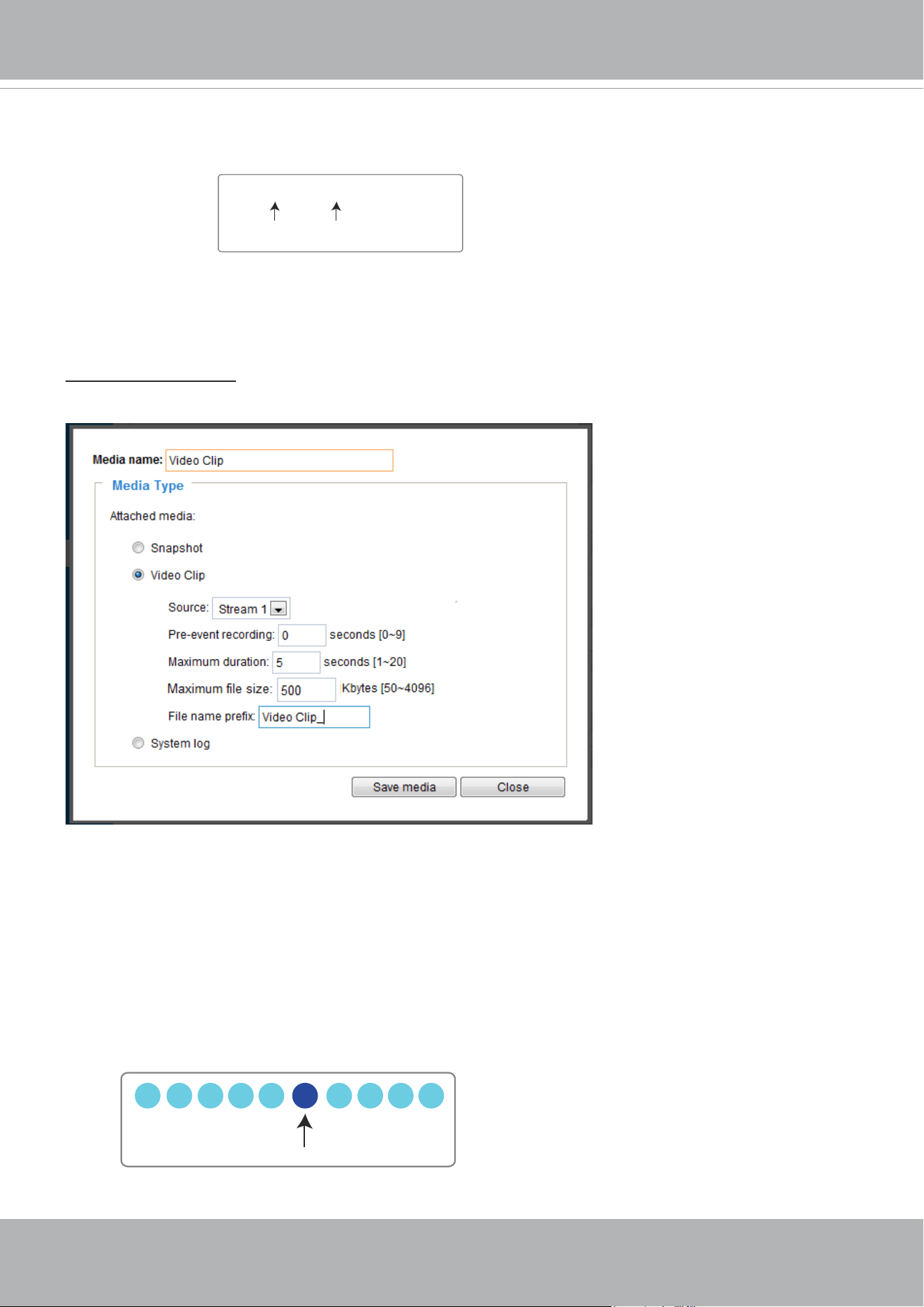
VIVOTEK
152 - User's Manual
■ Add date and time sufx to the le name
Select this option to add a date/time sufx to the le name.
For example:
Click Save media to enable the settings.
Note that after you set up the rst media server, a new column for media server will automatically display
on the Media list. If you wish to add more media options, click Add media.
Media type -
Video clip
Select to send video clips when a trigger is activated.
■ Media name: Enter a name for the media setting.
■ Source: Select a video stream as the source of video clip.
■ Pre-event recording
The Network Camera has a buffer to temporarily hold data up to a certain limit. Enter a number to
decide the duration of recording before a trigger is activated. Up to 9 seconds can be set.
■ Maximum duration
Specify the maximum recording duration in seconds. The duration can be up to 10 seconds.
For example, if pre-event recording is set to five seconds and the maximum duration is set to ten
seconds, the Network Camera continues to record for another 4 seconds after a trigger is activated.
Snapshot_20190513_100341
Date and time suffix
The format is: YYYYMMDD_HHMMSS
File name prefix
1 sec. 2 sec. 3 sec. 4 sec. 5 sec. 6 sec. 7 sec. 8 sec. 9 sec. 10 sec.
Trigger Activation
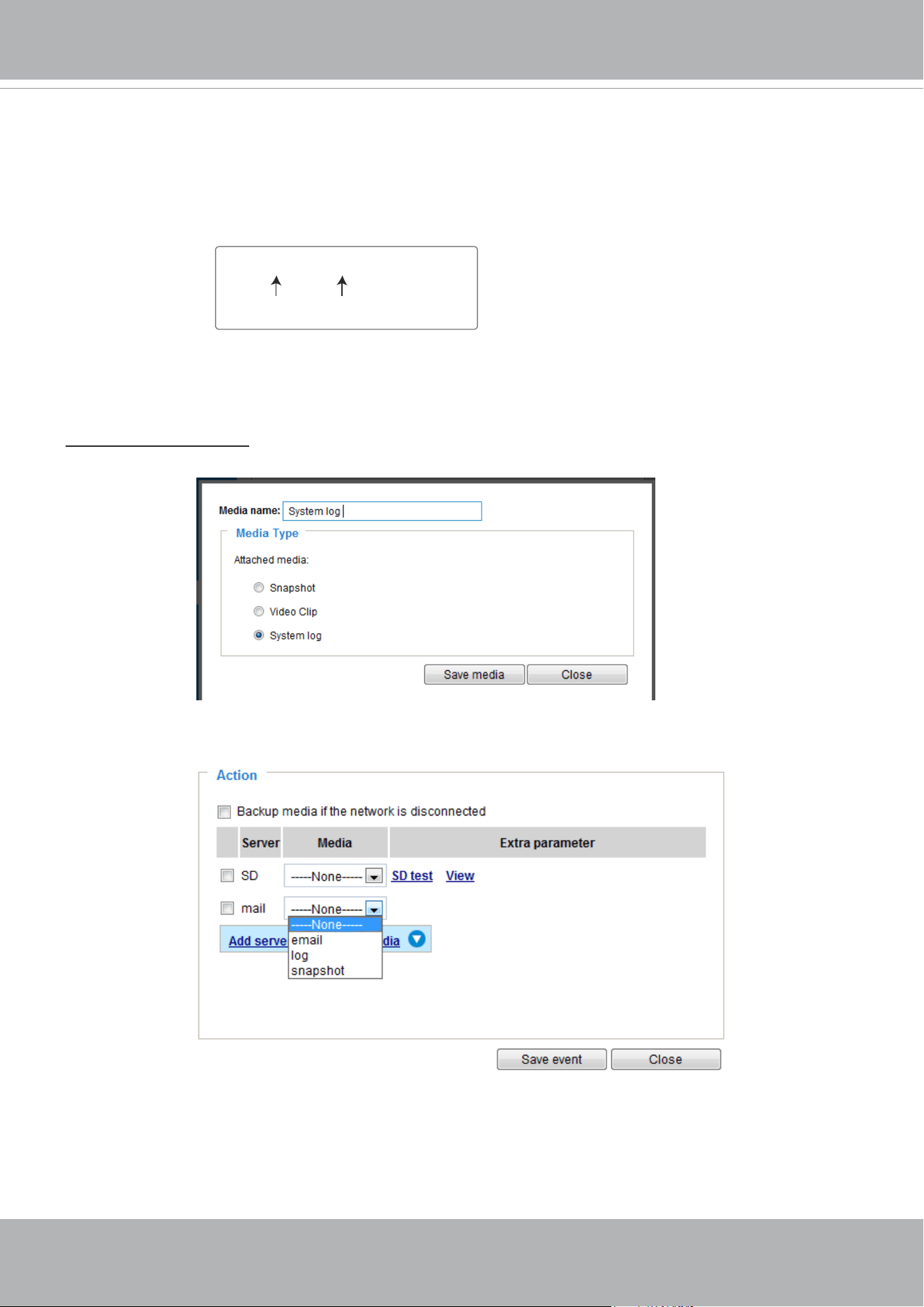
VIVOTEK
User's Manual - 153
■ Maximum le size
Specify the maximum le size allowed. Some users may need to stitch the video clips together when
searching and packing up forensic evidence.
■ File name prex
Enter the text that will be appended to the front of the le name.
For example:
Click Save media to enable the settings.
Media type - System log
Select to send a system log when a trigger is activated.
Click Save media to enable the settings, then click Close to exit the page.
Video_20190513_100341
Date and time suffix
The format is: YYYYMMDD_HHMMSS
File name prefix
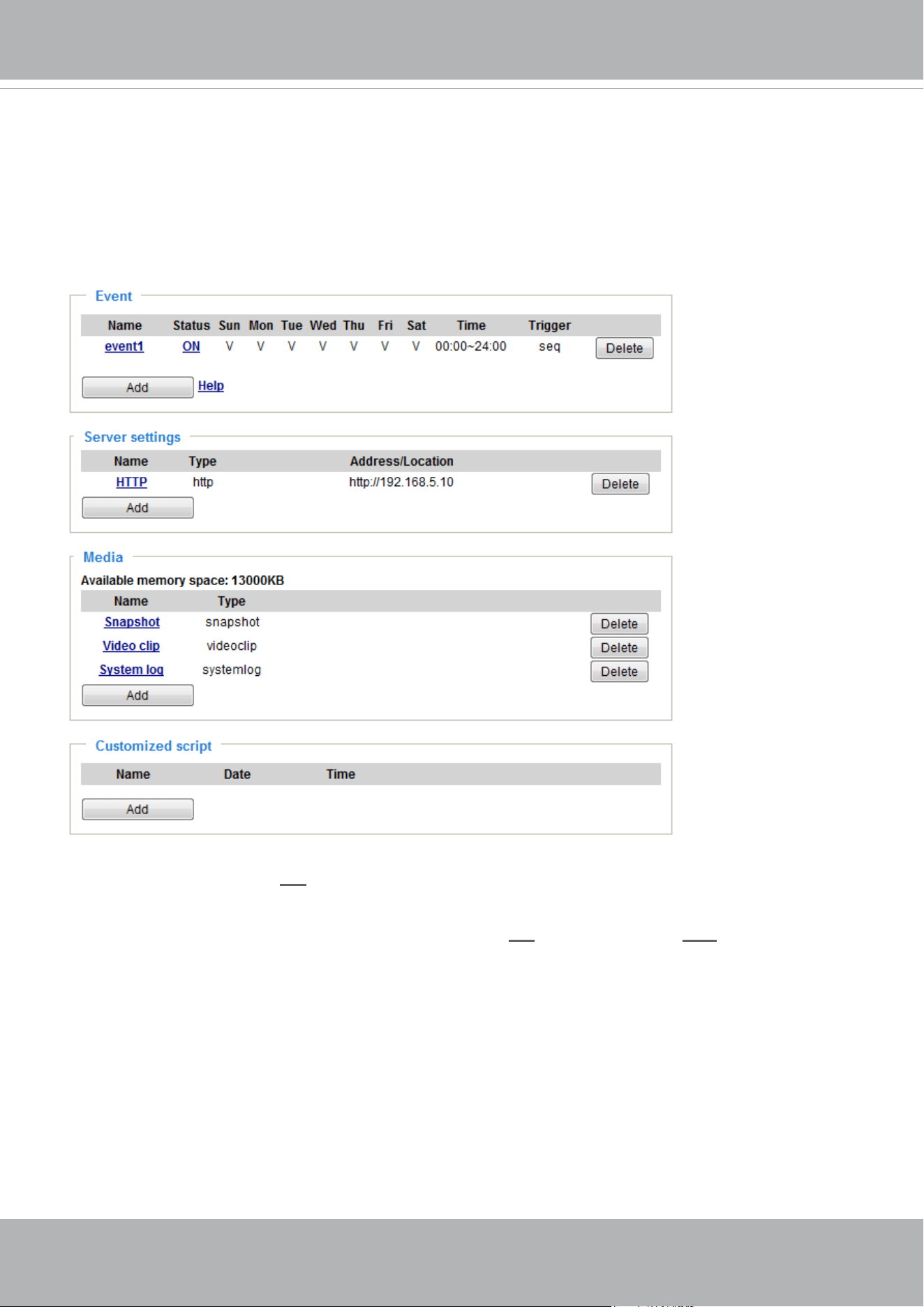
VIVOTEK
154 - User's Manual
In the Event settings column, the Servers and Medias you congured will be listed; please make sure the
Event -> Status is indicated as ON, in order to enable the event triggering action.
When completed, click the Save event button to enable the settings and click Close to exit Event
Settings page. The new Event / Server settings / Media will appear in the event drop-down list on the
Event setting page.
Please see the example of the Event setting page below:
When the Event Status is ON, the event configuration above is triggered by motion detection, the
Network Camera will automatically send snapshots via e-mail.
If you want to stop the event trigger, you can click on the
ON button to turn it to OFF status or click the
Delete button to remove the event setting.
To remove a server setting from the list, select a server name from the drop-down list and click Delete.
Note that you can only delete a server setting when it is not applied in an existing event setting.
To remove a media setting from the list, select a media name from the drop-down list and click Delete.
Note that you can only delete a media setting when it is not applied in an existing event setting.
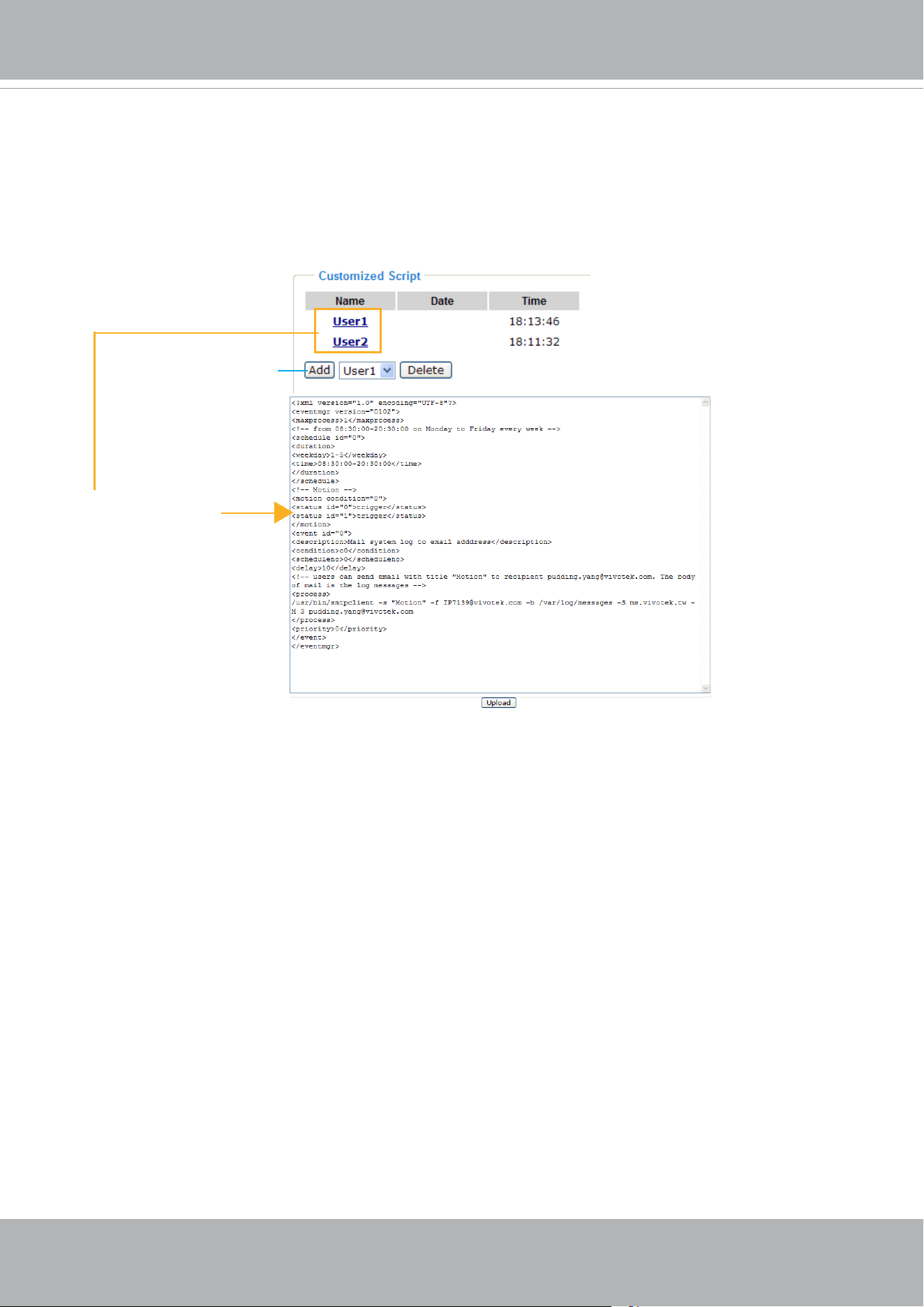
VIVOTEK
User's Manual - 155
Customized Script
This function allows you to upload a sample script (.xml le) to the camera, which will save your time on
conguring the settings. Please note that there is a limited number of customized scripts you can upload;
if the current amount of customized scripts has reached the limit, an alert message will prompt. If you
need more information, please contact VIVOTEK technical support.
20190213
20190213
Click to upload a le
Click to modify the
script online
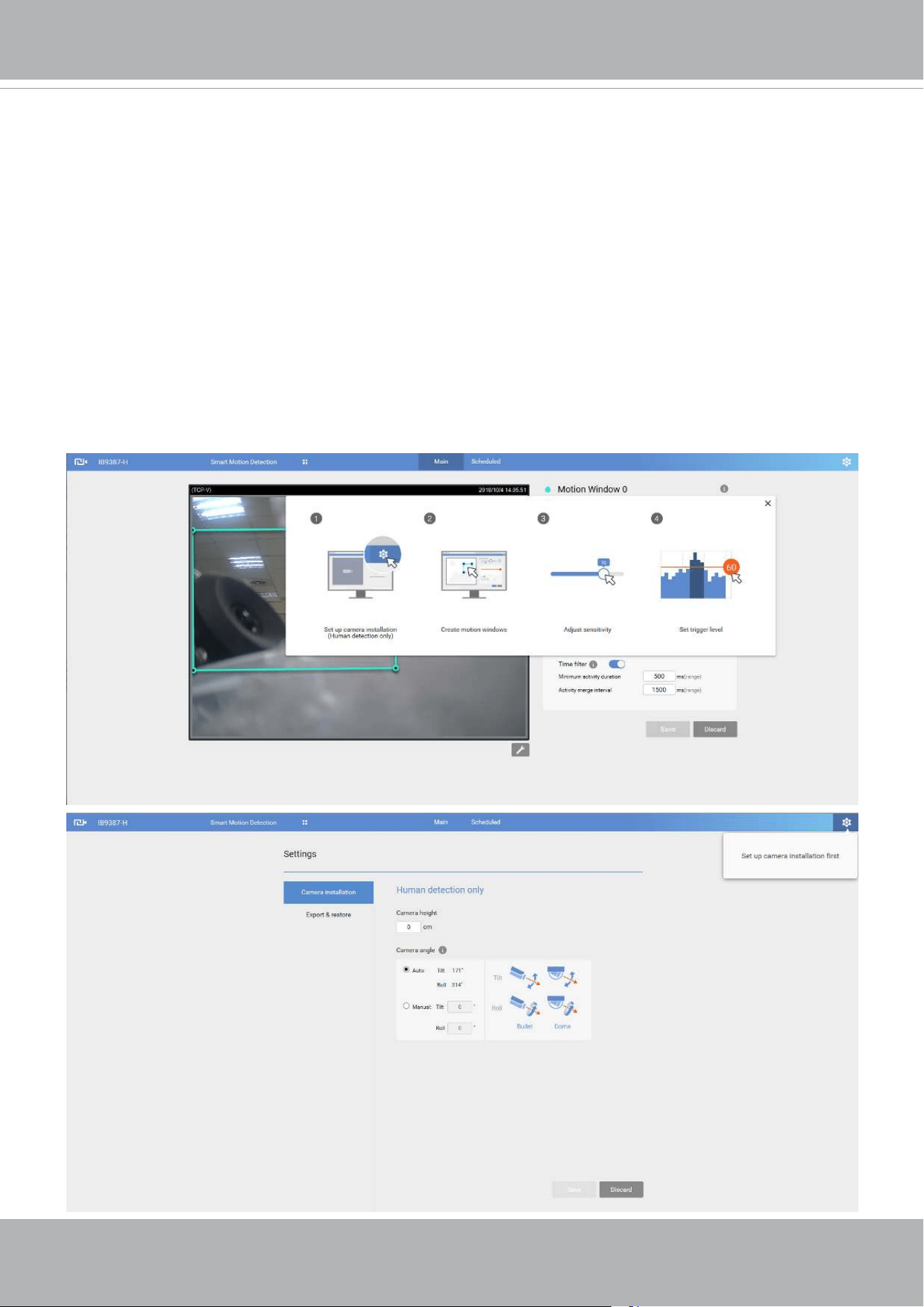
VIVOTEK
156 - User's Manual
Applications > Motion detection
The camera comes with a Smart Motion Detection utility as its pre-loaded VCA package. Please
refer to its User Guide for more information:
http://download.vivotek.com/downloadfile/solutions/vadp/smart-motion-detection-manual_
en.pdf.
Click on Configuration > Applications > Motion detection. The Smart Motion utility will be
automatically started.
If Human detection is applied, make sure you measured the height of your camera at the
installation site. It is important for a correct video analysis. You should enter the installation
height in the Motion detection Settings page.

VIVOTEK
User's Manual - 157
Applications > Smart VCA
Smart VCA provides the following features:
Intrusion detection, Loitering detection, Missing object detection, Unattended
Object detection, Line Crossing detection, and Face detection.
Please refer to Smart VCA’s user documentation for more information.
Click on Configuration > Applications > Smart VCA. The Smart VCA utility will be
automatically started. The Smart Motion detection and Smart VCA share the same utility
window.
If Smart VCA is applied, make sure you measured the height of your camera at the
installation site. It is important for a correct video analysis. You should enter the installation
height in the Smart VCA Settings page.
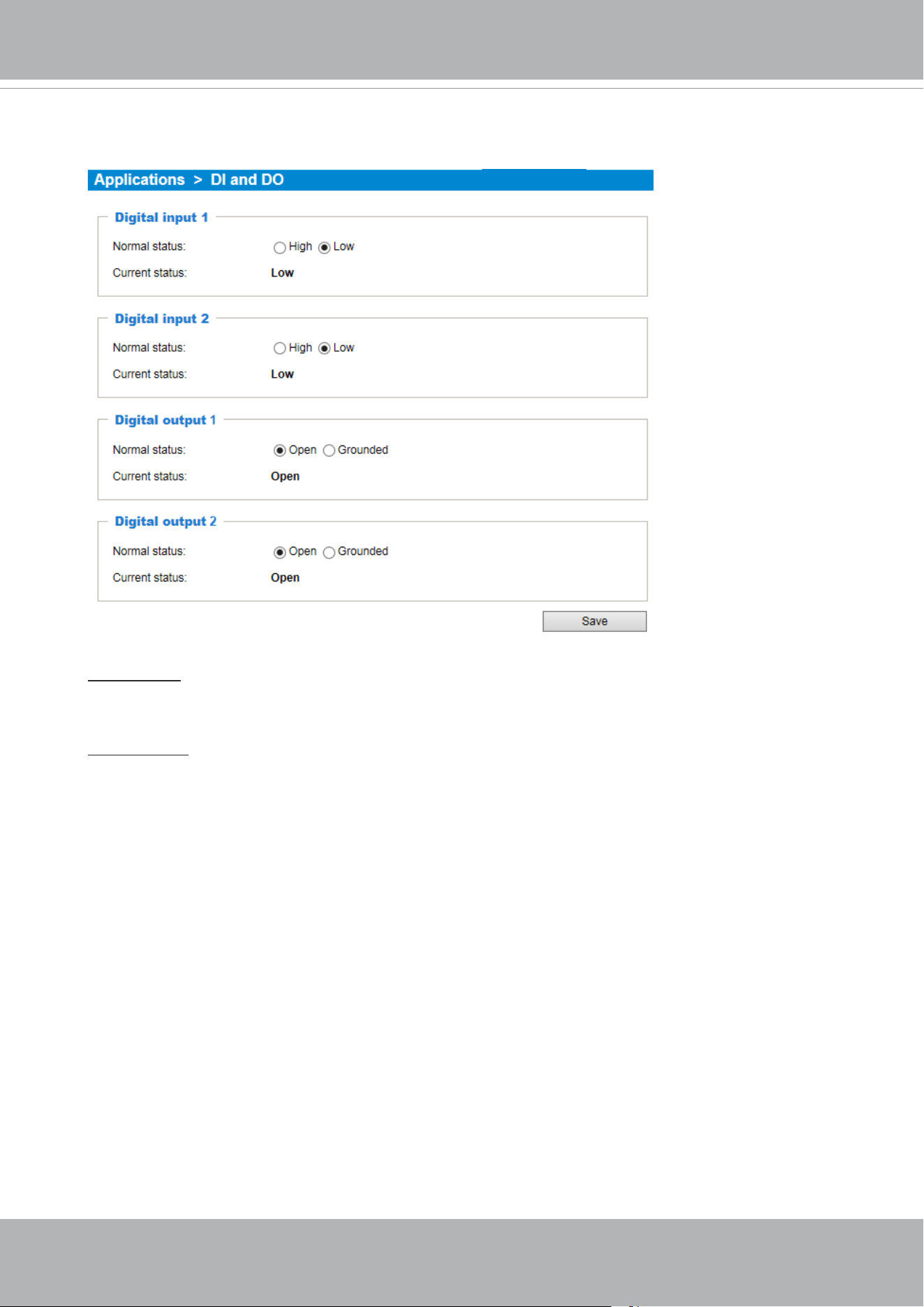
VIVOTEK
158 - User's Manual
Applications > DI and DO
Digital input: Select High or Low as the Normal status for the digital input connection. Connect
the digital input pin of the Network Camera to an external device to detect the current connection
status.
Digital output: Select Grounded or Open to dene the normal status for the digital output. Connect
the digital output pin of the Network Camera to an external device to determine the current status.
Set up the event source as DI on Event > Event settings > Trigger. Please refer to page 139 for
detailed information.
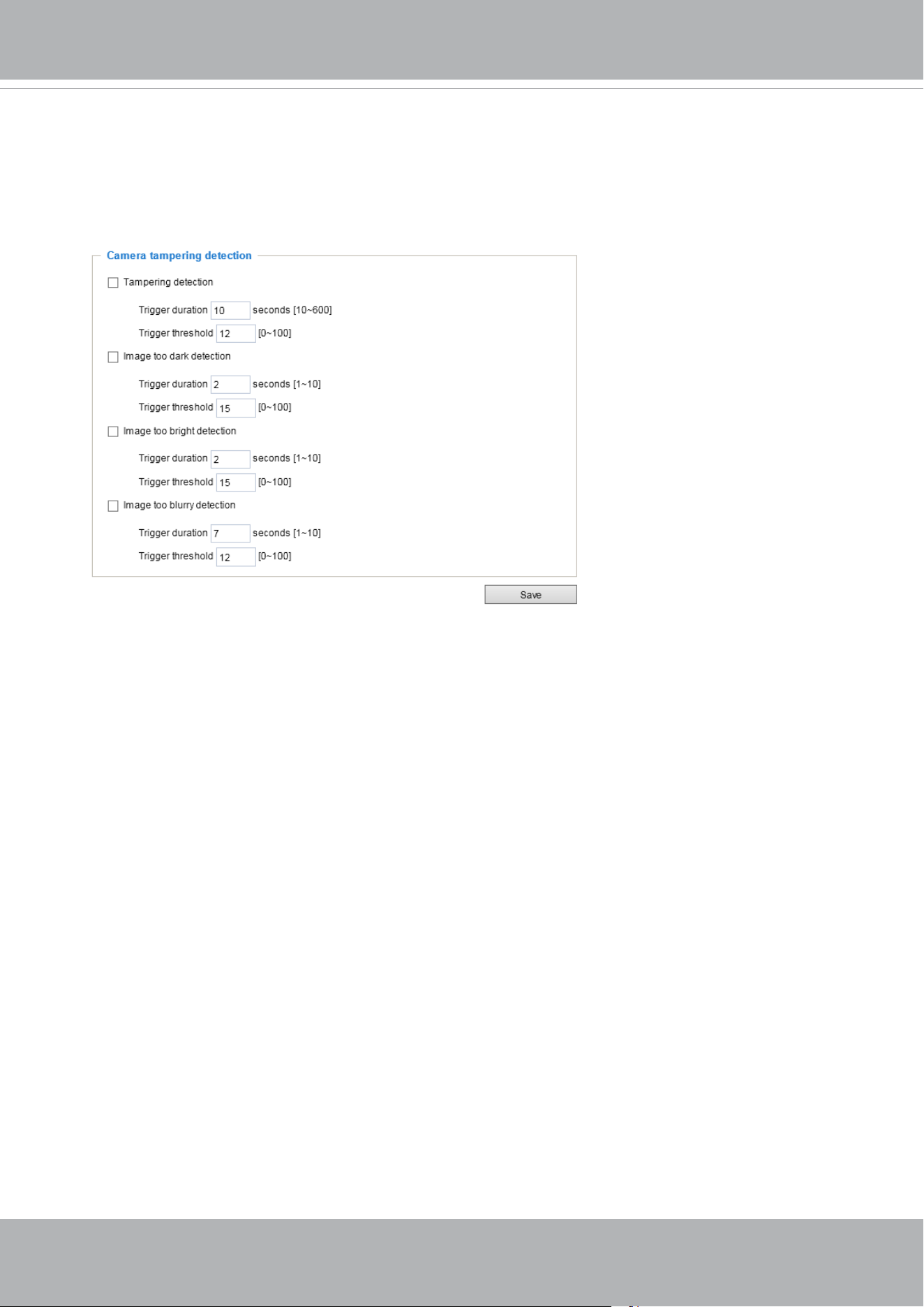
VIVOTEK
User's Manual - 159
Applications > Tampering detection
This section explains how to set up camera tamper detection. With tamper detection, the
camera is capable of detecting incidents such as redirection, blocking or defocusing, or
even spray paint.
Please follow the steps below to set up the camera tamper detection function:
1. Click to select the checkbox before tampering conditions: Tampering detection, Image
too dark, Image too bright, and Image too blurry. Enter the tamper trigger duration.
(10 sec. ~ 10 min.). The duraction specifies the set of time before the tampering is
considered as a real alarm. This helps avoid false alarms by short-lived changes.
The tamper alarm will be triggered only when the tampering factor (the difference
between current frame and pre-saved background) exceeds the trigger threshold.
Conditions such as image too dark, too bright, or too blurry (defocused) can also be
congured as tampering conditions. The Trigger threshold determines how sensitive is
your tamper detection setting. Lower the threshold number, easier to trigger.
Too bright: shining a flash light. The average lighting level of the scene is taken into
consideration.
Too dark: covering the objective or spraying paint.
Too blurry: blurry scene can be the result of strong interference on the device, such as
EMI interference.
2. You can configure Tampering Detection as a trigger element to the proactive event
congurations in Event -> Event settings -> Trigger. For example, when the camera is
tampered with, camera can be congured to send the pre- and post-event video clips to
a networked storage device. Please refer to page 140 for detailed information.
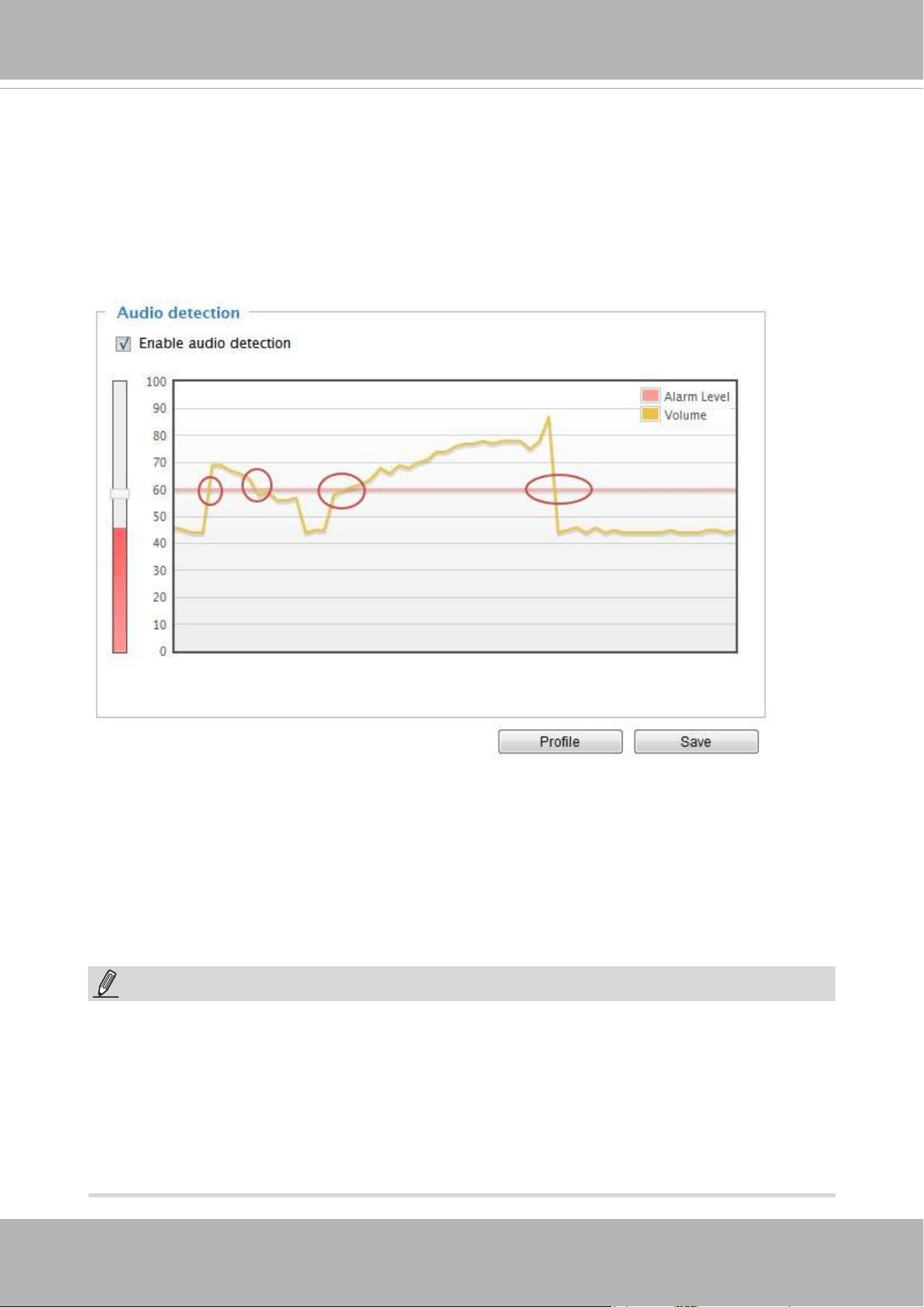
VIVOTEK
160 - User's Manual
Applications > Audio detection
Audio detection, along with video motion detection, is applicable in the following scenarios:
1. Detection of activities not covered by camera view, e.g., a loud input by gun shots or breaking a
door/window.
2. A usually noisy environment, such as a factory, suddenly becomes quiet due to a breakdown of
machines.
3. A PTZ camera can be directed to turn to a preset point by the occurrence of audio events.
4. Dark environments where video motion detection may not function well.
The red circles indicate where the audio alarms can be triggered when breaching or falling below
the preset threshold.
How to congure Audio detection:
1. Once the Audio detection window is opened, the current sound input will be interactively
indicated by a uctuating yellow wave diagram.
2. Use a mouse click to drag the Alarm level tab to a preferred location on the slide bar.
3. Select the “Enable audio detection“ checkbox and click Save to enable the feature.
1. Note that the volume numbers (0~100) on the side of wave diagram does not represent decibel
(dB). Sound intensity level has already been mapped to preset values. You can, however, use
the real-world inputs at your installation site that are shown on the wave diagram to congure
an alarm level.
2. To configure this feature, you must not mute the audio in Configuration > Media > Audio.
The default of the camera can be muted due to the lack of an internal microphone. An external
microphone is provided by users.
NOTE:
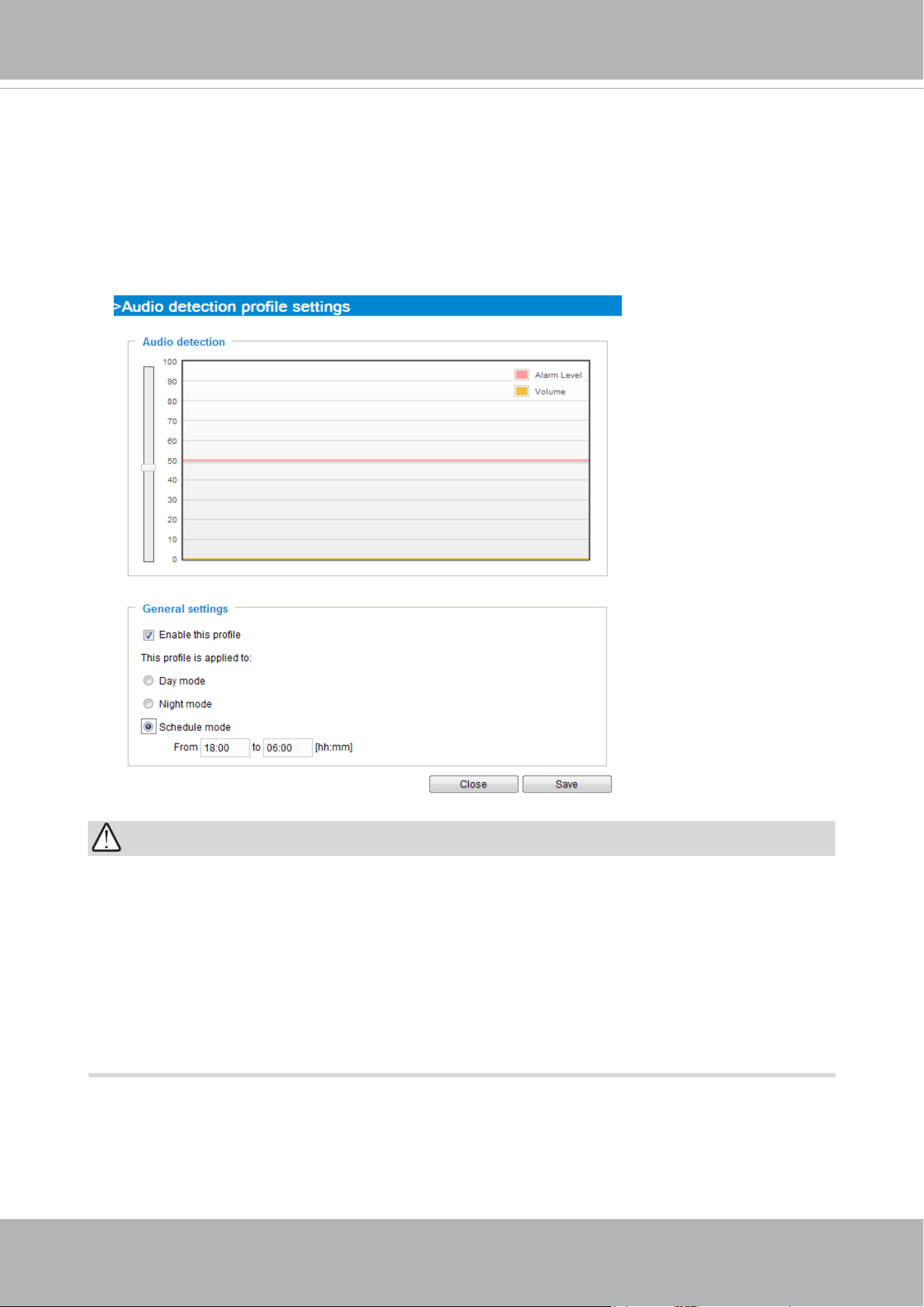
VIVOTEK
User's Manual - 161
IMPORTANT:
• If the Alarm level and the received volume are set within a range of 20% on the wave
diagram, frequent alarms will be triggered. It is recommended to set the Alarm level
farther apart from the detected sound level.
• To configure and enable this feature, you must not configure video stream #1 into
Motion JPEG. If an external microphone input is connected and recording of audio
stream is preferred, audio stream is transmitted between camera and viewer/recording
station along with stream #1.
• Refer to page 96 for Audio settings, and page 86 for video streaming settings.
You can use the Prole window to congure a different Audio detection setting. For example, a
place can be noisy in the day time and become very quiet in the night.
1. Click on the Enable this prole checkbox. Once the Audio detection window is opened, the
current sound input will be interactively indicated by a uctuating yellow wave diagram.
2. Use a mouse click to drag the Alarm level tab to a preferred location on the slide bar.
3. Select the Day, Night, or Schedule mode check circles. You may also manually congure a
period of time during which this prole will take effect.
4. Click Save and then click Close to complete your conguration.
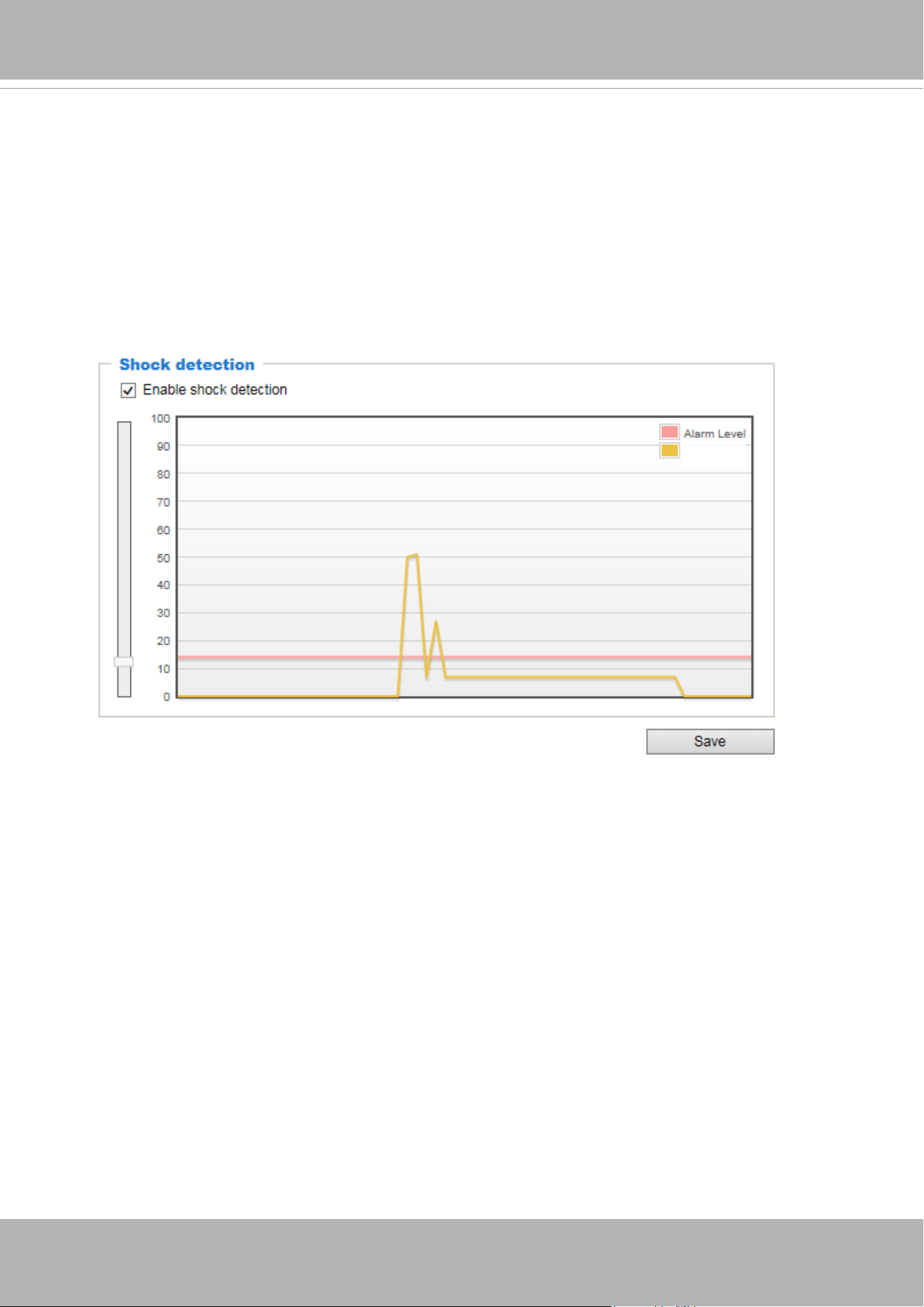
VIVOTEK
162 - User's Manual
Applications > Shock detection
The camera comes with a shock accelerometer. The shock sensor can detect impacts
to the camera. For example, when a person deliberately tries to destroy the camera, the
camera can report the event to the administrator.
Normally, a 5kgm impact can cause the detected impact level to surge to 50% on the
scale. Congure the Alarm Level to a preferred percentage on the chart. Click the Enable
shock detector checkbox and click Save to complete the conguration.
Shock Level
You should then go to Event settings to configure the shock detection as a triggering
source. See page 139 for Event conguration.
The measurement range of the sensor is ±16G.
For every one G force (g = 9.8 m/s²) perceived, the sensor acquires a reading of 512.
The value acquired by a 2 G acceleration will look like the following:
512 * 2 /16 = 64
Suppose that all 3-axis readings are equal (for simplicity reasons only), the shock level
shown on the Shock detection chart will be (64 + 64 +64 ) *100 /1024 = 18.75.
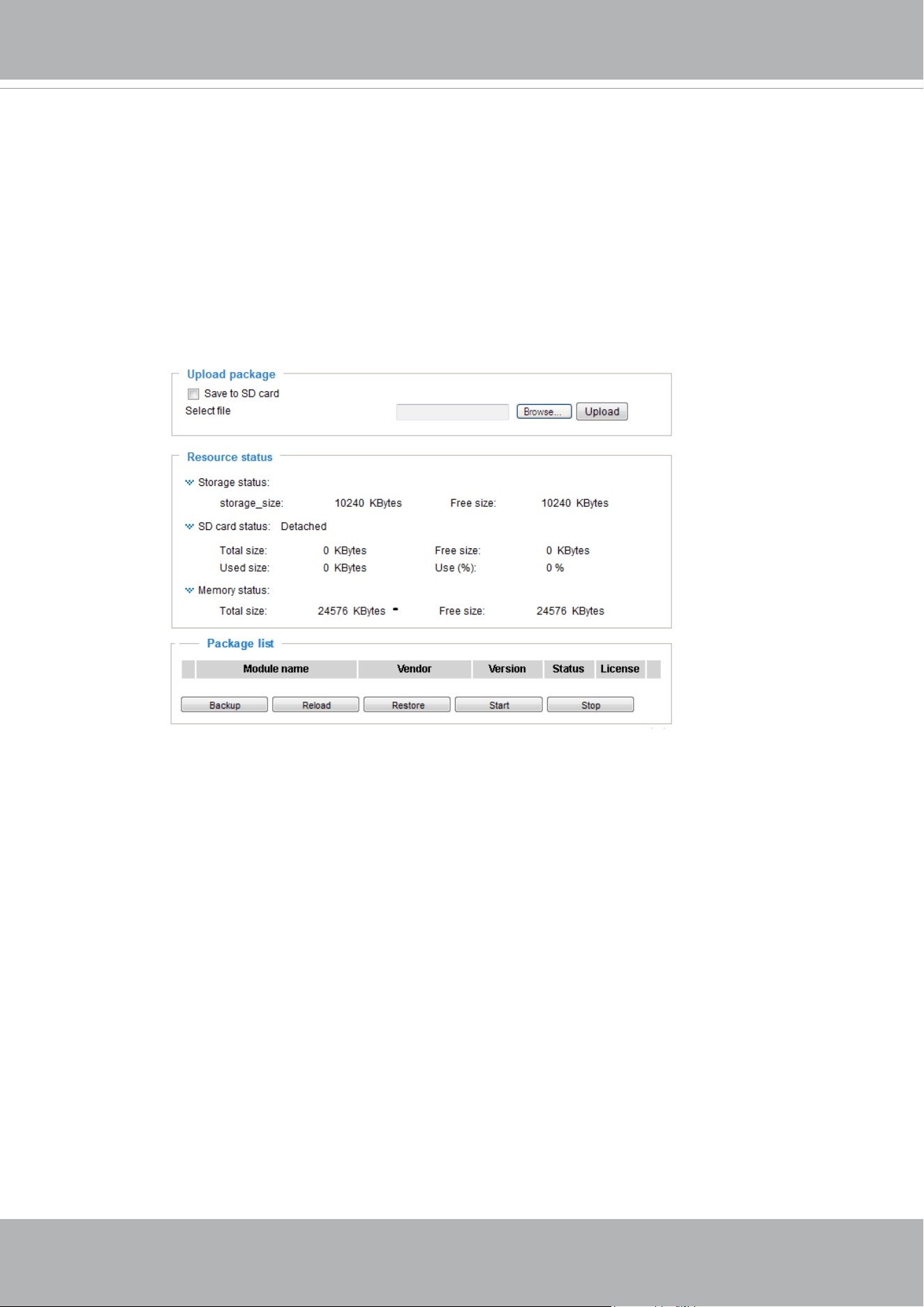
VIVOTEK
User's Manual - 163
Applications > Package management - a.k.a., VADP (VIVOTEK
Application Development Platform)
The camera comes embedded with the Smart Motion Detection feature. The Smart Motion
detection, with Human detection and tunable time filter, can eliminate the defects of
traditional motion detection and facilitate the conguration at a surveillance site.
To learn more about this feature, download its User Guide in:
http://download.vivotek.com/downloadfile/solutions/vadp/smart-motion-detection-manual_
en.pdf
Users can store and execute VIVOTEK's or 3rd-party software modules onto the camera's
flash memory or SD card. These software modules can apply in video analysis for
intelligent video applications such as license plate recognition, object counting, or as an
agent for edge recording, etc.
• Once the software package is successfully uploaded, the module conguration (vadp.
xml) information is displayed. When uploading a module, the camera will examine
whether the module fits the predefined VADP requirements. Please contact our
technical support or the vendor of your 3rd-party module for the parameters contained
within.
• Users can also run VIVOTEK's VADP packages as a means to access updated
functionality instead of replacing the entire rmware.
• Note that for some cameras the flash is too small to hold VADP packages. These
cameras will have its "Save to SD card" checkbox selected and grayed-out for all time.
• The le system of SD card (FAT32) does not support soft (symbolic) link. It will return
failure if your module tries to create soft links on SD card.
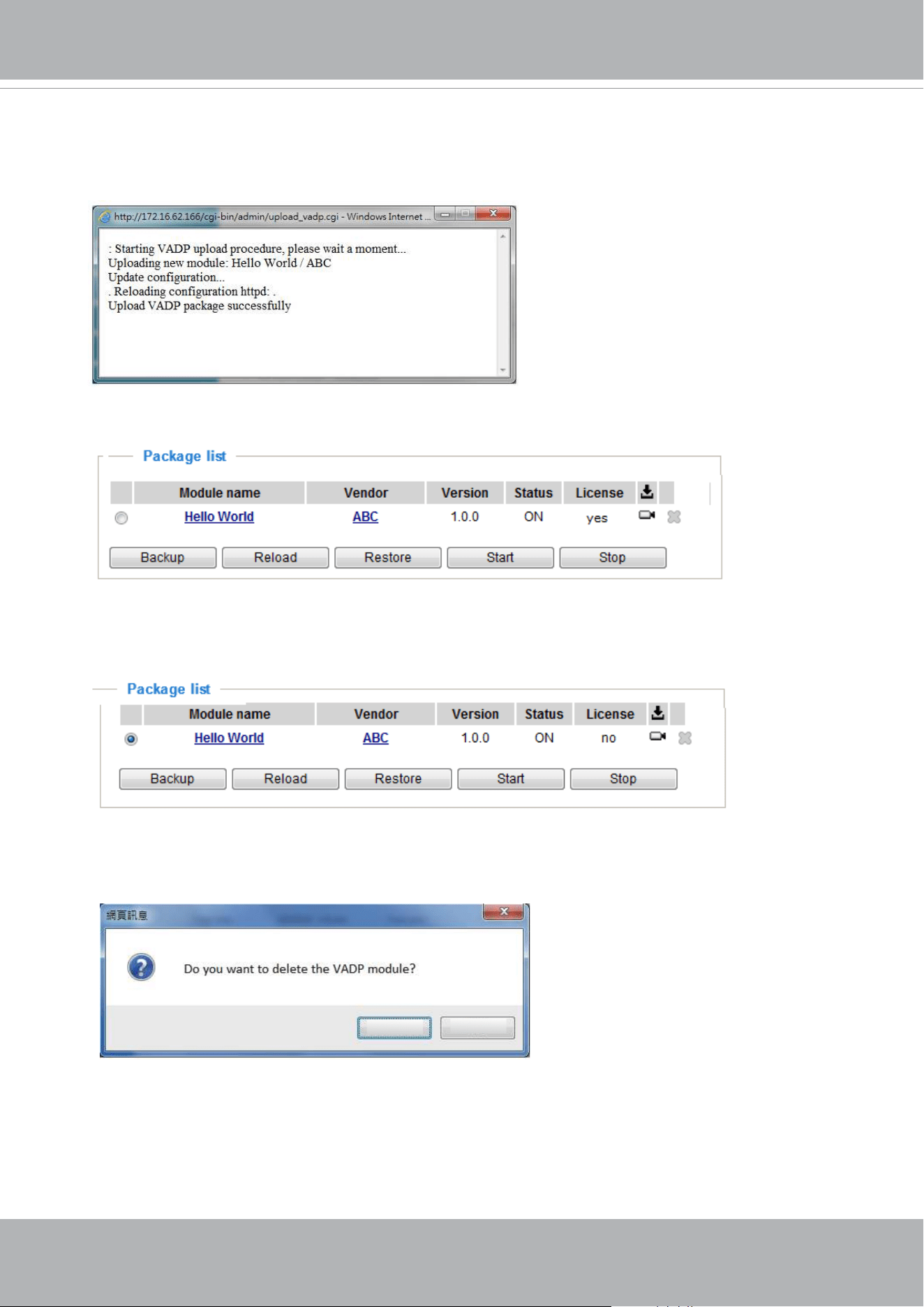
VIVOTEK
164 - User's Manual
To start a module, select the checkcircle in front, and click the Start button.
If you should need to remove a module, select the checkcircle in front and then click the
Stop button. By then the module status will become OFF, and the X button will appear at
the end of the row. Click on the X button to remove an existing module.
When prompted by a conrm message, Click Yes to proceed.
Ye s
No
Note that the actual memory consumed while operating the module will be indicated on the
Memory status eld. This helps determine whether a running module has consumed too
much of system resources.
To utilize a software module, acquire the software package and click Browse and Upload
buttons. The screen message for a successful upload is shown below:
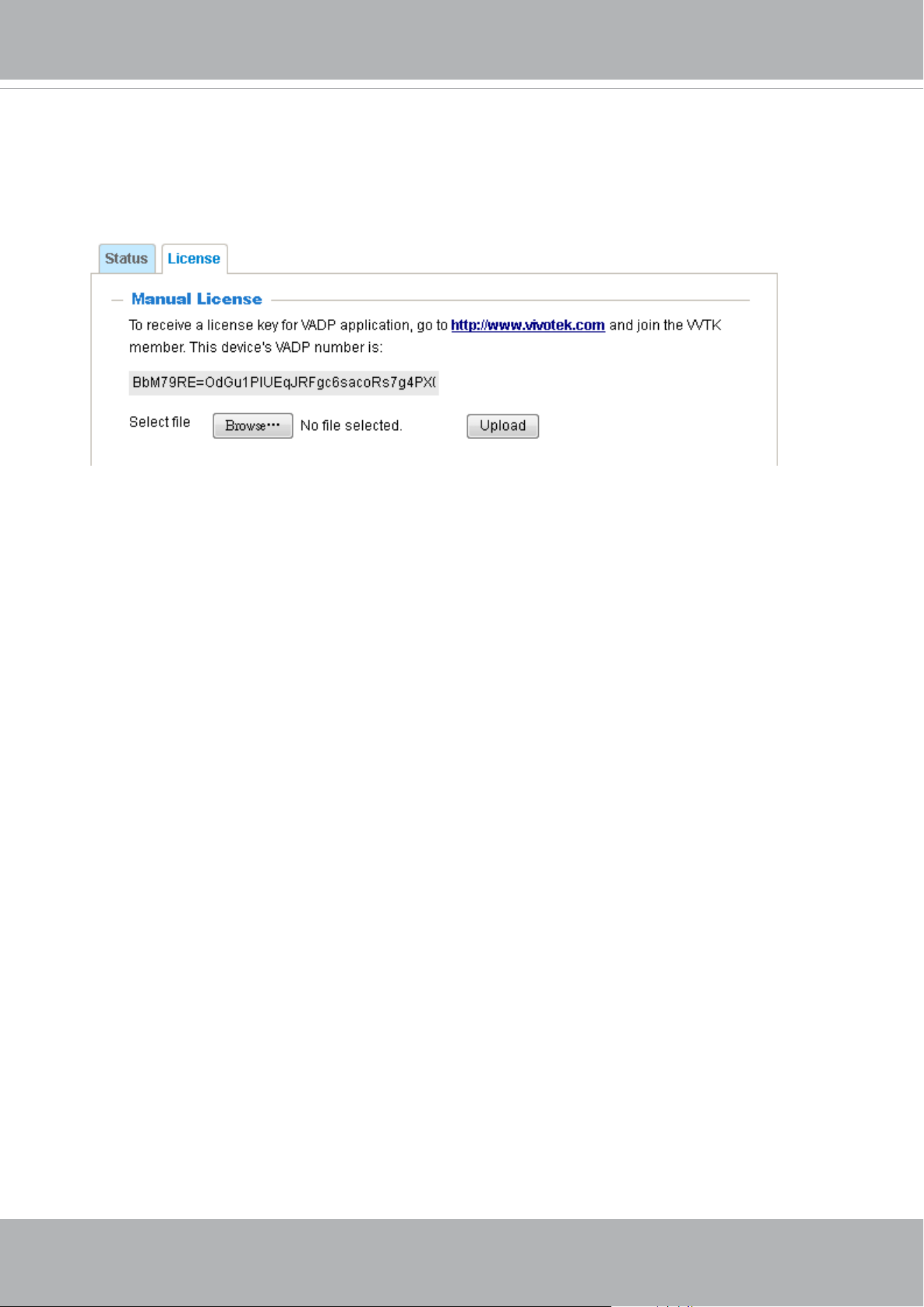
VIVOTEK
User's Manual - 165
On the License page, register and activate the license for using VIVOTEK's VADP
modules. You should acquire the license key elsewhere, and manually upload to the
network camera.
Follow the onscreen instruction on VIVOTEK's website for the registration procedure.
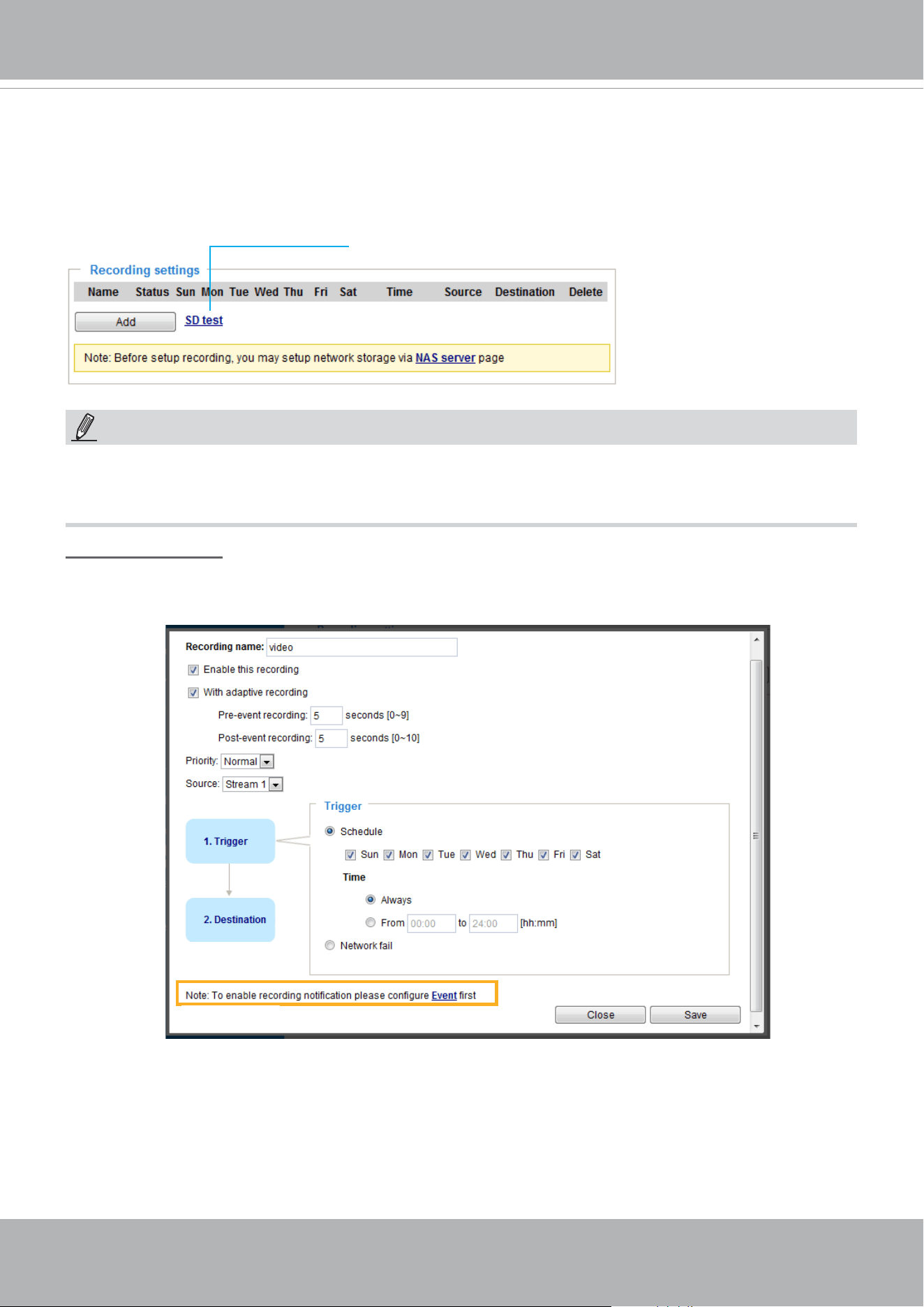
VIVOTEK
166 - User's Manual
Recording > Recording settings
This section explains how to congure the recording settings for the Network Camera.
Recording Settings
► Please remember to format your SD card via the camera’s web console (in the Local storage .
SD card management page) when using it for the first time. Please refer to page 171 for detailed
information.
Insert your SD card and click here to test
Recording Settings
Click Add to open the recording setting window. On this page, you can dene the adaptive recording,
recording source, recording schedule, and recording capacity. A total of 2 recording settings can be
congured.
■ Recording name: Enter a name for the recording setting.
■ Enable this recording: Select this option to enable video recording.
■ With adaptive recording:
Select this option will activate the frame rate control according to alarm trigger.
The frame control means that when there is a triggered alarm, the frame rate will raise up to the value
you’ve congured on the Video quality page. Please refer to page 78 for more information.
NOTE:
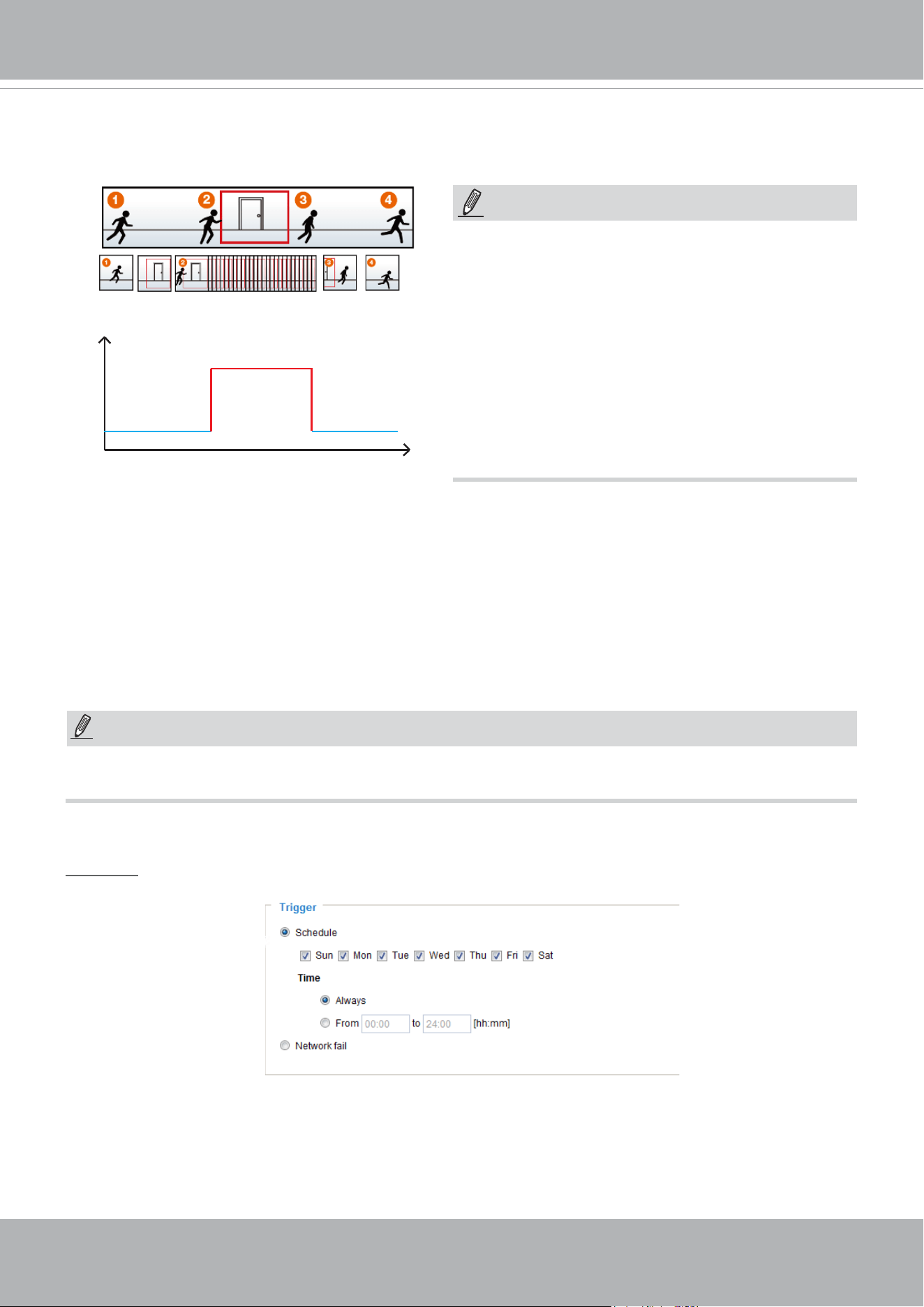
VIVOTEK
User's Manual - 167
The alarm trigger includes: motion detection and DI detection. Please refer to Event Settings on page 139.
■ Pre-event recording and post-event recording
The Network Camera has a buffer that temporarily holds data for a period of time. Therefore, when an
event occurs, the camera can retrieve image frames taken several seconds ago. Enter a number to
dene the duration of recording before and after a trigger is activated.
■ Priority: Select the relative importance of this recording (High, Normal, or Low). Recording with a higher
priority setting will be executed rst.
■ Source: Select a video stream as the recording source.
► To enable recording notication please congure Event settings rst . Please refer to page 139.
If you enable adaptive recording on a camera, only when an event is triggered on Camera A will the
server record the full frame rate streaming data; otherwise, it will only request the I frame data during
normal monitoring, thus effectively saves bandwidths and storage space.
Time
Bandwidth
Bandwidth
Activity Adaptive Streaming
for Dynamic Frame Rate Control
I frame ---> Full frame rate ---> I frame
Continuous recording
► To enable adaptive recording, please make sure
you’ve set up the trigger source such as Motion
Detection, DI Device, or Manual Trigger.
► When there is no alarm trigger:
- JPEG mode: record 1 frame per second.
- H.264 mode: record the I frame only.
► When the I frame period is >1s on Video settings
page, firmware will force decrease the I frame
period to 1s when adaptive recording is enabled.
Please follow the steps below to set up the recording.
1. Trigger
Select a trigger source.
■ Schedule: The server will start to record les on the local storage or network storage (NAS).
■ Network fail: Since network fail, the server will start to record les on the local storage (SD card).
NOTE:
NOTE:
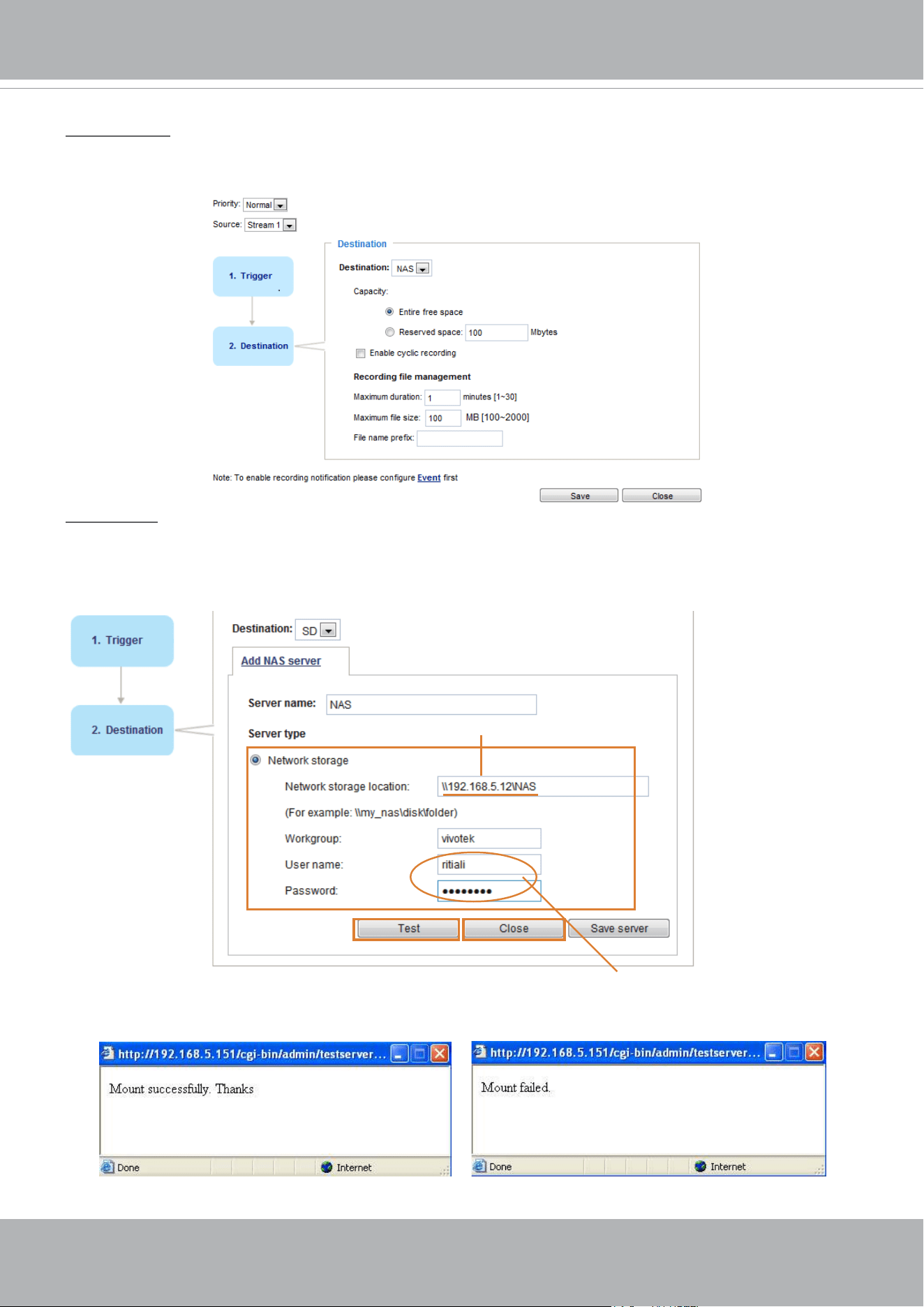
VIVOTEK
168 - User's Manual
2. Destination
You can select the SD card or network storage (NAS) for the recorded video files. If you have not
congured a NAS share, see details in the following.
NAS server
Click Add NAS server to open the server setting window and follow the steps below to set up:
1. Fill in the information for your server.
For example:
2. Click Test to check the setting. The result will be shown in the pop-up window.
1
2
3
4
Network storage path
(\\server name or IP address\folder name)
User name and password for your server
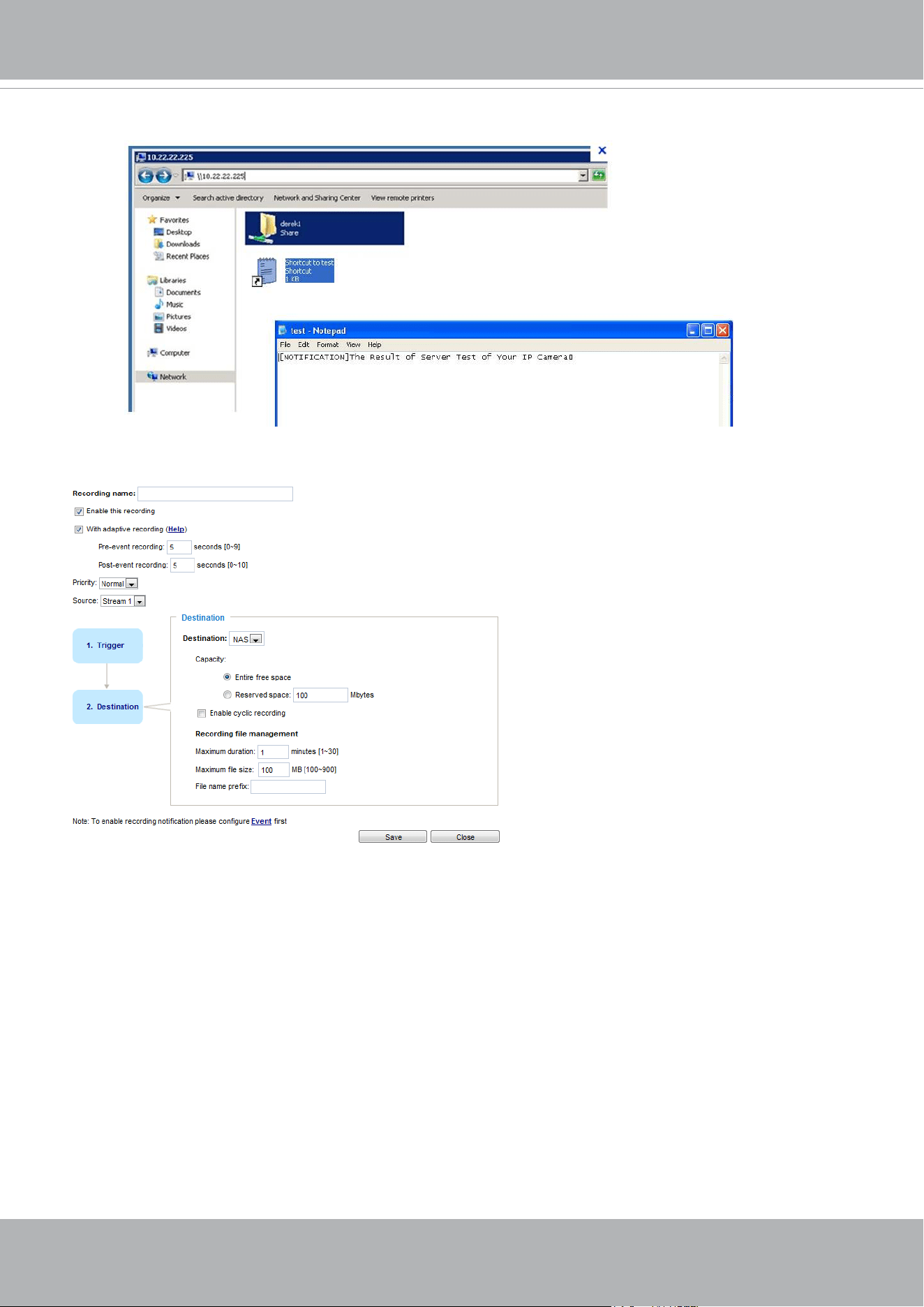
VIVOTEK
User's Manual - 169
If successful, you will receive a test.txt le on the networked storage.
3. Enter a server name.
4. Click Save to complete the settings and click Close to exit the page.
■ Capacity: You can choose either the entire free space available or limit the reserved space. The
recording size limit must be larger than the reserved amount for cyclic recording. The reserved space
is a small amount of space used only for the transaction stage when the capacity is about to be used
up or recycled.
■ Enable cyclic recording: If you check this item, when the maximum capacity is reached, the oldest le
will be overwritten by the latest one. The reserved amount is reserved for the transaction stage when
the storage space is about to be full and new data arrives. The minimum for the Reserved space must
be larger than 15 MegaBytes.
■ Recording file management: You can manually assign the Maximum duration and the Maximum
file size for each recording footage. You may need to stitch individual files together under some
circumstances. You may also designate a le name prex by lling in the responsive text eld.
■ File name prex: Enter the text that will be appended to the front of the le name.
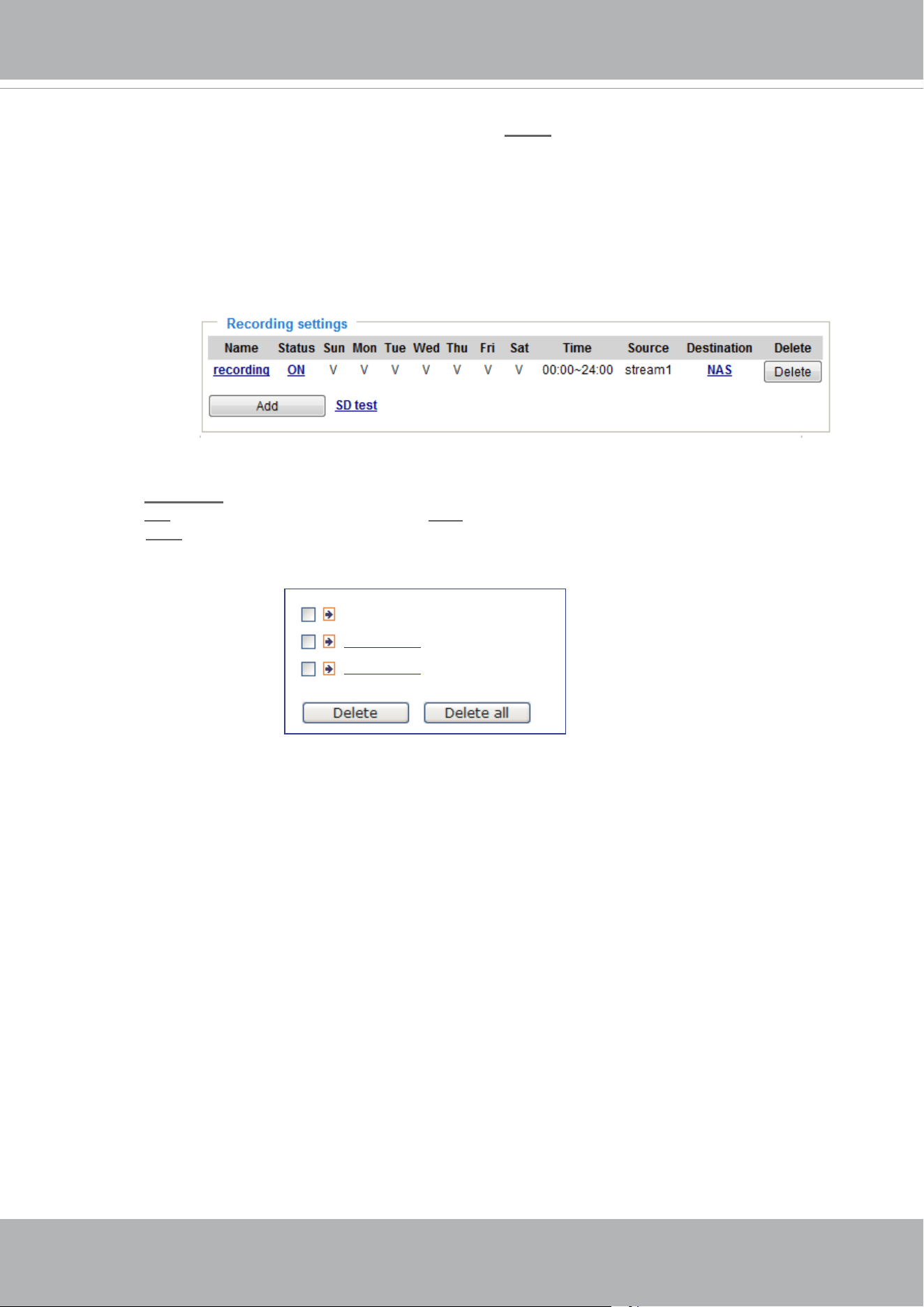
VIVOTEK
170 - User's Manual
To remove a recording setting from the list, select a recording name from the drop-down list and
click Delete.
■ Click
recording (Name): Opens the Recording Settings page to modify.
■ Click
ON (Status): The Status will become OFF and stop recording.
■ Click
NAS (Destination): Opens the le list of recordings as shown below. For more information
about folder naming rules, please refer to page 149 for details.
20190210
20190211
20190212
f you want to enable recording notication, please click
Event
to congure event triggering settings.
Please refer to Event > Event settings on page 139 for more details.
When completed, select Enable this recording. Click Save to enable the setting and click Close
to exit this page. When the system begins recording, it will send the recorded les to the network
storage. The new recording name will appear in the drop-down list on the recording page as shown
below.
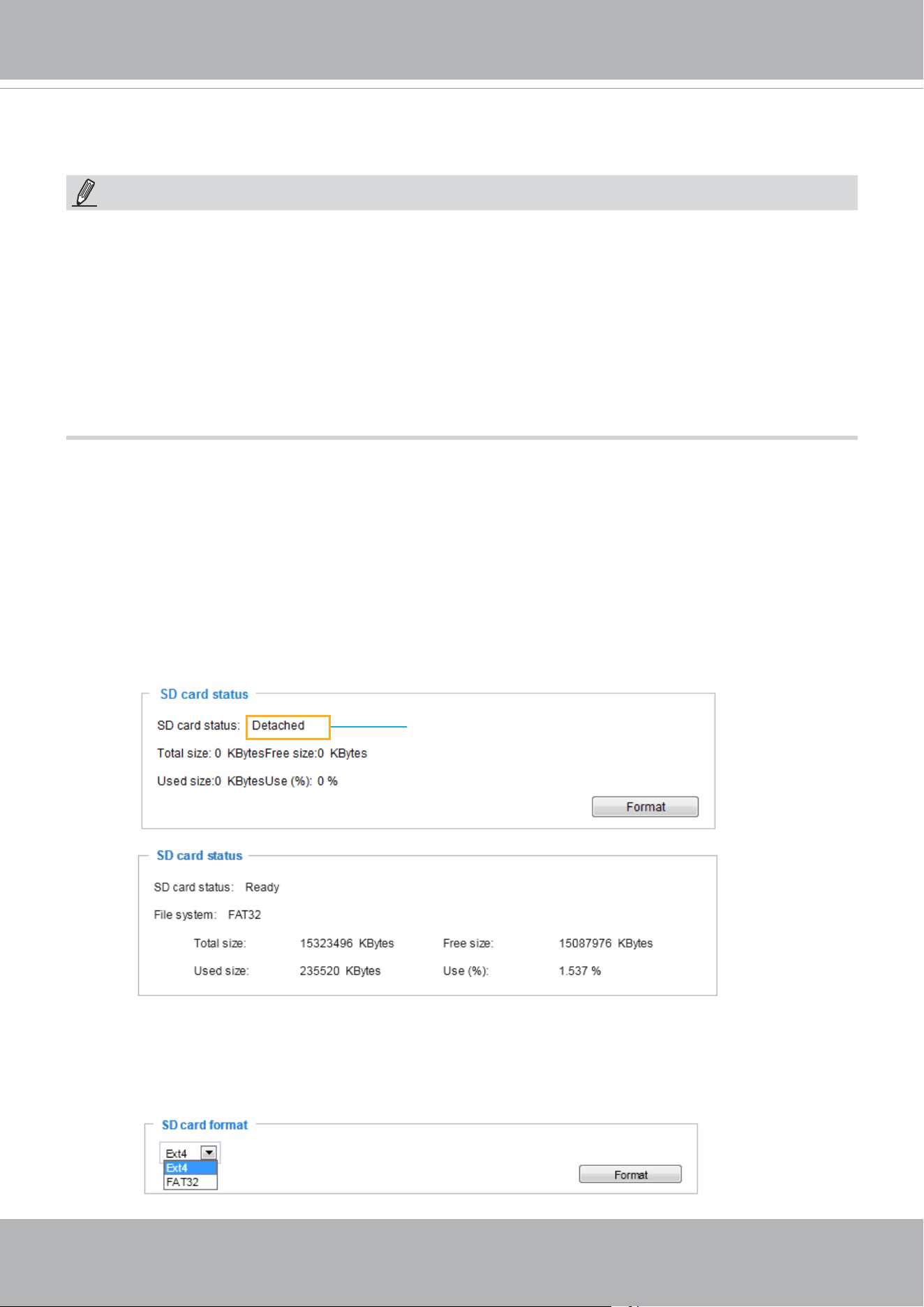
VIVOTEK
User's Manual - 171
Storage
SD card format
The Linux kernel EXT4 file system format applies to SD card larger than 32GB. However, if EXT4 is
applied, the computers running Windows will not be able to access the contents on the SD card unless
using some 3rd-party software .
This section explains how to manage the local storage on the Network Camera. Here you can
view SD card status, and implement SD card control.
SD card staus
This column shows the status and reserved space of your SD card. Please remember to format the SD
card when using for the rst time.
no SD card
NOTE:
• It is recommended to turn OFF the recording activity before you remove an SD card from the
camera.
• The lifespan of an SD card is limited. Regular replacement of the SD card can be necessary.
• Camera lesystem takes up several megabytes of memory space. The storage space cannot
be used for recording.
• Using an SD card that already contains data recorded by another device should not be used
in this camera.
• Please do not modify or change the folder names in the SD card. That may result in camera
malfunctions.
Storage > SD card management
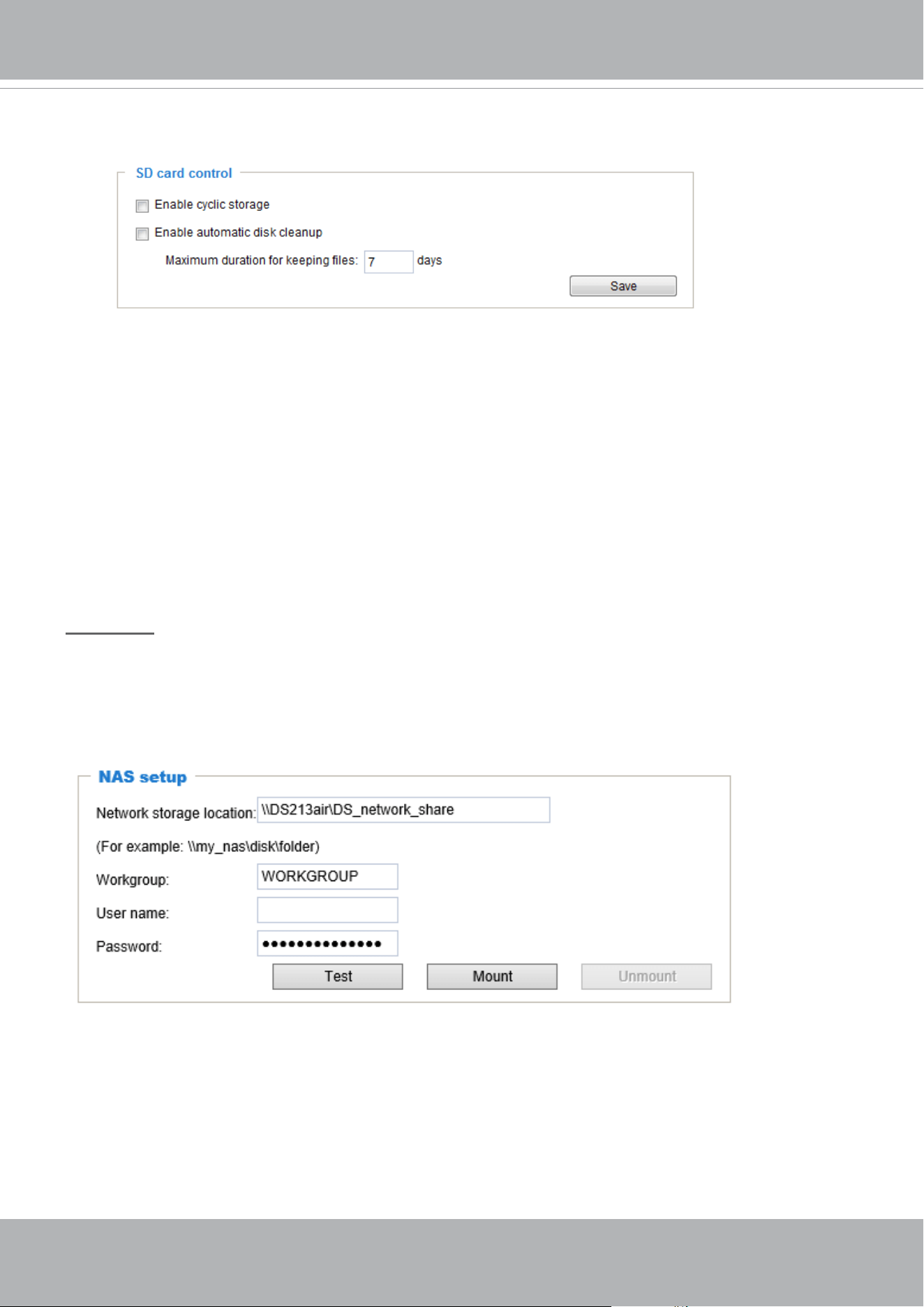
VIVOTEK
172 - User's Manual
SD card control
■ Enable cyclic storage: Check this item if you want to enable cyclic recording. When the maximum
capacity is reached, the oldest le will be overwritten by the latest one.
■ Enable automatic disk cleanup: Check this item and enter the number of days you wish to retain a le.
For example, if you enter “7 days”, the recorded les will be stored on the SD card for 7 days.
Click Save to enable your settings.
Storage > NAS management
NAS Setup
Click NAS management tab to open the server setting window and follow the steps below to set up:
1. Fill in the information for the access to the shared networked storage.
For example:
\\192.160.5.122\NAS
vivotek
rita.li
admin
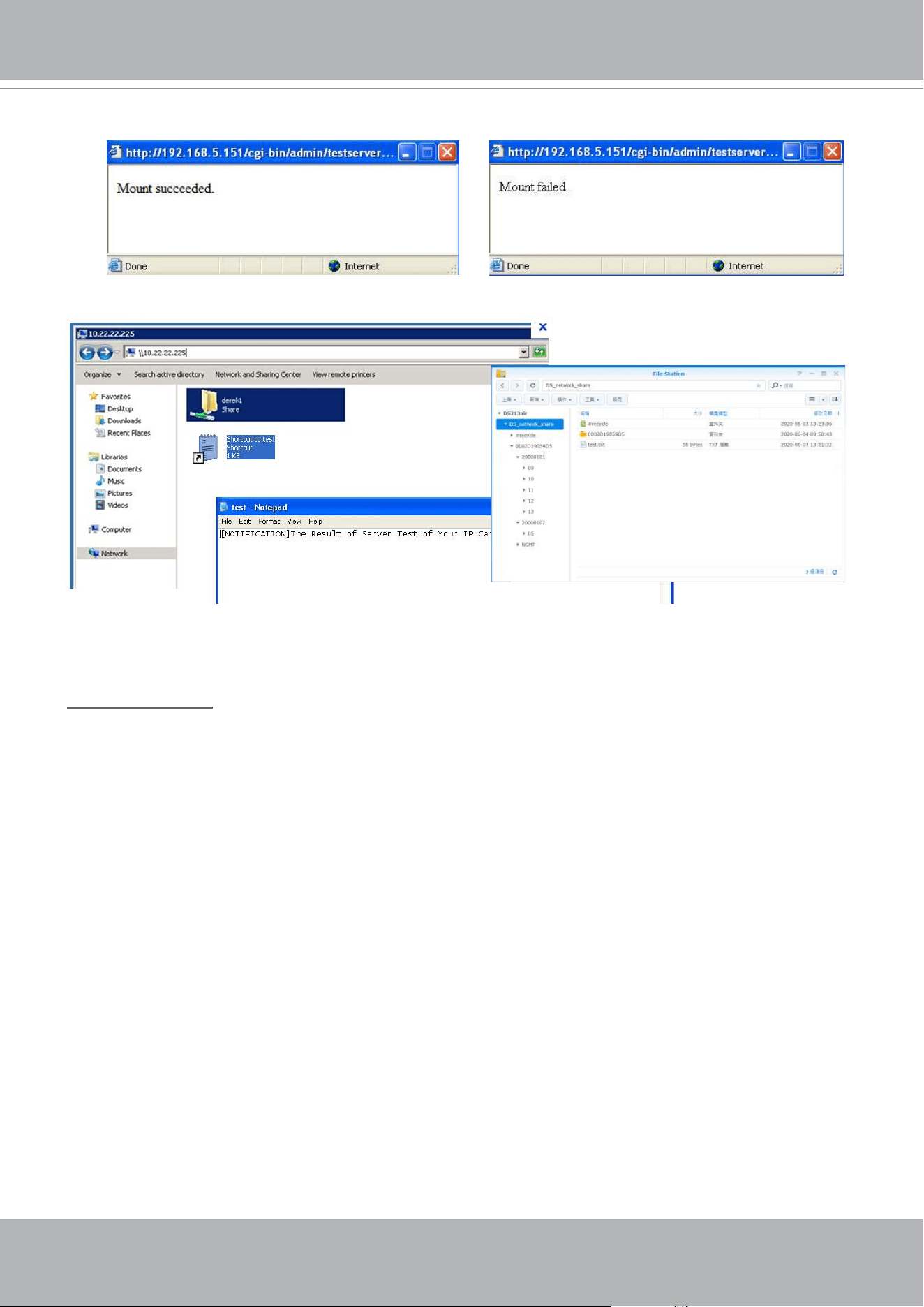
VIVOTEK
User's Manual - 173
If successful, you will receive a test.txt le on the networked storage server.
3. Click Mount to complete the settings.
2. Click Test to check the setting. The result will be shown in the pop-up window.
NAS management
■ Minimum reserved storage space: The reserved space can be used as a safe buffer especially when
the cyclic recording function is enabled, during the transaction stage when a storage space is full and
the incoming streaming data is about to overwrite the previously saved videos.
■ Enable cyclic storage: Allows previous recordings to be overwritten by new recordings.
■ Enable automatic disk cleanup: Allows you to specify how long the recording les will be kept on the
NAS storage.
Maximum duration for keeping les: __ days: Specify the days of retention of the video les recorded
to the NAS storage.
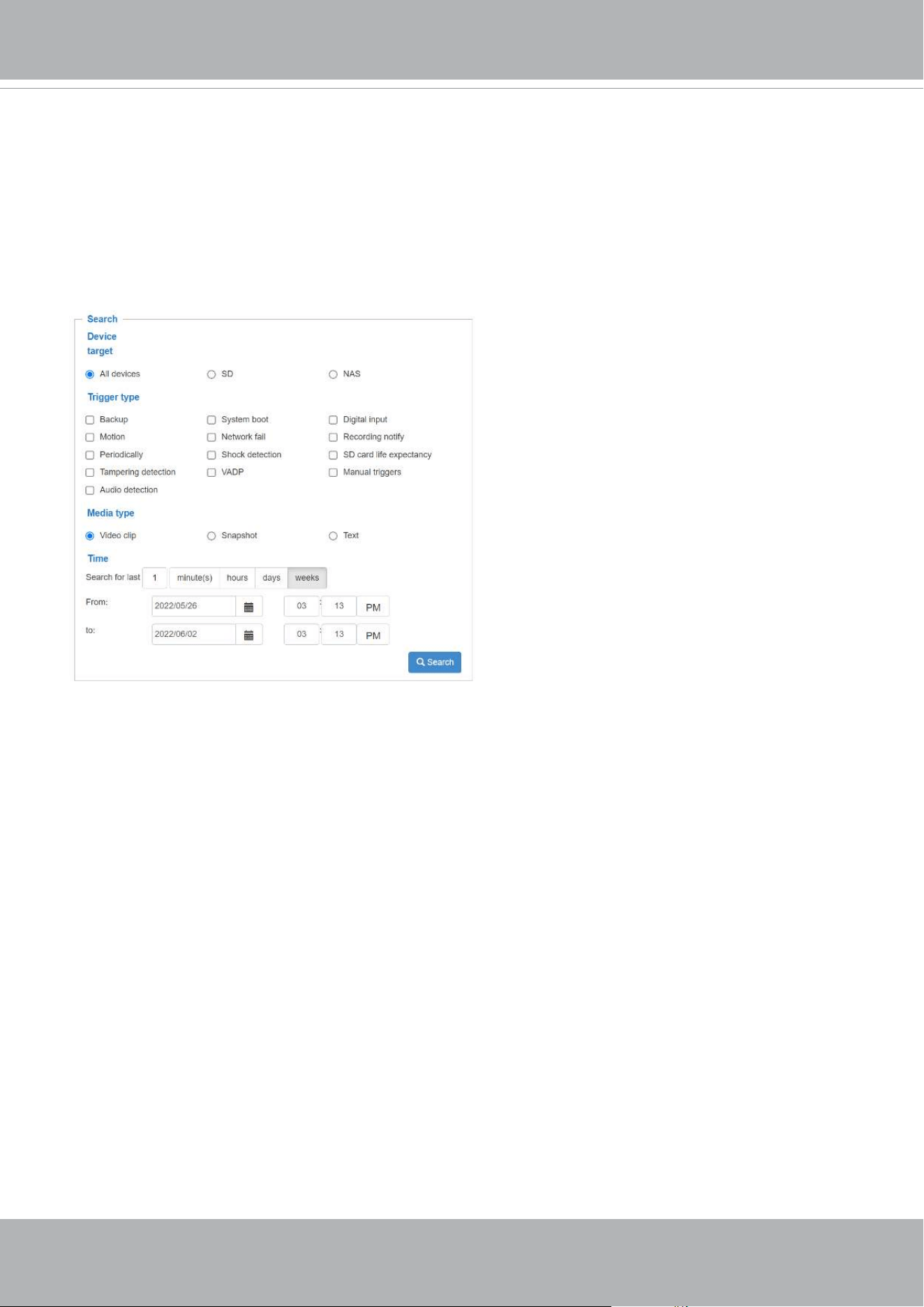
VIVOTEK
174 - User's Manual
Storage > Content management
This section explains how to manage the content of recorded videos on the Network Camera. Here you
can search and view the records and view the searched results.
Searching and Viewing the Records
This column allows the user to set up search criteria for recorded data. If you do not select any criteria
and click Search button, all recorded data will be listed in the Search Results column.
■ File attributes: Select one or more items as your search criteria.
■ Trigger time: Manually enter the time range you want to search for contents created at a specic point
in time.
Click Search and the recorded data corresponding to the search criteria will be listed in Search Results
window.
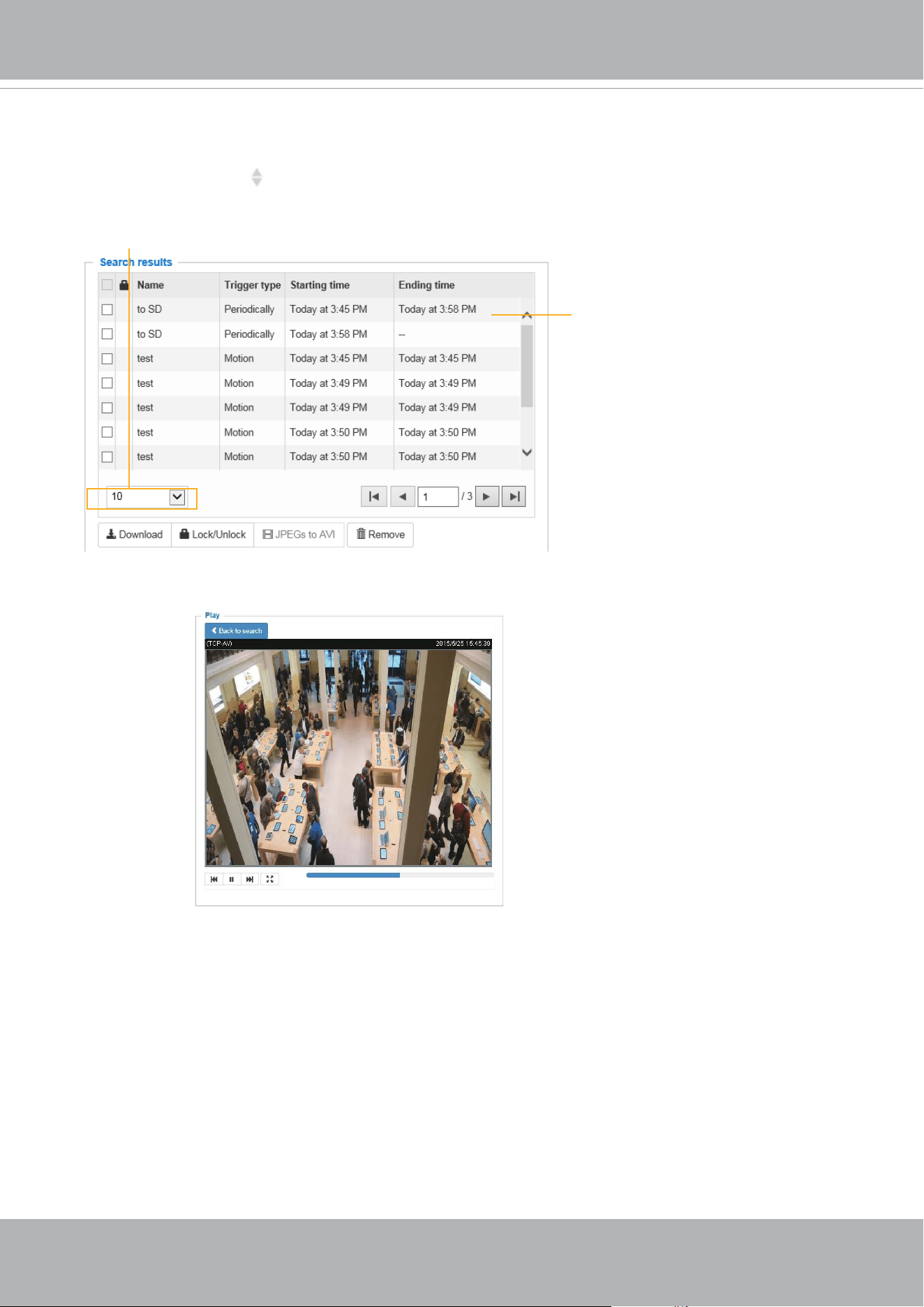
VIVOTEK
User's Manual - 175
Search Results
The following is an example of search results. There are four columns: Trigger time, Media type, Trigger
type, and Locked. Click
to sort the search results in either direction.
Numbers of entries displayed
on one page
Click to open a live view
■ Play: Click on a search result which will highlight the selected item. A Play window will appear on top
for immediate review of the selected le.
For example:
■ Download: Click on a search result to highlight the selected item in purple as shown above. Then click
the Download button and a le download window will pop up for you to save the le.
■ JPEGs to AVI: This function only applies to “JPEG“ format files such as snapshots. You can select
several snapshots from the list, then click this button. Those snapshots will be converted into an AVI
le.
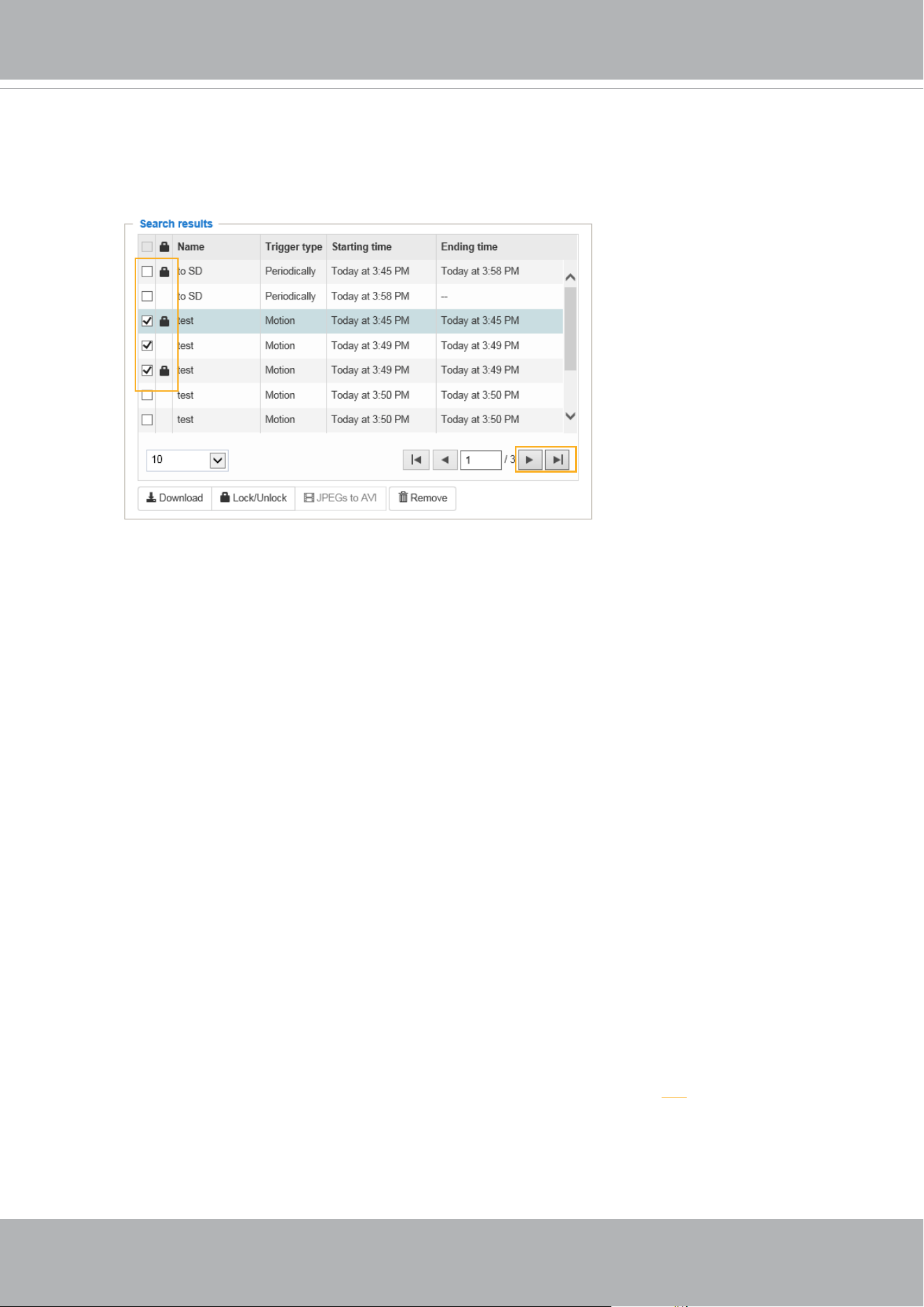
VIVOTEK
176 - User's Manual
■ Lock/Unlock: Select the checkbox in front of a desired search result, then click this button. The selected
items will become Locked, which will not be deleted during cyclic recording. You can click again to
unlock the selections.
For example:
■ Remove: Select the desired search results, then click this button to delete the les.
Click to switch
pages

VIVOTEK
User's Manual - 177
Appendix
URL Commands for the Network Camera
1. Overview
For some customers who already have their own web site or web control application, the Network
Camera/Video Server can be easily integrated through URL syntax. This section specifies the external
HTTP-based application programming interface. The HTTP-based camera interface provides the
functionality to request a single image, control camera functions (PTZ, output relay etc.), and get and set
internal parameter values. The image and CGI-requests are handled by the built-in Web server.
2. Style Convention
In URL syntax and in descriptions of CGI parameters, text within angle brackets denotes content that
is to be replaced with either a value or a string. When replacing the text string, the angle brackets
should also be replaced. An example of this is the description of the name for the server, denoted with
<servername> in the URL syntax description below, that is replaced with the string myserver in the URL
syntax example further down in the page.
URL syntax is denoted with the word "Syntax:" written in bold face followed by a box with the referenced
syntax as shown below. For example, name of the server is written as <servername> and is intended to
be replaced with the name of the actual server. This can either be a name, e.g., "mywebcam" or "thecam.
adomain.net" or the associated IP number for the server, e.g., 192.168.0.220.
Syntax:
http://<servername>/cgi-bin/viewer/video.jpg
Description of returned data is written with "Return:" in bold face followed by the returned data in a box. All data is
returned in HTTP format, i.e., each line is separated with a Carriage Return and Line Feed (CRLF) printed as \r\n.
Return:
HTTP/1.0 <HTTP code> <HTTP text>\r\n
URL syntax examples are written with "Example:" in bold face followed by a short description and a light grey box
with the example.
Example: request a single snapshot image
http://mywebserver/cgi-bin/viewer/video.jpg

VIVOTEK
178 - User's Manual
© 2022 VIVOTEK INC. All Right Reserved
29
2. StyleConvention
InURLsyntaxandindescriptionsofCGIparameters,atextwithinanglebracketsdenotesacontent
that is to be replaced with either a value or a string. When replacing the text string, the angle
brackets shall also be replaced. An example of this is the description of the name for the server,
denotedwith<servername>intheURLsyntaxdescriptionbelow,whichisreplacedwith thestring
myserverintheURLsyntaxexample,alsobelow.
URL syntax is written with the word “Syntax:" written in bold face followed by a box with the
referencesyntaxasseenbelow.Thenameoftheserveriswrittenas<servername>.Thisisintended
tobereplacedwiththenameoftheactualserver.Thiscaneitherbeaname,e.g.,"mywebcam"or
"thecam.adomain.net"ortheassociatedIPnumberfortheserver,e.g.,192.168.0.220.
SpecialnoteswillbemarkedinRED.
Syntax:
http://<servername>/cgi‐bin/viewer/video.jpg
Descriptionofreturneddataiswrittenwith"Return:"inboldfacefollowedbythereturneddata
showninabox.AlldataisreturnedasHTTPformatted,i.e.,startingwiththestringHTTPandline
separatedwithaCarriageReturnandLineFeed(CRLF)printedas\r\n.
Return:
HTTP/1.0<HTTPcode><HTTPtext>\r\n
URLsyntaxexamplesarewrittenwith"Example:"inboldfacefollowedbyashortdescriptionanda
lightgreyboxwiththeexample.
Example:Requestasinglesnapshotimage
http://mywebserver/cgi‐bin/viewer/video.jpg
VIVOTEK
User's Manual - 179
© 2022 VIVOTEK INC. All Right Reserved
30
3. GeneralCGIURLSyntaxandParameters
CGIparametersarewritteninlower‐caseandasonewordwithoutanyunderscoresorother
separators.WhentheCGIrequestincludesinternalcameraparameters,theseparametersmustbe
writtenexactlyastheyarenamedinthecameraorvideoserver.TheCGIsareorganizedin
functionally‐relateddirectoriesunderthecgi‐bindirectory.Thefileextension.cgiisrequired.
Syntax:
http://<servername>/cgi‐bin/<subdir>[/<subdir>...]/<cgi>.<ext>
[?<parameter>=<value>[&<parameter>=<value>...]]
Example:Setdigitaloutput#1toactive
http://mywebserver/cgi‐bin/dido/setdo.cgi?do0=1
VIVOTEK
180 - User's Manual
© 2022 VIVOTEK INC. All Right Reserved
31
4. SecurityLevel
SECURITYLEVEL SUB‐DIRECTORY DESCRIPTION
0 anonymous Unprotected.
1[view] viewer Canview,listen,andtalktocamera.
4[operator] operator Operatoraccessrightscanmodifymostofthecamera’s
parametersexceptsomeprivilegesandnetworkoptions.
6[admin] admin Administratoraccessrightscanfullycontrolthe
camera’soperations.
7 N/A InternalAPIs.Unabletobechangedbyanyexternal
interfaces.
AvieweraccountcanaccessallAPIswithsecuritylevel0and1.Anoperatoraccountcanaccessall
APIswithsecuritylevel0,1,or4.AnadminaccountcanaccessallAPIsexceptinternalAPIs.
Access management is based on the URL directory structure and is described in following
paragraphs.

VIVOTEK
User's Manual - 181
© 2022 VIVOTEK INC. All Right Reserved
32
5. GetServerParameterValues
Note:TheaccessrightdependsontheURLdirectory.
Method:GET/POST
Syntax:
http://<servername>/cgi‐bin/
anonymous/getparam.cgi?[<parameter>]
[&<parameter>…]
http://<servername>/cgi‐bin/viewer/getparam.cgi?[<parameter>]
[&<parameter>…]
http://<servername>/cgi‐bin/operator/getparam.cgi?[<parameter>]
[&<parameter>…]
http://<servername>/cgi‐bin/admin/getparam.cgi?[<parameter>]
[&<parameter>…]
Wherethe<parameter>shouldbe<group>[_<name>]or<group>[.<name>].Ifyoudonotspecify
anyparameters,alltheparametersontheserverwillbereturned.Ifyouspecifyonly<group>,the
parametersoftherelatedgroupwillbereturned.
Whenqueryingparametervalues,thecurrentparametervaluesarereturned.
Asuccessfulcontrolrequestreturnsparameterpairsasfollows:
Return:
HTTP/1.0200OK\r\n
Content‐Type:text/html\r\n
Context‐Length:<length>\r\n
\r\n
<parameterpair>
where<parameterpair>is
<parameter>=<value>\r\n
[<parameterpair>]
<length>istheactuallengthofcontent.
Example:RequestIPaddressanditsresponse
Request:

VIVOTEK
182 - User's Manual
© 2022 VIVOTEK INC. All Right Reserved
33
http://192.168.0.123/cgi‐bin/admin/getparam.cgi?network_ipaddress
Response:
HTTP/1.0200OK\r\n
Content‐Type:text/html\r\n
Context‐Length:33\r\n
\r\n
network.ipaddress=192.168.0.123\r\n

VIVOTEK
User's Manual - 183
© 2022 VIVOTEK INC. All Right Reserved
34
6. SetServerParameterValues
Note:TheaccessrightdependsontheURLdirectory.
Method:GET/POST
Syntax:
http://<servername>/cgi‐bin/
anonymous/setparam.cgi?<parameter>=<value>
[&<parameter>=<value>…][&return=<returnpage>]
http://<servername>/cgi‐bin/viewer/setparam.cgi?<parameter>=<value>
[&<parameter>=<value>…][&return=<returnpage>]
http://<servername>/cgi‐bin/operator/setparam.cgi?<parameter>=<value>
[&<parameter>=<value>…][&return=<returnpage>]
http://<servername>/cgi‐bin/admin/setparam.cgi?<parameter>=<value>
[&<parameter>=<value>…][&return=<returnpage>]
PARAMETER DESCRIPTION
<parameter> Afullpathlike:"videoin_c0_s0_h264_resolution",
"videoin_c0_s0_h264_maxframe",etc.
<value> Theassigned<value>tothe<parameter>.
<returnpage> Redirecttothepage<returnpage>afterthe<parameter>isassigned.The<return
page>canbeafullURLpathorrelativepathaccordingtothecurrentpath.Ifyou
omitthisparameter,itwillredirecttoanemptypage.
(Note:ThereturnpagecanbeageneralHTMLfile(.htm,.html).ItcannotbeaCGI
commandorhaveanyextraparameters.Thisparametermustbeplacedattheend
oftheparameterlist.
Return:
HTTP/1.0200OK\r\n
Content‐Type:text/html\r\n
Context‐Length:<length>\r\n
\r\n
<parameterpair>
where<parameterpair>is
<parameter>=<value>\r\n

VIVOTEK
184 - User's Manual
© 2022 VIVOTEK INC. All Right Reserved
35
[<parameterpair>]
Onlytheparametersthatyousetandarereadablewillbereturned.
Example:SettheIPaddressofserverto192.168.0.123:
Request:
http://myserver/cgi‐bin/admin/setparam.cgi?network_ipaddress=192.168.0.123
Response:
HTTP/1.0200OK\r\n
Content‐Type:text/html\r\n
Context‐Length:33\r\n
\r\n
network.ipaddress=192.168.0.123\r\n

VIVOTEK
User's Manual - 185
© 2022 VIVOTEK INC. All Right Reserved
36
7. AvailableParametersontheServer
Validvalues:
VALIDVALUES DESCRIPTION
string[<n>] Textstringsshorterthan‘n’characters.Thecharacters“,’, <,>,& are
invalid.
string[n~m] Textstringslongerthan`n’charactersandshorterthan`m’characters.
Thecharacters“,’,<,>,&areinvalid.
password[<n>] Thesameasstringbutdisplays‘*’instead.
<integer> Anysingleintegernumberin32‐bits.
Therangeis‐2147483648~2147483647.
<positiveinteger> Anysinglepositiveintegernumberin32‐bits.
Therangeis1~4294967295.
<m>~<n> Anynumberbetween‘m’and‘n ’.
domainname[<n>] Astringlimitedtoadomainnameshorterthan‘n’characters(eg.
www.ibm.com).
emailaddress[<n>] Astringlimitedtoanemailaddressshorterthan‘n’characters(eg.
joe@www.ibm.com).
<ipaddress> AstringlimitedtoanIPaddress(eg.192.168.1.1).
<macaddress> AstringlimitedtocontainaMACaddresswithouthyphensorcolons.
<boolean> Abooleanvalueof1or0represents[YesorNo],[TrueorFalse],
[EnableorDisable].
<value1>,
<value2>,
<value3>,
…
Enumeration.Onlygivenvaluesarevalid.
blank Ablankstring.
everythinginside<> Adescription
integerprimarykey SQLitedatatype.A32‐bitsignedinteger.Thevalueisassignedaunique
integerbytheserver.
<text> SQLitedatatype.Thevalueisatextstring,storedusingthedatabase
encoding(UTF‐8,UTF‐16BEorUTF‐16‐LE).
<coordinate> x,ycoordinate(eg.0,0)
<windowsize> windowwidthandheight(eg.800x600)
<W,H> Theformatforcoordinatein2D.
Wisthepixelnumberofwidth.
Histhepixelnumberofheight.
EX:(176,144)

VIVOTEK
186 - User's Manual
© 2022 VIVOTEK INC. All Right Reserved
37
VALIDVALUES DESCRIPTION
<WxH> Theformatforresolution.
Wisthepixelnumberofwidth.
Histhepixelnumberofheight.
Ex:1920x1080,2048x1536
available TheAPIislistedinproductWebAPIs.
non‐available TheAPIisnotinproductWebAPIs.
valid TheAPIislistedinproductWebAPIs,andisfunctional.
non‐valid TheAPIislistedinproductWebAPIs,butismalfunctioninthisstatus.
<decimal> Anydecimalnumberexpressedin32‐bitsrangingfrom
1.18e‐38~3.40e+38.
NOTE:Thecamerashouldnotberestartedwhenparametersarechanged.
7.1 System
Group:system
NAME VALUE SECURITY
(get/set)
DESCRIPTION
hostname string[64] 1/6 Hostnameofserver
(NetworkCamera,
WirelessNetworkCamera,
VideoServer,
WirelessVideoServer).
ledoff <boolean> 6/6 Turnon(0)orturnoff(1)allled
indicators.
date <YYYY/MM/DD
>,
keep,
auto
6/6 Currentdateofsystem.Setto‘keep’to
keepdateunchanged.Setto‘auto’to
useNTPtosynchronizedate.
time <hh:mm:ss>,
keep,
auto
6/6 Currenttimeofthesystem.Setto‘keep’
tokeeptimeunchanged.Setto‘auto’to
useNTPtosynchronizetime.
datetime <MMDDhhmm
YYYY.ss>
6/6 Anothercurrenttimeformatofthe
system.
ntp <domain
name>,
<ipaddress>,
6/6 NTPserver.
*Donotuse“skiptoinvokedefault
server”fordefaultvalue.

VIVOTEK
User's Manual - 187
© 2022 VIVOTEK INC. All Right Reserved
38
NAME VALUE SECURITY
(get/set)
DESCRIPTION
<blank>
timezoneindex
<Notrecommendedto
usethis>
‐489~529 6/6 Indicatetimezoneandarea.
‐440:GMT‐11:00MidwayIsland,Samoa
‐400:GMT‐10:00Hawaii
‐360:GMT‐09:00Alaska
‐320:GMT‐08:00LasVegas,San
Francisco,Vancouver
‐280:GMT‐07:00MountainTime,Denver
‐281:GMT‐07:00Arizona
‐240:GMT‐06:00CentralAmerica,
CentralTime
‐241:GMT‐06:00MexicoCity
‐242:GMT‐06:00Saskatchewan
‐200:GMT‐05:00EasternTime,New
York,Toronto
‐201:GMT‐05:00Bogota,Lima,Quito,
Indiana
‐180:GMT‐04:00Caracas
‐160:GMT‐04:00AtlanticTime(Canada),
LaPaz
‐140:GMT‐03:30Newfoundland
‐120:GMT‐03:00Brasilia,BuenosAires,
Georgetown,Greenland,SaoPaulo
‐121:GMT‐03:00Santiago
‐80:GMT‐02:00Mid‐Atlantic
‐40:GMT‐01:00Azores,CapeVerdeIs.
0:GMTCasablanca,GreenwichMean
Time:Dublin,Edinburgh,Lisbon,London
40:GMT01:00Amsterdam,Berlin,
Rome,Stockholm,Vienna,Madrid,Paris,
Warsaw,Budapest,Bern
41:GMT01:00Amsterdam,Berlin,
Rome,Stockholm,Vienna,Madrid,Paris,
Warsaw,Budapest,Bern
80:GMT02:00Athens,Helsinki,Riga
81:GMT02:00Cairo

VIVOTEK
188 - User's Manual
© 2022 VIVOTEK INC. All Right Reserved
39
NAME VALUE SECURITY
(get/set)
DESCRIPTION
82:GMT02:00Lebanon
83:GMT02:00
120:GMT03:00Baghdad,Kuwait,
Riyadh,Nairobi
121:GMT03:00Iraq,Minsk
140:GMT03:30Tehran
160:GMT04:00AbuDhabi,Muscat,
Baku,Tbilisi,Yerevan,Moscow,St.
Petersburg
180:GMT04:30Kabul
200:GMT05:00Islamabad,Karachi,
Tashkent
220:GMT05:30Calcutta,Chennai,
Mumbai,NewDelhi
230:GMT05:45Kathmandu
240:GMT06:00Ekaterinburg,Almaty,
Astana,Dhaka,SriJayawardenepura
260:GMT06:30Rangoon
280:GMT07:00Bangkok,Hanoi,
Novosibirsk,Jakarta
320:GMT08:00Beijing,Chongqing,
HongKong,KualaLumpur,Singapore,
Taipei,Krasnoyarsk
360:GMT09:00Osaka,Sapporo,Tokyo,
Seoul
380:GMT09:30Adelaide,Darwin
400:GMT10:00Brisbane,Canberra,
Melbourne,Sydney,Guam
401:GMT10:00Vladivostok
440:GMT11:00Magadan,SolomonIs.,
NewCaledonia,Vladivostok
480:GMT12:00
481:GMT12:00Auckland,Wellington,
Fiji,MarshallIs.
‐480:GMT12:00Eniwetok,Kwajalein
520:GMT13:00Nuku'Alofa

VIVOTEK
User's Manual - 189
© 2022 VIVOTEK INC. All Right Reserved
40
NAME VALUE SECURITY
(get/set)
DESCRIPTION
*Wereplacethisparameterwith
“system_tz”whentheversionnumber
(httpversion)isequalorgreaterthan
0314b.
daylight_enable <boolean> 6/6 Enableautomaticdaylightsavingtimein
timezone.
daylight_auto_begintim
e
string[19] 6/7 Displaythecurrentdaylightsavingstart
time.
daylight_auto_endtime string[19] 6/7 Displaythecurrentdaylightsavingend
time.
daylight_timezones ,‐360,‐320,‐28
0,‐240,‐241,‐2
00,‐140,‐121,‐
40,0,40,41,80,
82,83,140,380,
480
6/7 Listtimezoneindexwhichsupport
daylightsavingtime.
*Thetimezonelistcan’tbemodifiedfor
theversionnumber(httpversion)equal
orgreaterthan0316b,werecommend
using“system_tz”forcustomizedtime
settingsinstead.
updateinterval 0,
3600,
86400,
604800,
2592000
6/6 0toDisableautomatictimeadjustment,
otherwise,itindicatestheseconds
betweenNTPautomaticupdate
intervals.
utctime <string> 6/7 CurrentUTCtimestamp.
*Wesupportthisparameterwhenthe
versionnumber(httpversion)isequalor
greaterthan0314b.
tz <POSIXTZ
string>
6/6 POSIXtimezonesetting.
*Wesupportthisparameterwhenthe
versionnumber(httpversion)isequalor
greaterthan0314b.
restore 0,
<positive
integer>
7/6 Restorethesystemparameterstodefault
valuesafter<value>seconds.
reset 0,
<positive
integer>
7/6 Restarttheserverafter<value>seconds
if<value>isnon‐negative.

VIVOTEK
190 - User's Manual
© 2022 VIVOTEK INC. All Right Reserved
41
NAME VALUE SECURITY
(get/set)
DESCRIPTION
restoreexceptnet 0,
<positive
integer>
7/6 Restorethesystemparameterstodefault
valuesexcept(ipaddress,subnet,router,
dns1,dns2,pppoe).
Thiscommandcancooperatewithother
“restoreexceptXYZ”commands.When
cooperatingwithothers,thesystem
parameterswillberestoredtothe
defaultvalueexceptforaunionofthe
combinedresults.
restoreexceptdst 0,
<positive
integer>
7/6 Restorethesystemparameterstodefault
valuesexceptalldaylightsavingtime
settings.
Thiscommandcancooperatewithother
“restoreexceptXYZ”commands.When
cooperatingwithothers,thesystem
parameterswillberestoredtodefault
valuesexceptforaunionofcombined
results.
restoreexceptlang 0,
<positive
integer>
7/6 Restorethesystemparameterstodefault
valuesexceptthecustomlanguagefile
theuserhasuploaded.
Thiscommandcancooperatewithother
“restoreexceptXYZ”commands.When
cooperatingwithothers,thesystem
parameterswillberestoredtothe
defaultvalueexceptforaunionofthe
combinedresults.
restoreexceptvadp 0,
<positive
integer>
7/6 Restorethesystemparameterstodefault
valuesexceptthevadpparametersand
VADPmodulesthatstoredinthesystem.
Thiscommandcancooperatewithother
“restoreexceptXYZ”commands.When
cooperatingwithothers,thesystem
parameterswillberestoredtothe
defaultvalueexceptforaunionofthe
combinedresults.

VIVOTEK
User's Manual - 191
© 2022 VIVOTEK INC. All Right Reserved
42
NAME VALUE SECURITY
(get/set)
DESCRIPTION
restoreexceptfocusvalu
e
0,
<positive
integer>
7/6 Restorethesystemparameterstodefault
valuesexceptzoomandfocusvalue.
Thiscommandcancooperatewithother
“restoreexceptXYZ”commands.When
cooperatingwithothers,thesystem
parameterswillberestoredtothe
defaultvalueexceptforaunionofthe
combinedresults.
*Onlyavailablewhen
"capability_image_c<0~(n‐1)>_remotefo
cus"!=0.
restoreexceptlen 0,
<positive
integer>
7/6 Restorethesystemparameterstodefault
valuesexceptlensprofile.
Thiscommandcancooperatewithother
“restoreexceptXYZ”commands.When
cooperatingwithothers,thesystem
parameterswillberestoredtothe
defaultvalueexceptforaunionofthe
combinedresults.
*Onlyavailablewhen
"capability_image_c<0~(n‐1)>_lensconfig
uration_support"!=0.
connection_timeout <integer> 6/6 Sessionconnectiontimeoutinterval.
*Onlyavailablewhen
"capability_taics_support"=1.
7.1.1 System.Info
Subgroupofsystem:info(Thefieldsinthisgroupareunchangeable.)
NAME VALUE SECURITY
(get/set)
DESCRIPTION
modelname string[40] 0/7 Internalmodelnameoftheserver
extendedmodelname string[40] 0/7 ODMspecificmodelnameofserver(eg.
DCS‐5610).IfitisnotanODMmodel,
thisfieldwillbeequalto“modelname”

VIVOTEK
192 - User's Manual
© 2022 VIVOTEK INC. All Right Reserved
43
NAME VALUE SECURITY
(get/set)
DESCRIPTION
serialnumber <macaddress> 1/7 12charactersMACaddress(without
hyphens).
firmwareversion string[40] 0/7 Firmwareversion,includingmodel,
company,andversionnumberinthe
format:<MODEL‐BRAND‐VERSION>
language_count <positive
integer>
0/7 Numberofwebpagelanguagesavailable
ontheserver.
language_i<0~(count‐
1)>
string[16]
language_i0:
English
language_i1:
Deutsch
language_i2:
Español
language_i3:
Français
language_i4:
Italiano
language_i5:
日本語
language_i6:
Português
language_i7:
简体中文
language_i8:
繁體中文
0/7 Availablelanguagelists.
customlanguage_max
count
0,<positive
integer>
0/6 Maximumnumberofcustomlanguages
supportedontheserver.
customlanguage_coun
t
0,<positive
integer>
0/6 Numberofcustomlanguageswhichhave
beenuploadedtotheserver.
customlanguage_i<0~
(maxcount‐1)>
string 0/6 Customlanguagename.
7.2 Status
Group:status

VIVOTEK
User's Manual - 193
© 2022 VIVOTEK INC. All Right Reserved
44
NAME VALUE SECURITY
(get/set)
DESCRIPTION
di_i<0~(k‐1)>
<productdependent>
<boolean> 1/7 0=>Inactive,normal
1=>Active,triggered
(capability_ndi>0)
kisdeterminedbythebelow
criterion:
Thefollowingappliesfor
capability_extension_di_num>=0
*ifextension_connected=1,
k=capability_ndi
*ifextension_connected=0,
k=capability_ndi+
capability_extension_di_num
Otherwise,
*k=capability_ndi
do_i<0~(k‐1)>
<productdependent>
<boolean> 1/7 0=>Inactive,normal
1=>Active,triggered
(capability_ndo>0)
kisdeterminedbythebelow
criterion:
Thefollowingappliesfor
capability_extension_do_num>=
0
*ifextension_connected=1,
k=capability_ndo
*ifextension_connected=0,
k=capability_ndo+
capability_extension_do_num
Otherwise,
*k=capability_ndo
onlinenum_rtsp 0,<positive
integer>
6/7 CurrentnumberofRTSP
connections.
onlinenum_httppush 0,<positive
integer>
6/7 CurrentnumberofHTTPpushserver
connections.
onlinenum_sip 0,<positive 6/7 CurrentnumberofSIPconnections.

VIVOTEK
194 - User's Manual
© 2022 VIVOTEK INC. All Right Reserved
45
NAME VALUE SECURITY
(get/set)
DESCRIPTION
integer>
eth_i0 <string> 1/7 Getnetworkinformationfrom
mii‐tool.
vi_i<0~(capability_nvi‐1)>
<productdependent>
<boolean> 1/7 Virtualinput
0=>Inactive
1=>Active
(capability_nvi>0)
7.2.1 StatusperChannel
Group:status_c<0~(n‐1)>fornchannelproducts
ndenotesthevalueof"capability_nvideoin"
NAME VALUE SECURITY
(get/set)
DESCRIPTION
signal_detect <boolean> 1/7 Indicateswhetherthevideosourceis
connectedornot.
*Onlyavailablewhen
capability_videoin_typeis0or1.
signal_type ntsc,pal 1/7 Theactualmodulationtype.
*Onlyavailablewhen
capability_videoin_typeis0or1.
daynight day,night 1/7 Indicatethecurrentlightstatus.
7.3 DigitalInputBehaviorDefine
Group:di_i<0~(k‐1)>forkisthevalueof"capability_ndi"(capability_ndi>0)
kisdeterminedbythebelowcriterion:
Thefollowingappliesforcapability_extension_di_num>=0
*ifextension_connected=1,k=capability_ndi
*ifextension_connected=0,k=capability_ndi+capability_extension_di_num
Otherwise,
*k=capability_ndi
NAME VALUE SECURITY
(get/set)
DESCRIPTION
normalstate high,
low
1/1 Indicatesopencircuitorclosedcircuit
(inactivestatus)

VIVOTEK
User's Manual - 195
© 2022 VIVOTEK INC. All Right Reserved
46
7.4 DigitalOutputBehaviorDefine
Group:do_i<0~(k‐1)>forkisthevalueof"capability_ndo"(capability_ndo>0)
kisdeterminedbythebelowcriterion:
Thefollowingappliesforcapability_extension_do_num>=0
*ifextension_connected=1,k=capability_ndo
*ifextension_connected=0,k=capability_ndo+capability_extension_do_num
Otherwise,
*k=capability_ndo
NAME VALUE SECURITY
(get/set)
DESCRIPTION
normalstate open,
grounded
1/1 Indicateopencircuitorclosedcircuit
(inactivestatus)
7.5 Security
Group:security
NAME VALUE SECURITY
(get/set)
DESCRIPTION
privilege_do
view,operator,
admin
1/6 Indicatewhichprivilegesandabove
cancontroldigitaloutput
(capability_ndo>0)
privilege_camctrl
view,operator,
admin
1/6 Indicatewhichprivilegesandabove
cancontrolPTZ
(capability_ptzenabled>0or
capability_eptz>0or
capability_fisheye>0)
user_i0_name string[64] 6/7 Usernameofroot
user_i<1~20>_name string[64] 6/7 Username
user_i0_pass password[64] 7/6 Rootpassword
user_i<1~20>_pass password[64] 7/6 Userpassword
user_i0_privilege view,
operator,
admin
6/7 Rootprivilege
user_i<1~20>_privilege
view,
operator,
admin
6/6 Userprivilege

VIVOTEK
196 - User's Manual
© 2022 VIVOTEK INC. All Right Reserved
47
7.6 Network
Group:network
NAME VALUE SECURITY
(get/set)
DESCRIPTION
preprocess <positiveinteger> 6/6 An32‐bitinteger,eachbitcanbeset
separatelyasfollows:
Bit0=>HTTPservice;
Bit1=>HTTPSservice;
Bit2=>FTPservice;
Bit3=>TwowayaudioandRTSP
Streamingservice;
Tostopservicebeforechangingitsport
settings.It’srecommendedtosetthis
parameterwhenchangeaserviceport
totheportoccupiedbyanotherservice
currently.Otherwise,theservicemay
fail.
Stoppedservicewillauto‐startafter
changingportsettings.
Ex:
ChangeHTTPportfrom80to5556,and
changeRTPportforvideofrom5556to
20480.
Then,setpreprocess=9tostopboth
servicefirst.
”/cgi‐bin/admin/setparam.cgi?
network_preprocess=9&network_http_
port=5556&
network_rtp_videoport=20480”
type lan,
pppoe
6/6 Networkconnectiontype.
resetip <boolean> 6/6 1=>Getipaddress,subnet,router,
dns1,dns2fromDHCPserveratnext
reboot.

VIVOTEK
User's Manual - 197
© 2022 VIVOTEK INC. All Right Reserved
48
NAME VALUE SECURITY
(get/set)
DESCRIPTION
0=>Usepresetipaddress,subnet,
rounter,dns1,anddns2.
ipaddress <ipaddress> 6/6 IPaddressofserver.
subnet <ipaddress> 6/6 Subnetmask.
router <ipaddress> 6/6 Defaultgateway.
dns1 <ipaddress> 6/6 PrimaryDNSserver.
dns2 <ipaddress> 6/6 SecondaryDNSserver.
wins1 <ipaddress> 6/6 PrimaryWINSserver.
wins2 <ipaddress> 6/6 SecondaryWINSserver.
7.6.1 802.1x
Subgroupofnetwork:ieee8021x(capability_protocol_ieee8021x>0)
NAME VALUE SECURITY
(get/set)
DESCRIPTION
enable <boolean> 6/6 Enable/disableIEEE802.1x
eapmethod eap‐peap,eap‐tls 6/6 SelectedEAPmethod
identity_peap string[64] 6/6 PEAPidentity
identity_tls string[64] 6/6 TLSidentity
password string[200] 7/6 PasswordforTLS
privatekeypassword string[200] 7/6 PasswordforPEAP
ca_exist <boolean> 6/6 CAinstalledflag
ca_time 0,<positive
integer>
6/7 CAinstalledtime.Representedin
EPOCH
ca_size 0,<positive
integer>
6/7 CAfilesize(inbytes)
certificate_exist <boolean> 6/6 Certificateinstalledflag(forTLS)
certificate_time 0,<positive
integer>
6/7 Certificateinstalledtime.Represented
inEPOCH
certificate_size 0,<positive
integer>
6/7 Certificatefilesize(inbytes)
privatekey_exist <boolean> 6/6 Privatekeyinstalledflag(forTLS)
privatekey_time 0,<positive
integer>
6/7 Privatekeyinstalledtime.Represented
inEPOCH
privatekey_size 0,<positive
integer>
6/7 Privatekeyfilesize(inbytes)

VIVOTEK
198 - User's Manual
© 2022 VIVOTEK INC. All Right Reserved
49
7.6.2 QOS
Subgroupofnetwork:qos_cos(capability_protocol_qos_cos>0)
NAME VALUE SECURITY
(get/set)
DESCRIPTION
enable <boolean> 6/6 Enable/disableCoS(IEEE802.1p)
vlanid 1~4095 6/6 VLANID
video 0~7 6/6 VideochannelforCoS
audio
<productdependent>
0~7 6/6 AudiochannelforCoS
(capability_naudioin>0)
eventalarm 0~7 6/6 Event/alarmchannelforCoS
management 0~7 6/6 ManagementchannelforCoS
eventtunnel 0~7 6/6 Event/ControlchannelforCoS
Subgroupofnetwork:qos_dscp(capability_protocol_qos_dscp>0)
NAME VALUE SECURITY
(get/set)
DESCRIPTION
enable <boolean> 6/6 Enable/disableDSCP
video 0~63 6/6 VideochannelforDSCP
audio 0~63 6/6 AudiochannelforDSCP
(capability_naudioin>0)
eventalarm 0~63 6/6 Event/alarmchannelforDSCP
management 0~63 6/6 ManagementchannelforDSCP
eventtunnel 0~63 6/6 Event/ControlchannelforDSCP
7.6.3 IPV6
Subgroupofnetwork:ipv6(capability_protocol_ipv6>0)
NAME VALUE SECURITY
(get/set)
DESCRIPTION
enable <boolean> 6/6 EnableIPv6.
addonipaddress <ipaddress> 6/6 IPv6IPaddress.
addonprefixlen 0~128 6/6 IPv6prefixlength.
addonrouter <ipaddress> 6/6 IPv6routeraddress.
addondns <ipaddress> 6/6 IPv6DNSaddress.
allowoptional <boolean> 6/6 AllowmanuallysetupofIPaddress
setting.

VIVOTEK
User's Manual - 199
© 2022 VIVOTEK INC. All Right Reserved
50
7.6.4 FTP
Subgroupofnetwork:ftp
NAME VALUE SECURITY
(get/set)
DESCRIPTION
port 21,1025~65535 6/6 Localftpserverport.
enable <boolean> 6/6 Enableftp.
7.6.5 HTTP
Subgroupofnetwork:http
NAME VALUE SECURITY
(get/set)
DESCRIPTION
port 80,1025~
65535
1/6 HTTPport.
alternateport 1025~65535 6/6 AlternateHTTPport.
authmode basic,
digest
1/6 HTTPauthenticationmode.
s<0~(capability_nmed
iastream*capability_n
videoin)‐1)>_accessna
me
<productdependent>
<Notrecommended
tousethis>
string[32]
1/6 Httpserverpushaccessnameforstream
N,N=
1~(capability_nmediastream*capability_
nvideoin)‐1).
(capability_protocol_spush_mjpeg=1
andcapability_nmediastream>0)
Thevalueareshownas
video1s1.mjpg=c0_s0_accessname,
(channel1stream1)
video1s2.mjpg=c0_s1_accessname,
(channel1stream2)
video1s3.mjpg=c0_s2_accessname,
(channel1stream3)
video1s4.mjpg=c0_s3_accessname,
(channel1stream4)
etc.
*Wereplacethisparameterwith
"network_http_c<0~(capability_nvideoin
‐1)>_s<0~(capability_nmediastream‐1)>_

VIVOTEK
200 - User's Manual
© 2022 VIVOTEK INC. All Right Reserved
51
NAME VALUE SECURITY
(get/set)
DESCRIPTION
accessname
"whentheversionnumber(httpversion)
isequalorgreaterthan0311c.
7.6.6 HTTPperChannel
Subgroupofnetwork:http_c<0~(n‐1)>fornchannelproducts
ndenotesthevalueof"capability_nvideoin"
NAME VALUE SECURITY
(get/set)
DESCRIPTION
s<0~(capability_nmedia
stream‐1)>_accessname
<productdependent>
string[32]
1/6 Httpserverpushaccessnamefor
channelNandstreamM,N=1~
capability_nvideoin,M=1~
capability_nmediastream.
(capability_protocol_spush_mjpeg=1
andcapability_nmediastream>0)
Thevalueareshownas
video1s1.mjpg=c0_s0_accessname,
(channel1stream1)
video1s2.mjpg=c0_s1_accessname,
(channel1stream2)
video2s1.mjpg=c1_s0_accessname,
(channel2stream1)
video2s2.mjpg=c1_s1_accessname,
(channel2stream2)
etc.
*Wesupportthisparameterwhenthe
versionnumber(httpversion)isequalor
greaterthan0311c.
7.6.7 HTTSPort
Subgroupofnetwork:https(capability_protocol_https>0)
NAME VALUE SECURITY
(get/set)
DESCRIPTION
port 443,1025~ 1/6 HTTPSport.

VIVOTEK
User's Manual - 201
© 2022 VIVOTEK INC. All Right Reserved
52
65535
7.6.8 RTSP
Subgroupofnetwork:rtsp(capability_protocol_rtsp>0)
NAME VALUE SECURITY
(get/set)
DESCRIPTION
port 554,1025~65535 1/6 RTSPport.
(capability_protocol_rtsp=1)
authmode disable,
basic,
digest
1/6 RTSPauthenticationmode.
(capability_protocol_rtsp=1)
s<0~(capability_nmed
iastream*capability_n
videoin)‐1)>_accessna
me
<productdependent>
string[32]
1/6 RTSPaccessnameforchanneland
stream.
(capability_protocol_spush_mjpeg
=1andcapability_nmediastream>0)
Thevalueareshownas
live1s1.sdp=s0_accessname,
(channel1stream1)
live1s2.sdp=s1_accessname,
(channel1stream2)
live1s3.sdp=s2_accessname,
(channel1stream3)
live1s4.sdp=s3_accessname,
(channel1stream4)
etc.
*Valuesstartwithprefix“cgi‐bin”
areprohibited.Forexample,“c,cg,
cgi,cgi‐,cgi‐b,cgi‐bi,cgi‐bin”arenot
allowed.
*WemodifythevalueofRTSP
accessnameafterversion
number(httpversion)is0311c
c<0~(capability_nvide
oin)‐1>_s<0~(capabilit
y_nmediastream)‐1)>
_accessname
<productdependent>
string[32]
1/6 RTSPaccessnameforchannelN
streamM,N=1~
capability_nvideoin,M=
1~capability_nmediastream.
Thevalueareshownas

VIVOTEK
202 - User's Manual
© 2022 VIVOTEK INC. All Right Reserved
53
NAME VALUE SECURITY
(get/set)
DESCRIPTION
live1s1.sdp=c0_s0_accessname,
(channel1stream1)
live1s2.sdp=c0_s1_accessname,
(channel1stream2)
live1s3.sdp=c0_s2_accessname,
(channel1stream3)
live1s4.sdp=c0_s3_accessname,
(channel1stream4)
etc.
*Valuesstartwithprefix“cgi‐bin”
areprohibited.Forexample,“c,cg,
cgi,cgi‐,cgi‐b,cgi‐bi,cgi‐bin”arenot
allowed.
*WemodifythevalueofRTSP
accessnameafterversion
number(httpversion)is0311c
pimssm_enable <boolean> 7/6 ToenablethefeatureofProtocol
IndependentMulticast‐Source
SpecificMulticast.
*Wesupportthisparameterwhen
theversionnumber(httpversion)is
equalorgreaterthan0313a.
7.6.9 RTSPMulticast
Subgroupofnetwork:rtsp_s<0~(n‐1)>_multicast
ndenotesthevalueof"capability_nmediastream*capability_nvideoin"
NAME VALUE SECURITY
(get/set)
DESCRIPTION
alwaysmulticast <boolean> 4/4 Enablealwaysmulticast.
ipaddress <ip
address>
4/4 MulticastvideoIPaddress.
*Wereplace
"network_rtsp_s<0~(n‐1)>_multicast_ipaddress"
with"
network_rtsp_s<0~(n‐1)>_multicast_videoipadd
ress".

VIVOTEK
User's Manual - 203
© 2022 VIVOTEK INC. All Right Reserved
54
NAME VALUE SECURITY
(get/set)
DESCRIPTION
*Reservedforcompatibility,andsuggestdon't
usethissince[httpversion]>0304a
videoipaddress <ip
address>
4/4 MulticastvideoIPaddress.
*Wesupportthisparameterwhentheversion
number(httpversion)isequalorgreaterthan
0304a.
audioipaddress
<product
dependent>
<ip
address>
4/4 MulticastaudioIPaddress.
*Wesupportthisparameterwhentheversion
number(httpversion)isequalorgreaterthan
0304a.
*Onlyavailablewhencapability_naudioin>0
metadataipaddres
s
<ip
address>
4/4 MulticastmetadataIPaddress.
*Wesupportthisparameterwhentheversion
number(httpversion)isequalorgreaterthan
0304a.
videoport 1025~
65535
4/4 Multicastvideoport.
audioport
<product
dependent>
1025~
65535
4/4 Multicastaudioport.
*Onlyavailablewhencapability_naudioin>0
metadataport 1026~6553
4
4/4 Multicastmetadataport.
ttl 1~255 4/4 Multicasttimetolivevalue.
7.6.10 SIPPort
Subgroupofnetwork:sip(capability_protocol_sip>0)
NAME VALUE SECURITY
(get/set)
DESCRIPTION
port 1025~65535 1/6 SIPport.
7.6.11 RTPPort
Subgroupofnetwork:rtp
NAME VALUE SECURITY
(get/set)
DESCRIPTION

VIVOTEK
204 - User's Manual
© 2022 VIVOTEK INC. All Right Reserved
55
NAME VALUE SECURITY
(get/set)
DESCRIPTION
videoport 1025~65535 6/6 VideochannelportforR T P.
audioport 1025~65535 6/6 AudiochannelportforR T P.
metadataport 1025~65535 6/6 MetadatachannelportforR T P.
7.6.12 PPPoE
Subgroupofnetwork:pppoe(capability_protocol_pppoe>0)
NAME VALUE SECURITY
(get/set)
DESCRIPTION
user string[128] 6/6 PPPoEaccountusername.
pass password[64] 7/6 PPPoEaccountpassword.
7.6.13 Bonjour
Subgroupofnetwork:service_bonjour
NAME VALUE SECURITY
(get/set)
DESCRIPTION
enable <boolean> 6/6 Enablebonjourservicefeature.
*Wesupportthisparameterwhenthe
versionnumber(httpversion)isequal
orgreaterthan0312a.
servicename <string> 6/6 Afriendlynameforbonjourservice.
*Wesupportthisparameterwhenthe
versionnumber(httpversion)isequal
orgreaterthan0312a.
7.6.14 SFTPserver
*Onlyavailablewhenbit1of"capability_protocol_ftp_server"is1.
Subgroupofnetwork:sftp
NAME VALUE SECURITY
(get/set)
DESCRIPTION
port 22,
1025~65535
6/6 Localsftpserverport.
enable <boolean> 6/6 Enablesftp.

VIVOTEK
User's Manual - 205
© 2022 VIVOTEK INC. All Right Reserved
56
7.7 IPFilter
Group:ipfilter
NAME VALUE SECURITY
(get/set)
DESCRIPTION
enable <boolean> 6/6 Enableaccesslistfiltering.
admin_enable <boolean> 6/6 EnableadministratorIPaddress.
admin_ip string[43] 6/6 AdministratorIPaddress.
maxconnection 1~
"capability_protoc
ol_maxconnection"
6/6 Maximumnumberof(s).
type 0,1 6/6 Ipfilterpolicy:
0=>allow
1=>deny
ipv4list_i<0~9> Singleaddress:<ip
address>
Networkaddress:
<ipaddress/
networkmask>
Range
address:<startip
address‐endip
address>
6/6 IPv4addresslist.
ipv6list_i<0~9> string[43] 6/6 IPv6addresslist.
7.8 VideoInput
<NotRecommendedtouse>
Group:videoin
*Wedonotsupportthisparameterwhen"capability_nvideoin>1".
NAME VALUE SECURITY
(get/set)
DESCRIPTION
cmosfreq
50,60 4/4 CMOSfrequency.
*Onlyavailablewhen
capability_videoin_typeis2.
*Wedonotsupportthisparameter
when"capability_nvideoin>1".
*Thisparameterwillnotbeused

VIVOTEK
206 - User's Manual
© 2022 VIVOTEK INC. All Right Reserved
57
NAME VALUE SECURITY
(get/set)
DESCRIPTION
aftertheversionnumber(httpversion)
isequalorgreaterthan0400a.
whitebalance
<productdependent>
auto,
panorama,
manual,
rbgain,
widerange,
outdoor,
indoor,
sodiumauto,
etc
(Availablevalues
arelistedin
"capability_image_
c<0~(n‐1)>_wbmo
de")
4/4 Modesofwhitebalance.
"auto":Autowhitebalance
"panorama":indicatesthatcamera
wouldtrytobalancethewhite
balanceeffectofeverysensor.
"rbgain":Usergainandbgaintoset
whitebalancemanually.
"manual":2cases:
a.if"rbgain"isnotsupported,this
meanskeepcurrentwhitebalance
status.
b.if"rbgain"issupported,"rgain"
and"bgain"areupdatedtothe
currentvalueswhichisgotfrom
whitebalancemodule.Then,actas
rbgainmode
"widerange":AutoTracingWhite
balance(2000Kto10000K).
"outdoor":autowhitebalancemode
specificallyforoutdoor.
"indoor":autowhitebalancemode
specificallyforindoor.
"sodiumauto":sodiumvaporlamps.
*Onlyavailablewhen
"capability_image_c<0~(n‐1)>_wbmo
de"!="‐"
*Wedonotsupportthisparameter
when"capability_nvideoin>1".
*Thisparameterwillnotbeused
aftertheversionnumber(httpversion)
isequalorgreaterthan0400a.
exposurelevel 0~12 4/4 Exposurelevel
"0,12":Thisrangetakestheconcept
fromDC'sexposuretuningoptions.

VIVOTEK
User's Manual - 207
© 2022 VIVOTEK INC. All Right Reserved
58
NAME VALUE SECURITY
(get/set)
DESCRIPTION
Thedefinitionis:
0:EV‐2.0
1:EV‐1.7
2:EV‐1.3
3:EV‐1.0
4:EV‐0.7
5:EV‐0.3
6:EV0
7:EV+0.3
8:EV+0.7
9:EV+1.0
10:EV+1.3
11:EV+1.7
12:EV+2.0
*Onlyavailablewhen
"capability_image_c<0~(n‐1)>_exposu
re_mode"!=0
*Wedonotsupportthisparameter
when"capability_nvideoin>1".
*Thisparameterwillnotbeused
aftertheversionnumber(httpversion)
isequalorgreaterthan0400a.
irismode
fixed,indoor,
outdoor
<product
independent>
4/4 ControlDC‐Irismode.
"outdoor":Auto‐settingDC‐Iristoget
bestquality,buteasytomeetrolling
orflickereffectinindoor
environment.
"indoor":Avoidrollingandflicker
effectfirst.
"fixed":Opentheiristomaximum.
*Onlyavailablewhen
"capability_image_c<0~(n‐1)>_iristype
"=dciris
*Wedonotsupportthisparameter
when"capability_nvideoin>1".
*Thisparameterwillnotbeused

VIVOTEK
208 - User's Manual
© 2022 VIVOTEK INC. All Right Reserved
59
NAME VALUE SECURITY
(get/set)
DESCRIPTION
aftertheversionnumber(httpversion)
isequalorgreaterthan0400a.
enableblc
<Notsupport
anymore>
<boolean> 4/4 Enablebacklightcompensation.
*Notsupportthisparameter
anymorewhentheversionnumber
(httpversion)isequalorgreaterthan
0301a.
*It'srecommandedtouse
"exposurewin_c<0~(n‐1)>_mode"to
switchon/offBLC.
color 0,1 4/4 0=>monochrome
1=>color
*Onlyavailablewhen"
capability_videoin_c<0~(n‐1)>_color_
support"is1.
*Wedonotsupportthisparameter
when"capability_nvideoin>1".
*Thisparameterwillnotbeused
aftertheversionnumber(httpversion)
isequalorgreaterthan0400a.
flip <boolean> 4/4 Fliptheimage.
*Wedonotsupportthisparameter
when"capability_nvideoin>1".
*Thisparameterwillnotbeused
aftertheversionnumber(httpversion)
isequalorgreaterthan0400a.
mirror <boolean> 4/4 Mirrortheimage.
*Wedonotsupportthisparameter
when"capability_nvideoin>1".
*Thisparameterwillnotbeused
aftertheversionnumber(httpversion)
isequalorgreaterthan0400a.
rotate 0,90,180,270 1/4
Therotationangleofimage.
SupportonlyinRotationmode.
*Onlyavailablewhen"
capability_videoin_c<0~(n‐1)>_rotatio

VIVOTEK
User's Manual - 209
© 2022 VIVOTEK INC. All Right Reserved
60
NAME VALUE SECURITY
(get/set)
DESCRIPTION
n"=1
*Wedonotsupportthisparameter
when"capability_nvideoin>1".
*Thisparameterwillnotbeused
aftertheversionnumber(httpversion)
isequalorgreaterthan0400a.
ptzstatus
<Notsupport
anymore>
0,<positive
integer>
1/7 A32‐bitinteger,eachbitcanbeset
separatelyasfollows:
Bit0=>Supportcameracontrol
function;0(notsupport),1(support)
Bit1=>Built‐inorexternalcamera;0
(external),1(built‐in)
Bit2=>Supportpanoperation;0(not
support),1(support)
Bit3=>Supporttiltoperation;0(not
support),1(support)
Bit4=>Supportzoomoperation;
0(notsupport),1(support)
Bit5=>Supportfocusoperation;
0(notsupport),1(support)(SD/PZ/IZ
seriesonly)
*Notsupportthisparameter
anymorewhentheversionnumber
(httpversion)isequalorgreaterthan
0309a.
text string[64] 1/4 Enclosecaption.
*Wedonotsupportthisparameter
when"capability_nvideoin>1".
*Thisparameterwillnotbeused
aftertheversionnumber(httpversion)
isequalorgreaterthan0400a.
imprinttimestamp <boolean> 4/4 Overlaytimestamponvideo.
*Wedonotsupportthisparameter
when"capability_nvideoin>1".
*Thisparameterwillnotbeused
aftertheversionnumber(httpversion)

VIVOTEK
210 - User's Manual
© 2022 VIVOTEK INC. All Right Reserved
61
NAME VALUE SECURITY
(get/set)
DESCRIPTION
isequalorgreaterthan0400a.
minexposure
<productdependent>
<1~32000>,
<5~32000>,
<1~8000>,
<5~8000>,
etc.
*Availablevalueis
listedin
"capability_image_
c<0~(n‐1)>_exposu
re_minrange"
4/4 Minimumexposuretime
1~32000=>1s~1/32000s
5~32000=>1/5s~1/32000s
1~8000=>1s~1/8000s
5~8000=>1/5s~1/8000s
etc.
*Onlyavailablewhen
"capability_image_c<0~(n‐1)>_exposu
re_minrange"!="‐"
*Onlyvalidwhen
"piris_mode"=manualor
"irismode"=fixed
*Onlyavailablewhen
"capability_image_c<0~(n‐1)>_exposu
re_rangetype"is"twovalues".
*Wedonotsupportthisparameter
when"capability_nvideoin>1".
*Thisparameterwillnotbeused
aftertheversionnumber(httpversion)
isequalorgreaterthan0400a.
maxexposure
<productdependent>
<1~32000>,
<5~32000>,
<1~8000>,
<5~8000>,
etc.
*Availablevalueis
listedin
"capability_image_
c<0~(n‐1)>_exposu
re_maxrange"
4/4 Maximumexposuretime
1~32000=>1s~1/32000s
5~32000=>1/5s~1/32000s
1~8000=>1s~1/8000s
5~8000=>1/5s~1/8000s
etc.
*Thisparametermayalsorestrict
imageframeratefromsensordueto
sensorgeneratesaframeper
exposuretime.Ex:Ifthisissetto1/5s
~1/8000sandcameratakes1/5son
thenight,thensensoronlyoutputs5
frame/s.
*Onlyavailablewhen
"capability_image_c<0~(n‐1)>_exposu

VIVOTEK
User's Manual - 211
© 2022 VIVOTEK INC. All Right Reserved
62
NAME VALUE SECURITY
(get/set)
DESCRIPTION
re_maxrange"!="‐"
*Onlyvalidwhen
"piris_mode"=manualor
"irismode"=fixed
*Onlyavailablewhen
"capability_image_c<0~(n‐1)>_exposu
re_rangetype"is"twovalues".
*Wedonotsupportthisparameter
when"capability_nvideoin>1".
*Thisparameterwillnotbeused
aftertheversionnumber(httpversion)
isequalorgreaterthan0400a.
enablepreview <boolean> 1/4 UsageforUIofexposuresettings.
Previewsettingsofvideoprofile.
*Onlyavailablewhen
"capability_image_c<0~(n‐1)>_exposu
re_mode"!=0
*Wedonotsupportthisparameter
when"capability_nvideoin>1".
*Thisparameterwillnotbeused
aftertheversionnumber(httpversion)
isequalorgreaterthan0400a.
7.8.1 VideoInputSettingperChannel
Group:videoin_c<0~(n‐1)>fornchannelproducts,andmisstreamnumber
ndenotesthevalueof"capability_nvideoin",mdenotesthevalueof"capability_nmediastream"
NAME VALUE SECURITY(
get/set)
DESCRIPTION
cmosfreq
50,60 4/4 CMOSfrequency.
*Onlyavailablewhen"
capability_videoin_type"is2
mode 0~
"capability_videoin_c<0~(
n‐1)>_nmode"‐1
4/4 Indicatethevideomodeonuse.
whitebalance auto, 4/4 Modesofwhitebalance.

VIVOTEK
212 - User's Manual
© 2022 VIVOTEK INC. All Right Reserved
63
NAME VALUE SECURITY(
get/set)
DESCRIPTION
<product
dependent>
panorama,
manual,
rbgain,
widerange,
outdoor,
indoor,
sodiumauto,
etc
(Availablevaluesarelisted
in
"capability_image_c<0~(n‐
1)>_wbmode")
"auto":Autowhitebalance
"panorama":indicatesthatcamera
wouldtrytobalancethewhite
balanceeffectofeverysensor.
"rbgain":Usergainandbgaintoset
whitebalancemanually.
"manual":2cases:
a.if"rbgain"isnotsupported,this
meanskeepcurrentwhitebalance
status.
b.if"rbgain"issupported,"rgain"
and"bgain"areupdatedtothe
currentvalueswhichisgotfrom
whitebalancemodule.Then,actas
rbgainmode
"widerange":AutoTracingWhite
balance(2000Kto10000K).
"outdoor":autowhitebalancemode
specificallyforoutdoor.
"indoor":autowhitebalancemode
specificallyforindoor.
"sodiumauto":sodiumvaporlamps.
*Onlyavailablewhen
"capability_image_c<0~(n‐1)>_wbmo
de"!="‐"
rgain 0~100 4/4 Manualsetrgainvalueofgaincontrol
setting.
0:Weak<‐>100:Strong
*Onlyavailablewhen"rbgain"is
listedin
"capability_image_c<0~(n‐1)>_wbmo
de".
*Onlyvalidwhen
"videoin_c<0~(n‐1)>_whitebalance"!
=auto
*Normalizedrange.

VIVOTEK
User's Manual - 213
© 2022 VIVOTEK INC. All Right Reserved
64
NAME VALUE SECURITY(
get/set)
DESCRIPTION
bgain 0~100 4/4 Manualsetbgainvalueofgaincontrol
setting.
0:Weak<‐>100:Strong
*Onlyavailablewhen"rbgain"is
listedin
"capability_image_c<0~(n‐1)>_wbmo
de".
*Onlyvalidwhen
"videoin_c<0~(n‐1)>_whitebalance"!
=auto
*Normalizedrange.
exposurelevel 0~12 4/4 Exposurelevel
"0,12":Thisrangetakestheconcept
fromDC'sexposuretuningoptions.
Thedefinitionis:
0:EV‐2.0
1:EV‐1.7
2:EV‐1.3
3:EV‐1.0
4:EV‐0.7
5:EV‐0.3
6:EV0
7:EV+0.3
8:EV+0.7
9:EV+1.0
10:EV+1.3
11:EV+1.7
12:EV+2.0
*Onlyavailablewhen
"capability_image_c<0~(n‐1)>_exposu
re_mode"!=0
exposuremode
<product
dependent>
auto,
shutterpriority,
irispriority,
qualitypriority,
manual,
4/4 Selectexposuremode.
"auto":AutomaticallyadjusttheIris,
GainandShutterSpeedtofitthe
exposurelevel.
"shutterpriority":Manuallyadjust

VIVOTEK
214 - User's Manual
© 2022 VIVOTEK INC. All Right Reserved
65
NAME VALUE SECURITY(
get/set)
DESCRIPTION
etc
(Availableoptionsarelist
in
"capability_image_c<0~(n‐
1)>_exposure_modetype")
withvariableShutterSpeed,andkeep
adjustingIris,Gainautomatically.
"irispriority":Manuallyadjustwith
variableIris,andkeepadjustingGain
andShutterspeedautomatically.
"qualitypriority":Automatically
adjusttheIris,GainandShutterSpeed
byVIVOTEKqualityalgorithm.
"manual":Manuallyadjustwith
variableShutter,IrisandGain.
*Wesupportthisparameterwhen
theversionnumber(httpversion)is
equalorgreaterthan0302a.
*Onlyavailablewhen
"capability_image_c<0~(n‐1)>_exposu
re_mode"!=0
irismode
fixed,indoor,outdoor
<productdependent>
4/4 ControlDC‐Irismode.
"outdoor":Auto‐settingDC‐Iristoget
bestquality,buteasytomeetrolling
orflickereffectinindoor
environment.
"indoor":Avoidrollingandflicker
effectfirst.
"fixed":Opentheiristomaximum.
*Onlyavailablewhen
"capability_image_c<0~(n‐1)>_iristype
"=dciris
piris_mode
<product
dependent>
manual,indoor,outdoor,‐ 1/4 ControlP‐Irismode.
"outdoor":Auto‐settingP‐Iristoget
bestquality,buteasytomeetrolling
orflickereffectinindoor
environment.
"indoor":Avoidrollingandflicker
effectfirst.
"manual":ManualsetP‐Irisby
"piris_position".

VIVOTEK
User's Manual - 215
© 2022 VIVOTEK INC. All Right Reserved
66
NAME VALUE SECURITY(
get/set)
DESCRIPTION
"‐":notsupport.(onlyavailablewhen
"capability_image_c<0~(n‐1)>_sensor
type"is"smartsensor")
*Onlyavailablewhen
"capability_image_c<0~(n‐1)>_iristype
"=piris
piris_position
<product
dependent>
1~100 1/4 ManualsetP‐Iris.
1:Open<‐>100:Close
*Onlyvalidwhen
"piris_mode"=manualor
"capability_image_c<0~(n‐1)>_sensor
type"is"smartsensor"
*Onlyavailablewhen
"capability_image_c<0~(n‐1)>_iristype
"=piris
enableblc
<Notsupport
anymore>
<boolean> 4/4 Enablebacklightcompensation
*Notsupportthisparameter
anymorewhentheversionnumber
(httpversion)isequalorgreaterthan
0301a.
*It'srecommandedtouse
"exposurewin_c<0~(n‐1)>_mode"to
switchon/offBLC.
maxgain 0~100 4/4 Maximumgainvalue.
0:Low<‐>100:High
*Onlyavailablewhen
"capability_image_c<0~(n‐1)>_agc_m
axgain"!="‐"
*Onlyvalidwhen
"piris_mode"=manualor
"irismode"=fixed
*Normalizedrange.
*Onlyavailablewhen
"capability_image_c<0~(n‐1)>_exposu
re_rangetype"is"twovalues".
mingain 0~100 4/4 Minimumgainvalue.

VIVOTEK
216 - User's Manual
© 2022 VIVOTEK INC. All Right Reserved
67
NAME VALUE SECURITY(
get/set)
DESCRIPTION
0:Low<‐>100:High
*Onlyavailablewhen
"capability_image_c<0~(n‐1)>_agc_mi
ngain"!="‐"
*Onlyvalidwhen
"piris_mode"=manualor
"irismode"=fixed
*Normalizedrange.
*Onlyavailablewhen
"capability_image_c<0~(n‐1)>_exposu
re_rangetype"is"twovalues".
gainvalue 0~100 4/4 Gainvalue.
0:Low<‐>100:High
*Onlyavailablewhen
"capability_image_c<0~(n‐1)>_agc_m
axgain"!="‐"and
"capability_image_c<0~(n‐1)>_exposu
re_rangetype"is"onevalue".
*Normalizedrange.
*Wesupportthisparameterwhen
theversionnumber(httpversion)is
equalorgreaterthan0302a.
color 0,1 4/4 0=>monochrome
1=>color
*Onlyavailablewhen"
capability_videoin_c<0~(n‐1)>_color_
support"is1.
flip <boolean> 4/4 Fliptheimage.
mirror <boolean> 4/4 Mirrortheimage.
rotate 0,90,180,270 1/4 Therotationangleofimage.
SupportonlyinRotationmode
(capability_videoin_c<0~(n‐1)>_rotati
on=1)
ptzstatus
<Notsupport
anymore>
0,<positiveinteger> 1/7 A32‐bitinteger,eachbitcanbeset
separatelyasfollows:
Bit0=>Supportcameracontrol

VIVOTEK
User's Manual - 217
© 2022 VIVOTEK INC. All Right Reserved
68
NAME VALUE SECURITY(
get/set)
DESCRIPTION
function;0(notsupport),1(support)
Bit1=>Built‐inorexternalcamera;0
(external),1(built‐in)
Bit2=>Supportpanoperation;0(not
support),1(support)
Bit3=>Supporttiltoperation;0(not
support),1(support)
Bit4=>Supportzoomoperation;
0(notsupport),1(support)
Bit5=>Supportfocusoperation;
0(notsupport),1(support)(SD/PZ/IZ
seriesonly)
*Notsupportthisparameter
anymorewhentheversionnumber
(httpversion)isequalorgreaterthan
0309a.
text string[64] 1/4 Enclosecaption.
imprinttimesta
mp
<boolean> 4/4 Overlaytimestamponvideo.
textonvideo_p
osition
top,bottom 4/4 Textonvideostringposition
textonvideo_si
ze
20~40 4/4 Textonvideofontsize
textonvideo_fo
ntpath
/usr/share/font/Default.ttf
,/mnt/flash2/upload.ttf
4/4 Choosecameradefaultfontfile
(/usr/share/font/Default.ttf)oruser
uploadedfont
file(/mnt/flash2/upload.ttf).
textonvideo_u
ploadfilename
Dependsonthefontfile
nameuploadedbyuser
1/7 Showtheuploadedfontfilename.
minexposure
<product
dependent>
<1~32000>,
<5~32000>,
<1~8000>,
<5~8000>,
etc.
*Availablevalueislisted
4/4 Minimumexposuretime
1~32000=>1s~1/32000s
5~32000=>1/5s~1/32000s
1~8000=>1s~1/8000s
5~8000=>1/5s~1/8000s
etc.
*Onlyavailablewhen

VIVOTEK
218 - User's Manual
© 2022 VIVOTEK INC. All Right Reserved
69
NAME VALUE SECURITY(
get/set)
DESCRIPTION
in
"capability_image_c<0~(n‐
1)>_exposure_minrange"
"capability_image_c<0~(n‐1)>_exposu
re_minrange"!="‐"
*Onlyvalidwhen
"piris_mode"=manualor
"irismode"=fixed
*Onlyavailablewhen
"capability_image_c<0~(n‐1)>_exposu
re_rangetype"is"twovalues".
maxexposure
<product
dependent>
<1~32000>,
<5~32000>,
<1~8000>,
<5~8000>,
etc.
*Availablevalueislisted
in
"capability_image_c<0~(n‐
1)>_exposure_maxrange"
4/4 Maximumexposuretime
1~32000=>1s~1/32000s
5~32000=>1/5s~1/32000s
1~8000=>1s~1/8000s
5~8000=>1/5s~1/8000s
etc.
*Thisparametermayalsorestrict
imageframeratefromsensordueto
sensorgeneratesaframeper
exposuretime.Ex:Ifthisissetto1/5s
~1/8000sandcameratakes1/5son
thenight,thensensoronlyoutputs5
frame/s.
*Onlyavailablewhen
"capability_image_c<0~(n‐1)>_exposu
re_maxrange"!="‐"
*Onlyvalidwhen
"piris_mode"=manualor
"irismode"=fixed
*Onlyavailablewhen
"capability_image_c<0~(n‐1)>_exposu
re_rangetype"is"twovalues".
shuttervalue
<product
dependent>
<1~32000>,
<5~32000>,
<1~8000>,
<5~8000>,
etc.
4/4 Exposuretime
1~32000=>1s~1/32000s
5~32000=>1/5s~1/32000s
1~8000=>1s~1/8000s
5~8000=>1/5s~1/8000s
etc.

VIVOTEK
User's Manual - 219
© 2022 VIVOTEK INC. All Right Reserved
70
NAME VALUE SECURITY(
get/set)
DESCRIPTION
*Availablevalueislisted
in
"capability_image_c<0~(n‐
1)>_exposure_maxrange"
*Thisparametermayalsorestrict
imageframeratefromsensordueto
sensorgeneratesaframeper
exposuretime.Ex:Ifthisissetto1/5s
~1/8000sandcameratakes1/5son
thenight,thensensoronlyoutputs5
frame/s.
*Onlyavailablewhen
"capability_image_c<0~(n‐1)>_exposu
re_maxrange"!="‐"and
"capability_image_c<0~(n‐1)>_exposu
re_rangetype"is"onevalue".
*Wesupportthisparameterwhen
theversionnumber(httpversion)is
equalorgreaterthan0302a.
enablepreview <boolean> 1/4 UsageforUIofexposuresettings.
Previewsettingsofvideoprofile.
*Onlyavailablewhen
"capability_image_c<0~(n‐1)>_exposu
re_mode"!=0
meteringmode auto,
blc,
hlc
*Availablevalueislisted
in
"capability_image_c<0~(n‐
1)>_exposure_meteringm
ode"
4/4 "auto":Thealgorithmchoosesthe
bestmeteringstrategy.
"blc":Thismeteringmethodincreases
theweightofdarkarea.
"hlc":Themeteringmethodcan
detectstronglightandmakeaffected
areaclear.
*Wesupportthisparameterwhen
theversionnumber(httpversion)is
equalorgreaterthan0311a.
crop_position <coordinate>
(x,y)
1/7 Cropleft‐topcornercoordinate.
crop_size <windowsize>
(WxH)
1/7 Cropwidthandheight.
(widthmustbe16xor32xandheight
mustbe8x)

VIVOTEK
220 - User's Manual
© 2022 VIVOTEK INC. All Right Reserved
71
NAME VALUE SECURITY(
get/set)
DESCRIPTION
zoomratiodispl
ay
<boolean> 1/4 Indicatesmultipleofzoominis
“on‐screendisplay”ornot.
*Wesupportthisparameterwhen
theversionnumber(httpversion)is
equalorgreaterthan0302a.
bracketing_lev
el
1~100 4/4 Thetotalavailablelists
(capability_image_c<0~(n‐1)>_ex
posure_bracketing_range)willbe
normalizedto1~100scale.
Forexample,thetotalavailable
listis7.(2x,3x,4x,5x,6x,7x,8x)
1~14thatcorrespondwith2x.
15~30thatcorrespondwith3x.
*Onlyavailablewhen
"capability_image_c<0~(n‐1)>_exposu
re_bracketing_mode"=1.
*Wesupportthisparameterwhen
theversionnumber(httpversion)is
equalorgreaterthan0310a.
s<0~(m‐1)>_en
ableeptz
<Notsupport
anymore>
<boolean> 4/4 Indicatewhetherstreamsupprtseptz
ornot
s<0~(m‐1)>_co
dectype
Listedat
"capability_videoin_codec
"
Possiblevaluesare:mjpeg,
h264,h265
<productdependent>
1/4 Codectypeforthisstream
s<0~(m‐1)>_re
solution
Availableoptionsarelistin
"capability_videoin_c<0~(
n‐1)>_resolution".
Besides,availableoptions
isreferredto
"capability_videoin_c<0~(
1/4 Videoresolutioninpixels.

VIVOTEK
User's Manual - 221
© 2022 VIVOTEK INC. All Right Reserved
72
NAME VALUE SECURITY(
get/set)
DESCRIPTION
n‐1)>_maxresolution"and
"capability_videoin_c<0~(
n‐1)>_minresolution"
s<0~(m‐1)>_s
martfps_enabl
e
<boolean> 4/4 Enable"Smartfps"function.
*Onlyavailablewhen
"capability_videoin_c<0~(n‐1)>_smart
fps_support"is1.
*Wesupportthisparameterwhen
theversionnumber(httpversion)is
equalorgreaterthan0309a.
s<0~(m‐1)>_h2
64_dintraperio
d_enable
<boolean> 4/4 Enable"Dynamicintraframeperiod".
*Onlyavailablewhen
"capability_videoin_c<0~(n‐1)>_dintra
period_support"is1.
*Wesupportthisparameterwhen
theversionnumber(httpversion)is
equalorgreaterthan0301c.
s<0~(m‐1)>_h2
64_intraperiod
250,500,1000,2000,
3000,4000
4/4 Thetimeintervalbetweentwo
I‐frames(Intracodedpicture).
Theunitismillisecond(ms).
s<0~(m‐1)>_h2
64_ratecontrol
mode
cbr,vbr 4/4 cbr:Constantbitratemode.
vbr:Fixedqualitymode,allframesare
encodedinthesamequality.
s<0~(m‐1)>_h2
64_quant
1~5,
99,100
4/4 Setthepre‐definedqualitylevel:
1:Medium
2:Standard
3:Good
4:Detailed
5:Excellent
100:Usethequalitylevelin
"qpercent"
99:Usethequalitylevelin"qvalue"
*Onlyvalidwhen
"h264_ratecontrolmode"=vbr.
s<0~(m‐1)>_h2
64_qvalue
0~51 4/4 Manualvideoqualitylevelinput.The
Qvaluewhichisusedbyencoded

VIVOTEK
222 - User's Manual
© 2022 VIVOTEK INC. All Right Reserved
73
NAME VALUE SECURITY(
get/set)
DESCRIPTION
librarydirectly.
*Onlyvalidwhen
"h264_ratecontrolmode"=vbrand
s<0~(m‐1)>_h264_quant=99.
s<0~(m‐1)>_h2
64_qpercent
1~100 4/4 Selectcustomizedqualityina
normalizedfullrange.
1:Worstquality
100:Bestquality
*Onlyvalidwhen
"h264_ratecontrolmode"=vbrand
"quant"=100.
s<0~(m‐1)>_h2
64_maxvbrbitr
ate
20000~"capability_videoin
_c<0~(n‐1)>_h264_maxbit
rate"
4/4 Themaximumallowedbitrateinfixed
qualitymode.
Whenthebitrateexceedsthisvalue,
frameswillbedroppedtorestrictthe
bitrate.
*Onlyvalidwhen
"h264_ratecontrolmode"=vbr
s<0~(m‐1)>_h2
64_cbr_quant
1~5,100 4/4 Setthepre‐definedqualitylevel:
1:Medium
2:Standard
3:Good
4:Detailed
5:Excellent
100:Usethequalitylevelin
"cbr_qpercent"
*Onlyavailablewhen
"h264_ratecontrolmode"=cbr.
s<0~(m‐1)>_h2
64_cbr_qperce
nt
1~100 4/4 Selectcustomizedqualityina
normalizedfullrange.
1:Worstquality
100:Bestquality
*Onlyvalidwhen
"h264_ratecontrolmode"=cbrand
"quant"=100.
s<0~(m‐1)>_h2 20000~"capability_videoin 4/4 Thetargetbitrateinconstantbitrate

VIVOTEK
User's Manual - 223
© 2022 VIVOTEK INC. All Right Reserved
74
NAME VALUE SECURITY(
get/set)
DESCRIPTION
64_bitrate _c<0~(n‐1)>_h264_maxbit
rate"
mode.
*Onlyvalidwhen
"h264_ratecontrolmode"=cbr
s<0~(m‐1)>_h2
64_prioritypoli
cy
framerate,imagequality 4/4 Setprioritypolicy
*Onlyvalidwhen
"h264_ratecontrolmode"=cbr
s<0~(m‐1)>_h2
64_maxframe
1~"capability_videoin_c<0
~(n‐1)>_h264_maxframera
te"
1/4 ThemaximumframeratesofaH264
streamatdifferent
resolutions("capability_videoin_c<0~(
n‐1)>_resolution")arerecordedin
"capability_videoin_c<0~(n‐1)>_h264
_maxframerate"
s<0~(m‐1)>_h2
64_profile
0~2
*Availablevaluescanalso
be<string>listedin
"capability_videoin_c<n>_
h264_profile"
1/4 IndicateH264profiles
0:baseline
1:main
2:high
*It’srecommendedtouseavailable
valuesfrom
"capability_videoin_c<n>_h264_profil
e".
s<0~(m‐1)>_h2
64_smartq_en
able
<boolean> 4/4 Enable"SmartQ"function.
*Onlyavailablewhen
"capability_videoin_c<0~(n‐1)>_smart
q_support"is1.
*Wesupportthisparameterwhen
theversionnumber(httpversion)is
equalorgreaterthan0309a.
s<0~(m‐1)>_h2
65_dintraperio
d_enable
<boolean> 4/4 Enable"Dynamicintraframeperiod".
*Onlyavailablewhen
"capability_videoin_c<0~(n‐1)>_dintra
period_support"is1andh265islisted
in"capability_videoin_codec".
*Wesupportthisparameterwhen
theversionnumber(httpversion)is
equalorgreaterthan0301c.
s<0~(m‐1)>_h2 250,500,1000,2000, 4/4 Thetimeintervalbetweentwo

VIVOTEK
224 - User's Manual
© 2022 VIVOTEK INC. All Right Reserved
75
NAME VALUE SECURITY(
get/set)
DESCRIPTION
65_intraperiod 3000,4000 I‐frames(Intracodedpicture).
Theunitismillisecond(ms).
*Onlyavailablewhenh265islistedin
"capability_videoin_codec".
s<0~(m‐1)>_h2
65_ratecontrol
mode
cbr,vbr
4/4 cbr:Constantbitratemode.
vbr:Fixedqualitymode,allframesare
encodedinthesamequality.
*Onlyavailablewhenh265islistedin
"capability_videoin_codec".
s<0~(m‐1)>_h2
65_quant
1~5,
99,100
4/4 Setthepre‐definedqualitylevel:
1:Medium
2:Standard
3:Good
4:Detailed
5:Excellent
100:Usethequalitylevelin
"qpercent"
99:Usethequalitylevelin"qvalue"
*Onlyavailablewhenh265islistedin
"capability_videoin_codec".
*Onlyvalidwhen
"h265_ratecontrolmode"=vbr
s<0~(m‐1)>_h2
65_qvalue
0~51 4/4 Manualvideoqualitylevelinput.The
Qvaluewhichisusedbyencoded
librarydirectly.
*Onlyavailablewhenh265islistedin
"capability_videoin_codec".
*Onlyvalidwhen
"h265_ratecontrolmode"=vbrand
s<0~(m‐1)>_h265_quant=99.
s<0~(m‐1)>_h2
65_qpercent
1~100 4/4 Selectcustomizedqualityina
normalizedfullrange.
1:Worstquality
100:Bestquality
*Onlyavailablewhenh265islistedin
"capability_videoin_codec".

VIVOTEK
User's Manual - 225
© 2022 VIVOTEK INC. All Right Reserved
76
NAME VALUE SECURITY(
get/set)
DESCRIPTION
*Onlyvalidwhen
"h265_ratecontrolmode"=vbrand
"quant"=100.
s<0~(m‐1)>_h2
65_maxvbrbitr
ate
20000~"capability_videoin
_c<0~(n‐1)>_h265_maxbit
rate"
4/4 Themaximumallowedbitrateinfixed
qualitymode.
Whenthebitrateexceedsthisvalue,
frameswillbedroppedtorestrictthe
bitrate.
*Onlyavailablewhenh265islistedin
"capability_videoin_codec".
*Onlyvalidwhen
"h265_ratecontrolmode"=vbr
s<0~(m‐1)>_h2
65_cbr_quant
1~5,100 4/4 Setthepre‐definedqualitylevel:
1:Medium
2:Standard
3:Good
4:Detailed
5:Excellent
100:Usethequalitylevelin
"cbr_qpercent"
*Onlyavailablewhenh265islistedin
"capability_videoin_codec"and
"h265_ratecontrolmode"=cbr.
s<0~(m‐1)>_h2
65_cbr_qperce
nt
1~100 4/4 Selectcustomizedqualityina
normalizedfullrange.
1:Worstquality
100:Bestquality
*Onlyavailablewhenh265islistedin
"capability_videoin_codec".
*Onlyvalidwhen
"h265_ratecontrolmode"=cbrand
"quant"=100.
s<0~(m‐1)>_h2
65_bitrate
20000~"capability_videoin
_c<0~(n‐1)>_h265_maxbit
4/4 Thetargetbitrateinconstantbitrate
mode.

VIVOTEK
226 - User's Manual
© 2022 VIVOTEK INC. All Right Reserved
77
NAME VALUE SECURITY(
get/set)
DESCRIPTION
rate" *Onlyavailablewhenh265islistedin
"capability_videoin_codec".
*Onlyvalidwhen
"h265_ratecontrolmode"=cbr
s<0~(m‐1)>_h2
65_prioritypoli
cy
framerate,imagequality 4/4 Setprioritypolicy
*Onlyavailablewhenh265islistedin
"capability_videoin_codec".
*Onlyvalidwhen
"h265_ratecontrolmode"=cbr
s<0~(m‐1)>_h2
65_maxframe
1~"capability_videoin_c<0
~(n‐1)>_h265_maxframera
te"
1/4 ThemaximumframeratesofaH265
streamatdifferent
resolutions("capability_videoin_c<0~(
n‐1)>_resolution")arerecordedin
"capability_videoin_c<0~(n‐1)>_h265
_maxframerate"
*Onlyavailablewhenh265islistedin
"capability_videoin_codec".
s<0~(m‐1)>_h2
65_profile
Availablevaluesarelisted
in"
capability_videoin_c<0~(n
‐1)>_h265_profile"
1/4 IndicateH265profiles
*Onlyavailablewhenh265islistedin
"capability_videoin_codec".
s<0~(m‐1)>_h2
65_smartq_en
able
<boolean> 4/4 Enable"SmartQ"function.
*Onlyavailablewhenh265islistedin
"capability_videoin_codec".
*Onlyavailablewhen
"capability_videoin_c<0~(n‐1)>_smart
q_support"is1.
*Wesupportthisparameterwhen
theversionnumber(httpversion)is
equalorgreaterthan0309a.
s<0~(m‐1)>_mj
peg_ratecontr
olmode
cbr,vbr 4/4 cbr:Constantbitratemode.
vbr:Fixedqualitymode,allframesare
encodedinthesamequality.
s<0~(m‐1)>_mj
peg_quant
1~5,
99,100
4/4 *Onlyvalidwhen
"mjpeg_ratecontrolmode"=vbr.

VIVOTEK
User's Manual - 227
© 2022 VIVOTEK INC. All Right Reserved
78
NAME VALUE SECURITY(
get/set)
DESCRIPTION
Setthepre‐definedqualitylevel:
1:Medium
2:Standard
3:Good
4:Detailed
5:Excellent
100:Usethequalitylevelin
"qpercent"
99:Usethequalitylevelin"qvalue"
s<0~(m‐1)>_mj
peg_qvalue
10~200
(Onlyvalidwhen
"capability_api_httpversio
n"formatisXXXXX_1or
XXXXX_3orXXXXX_4
ex:0301a_1or0301a_3or
0301a_4)
or1~99
(Onlyvalidwhen
"capability_api_httpversio
n"formatisXXXXX_2,
ex:0301a_2)
<productdependent>
4/4 Manualvideoqualitylevelinput.The
Qvaluewhichisusedbyencoded
librarydirectly.
*Onlyvalidwhen
"mjpeg_ratecontrolmode"=vbrand
s<0~(m‐1)>_mjpeg_quant=99
s<0~(m‐1)>_mj
peg_qpercent
1~100 4/4 Selectcustomizedqualityina
normalizedfullrange.
1:Worstquality
100:Bestquality
*Onlyvalidwhen
"mjpeg_ratecontrolmode"=vbrand
s<0~(m‐1)>_mjpeg_quant=100.
s<0~(m‐1)>_mj
peg_maxvbrbit
rate
20000~"capability_videoin
_c<0~(n‐1)>_mjpeg_maxbi
trate"
4/4 Themaximumallowedbitrateinfixed
qualitymode.
Whenthebitrateexceedsthisvalue,
frameswillbedroppedtorestrictthe
bitrate.
*Onlyvalidwhen
"mjpeg_ratecontrolmode"=vbr

VIVOTEK
228 - User's Manual
© 2022 VIVOTEK INC. All Right Reserved
79
NAME VALUE SECURITY(
get/set)
DESCRIPTION
s<0~(m‐1)>_mj
peg_cbr_quant
1~5,100 4/4 Setthepre‐definedqualitylevel:
1:Medium
2:Standard
3:Good
4:Detailed
5:Excellent
100:Usethequalitylevelin
"cbr_qpercent"
*Onlyvalidwhen
"mjpeg_ratecontrolmode"=cbr.
s<0~(m‐1)>_mj
peg_cbr_qperc
ent
1~100 4/4 Selectcustomizedqualityina
normalizedfullrange.
1:Worstquality
100:Bestquality
*Onlyvalidwhen
"mjpeg_ratecontrolmode"=cbrand
"quant"=100.
s<0~(m‐1)>_mj
peg_bitrate
20000~"capability_videoin
_c<0~(n‐1)>_mjpeg_maxbi
trate"
4/4 Thetargetbitrateinconstantbitrate
mode.
*Onlyvalidwhen
"mjpeg_ratecontrolmode"=cbr
s<0~(m‐1)>_mj
peg_prioritypo
licy
framerate,imagequality 4/4 Setprioritypolicy
*Onlyvalidwhen
"mjpeg_ratecontrolmode"=cbr
s<0~(m‐1)>_mj
peg_maxframe
1~"capability_videoin_c<0
~(n‐1)>_mjpeg_maxframer
ate"
1/4 Themaximumframeratesofamjpeg
streamatdifferent
resolutions("capability_videoin_c<0~(
n‐1)>_resolution")arerecordedin
"capability_videoin_c<0~(n‐1)>_mjpe
g_maxframerate"
s<0~(m‐1)>_ra
tiocorrect
<boolean> 1/4 Changeresolutiontofit4:3ratio.
ForPAL:
D1/4CIF(720/704x576)‐>(768x576)
CIF(352x288)‐>(384x288)

VIVOTEK
User's Manual - 229
© 2022 VIVOTEK INC. All Right Reserved
80
NAME VALUE SECURITY(
get/set)
DESCRIPTION
ForNTSC:
D1/4CIF(720/704x480)‐>(640x480)
CIF(352x240)‐>(320x240)
*Onlyavailablewhen
capability_videoin_typeis0or1.
wdrpro_mode
<product
dependent>
0,1,2 4/4 0:DisableWDRPro.
1:EnableWDRPro.
*Onlyvalidwhen
"capability_image_c<0~(n‐1)>_wdrpro
_mode"=1
2:EnableWDRProII.
*Onlyvalidwhen
"capability_image_c<0~(n‐1)>_wdrpro
_mode"=2
wdrpro_streng
th
<product
dependent>
1~100 4/4 ThestrengthofWDRPro.
Thebiggervaluemeansthestronger
strengthofWDRPro.
*Onlyavailablewhen
"capability_image_c<0~(n‐1)>_wdrpro
_strength"is1
wdrc_mode
<product
dependent>
<boolean> 4/4 EnableWDRenhanced.
*Onlyavailablewhen
"capability_image_c<0~(n‐1)>_wdrc_
mode"is1
wdrc_strength
<product
dependent>
1~100 4/4 ThestrengthofWDRenhanced.
Thebiggervaluemeansthestronger
strengthofWDRenhanced.
*Onlyavailablewhen
"capability_image_c<0~(n‐1)>_wdrc_
mode"is1
aespeed_mod
e
<product
dependent>
<boolean> 4/4 TurningAEconvergespeedonoroff.
0:off
1:on
*Onlyavailablewhen
"capability_image_c<0~(n‐1)>_aespee
d"is1

VIVOTEK
230 - User's Manual
© 2022 VIVOTEK INC. All Right Reserved
81
NAME VALUE SECURITY(
get/set)
DESCRIPTION
aespeed_spee
dlevel
<product
dependent>
1~100 4/4 ThespeedlevelofAEconvergespeed.
1~20:level1
21~40:level2
41~60:level3
61~80:level4
81~100:level5
Level1~4(low~high)
Thehigherspeedlevelmeasshorter
AEconvergedtimeduringAE
executing.
*Onlyavailablewhen
"capability_image_c<0~(n‐1)>_aespee
d"is1
aespeed_sensi
tivity
<product
dependent>
1~100 4/4 ThesensitivityofAEconvergespeed.
1~20:level1
21~40:level2
41~60:level3
61~80:level4
81~100:level5
Level1~4(low~high)
Thehighersensitivitylevelmeasthat
itiseasytobetriggerwhilescene
changed.
*Onlyavailablewhen
"capability_image_c<0~(n‐1)>_aespee
d"is1and
"capability_image_c<0~(n‐1)>_aespee
dsupportsensitivity"is1.
flickerless
<product
dependent>
<boolean> 4/4 Turnon(1)orturnoff(0)theflickerless
mode
*Onlyavailablewhen
"capability_image_c<0~(n‐1)>_flickerl
ess"is1.
mounttype ceiling,wall,floor 1/6 Hardwareinstallation.
*Onlyavailablewhen
"capability_videoin_c<0~(n‐1)>_moun

VIVOTEK
User's Manual - 231
© 2022 VIVOTEK INC. All Right Reserved
82
NAME VALUE SECURITY(
get/set)
DESCRIPTION
ttype"!="‐".
enablewaterm
ark
<product
dependent>
0,1 1/6 0:Nottoaddwatermarksonimages
1:Addwatermarksonimages
*Onlyavailablewhen
"capability_fisheye">0
s<0~(m‐2)>_fis
heyedewarpm
ode
<product
dependent>
‘1O,1 P, 2 P, 1R,4R’for
ceiling/floormount
‘1O,1 P, 1R,4R’forwall
mount
<productdependent>
*Availablevalueislisted
in
"capability_videoin_c<0~(
n‐1)>_localdewarp_typece
ilingmount"and
"capability_videoin_c<0~(
n‐1)>_localdewarp_typew
allmount"
1/4 Localdewarpmode.
“1O”isoriginalmode(disable).
Supporteddewarpmodeisdifferent
bymounttype.
*Onlyavailablewhen
"capability_fisheyelocaldewarp_c<0~(
capability_nvideoin)‐1>">0
Group:videoin_c<0~(n‐1)>_s<0~(m‐1)>_h264_smartstream2(capability_smartstream_support=1
andcapability_smartstream_version>=2.0)
Group:videoin_c<0~(n‐1)>_s<0~(m‐1)>_h265_smartstream2(capability_smartstream_support=1,
capability_smartstream_version>=2.0andh265islistedin"capability_videoin_codec")
ndenotesthevalueof"capability_nvideoin",mdenotesthevalueof"capability_nmediastream"
NAME VALUE SECURITY
(get/set)
DESCRIPTION
enable <boolean> 4/4 EnableorDisablesmartcodec
function
mode autotracking,manual,hybri
d
4/4 SetSmartstreammode
"autotracking":onlyavailablewhen
"capability_smartstream_mode_autot
racking"is1.
"manual":onlyavailablewhen
"capability_smartstream_mode_man
ual"is1.
"hybrid":onlyavailablewhen

VIVOTEK
232 - User's Manual
© 2022 VIVOTEK INC. All Right Reserved
83
NAME VALUE SECURITY
(get/set)
DESCRIPTION
"capability_smartstream_mode_hybri
d"is1.
qualitypriority‐5,‐4,‐3,‐2,‐1,1,2,3,4,5 4/4 ThedifferentialvalueofQbetween
theregionsofinterest(ROI)andthe
areasofnon‐interest(non‐ROI)ofthe
displayimage.
Ifthevalueisapositivenumber,the
videoqualityofROIisbetterthanthe
non‐ROIareas.Thelevelisfrom1to
5.Level5isthemaximumlevelofthe
qualitydifferencebetweentheROI
andnon‐ROIareas.
Ifthevalueisanegativenumber,the
videoqualityofnon‐ROIareasis
betterthantheROI.Thelevelisfrom
‐1to‐5.Level‐5isthemaximumlevel
ofthequalitydifferencebetweenthe
ROIandnon‐ROIareas.
Group:videoin_c<0~(n‐1)>_s<0~(m‐1)>_h264_smartstream2_win_i<0~(k‐1)>
(capability_smartstream_support=1,capability_smartstream_version>=2.0and
capability_smartstream_mode_manual=1)
Group:videoin_c<0~(n‐1)>_s<0~(m‐1)>_h265_smartstream2_win_i<0~(k‐1)>
(capability_smartstream_support=1,capability_smartstream_version>=2.0andh265islistedin
"capability_videoin_codec"andcapability_smartstream_mode_manual=1)
ndenotesthevalueof"capability_nvideoin",mdenotesthevalueof"capability_nmediastream",k
denotesthevalueof"capability_smartstream_nwindow_manual".
NAME VALUE SECURITY
(get/set)
DESCRIPTION
enable <boolean> 4/4 Enableordisablethewindow.
home 0~320,0~240 4/4 Left‐topcornercoordinateofthe
window.
size 0~320x0~240 4/4 Widthandheightofthewindow

VIVOTEK
User's Manual - 233
© 2022 VIVOTEK INC. All Right Reserved
84
7.8.1.1 AlternativeVideoInputProfilesperChannel
Inadditiontotheprimarysettingofvideoinput,therecanbealternativeprofilevideoinputsetting
foreachchannelwhichmightbefordifferentsceneoflight(daytimeornighttime).
Group:videoin_c<0~(n‐1)>_profile_i<0~(m‐1)>fornchannelproductsandmprofile
ndenotesthevalueof"capability_nvideoin"andmdenotesthevalueof
"capability_nvideoinprofile"
(capability_nvideoinprofile>0)
NAME VALUE SECURITY
(get/set)
DESCRIPTION
enable
<boolean> 4/4 Enable/disablethisprofilesetting
policy night,
schedule
<productdependent>
4/4 Themodewhichtheprofileisapplied
to.
*Notsupport"policy=day"anymore
whentheversionnumber
(httpversion)isequalorgreaterthan
0301a.
*"policy=night"isonlyavailablewhen
"capability_daynight_c<0~(n‐1)>_sup
port>0".
begintime hh:mm 4/4 Begintimeofschedulemode.
endtime hh:mm 4/4 Endtimeofschedulemode.
minexposure
<product
dependent>
<1~32000>,
<5~32000>,
<1~8000>,
<5~8000>,
etc.
*Availablevalueislisted
in
"capability_image_c<0~(n‐
1)>_exposure_minrange"
4/4 Minimumexposuretime
1~32000=>1s~1/32000s
5~32000=>1/5s~1/32000s
1~8000=>1s~1/8000s
5~8000=>1/5s~1/8000s
etc.
*Onlyavailablewhen
"capability_image_c<0~(n‐1)>_exposu
re_minrange"!="‐"
*Onlyvalidwhen
"piris_mode"=manualor
"irismode"=fixed
*Onlyavailablewhen
"capability_image_c<0~(n‐1)>_exposu
re_rangetype"is"twovalues".
maxexposure
<product
<1~32000>,
<5~32000>,
4/4 Maximumexposuretime
1~32000=>1s~1/32000s

VIVOTEK
234 - User's Manual
© 2022 VIVOTEK INC. All Right Reserved
85
NAME VALUE SECURITY
(get/set)
DESCRIPTION
dependent> <1~8000>,
<5~8000>,
etc.
*Availablevalueislisted
in
"capability_image_c<0~(n‐
1)>_exposure_maxrange"
5~32000=>1/5s~1/32000s
1~8000=>1s~1/8000s
5~8000=>1/5s~1/8000s
etc.
*Thisparametermayalsorestrict
imageframeratefromsensordueto
sensorgeneratesaframeper
exposuretime.Ex:Ifthisissetto1/5s
~1/8000sandcameratakes1/5son
thenight,thensensoronlyoutputs5
frame/s.
*Onlyavailablewhen
"capability_image_c<0~(n‐1)>_exposu
re_maxrange"!="‐"
*Onlyvalidwhen
"piris_mode"=manualor
"irismode"=fixed
*Onlyavailablewhen
"capability_image_c<0~(n‐1)>_exposu
re_rangetype"is"twovalues".
shuttervalue
<product
dependent>
<1~32000>,
<5~32000>,
<1~8000>,
<5~8000>,
etc.
*Availablevalueislisted
in
"capability_image_c<0~(n‐
1)>_exposure_maxrange"
4/4 Exposuretime
1~32000=>1s~1/32000s
5~32000=>1/5s~1/32000s
1~8000=>1s~1/8000s
5~8000=>1/5s~1/8000s
etc.
*Thisparametermayalsorestrict
imageframeratefromsensordueto
sensorgeneratesaframeper
exposuretime.Ex:Ifthisissetto1/5s
~1/8000sandcameratakes1/5son
thenight,thensensoronlyoutputs5
frame/s.
*Onlyavailablewhen
"capability_image_c<0~(n‐1)>_exposu
re_maxrange"!="‐"and

VIVOTEK
User's Manual - 235
© 2022 VIVOTEK INC. All Right Reserved
86
NAME VALUE SECURITY
(get/set)
DESCRIPTION
"capability_image_c<0~(n‐1)>_exposu
re_rangetype"is"onevalue".
*Wesupportthisparameterwhen
theversionnumber(httpversion)is
equalorgreaterthan0302a.
enableblc
<Notsupport
anymore>
<boolean> 4/4 Enablebacklightcompensation.
*Notsupportthisparameter
anymorewhentheversionnumber
(httpversion)isequalorgreaterthan
0301a.
*It'srecommandedtouse
"exposurewin_c<n>_mode"toswitch
on/offBLC.
exposurelevel 0~12 4/4 Exposurelevel
"0,12":Thisrangetakestheconcept
fromDC'sexposuretuningoptions.
Thedefinitionis:
0:EV‐2.0
1:EV‐1.7
2:EV‐1.3
3:EV‐1.0
4:EV‐0.7
5:EV‐0.3
6:EV0
7:EV+0.3
8:EV+0.7
9:EV+1.0
10:EV+1.3
11:EV+1.7
12:EV+2.0
*Onlyavailablewhen
"capability_image_c0_exposure_mod
e"!=0
exposuremode
<product
dependent>
auto,
shutterpriority,
irispriority,
4/4 Selectexposuremode.
"auto":AutomaticallyadjusttheIris,
GainandShutterSpeedtofitthe

VIVOTEK
236 - User's Manual
© 2022 VIVOTEK INC. All Right Reserved
87
NAME VALUE SECURITY
(get/set)
DESCRIPTION
qualitypriority,
manual,
etc
(Availableoptionsarelist
in
"capability_image_c<0~(n‐
1)>_exposure_modetype")
exposurelevel.
"shutterpriority":Manuallyadjust
withvariableShutterSpeed,andkeep
adjustingIris,Gainautomatically.
"irispriority":Manuallyadjustwith
variableIris,andkeepadjustingGain
andShutterspeedautomatically.
"qualitypriority":Automatically
adjusttheIris,GainandShutterSpeed
byVIVOTEKqualityalgorithm.
"manual":Manuallyadjustwith
variableShutter,IrisandGain.
*Wesupportthisparameterwhen
theversionnumber(httpversion)is
equalorgreaterthan0302a.
*Onlyavailablewhen
"capability_image_c0_exposure_mod
e"!=0
whitebalance
<product
dependent>
auto,
panorama,
manual,
rbgain,
widerange,
outdoor,
indoor,
sodiumauto,
etc
(Availablevaluesarelisted
in
"capability_image_c<0~(n‐
1)>_wbmode")
4/4 Modesofwhitebalance.
"auto":Autowhitebalance
"panorama":indicatesthatcamera
wouldtrytobalancethewhite
balanceeffectofeverysensor.
"rbgain":Usergainandbgaintoset
whitebalancemanually.
"manual":2cases:
a.if"rbgain"isnotsupported,this
meanskeepcurrentwhitebalance
status.
b.if"rbgain"issupported,"rgain"
and"bgain"areupdatedtothe
currentvalueswhichisgotfrom
whitebalancemodule.Then,actas
rbgainmode
"widerange":AutoTracingWhite
balance(2000Kto10000K).

VIVOTEK
User's Manual - 237
© 2022 VIVOTEK INC. All Right Reserved
88
NAME VALUE SECURITY
(get/set)
DESCRIPTION
"outdoor":autowhitebalancemode
specificallyforoutdoor.
"indoor":autowhitebalancemode
specificallyforindoor.
"sodiumauto":sodiumvaporlamps.
*Onlyavailablewhen
"capability_image_c<0~(n‐1)>_wbmo
de"!="‐"
rgain 0~100 4/4 Manualsetrgainvalueofgaincontrol
setting.
0:Weak<‐>100:Strong
*Onlyavailablewhen"rbgain"is
listedin
"capability_image_c<0~(n‐1)>_wbmo
de".
*Onlyvalidwhen
"videoin_c<0~(n‐1)>_whitebalance"!
=auto
*Normalizedrange.
bgain 0~100 4/4 Manualsetbgainvalueofgaincontrol
setting.
0:Weak<‐>100:Strong
*Onlyavailablewhen"rbgain"is
listedin
"capability_image_c<0~(n‐1)>_wbmo
de".
*Onlyvalidwhen
"videoin_c<0~(n‐1)>_whitebalance"!
=auto
*Normalizedrange.
maxgain 0~100 4/4 Maximumgainvalue.
0:Low<‐>100:High
*Onlyavailablewhen
"capability_image_c<0~(n‐1)>_agc_m
axgain"!="‐"
*Onlyvalidwhen

VIVOTEK
238 - User's Manual
© 2022 VIVOTEK INC. All Right Reserved
89
NAME VALUE SECURITY
(get/set)
DESCRIPTION
"piris_mode"=manualor
"irismode"=fixed
*Normalizedrange.
*Onlyavailablewhen
"capability_image_c<0~(n‐1)>_exposu
re_rangetype"is"twovalues".
mingain 0~100 4/4 Minimumgainvalue.
0:Low<‐>100:High
*Onlyavailablewhen
"capability_image_c<0~(n‐1)>_agc_mi
ngain"!="‐"
*Onlyvalidwhen
"piris_mode"=manualor
"irismode"=fixed
*Normalizedrange.
*Onlyavailablewhen
"capability_image_c<0~(n‐1)>_exposu
re_rangetype"is"twovalues".
gainvalue 0~100 4/4 Gainvalue.
0:Low<‐>100:High
*Onlyavailablewhen
"capability_image_c<0~(n‐1)>_agc_m
axgain"!="‐"and
"capability_image_c<0~(n‐1)>_exposu
re_rangetype"is"onevalue".
*Normalizedrange.
*Wesupportthisparameterwhen
theversionnumber(httpversion)is
equalorgreaterthan0302a.
meteringmode auto,
blc,
hlc
*Availablevalueislisted
in
"capability_image_c<0~(n‐
4/4 "auto":Thealgorithmchoosesthe
bestmeteringstrategy.
"blc":Thismeteringmethodincreases
theweightofdarkarea.
"hlc":Themeteringmethodcan
detectstronglightandmakeaffected
areaclear.

VIVOTEK
User's Manual - 239
© 2022 VIVOTEK INC. All Right Reserved
90
NAME VALUE SECURITY
(get/set)
DESCRIPTION
1)>_exposure_meteringm
ode"
*Wesupportthisparameterwhen
theversionnumber(httpversion)is
equalorgreaterthan0311a.
piris_mode
<product
dependent>
manual,indoor,outdoor,‐ 1/4 ControlP‐Irismode.
"outdoor":Auto‐settingP‐Iristoget
bestquality,buteasytomeetrolling
orflickereffectinindoor
environment.
"indoor":Avoidrollingandflicker
effectfirst.
"manual":ManualsetP‐Irisby
"piris_position".
"‐":notsupport(onlyavailablewhen
"capability_image_c<0~(n‐1)>_sensor
type"is"smartsensor")
*Onlyavailablewhen
"capability_image_c<0~(n‐1)>_iristype
"=piris
piris_position
<product
dependent>
1~100 1/4 ManualsetP‐Iris.
1:Open<‐>100:Close
*Onlyvalidwhen
"piris_mode"=manualor
"capability_image_c<0~(n‐1)>_sensor
type"is"smartsensor"
*Onlyavailablewhen
"capability_image_c<0~(n‐1)>_iristype
"=piris
irismode
fixed,indoor,outdoor
<productdependent>
4/4 ControlDC‐Irismode.
"outdoor":Auto‐settingDC‐Iristoget
bestquality,buteasytomeetrolling
orflickereffectinindoor
environment.
"indoor":Avoidrollingandflicker
effectfirst.
"fixed":Opentheiristomaximum.
*Onlyavailablewhen

VIVOTEK
240 - User's Manual
© 2022 VIVOTEK INC. All Right Reserved
91
NAME VALUE SECURITY
(get/set)
DESCRIPTION
"capability_image_c<0~(n‐1)>_iristype
"=dciris
wdrpro_mode
<product
dependent>
0,1,2 4/4 0:DisableWDRPro.
1:EnableWDRPro.
*Onlyvalidwhen
"capability_image_c<0~(n‐1)>_wdrpro
_mode"=1
2:EnableWDRProII.
*Onlyvalidwhen
"capability_image_c<0~(n‐1)>_wdrpro
_mode"=2
wdrpro_streng
th
<product
dependent>
1~100 4/4 ThestrengthofWDRPro.
Thebiggervaluemeansthestronger
strengthofWDRPro.
*Onlyavailablewhen
"capability_image_c<0~(n‐1)>_wdrpro
_strength"is1
wdrc_mode
<product
dependent>
<boolean> 4/4 EnableWDRenhanced.
*Onlyavailablewhen
"capability_image_c<0~(n‐1)>_wdrc_
mode"is1
wdrc_strength
<product
dependent>
1~100 4/4 ThestrengthofWDRenhanced.
Thebiggervaluemeansthestronger
strengthofWDRenhanced.
*Onlyavailablewhen
"capability_image_c<0~(n‐1)>_wdrc_
mode"is1
aespeed_mod
e
<product
dependent>
<boolean> 4/4 TurningAEconvergespeedonoroff.
0:off
1:on
*Onlyavailablewhen
"capability_image_c<0~(n‐1)>_aespee
d"is1
aespeed_spee
dlevel
<product
1~100 4/4 ThespeedlevelofAEconvergespeed.
1~20:level1
21~40:level2

VIVOTEK
User's Manual - 241
© 2022 VIVOTEK INC. All Right Reserved
92
NAME VALUE SECURITY
(get/set)
DESCRIPTION
dependent> 41~60:level3
61~80:level4
81~100:level5
Level1~4(low~high)
Thehigherspeedlevelmeasshorter
AEconvergedtimeduringAE
executing.
*Onlyavailablewhen
"capability_image_c<0~(n‐1)>_aespee
d"is1
aespeed_sensi
tivity
<product
dependent>
1~100 4/4 ThesensitivityofAEconvergespeed.
1~20:level1
21~40:level2
41~60:level3
61~80:level4
81~100:level5
Level1~4(low~high)
Thehighersensitivitylevelmeasthat
itiseasytobetriggerwhilescene
changed.
*Onlyavailablewhen
"capability_image_c<0~(n‐1)>_aespee
d"is1and
"capability_image_c<0~(n‐1)>_aespee
dsupportsensitivity"is1.
flickerless
<product
dependent>
<boolean> 4/4 Turnon(1)orturnoff(0)theflickerless
mode
*Onlyavailablewhen
"capability_image_c<0~(n‐1)>_flickerl
ess"is1
7.8.2 MulticastSettingsforVideoStreaming
Group:videoin_c<0~(n‐1)>_s<0~(m‐1)>_multicast
(capability_media_streamprofiles_support=1)
ndenotesthevalueof"capability_nvideoin",mdenotesthevalueof"capability_nmediastream"
NAME VALUE SECURITY(
get/set)
DESCRIPTION

VIVOTEK
242 - User's Manual
© 2022 VIVOTEK INC. All Right Reserved
93
ipaddress <ipaddress> 4/4 MulticastvideoIPaddress.
port 1025~65535 4/4 Multicastvideoport.
ipversion IPv4,IPv6 4/4 Theversionofinternetprotocol.
ttl 1~255 4/4 Multicastvideotimetolivevalue.
7.9 TimeShiftSettings
Group:timeshiftfornchannelproductsandmstream
ndenotesthevalueof"capability_nvideoin",mdenotesthevalueof"capability_nmediastream"
(capability_timeshift>0)
NAME VALUE SECURITY
(get/set)
DESCRIPTION
enable
<Not
recommended
touse>
<boolean> 4/4 Enabletimeshiftstreaming.
*Wereplacethisparameterwith"
timeshift_c<0~(n‐1)>_enable"
whentheversionnumber
(httpversion)isequalorgreaterthan
0312a.
*Wedonotsupportthisparameter
when"capability_nvideoin>1".
*Thisparameterwillnotbeused
aftertheversionnumber(httpversion)
isequalorgreaterthan0400a.
c<0~(n‐1)>_en
able
<boolean> 4/4 Enabletimeshiftstreaming.
*Wesupportthisparameterwhen
theversionnumber(httpversion)is
equalorgreaterthan0312a.
c<0~(n‐1)>_s<
0~(m‐1)>_allo
w
<boolean> 4/4 Enabletimeshiftstreamingfor
specificstream.
7.10 IRCutControl
<Notrecommendedtousethis>

VIVOTEK
User's Manual - 243
© 2022 VIVOTEK INC. All Right Reserved
94
Group:ircutcontrol(capability_nvideoinprofile>0andcapability_daynight_c<0~(n‐1)>_support>0)
ndenotesthevalueof"capability_nvideoin"
*Wedonotsupporttheseparameterswhen"capability_nvideoin>1"
NAME VALUE SECURITY
(get/set)
DESCRIPTION
mode
<Not
recommendedto
usethis>
auto,
day,
night,
di,
schedule…etc
*Availablevaluesare
listedin
"capability_daynight_
c<0~(n‐1)>_mode"
<productdependent>
6/6 SetIRcutcontrolmode
*Wereplacethisparameterwith
“ircutcontrol_c0_mode”whenthe
versionnumber(httpversion)isequal
orgreaterthan0312a.
*Wedonotsupportthisparameter
when"capability_nvideoin>1".
*Thisparameterwillnotbeused
aftertheversionnumber(httpversion)
isequalorgreaterthan0400a.
sir
<product
dependent>
<Not
recommendedto
usethis>
<boolean> 6/6 Enable/disableSmartIR
*Onlyavailablewhen
"capability_daynight_c<0~"capability_
nvideoin"‐1>_smartir"is1
*Wereplacethisparameterwith
“ircutcontrol_c<0~(n‐1)>_sir”when
theversionnumber(httpversion)is
equalorgreaterthan0312a.
*Wedonotsupportthisparameter
when"capability_nvideoin>1".
*Thisparameterwillnotbeused
aftertheversionnumber(httpversion)
isequalorgreaterthan0400a.
daymodebegintime
<Not
recommendedto
usethis>
00:00~23:59 6/6 Daymodebegintime
*Wereplacethisparameterwith
“ircutcontrol_c<0~(n‐1)>_daymodebe
gintime”whentheversionnumber
(httpversion)isequalorgreaterthan
0312a.
*Wedonotsupportthisparameter
when"capability_nvideoin>1".
*Thisparameterwillnotbeused
aftertheversionnumber(httpversion)

VIVOTEK
244 - User's Manual
© 2022 VIVOTEK INC. All Right Reserved
95
NAME VALUE SECURITY
(get/set)
DESCRIPTION
isequalorgreaterthan0400a.
daymodeendtime
<Not
recommendedto
usethis>
00:00~23:59 6/6 Daymodendtime
*Wereplacethisparameterwith
“ircutcontrol_c<0~(n‐1)>_daymodeen
dtime”whentheversionnumber
(httpversion)isequalorgreaterthan
0312a.
*Wedonotsupportthisparameter
when"capability_nvideoin>1".
*Thisparameterwillnotbeused
aftertheversionnumber(httpversion)
isequalorgreaterthan0400a.
disableirled
<Not
recommendedto
usethis>
<boolean> 6/6 Enable/disablebuilt‐inIRled
*Onlyavailablewhen"
capability_daynight_c<0~"capability_
nvideoin"‐1>_builtinir>0".
*Wereplacethisparameterwith
"ircutcontrol_illuminators_builtin_irle
d_enabled"whentheversionnumber
(httpversion)isequalorgreaterthan
0312a.
*Wedonotsupportthisparameter
when"capability_nvideoin>1".
*Thisparameterwillnotbeused
aftertheversionnumber(httpversion)
isequalorgreaterthan0400a.
enableextled
<Not
recommendedto
usethis>
<boolean> 1/6 Enable/disableexternalIRled
*Onlyavailablewhen
"capability_daynight_c<0~"capability_
nvideoin"‐1>_externalir>0".
*Wereplacethisparameterwith
"ircutcontrol_illuminators_external_d
o_enabled"whentheversionnumber
(httpversion)isequalorgreaterthan
0312a.
*Wedonotsupportthisparameter

VIVOTEK
User's Manual - 245
© 2022 VIVOTEK INC. All Right Reserved
96
NAME VALUE SECURITY
(get/set)
DESCRIPTION
when"capability_nvideoin>1".
*Thisparameterwillnotbeused
aftertheversionnumber(httpversion)
isequalorgreaterthan0400a.
enablewled
<Not
recommendedto
usethis>
<boolean> 6/6 Enable/disablebuilt‐inWhiteled
*Onlyavailablewhen"
capability_daynight_c<0~"capability_
nvideoin"‐1>_builtinwled>0".
*Wereplacethisparameterwith
"ircutcontrol_illuminators_builtin_whi
teled_enabled"whentheversion
number(httpversion)isequalor
greaterthan0312a.
*Wedonotsupportthisparameter
when"capability_nvideoin>1".
*Thisparameterwillnotbeused
aftertheversionnumber(httpversion)
isequalorgreaterthan0400a.
bwmode
<Not
recommendedto
usethis>
<boolean> 6/6 SwitchtoB/Winnightmodeif
enabled.
*Onlyavailablewhen
"capability_daynight_c<0~(n‐1)>_
blackwhitemode"is1.
*Wereplacethisparameterwith
“ircutcontrol_c<0~(n‐1)>_bwmode”
whentheversionnumber
(httpversion)isequalorgreaterthan
0312a.
*Wedonotsupportthisparameter
when"capability_nvideoin>1".
*Thisparameterwillnotbeused
aftertheversionnumber(httpversion)
isequalorgreaterthan0400a.
sensitivity
<Not
recommendedto
low,normal,high,1~10
0
6/6 Sensitivityofday/nightcontrol.
Therearetwovalueformat:
"low,normal,high":if

VIVOTEK
246 - User's Manual
© 2022 VIVOTEK INC. All Right Reserved
97
NAME VALUE SECURITY
(get/set)
DESCRIPTION
usethis>
capability_daynight_c<0~(n‐1)>_ircuts
ensitivity_type=options
"1~100":if
capability_daynight_c<0~(n‐1)>_ircuts
ensitivity_type=normalize
*Onlyavailablewhen
"capability_daynight_c<0~(n‐1)>
_ircutsensitivity_type"isnot"‐".
*Wereplacethisparameterwith
ircutcontrol_c<0~(n‐1)>_sensitivity”
whentheversionnumber
(httpversion)isequalorgreaterthan
0312a.
*Wedonotsupportthisparameter
when"capability_nvideoin>1".
*Thisparameterwillnotbeused
aftertheversionnumber(httpversion)
isequalorgreaterthan0400a.
spectrum_mode
<Not
recommendedto
usethis>
visible,
ir,
irenhanced,
blueenhanced
<productdependent>
*Availablevaluesare
listedin
"capability_daynight_
c<0~(n‐1)>_spectrum
_mode".
6/6 Setspectrummethod.
*Onlyavailablewhen
"capability_daynight_c<0~(n‐1)>_spec
trum_support"is1.
*Wereplacethisparameterwith
"ircutcontrol_illuminators_spectrum_
mode"whentheversionnumber
(httpversion)isequalorgreaterthan
0312a.
*Wedonotsupportthisparameter
when"capability_nvideoin>1".
*Thisparameterwillnotbeused
aftertheversionnumber(httpversion)
isequalorgreaterthan0400a.
7.10.1 IRcutcontrolsettingperchannel

VIVOTEK
User's Manual - 247
© 2022 VIVOTEK INC. All Right Reserved
98
Group:ircutcontrol_c<0~(n‐1)>fornchannelproducts(capability_daynight_c<0~(n‐1)>_support>
0)
ndenotesthevalueof"capability_nvideoin"
NAME VALUE SECURIT
Y
(get/set)
DESCRIPTION
mode auto,
day,
night,
di,
schedule…etc
*Availablevalues
arelistedin
"capability_daynig
ht_c<0~(n‐1)>_mo
de"
<product
dependent>
6/6 SetIRcutcontrolmode
*Wesupportthisparameterwhen
theversionnumber(httpversion)is
equalorgreaterthan0312a.
sir
<productdependent>
<boolean> 6/6 Enable/disableSmartIR
*Onlyavailablewhen
"capability_daynight_c<0~"capability_
nvideoin"‐1>_smartir"is1
*Wesupportthisparameterwhen
theversionnumber(httpversion)is
equalorgreaterthan0312a.
daymodebegintime 00:00~23:59 6/6 Daymodebegintime
*Wesupportthisparameterwhen
theversionnumber(httpversion)is
equalorgreaterthan0312a.
daymodeendtime 00:00~23:59 6/6 Daymodendtime
*Wesupportthisparameterwhen
theversionnumber(httpversion)is
equalorgreaterthan0312a.
bwmode <boolean> 6/6 SwitchtoB/Winnightmodeif
enabled.
*Onlyavailablewhen
"capability_daynight_c<0~(n‐1)>_
blackwhitemode"is1.

VIVOTEK
248 - User's Manual
© 2022 VIVOTEK INC. All Right Reserved
99
*Wesupportthisparameterwhen
theversionnumber(httpversion)is
equalorgreaterthan0312a.
sensitivity low,normal,high,1
~100
6/6 Sensitivityofday/nightcontrol.
Therearetwovalueformat:
"low,normal,high":if
capability_daynight_c<0~(n‐1)>_ircuts
ensitivity_type=options
"1~100":if
capability_daynight_c<0~(n‐1)>_ircuts
ensitivity_type=normalize
*Onlyavailablewhen
"capability_daynight_c<0~(n‐1)>
_ircutsensitivity_type"isnot"‐".
*Wesupportthisparameterwhen
theversionnumber(httpversion)is
equalorgreaterthan0312a.
7.10.2 IRcutcontrolIlluminators
Group:ircutcontrol_illuminators(capability_daynight_c<0~(n‐1)>_support>0)
ndenotesthevalueof"capability_nvideoin"
kisdeterminedbythebelowcriterion:
Thefollowingappliesforcapability_extension_do_num>=0
*ifextension_connected=1,k=capability_ndo
*ifextension_connected=0,k=capability_ndo+capability_extension_do_num
Otherwise,
*k=capability_ndo
NAME VALUE SECURIT
Y
(get/set)
DESCRIPTION
builtin_irled_enabled <boolean> 6/6 Enable/disablebuilt‐inIRled
*Onlyavailablewhen
"capability_daynight_illuminators_buil

VIVOTEK
User's Manual - 249
© 2022 VIVOTEK INC. All Right Reserved
100
tin_support>0"and"irled"islistedin
"capability_daynight_illuminators
_builtin_type"
*Wesupportthisparameterwhen
theversionnumber(httpversion)is
equalorgreaterthan0312a.
builtin_whiteled_enable
d
<boolean> 6/6 Enable/disablebuilt‐inwhiteled
*Onlyavailablewhen
"capability_daynight_illuminators_buil
tin_support>0"and"whiteled"is
listedin"capability_daynight_
illuminators_builtin_type"
*Wesupportthisparameterwhen
theversionnumber(httpversion)is
equalorgreaterthan0312a.
external_do_enabled <boolean> 1/6 Enable/disableexternalledmounted
ondo1
*Onlyavailablewhen
"capability_daynight_illuminators_ext
ernal_support>0"and"do"islisted
in
"capability_daynight_illuminators_ext
ernal_interface".
*Wesupportthisparameterwhen
theversionnumber(httpversion)is
equalorgreaterthan0312a.
external_do<2~(k)>_ena
bled
<boolean> 1/6 Enable/disableexternalledmounted
ondo<2~(k)>.
*Onlyavailablewhen"capability_ndo
>1"
*Onlyavailablewhen
"capability_daynight_illuminators_ext
ernal_support>0"and"do<2~(k)>"
arelistedin
"capability_daynight_illuminators_ext
ernal_interface".
*Wesupportthisparameterwhen
theversionnumber(httpversion)is

VIVOTEK
250 - User's Manual
© 2022 VIVOTEK INC. All Right Reserved
101
equalorgreaterthan0312a.
spectrum_mode visible,
ir,
irenhanced,
blueenhanced
<product
dependent>
*Availablevalues
arelistedin
"capability_daynig
ht_illuminators
_spectrum_mode"
.
6/6 Setspectrummethod.
*Wesupportthisparameterwhen
theversionnumber(httpversion)is
equalorgreaterthan0312a.
*Onlyavailablewhen
"capability_daynight_illuminators_
spectrum_support>0".
7.11 ImageSettingperChannel
Group:image_c<0~(n‐1)>fornchannelproductsandmprofile
ndenotesthevalueof"capability_nvideoin"andmdenotesthevalueof
"capability_nvideoinprofile"
NAME VALUE SECURITY
(get/set)
DESCRIPTION
brightness
<Not
recommendedto
usethis>
‐5~5,100 4/4‐5:Darker<‐>5:Bright
100:Use"
image_c<n>_brightnesspercent"
*Onlyavailablewhenbit0of
"capability_image_c<0~(n‐1)>_basicse
tting"is1
*Wereplace"brightness"with
"brightnesspercent".
*Thisparameterwillnotbeused
aftertheversionnumber(httpversion)
isequalorgreaterthan0400a.
contrast
<Not
recommendedto
usethis>
‐5~5,100 4/4‐5:Lesscontrast<‐>5:Morecontrast
100:Use"
image_c<0~(n‐1)>_contrastpercent"
*Onlyavailablewhenbit1of
"capability_image_c<0~(n‐1)>_basicse
tting"is1.

VIVOTEK
User's Manual - 251
© 2022 VIVOTEK INC. All Right Reserved
102
NAME VALUE SECURITY
(get/set)
DESCRIPTION
*Wereplace"contrast"with
"contrastpercent".
*Thisparameterwillnotbeused
aftertheversionnumber(httpversion)
isequalorgreaterthan0400a.
saturation
<Not
recommendedto
usethis>
‐5~5,100 4/4‐5:Lesssaturation<‐>5:More
saturation
100:Use"
image_c<n>_saturationpercent"
*Onlyavailablewhenbit2of
"capability_image_c<0~(n‐1)>_basicse
tting"is1.
*Wereplace"saturation"with
"saturationpercent".
*Thisparameterwillnotbeused
aftertheversionnumber(httpversion)
isequalorgreaterthan0400a.
sharpness
<Not
recommendedto
usethis>
‐3~3,100 4/4‐3:Softer<‐>3:Sharper
100:Use"
image_c<0~(n‐1)>_sharpnesspercent"
*Onlyavailablewhenbit3of
"capability_image_c<0~(n‐1)>_basicse
tting"is1.
*Wereplace"sharpness"with
"sharpnesspercent".
*Thisparameterwillnotbeused
aftertheversionnumber(httpversion)
isequalorgreaterthan0400a.
brightnesspercent 0~100 4/4 Setbrightnessinthenormalized
range.
0:Darker<‐>100:Bright
*Onlyavailablewhenbit0of
"capability_image_c<0~(n‐1)>_basicse
tting"is1.
contrastpercent 0~100 4/4 Setcontrastinthenormalizedrange.
0:Lesscontrast<‐>100:More

VIVOTEK
252 - User's Manual
© 2022 VIVOTEK INC. All Right Reserved
103
NAME VALUE SECURITY
(get/set)
DESCRIPTION
contrast
*Onlyavailablewhenbit1of
"capability_image_c<0~(n‐1)>_basicse
tting"is1
saturationpercent 0~100 4/4 Setsaturationinthenormalized
range.
0:Lesssaturation<‐>100:More
saturation
*Onlyavailablewhenbit2of
"capability_image_c<0~(n‐1)>_basicse
tting"is1.
sharpnesspercent 0~100 4/4 Setsharpnessinthenormalized
range.
0:Softer<‐>100:Sharper
*Onlyavailablewhenbit3of
"capability_image_c<0~(n‐1)>_basicse
tting"is1
gammacurve
<product
dependent>
0~100 4/4 0:Fine‐turnedgammacurveby
Vivotek.
1:Gammavalue=0.01
2:Gammavalue=0.02
3:Gammavalue=0.03
...
100:Gammavalue=1
*Note:Althoughwesetgammavalue
to100level,butnotallgammavalues
arevalid.Internalmodulewilltakethe
closestvalidone.Forexample,1~45
mayallbemappedtogammavalue=
0.45,etc.
*Onlyavailablewhen
"capability_image_c<0~(n‐1)>_gamm
acurve"is1
lowlightmode
<product
dependent>
<boolean> 4/4 Enable/disablelowlightmode.
*Onlyavailablewhen
"capability_image_c<0~(n‐1)>_lowligh

VIVOTEK
User's Manual - 253
© 2022 VIVOTEK INC. All Right Reserved
104
NAME VALUE SECURITY
(get/set)
DESCRIPTION
tmode"is1
hlm
<product
dependent>
<boolean> 4/4 Enable/disablehightlightmask.
*Onlyavailablewhen
"capability_image_c<0~(n‐1)>_hlm"is
1
dnr_mode
<product
dependent>
<boolean> 4/4 3Dnoisereduction.
0:disable
1:enable
*Onlyavailablewhen
"capability_image_c<0~(n‐1)>_dnr"is
1
dnr_strength
<product
dependent>
1~100 4/4 Strengthof3DNR
*Onlyavailablewhen
"capability_image_c<0~(n‐1)>_dnr"is
1
defog_mode
<product
dependent>
<boolean> 4/4 Enable/disabledefogmode.
0:disable
1:enable
*Onlyavailablewhen
"capability_image_c<0~(n‐1)>_defog_
mode"is1
defog_strength
<product
dependent>
1~100 4/4 Strengthofdefog
*Onlyavailablewhen
"capability_image_c<0~(n‐1)>_defog_
mode"is1
eis_mode
<product
dependent>
<boolean> 4/4 Electronicimagestabilizer
0:disable
1:enable
*Onlyavailablewhen'eis'islistedin
"capability_image_c<0~(n‐1)>_is_mod
e".
eis_strength
<product
dependent>
1~100 4/4 Strengthofelectronicimagestabilizer
*Onlyavailablewhen'eis'islistedin
"capability_image_c<0~(n‐1)>_is_mod
e".
dis_mode <boolean> 4/4 Digitalimagestabilizer

VIVOTEK
254 - User's Manual
© 2022 VIVOTEK INC. All Right Reserved
105
NAME VALUE SECURITY
(get/set)
DESCRIPTION
<product
dependent>
0:disable
1:enable
*Onlyavailablewhen'dis'islistedin
"capability_image_c<0~(n‐1)>_is_mod
e".
dis_strength
<product
dependent>
1~100 4/4 Strengthofdigitalimagestabilizer
*Onlyavailablewhen'dis'islistedin
"capability_image_c<0~(n‐1)>_is_mod
e".
scene_mode
<product
dependent>
visibility,
noiseless,
lpcparkinglot,
lpcstreet,
lpchighway,
auto,
deblur,
lpcfreeway,
signallight,
railtrack
<productdependent>
*Availablevaluesare
listedin
"capability_image_c<
0~(n‐1)>_scenemode_
supporttype"
4/4 Valueofscenemode
*Onlyavailablewhen
"capability_image_c<0~(n‐1)>_scene
mode_support"is1
restoreatwb <positiveinteger> 4/4 Restoreofadjustingwhitebalanceof
imageaccordingtomodesettings
freeze
<product
dependent>
<boolean> 4/4 Enable/disableImagefreezewhile
patrolling.
0:disable
1:enable
*Onlyavailablewhen
"capability_image_c<0~(n‐1)>_freeze"
is1
deinterlace_enable <boolean> 4/4 Enable/disabledeinterlacefunction.
0:disable

VIVOTEK
User's Manual - 255
© 2022 VIVOTEK INC. All Right Reserved
106
NAME VALUE SECURITY
(get/set)
DESCRIPTION
1:enable
*Onlyavailablewhen
"capability_image_c<0~(n‐1)>_deinter
lace_support"is1.
deinterlace_mode spatial,blend 4/4 Userscanchoosebetweentwo
differentdeinterlacingtechniques:
Spaticalmodeprovidesthebest
imagequality,whileBlendmode
providesbetterimagequality(than
notusingthedeinterlacefunctionat
all).
*Onlyavailablewhen
"capability_image_c<0~(n‐1)>_deinter
lace_support"is1.
xoffset 0~100 4/4 Adjustingtheimagetoproper
positionhorizontally.
*Onlyavailablewhenthebit4of
capability_image_c<0~(n‐1)>_basicset
tingis1.
yoffset 0~100 4/4 Adjustingtheimagetoproper
positionvertically.
*Onlyavailablewhenthebit5of
capability_image_c<0~(n‐1)>_basicset
tingis1.
lens_alignment 0~100 4/4 Stitchthesensorstogetherinto
focusedposition.
*Onlyavailablewhen
"capability_image_c<0~(n‐1)>_lens_al
ignment"is1.
lens_ldc_mode <boolean> 4/4 Enable/disablelensdistortion
correction.
*Onlyavailablewhen
"capability_image_c<0~(n‐1)>_lens_ld
c_support"is1.
palette_mode Availablevalueis 1/4 Setcolorpaletteoption.

VIVOTEK
256 - User's Manual
© 2022 VIVOTEK INC. All Right Reserved
107
NAME VALUE SECURITY
(get/set)
DESCRIPTION
listedin
"capability_image_c<
0~(n‐1)>_palette_mo
de"
*Onlyavailablewhen
"capability_image_c<0~(n‐1)>_palette
_support"is1.
profile_i<0~(m‐1)>
_enable
<boolean> 4/4 Enable/disablethisprofilesetting
profile_i<0~(m‐1)>
_policy
night,
schedule
<productdependent>
4/4 Themodewhichtheprofileisapplied
to.
*Notsupport"policy=day"anymore
whentheversionnumber
(httpversion)isequalorgreaterthan
0301a.
*"policy=night"isonlyavailablewhen
"capability_daynight_c<0~(n‐1)>_sup
port>0".
profile_i<0~(m‐1)>
_begintime
hh:mm 4/4 Begintimeofschedulemode.
profile_i<0~(m‐1)>
_endtime
hh:mm 4/4 Endtimeofschedulemode.
profile_i<0~(m‐1)>
_brightness
<Not
recommendedto
usethis>
‐5~5,100 4/4‐5:Darker<‐>5:Bright
100:Use"
image_c<0~(n‐1)>_brightnesspercent"
*Onlyavailablewhenbit0of
"capability_image_c<0~(n‐1)>_basicse
tting"is1
*Wereplace"profile_i0_brightness"
with"profile_i0_brightnesspercent".
*Thisparameterwillnotbeused
aftertheversionnumber(httpversion)
isequalorgreaterthan0400a.
profile_i<0~(m‐1)>
_contrast
<Not
‐5~5,100 4/4‐5:Lesscontrast<‐>5:Morecontrast
100:Use"
image_c<0~(n‐1)>_contrastpercent"

VIVOTEK
User's Manual - 257
© 2022 VIVOTEK INC. All Right Reserved
108
NAME VALUE SECURITY
(get/set)
DESCRIPTION
recommendedto
usethis>
*Onlyavailablewhenbit1of
"capability_image_c<0~(n‐1)>_basicse
tting"is1.
*Wereplace"profile_i0_contrast"
with"profile_i0_contrastpercent".
*Thisparameterwillnotbeused
aftertheversionnumber(httpversion)
isequalorgreaterthan0400a.
profile_i<0~(m‐1)>
_saturation
<Not
recommendedto
usethis>
‐5~5,100 4/4‐5:Lesssaturation<‐>5:More
saturation
100:Use"
image_c<0~(n‐1)>_saturationpercent"
*Onlyavailablewhenbit2of
"capability_image_c<0~(n‐1)>_basicse
tting"is1.
*Wereplace"profile_i0_saturation"
with"profile_i0_saturationpercent".
*Thisparameterwillnotbeused
aftertheversionnumber(httpversion)
isequalorgreaterthan0400a.
profile_i<0~(m‐1)>
_sharpness
<Not
recommendedto
usethis>
‐3~3,100 4/4‐5:Lesssaturation<‐>5:More
saturation
100:Use"
image_c<0~(n‐1)>_saturationpercent"
*Onlyavailablewhenbit2of
"capability_image_c<0~(n‐1)>_basicse
tting"is1.
*Wereplace"profile_i0_saturation"
with"profile_i0_saturationpercent".
*Thisparameterwillnotbeused

VIVOTEK
258 - User's Manual
© 2022 VIVOTEK INC. All Right Reserved
109
NAME VALUE SECURITY
(get/set)
DESCRIPTION
aftertheversionnumber(httpversion)
isequalorgreaterthan0400a.
profile_i<0~(m‐1)>
_brightnesspercent
0~100 4/4 Setbrightnessinthenormalized
range.
0:Darker<‐>100:Bright
*Onlyavailablewhenbit0of
"capability_image_c<0~(n‐1)>_basicse
tting"is1.
profile_i<0~(m‐1)>
_contrastpercent
0~100 4/4 Setcontrastinthenormalizedrange.
0:Lesscontrast<‐>100:More
contrast
*Onlyavailablewhenbit1of
"capability_image_c<0~(n‐1)>_basicse
tting"is1
profile_i<0~(m‐1)>
_saturationpercent
0~100 4/4 Setsaturationinthenormalized
range.
0:Lesssaturation<‐>100:More
saturation
*Onlyavailablewhenbit2of
"capability_image_c<0~(n‐1)>_basicse
tting"is1.
profile_i<0~(m‐1)>
_sharpnesspercent
0~100 4/4 Setsharpnessinthenormalized
range.
0:Softer<‐>100:Sharper
*Onlyavailablewhenbit3of
"capability_image_c<0~(n‐1)>_basicse
tting"is1
profile_i<0~(m‐1)>
_gammacurve
0~100 4/4 0:Fine‐turnedgammacurveby
Vivotek.
1:Gammavalue=0.01
2:Gammavalue=0.02
3:Gammavalue=0.03
...
100:Gammavalue=1
*Note:Althoughwesetgammavalue
to100level,butnotallgammavalues

VIVOTEK
User's Manual - 259
© 2022 VIVOTEK INC. All Right Reserved
110
NAME VALUE SECURITY
(get/set)
DESCRIPTION
arevalid.Internalmodulewilltakethe
closestvalidone.Forexample,1~45
mayallbemappedtogammavalue=
0.45,etc.
*Onlyavailablewhen
"capability_image_c<0~(n‐1)>_gamm
acurve"is1
profile_i<0~(m‐1)>
_lowlightmode
<product
dependent>
<boolean> 4/4 Enable/disablelowlightmode.
*Onlyavailablewhen
"capability_image_c<0~(n‐1)>_lowligh
tmode"is1
profile_i<0~(m‐1)>
_hlm
<product
dependent>
<boolean> 4/4 Enable/disablehightlightmask.
*Onlyavailablewhen
"capability_image_c<0~(n‐1)>_hlm"is
1
profile_i<0~(m‐1)>
_dnr_mode
<product
dependent>
<boolean> 4/4 3Dnoisereduction.
0:disable
1:enable
*Onlyavailablewhen
"capability_image_c<0~(n‐1)>_dnr"is
1
profile_i<0~(m‐1)>
_dnr_strength
<product
dependent>
1~100 4/4 Strengthof3DNR
*Onlyavailablewhen
"capability_image_c<0~(n‐1)>_dnr"is
1
profile_i<0~(m‐1)>
_defog_mode
<product
dependent>
<boolean> 4/4 Enable/disabledefogmode.
0:disable
1:enable
*Onlyavailablewhen
"capability_image_c<0~(n‐1)>_defog_
mode"is1
profile_i<0~(m‐1)>
_defog_strength
<product
dependent>
1~100 4/4 Strengthofdefog
*Onlyavailablewhen
"capability_image_c<0~(n‐1)>_defog_
mode"is1
profile_i<0~(m‐1)> <boolean> 4/4 Electronicimagestabilizer

VIVOTEK
260 - User's Manual
© 2022 VIVOTEK INC. All Right Reserved
111
NAME VALUE SECURITY
(get/set)
DESCRIPTION
_eis_mode
<product
dependent>
0:disable
1:enable
*Onlyavailablewhen'eis'islistedin
"capability_image_c<0~(n‐1)>_is_mod
e".
profile_i<0~(m‐1)>
_eis_strength
<product
dependent>
1~100 4/4 Strengthofelectronicimagestabilizer
*Onlyavailablewhen'eis'islistedin
"capability_image_c<0~(n‐1)>_is_mod
e".
profile_i<0~(m‐1)>
_dis_mode
<product
dependent>
<boolean> 4/4 Digitalimagestabilizer
0:disable
1:enable
*Onlyavailablewhen'dis'islistedin
"capability_image_c<0~(n‐1)>_is_mod
e".
profile_i<0~(m‐1)>
_dis_strength
<product
dependent>
1~100 4/4 Strengthofdigitalimagestabilizer
*Onlyavailablewhen'dis'islistedin
"capability_image_c<0~(n‐1)>_is_mod
e".
7.12 ExposureWindowSettingperChannel
Group:exposurewin_c<0~(n‐1)>fornchannelprofucts
ndenotesthevalueof"capability_nvideoin"
(Onlyavailablewhen"capability_image_c<0~(n‐1)>_exposure_mode"=1)
NAME VALUE SECURITY
(get/set)
DESCRIPTION
mode auto,custom,blc,hlc,center
*Availablevaluesarelisted
in
"capability_image_c<0~(n‐1)
>_exposure_winmode"
4/4 "auto":Usefullimageviewasthe
onlyexposurewindow.
"custom":Usecustomwindows.
"blc":UseBLC(BackLight
Compensation),andtheonly
exposurewindowislocatedatthe
centerofview.
"hlc":UseHLC(HighLight
Compensation),andtoperformthe

VIVOTEK
User's Manual - 261
© 2022 VIVOTEK INC. All Right Reserved
112
NAME VALUE SECURITY
(get/set)
DESCRIPTION
maskingofbrightlightarea.
"center":UseCenterwindowas
meteringareaandgivethenecessary
lightcompensation.
7.12.1. ExposureWindowSettingforEachWindow
Group:exposurewin_c<0~(n‐1)>_win_i<0~(k‐1)>
ndenotesthevalueof"capability_nvideoin",
kdenotesthevalueof"capability_image_c<0~(n‐1)>_exposure_winnum".
(Onlyavailablewhen"capability_image_c<0~(n‐1)>_exposure_mode"=1andwhencustomislisted
in"capability_image_c<0~(n‐1)>_exposure_winmode"andvalidwhen
"exposurewin_c<0~(n‐1)>_mode"=customor"exposurewin_c<0~(n‐1)>_mode"=hlc)
NAME VALUE SECURITY
(get/set)
DESCRIPTION
enable <boolean> 4/4 Enableordisablethewindow.
policy 0~1 4/4 0:Indicateexclusive.
1:Indicateinclusive.
*Onlyavailablewhenexclusiveis
listedin
"capability_image_c<0~(n‐1)>_exposu
re_wintype".
home <0~320,0~240> 4/4 Left‐topcornercoordinateofthe
window.
*Onlyavailablewhenqvgaislistedin
"capability_image_c<0~(n‐1)>_exposu
re_windomain".
size <0~320x0~240> 4/4 Widthandheightofthewindow.
*Onlyavailablewhenqvgaislistedin
"capability_image_c<0~(n‐1)>_exposu
re_windomain".
homepx <0~W,0~H>
W:0~Thecurrentimagewidth
‐1
4/4 Left‐topcornercoordinateofthe
window.
*Onlyavailablewhenpxislistedin

VIVOTEK
262 - User's Manual
© 2022 VIVOTEK INC. All Right Reserved
113
NAME VALUE SECURITY
(get/set)
DESCRIPTION
H:0~Thecurrentimageheight
‐1
"capability_image_c<0~(n‐1)>_exposu
re_windomain".
sizepx <0~Wx0~H>
W:0~Thecurrentimagewidth
‐1
H:0~Thecurrentimageheight
‐1
4/4 Widthandheightofthewindow.
*Onlyavailablewhenpxislistedin
"capability_image_c<0~(n‐1)>_exposu
re_windomain".
homestd <0~9999,0~9999> 4/4 Left‐topcornercoordinateofthe
window.
*Onlyavailablewhenstdislistedin
"capability_image_c<0~(n‐1)>_exposu
re_windomain".
sizestd <0~9999x0~9999> 4/4 Widthandheightofthewindow.
*Onlyavailablewhenstdislistedin
"capability_image_c<0~(n‐1)>_exposu
re_windomain".
Group:exposurewin_c<0~(n‐1)>_profile_i<0~(m‐1)>fornchannelprofuctandmprofile,
ndenotesthevalueof"capability_nvideoin",mdenotesthevalueof"capability_nvideoinprofile",
(Onlyavailablewhen"capability_image_c<0~(n‐1)>_exposure_mode"=1)
NAME VALUE SECURITY
(get/set)
DESCRIPTION
mode auto,custom,blc,hlc,center
*Availablevaluesarelisted
in
"capability_image_c<0~(n‐1)
>_exposure_winmode"
4/4 Themodeindicateshowtodecidethe
exposure.
"auto":Usefullviewastheonlyone
exposurewindow.
"custom":Useinclusiveandexclusive
window.
"blc":UseBLC(BackLight
Compensation),andtheonly
exposurewindowislocatedatthe
centerofview.
"hlc":UseHLC(HighLight

VIVOTEK
User's Manual - 263
© 2022 VIVOTEK INC. All Right Reserved
114
NAME VALUE SECURITY
(get/set)
DESCRIPTION
Compensation),andtoperformthe
maskingofbrightlightarea.
"center":UseCenterwindowas
meteringareaandgivethenecessary
lightcompensation.
Group:exposurewin_c<0~(n‐1)>_profile_i<0~(m‐1)>_win_i<0~(k‐1)>formprofileandnchannel
product,
ndenotesthevalueof"capability_nvideoin",mdenotesthevalueof"capability_nvideoinprofile",
kdenotesthevalueof"capability_image_c<0~(n‐1)>_exposure_winnum".
(Onlyavailablewhen"capability_image_c<0~(n‐1)>_exposure_mode"=1andwhencustomislisted
in"capability_image_c<0~(n‐1)>_exposure_winmode"andvalidwhen
"exposurewin_c<0~(n‐1)>_mode"=customor"exposurewin_c<0~(n‐1)>_mode"=hlc)
NAME VALUE SECURITY
(get/set)
DESCRIPTION
enable <boolean> 4/4 Enableordisablethewindow.
policy 0~1 4/4 0:Indicateexclusive.
1:Indicateinclusive.
*Onlyavailablewhenexclusiveis
listedin
"capability_image_c<0~(n‐1)>_exposu
re_wintype".
*"policy=night"isonlyavailablewhen
"capability_daynight_c<0~(n‐1)>_sup
port>0".
home <0~320,0~240> 4/4 Left‐topcornercoordinateofthe
window.
*Onlyavailablewhenqvgaislistedin
"capability_image_c<0~(n‐1)>_exposu
re_windomain".
size <0~320x0~240> 4/4 Widthandheightofthewindow.
*Onlyavailablewhenqvgaislistedin
"capability_image_c<0~(n‐1)>_exposu
re_windomain".

VIVOTEK
264 - User's Manual
© 2022 VIVOTEK INC. All Right Reserved
115
NAME VALUE SECURITY
(get/set)
DESCRIPTION
homepx <0~W,0~H>
W:0~Thecurrentimagewidth
‐1
H:0~Thecurrentimageheight
‐1
4/4 Left‐topcornercoordinateofthe
window.
*Onlyavailablewhenpxislistedin
"capability_image_c<0~(n‐1)>_exposu
re_windomain".
sizepx <0~Wx0~H>
W:0~Thecurrentimagewidth
‐1
H:0~Thecurrentimageheight
‐1
4/4 Widthandheightofthewindow.
*Onlyavailablewhenpxislistedin
"capability_image_c<0~(n‐1)>_exposu
re_windomain".
homestd <0~9999,0~9999> 4/4 Left‐topcornercoordinateofthe
window.
*Onlyavailablewhenstdislistedin
"capability_image_c<0~(n‐1)>_exposu
re_windomain".
sizestd <0~9999x0~9999> 4/4 Widthandheightofthewindow.
*Onlyavailablewhenstdislistedin
"capability_image_c<0~(n‐1)>_exposu
re_windomain".
7.13 AudioInputperChannel
Group:audioin_c<0~(n‐1)>(capability_naudioin>0)
ndenotesthevalueof"capability_naudioin"
NAME VALUE SECURITY
(get/set)
DESCRIPTION
source
<Notrecommended
tousethis>
micin,linein
<product
dependent>
4/4 micin=>usebuilt‐inmicrophone
input.
linein=>useexternalmicrophone
input.
*Wereplacethisparameterwith
“audioin_c<0~(n‐1)>_input”whenthe
versionnumber(httpversion)isequal
orgreaterthan0301a.

VIVOTEK
User's Manual - 265
© 2022 VIVOTEK INC. All Right Reserved
116
NAME VALUE SECURITY
(get/set)
DESCRIPTION
input intmic,extmic
<product
dependent>
4/4 intmic:Internal(built‐in)microphone.
(Onlyavailablewhen
capability_audio_intmic=1)
extmic:Externalmicrophoneinput.
(Onlyavailablewhen
capability_audio_extmic=1)
*Note:Ifphysicalmicrophoneswitch
isshowedonproduct,thisvalueis
updatedduringbootingtofitswitch
status.
volume_internal 0~100 4/4 Volumewhentakeinternal
microphoneasinputsource.
0:Minimum
100:Maximum
*Onlyavailablewhenthechannel
supportsinternalmicrophone(The
relatedbitof
"capability_audio_intmic"isequalto
1).
volume_external 0~100 4/4 Volumewhentakeexternal
microphoneasinputsource.
0:Minimum
100:Maximum
*Onlyavailablewhenthechannel
supportsexternalmicrophone(The
relatedbitof
"capability_audio_extmic"isequalto
1).
mute 0,1 1/4 0:Muteoff
1:Muteon
gain
<Notrecommended
tousethis>
0~100 4/4 Gainofinput.
(audioin_c<0~(n‐1)>_source=linein)
*Reservedforcompatibility,and

VIVOTEK
266 - User's Manual
© 2022 VIVOTEK INC. All Right Reserved
117
NAME VALUE SECURITY
(get/set)
DESCRIPTION
suggestdon'tusethissincethe
versionnumber(httpversion)isequal
orgreaterthan0301a.
*Wereplace"gain"with
"volume_internal"and
"volume_external".Moredetails,
pleaserefertheparameter
descriptionof"volume_internal"and
"volume_external".
boostmic
<Notrecommended
tousethis>
0~100 4/4 Enablemicrophoneboost.
Gainofinput.
(audioin_c<0~(n‐1)>_source=micin)
*Reservedforcompatibility,and
suggestdon'tusethissincethe
versionnumber(httpversion)isequal
orgreaterthan0301a.
*Wereplace"boostmic"with
"volume_internal"and
"volume_external".Moredetails,
pleaserefertheparameter
descriptionof"volume_internal"and
"volume_external".
s0_codectype aac4,gamr,g711,
g726
(Availablecodecare
listedin
"capability_audioin_
codec")
4/4 Setaudiocodectypeforinput.
aac4:AdvancedAudioCoding(AAC)
gamr:AdaptiveMulti‐Rate(AMR)
g711:G.711
g726:G.726
s0_aac4_bitrate
16000,
32000,
48000,
64000,
96000,
128000
4/4 SetAAC4bitrateinbps.
*OnlyavailableifAACissupported.
s0_gamr_bitrate 4750,
5150,
4/4 AMRencodedbitrateinbps.
*OnlyavailableifAMRissupported.

VIVOTEK
User's Manual - 267
© 2022 VIVOTEK INC. All Right Reserved
118
NAME VALUE SECURITY
(get/set)
DESCRIPTION
5900,
6700,
7400,
7950,
10200,
12200
s0_g711_mode
pcmu,
pcma
4/4 SetG.711compandingalgorithm.
pcmu:µ‐lawalgorithm
pcma:A‐lawalgorithm
*OnlyavailableifG.711issupported.
s0_g726_bitrate
16000,
24000,
32000,
40000
4/4 SetG.726encodedbitrateinbps.
*OnlyavailableifG.726issupported.
s0_g726_bitstreamp
ackingmode
little,big 4/4 SetG.726bitstreamingpacking
mode.
little:Little‐endianbitstreamformat.
big:Big‐endianbitstreamformat.
*OnlyavailableifG.726issupported.
s0_g726_vlcmode 0,1 4/4 EnablevlcmodeforG.726.
0:Standardmode.
1:Solvecompatibilityproblemwith
VLCplayer.
*OnlyavailableifG.726issupported.
aec_enable <boolean> 4/4 Enableacousticechocancellation.
*Onlyavailablewhen
"capability_audio_aecmode"is
"manual".
*Wesupportthisparameterwhen
theversionnumber(httpversion)is
equalorgreaterthan0306b.
alarm_enable <boolean> 4/4 Enableaudiodetection
alarm_level 1~100 4/4 Audiodetectionalarmlevel
profile_i0_enable <boolean> 4/4 Enable/disablethisprofilesetting
profile_i0_policy night, 4/4 Themodewhichtheprofileisapplied

VIVOTEK
268 - User's Manual
© 2022 VIVOTEK INC. All Right Reserved
119
NAME VALUE SECURITY
(get/set)
DESCRIPTION
schedule
<product
dependent>
to.
*Notsupport"policy=day"anymore
whentheversionnumber
(httpversion)isequalorgreaterthan
0301a.
*"policy=night"isonlyavailablewhen
"capability_daynight_c<0~(n‐1)>_sup
port>0".
profile_i0_begintime hh:mm 4/4 Begintimeofschedulemode.
profile_i0_endtime hh:mm 4/4 Endtimeofschedulemode.
profile_i0_alarm_lev
el
1~100 4/4 Audiodetectionalarmlevel
7.13.1. MulticastSettingsforAudioStreaming
Group:audioin_c<0~(n‐1)>_s0_multicast
(capability_naudioin>0and
capability_media_streamprofiles_support=1)
ndenotesthevalueof"capability_naudioin"
NAME VALUE SECURITY(
get/set)
DESCRIPTION
ipaddress <ipaddress> 4/4 MulticastaudioIPaddress.
port 1025~65535 4/4 Multicastaudioport.
ipversion IPv4,IPv6 4/4 Theversionofinternetprotocol.
ttl 1~255 4/4 Multicastaudiotimetolivevalue.
7.14 AudioOutputperChannel
Group:audioout_c<0~(n‐1)>fornchannelproducts(capability_naudioout>0)
ndenotesthevalueof"capability_naudioout"
NAME VALUE SECURITY
(get/set)
DESCRIPTION
volume 0~100 4/4 Adjustingaudiovolume

VIVOTEK
User's Manual - 269
© 2022 VIVOTEK INC. All Right Reserved
120
7.15 PlayanAudioClip
Group:audioclip_i<0~1>(capability_audio_audioclip=1)
NAME VALUE SECURITY
(get/set)
DESCRIPTION
name string[40] 1/4 Specifytheaudioclipnamethatcan
beplayedwhenaneventoccurs.
size 0,<positiveinteger> 1/4 Thesizeofaudioclip.
Group:audioclip(capability_audio_audioclip=1)
NAME VALUE SECURITY
(get/set)
DESCRIPTION
prerecord_seconds 1~10 1/4 Indicatesthesecondsthatcanbe
waitedbeforeaudioclipstartto
record.
7.16 MotionDetectionSettings
Group:motion_c<0~(n‐1)>fornchannelproducts
ndenotesthevalueof"capability_nvideoin"
NAME VALUE SECURITY
(get/set)
DESCRIPTION
enable <boolean> 4/4 Enablemotiondetection.
win_sensitivity 0~100 4/4 Sensitivityofallmotiondetection
windows.
*Thevalue"0"isreservedfor
compatibilityandwillnotbeusedafter
theversionnumber(httpversion)is
equalorgreaterthan0400a.
7.16.1. MotionDetectionforEachWindow
Group:motion_c<0~(n‐1)>_win_i<0~(k‐1)>
ndenotesthevalueof"capability_nvideoin",kdenotesthevalueof"capability_nmotion".
NAME VALUE SECURITY
(get/set)
DESCRIPTION
enable <boolean> 4/4 Enablemotiondetectionwindow.
name string[14] 4/4 Nameofmotionwindow.
polygonstd 0~9999,0~9999,0 4/4 Coordinateofpolygonwindow

VIVOTEK
270 - User's Manual
© 2022 VIVOTEK INC. All Right Reserved
121
NAME VALUE SECURITY
(get/set)
DESCRIPTION
~9999,0~9999,0~
9999,0~9999,0~
9999,0~9999
position.
(4points:x0,y0,x1,y1,x2,y2,x3,y3)
*Onlyavailablewhen
"capability_motion_wintype"=
polygon.
*Onlyavailablewhenstdislistedin
"capability_motion_windomain"
objsize 1~100 4/4 Percentofmotiondetectionwindow.
sensitivity
<Notrecommended
tousethis>
0~100 4/4 Sensitivityofmotiondetectionwindow.
*Wereplace"sensitivity"with
"win_sensitivity".
*Thisparameterwillnotbeusedafter
theversionnumber(httpversion)is
equalorgreaterthan0400a.
polygonpx
<Notrecommended
tousethis>
0~W,0 ~H,0~W,0
~H,0~W,0 ~H,0~
W,0 ~H
W:0~Thecurrent
imagewidth‐1
H:0~Thecurrent
imageheight‐1
4/4 Coordinateofpolygonwindow
position.
(4points:x0,y0,x1,y1,x2,y2,x3,y3)
*Onlyavailablewhen
"capability_motion_wintype"=
polygon.
*Onlyavailablewhenpxislistedin
"capability_motion_windomain".
*It'srecommendedtousepolygonsd
*Thisparameterwillnotbeusedafter
theversionnumber(httpversion)is
equalorgreaterthan0400a.
polygon
<Notrecommended
tousethis>
0~320,0~240,0~
320,0~240,0~
320,0~240,0~
320,0~240
4/4 Coordinateofpolygonwindow
position.
(4points:x0,y0,x1,y1,x2,y2,x3,y3)
*Onlyavailablewhen
"capability_motion_wintype"=
polygon.
*Onlyavailablewhenqvgaislistedin
"capability_motion_windomain".
*It'srecommendedtousepolygonsd
*Thisparameterwillnotbeusedafter

VIVOTEK
User's Manual - 271
© 2022 VIVOTEK INC. All Right Reserved
122
NAME VALUE SECURITY
(get/set)
DESCRIPTION
theversionnumber(httpversion)is
equalorgreaterthan0400a.
left
<Notrecommended
tousethis>
0~320 4/4 Leftcoordinateofwindowposition.
*Onlyavailablewhen
"capability_motion_wintype"=
rectangle.
*Onlyavailablewhenqvgaislistedin
"capability_motion_windomain".
*It'srecommendedtousepolygonsd
*Thisparameterwillnotbeusedafter
theversionnumber(httpversion)is
equalorgreaterthan0400a.
top
<Notrecommended
tousethis>
0~240 4/4 Topcoordinateofwindowposition.
*Onlyavailablewhen
"capability_motion_wintype"=
rectangle.
*Onlyavailablewhenqvgaislistedin
"capability_motion_windomain".
*It'srecommendedtousepolygonsd
*Thisparameterwillnotbeusedafter
theversionnumber(httpversion)is
equalorgreaterthan0400a.
width
<Notrecommended
tousethis>
0~320 4/4 Widthofmotiondetectionwindow.
*Onlyavailablewhen
"capability_motion_wintype"=
rectangle.
*Onlyavailablewhenqvgaislistedin
"capability_motion_windomain".
*It'srecommendedtousepolygonsd
*Thisparameterwillnotbeusedafter
theversionnumber(httpversion)is
equalorgreaterthan0400a.
height
<Notrecommended
tousethis>
0~240 4/4 Heightofmotiondetectionwindow.
*Onlyavailablewhen
"capability_motion_wintype"=
rectangle.

VIVOTEK
272 - User's Manual
© 2022 VIVOTEK INC. All Right Reserved
123
NAME VALUE SECURITY
(get/set)
DESCRIPTION
*Onlyavailablewhenqvgaislistedin
"capability_motion_windomain".
*It'srecommendedtousepolygonsd
*Thisparameterwillnotbeusedafter
theversionnumber(httpversion)is
equalorgreaterthan0400a.
Group:motion_c<0~(n‐1)>_profile_i<0~(m‐1)>formprofileandnchannelproduct,
ndenotesthevalueof"capability_nvideoin",mdenotesthevauleof"capability_nmotionprofile",
(capability_nmotionprofile>0)
NAME VALUE SECURITY
(get/set)
DESCRIPTION
enable <boolean> 4/4 Enableprofile1~(m‐1).
policy night,
schedule
4/4 Themodewhichtheprofileisappliedto.
*Notsupport"policy=day"anymore
whentheversionnumber(httpversion)is
equalorgreaterthan0301a.
*"policy=night"isonlyavailablewhen
"capability_daynight_c<0~(n‐1)>_support
>0".
begintime hh:mm 4/4 Begintimeofschedulemode.
endtime hh:mm 4/4 Endtimeofschedulemode.
win_sensitivity 0~100 4/4 Sensitivityofallmotiondetection
windows.
*Thevalue"0"isreservedfor
compatibilityandwillnotbeusedafter
theversionnumber(httpversion)isequal
orgreaterthan0400a.
Group:motion_c<0~(n‐1)>_profile_i<0~(m‐1)>_win_i<0~(k‐1)>formprofileandnchannel
product,
ndenotesthevalueof"capability_nvideoin",mdenotesthevauleof"capability_nmotionprofile",
kdenotesthevalueof"capability_nmotion".
NAME VALUE SECURITY
(get/set)
DESCRIPTION

VIVOTEK
User's Manual - 273
© 2022 VIVOTEK INC. All Right Reserved
124
NAME VALUE SECURITY
(get/set)
DESCRIPTION
enable <boolean> 4/4 Enablemotiondetectionwindow.
name string[14] 4/4 Nameofmotionwindow.
polygonstd 0~9999,0~9999,
0~9999,0~9999,
0~9999,0~9999,
0~9999,0~9999
4/4 Coordinateofpolygonwindowposition.
(4points:x0,y0,x1,y1,x2,y2,x3,y3)
*Onlyavailablewhen
"capability_motion_wintype"=polygon.
*Onlyavailablewhenstdislistedin
"capability_motion_windomain
objsize 1~100 4/4 Percentofmotiondetectionwindow.
sensitivity
<Notrecommended
tousethis>
0~100 4/4 Sensitivityofmotiondetectionwindow.
*Wereplace"sensitivity"with
"win_sensitivity".
*Thisparameterwillnotbeusedafter
theversionnumber(httpversion)isequal
orgreaterthan0400a.
polygonpx
<Notrecommended
tousethis>
0~W,0 ~H,0~
W,0 ~H,0~W,0 ~
H,0~W,0~H
W:0~Thecurrent
imagewidth‐1
H:0~Thecurrent
imageheight‐1
4/4 Coordinateofpolygonwindowposition.
(4points:x0,y0,x1,y1,x2,y2,x3,y3)
*Onlyavailablewhen
"capability_motion_wintype"=polygon.
*Onlyavailablewhenpxislistedin
"capability_motion_windomain".
*It'srecommendedtousepolygonsd
*Thisparameterwillnotbeusedafter
theversionnumber(httpversion)isequal
orgreaterthan0400a.
polygon
<Notrecommended
tousethis>
0~320,0~240,0~
320,0~240,0~
320,0~240,0~
320,0~240
4/4 Coordinateofpolygonwindowposition.
(4points:x0,y0,x1,y1,x2,y2,x3,y3)
*Onlyavailablewhen
"capability_motion_wintype"=polygon.
*Onlyavailablewhenqvgaislistedin
"capability_motion_windomain".
*It'srecommendedtousepolygonsd
*Thisparameterwillnotbeusedafter
theversionnumber(httpversion)isequal
orgreaterthan0400a.
left 0~320 4/4 Leftcoordinateofwindowposition.

VIVOTEK
274 - User's Manual
© 2022 VIVOTEK INC. All Right Reserved
125
NAME VALUE SECURITY
(get/set)
DESCRIPTION
<Notrecommended
tousethis>
*Onlyavailablewhen
"capability_motion_wintype"=
rectangle.
*Onlyavailablewhenqvgaislistedin
"capability_motion_windomain".
*It'srecommendedtousepolygonsd
*Thisparameterwillnotbeusedafter
theversionnumber(httpversion)isequal
orgreaterthan0400a.
top
<Notrecommended
tousethis>
0~240 4/4 Topcoordinateofwindowposition.
*Onlyavailablewhen
"capability_motion_wintype"=
rectangle.
*Onlyavailablewhenqvgaislistedin
"capability_motion_windomain".
*It'srecommendedtousepolygonsd
*Thisparameterwillnotbeusedafter
theversionnumber(httpversion)isequal
orgreaterthan0400a.
width
<Notrecommended
tousethis>
0~320 4/4 Widthofmotiondetectionwindow.
*Onlyavailablewhen
"capability_motion_wintype"=
rectangle.
*Onlyavailablewhenqvgaislistedin
"capability_motion_windomain".
*It'srecommendedtousepolygonsd
*Thisparameterwillnotbeusedafter
theversionnumber(httpversion)isequal
orgreaterthan0400a.
height
<Notrecommended
tousethis>
0~240 4/4 Heightofmotiondetectionwindow.
*Onlyavailablewhen
"capability_motion_wintype"=
rectangle.
*Onlyavailablewhenqvgaislistedin
"capability_motion_windomain".
*It'srecommendedtousepolygonsd

VIVOTEK
User's Manual - 275
© 2022 VIVOTEK INC. All Right Reserved
126
NAME VALUE SECURITY
(get/set)
DESCRIPTION
*Thisparameterwillnotbeusedafter
theversionnumber(httpversion)isequal
orgreaterthan0400a.
7.17 TamperingDetectionSettings
Group:tampering_c<0~(n‐1)>fornchannelproducts(capability_tampering>0)
ndenotesthevalueof"capability_nvideoin"
NAME VALUE SECURITY
(get/set)
DESCRIPTION
enable <boolean> 4/4 Enableordisabletamperdetection.
threshold 0~100 4/4 Thresholdoftamperdetection.
duration 10~600 4/4 Iftamperingvalueexceedsthe
"threshold"formorethan"duration"
second(s),thentamperdetectionis
triggered.
ignorewidth 0,<positive
integer>
1/7 Indicatethewidthtooffsettostartto
analysistheimage.
dark_enable <boolean> 4/4 Enableordisableimagetoodark
detection
dark_threshold 0~100 4/4 Thresholdofimagetoodarkdetection
dark_duration 1~10 4/4 Ifimagetoodarkvalueexceedsthe
"threshold"formorethan"duration"
second(s),thenimagetoodark
detectionistriggered.
bright_enable <boolean> 4/4 Enableordisableimagetoobright
detection
bright_threshold 0~100 4/4 Thresholdofimagetoobright
detection
bright_duration 1~10 4/4 Ifimagetoobrightvalueexceedsthe
"threshold"formorethan"duration"
second(s),thenimagetoobright
detectionistriggered.
blurry_enable <boolean> 4/4 Enableordisableimagetooblurry
detection
blurry_threshold 0~100 4/4 Thresholdofimagetooblurry

VIVOTEK
276 - User's Manual
© 2022 VIVOTEK INC. All Right Reserved
127
NAME VALUE SECURITY
(get/set)
DESCRIPTION
detection
blurry_duration 1~10 4/4 Ifimagetooblurryvalueexceedsthe
"threshold"formorethan"duration"
second(s),thenimagetooblurry
detectionistriggered.
7.18 DDNS
Group:ddns(capability_protocol_ddns>0)
NAME VALUE SECURITY
(get/set)
DESCRIPTION
enable <boolean> 6/6 EnableordisablethedynamicDNS.
provider DyndnsDynamic,
DyndnsCustom,
Safe100
6/6 DyndnsDynamic=>dyndns.org
(dynamic)
DyndnsCustom=>dyndns.org
Safe100=>safe100.net
<provider>_hostnam
e
string[128] 6/6 YourDDNShostname.
<provider>_usernam
eemail
string[64] 6/6 Yourusernameoremailtologinto
theDDNSserviceprovider
<provider>_passwor
dkey
string[64] 7/6 Yourpasswordorkeytologintothe
DDNSserviceprovider.
7.19 ExpressLink
Group:expresslink
PARAMETER VALUE SECURITY
(get/set)
DESCRIPTION
enable <boolean> 6/6 Enableordisableexpresslink.
state onlycheck,
onlyoffline,
checkonline,
badnetwork
6/6 Camerawillcheckthestatusofnetwork
environmentandexpresslinkURL
url string[64] 6/6 Theurluserdefinetolinktocamera

VIVOTEK
User's Manual - 277
© 2022 VIVOTEK INC. All Right Reserved
128
7.20 UPnPPresentation
Group:upnppresentation
NAME VALUE SECURITY
(get/set)
DESCRIPTION
enable <boolean> 6/6 EnableordisabletheUPnP
presentationservice.
7.21 UPnPPortForwarding
Group:upnpportforwarding
NAME VALUE SECURITY
(get/set)
DESCRIPTION
enable <boolean> 6/6 EnableordisabletheUPnPport
forwardingservice.
upnpnatstatus 0~3 6/7 ThestatusofUPnPportforwarding,
usedinternally.
0=OK,1=FAIL,2=noIGDrouter,3=
noneedforportforwarding
7.22 SystemLog
Group:syslog
NAME VALUE SECURITY
(get/set)
DESCRIPTION
enableremotelog <boolean> 6/6 Enableremotelog.
serverip <IPaddress> 6/6 LogserverIPaddress.
serverport 514,1025~65535 6/6 Serverportusedforlog.
level 0~7 6/6 Levelsusedtodistinguishthe
importanceoftheinformation:
0:LOG_EMERG
1:LOG_ALERT
2:LOG_CRIT
3:LOG_ERR
4:LOG_WARNING
5:LOG_NOTICE
6:LOG_INFO
7:LOG_DEBUG

VIVOTEK
278 - User's Manual
© 2022 VIVOTEK INC. All Right Reserved
129
NAME VALUE SECURITY
(get/set)
DESCRIPTION
setparamlevel 0~2 6/6 Showlogofparametersetting.
0:disable
1:Showlogofparametersettingset
fromexternal.
2.Showlogofparametersettingset
fromexternalandinternal.
7.23 SNMP
Group:snmp(capability_protocol_snmp>0)
NAME VALUE SECURITY
(get/set)
DESCRIPTION
v2 <boolean> 6/6 SNMPv2enabled.0fordisable,1for
enable
v3 <boolean> 6/6 SNMPv3enabled.0fordisable,1for
enable
secnamerw string[31] 6/6 Read/writesecurityname
secnamero string[31] 6/6 Readonlysecurityname
authpwrw string[8~128] 7/6 Read/writeauthenticationpassword
authpwro string[8~128] 7/6 Readonlyauthenticationpassword
authtyperw MD5,SHA 6/6 Read/writeauthenticationtype
authtypero MD5,SHA 6/6 Readonlyauthenticationtype
encryptpwrw string[8~128] 7/6 Read/writepasswrd
encryptpwro string[8~128] 7/6 Readonlypassword
encrypttyperw DES 6/6 Read/writeencryptiontype
encrypttypero DES 6/6 Readonlyencryptiontype
rwcommunity string[31] 6/6 Read/writecommunity
rocommunity string[31] 6/6 Readonlycommunity
syslocation string[128] 6/6 Systemlocation
syscontact string[128] 6/6 Systemcontact

VIVOTEK
User's Manual - 279
© 2022 VIVOTEK INC. All Right Reserved
130
7.24 LayoutConfiguration
Group:layout
NAME VALUE SECURITY
(get/set)
DESCRIPTION
logo_default <boolean> 1/6 0=>Customlogo
1=>Defaultlogo
logo_link string[128]
http://www.vivot
ek.com
1/6 Hyperlinkofthelogo
logo_powerbyvvtk_hidd
en
<boolean> 1/6 0=>displaythepowerbyvivoteklogo
1=>hidethepowerbyvivoteklogo
custombutton_manualtr
igger_show
<boolean> 1/6 Showorhidemanualtrigger(VI)
buttoninhomepage
0‐>Hidden
1‐>Visible
theme_option 1~4 1/6 1~3:Oneofthedefaultthemes.
4:Customdefinition.
theme_color_font string[7] 1/6 Fontcolor
theme_color_configfont string[7] 1/6 Fontcolorofconfigurationarea.
theme_color_titlefont string[7] 1/6 Fontcolorofvideotitle.
theme_color_controlba
ckground
string[7] 1/6 Backgroundcolorofcontrolarea.
theme_color_configbac
kground
string[7] 1/6 Backgroundcolorofconfiguration
area.
theme_color_videoback
ground
string[7] 1/6 Backgroundcolorofvideoarea.
theme_color_case string[7] 1/6 Framecolor
defaultpassword_specia
lcharacter
!%‐.@^_~ 6/7 Allowedspecialcharacters
*Wesupportthisparameterwhen
theversionnumber(httpversion)is
equalorgreaterthan0314b.
defaultpassword_type <positive
integer>
6/7 Requiredcharactertypeforpassword.
An32‐bitinteger,eachbitcanbeset
separatelyasfollows:
Bit0=>RequireEnglishalphabet
letter(uppercaseorlowercase)

VIVOTEK
280 - User's Manual
© 2022 VIVOTEK INC. All Right Reserved
131
NAME VALUE SECURITY
(get/set)
DESCRIPTION
Bit1=>Requirespecialcharacter
Bit2=>Requiredigitnumber
Bit3=>Requirelowercaseletter
Bit4=>Requireuppercaseletter
Bit5=>Allowcheckingusernameand
password;if"bit=1"means
username=passwordisallowed,
otherwiseisnotallowed.
*Wesupportthisparameterwhen
theversionnumber(httpversion)is
equalorgreaterthan0314b.
defaultpassword_length 8~64 6/7 Allowedpasswordlength.
*Wesupportthisparameterwhen
theversionnumber(httpversion)is
equalorgreaterthan0314b.

VIVOTEK
User's Manual - 281
© 2022 VIVOTEK INC. All Right Reserved
132
7.25 PrivacyMask
Group:privacymask_c<0~(n‐1)>fornchannelproductsandmprivacymaskwindow.
ndenotesthevalueof"capability_nvideoin"andmdenotesthevalueof
"capability_videoin_c<0~(n‐1)>_nprivacymask"
NAME VALUE SECURITY
(get/set)
DESCRIPTION
enable <boolean> 4/4 Enableprivacymask.
win_i<0~(m‐1)>_enable <boolean> 4/4 Enableprivacymaskwindow.
win_i<0~(m‐1)>_name string[14] 4/4 Nameoftheprivacymaskwindow.
win_i<0~(m‐1)>_left 0~320 4/4 Leftcoordinateofwindowposition.
*Onlyavailablewhen
"capability_image_c<0~(n‐1)>_privacy
mask_wintype"=rectangle.
*Iftheimageisrotatedby90or270
degrees,therangeofleftcoordinate
is0~240.
win_i<0~(m‐1)>_top 0~240 4/4 Topcoordinateofwindowposition.
*Onlyavailablewhen
"capability_image_c<0~(n‐1)>_privacy
mask_wintype"=rectangle.
*Iftheimageisrotatedby90or270
degrees,therangeoftopcoordinate
is0~320.
win_i<0~(m‐1)>_width 0~320 4/4 Widthofprivacymaskwindow.
*Onlyavailablewhen
"capability_image_c<0~(n‐1)>_privacy
mask_wintype"=rectangle.
*Iftheimageisrotatedby90or270
degrees,therangeofwidthis0~240.
win_i<0~(m‐1)>_height 0~240 4/4 Heightofprivacymaskwindow.
*Onlyavailablewhen
"capability_image_c<0~(n‐1)>_privacy
mask_wintype"=rectangle.
*Iftheimageisrotatedby90or270
degrees,therangeofheightis0~320.
win_i<0~(m‐1)>_polygo 0~320,0~240, 4/4 Coordinateofpolygonwindow

VIVOTEK
282 - User's Manual
© 2022 VIVOTEK INC. All Right Reserved
133
NAME VALUE SECURITY
(get/set)
DESCRIPTION
n
0~320,0~240,
0~320,0~240,
0~320,0~240
position.
(4points:x0,y0,x1,y1,x2,y2,x3,y3)
*Onlyavailablewhen
"capability_image_c<n>_privacymask
_wintype"=polygon.
*Onlyavailablewhenqvgaislistedin
"capability_image_c<0~(n‐1)>_privacy
mask_windomain".
win_i<0~(m‐1)>_polygo
npx
0~W,0 ~H,
0~W,0 ~H,
0~W,0 ~H,
0~W,0 ~H
W:0~The
currentimage
width‐1
H:0~Thecurrent
imageheight‐1
4/4 Coordinateofpolygonwindow
position.
(4points:x0,y0,x1,y1,x2,y2,x3,y3)
*Onlyavailablewhen
"capability_image_c<0~(n‐1)>_privacy
mask_wintype"=polygon.
*Onlyavailablewhenpxislistedin
"capability_image_c<0~(n‐1)>_privacy
mask_windomain".
win_i<0~(m‐1)>_polygo
nstd
0~9999,0~
9999,0~9999,0
~9999,0~
9999,0~9999,0
~9999,0~9999
4/4 Coordinateofpolygonwindow
position.
(4points:x0,y0,x1,y1,x2,y2,x3,y3)
*Onlyavailablewhen
"capability_image_c<0~(n‐1)>_privacy
mask_wintype"=polygon.
*Onlyavailablewhenstdislistedin
"capability_image_c<0~(n‐1)>_privacy
mask_windomain".
7.26 3DPrivacyMask
Group:privacymask3d_c<0~(n‐1)>fornchannelproductsandmprivacymaskwindow.
(capability_image_c<0~(n‐1)>_privacymask_wintype=3Drectangle)
ndenotesthevalueof"capability_nvideoin"andmdenotesthevalueof
"capability_videoin_c<0~(n‐1)>_nprivacymask"
NAME VALUE SECURITY
(get/set)
DESCRIPTION
enable <boolean> 4/4 Enablethe3Dprivacymask

VIVOTEK
User's Manual - 283
© 2022 VIVOTEK INC. All Right Reserved
134
NAME VALUE SECURITY
(get/set)
DESCRIPTION
color 0~"
capability_image_c<0~(n‐
1)>_privacymask_ncolor"
‐1
4/4 Privacymaskcolor
win_i<0~(m‐1)>_name string[40] 4/4 Nameoftheprivacymask
window.
win_i<0~(m‐1)>_pan "capability_ptz_c<0~(n‐1)
>_minpan"~
"capability_ptz_c<0~(n‐1)
>_maxpan"
4/4 Panpositionofwindow
position.
*Onlyavailablewhenbit0of
"capability_camctrl_c<0~(n‐1)>_
buildinpt"is"1"
win_i<0~(m‐1)>_tilt "capability_ptz_c<0~(n‐1)
>_mintilt"~
"capability_ptz_c<0~(n‐1)
>_maxtilt"
4/4 Tiltpositionofwindowposition.
*Onlyavailablewhenbit1of
"capability_camctrl_c<0~(n‐1)>_
buildinpt"is"1"
win_i<0~(m‐1)>_zoom "capability_ptz_c<0~(n‐1)
>_minzoom"~
"capability_ptz_c<0~(n‐1)
>_maxzoom"
4/4 Zoompositionofwindow
position.
win_i<0~(m‐1)>_fliped <boolean> 4/4 Flipsideofwindowposition.
0:Non‐flipside
1:Flipside
7.27 Capability
Group:capability
NAME VALUE SECURITY
(get/set)
DESCRIPTION
api_httpversion <string>
Thisnumberstart
with0301a.
0/7 TheversionofVIVOTEKWebAPIwith
4integersplus1alphabet,Thereare
composedby"majorversion","minor
version","revision","_platform".ex:
0301a_1
Majorversion
Increasethemajorversionwhen
change,removetheold

VIVOTEK
284 - User's Manual
© 2022 VIVOTEK INC. All Right Reserved
135
NAME VALUE SECURITY
(get/set)
DESCRIPTION
features/interfacesorthefirmware
hassubstantiallychangein
architectureandnotabletorollback
topreviousversion.Thismaycause
incompatibilitywithsupporting
software.
Minorversion
Increasetheminorversionwhenadd
newfeatures/interfaceswithout
changetheoldfeaturesand
interfaces.
Revision
Increasetherevisionwhenfixbugs
withoutchangeanyfeaturesofthe
output.
_platform
Thisisaconstant,itisusedto
distinguishbetweendifferent
platforms
APIversionformat:
MMmmr_k
Where"MM"isthemajorversion,
"mm"istheminorversionand"r"is
therevision.
'M'and'm'and'k'aredecimaldigit
from0to9,while'r'isanalphabetic.
EX:0302b_1=>Majorversion=03,
minorversion=02,revision=b,
platform=1
The4integernumbersareWebAPI
version,weuseshortname:
[httpversion]foritinthisdocument.
The5thcharacterismodel‐based
versionforAPIbug‐fixandit'sdefault
to"a".
Ex:IfsomeAPIsinamodeldoesnot

VIVOTEK
User's Manual - 285
© 2022 VIVOTEK INC. All Right Reserved
136
NAME VALUE SECURITY
(get/set)
DESCRIPTION
followtheAPIdefinitionof0301a_1,
wewillfixthemandchangethisAPI
valueto0301b_1.
api_logoversion <string>
Thisnumberstart
with1.0
0/7 IndicatetheversionofVivoteklog
format.
*Wesupportthisparameterwhen
theversionnumber(httpversion)is
equalorgreaterthan0317c.
bootuptime <positiveinteger> 0/7 Serverbootuptime.
nir
<Notsupport
anymore>
0,
<positiveinteger>
0/7 NumberofIRinterfaces.
(Recommandtouse
capability_daynight_c<0~"capability_
nvideoin"‐1>_builtinirforbuilt‐inIR
and
capability_daynight_c<0~"capability_
nvideoin"‐1>_externalirforexternal
IR)
*Notsupportthisparameter
anymorewhentheversionnumber
(httpversion)isequalorgreaterthan
0301a.
npir 0,
<positiveinteger>
0/7 NumberofPIRs.
ndi 0,
<positiveinteger>
0/7 Numberofdigitalinputs.
nvi 0,
<positiveinteger>
0/7 Numberofvirtualinputs(manual
trigger)
ndo 0,
<positiveinteger>
0/7 Numberofdigitaloutputs.
naudioin 0,
<positiveinteger>
0/7 Thenumberofaudioinputchannel.0
meansnoaudioinputsupport.
naudioout 0,
<positiveinteger>
0/7 Thenumberofaudiooutputchannel
nvideoin <positiveinteger> 0/7 Numberofvideoinputs.

VIVOTEK
286 - User's Manual
© 2022 VIVOTEK INC. All Right Reserved
137
NAME VALUE SECURITY
(get/set)
DESCRIPTION
nvideoout 0,<PositiveInteger> 0/7 Numberofvideooutinterface.
nvideoinprofile <positiveinteger> 0/7 Numberofvideoinputprofiles.
nmediastream <positiveinteger> 0/7 Numberofmediastreamper
channels.
naudiosetting
<Notsupport
anymore>
<positiveinteger> 0/7 Numberofaudiosettingsperchannel.
*Notsupportthisparameter
anymorewhentheversionnumber
(httpversion)isequalorgreaterthan
0301a.
*Wereplace"naudiosetting"with
"naudioin".Moredetails,pleaserefer
theparameterdescriptionof
"volume_internal"and
"volume_external".
nuart 0,
<positiveinteger>
0/7 NumberofUARTinterfaces.
nmotion <positiveinteger> 0/7 Thenumberofmotionwindow.
nmotionprofile 0,<positiveinteger> 0/7 Numberofmotionprofiles.
nevent 0,<positiveinteger> 0/7 Numberofevent.
*Wesupportthisparameterwhen
theversionnumber(httpversion)is
equalorgreaterthan0311c.
nrecording 0,<positiveinteger> 0/7 Numberofrecording.
*Wesupportthisparameterwhen
theversionnumber(httpversion)is
equalorgreaterthan0309a.
ptzenabled 0,<positiveinteger> 0/7 An32‐bitinteger,eachbitcanbeset
separatelyasfollows:
Bit0=>Supportcameracontrol
function;
0(notsupport),1(support)
Bit1=>(onlyavailablewhenbit0is1)
Built‐inorexternalvideosource;
0(external),1(built‐in)
Bit2=>
(onlyavailablewhenbit0is1)

VIVOTEK
User's Manual - 287
© 2022 VIVOTEK INC. All Right Reserved
138
NAME VALUE SECURITY
(get/set)
DESCRIPTION
Supportpanoperation;
0(notsupport),1(support)
Bit3=>(onlyavailablewhenbit0is1)
Supporttiltoperation;
0(notsupport),1(support)
Bit4=>(onlyavailablewhenbit0is1)
Supportzoomoperation;
0(notsupport),1(support)
(onlyavailablewhenRS‐485interface
issupportedorSD/PZ/PT/PD/video
serverseries)
Bit5=>(onlyavailablewhenbit0is1)
Supportfocusoperation;
0(notsupport),1(support)
(onlyavailablewhenRS‐485interface
issupportedorSD/PZ/PT/PD/video
serverseries)
Bit6=>(onlyavailablewhenbit0is1)
Reservedbit;always0.
Bit7=>(onlyavailablewhenbit0is1)
Externalorbuilt‐inPT;
0(built‐in),1(external)
windowless
<boolean> 0/7 Indicatewhethertosupport
windowlessplug‐in.
evctrlchannel <boolean> 0/7 IndicatewhethertosupportHTTP
tunnelforevent/controltransfer.
joystick <boolean> 0/7 Indicatewhethertosupportjoystick
control.
remotefocus
<Not
recommendedto
usethis>
0,<positiveinteger> 0/7 An4‐bitinteger,whichindicatesthe
supportiveapplicationof
remotefocus.
Ifthevalueofthisparameterislarger
than0,itmeansthatthecamera
supportsremotefocusfunction.
bit0=>Indicatewhethertosupport
bothzoomandfocusfunction.

VIVOTEK
288 - User's Manual
© 2022 VIVOTEK INC. All Right Reserved
139
NAME VALUE SECURITY
(get/set)
DESCRIPTION
bit1=>Onlysupportzoomfunction.
bit2 =>Onlysupportfocus
function.
bit3 =>Currently,thisisareserved
bit,andthedefaultvalueis0.
*It'sstronglynon‐recommendedto
usethis.
*Thisisreservedforcompatibility
andwillnotbeusedaftertheversion
number(httpversion)isequalor
greaterthan0400a.
*Wereplace
"capability_remotefocus"with"
capability_image_c0_remotefocus".
npreset 0,<positiveinteger> 0/7 Numberofpresetlocations
presettourdirection <boolean> 0/7 Indicatewhethertosupportpreset
tourdirectionfunction.Itmeansusers
canchoosewhichdirectionthepreset
tourgoes.
*Wesupportthisparameterwhen
theversionnumber(httpversion)is
equalorgreaterthan0307a.
eptz 0,<positiveinteger> 0/7 For"nvideoin"=1,thedefinitionisas
following:
A32‐bitsinteger,eachbitcanbeset
separatelyasfollows:
Bit0=>1ststreamsupportsePTZor
not.
Bit1=>2ndstreamsupportsePTZor
not,andsoon.
Fornvideoin>=2,thedefinitionis
different:
Firstall32bitsaredividedintogroups
forchannel.
Ex:
nvideoin=2,bit0~15arethe1st

VIVOTEK
User's Manual - 289
© 2022 VIVOTEK INC. All Right Reserved
140
NAME VALUE SECURITY
(get/set)
DESCRIPTION
groupfor1stchannel,bit16~31are
the2ndgroupfor2ndchannel.
nvideoin=3,bit0~9arethe1stgroup
for1stchannel,bit10~19arethe2nd
groupfor2ndchannel,bit20~31are
the3rdgroupfor3rdchannel.
Then,the1stbitofthegroup
indicates1ststreamofachannel
supportePTZornot.The2ndbitof
thegroupindicates2ndstreamofa
channelsupportePTZornot,andso
on.
*Formostproducts,thelaststream
ofachannelwillnotsupportePTZ.It
isreservedforfullviewofthe
channel.Forsomedual‐stream
products,bothstreamssupportePTZ.
nanystream 0,<positiveinteger> 0/7 numberofanymediastreamper
channel
iva <boolean> 0/7 Indicatewhethertosupport
IntelligentVideoanalysis
whitelight
<Not
recommendedto
usethis>
<boolean> 0/7 Indicatewhethertosupportwhite
lightled.
*Wereplacethisparameterwith
"capability_daynight_c<0~(n‐1)>_built
inwled"whentheversionnumber
(httpversion)isequalorgreaterthan
0309d.
iris <boolean> 0/7 Indicatewhethertosupportiris
control.
supportsd <boolean> 0/7 Indicatewhethertosupportlocal
storage.
fisheye <boolean> 0/7 Theparameterisusedtodetermine
whethertheproductisfisheyeornot.
tampering <boolean> 0/7 Indicatewhethertosupport
tamperingdetection.

VIVOTEK
290 - User's Manual
© 2022 VIVOTEK INC. All Right Reserved
141
NAME VALUE SECURITY
(get/set)
DESCRIPTION
tamperingmode tamper,toodark,toobri
ght,tooblurry
0/7 Availabletamperingmodelist.
*Onlyavailablewhen
"capability_tampering"is1.
adaptiverecording <boolean> 0/7 Indicatewhethertosupportadaptive
recording.
adaptivestreaming <boolean> 0/7 Indicatewhethertosupportadaptive
streaming.
supporttriggertype
s
seq,boot,motion,netw
orkfail,recnotify,tamp
ering,vi,vadp,di,volala
rm,temperature,pir,
visignal,
backup,smartsd,
shockalarm,virestore,
presetreached,
casingopen
<productdependent>
0/7 listallthetriggertypeswhichare
supportedinthecamera:
"seq"=Periodiccondition
"boot"=Systemboot
"motion"=Videomotiondetection
"networkfail"=networkconnection
failure
"recnotify"=Recordingnotification.
"tampering"=Tamperdetection.
"vi"=Virtualinput(Manualtrigger)
"vadp"=VADPtrigger.
"di"=Digitalinput.
"volalarm"=Audiodetection.
"temperature"=Temperature
detection.
"pir"=PIRdetection.
"visignal"=Videoinputsignalloss.
"backup"=Backinguprecordedfiles.
"smartsd"=LifetimedetectionofSD
card.
"shockalarm"=Shockdetection.
"virestore"=Videoinputsignal
restore.
"presetreached"=Whenanypresetis
reached
"casingopen"=Casingopendetection.
*Onlyavailablewhen[httpversion]>=
0301a
media_num 0,<positiveinteger> 0/7 Numberofmedianumber.

VIVOTEK
User's Manual - 291
© 2022 VIVOTEK INC. All Right Reserved
142
NAME VALUE SECURITY
(get/set)
DESCRIPTION
*Wesupportthisparameterwhen
theversionnumber(httpversion)is
equalorgreaterthan0311c.
storage_dbenabled <boolean> 0/7 Mediafilesareindexedindatabase.
protocol_https <boolean> 0/7 IndicatewhethertosupportHTTP
overSSL.
protocol_rtsp <boolean> 0/7 IndicatewhethertosupportRTSP.
protocol_sip <boolean> 0/7 IndicatewhethertosupportSIP.
protocol_ibis <boolean> 0/7 Indicatewhethertosupport
integratedon‐boardinformation
system(IBIS).
*Wesupportthisparameterwhen
theversionnumber(httpversion)is
equalorgreaterthan0317a.
protocol_maxconn
ection
<positiveinteger> 0/7 Themaximumnumberofallowed
simultaneousconnections.
protocol_maxgenc
onnection
<Not
Recommendedto
usethis>
<positiveinteger> 0/7 Themaximumgeneralstreaming
connections.
*Wereplacedthisparameterwith
“capability_protocol_maxconnection”
whentheversionnumber
(httpversion)isequalorgreaterthan
0311c.
protocol_rtp_multi
cast_scalable
<boolean> 0/7 Indicatewhethertosupportscalable
multicast.
protocol_rtp_multi
cast_backchannel
<boolean> 0/7 Indicatewhethertosupport
backchannelmulticast.
protocol_rtp_tcp <boolean> 0/7 IndicatewhethertosupportRTPover
TC P.
protocol_rtp_http <boolean> 0/7 IndicatewhethertosupportRTPover
HTTP.
protocol_spush_mj
peg
<boolean> 0/7 Indicatewhethertosupportserver
pushMJPEG.
protocol_snmp <boolean> 0/7 IndicatewhethertosupportSNMP.

VIVOTEK
292 - User's Manual
© 2022 VIVOTEK INC. All Right Reserved
143
NAME VALUE SECURITY
(get/set)
DESCRIPTION
protocol_ipv6 <boolean> 0/7 IndicatewhethertosupportIPv6.
protocol_pppoe <boolean> 0/7 IndicatewhethertosupportPPPoE.
protocol_ieee8021
x
<boolean> 0/7 Indicatewhethertosupport
IEEE802.1x.
protocol_qos_cos <boolean> 0/7 IndicatewhethertosupportCoS.
protocol_qos_dscp <boolean> 0/7 Indicatewhethertosupport
QoS/DSCP.
protocol_ddns <boolean> 0/7 IndicatewhethertosupportDDNS.
protocol_ftp_serve
r
<positiveinteger> 0/7 An32‐bitinteger,eachbitcanbeset
separatelyasfollows:
Bit0=>ftp;
Bit1=>sftp;
*Wesupportthisparameterwhen
theversionnumber(httpversion)is
equalorgreaterthan0314a.
protocol_ftp_client <positiveinteger> 0/7 An32‐bitinteger,eachbitcanbeset
separatelyasfollows:
Bit0=>ftp;
Bit1=>sftp;
*Wesupportthisparameterwhen
theversionnumber(httpversion)is
equalorgreaterthan0314a.
videoin_type 0,1,2 0/7 0=>InterlacedCCD
1=>ProgressiveCCD
2=>CMOS
videoin_nresolutio
n
<positiveinteger> 0/7 Thisequals
"capability_videoin_c0_nresolution".
*Thisiskeptforcompatibility.
videoin_resolution Alistof<WxH>
<productdependent>
0/7 Thisequals
"capability_videoin_c0_resolution".
*Thisiskeptforcompatibility.
videoin_maxframer
ate
Alistof<Integer> 0/7 Thisequals
"capability_videoin_c0_maxframerate
".

VIVOTEK
User's Manual - 293
© 2022 VIVOTEK INC. All Right Reserved
144
NAME VALUE SECURITY
(get/set)
DESCRIPTION
*Thisiskeptforcompatibility.
videoin_mjpeg_ma
xframerate
Alistof<Integer>and
"‐"
0/7 Thisequals
"capability_videoin_c0_mjpeg_maxfra
merate".
*Thisiskeptforcompatibility.
videoin_h264_max
framerate
Alistof<Integer>and
"‐"
0/7 Thisequals
"capability_videoin_c0_h264_maxfra
merate".
*Thisiskeptforcompatibility.
videoin_codec mjpeg,h264,h265
<productdependent>
0/7 Availablecodecofadevice,splitby
comma.
Thesequenceisnotlimited.
EX:
FD8183supportsH.264andMJPEG,
thenthisis"mjpeg,h264".
IP9171supportsH.264,MJPEGand
H.265,thenthisis"mjpeg,h264,h265"
videoin_streamcod
ec
Alistof<Positive
Integer>
0/7 Thisequals
"capability_videoin_c0_streamcodec".
*Thisiskeptforcompatibility.
videoin_flexiblebitr
ate
<boolean> 0/7 Indicatewhethertosupport
flexiblebitratecontrol.
videoout_codec Alistoftheavailable
codectypesseparated
bycommas
<productdependent>
0/7 Availablecodeclist.
"‐":notsupported
timeshift <boolean> 0/7 Indicatewhethertosupporttimeshift
cachingstream.
audio_aec <boolean> 0/7 Indicatewhethertosupportacoustic
echocancellation.
audio_aecmode auto,
manual
0/7 Indicatetheacousticecho
cancellationcontrolmode.
"auto":controlbycamera
automatically.
"manual":Manuallyturnon/offthe
controlmode.

VIVOTEK
294 - User's Manual
© 2022 VIVOTEK INC. All Right Reserved
145
NAME VALUE SECURITY
(get/set)
DESCRIPTION
*Onlyavailablewhen
"capability_audio_aec"is"1".
*Wesupportthisparameterwhen
theversionnumber(httpversion)is
equalorgreaterthan0306b.
audio_aecaffect‐,
maxframerate:fixed:1
5
<productdependent>
0/7 Whenacousticechocancellation
functionisenabled,somefeatures
maybecomemalfunctionorbeforced
toagivenvalue.Theaffected
functionsarelisthere.
Theformatis"AffectAPI
name":"Policy":"Description"
"Policy"canbecategorizedinto
followinggroups:
‐(disabled):UIturnsgreyandusers
can'tselectit.
‐(unchanged):UIkeepsthestatusas
beforeandusercan'tchangeit.
‐(hidden):UIishidden.
‐(fixed):UIisfixedtooneselectionor
value.
‐(ranged):UIisfixedtomultiple
selectionsorvalues.
‐(enabled):UIischecked.
‐(notsupport):theaffectedfunction
isnotavailable.
"AffectAPIname"canbedescribedin
hierarchy,suchas
"exposurewin.mode.blc:disabled:"
whichmeansblcexposurewindowis
disabled.APInamecanbeoneword
aswell,suchas
"exposurelevel:fixed:6"whichmeans
exposurelevelisfixedtolevel6.
"Description"canbeanonnegative
integerorstringorNULL.

VIVOTEK
User's Manual - 295
© 2022 VIVOTEK INC. All Right Reserved
146
NAME VALUE SECURITY
(get/set)
DESCRIPTION
Forexample:
"maxframerate:fixed:15"which
meansthemaxframerateis15fps
whenacousticechocancellation
functionisenabled.
"‐"meansnofeatureisaffected.
*Onlyavailablewhen
"capability_audio_aec"is"1".
*Wesupportthisparameterwhen
theversionnumber(httpversion)is
equalorgreaterthan0306b.
audio_mic
<Notsupport
anymore>
<boolean> 0/7 Indicatewhethertosupportbuilt‐in
microphoneinput.
*Notsupportthisparameter
anymorewhentheversionnumber
(httpversion)isequalorgreaterthan
0301a.
*Wereplace"audio_mic"with
"audio_intmic".
audio_intmic <0~PositiveInteger> 0/7 Internal(Built‐in)Microphone.
0:Notsupport
1:Support
Bit0forCH0,bit1forCH1,andsoon.
audio_extmic <0~PositiveInteger> 0/7 ExternalMicrophone.
0:Notsupport
1:Support
Bit0forCH0,bit1forCH1,andsoon.
audio_alarm <0~PositiveInteger> 0/7 0:Notsupportaudioalarm.
1:Supportaudioalarm.
Bit0forCH0,bit1forCH1,andsoon.
audio_linein
<Notsupport
anymore>
<boolean> 0/7 Indicatewhethertosupportexternal
lineinput.
*Notsupportthisparameter
anymorewhentheversionnumber
(httpversion)isequalorgreaterthan
0301a.

VIVOTEK
296 - User's Manual
© 2022 VIVOTEK INC. All Right Reserved
147
NAME VALUE SECURITY
(get/set)
DESCRIPTION
*Itwillbereplacedbyaudio_intmic
andaudio_extmic.
audio_lineout <boolean> 0/7 Indicatewhethertosupportline
output.
audio_michardwar
eswitch
<boolean> 0/7 Indicatewhetherthehardware
supportsbuilt‐in/externalmicswitch
audio_headphoneo
ut
<Notsupport
anymore>
<boolean> 0/7 Indicatewhethertosupport
headphoneoutput.
*Notsupportthisparameter
anymorewhentheversionnumber
(httpversion)isequalorgreaterthan
0301a.
audio_audioclip <boolean> 0/7 Indicatewhethertosupportaudioclip
function.
*Wesupportthisparameterwhen
theversionnumber(httpversion)is
equalorgreaterthan0309a.
audioin_codec aac4,gamr,g711,
g726,‐
<productdependent>
0/7 Availableaudiocodec.Wetake
commatosplitcodecwithoutany
space.
"aac4":AdvancedAudioCoding(AAC)
"gamr":AdaptiveMulti‐Rate(AMR)
"g711":G.711
"g726":G.726
"‐":Notsupported.
audioout_codec g711,‐
<productdependent>
0/7 AvailablecodeclistforS I P.
"‐":Notsupported.
motion_wintype rectangle,polygon,‐ 0/7 Thesupportedmotionwindowtype.
"polygon":Thewindowisa2D
polygonshape.
"rectangle":Thewindowisa2D
rectangleshape.
"‐":Notsupported.
motion_windomai
n
qvga,px,std,‐ 0/7 Thedomaintosetanmotionwindow.
"qvga":a320x240rangetorepresent

VIVOTEK
User's Manual - 297
© 2022 VIVOTEK INC. All Right Reserved
148
NAME VALUE SECURITY
(get/set)
DESCRIPTION
thewholeimage.
"px":Locateawindowintheimage
withpixels.
"std":Anormalized0~9999range.
"‐":Notsupported.
smartstream_supp
ort
<boolean> 0/7 Indicatewhethersmartstreamis
supported.
smartstream_versi
on
<integer> 0/7 Numberofsmartstreamversion.
*Onlyavailablewhen
"capability_smartstream_support"is1
smartstream_nstre
am
<positiveinteger> 0/7 Numberofstreamthatsupportsmart
stream.
*Onlyavailablewhen
"capability_smartstream_support"is1
smartstream_wind
omain
qvga,px,std,‐ 0/7 Thedomaintosetanfocuswindow.
"qvga":a320x240rangetorepresent
thewholeimage.
"px":Locateawindowintheimage
withpixels.
"std":Anormalized0~9999range.
"‐":Notsupported.
*Onlyavailablewhen
"capability_smartstream_support"is1
smartstream_mod
e_autotracking
<boolean> 0/7 Indicatewhetherautotrackingsmart
streamissupported.
*Onlyavailablewhen
"capability_smartstream_support"is1
smartstream_mod
e_manual
<boolean> 0/7 Indicatewhethermanualsmart
streamissupported.
*Onlyavailablewhen
"capability_smartstream_support"is1
smartstream_mod
e_hybrid
<boolean> 0/7 Indicatewhetherhybrid(autotracking+
manual)smartstreamissupported.
*Onlyavailablewhen
"capability_smartstream_support"is1
smartstream_nwin <positiveinteger> 0/7 Maximumnumberoftrackingwindow

VIVOTEK
298 - User's Manual
© 2022 VIVOTEK INC. All Right Reserved
149
NAME VALUE SECURITY
(get/set)
DESCRIPTION
dow_autotracking ofautotracking.
*Onlyavailablewhen
"capability_smartstream_support"is1
smartstream_nwin
dow_manual
<positiveinteger> 0/7 Maximumnumberoftrackingwindow
ofmanual.
*Onlyavailablewhen
"capability_smartstream_support"is1
smartstream_nwin
dow_hybrid_autotr
acking
<positiveinteger> 0/7 Maximumnumberoftrackingwindow
ofautotrackinginhybridmode.
*Onlyavailablewhen
"capability_smartstream_support"is1
smartstream_nwin
dow_hybrid_manu
al
<positiveinteger> 0/7 Maximumnumberoftrackingwindow
ofmanualinhybridmode.
*Onlyavailablewhen
"capability_smartstream_support"is1
vadp_supportfeatu
re
<positiveinteger> 0/7 An32‐bitinteger,eachbitcanbeset
separatelyasfollows:
Bit0=>VADPinterface
Bit1=>Capturevideorawdata
Bit2=>Supportencodejpeg
Bit3=>Captureaudiorawdata
Bit4=>Supporteventtrigger
Bit5=>Supportlicenseregistration
Bit6=>SupportsharedmemoryAPI
Bit7=>Supportdigitalsignatureof
package
Bit8=>Supportsnapshot
Bit9=>Supportuploadencrypted
package
vadp_npackage <positiveinteger> 0/7 Indicatethemaximumnumberof
VADPpackagethatcanbeuploaded
tothedevice.
camctrl_httptunnel
<Notsupport
anymore>
<boolean> 0/7 Indicatewhethertosupport
httptunnel.
*Notsupportthisparameter
anymorewhentheversionnumber

VIVOTEK
User's Manual - 299
© 2022 VIVOTEK INC. All Right Reserved
150
NAME VALUE SECURITY
(get/set)
DESCRIPTION
(httpversion)isequalorgreaterthan
0301b.
*Itwillbereplacedby
capability_camctrl_ptztunnel.
camctrl_ptztunnel <boolean> 0/7 Indicatewhethertosupport
ptztunnel.
*Wesupportthisparameterwhen
theversionnumber(httpversion)is
equalorgreaterthan0301b.
Thisequals
"capability_camctrl_c0_ptztunnel".
*Thisiskeptforcompatibility.
*Onlyavailablewhen
capability_ptzenabled>0
camctrl_privilege <boolean> 0/7 Indicatewhethertosupport“Manage
Privilege”ofPTZcontrolinthe
securitypage.
1:supportboth
/cgi‐bin/camctrl/camctrl.cgiand
/cgi‐bin/viewer/camctrl.cgi
0:supportonly
/cgi‐bin/viewer/camctrl.cgi
Thisisequivalent
to"capability_camctrl_c0_privilege".
*Thisiskeptforcompatibility.
*Onlyavailablewhen
capability_ptzenabled>0
uart_httptunnel <boolean> 0/7 IndicatewhethertosupportHTTP
tunnelforUARTtransfer.
transmission_mod
e
Tx,
Rx,
Both
0/7 Indicatetransmissionmodeofthe
machine:TX=server,Rx=receiver
box,Both=DVR.
network_wire <boolean> 0/7 IndicatewhethertosupportEthernet.
network_wireless <boolean> 0/7 Indicatewhethertosupportwireless.
network_dualmod <boolean> 0/7 Indicatewhethernetworkdualmode

VIVOTEK
300 - User's Manual
© 2022 VIVOTEK INC. All Right Reserved
151
NAME VALUE SECURITY
(get/set)
DESCRIPTION
e issupported.
*Onlyavailablewhen
"capability_network_wireless"is"1".
*Wesupportthisparameterwhen
theversionnumber(httpversion)is
equalorgreaterthan0305a.
wireless_s802dot1
1b
<boolean> 0/7 Indicatewhethertosupportwireless
802.11b+.
wireless_s802dot1
1g
<boolean> 0/7 Indicatewhethertosupportwireless
802.11g.
wireless_s802dot1
1n
<boolean> 0/7 Indicatewhethertosupportwireless
802.11n.
wireless_begincha
nnel
1~14 0/7 Indicatethebeginchannelofwireless
network
wireless_endchann
el
1~14 0/7 Indicatetheendchannelofwireless
network
wireless_encrypt_
wep
<boolean> 0/7 Indicatewhethertosupportwireless
W E P.
wireless_encrypt_
wpa
<boolean> 0/7 Indicatewhethertosupportwireless
WPA.
wireless_encrypt_
wpa2
<boolean> 0/7 Indicatewhethertosupportwireless
WPA2.
wireless_apmode_
enable
<boolean> 0/7 IndicatewhetherwirelessAPmodeis
supported.
*Onlyavailablewhen
"capability_network_wireless"is"1".
*Wesupportthisparameterwhen
theversionnumber(httpversion)is
equalorgreaterthan0305a.
wireless_apmode_
ssidprefix
<string> 0/7 Indicatetheprefixofbroadcasted
SSIDwhencameraisinwirelessAP
mode.
*Onlyavailablewhen
"capability_wireless_apmode_enable"
is"1".
*Wesupportthisparameterwhen

VIVOTEK
User's Manual - 301
© 2022 VIVOTEK INC. All Right Reserved
152
NAME VALUE SECURITY
(get/set)
DESCRIPTION
theversionnumber(httpversion)is
equalorgreaterthan0305a.
derivative_brand <boolean> 0/7 Indicatewhethertosupportthe
upgradefunctionforthederivative
brand.Forexample,ifthevalueis
true,theVVTKproductcanbe
upgradedtoVVXX.(TCVV<‐>TCXXis
excepted)
test_ac
<Notsupport
anymore>
<boolean> 0/7 Indicatewhethertosupporttestac
key.
version_onvifdaem
on
<string> 0/7 IndicateONVIFdaemonversion
version_onviftestto
ol
<string> 0/7 IndicateONVIFtesttoolversion
version_genetec <string> 0/7 IndicateGenetecdaemonversion
*Wesupportthisparameterwhen
theversionnumber(httpversion)is
equalorgreaterthan0312a.
media_totalspace <positiveinteger> 0/7 Availablememoryspace(KB)for
media.
media_snapshot_
maxpreevent
<positiveinteger> 0/7 Maximumsnapshotnumberbefore
eventoccurred.
media_snapshot_
maxpostevent
<positiveinteger> 0/7 Maximumsnapshotnumberafter
eventoccurred.
media_snapshot_
maxsize
<positiveinteger> 0/7 Maximumsize(KB)ofasnapshot.
media_videoclip_
maxsize
<positiveinteger> 0/7 Maximumsize(KB)ofavideoclip.
media_videoclip_
maxlength
<positiveinteger> 0/7 Maximumlength(second)ofa
videoclip.
media_videoclip_
maxpreevent
<positiveinteger> 0/7 Maximumduration(second)after
eventoccurredinavideoclip.
media_streamprofi
les_support
<boolean> 0/7 Indicatessupportofstreamprofile
feature.
*Wesupportthisparameterwhen

VIVOTEK
302 - User's Manual
© 2022 VIVOTEK INC. All Right Reserved
153
NAME VALUE SECURITY
(get/set)
DESCRIPTION
theversionnumber(httpversion)is
equalorgreaterthan0313a.
media_streamprofi
les_num
<positiveinteger> 0/7 Maximumnumberofstreamprofiles.
*Wesupportthisparameterwhen
theversionnumber(httpversion)is
equalorgreaterthan0313a.
image_iristype
<Not
recommendedto
usethis>
<string> 0/7 Indicateiristype.
"piris":P‐Iris
"dciris":DC‐Iris
"‐":NoIriscontrolsupport
*When"capability_iris"=0,thisvalue
mustbe"‐".
*Note:Forsomebox‐typecameras,
thisvaluemaybevarieddependingon
mountedlens.
*Wereplace
"capability_image_iristype"with
"capability_image_c0_iristype".
*Reservedforcompatibility,and
suggestdon'tusethissince
[httpversion]>0301a
image_focusassist
<Not
recommendedto
usethis>
<boolean> 0/7 Indicatewhethertosupportfocus
assist.
*Wereplace"capability_image_
focusassist"with
"capability_image_c0_focusassist".
*Reservedforcompatibility,and
suggestdon'tusethissince
[httpversion]>0301a
localstorage_mana
geable
<boolean> 0/7 Indicatewhethermanageablelocal
storageissupported.
*Onlyavailablewhen
"capability_supportsd"is1or
"capability_storage_dbenabled"is1.
localstorage_seaml
ess
0,
<positiveinteger>
0/7 Indicatewhetherseamlessrecording
issupported.

VIVOTEK
User's Manual - 303
© 2022 VIVOTEK INC. All Right Reserved
154
NAME VALUE SECURITY
(get/set)
DESCRIPTION
Onebitrepresentsonechannel.
Ex:“3”meanschannel0andchannel1
supportseamlessrecording.
*Onlyavailablewhen
"capability_supportsd"is1or
"capability_storage_dbenabled"is1.
localstorage_modn
um
<Not
recommendedto
usethis>
0,
<positiveinteger>
0/7 ThemaximumMODconnection
numbers.
*Onlyavailablewhen
"capability_supportsd"is1or
"capability_storage_dbenabled"is1.
*Wereplacethisparameterwith
“capability_storage_management_mo
dnum”whentheversionnumber
(httpversion)isequalorgreaterthan
0312a.
localstorage_modv
ersion
<string> 0/7 IndicateMODdaemonversion.
*Onlyavailablewhen
"capability_supportsd"is1or
"capability_storage_dbenabled"is1.
localstorage_storm
grversion
<string> 0/7 Indicatestoragemanagerdaemon
version.
*Onlyavailablewhen
"capability_supportsd"is1or
"capability_storage_dbenabled"is1.
localstorage_suppo
rtedge
0,
<positiveinteger>
0/7 An32‐bitinteger,whichindicatesthe
supportiveapplicationofedge
storage.
Ifthevalueofthisparameterislarger
than0,itmeansthatthecamera
supportsedgerecordingfunction.
bit0:Itsupportstorecorddirectlyto
anon‐boardSD‐Card.
bit1~:Currently,theyarereserved
bit,andthedefaultvalueis0.
*Onlyavailablewhen

VIVOTEK
304 - User's Manual
© 2022 VIVOTEK INC. All Right Reserved
155
NAME VALUE SECURITY
(get/set)
DESCRIPTION
"capability_supportsd"is1or
"capability_storage_dbenabled"is1.
localstorage_slcon
num
0,<positiveinteger> 0/7 Themaximumseamlessconnection
numberforeachchannel.
*Onlyavailablewhen
"capability_supportsd"is1or
"capability_storage_dbenabled"is1.
localstorage_smart
sd
<boolean> 0/7 The"LifetimeandLogSDCard"
featureallowsuserstoobtainthe
card'sremaininglifetimeinformation.
0:Non‐supportthisfeature
1:Supportthisfeature
*OnlySony,MicronSDcardcan
supportthisfunctionnow.
*Onlyavailablewhen
"capability_supportsd"is1or
"capability_storage_dbenabled"is1.
remotecamctrl_ma
ster
0,<positiveinteger> 0/7 Indicatewhethertosupportremote
auxiliarycamera(masterside),this
valuemeanssupportingmaxnumber
ofauxiliarycamera.
remotecamctrl_sla
ve
<boolean> 0/7 Indicatewhethertosupportremote
cameracontrol(slaveside).
fisheyelocaldewarp
_c<0~(capability_n
videoin)‐1>
<product
dependent>
0,<positiveinteger> 0/7 Indicatethesupportedstreamsof
localdewarp.Onebitrepresents
onesupportedstream.TheLSB
indicatesstream0.
Ex:“3”meansstream0andstream1
supportlocaldewarp.
*Onlyavailablewhen
"capability_fisheye">0
shockalarm_suppo
rt
<boolean> 0/7 Indicatewhethertosupporttheshock
detection.
*Wesupportthisparameterwhen
theversionnumber(httpversion)is
equalorgreaterthan0306e.

VIVOTEK
User's Manual - 305
© 2022 VIVOTEK INC. All Right Reserved
156
NAME VALUE SECURITY
(get/set)
DESCRIPTION
layout_redirection <string> 0/7 Indicatewhichfunctionwillbe
redirectedtothevadppackagepath.
"‐":Notsupported.
*Wesupportthisparameterwhen
theversionnumber(httpversion)is
equalorgreaterthan0309a.
securecam_suppor
t
<Boolean> 0/7 Indicatesupportforsecuritycamera.
*Wesupportthisparameterwhen
theversionnumber(httpversion)is
equalorgreaterthan0314a.
securecam_version <string> 0/7 Indicatethesecuritycamerafeature
phases.
*Onlyavailablewhen
capability_securecam_support=1.
*Wesupportthisparameterwhen
theversionnumber(httpversion)is
equalorgreaterthan0314a.
taics_support <boolean> 0/7 SupportthefeatureforVideo
SurveillanceSystemSecurityfrom
TAICS.
*Wesupportthisparameterwhen
theversionnumber(httpversion)is
equalorgreaterthan0314b.
taics_level 0,<positiveinteger> 0/7 IndicatethesupportlevelforVideo
SurveillanceSystemSecurityfrom
TAICS.
*Onlyavailablewhen
"capability_taics_support"is1.
*Wesupportthisparameterwhen
theversionnumber(httpversion)is
equalorgreaterthan0314b.
cameralink_suppor
t
<Boolean> 0/7 Indicatesupportforthefeatureof
cameralink.
*Wesupportthisparameterwhen
theversionnumber(httpversion)is
equalorgreaterthan0315a.

VIVOTEK
306 - User's Manual
© 2022 VIVOTEK INC. All Right Reserved
157
NAME VALUE SECURITY
(get/set)
DESCRIPTION
cameralink_num 0,<positiveinteger> 0/7 Indicatethemaximumnumberof
receivercameralink.
*Onlyavailablewhen
"capability_cameralink_support"is1.
*Wesupportthisparameterwhen
theversionnumber(httpversion)is
equalorgreaterthan0315a.
cameralink_version <integer> 0/7 Indicatetheversionofcameralink
feature.
*Onlyavailablewhen
"capability_cameralink_support"is1.
*Wesupportthisparameterwhen
theversionnumber(httpversion)is
equalorgreaterthan0315a.
7.27.1 CapabilityforCamctrl
Group:capability_camctrl_c<0~(n‐1)>ndenotesthevalueof"capability_nvideoin"
(capability_ptzenabled>0)
*Wesupportthisgroupwhentheversionnumber(httpversion)isequalorgreaterthan0303b.
PARAMETER VALUE SECURITY
(get/set)
DESCRIPTION
ptztunnel <boolean> 0/7 Indicatewhethertosupportptztunnel
inthisvideoinput.
privilege <boolean> 0/7 Indicatewhethertosupport“Manage
Privilege”ofPTZcontrolinthesecurity
pageinthisvideoinput.
1:supportboth
/cgi‐bin/camctrl/camctrl.cgiand
/cgi‐bin/viewer/camctrl.cgi
0:supportonly
/cgi‐bin/viewer/camctrl.cgi
rs485 <boolean> 0/7 An32‐bitinteger,eachbitcanbeset
separatelyasfollows:
Bit0=>supportrs485‐in
Bit1=>supportrs485‐out

VIVOTEK
User's Manual - 307
© 2022 VIVOTEK INC. All Right Reserved
158
PARAMETER VALUE SECURITY
(get/set)
DESCRIPTION
buildinpt <boolean> 0/7 An32‐bitinteger,eachbitcanbeset
separatelyasfollows:
Bit0=>supportbuild‐inpan
Bit1=>supportbuild‐intilt
zoommodule <boolean> 0/7 Indicatewhethertosupportzoomlens.
Inourproduct,onlySDseriesandIZ
seriesusethezoomlens.
*Bothvarifocalandzoomlensesare
builtwithmovableelementsthat
permitchangingtheeffectivefocal
length.Andthekeydifferencebetween
avarifocalandazoomlenscanbe
explainedbythinkingaboutalensthat
hasbeenfocusedonanobjectatany
focallength.Avarifocalwillneedtobe
refocusedwheneverthefocallengthis
adjusted;thezoomwillstayinfocus
whenthefocallengthisadjusted.

VIVOTEK
308 - User's Manual
© 2022 VIVOTEK INC. All Right Reserved
159
PARAMETER VALUE SECURITY
(get/set)
DESCRIPTION
focusmode auto,onetimeauto,sp
otlight,manual
<product
dependent>
0/7 Focusmodeselection:
"auto":Camerawillautomatically
adjustthefocuspositionfulltimeto
adaptaclearpicture.
"onetimeauto":Camerawill
automaticallyadjustthefocusposition
onetime,whichfollowsanyPTZ
control.
"spotlight":Camerawillautomatically
adjustthefocuspositionfulltime,and
toconsideraspotlightavoidance
situation.
"manual":Turnofftheautomatically
focusfunction.Forusertocontrolthe
focuspositionmanuallyastheir
purpose.
*Onlyavailablewhen
"capability_camctrl_c<0~(n‐1)_zoommo
dule"is1.
*Wesupportthisparameterwhenthe
versionnumber(httpversion)isequalor
greaterthan0304a.
digitalzoom_support <boolean> 0/7 Indicatethelenssupportdigitalzoom
ornot.
*Wesupportthisparameterwhenthe
versionnumber(httpversion)isequalor
greaterthan0317a.
7.27.2 CapabilityforPTZ
Group:capability_ptz_c<0~(n‐1)>ndenotesthevalueof"capability_nvideoin"
(capability_ptzenabled>0andcapability_camctrl_c<0~(n‐1)>_zoommodule!=0)
*Wesupportthisgroupwhentheversionnumber(httpversion)isequalorgreaterthan0303b.
PARAMETER VALUE SECURITY
(get/set)
DESCRIPTION

VIVOTEK
User's Manual - 309
© 2022 VIVOTEK INC. All Right Reserved
160
PARAMETER VALUE SECURITY
(get/set)
DESCRIPTION
panspeedlv 0,<positiveinteger> 0/7 Themaximumspeedlevelofpan
motion.
*Onlyavailablewhenbit0of
"capability_camctrl_c<0~(n‐1)>_buildin
pt"is"1"
minpan 0,<positiveinteger> 0/7 Thelowerlimitforpanposition.
*Onlyavailablewhenbit0of
"capability_camctrl_c<0~(n‐1)>_buildin
pt"is"1"
maxpan 0,<positiveinteger> 0/7 Theupperlimitforpanposition.
*Onlyavailablewhenbit0of
"capability_camctrl_c<0~(n‐1)>_buildin
pt"is"1"
minpanangle <integer> 0/7 Thelowerlimitforpanangle.
*Onlyavailablewhenbit0of
"capability_camctrl_c<0~(n‐1)>_buildin
pt"is"1"
maxpanangle <integer> 0/7 Theupperlimitforpanangle.
*Onlyavailablewhenbit0of
"capability_camctrl_c<0~(n‐1)>_buildin
pt"is"1"
tiltspeedlv 0,<positiveinteger> 0/7 Themaximumspeedleveloftilt
motion.
*Onlyavailablewhenbit1of
"capability_camctrl_c<0~(n‐1)>_buildin
pt"is"1"
mintilt 0,<positiveinteger> 0/7 Thelowerlimitfortiltposition.
*Onlyavailablewhenbit1of
"capability_camctrl_c<0~(n‐1)>_buildin
pt"is"1"
maxtilt 0,<positiveinteger> 0/7 Theupperlimitfortiltposition.
*Onlyavailablewhenbit1of
"capability_camctrl_c<0~(n‐1)>_buildin
pt"is"1"

VIVOTEK
310 - User's Manual
© 2022 VIVOTEK INC. All Right Reserved
161
PARAMETER VALUE SECURITY
(get/set)
DESCRIPTION
mintiltangle <integer> 0/7 Thelowerlimitfortiltangle.
*Onlyavailablewhenbit1of
"capability_camctrl_c<0~(n‐1)>_buildin
pt"is"1"
maxtiltangle <integer> 0/7 Theupperlimitfortiltangle.
*Onlyavailablewhenbit1of
"capability_camctrl_c<0~(n‐1)>_buildin
pt"is"1"
zoomspeedlv 0,<positiveinteger> 0/7 Themaximumspeedlevelofzoom
motion.
*Onlyavailablewhenthevalueof
"capability_camctrl_c<0~(n‐1)>_zoomm
odule"is"1"
minzoom 0,<positiveinteger> 0/7 Thelowerlimitforzoomposition.
*Onlyavailablewhenthevalueof
"capability_camctrl_c<0~(n‐1)>_zoomm
odule"is"1"
maxzoom 0,<positiveinteger> 0/7 Theupperlimitforzoomposition.
*Onlyavailablewhenthevalueof
"capability_camctrl_c<0~(n‐1)>_zoomm
odule"is"1"
maxdzoom 0,<positiveinteger> 0/7 Theupperlimitfordigitalzoom
position.
*Onlyavailablewhenthevalueof
"capability_camctrl_c<0~(n‐1)>_zoomm
odule"is"1"
focusspeedlv 0,<positiveinteger> 0/7 Themaximumspeedleveloffocus
motion.
*Onlyavailablewhenthevalueof
"capability_camctrl_c<0~(n‐1)>_zoomm
odule"is"1"
minfocus 0,<positiveinteger> 0/7 Thelowerlimitforfocusposition.
*Onlyavailablewhenthevalueof
"capability_camctrl_c<0~(n‐1)>_zoomm
odule"is"1"

VIVOTEK
User's Manual - 311
© 2022 VIVOTEK INC. All Right Reserved
162
PARAMETER VALUE SECURITY
(get/set)
DESCRIPTION
maxfocus 0,<positiveinteger> 0/7 Theupperlimitforfocusposition.
*Onlyavailablewhenthevalueof
"capability_camctrl_c<0~(n‐1)>_zoomm
odule"is"1"
7.27.3 CapabilityforIRLed
Group:capability_daynight_c<0~(n‐1)>ndenotesthevalueof"capability_nvideoin"
PARAMETER VALUE SECURITY
(get/set)
DESCRIPTION
support <boolean> 0/7 Indicatewhetherthecamerasupports
day/nightmodeswitch
builtinir
<boolean> 0/7 Indicatewhethertosupportbuilt‐inIR
led.
*Wereplacedthisparameterwith
“capability_daynight_illuminators_builti
n_support”whentheversionnumber
(httpversion)isequalorgreaterthan
0312a.
builtinwled
<boolean> 0/7 Indicatewhethertosupportbuilt‐in
whiteled.
*Wereplacedthisparameterwith
“capability_daynight_illuminators_builti
n_type=whiteled”whentheversion
number(httpversion)isequalorgreater
than0312a.
externalir
<boolean> 0/7 IndicatewhethertosupportexternalIR
led.
*Wereplacedthisparameterwith
“capability_daynight_illuminators_exter
nal_support”whentheversionnumber
(httpversion)isequalorgreaterthan
0312a.

VIVOTEK
312 - User's Manual
© 2022 VIVOTEK INC. All Right Reserved
163
PARAMETER VALUE SECURITY
(get/set)
DESCRIPTION
optimizedir
<boolean> 0/7 Indicatewhethertosupportoptimized
IRcontroltechnology.
*Wereplacedthisparameterwith
“capability_daynight_illumintators_opti
mizedir”whentheversionnumber
(httpversion)isequalorgreaterthan
0312a.
smartir <boolean> 0/7 IndicatewhethertosupportsmartIR.
ircutfilter <boolean> 0/7 IndicatewhethertosupportIRcut.
lightsensor <boolean> 0/7 Indicatewhethertosupportlight
sensor.
blackwhitemode <boolean> 0/7 Indicatewhethertosupport
automaticallyswitchtoBlack&White
displayduringthenightmode.
*Wesupportthisparameterwhenthe
versionnumber(httpversion)isequalor
greaterthan0302a.
ircutsensitivity_type <string> 0/7 Indicatethecgiinterfaceof
"ircutcontrol_sensitivity".
"options":thevalueof
"ircutcontrol_sensitivity"parameteris
"low,normal,high".
"normalize":thevalueof
"ircutcontrol_sensitivity"parameteris
"1~100"
"‐":notsupport
*Onlyavailablewhen
"capability_daynight_c<0~(n‐1)>_suppo
rt"is1.
*Wesupportthisparameterwhenthe
versionnumber(httpversion)isequalor
greaterthan0302a.

VIVOTEK
User's Manual - 313
© 2022 VIVOTEK INC. All Right Reserved
164
PARAMETER VALUE SECURITY
(get/set)
DESCRIPTION
ircutsensitivity_supportle
vel
0,
<positiveinteger>
0/7 Thevalueindicatethesupportstrength
levelofircutsensitivity.
*Onlyavailablewhen
"capability_daynight_c<0~(n‐1)>_suppo
rt"is1and
"capability_daynight_c<0~(n‐1)>_ircuts
ensitivity_type"isnot"‐".
*Wesupportthisparameterwhenthe
versionnumber(httpversion)isequalor
greaterthan0302a.
extled_interface
do
<product
dependent>
0/7 ThedeviceinterfaceofexternalIRled:
"do":digitaloutput
*Onlyavailablewhen
"capability_daynight_c<0~(n‐1)>_extern
alir"is1
*Wereplacedthisparameterwith
“capability_daynight_illuminators_exter
nal_interface”whentheversion
number(httpversion)isequalorgreater
than0312a.
spectrum_support
<boolean> 0/7 Indicatewhethertosupportproposeda
brightnessenhancementmethodbased
onCCM(ColorCorrectionMatrix)model
toimprovethebrightnesseffectofthe
imagesiftheIRandbluelightexists.
*Onlyavailablewhen
"capability_daynight_c<0~(n‐1)>_suppo
rt"is1
*Wereplacedthisparameterwith
“capability_daynight_illuminators_spect
rum_support”whentheversion
number(httpversion)isequalorgreater
than0312a.

VIVOTEK
314 - User's Manual
© 2022 VIVOTEK INC. All Right Reserved
165
PARAMETER VALUE SECURITY
(get/set)
DESCRIPTION
spectrum_mode
visible,ir,irenhanced,
blueenhanced
<product
dependent>
0/7 Indicatethespectrummode.
"visible":Theidealdefaultsettingfor
visiblelight.
"ir":TheidealdefaultsettingforIR
light.
"irenhanced":ThisCCMmodel
increasesthebrightnesseffectofIR
light.
"blueenhanced":ThisCCMmodel
increasesthebrightnesseffectofblue
light.
*Onlyavailablewhen
"capability_daynight_c<0~(n‐1)>_suppo
rt"is1and
"capability_daynight_c<0~(n‐1)>_spectr
um_support"is1
*Wereplacedthisparameterwith
“capability_daynight_illuminators_spect
rum_mode”whentheversionnumber
(httpversion)isequalorgreaterthan
0312a.

VIVOTEK
User's Manual - 315
© 2022 VIVOTEK INC. All Right Reserved
166
PARAMETER VALUE SECURITY
(get/set)
DESCRIPTION
mode auto,daynight,di,di2,
di3,di4,schedule,‐
<product
dependent>
0/7 Indicatetheday/nightswitchmode.
"auto":TheCameraautomatically
judgesthecurrentoperationmodeby
thelevelofambientlightdetected.
"daynight":supportdaymodeandnight
mode.Indaymode,thecamera
streamscolorvideo.Innightmode,the
camerastreamsblackandwhitevideo
inlowlightenvironments.
"di":thecameraautomaticallyswitches
thecurrentmodewhenaditigalinput1
istriggered.
"di2":thecameraautomatically
switchesthecurrentmodewhena
ditigalinput2istriggered.
"di3":thecameraautomatically
switchesthecurrentmodewhena
ditigalinput3istriggered.
"di4":thecameraautomatically
switchesthecurrentmodewhena
ditigalinput4istriggered.
"schedule":TheCameraswitches
betweendaymodeandnightmode
basedonaspecifiedschedule.
"‐":notsupport
*Wesupportthisparameterwhenthe
versionnumber(httpversion)isequalor
greaterthan0309d.
7.27.4 CapabilityforIRIlluminators
Group:capability_daynight_illuminators
PARAMETER VALUE SECURITY
(get/set)
DESCRIPTION

VIVOTEK
316 - User's Manual
© 2022 VIVOTEK INC. All Right Reserved
167
optimizedir <boolean> 0/7 IndicatewhethertosupportoptimizedIR
controltechnology.
*Wesupportthisparameterwhenthe
versionnumber(httpversion)isequalor
greaterthan0312a.
builtin_support <boolean> 0/7 Indicatewhethertosupportbuilt‐inled.
*Wesupportthisparameterwhenthe
versionnumber(httpversion)isequalor
greaterthan0312a.
builtin_type irled,whiteled,‐
<product
dependent>
0/7 Indicatewhethertosupportbuilt‐inled
type.
"irled":IRled
"whiteled":whiteled
"‐":notsupport
*Wesupportthisparameterwhenthe
versionnumber(httpversion)isequalor
greaterthan0312a.
external_support <boolean> 0/7 Indicatewhethertosupportexternalled.
*Wesupportthisparameterwhenthe
versionnumber(httpversion)isequalor
greaterthan0312a.
external_interface do,do2,do3,do4
<product
dependent>
*Availablevalues
aredo,
do<2~(capability_nd
o)>
0/7 Thedeviceinterfaceofexternalled:
"do":digitaloutput1
"do2":digitaloutput2
"do3":digitaloutput3
"do4":digitaloutput4
*Wesupportthisparameterwhenthe
versionnumber(httpversion)isequalor
greaterthan0312a.
*Onlyavailablewhen
"capability_daynight_illuminators_
external_support"is1

VIVOTEK
User's Manual - 317
© 2022 VIVOTEK INC. All Right Reserved
168
spectrum_support <boolean> 0/7 Indicatewhethertosupportproposeda
brightnessenhancementmethodbasedon
CCM(ColorCorrectionMatrix)model
toimprovethebrightnesseffectofthe
imagesiftheIRandbluelightexists.
*Onlyavailablewhen
"capability_daynight_c<0~(n‐1)>_support"
is1
*Wesupportthisparameterwhenthe
versionnumber(httpversion)isequalor
greaterthan0312a.
spectrum_mode visible,ir,irenhanced,
blueenhanced
<product
dependent>
0/7 Indicatethespectrummode.
"visible":Theidealdefaultsettingfor
visiblelight.
"ir":TheidealdefaultsettingforIRlight.
"irenhanced":ThisCCMmodelincreases
thebrightnesseffectofIRlight.
"blueenhanced":ThisCCMmodel
increasesthebrightnesseffectofblue
light.
*Onlyavailablewhen
"capability_daynight_c<0~(n‐1)>_support"
is1and
"capability_daynight_illuminators_spectru
m_support"is1
*Wesupportthisparameterwhenthe
versionnumber(httpversion)isequalor
greaterthan0312a.
7.27.5 CapabilityforStorageManagement
Group:capability_storage_management
PARAMETER VALUE SECURITY
(get/set)
DESCRIPTION
ndevice <positiveinteger> 0/7 Indicatethenumberofstoragedevices.
*Wesupportthisparameterwhenthe
versionnumber(httpversion)isequalor
greaterthan0312a.

VIVOTEK
318 - User's Manual
© 2022 VIVOTEK INC. All Right Reserved
169
device sd,nas
<product
dependent>
0/7 Indicatethesupportedstoragedevices.
*Onlyavailablewhen
"capability_storage_dbenabled"is1.
*Wesupportthisparameterwhenthe
versionnumber(httpversion)isequalor
greaterthan0312a.
*Note:If“nas”storageissupported,the
mediastoragepathformatis“\<mac
address>\date\hour”.“\date\hour”format
is“\YYYYMMDD\hh”.
modnum 0,
<positiveinteger>
0/7 ThemaximumMODconnectionnumbers.
*Onlyavailablewhen
"capability_storage_dbenabled"is1.
*Wesupportthisparameterwhenthe
versionnumber(httpversion)isequalor
greaterthan0312a.
7.27.6 CapabilityforVideoInput
Group:capability_videoin_c<0~(n‐1)>ndenotesthevalueof"capability_nvideoin"
PARAMETER VALUE SECURITY
(get/set)
DESCRIPTION
lens_type fisheye,fixed,
varifocal,
changeable,
motor,ics,‐
<product
dependent>
0/7 Thelenstypeofthischannel.
"fisheye":Fisheyelens
"fixed":Build‐infixed‐focuslens.
"varifocal":Build‐invarifocallens.
"changeable":changeablelens.Like
box‐typecamera,userscaninstallany
C‐MountorCS‐Mountlensastheywish.
"motor":Lenswithmotortosupportzoom,
focus,etc.
"ics":Ani‐CSlensisanintelligentCS‐mount
lensthatcontainsinformationabout,
amongotherthings,itsowngeometrical
distortionandtheexactpositionofits
zoom,focus,andirisopening.
"‐":N/A
*Onlyavailablewhen[httpversion]>=
0301a

VIVOTEK
User's Manual - 319
© 2022 VIVOTEK INC. All Right Reserved
170
PARAMETER VALUE SECURITY
(get/set)
DESCRIPTION
color_support <boolean> 0/7 1:cameracanselecttodisplaycoloror
black/whitevideostreams.
0:cameradonotsupportthisfeature.
*Wesupportthisparameterwhenthe
versionnumber(httpversion)isequalor
greaterthan0310a.
eptz_zoomratio <string> 0/7 Indicatethesupportzoomratioofeptz.
"‐":notsupportePTZ
*Wesupportthisparameterwhenthe
versionnumber(httpversion)isequalor
greaterthan0310a.
rotation <boolean> 0/7 Indicatecurrentmodewhethersupport
videorotation

VIVOTEK
320 - User's Manual
© 2022 VIVOTEK INC. All Right Reserved
171
PARAMETER VALUE SECURITY
(get/set)
DESCRIPTION
rotationaffect ‐
<product
dependent>
0/7 Whenrotationisenabled,somefeatures
maybecomemalfunctionorbeforcedtoa
givenvalue.Theaffectedfunctionsarelist
here.
Theformatis"AffectAPI
name":"Policy":"Description"
"Policy"canbecategorizedintofollowing
groups:
‐(disabled):UIturnsgreyanduserscan't
selectit.
‐(unchanged):UIkeepsthestatusasbefore
andusercan'tchangeit.
‐(hidden):UIishidden.
‐(fixed):UIisfixedtooneselectionor
value.
‐(ranged):UIisfixedtomultipleselections
orvalues.
‐(enabled):UIischecked.
‐(notsupport):theaffectedfunctionisnot
available.
"AffectAPIname"canbedescribedin
hierarchy,suchas
"exposurewin.mode.blc:disabled:"which
meansblcexposurewindowisdisabled.API
namecanbeonewordaswell,suchas
"exposurelevel:fixed:6"whichmeans
exposurelevelisfixedtolevel6.
"Description"canbeanonnegativeinteger
orstringorNULL.
"‐"meansnofeatureisaffected.
*When"rotation"=0,thisvaluemustbe"‐"
*Wesupportthisparameterwhenthe
versionnumber(httpversion)isequalor
greaterthan0304b.

VIVOTEK
User's Manual - 321
© 2022 VIVOTEK INC. All Right Reserved
172
PARAMETER VALUE SECURITY
(get/set)
DESCRIPTION
rotationangle <string> 0/7 Thedifferentangleswhichcamerasupports
forrotation.
*Onlyavaliablewhen
"capability_videoin_c<0~(n‐1)>_rotation"is
1.
*Wesupportthisparameterwhenthe
versionnumber(httpversion)isequalor
greaterthan0309b.
orientation flip,mirror,rotatio
n
<product
dependent>
0/7 Indicatesthecamerasupportsflip,mirroror
rotation.
*Wesupportthisparameterwhenthe
versionnumber(httpversion)isequalor
greaterthan0309b.
streamcodec <positiveinteger> 0/7 Representsupportedcodectypesofeach
stream.
Thiscontainsalistofpositiveintegers,split
bycomma.Eachonestandsforastream,
andthedefinitionisasfollowing:
Bit0:SupportMPEG4.
Bit1:SupportMJPEG
Bit2:SupportH.264
Bit3:SupportH.265
mode 0,<positive
integer>
0/7 Indicatecurrentvideomode.
nmode <positiveinteger> 0/7 Indicatehowmanyvideomodessupported
bythischannel.
maxsize <WxH> 0/7 Themaximumresolutionofallmodesinthis
channel,theunitispixel.
nprivacymask 0,<positive
integer>
0/7 Numberofprivacymaskperchannel
nresolution <positiveinteger> 0/7 Themaximumresolutionoptions(listedin
"resolution")incurrentvideomode.

VIVOTEK
322 - User's Manual
© 2022 VIVOTEK INC. All Right Reserved
173
PARAMETER VALUE SECURITY
(get/set)
DESCRIPTION
resolution Alistof<WxH>
<product
dependent>
0/7 Resolutionoptionsincurrentvideomode.
Theseoptionsarethepossibleoptionsfor
"videoin_c<n>_s<m>_resolution".
Thelastoneisthemaximumresolutionin
currentmode.
maxresolution Alistof<Integer> 0/7 Representsupportedmaximumresolution
ofeachstreamincurrentvideomode.
*Theelementnumberisdefinedas
"capability_nmediastream".
minresolution Alistof<Integer> 0/7 Representsupportedminimumresolution
ofeachstreamincurrentvideomode.
*Theelementnumberisdefinedas
"capability_nmediastream".
*Wesupportthisparameterwhenthe
versionnumber(httpversion)isequalor
greaterthan0304b.
maxframerate Alistof<Integer> 0/7 Indicateframeratethatthevideosource
outputsincurrentvideomode.
Onetoonemappingtotheresolutionin
"resolution".
*Theelementnumberisdefinedas
"nresolution"inthisgroup.
*Thisparametermaybechangedwhen
"videoin_c<n>_cmosfreq"=50or
"videoin_c<n>_modulation"=pal.
Ex:30fpsischangedto25fps,60fpsis
changedto50fps,andsoon.

VIVOTEK
User's Manual - 323
© 2022 VIVOTEK INC. All Right Reserved
174
PARAMETER VALUE SECURITY
(get/set)
DESCRIPTION
mjpeg_maxframerate Alistof<Positive
Integer>and"‐"
0/7 Maximumfpsthatthedevicecanencoded
withMJPEGonresolutionsincurrentvideo
mode.
"‐"meansnotsupport.
*Onetoonemappingtotheresolutionin
"resolution".
*Theelementnumberisdefinedas
"nresolution"inthisgroup.
*Thisparametermaybechangedwhen
"videoin_c<n>_cmosfreq"=50or
"videoin_c<n>_modulation"=pal.
Ex:30fpsischangedto25fps,60fpsis
changedto50fps,andsoon.
*Onlyavailablewhen'mjpeg'islistedin
"capability_videoin_codec".
mjpeg_maxbitrate <positive
integer>,‐
0/7 MaximumbitratesofMJPEG.
Theunitisbps.
"‐"meansMJPEGdoesnotsupportbitrate
control.
*Onlyavailablewhen'mjpeg'islistedin
"capability_videoin_codec".
h264_maxframerate Alistof<Positive
Integer>and"‐"
0/7 Maximumfpsthatthedevicecanencoded
withH.264onresolutionsincurrentvideo
mode.
"‐"meansnotsupport.
*Onetoonemappingtotheresolutionin
"resolution".
*Theelementnumberisdefinedas
"nresolution"inthisgroup.
*Thisparametermaybechangedwhen
"videoin_c<n>_cmosfreq"=50or
"videoin_c<n>_modulation"=pal.
Ex:30fpsischangedto25fps,60fpsis
changedto50fps,andsoon.
*Onlyavailablewhen'h264'islistedin
"capability_videoin_codec".

VIVOTEK
324 - User's Manual
© 2022 VIVOTEK INC. All Right Reserved
175
PARAMETER VALUE SECURITY
(get/set)
DESCRIPTION
h264_maxbitrate <positiveinteger> 0/7 MaximumbitratesofH.264.
Theunitisbps.
*Onlyavailablewhen'h264'islistedin
"capability_videoin_codec".
h264_profile baseline,main,hig
h
<product
dependent>
0/7 IndicateH264profiles
*Onlyavailablewhen'h264'islistedin
"capability_videoin_codec".
*Wesupportthisparameterwhenthe
versionnumber(httpversion)isequalor
greaterthan0309a.
h265_maxframerate Alistof<Positive
Integer>and"‐"
0/7 Maximumfpsthatthedevicecanencoded
withH.265onresolutionsincurrentvideo
mode.
"‐"meansnotsupport.
*Onetoonemappingtotheresolutionin
"resolution".
*Theelementnumberisdefinedas
"nresolution"inthisgroup.
*Thisparametermaybechangedwhen
"videoin_c<n>_cmosfreq"=50or
"videoin_c<n>_modulation"=pal.
Ex:30fpsischangedto25fps,60fpsis
changedto50fps,andsoon.
*Onlyavailablewhen'h265'islistedin
"capability_videoin_codec".
h265_maxbitrate <positiveinteger> 0/7 MaximumbitratesofH.265.
Theunitisbps.
*Onlyavailablewhen'h265'islistedin
"capability_videoin_codec".
h265_profile main,main10
<product
dependent>
0/7 IndicateH265profiles
*Onlyavailablewhen'h265'islistedin
"capability_videoin_codec".
*Wesupportthisparameterwhenthe
versionnumber(httpversion)isequalor
greaterthan0309a.

VIVOTEK
User's Manual - 325
© 2022 VIVOTEK INC. All Right Reserved
176
PARAMETER VALUE SECURITY
(get/set)
DESCRIPTION
fisheye_mounttype
<Notrecommended
tousethis>
ceiling,wall,floor
<product
dependent>
0/7 Indicatethesupportedtype.
wallmount:180°panoramicview
ceilingmount:360°surroundviewwithout
blindspots
floormount:360°surroundviewwithout
blindspots
*Onlyavailablewhen"capability_fisheye">
0
*It'srecommendedtouse
"capability_videoin_c<0~(n‐1)>_mounttype"
mounttype ceiling,wall,
floor,‐
<product
dependent
*Availablevalues
arelistedin"
capability_videoin
_c<0~(n‐1)>_mou
nttype"
0/7 Indicatethesupportedmounttype.
"‐":notsupport
*Wesupportthisparameterwhenthe
versionnumber(httpversion)isequalor
greaterthan0309c.
dintraperiod_support <boolean> 0/7 0:Non‐support"Dynamicintraframe
period"
1:Support"Dynamicintraframeperiod"
"Dynamicintraframeperiod"canbeused
toreducebitratebyreducingthenumberof
I‐frame.
*Wesupportthisparameterwhenthe
versionnumber(httpversion)isequalor
greaterthan0301c.

VIVOTEK
326 - User's Manual
© 2022 VIVOTEK INC. All Right Reserved
177
PARAMETER VALUE SECURITY
(get/set)
DESCRIPTION
cameraunit_name CU8131,
CU8171,
CU8161‐H,
CU8162‐H,
CU8163‐H,
CU8361‐H,
...,
‐
<product
dependent>
0/7 A"cameraunit"nameofasplit‐typecamera
system,whichthecameraunitandthe
videocoreareseparated.
‐:Ifthecameraisnotasplit‐typecamera
system,thevalueofthisparameteris"‐".
*Wesupportthisparameterwhenthe
versionnumber(httpversion)isequalor
greaterthan0302b.
cmosfreq_support <boolean> 0/7 0:Thepowerlinefrequency(50/60Hz)is
detectedbycameraautomatically.
1:Thepowerlinefrequency(50/60Hz)can
besetbyuser.
*Wesupportthisparameterwhenthe
versionnumber(httpversion)isequalor
greaterthan0308a.
smartfps_support <boolean> 0/7 IndicatewhethertosupportSmartfps
function.
*Wesupportthisparameterwhenthe
versionnumber(httpversion)isequalor
greaterthan0309a.
smartq_support <boolean> 0/7 IndicatewhethertosupportSmartQ
function.
*Wesupportthisparameterwhenthe
versionnumber(httpversion)isequalor
greaterthan0309a.
7.27.7 CapabilityforLocalDewarp
Group:capability_videoin_c<0~(n‐1)>_localdewarp
(capability_fisheyelocaldewarp_c<0~(capability_nvideoin)‐1>>0)
ndenotesthevalueof"capability_nvideoin"
PARAMETER VALUE SECURITY
(get/set)
DESCRIPTION
typeceilingmount 1O,1 P, 2 P, 1R,4R 0/7 Availabledewarptypesofceilingand
floormount.

VIVOTEK
User's Manual - 327
© 2022 VIVOTEK INC. All Right Reserved
178
PARAMETER VALUE SECURITY
(get/set)
DESCRIPTION
typewallmount 1O,1 P, 1R,4R 0/7 Availabledewarptypesofwallmount.
resolutionC1P Alistof<WxH> 0/7 Availableresolutionsof1Pmodeof
ceilingandfloormount.
resolutionC2P Alistof<WxH> 0/7 Availableresolutionsof2Pmodeof
ceilingandfloormount.
resolutionC1R Alistof<WxH> 0/7 Availableresolutionsof1Rmodeof
ceilingandfloormount.
resolutionC4R Alistof<WxH> 0/7 Availableresolutionsof4Rmodeof
ceilingandfloormount.
resolutionW1P Alistof<WxH> 0/7 Availableresolutionsof1Pmodeofwall
mount.
resolutionW1R Alistof<WxH> 0/7 Availableresolutionsof1Rmodeofwall
mount.
resolutionW4R Alistof<WxH> 0/7 Availableresolutionsof4Rmodeofwall
mount.
panorama_pancontrol <Boolean> 0/7 Indicatewhethertosupport
localdewarppanoramapancontrol.
*Wesupportthisparameterwhenthe
versionnumber(httpversion)isequalor
greaterthan0312b.
7.27.8 CapabilityforVideoMode
Group:capability_videoin_c<0~(n‐1)>_mode<0~(m‐1)>ndenotesthevalueof
"capability_nvideoin",mdenotesthevalueof"capability_videoin_c<0~(n‐1)>_nmode"
PARAMETER VALUE SECURITY
(get/set)
DESCRIPTION
rotation <boolean> 0/7 Indicatethismodewhethersupport
videorotation

VIVOTEK
328 - User's Manual
© 2022 VIVOTEK INC. All Right Reserved
179
PARAMETER VALUE SECURITY
(get/set)
DESCRIPTION
is_mode eis,
dis,
‐
0/7 Indicatethismodewhethersupport
imagestabilizermode.
"eis":electronicimagestabilizer
"dis":digitalimagestabilizer
"‐":notsupport
*Onlyavailablewhen
"capability_image_c<0~(n‐1)>_eis"is1.
*Wesupportthisparameterwhenthe
versionnumber(httpversion)isequalor
greaterthan0317a.
digitalzoom_support <boolean> 0/7 Indicatethismodewhethersupport
digitalzoom.
*Onlyavailablewhen
"capability_camctrl_c<0~(n‐1)>_zoommo
dule"is1.
*Wesupportthisparameterwhenthe
versionnumber(httpversion)isequalor
greaterthan0317a.

VIVOTEK
User's Manual - 329
© 2022 VIVOTEK INC. All Right Reserved
180
PARAMETER VALUE SECURITY
(get/set)
DESCRIPTION
eptz 0,<positiveinteger> 0/7 Indicatethismodewhethersupporteptz.
For"nvideoin"=1,thedefinitionisas
following:
A32‐bitsinteger,eachbitcanbeset
separatelyasfollows:
Bit0=>1ststreamsupportsePTZornot.
Bit1=>2ndstreamsupportsePTZornot,
andsoon.
Fornvideoin>=2,thedefinitionis
different:
Firstall32bitsaredividedintogroupsfor
channel.
Ex:
nvideoin=2,bit0~15arethe1stgroup
for1stchannel,bit16~31arethe2nd
groupfor2ndchannel.
nvideoin=3,bit0~9arethe1stgroupfor
1stchannel,bit10~19arethe2ndgroup
for2ndchannel,bit20~31arethe3rd
groupfor3rdchannel.
Then,the1stbitofthegroupindicates
1ststreamofachannelsupportePTZor
not.The2ndbitofthegroupindicates
2ndstreamofachannelsupportePTZor
not,andsoon.
*Wesupportthisparameterwhenthe
versionnumber(httpversion)isequalor
greaterthan0304b.
wdrpro 0,1,2 0/7 IndicatethismodewhethersupportWDR
pro.
0:Non‐supportWDRPro
1:SupportWDRPro
2:SupportWDRProII
*Wesupportthisparameterwhenthe
versionnumber(httpversion)isequalor
greaterthan0304b.

VIVOTEK
330 - User's Manual
© 2022 VIVOTEK INC. All Right Reserved
181
PARAMETER VALUE SECURITY
(get/set)
DESCRIPTION
effectivepixel <WxH> 0/7 Thevisibleareaoffullsceneinthisvideo
mode.
Theunitispixelinsource.
*If
"effectivepixel"<"capability_videoin_c<0~
(n‐1)>_maxsize",thenthevisibleareais
locatedatthecenteroffullscene.
outputsize <WxH> 0/7 Theoutputsizeofsource,equaltothe
capturedsizebydevice,inthisvideo
mode.Theunitispixel.
Thisvalueisusedasabasiccoordinate
systemformanyfeatures,likeePTZ,
privacymask,motion,etc.
*Source(mostforimagesensor)may
performscaleorbinning,etconimage
data,andoutputdatawithsmallersize.
Thisparameterisdesignedtorepresent
this.
binning 0,1,3 0/7 Indicatebinningisusedornotinthis
videomode.
0:Nobinning
1:2x2binning
3:3x3binning
*Binningisatechnologytoincreaselight
sensitivitybycombiningmultiplepixels
toone.Thedrawbackisreduced
resolution.Wedesignthisparameterto
disclosethisinformation.
nresolution <positiveinteger> 0/7 Howmanyresolutionoptionsinthis
videomode.
resolution Alistof<WxH> 0/7 Resolutionoptionsinthisvideomode.
Thelastoneisthemaximumresolution
inthisvideomode.
*Theelementnumberisdefinedas
"nresolution"inthisgroup.

VIVOTEK
User's Manual - 331
© 2022 VIVOTEK INC. All Right Reserved
182
PARAMETER VALUE SECURITY
(get/set)
DESCRIPTION
maxresolution Alistof<Integer> 0/7 Representsupportedmaximum
resolutionofeachstreamincurrent
videomode.
*Theelementnumberisdefinedas
"capability_nmediastream".
minresolution Alistof<Integer> 0/7 Representsupportedminimum
resolutionofeachstreamincurrent
videomode.
*Theelementnumberisdefinedas
"capability_nmediastream".
*Wesupportthisparameterwhenthe
versionnumber(httpversion)isequalor
greaterthan0304b.
maxframerate Alistof<Positive
Integer>
0/7 Indicatesframeratethatthevideo
sourceoutputsinthisvideomode.
*Onetoonemappingtotheresolution
in"resolution".
*Theelementnumberisdefinedas
"nresolution"inthisgroup.
*Thisparameterrecordstheframerate
when
"videoin_c<0~(n‐1)>_cmosfreq"=60or
"videoin_c<0~(n‐1)>_modulation"=ntsc

VIVOTEK
332 - User's Manual
© 2022 VIVOTEK INC. All Right Reserved
183
PARAMETER VALUE SECURITY
(get/set)
DESCRIPTION
maxfps_mjpeg Alistof<Positive
Integer>and"‐"
0/7 Maximumfpswhichthedevicecan
encodedwithMJPEGonresolutionsin
thisvideomode.
"‐"meansnotsupport.
*Onetoonemappingtotheresolution
in"resolution".
*Theelementnumberisdefinedas
"nresolution"inthisgroup.
*Thisparameterrecordstheframerate
when
"videoin_c<0~(n‐1)>_cmosfreq"=60or
"videoin_c<0~(n‐1)>_modulation"=ntsc
*Onlyavailablewhen'mjpeg'islistedin
"capability_videoin_codec".
maxfps_h264 Alistof<Positive
Integer>and"‐"
0/7 Maximumfpswhichthedevicecan
encodedwithH.264onresolutionsinthis
videomode.
"‐"meansnotsupport.
*Onetoonemappingtotheresolution
in"resolution".
*Theelementnumberisdefinedas
"nresolution"inthisgroup.
*Thisparameterrecordstheframerate
when
"videoin_c<0~(n‐1)>_cmosfreq"=60or
"videoin_c<0~(n‐1)>_modulation"=ntsc
*Onlyavailablewhen'h264'islistedin
"capability_videoin_codec".

VIVOTEK
User's Manual - 333
© 2022 VIVOTEK INC. All Right Reserved
184
PARAMETER VALUE SECURITY
(get/set)
DESCRIPTION
maxfps_h265 Alistof<Positive
Integer>and"‐"
0/7 Maximumfpswhichthedevicecan
encodedwithH.265onresolutionsinthis
videomode.
"‐"meansnotsupport.
*Onetoonemappingtotheresolution
in"resolution".
*Theelementnumberisdefinedas
"nresolution"inthisgroup.
*Thisparameterrecordstheframerate
when
"videoin_c<0~(n‐1)>_cmosfreq"=60or
"videoin_c<0~(n‐1)>_modulation"=ntsc
*Onlyavailablewhen'h265'islistedin
"capability_videoin_codec".
description <string[128]> 0/7 Descriptionaboutthismode.
7.27.9 CapabilityforImage
Group:capability_image_c<0~(n‐1)>ndenotesthevalueof"capability_nvideoin"
NAME VALUE SECURITY
(get/set)
DESCRIPTION
basicsetting 0,<positive
integer>
0/7 A32‐bitsinteger,eachbitcanbeset
separatelyasfollows:
Bit0=>SupportsBrightnessornot.
Bit1=>SupportsContrastornot.
Bit2=>SupportsSaturationornot.
Bit3=>SupportsSharpnessornot.
Bit4=>Supportsadjustingtheimage
toproperpositionhorizontallyornot.
Bit5=>Supportsadjustingtheimage
toproperpositionverticallyornot.
hlm <boolean> 0/7 HightlightMask:Thefunctionwill
strengthentheimagecontrastand
maskthespecifiedzoneofimageif
anystrongspot‐lightexists.
*Wesupportthisparameterwhen
theversionnumber(httpversion)is

VIVOTEK
334 - User's Manual
© 2022 VIVOTEK INC. All Right Reserved
185
NAME VALUE SECURITY
(get/set)
DESCRIPTION
equalorgreaterthan0311a.
wdrpro_mode 0,1,2 0/7 0:Non‐supportWDRPro
1:SupportWDRPro
2:SupportWDRProII
wdrpro_strength 0,1 0/7 0:Non‐supporttuningstrengthof
WDRPro
1:SupporttuningstrengthofWDRPro
*If
"capability_image_c<0~(n‐1)>_wdrpro
"=1,thismaybeeither0or1.
wdrpro_supportlevel 0,<positive
integer>
0/7 Thiscontainsalistofpositiveintegers,
splitbycomma.
If"wdrpro_mode"=1,thenthevalue
indicatethesupportstrengthlevelof
WDRPro.
If"wdrpro_mode"=2,thenthefirst
numberindicatethesupportstrength
levelofWDRPro,andthescecond
numberindicatethesupportstrength
levelofWDRProII.
wdrpro_affect ‐,
exposurewin.mode
:fixed:auto,
exposurelevel:hidd
en:,
exposurelevel:fixed
:<x>,
exposurelevel:fixed
:<x>/<x>,
exposuremode:fixe
d:auto,
gammacurve:disabl
ed:,
exposurewin.mode
.blc:hidden:,
exposurewin.mode
0/7 WhenWDRProisenabled,some
featuresmaybecomemalfunctionor
beforcedtoagivenvalue.The
affectedfunctionsarelisthere.
Theformatis"AffectAPI
name":"Policy":"Description"
"Policy"canbecategorizedinto
followinggroups:
‐(disabled):UIturnsgreyandusers
can'tselectit.
‐(unchanged):UIkeepsthestatusas
beforeandusercan'tchangeit.
‐(hidden):UIishidden.
‐(fixed):UIisfixedtooneselectionor
value.
‐(ranged):UIisfixedtomultiple

VIVOTEK
User's Manual - 335
© 2022 VIVOTEK INC. All Right Reserved
186
NAME VALUE SECURITY
(get/set)
DESCRIPTION
.hlc:hidden:,
exposuretime:hidd
en:,
gaincontrol:hidden:
,
flickerless:unchang
ed:,
wdrc:enabled:,
wdrc:enabled:only
once,
wdrc:unchanged:,
<x>:nonnegative
integer
<product
dependent>
selectionsorvalues.
‐(enabled):UIischecked.
‐(notsupport):theaffectedfunction
isnotavailable.
‐(onlyonce):whenwdrproisenabled,
wdrcischecked;whenwdrprois
disable,wdrcisunchecked.
"AffectAPIname"canbedescribedin
hierarchy,suchas
"exposurewin.mode.blc:disabled:"
whichmeansblcexposurewindowis
disabled.APInamecanbeoneword
aswell,suchas
"exposurelevel:fixed:6"whichmeans
exposurelevelisfixedtolevel6.
"Description"canbeanonnegative
integerorstringorNULL.
Forexample:
"exposurelevel:fixed:6/8/12"which
meansexposurelevelisfixedtolevel
6,level8andlevel12.
"‐"meansnofeatureisaffected.
*When"wdrpro"=0,thisvaluemust
be"‐"
wdrpro_description <string> 0/7 DescriptionaboutWDRPromode.
*Onlyavailablewhen
"capability_image_c<0~(n‐1)>_wdrpro
_mode">0
wdrc_mode 0,1 0/7 0:Non‐supportWDREnhanced
1:SupportWDREnhanced
wdrc_supportlevel 0,<positive
integer>
0/7 Indicatethesupportstrengthlevelof
WDREnhanced.
wdrc_affect ‐,
gammacurve:disabl
ed:,
<x>:nonnegative
0/7 WhenWDREnhancedisenabled,
somefeaturesmaybecome
malfunctionorbeforcedtoagiven
value.Theaffectedfunctionsarelist

VIVOTEK
336 - User's Manual
© 2022 VIVOTEK INC. All Right Reserved
187
NAME VALUE SECURITY
(get/set)
DESCRIPTION
integer
<product
dependent>
here.
Theformatis"AffectAPI
name":"Policy":"Description"
"Policy"canbecategorizedinto
followinggroups:
‐(disabled):UIturnsgreyandusers
can'tselectit.
‐(unchanged):UIkeepsthestatusas
beforeandusercan'tchangeit.
‐(hidden):UIishidden.
‐(fixed):UIisfixedtooneselectionor
value.
‐(ranged):UIisfixedtomultiple
selectionsorvalues.
‐(enabled):UIischecked.
‐(notsupport):theaffectedfunction
isnotavailable.
"AffectAPIname"canbedescribedin
hierarchy,suchas
"exposurewin.mode.blc:disabled:"
whichmeansblcexposurewindowis
disabled.APInamecanbeoneword
aswell,suchas
"exposurelevel:fixed:6"whichmeans
exposurelevelisfixedtolevel6.
"Description"canbeanonnegative
integerorstringorNULL.
Forexample:
"exposurelevel:fixed:6/8/12"which
meansexposurelevelisfixedtolevel
6,level8andlevel12.
"‐"meansnofeatureisaffected.
*When"wdrc"=0,thisvaluemustbe
"‐"
dnr 0,1 0/7 0:Non‐support3Ddigitalnoise
reduction

VIVOTEK
User's Manual - 337
© 2022 VIVOTEK INC. All Right Reserved
188
NAME VALUE SECURITY
(get/set)
DESCRIPTION
1:Support3Ddigitalnoisereduction
dnrstrength <positiveinteger> 0/7 Indicatethesupportstrengthlevelof
3Ddigitalnoisereduction.
*Onlyavailablewhen
"capability_image_c<0~(n‐1)>_dnr">
0.
*Wesupportthisparameterwhen
theversionnumber(httpversion)is
equalorgreaterthan0306d.
dnrtype 2d,3d 0/7 DescriptionaboutDNRtype.
*Onlyavailablewhen
"capability_image_c<0~(n‐1)>_dnr">
0.
*Wesupportthisparameterwhen
theversionnumber(httpversion)is
equalorgreaterthan0308a.
eis 0,1 0/7 0:Non‐supportelectronicimage
stabilizer
1:Supportelectronicimagestabilizer
is_mode eis,
dis,
‐
0/7 Indicatetheimagestabilizermode.
"eis":electronicimagestabilizer
"dis":digitalimagestabilizer
"‐":notsupport
*Wesupportthisparameterwhen
theversionnumber(httpversion)is
equalorgreaterthan0302a.
is_strength <boolean> 0/7 0:Non‐supporttuningstrengthof
imagestabilizermode.
1:Supporttuningstrengthofimage
stabilizermode.
*Onlyavailablewhen
"capability_image_c<0~(n‐1)>_is_mod
e"isnot"‐".
*Wesupportthisparameterwhen
theversionnumber(httpversion)is
equalorgreaterthan0302a.

VIVOTEK
338 - User's Manual
© 2022 VIVOTEK INC. All Right Reserved
189
NAME VALUE SECURITY
(get/set)
DESCRIPTION
is_supportlevel 0,<positive
integer>
0/7 Indicatethesupportstrengthlevelof
imagestabilizermode.
*Onlyavailablewhen
"capability_image_c<0~(n‐1)>_is_mod
e"isnot"‐".
*Wesupportthisparameterwhen
theversionnumber(httpversion)is
equalorgreaterthan0302a.
is_affect ‐,
<x>:nonnegative
integer
<product
dependent>
0/7 WhenIsmodeisnot"‐",some
featuresmaybecomemalfunctionor
beforcedtoagivenvalue.The
affectedfunctionsarelisthere.
Theformatis"AffectAPI
name":"Policy":"Description"
"Policy"canbecategorizedinto
followinggroups:
‐(disabled):UIturnsgreyandusers
can'tselectit.
‐(unchanged):UIkeepsthestatusas
beforeand
usercan'tchangeit.
‐(hidden):UIishidden.
‐(fixed):UIisfixedtooneselectionor
value.
‐(ranged):UIisfixedtomultiple
selectionsorvalues.
‐(enabled):UIischecked.
‐(notsupport):theaffectedfunction
isnotavailable.
"AffectAPIname"canbedescribedin
hierarchy,suchas
"exposurewin.mode.blc:disabled:"
whichmeansblcexposurewindowis
disabled.APInamecanbeoneword
aswell,suchas
"exposurelevel:fixed:6"whichmeans

VIVOTEK
User's Manual - 339
© 2022 VIVOTEK INC. All Right Reserved
190
NAME VALUE SECURITY
(get/set)
DESCRIPTION
exposurelevelisfixedtolevel6.
"Description"canbeanonnegative
integerorstringorNULL.
"‐"meansnofeatureisaffected.
*Onlyavailablewhen
"capability_image_c<0~(n‐1)>_is_mod
e"isnot"‐".
*Wesupportthisparameterwhen
theversionnumber(httpversion)is
equalorgreaterthan0302a.
scenemode_support 0,1 0/7 0:Non‐supportscenemode
1:Supportscenemode
scenemode_supportty
pe
<productdependent>
visibility,
noiseless,
lpcparkinglot,
lpcstreet,
lpchighway,
auto,
deblur,
lpcfreeway,
signallight,
railtrack
<product
dependent>
0/7 listallthescenemodewhichare
supportedinthecamera.
*Onlyavailablewhen
"capability_image_c<0~(n‐1)>_
scenemode_support"is1
scenemode_signalligh
t_affect
<productdependent>
‐,
flickerless:unchang
ed:,
wdrpro:unchanged
:
<product
dependent>
0/7 Whenscenemodeisenabled,some
featuresmaybecomemalfunctionor
beforcedtoagivenvalue.The
affectedfunctionsarelisthere.
Theformatis"AffectAPI
name":"Policy":"Description"
"Policy"canbecategorizedinto
followinggroups:
‐(disabled):UIturnsgreyandusers
can'tselectit.

VIVOTEK
340 - User's Manual
© 2022 VIVOTEK INC. All Right Reserved
191
NAME VALUE SECURITY
(get/set)
DESCRIPTION
‐(unchanged):UIkeepsthestatusas
beforeand
usercan'tchangeit.
‐(hidden):UIishidden.
‐(fixed):UIisfixedtooneselectionor
value.
‐(ranged):UIisfixedtomultiple
selectionsorvalues.
‐(enabled):UIischecked.
‐(notsupport):theaffectedfunction
isnotavailable.
"AffectAPIname"canbedescribedin
hierarchy,suchas
"exposurewin.mode.blc:disabled:"
whichmeansblcexposurewindowis
disabled.APInamecanbeoneword
aswell,suchas
"exposurelevel:fixed:6"whichmeans
exposurelevelisfixedtolevel6.
"Description"canbeanonnegative
integerorstringorNULL.
"‐"meansnofeatureisaffected.
*Onlyavailablewhen"signallight"is
listedin
"capability_image_c<0~(n‐1)>_scene
mode_supporttype"and
"capability_image_c<0~(n‐1)>_scene
mode_support"is1.
scenemode_railtrack_
affect
<productdependent>
‐,
flickerless:unchang
ed:,
wdrpro:unchanged
:
<product
0/7 Whenscenemodeisenabled,some
featuresmaybecomemalfunctionor
beforcedtoagivenvalue.The
affectedfunctionsarelisthere.
Theformatis"AffectAPI

VIVOTEK
User's Manual - 341
© 2022 VIVOTEK INC. All Right Reserved
192
NAME VALUE SECURITY
(get/set)
DESCRIPTION
dependent> name":"Policy":"Description"
"Policy"canbecategorizedinto
followinggroups:
‐(disabled):UIturnsgreyandusers
can'tselectit.
‐(unchanged):UIkeepsthestatusas
beforeand
usercan'tchangeit.
‐(hidden):UIishidden.
‐(fixed):UIisfixedtooneselectionor
value.
‐(ranged):UIisfixedtomultiple
selectionsorvalues.
‐(enabled):UIischecked.
‐(notsupport):theaffectedfunction
isnotavailable.
"AffectAPIname"canbedescribedin
hierarchy,suchas
"exposurewin.mode.blc:disabled:"
whichmeansblcexposurewindowis
disabled.APInamecanbeoneword
aswell,suchas
"exposurelevel:fixed:6"whichmeans
exposurelevelisfixedtolevel6.
"Description"canbeanonnegative
integerorstringorNULL.
"‐"meansnofeatureisaffected.
*Onlyavailablewhen"railtrack"is
listedin
"capability_image_c<0~(n‐1)>_scene
mode_supporttype"and
"capability_image_c<0~(n‐1)>_scene
mode_support"is1.

VIVOTEK
342 - User's Manual
© 2022 VIVOTEK INC. All Right Reserved
193
NAME VALUE SECURITY
(get/set)
DESCRIPTION
wbmode auto,
panorama,
manual,
rbgain,
widerange,
outdoor,indoor,
sodiumauto,
‐
<product
dependent>
0/7 Availablewhitebalancemode.
"‐"meanswhitebalanceisnot
supported.
iristype piris,
dciris,
‐
0/7 Indicateiristype.
"piris":P‐Iris
"dciris":DC‐Iris
"‐":NoIriscontrolsupport
*Note:Forsomecameras,thisvalue
maybevarieddependingonmounted
lens.
sensortype rawsensor,
smartsensor,
thermalsensor,
‐
0/7 Indicatesensortype.
"rawsensor":Rawsensor
"smartsensor":Smartsensor
"thermalsensor":Thermalsensor
"‐":N/A
*Wesupportthisparameterwhen
theversionnumber(httpversion)is
equalorgreaterthan0302a.
exposure_mode 0,1 0/7 0:Non‐supportexposurecontrol.
1:Supportexposurecontrol.
exposure_modetype auto,
shutterpriority,
irispriority,
manual
<product
dependent>
0/7 Availablemodeofexposuresetting.
*Onlyavailablewhen
"capability_image_c<0~(n‐1)>_
exposure_mode"is1.
*Wesupportthisparameterwhen
theversionnumber(httpversion)is
equalorgreaterthan0302a.
exposure_rangetype onevalue,
twovalues
0/7 Supportinterfaceofexposurerange.
"onevalue":Theparameterisa

VIVOTEK
User's Manual - 343
© 2022 VIVOTEK INC. All Right Reserved
194
NAME VALUE SECURITY
(get/set)
DESCRIPTION
constantvalue.
"twovalues":Needtwoparametersto
indicatetheexposurerange.
*Onlyavailablewhen
"capability_image_c<0~(n‐1)>_
exposure_mode"is1.
*Wesupportthisparameterwhen
theversionnumber(httpversion)is
equalorgreaterthan0302a.
exposure_shuttervalu
etype
fixed,
maximum,
ranged,
‐
0/7 *Onetoonemappingtothemode
typein"exposure_modetype".
"fixed":Theshuttervalueisthe
assignedvalue
(videoin_c<0~(n‐1)>_shuttervalue).
"maximum":Theshuttervaluecanbe
uptotheassignedvalue
(videoin_c<0~(n‐1)>_shuttervalue).
"ranged":Needtwoparametersto
indicatetheshutterrange.
(videoin_c<0~(n‐1)>_maxexposure/
videoin_c<0~(n‐1)>_maxexposure)
"‐":notsupport.
*Onlyavailablewhen
"shutterpriority"islistedin
"capability_image_c<0~(n‐1)>_
exposure_modetype"and
"capability_image_c<0~(n‐1)>_
exposure_mode"is1.
*Wesupportthisparameterwhen
theversionnumber(httpversion)is
equalorgreaterthan0302a.
exposure_gainvaluety
pe
fixed,
maximum,
ranged,
‐
0/7 *Onetoonemappingtothemode
typein"exposure_modetype".
"fixed":Thegainvalueistheassigned
value(videoin_c<0~(n‐1)>_gainvalue).

VIVOTEK
344 - User's Manual
© 2022 VIVOTEK INC. All Right Reserved
195
NAME VALUE SECURITY
(get/set)
DESCRIPTION
"maximum":Thegainvaluecanbeup
totheassignedvalue
(videoin_c<0~(n‐1)>_gainvalue)
"ranged":Needtwoparametersto
indicatethegainrange.
(videoin_c<0~(n‐1)>_maxgain/
videoin_c<0~(n‐1)>_maxgain)
"‐":notsupport.
*Onlyavailablewhen"irispriority"or
"shutterpriority"islistedin
"capability_image_c<0~(n‐1)>_
exposure_modetype"and
"capability_image_c<0~(n‐1)>_
exposure_mode"is1.
*Wesupportthisparameterwhen
theversionnumber(httpversion)is
equalorgreaterthan0302a.
exposure_automode_
affect
‐,
exposurewin.mode
.blc:hidden:,
defog:disabled:,
wdrpro:disabled:,
exposurelevel:hidd
en:,
defaultgain:fixed:x
orothers
<x>:nonnegative
integer
<product
dependent>
0/7 Whenexposureautomodeis
enabled,somefeaturesmaybecome
malfunctionorbeforcedtoagiven
value.Theaffectedfunctionsarelist
here.
Theformatis"AffectAPI
name":"Policy":"Description"
"Policy"canbecategorizedinto
followinggroups:
‐(disabled):UIturnsgreyandusers
can'tselectit.
‐(unchanged):UIkeepsthestatusas
beforeand
usercan'tchangeit.
‐(hidden):UIishidden.
‐(fixed):UIisfixedtooneselectionor
value.
‐(ranged):UIisfixedtomultiple

VIVOTEK
User's Manual - 345
© 2022 VIVOTEK INC. All Right Reserved
196
NAME VALUE SECURITY
(get/set)
DESCRIPTION
selectionsorvalues.
‐(enabled):UIischecked.
‐(notsupport):theaffectedfunction
isnotavailable.
"AffectAPIname"canbedescribedin
hierarchy,suchas
"exposurewin.mode.blc:disabled:"
whichmeansblcexposurewindowis
disabled.APInamecanbeoneword
aswell,suchas
"exposurelevel:fixed:6"whichmeans
exposurelevelisfixedtolevel6.
"Description"canbeanonnegative
integerorstringorNULL.
"‐"meansnofeatureisaffected.
*Onlyavailablewhenautoislistedin
"capability_image_c<0~(n‐1)>_
exposure_modetype"and
"capability_image_c<0~(n‐1)>_
exposure_mode"is1.
*Wesupportthisparameterwhen
theversionnumber(httpversion)is
equalorgreaterthan0302a.
exposure_shutterprior
itymode_affect
‐,
exposurewin.mode
.blc:hidden:,
defog:disabled:,
wdrpro:disabled:,
exposurelevel:hidd
en:,
defaultgain:fixed:x
orothers
<x>:nonnegative
integer
<product
dependent>
0/7 Whenexposureshutterprioritymode
isenabled,somefeaturesmay
becomemalfunctionorbeforcedtoa
givenvalue.Theaffectedfunctions
arelisthere.
Theformatis"AffectAPI
name":"Policy":"Description"
"Policy"canbecategorizedinto
followinggroups:
‐(disabled):UIturnsgreyandusers
can'tselectit.
‐(unchanged):UIkeepsthestatusas
beforeand

VIVOTEK
346 - User's Manual
© 2022 VIVOTEK INC. All Right Reserved
197
NAME VALUE SECURITY
(get/set)
DESCRIPTION
usercan'tchangeit.
‐(hidden):UIishidden.
‐(fixed):UIisfixedtooneselectionor
value.
‐(ranged):UIisfixedtomultiple
selectionsorvalues.
‐(enabled):UIischecked.
‐(notsupport):theaffectedfunction
isnotavailable.
"AffectAPIname"canbedescribedin
hierarchy,suchas
"exposurewin.mode.blc:disabled:"
whichmeansblcexposurewindowis
disabled.APInamecanbeoneword
aswell,suchas
"exposurelevel:fixed:6"whichmeans
exposurelevelisfixedtolevel6.
"Description"canbeanonnegative
integerorstringorNULL.
"‐"meansnofeatureisaffected.
*Onlyavailablewhenshutterpriority
islistedin
"capability_image_c<0~(n‐1)>_
exposure_modetype"and
"capability_image_c<0~(n‐1)>_
exposure_mode"is1.
*Wesupportthisparameterwhen
theversionnumber(httpversion)is
equalorgreaterthan0302a.
exposure_irispriority
mode_affect
‐,
exposurewin.mode
.blc:hidden:,
defog:disabled:,
wdrpro:disabled:,
exposurelevel:hidd
en:,
0/7 Whenexposureirisprioritymodeis
enabled,somefeaturesmaybecome
malfunctionorbeforcedtoagiven
value.Theaffectedfunctionsarelist
here.
Theformatis"AffectAPI
name":"Policy":"Description"

VIVOTEK
User's Manual - 347
© 2022 VIVOTEK INC. All Right Reserved
198
NAME VALUE SECURITY
(get/set)
DESCRIPTION
defaultgain:fixed:x
orothers
<x>:nonnegative
integer
<product
dependent>
"Policy"canbecategorizedinto
followinggroups:
‐(disabled):UIturnsgreyandusers
can'tselectit.
‐(unchanged):UIkeepsthestatusas
beforeand
usercan'tchangeit.
‐(hidden):UIishidden.
‐(fixed):UIisfixedtooneselectionor
value.
‐(ranged):UIisfixedtomultiple
selectionsorvalues.
‐(enabled):UIischecked.
‐(notsupport):theaffectedfunction
isnotavailable.
"AffectAPIname"canbedescribedin
hierarchy,suchas
"exposurewin.mode.blc:disabled:"
whichmeansblcexposurewindowis
disabled.APInamecanbeoneword
aswell,suchas
"exposurelevel:fixed:6"whichmeans
exposurelevelisfixedtolevel6.
"Description"canbeanonnegative
integerorstringorNULL.
"‐"meansnofeatureisaffected.
*Onlyavailablewhenirispriorityis
listedin
"capability_image_c<0~(n‐1)>_
exposure_modetype"and
"capability_image_c<0~(n‐1)>_
exposure_mode"is1.
*Wesupportthisparameterwhen
theversionnumber(httpversion)is
equalorgreaterthan0302a.
exposure_qualityprior ‐, 0/7 Whenexposurequalityprioritymode

VIVOTEK
348 - User's Manual
© 2022 VIVOTEK INC. All Right Reserved
199
NAME VALUE SECURITY
(get/set)
DESCRIPTION
itymode_affect exposurewin.mode
.blc:hidden:,
defog:disabled:,
wdrpro:disabled:,
exposurelevel:hidd
en:,
defaultgain:fixed:x
orothers
<x>:nonnegative
integer
<product
dependent>
isenabled,somefeaturesmay
becomemalfunctionorbeforcedtoa
givenvalue.Theaffectedfunctions
arelisthere.
Theformatis"AffectAPI
name":"Policy":"Description"
"Policy"canbecategorizedinto
followinggroups:
‐(disabled):UIturnsgreyandusers
can'tselectit.
‐(unchanged):UIkeepsthestatusas
beforeand
usercan'tchangeit.
‐(hidden):UIishidden.
‐(fixed):UIisfixedtooneselectionor
value.
‐(ranged):UIisfixedtomultiple
selectionsorvalues.
‐(enabled):UIischecked.
‐(notsupport):theaffectedfunction
isnotavailable.
"AffectAPIname"canbedescribedin
hierarchy,suchas
"exposurewin.mode.blc:disabled:"
whichmeansblcexposurewindowis
disabled.APInamecanbeoneword
aswell,suchas
"exposurelevel:fixed:6"whichmeans
exposurelevelisfixedtolevel6.
"Description"canbeanonnegative
integerorstringorNULL.
"‐"meansnofeatureisaffected.
*Onlyavailablewhenqualitypriority
islistedin
"capability_image_c<0~(n‐1)>_
exposure_modetype"and

VIVOTEK
User's Manual - 349
© 2022 VIVOTEK INC. All Right Reserved
200
NAME VALUE SECURITY
(get/set)
DESCRIPTION
"capability_image_c<0~(n‐1)>_
exposure_mode"is1.
*Wesupportthisparameterwhen
theversionnumber(httpversion)is
equalorgreaterthan0305a.
exposure_manualmod
e_affect
‐,
exposurewin.mode
.blc:hidden:,
defog:disabled:,
wdrpro:disabled:,
exposurelevel:hidd
en:,
icrmode.auto:nots
upport:
orothers
<x>:nonnegative
integer
<product
dependent>
0/7 Whenexposuremanualmodeis
enabled,somefeaturesmaybecome
malfunctionorbeforcedtoagiven
value.Theaffectedfunctionsarelist
here.
Theformatis"AffectAPI
name":"Policy":"Description"
"Policy"canbecategorizedinto
followinggroups:
‐(disabled):UIturnsgreyandusers
can'tselectit.
‐(unchanged):UIkeepsthestatusas
beforeand
usercan'tchangeit.
‐(hidden):UIishidden.
‐(fixed):UIisfixedtooneselectionor
value.
‐(ranged):UIisfixedtomultiple
selectionsorvalues.
‐(enabled):UIischecked.
‐(notsupport):theaffectedfunction
isnotavailable.
"AffectAPIname"canbedescribedin
hierarchy,suchas
"exposurewin.mode.blc:disabled:"
whichmeansblcexposurewindowis
disabled.APInamecanbeoneword
aswell,suchas
"exposurelevel:fixed:6"whichmeans
exposurelevelisfixedtolevel6.
"Description"canbeanonnegative

VIVOTEK
350 - User's Manual
© 2022 VIVOTEK INC. All Right Reserved
201
NAME VALUE SECURITY
(get/set)
DESCRIPTION
integerorstringorNULL.
"‐"meansnofeatureisaffected.
*Onlyavailablewhenmanualislisted
in"capability_image_c<0~(n‐1)>_
exposure_modetype"and
"capability_image_c<0~(n‐1)>_
exposure_mode"is1.
*Wesupportthisparameterwhen
theversionnumber(httpversion)is
equalorgreaterthan0302a.
exposure_levelrange ‐,
"0,12"
0/7 Availablerangefor
"videoin_c<0~(n‐1)>_exposurelevel"
*When"exposure_mode"=0,this
valuemustbesetto"‐".
*Onlyavailablewhen
"capability_image_c<0~(n‐1)>_
exposure_mode"is1.
exposure_winmode auto,
custom,
blc,
hlc,
center,
‐
<product
dependent>
0/7 Availableoptionsfor
"exposurewin_c<0~(n‐1)>_mode"
*"‐"meansgroup:exposurewinisnot
supported.
*Whenexposure_mode="0",this
valuemustbesetto"‐".
*Onlyavailablewhen
"capability_image_c<0~(n‐1)>_
exposure_mode"is1.
exposure_meteringm
ode
auto,
blc,
hlc
<product
dependent>
0/7 Availableoptionsfor
"videoin_c<0~(n‐1)>_meteringmode"
*Onlyavailablewhen
"capability_image_c<0~(n‐1)>_
exposure_mode"is1.
exposure_hlcmode_s
upportwindow
<boolean> 0/7 Indicatewhethertosupportexposure
windowinhlcmode.
*Onlyavailablewhen
"capability_image_c<0~(n‐1)>_
exposure_mode"is1andhlcislisted

VIVOTEK
User's Manual - 351
© 2022 VIVOTEK INC. All Right Reserved
202
NAME VALUE SECURITY
(get/set)
DESCRIPTION
in"capability_image_c<0~(n‐1)>_
exposure_winmode".
exposure_hlcmode_af
fect
‐,
sir:hidden:
orothers
<x>:nonnegative
integer
<product
dependent>
0/7 Whenhlcmodeisenabled,some
featuresmaybecomemalfunctionor
beforcedtoagivenvalue.The
affectedfunctionsarelisthere.
Theformatis"AffectAPI
name":"Policy":"Description"
"Policy"canbecategorizedinto
followinggroups:
‐(disabled):UIturnsgreyandusers
can'tselectit.
‐(unchanged):UIkeepsthestatusas
beforeand
usercan'tchangeit.
‐(hidden):UIishidden.
‐(fixed):UIisfixedtooneselectionor
value.
‐(ranged):UIisfixedtomultiple
selectionsorvalues.
‐(enabled):UIischecked.
‐(notsupport):theaffectedfunction
isnotavailable.
"AffectAPIname"canbedescribedin
hierarchy,suchas
"exposurewin.mode.blc:disabled:"
whichmeansblcexposurewindowis
disabled.APInamecanbeoneword
aswell,suchas
"exposurelevel:fixed:6"whichmeans
exposurelevelisfixedtolevel6.
"Description"canbeanonnegative
integerorstringorNULL.
"‐"meansnofeatureisaffected.
*Onlyavailablewhen
"capability_image_c<0~(n‐1)>_

VIVOTEK
352 - User's Manual
© 2022 VIVOTEK INC. All Right Reserved
203
NAME VALUE SECURITY
(get/set)
DESCRIPTION
exposure_mode"is1andhlcislisted
in"capability_image_c<0~(n‐1)>_
exposure_winmode".
*Wesupportthisparameterwhen
theversionnumber(httpversion)is
equalorgreaterthan0304a.
exposure_wintype inclusive,
exclusive,
‐
0/7 Thesupportedexposurewindowtype.
"inclusive":Theimageinsidea
windowisthetargetareaofexposure
control.
"exclusive":Theimageinsidea
windowisomittedbyexposure
control.
"‐":Notsupported.
*Onlyavailablewhen
"capability_image_c<0~(n‐1)>_
exposure_mode"is1.
exposure_windomain qvga,px,std,‐ 0/7 Thedomaintosetanexposure
window.
"qvga":a320x240rangetorepresent
thewholeimage.
"px":Locateawindowintheimage
withpixels.
"std":Anormalized0~9999range.
"‐":Notsupported.
*Onlyavailablewhen
"capability_image_c<0~(n‐1)>_
exposure_mode"is1.
exposure_winnum 0,<Positive
Integer>
0/7 Indicatethenumberofcustom
exposurewindows.
*Ifno"custom"islistedin
"exposure_winmode",thisshouldbe
0.
*Onlyavailablewhen
"capability_image_c<0~(n‐1)>_
exposure_mode"is1.

VIVOTEK
User's Manual - 353
© 2022 VIVOTEK INC. All Right Reserved
204
NAME VALUE SECURITY
(get/set)
DESCRIPTION
exposure_ntsc_totalra
nge
Alistof<Positive
Integer>
0/7 AvailabletotalrangeforNTSCanalog
output.
*Onlyavailablewhen
"capability_image_c<0~(n‐1)>_
exposure_mode"is1.
*Wesupportthisparameterwhen
theversionnumber(httpversion)is
equalorgreaterthan0301a.
exposure_pal_totalra
nge
Alistof<Positive
Integer>
0/7 AvailabletotalrangeforPALanalog
output.
*Onlyavailablewhen
"capability_image_c<0~(n‐1)>_
exposure_mode"is1.
*Wesupportthisparameterwhen
theversionnumber(httpversion)is
equalorgreaterthan0301a.
exposure_maxrange "1,32000",
"1,8000",
‐,
orothers
<product
dependent>
0/7 Availablerangefor
"videoin_c<n>_maxexposure"
"1,32000"=>1s~1/32000s
"1,8000"=>1s~1/8000s
etc.
"‐"meansmaximumexposuretimeis
notavailable.
*When"exposure_mode"=0,this
valuemustbesetto"‐".
*Onlyavailablewhen
"capability_image_c<0~(n‐1)>_
exposure_mode"is1.
exposure_minrange "1,32000",
"1,8000",
‐,
orothers
<product
dependent>
0/7 Availablerangefor
"videoin_c<n>_minexposure"
"1,32000"=>1s~1/32000s
"1,8000"=>1s~1/8000s
etc.
"‐"meansminimumexposuretimeis
notavailable.
*When"exposure_mode"=0,this

VIVOTEK
354 - User's Manual
© 2022 VIVOTEK INC. All Right Reserved
205
NAME VALUE SECURITY
(get/set)
DESCRIPTION
valuemustbesetto"‐".
*Onlyavailablewhen
"capability_image_c<0~(n‐1)>_
exposure_mode"is1.
exposure_bracketing_
mode
<boolean> 0/7 0:Non‐supportAutoExposure
Bracketing(AEB)
1:SupportAutoExposureBracketing
(AEB)
AutoExposureBracketing(AEB)isa
termthatisusedtosignifyaprocess
wherethecameraautomaticallytakes
twoormoreexposuresbutwith
differentexposurevalues.
*Onlyavailablewhen
"capability_image_c<0~(n‐1)>_
exposure_mode"is1.
*Wesupportthisparameterwhen
theversionnumber(httpversion)is
equalorgreaterthan0310a.
exposure_bracketing_
range
Alistofratio
Forexample:
2x,3x,4x
0/7 Theinputparameterdecideshow
muchratioofexposurecompensation
willbeexpandedonthenextstream,
whichisbasedontheoriginal
exposuretime(firststream).
*Onlyavailablewhen
"capability_image_c<0~(n‐1)>_
exposure_bracketing_mode"is1.
*Wesupportthisparameterwhen
theversionnumber(httpversion)is
equalorgreaterthan0310a.
privacymask_wintype rectangle,
polygon,
3Drectangle
0/7 Thesupportedmaskwindowtype.
"polygon":Thewindowisa2D
polygonshape.
"rectangle":Thewindowisa2D
rectangleshape.
"3Drectangle":Thewindowisa3D

VIVOTEK
User's Manual - 355
© 2022 VIVOTEK INC. All Right Reserved
206
NAME VALUE SECURITY
(get/set)
DESCRIPTION
rectangleshape.
privacymask_windom
ain
qvga,px,std,‐ 0/7 Thedomaintosetanwindow.
"qvga":a320x240rangetorepresent
thewholeimage.
"px":Locateawindowintheimage
withpixels.
"std":Anormalized0~9999range.
"‐":Notsupported.
privacymask_ncolor <PositiveInteger> 0/7 Availabletotalcolornumbersof
privacymask.
agc_maxgain "0,100",
"‐"
0/7 Availablerangefor
"videoin_c<n>_maxgain"
“0,100”=>0~100percent
"‐"means"videoin_c<n>_maxgain"is
notavailable.
agc_mingain "0,100",
"‐"
0/7 Availablerangefor
"videoin_c<n>_mingain"
“0,100”=>0~100percent
"‐"means"videoin_c<n>_mingain"is
notavailable.
flickerless 0,1 0/7 0:Non‐supportflickerless
1:Supportflickerless
flickerlessaffect ‐,
minexposure.lower
bound:fixed:x
orothers
<x>:nonnegative
integer
<product
dependent>
0/7 Whenflickerlessisenabled,some
featuresmaybecomemalfunctionor
beforcedtoagivenvalue.The
affectedfunctionsarelisthere.
Theformatis"AffectAPI
name":"Policy":"Description"
"Policy"canbecategorizedinto
followinggroups:
‐(disabled):UIturnsgreyandusers
can'tselectit.
‐(unchanged):UIkeepsthestatusas
beforeand
usercan'tchangeit.
‐(hidden):UIishidden.

VIVOTEK
356 - User's Manual
© 2022 VIVOTEK INC. All Right Reserved
207
NAME VALUE SECURITY
(get/set)
DESCRIPTION
‐(fixed):UIisfixedtooneselectionor
value.
‐(ranged):UIisfixedtomultiple
selectionsorvalues.
‐(enabled):UIischecked.
‐(notsupport):theaffectedfunction
isnotavailable.
"AffectAPIname"canbedescribedin
hierarchy,suchas
"exposurewin.mode.blc:disabled:"
whichmeansblcexposurewindowis
disabled.APInamecanbeoneword
aswell,suchas
"exposurelevel:fixed:6"whichmeans
exposurelevelisfixedtolevel6.
"Description"canbeanonnegative
integerorstringorNULL.
"‐"meansnofeatureisaffected.
*When"flickerless"=0,thisvalue
mustbe"‐"
defog_mode 0,1 0/7 0:Non‐supportdefog
1:Supportdefog
defog_strength 0,1 0/7 0:Non‐supporttuningstrengthof
defog
1:Supporttuningstrengthofdefog
*If
"capability_image_c<0~(n‐1)>_defog_
mode"=1,thismaybeeither0or1.
defog_supportlevel 0,<positive
integer>
0/7 Thevalueindicatethesupport
strengthlevelofdefog.
defog_affect ‐,
wdrc:unchanged:
contrast:hidden:
orothers
<x>:nonnegative
integer
0/7 Whendefogisenabled,somefeatures
maybecomemalfunctionorbeforced
toagivenvalue.Theaffected
functionsarelisthere.
Theformatis"AffectAPI
name":"Policy":"Description"

VIVOTEK
User's Manual - 357
© 2022 VIVOTEK INC. All Right Reserved
208
NAME VALUE SECURITY
(get/set)
DESCRIPTION
<product
dependent>
"Policy"canbecategorizedinto
followinggroups:
‐(disabled):UIturnsgreyandusers
can'tselectit.
‐(unchanged):UIkeepsthestatusas
beforeand
usercan'tchangeit.
‐(hidden):UIishidden.
‐(fixed):UIisfixedtooneselectionor
value.
‐(ranged):UIisfixedtomultiple
selectionsorvalues.
‐(enabled):UIischecked.
‐(notsupport):theaffectedfunction
isnotavailable.
"AffectAPIname"canbedescribedin
hierarchy,suchas
"exposurewin.mode.blc:disabled:"
whichmeansblcexposurewindowis
disabled.APInamecanbeoneword
aswell,suchas
"exposurelevel:fixed:6"whichmeans
exposurelevelisfixedtolevel6.
"Description"canbeanonnegative
integerorstringorNULL.
"‐"meansnofeatureisaffected.
*When"defog"=0,thisvaluemust
be"‐"
aespeed 0,1 0/7 0:Non‐supportAEspeed
1:SupportAEspeed
aespeedsupportlevel <positiveinteger> 0/7 Thevalueindicatethesupport
strengthlevelofaespeed.
*Onlyavailablewhen
"capability_image_c<0~(n‐1)>_aespee
d"is1.
aespeedsupportsensit 0,1 0/7 0:Non‐supporttuningthesensitivity

VIVOTEK
358 - User's Manual
© 2022 VIVOTEK INC. All Right Reserved
209
NAME VALUE SECURITY
(get/set)
DESCRIPTION
ivity ofAEconvergespeed.
1:SupporttuningthesensitivityofAE
convergespeed.
*Onlyavailablewhen
"capability_image_c<0~(n‐1)>_aespee
d"is1.
gammacurve 0,1 0/7 0:Non‐supporttuningGammacurve
1:SupporttuningGammacurve
lowlightmode ‐,0,1 0/7 ‐:Internalparameter,mustnotopen
touser.
0:Non‐supportlowlightmode
1:Supportlowlightmode
focusassist 0,1 0/7 0:Non‐supportfocusassist
1:Supportfocusassist
remotefocus 0,<positive
integer>
0/7 An4‐bitinteger,whichindicatesthe
supportiveapplicationofremotefocus
inthischannel.
Ifthevalueofthisparameterislarger
than0,itmeansthatthecamera
supportsremotefocusfunctioninthis
channel.
bit0=>Indicatewhethertosupport
bothzoomandfocusfunction.
bit1=>Onlysupportzoomfunction.
bit2 =>Onlysupportfocus
function.
bit3 =>Currently,thisisareserved
bit,andthedefaultvalueis0.
focuswindomain qvga,px,std,‐ 0/7 Thedomaintosetafocuswindow.
"qvga":a320x240rangetorepresent
thewholeimage.
"px":Locateawindowintheimage
withpixels.
"std":Anormalized0~9999range.
"‐":Notsupported.
focuswindow_nwindo 0,<positive 0/7 Numberoffocuswindow

VIVOTEK
User's Manual - 359
© 2022 VIVOTEK INC. All Right Reserved
210
NAME VALUE SECURITY
(get/set)
DESCRIPTION
w integer>
focuswindow_range <leftrange,rightran
ge,toprange,lowran
ge>
<product
dependent>
0/7 Availablerangeforfocuswindow.
*Wesupportthisparameterwhen
theversionnumber(httpversion)is
equalorgreaterthan0305d.
*‐:Notsupported.
lensconfiguration_sup
port
0,1 0/7 Indicatewhethertosupportdifferent
imagelibraryconfigurationfilesfor
specificexchangeablelens.
freeze <boolean> 0/7 0:Non‐supportimagefreezefeature
1:Supportimagefreezefeature
*Wesupportthisparameterwhen
theversionnumber(httpversion)is
equalorgreaterthan0302a.
autotrack_support <boolean> 0/7 0:Non‐supportautotrackingfeature
1:Supportautotrackingfeature
*Wesupportthisparameterwhen
theversionnumber(httpversion)is
equalorgreaterthan0302a.
smartsensor_iristotalr
ange
Alistofirisvalue 0/7 Availabletotalstepforirisvalue.
*Wesupportthisparameterwhen
theversionnumber(httpversion)is
equalorgreaterthan0302a.
*Onlyavailablewhen
"capability_image_c<0~(n‐1)>_sensor
type"is"smartsensor"
deinterlace_support <boolean> 0/7 Indicatewhethertosupport
deinterlacefunction.
*Wesupportthisparameterwhen
theversionnumber(httpversion)is
equalorgreaterthan0308a.
deinterlace_mode spatial,blend 0/7 Spaticalmodeprovidesthebest
imagequality,whileBlendmode
providesbetterimagequality(than
notusingthedeinterlacefunctionat
all).

VIVOTEK
360 - User's Manual
© 2022 VIVOTEK INC. All Right Reserved
211
NAME VALUE SECURITY
(get/set)
DESCRIPTION
*Onlyavailablewhen
capability_image_c<0~(n‐1)>_deinterl
ace_supportis1
lens_alignment <boolean> 0/7 Indicatewhethertosupportlens
alignmentfunction.
*Wesupportthisparameterwhen
theversionnumber(httpversion)is
equalorgreaterthan0309b.
lens_alignmentlevel <positiveinteger> 0/7 Thevalueindicatethesupportlevelof
alignment.
*Onlyavailablewhen
"capability_image_c<0~(n‐1)>_lens_al
ignment"is1.
lens_ldc_support <boolean> 0/7 Indicatewhethertosupportlens
distortioncorrectionfunction.
*Wesupportthisparameterwhen
theversionnumber(httpversion)is
equalorgreaterthan0309d.
palette_support <boolean> 0/7 Indicatesupportcolorpalettesornot.
Thermalcamerasprovideachoiceof
colorpalettesonthecamera,that
helpquicklydistinguishthermal
variationsandpatternsinanimage.
Thecolortonescorrespondtothe
apparentsurfacetemperaturesofthe
target.
*Wesupportthisparameterwhen
theversionnumber(httpversion)is
equalorgreaterthan0310a.
palette_mode Alistofpalette
options
0/7 Paletteoptionsusedinthermal
surveillance.
*Onlyavailablewhen
"capability_image_c<0~(n‐1)>_palette
_support"=1.
*Wesupportthisparameterwhen
theversionnumber(httpversion)is

VIVOTEK
User's Manual - 361
© 2022 VIVOTEK INC. All Right Reserved
212
NAME VALUE SECURITY
(get/set)
DESCRIPTION
equalorgreaterthan0310a.
focussystem_mode AFbyzoom,
focusshift,‐
<product
dependent>
0/7 Supportedfeaturesforremotefocus.
"AFbyzoom":Triggerautofocusif
zoomisoperated.
"focusshift":Abilitytoadjust
day/nightfocusposition.
"‐":Notsupported.
*Onlyavailablewhen
"capability_image_c<0~(n‐1)>_remote
focus">0
*Wesupportthisparameterwhen
theversionnumber(httpversion)is
equalorgreaterthan0316a
7.27.10 CapabilityforPeripheralDevice
Group:capability_peripheral_c<0~(n‐1)>ndenotesthevalueof"capability_nvideoin"
PARAMETER VALUE SECURITY
(get/set)
DESCRIPTION
devicecontrol <boolean> 0/7 Indicatewhethertosupportthe
peripheraldevicecontrol.
*Wesupportthisparameterwhenthe
versionnumber(httpversion)isequalor
greaterthan0305c.
devicemonitor_support <boolean> 0/7 Indicatewhethertosupportoverview
ofallsensorsandperipheraldevices
statusoncamera.
*Wesupportthisparameterwhenthe
versionnumber(httpversion)isequalor
greaterthan0319a.
devicemonitor_tempnu
m
<integer> 0/7 Numberoftemperaturesensorsthat
canbemonitored.
*Onlyavailablewhen
"capability_peripheral_c<0~(n‐1)>_devi
cemonitor_support">0

VIVOTEK
362 - User's Manual
© 2022 VIVOTEK INC. All Right Reserved
213
PARAMETER VALUE SECURITY
(get/set)
DESCRIPTION
devicemonitor_heatern
um
<integer> 0/7 Numberofsensorsensorsthatcanbe
monitored.
*Onlyavailablewhen
"capability_peripheral_c<0~(n‐1)>_devi
cemonitor_support">0
7.27.11 CapabilityforExtensionModules
Group:capability_extension
PARAMETER VALUE SECURITY
(get/set)
DESCRIPTION
di_num <integer> 0/7 Thenumberofsupportedextension
digitalinputmodule.
*Wesupportthisparameterwhenthe
versionnumber(httpversion)isequalor
greaterthan0316a.
do_num <integer> 0/7 Thenumberofsupportedextension
digitaloutputmodule.
*Wesupportthisparameterwhenthe
versionnumber(httpversion)isequalor
greaterthan0316a.
7.27.12 CapabilityforOnvif
Group:capability_onvif
PARAMETER VALUE SECURITY
(get/set)
DESCRIPTION
dbsize <integer> 0/7 Indicatethemaximumsize(Megabyte)
ofpersistentnotificationstorage.
*Wesupportthisparameterwhenthe
versionnumber(httpversion)isequalor
greaterthan0319a.
7.28 EventSetting
Group:event_i<0~(n‐1)>ndenotesthevalueof"capability_nevent"
(capability_nevent>0)

VIVOTEK
User's Manual - 363
© 2022 VIVOTEK INC. All Right Reserved
214
PARAMETER VALUE SECURITY
(get/set)
DESCRIPTION
name string[40] 6/6 Identificationofthisentry.
enable 0,1 6/6 Enableordisablethisevent.
priority 0,1,2 6/6 Indicatethepriorityofthisevent:
"0"=lowpriority
"1"=normalpriority
"2"=highpriority
delay 1~999 6/6 Delayinsecondsbeforedetectingthe
nextevent.
trigger boot,
di,
pir,
motion,
seq,
recnotify,
tampering,
vi,
volalarm,
visignal,
vadp,
smartsd,
presetreached,
casingopen
<product
dependent>
6/6 Indicatethetriggercondition:
"boot"=Systemboot.
"di"=Digitalinput.
"pir"=PIRdetection.
"motion"=Videomotiondetection.
"seq"=Periodiccondition.
"visignal"=Videoinputsignalloss.
"recnotify"=Recordingnotification.
"tampering"=Tamperdetection.
"vi"=Virtualinput(Manualtrigger).
"volalarm"=Audiodetection.
"smartsd"=LifetimedetectionofSDcard.
"shockalarm"=Shockdetection.
"virestore"=Videoinputsignalrestore.
"vadp"=VADPtrigger.
"presetreached"=Whenanypresetis
reached
"casingopen"=Casingopendetection
*"smartsd"isonlyvalidwhensmartSD
cardisinserted
triggerstatus string[40] 6/6 Thestatusforeventtrigger

VIVOTEK
364 - User's Manual
© 2022 VIVOTEK INC. All Right Reserved
215
PARAMETER VALUE SECURITY
(get/set)
DESCRIPTION
di 0,<positive
integer>
6/6 Indicatethesourceidofditrigger.
Thisfieldisrequiredwhentrigger
conditionis“di ”.
Onebitrepresentsonedigitalinput.The
LSBindicatesDI0.
*Onlyavailablewhen"capability_ndi">
0
mdwin 0,<positive
integer>
6/6 Indicatethesourcewindowidofmotion
detection.
Thisfieldisrequiredwhentrigger
conditionis“md”.
Onebitrepresentsonewindow.
TheLSBindicatesthe1
st
window.
Forexample,todetectthe1
st
and3
rd
windows,setmdwinas5.
mdwin0 0,<positive
integer>
6/6 Similartomdwin.Theparametertakes
effectwhenprofile1ofmotiondetection
isenabled.
vi 0,<positive
integer>
6/6 Indicatethesourceidofvitrigger.
Thisfieldisrequiredwhentrigger
conditionis“vi ”.
Onebitrepresentsonedigitalinput.The
LSBindicatesVI0.
vadp
<productdependent>
0,<positive
integer>
6/6 Indicatethesourceidofvadpevent
notification.
Eachbitcorrespondstoonevadpsource,
andtheLSBindicatessourceid0.
Forexample,todetecteventfromany
oneofsourceid0,1and3,setvadpto
11.
*Onlyavailablewhenvadpislistedin
"capability_supporttriggertypes"
valevel 0,1 6/6 Selectaudiodetectionevent.
0:notselect
1:select

VIVOTEK
User's Manual - 365
© 2022 VIVOTEK INC. All Right Reserved
216
PARAMETER VALUE SECURITY
(get/set)
DESCRIPTION
valevel0 0,1 6/6 Selectaudiodetectionprofileevent.
0:notselect
1:select
inter 1~999 6/6 Intervalofsnapshotsinminutes.
Thisfieldisusedwhentriggercondition
is“seq”.
weekday 0~127 6/6 Indicatewhichweekdayisscheduled.
Onebitrepresentsoneweekday.
bit0(LSB)=Saturday
bit1=Friday
bit2=Thursday
bit3=Wednesday
bit4=Tuesday
bit5=Monday
bit6=Sunday
Forexample,todetecteventsonFriday
andSunday,setweekdayas66.
begintime hh:mm 6/6 Begintimeoftheweeklyschedule.
endtime hh:mm 6/6 Endtimeoftheweeklyschedule.
(00:00~24:00setsscheduleasalways
on)
lowlightcondition
<productdependent>
0,1 6/6 SwitchonwhitelightLEDinlowlight
condition
0=>Doactionatalltimes
1=>Doactioninlow‐lightconditions

VIVOTEK
366 - User's Manual
© 2022 VIVOTEK INC. All Right Reserved
217
PARAMETER VALUE SECURITY
(get/set)
DESCRIPTION
action_do_i<0~(k‐1)>_en
able
<boolean> 6/6 Enableordisabletriggerdigitaloutput.
kisdeterminedbythebelowcriterion:
Thefollowingappliesfor
capability_extension_do_num>=0
*ifextension_connected=1,
k=capability_ndo
*ifextension_connected=0,
k=capability_ndo+
capability_extension_do_num
Otherwise,
*k=capability_ndo
*Onlyavailablewhen"capability_ndo">
0
action_do_i<0~(k‐1)>_du
ration
1~999 6/6 Durationofthedigitaloutputtriggerin
seconds.
kisdeterminedbythebelowcriterion:
Thefollowingappliesfor
capability_extension_do_num>=0
*ifextension_connected=1,
k=capability_ndo
*ifextension_connected=0,
k=capability_ndo+
capability_extension_do_num
Otherwise,
*k=capability_ndo
*Onlyavailablewhen"capability_ndo">
0
action_cf_enable <Boolean> 6/6 EnableordisablesendingmediatoSD
card.
*Onlyavailablewhen
"capability_supportsd">0
action_cf_folder
<Notrecommendedto
usethis>
string[128] 6/6 Pathtostoremedia.
*Onlyavailablewhen
"capability_supportsd">0

VIVOTEK
User's Manual - 367
© 2022 VIVOTEK INC. All Right Reserved
218
PARAMETER VALUE SECURITY
(get/set)
DESCRIPTION
foldername string[128] 6/6 Pathtostoremedia.
*Wesupportthisparameterwhenthe
versionnumber(httpversion)isequalor
greaterthan0312a.
action_cf_media NULL,0~4,101 6/6 Indexoftheattachedmedia.
101means“RecordingNotify”
*Onlyavailablewhen
"capability_supportsd">0
action_cf_datefolder
<Notsupportanymore>
<boolean> 6/6 Enablethistocreatefoldersbydate,
time,andhourautomatically.
*Onlyavailablewhen
"capability_supportsd">0
action_cf_backup <Boolean> 6/6 Enableordisablethefunctionthatsend
mediatoSDcardforbackupifnetworkis
disconnected.
*Onlyavailablewhen
"capability_supportsd">0
action_server_i<0~4>_en
able
<boolean> 6/6 Enableordisablethisserveraction.
action_server_i<0~4>_m
edia
NULL,0~4,101 6/6 Indexoftheattachedmedia.
101means"RecordingNotify"
action_server_i<0~4>_da
tefolder
<Notsupportanymore>
<boolean> 6/6 Enablethistocreatefoldersbydate,
time,andhourautomatically.
action_goto_enable
<productdependent>
<boolean> 6/6 Enable/disableptzgotopresetposition
oneventtriggered.
*Onlyavailablewhen
"capability_ptzenabled">0.
action_goto_name
<productdependent>
string[40] 6/6 Specifythepresetnamethatptzgotoon
eventtriggered.
*Onlyavailablewhen
"capability_ptzenabled">0.

VIVOTEK
368 - User's Manual
© 2022 VIVOTEK INC. All Right Reserved
219
PARAMETER VALUE SECURITY
(get/set)
DESCRIPTION
action_goto_sync
<productdependent>
<boolean> 6/6 Capturemediaaftermovingtothe
location.
*Onlyavaliablewhenthebit4of
capability_ptzenabledis1andthebit7of
capability_ptzenabledis0,or
capability_camctrl_c0_zoommodule>0
action_autotrack_enable
<productdependent>
<boolean> 6/6 Enable/disableautotrackingwhenan
eventistriggerd.
*Onlyavaliablewhenthebit4of
capability_ptzenabledis1andthebit7of
capability_ptzenabledis0
action_autotrack_name
<productdependent>
string[40] 6/6 Indicatethesourcenameofsmart
trackingadvancedwhenaneventis
triggered.
*Onlyavaliablewhenthebit4of
capability_ptzenabledis1andthebit7of
capability_ptzenabledis0,andthe
camerasupports“SmartTracking
Advanced”feature.(PleaserefertoPTZ
ControlAPIformoredetails)
*Wesupportthisparameterwhenthe
versionnumber(httpversion)isequalor
greaterthan0317d.
action_tour_enable
<productdependent>
<boolean> 6/6 Enable/disableautotourfunctionwhen
aneventistriggered.
*Onlyavaliablewhenthebit4of
capability_ptzenabledis1andthebit7of
capability_ptzenabledis0
action_tour_name
<productdependent>
string[40] 6/6 Indicatethesourcenameofautotour
whenaneventistriggered.
*Onlyavaliablewhenthebit4of
capability_ptzenabledis1andthebit7of
capability_ptzenabledis0

VIVOTEK
User's Manual - 369
© 2022 VIVOTEK INC. All Right Reserved
220
PARAMETER VALUE SECURITY
(get/set)
DESCRIPTION
action_audioclip_enable <boolean> 6/6 Enable/disablethefunctiontheplayan
audioclipwhenaneventistriggered.
*Onlyavaliablewhen
"capability_audio_audioclip"is1.
action_audioclip_media 0,<positive
integer>
6/6 Indicatethesourceidofaudioclipevent
notification.
*Onlyavaliablewhen
"capability_audio_audioclip"is1.
tampering 0,<positive
integer>
6/6 Indicatethesourcechannelidof
tamperingdetection.
A4‐bitinteger,eachbitrepresentseach
channel.
bit0=>tamperingdetectionforfirst
channel.
bit1=>tamperingdetectionforsecond
channel.
bit2 =>tamperingdetectionforthird
channel.
bit3 =>tamperingdetectionforfourth
channel.
*Wesupportthisparameterwhenthe
versionnumber(httpversion)isequalor
greaterthan0311c.
action_cameralink_id <string> 6/6 Refertothereceivercameraidwhenan
eventistriggered.
ex.cameralink_i0referstothe
informationincameralink_i0group.
*Onlyavailablewhen
"capability_cameralink_support"is1.
7.29 ServerSettingforEventAction
Group:server_i<0~4>
PARAMETER VALUE SECURITY
(get/set)
DESCRIPTION
name string[40] 6/6 Identificationofthisentry

VIVOTEK
370 - User's Manual
© 2022 VIVOTEK INC. All Right Reserved
221
PARAMETER VALUE SECURITY
(get/set)
DESCRIPTION
type email,
ftp,
http,
ns,
sftp
6/6 Indicatetheservertype:
“email”=emailserver
“ftp”=FTPserver
“http”=HTTPserver
“ns”=networkstorage
“sftp”=secureFTP
*“sftp”isonlyavailablewhenbit1of
“capability_protocol_ftp_client”is1.
http_url string[128] 6/6 URLoftheHTTPservertoupload.
http_username string[64] 6/6 Usernametologintotheserver.
http_passwd string[64] 7/6 Passwordoftheuser.
ftp_address string[128] 6/6 FTPserveraddress.
ftp_username string[64] 6/6 Usernametologintotheserver.
ftp_passwd string[64] 7/6 Passwordoftheuser.
ftp_port 0~65535 6/6 Porttoconnecttotheserver.
ftp_location string[128] 6/6 Locationtouploadorstorethemedia.
ftp_passive <boolean> 6/6 Enableordisablepassivemode.
0=disablepassivemode
1=enablepassivemode
email_address string[128] 6/6 Emailserveraddress.
email_sslmode <boolean> 6/6 EnablesupportSSL.
email_port 0~65535 6/6 Porttoconnecttotheserver.
email_username string[64] 6/6 Usernametologintotheserver.
email_passwd string[64] 7/6 Passwordoftheuser.
email_senderemail string[128] 6/6 Emailaddressofthesender.
email_recipientemail string[640] 6/6 Emailaddressoftherecipient.

VIVOTEK
User's Manual - 371
© 2022 VIVOTEK INC. All Right Reserved
222
PARAMETER VALUE SECURITY
(get/set)
DESCRIPTION
ns_location string[128] 6/6 Locationtouploadorstorethemedia.
*Forhttpversionisequalorgreaterthan
0312a:
Themediastoragepathformatis“\<mac
address>\date\hour”.(Onlyavailablewhen
“nas”isincludedin
“capability_storage_management_device”)
*Forhttpversionsmallerthan0312a:
Themediastorageformatis“\date\hour”.
*Note:“\date\hour”formatis
“\YYYYMMDD\hh”.
ns_username string[64] 6/6 Usernametologintotheserver.
ns_passwd string[64] 7/6 Passwordoftheuser.
ns_workgroup string[64] 6/6 Workgroupfornetworkstorage.
7.29.1. ServerSettingforEventActionofsftp
Group:server_i<0~4>_sftp
*Onlyavailablewhenbit1of“capability_protocol_ftp_client”is1.
PARAMETER VALUE SECURITY
(get/set)
DESCRIPTION
address string[128] 6/6 Serveraddress
loginmode passwd,
publickey
6/6 authenticationmethod:
”passwd”=passwordauthentication.
Youhavetosetupsftp_passwdforthis
loginmodetowork.
”publickey”=Publickeyauthentication
ismoresecurethanpassword
authentication.
Pleaseseesftpclient.cgiformoredetail
settings.
username string[64] 6/6 Username
passwd string[64] 7/6 Userpassword
port 0~65535 6/6 Serverport
location string[128] 6/6 Loginpathonserver

VIVOTEK
372 - User's Manual
© 2022 VIVOTEK INC. All Right Reserved
223
fingerprint_enable boolean 6/6 Verifyserverfingerprinttoavoid
connecttofakeserver.
fingerprint_content <128‐bithash
value>
6/6 Serverfingerprint(MD5).
Youcangetitbycalculateserverhost
key(public)md5.
publickey_pairmode auto,
download,
upload
6/6 "autopair":Autopairmodeisselected
forthiseventserver.
"downloadkey":Downloadkeypair
modeisselectedforthiseventserver.
"uploadkey":Uploadkeypairmodeis
selectedforthiseventserver.
publickey_downloadkeytype ed25519,
rsa,
ecdsa
6/6 Thekeytypeusedforkeypair.
"ed25519":fastertogeneratewith
highersecuritylevel,someoldserver
mightnotsupport.
"rsa":slowertogeneratewithslightly
lowersecuritylevelthaned25519.
"ecdsa":lowsecuritylevel.
publickey_passphrase_enable boolean 6/6 Theprivatekeyfilebeencryptedor
not.
publickey_passphrase_contentstring[128] 7/6 Theencryptionpassphrase.
7.30 MediaSettingforEventAction
Group:media_i<0~(n‐1)>ndenotesthevalueof"capability_media_num"
(capability_media_num>0)
PARAMETER VALUE SECURITY
(get/set)
DESCRIPTION
Name string[40] 6/6 Identificationofthisentry
Type snapshot,
systemlog,
videoclip,
recordmsg
6/6 Mediatypetosendtotheserver
orstoreontheserver.

VIVOTEK
User's Manual - 373
© 2022 VIVOTEK INC. All Right Reserved
224
PARAMETER VALUE SECURITY
(get/set)
DESCRIPTION
snapshot_channel 0~"capability_nvideoin"‐1 6/6 Indicatethesourceofmedia
channel.
0meansthefirstchannel.
1meansthesecondchannel.
2meansthethirdchannel.
3meansthefourthchannel.
*Wesupportthisparameter
whentheversionnumber
(httpversion)isequalorgreater
than0311c.
snapshot_source 0~"capability_nmediastream
"‐1
6/6 Indicatethesourceofmedia
stream.
0meansthefirststream.
1meansthesecondstreamand
etc.
2meansthethirdstreamandetc.
3meansthefourthstreamand
etc.
snapshot_prefix string[16] 6/6 Indicatetheprefixofthe
filename.
media_i0=>Snapshot1_
media_i1=>Snapshot2_
media_i2=>Snapshot3_
media_i3=>Snapshot4_
media_i4=>Snapshot5_
snapshot_datesuffix 0,1 6/6 Adddateandtimesuffixto
filename:
1=Adddateandtimesuffix.
0=Donotadd.
snapshot_preevent 0~"
capability_media_snapshot_
maxpreevent"
6/6 Indicatesthenumberofpre‐event
images.
snapshot_postevent 0~"
capability_media_snapshot_
maxpostevent"
6/6 Indicatesthenumberof
post‐eventimages.

VIVOTEK
374 - User's Manual
© 2022 VIVOTEK INC. All Right Reserved
225
PARAMETER VALUE SECURITY
(get/set)
DESCRIPTION
videoclip_channel 0~"capability_nvideoin"‐1 6/6 Indicatethesourceofmedia
channel.
0meansthefirstchannel.
1meansthesecondchannel.
2meansthethirdchannel.
3meansthefourthchannel.
*Wesupportthisparameter
whentheversionnumber
(httpversion)isequalorgreater
than0311c.
videoclip_source 0~"capability_nmediastream
"‐1
6/6 Indicatethesourceofmedia
stream.
0meansthefirststream.
1meansthesecondstreamand
etc.
2meansthethirdstreamandetc.
3meansthefourthstreamand
etc.
videoclip_prefix string[16] 6/6 Indicatetheprefixofthe
filename.
videoclip_preevent 0~"
capability_media_videoclip_
maxpreevent"
6/6 Indicatesthetimeforpre‐event
recordinginseconds.
videoclip_maxduration 1~"
capability_media_videoclip_
maxlength"
6/6 Maximumdurationofonevideo
clipinseconds.
videoclip_maxsize 50~"
capability_media_videoclip_
maxsize"
6/6 Maximumsizeofonevideoclip
fileinKbytes.
videoclip_profiletoken string[64] 6/6 Indicatethesourceformedia
profile.
*Wesupportthisparameter
whentheversionnumber
(httpversion)isequalorgreater
than0314b.

VIVOTEK
User's Manual - 375
© 2022 VIVOTEK INC. All Right Reserved
226
7.31 Recording
Group:recording_i<0~(n‐1)>ndenotesthevalueof"capability_nrecording"
(capability_nrecording>0)
PARAMETER VALUE SECURITY
(get/set)
DESCRIPTION
name string[40] 6/6 Identificationofthisentry.
trigger schedule,
networkfail
6/6 Theeventtriggertype
schedule:Theeventistriggeredby
schedule
networkfail:Theeventistriggeredby
thefailureofnetworkconnection.
enable <boolean> 6/6 Enableordisablethisrecording.
priority 0,1,2 6/6 Indicatethepriorityofthisrecording:
“0”indicateslowpriority.
“1”indicatesnormalpriority.
“2”indicateshighpriority.
channel 0~"capability_nvideoin"‐1 6/6 Indicatethesourceofrecording
channel.
0meansthefirstchannel.
1meansthesecondchannel.
2meansthethirdchannel.
3meansthefourthchannel.
*Wesupportthisparameterwhenthe
versionnumber(httpversion)isequalor
greaterthan0311c.
source 0~"capability_nmediastrea
m"‐1
6/6 Indicatethesourceofmediastream.
0meansthefirststream.
1meansthesecondstreamandsoon.

VIVOTEK
376 - User's Manual
© 2022 VIVOTEK INC. All Right Reserved
227
PARAMETER VALUE SECURITY
(get/set)
DESCRIPTION
maxretentiontime <string> 6/6 Tospecifytheexpiredtimefor
automaticcleanup,anditonlytakes
effectforvideoclipgeneratedby
recording_i<0~1>.
Formatis
“‘P[Y]Y[MM]M[DDD]DT[hh]H[mm]M[ss]
S’
,similarwithISO8601withsymbolsP
Ex.P7D,itmeans7days.P1DT10H,it
means1daysand10hours.
Theparametertakeseffectwhen
autocleanup_
maxretentiontime_recording_enabled
isenabled.
notify <boolean> 6/6 0:Disablerecordingnotification
1:Enablerecordingnotification
notifyserver 0~31 6/6 Indicatewhichnotificationserveris
scheduled.
Onebitrepresentsoneapplication
server(server_i0~i4).
bit0(LSB)=server_i0.
bit1=server_i1.
bit2=server_i2.
bit3=server_i3.
bit4=server_i4.
Forexample,enableserver_i0,
server_i2,andserver_i4asnotification
servers;thenotifyservervalueis21.

VIVOTEK
User's Manual - 377
© 2022 VIVOTEK INC. All Right Reserved
228
PARAMETER VALUE SECURITY
(get/set)
DESCRIPTION
weekday 0~127 6/6 Indicatewhichweekdayisscheduled.
Onebitrepresentsoneweekday.
bit0(LSB)=Saturday
bit1=Friday
bit2=Thursday
bit3=Wednesday
bit4=Tuesday
bit5=Monday
bit6=Sunday
Forexample,todetecteventsonFriday
andSunday,setweekdayas66.
begintime hh:mm 6/6 Starttimeoftheweeklyschedule.
endtime hh:mm 6/6 Endtimeoftheweeklyschedule.
(00:00~24:00indicatesschedulealways
on)
prefix string[16] 6/6 Indicatetheprefixofthefilename.
dest cf,
0~4
6/6 Thedestinationtostoretherecorded
data.
“cf”meanslocalstorage(CForSDcard).
“0”meanstheindexofthenetwork
storage.
cffolder
<Not
recommendedto
usethis>
string[128] 6/6 Foldername.
foldername string[128] 6/6 Foldername.
*Wesupportthisparameterwhenthe
versionnumber(httpversion)isequalor
greaterthan0312a.
maxsize
100~2000 6/6 Unit:Megabytes.
Whenthisconditionisreached,
recordingfileistruncated.
maxduration
60~3600 6/6 Unit:Second
Whenthisconditionisreached,
recordingfileistruncated.

VIVOTEK
378 - User's Manual
© 2022 VIVOTEK INC. All Right Reserved
229
PARAMETER VALUE SECURITY
(get/set)
DESCRIPTION
adaptive_enable
<boolean> 6/6 Indicatewhethertheadaptive
recordingisenabled
adaptive_preevent
0~9 6/6 Indicatewhenistheadaptiverecording
startedbeforetheeventtriggerpoint
(seconds)
adaptive_postevent
0~10 6/6 Indicatewhenistheadaptiverecording
stoppedaftertheeventtriggerpoint
(seconds)
recordingjob_Sourc
eToken_Token
string[64] 6/6 Indicatethesourceformediaprofile.
*Wesupportthisparameterwhenthe
versionnumber(httpversion)isequalor
greaterthan0314b.
7.32 HTTPS
Group:https(capability_protocol_https>0)
NAME VALUE SECURITY
(get/set)
DESCRIPTION
enable <boolean> 6/6 ToenableordisablesecureHTTP.
policy <Boolean> 6/6 Ifthevalueis1,itwillforceHTTP
connectionredirecttoHTTPS
connection
method auto,
manual,
install
6/6 auto=>Createself‐signedcertificate
automatically.
manual=>Createself‐signedcertificate
manually.
install=>Createcertificaterequestand
install.
status‐3~1 6/6 Specifythehttpsstatus.
‐3=Certificatenotinstalled
‐2=Invalidpublickey
‐1=Waitingforcertificate
0=Notinstalled
1=Active
countryname string[2] 6/6 Countrynameinthecertificate
information.

VIVOTEK
User's Manual - 379
© 2022 VIVOTEK INC. All Right Reserved
230
NAME VALUE SECURITY
(get/set)
DESCRIPTION
stateorprovincen
ame
string[128] 6/6 Stateorprovincenameinthe
certificateinformation.
localityname string[128] 6/6 Thelocalitynameinthecertificate
information.
organizationname string[64]
VIVOTEKInc.
6/6 Organizationnameinthecertificate
information.
unit string[64]
VIVOTEKInc.
6/6 Organizationalunitnamein
thecertificateinformation.
commonname string[64]
www.vivotek.com
6/6 Commonnameinthecertificate
information.
validdays 0~825 6/6 Validperiodforthecertification.
7.33 StorageManagementSetting
Group:disk_i<0~(n‐1)>ndenotesthevalueof"capability_storage_management_ndevice"
(capability_storage_management_ndevice>0)
PARAMETER VALUE SECURITY
(get/set)
DESCRIPTION
cyclic_enabled <boolean> 6/6 Enablecyclicstoragemethod.
cyclic_reserve 10~99 6/6 Thereservedpercentageofthisdisk.
*Wesupportthisparameterwhenthe
versionnumber(httpversion)isequalor
greaterthan0312a.
type sd,nas
<product
dependent>
6/7 Thestoragedevicetype.
*Wesupportthisparameterwhenthe
versionnumber(httpversion)isequalor
greaterthan0312a.

VIVOTEK
380 - User's Manual
© 2022 VIVOTEK INC. All Right Reserved
231
PARAMETER VALUE SECURITY
(get/set)
DESCRIPTION
autocleanup_mode targetbase,
sourcebase
6/6 Specifytheautomaticcleanupmethod
forstoragedevices,where“targetbase”
indicatetheautomaticcleanupisbased
ontheattacheddevicessuchasnasorsd
card,whereas“sourcebase”indicate
automaticcleanupisbasedonthe
selectedrecordingtrack.
*Wesupportthisparameterwhenthe
versionnumber(httpversion)isequalor
greaterthan0312a.
autocleanup_enabled
<Notrecommendedto
usethis>
<boolean> 6/6 Enableautomaticcleanupmethod.
Expiredandnotlockedmediafileswillbe
deleted.
*Forforwardcompatibilityreservations,
butonlygroupdisk_i0_autocleanupis
effective.
*Notrecommendedtousethis.Please
refers"autocleanup"group.
*Thisparameterwillnotbeusedafter
theversionnumber(httpversion)isequal
orgreaterthan0400a.
autocleanup_maxage
<Notrecommendedto
usethis>
<positiveinteger> 6/6 Tospecifytheexpireddaysforautomatic
cleanup.
*Forforwardcompatibilityreservations,
butonlygroupdisk_i0_autocleanupis
effective.
*Notrecommendedtousethis.Please
refers"autocleanup"group.
*Thisparameterwillnotbeusedafter
theversionnumber(httpversion)isequal
orgreaterthan0400a.

VIVOTEK
User's Manual - 381
© 2022 VIVOTEK INC. All Right Reserved
232
7.34 RegionofInterest
Group:roi_c<0~(n‐1)>fornchannelproductandmistheindexofvideostreamwhichsupportePTZ.
(capability_eptz>0)
PARAMETER VALUE SECURITY
(get/set)
DESCRIPTION
s<0~(m‐1)>_home <W,H>
<product
dependent>
1/6 ROIleft‐topcornercoordinate.
*Iftheminimalwindowsizeis64x64,
thenthe"home"=(0~resolution_W‐64,
0~resolution_H‐64),whichtheresolution
isequaltothecapturedsizebydevicein
thisvideomode.
*Ifthestreamdoesn’tsupportePTZ,the
permissionsofthisparametermustbe
setas1/7.
s<0~(m‐1)>_size <WxH>
<product
dependent>
1/6 ROIwidthandheight.Thewidthvalue
mustbemultiplesof16andtheheight
valuemustbemultiplesof8
*Iftheminimalwindowsizeis64x64,
thenthe"size"=(64~resolution_W,
64~resolution_H),whichtheresolutionis
equaltothecapturedsizebydevicein
thisvideomode.
*Ifthestreamdoesn’tsupportePTZ,the
permissionsofthisparametermustbe
setas1/7.
7.35 ePTZSetting
Group:eptz_c<0~(n‐1)>fornchannelproduct.(capability_eptz>0)
PARAMETER VALUE SECURITY
(get/set)
DESCRIPTION

VIVOTEK
382 - User's Manual
© 2022 VIVOTEK INC. All Right Reserved
233
PARAMETER VALUE SECURITY
(get/set)
DESCRIPTION
osdzoom
<Notrecommendedto
usethis>
<boolean> 1/4 Indicatesmultipleofzoominis
“on‐screendisplay”ornot.
*Reservedforcompatibility,andsuggest
don'tusethissince[httpversion]>0302a
*Wereplace
"eptz_c<0~(n‐1)>_osdzoom"with"
videoin_c<0~(n‐1)>_zoomratiodisplay".
smooth <boolean> 1/4 EnabletheePTZ"movesmoothly"
feature
tiltspeed‐5~5 1/7 Tiltspeed
(ItshouldbesetbyeCamCtrl.cgirather
thanbysetparam.cgi.)
panspeed‐5~5 1/7 Panspeed
(ItshouldbesetbyeCamCtrl.cgirather
thanbysetparam.cgi.)
zoomspeed‐5~5 1/7 Zoomspeed
(ItshouldbesetbyeCamCtrl.cgirather
thanbysetparam.cgi.)
autospeed 1~5 1/7 Autopan/patrolspeed
(ItshouldbesetbyeCamCtrl.cgirather
thanbysetparam.cgi.)
7.35.1. ePTZSettingsforEachStream
Group:eptz_c<0~(n‐1)>_s<0~(m‐1)>fornchannelproductandmistheindexofvideostream.
(capability_eptz>0)
PARAMETER VALUE SECURITY
(get/set)
DESCRIPTION
patrolseq string[120] 1/4 ThepatrolsequenceofePTZ.Allthe
patrolpositionindexeswillbeseparated
by","

VIVOTEK
User's Manual - 383
© 2022 VIVOTEK INC. All Right Reserved
234
PARAMETER VALUE SECURITY
(get/set)
DESCRIPTION
patroldwelling string[160] 1/4 Thedwellingtime(unit:second)ofeach
patrolpoint,separatedby“,”.
preset_i<0~19>_name string[40] 1/7 NameofePTZpreset.
(ItshouldbesetbyePreset.cgirather
thanbysetparam.cgi.)
preset_i<0~19>_pos <W,H>
<product
dependent>
1/7 Left‐topcornercoordinateofthepreset.
(ItshouldbesetbyePreset.cgirather
thanbysetparam.cgi.)
preset_i<0~19>_size <WxH>
<product
dependent>
1/7 Widthandheightofthepreset.
(ItshouldbesetbyePreset.cgirather
thanbysetparam.cgi.)
7.36 FocusWindowSetting
Group:focuswindow_c<0~(n‐1)>fornchannelproducts
ndenotesthevalueof"capability_nvideoin".
(capability_image_c<0~(n‐1)>_focuswindow_nwindow>0)
PARAMETER VALUE SECURITY
(get/set)
DESCRIPTION
win_i0_enable <boolean> 4/4 Enableordisablethewindow.
win_i0_home <W,H>
<product
dependent>
4/4 Left‐topcornercoordinateofthe
window.
*Iftheminimalwindowsizeis192x144,
thenthe
"win_i0_home"=(0~resolution_W‐192,
0~resolution_H‐144),resolution_Wand
resolution_Hbasedon
"capability_image_
c<0~(n‐1)>_focuswindow_range".

VIVOTEK
384 - User's Manual
© 2022 VIVOTEK INC. All Right Reserved
235
PARAMETER VALUE SECURITY
(get/set)
DESCRIPTION
win_i0_size <WxH>
<product
dependent>
4/4Widthandheightofthewindow.
*Theminimalwindowsizeis192x144,
andresolution_Wandresolution_His
basedon"capability_image_
c<0~(n‐1)>_focuswindow_range".
7.37 SeamlessRecordingSetting
<Notrecommendedtouse>
Group:seamlessrecording
(capability_localstorage_seamless>0)
*Wedonotsupportthisparameterwhen"capability_nvideoin>1".
PARAMETER VALUE SECURITY
(get/set)
DESCRIPTION
diskmode
seamless,
manageable
1/6 “seamless”indicatesenableseamless
recording.
“manageable”indicatesdisableseamless
recording.
*Wereplacethisparameterwith
“seamlessrecording_c<0~(n‐1)>_diskmode”
whentheversionnumber(httpversion)is
equalorgreaterthan0312a.
*Wedonotsupportthisparameterwhen
"capability_nvideoin>1".
*Thisparameterwillnotbeusedafterthe
versionnumber(httpversion)isequalor
greaterthan0400a.

VIVOTEK
User's Manual - 385
© 2022 VIVOTEK INC. All Right Reserved
236
PARAMETER VALUE SECURITY
(get/set)
DESCRIPTION
maxconnection
3 1/7 Maximumnumberofconnectedseamless
streaming.
*Wereplacethisparameterwith
“seamlessrecording_c<0~(n‐1)>_maxconnecti
on”whentheversionnumber(httpversion)is
equalorgreaterthan0312a.
*Wedonotsupportthisparameterwhen
"capability_nvideoin>1".
*Thisparameterwillnotbeusedafterthe
versionnumber(httpversion)isequalor
greaterthan0400a.
enable
<boolean> 1/7 Indicatewhetherseamlessrecordingis
recordingtolocalstorageornotatpresent.
(Readonly)
*Wereplacethisparameterwith
“seamlessrecording_c<0~(n‐1)>_triggerrecord
”whentheversionnumber(httpversion)is
equalorgreaterthan0312a.
*Wedonotsupportthisparameterwhen
"capability_nvideoin>1".
*Thisparameterwillnotbeusedafterthe
versionnumber(httpversion)isequalor
greaterthan0400a.
guid<0~2>_id
string[127] 1/7 TheconnectedseamlessstreamingID.
(Readonly)
*Wereplacethisparameterwith
“seamlessrecording_c<0~(n‐1)>_guid<0~2>_i
d”whentheversionnumber(httpversion)is
equalorgreaterthan0312a.
*Wedonotsupportthisparameterwhen
"capability_nvideoin>1".
*Thisparameterwillnotbeusedafterthe
versionnumber(httpversion)isequalor
greaterthan0400a.

VIVOTEK
386 - User's Manual
© 2022 VIVOTEK INC. All Right Reserved
237
PARAMETER VALUE SECURITY
(get/set)
DESCRIPTION
guid<0~2>_number
0~3 1/7 Numberofconnectedseamlessstreaming
withguid<0~(k‐1)>_id.
(Readonly)
*Wereplacethisparameterwith
“seamlessrecording_c<0~(n‐1)>_guid<0~2>_n
umber”whentheversionnumber
(httpversion)isequalorgreaterthan0312a.
*Wedonotsupportthisparameterwhen
"capability_nvideoin>1".
*Thisparameterwillnotbeusedafterthe
versionnumber(httpversion)isequalor
greaterthan0400a.
7.37.1 Seamlessrecordingsettingperchannel
Group:seamlessrecording_c<0~(n‐1)>fornchannelproducts
ndenotesthevalueof"capability_nvideoin".
(capability_localstorage_seamless>0)
PARAMETER VALUE SECURITY
(get/set)
DESCRIPTION
diskmode seamless,
manageable
1/6 “seamless”indicatesenableseamless
recording.
“manageable”indicatesdisable
seamlessrecording.
*Wesupportthisparameterwhenthe
versionnumber(httpversion)isequalor
greaterthan0312a.
maxconnection 3 1/7 Maximumnumberofconnected
seamlessstreaming.
*Wesupportthisparameterwhenthe
versionnumber(httpversion)isequalor
greaterthan0312a.

VIVOTEK
User's Manual - 387
© 2022 VIVOTEK INC. All Right Reserved
238
triggerrecord <boolean> 1/7 Indicatewhetherseamlessrecordingis
recordingtolocalstorageornotat
present.
(Readonly)
*Wesupportthisparameterwhenthe
versionnumber(httpversion)isequalor
greaterthan0312a.
guid<0~(k‐1)>_id
string[127] 1/7 TheconnectedseamlessstreamingID.
(Readonly)
*kdenotesthevalueof
"seamlessrecording_c<0~(n‐1)>_maxco
nnection"
*Wesupportthisparameterwhenthe
versionnumber(httpversion)isequalor
greaterthan0312a.
guid<0~(k‐1)>_number 0~3 1/7 Numberofconnectedseamless
streamingwithguid<0~(k‐1)>_id.
(Readonly)
*kdenotesthevalueof
"seamlessrecording_c<0~(n‐1)>_maxco
nnection"
*Wesupportthisparameterwhenthe
versionnumber(httpversion)isequalor
greaterthan0312a.
7.38 VIVOTEKApplicationDevelopmentPlatformSetting
Group:vadp
NAME VALUE SECURITY
(get/set)
DESCRIPTION
version <string> 6/7 IndicatetheVADPversion.
resource_total_memory 0,<positive
integer>
6/7 Indicatetotalavailablememorysize
forVADPmodules.
resource_total_storage 0,<positive
integer>
6/7 Indicatetotalsizeoftheinternal
storagespaceforstoringVADP
modules.
resource_free_memory 0,<positive
integer>
6/7 IndicatefreememorysizeforVADP
modules.

VIVOTEK
388 - User's Manual
© 2022 VIVOTEK INC. All Right Reserved
239
NAME VALUE SECURITY
(get/set)
DESCRIPTION
resource_free_storage 0,<positive
integer>
6/7 Indicatecurrentfreestoragesizefor
uploadingVADPmodules.
module_number 0,<positive
integer>
6/7 Recordthetotalmodulenumberthat
alreadystoredinthesystem.
module_order string[40] 6/6 Theexecutionorderoftheenabled
modules.
module_save2sd <boolean> 6/6 Indicateifthemoduleshouldbe
savedtoSDcardwhenuserwantto
uploadit.
Ifthevalueisfalse,savemoduleto
theinternalstoragespaceanditwill
occupystoragesize.
*Thisfeatureisnotsupportedwhen
"capability_securecam_support=1"
andtheversionnumberof
"capability_securecam_version"<
"1.0.1.0"
number string[128] 6/7 Thisnumberisusedtoregister
licensekeyforVADPapplication.
status string[40] 6/7 Indicatethehardwarerestorestatus
developer_mode <Boolean> 6/6 Developermodeprovidewaysto
establishcommunicationbetween
thedeveloperofVADPvendorand
yourcamera.
*Onlyavailablewhen
capability_securecam_support=1.
7.38.1. VADPSettingsforEachHyperlink
Group:vadp_hyperlink_i<0~(n‐1)>
Maximumofn=10hyperlinkissupported.
NAME VALUE SECURITY
(get/set)
DESCRIPTION
moduleidx 0,<positive
integer>
1/7 Refertothepackageindex.
title string[40] 1/7 Nameofthevadphyperlink.

VIVOTEK
User's Manual - 389
© 2022 VIVOTEK INC. All Right Reserved
240
NAME VALUE SECURITY
(get/set)
DESCRIPTION
url string[120] 1/7 TheURLaddressofvadphyperlink.
status string[40] 1/7 Valueof“on”indicatesavalid
connectionofvadphyperlink.
Valueof“off”indicatesainvalid
connectionofvadphyperlink.
7.38.2. VADPSettingsforEachPackage
Group:vadp_module_i<0~(n‐1)>fornVADPpackagenumber(capability_vadp_npackage>0)
ndenotesthevalueof"capability_vadp_npackage".
NAME VALUE SECURITY
(get/set)
DESCRIPTION
enable <boolean> 6/6 Indicateifthemoduleisenabledor
not.
Ifyes,alsoaddtheindexofthismodule
tothemodule_order.
name string[40] 6/6 Modulename
extendedname string[40] 6/6 Extendedmodulename.Ifthisvalueis
notblank,itwillbeshownontheVADP
UIfirstinsteadof
vadp_module_i<n>_name.
url string[120] 6/6 DefinetheURLstringaftertheIP
addressifthemoduleprovidesitown
webpage.
vendor string[40] 6/6 Theproviderofthemodule.
vendorurl string[120] 6/6 URLofthevendor.
version string[40] 6/6 Versionofthemodule.
license string[40] 6/6 Indicatethelicensestatusofthe
module.
licmsg string[128] 6/6 Indicatethemessagethatwillbeshow
onlicensestatuswhenmouseo ver.
path string[40] 6/7 Recordthestoragepathofthemodule.
initscr string[40] 6/7 Thescriptthatwillhandleoperation
commandsfromthesystem.
status string[40] 6/6 Indicatetherunningstatusofthe
module.

VIVOTEK
390 - User's Manual
© 2022 VIVOTEK INC. All Right Reserved
241
NAME VALUE SECURITY
(get/set)
DESCRIPTION
statmsg string[128] 6/6 Indicatethemessagethatwillbeshow
ontherunningstatuswhenmouse
over.
vvtklicensemec string[40] 6/7 IndicatethemoduleuseVIVOTEK
licensemechanism
7.38.3. VADPScheduleSettings
Group:vadp_schedule_i<0~(n‐1)>fornVADPpackagenumber
ndenotesthevalueof"capability_vadp_npackage".
(Onlyavailablewhen"capability_vadp_npackage">0andtheversionnumberof"vadp_version">=
"1.3.2.0")
NAME VALUE SECURITY
(get/set)
DESCRIPTION
enable <boolean> 6/6 Enableordisabletheschedulemodeto
controltheexecutionoftheVADP
package
begintime hh:mm 6/6 Begintimeoftheschedule
endtime hh:mm 6/6 Endtimeoftheschedule
7.38.4. VADPEventSettings
Group:vadp_event
NAME VALUE SECURITY
(get/set)
DESCRIPTION
ntrigger 0,<positive
integer>
6/7 Indicatethenumberoftopicstobe
transferredtoeventmanagerfor
trigger.
triggerlist_i<0~(n‐1)>_t
opic
string[256] 6/6 Indicatetheeventnotificationwiththis
topicwillbetransferredtoevent
managerastrigger.
nisequaltontriggerabove.
7.39 CameraPTZControl
Group:camctrl
(capability_camctrl_ptztunnel>0)

VIVOTEK
User's Manual - 391
© 2022 VIVOTEK INC. All Right Reserved
242
NAME VALUE SECURITY
(get/set)
DESCRIPTION
enableptztunnel <boolean> 1/4 EnablePTZtunnelforcameracontrol.
Group:camctrl_c<0~(n‐1)>fornchannelproducts(capability_ptzenabled>0)
ndenotesthevalueof"capability_nvideoin"andkdenotesthevalueof"capability_npreset"
NAME VALUE SECURITY
(get/set)
DESCRIPTION
panspeed‐5~5 1/4 Panspeed
tiltspeed‐5~5 1/4 Tiltspeed
zoomspeed‐5~5 1/4 Zoomspeed
focusspeed‐5~5 1/4 Autofocusspeed
patrolseq string[120] 1/4 (Forexternaldevice)
Theindexesofpatrolpoints,separated
by“,”
patroldwelling string[160] 1/4 (Forexternaldevice)
Thedwellingtimeofeachpatrolpoint,
separatedby“,”
*onlyavailablewhen
capability_camctrl_c0_rs485=2
preset_i<0~(k‐1)>_nam
e
string[40] 1/4 Nameofthepresetlocation.
preset_i<0~(k‐1)>_
dwelling
0~999 1/4 Thedwellingtimeofeachpreset
location
*onlyavailablewhen
capability_camctrl_c0_rs485=2
uart 0~"
capability_nuar
t"‐1
1/4 Selectcorrespondinguart
(capability_nuart>0).
*onlyavailablewhen
capability_camctrl_c0_rs485=2
cameraid 0~255 1/4 CameraIDcontrollingexternalPTZ
camera.
isptz 0~2 1/4 0:disablePTZcommands.
1:enablePTZcommandswithPTZ
driver.
2:enablePTZcommandswithUART
tunnel.
*onlyavailablewhen

VIVOTEK
392 - User's Manual
© 2022 VIVOTEK INC. All Right Reserved
243
NAME VALUE SECURITY
(get/set)
DESCRIPTION
capability_camctrl_c0_rs485=2
disablemdonptz <boolean> 1/4 DisablemotiondetectiononPTZ
operation.
7.40 CameraPTZControl(IZSeries)
Group:camctrl_c<0~(n‐1)>fornchannelproducts(capability_camctrl_c0_zoommodule=1and
capability_camctrl_c0_buildinpt=0)
ndenotesthevalueof"capability_nvideoin"andkdenotesthevalueof"capability_npreset"
NAME VALUE SECURITY
(get/set)
DESCRIPTION
ccdtype string[16] 6/7 (Internalused,readonly)
motortype string[16] 6/7 (Internalused,readonly)
cameraid 0~255 1/4 CameraIDcontrollingexternalPTZ
camera.
Note:
Pleasesetyourspeeddometothe
appropriatebaudrate,andCameraID,
e.g.2400bps,cameraID1,2,3,,,,etc.
AllCameraIDsonthesamecontrolling
system(NVRorrs485keyboard)haveto
bedistinct.
Therefore,onceyousendacontrolling
signal,eachcamerawillonlyacceptthe
inputswiththecorrespondingID.
panspeed‐5~5 1/4 Panspeed
tiltspeed‐5~5 1/4 Tiltspeed
zoomspeed‐5~5 1/4 Zoomspeed
autospeed‐5~5 1/4 Autopanspeed
focusspeed‐5~5 1/4 Autofocusspeed
focusmode auto,onetimeau
to,spotlight,ma
nual
*Available
valuesare
1/4 Indicatethefocuscontrolmode.

VIVOTEK
User's Manual - 393
© 2022 VIVOTEK INC. All Right Reserved
244
NAME VALUE SECURITY
(get/set)
DESCRIPTION
listedin
"capability_cam
ctrl_c<0~(n‐1)>
_focusmode"
uart 0~
"capability_nua
rt"‐1
1/4 Selectcorrespondinguart
(capability_nuart>0).
*onlyavailablewhen
capability_camctrl_c0_rs485=2
isptz 0~2 1/4 0:disablePTZcommands.
1:enablePTZcommandswithPTZ
driver.
2:enablePTZcommandswithUART
tunnel.
*onlyavailablewhen
capability_camctrl_c0_rs485=2
preset_i<0~(k‐1)>_name string[40] 1/4 Nameofthepresetlocation.
preset_i<0~(k‐1)>_zoom capability_ptz_
c<0~(n‐1)>_min
zoom~
capability_ptz_
c<0~(n‐1)>_ma
xzoom
1/4 Zoompositionateachpresetlocation.
preset_i<0~(k‐1)>_focus capability_ptz_
c<0~(n‐1)>_min
focus~
capability_ptz_
c<0~(n‐1)>_ma
xfocus
1/4 Focuspositionateachpresetlocation.
preset_i<0~(k‐1)>_
dwelling
0~999 1/4 Thedwellingtimeofeachpreset
location
*onlyavailablewhen
capability_camctrl_c0_rs485=2
preset_i<0~(k‐1)>_focus
setting
sync,
fixcurrent
1/4 Thefocusmodeofeachpreset,whichis
essentialandshouldbegroupedwith
“preset_i<0~(k‐1)>_name.”
*Wesupportthisparameterwhenthe

VIVOTEK
394 - User's Manual
© 2022 VIVOTEK INC. All Right Reserved
245
NAME VALUE SECURITY
(get/set)
DESCRIPTION
versionnumber(httpversion)isequal
orgreaterthan0305b.
patrolseq string[120] 1/4 (Forexternaldevice)
Theindexesofpatrolpoints,separated
by“,”
patroldwelling string[160] 1/4 (Forexternaldevice)
Thedwellingtimeofeachpatrolpoint,
separatedby“,”
*onlyavailablewhen
capability_camctrl_c0_rs485=2
disablemdonptz <boolean> 1/4 DisablemotiondetectiononPTZ
operation.
defaulthome <boolean> 1/4 Thisfieldtellssystemtousedefault
homepositionornot.
axisz capability_ptz_
c<0~(n‐1)>_min
zoom~
capability_ptz_
c<0~(n‐1)>_ma
xzoom
1/4 Customhomezoomposition.
axisf capability_ptz_
c<0~(n‐1)>_min
focus~
capability_ptz_
c<0~(n‐1)>_ma
xfocus
1/4 Customhomefocusposition.
digitalzoom <boolean> 1/4 Enable/disabledigitalzoom
zoomenhance <boolean> 1/4 Enable/disablezoomenhancement
returnhome <boolean> 1/4 Enable/disablereturnhomewhileidle.
returnhomeinterval 1~999 1/4 Whileidleoverthistimeinterval,idle
actionwillbetaken.
idleaction_enable <boolean> 1/4 Enable/disableidleactionwhileidle
idleaction_type home 1/4 Thisfieldtellswhatkindofaction
shouldbetakenwhileidle.
idleaction_interval 1~999 1/4 Whileidleoverthistimeinterval,idle
actionwillbetaken.

VIVOTEK
User's Manual - 395
© 2022 VIVOTEK INC. All Right Reserved
246
PLEASEREFERTOPTZCONTROLAPI
7.41 CameraPTZControl(SDSeries)
Group:camctrl_c<0~(n‐1)>fornchannelproducts(thebit7ofcapability_ptzenabledis0andthe
bit4ofcapability_ptzenabledis1)
ndenotesthevalueof"capability_nvideoin"andkdenotesthevalueof"capability_npreset"
NAME VALUE SECURITY
(get/set)
DESCRIPTION
ccdtype string[16] 6/7 (Internalused,readonly)
motortype string[16] 6/7 (Internalused,readonly)
cameraid 1~255 1/4 CameraIDcontrollingexternal
PTZcamera.
Note:
Pleasesetyourspeeddometo
theappropriatebaudrate,and
CameraID,e.g.2400bps,camera
ID1,2,3,,,,etc.
AllCameraIDsonthesame
controllingsystem(NVRorrs485
keyboard)havetobedistinct.
Therefore,onceyousenda
controllingsignal,eachcamera
willonlyaccepttheinputswith
thecorrespondingID.
panspeed‐5~5 1/4 Panspeed
tiltspeed‐5~5 1/4 Tiltspeed
zoomspeed‐5~5 1/4 Zoomspeed
autospeed‐5~5 1/4 Autopanspeed
focusspeed‐5~5 1/4 Autofocusspeed
focusmode auto,onetimeauto,sp
otlight,manual
*Availablevaluesare
listedin
"capability_camctrl_c
<0~(n‐1)>_focusmod
e"
1/4 Indicatethefocuscontrolmode.

VIVOTEK
396 - User's Manual
© 2022 VIVOTEK INC. All Right Reserved
247
NAME VALUE SECURITY
(get/set)
DESCRIPTION
preset_i<0~(k‐1)>_name string[40] 1/4 Nameofthepresetlocation.
preset_i<0~(k‐1)>_pan capability_ptz_c<0~(
n‐1)>_minpan~
capability_ptz_c<0~(
n‐1)>_maxpan
1/4 Panpositionateachpreset
location.
preset_i<0~(k‐1)>_tilt capability_ptz_c<0~(
n‐1)>_mintilt~
capability_ptz_c<0~(
n‐1)>_maxtilt
1/4 Tiltpositionateachpreset
location.
preset_i<0~(k‐1)>_zoom capability_ptz_c<0~(
n‐1)>_minzoom~
capability_ptz_c<0~(
n‐1)>_maxzoom
1/4 Zoompositionateachpreset
location.
preset_i<0~(k‐1)>_focus capability_ptz_c<0~(
n‐1)>_minfocus~
capability_ptz_c<0~(
n‐1)>_maxfocus
1/4 Focuspositionateachpreset
location.
preset_i<0~(k‐1)>_focus
setting
sync,
fixcurrent
1/4 Thefocusmodeofeachpreset,
whichisessentialandshouldbe
groupedwith
“preset_i<0~(k‐1)>_name.”
*Wesupportthisparameter
whentheversionnumber
(httpversion)isequalorgreater
than0305b.
preset_i<0~(k‐1)>_fliped <boolean> 1/4 Flipsideateachpresetlocation.
patrol_i<0~39>_name string[40] 1/4 (Forinternaldevice)
Thenameofpatrollocation
patrol_i<0~39>_
dwelling
0~999 1/4 (Forinternaldevice)
Thedwellingtimeofeachpatrol
location
disablemdonptz <boolean> 1/4 DisablemotiondetectiononPTZ
operation.
defaulthome <boolean> 1/4 Thisfieldtellssystemtouse
defaulthomepositionornot.
axisx capability_ptz_c<0~( 1/4 Customhomepanposition.

VIVOTEK
User's Manual - 397
© 2022 VIVOTEK INC. All Right Reserved
248
NAME VALUE SECURITY
(get/set)
DESCRIPTION
n‐1)>_minpan~
capability_ptz_c<0~(
n‐1)>_maxpan
axisy capability_ptz_c<0~(
n‐1)>_mintilt~
capability_ptz_c<0~(
n‐1)>_maxtilt
1/4 Customhometiltposition.
axisz capability_ptz_c<0~(
n‐1)>_minzoom~
capability_ptz_c<0~(
n‐1)>_maxzoom
1/4 Customhomezoomposition.
axisf capability_ptz_c<0~(
n‐1)>_minfocus~
capability_ptz_c<0~(
n‐1)>_maxfocus
1/4 Customhomefocusposition.
axisflip <boolean> 1/4 Customhomeflipside.
returnhome <boolean> 1/4 Enable/disablereturnhomewhile
idle.
returnhomeinterval 1~999 1/4 Whileidleoverthistimeinterval,
idleactionwillbetaken.
digitalzoom <boolean> 1/4 Enable/disabledigitalzoom
idleaction_enable <boolean> 1/4 Enable/disableidleactionwhile
idle
idleaction_type pan,patrol,tour,home
,objtrack,prev
1/4 Thisfieldtellswhatkindofaction
shouldbetakenwhileidle.
idleaction_interval 1~999 1/4 Whileidleoverthistimeinterval,
idleactionwillbetaken.
zoomenhance <boolean> 1/4 Enable/disablezoom
enhancement
tour_index‐1,0~19 1/4 Indexoftheenabledtourgroup,
from0to19.
Set‐1todisableallthetour
groups.
tour_i<0~19>_name string[40] 1/4 Nameofthetou r.
tour_i<0~19>_type <boolean> 1/4 0=Recordedtour
1=Presettour

VIVOTEK
398 - User's Manual
© 2022 VIVOTEK INC. All Right Reserved
249
NAME VALUE SECURITY
(get/set)
DESCRIPTION
tour_i<0~19>_speed‐5~5 1/4 Presettour:panandtiltspeed
whenmovingbetweenpresets.
Recordedtour:unnecessary.
tour_i<0~19>_direction forward,backward,ra
ndom
1/4 Usercanchoosewhichdirection
thepresettourgoes.
"forward":presettourgoesin
forwardorder.
"backward":presettourgoesin
backwardorder.
"random":thepresetsofthetour
willberecalledrandomly.
*Onlyavailablewhen
"capability_presettourdirection"
is1.
*Wesupportthisparameter
whentheversionnumber
(httpversion)isequalorgreater
than0307a.
tour_i<0~19>_checklist string[512] 1/4 Theindexesofpresetpositions,
separatedby“,”
tour_i<0~19>_dwelltim
e
string[512] 1/4 Presettour:timetowaitbefore
movingtothenextpreset
position,separatedby“,”
Recordedtour:numberof
secondstowait
beforecontinuingalooptour.
tour_i<0~19>_enabletra
ck
<boolean> 1/4 Whetherthe"presettour"enters
thetrackingmodeduringthe
dwelltime
*Wesupportthisparameter
whentheversionnumber
(httpversion)isequalorgreater
than0317a.
PLEASEREFERTOPTZCONTROLAPI

VIVOTEK
User's Manual - 399
© 2022 VIVOTEK INC. All Right Reserved
250
7.42 UARTControl
Group:uart(capability_nuart>0andcapability_fisheye=0)
NAME VALUE SECURITY
(get/set)
DESCRIPTION
ptzdrivers_i<0~19,
127>_name
string[40] 1/4 NameofthePTZdriver.
ptzdrivers_i<0~19,
127>_location
string[128] 1/4 FullpathofthePTZdriver.
enablehttptunnel <boolean> 1/4 EnableHTTPtunnelchanneltocontrol
UART.
Group:uart_i<0~(n‐1)>nisuartportcount(capability_nuart>0andcapability_fisheye=0)
NAME VALUE SECURITY
(get/set)
DESCRIPTION
baudrate 300,600,1200,2400,
4800,9600,19200,38
400,57600,115200
4/4 SetbaudrateofCOMport.
databit 5,6,7,8 4/4 Databitsinacharacterframe.
paritybit none,
odd,
even
4/4 Forerrorchecking.
stopbit 1,2 4/4 "1":Onestopbitistransmittedto
indicatetheendofabyte.
"2":Twostopbitsaretransmittedto
indicatetheendofabyte.
Ifyouwanttotransferthestopbitfor
150%ofthenormaltimeusedto
transferonebit,the
uart_i<0~(n‐1)>_stopbitshouldbeset
as2andtheuart_i<0~(n‐1)>_databit
setas5aswell.
uartmode rs485,
rs232
4/4 RS485orRS232.
customdrvcmd_i<0~
9>
string[128] 1/4 PTZcommandforcustomcamera.
*onlyavailablewhen
capability_camctrl_c0_rs485=2

VIVOTEK
400 - User's Manual
© 2022 VIVOTEK INC. All Right Reserved
251
NAME VALUE SECURITY
(get/set)
DESCRIPTION
speedlink_i<0~4>_n
ame
string[40] 1/4 AdditionalPTZcommandname.
*onlyavailablewhen
capability_camctrl_c0_rs485=2
speedlink_i<0~4>_c
md
string[40] 1/4 AdditionalPTZcommandlist.
*onlyavailablewhen
capability_camctrl_c0_rs485=2
ptzdriver 0~19,
127(custom),
128(nodriver)
1/4 ThePTZdriverisusedbythisCOM
port.
*onlyavailablewhen
capability_camctrl_c0_rs485=2
7.43 UARTControl(SDSeries)
Group:uart_i<0~(n‐1)>nisuartportcount(capability_nuart>0andthebit7of
capability_ptzenabledis0,thebit4ofcapability_ptzenabledis1)
NAME VALUE SECURITY
(get/set)
DESCRIPTION
cameraid 1~255 4/4 CameraIDcontrollingexternalPTZ
camera.
Note:
Pleasesetyourspeeddometothe
appropriatebaudrate,andCameraID,
e.g.2400bps,cameraID1,2,3,,,,etc.
AllCameraIDsonthesamecontrolling
system(NVRorrs485keyboard)haveto
bedistinct.
Therefore,onceyousendacontrolling
signal,eachcamerawillonlyacceptthe
inputswiththecorrespondingID.
baudrate 2400,4800,9600,19
200,38400,57600,1
15200
4/4 SetbaudrateofCOMport.
databit 5,6,7,8 4/4 Databitsinacharacterframe.
paritybit none,
odd,
even
4/4 Forerrorchecking.

VIVOTEK
User's Manual - 401
© 2022 VIVOTEK INC. All Right Reserved
252
NAME VALUE SECURITY
(get/set)
DESCRIPTION
stopbit 1,2 4/4 "1":Onestopbitistransmittedto
indicatetheendofabyte.
"2":Twostopbitsaretransmittedto
indicatetheendofabyte.
Ifyouwanttotransferthestopbitfor
150%ofthenormaltimeusedto
transferonebit,the
uart_i<0~(n‐1)>_stopbitshouldbeset
as2andtheuart_i<0~(n‐1)>_databit
setas5aswell.
uartmode rs485 4/7 RS485mode.
7.44 UARTControl(SCSeries)
Group:uart_i<0~(n‐1)>nisuartportcount(capability_nuart>0andcapability_ibis=1)
NAME VALUE SECURITY
(get/set)
DESCRIPTION
baudrate 1200,2400,4800,960
0,19200,38400
4/4 SetbaudrateofCOMport.
databit 5,6,7,8 4/4 Databitsinacharacterframe.
paritybit none,
odd,
even
4/4 Forerrorchecking.
stopbit 1,2 4/4 "1":Onestopbitistransmittedto
indicatetheendofabyte.
"2":Twostopbitsaretransmittedto
indicatetheendofabyte.
Ifyouwanttotransferthestopbitfor
150%ofthenormaltimeusedto
transferonebit,the
uart_i<0~(n‐1)>_stopbitshouldbeset
as2andtheuart_i<0~(n‐1)>_databit
setas5aswell.
7.45 LensConfiguration

VIVOTEK
402 - User's Manual
© 2022 VIVOTEK INC. All Right Reserved
253
Group:lensfornchannelproducts
ndenotesthevalueof"capability_nvideoin"
(capability_image_c<0~(n‐1)>_lensconfiguration_support=1)
NAME VALUE SECURITY
(get/set)
DESCRIPTION
selected <string> 6/7 Currentselectedlensprofile.
e.g.lens_selected=lens_default_i0,it
meanschoosenlensconfigurationisi0
lensofdefaultgroup.
Group:lens_default
NAME VALUE SECURITY
(get/set)
DESCRIPTION
totalnumbers 0,<positive
integer>
6/7 Totoalsupportnumberofthedefault
lensprofiles
Group:lens_user
NAME VALUE SECURITY
(get/set)
DESCRIPTION
totalnumbers 0,<positive
integer>
6/7 Totoalsupportnumberoftheuserlens
profiles
Group:lens_default_i<0~(n‐1)>
ndenotesthevalueof"lens_default_totalnumbers"
NAME VALUE SECURITY
(get/set)
DESCRIPTION
name <string> 6/7 Defaultlensname
Group:lens_user_i<0~(n‐1)>
ndenotesthevalueof"lens_user_totalnumbers"
NAME VALUE SECURITY
(get/set)
DESCRIPTION
name <string> 6/7 User‐definedlensname
7.46 FisheyeInfo.
Group:fisheyeinfo(capability_fisheye>0)

VIVOTEK
User's Manual - 403
© 2022 VIVOTEK INC. All Right Reserved
254
NAME VALUE SECURITY
(get/set)
DESCRIPTION
revisedcenteraxis <coordinate> 1/7 Theactualcenteraxiscoordinate
radius 0,<positive
integer>
1/7 Theactualcenterradius
7.47 FisheyeLocalDewarpSetting
Group:fisheyedewarp_c<0~(n‐1)>(capability_fisheyelocaldewarp_c<0~(n‐1)>>0)
ndenotesthevalueof"capability_nvideoin",mdenotesthevalueof"capability_nmediastream"
NAME VALUE SECURITY
(get/set)
DESCRIPTION
panspeed‐5~5 1/4 Panspeedofregionalview
tiltspeed‐5~5 1/4 Tiltspeedofregionalview
zoomspeed‐5~5 1/4 Zoomspeedofregional
s<0~(m‐2)>_panora
ma_panstart
0~359 1/4 Initialpanpositionofpanoramaview.
(onlyavailablefor1Pand2Pmodeat
ceilingorfloormount)
s<0~(m‐2)>_region_
pan
‐90~359 1/4 Panhomeangleofregionalview(for
1Rmode)
Panrangeofceiling/floormountis
[0~359].
Panrangeofwallmountis[‐90~90].
s<0~(m‐2)>_region_t
ilt
‐90~90 1/4 Tilthomeangleofregionalview(for
1Rmode)
Tiltrangeofceiling/floormountis
[0~90].
Tiltrangeofwallmountis[‐90~90].
s<0~(m‐2)>_region_
zoom
100~300 1/4 Zoomhomeratioofregionalview(for
1Rmode)
s<0~(m‐2)>_region_r
<0~(i‐1)>_pan
‐90~359 1/4 Panhomeangleofregionalview(for
4Rmode,iistheviewindexandrange
from0to3)
Panrangeofceiling/floormountis
[0~359].
Panrangeofwallmountis[‐90~90].
s<0~(m‐2)>_region_r
<0~(i‐1)>_tilt
‐90~90 1/4 Tilthomeangleofregionalview(for
4Rmode,iistheviewindexandrange

VIVOTEK
404 - User's Manual
© 2022 VIVOTEK INC. All Right Reserved
255
NAME VALUE SECURITY
(get/set)
DESCRIPTION
from0to3)
Tiltrangeofceiling/floormountis
[0~90].
Tiltrangeofwallmountis
[‐90~90].
s<0~(m‐2)>_region_r
<0~(i‐1)>_zoom
100~300 1/4 Zoomhomeratioofregionalview(for
4Rmode,iistheviewindexandrange
from0to3)
7.48 PIRBehaviorDefine
Group:pir(capability_npir>0)
NAME VALUE SECURITY
(get/set)
DESCRIPTION
enable <boolean> 1/1 Enable/disablePIR
7.49 AutoTrackingSetting
Group:autotrack_c<0~(n‐1)>(capability_image_c<0~(n‐1)>_autotrack_support>0)
ndenotesthevalueof"capability_nvideoin"
PARAMETER VALUE SECURITY
(get/set)
DESCRIPTION
objsize_type‐1~2 1/4 Typeofobjectsize.
‐1:customizedwidthandheight
0:objectsize=30x30
1:objectsize=10x20
2:objectsize=10x10
objsize_customized_w
idth
10~320 1/4 Theminimumwidthoftrackingtarget.
objsize_customized_h
eight
10~240 1/4 Theminimumheightoftrackingtarget.
sensitivity 0~2 1/4 Trackingsensitivity.
0:Low
1:Medium
2:High

VIVOTEK
User's Manual - 405
© 2022 VIVOTEK INC. All Right Reserved
256
7.50 Wireless
Group:wireless(capability_network_wireless>0)
PARAMETER VALUE SECURITY
(get/set)
DESCRIPTION
ssid string[32] 6/6 SSIDforwirelesslansettings.
wlmode Infra,
Adhoc
6/6 Wirelessmode.
Infra:Infrastructure
channel 1~11 or
1~13 or
10~11 or
10~13 or
1~14
6/6 AlistofWLANchannels.
Countriesapplytheirownregulations
totheallowablechannels.
1~11:USAandCanada
1~13:Europe
10~11:Spain
10~13:France
1~14:Japan
*Onlyvalidwhen"wireless_wlmode"
is"Adhoc"
encrypt none,
wep,
wpa,
wpa2
6/6 Encryptionmethod:
none:NONE,
wep:W E P,
wpa:WPA,
wpa2:WPA2PSK
authmode OPEN,SHARED 6/6 Authenticationmode.
*Onlyvalidwhen"wireless_encrypt"is
"wep"
keylength 64,128 6/6 Keylengthinbits.
*Onlyvalidwhen"wireless_encrypt"is
"wep"
keyformat HEX,ASCII 6/6 Key1~key4presentationformat.
*Onlyvalidwhen"wireless_encrypt"is
"wep"
keyselect 1~4 6/6 Defaultkeynumber.
*Onlyvalidwhen"wireless_encrypt"is
"wep"
key1 password[26] 6/6 WEPkey1forencryption.
*Onlyvalidwhen"wireless_encrypt"is
"wep"

VIVOTEK
406 - User's Manual
© 2022 VIVOTEK INC. All Right Reserved
257
PARAMETER VALUE SECURITY
(get/set)
DESCRIPTION
key2 password[26] 6/6 WEPkey2forencryption.
*Onlyvalidwhen"wireless_encrypt"is
"wep"
key3 password[26] 6/6 WEPkey3forencryption.
*Onlyvalidwhen"wireless_encrypt"is
"wep"
key4 password[26] 6/6 WEPkey4forencryption.
*Onlyvalidwhen"wireless_encrypt"is
"wep"
algorithm AES,TKIP 6/6 Algorithm
*Onlyvalidwhen"wireless_encrypt"is
"wpa"or"wpa2"
presharedkey password[64] 6/6 WPA/WPA2PSKmodepre‐sharedkey.
*Onlyvalidwhen"wireless_encrypt"is
"wpa"or"wpa2"
7.51 ShockDetection
Group:shock_c<0~(n‐1)>fornchannelproducts
ndenotesthevalueof"capability_nvideoin"(capability_shockalarm_support>0)
PARAMETER VALUE SECURITY
(get/set)
DESCRIPTION
alarm_enable <boolean> 4/4 Enableshockdetection'salarm.
alarm_level 1~100 4/4 Thevalueindicatethesupportstrength
levelofshockdetection'salarm.
7.52 StreamProfiles
Group:streamprofile_i<0~(n‐1)>fornprofilesproduct.
ndenotesthevalueof"capability_media_streamprofiles_num"
(capability_media_streamprofiles_support=1)
PARAMETER VALUE SECURITY
(get/set)
DESCRIPTION
profilename <string> 1/6 Friendlynameoftheprofile.
token <string> 1/7 Anuniqueidentifieroftheprofile.

VIVOTEK
User's Manual - 407
© 2022 VIVOTEK INC. All Right Reserved
258
PARAMETER VALUE SECURITY
(get/set)
DESCRIPTION
fixed <boolean> 1/7 Thevalueindicateswhethertheprofile
canbedeletedornot.
Ex.fixed=1indicatestheprofilecannot
bedeleted.
occupied <boolean> 1/6 Indicatestheactionofcreatingprofile.
Ex.Ifoccupied=1indicatesthecurrent
profileistobecreated;otherwise,if
occupied=0indicatesthecurrent
profileistobedeleted.
alwaysmulticast <boolean> 1/6 Enablealwaysmulticast.
videoconfiguration_en
able
<boolean> 1/6 Toenabletheselected
videoconfigurationsourceforthis
profile.
videoconfiguration_so
urce
c<0~(n‐1)>s<0~(m‐1)
>
*ndenotesthevalue
of
“capability_nvideoin,
andmdenotesthe
valueof
“capability_nmediastr
eam”
1/6 Thevideoconfigurationsourceforthe
profile.
Ex.videoconfiguration_source=
c<0~(n‐1)>s<0~(m‐1)>indicatesvideo
streamofchannelnstreammis
selectedfortheprofile.
audioconfiguration_en
able
<boolean> 1/6 Toenabletheselected
audioconfigurationsourceforthis
profile.
*Onlyavailablewhen
capability_naudioin>0

VIVOTEK
408 - User's Manual
© 2022 VIVOTEK INC. All Right Reserved
259
PARAMETER VALUE SECURITY
(get/set)
DESCRIPTION
audioconfiguration_so
urce
c<0~(n‐1)>s0
*ndenotesthevalue
of
"capability_naudioin"
1/6 Theaudioconfigurationsourceforthe
profile.
Ex.audioconfiguration_source=
c<0~(n‐1)>s0indicatesaudiostreamof
channelnandstream1isselectedfor
theprofile.
*Onlyavailablewhen
capability_naudioin>0
metadataconfiguratio
n_enable
<boolean> 1/6 Toenabletheselected
metadataconfigurationsourceforthe
profile.
metadataconfiguratio
n_source
c<0~(n‐1)>s0
*ndenotesthevalue
of
"capability_nvideoin"
1/6 Themetadataconfigurationsourcefor
theprofile
Ex.metadataconfiguration_source=
c<0~(n‐1)>s0indicatesmetadata
streamofchannelnandstream1is
selectedfortheprofile.
7.53 MulticastSettingsforMetadataStreaming
Group:metadata_c<0~(n‐1)>_s0_multicast(capability_media_streamprofiles_support=1)
ndenotesthevalueof"capability_nvideoin"
NAME VALUE SECURITY(
get/set)
DESCRIPTION
ipaddress <ipaddress> 4/4 MulticastmetadataIPaddress.
port 1025~65535 4/4 Multicastmetadataport.
ipversion IPv4,IPv6 4/4 Theversionofinternetprotocol.
ttl 1~255 4/4 Multicastmetadatatimetolivevalue.
7.54 CameraLinkSettings
Group:cameralink_i<0~(n‐1)>(capability_cameralink_support=1)
ndenotesthevalueof"capability_cameralink_num"

VIVOTEK
User's Manual - 409
© 2022 VIVOTEK INC. All Right Reserved
260
PARAMETER VALUE SECURITY
(get/set)
DESCRIPTION
name string[40] 6/6 Identificationofthisentry.
ipaddress <ipaddress> 6/6 Theipaddressofthereceivingcamera.
username string[64] 6/6 Theusernameofthereceivingcamera.
passwd string[64] 7/6 Thepasswordofthereceivingcamera.
port 0~65535 6/6 Theconnectionporttothereceiving
camera.
do <integer>[trigger
time]
6/6 Indicatethesourceidandtriggertimeof
ditrigger.
Ex.“0[10]”setsdo0withtriggertimeof
10sforthereceivingcamera.
autotrack_enable <Boolean> 6/6 Enablesautotrackingforthereceiving
camera.
autotrack_index 0,<positive
integer>
6/6 PTZpresetindexwithsmarttracking
advancedofthereceivingcamera.
*Onlyvalidwhenthecamerasupports
“SmartTrackingAdvanced”feature.
(PleaserefertoPTZControlAPIformore
details)
*Wesupportthisparameterwhenthe
versionnumber(httpversion)isequalor
greaterthan0317d.
gotopreset_enable <Boolean> 6/6 EnablethePTZpresetfunctionofthe
receivingcamera.
gotopreset_type mechanical,digital 6/6 PTZtypeofthereceivingcamera.
gotopreset_index 0,<positive
integer>
6/6 PTZpresetindexofthereceivingcamera.
gotopreset_channel 0,<positive
integer>
6/6 PTZpresetchannelofthereceiving
camera.
gotopreset_stream 0,<positive
integer>
6/6 PTZpresetstreamofthereceiving
camera.
7.55 ExtensionModuleIO
Group:Extension(capability_extension_di_num>0orcapability_extension_do_num>0)

VIVOTEK
410 - User's Manual
© 2022 VIVOTEK INC. All Right Reserved
261
PARAMETER VALUE SECURITY
(get/set)
DESCRIPTION
connected <Boolean> 6/7 IndicationifextensionmoduleIOis
connected.
7.56 Focussystem
Group:focussystem_c<0~(n‐1)>(capability_image_c<0~(n‐1)>_remotefocus>0)
ndenotesthevalueof"capability_nvideoin"
PARAMETER VALUE SECURITY
(get/set)
DESCRIPTION
autofocus_enablebyzoom<Boolean> 7/6 Toallowthefeatureofautofocuswhen
zoomisoperated.
*Onlyavailablewhen
capability_image_c<0~(n‐1)>_focussyste
m_mode=AFbyzoom
7.55.1. SaveDay/NightFocusPosition
Group:focussystem_c<0~(n‐1)>
(capability_image_c<0~(n‐1)>_remotefocus>0and
capability_image_c<0~(n‐1)>_focussystem_mode=focusshift)
ndenotesthevalueof"capability_nvideoin"
PARAMETER VALUE SECURITY
(get/set)
DESCRIPTION
focusshift_enable <Boolean> 6/6 Toallowtheremotefocussystemtoapply
ashifteddayornightpositionindicated
inday_positionornight_position.
focusshift_day_position <blank>,
<positiveinteger>
6/7 AcustomizedIRoffsetvalueinlens
profilewhenICRisswitchedtoday
mode.
<blank>:defaultIRoffsetvalueisused.
focusshift_day_lastdate <blank>,
<YYYY/MM/DD
HH:MM:SS>
6/7 ArecordedUTCtimewhenIRoffsetvalue
issavedduringdaymode.
<blank>:IRoffsetvaluehasn'tbeen
savedbefore.
focusshift_night_position <blank>,
<positiveinteger>
6/7 AcustomizedIRoffsetvalueinlens
profilewhenICRisswitchedtonight
mode.
<blank>:defaultIRoffsetvalueisused.

VIVOTEK
User's Manual - 411
© 2022 VIVOTEK INC. All Right Reserved
262
PARAMETER VALUE SECURITY
(get/set)
DESCRIPTION
focusshift_night_lastdate <blank>,
<YYYY/MM/DD
HH:MM:SS>
6/7 ArecordedUTCtimewhenIRoffsetvalue
issavedduringnightmode.
<blank>:IRoffsetvaluehasn'tbeen
savedbefore.

VIVOTEK
412 - User's Manual
© 2022 VIVOTEK INC. All Right Reserved
263
8. UsefulFunctions
8.1 DrivetheDigitalOutput(capability_ndo>0)
Note:ThisrequestrequiresViewerprivileges.
Method:GET/POST
Syntax:
http://<servername>/cgi‐bin/dido/setdo.cgi?do0=<value>[&do1=<value>]
[&do2=<value>][&do3=<value>]
Wherestateis0or1;“0”meansinactiveornormalstate,while“1”meansactiveortriggeredstate,
andtriggertimeisindicatedinseconds.
PARAMETER VALUE DESCRIPTION
do<num> state[triggertime]
Where"state"is0,1.
“0”meansinactiveor
normalstatewhile
“1”meansactiveor
triggeredstate.
Where"triggertime"
isresettimeafter
statechange.
Ex:do0=1
Settingdigitaloutput#1totriggerstate.
Ex:do0=0[30]
Settingdigitaloutput#1tonormalstate,waiting30
seconds,settingittotriggerstate.
Example:Drivethedigitaloutput#1totriggeredstate,resetdo0after20secondsandredirectto
anemptypage.
http://myserver/cgi‐bin/dido/setdo.cgi?do0=1[20]
8.2 QueryStatusoftheDigitalInput(capability_ndi>0)
Note:ThisrequestrequiresViewerprivileges
Method:GET/POST
Syntax:
http://<servername>/cgi‐bin/dido/getdi.cgi?[di0][&di1][&di2][&di3]
Ifnoparameterisspecified,allofthedigitalinputstatuseswillbereturned.

VIVOTEK
User's Manual - 413
© 2022 VIVOTEK INC. All Right Reserved
264
Return:
HTTP/1.0200OK\r\n
Content‐Type:text/plain\r\n
Content‐Length:<length>\r\n
\r\n
[di0=<state>]\r\n
[di1=<state>]\r\n
[di2=<state>]\r\n
[di3=<state>]\r\n
where<state>canbe0or1.
Example:Querythestatusofdigitalinput#1.
Request:
http://myserver/cgi‐bin/dido/getdi.cgi?di0
Response:
HTTP/1.0200OK\r\n
Content‐Type:text/plain\r\n
Content‐Length:7\r\n
\r\n
di0=1\r\n
8.3 QueryStatusoftheDigitalOutput(capability_ndo>0)
Note:ThisrequestrequiresViewerprivileges
Method:GET/POST
Syntax:
http://<servername>/cgi‐bin/dido/getdo.cgi?[do0][&do1][&do2][&do3]
Ifnoparameterisspecified,allthedigitaloutputstatuseswillbereturned.
Return:
HTTP/1.0200OK\r\n
Content‐Type:text/plain\r\n
Content‐Length:<length>\r\n
\r\n
[do0=<state>]\r\n

VIVOTEK
414 - User's Manual
© 2022 VIVOTEK INC. All Right Reserved
265
[do1=<state>]\r\n
[do2=<state>]\r\n
[do3=<state>]\r\n
where<state>canbe0or1.
Example:Querythestatusofdigitaloutput#1.
Request:
http://myserver/cgi‐bin/dido/getdo.cgi?do0
Response:
HTTP/1.0200OK\r\n
Content‐Type:text/plain\r\n
Content‐Length:7\r\n
\r\n
do0=1\r\n
8.4 CaptureSingleSnapshot
Note:ThisrequestrequiresNormalUserprivileges.
Method:GET/POST
Syntax:
http://<servername>/cgi‐bin/viewer/video.jpg?[channel=<value>][&resolution=<value>]
[&quality=<value>][&streamid=<value>]
Iftherequestcontainsinvalidparameters,afullFOVsnapshotwillreturn.
PARAMETER VALUE DESCRIPTION
channel 0~(capability_nvideoin‐1) Thechannelnumberofthevideo
source.
Default:0
resolution Availableoptionsarelistin
"capability_videoin_c<0~(n‐1)>_resolution".
Besides,availableoptionsisreferredto
"capability_videoin_c<0~(n‐1)>_maxresolution
"and
"capability_videoin_c<0~(n‐1)>_minresolution"
Theresolutionoftheimage.
Default:Returnssnapshotofcurrent
resolutionby[channel]and
[streamid].

VIVOTEK
User's Manual - 415
© 2022 VIVOTEK INC. All Right Reserved
266
PARAMETER VALUE DESCRIPTION
quality 1~5 Thequalityoftheimage.
streamid 0~(capability_nmediastream‐1) Thestreamnumber.
Default:Returnssnapshotof
maxmumresolutionforcurrent
channel.
Theserverwillreturnthemostup‐to‐datesnapshotoftheselectedchannelandstreaminJPEG
format.Thesizeandqualityoftheimagewillbesetaccordingtothevideosettingsontheserver.
Return:
HTTP/1.0200OK\r\n
Content‐Type:image/jpeg\r\n
[Content‐Length:<imagesize>\r\n]
<binaryJPEGimagedata>
8.5 AccountManagement
Note:ThisrequestrequiresAdministratorprivileges.
Method:POST
Syntax:
http://<servername>/cgi‐bin/admin/editaccount.cgi?
method=<value>&username=<name>[&userpass=<value>][&privilege=<value>][&return=<return
page>]
PARAMETER VALUE DESCRIPTION
method add Addanaccounttotheserver.Whenusingthismethod,
the“username”fieldisnecessary.Itwillusethedefault
valueofotherfieldsifnotspecified.
delete Removeanaccountfromtheserver.Whenusingthis
method,the“username”fieldisnecessary,andothersare
ignored.
edit Modifytheaccountpasswordandprivilege.Whenusing
thismethod,the“username”fieldisnecessary,andother
fieldsareoptional.Ifnotspecified,itwillkeeptheoriginal
settings.

VIVOTEK
416 - User's Manual
© 2022 VIVOTEK INC. All Right Reserved
267
PARAMETER VALUE DESCRIPTION
username <name> Thenameoftheusertoadd,delete,oredit.
userpass <value> Thepasswordofthenewusertoaddorthatoftheold
usertomodify.Thedefaultvalueisanemptystring.
privilege view Theprivilegeoftheusertoaddortomodify.
“view”:Viewerprivilege.
“operator”:Operatorprivilege.
“admin”:Administratorprivilege.
operator
admin
return <returnpage> Redirecttothepage<returnpage>aftertheparameteris
assigned.The<returnpage>shouldbetherelativepath
accordingtotherootofcamera.Ifyouomitthis
parameter,itwillredirecttoanemptypage.
*Ifthe<returnpage>isinvalidpath,itwillignorethis
parameter.
Note:
1. Rulesofpasswordsettingsisdefinedbylayout_defaultpasswordgroup.
Example:
Request:
http://myserver/cgi‐bin/admin/editaccount.cgi?method=add&username=test&userpass=123&privi
lege=view
Responseofsuccess:
HTTP/1.1200OK\r\n
Content‐Type:text/html\r\n
Content‐Length:2\r\n
\r\n
Responseoffailure:
HTTP/1.1200OK\r\n
Content‐Type:text/html\r\n
Content‐Length:<ErrorMessageLength>\r\n
\r\n
<ErrorMessage>
Listoferrormessage:
ERROR:Adduserfail!
ERROR:Deleteuserfail!
ERROR:Updateuser'spasswordfail!
VIVOTEK
User's Manual - 417
© 2022 VIVOTEK INC. All Right Reserved
268
ERROR:Updateuser'sprivilegefail!
8.6 UpgradeFirmware
Note:ThisrequestrequiresAdministratorprivileges.
Method:POST
Syntax:
http://<servername>/cgi‐bin/admin/upgrade.cgi
Postdata:
fimage=<filename>[&return=<returnpage>]\r\n
\r\n
<multipartencodedformdata>
Serverwillacceptthefilenamed<filename>toupgradethefirmwareandreturnwith<return
page>ifindicated.

VIVOTEK
418 - User's Manual
© 2022 VIVOTEK INC. All Right Reserved
269
8.7 ePTZCameraControl(capability_eptz>0and
Capability_fisheye=0)
Note:Thisrequestrequirescamctrlprivileges.
Method:GET/POST
Syntax:
http://<servername>/cgi‐bin/camctrl/eCamCtrl.cgi?channel=<value>&stream=<value>
[&move=<value>]–Movehome,up,down,left,right
[&auto=<value>]–Autopan,patrol
[&zoom=<value>]
–Zoomin,out
[&zooming=<value>&zs=<value>]–Zoomwithoutstopping,usedforjoystick
[&x=<value>&y=<value>&w=<value>&h=<value>&resolution=<value>]‐Zoomin,outonaspecific
area
[&vx=<value>&vy=<value>&vs=<value>]–Shiftwithoutstopping,usedforjoystick
[&x=<value>&y=<value>&videosize=<value>&resolution=<value>&stretch=<value>]–Clickon
image
(Movethecenterofimagetothecoordination(x,y)basedonresolutionorvideosize.)
[[&speedpan=<value>][&speedtilt=<value>][&speedzoom=<value>][&speedapp=<value>]]–Set
speeds
[&return=<returnpage>]
Example:
http://myserver/cgi‐bin/camctrl/eCamCtrl.cgi?channel=0&stream=0&move=right
http://myserver/cgi‐bin/camctrl/eCamCtrl.cgi?channel=0&stream=1&vx=2&vy=2&vz=2
http://myserver/cgi‐bin/camctrl/eCamCtrl.cgi?channel=0&stream=1&x=100&y=100&
videosize=640x480&resolution=640x480&stretch=0
Inzoomoperation,therearetwowaystocontrolit,scalezoomandareazoom.
1.[Scalezoom]:containstwocontrolmethod,relativemovementandcontinuousmovement
a.relativemovement‐
Ifyoutriggerarelativemovement,itwillonlyzoomcertainratioandstopbyitself.
http://IPAddr/cgi‐bin/camctrl/eCamCtrl.cgi?stream=0&zoom=tele
http://IPAddr/cgi‐bin/camctrl/eCamCtrl.cgi?stream=0&zoom=wide
Thezoomratiotomovebyrelativemovementisaccordingtothesettingofspeedzoom[‐5~5].
http://IPAddr/cgi‐bin/camctrl/eCamCtrl.cgi?stream=0&speedzoom=5

VIVOTEK
User's Manual - 419
© 2022 VIVOTEK INC. All Right Reserved
270
b.continuousmovement‐
Ifyoutriggeracontinuousmovement,youhavetohandlethestoptimebyyourself.
Acontinuousmovementisconvenienttointegrateajoystickcontrol.
http://IPAddr/cgi‐bin/camctrl/eCamCtrl.cgi?stream=0&zooming=tele&zs=1
http://IPAddr/cgi‐bin/camctrl/eCamCtrl.cgi?stream=0&zooming=wide&zs=5
zoomingisusedtoindicatethemovingdirection,andzsisusedtoindicatethespeed.
Tostopacontinuousmovement,youhavetousethecommandasbelow:
http://IPAddr/cgi‐bin/camctrl/eCamCtrl.cgi?stream=0&zoom=stop&zs=0
2.[Areazoom]:itmeanstozoominonaspecificarea,hereisanexampleforadirectlymoving
[x,y]isthedesiredcoordinate,anditwillbethecenteraftermovement
[w,h]isthescaledareasize
[resolution]isthebaserangeofthiscoordinatesystem
Theexampleshows[w,h]=[864,488],whichmeanstozoomintoratiox2.2basedon[1920x1080].
Payattentiontothat[x,y,w,h]areessentialparametersinanareazoomcase,andthestreamindex
iscountedfrom0asthefirststream.
http://IPAddr/cgi‐bin/camctrl/eCamCtrl.cgi?channel=0&stream=0&x=912&y=297&w=864&h=488&r
esolution=1920x1080
PARAMETER VALUE DESCRIPTION
channel <0~(n‐1)> Channelofvideosource.
stream <0~(m‐1)> Stream.
move home MovetohomeROI.
up Moveup.
down Movedown.
left Moveleft.
right Moveright.
auto pan Autopan.
patrol Autopatrol.
stop Stopautopan/patrol.
zoom wide Zoomlargerviewwithcurrentspeed.
tele Zoomfurtherwithcurrentspeed.
zooming wideortele Zoomwithoutstoppingforlargervieworfurtherviewwith
zsspeed,usedforjoystickcontrol.
zs 0~6 Setthespeedofzooming,“0”meansstop.
x <integer> Thedesiredcoordinate,anditwillbethecenterafter

VIVOTEK
420 - User's Manual
© 2022 VIVOTEK INC. All Right Reserved
271
PARAMETER VALUE DESCRIPTION
y <integer> movement
w <integer> Thescaledareasize
h <integer>
resolution <windowsize> Theresolutionofstreaming.
vx <integer> Thedirectionofmovement,usedforjoystickcontrol.
vy <integer>
vs 0~7 Setthespeedofmovement,“0”meansstop.
x <integer> x‐coordinateclickedbyus er.
Itwillbethex‐coordinateofcenteraftermovement.
y <integer> y‐coordinateclickedbyuser.
Itwillbethey‐coordinateofcenteraftermovement.
videosize <windowsize> Thesizeofplug‐in(ActiveX)windowinwebpage
resolution <windowsize> Theresolutionofstreaming.
stretch <boolean> 0indicatesthatitusesresolution(streamingsize)asthe
rangeofthecoordinatesystem.
1indicatesthatitusesvideosize(plug‐insize)astherange
ofthecoordinatesystem.
speedpan‐5~5 Setthepanspeed.
speedtilt‐5~5 Setthetiltspeed.
speedzoom‐5~5 Setthezoomspeed.
speedapp 1~5 Settheautopan/patrolspeed.
return <returnpage> Redirecttothepage<returnpage>aftertheparameteris
assigned.The<returnpage>shouldbetherelativepath
accordingtotherootofcamera.Ifyouomitthis
parameter,itwillredirecttoanemptypage.
*Ifthe<returnpage>isinvalidpath,itwillignorethis
parameter.

VIVOTEK
User's Manual - 421
© 2022 VIVOTEK INC. All Right Reserved
272
8.8 ePTZRecall(capability_eptz>0andcapability_fisheye=0)
Note:Thisrequestrequirescamctrlprivileges.
Method:GET/POST
Syntax:
http://<servername>/cgi‐bin/camctrl/eRecall.cgi?channel=<value>&stream=<value>&
recall=<value>[&return=<returnpage>]
PARAMETER VALUE DESCRIPTION
channel <0~(n‐1)> Channelofthevideosource.
stream <0~(m‐1)> Stream.
recall Textstringlessthan
40characters
Oneofthepresentpositionstorecall.
return <returnpage> Redirecttothepage<returnpage>aftertheparameteris
assigned.The<returnpage>shouldbetherelativepath
accordingtotherootofcamera.Ifyouomitthis
parameter,itwillredirecttoanemptypage.
*Ifthe<returnpage>isinvalidpath,itwillignorethis
parameter.
8.9 ePTZPresetLocations(capability_eptz>0and
capability_fisheye=0)
Note:ThisrequestrequiresOperatorprivileges.
Method:GET/POST
Syntax:
http://<servername>/cgi‐bin/operator/ePreset.cgi?channel=<value>&stream=<value>
[&addpos=<value>][&delpos=<value>][&return=<returnpage>]
PARAMETER VALUE DESCRIPTION
channel <0~(n‐1)> Channelofthevideosource.
stream <0~(m‐1)> Stream.

VIVOTEK
422 - User's Manual
© 2022 VIVOTEK INC. All Right Reserved
273
PARAMETER VALUE DESCRIPTION
addpos <Textstringlessthan
40characters>
Addonepresetlocationtothepresetlist.
delpos <Textstringlessthan
40characters>
Deletepresetlocationfromthepresetlist.
return <returnpage> Redirecttothepage<returnpage>aftertheparameteris
assigned.The<returnpage>shouldbetherelativepath
accordingtotherootofcamera.Ifyouomitthis
parameter,itwillredirecttoanemptypage.
*Ifthe<returnpage>isinvalidpath,itwillignorethis
parameter.
8.10 IPFilteringforONVIF
Syntax:<productdependent>
http://<servername>/cgi‐bin/admin/ipfilter.cgi?type[=<value>]
http://<servername>/cgi‐bin/admin/ipfilter.cgi?method=add<v4/v6>&ip=<ipaddress>[&index=<val
ue>][&return=<returnpage>]
http://<servername>/cgi‐bin/admin/ipfilter.cgi?method=del<v4/v6>&index=<value>[&return=<retu
rnpage>]
PARAMETER VALUE DESCRIPTION
type NULL GetIPfiltertype
allow,deny SetIPfiltertype
method addv4 AddIPv4addressintoaccesslist.
addv6 AddIPv6addressintoaccesslist.
delv4 DeleteIPv4addressfromaccesslist.
delv6 DeleteIPv6addressfromaccesslist.
ip <IPaddress> Singleaddress:<IPaddress>
Networkaddress:<IPaddress/networkmask>
Rangeaddress:<startIPaddress‐endIPaddress>
index <value> Thestartpositiontoaddortodelete.
8.11 UARTHTTPTunnelChannel(capability_nuart>0)
Note:ThisrequestrequiresOperatorprivileges.
Method:GETandPOST

VIVOTEK
User's Manual - 423
© 2022 VIVOTEK INC. All Right Reserved
274
Syntax:
http://<servername>/cgi‐bin/operator/uartchannel.cgi?[channel=<value>]
‐‐‐‐‐‐‐‐‐‐‐‐‐‐‐‐‐‐‐‐‐‐‐‐‐‐‐‐‐‐‐‐‐‐‐‐‐‐‐‐‐‐‐‐‐‐‐‐‐‐‐‐‐‐‐‐‐‐‐‐‐‐‐‐‐‐‐‐‐‐‐‐‐
GET/cgi‐bin/operator/uartchannel.cgi?[channel=<value>]
x‐sessioncookie:string[22]
accept:application/x‐vvtk‐tunnelled
pragma:no‐cache
cache‐control:no‐cache
‐‐‐‐‐‐‐‐‐‐‐‐‐‐‐‐‐‐‐‐‐‐‐‐‐‐‐‐‐‐‐‐‐‐‐‐‐‐‐‐‐‐‐‐‐‐‐‐‐‐‐‐‐‐‐‐‐‐‐‐‐‐‐‐‐‐‐‐‐‐‐‐‐
POST/cgi‐bin/operator/uartchannel.cgi
x‐sessioncookie:string[22]
content‐type:application/x‐vvtk‐tunnelled
pragma:no‐cache
cache‐control:no‐cache
content‐length:32767
expires:Sun,9Jam197200:00:00GMT
UsermustuseGETandPOSTtoestablishtwochannelsfordownstreamandupstream.The
x‐sessioncookieinGETandPOSTshouldbethesametoberecognizedasapairforonesession.The
contentsofupstreamshouldbebase64encodedtobeabletopassthroughaproxyserver.
ThischannelwillhelptotransfertherawdataofUARToverthenetwork.
PleaseseeUARTtunnelspecfordetailinformation
PARAMETER VALUE DESCRIPTION
channel 0~(n‐1) ThechannelnumberofUART.
8.12 Event/ControlHTTPTunnelChannel
(capability_evctrlchannel>0)
Note:ThisrequestrequiresAdministratorprivileges.
Method:GETandPOST
Syntax:
http://<servername>/cgi‐bin/admin/ctrlevent.cgi

VIVOTEK
424 - User's Manual
© 2022 VIVOTEK INC. All Right Reserved
275
‐‐‐‐‐‐‐‐‐‐‐‐‐‐‐‐‐‐‐‐‐‐‐‐‐‐‐‐‐‐‐‐‐‐‐‐‐‐‐‐‐‐‐‐‐‐‐‐‐‐‐‐‐‐‐‐‐‐‐‐‐‐‐‐‐‐‐‐‐‐‐‐‐
GET/cgi‐bin/admin/ctrlevent.cgi
x‐sessioncookie:string[22]
accept:application/x‐vvtk‐tunnelled
pragma:no‐cache
cache‐control:no‐cache
‐‐‐‐‐‐‐‐‐‐‐‐‐‐‐‐‐‐‐‐‐‐‐‐‐‐‐‐‐‐‐‐‐‐‐‐‐‐‐‐‐‐‐‐‐‐‐‐‐‐‐‐‐‐‐‐‐‐‐‐‐‐‐‐‐‐‐‐‐‐‐‐‐
POST/cgi‐bin/admin/ctrlevent.cgi
x‐sessioncookie:string[22]
content‐type:application/x‐vvtk‐tunnelled
pragma:no‐cache
cache‐control:no‐cache
content‐length:32767
expires:Sun,9Jam197200:00:00GMT
User must use GET and POST to establish two channels for downstream and upstream. The
x‐sessioncookieinGETandPOSTshouldbethesametoberecognizedasapairforonesession.The
contentsofupstreamshouldbebase64encodedtobeabletopassthroughtheproxyserver.
Thischannelwillhelpperformreal‐timeeventsubscriptionandnotificationaswellascamera
controlmoreefficiently.Theeventandcontrolformatsaredescribedinanotherdocument.
SeeEvent/controltunnelspecfordetailinformation
8.13 GetSDPofStreams
Note:ThisrequestrequiresVieweraccessprivileges.
Method:GET/POST
Syntax:
http://<servername>/<network_rtsp_s<0~(n*m)‐1>_accessname>
ndenotesthevalueof"capability_nvideoin",mdenotesthevalueof"capability_nmediastream".
Example:
Form=2,thevaluesareshownas
network_rtsp_s0_accessname=live1s1.sdp
network_rtsp_s1_accessname=live1s2.sdp

VIVOTEK
User's Manual - 425
© 2022 VIVOTEK INC. All Right Reserved
276
network_rtsp_s2_accessname=live2s1.sdp
network_rtsp_s3_accessname=live2s2.sdp
etc.
*Forversionnumber(httpversion)above0311c,thedefaultRTSPaccessnameformatis
“live<n>s<m>.sdp”.Pleaserefertothe“subgroupofnetwork:rtsp”forsettingtheaccessnameof
SDP.
*YoucangettheSDPbyHTTPG ET.
*Whenusingscalablemulticast,GetSDPfilewhichcontainsthemulticastinformationviaHTTP.
Note:
*Werecommendtousenewformattoaccessstreamingwhen
capability_media_streamprofiles_support=1,pleaserefertoMethodsforAccessingStreaming
8.14 OpentheNetworkStream
Note:ThisrequestrequiresVieweraccessprivileges.
Syntax:
ForHTTPpushserver(MJPEG):
http://<servername>/<network_http_s<0~m‐1>_accessname>
ForRTSP(MP4),theuserneedstoinputtheURLbelowintoanRTSPcompatibleplayer.
rtsp://<servername>/<network_rtsp_s<0~m‐1>_accessname>
“m”isthestreamnumber.
Fordetailsonstreamingprotocol,pleaserefertothe“controlsignaling”and“dataformat”
documents.
8.15 SendData(capability_nuart>0)
Note:ThisrequestrequiresViewerprivileges.
Method:GET/POST
Syntax:
http://<servername>/cgi‐bin/viewer/senddata.cgi?
[com=<value>][&data=<value>][&flush=<value>][&wait=<value>][&read=<value>]
PARAMETER VALUE DESCRIPTION
com 1~<max.comport
number>
ThetargetCOM/RS485portnumber.

VIVOTEK
426 - User's Manual
© 2022 VIVOTEK INC. All Right Reserved
277
data <hexdecimal
data>[,<hexdecimal
data>]
The<hexdecimaldata>isaseriesofdigitsfrom0~9,A~
F.Eachcommaseparatesthecommandsby200
milliseconds.
flush yes,no yes:ReceivedatabufferoftheCOMportwillbecleared
beforeread.
no:Donotclearthereceivedatabuffer.
wait 1~65535 Waittimeinmillisecondsbeforereaddata.
read 1~128 Thedatalengthinbytestoread.Thereaddatawillbein
thereturnpage.
Return:
HTTP/1.0200OK\r\n
Content‐Type:text/plain\r\n
Content‐Length:<systeminformationlength>\r\n
\r\n
<hexdecimaldata>\r\n
Wherehexadecimaldataisdigitsfrom0~9,A~F.
8.16 StorageManagements(capability_storage_dbenabled>0)
Method:GETandPOST
Note:Thisrequestrequiresadministratorprivileges.
Inthepasttime,alltherecordedfilescouldbesearched/updated/deletedindependently.However,
thisimplementationprovidesnoabstractionofrecordedvideoclips,andwhichisnoteasytouse.
ThusedgestorageAPItrytoprovideahigherabstractionofthesevideoclips.
Abilitytochangedatabasecontentfromlsctrl.cgiwasremoved,lsctrl.cgiischangedtoread‐only.
PLEASEREFERTOEDGESTORAGEAPI
Syntax:
http://<servername>/cgi‐bin/admin/lsctrl.cgi?cmd=<cmd_type>[&<parameter>=<value>…]
Thecommandsusageandtheirinputargumentsareasfollows.
PARAMETER VALUE DESCRIPTION
cmd_type <string> Required.
Commandtobeexecuted,includingsearchand
queryStatus.

VIVOTEK
User's Manual - 427
© 2022 VIVOTEK INC. All Right Reserved
278
Command:search
PARAMETER VALUE DESCRIPTION
label <integerprimarykey> Optional.
Theintegerprimarykeycolumnwillautomaticallybe
assignedauniqueinteger.
triggerType <text> Optional.
Indicatetheeventtriggertype.
Pleaseembraceyourinputvaluewithsinglequotes.
Ex.triggerType=’vi’
mediaType <text> Optional.
Indicatethefilemediatype.
Ex.mediaType=videoclip
*logical“OR”isnotsupportedforthisparameter.
destPath <text> Optional.
Indicatethefilelocationincamera.
Pleaseembraceyourinputvaluewithsinglequotes.
Ex.destPath=’/mnt/auto/CF/NCMF/abc.mp4’
resolution <text> Optional.
Indicatethemediafileresolution.
Pleaseembraceyourinputvaluewithsinglequotes.
Ex.resolution=’800x600’
isLocked <boolean> Optional.
Indicateifthefileislockedornot.
0:fileisnotlocked.
1:fileislocked.
AlockedfilewouldnotberemovedfromUIorcyclic
storage.
triggerTime <text> Optional.
Indicatetheeventtriggertime.(notthefilecreated
time)
Formatis“YYYY‐MM‐DDHH:MM:SS”
Pleaseembraceyourinputvaluewithsinglequotes.
Ex.triggerTime=’2008‐01‐0100:00:00’
Ifyouwanttosearchforatimeperiod,pleaseapply
“TO”operation.
Ex.triggerTime=’2008‐01‐0100:00:00’+TO+’2008‐01‐01
23:59:59’istosearchforrecordsfromthestartofJan1
st
2008totheendofJan1
st
2008.

VIVOTEK
428 - User's Manual
© 2022 VIVOTEK INC. All Right Reserved
279
PARAMETER VALUE DESCRIPTION
limit <positiveinteger> Optional.
Limitthemaximumnumberofreturnedsearchrecords.
offset <positiveinteger> Optional.
Specifieshowmanyrowstoskipatthebeginningofthe
matchedrecords.
Notethattheoffsetkeywordisusedafterlimitkeyword.
Toincreasetheflexibilityofsearchcommand,youmayuse“OR”connectorsforlogical“OR”search
operations.Moreover,tosearchforaspecifictimeperiod,youcanuse“TO”connector.
Ex.Tosearchrecordstriggeredbymotionordiorsequentialandalsotriggeredbetween
2008‐01‐0100:00:00and2008‐01‐0123:59:59.
http://<servername>/cgi‐bin/admin/lsctrl.cgi?cmd=search&triggerType=’motion’+OR+’di’+OR+’seq’
&triggerTime=’2008‐01‐0100:00:00’+TO+’2008‐01‐0123:59:59’
Command:queryStatus
PARAMETER VALUE DESCRIPTION
retType xmlorjavascript Optional.
Ex.retype=javascript
ThedefaultreturnmessageisinXMLformat.
Ex.Querylocalstoragestatusandcallforjavascriptformatreturnmessage.
http://<servername>/cgi‐bin/admin/lsctrl.cgi?cmd=queryStatus&retType=javascript
Therearetwocgicommandsfordownloadandcomposingjpegstoaviformat.
Fordownloadsingleselectedfile,youcanuse“/cgi‐bin/admin/downloadMedias.cgi”.Justassign
therequestfilepathtothiscgi.
Syntax:
http://<servername>/cgi‐bin/admin/downloadMedias.cgi?<File_Path>
The<File_Path>isinqueryststusreturnmessage.
Ex.
http://<servername>/cgi-bin/admin/downloadMedias.cgi?/mnt/auto/CF/NCMF/20090310/07/02.
mp4
Syntax:

VIVOTEK
User's Manual - 429
© 2022 VIVOTEK INC. All Right Reserved
280
http://<servername>/cgi‐bin/admin/downloadMedias.cgi?type=<type>[&<parameter>=<value>…]
PARAMETER VALUE DESCRIPTION
type <text> Required
commandtobeexcutedincludevideoclip
device <text> commandtobeexcutedincludesd,nas
recordingtoken <text> PleaserefertoEdgeStorageAPI
starttime <text> Optional.
Formatis“YYYY‐MM‐DDHH:MM:SS”
Pleaseembraceyourinputvaluewithsinglequotes.
Example:
starttime=2008‐01‐0100:00:00
Notice:youshoulduseUTCtime
endtime <text> Optional.
Formatis“YYYY‐MM‐DDHH:MM:SS”
Pleaseembraceyourinputvaluewithsinglequotes.
Example:
starttime=2008‐01‐0100:00:00
Notice:youshoulduseUTCtime
ForcreatinganAVIfilebygivingalistofJPEGfiles,youcanuse“/cgi‐bin/admin/jpegtoavi.cgi”.
Syntax:
http://<servername>/cgi‐bin/admin/jpegtoavi.cgi?<resolution>=<width>x<height>&<fps>=<num>&
<list>=<fileList>
PARAMETER VALUE DESCRIPTION
resolution <width>x<height> Resolution
fps <positiveinteger> Framerate
list <fileList> TheJPEGfilelist.
Thefilepathshouldbeembracedbysinglequotation
marks
Ex.
http://<servername>/cgi-bin/admin/
jpegtoavi.cgi?resolution=800x600&fps=1&list=’/mnt/auto/CF/NCMF/video1650.jpg’, ’/mnt/auto/C
F/NCMF/video1651.jpg’, ’/mnt/auto/CF/NCMF/video1652.jpg’,

VIVOTEK
430 - User's Manual
© 2022 VIVOTEK INC. All Right Reserved
281
8.17 VirtualInput(capability_nvi>0)
Note:Changevirtualinput(manualtrigger)status.
Method:GET
Syntax:
http://<servername>/cgi‐bin/admin/setvi.cgi?vi0=<value>[&vi1=<value>][&vi2=<value>]
[&return=<returnpage>]
PARAMETER VALUE DESCRIPTION
vi<num> state[(duration)nstate]
Where"state"is0,1.“0”
meansinactiveornormal
statewhile“1”means
activeortriggeredstate.
Where"nstate"isnext
stateafterduration.
Ex:vi0=1
Settingvirtualinput0totriggerstate
Ex:vi0=0(200)1
Settingvirtualinput0tonormalstate,waiting200
milliseconds,settingittotriggerstate.
Notethatwhenthevirtualinputiswaitingfornext
state,itcannotacceptnewrequests.
return <returnpage> Redirecttothepage<returnpage>afterthe
parameterisassigned.The<returnpage>should
betherelativepathaccordingtotherootof
camera.Ifyouomitthisparameter,itwillredirect
toanemptypage.
*Ifthe<returnpage>isinvalidpath,itwillignore
thisparameter.
ReturnCode Description
200 Therequestissuccessfullyexecuted.
400 Therequestcannotbeassigned,ex.incorrectparameters.
Examples:
setvi.cgi?vi0=0(10000)1(15000)0(20000)1
Nomultipleduration.
setvi.cgi?vi3=0
VIindexisoutofrange.
setvi.cgi?vi=1
NoVIindexisspecified.
503 Theresourceisunavailable,ex.Virtualinputiswaitingfornextstate.
Examples:

VIVOTEK
User's Manual - 431
© 2022 VIVOTEK INC. All Right Reserved
282
setvi.cgi?vi0=0(15000)1
setvi.cgi?vi0=1
Request2willnotbeacceptedduringtheexecutiontime(15seconds).
8.18 OpenTimeshiftStream(capability_timeshift>0,
timeshift_enable=1,timeshift_c<n>_s<m>_allow=1)
Note:ThisrequestrequiresVieweraccessprivileges.
Syntax:
ForHTTPpushserver(MJPEG):
http://<servername>/<network_http_s<m>_accessname>?maxsft=<value>[&tsmode=<value>&reft
ime=<value>&forcechk&minsft=<value>]
ForRTSP(MP4andH264),theuserneedstoinputtheURLbelowintoanRTSPcompatibleplayer.
rtsp://<servername>/<network_rtsp_s<m>_accessname>?maxsft=<value>[&tsmode=<value>&refti
me=<value>&forcechk&minsft=<value>]
“n”isthechannelindex.
“m”isthetimeshiftstreamindex.
Fordetailsontimeshiftstream,pleaserefertothe“TimeshiftCaching”documents.
PARAMETER VALUE DEFAULT DESCRIPTION
maxsft <positive
integer>
0 Requestcachedstreamatmosthowmanyseconds
ago.
Thevaluemustbeapositiveinteger.(>0)
tsmode normal,
adaptive
normal Streamingmode:
normal=>FullFPSallthetime.
adaptive=>DefaultsendonlyI‐frameforMP4and
H.264,andsend1FPSforMJPEG.IfDIormotion
windowaretriggered,thestreamingischangedto
sendfullFPSfor10seconds.
(*Note:thisparameteralsoworksonnon‐timeshift
streams.)
tsmodemustexactlymatchwell‐definedwording
(normal,adaptive),unknownparametersarealways
ignored.

VIVOTEK
432 - User's Manual
© 2022 VIVOTEK INC. All Right Reserved
283
PARAMETER VALUE DEFAULT DESCRIPTION
reftime mm:ss Thetime
camera
receivesthe
request.
Referencetimeformaxsftandminsft.
(Thisprovidesmoreprecisetimecontroltoeliminate
theinaccuracyduetonetworklatency.)
Ex:Requestthestreamingfrom12:20
rtsp://10.0.0.1/live.sdp?maxsft=10&reftime=12:30
forcechk N/A N/A Checkiftherequestedstreamenablestimeshift,
featureandifminsftisachievable.
Iffalse,return“415UnsupportedMediaType”.
minsft <positive
integer>
0 Howmanysecondsofcachedstreamclientcan
acceptatleast.
(Usedbyforcechk)
Thevaluemustbeapositiveinteger.(>0)
ReturnCode Description
400BadRequest Requestisrejectedbecausesomeparametervaluesareillegal.
415UnsupportedMediaType Returned,ifforcechkappears,whenminsftisnotachievableor
thetimeshiftfeatureofthetargetstreamisnotenabled.
8.19 RemoteFocus
(capability_image_c<0~(n‐1)>_remotefocus=1)
Note:ThisrequestrequiresAdministratorprivileges.
Method:GET/POST
Syntax:(forcontrolAPI)
http://<servername>/cgi‐bin/admin/remotefocus.cgi?channel=<value>&[function=<value>][&direct
ion=<value>][&position=<value>][&steps=<value>][&iris]
PARAMETER VALUE DESCRIPTION
channel 0~"capability_nvideoin"‐1Channelofthevideosource.

VIVOTEK
User's Manual - 433
© 2022 VIVOTEK INC. All Right Reserved
284
PARAMETER VALUE DESCRIPTION
function zoom,
focus,
auto,
scan,
stop,
positioning,
irisopen,
irisenable
zoom‐Movefocusmotor
focus–Movefocusmotor
auto–Performautofocus
scan–Performfocusscan
stop–Stopcurrentoperation
positioning–Positionthemotors
irisopen–Fullyopeniris.Itwillmaintainfullyopeniris
statusuntilsendingfunction=irisenablecgi.
irisenable–returnbacktousersettingstatusofiris.
direction direct,
forward,
backward
Motor ’smovingdirection.
Itworksonlyiffunction=zoomorfunction=focus.
position <motor_start>~
<motor_end>
Motor ’sposition.
Itworksonlyiffunction=zoomorfunction=focusand
direction=direct.
<motor_start>:remote_focus_zoom_motor_startor
remote_focus_focus_motor_start,
<motor_end>:remote_focus_zoom_motor_endor
remote_focus_focus_motor_endrepliedfrom
"function=getstatus"
steps 1~30 Motor ’smovingsteps.
Itworksonlyiffunction=zoomorfunction=focusand
direction=forwardanddirection=backward.
*Motorwillstopwhenitreachesto<motor_start>or
<motor_end>.
*Thisparameterisforadditionalfine‐tune,thevalueis
from1to30.
iris N/A Openirisornot.
Itworksonlyiffunction=autoorfunction=scan.
Syntax:(forqueryAPI)
http://<servername>/cgi‐bin/admin/remotefocus.cgi?channel=<value>&[function=<value>]

VIVOTEK
434 - User's Manual
© 2022 VIVOTEK INC. All Right Reserved
285
function getstatus Informationofmotors,returnvalueasbelow:
remote_focus_zoom_motor_max:Maximumstepsofzoom
motor
remote_focus_focus_motor_max:Maximumstepsoffocus
motor
remote_focus_zoom_motor_start:Startpointofzoommotor
remote_focus_zoom_motor_end:Endpointofzoommotor
remote_focus_focus_motor_start:Startpointofeffectivefocal
length
remote_focus_focus_motor_end:Endpointofeffectivefocal
length
remote_focus_zoom_motor:Currentpositionofzoommotor
remote_focus_focus_motor:Currentpositionoffocusmotor
remote_focus_zoom_enable:Currentfunctionofzoommotor
remote_focus_focus_enable:Currentfunctionoffocusmotor
remote_focus_iris_open:Thecurrentstatusofiris.0:irisenable,
1:irisopen
Currentfunctionofzoom/focusmotor,returnvalueasbelow:
0:noservice
1:zooming
2.focusing
3:autofocus
4:focusscan
5:positioning(bothzoommotorandfocusmotor)
12:resetfocus
8.20 BackFocus(capability_image_c<0~(n‐1)>_remotefocus=4)
Note:ThisrequestrequiresAdministratorprivileges.
Method:GET/POST
Syntax:(forcontrolAPI)
http://<servername>/cgi‐bin/admin/remotefocus.cgi?channel=<value>&[function=<value>][&direct
ion=<value>][&position=<value>][&steps=<value>][&iris]
PARAMETER VALUE DESCRIPTION
channel 0~"capability_nvideoin"‐1Channelofthevideosource.

VIVOTEK
User's Manual - 435
© 2022 VIVOTEK INC. All Right Reserved
286
PARAMETER VALUE DESCRIPTION
function focus,
auto,
scan,
stop,
positioning,
irisopen,
irisenable,
resetfocus
focus–Movefocusmotor
auto–Performautofocus
scan–Performfocusscan
stop–Stopcurrentoperation
positioning–Positionthemotors
resetfocus–resetfocuspositiontodefault
irisopen–Fullyopeniris.Itwillmaintainfullyopeniris
statusuntilsendingfunction=irisenablecgi.
irisenable–returnbacktousersettingstatusofiris.
direction direct,
forward,
backward
Motor ’smovingdirection.
Itworksonlyiffunction=focus.
position <motor_start>~
<motor_end>
Motor ’sposition.
Itworksonlyiffunction=focusanddirection=direct.
<motor_start>:remote_focus_zoom_motor_startor
remote_focus_focus_motor_start,
<motor_end>:remote_focus_zoom_motor_endor
remote_focus_focus_motor_endrepliedfrom
"function=getstatus"
steps1~30 Motor’smovingsteps.
Itworksonlyiffunction=focusanddirection=forwardor
direction=backward.
*Motorwillstopwhenitreachesto<motor_start>or
<motor_end>.
* This parameter is for additional fine-tune, the value is from 1
to 30.
irisN/AOpenirisornot.
Itworksonlyiffunction=autoorfunction=scan.
Syntax:(forqueryAPI)
http://<servername>/cgi‐bin/admin/remotefocus.cgi?channel=<value>&[function=<value>]

VIVOTEK
436 - User's Manual
© 2022 VIVOTEK INC. All Right Reserved
287
function getstatus
Informationofmotors,returnvalueasbelow:
remote_focus_focus_motor_max:Maximumstepsof
focusmotor
remote_focus_focus_motor_start:Startpointof
effectivefocallength
remote_focus_focus_motor_end:Endpointofeffective
focallength
remote_focus_focus_motor:Currentpositionoffocus
motor
remote_focus_focus_enable:Currentfunctionoffocus
motor
remote_focus_iris_open:Thecurrentstatusofiris.0:
irisenable,1:irisopen
Currentfunctionofzoom/focusmotor,returnvalueas
below:
0:noservice
1:zooming
2.focusing
3:autofocus
4:focusscan
5:positioning(bothzoommotorandfocusmotor)
12:resetfocus
8.21 ExportFiles
Note:ThisrequestrequiresAdministratorprivileges.
Method:GET
Syntax:
Fordaylightsavingtimeconfigurationfile:
*ThisCGIisnotsupportedwhentheversionnumber(httpversion)isequalorgreaterthan0314b,
pleaseuse“system_tz”asareplacement.
http://<servername>/cgi‐bin/admin/exportDst.cgi
Forlanguagefile:
http://<servername>/cgi‐bin/admin/export_language.cgi?currentlanguage=<value>
PARAMETER VALUE DESCRIPTION

VIVOTEK
User's Manual - 437
© 2022 VIVOTEK INC. All Right Reserved
288
currentlanguage 0~20 Availablelanguagelists.
Pleasereferto:
system_info_language_i0~system_info_language_i19.
Forsettingbackupfile:
http://<servername>/cgi‐bin/admin/export_backup.cgi?backup
8.22 UploadFiles
Note:ThisrequestrequiresAdministratorprivileges.
Method:POST
Syntax:
Fordaylightsavingtimeconfigurationfile:
*ThisCGIisnotsupportedwhentheversionnumber(httpversion)isequalorgreaterthan0314b,
pleaseuse“system_tz”asareplacement.
http://<servername>/cgi‐bin/admin/upload_dst.cgi
Postdata:
filename=<filename>\r\n
\r\n
<multipartencodedformdata>
Forlanguagefile:
http://<servername>/cgi‐bin/admin/upload_lan.cgi
Postdata:
filename=<filename>\r\n
\r\n
<multipartencodedformdata>
Forsettingbackupfile:
http://<servername>/cgi‐bin/admin/upload_backup.cgi
Postdata:
filename=<filename>\r\n
\r\n
<multipartencodedformdata>

VIVOTEK
438 - User's Manual
© 2022 VIVOTEK INC. All Right Reserved
289
Serverwillacceptthefilenamed<filename>touploadthisonetocamera.
8.23 UpdateLensConfiguration
(capability_image_c<0~(n‐1)>_lensconfiguration_support>0)
Note:ThisrequestrequiresAdministratorprivileges.
Method:GET
Syntax:
Forlistanameoflenscurrentlyused:
http://<servername>/cgi‐bin/admin/update_lens.cgi?get_currentlens
Forlistallnamesoflensinstalledincamera:
http://<servername>/cgi‐bin/admin/update_lens.cgi?list_lens
Forchooseselectedlensconfiguration:
http://<servername>/cgi‐bin/admin/update_lens.cgi?choose_lens=<value>
Youneedtorebootmanuallyafteryouchooseanotherlensconfiguration.
Forchooseselectedlensconfigurationandrebootcamera:
http://<servername>/cgi‐bin/admin/update_lens.cgi?choose_reboot_lens=<value>
Thecamerawillrebootafterusingthiscgi.
Fordeleteselectedlensconfiguration:
http://<servername>/cgi‐bin/admin/update_lens.cgi?delete_lens=<value>
PARAMETER VALUE DESCRIPTION
value <string> Availablelensname.
Pleasereferto:
lens_default_i<0~(n‐1)>_name
lens_user_i<0~(n‐1)>_name
nisapositiveinteger.
Method:POST
Syntax:

VIVOTEK
User's Manual - 439
© 2022 VIVOTEK INC. All Right Reserved
290
Foruploaduser‐definedlensconfiguration:
http://<servername>/cgi‐bin/admin/update_lens.cgi?upload_lens
Postdata:
upload_lens_profile_input=<filename>\r\n
\r\n
<multipartencodedformdata>
Serverwillacceptthefilenamed<filename>touploadthelensprofiletocamera.
8.24 MediaonDemand(capability_localstorage.modnum>0)
Mediaondemandallowsuserstoselectandreceive/watch/listentometadata/video/audio
contentsondemand.
Note:ThisrequestrequiresVieweraccessprivileges.
Syntax:
rtsp://<servername>/mod.sdp?[&stime=<value>][&etime=<value>][&length=<value>][&loctime
=<value>][&file=<value>][&tsmode=<value>]
PARAMETER VALUE DEFAULT DESCRIPTION
stime <YYYYMMDD_HHMMSS.MMM>N/A Starttime.
etime <YYYYMMDD_HHMMSS.MMM>N/A Endtime.
length <positiveinteger> N/A Thelengthofmediaofinterest.
Theunitissecond.
loctime <boolean> 0 Specifyifstart/endtimeislocaltime
format.
1forlocaltime,0forUTC+0
file <string> N/A Themediafiletobeplayed.
tsmode <positiveinteger> N/A Timeshiftmode,theunitissecond.
Ex.
stime etime length file Description
V V X X Playrecordingsbetweenstimeandetime
rtsp://10.10.1.2/mod.sdp?stime=20110312_040400.000&etime=2011_0312_040
510.000
V X V X Playrecordingsforlengthsecondswhichstartfrom
stime
rtsp://10.10.1.2/mod.sdp?stime=20110312_040400.000&length=120

VIVOTEK
440 - User's Manual
© 2022 VIVOTEK INC. All Right Reserved
291
X V V X Playrecordingsforlengthsecondswhichendsat
etime
rtsp://10.10.1.2/mod.sdp?etime=20110312_040400.000&length=120
X X X V Playfilefile
rtsp://10.10.1.2/mod.sdp?filename=/mnt/link0/

VIVOTEK
User's Manual - 441
© 2022 VIVOTEK INC. All Right Reserved
292
8.25 3DPrivacyMask
(Capability_image_c<0~(n‐1)>_privacymask_wintype=
3Drectangle)
ndenotesthevalueof"capability_nvideoin"
Note:Thisrequestrequiresadminuserprivilege
Method:GET/POST
Syntax:
http://<servername>/cgi‐bin/admin/setpm3d.cgi?method=<value>&maskname=<value>&[maskhei
ght=<value>&maskwidth=<value>&videosize=<value>&return=<returnpage>]
PARAMETER VALUE DESCRIPTION
method add Adda3Dprivacymaskatcurrentlocation
delete Deletea3Dprivacymask
edit Edita3Dprivacymask
maskname string[40] 3Dprivacymaskname
maskheight integer 3Dprivacymaskheight
maskwidth integer 3Dprivacymaskwidth
videosize <windowsize> Optimal.
Thesizeofplug‐in(ActiveX)windowinwebpageisthe
sizeoftheprivacywindowsize.Thisfieldisnot
necessary,itwillusethedefaultvalueifnotspecified.
320x180for16:9resolutionand320x240for4:3
resolution.
return <returnpage> Redirecttothepage<returnpage>aftertheparameter
isassigned.The<returnpage>shouldbetherelative
pathaccordingtotherootofcamera.Ifyouomitthis
parameter,itwillredirecttoanemptypage.
*Ifthe<returnpage>isinvalidpath,itwillignorethis
parameter.

VIVOTEK
442 - User's Manual
© 2022 VIVOTEK INC. All Right Reserved
293
8.26 CameraControl
(capability_camctrl_c<0~(n‐1)>_zoommodule=1)
Note:ThisrequestrequiresViewerprivileges.
Method:GET/POST
Syntax:(forcontrolAPI)
http://<servername>/cgi‐bin/camctrl/camctrl.cgi?[channel=<value>][&camid=<value>]
[&move=<value>]–Movehome,up,down,left,right
[&focus=<value>]–Focusoperation
[&zoom=<value>]–Zoomin,out
[&zooming=<value>&zs=<value>]–Zoomwithoutstopping,usedforjoystick
[&vx=<value>&vy=<value>&vs=<value>]–Shiftwithoutstopping,usedforjoystick
[&x=<value>&y=<value>&videosize=<value>&resolution=<value>&stretch=<value>]–Clickon
image
(Movethecenterofimagetothecoordination(x,y)basedonresolutionorvideosize.)
[[&speedpan=<value>][&speedtilt=<value>][&speedzoom=<value>][&speedapp=<value>][&speedl
ink=<value>]]–Setspeeds
[&return=<returnpage>]
Example:
http://myserver/cgi‐bin/camctrl/camctrl.cgi?channel=0&camid=1&move=right
http://myserver/cgi‐bin/camctrl/camctrl.cgi?channel=0&camid=1&zoom=tele
http://myserver/cgi‐bin/camctrl/camctrl.cgi?channel=0&camid=1&x=300&y=200&resolution=704x
480&videosize=704x480&strech=1
Example:(settheptzpresetwithfocusmode)
*WesupportthisfunctionwhentheversionnumberofthePTZcontrolmoduleisequalorgreater
than5.0.0.20.
http://myserver/cgi‐bin/camctrl/camctrl.cgi?name=xxx&focussetting=sync&cam=getsetpreset
PARAMETER VALUE DESCRIPTION
channel <0~(n‐1)> Channelofvideosource.
camid 0,<positiveinteger> CameraID.
move home Movetocameratohomeposition.
up Movecameraup.

VIVOTEK
User's Manual - 443
© 2022 VIVOTEK INC. All Right Reserved
294
PARAMETER VALUE DESCRIPTION
down Movecameradown.
left Movecameraleft.
right Movecameraright.
speedpan‐5~5 Setthepanspeed.
speedtilt‐5~5 Setthetiltspeed.
speedzoom‐5~5 Setthezoomspeed.
speedfocus‐5~5 Setthefocusspeed.
speedapp‐5~5 Settheautopan/patrolspeed.
auto pan Autopan.
patrol Autopatrol.
stop Stopcamera.
zoom wide Zoomlargerviewwithcurrentspeed.
tele Zoomfurtherwithcurrentspeed.
stop Stopzoom.
zooming wideortele Zoomwithoutstoppingforlargervieworfurtherviewwith
zsspeed,usedforjoystickcontrol.
zs 0~8<SD8362> Setthespeedofzooming,“0”meansstop.
vx <integer,excluding
0>
Theslopeofmovement=vy/vx,usedforjoystickcontrol.
vy <integer>
vs 0~127 Setthespeedofmovement,“0”meansstop.
x <integer> x‐coordinateclickedbyus er.
Itwillbethex‐coordinateofcenteraftermovement.
y <integer> y‐coordinateclickedbyuser.
Itwillbethey‐coordinateofcenteraftermovement.
videosize <windowsize> Thesizeofplug‐in(ActiveX)windowinwebpage
resolution <windowsize> Theresolutionofstreaming.
stretch <boolean> 0indicatesthatitusesresolution(streamingsize)asthe
rangeofthecoordinatesystem.
1indicatesthatitusesvideosize(plug‐insize)astherange
ofthecoordinatesystem.

VIVOTEK
444 - User's Manual
© 2022 VIVOTEK INC. All Right Reserved
295
PARAMETER VALUE DESCRIPTION
focus auto Autofocus.
far Focusonfurtherdistance.
near Focusoncloserdistance.
focusseting sync Appliestheselectedfocusmodein
camctrl_c<0~(n‐1)>_focusmodetothispreset.
fixcurrent Appliesthecurrentfocuspositiontothispreset.
*WesupportthisfunctionwhentheversionnumberofthePTZcontrolmoduleis
equalorgreaterthan5.0.0.20.
cam getsetpreset Addsanamedpresetatcurrentposition,andreturnthe
presetindex.
*Wesupportthisfunctionwhentheversionnumberof
thePTZcontrolmoduleisequalorgreaterthan5.0.0.20.
Syntax:(forqueryAPI)
http://<servername>/cgi‐bin/camctrl/camctrl.cgi?[<parameter>][&<parameter>...]
Example:
http://myserver/cgi‐bin/camctrl/camctrl.cgi?getpan
Response:
HTTP/1.0200OK\r\n
Cache‐control:no‐cache\r\n
Pragma:no‐cache\r\n
\r\n
pan=4117\r\n
PARAMETER VALUE DESCRIPTION
getversion <string> GettheversionofthePTZcontrolmodule.
getaction idle,
autopan,
tracking,
tour,
patrol,
Getthecurrentstatusofthecamera.
*Wesupportthisparameterwhentheversionnumber
(getversion)isequalorgreaterthan5.0.0.12
getpan 0,<positiveinteger> Getthecurrentpanposition.
*Onlyavailablewhenbit0of
"capability_camctrl_c<0~(n‐1)>_buildinpt"is"1"

VIVOTEK
User's Manual - 445
© 2022 VIVOTEK INC. All Right Reserved
296
PARAMETER VALUE DESCRIPTION
getpanangle <integer> Getthecurrentpanangle.
*Onlyavailablewhenbit0of
"capability_camctrl_c<0~(n‐1)>_buildinpt"is"1"
gettilt 0,<positiveinteger> Getthecurrenttiltposition.
*Onlyavailablewhenbit1of
"capability_camctrl_c<0~(n‐1)>_buildinpt"is"1"
gettiltangle <integer> Getthecurrenttiltangle.
*Onlyavailablewhenbit1of
"capability_camctrl_c<0~(n‐1)>_buildinpt"is"1"
getzoom 0,<positiveinteger> Getthecurrentzoomposition.
getratio <decimal> Getthecurrentzoomratio.
getfocus 0,<positiveinteger> Getthecurrentfocusposition.
getminspeedlv 0,<positiveinteger> GettheminimumspeedlevelofthePTZcontrol.Normally,
thespeedlevelis‘0,’whichdenoteshaltingacontinuous
movement.
getmaxptspeedlv0,<positiveinteger> Getthemaximumspeedlevelofpan/tiltmoving.
*Onlyavailablewhen
"capability_camctrl_c<0~(n‐1)>_buildinpt">0
getmaxzspeedlv 0,<positiveinteger> Getthemaximumspeedlevelofzoommoving.
getmaxfspeedlv 0,<positiveinteger> Getthemaximumspeedleveloffocusmoving.
getminpan 0,<positiveinteger> Getthelowerlimitforpanposition.
*Onlyavailablewhenbit0of
"capability_camctrl_c<0~(n‐1)>_buildinpt"is"1"
getmaxpan 0,<positiveinteger> Gettheupperlimitforpanposition.
*Onlyavailablewhenbit0of
"capability_camctrl_c<0~(n‐1)>_buildinpt"is"1"
getminpanangle <integer> Getthelowerlimitforpanangle.
*Onlyavailablewhenbit0of
"capability_camctrl_c<0~(n‐1)>_buildinpt"is"1"
getmaxpanangle <integer> Gettheupperlimitforpanangle.
*Onlyavailablewhenbit0of
"capability_camctrl_c<0~(n‐1)>_buildinpt"is"1"
getmintilt 0,<positiveinteger> Getthelowerlimitfortiltposition.
*Onlyavailablewhenbit1of
"capability_camctrl_c<0~(n‐1)>_buildinpt"is"1"
getmaxtilt 0,<positiveinteger> Gettheupperlimitfortiltposition.
*Onlyavailablewhenbit1of

VIVOTEK
446 - User's Manual
© 2022 VIVOTEK INC. All Right Reserved
297
PARAMETER VALUE DESCRIPTION
"capability_camctrl_c<0~(n‐1)>_buildinpt"is"1"
getmintiltangle <integer> Getthelowerlimitfortiltangle.
*Onlyavailablewhenbit1of
"capability_camctrl_c<0~(n‐1)>_buildinpt"is"1"
getmaxtiltangle <integer> Gettheupperlimitfortiltangle.
*Onlyavailablewhenbit1of
"capability_camctrl_c<0~(n‐1)>_buildinpt"is"1"
getminzoom 0,<positiveinteger> Getthelowerlimitforzoomposition.
getmaxzoom 0,<positiveinteger> Gettheupperlimitforzoomposition.
getmaxdzoom 0,<positiveinteger> Gettheupperlimitfordigitalzoomposition.
getmaxratio <decimal> Getthemaximumratioofopticalzoom.
*Wesupportthisparameterwhentheversionnumber
(getversion)isequalorgreaterthan5.0.0.14
getmaxdratio <decimal> Getthemaximumratioofdigitalzoom.
*Wesupportthisparameterwhentheversionnumber
(getversion)isequalorgreaterthan5.0.0.14
getminfocus 0,<positiveinteger> Getthelowerlimitforfocusposition.
getmaxfocus 0,<positiveinteger> Gettheupperlimitforfocusposition.
8.27 Recall(capability_camctrl_c<0~(n‐1)>_zoommodule=1)
Note:ThisrequestrequiresViewerprivileges.
Method:GET
Syntax:
http://<servername>/cgi‐bin/viewer/recall.cgi?
recall=<value>[&channel=<value>][&return=<returnpage>]
PARAMETER VALUE DESCRIPTION
recall string[30] Oneofthepresentpositionstorecall.
channel 0~"
capability_nvideoin"‐1
Channelofthevideosource.

VIVOTEK
User's Manual - 447
© 2022 VIVOTEK INC. All Right Reserved
298
8.28 PresetLocations
(capability_camctrl_c<0~(n‐1)>_zoommodule=1)
Note:ThisrequestrequiresOperatorprivileges.
Method:GET/POST
Syntax:
http://<servername>/cgi‐bin/operator/preset.cgi?[channel=<value>]
[&addpos=<value>][&delpos=<value>][&return=<returnpage>]
PARAMETER VALUE DESCRIPTION
addpos string[30] Addonepresetlocationtothepresetlist.
channel 0~"capability_nvideoin"‐1Channelofthevideosource.
delpos string[30] Deletepresetlocationfrompresetlist.
return <returnpage> Redirecttothepage<returnpage>aftertheparameter
isassigned.The<returnpage>shouldbetherelative
pathaccordingtotherootofcamera.Ifyouomitthis
parameter,itwillredirecttoanemptypage.
*Ifthe<returnpage>isinvalidpath,itwillignorethis
parameter.
8.29 SmartSD(capability_localstorage_smartsd>0)
Note:ThisrequestrequiresAdministratorprivileges.
Method:GET/POST
Syntax:
http://<servername>/cgi‐bin/admin/smartsd.cgi?function=<value>

VIVOTEK
448 - User's Manual
© 2022 VIVOTEK INC. All Right Reserved
299
PARAMETER VALUE DESCRIPTION
function getstatus
Functiontype
getstauts:InformationofsmartSDinternalstatusreturn
valueasbelow:
smartsd_lifetime_num:
Accumulatedamountofdatathathasbeenwritten
smartsd_lifetime_den:
Card‐guaranteedamountofdatathatcanbewritten
smartsd_lifetime_rate:
Theratioofsmartsd_lifetime_numto
smartsd_lifetime_den.
Itmeanstheaccumulatedpercentageamountofflash
blockhasbeenwritten.Therangeisfrom0to100(unit:%).
TheSDcardisrecommendedtobereplacedifthe
percentagereachesabove90%.
smartsd_spare_block_rate:
Usagerateofspareblocks.
Itmeanstheusagepercentageoftotalspareblock.The
rangeisfrom0to100(unit:%).TheSDcardis
recommendedtobereplacedifthepercentagereaches
above90%.
smartsd_data_size_per_unit:
Size(insectors)ofdatatobewrittenwhenLife
Information1isupdated.
smartsd_num_of_sudden_power_failure:
Indicateshowmanytimespowerdisconnectionoccurredduringwrite/erase
operations
smartsd_operation_mode:
Enables/disablespower‐offdetectionandwriteerrornotification
smartsd_attached:
IndicatethesmartSDisattachedornot.
8.30 ConnecttoAP(capability_network_wireless>0)
Note:ThisrequestrequiresAdministratorprivileges.
Method:GET/POST

VIVOTEK
User's Manual - 449
© 2022 VIVOTEK INC. All Right Reserved
300
Syntax:
http://<servername>/cgi‐bin/admin/connect_ap.cgi
PARAMETER VALUE DESCRIPTION
N/A N/A ApplythewirelesssettingsandconnecttoA P.
8.31 GetWirelessInformation(capability_network_wireless>
0)
Note:ThisrequestrequiresAdministratorprivileges.
Method:GET/POST
Syntax:
http://<servername>/cgi‐bin/admin/getwirelessinfo.cgi
PARAMETER VALUE DESCRIPTION
N/A N/A Getwirelessinformation.Camerawillreturnfollowing
information.
1.Wirelesschannel
2.Linkquality
3.Signallevel
4.Noiselevel
5.SNR
6.TXRate
7.RXRate
8.32 GetWirelessSignalStrength(capability_network_wireless
>0)
Note:ThisrequestrequiresAdministratorprivileges.
Method:GET/POST
Syntax:
http://<servername>/cgi‐bin/admin/getwlsignalstrength.cgi
VIVOTEK
450 - User's Manual
© 2022 VIVOTEK INC. All Right Reserved
301
PARAMETER VALUE DESCRIPTION
N/A N/A Getwirelesssignalstrength.
8.33 WPSTransaction(capability_network_wireless>0)
Note:ThisrequestrequiresAdministratorprivileges.
Method:GET/POST
Syntax:
http://<servername>/cgi‐bin/admin/start_wps.cgi
PARAMETER VALUE DESCRIPTION
N/A N/A StartWPStransaction.
8.34 PeripheralControl(capability_peripheral_c<0~(n‐1)>_
devicecontrol>0)
Note:ThisrequestrequiresAdministratorprivileges.
Method:GET/POST
Syntax:(forcontrolAPI)
http://<servername>/cgi‐bin/admin/peripheral.cgi?channel=<value>&operation=set
[&washer_mode=<value>]–Setwashermode
[&washer_status=<value>]–Setwasherstatus
[&washer_dwelltime=<value>]–Setwashercleantime
[&heater_status=<value>]–Setheaterstatus
Example:
http://myserver/cgi‐bin/admin/peripheral.cgi?channel=0&operation=set&washer_mode=wiper&
washer_status=on
Response:
HTTP/1.0200OK\r\n
Cache‐control:no‐cache\r\n
Pragma:no‐cache\r\n
\r\n

VIVOTEK
User's Manual - 451
© 2022 VIVOTEK INC. All Right Reserved
302
"washer_mode:OK\r\n"
"washer_status:FAIL\r\n"
PARAMETER VALUE DESCRIPTION
channel 0~"capability_nvideoin"‐1 Channelofthevideosource.
washer_mode wiper Applythewipertothemodeofwasher
controlsystem.
washer Applythewashertothemodeofwasher
controlsystem.
washer_status on Enablethefunctionalityofwashercontrol
system.
off Disablethefunctionalityofwashercontrol
system.
washer_dwelltime 15~999 Applywasherwashercontrolsystem
operationtime(includingthetimewhen
sprayingandwiperactionstakeplace).
heater_status auto automaticcontroltheheatercomponentto
keepthedeviceinaworkableenvironment.
trigger heatercomponentisworkinforceheater
once.
Syntax:(forqueryAPI)
http://<servername>/cgi‐bin/admin/peripheral.cgi?channel=<value>&operation=get
[&supportdevice]–Getsupportperipheraldevice
[&washer_supportmode]–Getwashersupportmodes
[&washer_mode]–Getwashermode
[&washer_status]–Getwasherstatus
[&washer_dwelltime]–Getwashercleantime
[&heater_supportstatus]–Getheatersupportcontrolstatus
[&heater_status]–Getheaterstatus
Example:
http://myserver/cgi‐bin/admin/peripheral.cgi?channel=0&operation=get&supportdevice&washer_
status
Response:
HTTP/1.0200OK\r\n
Cache‐control:no‐cache\r\n

VIVOTEK
452 - User's Manual
© 2022 VIVOTEK INC. All Right Reserved
303
Pragma:no‐cache\r\n
\r\n
supportdevice=washer,heater\r\n
washer_status=off\r\n
PARAMETER VALUE DESCRIPTION
channel 0~"capability_nvideoin"‐1 Channelofthevideosource.
supportdevice N/A Getsupportperipheraldevice.
washer_supportmode N/A Getthesupportmodeofwashercontrolsystem.
washer_mode N/A
Getthecurrentmodeofwashercontrolsystem.
Itreturnthevalueof"washer_mode"
washer_status N/A Getthecurrentstatusofwashercontrolmodule.
Thestatusis'off'asdefault,whichmeansthe
washerisstopped;andthestatus'on'meansthe
washerisrunning.
washer_dwelltime N/A Getthecurrentwashercleanperiodofwasher
controlsystem.
heater_supportstatus N/A Getthesupportstatusofheatercontrolsystem.
heater_status N/A
Getthecurrentheaterstatus.
Normallyitwillbe'auto',itmeanstheheater
deviceiscontrolbyinternalalgorithmtokeepin
asuitableenvironment;Otherwiseis'trigger',it
meanstheheaterdeviceisforceenabletoheat
toaninternalcondition.‘trigger’statuswillbe
transferto‘auto’afterreachtheinternal
condition.

VIVOTEK
User's Manual - 453
© 2022 VIVOTEK INC. All Right Reserved
304
8.35 Devicemonitor(capability_peripheral_c<0~(n‐1)>_
devicemonitor_support>0)
Note:ThisrequestrequiresAdministratorprivileges.
Method:GET/POST
Syntax:
http://<servername>/cgi‐bin/admin/devicemonitor.cgi
PARAMETER VALUE DESCRIPTION
N/A N/A Returnastatusoverviewofallsensorsandperipheraldevices
oncamera.
Response:
devicemonitor_tempsensor_iX_name:thenameof
temperaturesensor
devicemonitor_tempsensor_iX_celsius:CurrentCelsius
temperatureofthesensor
devicemonitor_tempsensor_iX_fahrenheit:Current
fahrenheittemperatureofthesensor
devicemonitor_heater_iY_name:thenameofheatersensor
devicemonitor_heater_iY_status:Currenton/offstatusofthe
heatersensor
X:0~
(capability_peripheral_c<0~(n‐1)>_devicemonitor_tempnum
‐1)
Y:0~
(capability_peripheral_c<0~(n‐1)>_devicemonitor_heaternum
‐1)
Example:

VIVOTEK
454 - User's Manual
© 2022 VIVOTEK INC. All Right Reserved
305
http://myserver/cgi‐bin/admin/devicemonitor.cgi
Response:
HTTP/1.0200OK\r\n
Cache‐control:no‐cache\r\n
Pragma:no‐cache\r\n
\r\n
devicemonitor_tempsensor_i0_name=frontglass
devicemonitor_tempsensor_i0_celsius=30
devicemonitor_tempsensor_i0_fahrenheit=86
devicemonitor_heater_i0_name=frontglass
devicemonitor_heater_i0_status=off
8.36 OptimizedIRcontrol
(capability_daynight_c<0~(n‐1)>_optimizedir>0)
Note:ThisrequestrequiresAdministratorprivileges.
Method:GET/POST
Syntax:
http://<servername>/cgi‐bin/admin/optimizedir.cgi?function=<value>[&channel=<value>]
PARAMETER VALUE DESCRIPTION
channel 0~"capability_nvideoin"‐1Channelofthevideosource.

VIVOTEK
User's Manual - 455
© 2022 VIVOTEK INC. All Right Reserved
306
PARAMETER VALUE DESCRIPTION
function getstatus,
onetimeauto
"onetimeauto":CamerawillautomaticallyadjusttheIR
zoneonetimeonly.
"getstatus":InformationofoptimizedIRcontrolstatusand
returnvalueasbelow:
optimizedir_c<0~(n‐1)>_irmode:
IndicatetheIRcurrentmode,availablevalueis“auto”and
“manual”mode.
optimizedir_c<0~(n‐1)>_irnum:
ThenumberofIRthatcamerasupports.
optimizedir_c<0~(n‐1)>_irstrength:
Onlyavailablewhenirmodeissetasmanual.It’sasetof
integers,whichindicatethestrengthofeachIRLED(e.g.
23,45,100,100).
optimizedir_c<0~(n‐1)>_irstatus:
CurrentIRstatus,normal/adjusting:
"normal":theIRLEDstrengthhasbeenfixed.
"adjusting":theIRLEDstrengthisadjusting.
optimizedir_c<0~(n‐1)>_supportmode:
“auto”:automaticallyadjusttheIRcontrol.
“manual”:manualadjustment.
Example:
http://myserver/cgi‐bin/admin/optimizedir.cgi?function=getstatus
Response:
HTTP/1.0200OK\r\n
Cache‐control:no‐cache\r\n
Pragma:no‐cache\r\n
\r\n
"optimizedir_c0_irmode='auto'"
"optimizedir_c0_irnum='5'"
"optimizedir_c0_irstrength='1,97,100,100,100'"
"optimizedir_c0_irstatus='normal'"
Syntax:(forcontrolAPI)
http://<servername>/cgi‐bin/admin/optimizedir.cgi?channel=<value>&operation=<value>&irmode=
manual[&strength=<value>]–SetIRstrength

VIVOTEK
456 - User's Manual
© 2022 VIVOTEK INC. All Right Reserved
307
PARAMETER VALUE DESCRIPTION
channel 0~"capability_nvideoin"‐1 Channelofthevideosource.
operation set,
settoall
"set":setthestrengthofeachIRLEDseparately
"settoall":usefixedstrengthforallIRLED
irmode auto,
manual
IrmodeneedstobesetasmanualforadjustingIR
LEDstrength.
strength 1~100 Iftheoperationissetas"set",thenumberof
strengthvaluesneedtobethesameasitof
irnum.However,itneedsonlyonevaluefor
strengthwhentheoperationissetas"settoall".
Example:
http://myserver/cgi‐bin/admin/optimizedir.cgi?channel=0&operation=set&irmode=manual&
strength=50,70,50,50,50
Response:
HTTP/1.0200OK\r\n
Cache‐control:no‐cache\r\n
Pragma:no‐cache\r\n
\r\n
"optimizedir_c0_irstrength='50,70,50,50,50'"
"optimizedir_c0_irmode='manual'"
Example:
http://myserver/cgi‐bin/admin/optimizedir.cgi?channel=0&operation=settoall&irmode=manual&str
ength=100
Response:
HTTP/1.0200OK\r\n
Cache‐control:no‐cache\r\n
Pragma:no‐cache\r\n
\r\n
"optimizedir_c0_irstrength='100,100,100,100,100'"
"optimizedir_c0_irmode='manual'"
Example:

VIVOTEK
User's Manual - 457
© 2022 VIVOTEK INC. All Right Reserved
308
http://myserver/cgi‐bin/admin/optimizedir.cgi?channel=0&operation=set&irmode=auto&strength=
50,70,50,50,50
Response:
HTTP/1.0200OK\r\n
Cache‐control:no‐cache\r\n
Pragma:no‐cache\r\n
\r\n
ERROR:Parameter"irmode"mustbesetas"manual"!
Example:
http://myserver/cgi‐bin/admin/optimizedir.cgi?channel=0&operation=set&strength=50,70,50,50,50
Response:
HTTP/1.0200OK\r\n
Cache‐control:no‐cache\r\n
Pragma:no‐cache\r\n
\r\n
ERROR:Musthavethe"irmode=manual"argument!
Syntax:(forqueryAPI)
http://<servername>/cgi‐bin/admin/optimizedir.cgi?channel=<value>&operation=get
[&support_irmode]–listalladjustmentmodethatIRsupports
[&irmode]–GetcurrentIRmode
[&irnum]–GetthenumberofIRzone
PARAMETER VALUE DESCRIPTION
channel 0~"capability_nvideoin"‐1 Channelofthevideosource.
support_irmode N/A ListalladjustmentmodethatIRsupports
irmode N/A GetthecurrentIRcontrolmode.
irnum N/A GetthenumberofIRthatcamerasupports.
Example:

VIVOTEK
458 - User's Manual
© 2022 VIVOTEK INC. All Right Reserved
309
http://myserver/cgi‐bin/admin/optimizedir.cgi?channel=0&operation=get&irmode
Response:
HTTP/1.0200OK\r\n
Cache‐control:no‐cache\r\n
Pragma:no‐cache\r\n
\r\n
"optimizedir_c0_irmode='auto'"
8.37 LensThermalControl
(capabiltiy_image_c<0~(n‐1)>_sensortype=thermalsensor)
Note:ThisrequestrequiresAdministratorprivileges.
Method:GET/POST
Syntax:(forcontrolAPI)
http://<servername>/cgi‐bin/admin/thermalctrl.cgi?operation=set
&action=<value>
Example:
http://myserver/cgi‐bin/admin/thermalctrl.cgi?operation=set&action=shuttercompensate
Response:
HTTP/1.0200OK\r\n
Cache‐control:no‐cache\r\n
Pragma:no‐cache\r\n
\r\n
OK
Example:
http://myserver/cgi‐bin/admin/thermalctrl.cgi?operation=set&action=shuttercompensate
Response:
HTTP/1.0200OK\r\n
Cache‐control:no‐cache\r\n
Pragma:no‐cache\r\n
\r\n
ERROR:timeout

VIVOTEK
User's Manual - 459
© 2022 VIVOTEK INC. All Right Reserved
310
Example:
http://myserver/cgi‐bin/admin/thermalctrl.cgi?operation=set&action=shuttercompensate
Response:
HTTP/1.0200OK\r\n
Cache‐control:no‐cache\r\n
Pragma:no‐cache\r\n
\r\n
ERROR:fail
PARAMETER VALUE DESCRIPTION
action shuttercompensate Camerawilldoshuttercompensate.
Syntax:(forqueryAPI)
http://<servername>/cgi‐bin/admin/thermalctrl.cgi?operation=get&version=<value>
PARAMETER VALUE DESCRIPTION
version N/A
Indicatelensctrlthermalversion
Example:
http://myserver/cgi‐bin/admin/thermalctrl.cgi?operation=get&version
Response:
HTTP/1.0200OK\r\n
Cache‐control:no‐cache\r\n
Pragma:no‐cache\r\n
\r\n
version=1120B15
8.38 AudioClipControl(capability_audio_audioclip=1)
Note:ThisrequestrequiresAdministratorprivileges.
Method:GET/POST
Syntax:
(forcontrolAPI)

VIVOTEK
460 - User's Manual
© 2022 VIVOTEK INC. All Right Reserved
311
http://<servername>/cgi‐bin/admin/audioclip.cgi?operation=<value>[&name=<value>][&index=<value>]
PARAMETER VALUE DESCRIPTION
operation startrecording,
stoprecording,
play,
stopplayback,
remove,
download
"startrecording"=Recordanewaudioclip.
"stoprecording"=Stopanongoingrecording.
"play"=Playanaudioclip.
"stopplayback"=Stoptoplaybackofanaudio
clip.
"remove"=Deleteaclip.
"download"=Downloadacliptotheclient.
*Recordingtimeislimitedto60seconds.
name <string> Nameoftheaudioclip.
Theaudiocliptheactionappliesto.We
supporttwointerfaces(nameorindex)to
specifythemediacliptobeplayed.
index 0,1 Numberoftheaudioclip.
Theaudiocliptheactionappliesto.We
supporttwointerfaces(nameorindex)to
specifythemediacliptobeplayed.
Syntax:(forcontrolAPI)
Addanewaudioclipbyuploadingafile:
*Filesizeislimitedto10MB.
*Support.wavformatonly
http://<servername>/cgi‐bin/admin/upload_audioclip.cgi[&clipname=<value>][&clipindex=<value>]
PARAMETER VALUE DESCRIPTION
clipname <string> Nameoftheaudioclip.
clipindex 0,1 Numberoftheaudioclip.
8.39 FormatSDcard
Note:ThisrequestrequiresAdministratorprivileges.
Method:GET/POST
Syntax:(forcontrolAPI)
http://<servername>/cgi‐bin/admin/format_sdcard.cgi?operation=set[&<parameter>=<value>]
Iftheuserrequestsasizelargerthanallstreamsettingsontheserver,thisrequestwillfail.

VIVOTEK
User's Manual - 461
© 2022 VIVOTEK INC. All Right Reserved
312
Iftheuserrequestsincludeaninvalidparametervalue,wewillusethedefaultvalue.
PARAMETER VALUE DESCRIPTION
operation Set Setformattingparametersandstart
formatting
fstype fat32,ext4 fat32:HighcompatibilityforPC,but
lowstabilityforData
ext4:LowcompatibilityforPC,but
highstabilityforData.
fullformat 0,1 1:Completelycleandata(fat32
supportonly)
blockingmo
de
blocking blocking:SendanHTTPresponseat
theendoftheformat.
nonblocking:SendanHTTPresponse
atthestartoftheformat
index 0~N whichoneSDcard
Example:
RequestofformatSDcard:
http://myserver/cgi‐bin/admin/format_sdcard.cgi?operation=set&fstype=ext4
Responseofsuccess:
HTTP/1.1200OK\r\n
Content‐Type:text/plain\r\n
Content‐Length:2\r\n
\r\n
ok
Responseofformattingfail:
HTTP/1.1200OK\r\n
Content‐Type:text/plain\r\n
Content‐Length:<ErrorMessageLength>\r\n
\r\n
<ErrorMessage>
Syntax:(forqueryAPI)
http://<servername>/cgi‐bin/admin/format_sdcard.cgi?operation=get
PARAMETER VALUE DESCRIPTION

VIVOTEK
462 - User's Manual
© 2022 VIVOTEK INC. All Right Reserved
313
Get Getformattingprogress(0~100)or
result(errormessage)
*Itisunnecessarywhenusingthe
blockingmode.
Example:
Requestofgetformattingprogress(0~100):
http://myserver/cgi‐bin/admin/format_sdcard.cgi?operation=get
Responseofsuccess:
HTTP/1.1200OK\r\n
Content‐Type:text/plain\r\n
Content‐Length:<SuccessMessageLength>\r\n
\r\n
<SuccessMessage>
Listofsuccessmessage:
0~100and100representsformattingcompleted
Listoferrormessage:
ERROR:YoucannotformatanSDcardrepeatedly
ERROR:FormatSDfailed,butremovedallcontentssuccess
ERROR:FormatSDfailed,andfailedtoremoveallcontents
ERROR:PleaseinsertSDcard
ERROR:Pleaseuseextfilesystem
ERROR:Filesystemtypeisnotsupported
ERROR:Thedevicedoesnotexistorisbusy
ERROR:Formattedsuccessfully,butcannotcreatedatabase
8.40 MethodsforAccessingStreaming
8.39.1GetStreamURI
(capability_media_streamprofiles_support=1)
Note:ThisrequestrequiresVieweraccessprivileges.
Syntax:
ForRTSP,theuserneedstoinputtheURLbelowintoaRTSPcompatibleplayer.
rtsp://<servername>:<port>/media2/stream.sdp?profile=<streamprofile_i<0~(n‐1)>_token>[&<par
ameter>=<value>]

VIVOTEK
User's Manual - 463
© 2022 VIVOTEK INC. All Right Reserved
314
“n”isthemaximumstreamprofilenumber(capability_media_streamprofiles_num)
“streamprofile_i<x>_token”istheuniqueidentifierforeachprofile,xiswithin
0~(capability_media_streamprofiles_num)‐1.
portisthertspport.
Pleaserefertothestreamprofilegroupforrequestingthestreamprofiletokenvalueforeach
profile.
PARAMETER VALUE DESCRIPTION
pimssm 1 1:EnablethefeatureofProtocol
IndependentMulticast‐Source
SpecificMulticast.
*Thisfieldisonlyrequiredwhen
usingPIM‐SSMfeature.
*Onlyvalidwhen
network_rtsp_pimssm_enable=1.
Example:
Requestthestreamingofstreamprofile_i0_token=Profile200,
rtsp://192.168.1.1:554/media2/stream.sdp?profile=Profile200
Note:
Iftherequestedcertainprofilestreamprofile_i<x>_occupied=0,whichindicatesstreamprofile<x>
hasnotbeencreated,theabovemethodforrequestingRTSPstreamingwillfail.
8.39.2GetSDPforalwaysmulticast
(capability_media_streamprofiles_support=1)
Note:ThisrequestrequiresVieweraccessprivileges.
Method:GET/POST
Syntax:
http://<servername>:<port>/media2/<streamprofile_i<0~(n‐1)>_profilename>.sdp?[<parameter>=
<value>]
“n”isthemaximumstreamprofilenumber(capability_media_streamprofiles_num)
“streamprofile_i<x>_profilename”isafriendlynameforcertainprofile,xiswithin
0~(capability_media_streamprofiles_num)‐1.
portisthehttpport.

VIVOTEK
464 - User's Manual
© 2022 VIVOTEK INC. All Right Reserved
315
Pleaserefertothestreamprofilegroupforrequestingthestreamprofilenamevalueforeach
profile.
YoucangettheSDPbyHTTPG ET.
Whenusingscalablemulticast,GetSDPfilewhichcontainsthemulticastinformationviaHTTP.
PARAMETER VALUE DESCRIPTION
pimssm 1 1:EnablethefeatureofProtocol
IndependentMulticast‐Source
SpecificMulticast.
*Thisfieldisonlyrequiredwhen
usingPIM‐SSMfeature.
*Onlyvalidwhen
network_rtsp_pimssm_enable=1.
Note:
1. Thismethodisonlyvalidwhenalwaysmulticastisenabled,i.e.
streamprofile_i<x>_alwaysmulticast=1.
2. Iftherequestedcertainstreamprofile_i<x>_profilenameisempty,whichindicatesstreamprofile
<x>doesn’thaveavalidSDPfile,theabovemethodofrequestingSDPfilewillfail.
3. Ifthereexistedtwoormorestreamprofile_i<x>_profilenamewhichhavethesamevalue,the
requestedSDPfilewillbeoverwritebythelastrequest.
8.41 AccessingSFTPserverandclient
8.40.1 SFTPserversettingforeventaction
*Onlyavailablewhenbit1of"capability_protocol_ftp_client"is1.
Syntax:(forcontrolAPI)
http://<servername>/cgi‐bin/admin/sftpclient.cgi?operation=<value>[¶meter=<value>]
PARAMETER VALUE DESCRIPTION
operation automode,manualmode "automode":Keypairwillbegenerated,and
automaticallycopypublickeytoserver.
"manualmode":Keyshouldbedownloadedor
uploadedbyuser.
*Thisfieldisrequired.
key download,upload "download":Downloadpublickey.
"upload":Uploadprivatekey.OnlysupportHTTP

VIVOTEK
User's Manual - 465
© 2022 VIVOTEK INC. All Right Reserved
316
POSTand“content‐type:multipart/form‐data”.
HTTPheaderswithitsname=”parameter”or
name=”uploadKeyFile”willbedescribingthe
requestbody,seeexamplesbelow.
*Requiredwhenoperation=manualmode
address <sftpserveraddressor
hostname>
sftpserveraddressorhostname
*Thisfieldisrequired.
port <sftpport> sftpport
index 0~4 Eventsettingserverindex
*Thisfieldisrequired.
username string[64] Sftpserverusername
*Thisfieldisrequired.
passwd string[64] Sftpserverpassword
*Requiredwhenoperation=automode.
fingerprint_enable <Boolean> Verifyfingerprint
*Defaultis1.
fingerprint_content <128‐bithashvalue> Fingerprintcontent
*Requiredwhenfingerprint_enable=1.
passphrase_enable <Boolean> Enablepassphrase
*Onlyvalidwhenoperation=manualmodeand
key=upload.
passphrase_content <128‐bithashvalue> Passphrase
*Onlyvalidwhenoperation=manualmodeand
key=upload.
location string[128] sftpserverfilelocation
name string[40] Usernameforserver_i<index>_name
*Thedefaultvalueissftp<index>.

VIVOTEK
466 - User's Manual
© 2022 VIVOTEK INC. All Right Reserved
317
keytype ed25519,rsa,ecdsa "ed25519":fastertogeneratewithhigher
securitylevel,someoldservermightnotsupport.
"rsa":slowertogeneratewithslightlylower
securitylevelthaned25519.
"ecdsa":lowsecuritylevel.
Akeytypewillbeautomaticallyselectedifthe
parameterisnotprovided.Theselectedorder
willbeed25519/rsa/ecdsauntilsuccessful
pairing,anerrormessagewillreturnifallkeytype
failed.
*Requiredwhenoperation=download.
Exampleofdownloadkey:
Request:
http://<servername>/cgi‐bin/admin/sftpclient.cgi?operation=manualmode&key=download&index=
1&address=<ip>&username=xxx&fingerprint_enable=1&fingerprint_content=<MD5
value>&keytype=ecdsa
Responseofsuccess:
HTTP/1.1200OK\r\n
Content‐Type:text/plain\r\n
Content‐Length:<SuccessMessageLength>\r\n
\r\n
ok
Request:
http://<servername>/cgi‐bin/admin/sftpclient.cgi?operation=manualmode&key=download&index=
1&address=<ip>&username=xxx&fingerprint_enable=1&fingerprint_content=<MD5
value>&keytype=test
Responseoffailure:
HTTP/1.1200OK\r\n
Content‐Type:text/plain\r\n
Content‐Length:<ErrorMessageLength>\r\n
\r\n
ERROR:Invalidkeytype
Exampleofuploadprivatekey:
POSThttp://172.16.219.217/cgi‐bin/admin/sftpclient.cgiHTTP/1.1

VIVOTEK
User's Manual - 467
© 2022 VIVOTEK INC. All Right Reserved
318
Accept:text/html,application/xhtml+xml,*/*
Accept‐Language:zh‐TW
User‐Agent:Mozilla/5.0(WindowsNT6.1;WOW64;Trident/7.0;rv:11.0)likeGecko
Content‐Type:multipart/form‐data;boundary=‐‐‐‐‐‐‐‐‐‐‐‐‐‐‐‐‐‐‐‐‐‐‐‐‐‐‐7e1309282ed0f1a
Accept‐Encoding:gzip,deflate
Host:172.16.219.217
Content‐Length:6123
Connection:Keep‐Alive
Pragma:no‐cache
Cookie:webptzmode=continuous;activatedmode=digital;g_mode=1;viewsizemode=Auto;
4x3=false;lan=8
Authorization:Basiccm9vdDpGREQwMDAwMA==
‐‐‐‐‐‐‐‐‐‐‐‐‐‐‐‐‐‐‐‐‐‐‐‐‐‐‐‐‐7e1309282ed0f1a
Content‐Disposition:form‐data;name="parameter"
operation=manualmode&key=upload&index=1
‐‐‐‐‐‐‐‐‐‐‐‐‐‐‐‐‐‐‐‐‐‐‐‐‐‐‐‐‐7e1309282ed0f1a
Content‐Disposition:form‐data;name="uploadKeyFile";filename="id_rsa"
Content‐Type:text/plain
‐‐‐‐‐BEGINRSAPRIVATEKEY‐‐‐‐‐
Proc‐Type:4,ENCRYPTED
DEK‐Info:AES‐128‐CBC,E6B9F3F257EF2DA03BA8A4832BC6386F
NYzaqdoY7OxS0XhviOKncGbMLpnx6n3VRYbeArSBwn+6wA7Y4lknFoMQiuC4HrCa
oHgEex609584TWFBrkR+DfqKB73RCALTeAqAhEtywq75KQTWyHJcpOu8qZxquoKE
TovnyQQANfyNLykEtP7U7Htxbdqg4dqYdFahJEBNs0QHxhmYHTESccKM4NOB0qMY
5+9gwlMZqNIymxGlGwylTMcV7gV6JaY/bX0K4J0B6AhNHjCIOFErrQivp026TXj9
m+bnnrAt7v5uBMH4oclPC8oDHqd1jWwHIBcbqjRPWL37VW5B+YPZQ7FVUP496OKp
riheNLTF6yOtYFw9syyoOnRF+gxpFpQrSO7skENGyv4CO7kH/S7Kpc7qmMgTk/rL
s12230NogZsqghhTJIpg2vX5Ha3wCDIZZVKPUGItQl0MB6t74nsV1o8YVtRovI5F
YX2d8sPIIkcTDWBO498+v98DQ7DH51/i39JoJouRojz+n3ffsSGjY2AKEcTde2xI
v2f81KqAxkraXllScl1SNEGXQpngXy3IK2GrVw9BzJILMSBuj30Ar2zfTbc0C5VC
YqWK1FcMA5Jb6AvYwmpgijIb52T9P7g07RwFGJpumvaqTchBeSp8pXa3C++DoBdY
9zYohmuSSs52QLoIkTPzDjJJHvncddPi6VuUkSyaK5x75p0+aoljPjlAQHXbXsmt
8HAdPs9Fwab9GbC2aumH4XT1xoWFnYJ9lBHc3iZRiI/nSIPev2YneyyOhJg4tHYD
swUUEydNC8Q5qrbLfHESDrkHlx0sQiM7A/DyY1akkoxKEFW9LxqsJpcf7LM2TrlX

VIVOTEK
468 - User's Manual
© 2022 VIVOTEK INC. All Right Reserved
319
IjSd+RMqL3yCFzM0aqcQNjd77nDP6+u9RYYyGT8dH5ud7pJVofxI+pvpQN3k5Tlb
Pm9IM6OJPDy/Netcu6YEl3ULa6XHkYldqezJDnUfCBHe3OKjhue2FTBRmM2/j9Zl
DkUrO7lQz7X88T/w5+rI2OnDIm3szOhzMCYPtHxf8ygMKXI/DKp3OR2/cu6ayGhb
DezpoSyTjL1fTFINQAymDtP5tbomfESjFDW1fmfD9h1FivqYEy7017djPWrq8mjH
N6nAhlaLVVuTVJ+xxaJAzYiQwMdwWY8SGUq062ksDvfixYCQfhXUd629oEX82fJU
8OxF8CM0WEHFCIotJVbFjDyT5lP4qln5EMeMlPE8jrmUKEEV+AJw9AbaqvCYUNaH
EVZ7nlYjrnQqMCktYlO/Um8vSiVsOaMFLUdiYJwj2pzyceTzyW19/KEo//8ufOFD
LaSp5EGH6lBCTBfQ9PGeOkB2ZVf0jLFB9Sage8Ln5frWYOAROxzumUJWSvOoBael
15OdV5hApqQjGrn1vbc/kC8p478ZCzx2iDyckPqyVpHSke70T5bV6vcDZcCTrwkA
PHdD4Q0cqd7sX0R2OAScwJk2AkaQ+PsLwS05hw1nQBsQrC4m9e8Kmg32RgCGDAES
xpV9dkSkvoaLZmN1qfBwnyOxsjmx9OAOBKWzMlW5PoPCR9z8Z1gsiACBnrT+K5ec
NZdgsxvxMfdI7vfj6mkO89MvwLX8YEtnFrihIZmDnnVMuHfq6g5kbwlHbHVaoImo
‐‐‐‐‐ENDRSAPRIVATEKEY‐‐‐‐‐
‐‐‐‐‐‐‐‐‐‐‐‐‐‐‐‐‐‐‐‐‐‐‐‐‐‐‐‐‐7e1309282ed0f1a‐‐
Syntax:(forqueryAPI)
http://<servername>/cgi‐bin/admin/sftpclient.cgi?operation=<value>[¶meter=<value>]
PARAMETER VALUE DESCRIPTION
operation getserverhostkey "getserverhostkey":Autoscan
SFTPserverhostkey.
*Thisfieldisrequired.
address <sftpserveraddressorhostname> sftpserveraddressorhostname
*Thisfieldisrequired.
ExampleofscanningSFTPserverhostkey:
Request:
http://<servername>/cgi‐bin/admin/sftpclient.cgi?operation=getserverhostkey&address=<ip>
Responseofsuccess:
HTTP/1.1200OK\r\n
Content‐Type:text/plain\r\n
Content‐Length:<SuccessMessageLength>\r\n
\r\n

VIVOTEK
User's Manual - 469
© 2022 VIVOTEK INC. All Right Reserved
320
<MD5value>
8.40.2 SFTPServerSetting
*Onlyavailablewhenbit1of"capability_protocol_ftp_server"is1.
Syntax:(forcontrolAPI)
http://<servername>/cgi‐bin/admin/sftpserver.cgi?operation=<value>
PARAMETER VALUE DESCRIPTION
operation updatehostkey "updatehostkey":Re‐generatehost
keyforSFTPserver.
*Itmighttakeseveralsecondsto
generatekey,youcanuse
“gethostkey”afterkeyisgenerated.
*Thisfieldisrequired.
Exampleofre‐generatehostkey:
Request:
http://<servername>/cgi‐bin/admin/sftpserver.cgi?operation=updatehostkey
Responseofsuccess:
HTTP/1.1200OK\r\n
Content‐Type:text/plain\r\n
Content‐Length:<SuccessMessageLength>\r\n
\r\n
ok
Syntax:(forqueryAPI)
http://<servername>/cgi‐bin/admin/sftpserver.cgi?operation=<value>
PARAMETER VALUE DESCRIPTION
operation gethostkey "gethostkey":Gethostkeyfor
SFTPserver.
*Thisfieldisrequired.
*If“updatehostkey”isnotyet

VIVOTEK
470 - User's Manual
© 2022 VIVOTEK INC. All Right Reserved
321
finished,youwillreceiveerror
message.
Exampleofgethostkey:
Request:
http://<servername>/cgi‐bin/admin/sftpserver.cgi?operation=gethostkey
Responseofsuccess
HTTP/1.1200OK\r\n
Content‐Type:text/plain\r\n
Content‐Length:<SuccessMessageLength>\r\n
\r\n
MD5:a5:8a:7d:e2:2a:f8:c9:a0:ee:93:93:b8:0a:7a:18:97(RSA)
MD5:7a:f4:07:48:e3:70:d5:89:15:36:6f:d5:25:f2:7e:0d(ED25519)
<Endofdocument>

VIVOTEK
User's Manual - 471
Technology License Notice
AMR-NB Standard
THIS PRODUCT IS LICENSED UNDER THE AMR-NB STANDARD PATENT LICENSE AGREEMENT. WITH
RESPECT TO THE USE OF THIS PRODUCT, THE FOLLOWING LICENSORS’ PATENTS MAY APPLY:
TELEFONAKIEBOLAGET ERICSSON AB: US PAT. 6192335; 6275798; 6029125; 6424938; 6058359. NOKIA
CORPORATION: US PAT. 5946651; 6199035. VOICEAGE CORPORATION: AT PAT. 0516621; BE PAT. 0516621;
CA PAT. 2010830; CH PAT. 0516621; DE PAT. 0516621; DK PAT. 0516621; ES PAT. 0516621; FR PAT. 0516621;
GB PAT. 0516621; GR PAT. 0516621; IT PAT. 0516621; LI PAT. 0516621; LU PAT. 0516621; NL PAT. 0516621;
SE PAT 0516621; US PAT 5444816; AT PAT. 819303/AT E 198805T1; AU PAT. 697256; BE PAT. 819303; BR PAT.
9604838-7; CA PAT. 2216315; CH PAT. 819303; CN PAT. ZL96193827.7; DE PAT. 819303/DE69611607T2; DK
PAT. 819303; ES PAT. 819303; EP PAT. 819303; FR PAT. 819303; GB PAT. 819303; IT PAT. 819303; JP PAT. APP.
8-529817; NL PAT. 819303; SE PAT. 819303; US PAT. 5664053. THE LIST MAY BE UPDATED FROM TIME TO
TIME BY LICENSORS AND A CURRENT VERSION OF WHICH IS AVAILABLE ON LICENSOR’S WEBSITE AT
HTTP://WWW.VOICEAGE.COM.
Notices from HEVC Advance:
THIS PRODUCT IS SOLD WITH A LIMITED LICENSE AND IS AUTHORIZED TO BE USED ONLY
IN CONNECTION WITH HEVC CONTENT THAT MEETS EACH OF THE THREE FOLLOWING
QUALIFICATIONS: (1) HEVC CONTENT ONLY FOR PERSONAL USE; (2) HEVC CONTENT THAT
IS NOT OFFERED FOR SALE; AND (3) HEVC CONTENT THAT IS CREATED BY THE OWNER OF
THE PRODUCT. THIS PRODUCT MAY NOT BE USED IN CONNECTION WITH HEVC ENCODED
CONTENT CREATED BY A THIRD PARTY, WHICH THE USER HAS ORDERED OR PURCHASED
FROM A THIRD PARTY, UNLESS THE USER IS SEPARATELY GRANTED RIGHTS TO USE THE
PRODUCT WITH SUCH CONTENT BY A LICENSED SELLER OF THE CONTENT. YOUR USE OF
THIS PRODUCT IN CONNECTION WITH HEVC ENCODED CONTENT IS DEEMED ACCEPTANCE OF
THE LIMITED AUTHORITY TO USE AS NOTED ABOVE.
H.264
THIS PRODUCT IS LICENSED UNDER THE AVC PATENT PORTFOLIO LICENSE FOR THE
PERSONAL AND NON-COMMERCIAL USE OF A CONSUMER TO (i) ENCODE VIDEO IN
COMPLIANCE WITH THE AVC STANDARD ("AVC VIDEO") AND/OR (ii) DECODE AVC VIDEO
THAT WAS ENCODED BY A CONSUMER ENGAGED IN A PERSONAL AND NON-COMMERCIAL
ACTIVITY AND/OR WAS OBTAINED FROM A VIDEO PROVIDER LICENSED TO PROVIDE AVC
VIDEO. NO LICENSE IS GRANTED OR SHALL BE IMPLIED FOR ANY OTHER USE. ADDITIONAL
INFORMATION MAY BE OBTAINED FROM MPEG LA, L.L.C. SEE HTTP://WWW.MPEGLA.COM

VIVOTEK
472 - User's Manual
Electromagnetic Compatibility (EMC)
FCC Statement
This device compiles with FCC Rules Part 15. Operation is subject to the following two conditions.
■ This device may not cause harmful interference, and
■ This device must accept any interference received, including interference that may cause undesired
operation.
This equipment has been tested and found to comply with the limits for a Class B digital device, pursuant
to Part 15 of the FCC Rules. These limits are designed to provide reasonable protection against harmful
interference in a residential installation. This equipment generates, uses and can radiate radio frequency
energy and, if not installed and used in accordance with the instructions, may cause harmful interference
to radio communications. However, there is no guarantee that interference will not occur in a partial
installation. If this equipment does cause harmful interference to radio or television reception, which
can be determined by turning the equipment off and on, the user is encouraged to try to correct the
interference by one or more of the following measures:
■ Reorient or relocate the receiving antenna.
■ Increase the separation between the equipment and receiver.
■ Connect the equipment into an outlet on a circuit different from that to which the receiver is connected.
■ Consult the dealer or an experienced radio/TV technician for help.
Shielded interface cables must be used in order to comply with emission limits.
CE Mark Warning
This is a Class B product. In a domestic environment, this product may cause radio interference, in which
case the user may be required to take adequate measures.
VCCI Warning
この装置は、情報処理装置等電波障害自主規制協議会(VCCI)の基準にづくクラスB情報技術装置
です。この装置は、家庭環境で使用することを目的としていますが、この装置がラジオやテレビジョン
受信機に近接して使用されると、受信障害を引き起こすことがあります。
取扱説明書に従って正しい取り扱いをして下さい
Liability
VIVOTEK Inc. cannot be held responsible for any technical or typographical errors and reserves the right
to make changes to the product and manuals without prior notice. VIVOTEK Inc. makes no warranty
of any kind with regard to the material contained within this document, including, but not limited to, the
implied warranties of merchantability and fitness for any particular purpose.