DB40-G
User Manual

DB40-G User Manual
1.Introduction ..................................................................................................................4
2.Unpacking and Device Check ...................................................................................... 4
3. Accessory List .............................................................................................................4
4. Main Features: ............................................................................................................ 5
5. Structure and Function ................................................................................................5
5.1 Front View of Radio ............................................................................................ 5
5.2 Rear View of Radio .............................................................................................6
5.3 Microphone Schematic ...................................................................................... 7
6. Operation Description ................................................................................................. 8
6.1 Power On ........................................................................................................... 8
6.2 Switching Channel ............................................................................................. 8
6.3 Frequency Mode and GMRS Channel Mode Switching ......................................9
6.4 Frequency Mode Frequency Step Selection ....................................................... 9
6.5 Memory Frequencies ..........................................................................................9
6.6 Scanning ............................................................................................................ 9
6.7 Squelch Setting ................................................................................................ 10
6.8 Backlight Brightness Setting ............................................................................ 10
6.9 Call Function .................................................................................................... 10
6.10 VOX Function ................................................................................................. 10
6.11 Keyboard lock ................................................................................................ 11
6.12 Menu Options .................................................................................................11
6.13 Extended Channel Frequency Editor .............................................................. 12
6.14 Channel Name Editing (Length 8)
:
................................................................12
6.15 Dual Frequency Standby ................................................................................ 12
6.16 Volume Adjustment ........................................................................................ 13
7. Channel Frequency Tables ........................................................................................ 14
8. CTCSS Table ............................................................................................................ 15
9. DCS Table .................................................................................................................15
10. Main Parameters ..................................................................................................... 16

1. Introduction
Thank you for purchasing the GMRS radio. To ensure optimal
performance, we kindly request that you thoroughly read this
manual.
The GMRS DB40-G is a compact and user-friendly car radio
transmitter, designed to deliver excellent performance. Its
straightforward panel layout and intuitive operating functions
enable customers to quickly get started.
2.
Unpacking and Device Check
Please handle the walkie-talkie with care as you remove it from
the box. Before disposing of the packaging material, we advise
you to verify the presence of the following items in the box.
3. Accessory List
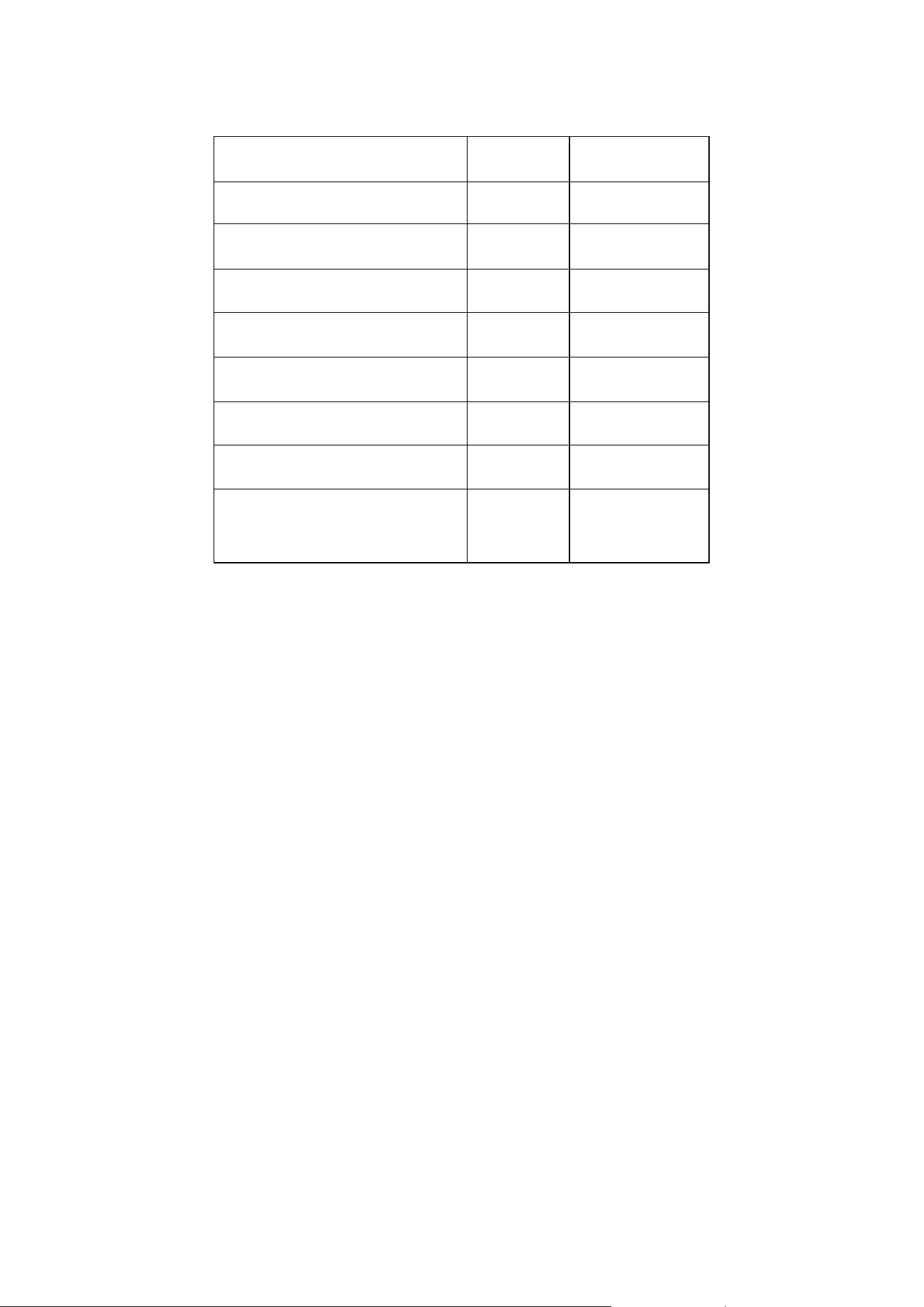
Item
Unit
Quantity
Radio
pc
1
Fixed base
pc
1
Microphone
pc
1
Microphone base
pc
1
User Manual
pc
1
DC lead
pc
1
Screw bag
pack
1
Programming Cable
pc
1
If any items are lost or damaged during handling, we kindly
request that you promptly notify the delivery person and submit a
claim.
4. Main Features:
GMRS receiver and transmitter, UHF receiver 400-480MHz
Large screen display, the display content is rich, easy to
understand
Maximum programmable 199 channels
Three power levels available:HI M LO
Continuous tone coded squelch system(CTCSS 50)or
digital code
squelch(DCS 104)Reject excess calls from other stations.
Wide and narrow band are optional
Frequency step(5.0k/6.25k/12.5k/25k)
Repeater function
Call tone optional
Busy channel lockout function
VOX
5. Structure and Function
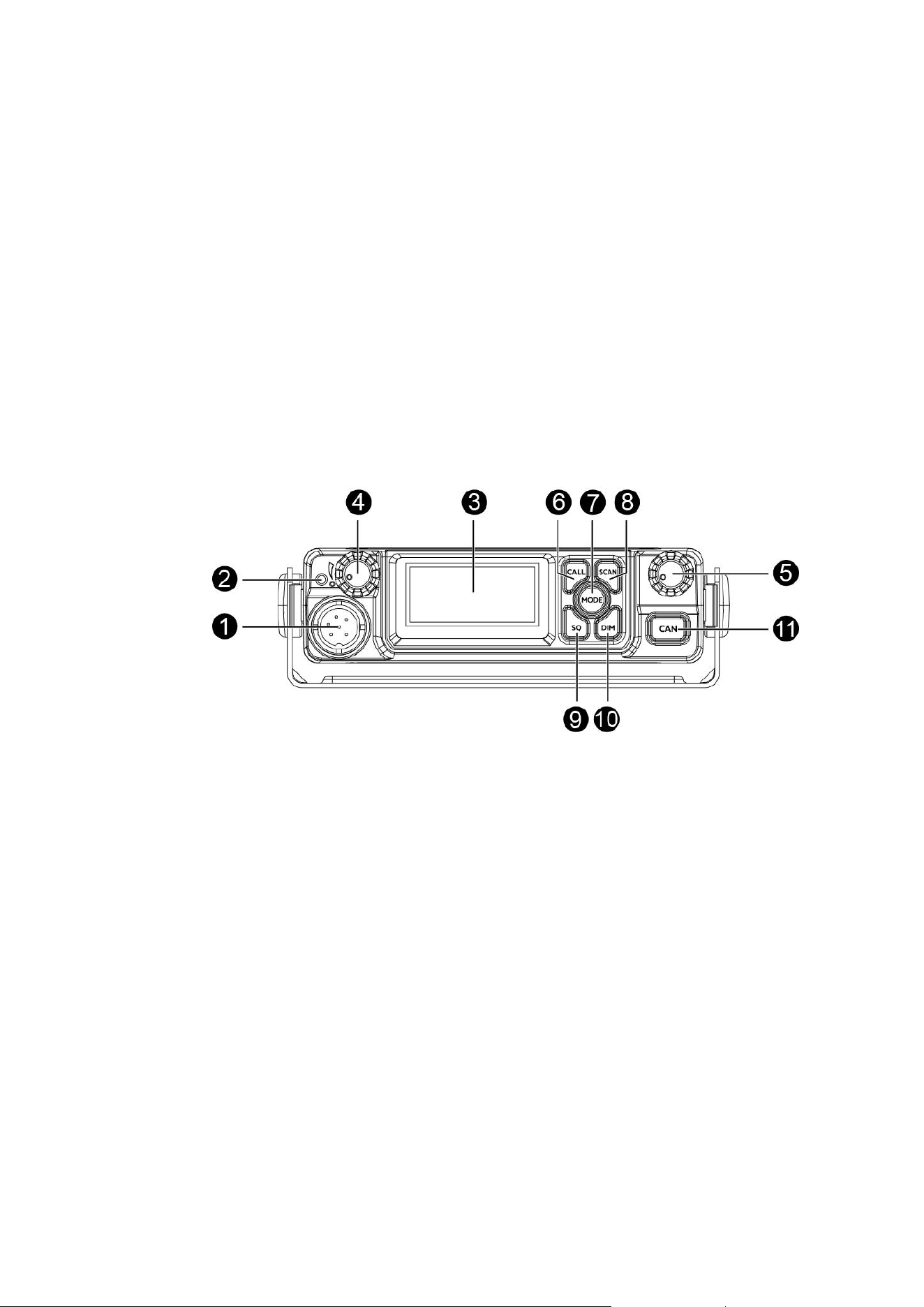
5.1 Front View of Radio
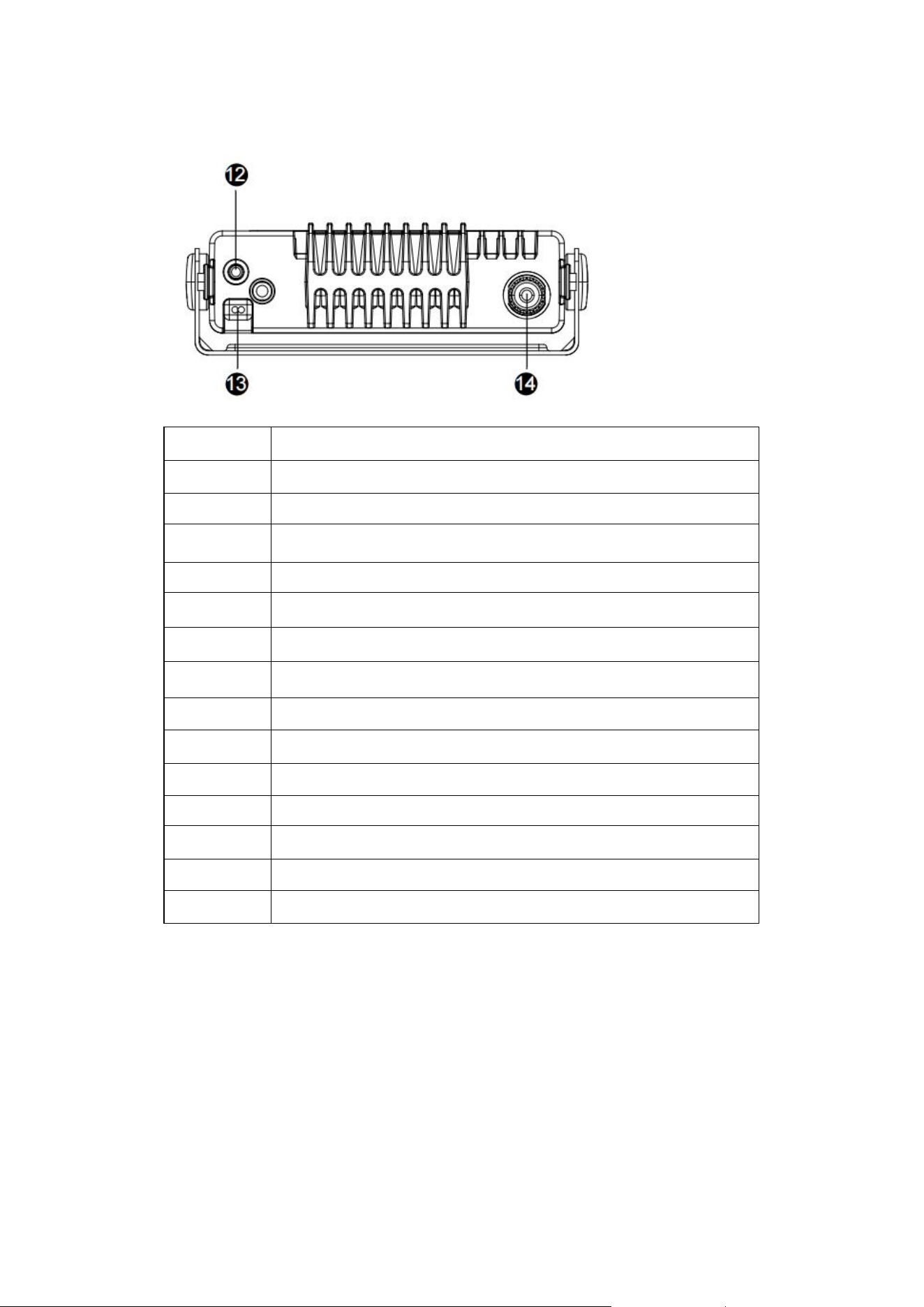
5.2 Rear View of Radio
No.
Name
1
Microphone Interface
2
Transmit/Receive Indicator
3
LCD Panel
4
Power/Volume Knob
5
Channel and Parameter Adjustment Knobs
6
Call Function Keys
7
Mode Function Keys
8
Scanning Function Keys
9
Squelch Level Function Keys
10
Brightness Adjustment Function Keys
11
Function Cancel Keys
12
External Speaker Interface
13
Power Connection Cable
14
Antenna Connector
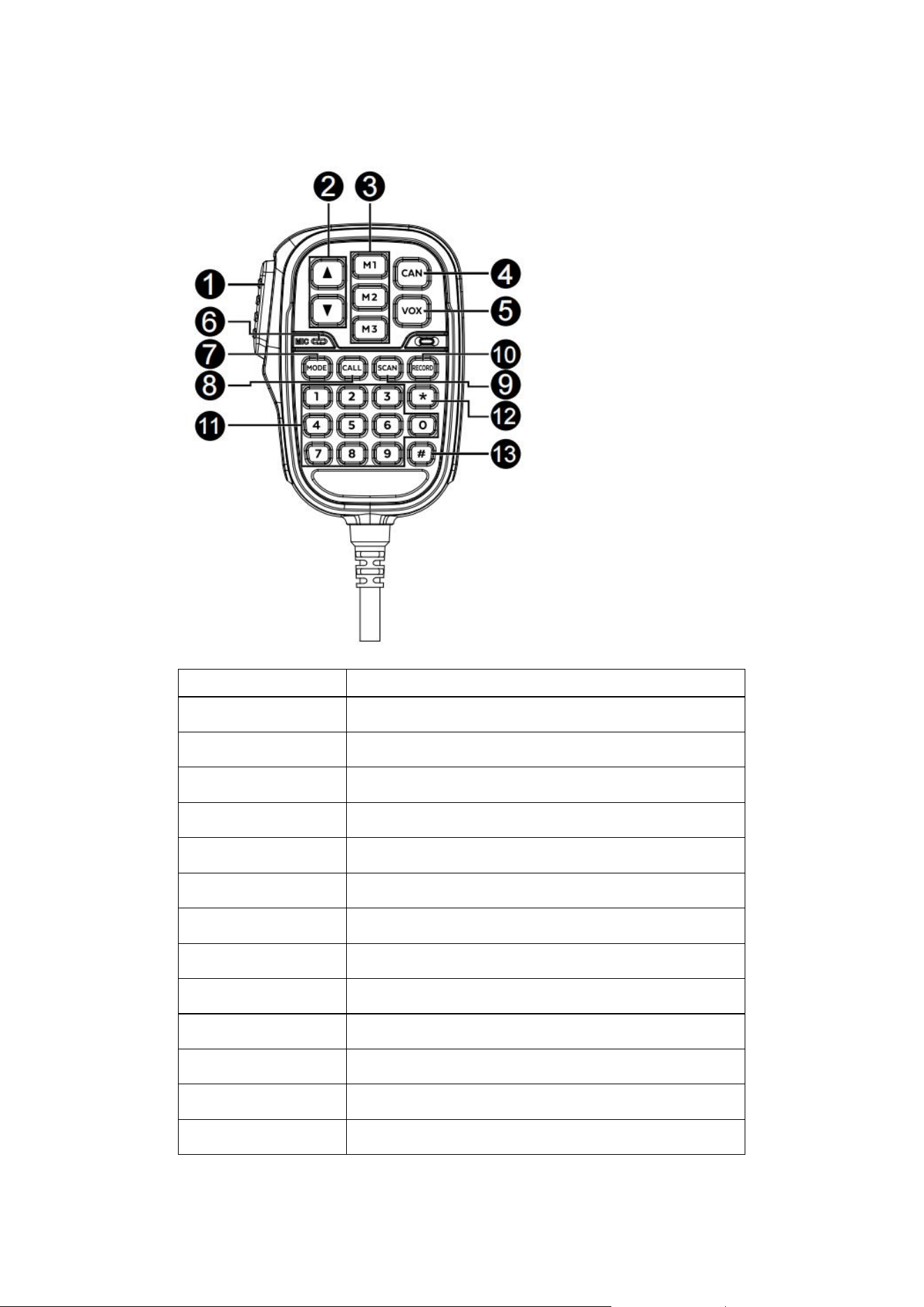
5.3
Microphone Schematic
No.
Name
1
PTT
2
Up or Down / Add or Subtract
3
Shortcut Channel Switch / Save Key
4
Cancel Function
5
VOX Key
6
MIC
7
Mode Switch
8
CALL Function
9
Scan Function
10
Channel Name/Extend Channel Edit
11
Numbers 0-9 Function
12
Menu Function
13
Extended Channel Delete Key/ Keyboard Lock

Under normal circumstances, pressing any key will result in a
confirmation tone.
When the radio successfully executes the command
associated with the key, it responds with a "B" response.
In case the radio fails to execute a key command, it responds
with a "DU" response.
The "Cancel" key is designed to return the radio to its initial
state from various states.
6. Operation Description
6.1 Power On
Connect the machine to the boat's power supply and ensure
there are no errors. Long-press the power/volume knob to power
on the machine, indicated by entry into the main interface. In case
of abnormal power disconnection, the machine will automatically
power on again.
6.2 Switching Channel
1> Use the rotary encoder to switch channels.
2> Use the hand-mic plus/minus keys to increment or
decrement channels.
3> Use the hand-mic numeric keys to directly set the
desired channel.

6.3 Frequency Mode and GMRS Channel Mode Switching
Press the "Mode" button on the panel or the "Mode" key on
the hand-mic to switch between GMRS channel mode and VFO
mode.
6.4 Frequency Mode Frequency Step Selection
Press the numeric keys to set the frequency directly.
Alternatively, press the "*" to enter the frequency step setting
menu and choose from 5k, 6.25k, 12.5k, or 25k steps.
6.5 Memory Frequencies
In the frequency mode, press the memory key to display the
prompt "press MX to memorize the frequency." Then, press
M1/M2/M3 to record the current frequency.
To quickly switch to the recorded frequency, you can short
press M1/M2/M3.
6.6 Scanning
In channel mode, press "SCAN" to perform channel scanning;
In VFO mode, press "SCAN" to perform frequency scanning, and
the scanning range can be set in the menu. Press "RECORD" to
save the useful frequency points. Press up and down to switch
between forward and reverse scanning or skip the useful channel

(frequency point) to continue scanning.
6.7 Squelch Setting
Short press the "SQ" key to set the squelch level. Use the
Up/Down key to adjust the level, or directly input the desired level
using the numeric keys. When the setting is complete, press the
"CAN" or "SQ" button again to exit the setting.
Press and hold "SQ" key for 3 seconds to turn on forced
monitoring.
6.8 Backlight Brightness Setting
Short press the "Brightness" button to set the backlight
brightness level. Adjust the level using the plus/minus key or
directly input the desired level using the numeric keys. Press the
"Cancel" or "Squelch" button again to exit the setting.
6.9 Call Function
Press the Select Call key to make a call. Choose from 1-5
different call tones.
6.10 VOX Function
Press the VOX button on the speaker to turn the VOX function
on or off. To adjust the VOX level, press "*" on the microphone to

enter the menu and use the Up or Down key to select the desired
level.
6.11 Keyboard Lock
Press and hold the "#" button for 3 seconds to lock or unlock
the keypad. When the keypad is locked, only the PTT button can
be used.
6.12 Menu Options
In standby mode, press the encoder or the hand-mic "*" key
to enter the menu. The menu options include:
1.1> Transmit power (low/medium/high)
1.2> Dual frequency standby
1.3> Repeater switch (15-22 channels)
1.4> Bandwidth (wideband /narrowband)
1.5> Subsonic(OFF/CTC/CDC)
1.6> Transmit subsonic(OFF/CTC/CDC)
1.7> VOX level SET
1.8> BCLO (On/Off)
1.9> Key tone (on/off)
1.10> Call tone selection (0-5)
1.11> TOT 0-300S

6.13 Extended Channel Frequency Editor
Please note that channels 1-30 are reserved for the main
channels and cannot be edited, only 031-199 can be freely set for
extended channels.
To add the current frequency to an extended channel, follow
these steps:
1. Switch to VFO mode.
2. Press the "RECORD" button on the hand-mic to initiate the
saving process.
3. Choose a desired channel to store the frequency.
*Please note that if the selected channel (CH031-199) is
already occupied, the saving process will fail. Ensure that the
channel is empty before attempting to save the frequency.
6.14 Channel Name Editing (Length 8):
Press "RECORD" to set the channel name. Use the knob (or
hand-mic Up or Down) to modify the characters. Press ENCODER
or MODE to switch to the next character, and press PTT to end the
edit.
6.15 Dual Frequency Standby
Under any channel, press the hand-mic "*" to set the
dual-frequency standby channel. Press and hold the SCAN button
to enter the dual-frequency standby screen. The main channel can
be switched between each other using the hand-mic "#" key.
6.16 Volume Adjustment
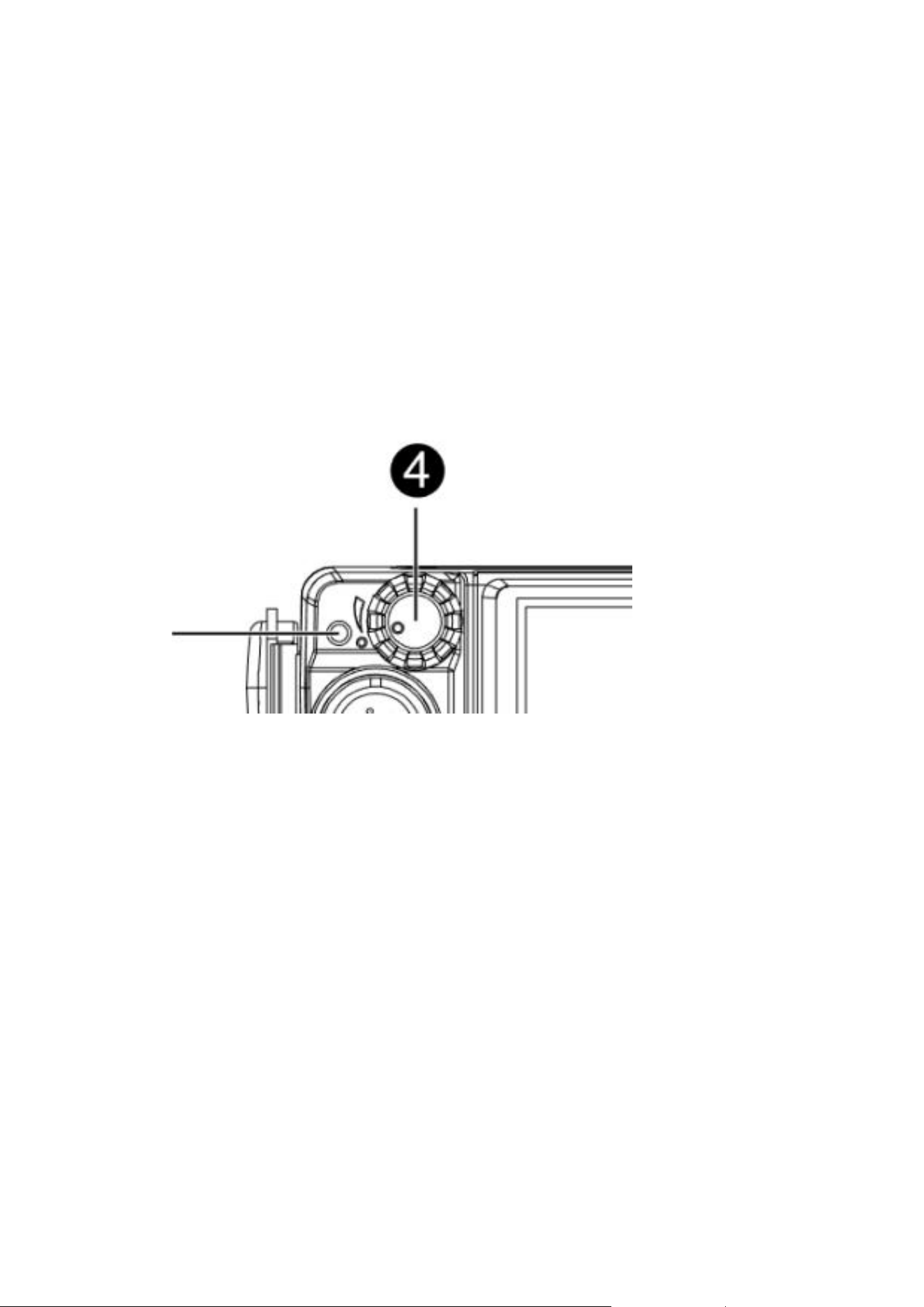
Rotate machine button 4 to adjust the sound volume of the
radio
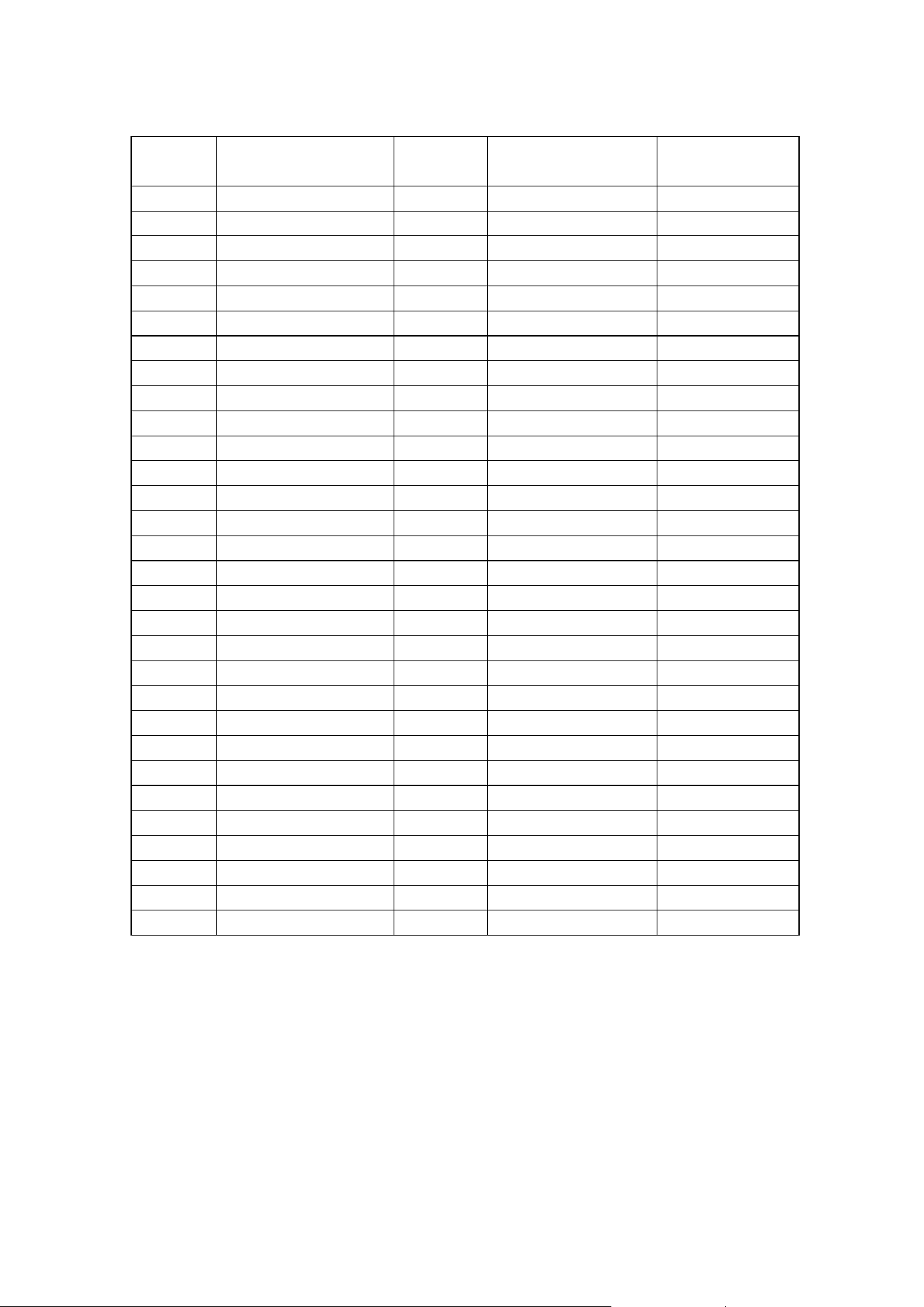
7. Channel Frequency Tables
Channel
Number
GMRS Frequency
MHz
Fixed
Privacy
Band Width
TX Power
1
462.5625
Narrow or Wide
Low
2
462.5875
Narrow or Wide
Low
3
462.6125
Narrow or Wide
Low
4
462.6375
Narrow or Wide
Low
5
462.6625
Narrow or Wide
Low
6
462.6875
Narrow or Wide
Low
7
462.7125
Narrow or Wide
Low
8
467.5625
Narrow
RX
9
467.5875
Narrow
RX
10
467.6125
Narrow
RX
11
467.6375
Narrow
RX
12
467.6625
Narrow
RX
13
467.6875
Narrow
RX
14
467.7125
Narrow
RX
15
462.5500
Narrow or Wide
High/Low
16
462.5750
Narrow or Wide
High/Low
17
462.6000
Narrow or Wide
High/Low
18
462.6250
Narrow or Wide
High/Low
19
462.6500
Narrow or Wide
High/Low
20
462.6750
Narrow or Wide
High/Low
21
462.7000
Narrow or Wide
High/Low
22
462.7250
Narrow or Wide
High/Low
23
462.5625
Narrow or Wide
High/Low
24
462.6125
Narrow or Wide
High/Low
25
462.6625
Narrow or Wide
High/Low
26
462.7125
Narrow or Wide
High/Low
27
462.55
Narrow or Wide
High/Low
28
462.600
Narrow or Wide
High/Low
29
462.650
Narrow or Wide
High/Low
30
462.700
Narrow or Wide
High/Low
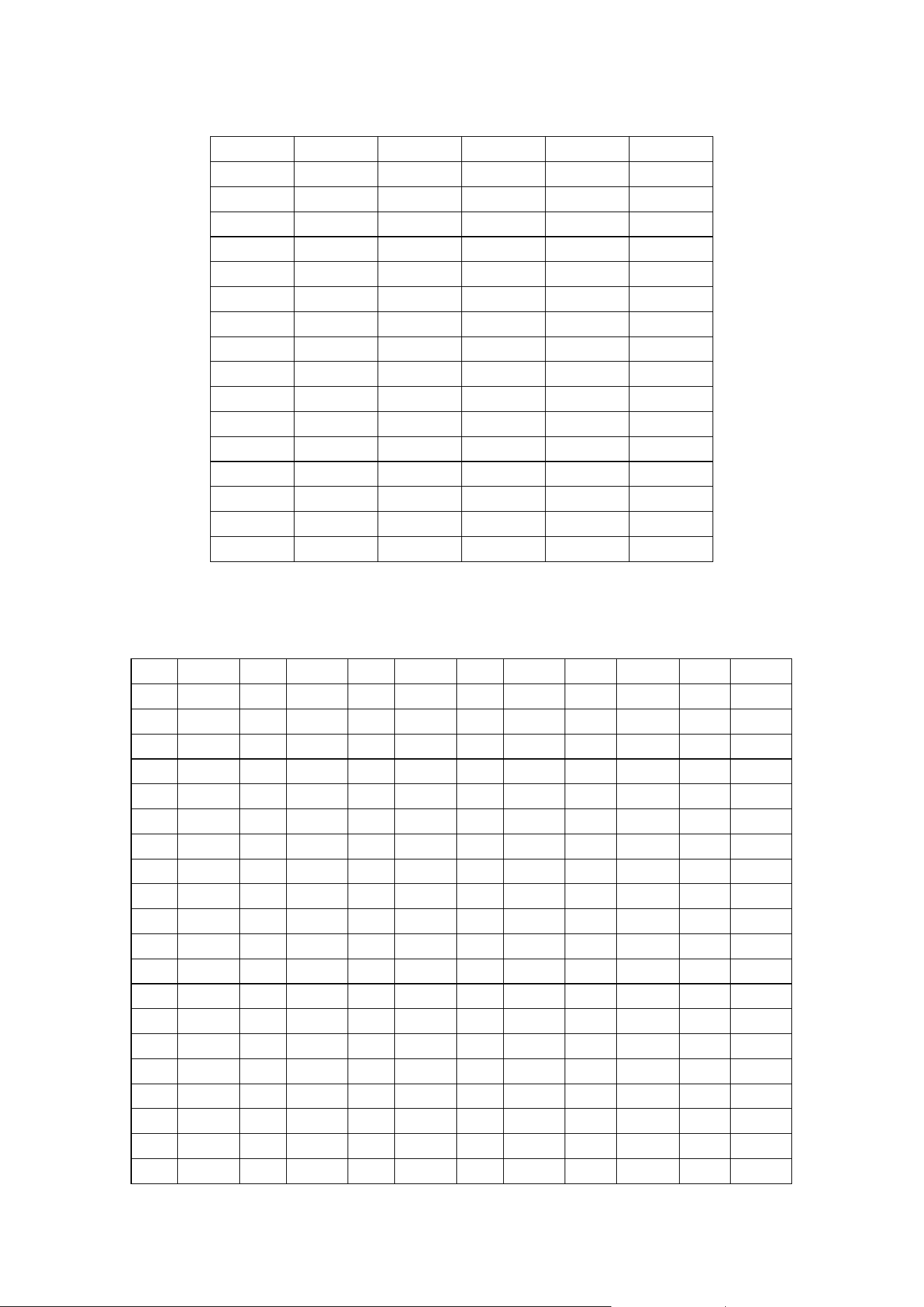
8. CTCSS Table
1
67.0
18
118.8
35
183.5
2
69.3
19
123.0
36
186.2
3
71.9
20
127.3
37
189.9
4
74.4
21
131.8
38
192.8
5
77.0
22
136.5
39
196.6
6
79.7
23
141.3
40
199.5
7
82.5
24
146.2
41
203.5
8
85.4
25
151.4
42
206.5
9
88.5
26
156.7
43
210.7
10
91.5
27
159.8
44
218.1
11
94.8
28
162.2
45
225.7
12
97.4
29
165.5
46
229.1
13
100.0
30
167.9
47
233.6
14
103.5
31
171.3
48
241.8
15
107.2
32
173.8
49
250.3
16
110.9
33
177.3
50
254.1
17
114.8
34
179.9
9. DCS Table
No
code
No
code
No
code
No
code
No
code
No
code
1
023
21
125
41
245
61
356
81
506
101
732
2
025
22
131
42
246
62
364
82
516
102
734
3
026
23
132
43
251
63
365
83
523
103
743
4
031
24
134
44
252
64
371
84
526
104
754
5
032
25
143
45
255
65
411
85
532
6
036
26
145
46
261
66
412
86
546
7
043
27
152
47
263
67
413
87
565
8
047
28
155
48
265
68
423
88
606
9
051
29
156
49
266
69
431
89
612
10
053
30
162
50
271
70
432
90
624
11
054
31
165
51
274
71
445
91
627
12
065
32
172
52
306
72
446
92
631
13
071
33
174
53
311
73
452
93
632
14
072
34
205
54
315
74
454
94
654
15
073
35
212
55
325
75
455
95
662
16
074
36
223
56
331
76
462
96
664
17
114
37
225
57
332
77
464
97
703
18
115
38
226
58
343
78
465
98
712
19
116
39
243
59
346
79
466
99
723
20
122
40
244
60
351
80
503
100
731

10. Main Parameters
Frequency range: Receiver 400.000-480.000MHZ Transmitter:GMRS
frequency
Channel spacing: 5KHz、6.25KHz、12.5KHz、25KHz
Supply Voltage: 13.8V±15%
Transmitter
Receiver
output power
HI≥40W
M≈20W
LO≈5W
Reference
sensitivity
400-420≤0.30uV
420-470≤0.25uV
Carrier
frequency
tolerance
≤2.5PPM
Threshold
squelch on
sensitivity(ASQ2)
≤0.20uV
Modulation
limiting
≤5Khz
Audio Harmonic
Distortion
≤7%
Dissipation
current
≤10A
Modulated
Receive
Bandwidth
≤3/5khz