

USER’S MANUAL
MANUEL DE L’UTILISATEUR
MANUAL DEL USUARIO
CW40T2RW
S3125A
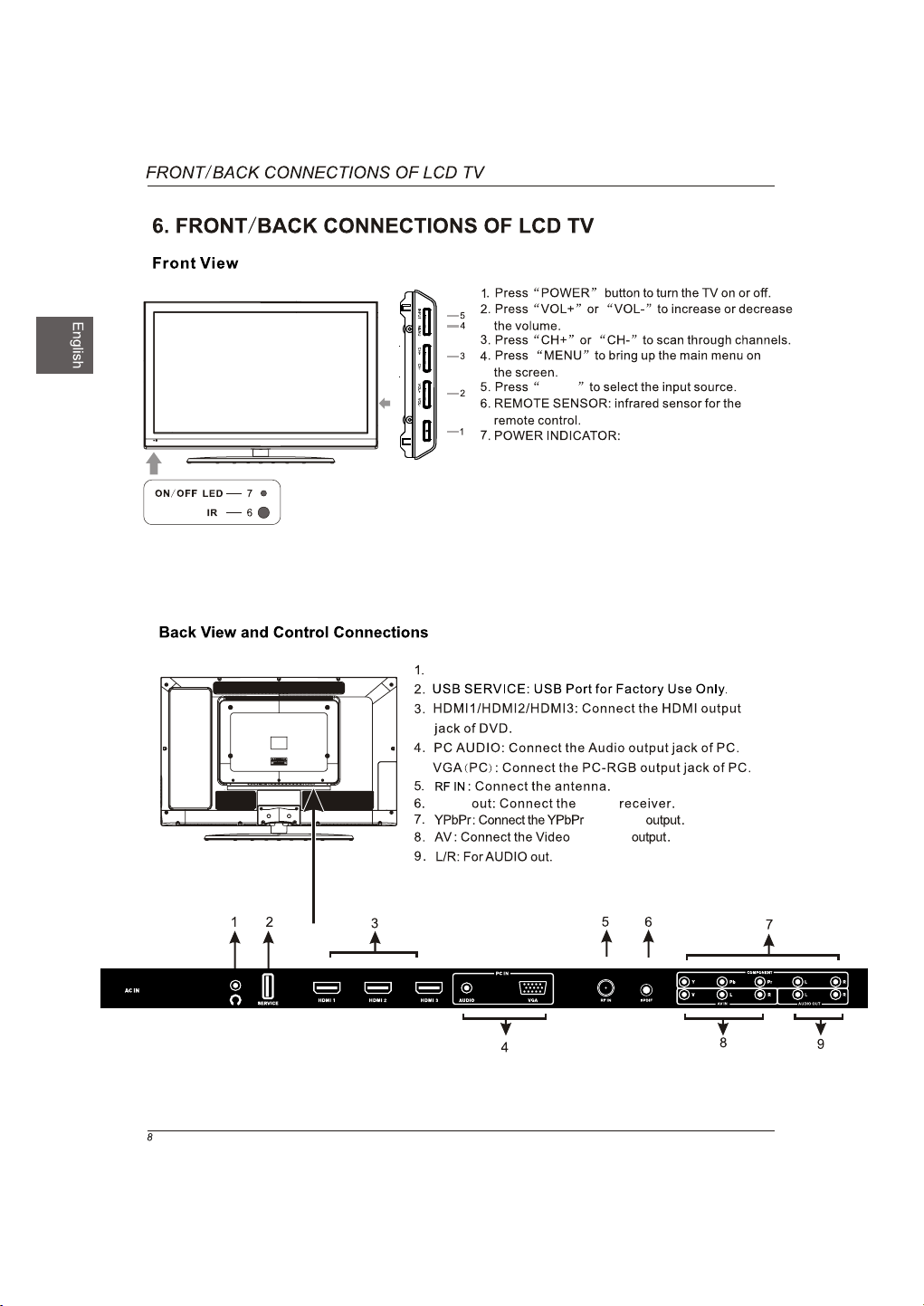
SPDIF
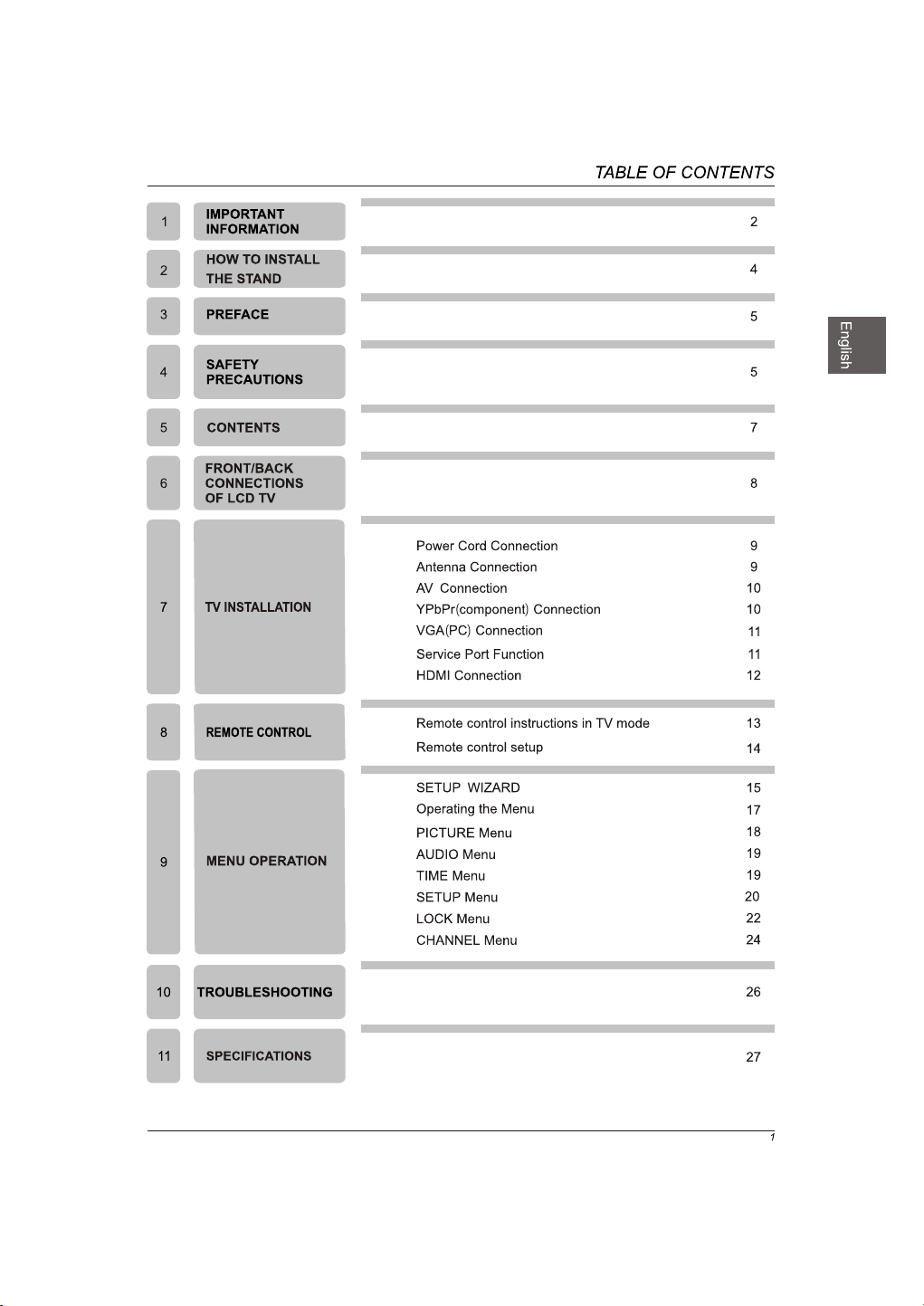
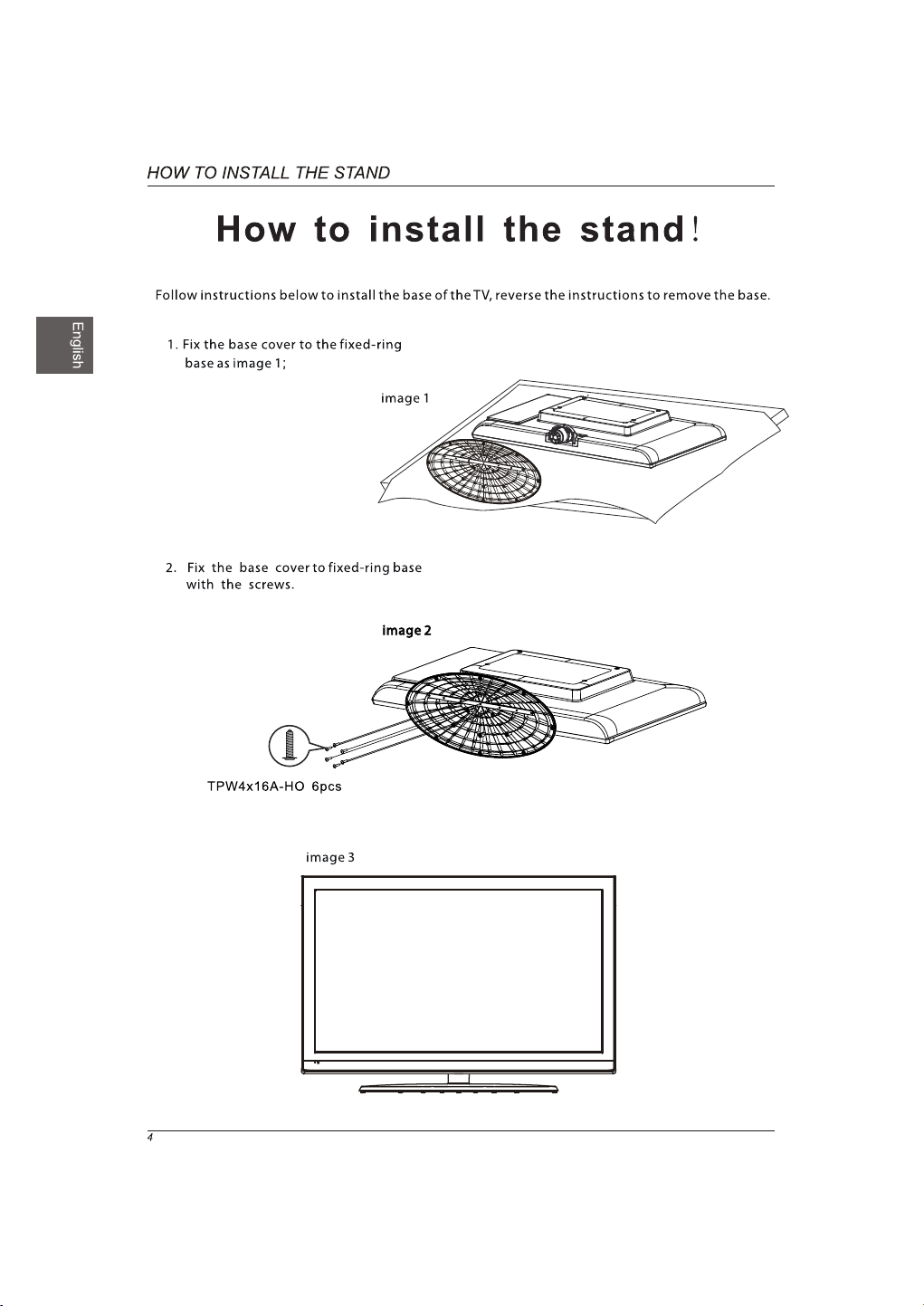
Headphone: Connect a stereo headphone for private listening.
SPDIF
and Audio
and Audio
INPUT
Blue when TV is powered on.
Red when TV is powered off.
REWOP
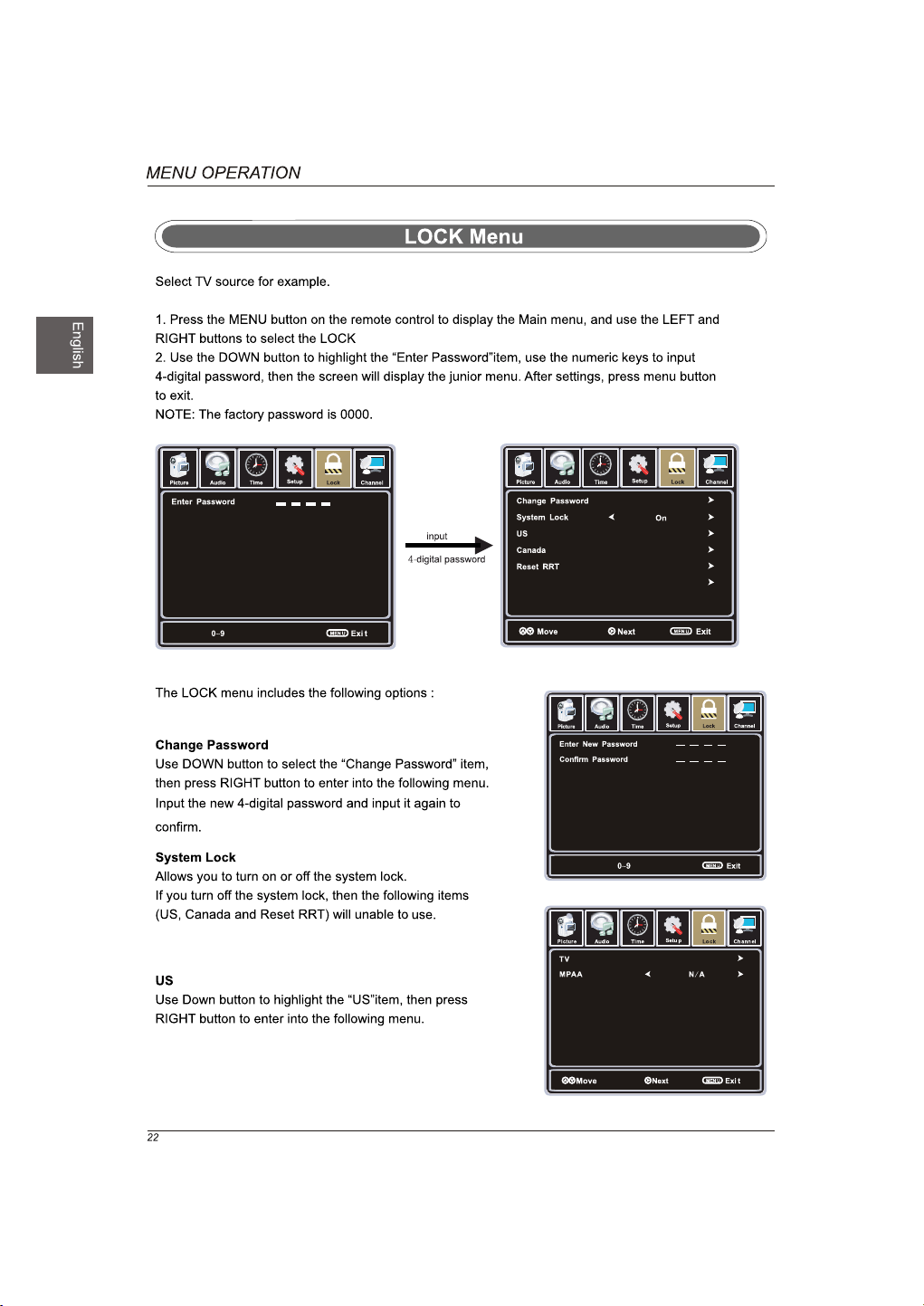
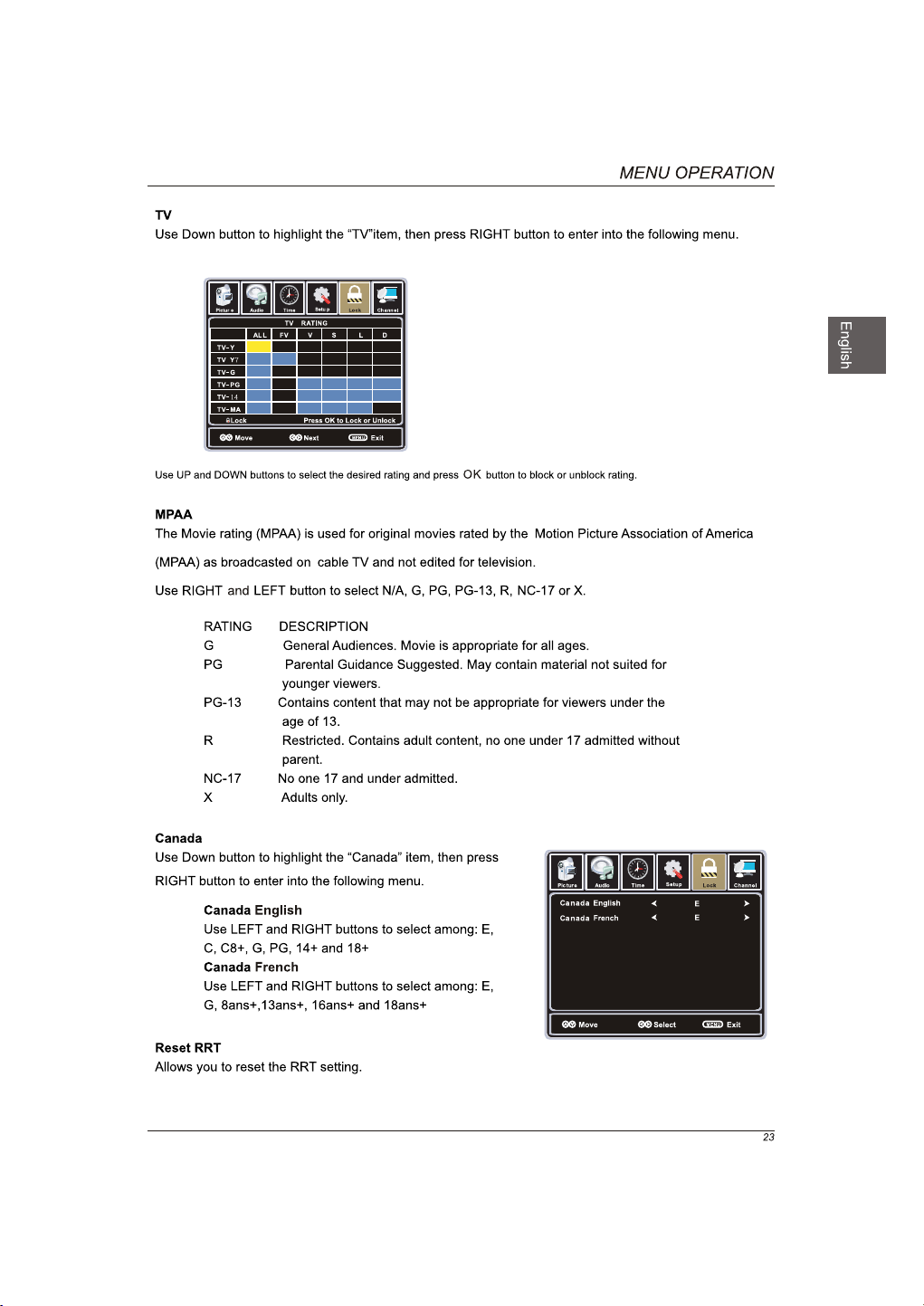
Setting up parental control.
AUTO
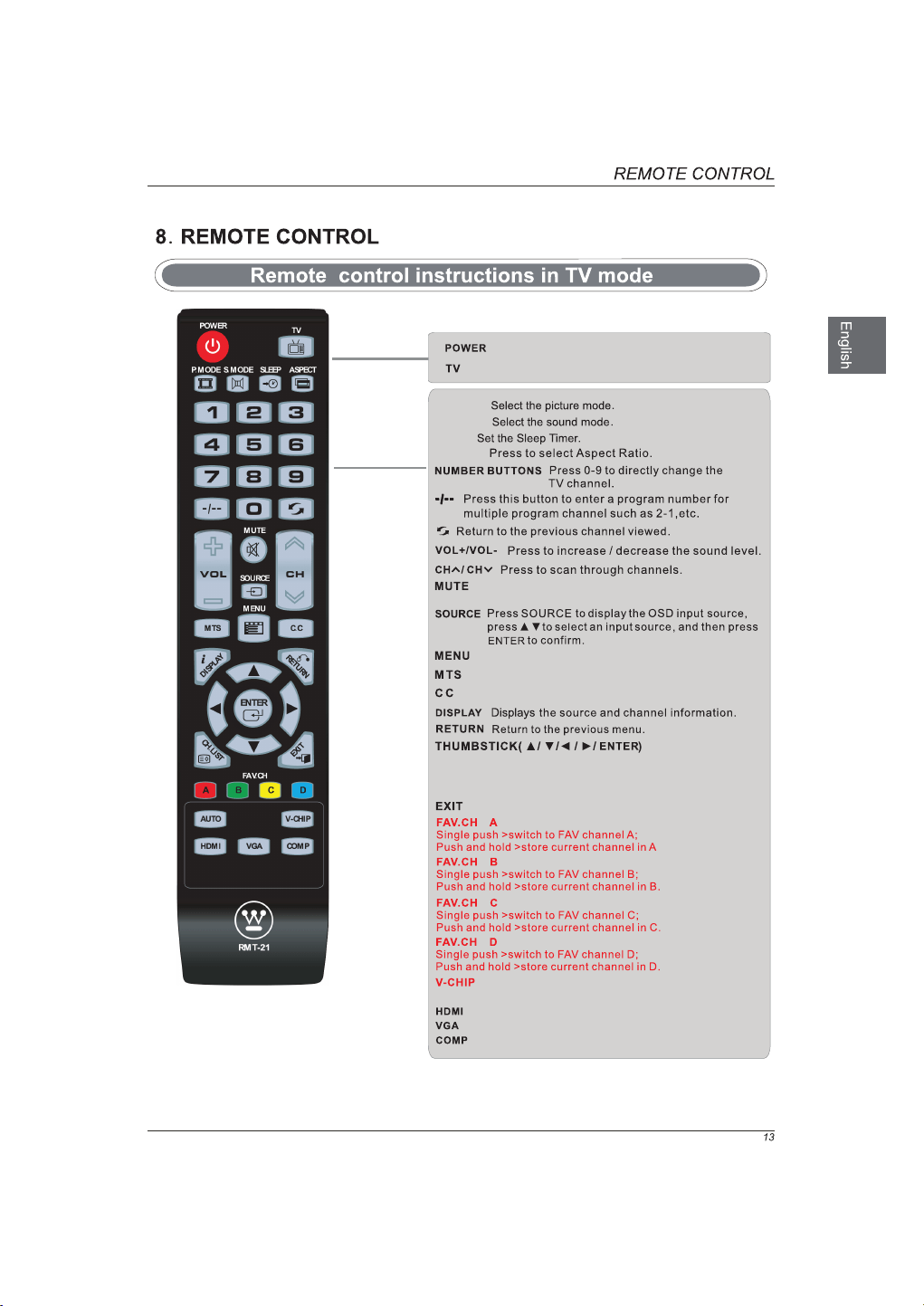
Press to adjust the picture automatically in VGA source.
Select to the HDMI mode directly.
Select to the VGA mode directly.
Select to the COMP mode directly.
Exit the main TV menu.
Press to display the TV program list.
CH.LIST
Allows you to navigate the on-screen menus and adjust the
system settings to your preference.
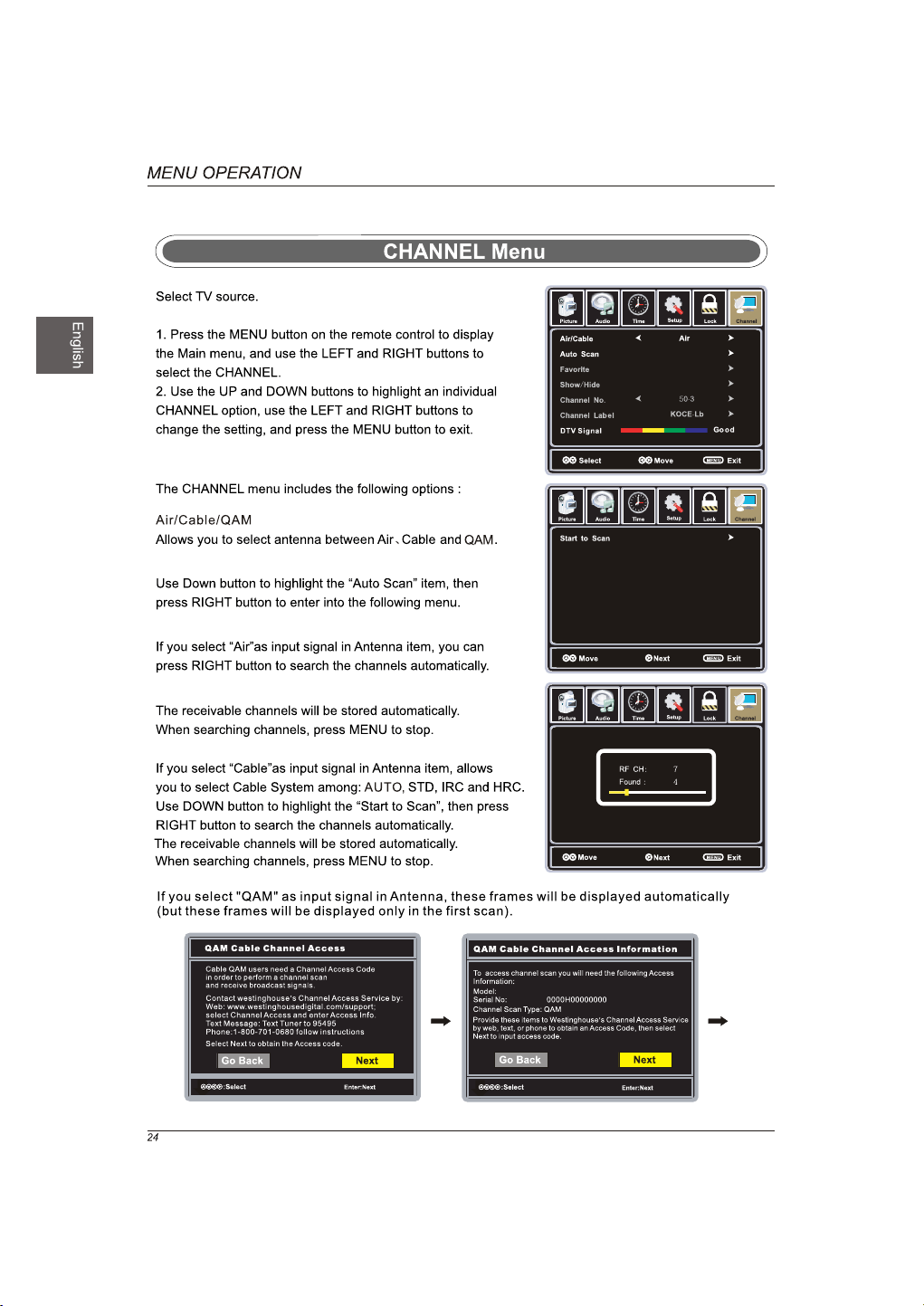
Displays the main TV menu.
Select to the TV mode directly.
Turn the LCD TV on of off.
Press once to disable the audio and press again to
enable the audio.
ASPECT
SLEEP
S.MODE
P.MODE
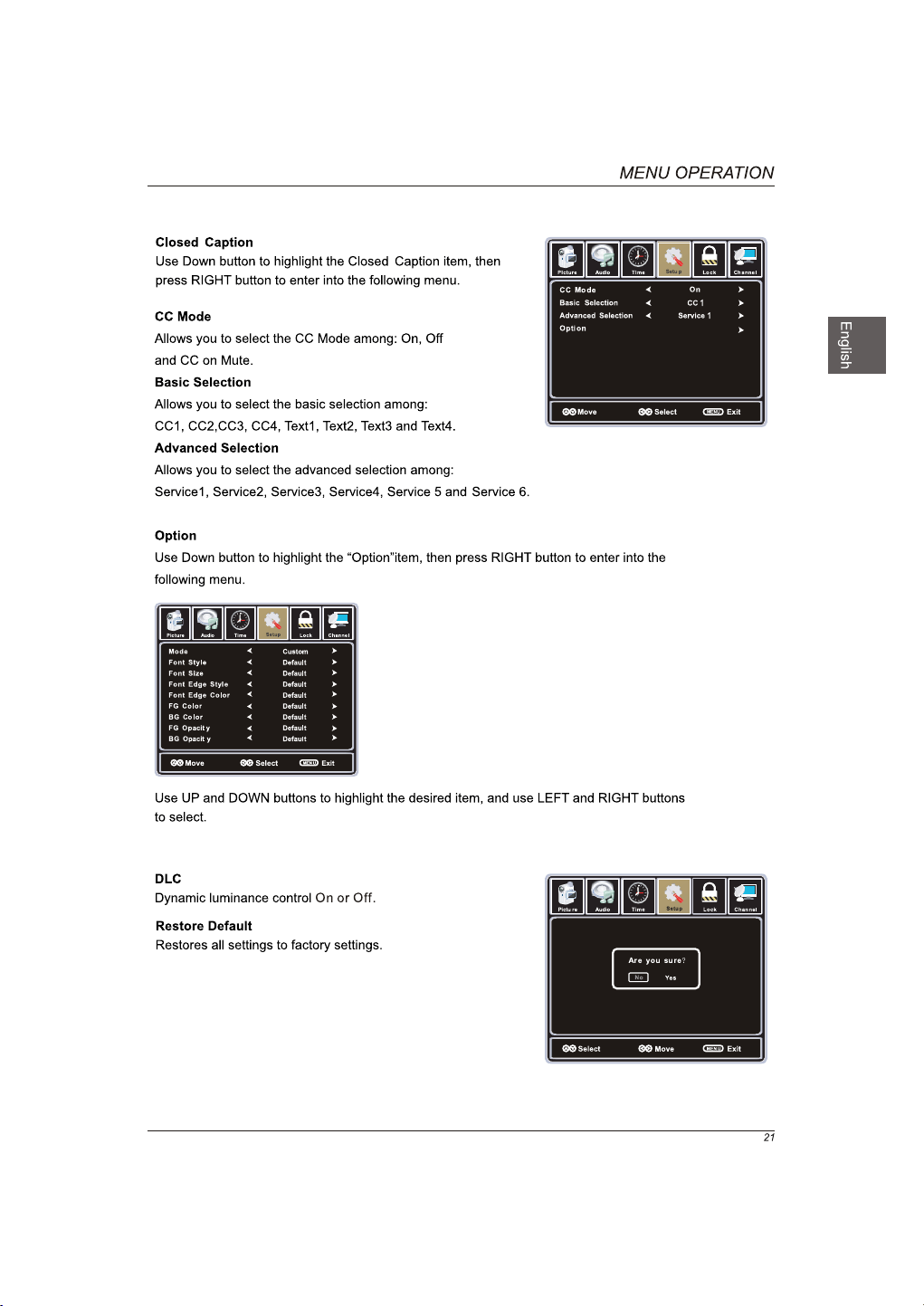
Press to set the closed caption.
Press to adjust between available audio channel.
CW40T8GW
CW40T8GW
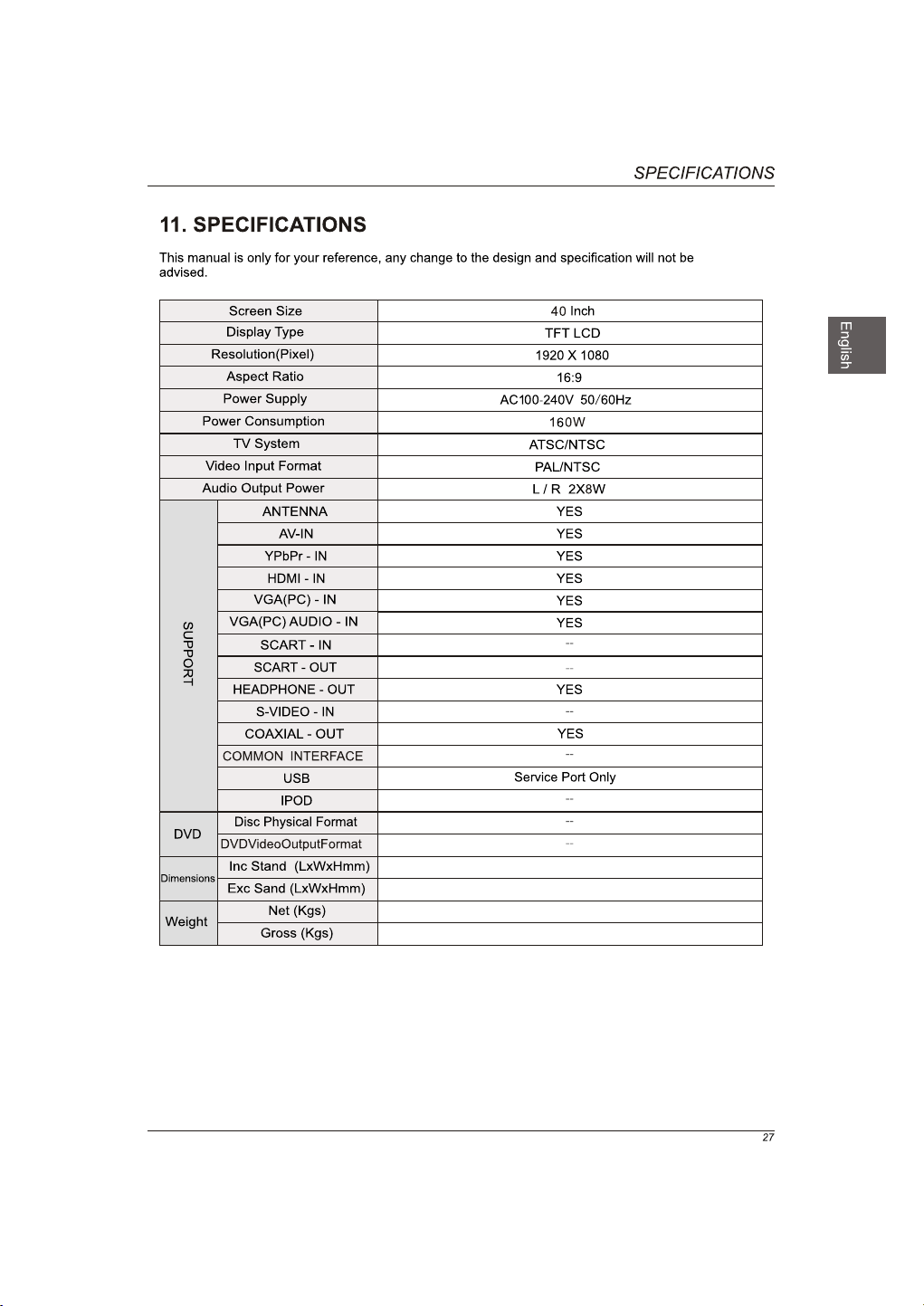
992x289x674mm
992x118x623mm
14
.6
19



www.westinghousedigital.com
Westinghouse Digital, LLC
Orange, CA
SE-UM-4005-1201
S/N: