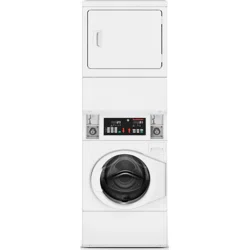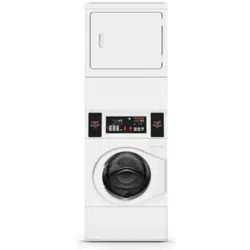
MULTI-HOUSING
QUANTUM
®
CONTROL PROGRAMMING MANUAL
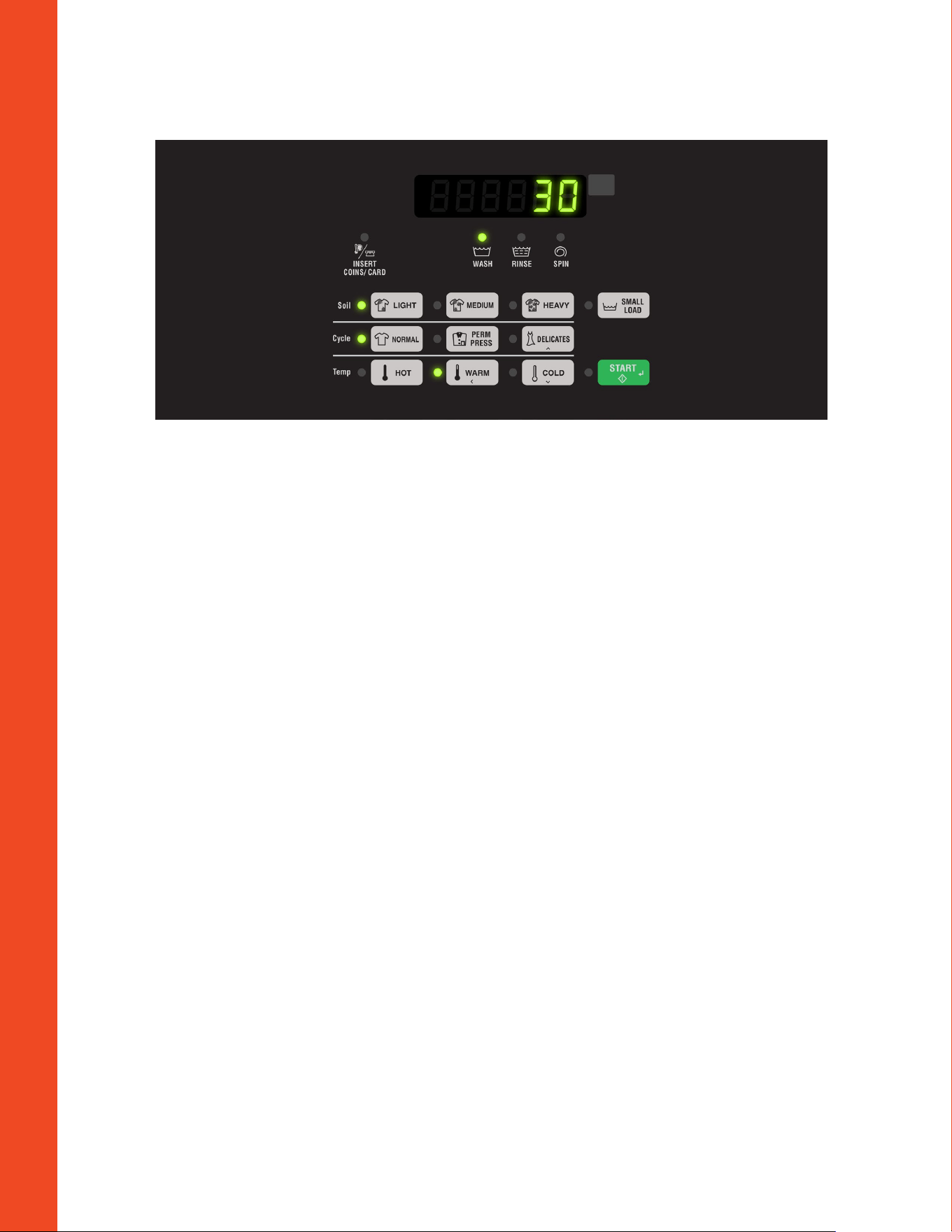
QUANTUM TOP LOAD WASHER
1. Make sure coin drawer is inserted and locked before
continuing.
2. Open meter case service door using the GR-800 key, and
then close service door and lock it.
3. Key strokes to get into programming menu.
a. Press and hold LIGHT buon.
b. While continuing to hold LIGHT buon, press NORMAL
buon.
4. Display will show rAPid which is the first option in
the manual menu.
Change Vend Price for all Cycles
5. Press DELICATES (˄) or COLD (˅) buon until Prog is
displayed. Press START buon. AtS1 is displayed.
6. Press STA RT buon to change all vend prices. All cycle
LEDs will be lit to show all cycle prices are being changed.
7. Press DELICATES (˄) or COLD (˅) buon to increase or
decrease the value of the active digit. Press START buon
to set the value of the active digit and advance to the next
digit.
8. Press START buon when the correct value appears in
display. The new vend price is saved and next option will
appear in display.
Change Medium Soil Level Price Adder
9. Press DELICATES (˄) or COLD (˅) buon until ACMP1
is displayed.
10. Press START buon to change MEDIUM SOIL LEVEL
price adder. The MEDIUM SOIL LEVEL LED will be lit to
show which price adder is programmed.
11. Press DELICATES (˄) or COLD (˅) buon to increase or
decrease the value of the active digit. Press START buon
to set the value of the active digit and advance to the next
digit.
12. Press START buon when the correct value appears in
display. The new MEDIUM SOIL LEVEL price adder is
saved and next option will appear in display.
Change Heavy Soil Level Price Adder
13. Press DELICATES (˄) or COLD (˅) buon until
ACMP 2 is displayed.
14. Press START buon to change HEAVY SOIL LEVEL price
adder. The HEAVY SOIL LEVEL LED will be lit to show
which price adder is programmed.
15. Press DELICATES (˄) or COLD (˅) buon to increase or
decrease the value of the active digit. Press START buon
to set the value of the active digit and advance to the next
digit.
16. Press STA RT buon when the correct value appears in
display. The new HEAVY SOIL LEVEL price adder is saved
and next option will appear in display.

Change Temperature Controlled Fill, Spray
Rinse and Small Load Setting
17. Press DELICATES (˄) or COLD (˅) buon until CyCp-
is displayed. Press START buon.
18. Press DELICATES (˄) or COLD (˅) buon until
CyCp14 is displayed. Press STA RT buon.
19. Press DELICATES (˄) or COLD (˅) buon to increase or
decrease the value. Press START buon to set the value.
a. Default value is 7 – Temperature Controlled Fill, Spray
Rinse and Small Load is enabled.
b. Value 6 – Temperature Controlled Fill is disabled.
c. Value 4 – Temperature Controlled Fill and Spray Rinse is
disabled.
d. Value 0 - Temperature Controlled Fill, Spray Rinse and
Small Load is disabled.
NOTE: To go back to current programmable option
without changing value, press WARM (<) buon.
NOTE: To exit manual programming, press WARM (<)
buon several times until control is back to Ready Mode.
Video showing how to program Quantum Top Load Washer
hps://www.youtube.com/watch?v=EDDuqnaZvvQ&feature=youtu.be
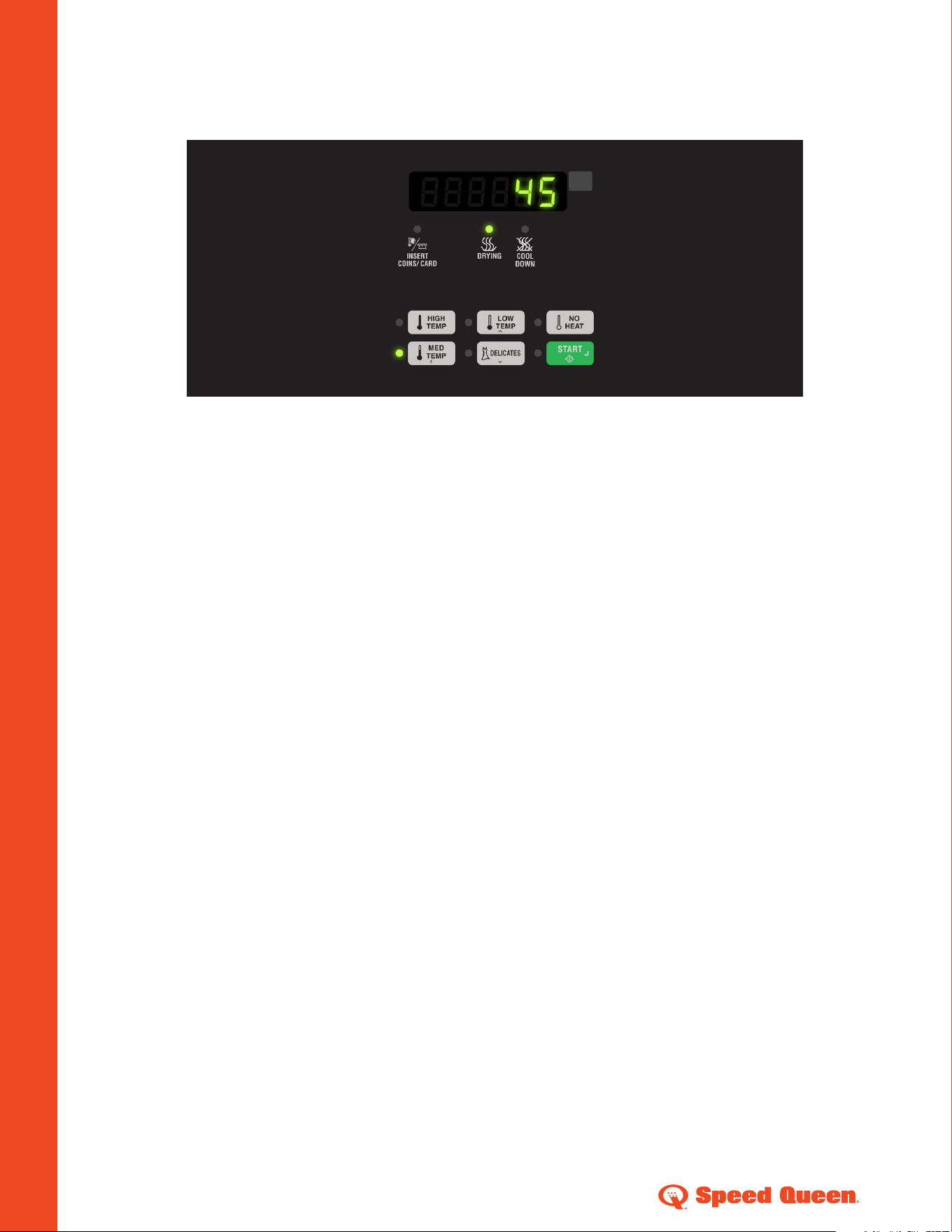
QUANTUM SINGLE LOAD DRYER
1. Make sure coin drawer is inserted and locked before
continuing.
2. Open meter case service door (on rear controlled
machines) or service door (on front controlled machines)
using the GR-800 key, and then close service door and lock
it.
3. Key strokes to get into programming menu.
a. Press and hold HIGH TEMP buon.
b. While continuing to hold HIGH TEMP buon, press
MED TEMP buon.
4. Display will show
rAPid which is the first option in
the manual menu.
Change Vend Price for Heat Cycles
5. Press LOW TEMP (˄) or DELICATES (˅) buon until
Prog is displayed. Press STA RT buon. AtS H
is displayed.
6. Press STA RT buon to change heat cycles vend price.
7. Press LOW TEMP (˄) or DELICATES (˅) buon to increase
or decrease the value of the active digit. Press START
buon to set the value of the active digit and advance to the
next digit.
8. Press START buon when the correct value appears in
display. The new heat cycle vend price is saved and next
option will appear in display.
Change Vend Price for No Heat Cycle
9. Press LOW TEMP (˄) or DELICATES (˅) buon until
AtSnH is displayed.
10. Press START buon to change no heat cycle vend price.
11. Press LOW TEMP (˄) or DELICATES (˅) buon to increase
or decrease the value of the active digit. Press START
buon to set the value of the active digit and advance to the
next digit.
12. Press STA RT buon when the correct value appears in
display. The new no heat cycle vend price is saved and next
option will appear in display.

Change Top-Off Feature and Time Per
Quarter (Minutes and Seconds)
19. Press LOW TEMP (˄) or DELICATES (˅) buon until
toP- is displayed. Press START buon.
20. Press LOW TEMP (˄) or DELICATES (˅) buon until
toP1 is displayed. Press START buon to enable or
disable Top-Off feature. Press LOW TEMP (˄) or
DELICATES (˅) buon to change the value to on or off.
Press START buon when the correct value appears in
display.
21. Press LOW TEMP (˄) or DELICATES (˅) buon until
toP2 is displayed. Press STA RT buon to change
Coin 1 Top-Off time minutes. Press LOW TEMP (˄) or
DELICATES (˅) buon to increase or decrease the value.
Press START buon when the correct value appears in
display.
22. Press LOW TEMP (˄) or DELICATES (˅) buon until
toP3 is displayed. Press STA RT buon to change
Coin 1 Top-Off time seconds. Press LOW TEMP (˄) or
DELICATES (˅) buon to increase or decrease the value.
Press START buon when the correct value appears in
display.
23. Press MED TEMP (˂) buon to exit Top-Off sub-menu.
NOTE: To go back to current programmable option
without changing value, press MED TEMP (<) buon.
NOTE: To exit manual programming, press MED TEMP (<)
buon several times until control is back to Ready Mode.
Change Cycle Time (Minutes and Seconds)
13. Press LOW TEMP (˄) or DELICATES (˅) buon until
CyCt- is displayed. Press STA RT buon.
14. Press LOW TEMP (˄) or DELICATES (˅) buon until
CyCt1 is displayed. Press STA RT buon to change
heat cycle time minutes. Press LOW TEMP (˄) or
DELICATES (˅) buon to increase or decrease the value.
Press START buon when the correct value appears in
display.
15. Press LOW TEMP (˄) or DELICATES (˅) buon until
CyCt2 is displayed. Press STA RT buon to change the
heat cycle time seconds. Press LOW TEMP (˄) or
DELICATES (˅) buon to increase or decrease the value.
Press START buon when the correct value appears in
display.
16. Press LOW TEMP (˄) or DELICATES (˅) buon until
CyCt3 is displayed. Press STA RT buon to change no
heat cycle time minutes. LOW TEMP (˄) or DELICATES (˅)
buon to increase or decrease the value. Press START
buon when the correct value appears in display.
17. Press LOW TEMP (˄) or DELICATES (˅) buon until
CyCt4 is displayed. Press STA RT buon to change
heat cycle time seconds. LOW TEMP (˄) or DELICATES (˅)
buon to increase or decrease the value. Press START
buon when the correct value appears in display.
18. Press MED TEMP (˂) buon to exit cycle time sub-menu.
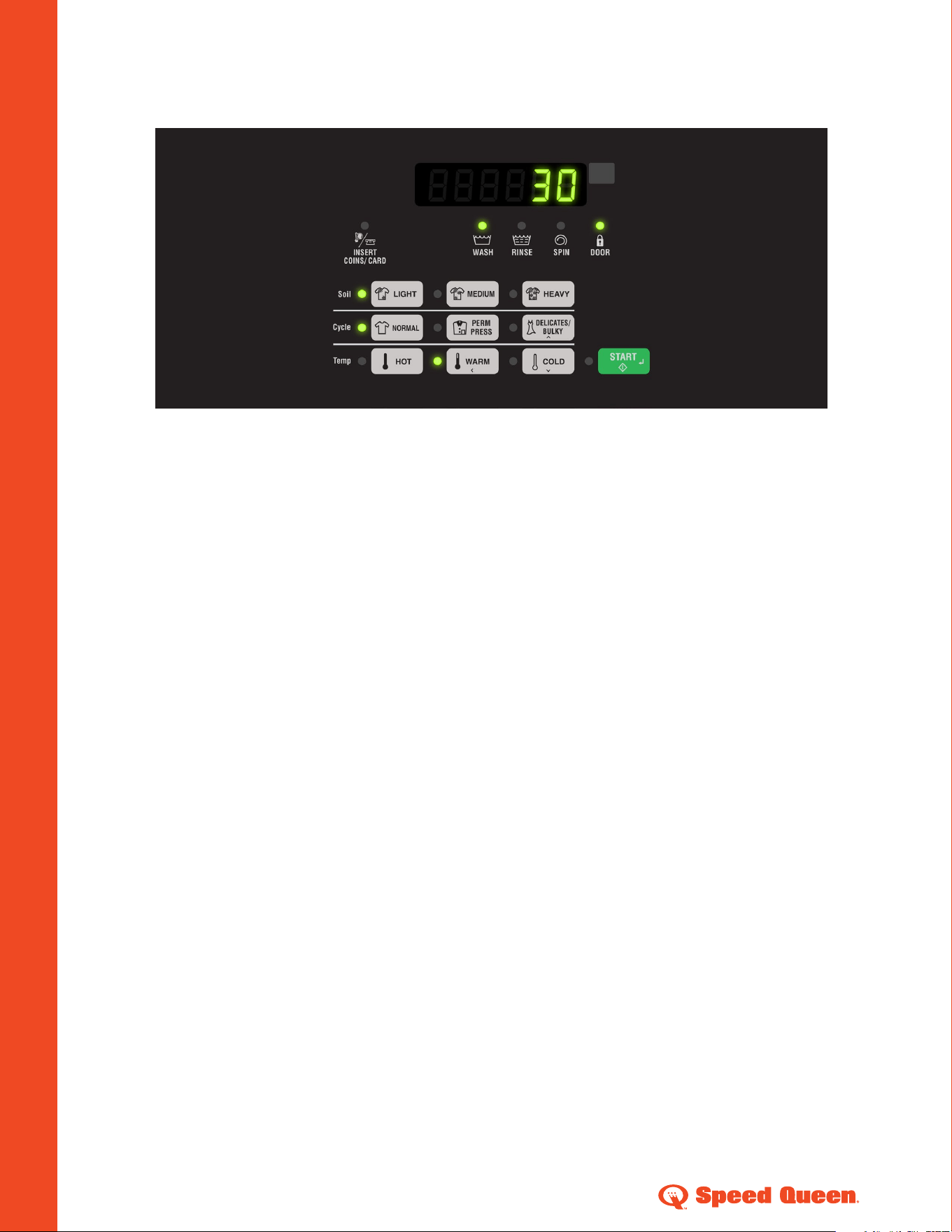
QUANTUM FRONT LOAD WASHER
1. Make sure coin drawer is inserted and locked before
continuing.
2. Open meter case service door (on rear controlled machines) or
service door (on front controlled machines) using the GR-800
key, and then close service door and lock it.
3. Key strokes to get into programming menu.
a. Press and hold LIGHT buon.
b. While continuing to hold LIGHT buon, press NORMAL
buon.
4. Display will show rAP id which is the first option in the
manual menu.
Change Vend Price for all Cycles
5. Press DELICATES/BULKY (˄) or COLD (˅) buon until
Prog is displayed. Press STA RT buon. AtS1
is displayed.
6. Press START buon to change all vend prices. All cycle LEDs
will be lit to show all cycle prices are being changed.
Press DELICATES/BULKY (˄) or COLD (˅) buon to
increase or decrease the value of the active digit. Press
START buon to set the value of the active digit and
advance to the next digit.
7. Press START buon when the correct value appears in
display. The new vend price is saved and next option will
appear in display.
Change Medium Soil Level Price Adder
8. Press DELICATES/BULKY (˄) or COLD (˅) buon until
ACMP1 is displayed.
9. Press START buon to change MEDIUM SOIL LEVEL price
adder. The MEDIUM SOIL LEVEL LED will be lit to show
which price adder is programmed.
10. Press DELICATES/BULKY (˄) or COLD (˅) buon to increase
or decrease the value of the active digit. Press START buon to
set the value of the active digit and advance to the next digit.
11. Press START buon when the correct value appears in display.
The new MEDIUM SOIL LEVEL price adder is saved and next
option will appear in display.
Change Heavy Soil Level Price Adder
12. Press DELICATES/BULKY (˄) or COLD (˅) buon until
ACMP 2 is displayed.
13. Press STA RT buon to change HEAVY SOIL LEVEL price
adder. The HEAVY SOIL LEVEL LED will be lit to show which
price adder is programmed.
14. Press DELICATES/BULKY (˄) or COLD (˅) buon to increase
or decrease the value of the active digit. Press START buon to
set the value of the active digit and advance to the next digit.
15. Press START buon when the correct value appears in display.
The new HEAVY SOIL LEVEL price adder is saved and next
option will appear in display.
NOTE: To go back to current programmable option without
changing value, press WARM (<) buon.
NOTE: To exit manual programming, press WARM (<) buon
several times until control is back to Ready Mode.

©2017 Alliance Laundry Systems LLC AM17-0062
speedqueencommercial.com/multihousing