User Manual
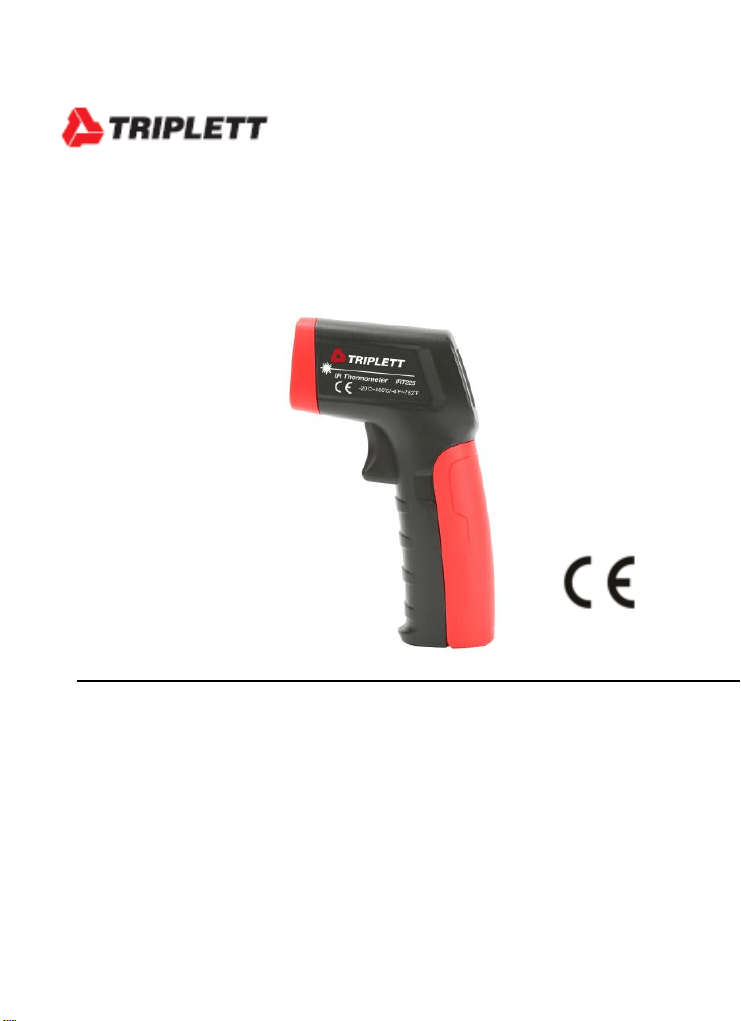
IRT225
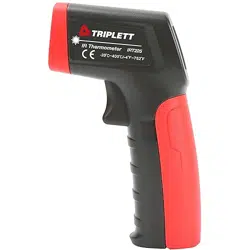
10:1 Mini IR Thermometer
Introduction
Congratulations on your purchase of the IRT225 10:1 infrared
thermometer The IRT225 can quickly and accurately determine the
surface temperature by measuring the infrared energy radiated from the
target surface. It is suitable for non-contact surface temperature
measurements.

Safety
Warning:
LASER RADIATION DO NOT STARE INTO BEAM
OUTPUT < 1mW COMPLIES WITH EN60825-1:2014
To avoid eyes or personal injury, please read the following safety instructions
before using the thermometer:
Please do not irradiate people or animals with laser directly or
indirectly.
Please do not look at the laser directly or through other optical tools
(telescope, microscope, etc).
If battery symbol on LCD display is flashing, replace batteries
immediately to avoid inaccurate measurements before using the
thermometer.
Inspect the case before using the thermometer. Do not use the
thermometer if it appears damaged. Look for cracks or missing plastic.
Please refer to the emissivity information for the actual temperature.
Reflective objects can cause the actual temperature value to be higher
than the measured temperature value. When measuring these objects,
please be aware not to touch high temperature surfaces.
Do not use the thermometer in an explosive gas, steam, or humid
environment.
To ensure measurement accuracy, place the thermometer in the
current environment for more than 30 minutes before using it.
Avoid keeping the thermometer near high temperature objects for a
long time
Description
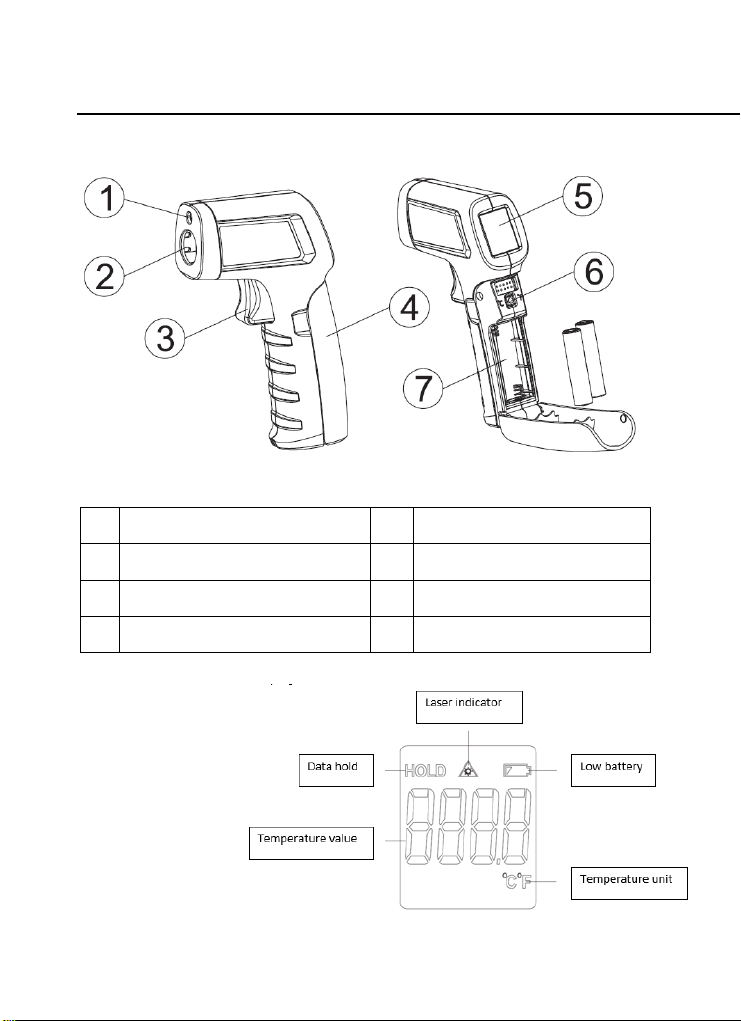
METER DESCRIPTION
1
Laser
2
Infrared sensor
3
Trigger
4
Battery cover
5
LCD
6
°C/°F switching button
7
Battery compartment
LCD DESCRIPTION
1. Function Indicator
Operation
Viewing the Last Measured Value
In the off state, short press the trigger to turn on the thermometer, it will
display the last measurement data that was held before the last shutdown.
Temperature Measurement
Aim the thermometer at the target, then pull and hold the trigger, the laser
indicator on the LCD display shows that the laser is turned on and points to
the target, the measured temperature value will be displayed on the LCD,
and the maximum or minimum temperature of the target area can be
measured by scanning up, down, left and right according to the laser spot
indication.
Note: The measurement distance must be determined by the size of the
measured target according to the “distance to spot size ratio (D:S)” and “field
of view”.
Hold
After the trigger is released, the last measured value and the HOLD icon will
remain on the LCD display. If there is no operation for 8 seconds, the
thermometer will automatically shut down and save the last measured value.
Unit Conversion
In the power-on state, open the battery cover and short press the °C/°F
button to switch the temperature unit to Celsius (°C) or Fahrenheit (°F).
Distance to Spot Size Ratio (D:S)
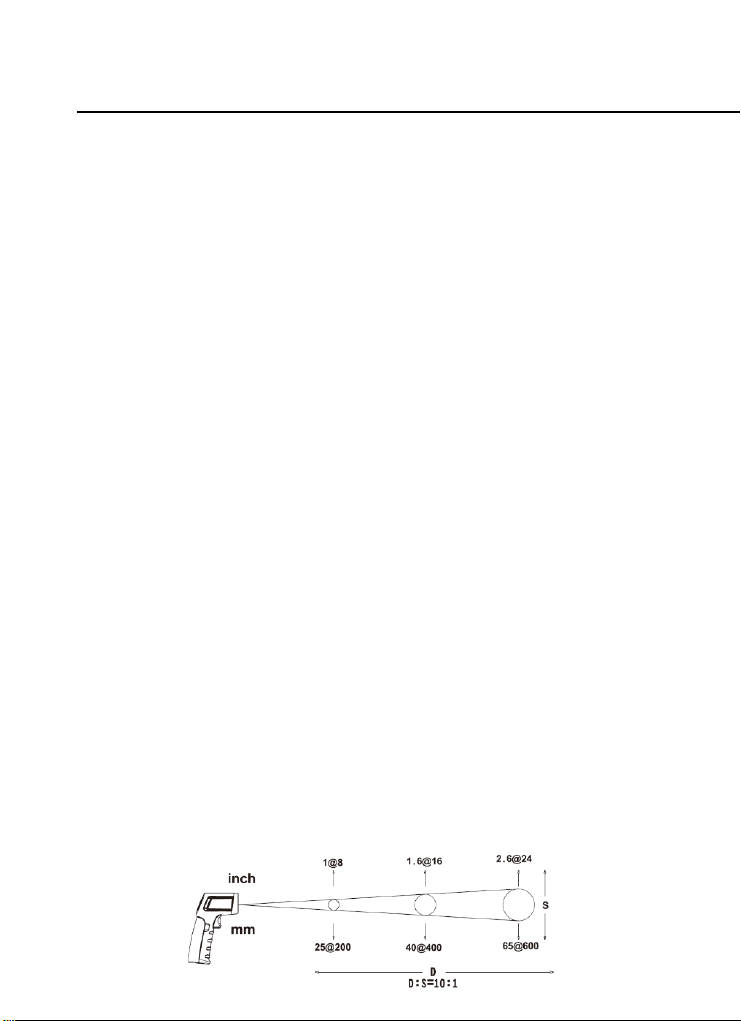
As the distance (D) from the target being measured increases, the spot size
(S) on the measured area becomes larger. The relationship between the
distance and the spot diameter is as shown in the figure below.
The spot diameter represents 90% of the energy in the circle. The maximum
D:S (10:1) will be obtained when the thermometer is 400mm (16’’) from the
target resulting in a spot diameter of 40mm (1.6’’).
Field of View
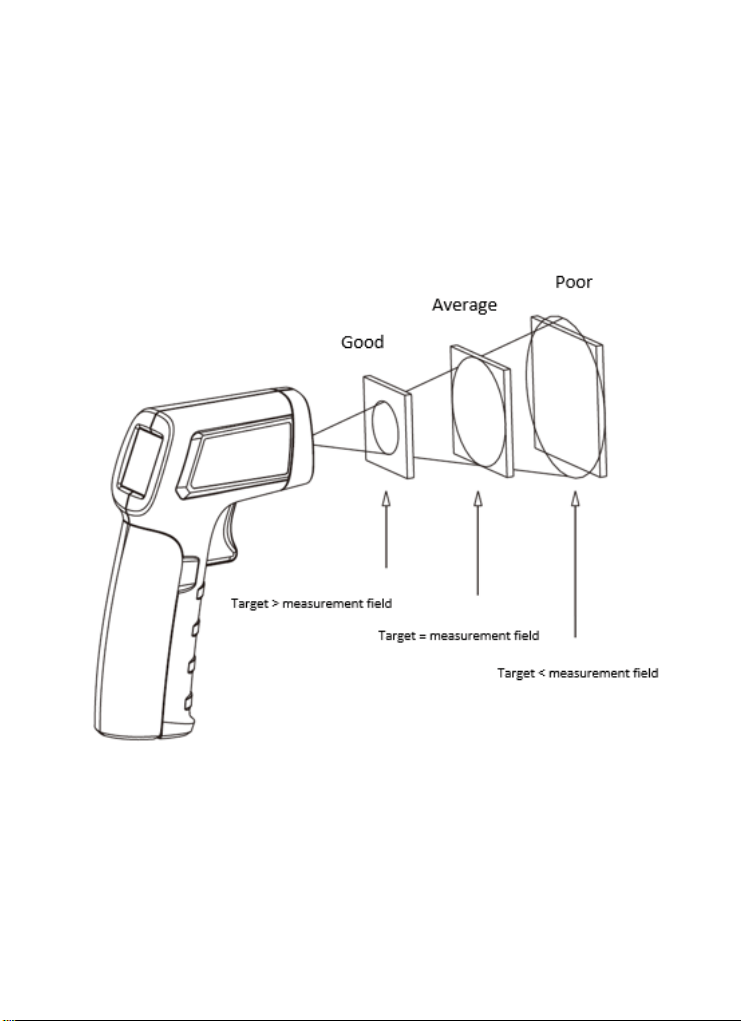
Make sure that the measured target is larger than the spot diameter. The
smaller the target is, the closer the test distance should be (please refer to
D:S for the spot diameter at different distances). To obtain the best
measurement result, it is recommended that the target being measured is
2.5 times larger than the spot diameter.

Troubleshooting
Symptom
Problem
Action
OL appears
when
measuring
Measured value is
greater than the
maximum range
Stop measuring
-OL appears
when
measuring
Measured value is less
than the minimum range
Stop measuring
Err appears
when booting
Exceeding the minimum
or maximum operating
ambient temperature
Place the
thermometer in a
0°C~50°C
(32°F~122°F)
environment, and it
can be recovered
after 30 minutes
Battery
indicator
flashes
Low battery
Replace batteries
Laser fails to
work / weak
laser
Low battery
Replace batteries
The
measurement
is inaccurate
Low battery, emissivity
mismatching, measured
distance is too far,
measured target
diameter is less than
20mm, etc.
Please refer to the
instructions for
field of view, D:S,
etc.
Maintenance
Cleaning and storage
1. The meter should be wiped with a damp cloth and mild detergent
when necessary. Do not use solvents or abrasives.
2. Store the meter in an area with moderate temperature and humidity.
Battery Replacement
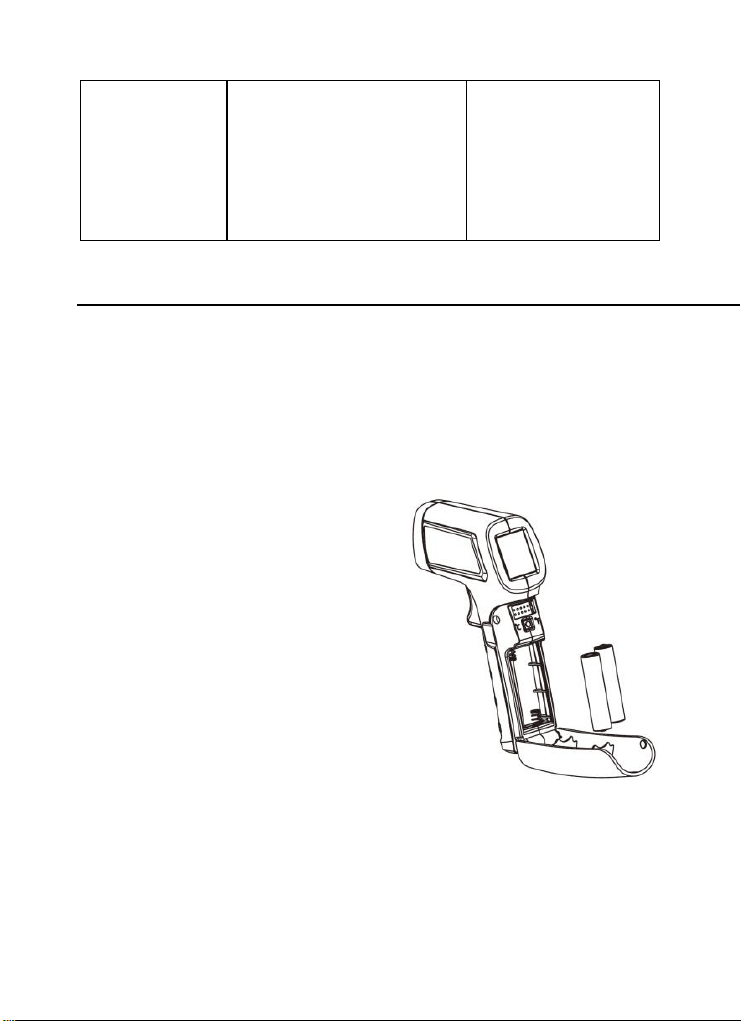
Please install or replace the batteries
(AAA (LR03) 2*1.5V) as shown on
the right.
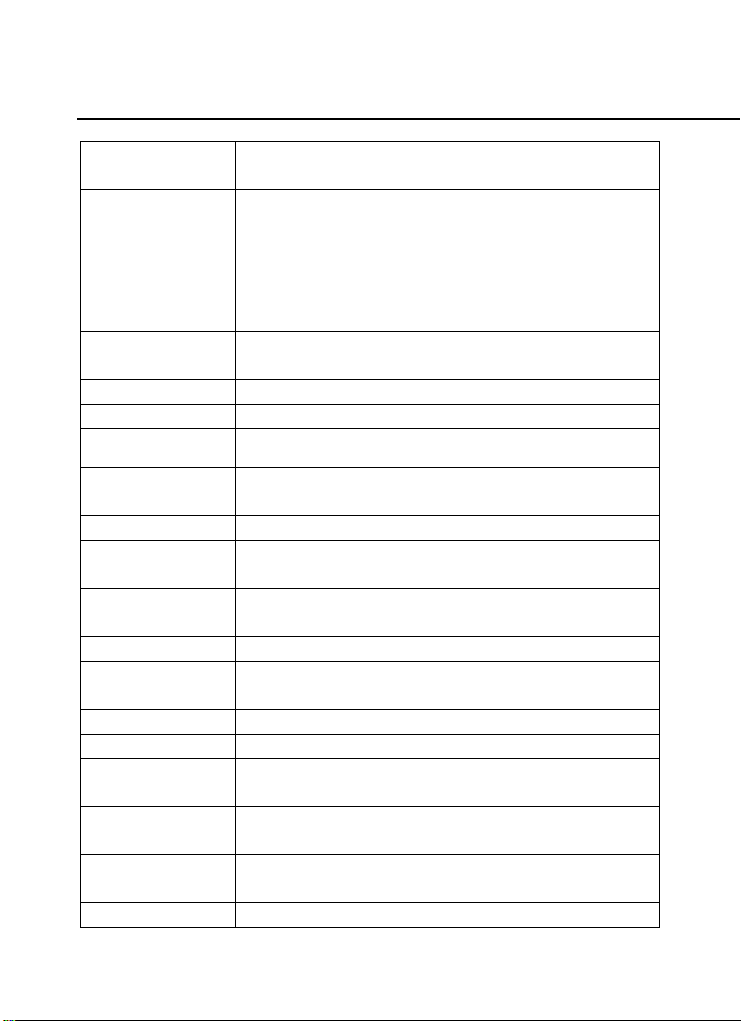
Specifications
Temperature
range
-20°C~400°C (-4°F~752°F)
Accuracy
Ambient
temperature
21°C~25°C
(70°F~77°F)
>0°C: ±2.0°C or ±2% of reading, whichever is
greater
≤0°C: ±(2.0°C+0.1°C/°C)
>32°F: ±4.0°F or ±2% of reading, whichever is
greater
≤32°F: ±(4.0°F+0.1°F/°F)
Temperature
coefficient
±0.1°C/°C or ±0.1%/°C, whichever is greater
(±0.1°F/°F or ±0.1%/°F, whichever is greater)
D:S ratio
10:1 (calculated at 90% energy)
Emissivity
0.95
Response time
≤500ms
Spectral
response
5.5um~14um
Resolution
0.1°C (0.1°F)
Repeatability
1°C or 1.0%, whichever is greater
(2°F or 1.0%, whichever is greater)
Laser
Single laser, wavelength 630nm~670nm
Output power < 1mW, class 2 laser
Battery type
AAA * 2 | 1.5V
Battery life
≥20H (continuous operation when laser backlight is
turned on)
Product size
135mm*94mm*36mm
Product weight
About 148g (including batteries)
Operating
temperature
0°C~50°C (32°F~104°F)
Storage
temperature
-20°C~60°C (-4°F~140°F)
Operating
humidity
<RH90% (non-condensing)
Drop test
1m

Safety Standards
CE Certification: EN61326-2-3: 2013
Laser safety standard: EN60825-1:2014
Reference Standard
JJG 856-2015
Warranty
Triplett / Jewell Instruments extends the following warranty to the original purchaser of
these goods for use. Triplett warrants to the original purchaser for use that the products
sold by it will be free from defects in workmanship and material for a period of (1) one
year from the date of purchase. This warranty does not apply to any of our products
which have been repaired or altered by unauthorized persons in any way or purchased
from unauthorized distributors so as, in our sole judgment, to injure their stability or
reliability, or which have been subject to misuse, abuse, misapplication, negligence,
accident or which have had the serial numbers altered, defaced, or removed.
Accessories, including batteries are not covered by this warranty
Copyright © 2021 Triplett
www.triplett.com