www.PyleUSA.com
Features:
• Pro Audio Microphone System
• Handheld Wireless Mic & Receiver Adapter
• VHF Narrow Band Audio Transmitter
• Portable Battery-Operated Design
• Simple Plug-and-Play Operation
• Includes Plug-in Audio Adapter Receiver
• Audio Receiver with 1/4'' -inch (6.3mm) Jack
• Integrated Antenna for Extended Wireless Range
• Noise-Eliminating SMT Technology
• Built-in Acoustic Pop Filter
• Integrated Low Noise Circuitry
• Ultra-Wide Frequency Response
• Crisp Audio Clarity for Vocals & Singing
• Durable Mic Construction with Steel Mesh Grill
• LED Indicator Light
• Power ON/OFF Switch
• Perfect for Professional Audio Stage & Studio Performances
• Directly Connects to Ampliers, Stereos, Audio Processors, DJ Mixers
• Used for Home Karaoke, Classroom, Oce & Business Applications
What’s In The Box:
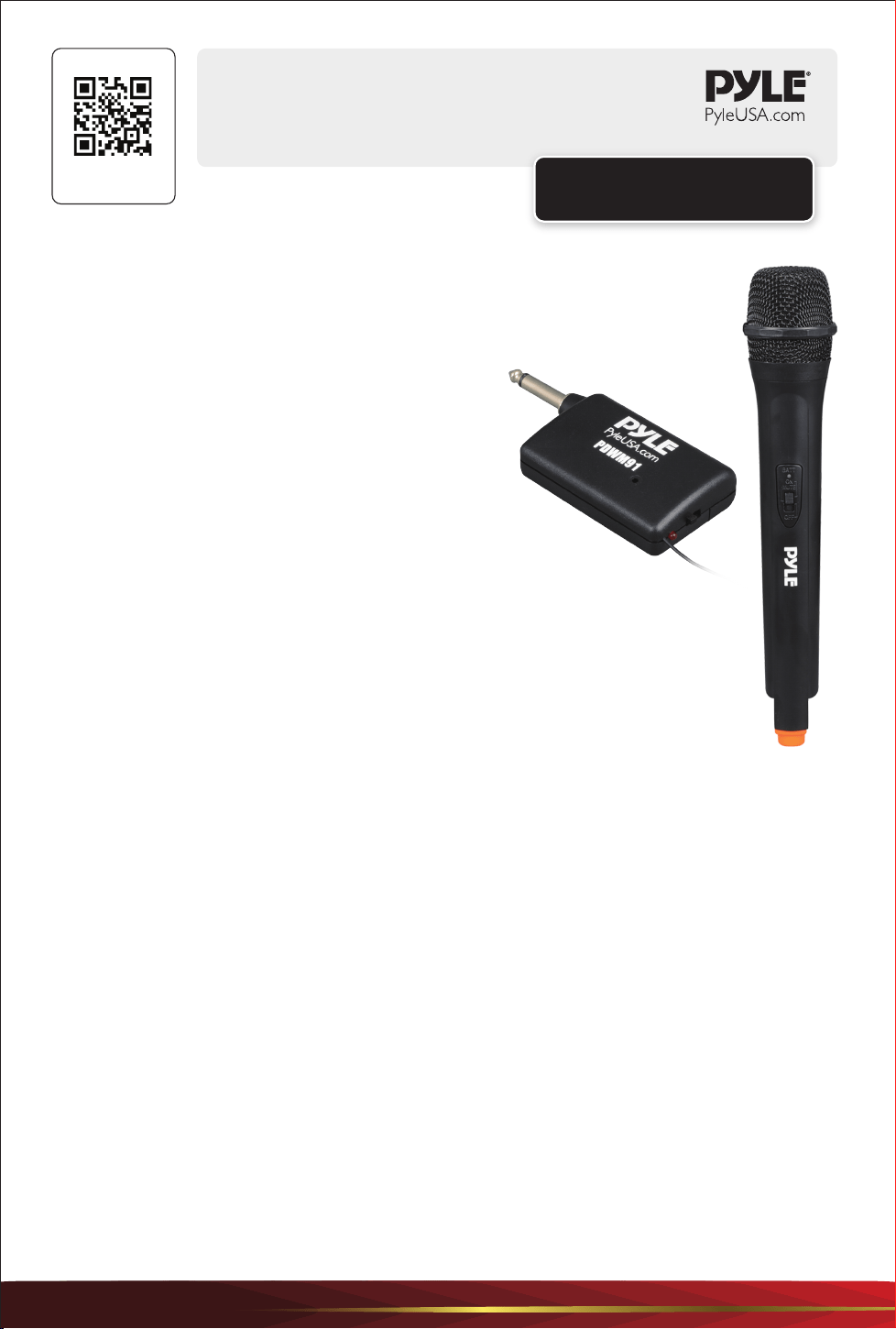
• Wireless Handheld Microphone • Plug-in Adapter Receiver
Technical Specs:
• Wireless Operation: VHF Band Transmitter
• Microphone Element/Type: Dynamic
• Pickup/Polar Pattern: Uni-Directional
• Audio Transmission: Single Channel Mic
• Wireless Operating Range: Up to 100'+ ft.
• Receiver Connector Type: 1/4'' -inch (6.3mm)
• Receiving Sensitivity: > 12dB (S/N=40dB)
• S/N Ratio: 40dB
• Modulation Mode: FM
• Output Power: 10mW
• Receiver Working Current: <100 mA
• Mic Body Material: Engineered ABS
• Battery Operated Microphone, Requires (2) x 'AA’ (Not Included)
• Battery Operated Receiver, Requires (1) x 'AA’ (Not Included)
• Handheld Mic Size (L x W x H): 10.4'' x 2.0'' x 2.0’’ -inches
• Mic Receiver Size (L x W x H): 4.5'' x 1.8'’ x 0.9'' -inches
USER GUIDE
Professional VHF Handheld Microphone
PDWM91
Visit Our Website
SCAN ME
PyleUSA.com
www.PyleUSA.com
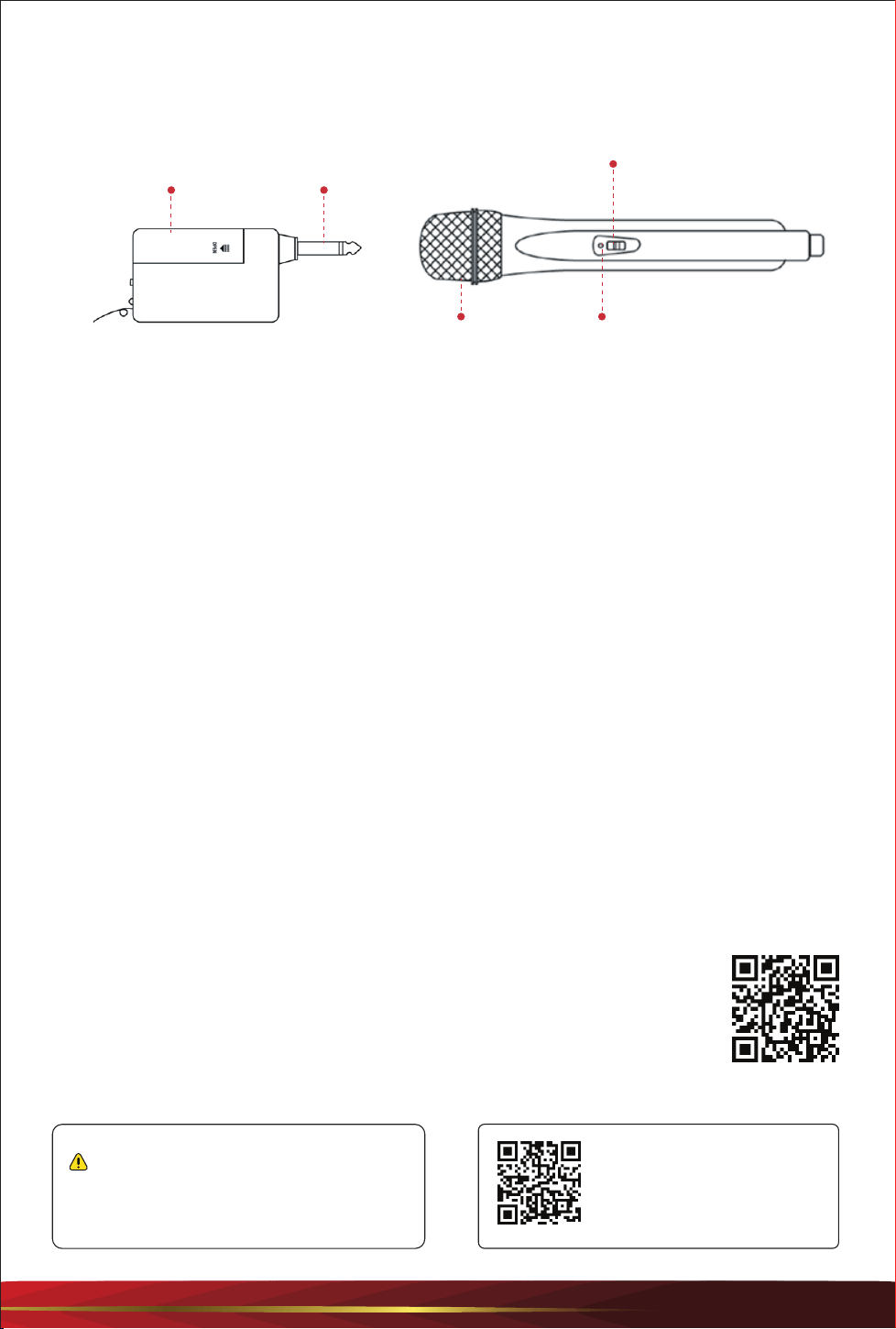
Grill LED indicator
ON/OFF switch
Battery Cover
1/4”(6.3mm)
input Jack
OFF/ON
LED
ANT
Questions or Comments?
We are here to help!
Phone: 1.718.535.1800
PyleUSA.com/ContactUs
INSTRUCTIONS
RECEIVER HANDHELD TRANSMITTER
How to Use
1. Open the battery cover of the receiver and insert one AA battery into the battery
compartment. Ensure the “+” and “-” polarities are correct.
2. Turn the ON/OFF switch to the "ON" position. The LED indicator will light up.
Then plug the 1/4” (6.3mm) to the Mic input jack.
The LED indicator will become brighter after receiving RF signals.
3. Install two AA batteries correctly in the handheld transmitter, ensuring the polarities are
correct.
4. Turn on the transmitter switch. The LED indicator will light up, indicating the system is now
ready to use.
Notice:
1. If you experience noise, distortion, or dead points while using the system, this may be
caused by low batteries. Replace the batteries with new ones.
2. After use, turn the switch to the "OFF" position.
3. If the system will not be used for an extended period, remove the batteries to prevent
leakage or damage.
Register Product
Thank you for choosing PyleUSA. By registering your product, you ensure that
you receive the full benets of our exclusive warranty and personalized
customer support. Complete the form to access expert support and to keep
your PyleUSA purchase in perfect condition.
Start Here
PyleUSA.com/pages/register
California Prop 65 Warning
WARNING:
This product contains Lead (Pb) which is known to the state of
California to cause cancer birth defects and other
reproductive harm. Do not ingest.
For more info go to: www.P65warnings.ca.gov