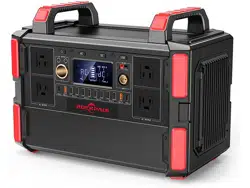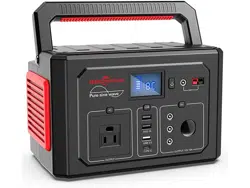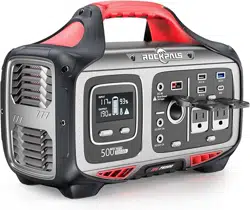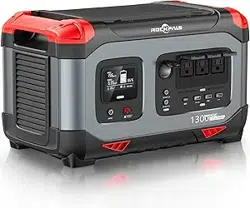
Before using or storing, please read this manual carefully, and charge
your Rockpower 200 with the included charging adapter
Contact Us
E-mail: brand@rockpals.com
Phone: (877) 756-8666
Mon-Fri 9 AM-5 PM (PST)
Website: www.rockpals.com
Facebook: @RockpalsOfficials
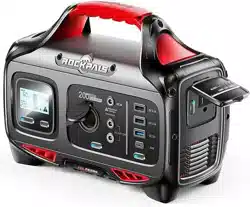
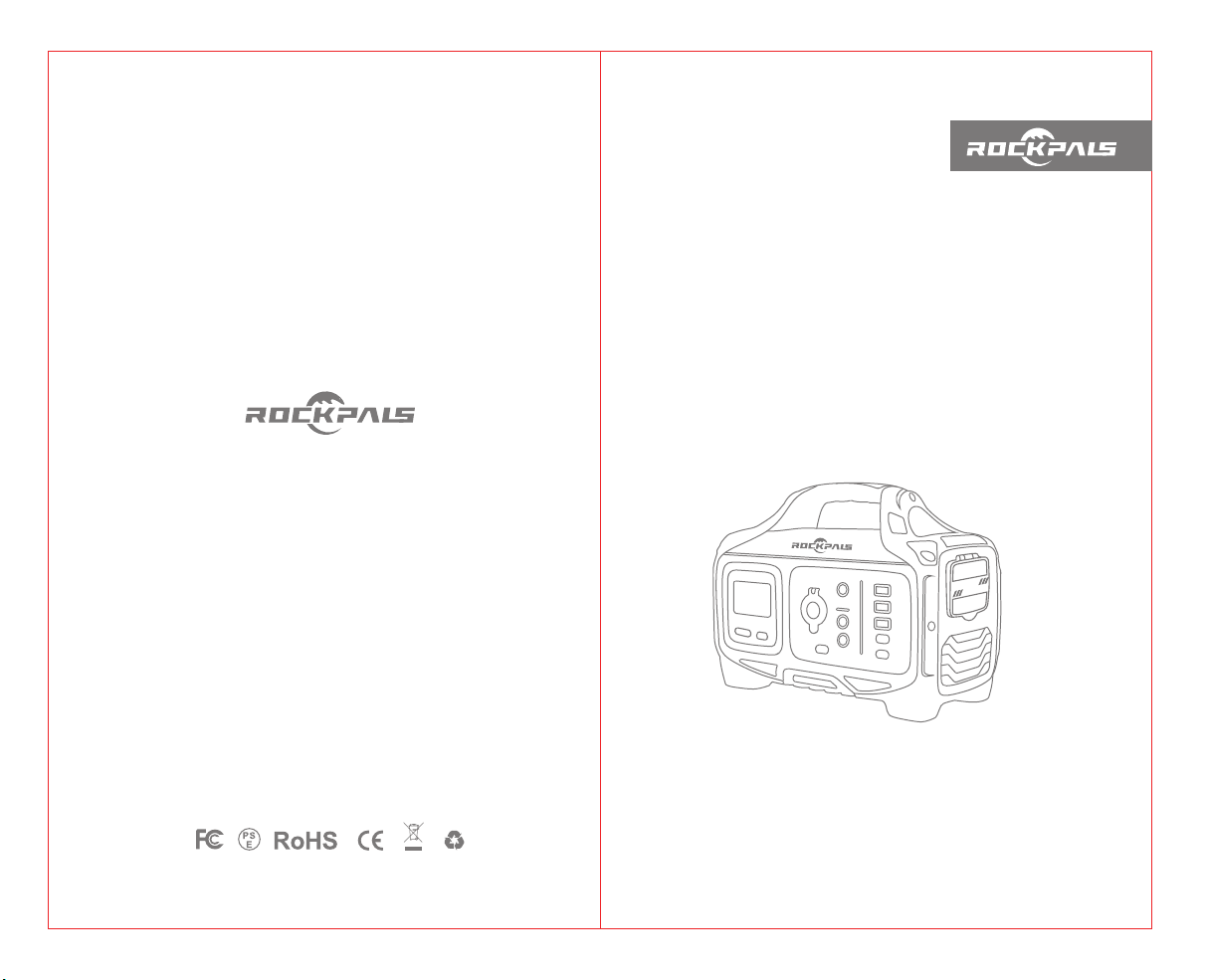
Rockpower 200
Portable Power Station
USER GUIDE
Made in China

Introduction
Thank you for purcharsing Rockpower Portable Power Station.
Before using or storing, please read this manual carefully, and
charge your Rockpower 200 with the included charging adapter. If
you have any questions or issues, please contact our customer
services team for further assistance.
Email: [email protected]
Free Call: (US) (877)-756-8666 Service time: Mon.-Fri. : 9:00-17:00 PST
Facebook: @RockpalsOfficials
Website: www.rockpals.com
02
1 x Rockpower 200 Portable Power Station
1 x AC Charging Adapter
1 x Car Charger Cable
1 x Warranty Card
1 x Safety Precautions Card
1 x User Guide
1 x Quick Start Card
01
What's In The Box
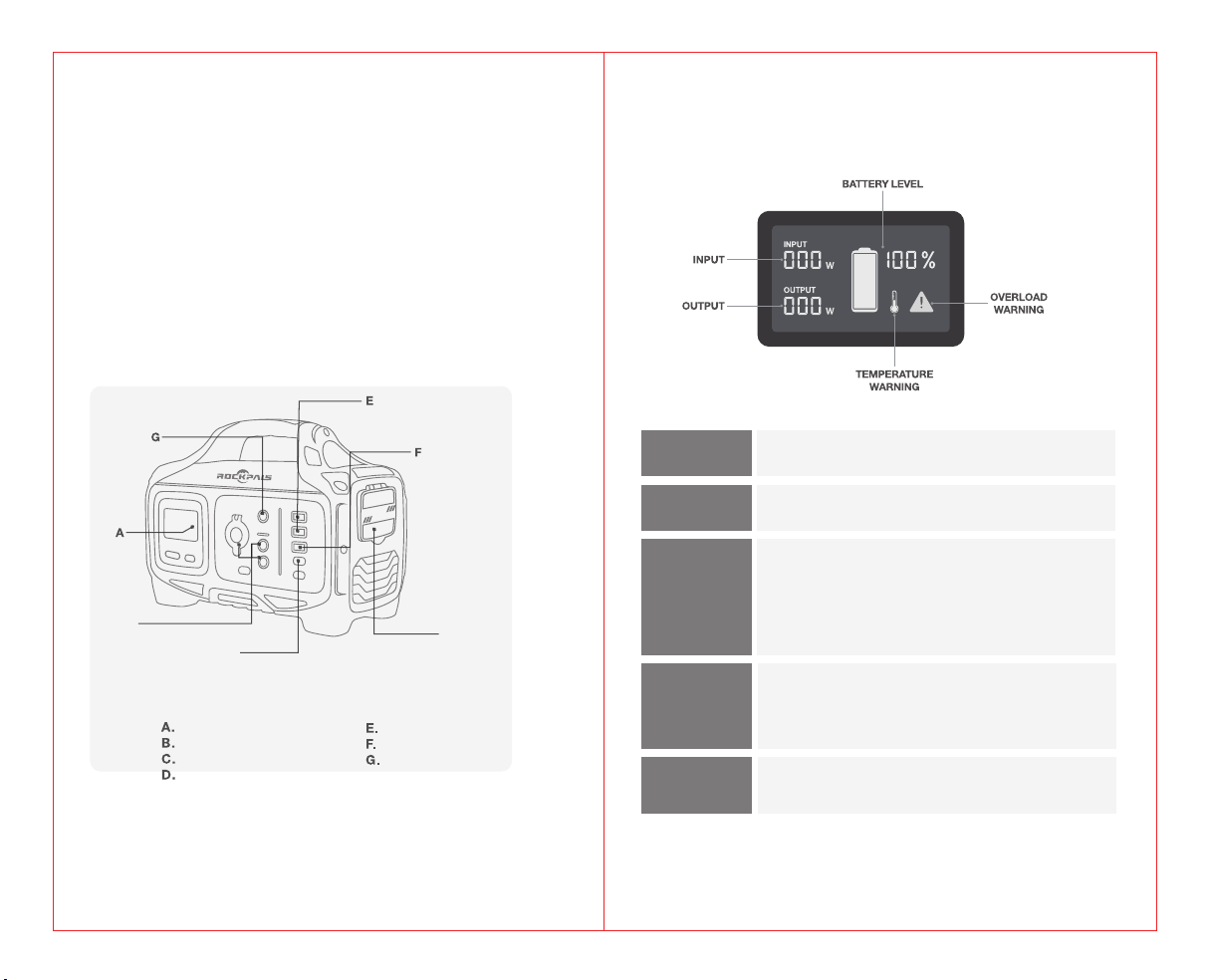
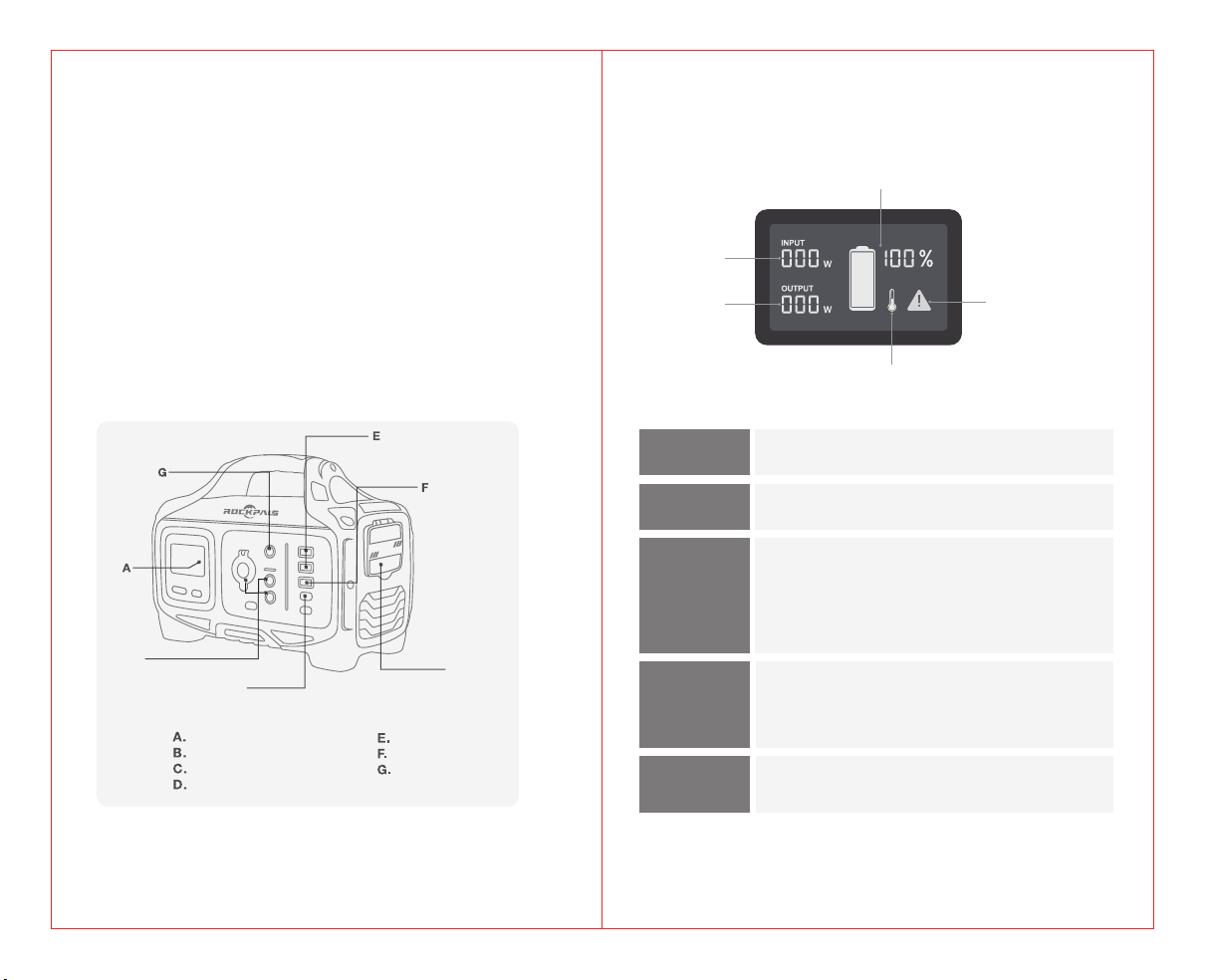
Button Definition
LCD Display
INPUT:
Shows the amount of power (watts) going into the
Rockpower 200 while charging.
OUTPUT:
Shows the amount of power(watts) your devices are
using while plugged into the Rockpower 200
BATTERY
LEVEL:
Shows 10 segments, approximating 10%-20%-30%
-40%-50%-60%-70%-80%-90%-100% capacity.
When charging your Rockpower 200 you will notice
a battery segment blinking, this indicates the current
charge status. Once fully charged, all battery segments
will be lit and remain solid.
OVERLOAD
WARNING:
Power draw exceeds port's maximum allowance,
indicated by red light on the port's button. You need
to remove the device in comesponding port first, and
then press the button of the port to recover
TEMPERATURE
WARNING:
The unit is over-heating. Allow it to cool, and then
press the main power button to recover
LCD Display
DC Input
12V Output
AC Outlet
USB-A QC
USB-C PD
USB-A
B
C
D
04
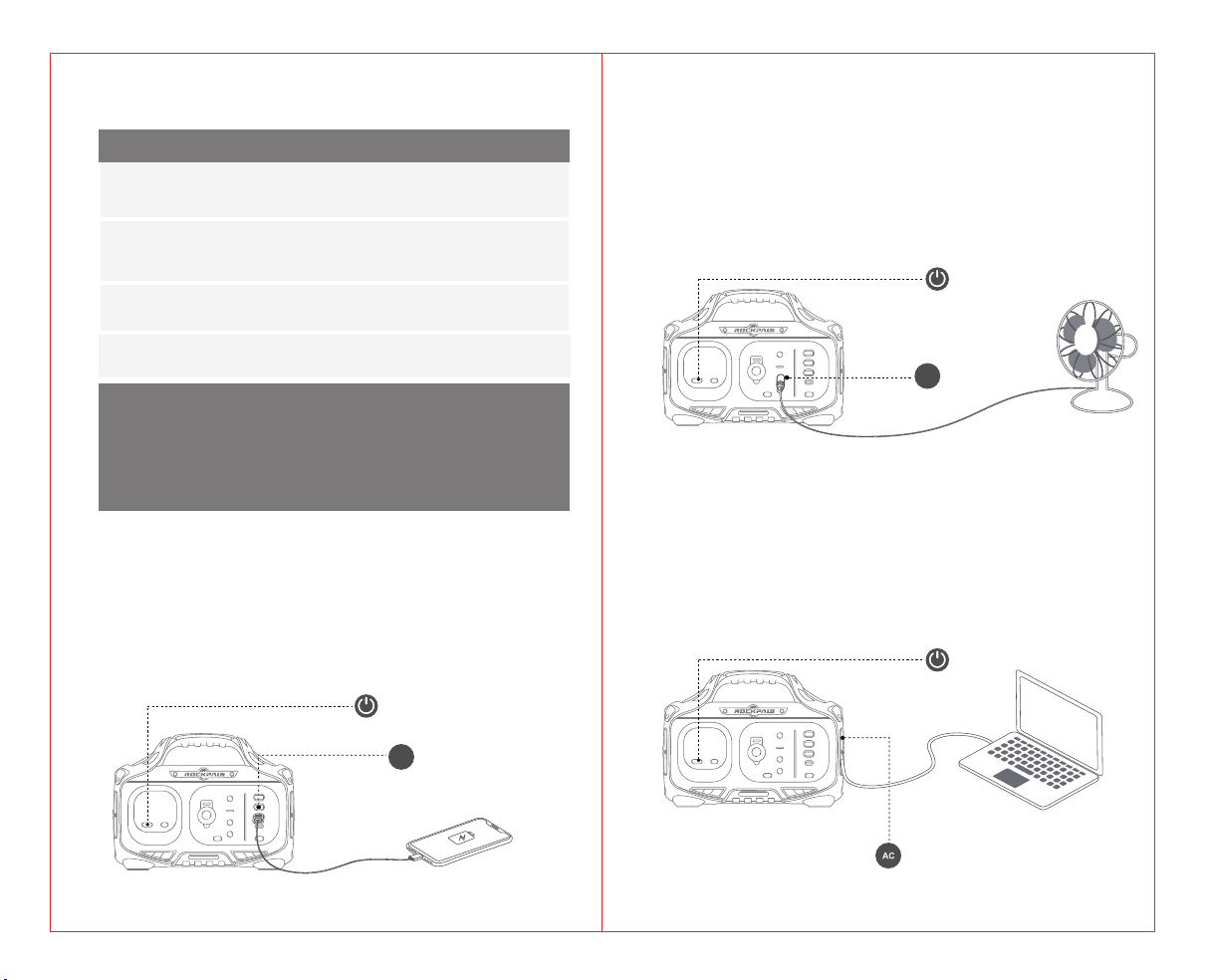
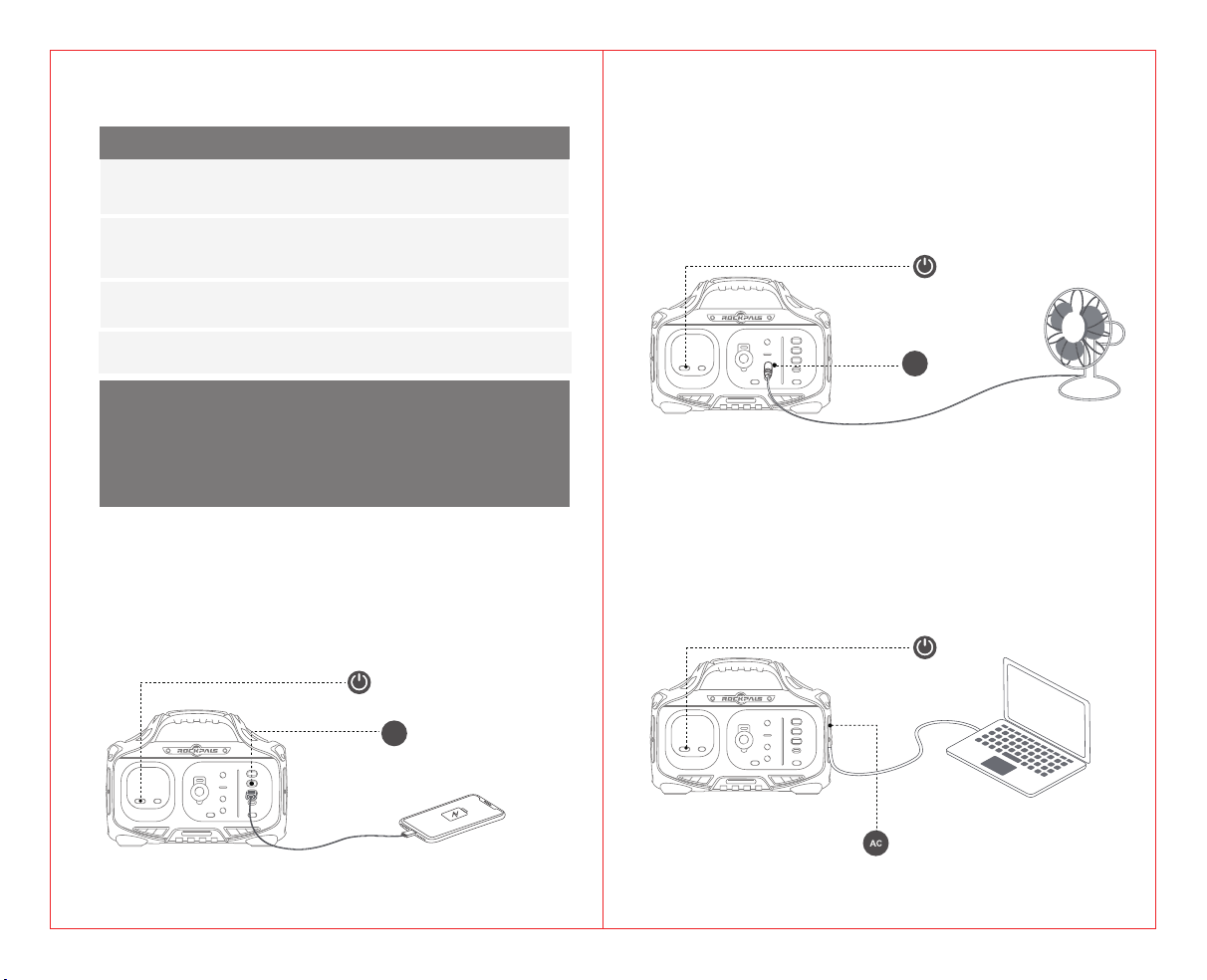
1. Long press the main power button, and then long press the “AC”
power button, the AC output will be turned on, the green LED light on
the button is illuminated.
2. Open the cover of AC output ports
3. Plug your devices into corresponding ports, you will see the amount
of power(watts) your devices are using marks on the LCD display
AC Power Button
1. Long press the main power button, and then press the “DC” power
button, the DC output will be turned on, the green LED light on the
button is illuminated.
2. Plug your devices into corresponding ports, you will see the amount
of power(watts) your devices are using marks on the LCD display
DC Output
Using Your Rockpower 200
Press and hold the main power button for 2 seconds, the power station
will be turned on.
Press and hold the 12V/USB/AC button to turn on
corresponding output port(when not using certain ports, make sure
to turn them off to conserve power)
You'll know the output port is turned on when the green LED light on the
button is illuminated
Press the "DISPLAY" button to turn on/off the LCD display
1. Please use this power station to power your device at temperatures ranging
from -10℃~40℃
2. Before using, please check whether the power of your device exceeds the
output range of this unit. This power station will enter protection mode if the
power of your device exceeds the output range
Notice:
USB OUTPUT
1. Long press the main power button, and then press the “USB” power
button, USB-A, USB-A QC, USB-C PD output will be turned on, the green
LED light on the button is illuminated.
2. Plug your devices into corresponding ports, you will see the amount of
power(watts) your devices are using marks on the LCD display
AC Output
03
Main Power Button
USB Power Button
USB
DC Power Button
DC
Main Power Button
Main Power Button
06
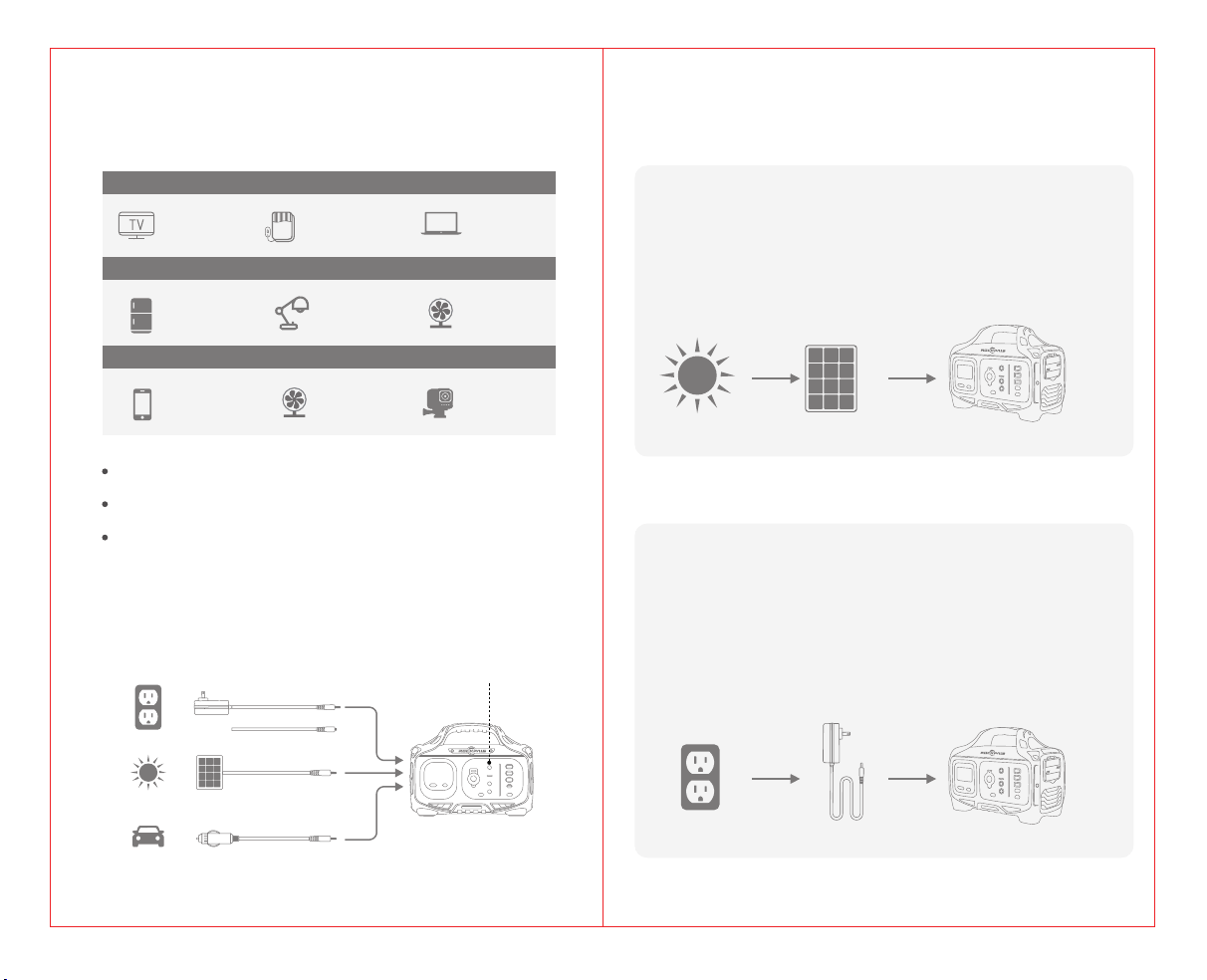
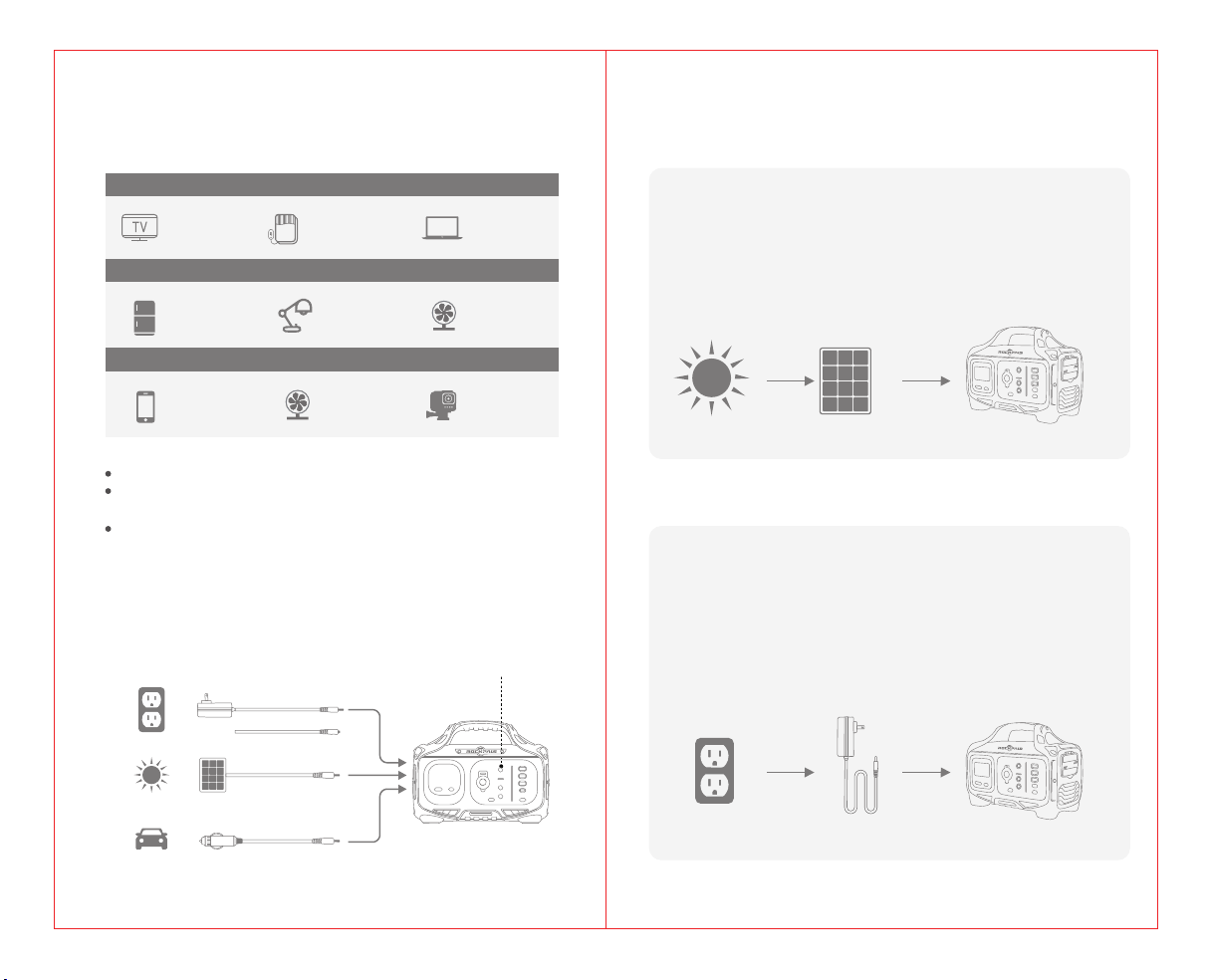
Charging from AC Adapter
AC socket AC charging adapter Rockpower 200
① Place the solar panels in direct sunlight (we recommend Rockpower solar panels)
② Please connect the DC output terminal of the solar panel to the charging
port of the power station, and the LCD display will show the charging status.
(Please charge at the temperature range of 0 °C ~ 40 °).
③ During the charging process, when the battery temperature rises, the cooling
fan will automatically turn on to lower the battery temperature.
④ Remove the charging device from the solar panel and power station after
fully charged.
① Insert the AC adapter into the socket, and then connect the other end to
the DC or Type C input charging port of the power station. The LCD
display will show the charging status
② When it is fully charged, the overcharge protection of the power
station will be turned on and the charging automatically disconnected.
③ During the charging process, when the battery temperature rises, the
cooling fan will automatically turn on to lower the battery temperature.
④ Remove the charging adapter from power station after fully charged.
Charging from Solar
Sun Solar panel Rockpower 200
05
Charging Your Rockpower 200
AC Wall Charger
Solar Panel
Car Charger
There are following 3 charging ways
What it Powers
AC OUTPUT
DC OUTPUT
USB OUTPUT
As the ambient temperature and battery usage times change, the using
time of power station will change.
Please confirm the power of the device in the instruction manual or catalog
of the device.
When the charging specification of the device exceeds the maximum
value of this unit, this power station will enter automatic protection mode,
the output will be turned off automatically.Before using, please ensure
your electronic device is below 200W.
Recharge via DC Input Port
Recharge via USB-C PD Port
Television Electric blanket Tablet
Mini Fridge LED light Fan
Phone USB fan GoPro
Input
07
08
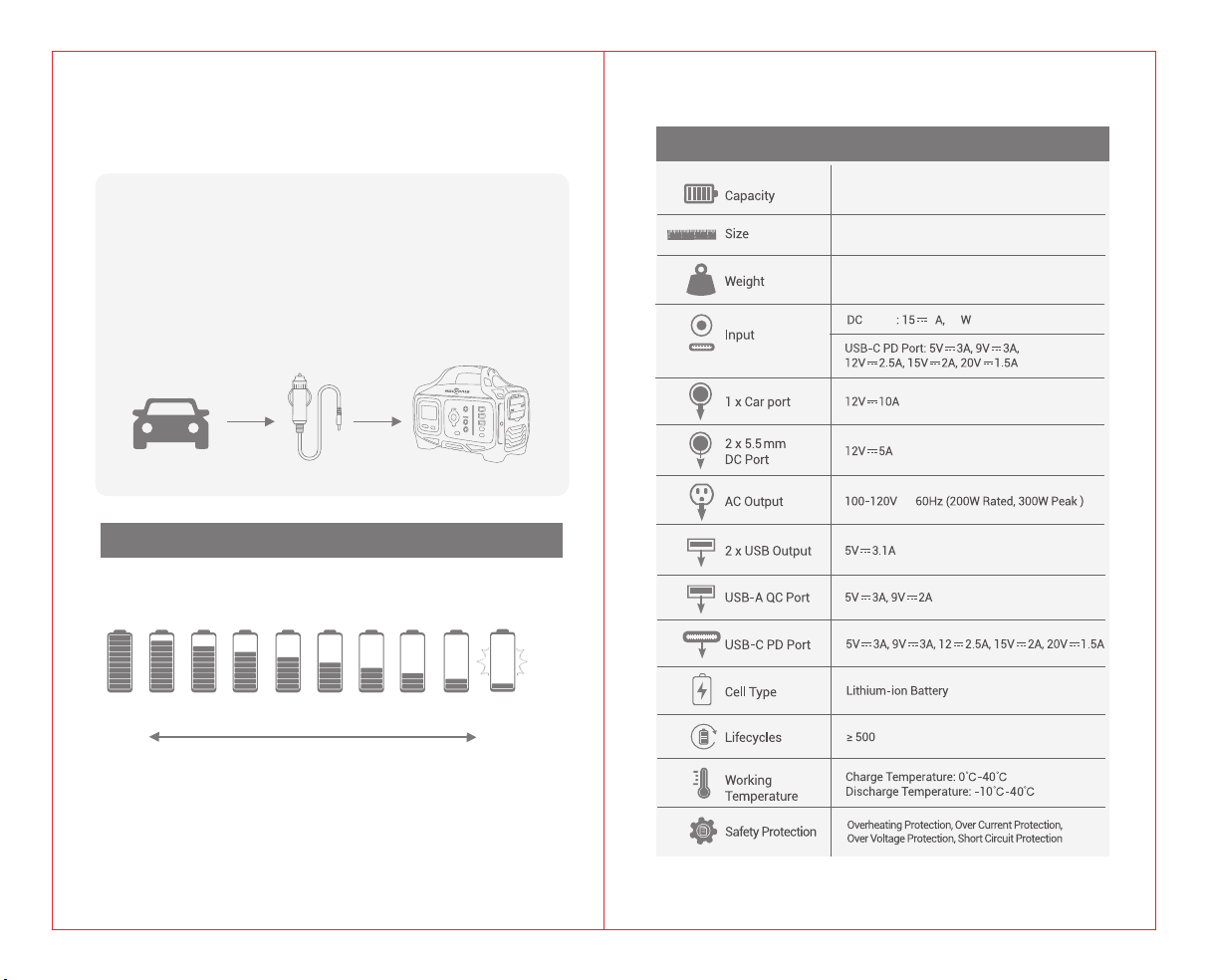
Technical Specifications
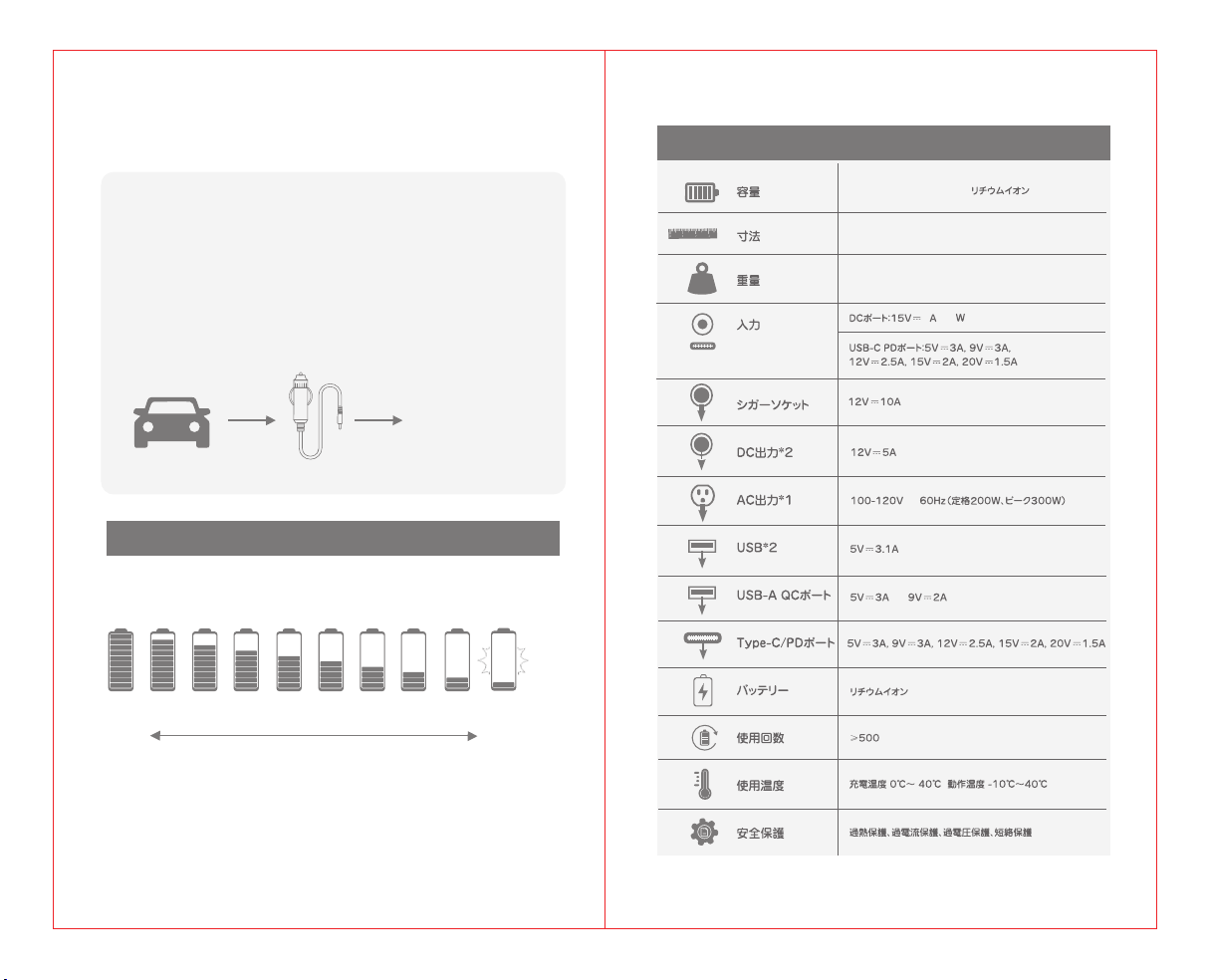
The power marquee will be 10%-20%-30%-40%.....100%, displayed in 10
segments. When the battery capacity is below 20%, the power marquee could not
show the specific remaining amount of capacity. At this time, please charge as
soon as possible; when the battery capacity is below 10%, the power marquee
will flash and the AC output will be forced to close. In addition, if you do not use it
for a long time, please charge the power supply every three months.
The battery indicator shows the remaining battery capacity.
Charging Indication
Charge soon
70% 60% 50% 40% 30% <10%
High
Low
20%
Charging from Car Charger(12V/ 24V)
Car Car Charger Cable
① Connect the included car charging cable into car port.
② Connect the other end of car charging cable into the charging port of the
power station, and the LCD display will show the charging status.
③ When it is fully charged, the overcharge protection of the power station
will be turned on and the charging automatically disconnected.
④ During the charging process, when the battery temperature rises, the
cooling fan will automatically turn on to lower the battery temperature.
⑤ Remove the charging adapter from power station after fully charged.
Rockpower 200
100% 90% 80%
224.64Wh/62400mAh Lithium-ion
9.8*4.7*7.9inches
6.3lb
3
45
input
,120W Max
,60W Max
ac

09
Frequently Asked Questions
Why this power station cannot supply power to other devices
(no output)?
① Please check whether the power button and output ports of the power
station are turned on (there’s no output if the ambient temperature
is beyond -10 °C to 40 °C).
② Check if the device completely inserted into the output port of power
station; Whether there is foreign matter at the port of device and power
station.
③ Please refer to the marquee of the LCD display to confirm the remaining
battery capacity of the power station. If it’s less than 10%, the power
station needs to be recharged.
④ Check if the voltage and current specifications of the device exceed
the range of power station.
⑤ Please confirm whether the power station is automatically turned on
over current/ overload/ over temperature function due to other reasons.
How to release the automatic protection function after it is
activated?
Follow these steps
A: If the OVERLOAD mark is lit on LCD display
① Disconnect the device first.
② Short press the power button to release the automatic protection
mode.
B: If the LCD display is completely black
① Disconnect the device first.
② Charge the power station for 2~3 minutes.
③ Short press the power button to release the automatic protection
mode.
10
Why is the adapter hot while charging the power station?
Our accessories include an AC adapter that can be used up to 65°, in
addition, the adapter is UL/PSE certified, please feel free to use it.
What is overload protection?
Overload protection is that the power station will automatically turn off
when the power of the device exceeds the rated output power. The LCD
display will alert when the power system detects that the device being
used is shorted or overloaded. Please confirm whether the device parameter
specifications meet the scope of the power station before using it.
Can I charge this power station while supplying power at the
same time?
When the power station is in recharging, the USB/ TYPE-C/ DC output
ports are workable; but there is no AC output at this period.
How do i know if my device will work with the Rockpower 200?
You will need to check the amount of power your device requires.
This may require some research on your end. An online search or
examining the user guide for your devices should suffice. To be
compatible with the Rockpower 200 you should use devices that
require less than 200W.
Can i take Rockpower 200 on a flight?
No, Under FAA regulations we are not allowed to take any battery
exceeding 100Wh on a plane, Rockpower 200 is 224.64Wh.
How to know the working times for my device?
Working time = (224.64Wh*0.85)/working power of the device. For reference,
assuming your device consumes 30W (possibly a 40-inch TV), the working
time is 224.64Wh*0.85/30W ≈ 6.36hr
11
Is this Rockpower 200 uses Modified-sine wave inverter or
Pure-sine wave inverter?
The Rockpower 200 uses pure sine wave inverter, pure sine wave
inverters use more sophisticated technology to protect even the most
sensitive electronics. Pure sine wave inverters produce power which
equals – or is better than – the power in your home. Appliances which
may not function properly, or which may be permanently damaged,
without pure, smooth power will be safe with pure sine inverters
CONTACT US
(Mon.-Fri.:9:00-17:00 PST)
@RockpalsOfficials
For Optimal Use with CPAP. Rockpower 200 can power your cpap by
two ways: 110V AC plug and 12V DC plug. Strongly recommend that
CPAP users use DC to DC converter to work with this unit and turn off
or remove the heater/ humidifier, it should last longer. To buy the DC
converter, please consult with your CPAP supplier or simply find us for
a guide.
AC and DC output, which way is best to power my CPAP
machine?
ご使用の前にこの取扱説明書をよくお読の上、正しくご使用ください。
初めて本製品を使用する際には、同梱の充電器で本製品を充電してください。
Rockpower 200
ポータブル電源
取扱説明書
Web:www.rockpals.com
Email:sales@rockpals.com
Made in China

はじめに
この度はRockpowerポータブル電源をお買い上げいただき、誠にあり
がとうご ざ います 。
この取扱説明書は、ご購入頂いたポータブル電源を安全に、また本製
品を効率的にご利用頂くための内容となっています。使用方法を誤る
と、感電やけがなど命の危険があるため、必ずご使用の前に本書を
よくお読みのうえ、操作をご理解頂いたうえ、正しくお使いください。
また、お読みになった後は、いつでもご覧になれる場所に本書を大切に
保 管してください 。
ご質問などがある場合に、メールで連絡してくださいますようにお願い
致します 。
16
Email:[email protected]
Facebook:@RockpalsOfficials
Website:www.rockpals.com
B
C
D
18
1*Rockpower200ポータブル電源
1*ACアダプター
1*シガーライターケーブル
1*保証書
1*注意事項カード
1*取扱説明書
1 * ク イック スタ ートカ ード
17
LCDディスプレイ
出 力:
パッケ ー ジ 内 容
各部のお名前
入力
出力
過負荷保護
温度警告
入 力:
充電時に、Rockpower200の入力電量(ワット)を表示します。
Rockpower200に接続した状態でデバイスの電力量(ワット)
を表 示します 。
バッテリー残量灯は「10%-20%-30%-40%-50%-60%-
70%-80%-90%-100%」の10段階で表示されます。
Rockpower200を充電すると、バッテリーセグメントが点滅し
ていることがわかります。これは現在の充電状態を表示します。
満充電されると、すべてのバッテリーセグメントが点灯し、点灯し
たままに なります 。
バ ッ テ リ ー 残 量:
消費電力がポートの最大許容量を超えると、ポートボタンが赤
く点 灯します 。対 応 するポ ートからデ バ イスを 抜いて から 、ポート
の ボ タ ン を 押 し て リ セットし ま す 。
過負荷保護:
ユニットは過熱しています。冷却してから、メイン電源ボタンを
押 し て リ セ ットし ま す 。
温度警告:
バッテリー 残 量
液 晶 ディス プ レ イ
12V出力
USB-CPD
A C コン セント
USB-A
USB-AQC
DC入力
AC Output
20
19
1.「メイン電源ボタン」を長押してから、「AC」電源ボタンを長押します。ボタンに緑色の
LEDランプが点灯し、AC出力が可能になります。
2.AC出力ポートのカバーを開きます。
3.デバイスを対応するポートに接続すると、使用しているデバイスの電力量(ワット)が
LCDディスプレイに表示されます。
1.「メイン電源ボタン」を長押してから、「DC」電源ボタンを押します。ボタンに緑色の
LEDランプが点灯し、DC出力が可能になります。
2.デバイスを対応するポートに接続すると、使用しているデバイスの電力量(ワット)が
LCDディスプレイに表示されます。
DC出力
1.給電機能をご利用になる際は、周囲の温度が-10℃〜40℃の範囲内で使用して
ください 。
2.使用する電気機器の消費電力を確認いただき、本機の出力範囲内で電気機器を
使用してください。本機の出力範囲を超えて使用した場合、保護装置が働き、電気
が 取 出 せ なくなります 。
USB出力
1.「メイン電源ボタン」を長押してから、「USB」電源ボタンを押します。「USB」ボタンに
緑色のLEDランプが点灯し、TYPE-C/PD、USBQC、USB出力が可能になります。
2.デバイスを対応するポートに接続すると、使用しているデバイスの電力量(ワット)がLCD
ディスプレイに表示されます。
Rockpower200を使用する
メイン電源ボタンを長押しすると、ポータブル電源をがONになります。
12V/USB/ACボタンを長押しすると、対応する出力ポートがONになります。
(特定のポートを使用しない場合は、電源を節約するために必ずOFFにしてください)
ボタンに緑色のLEDランプが点灯すると、出力ポートがONになっていることがわか
ります 。
「DISPLAY」ボタンを押して、LCDディスプレイのオン/オフを切り替えます。
ご 注 意:
メイン 電 源 ボタン
USB電源ボタン
AC出力
メイン 電 源 ボタン
DC電源ボタン
メイン 電 源 ボタン
AC電源ボタン
USB
DC
22
ACアダプターで充電
ソーラーパネルを直射日光に当たる所に置いてください(Rockpalsのソーラーパネ
ル を 推 薦 い た し ま す )。
ソーラーパネルのDC出力端子と電源充電用入力端子に接続すると、LCDディスプレイ
に充電状態が表示されます(本機の充電は、周囲温度が0℃〜40℃の範囲内で行って
く だ さ い )。
本製品は、充電中に内部温度が上昇した場合、冷却ファンを作動させ送風することで内
部 を 冷 却します 。
充電完了後は、ソーラーパネルを本体から外してください。
ソーラーパネルで充電
21
接続できる電気製品の例
AC出力
周囲温度とバッテリーの使用時間が変わると、電源の使用時間も変わります。
接続する電気製品の消費電力は、電気製品の取扱説明書やカタログなどでご確認くだ
さい。
電気製品の入力仕様が本体の出力値の上限を超えている場合に、過負荷保護で電流
を自動的に遮断します。使用する前に、お使いの機器の消費電力が200W以下である
ことを 確 認してください。
液晶テレビ 電気敷毛布 ノートパソコン
DC出力
USB出力
ミニ冷蔵庫 LEDライト ファン
スマートフォン USBファン GoPro
A C コン セント
ソーラーパネル
シ ガ ー ソ ケ ット
Rockpower200を充電する
3つの充電方法
DC入力ポートによる充電
TYPE-C/PDポートによる充電
①
②
③
④
太陽光 ソーラーパネル Rockpower200
ACアダプターをコンセントに接続してから、DC/TYPE-C入力ポートに接続します。
LCDディスプレイに充電状態が表示されます。
バッテリーがフル充電になり次第、内蔵式過充電保護回路制御モジュールが作動し、
自動で充電が停止します。
本製品は、充電中に内部温度が上昇した場合、冷却ファンを作動させ送風すること
で内部を冷却します。
充電完了後は、ACアダプターを本機およびコンセントから外してください。
①
②
③
④
ACコンセント ACアダプター Rockpower200
入力
23
24
製品仕様
バッテリー残量灯は「10%-20%-30%-40%-50%-60%-70%-80%-90%-100
%」の10段階で表示されます。
バッテリー残量が20%以下である場合は、バッテリーの残量(%)は表示されません。こ
の場合、ACコンセントやソーラーパネルなどの電源プラグで早めに充電してください。な
お、電池残量が10%以下の場合は、バッテリー残量灯が点滅して、AC出力が遮断されま
す。本製品を長期保管する場合、3ヶ月に1回60%-80%程度の充電は推奨されます。
バッテリーの残量に合わせ、バッテリー残量灯が光ります。
電池残量を確認する
70% 60% 50% 40% 30% <10%20%
カーチャージャーで充電(12V/24V)
100% 90% 80%
付属のシガーライターケーブルを車のアクセサリーソケットに接続します。
充電器のコネクターを充電用入力端子に接続すると、LCDディスプレイで充電
状態が表示されます。
バッテリーがフル充電になり次第、内蔵式過充電保護回路制御モジュールが作
動し、自動で充 電が 停止します。
本機は、充電中に内部温度が上昇した場合、冷却ファンを作動させ送風すること
で内部を冷却します。
充電完了後は、充電器を本機および車から外してください。
①
②
③
④
車 シガーライターケーブル Rockpower200
多い 少ない
早めに充電
してください
224.64Wh/62400mAh
24.9*11.9*20cm
2.86Kg
,120WMax
,60WMax
3
45
ac

25 26
よくあるご 質 問
電気製品に給電できないのはなぜでしょうか
メイン電源ボタンと出力ボタンがONされたかをご確認ください。(周囲温度が-10℃
〜40℃の範囲外で使用した場合、電気が取出せなくなることがあります。)
本機に電気機器の電源プラグを接続する際は、プラグを根元まで確実に差込んでく
ださい。充電器出力コネクター部、または充電用入力端子部に水や異物が付着してい
る場合は除去してください。
電源残量をLCDディスプレイに確認してください。もし、電源残量10%以下であれば、
ポータブル電源を再充電する必要があります。
ご使用のデバイス電圧と消費電力は本製品の出力値の上限を超えているかを確認し
てください。
短絡保護/過充電保護/過電流保護/過放電保護/温度保護/過負荷保護などの保護回
路が作動するかをご確認ください。
⑤
①
②
③
④
過負荷保護等の保護回路が起動したら、どうしたらいいでしょうか
以下の場合、電源のリセットが必要となります。
A:LCDディスプレイで過負荷が表示する
①接続している電気機器のプラグを外してください。
②メイン電源ボタンを押すと保護システムが解除され、再度ご利用頂けます。
B:LCDディスプレイが真っ黒になる
①接続している電気機器のプラグを外してください。
②本体を2-3分充電してください。
③電源ボタンをONにするとリセットされ表示が戻ります。
ポータブル電源を充電している時に、アダプターが相当熱くなる
弊社のポータブル電源にはACアダプターが付属されます。このアダプターは安全規格に
より最高温度が65℃となっております。また、製品にはPSE、ULなどの認証を取得し安全
に配慮した製品となっておりますので、ご安心ください。
過負荷保護とは
電気製品の入力仕様が本体の出力値の上限を超えている場合に、電流を自動的に遮断す
ることです。使用中のデバイスが短絡または過負荷状態が検出すると、LCDディスプレイ
に過負荷警告が表示されます。使用する電気機器の消費電力を確認いただき、本機の出
力範囲内で電気機器を使用してください。本機の出力範囲を超えて使用した場合、保護
装置が働き、電気が取出せなくなります。
充電しながら給電できますか
本体を充電している時に、USB/Type-C/DC/シガーソケット出力端子から電気製品に給
電できますが、AC出力端子からの給電は出来ません。
デバイスがRockpower200で動作するかどうかを確認する
使用する電気機器の消費電力を確認する必要があります。電気製品の取扱説明書やカタ
ログなどでご確認ください。お使いの機器の消費電力が200W以下であるとRockpower
200ポータブル電源をご利用いただけます。
使用機器の稼働時間を知る方法
稼働時間=(224.64Wh*0.85)/機器の消費電力。参考のために、機器が30W(たとえば
40インチテレビ)の消費電力と仮定すると、時間は244.64Wh*0.85/30W
27
CONTACT US
ACとDC出力、CPAPに給電する最適な方法
Rockpower200は110VAC出力と12VDC出力の2つの方法でCPAPに電力を
供 給 できます。
CPAPの使用者はDC-DCコンバーターを利用して操作し、ヒーター/加湿器をオフにす
るあるいは取り外すことを強くお勧めします。DCコンバーターを購入するには、CPAPの
サプライヤーに相談するかまたはこちらに問い合わせください。
Rockpower200は修正正弦波インバーターまたは純正弦波インバー
ター を 使 用 しています か?
Rockpower200は純正弦波インバーターを使用していま。純正弦波インバーターはよ
り洗練された技術を使用して最も敏感な電子機器を保護します。純正弦波インバーター
は、ご家庭の電力と同等またはそれ以上の電力を生成します。純粋な滑らかな電力がな
ければ、正常に機能しないか、永久に損傷する可能性もあります。純正弦波インバーター
でのスムーズな電力がより安全です。
www.rockpals.com [email protected]
@RockpalsOfficials