Model
:
H7137
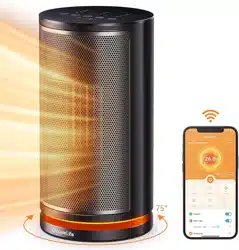
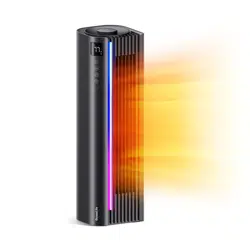
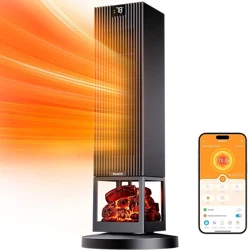
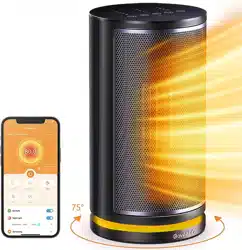
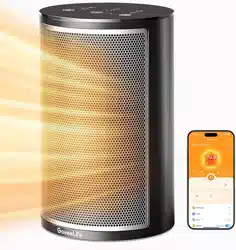
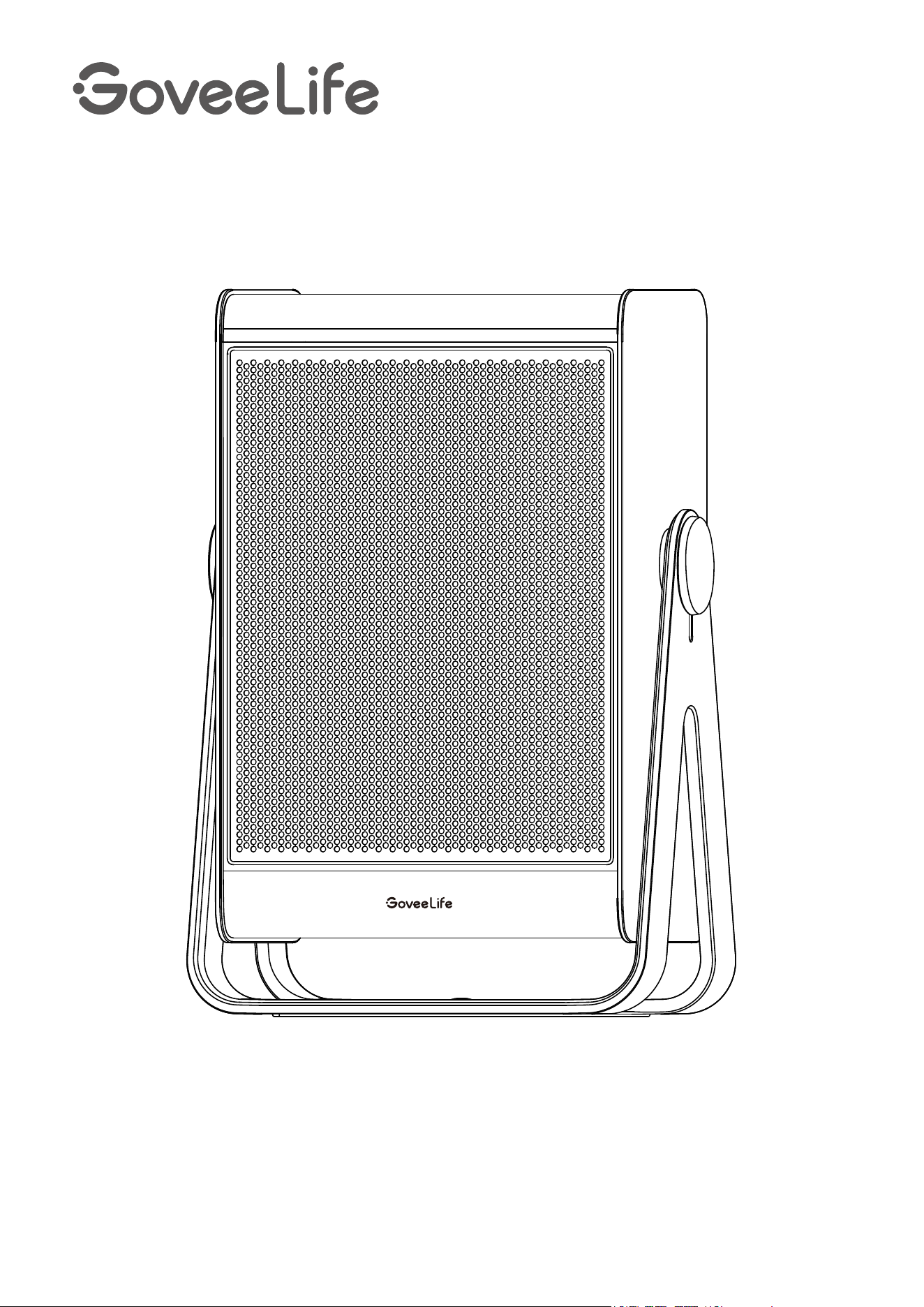
Smart Space Heater 2 Lite ( 11 Inch )
User Manual

English
Français
01
14

Contents
Important Instructions
Introduction
Included in the Box
Part Names
Controls
Indicator Status
Functions
Getting Started
Govee Home App
Downloading Govee Home App
Pairing with Govee Home App
Troubleshooting
Appendix
For Smart Space Heater 2 Lite ( 11 inch )
For App & Connectivity
After-Sales Service
Specifications
Cleaning & Maintenance
Cleaning
Maintenance
01
02
03
07
09
10
11
13

Table des matières
Instructions importantes
Introduction
Contenu de la boîte
Noms des pièces
Commandes
Indicateur d’état
Fonctions
Démarrage
Application Govee Home
Téléchargement de l'application Govee Home
Association à l'application Govee Home
Dépannage
Annexe
Pour radiateur d'espace intelligent 2 Lite (11 pouces)
Pour l'application et la connectivité
Service après-vente
Caractéristiques techniques
Nettoyage et maintenance
Nettoyage
Maintenance
14
15
16
20
22
23
24
26

IMPORTANT INSTRUCTIONS
01
ӳ
ӳ
ӳ
ӳ
ӳ
ӳ
ӳ
ӳ
ӳ
ӳ
ӳ
ӳ
ӳ
ӳ
ӳ
Read all instructions before using this heater.
This heater is hot when in use. To avoid burns, do not let bare skin touch hot
surfaces. If provided, use handles when moving this heater. Keep combustible
materials, such as furniture, pillows, bedding, papers, clothes, and curtains at least 3
feet (0.9m) away from the front of the heater and keep them away from the sides
and rear.
Extreme caution is necessary when any heater is used by or near children or invalids
and whenever the heater is left operating and unattended.
Always unplug heater when not in use.
Do not operate any heater with a damaged cord or plug or after the heater
malfunctions, has been dropped or damaged in any manner. Discard heater, or return
to an authorized service facility for examination and/or repair.
Do not use outdoors.
This heater is not intended for use in bathrooms, laundry areas and similar indoor
locations. Never locate the heater where it may fall into a bathtub or other water
container.
Do not run cord under carpeting. Do not cover cord with throw rugs, runners, or
similar coverings. Do not route cord under furniture or appliances. Arrange cord
away from traffic area and where it will not be tripped over.
To disconnect heater, turn controls off, then remove the plug from the outlet.
Do not insert or allow foreign objects to enter any ventilation or exhaust opening as
this may cause an electric shock or fire, or damage the heater.
To prevent a possible fire, do not block air intakes or exhaust in any manner. Do not
use on soft surfaces, like a bed, where openings may become blocked.
A heater has hot and arcing or sparking parts inside. Do not use it in areas where
gasoline, paint, or flammable liquids are used or stored.
Use this heater only as described in this manual. Any other use not recommended by
the manufacturer may cause fire, electric shock, or injuries to persons.
Always plug heaters directly into a wall outlet/receptacle. Never use with an
extension cord or relocatable power tap (outlet/power strip).
Faulty wall outlet connections may cause the wall outlet to overheat. Be sure that the
heater plug fits tightly into the outlet before using. When using the heater, check to
make sure the heater plug is not overheating. If necessary, have a qualified electrician
check or replace the wall outlet.
When using electrical appliances, basic precautions should always be followed to
reduce the risk of fire, electric shock, and injuries to persons, including the following:
English

02
ӳ
ӳ
ӳ
ӳ
This heater can only be used when the ambient temperature is normal. When the
heater detects that the ambient temperature is too high, it will automatically shut
down. Please inspect for any objects on or adjacent to the heater that may cause
high temperatures.
For USThis appliance has a polarized plug (one blade is wider than the other). To
reduce the risk of electric shock, this plug is intended to fit in a polarized outlet in
only one way. If the plug does not fit fully into the outlet, reverse the plug. If it still
does not fit, contact a qualified electrician. Do not attempt to defeat this safety
feature.
Hyperthermia can result in death. Symptoms of hyperthermia include high body
temperature, headache, nausea, vomiting, tiredness, dizziness, fainting, and rapid
pulse. If you begin to experience symptoms related to hyperthermia, turn off the
heater and seek medical attention.
To avoid excessive room temperatures which can cause hyperthermia: DO NOT leave
product running unattended in a confined space around infants, or individuals with
reduced physical, sensory, or mental capabilities.
Included in the Box
Item
Space Heater
User Manual
Quick Start Guide
Quantity
1
1
1
SAVE THESE INSTRUCTIONS
03
Introduction
Thanks for choosing the GoveeLife Smart Space Heater 2 Lite ( 11 Inch )! With the
adjustable stand, it supports producing heat at a maximum elevation of 45 degrees. It
matches various scenarios. Equipped with PTC heating elements. This smar heater
can heat up in 3 seconds after it is powered on, bringing you instant warmth and
maximum home comfort during cold weather.
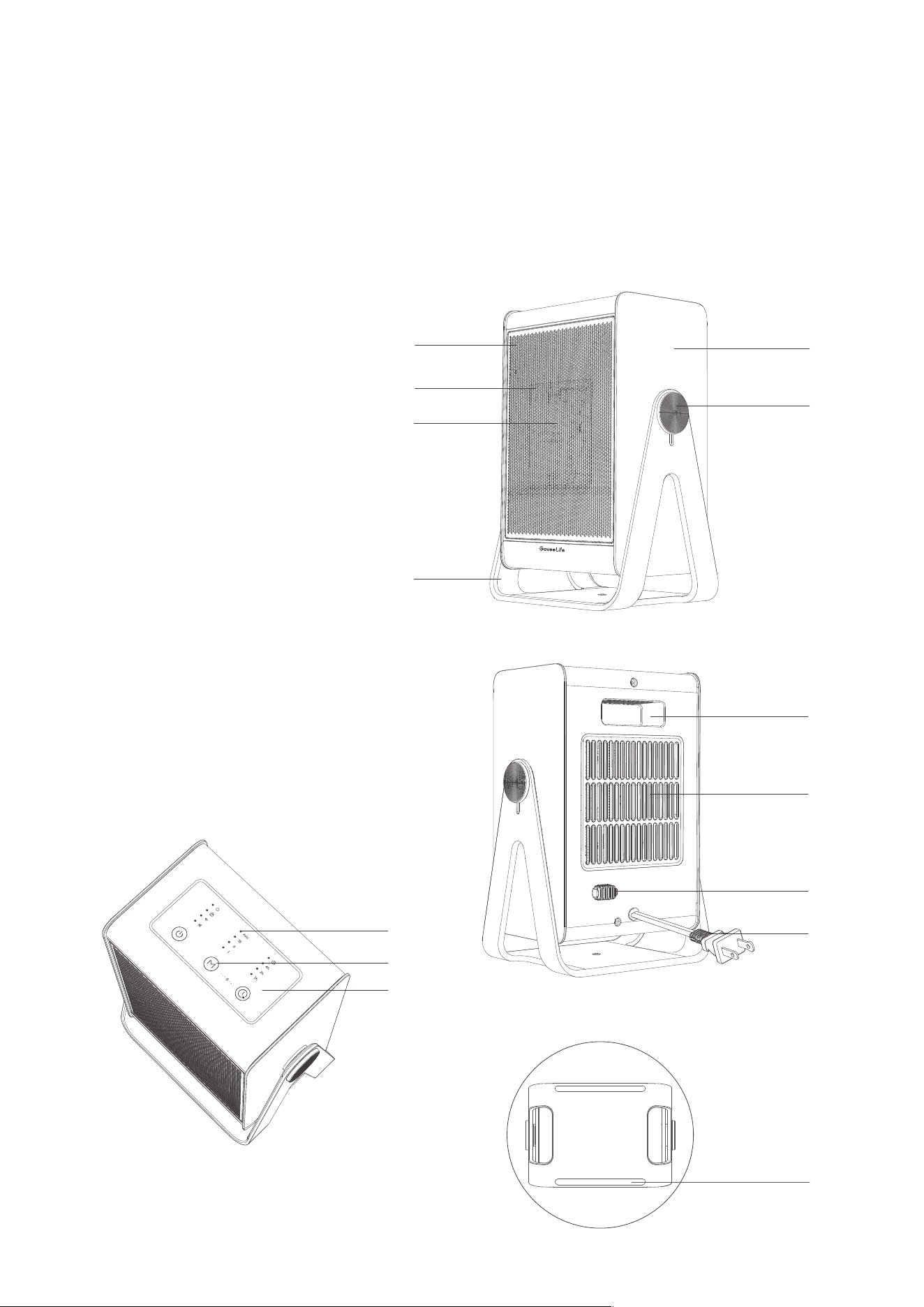
Part Names
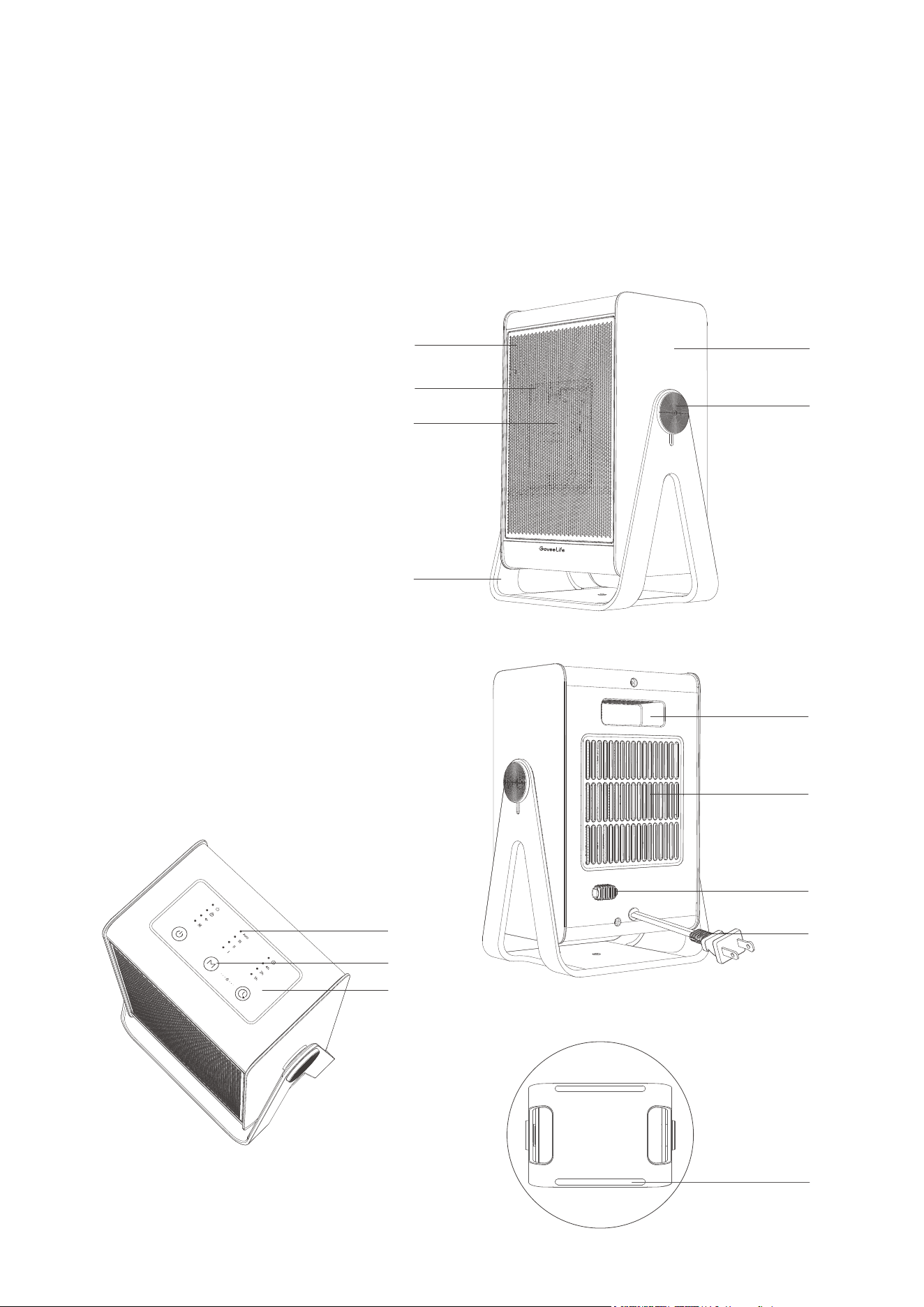
a. Indicator Light
b. Touch Buttons
c. Control Panel
d. PTC
e. Air Outlet
f. Front Grille
g. Outer Casing
h. Built-in Handle
i. Rear Grille
j. Temperature Sensor
k. Power Cord
l. Non-slip Pad
m. Adjustable Stand
n. Shaft
f
g
n
d
e
m
l
a
b
c
h
i
j
k
04
Controls
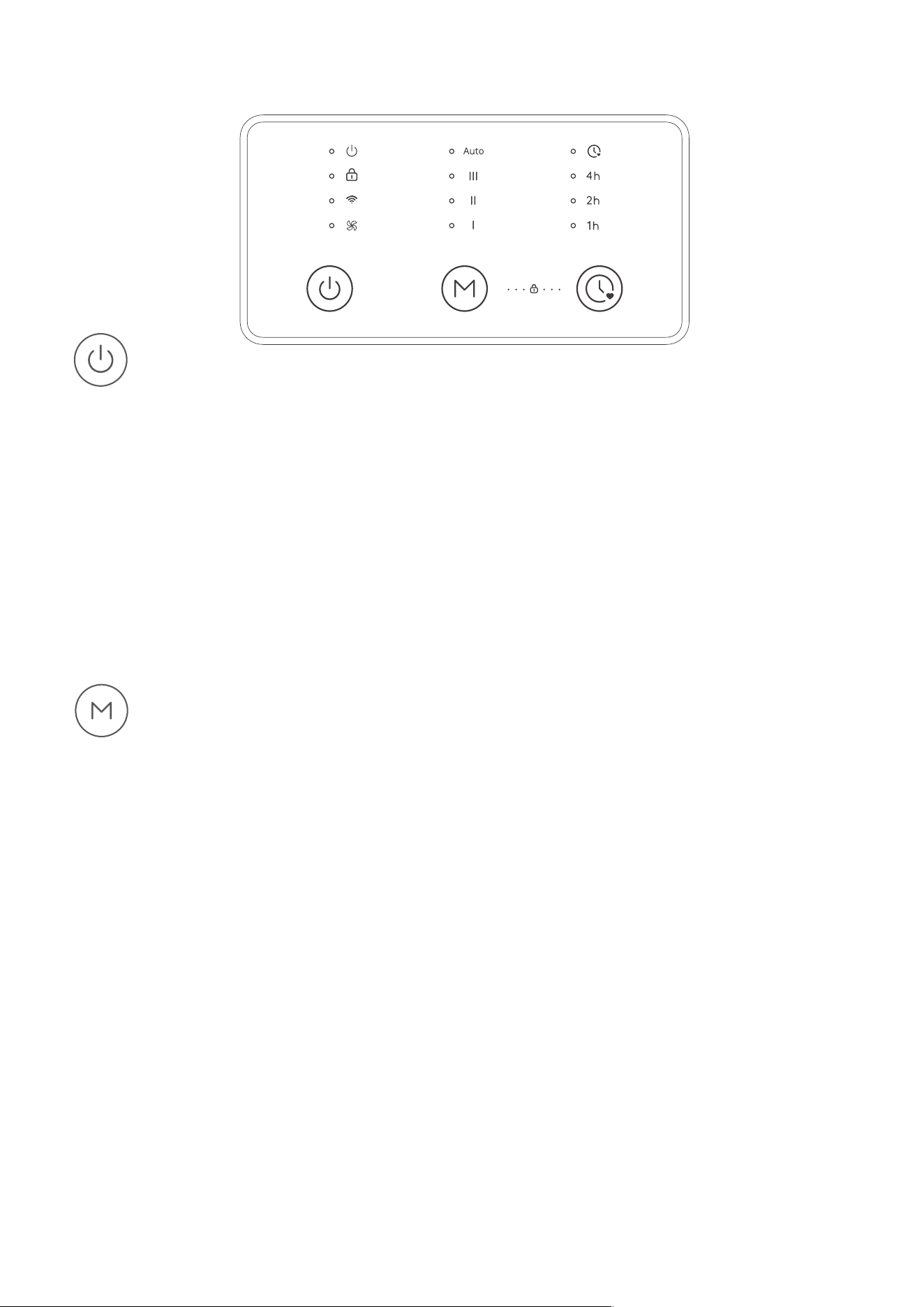
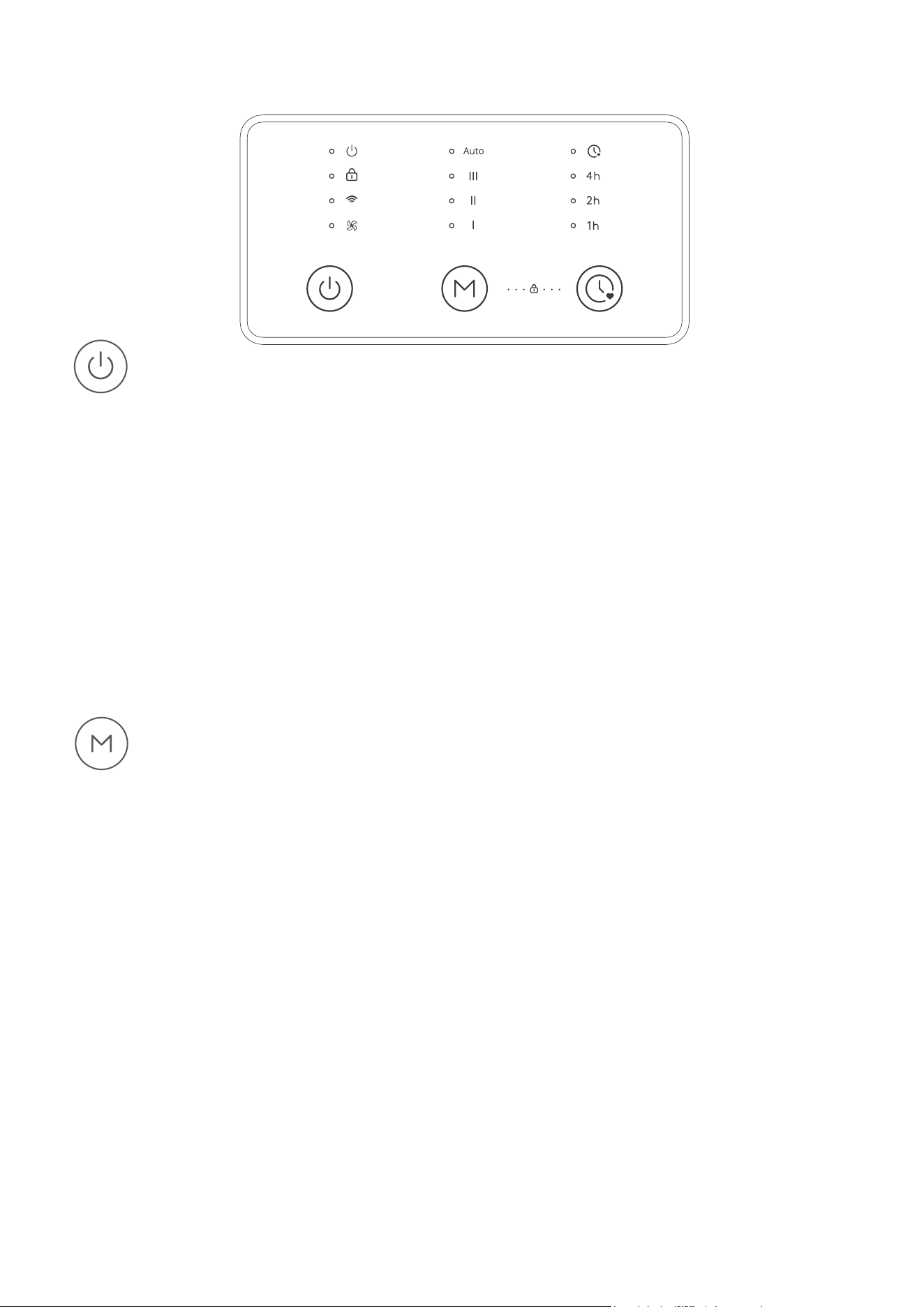
Touch to cycle through Heat Setting I, II, III, Auto Mode, and Fan Mode.
Note:
ӳ The value of constant temperature in Auto Mode can be set in the app. The heater
will automatically adjust its speed level and switch on or off based on the
target temperature in order to maintain the ambient temperature.
ӳ Works with a Govee or GoveeLife thermo-hygrometer ( sold separately ) in Auto
Mode to detect the ambient temperature more accurately, thus achieving a more
precise control of constant temperature. Keep the thermo-hygrometer close to
human bodies and with in 3.5 feet away from the heater. Avoid placing it near the
air inlet or on the ground.
Mode Button
Press the button to power on or off.
Note:
ӳ The fan will continue working for 15 seconds after powering off to clear any
residual heat to increase product lifespan.
ӳ When the device's Wi-Fi indicator light is off, press and hold the power button for 3
seconds to wake up the device's network standby mode to achieve Wi-Fi connection.
ӳ Follow the in-app instructions to press the button when pairing with the app.
Power Button

05
Touch and hold these two buttons simultaneously for 3 seconds to turn on the Lock
Mode. When the lock is active, buttons on the panel will not respond when pressed.
Touch and hold both buttons for 3 seconds to turn off the Lock Mode.
Note:
will flash when any other button is pressed to indicate the lock is on.
Lock Button
Set a timer: Repeatedly touch the Timer Button to set a timer from 1-7 hours. The
heater will automatically turn off when the time is up.
Turn off the timer: Press and hold the button for 2 seconds to turn off the current
timer setting.
Timer Button
+
Press and hold these two buttons simultaneously for 5 seconds until all indicators
flash once to restore the heater to factory settings if it cannot function well. Then the
heater will disconnect from Wi-Fi and Bluetooth and automatically reboot.
Note:
After restoring the heater to factory settings, go to the “Device” page on the app
to delete this heater first, otherwise it cannot be added to the app again.
Recovery Button
+
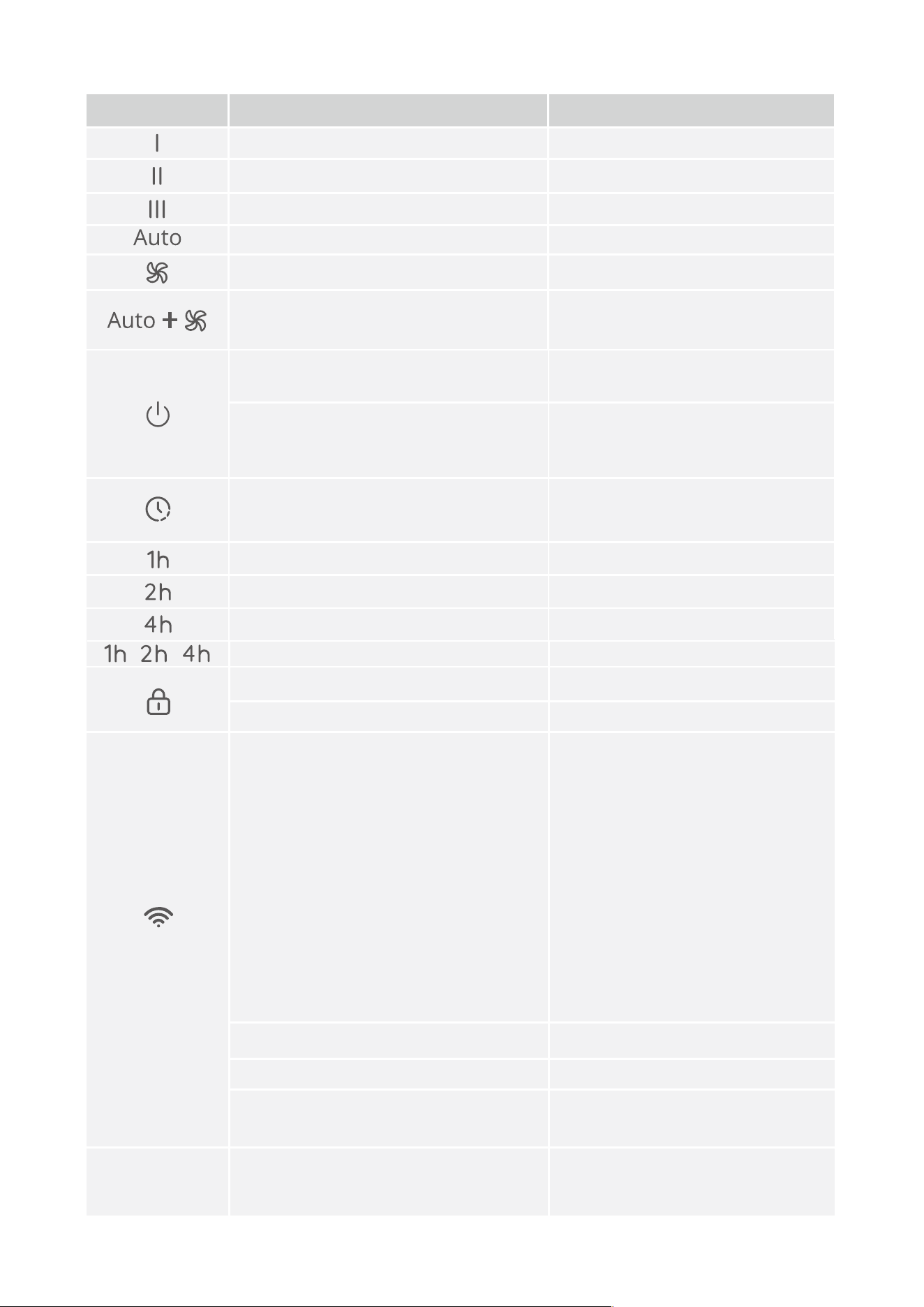
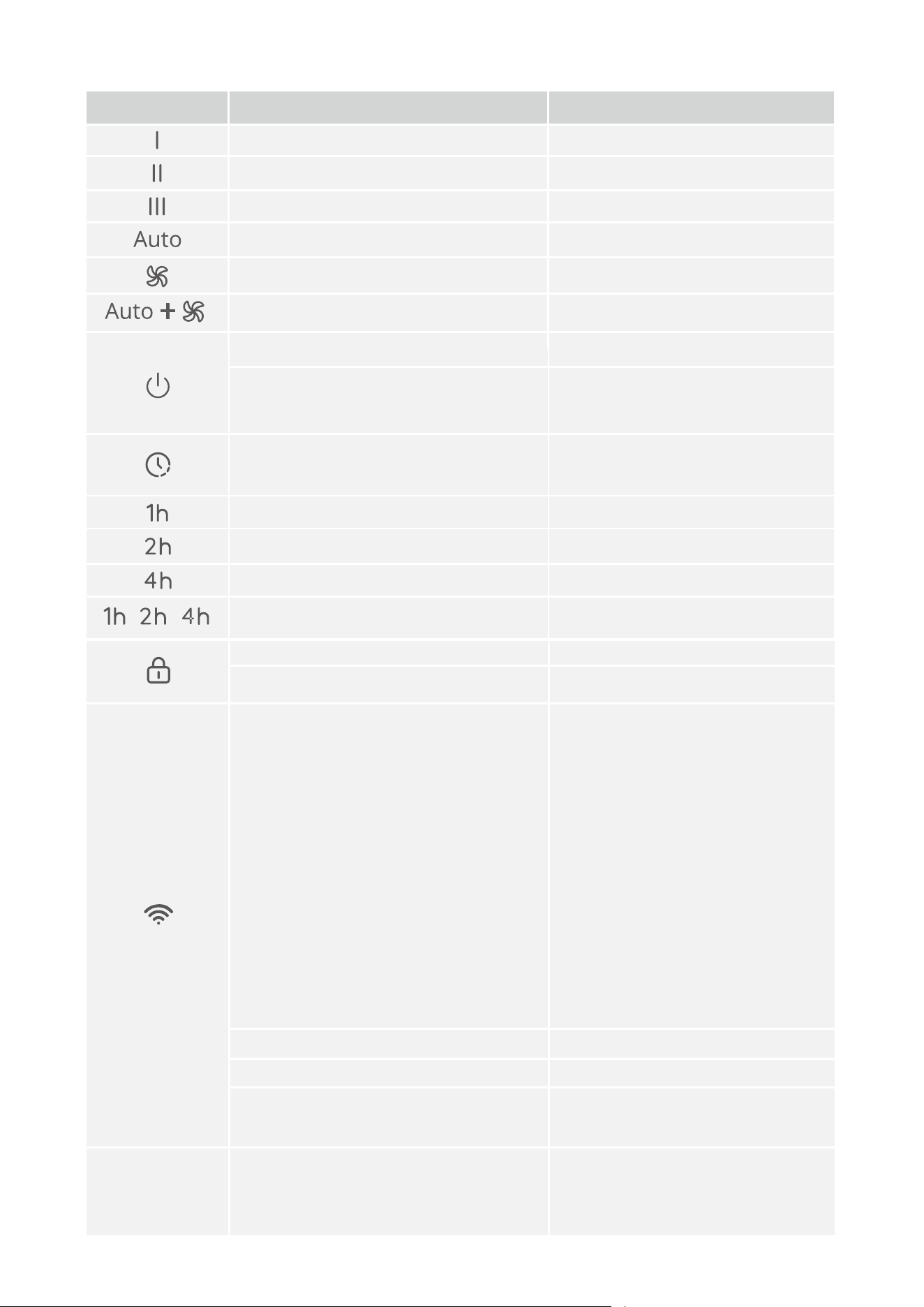
Working Status
Heat Setting I
Heat Setting II
Heat Setting III
Auto Mode
Light Status
Solid White
Solid White
Solid White
Solid White
Indicator
Fan Mode
Sleep Mode is Set via the APP Solid White
Solid White
All Indicators
7h Timer is On
Safety Lock On
Safety Lock Triggered
Network standby - waiting for
Wi-Fi matching
Wi-Fi is Connected
Wi-Fi is Connecting
Normal standby - when
Wi-Fi is not connected
Any Button Touch After Overheat
Protection is Triggered
Solid White
Solid White
Flashes White
Solid White
Quickly Flashes White
Light Off
Flash 3 Times
1h Timer is On
2h Timer is On
4h Timer is On
Solid Red
Flashes 3 Times
06
Indicator Status
White light flashes slowly
Notice:
1. When the power is turned on,
the light will continue to flash
for about 20 minutes. If the
network is not successfully
matched, it will automatically turn
off and switch to normal standby
mode. 2. If you want the device to
re-enter network standby mode
from normal standby mode to
match Wi-Fi, you can press and
hold the power button for 3
seconds or power on again.
Powered On
Any Button Touch After
Being Tipped Over
Timer is Set via the App
Solid White
Solid White
Solid White
Solid White
07
Note:
According to related safety standards, the power indicator should always light red
when the heater is working.
Functions
Memory Function
This heater will memorize the previous settings, such as heat settings and Wi-Fi connec-
tion, when it is powered off. The settings will be active again when this heater is turned
on.
24-hour Automatic Shutdown
This heater will shut down automatically when it has been used for 24 hours straight in
case the user forgets to power it off.
Overheat Protection
When the heater detects that the ambient temperature exceeds a specific temperature, it
will automatically power off.
Note: Overheat protection can be dismissed by unplugging the heater from power and
waiting for 30 minutes for it to cool down before plugging back in.
Tip-over and Motion Protection
When the heater is moved or knocked over, it will automatically power off and stop all
functions. This protection can be dismissed by placing the heater on a flat and sturdy
surface and keeping it upright before using it again.
Note: This heater is embedded with a motion sensor. When it senses tipping over or
unintended motion, the heater will automatically shut off.
Getting Started
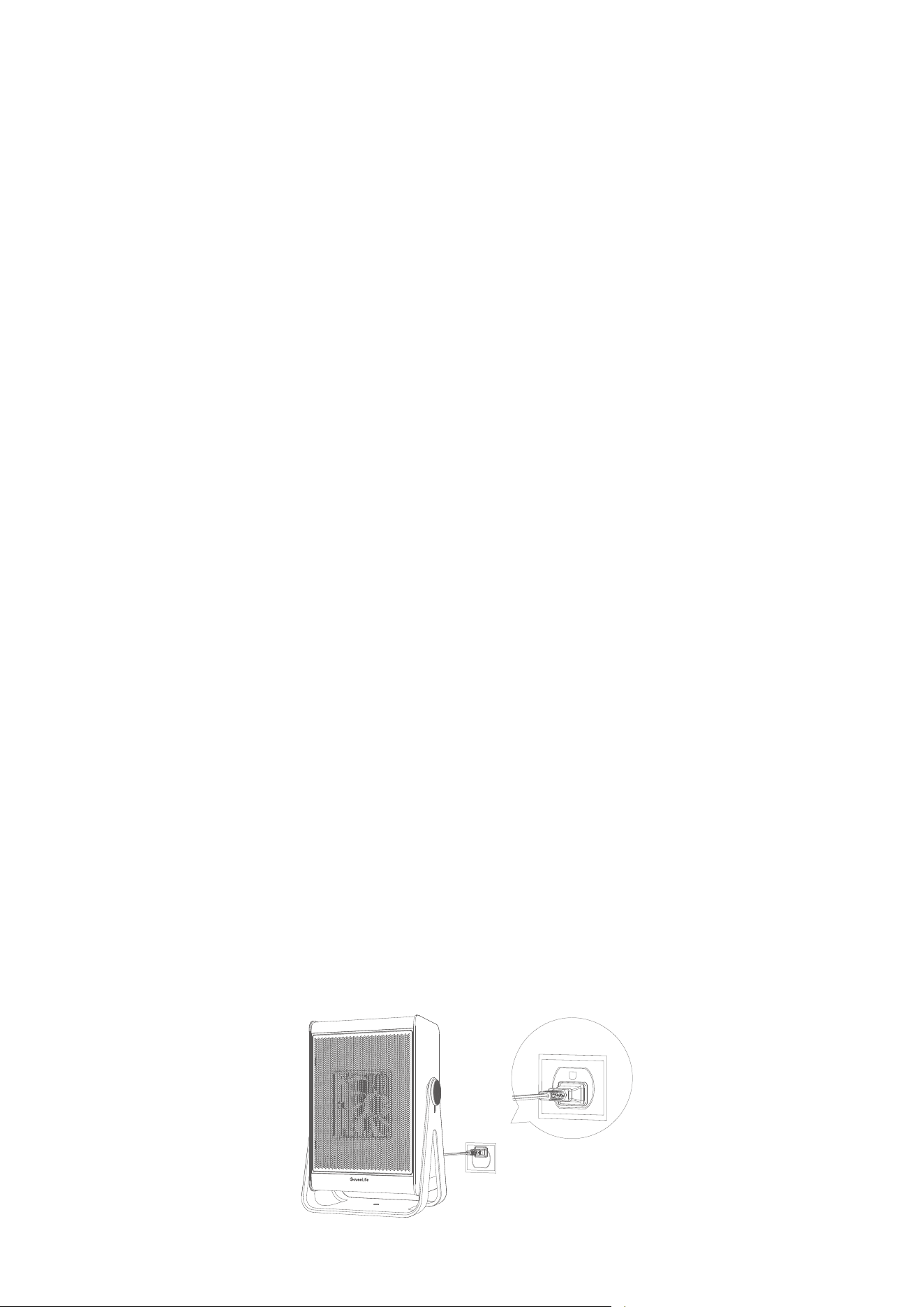
1. Remove all packaging and ensure the air inlet and outlet are not blocked by
foreign objects.
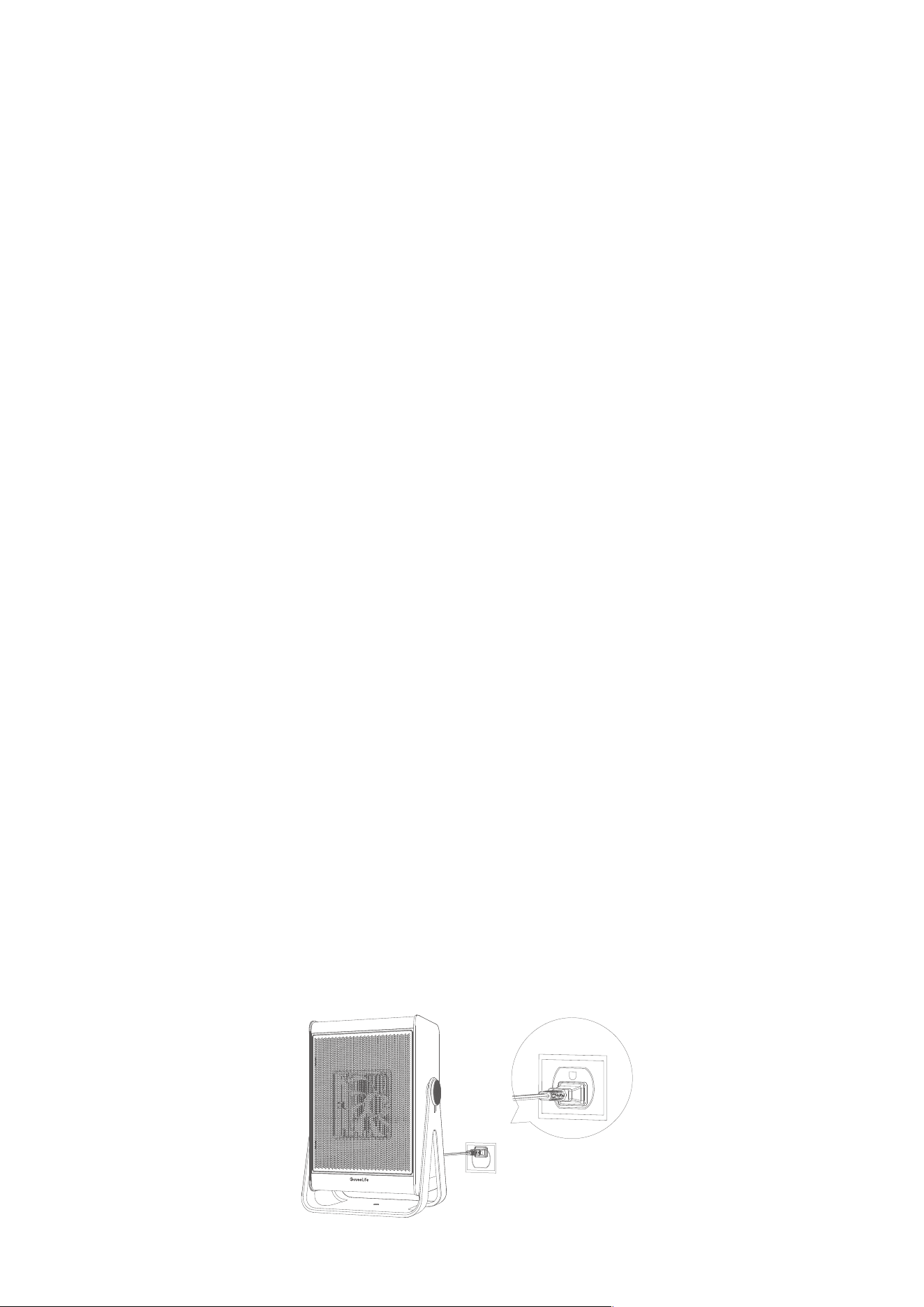
2. Only plug the heater directly into a 120V wall outlet. Do not use an extension cord.
08
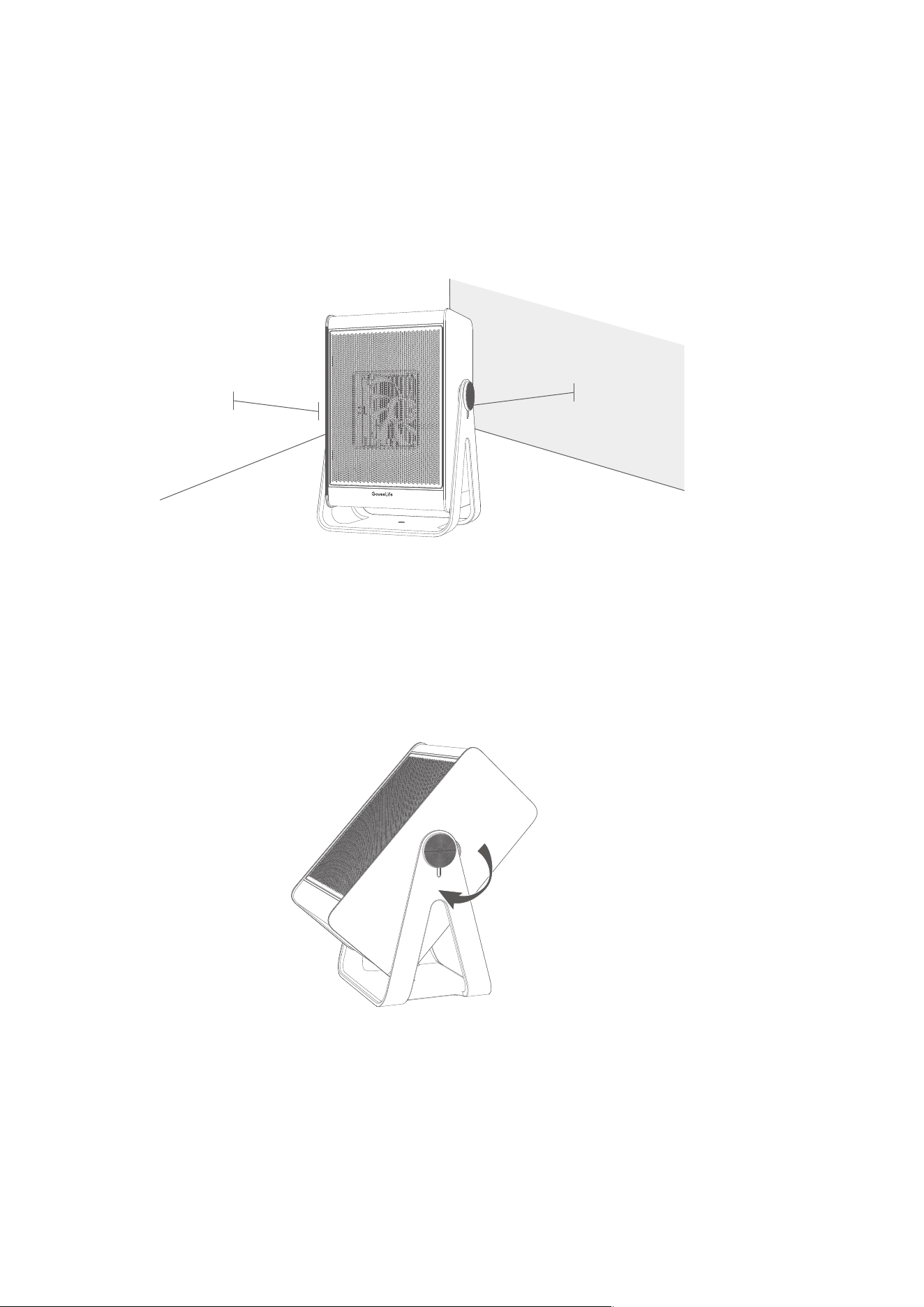
3 feet (0.9 meter)
3 feet (0.9 meter)
3. Ensure the power plug is firmly inserted into the outlet. An abnormal outlet
connection may cause overheating.
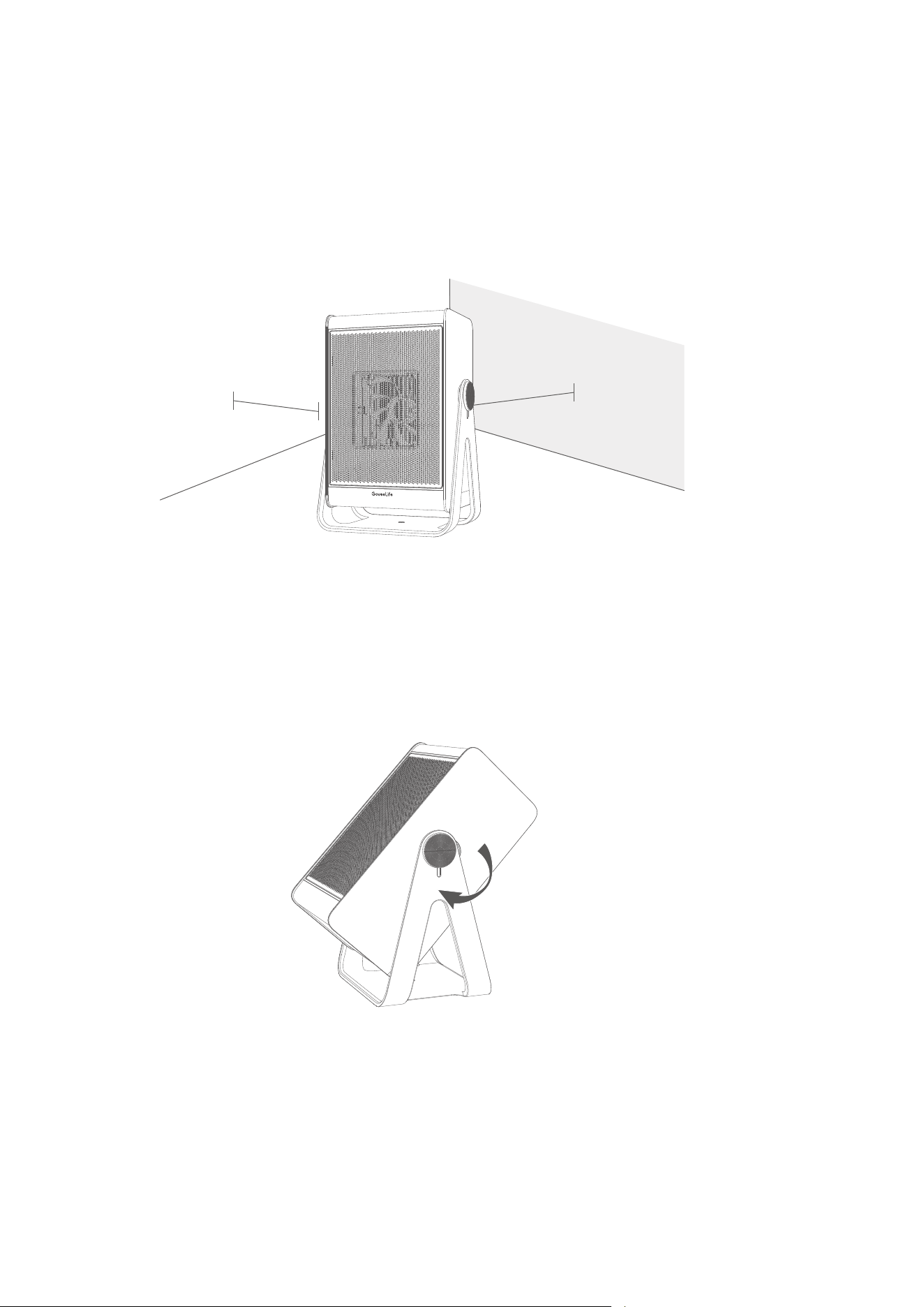
4. Place the heater on a firm, flat, and level surface free from obstructions and at least
3ft (0.9 meter) away from any wall or combustible materials.
Note:
Do not cover the heater with any cloth or covering, especially over the air inlet
and outlet.
5. (Optional) Adjust the stand to a proper position to allow the air outlet to face
upwards and produce warmth upwards.
Govee Home App
You can access more features using Govee Home App.
Pairing with Govee Home App
Downloading Govee Home App
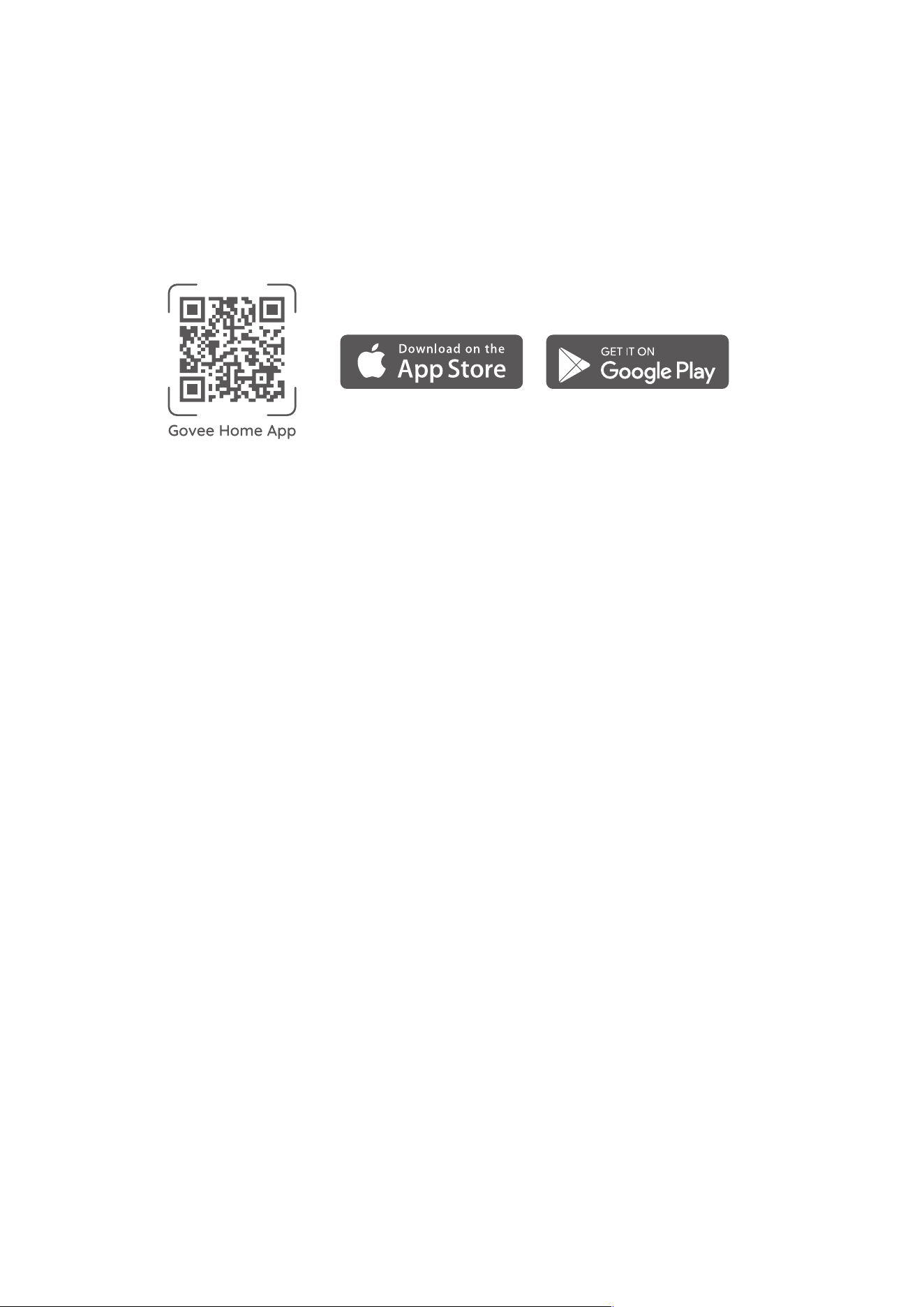
To download Govee Home App, scan the QR code or search for “Govee” in the Apple
App Store® (iOS) or Google Play Store (Android).
Note:
ӳ Choose “Allow” to the permissions requested when opening Govee Home App for
the first time. These permissions allow the app’s features to function normally and
are not used to record personal, private information.
ӳ Due to ongoing updates, Govee Home App may be slightly different than shown in
this manual. In case of any differences, always follow the in-app instructions.
1. Turn on your smartphone's Bluetooth. Connect to your Wi-Fi router's 2.4GHz network.
5GHz is not supported.
2. Android users turn on Location Services; IOS users choose Location ->Always On in
the pop-up window while adding devices.
Note:
ӳ For IOS users, if you chose Location->Never, it might result in notification/alert
exceptions. It is recommended to follow Settings ->Govee Home ->Location
->Always On to obtain the best experience.
ӳ Govee Home WILL NOT collect, use, or share your location in any way.
3. Open Govee Home App, tap the "+" icon in the top right corner and search
for "H7137."
4. Tap the device icon and follow the in-app instructions to complete the
Bluetooth and Wi-Fi connection.
Note:
ӳ Method to turn off Bluetooth and Wi-Fi connection: Press and hold the Mode Button
and Timer Button for 5s to restore the device to factory settings, then go to the
"Device" page on the app to delete this heater first, otherwise it cannot be added to
the app again.
09

10
ӳ
You can use Govee Home App to connect your heater to Amazon Alexa or Google
Assistant. Follow the in-app instructions to connect to each voice assistant.
ӳ Govee Home App is being continually updated and its features do expand.
Cleaning & Maintenance
To achieve the best performance, clean the heater at least once during the operating
season or before storing it when it will not be used for a long period of time.
ӳTurn the heater off and unplug it from power, then use a soft damp cloth to clean
its body, air inlet, and outlet.
ӳDo not submerge the heater in water and never allow water to drip into it.
ӳDo not risk your safety to detach the heater to clean its blade. Otherwise, it
may damage the heater, shorten its service life, or cause serious danger.
Cleaning
Follow the cleaning instructions and allow all parts to dry completely before storing
the heater in a cool, dry place.
Maintenance

11
Troubleshooting
The power cord is not properly
plugged into the outlet.
The power plug and the
outlet are not securely
connected.
Failed to supply power to the
heater.
Tip-over Protection has been
triggered.
Overheat Protection has been
triggered.
The heater is in network standby
mode.
Problem
The heater
cannot be
turned on.
The power
plug is hot.
The heater
suddenly
shuts down
when hot
air is
coming out.
Wi-Fi light
keeps
flashing for
a long time.
Solution
Plug the power cord into a live
outlet.
Securely reinsert the plug into the
outlet. If necessary, have a
qualified electrician check if the
power plug prongs are intact.
Ensure your circuit breaker or
fuse is working properly.
Place the heater on a firm and
level surface free from obstruc-
tions. Keep it upright and turn it
on again.
Unplug from power and wait for
30 minutes for the heater to cool
down before plugging back in.
The heater will automatically turn
on again when the surrounding
temperature is below 86˵ (30˳).
When the device is just powered
on and not configured with a
network, the Wi-Fi light will
continue to flash for about 20
minutes and then turn off
automatically. If you want the
Wi-Fi light to stop flashing, you
can consult the Pairing Guide in
the App and connect the device
to Wi-Fi network. After connect-
ing, the light will stay on.
Possible Causes
For Smart Space Heater 2 Lite ( 11 Inch )
The troubleshooting section below is for solving frequently asked questions. If your
problem persists, please contact Customer Support.

12
1. Cannot connect to Govee Home App.
ӳ Make sure your smartphone is powered on and is not connected with other Bluetooth
devices.
ӳ Enable the smartphone’s Location Services.
ӳ Try connecting with another smartphone.
ӳ Make sure your app is updated to the latest version.
ӳ Make sure you connect to your Wi-Fi router’s 2.4GHz network and that the
network is working correctly.
ӳ Make sure the Wi-Fi password you entered is correct.
ӳ Shorten the distance between the heater, Wi-Fi router, and the smartphone.
ӳ Make sure your heater and the Wi-Fi router are located away from appliances
that produce electromagnetic radiation (e.g. microwave ovens, refrigerators, etc.)
ӳ If you are using a VPN, try turning it off and then connecting the heater.
ӳ Disable portal authentication for your Wi-Fi network. If portal authentication
is enabled, this heater will not be able to access your Wi-Fi network, and setup
will fail. Portal authentication means that you need to sign in to your Wi-Fi
network through a web page before you can use the Internet.
2. Cannot find the device on the “Bluetooth Device Nearby” page of the app.
ӳ The heater may be connected with another smartphone. Disconnect it from the other
smartphone first.
3. The heater is offline.
ӳ Make sure the heater is plugged in and powered on, then refresh the “Device” page
in Govee Home App by swiping down on the screen.
ӳ Make sure your router is connected to the internet, and your smartphone’s
network connection is working.
ӳ If the Wi-Fi password has been changed, the heater will automatically go offline.
Try connecting it to the network again.
ӳ Delete the offline heater from Govee Home App, then add and reconfigure the
heater again in the app.
For App & Connectivity
After-Sales Service
Warranty: 12-Month Limited Warranty
Support: Lifetime Technical Support
Email: support@govee.com
Official Website: www.govee.com
@GoveeOfficial@Goveeofficial
@govee.official
@goveeofficial
@Govee
Appendix
Specifications
Model
Power Voltage
Rated Power
Net Weight
Dimensions
H7137
120V~60Hz
High: 1500W
Medium: 1200W
Low: 900W
5.07lb/2.3kg
8.1*5.7*11.8inch/207*144*301mm
13

INSTRUCTIONS IMPORTANTES
14
●
●
●
●
●
●
●
●
●
●
●
●
●
●
●
Lisez toutes les instructions avant d'utiliser ce radiateur.
Ce radiateur est chaud pendant son utilisation. Pour éviter des brûlures, ne laissez
pas les surfaces chaudes entrer en contact avec la peau. Le cas échéant, tenez ce
radiateur par les poignées pour le déplacer. Maintenez les matériaux combustibles
tels que les meubles, les oreillers, la literie, le papier, les vêtements et les rideaux
pORLJQpVDXPRLQV¡SLHGV¡PGHODYDQWGXUDGLDWHXUHWPDLQWHQH]OHVpORLJQpV
des côtés et de l'arrière du radiateur.
Nous vous recommandons vivement de faire très attention lorsque le radiateur est
utilisé par ou près des enfants ou des personnes handicapées, surtout si le radiateur
fonctionne sans supervision.
Débranchez le radiateur lorsqu'il n'est pas utilisé.
Ne branchez pas le radiateur avec un cordon ou une prise endommagés, ou après un
dysfonctionnement, ou si l'appareil est tombé ou endommagé d'une quelconque
manière. Mettez au rebut le radiateur ou retournez-le à un centre de service agréé
pour examen et/ou réparation.
Ne l'utilisez pas à l'extérieur.
Ce radiateur ne doit pas être utilisé dans les salles de bain, les buanderies et tout
autre emplacement humide en intérieur. Ne placez jamais le radiateur à un endroit où
il pourrait tomber dans une baignoire ou d'autres réservoirs d'eau.
N'acheminez jamais le cordon sous les revêtements de sol. Ne recouvrez pas le
cordon avec du tapis, des glissières ou d'autres revêtements similares. Ne faites pas
passer le cordon sous des meubles ou des appareils. Rangez le cordon loin des zones
à forte circulation où l'on pourrait trébucher dessus.
Pour débrancher le radiateur, éteignez les commandes, puis retirez la fiche de la
prise.
N'insérez pas et ne laissez pas de corps étrangers entrer dans toute orifice de
ventilation ou d'évacuation au risque de causer un choc électrique, un incendie ou
d'endommager le radiateur.
Pour prévenir tout risque d'incendie, ne bloquez pas les voies d'entrée et de sortie de
l'air de quelque manière que ce soit. N'utilisez pas ce radiateur sur des surfaces
souples, telles que le lit, sur lesquelles les orifices pourraient être bloquées.
Un radiateur comporte des éléments chauds et en forme d'arc ou pouvant causer
des étincelles. N'utilisez pas ce radiateur dans des endroits où le gasoil, la peinture,
ou tout autre liquide inflammable sont utilisés ou stockés.
Utilisez ce radiateur uniquement selon les instructions fournies dans ce manuel. Toute
autre utilisation non recommandée par le fabricant peut provoquer un incendie, un
choc électrique ou des blessures corporelles.
Branchez toujours les radiateurs directement à une prise/douille murale. N'utilisez
jamais l'appareil avec une rallonge ou une prise d’alimentation amovible
(prise/multiprise).
Un branchement incorrect pourrait causer la surchauffe de la prise murale.
Assurez-vous que la fiche du radiateur est insérée fermement dans la prise avant
toute utilisation. Vérifiez de temps en temps pendant l'utilisation du radiateur pour
s'assurer que la prise ne surchauffe pas. En cas de besoin, demandez à un électricien
qualifié de vérifier ou de remplacer la prise murale.
Vous devez toujours respecter certaines précautions de base lors de l'utilisation
d'appareils électriques, afin de réduire les risques d'incendie, de choc électrique et de
EOHVVXUHVFRUSRUHOOHVQRWDPPHQWOHVVXLYDQWHV¡
Français

15
●
●
●
●
Ce radiateur ne peut être utilisé que lorsque la température ambiante est normale. Le
radiateur s'arrête automatiquement dès qu'il détecte que la température ambiante
est trop élevée. Veuillez vérifier qu'il n'y a aucun objet sur ou à proximité du
radiateur, qui pourrait causer une élévation de la température.
3RXUOHVeWDWV8QLV¡FHWDSSDUHLOHVWpTXLSpGXQHILFKHSRODULVpHXQHODPHHVWSOXV
large que l'autre). Afin de réduire le risque de choc électrique, cette fiche est conçue
pour être insérer dans une prise polarisée dans un seul sens. Si la fiche ne s'insère
pas complètement dans la prise, inversez-la. Si elle n’est toujours pas adaptée,
contactez un électricien qualifié. Ne tentez pas de contourner cette fonction de
sécurité.
L'hyperthermie peut entraîner la mort. Les symptômes de l'hyperthermie
comprennent, entre autres, une température corporelle élevée, des maux de tête, des
nausées, des vomissements, de la fatigue, des étourdissements, des évanouissements
et un pouls rapide. Si vous commencez à ressentir des symptômes de l'hyperthermie,
éteignez le radiateur et consultez un médecin.
Pour éviter des températures ambiantes excessivement élevées qui peuvent
SURYRTXHUXQHK\SHUWKHUPLH¡1(/$,66(=3$6OHSURGXLWIRQFWLRQQHUVDQV
surveillance dans un espace confiné où il y a des nourrissons ou des personnes ayant
des capacités physiques, sensorielles ou mentales réduites.
Contenu de la boîte
Article
Radiateur d'espace
Manuel d'utilisation
Guide de démarrage rapide
Quantité
1
1
1
CONSERVER CES INSTRUCTIONS
16
Introduction
0HUFLGDYRLUFKRLVLOHUDGLDWHXUGHVSDFHLQWHOOLJHQW/LWH*RYHH/LIHSRXFHV¡$YHFOH
support réglable, il permet de produire de la chaleur à une élévation maximale de
45 degrés. Il est appliqué à différents scénarios. Equipé d'éléments chauffants PTC. Ce
radiateur intelligent peut chauffer en 3 secondes après sa mise sous tension, vous
apportant une chaleur instantanée et un confort maximal à la maison par temps froid.
Noms des pièces
a. Lumière du voyant
b. Boutons tactiles
c. Panneau de commande
d. PTC
e. Sortie d'air
F. Grille avant
g. Boîtier extérieur
h. Poignée intégrée
i. Grille arrière
j. Capteur de température
k. Cordon d’alimentation
l. Coussinet antidérapant
m. Support réglable
n. Arbre
f
g
n
d
e
m
l
a
b
c
h
i
j
k
17
Commandes
Touchez pour faire défiler les réglages de chaleur I, II, III, le mode Auto et le mode
Ventilateur.
5HPDUTXH¡
● La valeur de la température constante en mode Auto peut être définie dans
l'application. Le radiateur ajustera automatiquement son niveau de vitesse et
s'allumera ou s'éteindra en fonction de la température ciblée afin de maintenir la
température ambiante.
● Fonctionne avec un thermo-hygromètre Govee ou GoveeLife (vendu séparément)
en mode Auto pour détecter la température ambiante avec plus de précision,
réalisant ainsi un contrôle plus précis de la température constante. Gardez le
thermo-hygromètre à proximité du corps humain et à 3,5 pieds du radiateur. Évitez
de le placer à proximité de l’entrée d’air ou au sol.
Bouton de mode
Appuyez sur le bouton pour allumer ou éteindre.
5HPDUTXH¡
● /HYHQWLODWHXUFRQWLQXHUDjIRQFWLRQQHUSHQGDQW¡VHFRQGHVDSUqVODPLVHKRUVWHQVLRQ
pour éliminer toute chaleur résiduelle afin d'augmenter la durée de vie du produit.
● Lorsque le voyant Wi-Fi de l'appareil est éteint, maintenez enfoncé le bouton
d'alimentation pendant 3 secondes pour réactiver le mode Veille réseau de l'appareil
afin d'établir une connexion Wi-Fi.
● Suivez les instructions de l'application pour appuyer sur le bouton lors de l'association
avec l'application.
Bouton Marche/Arrêt

18
$SSX\H]ORQJXHPHQWVXUFHVGHX[ERXWRQVVLPXOWDQpPHQWSHQGDQW¡VHFRQGHVSRXU
activer le mode Verrouillage. Si le verrouillage est activé, les boutons du panneau ne
répondront pas lorsqu'ils seront appuyés.
$SSX\H]ORQJXHPHQWVXUOHVGHX[ERXWRQVSHQGDQW¡VHFRQGHVSRXUGpVDFWLYHUOH
mode Verrouillage.
5HPDUTXH¡
clignotera lorsque tout autre bouton est appuyé pour indiquer que le
verrouillage est activé.
Bouton de verrouillage
'pILQLUXQHPLQXWHULH¡Appuyez plusieurs fois sur le bouton de minuterie pour définir
XQHPLQXWHULHGHj¡KHXUHV/HUDGLDWHXUVpWHLQGUDDXWRPDWLTXHPHQWXQHIRLVOH
temps épuisé.
eWHLQGUHODPLQXWHULH¡Appuyez sur le bouton et maintenez-le enfoncé pendant
¡VHFRQGHVSRXUGpVDFWLYHUOHUpJODJHDFWXHOGHODPLQXWHULH
Bouton de minuterie
+
Appuyez simultanément sur ces deux boutons et maintenez-les enfoncés pendant
¡VHFRQGHVMXVTXjFHTXHWRXVOHVLQGLFDWHXUVFOLJQRWHQWXQHIRLVSRXUUHVWDXUHUOHV
paramètres d'usine du radiateur s'il ne fonctionne pas correctement. Ensuite, le
radiateur se déconnecte du Wi-Fi et du Bluetooth et redémarre automatiquement.
5HPDUTXH¡
Après avoir restauré le radiateur aux paramètres d'usine, accédez à la page
¡$SSDUHLO¡GHODSSOLFDWLRQSRXUVXSSULPHUFHUDGLDWHXUVLQRQLOQHSHXWSDVrWUH
rajouter à l'application.
Bouton de reprise
+
19
Indicateur d’état
État de fonctionnement
Réglage de chaleur I
Réglage de chaleur II
Réglage de chaleur III
Couleur du voyant
Blanc stable
Blanc stable
Blanc stable
Voyant
Mode Auto Blanc stable
Mode Ventilateur Blanc stable
Blanc stable
Tous les
voyants
Mise en marche
Toute pression sur un bouton après
avoir été renversé
La minuterie est réglée via
l'application
/DPLQXWHULHGH¡KHXUHHVWDFWLYpH
/DPLQXWHULHGH¡KHXUHVHVWDFWLYpH
/DPLQXWHULHGH¡KHXUHVHVWactivée
Rouge stable
&OLJQRWH¡IRLV
Blanc stable
Blanc stable
Blanc stable
Blanc stable
Le voyant clignote lentement en blanc.
$WWHQWLRQ¡
1. Lorsque l'appareil est allumé, le
voyant continue de clignoter pendant
environ 20 minutes. Si le réseau n'est
pas connecté avec succès, il
s'éteindra automatiquement et
passera en mode Veille normal. 2.
Si vous souhaitez que l'appareil
repasse en mode Veille réseau depuis
le mode Veille normal pour se
connecter au Wi-Fi, vous pouvez
appuyer et maintenir le bouton
d'alimentation enfoncé pendant
3 secondes ou le rallumer.
/DPLQXWHULHGH¡KHXUHVHVWDFWLYpH
Verrouillage de sécurité activé
Verrouillage de sécurité déclenché
Réseau en veille - en attente
Correpondance Wi-Fi
Connexion Wi-Fi établie
Connexion Wi-Fi en cours
Veille normale - lorsque le
Wi-Fi n'est pas connecté
Toute pression sur un bouton
après une surchauffe
La protection est déclenchée
Blanc stable
Blanc stable
Clignote en blanc
Blanc stable
Clignote rapidement en blanc
Voyant éteint
&OLJQRWH¡IRLV
Le mode veille est défini via l'application
20
5HPDUTXH¡
Selon les normes en matière de sécurité, le voyant d'alimentation doit toujours
s'allumer en rouge lorsque le radiateur fonctionne.
Fonctions
Mémoire
Ce radiateur enregistrera les réglages précédents, tels que les réglages de chaleur et la
connexion Wi-Fi, lorsqu'il est éteint. Les réglages seront à nouveau activés lorsque vous
rallumez le radiateur.
Arrêt automatique après 24 heures
&HUDGLDWHXUVpWHLQGUDDXWRPDWLTXHPHQWDSUqV¡KHXUHVGXWLOLVDWLRQFRQWLQXHDXFDVR
l'utilisateur oublie de le faire.
Protection contre la surchauffe
Lorsque le radiateur détecte que la température ambiante dépasse une température
spécifique, il s'éteint automatiquement.
5HPDUTXH¡La protection contre la surchauffe peut être désactivée en débranchant le
UDGLDWHXUHWHQOHODLVVDQWUHIURLGLUSHQGDQW¡PLQXWHVDYDQWGHOH
rebrancher.
Protection contre le basculement et le déplacement
Si le radiateur est déplacé ou renversé, il s'éteint automatiquement et arrêt toutes ses
fonctions. Cette protection peut être écartée en plaçant le radiateur sur une surface
plane et solide et en le maintenant en position verticale avant de le réutiliser.
5HPDUTXH¡Ce radiateur est équipé d'un capteur de déplacement. Lorsqu’il détecte un
basculement ou un déplacement imprévu, le radiateur s'éteint
automatiquement.
Démarrage
1. Retirez tous les emballages et assurez-vous que l'entrée et la sortie d'air ne sont pas
bloquées par des objets étrangers.
2. Branchez le radiateur uniquement sur une prise murale de 120 V. N'utilisez pas de
rallonge.
21
¡SLHGV¡PqWUH
¡SLHGV¡PqWUH
3. Assurez-vous que la fiche d'alimentation est fermement insérée dans la prise.
Une prise anormale La connexion peut provoquer une surchauffe.
4. Placez le radiateur sur une surface solide, plane et horizontale, loin de toute obstruction
HWjDXPRLQV¡SLHGV¡PqWUHGHVPXUVHWGHVPDWpULDX[FRPEXVWLEOHV
5HPDUTXH¡
Ne couvrez pas le radiateur avec un tissu ou une couverture, en particulier sur l'entrée
et la sortie d'air.
5. (Optionnel) Réglez le support de manière à ce que la sortie d'air soit orientée vers
le haut et que la chaleur soit diffusée vers le haut.
Application Govee Home
Vous pouvez accéder à d'autres fonctionnalités à travers l'application Govee Home.
Association à l'application Govee Home
Téléchargement de l'application Govee Home
3RXUWpOpFKDUJHUODSSOLFDWLRQ*RYHH+RPHVFDQQH]OHFRGH45RXUHFKHUFKH]¡*RYHH¡
sur Apple App Store® (iOS) ou sur Google Play Store (Android).
5HPDUTXH¡
● &KRLVLVVH]¡$XWRULVHU¡SRXUOHVDXWRULVDWLRQVGHPDQGpHVORUVTXHYRXVRXYUH]
l'application Govee Home pour la première fois. Ces autorisations permettent aux
fonctionnalités intégrées de l'application de fonctionner normalement et ne sont pas
utilisées pour enregistrer des informations à caractère personnel et à caractère privé.
● En raison de mises à jour permanentes, l'application Govee Home peut être
légèrement différente de celle présentée dans ce manuel. En cas de différence, suivez
toujours les instructions de l'application.
$FWLYH]OH%OXHWRRWKGHYRWUHVPDUWSKRQH&RQQHFWH]YRXVDXUpVHDX¡*+]GHYRWUH
URXWHXU:L)L/DEDQGH¡*+]Q¬HVWSDVSULVHHQFKDUJH
/HVXWLOLVDWHXUVG¬$QGURLGDFWLYHQWOHVVHUYLFHVGHORFDOLVDWLRQ¡OHVXWLOLVDWHXUVG¬,26
choisissent Localisation ->Toujours activé dans la fenêtre contextuelle lors de l’ajout
d'appareils.
5HPDUTXH¡
● Pour les utilisateurs d'IOS, si vous choisissez Localisation->Jamais, cette option peut
entraîner des exceptions de notification/d'alerte. Il est recommandé de suivre les
LQVWUXFWLRQVVXLYDQWHV¡3DUDPqWUHV!*RYHH+RPH!/RFDOLVDWLRQ!7RXMRXUVDFWLYp
pour obtenir la meilleure expérience.
● Govee Home NE collectera, n'utilisera ni ne partagera votre position de quelque
manière que ce soit.
2XYUH]ODSSOLFDWLRQ*RYHH+RPHDSSX\H]VXUOLF{QH¡¡GDQVOHFRLQVXSpULHXU
GURLWHWUHFKHUFKH]¡+¡
4. Appuyez sur l'icône de l'appareil et suivez les instructions de l'application pour établir
la connexion Bluetooth et Wi-Fi.
5HPDUTXH¡
● 0pWKRGHGHGpVDFWLYDWLRQGHODFRQQH[LRQ%OXHWRRWKHW:L)L¡$SSX\H]HWPDLQWHQH]
enfoncés le bouton de mode et le bouton de minuterie pendant 5 secondes pour
UHVWDXUHUODSSDUHLODX[SDUDPqWUHVGXVLQHSXLVDFFpGH]jODSDJH¡$SSDUHLO¡GH
l'application pour supprimer d'abord ce radiateur, sinon il ne pourra pas être ajouté à
nouveau à l'application.
22

23
●
Vous pouvez utiliser l'application Govee Home pour connecter votre radiateur à
Amazon Alexa ou à l'Assistant Google. Suivez les instructions de l’application pour
vous connecter à chaque assistant vocal.
● L’Application Govee Home est continuellement mise à jour et ses fonctionnalités sont
enrichies.
Nettoyage et maintenance
Pour des performances optimales, nettoyez le radiateur au moins une fois pendant la
saison d'utilisation, ou avant de le ranger lorsque vous ne l'utiliserez pas pendant une
longue période.
● Éteignez le radiateur et débranchez-le, puis utilisez un chiffon doux et humide pour
nettoyer son corps, l'entrée et la sortie d'air.
● Ne submergez pas le radiateur dans l'eau et ne laissez jamais l'eau s'y égoutter.
● Ne risquez pas votre sécurité en détachant le radiateur pour nettoyer sa lame.
Autrement, vous risquez d'endommager le radiateur, de réduire sa durée de vie ou de
provoquer un grave danger.
Nettoyage
Suivez les instructions de nettoyage et laissez tous les composants sécher
complètement avant de ranger le radiateur dans un endroit frais et sec.
Maintenance

24
Dépannage
Le cordon d'alimentation n'est
pas correctement branché dans
la prise.
La fiche d'alimentation et la
prise électrique ne sont pas
solidement connectées.
Échec de l'alimentation
électrique au radiateur.
La protection contre le
basculement a été déclenchée.
La protection contre la
surchauffe a été déclenchée.
Le radiateur est en mode Veille
réseau.
Problème
Le radiateur
ne s'allume
pas.
La fiche
d'alimenta-
tion se
chauffe.
La radiateur
s'éteint
subitement
lorsque l'air
chaud en
sort.
Le voyant
Wi-Fi
continue de
clignoter
pendant un
long
moment.
Solution
Branchez le cordon
d'alimentation sur une prise sous
tension.
Rebranchez fermement la fiche à
la prise. Si nécessaire, faites
vérifier par un électricien qualifié
si les broches de la fiche
d'alimentation sont intactes.
Vérifiez que votre disjoncteur ou
votre fusible fonctionne
correctement.
Placez le radiateur sur une
surface plane, loin de toute
obstruction. Maintenez-le droit et
rallumez-le.
Débranchez le radiateur et
attendez qu'il refroidisse pendant
¡PLQXWHVDYDQWGHOH
rebrancher. Le radiateur se
rallumera automatiquement
lorsque la température ambiante
est inférieure à 86˵ (30˳).
Lorsque l'appareil vient d'être
allumé et n'est pas configuré avec
un réseau, le voyant Wi-Fi
continue de clignoter pendant
environ 20 minutes, puis s'éteint
automatiquement. Si vous
souhaitez que le voyant Wi-Fi
cesse de clignoter, vous pouvez
FRQVXOWHUOH¡*XLGHGDVVRFLDWLRQ
dans l'application et connecter
l'appareil au réseau Wi-Fi. Après
la connexion, le voyant restera
allumée.
Causes probables
Pour radiateur d'espace intelligent 2 Lite (11 pouces)
La section de dépannage ci-dessous est destinée à résoudre les questions fréquemment
posées. Si votre problème persiste, veuillez contacter le service clients.

25
1. Impossible de se connecter à l’application Govee Home.
● Assurez-vous que votre smartphone est allumé et qu'il n'est pas connecté à d'autres
appareils Bluetooth.
● Activez les services de localisation du smartphone.
● Essayez de vous connecter à un autre smartphone.
● Assurez-vous que votre application est mise à jour vers la dernière version.
● $VVXUH]YRXVGHYRXVFRQQHFWHUDXUpVHDX¡*+]GHYRWUHURXWHXU:L)LHWTXHOH
réseau fonctionne correctement.
● Assurez-vous que le mot de passe Wi-Fi que vous avez saisi est correct.
● Réduisez la distance entre le radiateur, le routeur Wi-Fi et le smartphone.
● Assurez-vous que votre radiateur et le routeur Wi-Fi sont éloignés des appareils
produisant des rayonnements électromagnétiques (par exemple, micro-ondes,
réfrigérateurs, etc.)
● Si vous utilisez un VPN, essayez de le désactiver et de connecter le radiateur.
● Désactivez l'authentification du portail de votre réseau Wi-Fi. Ce radiateur ne pourra
pas accéder à votre réseau Wi-Fi et la configuration échouera si l'authentification du
portai est activée. Un portail d'authentification signifie que vous devez vous
connecter à votre réseau Wi-Fi à travers une page web avant de pouvoir accéder à
Internet.
,PSRVVLEOHGHWURXYHUODSSDUHLOVXUODSDJH¡$SSDUHLO%OXHWRRWKjSUR[LPLWp¡GH
l'application.
● Le radiateur est peut-être connecté à un autre smartphone. Déconnectez-le d'abord
de l'autre smartphone.
3. Le radiateur est hors ligne.
● Assurez-vous que le radiateur est branché et allumé, puis actualisez la page
¡$SSDUHLO¡GDQVODSSOLFDWLRQ*RYHH+RPHHQIDLVDQWJOLVVHUOpFUDQYHUVOHEDV
● Assurez-vous que votre routeur est connecté à Internet et que la connexion réseau
de votre smartphone fonctionne.
● Le radiateur se déconnectera automatiquement si vous modifiez le mot de passe du
Wi-Fi. Essayez de le reconnecter au réseau.
● Supprimez le radiateur déconnecté de l'application Govee Home, puis rajoutez et
reconfigurez le radiateur dans l'application.
Pour l'application et la connectivité
Service après-vente
*DUDQWLH¡*DUDQWLHOLPLWpHPRLV
$VVLVWDQFH¡$VVLVWDQFHWHFKQLTXHjYLH
(¡PDLO¡VXSSRUW#JRYHHFRP
6LWH,QWHUQHWRIILFLHO¡ZZZJRYHHFRP
@GoveeOfficiel@Goveeofficial
@govee.official
@goveeofficial
@Govee
Annexe
Caractéristiques techniques
Modèle
Tension d'alimentation
Puissance nominale
Poids net
Dimensions
H7137
¡9a+]
Élevée : 1500 W
Moyenne : 1200 W
)DLEOH¡:
5,07 lb/2,3 kg
8,1*5,7*11,8 pouces/207*144*301mm
26

Compliance Information
FCC and ISED Canada Statement
This device complies with Part 15 of the FCC Rules and Industry Canada licence-exempt
RSS standard(s). Operation is subject to the following two conditions:
(1) This device may not cause harmful interference, and (2) This device must accept any
interference received, including interference that may cause undesired operation.
Warning: Changes or modifications not expressly approved by the party responsible for
compliance could void the user's authority to operate the equipment.
Le présent appareil est conforme aux CNR d'Industrie Canada applicables aux appareils
radio exempts de licence. L'exploitation est autorisée aux deux conditions suivantes :
(1) l'appareil nedoit pas produire de brouillage, et
(2) l'utilisateur de l'appareil doit accepter tout brouillage radioélectrique subi, même si le
brouillage est susceptible d'en compromettre le fonctionnement.
NOTE: This equipment has been tested and found to comply with the limits for a Class B
digital device, pursuant to Part 15 of the FCC Rules.
These limits are designed to provide reasonable protection against harmful interference
in a residential installation. This equipment generates uses and can radiate radio frequen-
cy energy and, if not installed and used in accordance with the instructions, may cause
harmful interference to radio communications. However, there is no guarantee that
interference will not occur in a particular installation. If this equipment does cause
harmful interference to radio or television reception, which can be determined by turning
the equipment off and on, the user is encouraged to try to correct the interference by
one or more of the following measures:
1.Reorient or relocate the receiving antenna.
2.Increase the separation between the equipment and receiver.
3.Connect the equipment into an outlet on a circuit different from that to which the
receiver is connected.
4.Consult the dealer or an experienced radio/TV technician for help.
This Class B digital apparatus complies with Canadian ICES-003.
Cet appareil numérique de la classe B est conforme à la norme NMB-003 du Canada.

FCC and IC Radiation Exposure Statement
This equipment complies with FCC and IC radiation exposure limits set forth for an
uncontrolled environment. This equipment should be installed and operated with
minimum distance 20cm between the radiator & your body.
Lors de l'utilisation du produit, maintenez une distance de 20 cm du corps afin de vous
conformer aux exigences en matière d'exposition RF.
The following importer is the responsible party
Name:GOVEE MOMENTS (US) TRADING LIMITED
Address: 2501 Chatham Rd Suite R Springfield IL 62704
Email: support@govee.com
Contact information: https://www.govee.com/support
The trademark GoveeLife has been authorised to Shenzhen Qianyan Technology LTD.
Copyright ©2021 Shenzhen Qianyan Technology LTD.
All Rights Reserved.
The Bluetooth® word mark and logos are registered trademarks owned by Bluetooth
SIG, Inc. and any use of such marks by Shenzhen Qianyan Technology LTD is under
license.
FOR INDOOR USE ONLY
POUR UNE UTILISATION EN INTÉRIEUR UNIQUEMENT
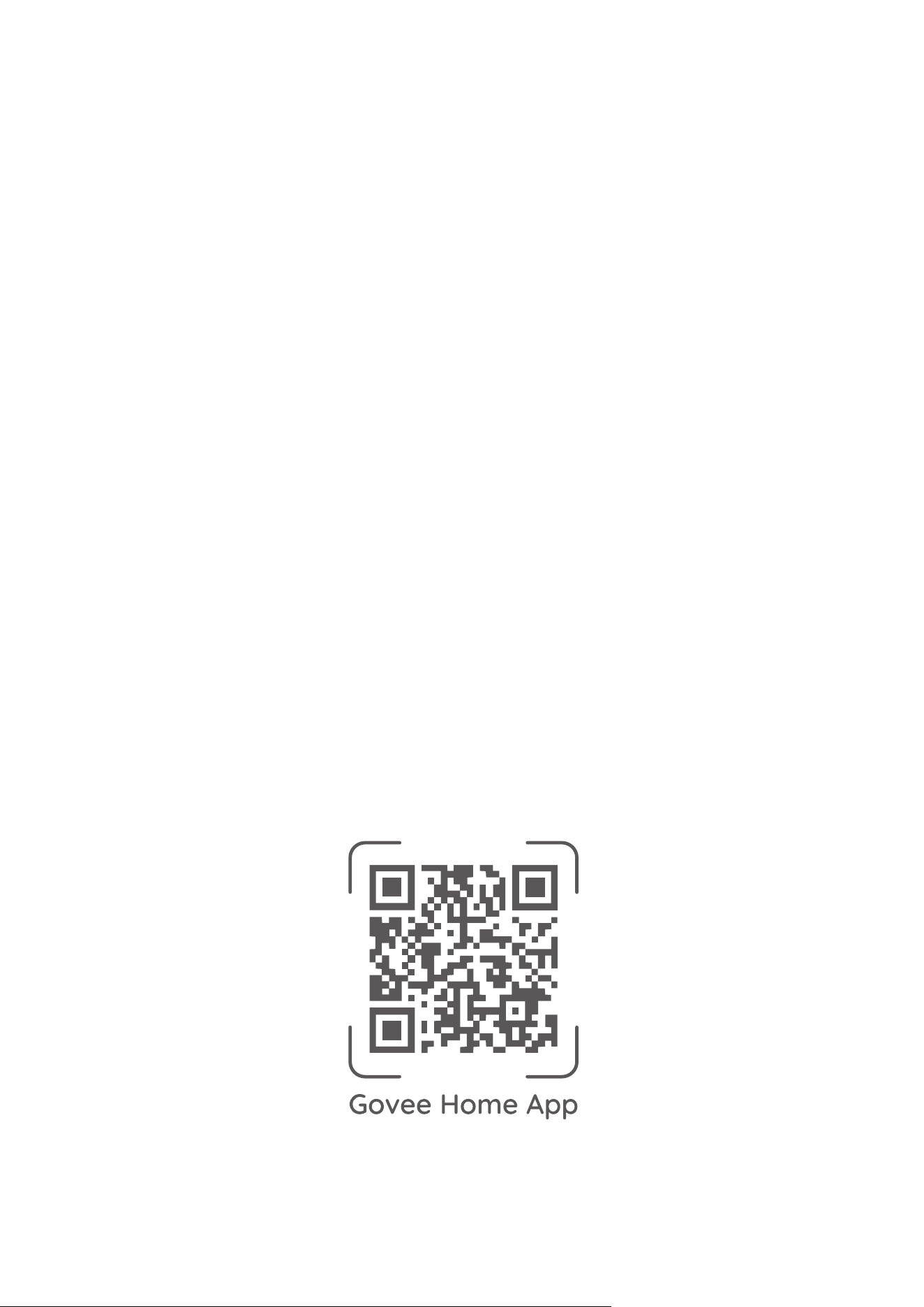
For FAQs and more information,
please visit:
www.govee.com